



As a project management platform for developers, Linear offers many great features that can help teams get products off the ground. However, it’s not the only option — alternatives offer more flexibility, better reporting, or stronger collaboration.
In this guide, you’ll find a quick comparison table, detailed breakdowns of the top Linear competitors, and a simple framework for choosing the right platform based on your team type, methodology, and stack. We’ll also highlight how monday dev is an excellent alternative to Linear for cross-functional development teams that need customizable workflows and flexibility.
Try monday devQuick comparison: the top alternatives to Linear
Before we dive into the details, check out the side-by-side comparison of the top Linear alternatives below.
| Software | Use case | Starting price | G2 rating |
|---|---|---|---|
| monday dev | Cross-functional development teams needing customizable workflows and visibility | $9/seat/month | 4.7/5 |
| Jira | Large engineering organizations with complex, multi-team Agile delivery | $9/user/month | 4.3/5 |
| Asana | Mixed technical and non-technical teams coordinating projects and roadmaps | $10.99/user/month | 4.4/5 |
| ClickUp | Growing teams wanting one customizable workspace for many workflows | $7/user/month | 4.7/5 |
| Notion | Teams prioritizing documentation, specs, and central knowledge hubs | $8/user/month | 4.6/5 |
| Smartsheet | Teams that prefer spreadsheet-style planning with project controls | $9/member/month | 4.4/5 |
| Wrike | Teams wanting structured workflows, approvals, and advanced automation rules | $10/user/month | 4.2/5 |
| Productboard | Product-led organizations prioritizing feedback-driven roadmaps and alignment | $19/maker/month | 4.3/5 |
| GitHub | Developer-first teams managing work directly alongside repositories | $4/user/month | 4.7/5 |
| Trello | Small or early-stage teams needing simple visual task board | $5/user/month | 4.4/5 |
What is Linear?
Linear is a modern project and issue tracking platform designed primarily for software development, product, and design teams. It helps teams organize sprints, create and action product roadmaps, and streamline product issues all in one place. It also integrates with some of the most widely used development tools, like Figma, Slack, GitHub, and Zendesk.
Linear is typically a strong fit for small to mid-sized product, engineering, and design teams that prioritize speed, keyboard-driven workflows, and a clean, focused UI. However, it can feel limiting for larger cross-functional organizations that need highly customized processes, complex portfolio or program-level views, or deep collaboration across multiple, non-technical stakeholders.
Challenges with Linear for growing development teams
Although Linear is fast and well-designed, some teams eventually run into limitations, including:
- Less flexibility for complex or cross-functional workflows
- Limited portfolio-level visibility for multi-team planning
- Shallower reporting compared with more mature project management platforms
- Fewer customization options for non-engineering stakeholders
- Pricing that scales quickly as team sizes and needs grow
What makes a great Linear alternative for dev teams
The best Linear alternatives share a few traits that help development teams move quickly and keep everyone aligned.
- Flexible workflows that support Scrum, Kanban, and hybrid processes without forcing teams into a single way of working.
- Deep Git-based integrations so issues, pull requests, and deployments stay tightly connected to code.
- Strong cross-team collaboration features that make it easy for product, engineering, and business stakeholders to stay aligned.
- Clear roadmapping and reporting that surface progress, bottlenecks, and delivery risks at both team and portfolio levels.
- Transparent, scalable pricing so growing teams can predict costs as they add users or advanced capabilities.
- AI-powered assistance for summarizing issues, highlighting risks, automating workflows, and supporting faster decision-making across dev teams.
10 Linear alternatives for development teams
While Linear is a solid option for software development teams, it’s not the only way to plan, track, and ship work. Many engineering and product organizations look for alternatives that better support cross-functional collaboration, reporting, or specific methodologies. Below are 10 Linear competitors that you can evaluate based on your workflows, tech stack, and growth stage.
1. monday dev: the most flexible Linear alternative
Use case: Cross-functional development teams needing customizable workflows and visibility
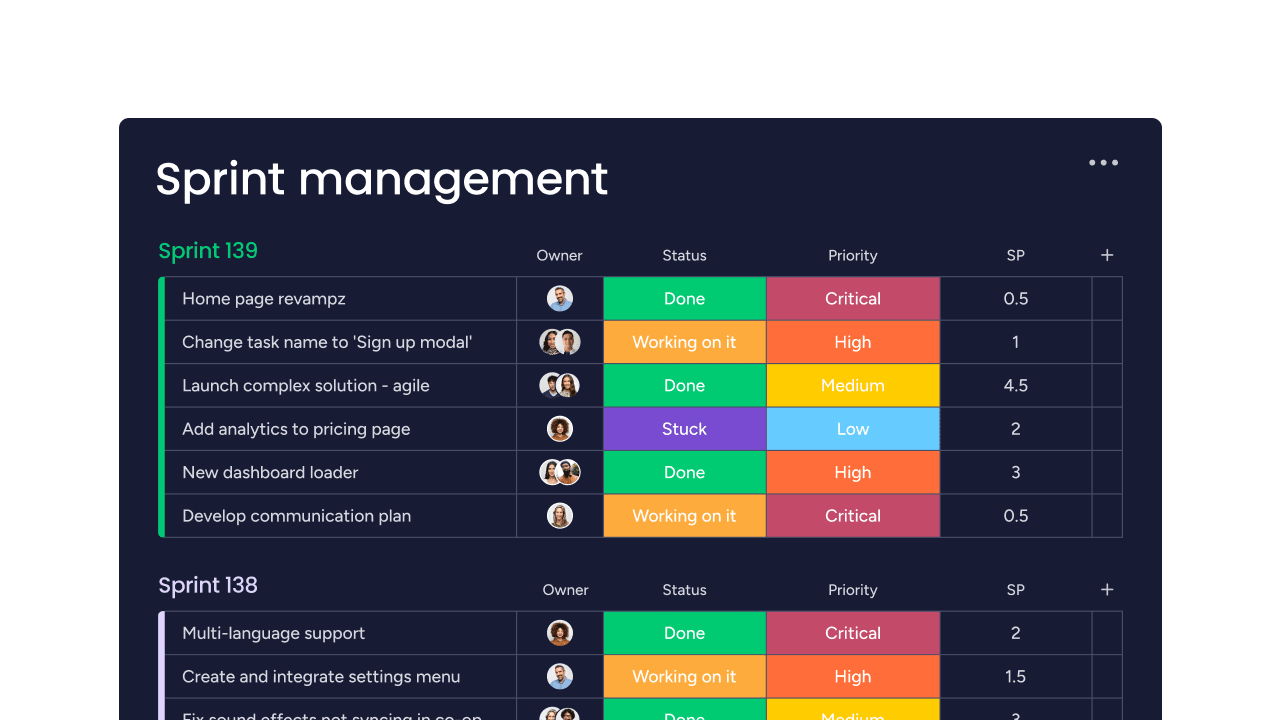
Built on the monday.com Work OS, monday dev is a dedicated platform for development teams to manage everything from intake and sprint planning to releases and post-release work. It connects engineering, product, and business stakeholders in one place, making it easier to align priorities and ship faster.
Key features of monday dev
- Flexible boards for backlogs, sprints, and multi-team delivery
- Multiple views, including Kanban, timelines, and dashboards for dev work
- Native automations for intake, triage, and status updates across teams
- AI-powered summaries, risk signals, and next-step suggestions for dev work
Why teams choose monday dev
- Strong fit for teams wanting a single hub across engineering and business
- Highly configurable workflows and templates tailored to software development
- Rich integration ecosystem including Git-based tools and collaboration apps
- Customizable boards and automations that fit any dev workflow
- End-to-end visibility across sprints, bugs, features, and releases
- Modern, intuitive interface that speeds up team onboarding
monday dev pricing
Start with a 14-day free trial (no credit card required) and then choose from 4 premium plans:
- Basic: From $9/seat/month
- Standard: From $12/seat/month
- Pro: From $20/seat/month
- Enterprise: Custom pricing
Read more about monday dev’s pricing.
monday dev ratings and reviews
“What stands out most about monday dev is how seamlessly it brings every stage of the development lifecycle into one visual workspace. I love that I can manage product roadmaps, sprint planning, bug tracking, and release workflows all in one place — without needing to jump between multiple tools. The customizable boards and automation recipes make it easy to tailor processes to our team’s workflow, whether it’s managing agile sprints or tracking feature requests. The real-time updates and integrations with GitHub, Jira, Slack, and other dev tools help everyone stay aligned, reduce manual updates, and keep projects moving efficiently. Overall, it combines the flexibility of monday.com with the structure and visibility that modern dev teams need.” — Harrison T.
Compare:
Try monday dev2. Jira: The enterprise-grade Linear alternative
Use case: Large engineering organizations with complex, multi-team Agile delivery
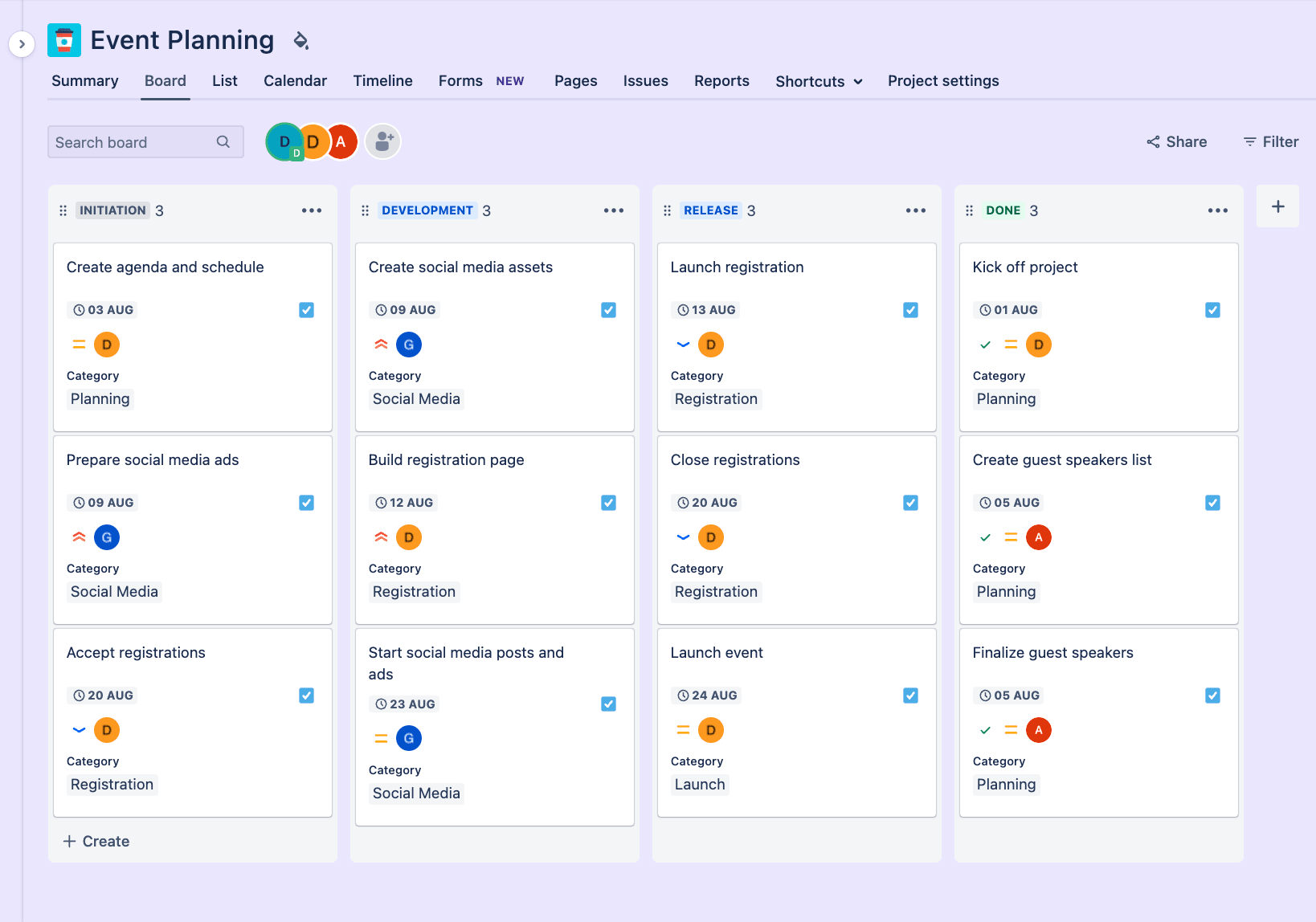
Jira is an established platform for managing complex software development at scale, especially in enterprise environments. It offers robust issue tracking, advanced Agile features, and deep configuration for organizations with mature processes.
Key features of Jira
- Mature Scrum and Kanban boards for detailed issue tracking
- Advanced roadmaps for multi-team, multi-project planning and tracking
- Extensive marketplace with add-ons for reporting and automation
- Emerging AI features for issue suggestions, summaries, and automation
Jira considerations
- Strong choice for regulated, enterprise-scale software development organizations
- Deep configuration options for custom workflows, fields, and permissions
- Large ecosystem, documentation, and partner support for implementation.
- Configuration complexity and admin overhead can be high for smaller teams
- Add-ons often needed for advanced reporting or test management needs
- User experience may feel heavy compared to lighter-weight Linear alternatives
Why teams choose Jira over Linear
It supports large, multi-team Agile delivery with advanced workflows and governance that Linear isn’t built to handle.
Jira pricing
Jira’s pricing is on a sliding scale — the more users you have, the lower your price. There’s a free plan (for teams of up to 10) and 3 premium plans:
- Standard: From $9/user/month
- Premium: From $18/user/month
- Enterprise: Custom pricing
Read more about Jira’s plans and pricing.
Jira ratings and reviews
“As much as Jira is helpful, it can feel a bit heavy at times — especially for smaller tasks or quick fixes. Sometimes there are just too many fields or steps to create a simple ticket, and it slows things down. Also, when multiple teams customize their workflows differently, it gets a bit confusing to navigate between boards. At Awiros, we’ve learned to work around it, but there’s definitely a learning curve for new team members.” — Atishay J.
Compare:
3. Asana: The visual Linear alternative for mixed teams
Use case: Mixed technical and non-technical teams coordinating projects and roadmaps
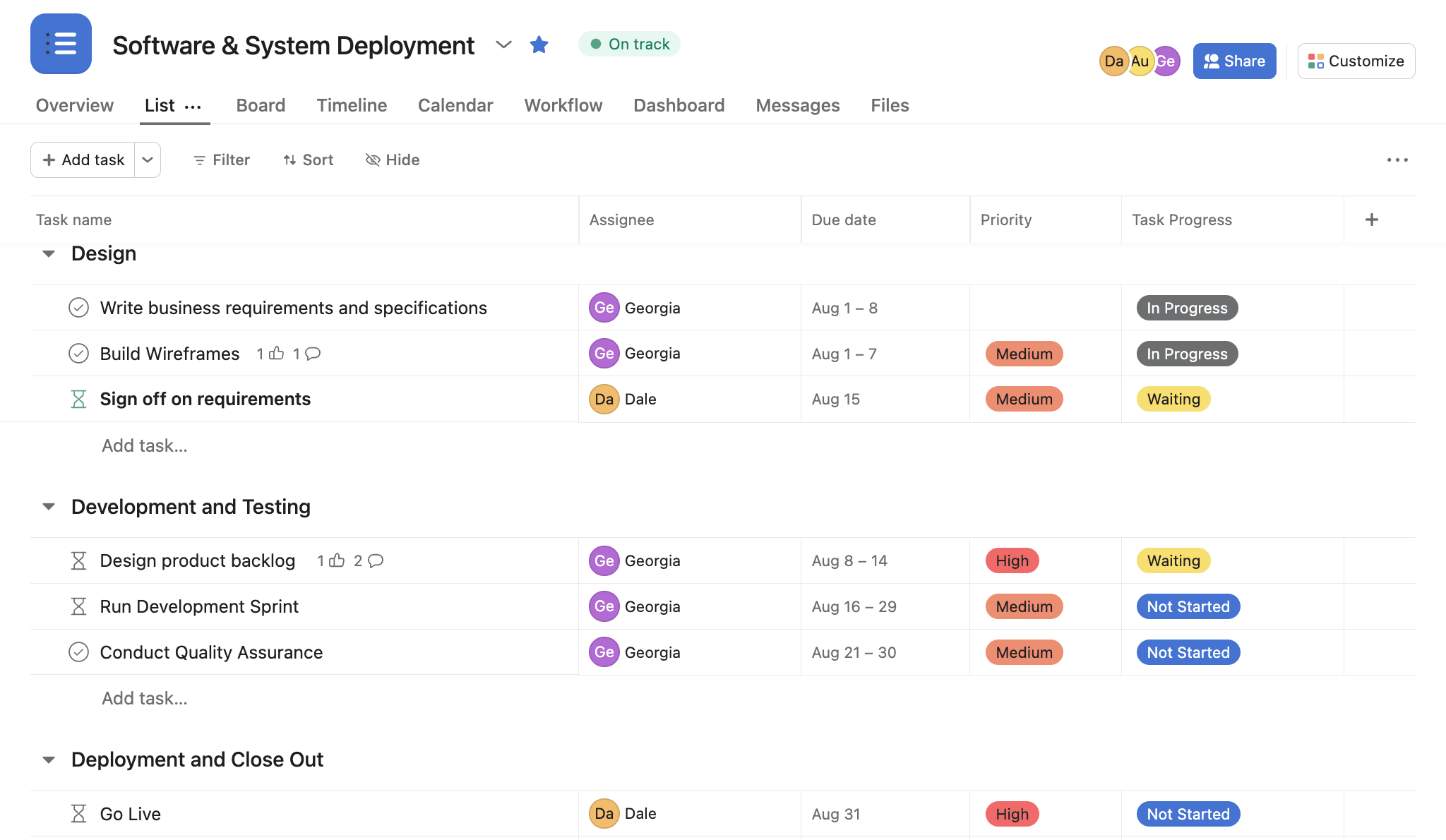
Asana is a visually driven work management platform that helps teams organize projects, tasks, and workflows across departments. It is especially popular with organizations that need to coordinate development work alongside marketing, operations, and other business functions.
Key features of Asana
- Visual boards, lists, and timelines for planning and execution
- Custom fields and rules for lightweight process automation and tracking
- Workload and portfolio features for higher-level resource visibility
- AI-assisted task summaries, routing, and simple workflow suggestions
Asana considerations
- Strong fit for teams managing cross-functional initiatives beyond pure engineering
- Intuitive interface and visual layouts ease adoption for non-technical users
- Integrations with many collaboration tools and cloud apps
- Less specialized for deep software development workflows and issue tracking
- Advanced features like portfolios and reporting on higher tiers
- Customization can become harder to manage at scale without clear governance
Why teams choose Asana over Linear
Asana makes it easier to coordinate engineering, product, and business teams in one place — an area where Linear’s focus on speed-first dev workflows can feel limiting.
Asana pricing
Asana offers a free plan (for individuals and small teams) and a choice of premium packages:
- Starter: From $10.99/user/month
- Advanced: From $24.99/user/month
- Enterprise: Custom pricing
- Enterprise+: Custom pricing
Read more about Asana’s plans and pricing.
Asana ratings and reviews
“Asana has revolutionized the way I manage projects. Its intuitive interface and customizable workflows allow me to stay organized and keep track of all my tasks in one place. I love the integration options with other tools I use daily, like Google Drive and Slack. The collaborative features make it easy to communicate with my team, and the calendar view is perfect for visualizing what I need to get done each day. The only downside I’ve encountered is that the mobile app can feel a bit clunky when managing larger, more complex projects.” — Lucinda F.
Compare:
4. ClickUp: The all-in-one Linear alternative
Use case: Growing teams wanting one customizable workspace for many workflows
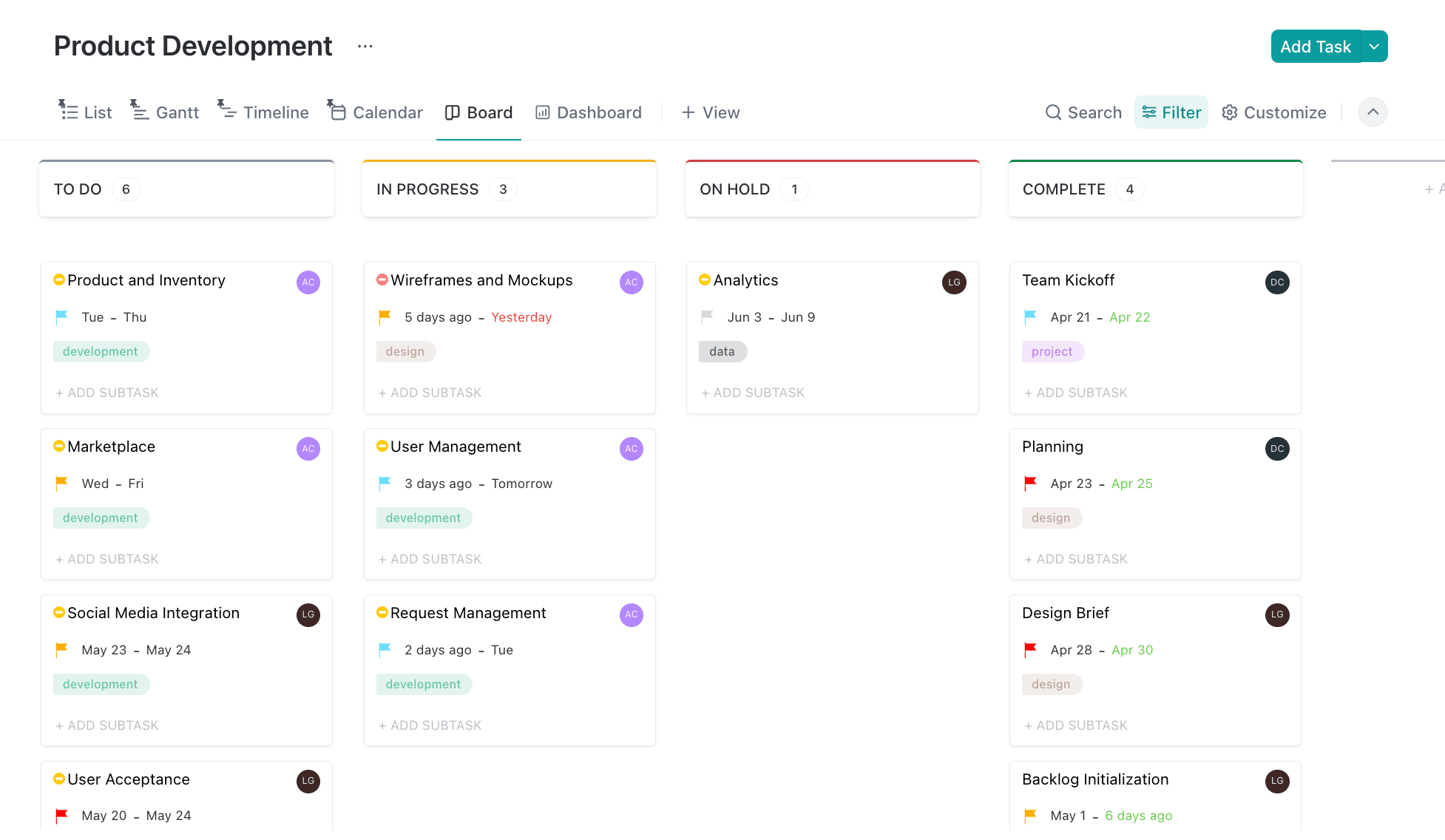
ClickUp positions itself as an all-in-one productivity and project management platform that combines tasks, docs, whiteboards, and goals. Many teams use it to centralize project planning, documentation, and collaboration, including development work.
Key features of ClickUp
- Highly configurable views, including lists, boards, timelines, and dashboards
- Custom fields, forms, and automations supporting varied project types
- Built-in docs, whiteboards, and goals to reduce tool sprawl
- AI features for summaries, task generation, and workspace insights
ClickUp considerations
- Powerful feature set at relatively competitive entry-level pricing
- Useful for teams centralizing dev, ops, and business workflows
- Extensive library of templates to jump-start standard processes
- Interface and configuration options can feel overwhelming initially
- Some advanced functionality may require more time to set up
- AI features require paid plans
Why teams choose ClickUp over Linear
ClickUp centralizes docs, whiteboards, tasks, and dev workflows, reducing tool sprawl in ways Linear’s narrower feature set can’t match.
ClickUp pricing
ClickUp offers a free plan (for personal use) and a choice of 3 premium plans:
- Unlimited: From $7/user/month
- Business: From $12/user/month
- Enterprise: Custom pricing
Read more about ClickUp’s plans and pricing.
ClickUp ratings and reviews
“As a software engineer, what I appreciate most about ClickUp is its comprehensive platform that brings together task management, documentation, and communication in a seamless way. The ability to customize workflows, along with robust automations and integrations, allows me to stay organized, minimize context switching, and ensure the whole development team remains on the same page. Tools such as ClickUp Docs and Agile-oriented task views simplify both planning and progress tracking. At times, it can seem a little overwhelming due to the sheer number of features it offers. But all in all, ClickUp helps me save time and enhances my productivity.” — Azadul Islam R.
Compare:
5. Notion: The knowledge-first Linear alternative
Use case: Teams prioritizing documentation, specs, and central knowledge hubs
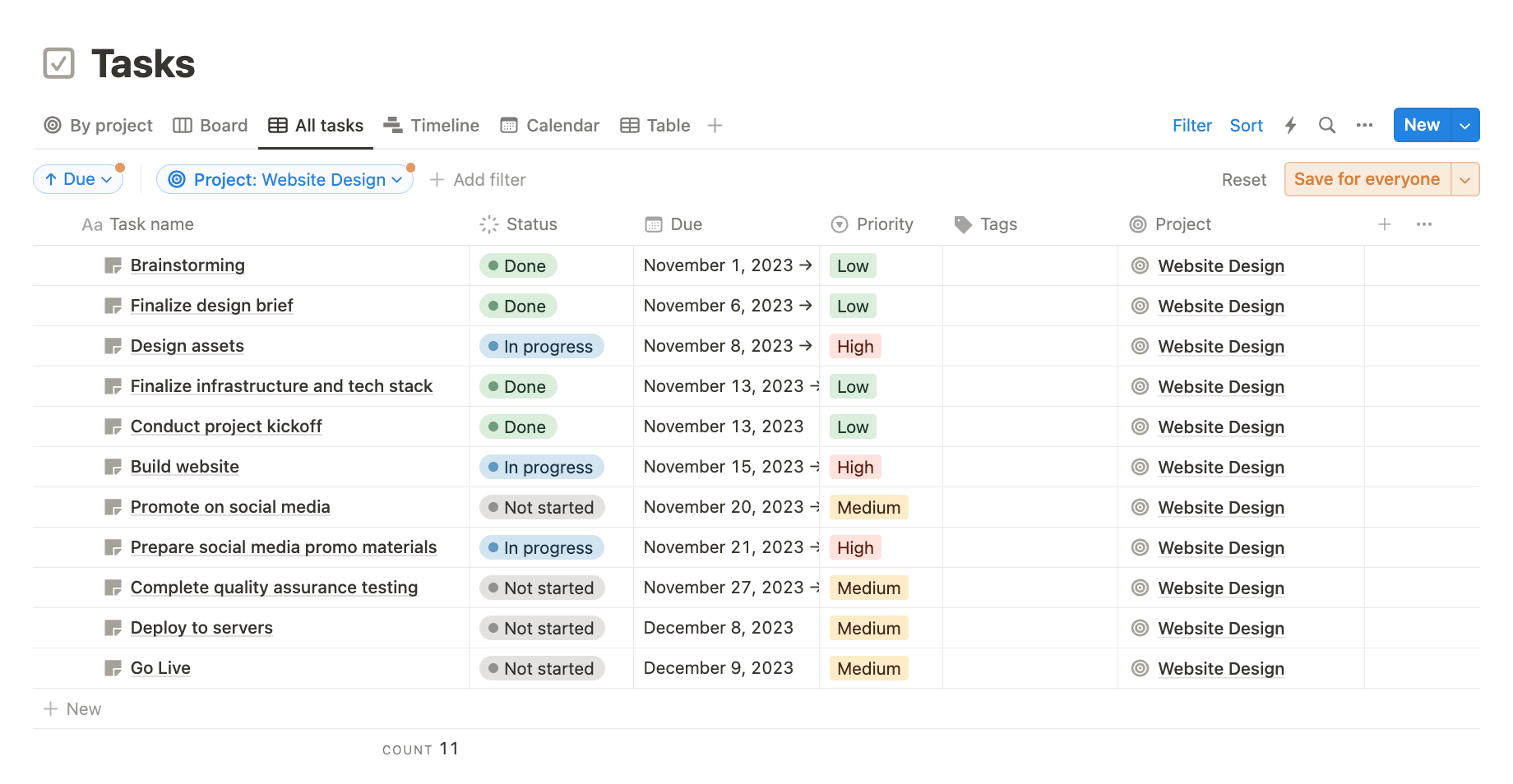
Notion combines docs, wikis, and lightweight databases in a flexible workspace that teams often extend into simple project management. Development teams use it to centralize documentation, specs, and light task tracking alongside their code tools.
Key features of Notion
- Linked pages, docs, and wikis for technical and product documentation
- Database tables and Kanban views for lightweight task tracking
- Flexible templates for PRDs, RFCs, runbooks, and internal knowledge
- AI assistant for summarizing, drafting, and reorganizing documentation
Notion considerations
- Excellent for centralizing product, design, and engineering knowledge
- Highly flexible structure that can adapt to many content types
- Growing integration ecosystem, including GitHub and other dev tools
- Less specialized for deep issue tracking or complex dev workflows
- Workspaces can become messy without a clear structure and ownership
- AI is general-purpose and not dev-specific
Why teams choose Notion over Linear
Notion provides a flexible, documentation-first workspace that complements dev work — ideal for teams who find Linear too restrictive for content, specs, or internal knowledge.
Notion pricing
Notion includes a free plan and 3 premium tiers:
- Plus: From $10/user/month
- Business: From $20/user/month
- Enterprise: Custom pricing
Notion ratings and reviews
“What I like best about Notion is how flexible it is. You can use it for everything, from taking simple notes to managing big projects. It’s easy to customize, so I can set it up in a way that works perfectly for me. Plus, it keeps everything in one place, so I don’t have to jump between different apps.” — Twinkle S.
Compare:
- Notion vs. monday.com
- Best Notion alternatives
- Top AI collaboration tools
- Best task automation software
6. Smartsheet: The resource planning Linear alternative
Use case: Teams that prefer spreadsheet-style planning with project controls
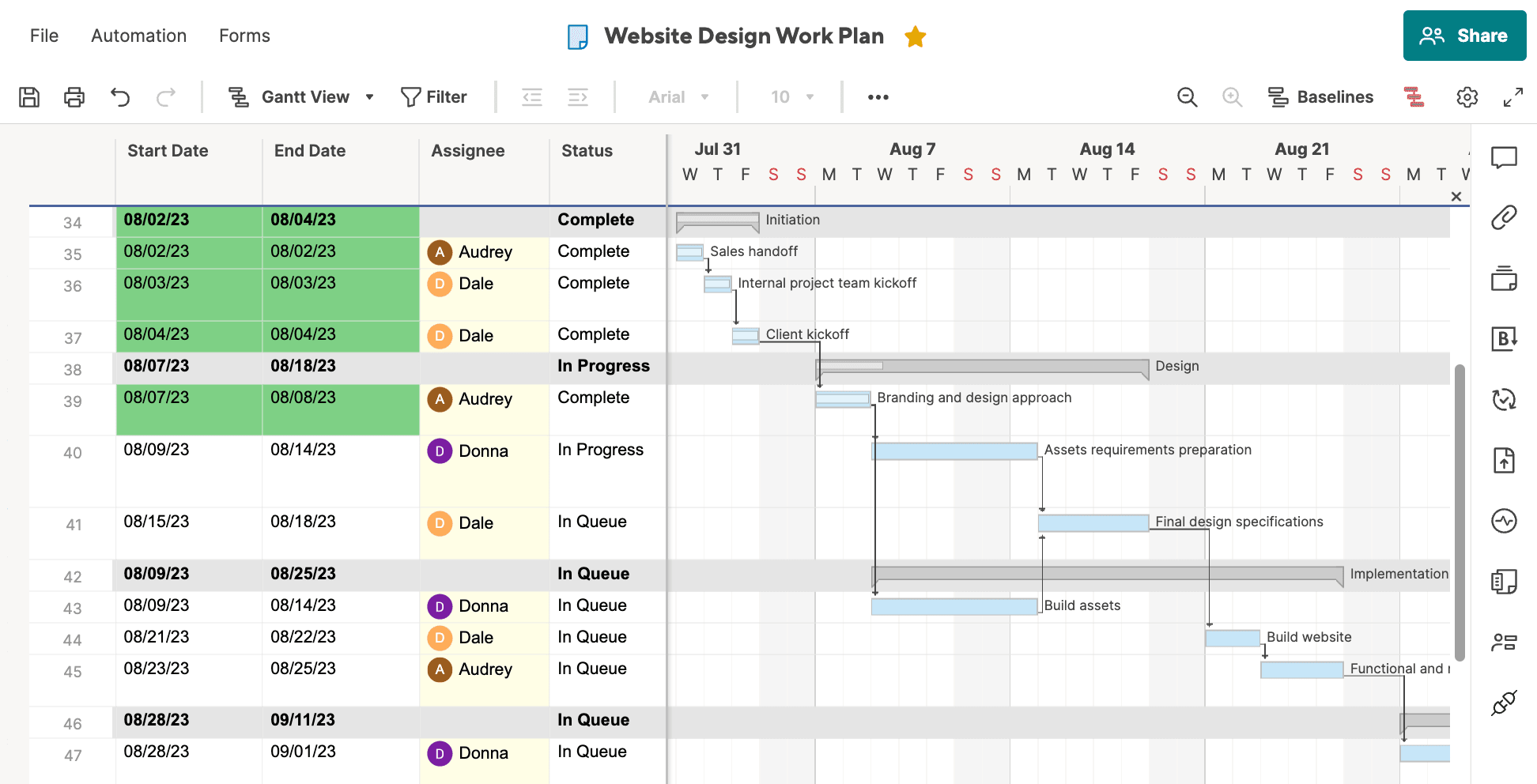
Smartsheet offers a spreadsheet-inspired interface with project management features for planning, tracking, and reporting work. It’s often used by organizations that prefer grid-style layouts but need more structure than traditional spreadsheets.
Key features of Smartsheet
- Grid, Gantt, calendar, and card views for flexible planning
- Resource and workload management features for capacity planning
- Cross-sheet reporting and dashboards for portfolio-level oversight
- Emerging AI to assist with formulas, summaries, and automation
Smartsheet considerations
- Familiar spreadsheet-like interface eases adoption for operations-heavy teams
- Strong reporting, dashboards, and cross-sheet aggregation capabilities
- Suitable for organizations blending project and operational planning
- Less tailored to day-to-day developer workflows and issue tracking
- Advanced configuration may require power users or admins to maintain
- Advanced AI automations require enterprise licensing
Why teams choose Smartsheet over Linear
It delivers stronger resource planning, reporting, and spreadsheet-style control, helping teams that outgrow Linear’s light project management approach.
Smartsheet pricing
Smartsheet offers a free trial and 3 premium plans:
- Pro: From $9/member/month
- Business: From $19/member/month
- Enterprise: Custom pricing
Read more about Smartsheet’s plans and pricing.
Smartsheet ratings and reviews
“I love how Smartsheet blends the familiar sense of a spreadsheet with the project management tools. The ability to automate workflows, collaborate with teammates in real-time, and customize views, like the Gantt charts and calendar, has made tracking complex projects much more efficient.” — Vivianne A.
Compare:
7. Wrike: The automation-heavy Linear alternative
Use case: Teams wanting structured workflows, approvals, and advanced automation rules
Wrike is a work management platform focused on configurable workflows, automation, and detailed reporting across teams. It’s used by organizations that need structured project management with custom request forms and approval flows.
Key features of Wrike
- Custom request forms that route work into predefined workflows
- Automation rules to update statuses, owners, and notifications
- Detailed reporting and workload views for managers and leads
- AI-assisted work intelligence and automation recommendations
Wrike considerations
- Strong for teams formalizing intake, approvals, and cross-team processes
- Multiple views and dashboards support complex project portfolios
- Integrations with popular collaboration and file-storage tools
- May feel heavy for smaller dev teams wanting lightweight issue tracking
- Configuration and governance efforts increase with organization size
- AI features available in top-tier plans only
Why teams choose Wrike over Linear
Wrike offers structured intake, approvals, and automation — areas where Linear keeps things intentionally minimal.
Wrike pricing
Wrike offers a free plan and 4 premium-priced tiers:
- Team: From $10/user/month
- Business: From $25/user/month
- Enterprise: Custom pricing
- Pinnacle: Custom pricing
Read more about Wrike’s plans and pricing.
Wrike ratings and reviews
“What I like the most about Wrike is the high level of customization it offers for each project. You can easily set the level of communication and collaboration with co-workers or team members, which makes it adaptable for small, medium, and large projects. The recent addition of AI capabilities makes the tool even more powerful and forward-looking. Because there are so many features and options available, it can feel overwhelming at first.” — Douglas S.
Compare:
- Wrike vs. monday.com
- Wrike vs. Jira
- Top Agile project management software
- Best product backlog management tools
- Best Kanban tools
8. Productboard: The customer-centric Linear alternative
Use case: Product-led organizations prioritizing feedback-driven roadmaps and alignment
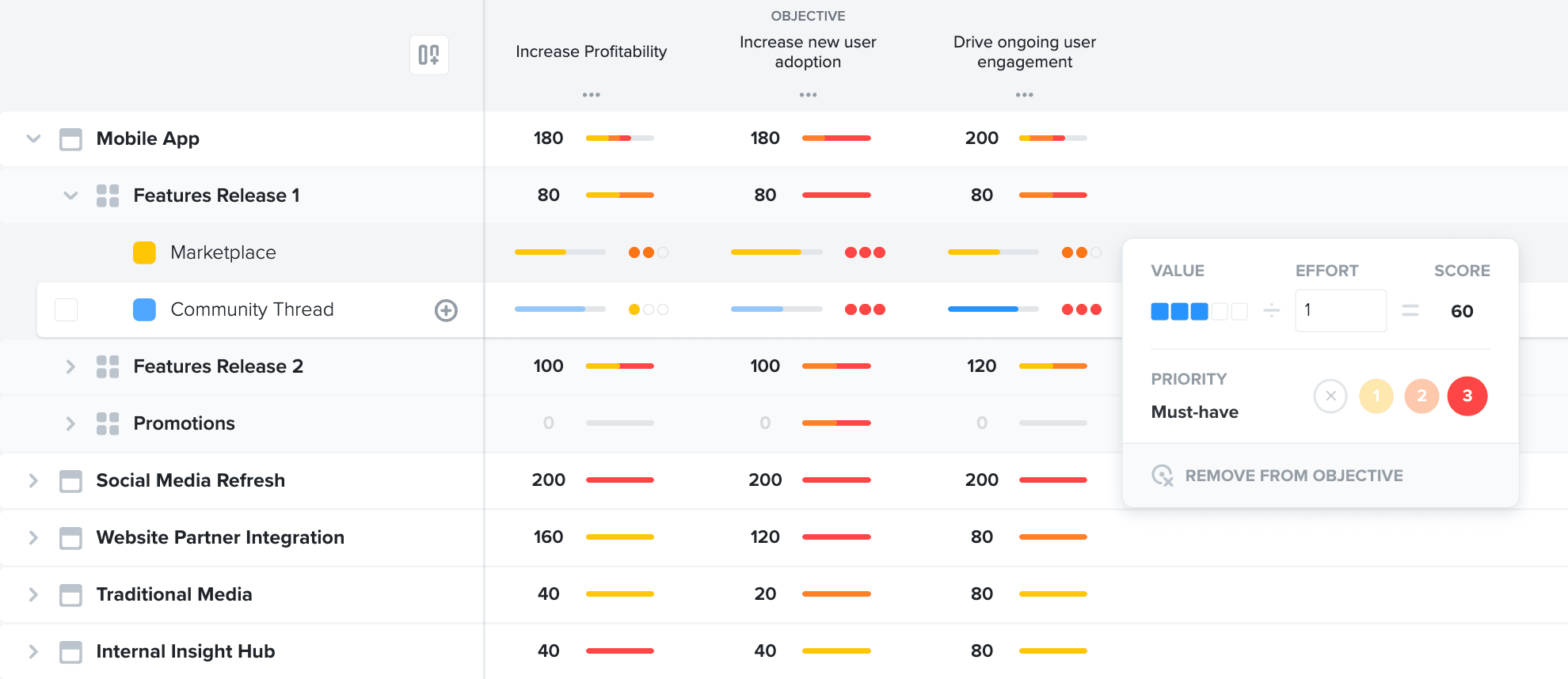
Productboard is a product management platform that centralizes feedback, prioritizes features, and shares roadmaps. Product and engineering teams use it alongside execution tools to ensure they are building the right features.
Key features of Productboard
- Centralized feedback collection from customers and internal teams
- Prioritization frameworks to score and rank feature ideas
- Roadmaps tailored to stakeholders, from leadership to engineering
- AI-assisted insight extraction and prioritization support from feedback
Productboard considerations
- Excellent complement to issue tracking tools for product discovery
- Integrations with Jira, GitHub, and collaboration platforms
- Helps align product, engineering, and go-to-market on what to build next
- Not a complete replacement for detailed sprint or issue management
- Separate licensing and setup in addition to dev execution tools
- Best value when teams actively maintain feedback and prioritization
Why teams choose Productboard over Linear
If you care about customer insights and prioritization frameworks, Productboard provides discovery features that sit outside Linear’s scope.
Productboard pricing
Productboard offers a free Starter plan and 3 premium packages:
- Essentials: From $19/maker/month
- Pro: From $59/maker/month
- Enterprise: Customized pricing available for 5+ makers
Productboard ratings and reviews
“I’m really into how Productboard fosters collaboration. It’s like a melting pot of ideas and feedback. When we all join forces and see how seamlessly it connects to our project tools it’s like adding fuel to the fire of our product’s performance. Also having all customer comments and market info in one place helps us get inside the minds of our users ultimately paving the way for our product innovation.” — Lara M.
Compare:
- Productboard vs. Aha!
- Productboard alternatives
- Best product roadmap software
- Best product development software
9. GitHub: The code-first Linear alternative
Use case: Developer-first teams managing work directly alongside repositories
GitHub, beyond source control, offers issues, projects, and automation that many teams use as a lightweight Linear alternative. It’s especially popular with engineering-first organizations that want project management close to their code.
Key features of GitHub
- Issues and labels for backlog, bugs, and lightweight workflows
- Projects and views that organize issues across repos and teams
- Actions and automation for CI/CD and workflow-related triggers
- GitHub Copilot and AI features for code and issue workflows
GitHub considerations
- Ideal for teams already standardizing on GitHub for development
- Keeps code, reviews, and tracking tightly connected in one ecosystem
- Growing project management capabilities reduce the need for separate tools
- Less suited to non-technical stakeholders needing higher-level reporting
- Complex multi-team setups may require careful structure and conventions
- Some planning features are still maturing compared to dedicated PM platforms
Why teams choose GitHub over Linear
GitHub keeps code, issues, and deployment workflows in one ecosystem, eliminating the context-switching that Linear still requires.
GitHub pricing
GitHub offers a free plan for public repositories, plus 2 premium packages:
- Team: From $4/user/month
- Enterprise: From $21/user/month
GitHub ratings and reviews
“What I love most about GitHub is how easy it is to collaborate on code. The version control with Git is super reliable, and features like pull requests, code reviews, and branch management help teams work smoothly, no matter where they are.” — Chamindu U.
Compare:
- Best bug tracking software
- Best issue tracking software
- Best software development tools
- Best software development collaboration tools
- Best product management software
10. Trello: The simple Kanban Linear alternative
Use case: Small or early-stage teams needing simple visual task boards
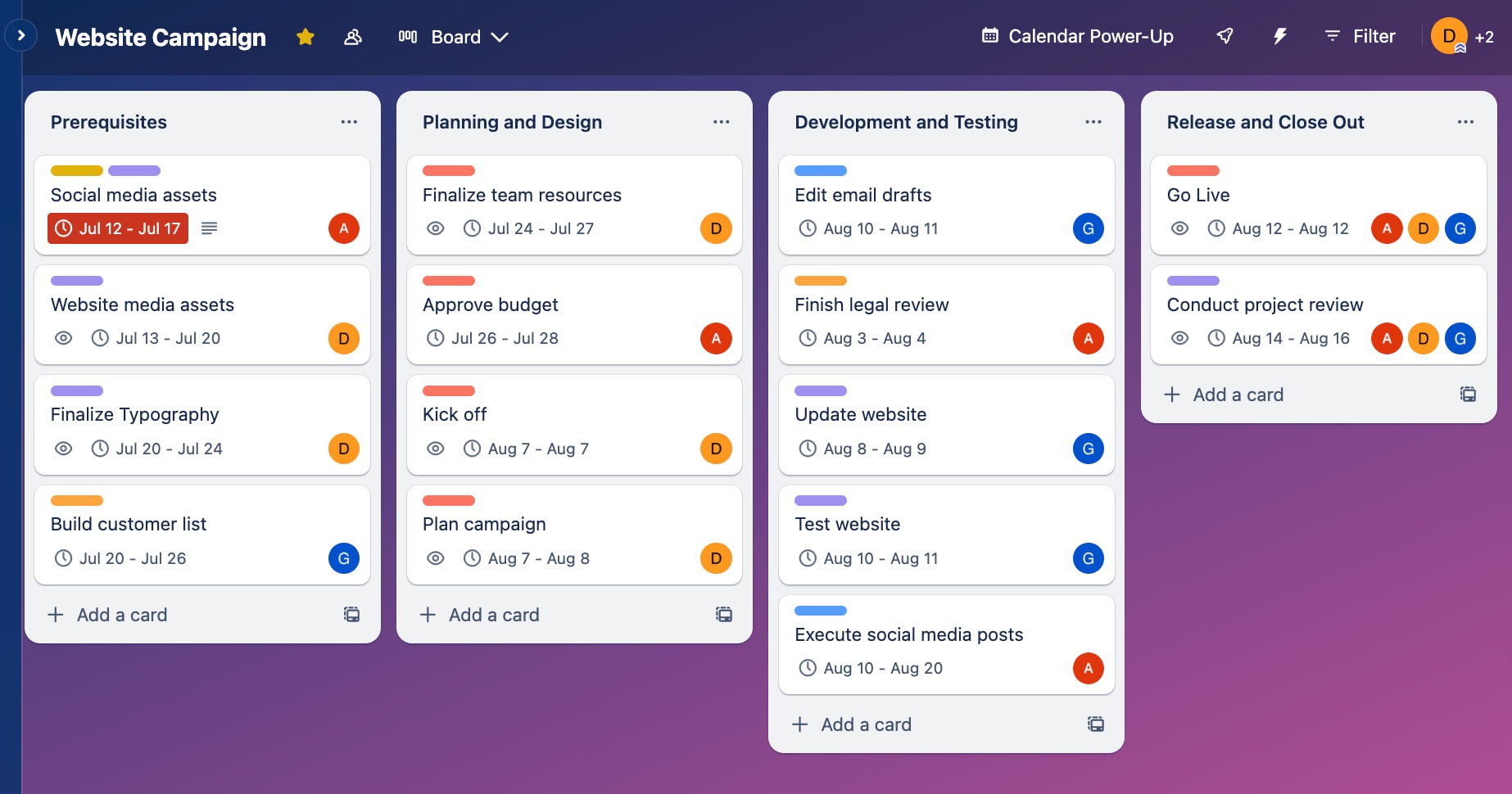
Trello is a straightforward Kanban-style tool built around boards, lists, and cards. Many small teams and startups use it to get quick visibility into work without heavy configuration.
Key features of Trello
- Intuitive Kanban boards for organizing tasks and workflows
- Power-Ups and automations to extend boards with extra functionality
- Simple checklists, attachments, and comments for lightweight collaboration
- Emerging AI helpers for card content and automation suggestions
Trello considerations
- Low barrier to entry for small, non-technical teams
- Flexible boards that can adapt to many simple processes
- Integrates with popular apps through Power-Ups and connectors
- Limited native support for complex development workflows or scaling
- Advanced workflows often require multiple Power-Ups or external tools
- Harder to maintain structure as boards and teams grow
Why teams choose Trello over Linear
Trello provides dead-simple Kanban for early-stage teams that find Linear’s opinions and complexity unnecessary.
Trello pricing
Trello offers a free plan for up to 10 collaborators per workspace, plus 3 premium tiers:
- Standard: From $5/user/month
- Premium: From $10/user/month
- Enterprise: From $17.50/user/month
Read more about Trello’s plans and pricing.
Trello ratings and reviews
“Trello remains one of the most user-friendly and visually intuitive project management tools I’ve worked with. The drag-and-drop Kanban board style makes it effortless to organize tasks and workflows, whether for solo projects or team collaboration. While Trello is excellent for organizing and visualizing tasks, it can become cluttered when managing larger or more detailed projects. Also, some advanced functionality (like timeline or Gantt views) requires paid add-ons or upgrades, which may be limiting for teams on a tight budget. Native reporting tools are still a bit basic compared to other platforms.” — Mohamed Haithem M.
Compare:
How to choose the right Linear alternative
When comparing Linear alternatives for your team, use this simple decision framework to quickly and confidently narrow the options.
- Define your team type and size: Clarify whether you are a small startup squad, a mid-sized product-engineering group, or a large enterprise with multiple cross-functional teams.
- Choose your preferred methodology: Prioritize tools that align with your current workflows, such as Scrum, Kanban, or hybrid, and can adapt as your processes evolve.
- Map required integrations: List your critical systems, such as GitHub, GitLab, CI/CD, or Figma, and focus on platforms with native or well-supported integrations.
- Check security and compliance needs: Confirm that the shortlisted tools support your data residency, access controls, and compliance requirements, especially for regulated industries.
- Model your budget over time: Compare per-seat pricing, feature tiers, and expected team growth to understand the total cost of ownership over the next 1-3 years.
If you’re specifically comparing free Linear alternatives, look closely at user limits, automation caps, and GitHub integrations. Some Linear competitors offer generous free tiers but restrict reporting or advanced views until paid plans. For teams evaluating Linear project management alternatives, prioritize platforms that support both dev execution and cross-team visibility.
Transform your development process with monday dev
Built on monday.com Work OS, monday dev helps modern development teams connect roadmaps, sprints, and releases in one place while staying aligned with product and business stakeholders. As a Linear alternative, it gives engineers greater control over their work, with flexible workflows, rich context, and AI that supports day-to-day execution.
Flexible workflows for any dev team
With monday dev, teams can manage Scrum, Kanban, or hybrid workflows side by side, so backend, frontend, and platform squads can work in the way that suits them best. You can adapt boards, statuses, and views without admin-heavy configuration or separate tools.
Connected to your Git-based toolchain
With built-in Git integrations, monday dev links issues to branches, pull requests, and deployments so developers see code status and work items in one place. Features like the engineering performance dashboard help teams spot bottlenecks across sprints using GitHub data.
Clear visibility for cross-functional teams
Product managers, tech leads, and business stakeholders get a single view of priorities and progress with shared roadmaps, dashboards, and docs. Role-based views mean engineers can focus on tickets while managers track delivery, risks, and dependencies at a higher level.
AI that accelerates engineering work
Built-in AI helps summarize issues, forecast velocity, and highlight risks so teams can make faster, better decisions. Engineers can automate repetitive tasks and generate insights directly within their workflows, without juggling separate AI tools.
Built to scale securely with your org
As teams grow, monday dev supports granular permissions, robust integrations, and data residency options that fit enterprise standards. Organizations can standardize on a single platform while still giving individual teams the freedom to configure boards and processes.
Start a free trial of monday dev to see how it can transform your development process with more flexibility, visibility, and AI-powered insights.
Try monday devFAQs
What makes a good Linear alternative for development teams?
A strong Linear alternative should support fast issue tracking, flexible workflows (Scrum, Kanban, or hybrid), and tight integration with tools like GitHub or GitLab. Development teams also benefit from clear roadmapping, robust reporting, and collaboration features that work for product, engineering, and business stakeholders, not just engineers.
Can I migrate my existing data from Linear?
Most major Linear competitors offer CSV imports, API-based migration, or dedicated migration tools, so teams can usually bring over issues, projects, and users with minimal manual work. Some platforms and integration providers also support syncing or importing tasks from GitHub, helping teams consolidate data as they move away from Linear.
Which Linear alternative has the best free plan?
Several tools competing with Linear offer generous free tiers, including options for small teams with core project boards, basic automations, and limited reporting. The “best” free plan depends on whether you prioritize user limits, storage, or integrations, so it is worth comparing free features against your team size and future growth needs.
How do Linear competitors compare on pricing?
Pricing among Linear competitors typically starts with a free or low-cost tier, then scales per user as features like advanced reporting, security, or portfolio views are added. Some tools are optimized for small teams with simple per-seat pricing, while others target enterprises with higher per-user costs but more configuration, governance, and support.
What's the best Linear alternative for startups?
For startups, the best Linear alternative usually offers a generous free or low-cost plan, simple onboarding, and strong collaboration features for small, fast-moving teams. Open-source tools or modern SaaS platforms with lightweight configuration are popular because they reduce overhead while still giving founders and engineers good visibility into roadmaps and sprints.
Which Linear tools integrate with GitHub?
Many Linear competitors highlight GitHub integrations that enable automatic updates across pull requests, commits, and issues. Tools focused on GitHub-first workflows, along with integration platforms like Unito, can sync repositories, issues, and statuses, helping development teams keep code and project tracking aligned without manual duplication.

 Get started