


ClickUp and monday.com’s AI Work Platform both deliver integrated work management solutions that users love. Each offers a user-friendly, customizable platform with buckets of features. So, how do you choose between them?
Our guide breaks down their components, integrations, pricing, ease of use, and quality of customer support. We’ll also explore some reviews to gain a real-world perspective on which is the best tool for you.
- monday.com’s AI Work Platform scores 9.1 on G2 for ease of use — 0.6 points higher than ClickUp’s 8.5 — making it faster for teams to adopt and start delivering results.
- AI capabilities set the two platforms apart: monday.com’s AI Work Platform offers Sidekick, Agents, Vibe, and MCP, while ClickUp relies on a single AI assistant (ClickUp Brain).
- monday.com’s AI Work Platform provides 200+ integrations with a no-code setup process; ClickUp offers 1,000+ integrations but users report a steeper configuration curve.
- monday.com’s AI Work Platform scores 4.7 out of 5 than ClickUp on G2, slightly higher than ClickUp.
monday.com vs. ClickUp: At a glance
In a hurry? Here’s a quick overview of how monday.com’s AI Work Platform and ClickUp stack up.
| monday.com's AI Work Platform | ClickUp | |
|---|---|---|
| Pricing | Free 14-day trial available. Plans start from $8 per seat/mo | Free forever plan available. Plans start from $7 per user/mo |
| Features | Workflow management, no-code automations, dashboards & widgets, Kanban & Gantt views, communication and collaboration | Relational database, Spaces/Folders/Lists hierarchy, no-code customization, real-time reporting |
| AI | monday sidekick, monday agents, monday vibe, monday MCP, AI Blocks | ClickUp Brain |
| Integrations | 200+ | 1,000+ |
| Customer support | 24/7 support, 9.0/10 on G2 | 24/7 support, 8.9/10 on G2 |
| Ease of use | 9.1/10 on G2 | 8.5/10 on G2 |
| Customer reviews | 4.7/5 on G2 | 4.6/5 on G2 |
| Storage | Basic = 5 GB, Standard = 20 GB, Pro = 100 GB, Enterprise = 1,000 GB | Free = 100 MB, Unlimited on premium plans |
| Analytics and reporting | Dashboards, charts, pipelines, reports, workloads, AI-powered summaries | Dashboards, charts, pipelines, reports, workloads, custom insights |
| CRM | Integrates with standalone monday CRM | CRM templates available |
What is monday.com's AI Work Platform?
monday.com’s AI Work Platform is where people and AI agents work together to get business results. It combines project management, automation, and embedded AI in one digital workspace. Trusted by nearly 250,000 customers, including more than 60% of the Fortune 500, the platform serves teams across every industry and function.
The platform’s core capabilities span project management, automation, reporting, and AI:
- Project and workflow management: 27+ views including Kanban, Gantt, Calendar, and Timeline for full visibility across every project
- Smart automations: No-code workflow automations that eliminate repetitive work and keep projects moving
- Real-time reporting with 25+ drag-and-drop widgets and intelligent summaries
- 200+ integrations: Connect the apps your team already uses — Microsoft Teams, Gmail, Slack, Jira, Salesforce, and more
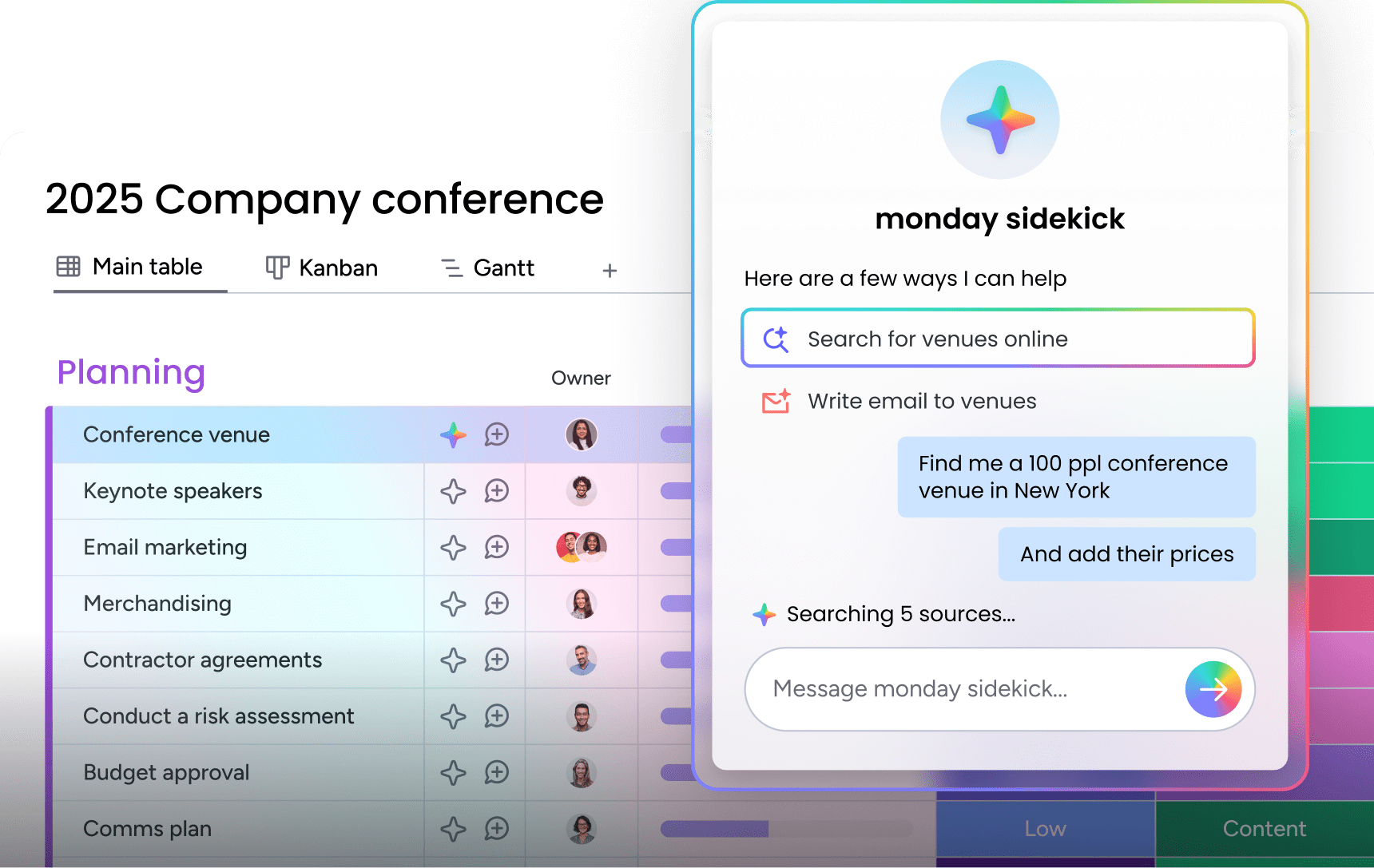
- Built-in AI features: monday sidekick, monday agents, and monday vibe bring autonomous AI directly into your workflows
What is ClickUp?
ClickUp is a project management and productivity platform designed to consolidate work processes into a single, customizable environment. The platform organizes work through a Hierarchy structure — Workspaces, Spaces, Folders, and Lists — that lets teams break down large projects into manageable components. ClickUp offers multiple views, no-code customization, native time tracking on paid plans, and an AI assistant called ClickUp Brain.
With those definitions in place, how do the two platforms compare when you look at the features project managers use every day?
ClickUp vs. monday.com: Features, views, automations, dashboards, and collaboration compared
As platforms at the top of their field, ClickUp and AI Work Platform share many advanced capabilities, with their own distinct approach to delivering them. The differences become apparent when you look at how each platform handles views, automations, dashboards, collaboration, time tracking, and reporting.
monday.com’s AI Work Platform features
monday.com’s AI Work Platform is a customizable platform built on powerful building blocks — dashboards, automations, and integrations — that let you create the digital workspace your team needs. The result is a versatile environment that scales with your organization as it grows. Key features include:
- Customizable dashboards: Inform insightful decision-making using dashboards with 25+ no-code widgets, 36+ columns, and 200+ apps to track data across every project
- Intuitive forms: Collect key information and share proposals with external stakeholders and vendors using a range of forms built for speed
- 27+ views: Visualize projects using Kanban boards, Gantt charts, Calendar, Timeline, and more — switching between views takes a single click
- No-code automations: Eliminate repetitive busywork and maximize efficiency using automations and templates
- Collaboration: Enable seamless company-wide workflows using communication features, file sharing, and collaborative Workdocs
- Enterprise-grade security: Keep data and workflows safe using multi-level permissions for teams, vendors, and guests
While monday.com’s AI Work Platform offers a wide range of features, nothing ever feels overwhelming. Every widget, view, and board works just as you’d expect, so teams are productive from day one. As one user on G2 puts it:
I have yet to see any other platform that offers the quantity and quality of features that monday does.
ClickUp features
ClickUp is designed to consolidate work processes into a single customizable platform with frequent updates. The vendor states that ClickUp comes with hundreds of features that can be customized for any work need, with more added regularly. These include:
- Organizational hierarchy: Break down projects into Workspaces, Spaces, Folders, and Lists
- Multiple views: Gantt, Timeline, Calendar, and third-party embeds from services like Miro or Airtable
- No-code customization: Build and shape the platform you need from scratch
- Communication:Spaces and real-time chat let teams share project updates; video clips allow screen recording and sharing
- Agile features: Scrum and Kanban boards for sprint-based workflows
- Native time tracking: Measure time spent on work items from any device (available on Business plan and above)
ClickUp offers a lot of options that can feel like overkill for teams that are new to the platform. One user says,
There are so many features that it can feel like you are not using it to its fullest and then you wonder what you might be missing out on.
For more context, check out our list of ClickUp alternatives or learn about specific comparisons like Trello vs ClickUp.
Views compared
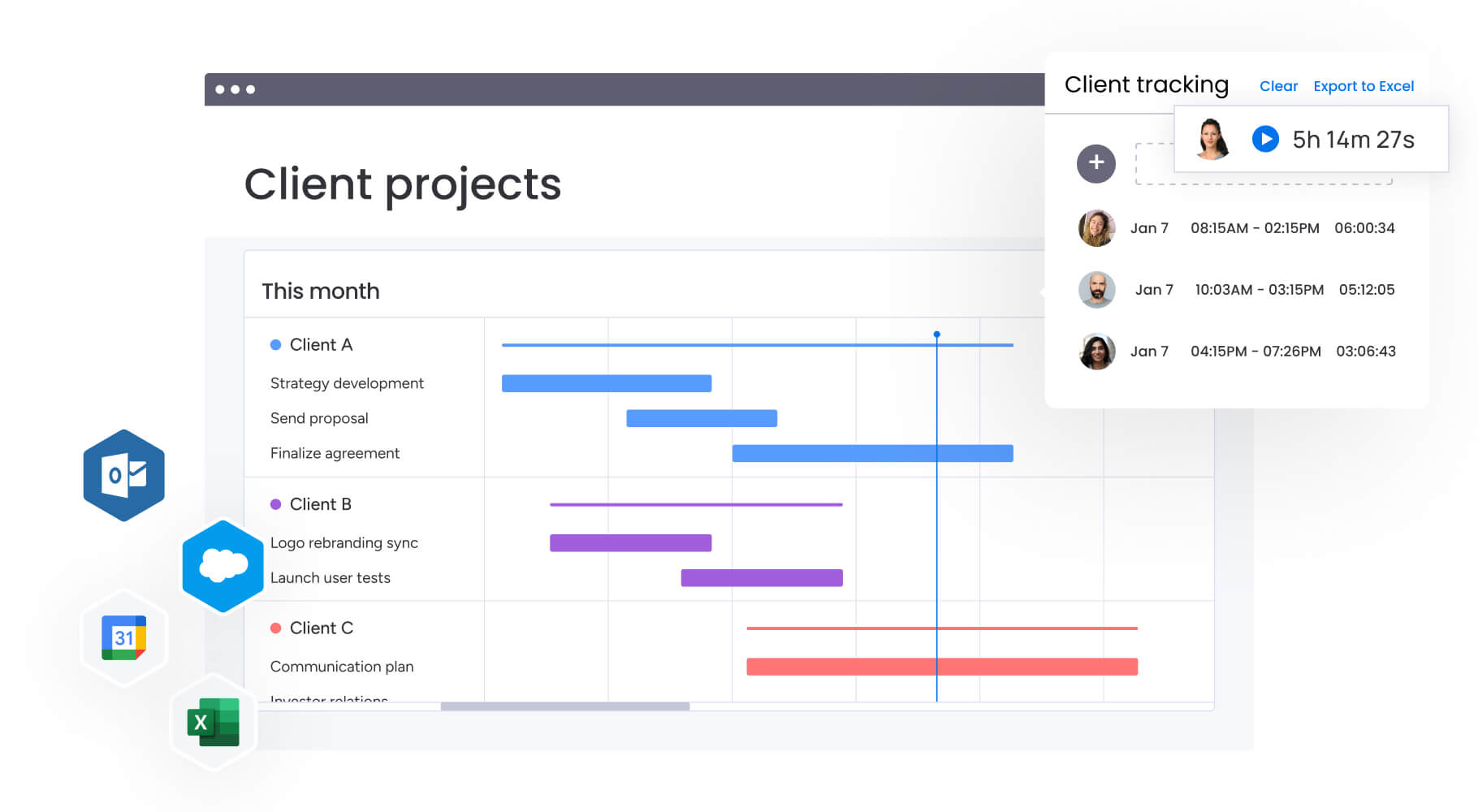
monday.com’s AI Work Platform offers 27+ views, including Kanban, Gantt, Calendar, Timeline, Chart, and Workload, with one-click switching between them. ClickUp also provides multiple views, including Gantt, Timeline, and Calendar, along with embedded third-party views. The key difference is how quickly teams can toggle between perspectives: switching from a Kanban board to a Gantt chart on the platform happens instantly within the same board, keeping context intact.
Automations compared
So which platform handles complex, multi-team workflows more effectively? Both platforms offer no-code automations, but the approach differs. monday.com’s AI Work Platform provides a visual no-code automated workflow builder where teams select triggers, conditions, and actions, with pre-built templates that handle everything from notifications to approval routing. ClickUp offers no-code automations as well, though some users report complexity when configuring which lists and folders automations apply to.
Dashboards and reporting compared
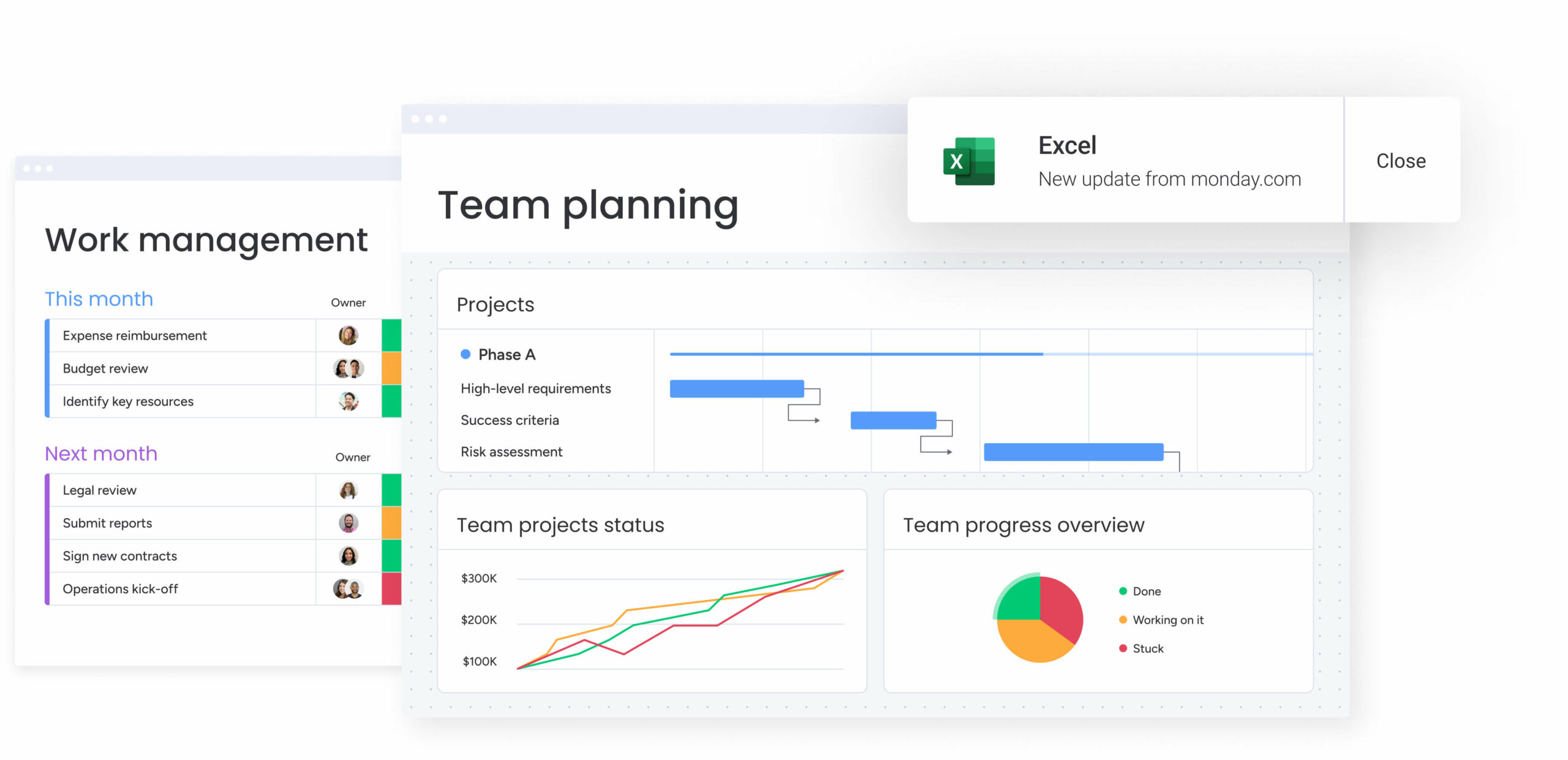
monday.com’s AI Work Platform delivers real-time customizable dashboards with 25+ drag-and-drop widgets, summaries, proactive risk alerts, and executive-level reports. ClickUp provides dashboards with charts, workload views, and time tracking reports. Both platforms cover the fundamentals, but monday.com’s AI Work Platform adds an AI layer that delivers insights and flags risks before they become problems.
Collaboration compared
AI Work Platform provides collaborative Workdocs with live board and dashboard embedding, intuitive forms for intake and proposals, comments, file sharing, and communication features that keep conversations attached to the relevant work items. ClickUp uses Spaces, real-time chat, video clips, and collaborative Docs. Both platforms keep teams connected — the difference is in how deeply collaboration features integrate with the rest of the workflow.
Time tracking compared
ClickUp includes native time tracking on its Business plan and above, letting teams measure time spent on work items from any device. monday.com’s AI Work Platform takes an integration-first approach, connecting with dedicated time tracking platforms like Toggl Track, Clockify, and Harvest through its 200+ integrations. Neither approach is universally superior; it depends on whether your team prefers a built-in tracker or a specialized platform that connects to your existing workflow.
ClickUp vs. monday.com: AI capabilities compared
AI is no longer optional for work management platforms — teams need AI embedded natively in their daily workflows, part of every process from planning to execution. How much time does your team spend on repetitive status updates, manual data entry, and formatting reports that could generate themselves?
This is where the two platforms diverge significantly. monday.com’s AI Work Platform offers a full AI stack, while ClickUp relies on a single AI assistant.
monday.com’s AI Work Platform AI features
The platform’s AI capabilities span five distinct products, each designed to automate a different layer of work:
- monday sidekick: A context-aware AI assistant embedded in the platform and the mobile app. Sidekick surfaces relevant information, generates content, and executes actions without pulling you out of your workflow.
- monday agents: A supportive digital workforce. Pre-built agents — including Project Analyzer and Sales Advisor — handle recurring analysis, status updates, and proactive alerts. A no-code agent builder lets teams create custom agents for their specific processes.
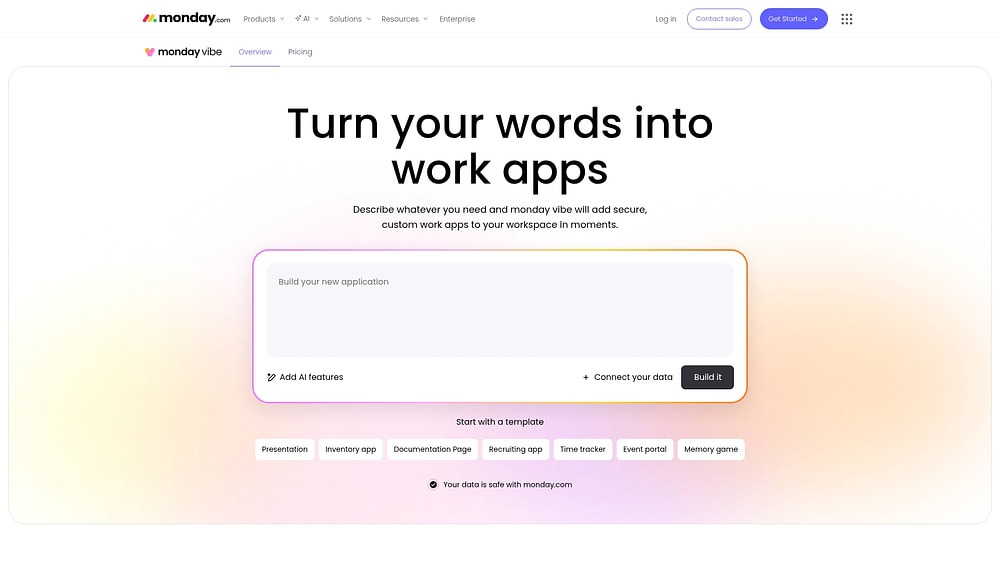
- monday vibe: A no-code app builder. Describe what you need in plain language and Vibe creates a fully functional custom app — no developer involvement required.
- monday MCP: The Model Context Protocol connects external AI platforms like Claude, ChatGPT, and Microsoft Copilot to your monday.com data, enabling cross-platform AI workflows.
- AI Blocks: Pre-built AI automation functions for smart reporting, risk management, and proactive project analysis.
ClickUp AI features
ClickUp Brain is the platform’s AI assistant, available on paid plans. Brain handles writing, summarizing, and answering questions within the ClickUp environment. It provides a solid foundation for AI-assisted work, though it operates as a single AI layer rather than the multi-product AI stack available on monday.com.
As AI in project management becomes a growing differentiator, the depth and breadth of a platform’s AI capabilities will increasingly shape how teams plan, execute, and adapt their workflows.
ClickUp vs. monday.com: Integrations compared
The next thing you’ll want to know is how each platform plays with the existing apps and systems in your tech stack, so you’re not constantly switching between tabs and login screens.
Overall, ClickUp offers more integrations by volume. However, most users find it easier to set up their no-code automated workflow on monday.com. The advantage for monday.com’s AI Work Platform is the ease of setup and the quality of each integration experience, not the raw count.
monday.com’s AI Work Platform integrations
monday.com’s AI Work Platform comes with over 200+ integrations, and teams can use third-party connectors like Zapier or Make to extend those capabilities further. The monday GraphQL API also lets you connect other apps you don’t find in the app marketplace. Without leaving the platform, teams work seamlessly across the apps they already use — Microsoft Teams, Google Drive, Gmail, Slack, Jira, and Salesforce—and push or pull data back and forth.
All integrations can be set up and synced without any coding knowledge required. Users simply select their preferred trigger, condition, and action, and set the automation to run.
ClickUp integrations
ClickUp has 1,000+ native integrations— and like monday.com’s AI Work Platform, teams can use Zapier or Make to connect even more options, including Google Forms, GitLab, HubSpot, and Salesforce. Third-party builders also develop integrations for ClickUp. In terms of pricing, ClickUp offers unlimited integrations on all premium plans. However, some users report difficulty using them, including small business user Sini L., who, despite being a CTO, describes:
“Some integrations can be a bit tricky to use; also the mobile interface doesn’t naturally have all the same options as the web UI. The automations have been sometimes a bit tricky to understand (which lists do they apply to etc.)”
ClickUp vs. monday.com: Pricing compared
It’s not just the price tag that matters but how much bang you get for your buck. As Benjamin Graham once told Warren Buffett, “Price is what you pay; value is what you get.”
monday.com’s AI Work Platform and ClickUp have different pricing philosophies. ClickUp offers a free-forever plan with limited storage and core features only, while monday.com’s AI Work Platform provides a 14-day free trial with full functionality across its Basic, Standard, and Pro plans. Which approach works for your team depends on whether you prefer to evaluate a platform with all features unlocked or start with a limited free version and upgrade over time.
monday.com’s AI Work Platform pricing
monday.com’s AI Work Platform offers a free 14-day trial, including unlimited users and boards, followed by four premium pricing plans:
- Basic: From $8/seat/mo — suitable for small teams. Includes 5 GB file storage with unlimited items, a dashboard for one board, unlimited viewer access, and prioritized customer support.
- Standard: From $12/seat/mo — designed for working across teams. Create dashboards of up to 5 boards, grant guest access, and use Timeline, Gantt, and Calendar views with 250 monthly automations and integrations.
- Pro: From $19/seat/mo — the most popular plan for teams managing complex workflows at scale. Dashboards across up to 10 boards, private boards, Chart views, time tracking, and 25,000 monthly automation and integration actions.
- Custom pricing for organization-wide deployment with tailored onboarding, multi-level permissions, enterprise-scale automations, enhanced security, and premium support.
ClickUp pricing
ClickUp offers a free version and three premium plans:
- Free Forever: Suited for individuals — includes unlimited items, collaborative docs, Kanban, Calendar, and Everything views, plus 24/7 support. Comes with 100 MB of storage.
- Unlimited: From $7/member/mo — designed for small teams. Adds unlimited storage, integrations, dashboards, and additional views.
- Business: From $12/member/mo — includes Google SSO, advanced automations, advanced time tracking, and workload management for midsize teams.
- Enterprise: Custom pricing with enterprise API, advanced permissions, and unlimited custom roles.
ClickUp vs. monday.com: Ease of use compared
Knowing the features and the price is essential, but your platform also needs to deliver a great user experience from day one. G2 software community reviews provide an impartial look at how user-friendly each platform is — both in getting started and navigating the platform once up and running. Scored out of 10, here’s how monday.com and ClickUp compare across key categories:
- Ease of use: The platform scores 9.1 on G2; ClickUp scores 8.5 — a 0.6 point advantage
- Ease of setup: The platform scores 8.8; ClickUp scores 8.2 — a 0.6-point lead
- Ease of admin: The platform scores 9.0; ClickUp scores 8.6 — a 0.4-point lead
The scores reflect differences that become apparent when reviewing each platform’s design philosophy:
Now we’ve seen the stats, let’s take a look at each platform in more detail:
monday.com’s AI Work Platform ease of use
monday.com takes pride in how straightforward and user-friendly our AI Work Platform is. It’s intuitive and easy to build right out of the box, with a highly visual, intuitive interface, so teams can get up, running, and back to working on their business as quickly as possible.
The best part is that it’s super flexible. You can use it for task management, resource management, you can add custom fields, to automate your repetitive tasks and manage complex projects all with just a few clicks.
Asked, “What do you dislike about monday.com?,” small-business owner Misty D. responds,
“Honestly, this is one of the less complicated systems I have ever used. There really isn’t anything I don’t like about monday… There is no need to improve. Better than any other program I have ever used.”

ClickUp ease of use
ClickUp aims to simplify your workflows, and the Hierarchy lets users nest their projects within a good visual structure. As with monday.com’s AI Work Platform, no-code development means you don’t have to be a specialist to build the apps and custom dashboards you need.
That said, ClickUp’s clean slate approach and vast range of options can overwhelm new users and small teams. While no-code lets users shape the workspace they need, starting with a blank canvas is daunting if you don’t know where to begin and how to put everything together.
“The learning curve for new users can be steep,” says small business owner, Shane F. “especially for those not accustomed to project management software. The extensive customization options, while powerful, can also be overwhelming at first.”
ClickUp vs. monday.com: Customer service compared
Software users need to know they’re in safe hands if any issues crop up during setup or down the line. Luckily, both monday.com and ClickUp offer highly-regarded customer support, each achieving a healthy score of 8.9. Here’s how each vendor looks after its customers.
monday.com’s AI Work Platform support
monday.com users have access to 24/7/365 phone support, along with a community forum, web contact form, knowledge base, and instructional videos. Many reviews suggest that we go above and beyond to support our users. Take it from CEO Adi Sarid who recounts a recent experience:
“monday.com just blew my mind. I had an issue with a search (I was trying to “search everything” but filtered within a specific workspace). I was pretty sure that the type of query I was trying was impossible within the current options, but I decided to give it a go and reached out to support. I thought they would add this as a feature request. Indeed, what I tried was not supported, but they provided a functioning workaround. Not only that, but the rep recorded a video (!!) showing how to implement the workaround!”
ClickUp support
ClickUp also offers 24/7 support on all plans, including the free version. Online resources also provide users with a readily-available knowledge base and troubleshooter. Users on G2 frequently praise ClickUp’s support as both quick and helpful.
How monday.com's AI Work Platform transforms project management
Having come this far, you’ll have a good idea by now of what you’re getting from each provider in terms of product, service and price. But of course, we’re well aware that we have a horse in this race. So instead of taking our word for it, you should find out what users like you think.
Both ClickUp and monday.com garner a lot of praise from users for the features, usability and support that each offers. ClickUp is called “a real Swiss Army knife for the organization”, while others say “monday.com was a gamechanger for us.”
monday.com’s AI Work Platform scores slightly ahead of ClickUp. Users on G2 rate it 4.7 out of 5 compared to ClickUp’s 4.6. When you dig into the details, it’s clear that everyone from first-time users to seasoned project managers prefer monday.com to ClickUp across the board and on every metric.
For example, G2 users rate monday.com over ClickUp for ease of use, ease of setup, ease of admin, quality of support, task prioritization, to-do lists, notifications, and much more.
monday.com vs ClickUp: Which is the best option for your team?
Cloud-based project management platforms like monday.com’s AI Work Platform and ClickUp are excellent solutions for teams who need to stay on top of deadlines, manage workflows and tasks and automate for efficiency.
But choosing between monday.com and ClickUp isn’t just about price or who’s got the most features or integrations. Instead, it boils down to the needs of your team and your goals.
While ClickUp has a lot to offer, the sheer array of features can be overwhelming and add to the complexity of use. For our money, monday.com’s AI Work Platform provides an out-of-the-box foundation to build on and shape the work management tool you need.
With monday.com’s AI Work Platform, you get best-in-breed integrations and intuitive, customizable templates to get up and running with ease.
With a free trial of our Basic, Standard and Pro tiers, you can find out for yourself exactly why users rate monday.com higher than ClickUp. Get started today and let unlimited team members try out our boards.
FAQs
Which is the right platform: monday.com's AI Work Platform or ClickUp?
The right depends on your team's priorities. monday.com's AI Work Platform scores slightly higher with the G2 software community, achieving a score of 4.7 out of 5, and beating ClickUp on ease of use, ease of setup, ease of admin, and other core review categories.
What are the drawbacks of ClickUp?
Users on G2 commonly report a steep learning curve when getting started, especially for teams new to project management software. The platform's breadth of features and customization options can feel overwhelming at first, and some users note occasional performance lag. Integration setup can also require more technical knowledge compared to other platforms.
Why is monday.com's AI Work Platform so popular?
AI Work Platform is known for its user-friendly interface, customizable templates, and extensive automation options. It also offers 24/7 customer support with a 8.9/10 G2 rating. With nearly 250,000 customers — including more than 60% of the Fortune 500 — and strong collaboration features valued by project managers across industries, the platform consistently ranks as a top choice on G2.
How does monday.com's AI Work Platform use AI for project management?
The platform includes 5 AI products: monday sidekick (a context-aware assistant on desktop and mobile), monday agents (autonomous AI that handles recurring analysis and alerts), monday vibe (a no-code AI app builder), monday MCP (connecting external AI like Claude and ChatGPT to your data), and AI Blocks (pre-built AI automation for reporting and risk management).
Can monday.com's AI Work Platform replace multiple work apps?
Yes — the platform covers project management, workflow automation, reporting, dashboards, collaborative documents, and intelligent workflows in one digital workspace. With 200+ integrations connecting the apps your team already uses, it consolidates fragmented processes without forcing teams to abandon their existing tech stack entirely.
How do the free options for monday.com's AI Work Platform and ClickUp compare?
monday.com's AI Work Platform offers a 14-day free trial with full access to Basic, Standard, and Pro plan features, including unlimited users and boards. ClickUp offers a free-forever plan with 100 MB storage and core features only. The approaches serve different evaluators: a full-feature trial lets you test everything before committing, while a limited free plan lets you start small and upgrade over time.

 Get started for free