


Product development software helps teams plan, build, and launch products faster by centralizing roadmaps, backlogs, collaboration, and reporting in one place, reducing handoffs and time-to-market delays.
In this guide, you’ll find a quick list of the 13 leading product development software platforms before we dive into detailed overviews of each option, so you can quickly see how they differ in terms of features, usability, and fit for your team.
Try monday devWhat is product development software?
Product development software helps teams plan, prioritize, build, and launch products in a single workspace. Unlike general project management tools, these platforms are designed for product-specific workflows such as discovery, backlog management, sprint planning, and release tracking.
Modern solutions also connect roadmaps, customer feedback, and execution data so product, engineering, and go-to-market teams stay aligned from idea to launch.
Key benefits include:
- Faster time-to-market by reducing handoffs and status meetings
- Better alignment across product, engineering, and go-to-market
- Real-time visibility into progress, risks, and capacity
- A single source of truth for roadmaps, backlogs, and feedback
Key features to look for in product development software
When you compare platforms, focus on the capabilities that actually help you move from strategy to shipped features faster, not just another task list.
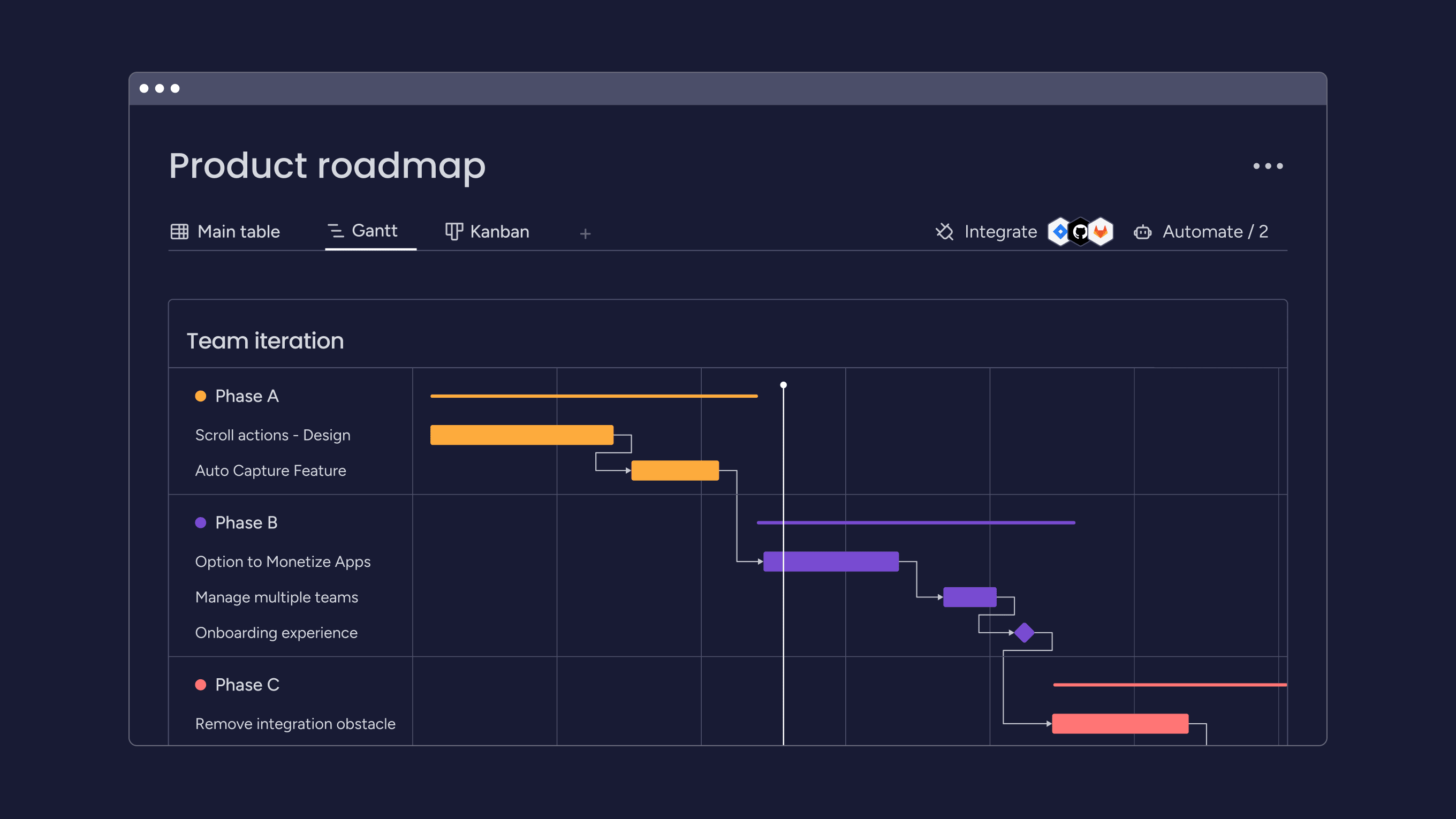
- Product roadmapping and portfolio planning: Visualize initiatives, releases, and dependencies across products.
- Backlog and sprint management: Prioritize work and track delivery across iterations.
- Cross-functional collaboration: Shared boards, docs, and real-time status visibility.
- Dev and design integrations: Sync with tools like GitHub, GitLab, Figma, and Slack.
- Analytics and reporting: Monitor velocity, timelines, risks, and workload.
- AI-powered insights and automation: Flag at-risk work, summarize feedback, suggest priorities, and reduce manual admin.
The top 13 product development software platforms for 2026
With so many product development software choices on the market, selecting the best one for your team can be challenging and time-consuming.
Use this table to scan the main use case, entry-level pricing, and G2 rating for each platform before diving into the full reviews.
| Software | Use case | Starting price | G2 rating |
|---|---|---|---|
| monday dev | Flexible, end-to-end product development for Agile, cross-functional teams | $9/seat/month | 4.7/5 |
| Jira | Detailed issue tracking and Agile backlog management for software teams | $9/user/month | 4.3/5 |
| ClickUp | All-in-one work management for complex product development projects | $7/user/month | 4.7/5 |
| Aha! | Strategy-first roadmapping and portfolio planning for product orgs | $59/user/month | 4.4/5 |
| Azure DevOps | End-to-end DevOps platform for planning, coding, CI/CD, and tracking work items | $6/user/month | 4.4/5 |
| Linear | Lightweight, fast issue tracking for modern software teams | $10/user/month | 4.5/5 |
| Productboard | Customer-centric prioritization and visual product roadmaps | $19/maker/month | 4.3/5 |
| Zoho Sprints | Agile software development teams already using the Zoho ecosystem | $1/user/month | 4.5/5 |
| Trello | Simple Kanban-style boards for smaller or less complex product work | $5/user/month | 4.4/5 |
| airfocus | Modular product management with prioritization and roadmapping | Custom pricing | 4.4/5 |
| ProductPlan | Visual product roadmaps for communicating plans to stakeholders | Custom pricing | 4.3/5 |
| Tggl | Feature flags and controlled rollouts for experimentation | $18/month | n/a |
| Miro | Visual collaboration for ideation, mapping user journeys, and roadmaps | $8/member/month | 4.7/5 |
1. monday dev
Use case: Flexible, end-to-end product development for Agile, cross-functional teams
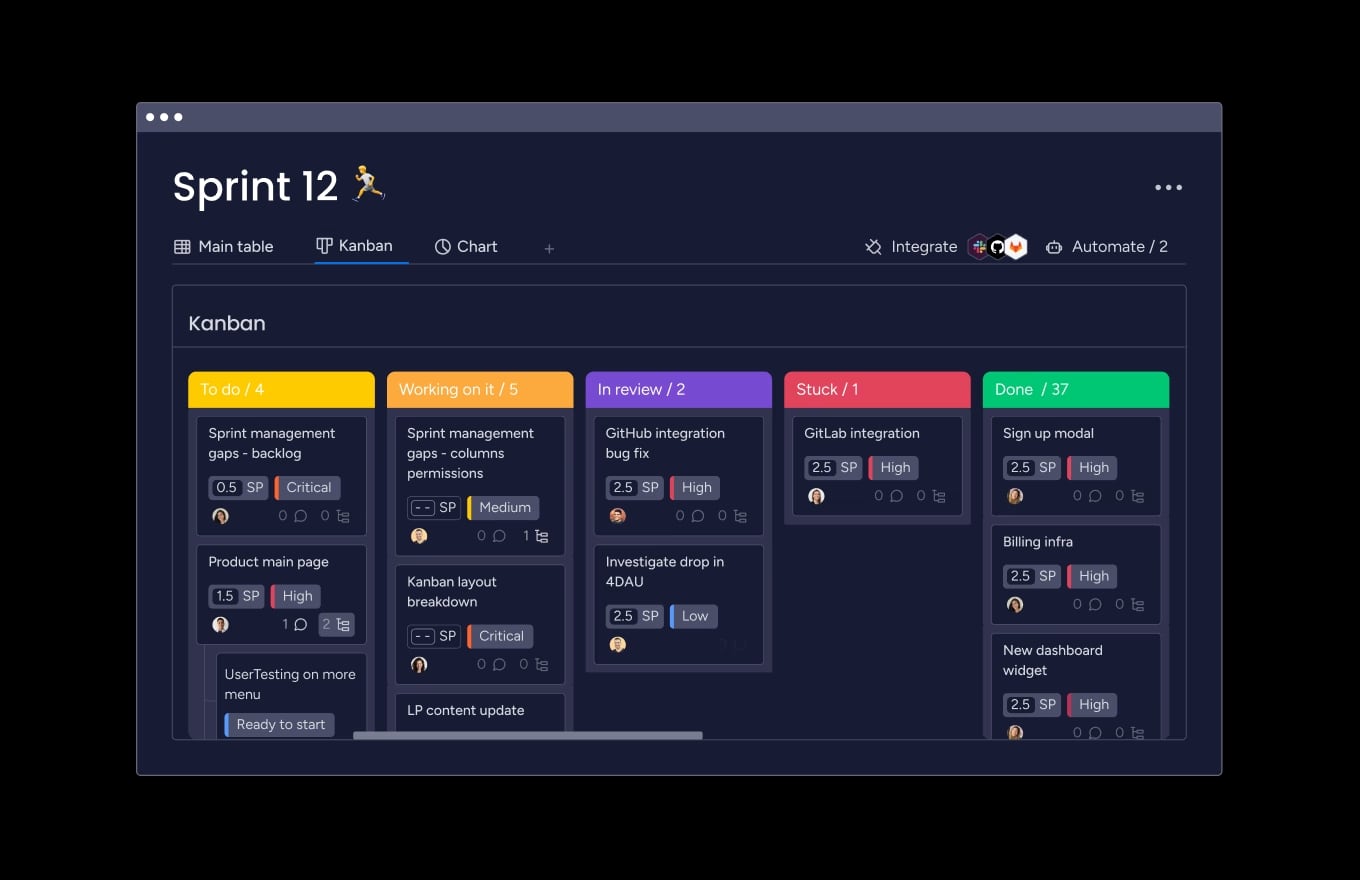
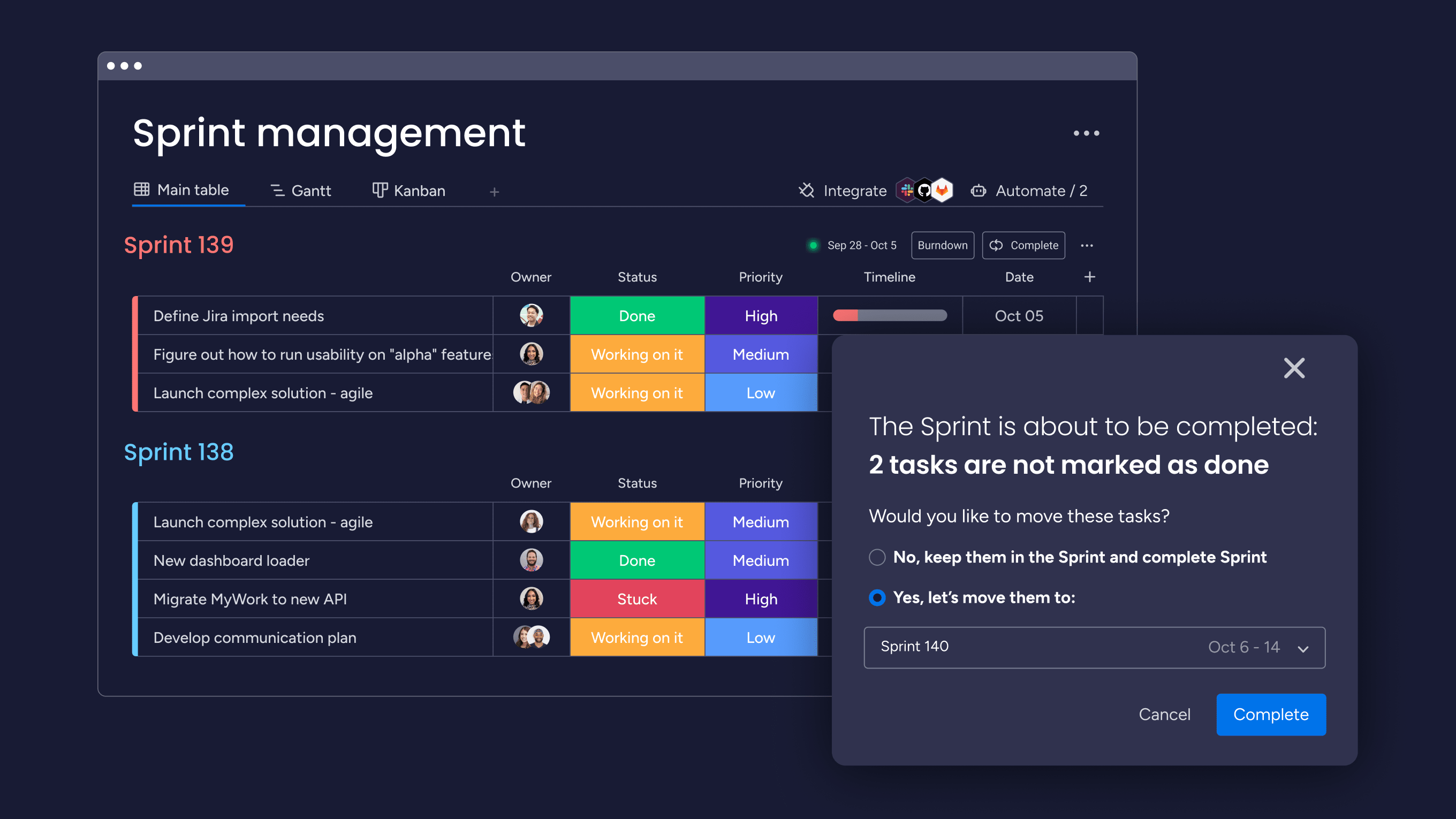
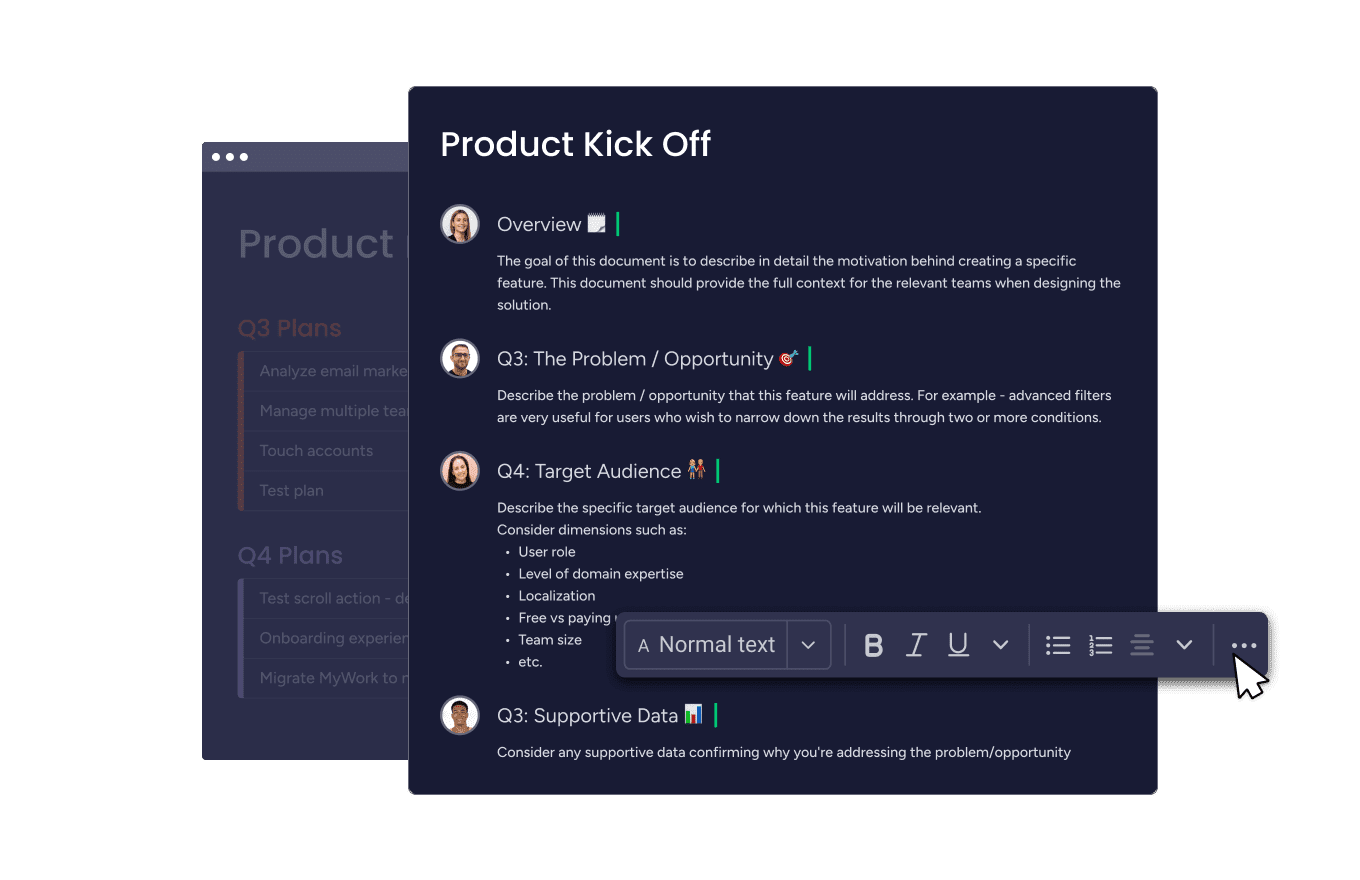
Built on monday.com Work OS, monday dev is a versatile product development software designed to streamline the entire development process from planning to launch. It offers a centralized platform for teams to manage tasks, collaborate in real time, and track progress across the various stages of product development.
Key features of monday dev
- Sprint management with burndown charts
- Git integration for seamless updates
- Customizable product roadmap tracker
- AI and automations to run processes faster
- Robust integration capabilities with 200+ apps
- Flexible and customizable workflows for different methodologies
- Multiple work views (Kanban, Gantt, timeline)
monday dev pricing
- Basic: From $9/seat/month
- Standard: From $12/seat/month
- Pro: From $20/seat/month
- Enterprise: Custom pricing
Read more about the monday dev plans and pricing.
monday dev ratings and reviews
Compare
Try monday dev2. Jira
Use case: Detailed issue tracking and Agile backlog management for software teams
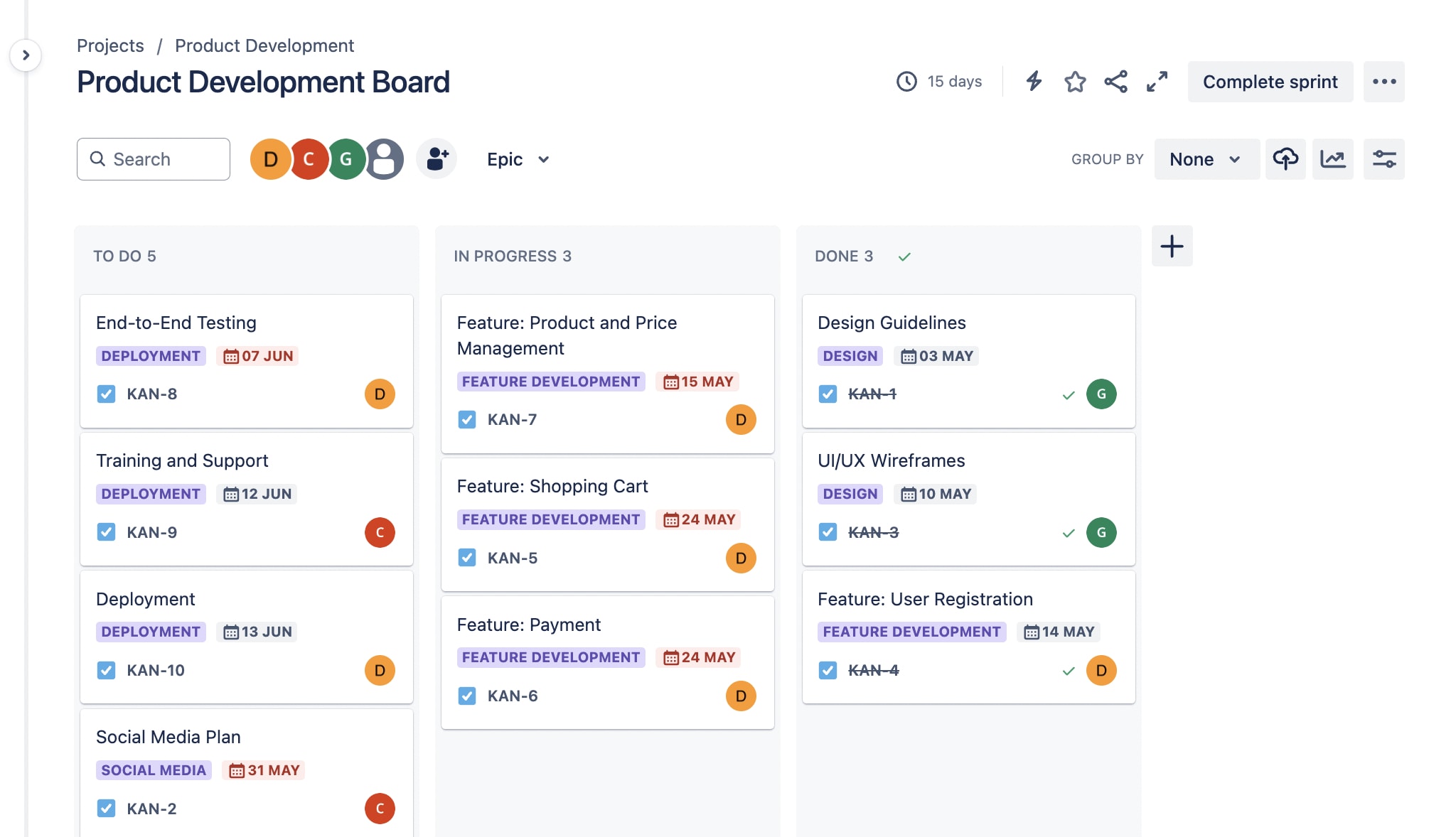
Jira is a powerful project management tool designed to streamline software development processes from planning to release. It offers a comprehensive suite of features to help Agile teams track issues, manage workflows, and collaborate effectively throughout the product development lifecycle.
Key features of Jira
- Robust bug tracking and reporting
- Sprint planning and backlog management tools
- Customizable Scrum and Kanban views
- Highly flexible and customizable workflows
- Extensive integration capabilities with 200+ platforms
- Powerful analytics and reporting features
Jira pricing
- Free: Up to 10 users
- Standard: From $9/user/month
- Premium: From $18/user/month
- Enterprise: Custom pricing
Read more about Jira’s plans and pricing.
Jira ratings and reviews
Compare:
3. ClickUp
Use case: All-in-one work management for complex product development projects
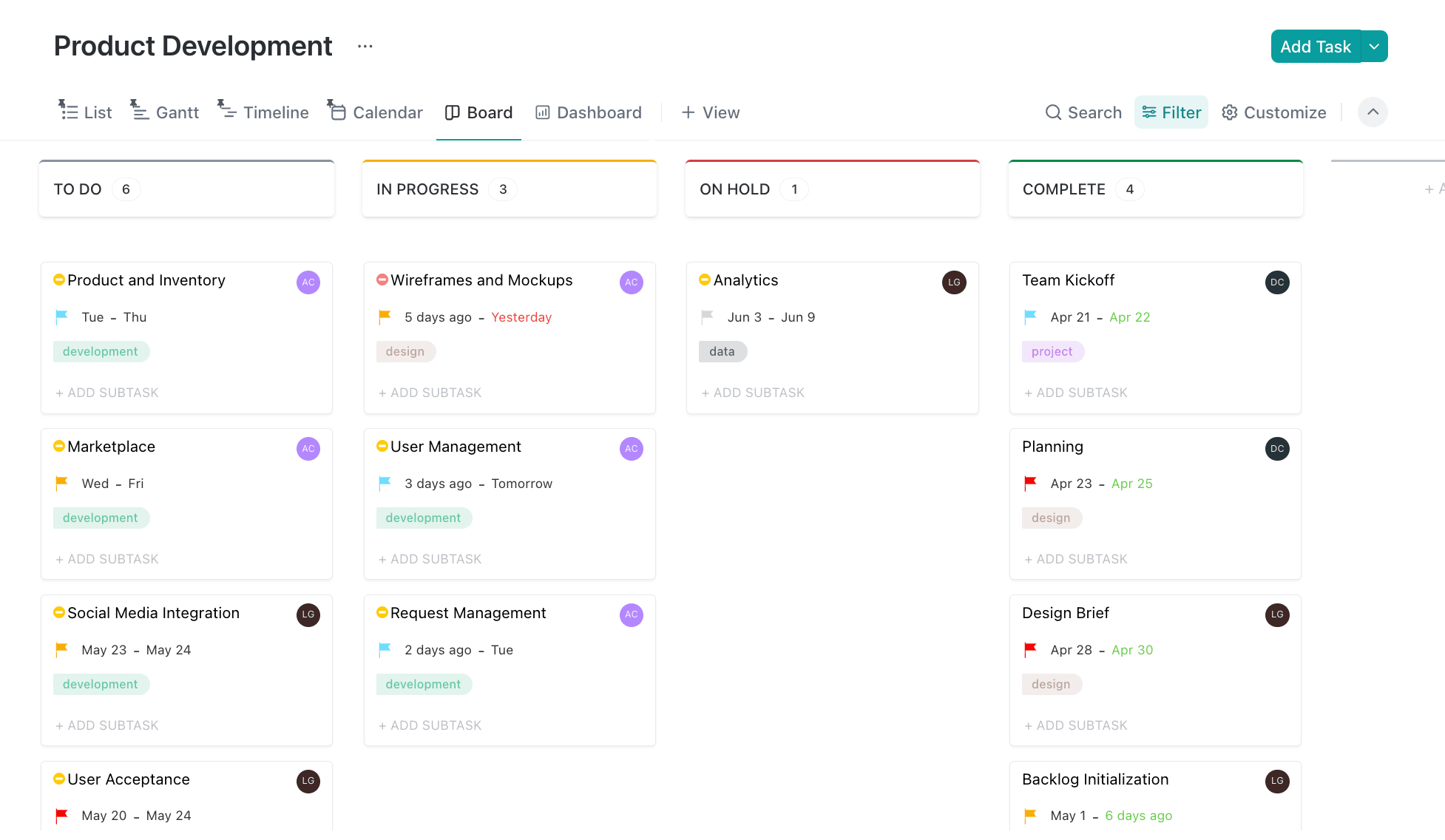
ClickUp is a versatile project management and productivity platform designed to streamline workflows and enhance team collaboration. It offers a comprehensive suite of features for managing tasks, projects, and entire product development lifecycles in one centralized workspace.
Key features of ClickUp
- Customizable workflows with multiple views (List, Board, Gantt, Calendar)
- Sprint backlogs and issue tracking
- Product roadmapping capabilities
- Extensive automation tools
- Custom fields and dashboards
- Robust collaboration tools
ClickUp pricing
- Free: Basic features for unlimited users
- Unlimited: From $7/user/month
- Business: From $12/user/month
- Enterprise: Custom pricing
Read more about ClickUp’s plans and pricing.
ClickUp ratings and reviews
Compare
4. Aha!
Use case: Strategy-first roadmapping and portfolio planning for product orgs
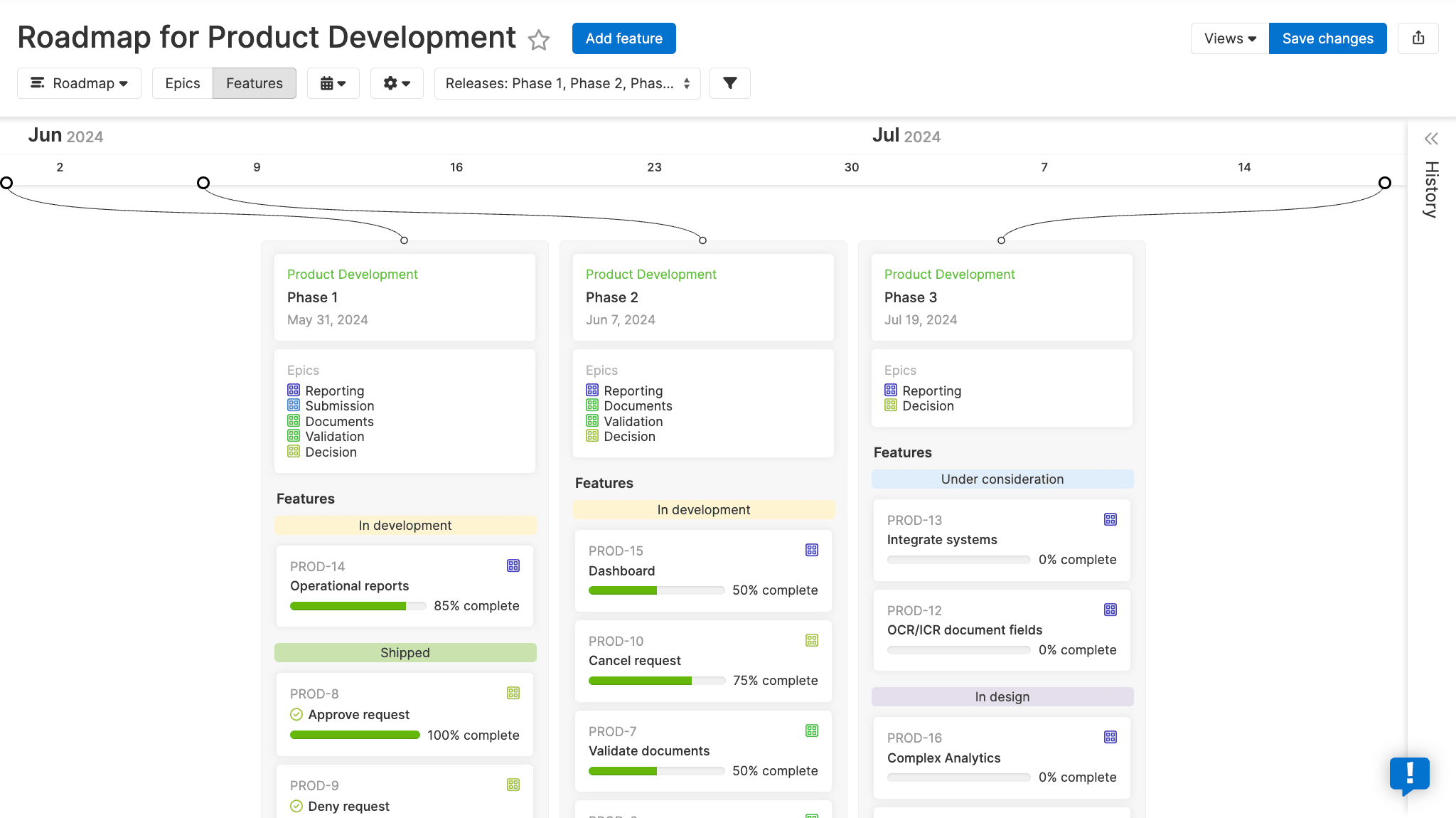
Aha! is a comprehensive product development software suite designed to help teams set strategy, ideate, plan, and launch new products. It offers a range of tools, including roadmapping, idea management, and strategic planning, to streamline the entire product development lifecycle.
Key features of Aha!
- Customizable roadmapping with multiple views (Gantt, Kanban, timeline)
- Idea management system for capturing and prioritizing feedback
- Strategic goal-setting and alignment with product initiatives
- Intuitive user interface with visually appealing roadmaps
- Robust integration capabilities with popular tools like Jira
- Product suite includes Roadmaps, Ideas, Whiteboards, Knowledge, and Develop
Aha! Roadmaps pricing
- Premium: From $59/user/month
- Enterprise: From $99/user/month
- Enterprise+: From $149/user/month
Optional upgrades to Aha! Roadmaps:
- Aha! Ideas: $39/user/month
- Aha! Knowledge: $18/user/month
- Aha! Whiteboards: $9/user/month
- Aha! Develop: $9/user/month
Read more about Aha’s plans and pricing.
Aha! ratings and reviews
Compare
5. Azure DevOps
Use case: End-to-end DevOps platform for planning, coding, CI/CD, and tracking work items
Azure DevOps is a comprehensive suite of development tools and services designed to support the entire software development lifecycle, from planning and coding to testing and deployment. It offers a range of integrated features that enable teams to collaborate effectively, automate processes, and deliver high-quality software faster.
Key features of Azure DevOps
- Azure Boards for work item tracking, sprint planning, and Kanban boards
- Azure Pipelines for continuous integration and continuous delivery (CI/CD)
- Azure Repos for version control with Git or Team Foundation Version Control (TFVC)
- Azure Artifacts for package management
- Azure Test Plans for test management
- Robust automation capabilities for builds, tests, and deployments
Azure DevOps pricing
- Basic: Free for up to 5 users, then $6/user/month
- Basic + Test Plans: $52/user/month
Azure DevOps ratings and reviews
- G2: 4.4/5 (130+ reviews) (*Azure Boards only)
- Capterra: 4.4/5 (140+ reviews)
- TrustRadius: 8.2/10 (500+ reviews)
Compare: Azure DevOps alternatives
6. Linear
Use case: Lightweight, fast issue tracking for modern software teams
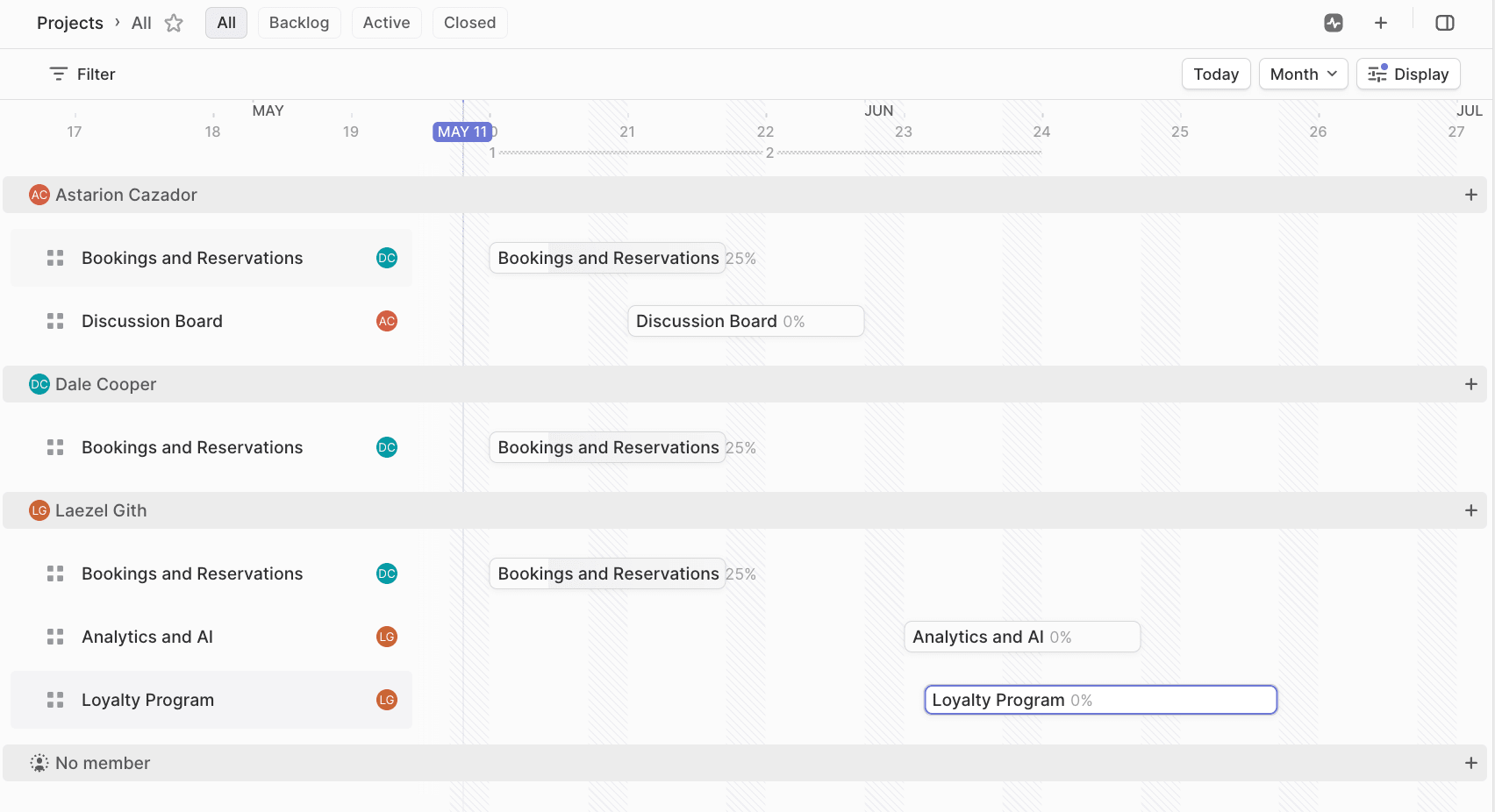
Linear is a modern project management tool designed to streamline the entire software development lifecycle, from planning and coding to testing and deployment. It offers a comprehensive suite of features that enable teams to collaborate effectively, automate processes, and deliver high-quality software faster.
Key features of Linear
- Visual roadmapping with multiple views (timeline, list, table) for strategic planning
- Sprint planning and management with automated workflows and cycle tracking
- Integrated issue tracking and prioritization with custom fields and dependencies
- Intuitive and fast user interface with keyboard shortcuts for efficient task management
- Real-time collaboration enables seamless teamwork regardless of location
- Robust integration capabilities with popular tools like GitHub, Slack, and Figma
Linear pricing
- Free: For unlimited members
- Basic: From $10/user/month
- Business: From $16/user/month
- Enterprise: Custom pricing
Linear ratings and reviews
Compare
7. Productboard
Use case: Customer-centric prioritization and visual product roadmaps
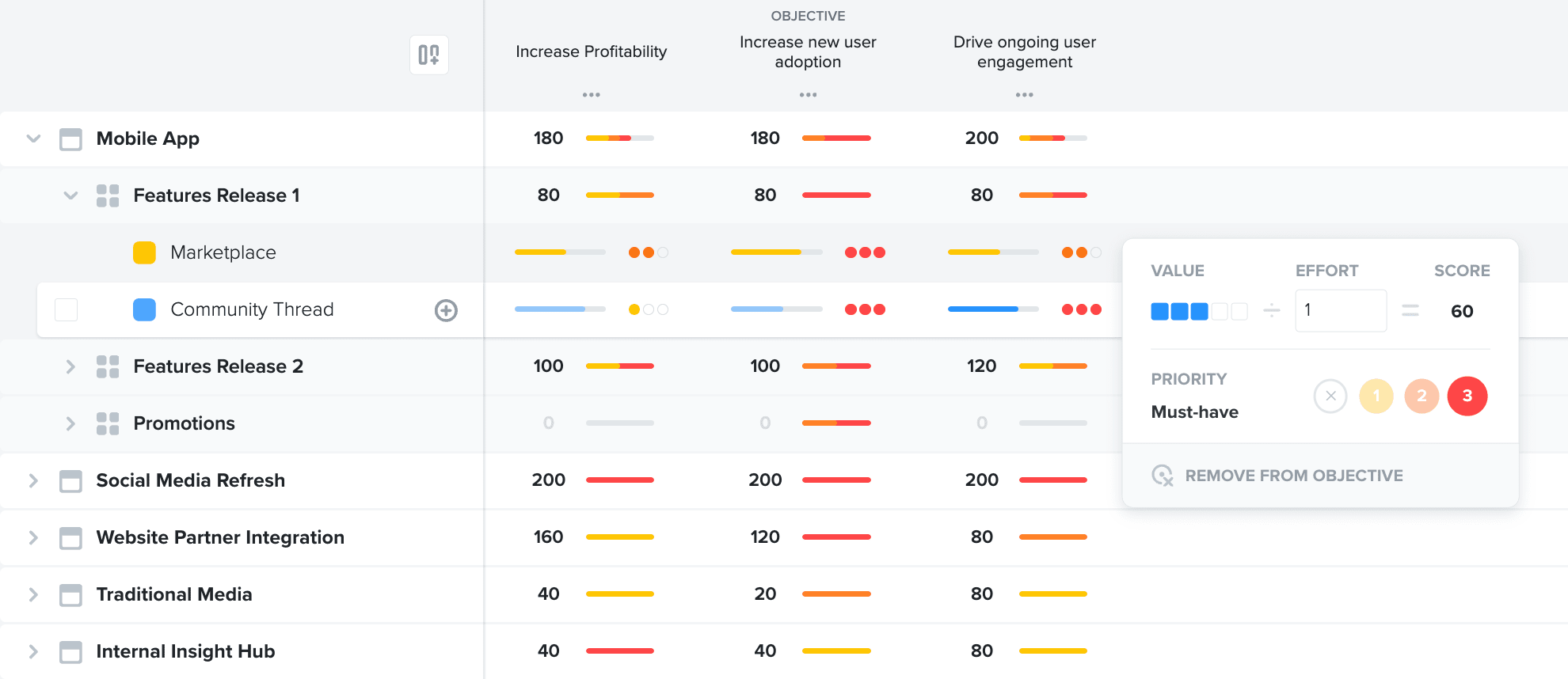
Productboard is a comprehensive product management platform designed to help teams quickly bring the right products to market. It offers tools for centralizing customer feedback, prioritizing features, and creating Product roadmaps to streamline the entire product development lifecycle.
Key features of Productboard
- Centralized board for user research and feature requests
- Customizable prioritization frameworks for data-driven decision-making
- Dynamic roadmapping with multiple views (grid, timeline, board)
- Real-time collaboration among cross-functional teams
- Customer feedback integration and insights management
- Pre-built templates for various planning and prioritization workflows
Productboard pricing
- Starter: Free for everyone
- Essentials: From $19/maker/month
- Pro: From $59/maker/month
- Enterprise: Custom pricing
Productboard ratings and reviews
Compare: Best product roadmap software
8. Zoho Sprints
Use case: Agile software development teams already using the Zoho ecosystem
Zoho Sprints is an agile project management software designed to help teams plan, track, iterate, and deliver fast-paced projects. It offers a comprehensive suite of tools for managing product backlogs, sprints, and releases, enabling teams to collaborate effectively and adapt quickly to changing requirements.
Key features of Zoho Sprints
- Customizable product backlog management with user stories, tasks, and subtasks
- Sprint planning and tracking with Scrum boards and burndown charts
- Release management and roadmapping capabilities
- Intuitive interface with drag-and-drop functionality for easy task management
- Robust reporting and analytics tools, including velocity charts and cumulative flow diagrams
- Seamless integration with other Zoho apps and third-party tools
Zoho Sprints pricing
- Free: Forever-free plan
- Starter: From $1/user/month
- Elite: From $2.50/user/month
- Premier: From $5/user/month
- Enterprise: From $7.50/user/month
Zoho Sprints ratings and reviews
Compare
9. Trello
Use case: Simple Kanban-style boards for smaller or less complex product work
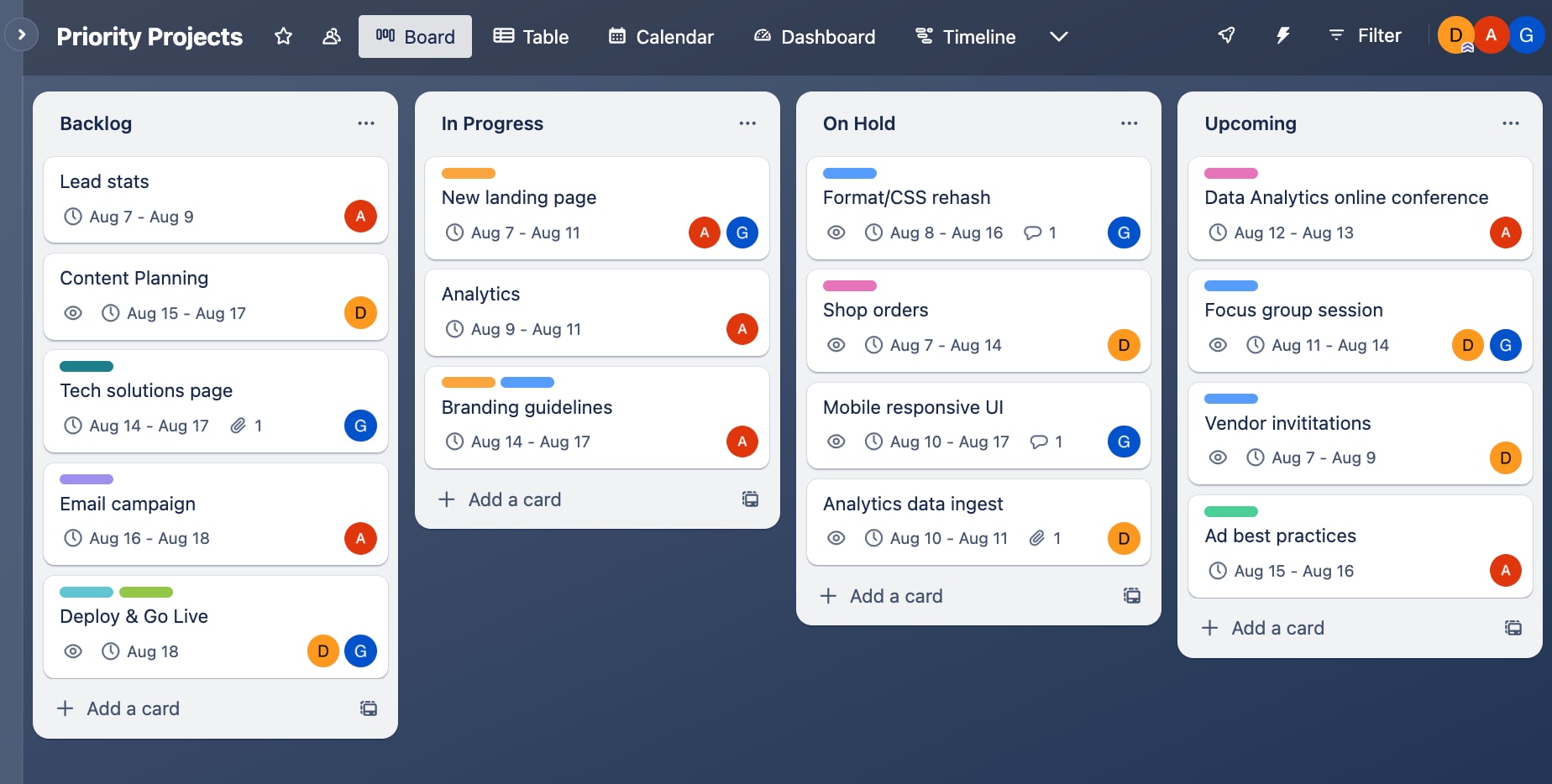
Trello is a visual project management tool that uses boards, lists, and cards to organize tasks and streamline workflows. It offers an intuitive Kanban-style interface for teams to collaborate, track progress, and manage projects efficiently.
Key features of Trello
- Customizable boards and lists with drag-and-drop functionality
- Power-ups for integrating with other tools like Slack, Google Drive, and Jira
- Built-in automation for streamlining repetitive tasks and workflows
- Intuitive drag-and-drop interface for easy task management and prioritization
- Real-time collaboration and instant updates for team members
- Flexible and adaptable to various project management methodologies
Trello pricing
- Free: Up to 10 users
- Standard: From $5/user/month
- Premium: From $10/user/month
- Enterprise: From $17.50/user/month
Read more about Trello’s plans and pricing.
Trello ratings and reviews
Compare
10. airfocus
Use case: Modular product management with prioritization and roadmapping
airfocus is a modular product management platform designed to streamline the entire product development lifecycle from strategy formulation to roadmap execution. It offers a comprehensive suite of tools for prioritization, roadmapping, and collaboration, empowering teams to make data-driven decisions and align their efforts with strategic objectives.
Key features of airfocus
- Customizable prioritization frameworks with scoring criteria
- Dynamic roadmapping with multiple views (Kanban, Gantt, timeline)
- Centralized customer feedback integration and insights management
- Flexible and modular design with customizable workflows
- Robust integration capabilities with popular tools like Jira, Trello, and Slack
- AI-powered features for automating routine tasks and enhancing productivity
airfocus pricing
- Professional: Custom pricing
- Enterprise: Custom pricing
airfocus ratings and reviews
11. ProductPlan
Use case: Visual product roadmaps for communicating plans to stakeholders
ProductPlan is a dedicated product roadmap tool designed to help teams plan, visualize, and share product strategies efficiently. It offers an intuitive drag-and-drop interface for creating visually appealing roadmaps and collaborating with stakeholders.
Key features of ProductPlan
- Customizable roadmap templates with multiple views (timeline, list, table)
- Integrated planning board for idea management and prioritization
- Strong collaboration and sharing tools with comments and mentions
- Intuitive drag-and-drop interface for quick roadmap creation
- Ability to create and share unlimited roadmaps with stakeholders
- Integrations with popular tools like Jira, Trello, and Slack
ProductPlan pricing
Contact ProductPlan directly for a custom pricing plan matched to your organization’s size and strategic goals.
ProductPlan ratings and reviews
Compare: ProductPlan alternatives
12. Tggl
Use case: Feature flags and controlled rollouts for experimentation
Tggl is a feature flagging and release management tool designed to empower product teams with greater control over feature releases and experimentation. It offers a user-friendly interface that allows product managers to safely collaborate with development teams on feature rollouts.
Key features of Tggl
- A/B testing and experimentation with targeted user segments
- Independent release management controlled by product managers
- Instant rollback capabilities to reduce risk in product launches
- Flag categorization and insights for managing technical debt
- Custom conditions for flag safety to prevent misconfigurations
- Integration with your existing analytics stack
Tggl pricing
- Standard: From $18/month
- Pro: From $89/month
- Enterprise: Custom pricing
Tggl ratings and reviews
- Insufficient ratings and reviews currently
13. Miro
Use case: Visual collaboration for ideation, mapping user journeys, and roadmaps
Miro is a versatile visual collaboration platform designed to streamline the entire product development lifecycle, from ideation to execution. It offers a comprehensive suite of tools for teams to collaborate, plan, and manage projects in a shared digital workspace.
Key features of Miro
- Customizable roadmapping with multiple views (Kanban, timeline, Gantt)
- Integrated wireframing and prototyping tools for collaborative design
- Sprint planning and retrospective templates for Agile workflows
- Extensive template library for various product development processes and methodologies
- Robust integration capabilities with popular tools like Jira and Confluence
- Real-time collaboration enables seamless teamwork
Miro pricing
- Free: For unlimited members
- Starter: From $8/member/month
- Business: From $16/member/month
- Enterprise: Custom pricing
Miro ratings and reviews
Compare
Who uses product development software?
Product development software is designed for cross-functional teams that need to collaborate on building and delivering their products. It gives everyone involved in shaping and shipping the product a shared view of priorities, progress, and outcomes.
Typical users include:
- Product managers who define strategy, roadmaps, and backlogs.
- Engineering leaders and developers who plan sprints and tracking delivery.
- Designers who collaborate on discovery, UX flows, and experiments.
- Marketing, sales, and customer success teams who align on launches and feedback.
- Executives and stakeholders who monitor portfolio-level progress and impact.
AI and the future of product development software
AI is fast becoming a core layer of product development software, helping teams decide what to build and how to deliver it. Instead of spending hours on manual updates and analysis, product teams can increasingly rely on AI to surface insights and automate routine work.
Modern and future-ready platforms will use AI to:
- Analyze customer feedback and usage data to highlight the most impactful opportunities
- Suggest priorities, estimate effort, and flag at-risk initiatives before they slip
- Summarize specs, meetings, and status updates to keep stakeholders aligned
- Automate repetitive actions like tagging, assigning, and updating items across boards
With monday dev, AI works inside your existing workflows, so capabilities like smart summaries, categorization, and risk detection enhance how your product teams already plan and execute, rather than forcing them into a new tool or process.
How to choose the right product development software for your team
Use this step-by-step guide to evaluate tools in a structured way and avoid getting lost in feature checklists.
- Map your product development process end-to-end. Document how you move from discovery and validation through planning, build, launch, and iteration, including who’s involved at each stage.
- Identify your must-have capabilities. Decide which features are non‑negotiable for your team, such as roadmapping, backlog and sprint management, feedback collection, or light PLM-style control for hardware.
- Match tools to your methodology and team size. Check that each platform supports how you actually work today (Scrum, Kanban, hybrid) and can handle your number of squads, products, and stakeholders.
- Check integrations with your existing stack. Confirm the software connects cleanly to your dev, design, and communication tools — such as GitHub, CircleCI, Figma, and Slack — so you’re not stuck with manual updates or data silos.
- Evaluate usability for non-technical stakeholders. Involve PMs, designers, and GTM teams in trials to see whether they can navigate boards, dashboards, and comments without heavy training.
- Test AI-powered features that reduce manual work and highlight risks. Look for capabilities like automatic summaries, risk detection, prioritization helpers, and smart automations.
- Run a trial on a real project. Pilot your top choice on a live initiative using a dedicated product development or roadmap template to validate fit in real workflows, not just demos.
What are some challenges of product development software?
The right platform can unlock significant value, but evaluating and adopting product development software also comes with challenges. Teams often struggle with integration complexity, change management, and ensuring that non-technical stakeholders actually use the tool rather than reverting to old habits.
Common hurdles to watch for:
- Integrating cleanly with existing tools (e.g., Git, design, support).
- Onboarding busy teams and standardizing workflows across squads.
- Avoiding data silos when different departments use separate systems.
- Keeping configurations simple enough to maintain over time.
Modern platforms like monday dev aim to reduce these barriers with no-code workflows, ready-made templates, and guided onboarding, so teams can start small and evolve their setup rather than running a heavy implementation project.
How monday dev transforms product development
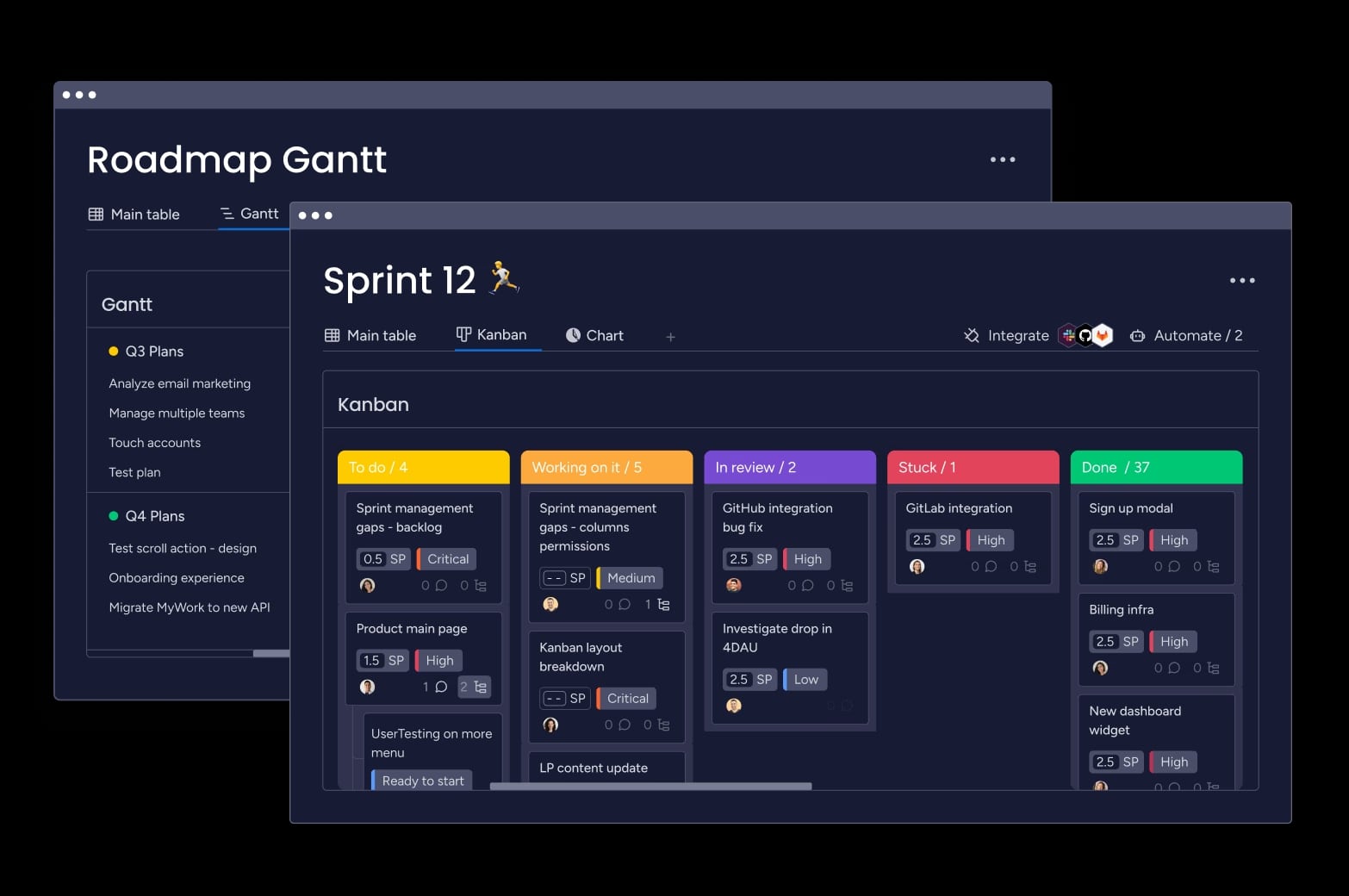
Built on monday.com Work OS, monday dev brings your entire product lifecycle into one flexible workspace, so teams can move from discovery to launch without jumping between tools. Product managers, engineers, and stakeholders share live roadmaps, backlogs, and dashboards, while no-code automations and AI features reduce manual updates and surface risks before they slow delivery.
- Methodology support. Run Agile, Waterfall, or hybrid workflows side by side using boards, timelines, and templates tailored to each team.
- Ease of use and onboarding. Get product and engineering teams up and running quickly with an intuitive UI and ready-made workflows.
- Workflow flexibility. Adapt processes using no-code boards, automations, and views instead of rigid, hard-to-change configurations.
- Integrations and ecosystem. Connect monday dev to Git, CI/CD, design, and communication tools so work stays in sync across your stack.
- Reporting and portfolio visibility. Use dashboards and hierarchy views to track progress, risks, and dependencies across products and teams.
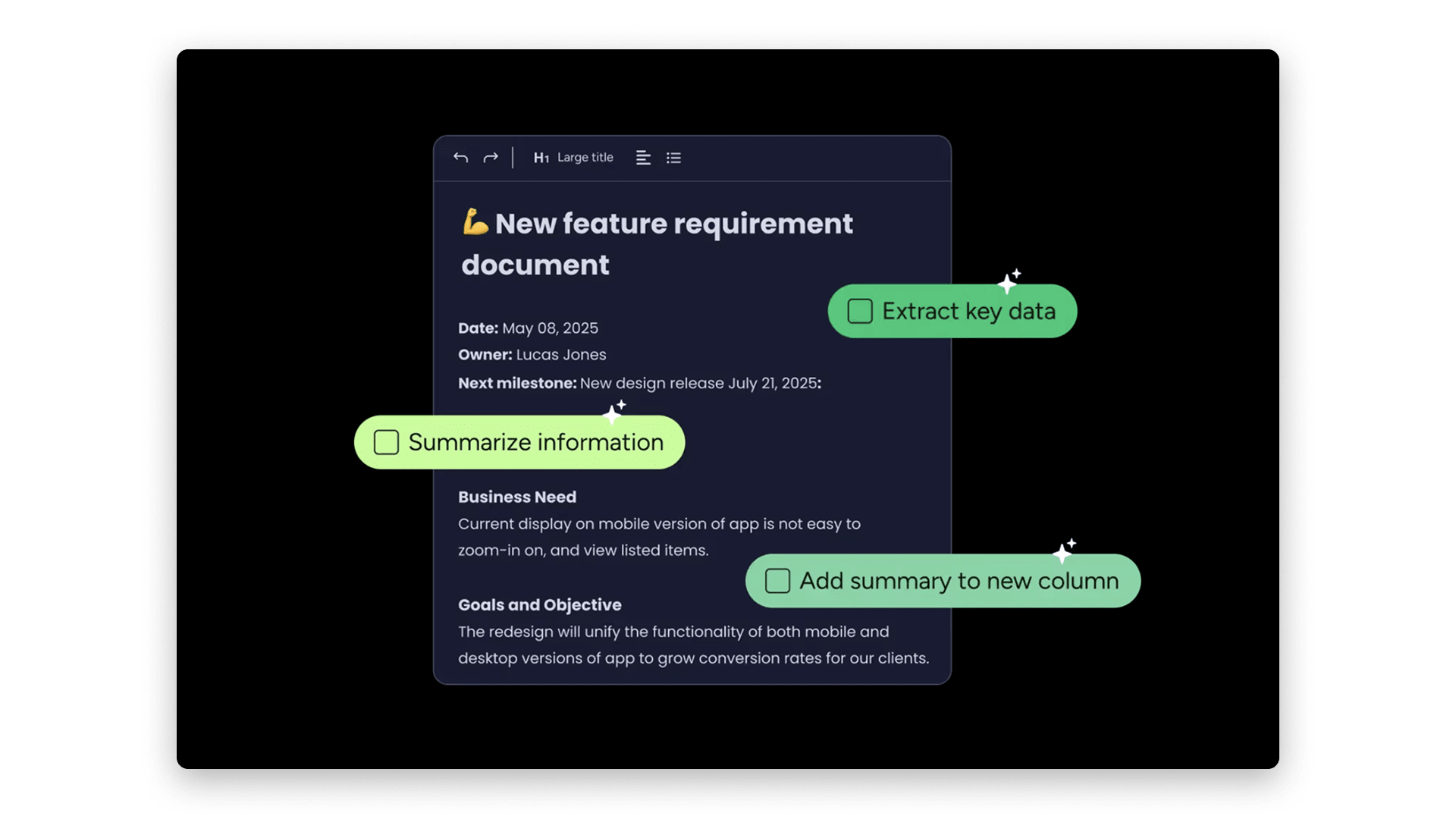
- AI capabilities. Bring in AI to summarize updates, categorize work, flag risks, and automate repetitive tasks directly in your product workflows.
Choosing the best product development software for your team
The best tool for your team is the one that matches how you actually work — your processes, collaboration style, and tech stack — rather than the one with the longest feature list. Flexible, end-to-end platforms stand out because they connect strategy, execution, and reporting in one place, so product, engineering, and business stakeholders stay aligned as you scale.
See how monday dev fits your product development process with flexible workflows, cross-functional visibility, and built-in AI capabilities to help you plan roadmaps, manage sprints, and spot risks without adding admin overhead.
Try monday devFAQs
What is product development software?
Product development software centralizes strategy, planning, and delivery, enabling teams to manage roadmaps, backlogs, releases, and feedback in one place. It supports the full lifecycle from idea to launch, helping cross‑functional teams prioritize work, coordinate execution, and ship higher-quality products faster.
What’s the difference between product development and project management software?
Project management software focuses on tasks, timelines, and generic workflows, regardless of what’s being delivered. Product development software is purpose-built to connect roadmaps, feature backlogs, customer insights, and release plans, so strategy, work, and outcomes stay tightly aligned.
Which product development software is best for Agile teams?
Agile teams typically look for platforms that support backlogs, sprints, Kanban boards, and continuous delivery with minimal admin overhead. For example, monday dev is a strong fit because it combines Scrum and Kanban boards, burndown charts, Git integrations, and automations on one flexible, no-code platform.
How can AI improve product development workflows?
AI can accelerate product development by automating routine tasks, analyzing feedback at scale, and flagging risks earlier in the lifecycle. On platforms like monday dev, AI can summarize updates, categorize requests, detect bottlenecks, and suggest next steps so teams spend more time on prioritization and design, not manual admin.
Can product development software integrate with my existing tools?
Most modern product development platforms integrate with common developer, design, and collaboration tools such as GitHub, GitLab, CI/CD pipelines, Figma, Slack, and ticketing systems. For example, monday dev can sync work items with Git repos and other apps so code activity and product plans stay connected without duplicate data entry.
How long does it typically take to implement product development software?
Implementation timelines vary by team size and complexity, but often range from a few days for small teams to several weeks for larger organizations standardizing multiple workflows. Platforms with templates and no-code configuration, such as monday dev, usually enable teams to pilot a real project within sprint 1 or 2 before scaling more broadly.
How do you measure ROI from product development software?
ROI is typically measured by comparing the platform’s cost to gains in revenue, efficiency, and product impact. Common metrics include faster time-to-market, reduced manual reporting, higher team throughput, and improved release quality.

 Get started