


Most weeks open with a familiar pileup, where new leads wait on follow-up while support tickets sit unsorted in the queue. No-code AI agents take on this kind of repetitive work inside the workflows and permissions your team already uses, and nobody has to write a line of code to set them up.
This guide compares 15 no-code agents and the criteria for choosing between their platforms. It also shows how monday agents, part of the monday AI Workspace, moves work forward while people keep the final say on high-impact decisions.
Try monday agentsKey takeaways
- No-code AI agent builders let business teams set up autonomous agents in plain language, so department leads can fix bottlenecks without waiting for engineering capacity.
- The biggest difference between platforms is execution depth: some tools suggest next steps, while others complete multi-step workflows within the guardrails you set.
- Agents that draw on context across departments make better decisions than agents confined to a single function or dataset.
- Governance controls such as granular permissions and audit trails reduce risk and make it possible to scale beyond a first pilot.
- monday agents run inside the monday AI Workspace, with ready-made agents like Lead Qualifier and SLA Monitor working where your team already plans and tracks its work.

What is a no-code agent builder?
A no-code AI agent is a platform that lets anyone set up autonomous digital helpers using plain language instead of code. You describe the goal and connect the relevant data, and the agent can be running within minutes, much like briefing a reliable teammate who already knows your team’s standards.
For many teams, the deciding question is whether they’ll stay in control once AI is involved. Visual builders keep decisions in your hands while replacing brittle, rule-only automations: where a fixed rule breaks on an unexpected input, an agent can read the live context and respond within the limits you define.
This changes who gets to fix a bottleneck. Department leads and project managers can deploy agents to qualify leads or triage tickets on their own timeline instead of waiting for engineering capacity. The best builders automate the repetitive parts of knowledge work and leave judgment calls to people, which is the difference between AI that supports a team and AI that creates more work for it.
15 best no-code AI agent platforms for business teams
The platforms below fall into two broad groups: tools that mainly assist and tools that carry work through to completion. The differences between them are visible in your week, because software that finishes repetitive workflows gives your team time back for the work that needs people.
We ranked each option on how easily it fits into real work without engineers or custom code. Permission controls and the ability to act directly inside workflows carried the most weight.
| Platform | Best for | Execution vs. assistance | No-code builder | Starting price |
|---|---|---|---|---|
| monday agents | Cross-department execution within existing workflows | Full execution | Yes | Included with monday.com plans |
| Relevance AI | Custom research and data analysis agents | Execution | Yes | Free tier available |
| Stack AI | Governed agents for regulated industries | Execution | Yes | Free tier available |
| Lindy | Personal productivity automation | Assistance + light execution | Yes | 7-day free trial; Team from $29.99/user/month |
| Zapier | AI-enhanced automation for integration-heavy workflows | Primarily assistance | Yes | Free tier; AI features in paid plans |
| n8n | Self-hosted, customizable AI workflows | Execution | Low-code | Free (self-hosted); cloud plans available |
| Gumloop | Visual AI workflow creation | Execution | Yes | Free tier available |
| Voiceflow | Conversational AI and voice agents | Execution (conversational) | Yes | Free tier available |
| Botpress | Chatbot and conversational agent development | Execution (conversational) | Yes | Free tier available |
| Pickaxe | Branded, monetizable AI apps | Assistance | Yes | From $29/month, billed annually |
| Microsoft Copilot Studio | Enterprise Microsoft 365 agent customization | Execution | Yes | Pay-as-you-go; Azure subscription required |
| Salesforce Agentforce | CRM-specific autonomous agents | Full execution (CRM domain) | Low-code | Foundations at $0; usage-based add-ons |
| Sim AI | Open-source, multi-model agent workflows | Execution | Yes | Free tier available |
| Make | Visual automation with AI capabilities | Primarily automation | Yes | Free tier available |
| Coworker | Team-focused AI assistance | Assistance | Yes | Contact for pricing |
1. monday agents

monday agents is an autonomous workforce that runs inside the monday AI Workspace your team already uses. It pairs ready-made agents with a no-code builder, so business users in marketing, sales, operations, HR and engineering can automate knowledge work without joining a developer queue.
Because the agents run where your boards and docs already live, they act on real work instead of only answering prompts. They watch boards between requests and write results back to the right items, all within the permissions you set.
Use case: Organizations that want no-code AI agents to handle high-volume, repetitive work such as lead qualification, ticket routing, event registration and sprint planning without leaving monday AI Workspace.
Key features:
- Ready-made agents for immediate deployment: Prebuilt agents cover common work across departments, including Lead Qualifier, Ticket Management Agent, Dependency and Risk Mapper, Event Registration Agent and Status Reporter. Lead Qualifier, for example, scores each lead out of 100 against your criteria and sends the highest-priority prospects to the right salesperson.
- Agents built for each department: Marketing teams can start with Competitive Intel Research, service teams with SLA Monitor, engineering teams with Sprint Planner and HR teams with Candidate Matching Agent. Because each one is modeled on how that team already works, adoption is quicker.
- No-code custom agent builder: Team members describe an agent’s role and triggers in plain language and connect it to the boards and docs it should draw on. A test run before launch shows how the agent will behave on live work.
- Connected to the tools your team uses: Agents work with Slack, Gmail, Salesforce and Google or Outlook calendars, and they run around the clock so work keeps moving across time zones.
Pricing:
- AI agents are included with monday.com plans; specific agent capabilities may vary by plan tier
- Basic: $9/seat/month, billed annually
- Standard: $12/seat/month, billed annually
- Pro: $19/seat/month, billed annually
- Enterprise: contact sales for pricing
- Annual billing saves 18% compared to monthly pricing
- Nonprofit discounts available for qualified organizations
Why it stands out:
- Cross-department context from day one: Agents can work from context that spans teams. Team Capacity Agent monitors active work across multiple boards to find who has bandwidth, while Dependency and Risk Mapper traces owners and dependencies to flag at-risk chains of work.
- Built-in oversight: You decide what each agent can access and which actions need a person’s approval before they run. monday.com also supports SOC 2 Type II, ISO/IEC 27001, ISO/IEC 27701, GDPR compliance and HIPAA.
2. Relevance AI

Relevance AI focuses on low- and no-code agents that work like digital teammates, taking on research and analysis autonomously. It’s aimed at cross-functional teams in sales, marketing, operations and support that want to run multi-step processes without building everything from the ground up. The visual Workforces builder and plain-language setup are designed to help organizations increase output without adding headcount.
Use case: Teams that need customizable AI agents for competitive intelligence and knowledge synthesis. Non-technical users can run them, and engineering teams can extend them through APIs.
Key features:
- Visual Workforces builder: A node-and-edge canvas lets teams orchestrate multiple agents with drag-and-drop handoffs and decision logic. It stays accessible without code while exposing API hooks for developers.
- Research and analysis agents: Agents can search the web and review documents, then turn the findings into structured outputs for market research or competitive analysis.
- Enterprise governance and oversight: Approval workflows, per-tool escalation rules, SOC 2 compliance, RBAC, SSO, audit logs and PII masking give organizations the controls they need to deploy responsibly at scale.
Pricing:
Relevance AI’s main public site focuses on quote-based Enterprise plans, though alternate packaging materials outline a tiered self-serve structure:
- Free: Starter usage with limited Actions and Vendor Credits
- Pro: Automation at scale, including scheduling and smart escalations
- Team: Collaboration features plus calling and meeting agents
- Enterprise: Quote-based pricing with unlimited agents and users, plus advanced governance and a dedicated account manager
- Metered usage relies on Actions and Vendor Credits, with add-ons at $40 per 1,000 extra Actions and $20 per 10,000 extra Vendor Credits (annual billing discounts up to 33%)
Considerations:
- Because Relevance AI is a standalone platform, teams must integrate it with existing work management systems, which adds setup work that native solutions avoid.
- The Actions and Vendor Credits model is flexible, but cost predictability depends on careful monitoring as usage grows.
3. Stack AI

Stack AI gives teams a no-code canvas for building AI agents on top of their existing systems, with enterprise controls included. It’s geared toward regulated, operations-heavy organizations that need governance from the outset. With 500+ integrations and SOC 2 Type II certification, the platform is built for environments where auditability is essential.
Use case: Teams in regulated industries that need governed, auditable AI agents across complex workflows without depending on engineering resources.
Key features:
- Visual agent canvas with enterprise controls: Build multi-step agents by linking LLMs, knowledge bases, logic branches and actions on a drag-and-drop canvas, then manage them across development and production environments with version control and approval workflows.
- Human-in-the-loop approvals: Agents pause at high-risk steps and wait for a reviewer to approve through tools like Slack and Teams before continuing.
- Flexible deployment options: Publish agents as chatbots, forms, batch jobs or APIs, and deploy them in the cloud or within your own private infrastructure, depending on your security requirements.
Pricing:
- Free: $0/month, including 500 runs/month for 1 seat
- Enterprise: Custom pricing, including unlimited projects, custom seat count, dedicated infrastructure, SSO, access controls and on-premises or VPC deployment
Considerations:
- The free plan tops out at 500 runs per month and 1 seat, so it suits prototyping but not production-scale adoption without an enterprise agreement.
- Enterprise pricing is quote-only, so comparing total cost up front usually requires a sales conversation.
4. Lindy

Lindy is positioned as a personal AI assistant for the daily work that drains time, such as inbox triage and calendar scheduling. The company says more than 5,000 teams and professionals use its prompt-built agents to cut down day-to-day admin. Its standout feature, Autopilot, lets agents click through browser interfaces and automate routine web tasks even when no prebuilt API integration exists.
Use case: Professionals and teams that want a flexible AI assistant for personal productivity routines like inbox management and meeting scheduling, without writing code.
Key features:
- Prompt-built agent creation: Describe the workflow in everyday language, and Lindy configures a working assistant in minutes.
- Autopilot for UI-level automation: Lindy uses a cloud browser to click through and enter data directly in web apps, extending automation to tools without standard APIs.
- Persistent memory: Agents retain context about projects and personal preferences, so assistance becomes more tailored over time.
Pricing:
- Free: $50 in credits for 7 days, no credit card required
- Team: From $29.99/user/month, with 3,000 pooled credits per user plus Autopilot access
- Enterprise: Custom pricing, adding HIPAA compliance, SSO/SCIM, audit logs and dedicated support
- Workspace credits are pooled and can be topped up at $10 per 1,000 credits
- Credits do not roll over month to month
Considerations:
- Lindy centers on personal productivity, so teams that need large-scale, multi-system orchestration may outgrow its core scope.
- Credit consumption can climb quickly during Autopilot runs, so power users need to watch usage closely.
5. Zapier

Zapier layers AI capabilities onto its widely used automation engine, giving teams a familiar way to add intelligence to workflows they may already run. With integrations across 9,000+ apps, it’s especially useful for organizations that want to add smarter decisions to rule-based automations across a broad software stack. Its AI features mainly enhance automations rather than running fully autonomous agents.
Use case: Teams already using Zapier automations that want to insert no-code AI steps into existing workflows across many business apps.
Key features:
- Massive integration reach: AI steps can trigger actions across 9,000+ app integrations, which simplifies multi-app workflows without custom connectors or developer time.
- Automation and AI in one workflow: The AI by Zapier step adds reasoning inside standard Zaps, combining deterministic triggers and filters with dynamic decision-making in a single builder.
- Governance and human-in-the-loop controls: Per-tool approvals and run history help teams keep visibility over workflow actions, and agents can pause for feedback before continuing.
Pricing:
- Free: $0/month, 100 tasks/month
- Professional: from $19.99/month (multi-step Zaps and premium apps)
- Team: from $69/month (25 seats, shared folders, SAML SSO, priority support)
- Enterprise: custom pricing (unlimited users, advanced admin, observability, annual task limits)
- Agents Free: 400 activities/month at no cost
- Agents Pro: $400/year, 1,500 activities/month
- Agents Enterprise: contact sales for org-wide orchestration and audit logs
- Annual billing saves up to 33% on core plans
Considerations:
- Zapier is at its core an automation platform, so teams seeking open-ended autonomous agents may find the structured environment limiting.
- Zapier Agents don’t currently support enterprise-level app and action restrictions, which reduces control over specific tool access.
- AI steps apply task multipliers by model tier (Advanced at 3x and Premium at 5x), so high-volume runs can make costs less predictable.
- Agents are being migrated into AI by Zapier, and some knowledge source integrations aren’t yet fully available in the updated experience.
6. n8n

n8n is built for teams that want control all the way down to the infrastructure layer. As a source-available, fair-code platform, it combines a visual canvas with code-level customization, which suits developer-backed organizations that need both flexibility and governance. Self-hosting and 500+ integrations appeal to teams that want to shape their own automation environment without vendor cloud lock-in.
Use case: Technical teams with dedicated developer resources that want source-available, self-hosted AI workflow automation with full customization control.
Key features:
- Self-hosted infrastructure: Run n8n on your own servers to keep data entirely within your environment, which is important for teams with strict compliance or data sovereignty requirements.
- AI agent builder: Build reusable, versioned agents with dedicated models, memory, knowledge bases and tools alongside standard workflow logic on the same canvas.
- Predictable per-execution pricing: Each agent turn counts as one execution, with no per-step or per-tool fees, so costs stay manageable as workflows scale.
Pricing:
- Community (self-hosted): Free, with core workflow and agent capabilities on your own infrastructure
- Starter (cloud): €20/month, billed annually, including 2,500 executions, AI agents, MCP support and unlimited team members
- Pro (cloud): €50/month, billed annually, including 10,000 executions and admin roles
- Business (self-hosted): €667/month, billed annually, including 40,000 executions, SSO/LDAP, Git version control and environment management
- Enterprise (cloud or self-hosted): Custom pricing, including 200+ concurrent executions, log streaming, external secret stores and dedicated SLA support
- Annual billing saves 17% compared to monthly rates
- Additional executions and credits are available as add-ons
Considerations:
- n8n is low-code rather than fully no-code. Non-technical teams are likely to find setup and maintenance difficult without engineering support.
- Agent capabilities are currently in Preview, and queue mode doesn’t yet support agents, so production planning should account for that limitation.
7. Gumloop

Gumloop offers a visual, no-code workflow and agent builder with 300+ integrations and a built-in browser. It gives marketing and operations teams a way to automate day-to-day SaaS workflows without waiting for engineering.
Use case: Teams that want to automate focused business processes and launch practical AI agents without writing code or piecing together scripts.
Key features:
- Multiplayer agent builder: Build and refine workflows through a guided, chat-first setup in which agents help draft their own instructions from real tasks.
- Built-in agent browser: A full Chromium browser with session replays and live takeovers lets agents navigate websites without APIs while keeping a clear audit trail.
- Model Router: Sends each step to the most cost-effective AI model. Gumloop has documented cutting an internal support agent’s monthly cost from roughly $67,000 to $7,000 with this feature.
Pricing:
- Free: Starter credits to test the visual builder and run basic workflows
- Pro: $37/month with unlimited seats and agents and 20,000 monthly credits; 14-day free trial
- Enterprise: Custom pricing, adding SSO/SCIM, advanced RBAC, audit logs, VPC deployment options and volume orchestration discounts
- An 8% orchestration fee applies to usage, with AI model tokens and compute passed through at cost
Considerations:
- Gumloop works well for departmental, workflow-specific automations. If you’re orchestrating complex work across many departments, you’ll likely need a larger enterprise suite.
- The Pro plan includes only one hosted MCP server, which may limit teams with complex data connection needs.
- Usage is credit-based, and Brain-powered knowledge lookups stop when monthly credits run out, which can interrupt active runs.
8. Voiceflow
Voiceflow is purpose-built for conversational AI in text and voice channels, with visual tools that still leave room for custom code and API-based extensions. Its model-agnostic approach lets teams choose an LLM, or bring their own, without locking into a single vendor.
Use case: Teams building customer-facing conversational agents across text and voice channels that need enterprise-grade observability and multi-channel deployment from one platform.
Key features:
- Visual agent builder with dual authoring modes: Design agents with Playbooks for goal-based, agentic conversations or Workflows for deterministic, step-by-step processes, giving non-technical team members control without limiting developers.
- Native multi-channel deployment: Deploy agents across web chat, phone (with US and Canada number provisioning), SMS and custom interfaces through API, all managed from one workspace.
- Built-in observability and evaluation: Monitor performance through transcripts, call recordings, analytics and evaluation suites, so teams can measure resolution rates and prove ROI.
Pricing:
- Free: Basic access with initial credits
- Pro, Business and Enterprise: Tiered plans with monthly fees plus usage-based credits; enterprise tiers are quote-based
- Usage fees: Credits cover platform features, with LLM inference and telephony typically billed separately by consumption
Considerations:
- Higher-tier pricing is quote-based, which can make early budget planning harder for teams evaluating several platforms.
- Direct phone number provisioning covers only the US and Canada; teams elsewhere must connect through third-party telephony providers such as Twilio or Vonage.
9. Botpress

Botpress gives teams a visual platform for turning conversational AI into something deployable and testable with relatively little technical friction. It’s aimed at organizations that need customer-facing agents able to take meaningful action, such as issuing refunds or updating records, rather than answering static FAQs.
Use case: Teams building customer-facing AI agents that handle multi-step support interactions and take action inside business systems, with limited developer overhead.
Key features:
- Visual agent builder with autonomous reasoning: The Studio’s drag-and-drop flow builder lets teams create multi-step workflows using an Autonomous Node, an LLM-powered decision-maker that selects actions and generates responses based on context rather than fixed scripts.
- Multi-channel deployment from one platform: Agents deploy across Webchat, WhatsApp, Slack, Telegram, email and voice via Twilio through a central integrations catalog, so teams reach customers without rebuilding workflows for each channel.
- Built-in testing and observability: A native emulator and automated conversation evaluations help teams validate agent behavior before and after deployment.
Pricing:
- Free: $0/month, with 100 conversations/month, 3 seats, 3 AI agents and community support
- Plus: $150/month (billed annually), with 250 conversations included, unlimited AI agents, whitelabel webchat and live chat support
- Team: $750/month (billed annually), with 1,500 conversations included, unlimited seats, RBAC, team analytics and real-time collaboration
- Enterprise: Custom pricing, with dedicated support, uptime SLA, security review and voice channel
- Annual billing saves 20% compared to monthly pricing
- Conversation overage packs auto-recharge at $65 per 100 conversations (Plus) or $50 per 100 conversations (Team)
Considerations:
- Teams can visually build and launch standard workflows, but complex business logic and highly customized integrations may still require code or Botpress’s Agent Development Kit (ADK).
- Botpress is designed for customer-facing conversational agents, so organizations looking to automate internal operations such as finance or HR may find the scope too narrow.
- RBAC starts on the Team tier, while SSO and custom security reviews require an Enterprise contract.
10. Pickaxe

Pickaxe lets teams build and deploy AI-powered agents across websites and messaging apps without writing code. It’s aimed at consultants and businesses that want to package AI into branded, monetizable products with built-in access controls.
Use case: Teams that want to brand and monetize AI agents as standalone products, with access controls and upgrade paths built in.
Key features:
- No-code agent builder: A single Build page brings together model selection, system prompts, knowledge bases and actions, so non-technical teams can configure and launch production-ready agents.
- Multi-channel deployment: Agents can be published via direct link, web embed, branded portals, Slack, WhatsApp, Discord, Telegram, meeting bots and API/MCP endpoints.
- Built-in monetization: Native pricing pages, usage meters, upgrade paths and access groups let teams sell or restrict agent access without building custom billing.
Pricing:
- Gold: $37/month (or $29/month billed annually), with $15/month in credits, white-labeling, up to 3 workspaces and up to 3 actions per agent
- Pro: $147/month (or $116/month billed annually), with $50/month in credits and unlimited workspaces and actions; adds Slack and WhatsApp deployment
- Business: From $597/month with a 6-month commitment, including custom credits and advanced SSO
- Annual billing saves 20% on Gold and Pro plans
- Platform processing fees apply to monetized usage: 10% on Gold, 8% on Pro
Considerations:
- Pickaxe is geared toward interactive, user-initiated agents rather than autonomous background execution, so teams that need proactive monitoring or ticket triage without human prompting may find it limiting.
- Slack and WhatsApp are available only on Pro and higher, and WhatsApp setup requires a Facebook Business account.
11. Microsoft Copilot Studio

Microsoft Copilot Studio extends Microsoft 365 by letting teams build and deploy custom no-code agents within the software they already use every day. It’s designed for enterprise organizations with substantial governance requirements and connects agents to SharePoint, Teams, Outlook and more.
Use case: Enterprise organizations already invested in Microsoft 365 that want governed, no-code agents connected to existing data and compliance infrastructure.
Key features:
- Microsoft 365 ecosystem access: Agents draw from SharePoint, Teams, Outlook and OneDrive, so teams can work with organizational knowledge without rebuilding data connections.
- No-code agent authoring: Makers describe the agent in natural language and publish it directly to Teams or Microsoft Copilot, with no developers required.
- Enterprise governance built in: Purview audit logging and the Agent 365 registry give IT and compliance teams full visibility into how agents operate across the organization.
Pricing:
- Pay-as-you-go: $0.01 per Copilot Credit, billed monthly with no upfront commitment
- Subscription (capacity packs): $200 per 25,000 credits per tenant per month, billed annually
- Pre-purchase plan: tiered discounts of 5% to 20% based on committed volume, billed annually
- Included usage: Microsoft 365 Copilot license holders get internal agent usage within fair-use limits
- An Azure subscription is required, and voice agents are metered by call duration
- Bring-your-own AI services may incur separate costs
Considerations:
- The platform’s depth is tied to Microsoft 365 investment. Organizations outside that ecosystem may see limited value and face more implementation complexity.
- Some multi-agent setups and evaluation features are still in preview, and testing or evaluation runs consume Copilot Credits.
12. Salesforce Agentforce
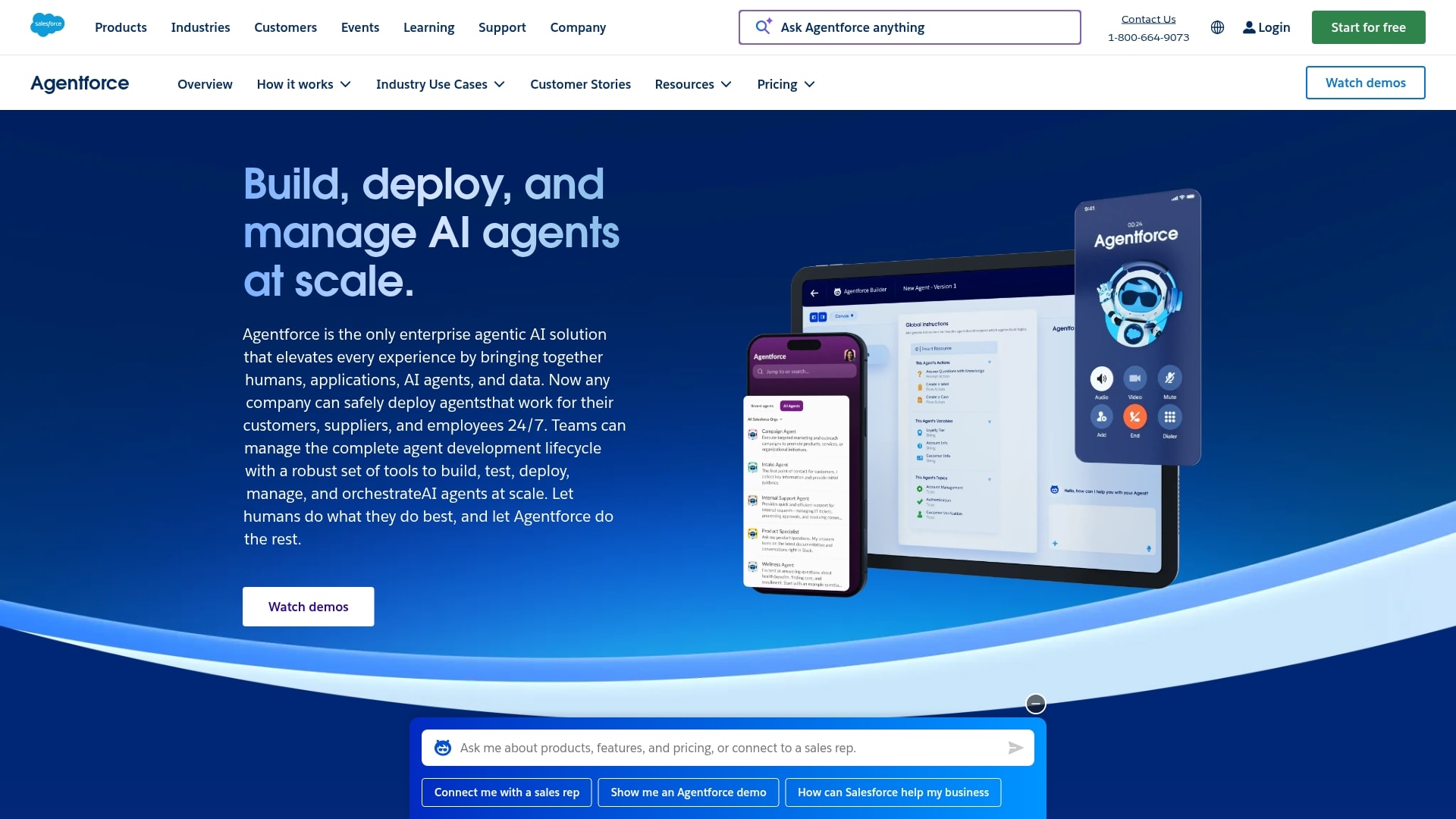
Salesforce Agentforce brings autonomous AI directly into the world’s most widely adopted CRM. Sales and service teams can use it to automate customer-facing workflows in the same place their customer data already lives. Its Atlas Reasoning Engine combines deterministic logic with LLM reasoning, producing governed actions grounded in CRM data.
Use case: Teams running on Salesforce that want autonomous AI agents to manage CRM-specific workflows, such as qualifying pipeline and resolving service cases, without adding headcount.
Key features:
- Atlas Reasoning Engine: Combines deterministic guardrails with LLM reasoning so agents can make reliable, auditable decisions based on real-time CRM context.
- AgentExchange marketplace: A library of pre-built agents and partner templates that can be dropped into the low-code builder to speed up deployment.
- Enterprise governance and observability: Safeguards include the Einstein Trust Layer for secure data grounding and a Testing Center for batch evaluations.
Pricing:
- Foundations: $0 to get started with core Agentforce capabilities on eligible Salesforce editions
- Flex Credits: $500 per 100,000 credits (consumption-based, pay-per-action)
- Conversations: $2 per conversation
- Agentforce add-on: From $125/user/month
- Agentforce User License: $5/user/month for broad employee access
- Several consumption models are available, including PayGo; voice actions cost 30 Flex Credits versus 20 for text
Considerations:
- Agentforce can deploy across Slack and Microsoft Teams, but it’s fundamentally built around Salesforce and CRM data. Teams needing agents for project management or HR may find its scope too narrow.
- Getting the most from Agentforce requires the right Salesforce editions and dedicated admin time to configure workflows and guardrails.
13. Sim AI

Sim AI combines visual agent building and governance in one open-source workspace, giving technical and semi-technical teams one place to build and manage no-code agents. Self-hosting and a SOC 2 Type II attestation add to its appeal for teams with strict data control requirements.
Use case: Technical and semi-technical teams that need a governed, open-source workspace for building and deploying multi-step agents across a broad mix of integrations and AI models.
Key features:
- Visual agent builder with multi-LLM support: Compose agents on a drag-and-drop canvas using core blocks such as Agent, Condition, Loop, Guardrails and Human-in-the-Loop, across 100+ hosted or locally run models.
- 272 integrations with 5,421+ callable tools: Connect agents to external systems from the canvas, with 61 one-click OAuth integrations and 66 that can trigger agents from external events.
- Built-in governance and observability: Audit logs, execution snapshots, permission groups and SSO controls help maintain oversight at each stage of deployment.
Pricing:
- Free: $0/month (1,000 one-time credits and a single workspace)
- Pro: $25/user/month (6,000 credits/month per seat plus a 2,000-credit weekly refresh, and up to 3 workspaces)
- Max: $100/user/month (25,000 credits/month per seat plus a 4,000-credit weekly refresh, with unlimited workspaces)
- Enterprise: Custom pricing (SSO, access control, SOC 2 compliance attestation, self-hosting eligibility and dedicated support)
- Annual billing takes 15% off Pro and Max plans
- Bringing your own model keys routes provider costs to your account, though a base per-run credit charge still applies on all plans
Considerations:
- Key governance features, including SSO and permission groups, are limited to Enterprise plans, leaving teams on lower tiers with fewer administrative controls.
- Weekly credit refreshes don’t roll over, and hosted tool usage adds Sim-metered charges unless you provide your own provider keys, which can make total cost less predictable at higher volumes.
14. Make
Make combines visual automation with AI agent capabilities on a single canvas, giving teams a no-code environment for building and monitoring intelligent workflows across 3,500+ app integrations. It started as an automation platform, and its AI agents now reason through processes and return structured outputs in the same interface teams already know.
Use case: Teams that want deterministic automation logic and AI agent capabilities in one visual builder, especially for complex multi-app workflows across departments.
Key features:
- Visual agent builder: Agents live inside Make scenarios on the same drag-and-drop canvas used for standard automations, so teams can combine rule-based logic with agentic reasoning without changing tools.
- Transparent reasoning panel: Every agent decision is visible through a step-by-step Reasoning view, which helps with auditability without custom logging.
- Built-in MCP Server: Make’s native Model Context Protocol Server connects AI models like Claude and ChatGPT to 3,500+ app integrations at no additional cost, so external models can act on live business data.
Pricing:
- Free: Includes access to Make’s AI Provider for agent features
- Paid plans, starting with Core, add custom AI providers and larger credit allowances; most actions cost 1 credit
- Enterprise: Quote-based pricing for larger organizations with advanced governance needs
- Extra credits are available on paid plans at roughly 25% above in-plan credit pricing
- Annual billing discounts apply, and a Startup Program offers extended free access followed by 50% off for three months
Considerations:
- The “AI Agent (New)” app launched in open beta in February 2026, so functionality and pricing may still change. Teams should verify current capabilities before committing to production use.
- At scale, credit-based billing can be harder to forecast, especially when AI modules consume credits faster than standard automation steps.
15. Coworker

Coworker blends team collaboration with workflow automation, acting as an AI teammate that helps employees and takes action across business tools. Built for mid-market and enterprise teams in sales, finance, operations and engineering, it goes beyond chat assistance to coordinate handoffs and complete multi-step work.
Use case: Enterprise and mid-market teams that want an AI partner to support day-to-day collaboration and run multi-step workflows across connected apps.
Key features:
- No-code agent builder: Describe tasks in plain language and define the triggers that start them, with no prompt engineering or coding required.
- Organizational memory (OM2): Creates a permission-aware context graph across 50+ connected apps, giving agents accurate, real-time business context.
- Approval gates and audit trails: Human-in-the-loop controls let team members review and approve system write-backs, while audit trails support enterprise compliance.
Pricing:
- Enterprise plan: Custom pricing; contact Coworker for a quote
- Includes OM2 memory, multi-model routing, Coworker MCP, native apps, 50+ connectors, SSO, SLAs and a dedicated customer success manager
- Closed model usage is billed at provider cost with no markup
Considerations:
- Pricing is quote-based with no self-serve tier, which can slow evaluation for teams hoping to start with an immediate trial.
- The enterprise deployment model calls for deliberate organizational setup rather than an informal, team-by-team rollout.
How the platforms compare
Side by side, the 15 platforms split along one clear line: some tools chat and suggest, while others finish the work. Teams that want the upside of automation without losing visibility can narrow the field with four practical filters:
- Execution depth: Can the platform complete workflows, or does it mainly suggest next steps?
- Business context: Can agents work across departments, or only within one function?
- Governance strength: Can leaders control permissions and trace what each agent did?
- Setup effort: Can business users launch agents without engineering help?
Applied to the list above, the filters sort the field quickly. Conversational builders like Voiceflow and Botpress execute well inside customer conversations but stay focused on that channel. Automation-first tools such as Zapier and Make connect thousands of apps, yet they treat AI as a step inside a rule-based flow rather than an agent that owns the work.
Ecosystem platforms, including Microsoft Copilot Studio and Salesforce Agentforce, go deep inside their own suites and stop at the suite’s edge. Developer-oriented options like n8n and Sim AI give technical teams more control in exchange for slower setup.
monday agents runs inside the monday AI Workspace where your team already collaborates, so it can turn incoming requests into finished work with every action visible and enterprise security in place.
Try monday agentsWhat to look for in a no-code AI agent platform
Picking an AI platform shouldn’t feel like a leap of faith. Many vendors say they offer intelligent agents, but plenty stop at drafting text or suggesting next steps, so the criteria below focus on whether a tool moves work forward or hands it back to your team.
Execution versus assistance
Start with the most important question: does the agent point at work, or can it complete it? Agent capabilities usually sit at one of these levels:
- Assistance: Answers questions or drafts content for review, such as recommending which incoming leads deserve attention first.
- Managed execution: Takes concrete actions with checkpoints for sign-off, such as drafting follow-up emails and waiting for approval before sending.
- Autonomous execution: Completes multi-step workflows within defined guardrails, such as scoring leads and routing the strongest ones to reps with a follow-up already scheduled.
The step up to autonomous execution is where teams win back the hours they spend on manual entry and follow-up.
Cross-department context and data access
An agent working in a silo produces siloed results. If it only sees sales records, it can’t tell how a surge in service issues might affect account health.
When product and finance work share one workspace, agents can compare project timelines against budget limits and team capacity without waiting on status meetings. Before deciding, check whether agents can work across your full operation or stay confined to one department.
Governance and team oversight controls
It’s fair to hesitate before handing routine decisions to software, especially when sensitive data is involved. Strong platforms answer that hesitation with clear controls, so check for these guardrails before rollout:
- Strict boundaries: Define which external systems an agent can touch and what actions it can trigger.
- Granular permissions: Role-based access keeps sensitive payroll and customer records protected.
- People in the loop: Built-in checkpoints let team members approve critical steps before an agent proceeds.
- Visible audit trails: Activity logs record every action and its outcome, so nothing happens out of sight.
- Compliance standards: Certifications and frameworks such as SOC 2 Type II, ISO/IEC 27001, GDPR and HIPAA protect sensitive operations.
These controls cut risk and speed up adoption, because people know where the lines are.
Ecosystem fit and immediate connectivity
Momentum disappears when setup becomes a project of its own. If an agent needs weeks of API work before it can update a project status, adoption slows to a crawl. Platforms usually connect agents to your data in one of these ways:
- Native architecture: Agents operate directly inside your workspace, with immediate access to work data and no custom integration to maintain.
- External connectors: Third-party builders link to outside databases via API, which means manual configuration and upkeep whenever schemas change.
- Model Context Protocol (MCP): An open standard for secure data exchange that gives broad connectivity without custom code.
The closer a platform sits to your team’s existing work, the faster you see results.
Time to value and team adoption
Even technical teams stall on adoption when software feels awkward or intimidating. Platforms gain traction when people can launch agents with language and interfaces that feel familiar, so look for these traits:
- Ready-to-use agents: Pre-configured agents for work like ticket triage and lead routing that deliver results on day one.
- Familiar environment: Agents that live inside the workspace your team already opens every morning.
- No-code building: Natural language setup that lets non-technical managers configure agents without filing developer tickets.
- Self-guided rollout: Simple administration with no need for outside consultants or months of specialized training.
Pricing models and total cost of ownership
A low starting price can mislead, because real cost depends on setup time and on usage caps you may only spot later. Most platforms use one or more of these structures:
- Per-seat pricing: Costs scale with team size. Forecasting is predictable, though it can discourage company-wide rollouts.
- Consumption credits: Costs scale with execution volume. Entry is easy, but high-volume workflows can trigger surprise invoices.
- Tiered capability: Advanced agent features require higher tiers, so key governance functions may sit behind an upgrade.
- Modular add-ons: Agent functionality is billed as a separate package, so the full cost grows beyond an inexpensive base license.
Implementation effort and ongoing maintenance belong in the calculation too. If a routing agent handles 50 incoming requests each morning, the hours your team gets back are the return you’re paying for.
Best no-code agents by team
Bottlenecks look different in every department, and so do the handoffs that slow work down. Our view is that agents should take on the repetitive admin so people can focus on the work that needs them. Here’s how ready-made monday agents help each team inside the workflows it already uses.
Marketing teams
Marketing teams juggle campaigns and fast-moving deadlines. Agents add capacity without adding headcount, and on a shared workspace they can draw on real product and customer signals instead of assumptions.
- Competitive Intel Research: Searches the web for recent competitor activity like launches and pricing changes, then delivers a brief that keeps only findings with a verifiable source.
- Product Marketing Insights Agent: Tracks live product usage data and flags where marketing claims no longer match what the product does.
- Content Writer Agent: Turns a brief into drafts for blogs, emails, social posts and landing page sections, and never sends anything externally on its own.
- Event Registration Agent: Sets up registration forms and calendar entries, then manages sign-ups and waitlists for each event.

Sales teams
Sales teams lose selling time to follow-ups and CRM upkeep. Agents absorb that operational work, and because they run inside revenue workflows, opportunities can be routed the moment buyer intent rises.
- Lead Qualifier: Scores each lead out of 100 against your criteria and routes the hottest prospects to the right salesperson.
- Outbound Prospector: Researches target prospects on the web and LinkedIn for timely conversation hooks, then drafts personalized outreach sequences for reps to review and send.
- Deal Prep Briefing Agent: Combines Salesforce deal data with recent web news in a pre-call brief, refreshing it as new deal information arrives.
- Pipeline Guardian: Ranks stalled or overdue deals by risk and value, then drafts a follow-up message for the rep.
- Account Health Agent: Flags accounts with renewals due within 90 days or declining engagement in a weekly summary.

Operations and PMO teams
Operations leaders hold cross-functional work together, and when it all runs on manual oversight, updates get missed and delays catch everyone off guard. Agents keep watch across initiatives so problems show up early enough to fix.
- Status Reporter: Drafts stakeholder updates from board statuses and recent activity, calling out risks and blockers.
- Dependency and Risk Mapper: Traces the critical path across a board and flags at-risk or blocked chains, explaining why each one is risky.
- Project intake agent: Scores incoming project requests for viability and logs each one on your board with a traffic-light rating and a recommendation.
- Team Capacity Agent: Monitors active work across multiple boards to find who has bandwidth for time-sensitive tasks.
- Procurement Approval Agent: Checks vendor and contractor requests against your records, approves clean ones and escalates requests that go quiet.
- Process Automator: Spots repetitive work on your board and proposes automations, with an estimate of the manual effort each one would save.

IT and service teams
For IT and service desks, the challenge is relentless volume with little room for delay. Agents handle intake and triage instantly, which keeps repetitive issues off senior engineers’ desks even during a spike.
- Ticket Management Agent: Sorts incoming tickets by type and priority and sends each one to the right team through Slack.
- SLA Monitor: Tracks first-response and resolution times against your targets and warns the right manager before an item breaches.
- Internal Helpdesk Agent: Logs employee questions from Slack and email to a shared board, then drafts replies from your knowledge base for a teammate to review.
- Ticket Follow-Up Agent: Compiles every open ticket waiting on your reply into one running list and alerts you when a response is due.
- Support Signal Agent: Flags urgent problems in a chosen product area to Slack and sends a daily trend report with customer quotes.

HR teams
People teams spend hours on coordination, much of it around candidates and new hires. Agents take on the logistics so recruiters can spend their time on the conversations that make a hire.
- Candidate Matching Agent: Ranks each new candidate against your open roles and screens the top match against that role’s must-have requirements.
- Candidate Companion Agent: Answers candidates’ questions about your hiring process and guides them through each interview stage, passing offer questions to their recruiter.
- Calendar Agent: Flags double-bookings and proposes alternative meeting times, making no calendar changes until you approve them.
- Employee Onboarding Agent: Alerts the right colleague in Slack when a new hire joins, with context on the hire’s role and team.
- Pulse Survey Agent: Sends anonymous pulse surveys and turns the responses into sentiment analysis and an engagement index.

Product and engineering teams
Product and engineering teams need a clear view of what to build next and the capacity to build it. Agents connect customer input to the backlog and keep sprints realistic.
- Sprint Planner: Organizes your backlog and drafts sprint goals based on your team’s capacity.
- Feature Request Agent: Checks incoming feature requests against your product documentation and roadmap to see whether an existing capability already solves them.
- Feedback Digest Agent: Groups new customer feedback into ranked themes with mention counts and an overall sentiment read.
- Release Copy Agent: Turns technical feature notes into customer-facing copy that follows your terminology and style guidelines.
How to choose the right no-code agent platform
A good demo is only the start, because the real proof comes from how a platform handles your own work. These four steps turn the criteria above into a practical evaluation.
Step 1: Map where work already happens
Agents in a disconnected tool create friction on day one, while agents inside the workspace where your team already plans and collaborates feel familiar from the start. Check whether agents run natively in your daily workspace and whether context carries across boards without manual data syncing.
Step 2: Decide how far agents should reach
Be clear on scope early, because the answer points you toward a different kind of platform. Most options fall into one of these categories:
- Standalone chat builders handle single-channel conversations, such as deflecting frontline customer FAQs.
- Standalone automation engines run point-to-point logic, such as syncing data between two systems in the background.
- Open-source code frameworks suit technical teams that want full programmatic control over custom builds.
- A unified AI workspace supports organization-wide execution, with agents working across functions on shared data.
Getting this right up front keeps you from overbuying for a narrow use case or underbuying for a broad one.
Step 3: Pilot one workflow with the people who will build agents
A true no-code builder lets team leaders create and adjust agents without waiting on engineering. Pick one high-volume workflow and have the people who own it build the agent in plain language, then test it in a safe environment before it touches live work. People trust what they can shape and test themselves, so a usable builder speeds up adoption.
Step 4: Confirm governance and total cost before scaling
Trust has to be in place before AI touches core operations. Bring security leaders into the pilot so they can see how information moves and who triggered each action, and confirm that high-impact actions can pause for review.
At the same stage, price the full picture, including implementation effort and ongoing maintenance alongside the subscription. A lower sticker price doesn’t always mean a lower cost over time. Once the pilot shows results, confidence spreads and every later rollout decision gets easier.
How monday agents executes work across departments
AI is easier to adopt when it acts like a teammate inside the workspace you already use. The idea behind monday agents is simple: people set direction while agents handle the repetitive work in full view of the team.
Because the monday AI Workspace connects work across departments, agents see more than a point solution can, including project health and team capacity.
Ready-made agents for specialized workflows
The quickest way to get results is to start with a ready-made agent. The library includes more than 80 agents modeled on common workflows, covering the teams above as well as finance and leadership roles. Invoice Reconciliation Agent, for example, checks the previous day’s invoices against your accounting report and sends a morning summary of anything failed or mismatched, while Daily Briefer ranks due and overdue work each morning for a quick start to the day.
Many ready-made agents keep a person in the loop by design. Calendar Agent makes no calendar changes until you approve them, and Outbound Prospector saves its outreach drafts for reps to review and send. You can start from one of these proven setups and adapt it to how your team works.
Custom agent builder for any business process
No two organizations run the same way, because rules and review steps differ between teams. The custom builder lets teams create agents around how they work rather than around a template, and you decide what each agent does before it touches a live workflow:
- Describe what you need: Define the agent’s role and the triggers that tell it when to step in.
- Connect your knowledge and tools: Ground the agent in the right boards and docs, so it works from your own processes and guidelines.
- See it in action: Test the agent and refine its instructions before broader rollout.
- Share what works: Make a proven agent available to selected teammates so one successful build becomes a reusable capability.
In practice, this turns what your team knows into repeatable work. Instead of documenting the ideal process and hoping everyone follows it, you put that process to work around the clock and across time zones.
Cross-department context that connects all your work
Many no-code agents have tunnel vision, seeing only one process or one dataset. CRM-based agents stay within sales and service records, and standalone tools only know the data someone has connected to them.
Running on a shared work layer, monday agents can connect revenue signals with delivery risk and workload. A marketing agent can account for pipeline movement before prioritizing campaign activity, while an engineering or PMO agent can factor in support demand before recommending a sprint plan. When agents understand how work moves between teams, they help with the big picture instead of single tasks, which suits organizations that want to scale without more manual coordination.
Enterprise-grade governance and transparent controls
More automation isn’t helpful if it adds uncertainty. monday agents is built so you control access and approvals while agents handle the repetitive work inside those limits:
- Control: Decide what each agent can and can’t do, both on monday.com and across connected external systems.
- Granular permissions: Define which data an agent can access and whether it can only read or also create and edit information.
- Testing before activation: Validate an agent’s behavior before it starts operating at scale.
- Audit trails and transparency: See what agents did and why they did it.
- Data privacy: Data is encrypted by default to protect confidentiality and integrity.
- Access control: Admin settings define who can use AI across the account and by role.
- Compliance: monday.com supports SOC 2 Type II, ISO/IEC 27001, ISO/IEC 27701, GDPR compliance and HIPAA.
- Content ownership and data rights: You retain ownership of the content you provide and the content AI generates, and third parties aren’t allowed to train on your data.
For teams evaluating no-code agents, governance is what makes a wider rollout possible beyond the first pilot.
Choosing a no-code AI agent platform that scales with your team
The best no-code AI agent platforms go past suggestions to run real workflows from shared context, with controls that let leaders manage risk. For teams already running on monday.com, monday agents adds this capability without a new layer to manage, handling work like lead qualification and ticket routing where the work already lives.
A simple next step is to pick one high-volume workflow and pilot an agent on it with clear guardrails. A process that already eats up manual effort makes the payoff easy to see, and from there monday agents helps your team get time back and scale without adding headcount.
Try monday agentsFAQs about no-code AI agents
What is the difference between no-code and low-code AI agent builders?
No-code AI builders let team members create and configure autonomous agents through conversational prompts and visual menus without writing code. Low-code platforms require programming knowledge for advanced logic and integrations, which creates a more persistent dependency on developers.
Can no-code AI agents handle sensitive business data securely?
Enterprise platforms protect sensitive data with permission-based access and audit logs, backed by compliance standards like SOC 2 Type II and ISO/IEC 27001. With monday agents, you retain ownership of the content you provide and the content AI generates, and third parties aren't allowed to train on your data.
How long does it take to deploy a no-code AI agent?
Pre-built agents can be activated immediately, while custom agents for tailored cross-team workflows usually take hours to days to configure. Because native agents run directly inside your existing workspace, they avoid the long integration timelines common with standalone tools.
Are free no-code AI agent builders suitable for business teams?
Free builders usually lack the governance and security controls production work needs. Teams running critical workflows typically outgrow free tiers quickly as usage and compliance needs expand.
Do no-code AI agents require ongoing technical maintenance?
Agents embedded natively in your core work platform need minimal upkeep because the provider manages the underlying infrastructure and updates. Standalone builders often need ongoing maintenance to keep API connections working as third-party systems change.
How do monday agents differ from other no-code AI agent platforms?
monday agents operates directly within the monday AI Workspace, where organizations already manage projects and service workflows. This built-in operational context lets agents coordinate handoffs across departments without manual syncing or external integrations.
What types of work can no-code AI agents execute?
No-code agents can handle high-volume operational work including lead qualification, ticket triage, status reporting, sprint planning and risk detection. They work within predefined organizational rules, which keeps outcomes consistent across cross-functional teams.

 Get started