


Modern buyers expect fast, relevant responses across every channel, at any hour. Conversational AI is how your teams meet these demanding expectations. Think of conversational AI as your team’s always-on colleague who never sleeps through a midnight inquiry, never forgets to follow up, and treats every touchpoint as an opportunity.
We’ll cover how conversational AI works, the different forms it takes, from chatbots to autonomous agents, and how it reshapes customer relationships when it’s built into the platforms where work already happens. You’ll see real examples across sales, marketing, and service, learn what to look for when evaluating platforms, and see how teams get results with AI agents like monday agents.
Try monday agentsKey takeaways
- Conversational AI is more than a chatbot. It understands context, remembers past exchanges, and takes action, so customers get real answers, not scripted dead ends.
- The right platform connects your whole business. AI that can only see one department’s data gives you half the picture; choose a solution built on shared data across sales, service, and marketing.
- Start small and prove value fast. Pick one high-volume workflow like lead qualification or FAQ handling, measure the results, then expand from there.
- AI agents handles the work that slows your team down. From scoring leads overnight to flagging at-risk customers, agents run autonomously inside your platform with full guardrails and audit trails.
- Security is non-negotiable. Before deploying any conversational AI, confirm it offers role-based permissions, data ownership guarantees, and certifications like SOC 2 Type II and GDPR compliance.
What is conversational AI?
Conversational AI lets machines understand and respond to language naturally — whether you’re typing or talking. The AI remembers what you said 3 messages ago and builds on it, like talking to a person who’s paying attention.
For customer-facing teams, conversational AI powers chatbots, voice assistants, AI copilots, and autonomous AI agents that interact with customers, prospects, and internal teams every day. Unlike simple rule-based chatbots that match keywords to canned answers, conversational AI learns from context, and remembers what you said before. Based on this intel, it figures out what you want, even when you phrase it in unexpected ways.
A rule-based bot might miss the meaning when a customer writes “where’s my stuff?” instead of “track my order,” while conversational AI understands both refer to the same request. This capability is now foundational for CRM, sales, marketing, and service teams.
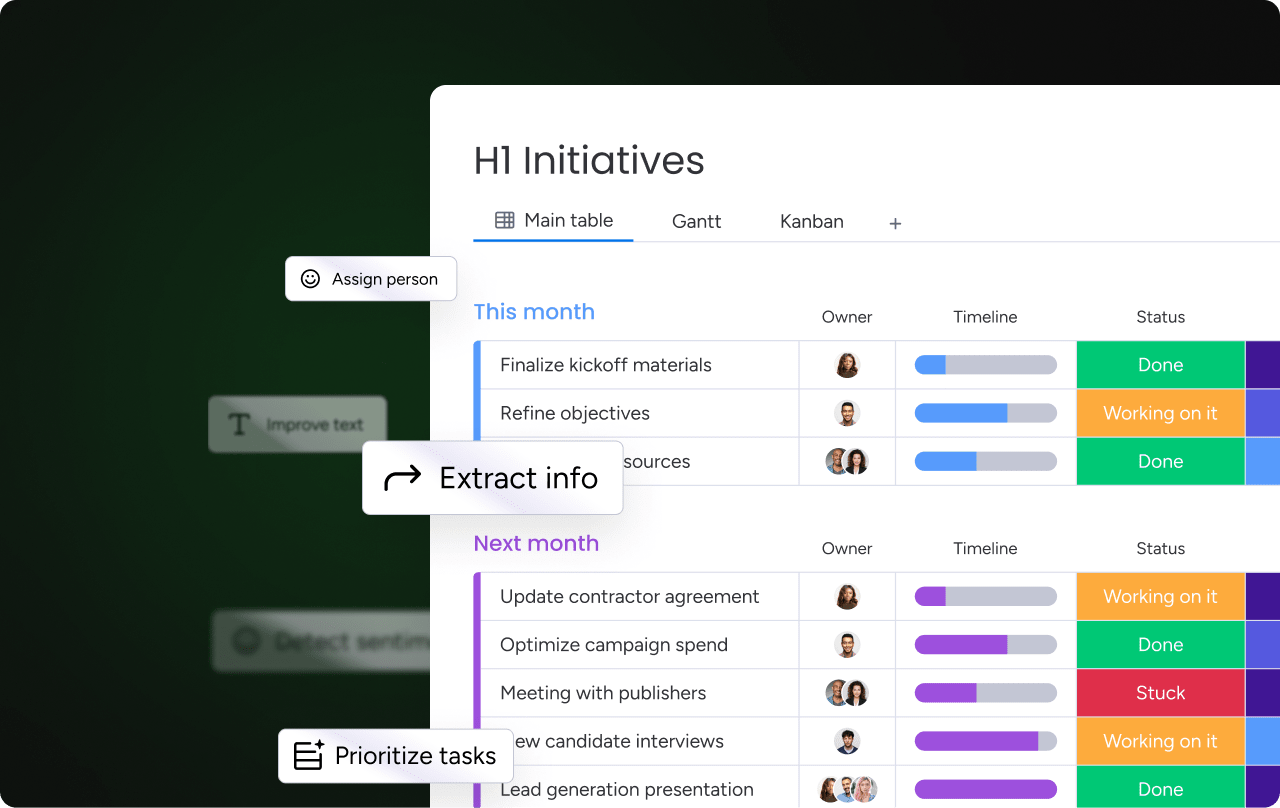
How conversational AI works
Conversational AI combines several technologies in a pipeline. Each handles a different challenge: understanding language, extracting meaning, and producing a reply that keeps the conversation moving.
How AI extracts meaning from language
Natural language processing (NLP) is how AI breaks down and interprets our language, including slang, typos, abbreviations, and all. Within NLP, natural language understanding (NLU) extracts meaning: what you want, what you’re referring to, and how urgent or frustrated you sound.
When a customer types “I’ve been waiting 3 days for my refund and I’m frustrated,” NLU identifies several things simultaneously:
- Intent: A refund status inquiry is the core purpose of the message.
- Entity: The refund itself is the specific thing being discussed.
- Timeframe: Three days provides context about urgency.
- Sentiment: Frustration signals potential churn risk.
Entity extraction identifies specific data points, such as product names, dates, company names, and dollar amounts, from unstructured text. Sentiment analysis detects the emotional tone. Together, these capabilities allow conversational AI to route the message appropriately, escalate it to a person when frustration is high, or resolve it directly rather than matching the word “refund” to a generic FAQ article.
How AI produces naturally-sounding responses
Natural language generation (NLG) is how AI produces responses that sound natural, not templated fill-in-the-blank replies. NLG is what makes conversational AI feel conversational. It constructs sentences, adjusts tone, and tailors responses to the specific context.
Instead of responding with “Your ticket #4521 is in queue,” a conversational AI using NLG might say: “I see your refund request from Monday. It’s currently being reviewed by our finance team, and you should hear back by tomorrow afternoon.”
NLG turns a system notification into a helpful colleague.
How AI delivers accurate, grounded responses
Large language models (LLMs) are AI systems trained on massive text datasets. They understand and generate language that sounds impressively natural. Models like GPT, Claude, and Gemini are the “brain” powering many conversational AI systems, giving them the ability to handle open-ended questions, summarize complex information, and reason through multi-step requests that would stump a traditional chatbot.
But LLMs come with an important consideration for business use. They generate responses based on training data patterns, which means they can sound confident while being completely wrong about a customer’s account, deal status, or order history.
Retrieval-augmented generation (RAG) fixes this by grounding LLM responses in specific, real-time data. Before responding, the AI pulls data from your CRM, knowledge base, or internal docs, then uses that data to build its answer.
For CRM teams, this distinction is more important than any other single factor. The trustworthiness of AI-generated responses often decides whether teams rely on them for real customer conversations. Here’s the practical difference in action:
- Without RAG: Asking an AI “What’s the status of the Acme Corp deal?” might produce a confident but fabricated answer.
- With RAG: The AI pulls the deal record, checks the latest activity, and responds with accurate, trustworthy information.
When evaluating conversational AI platforms, this is the critical difference between impressive-sounding responses and reliably accurate ones.
Types of conversational AI
The 4 types of conversational AI below build on one another, moving from simple response handling to fully autonomous execution. Understanding where each type fits helps teams match the right technology to the right workflow. Here are 4 types, in order of increasing capability:
Type 1: Conversational AI chatbots
Conversational AI chatbots use NLP and NLU to handle customer inquiries, answer FAQs, and guide people through simple workflows — checking order status, resetting passwords, updating account info. Unlike rule-based chatbots that break when customers phrase things unexpectedly, conversational AI chatbots handle variations, follow up on ambiguous questions, and remember context so customers don’t repeat themselves.
Conversational AI chatbots typically stick to defined topics and hand off to a person when things get complex, emotional, or outside their training. They’re great for handling volume, but they respond instead of initiating and answer instead of acting.
Type 2: Conversational AI voice assistants
Voice assistants process spoken language instead of text, adding speech-to-text and text-to-speech to the NLP/NLG pipeline. While consumer examples like Alexa and Siri are familiar, business applications are where voice AI delivers measurable results.
Voice AI shows up in more business settings every year, especially where speed and hands-free interaction matter most. These applications reduce friction for customers while easing pressure on support and sales teams. Business applications include:
- IVR systems that understand natural speech instead of requiring “press 1 for billing”
- Voice-enabled customer service lines that resolve issues without a hold queue
- AI-powered sales calls that can qualify leads and book meetings through natural dialogue
Voice adds complexity. The AI has to handle accents, background noise, conversational pacing, pauses, interruptions, and tone shifts. For teams managing high call volumes, voice-based conversational AI cuts wait times and makes customers happier.
Type 3: AI assistants and copilots
AI assistants work alongside people, not replacing them but expanding what they can do. They’re typically embedded in work platforms and help summarize meeting notes, draft emails, analyze pipeline data, or suggest next steps.
Copilots stand apart from chatbots because they participate in the work rather than waiting for questions. They read context, anticipate needs, and take action alongside the team. Here’s what sets copilots apart:
- Proactive: They can pinpoint recommendations without being asked.
- Context-aware: They understand the team member’s current project, pipeline, or conversation history.
- Action-oriented: They can execute workflows, update records, and trigger automations, not just answer questions.
They combine conversational AI with workflow execution, which makes them especially valuable for CRM and sales teams who need to move fast without switching apps.
Type 4: Conversational AI agents
Conversational AI agents are the most autonomous form of conversational AI. They independently execute multi-step workflows, make decisions within guardrails, and operate continuously without waiting for prompts. Chatbots respond. Copilots assist. Agents act. They research leads, score sentiment, generate reports, schedule follow-ups, and route issues across departments, all on their own.
The difference? Agents combine conversational ability with autonomous execution. They don’t just understand what you say; they carry out the work. Agents combine conversational ability with autonomous execution, so they carry the work forward without waiting for prompts. This changes the scope of what a small team can accomplish overnight. An agent can:
- Qualify 200 inbound leads overnight
- Detect a sentiment shift in a customer’s support tickets and alert the account manager
- Generate a weekly pipeline report and distribute it to stakeholders
All without someone initiating each step. This is the category changing how CRM and customer-facing teams work day to day. When AI agents are built into CRM workspaces, teams get this level of autonomy without separate apps or technical expertise.
Conversational AI vs. generative AI
These two terms are often used interchangeably, but they refer to different (and overlapping) concepts. Understanding the distinction helps you evaluate platforms accurately and avoid confusing a content generation feature with full conversational AI.
| Dimension | Conversational AI | Generative AI |
|---|---|---|
| Primary purpose | Understand and respond to language in dialogue | Create new content (text, images, code, audio) |
| Interaction model | Two-way, multi-turn conversation | Typically single-prompt input → output |
| Core technologies | NLP, NLU, NLG, dialogue management | LLMs, diffusion models, transformers |
| CRM example | AI agent that qualifies a lead through a back-and-forth conversation | AI that drafts a personalized sales email from a prompt |
| Overlap | Uses generative AI (LLMs) to produce responses | Can be embedded in conversational interfaces |
How conversational AI agents transform customer relationships
Traditional CRM interactions follow a predictable pattern. A customer reaches out, a rep responds, and the conversation lives in a single department’s view. Sales doesn’t see service history. Marketing doesn’t see pipeline data. And everything stops when the team goes home for the day.
Conversational AI agents change this by enabling proactive, personalized, cross-departmental engagement that runs continuously, shifting the model from reactive to anticipatory. Here’s what that looks like:
Proactive outreach instead of reactive support
Conversational AI agents shift customer engagement from waiting for problems to anticipating them before they happen. Instead of responding after a customer complains, agents monitor signals (a deal going cold, a support ticket escalating, a renewal approaching, usage dropping) and reach out before the customer has to ask.
Here’s a specific scenario. An AI agent detects that a customer’s product usage has dropped 40% over the past two weeks. It automatically:
- Sends a personalized check-in message (“We noticed you haven’t used [feature] recently. Is there anything we can help with?”)
- Alerts the account manager with context: usage trends, recent support interactions, and the customer’s renewal date
In the traditional model, that customer churns before anyone even notices. With conversational AI agents, you’re already engaged before the customer thinks about leaving.
Personalized conversations powered by CRM data
Conversational AI agents use CRM data, including deal history, past interactions, preferences, purchase patterns, and communication style, to personalize every conversation. Rather than generic responses that treat every customer the same way, the agent tailors its language, recommendations, and actions based on who the customer is and where they are in their journey.
When a returning customer contacts support, the agent already knows their product tier, recent purchases, open tickets, and communication preferences, and adjusts its response accordingly. A high-value enterprise customer with an open billing issue gets a different tone and escalation path than a new trial user asking a setup question.
This level of personalization used to require a dedicated account manager with deep institutional knowledge. Conversational AI makes it available for every customer interaction, at any hour.
Cross-department context for seamless customer journeys
In most organizations, customer data is fragmented across sales, marketing, service, and operations systems. A customer might have a strong sales experience but then repeat their entire story to support. A marketing team sends a promotional email to a customer who filed a complaint yesterday. These disconnects erode trust and create friction at every handoff.
Conversational AI agents that operate on a shared, cross-department data layer eliminate this fragmentation. An agent with access to data across departments can see that a customer who just signed a deal also has an open support ticket and an upcoming onboarding session — and coordinate the experience seamlessly, ensuring the onboarding team knows about the support issue before the first call.
Platforms built on unified, cross-department data spanning sales, marketing, service, operations, IT, and HR make this kind of connected customer experience possible.
People and AI agents working as one team
The most effective conversational AI implementations position agents as teammates, not replacements. People set strategy, define guardrails, and handle nuanced judgment calls. Agents handle volume, speed, and consistency. This reflects a broader industry shift: according to Gartner, 85% of customer service and support leaders are using AI to reduce contact volume and shifts work toward higher-value tasks. Together, they accomplish more than either could alone.
Here’s what people-and-agent collaboration looks like when the roles are drawn carefully. The agent focuses on volume and consistency, while the person applies judgment where it counts most. Here’s what this looks like in practice:
- An AI agent qualifies 200 inbound leads overnight, scoring each one based on fit, intent, and engagement signals.
- A rep reviews the top-scored leads in the morning and decides the outreach strategy.
- An agent drafts follow-up emails after every meeting, extracting action items and assigning owners.
- The account manager reviews and personalizes them before sending.
The agent handles the work that scales; the person brings the judgment that matters. This is augmentation — expanding what your team can deliver without asking them to work harder or longer.

Benefits of conversational AI for customer-facing teams
The benefits of conversational AI extend beyond efficiency gains. They fundamentally change what customer-facing teams can accomplish with the same resources, opening up capacity for strategic work, deeper relationships, and faster growth that wasn’t possible when every interaction required a person in real time.
Always-on availability and faster response times
Conversational AI agents operate around the clock across time zones and languages, eliminating the gap between when a customer reaches out and when they get a meaningful response. This isn’t about putting up an “after hours” auto-reply, but about providing substantive, context-aware responses at any hour that resolve the customer’s question or move their request forward.
Customers get resolution faster, which directly impacts satisfaction scores, retention rates, and the likelihood they’ll recommend your product to others.
Increased sales engagement and conversion
Conversational AI agents increase both the volume and quality of sales engagement by handling initial qualification, follow-up sequences, and meeting scheduling autonomously. Sales reps spend their time on high-value conversations with qualified prospects rather than chasing unresponsive leads, sending reminder emails, or coordinating calendars.
Deals move through stages more quickly because no lead sits untouched, no follow-up gets forgotten, and no meeting takes three days of back-and-forth to schedule.
Scalable customer interactions without added headcount
Conversational AI allows teams to handle significantly more customer interactions without proportionally increasing team size. Scale challenges rarely arrive on schedule, and hiring cycles struggle to keep pace with sudden shifts in volume. Conversational AI absorbs those spikes without a proportional lift in headcount. This capability is particularly valuable during:
- Growth phases and seasonal spikes
- Product launches with high inbound volume
- Market expansion into new regions and languages where hiring and training would take months
For leadership, this is a strategic advantage: the ability to scale customer engagement without linear cost increases, maintaining quality and personalization even as interaction volumes grow.
Actionable customer insights from every conversation
Every conversation an AI agent has generates structured data, including sentiment trends, common objections, feature requests, competitive mentions, satisfaction signals, and buying intent indicators. Unlike conversations between people, where insights are lost unless manually logged (and they rarely are), conversational AI captures and structures this data automatically.
Every team stands to benefit from the structured insight conversational AI produces, not just the customer-facing group. The signals travel across departments and inform decisions everywhere from product roadmaps to renewal strategy. This creates a continuous feedback loop across the organization:
- Product teams see what customers are asking for most frequently.
- Marketing sees which messages resonate and which fall flat.
- Sales sees which objections come up in qualification calls and which competitors get mentioned.
- Customer success sees early warning signs of churn.
The data is already there in every conversation. Conversational AI turns it from noise into signal.
6 conversational AI examples for sales, marketing, and service
These 6 conversational AI examples represent high-impact, proven applications of conversational AI for customer-facing teams. They span the full customer lifecycle, from first touch through ongoing relationship management, and each addresses a specific workflow where conversational AI delivers measurable results.
1. Lead qualification and scoring
Conversational AI agents engage inbound leads through natural conversation, ask qualifying questions, assess fit and intent signals, and assign scores — all without intervention. The agent routes high-scoring leads to sales reps with full context: conversation transcript, score rationale, and recommended next steps. This means reps start every conversation already knowing who they’re talking to and why they’re a good fit.
The agent evaluates multiple signal types simultaneously:
- Fit signals: Company size, industry, role, budget indicators, and technology stack — the characteristics that determine whether a lead matches your ideal customer profile.
- Intent signals: Pages visited, content downloaded, questions asked during the conversation, and specific language that indicates buying readiness (like asking about pricing, implementation timelines, or contract terms).
- Engagement signals: Response speed, conversation depth, follow-up requests, and whether the lead proactively shares additional context — behaviors that indicate genuine interest versus casual browsing.
2. Customer self-service and FAQ automation
Conversational AI handles common customer questions by pulling from knowledge bases, product documentation, and account data, providing personalized answers rather than generic FAQ links. The AI can resolve routine inquiries (billing questions, how-to guidance, status checks, password resets) end-to-end, freeing service teams to focus on complex issues that require judgment and empathy.
The key differentiator from traditional FAQ pages is the conversational, contextual nature of the interaction. Customers describe what they need in their own words and get responses shaped to their situation. Here’s what changes when the AI holds context:
- The AI asks clarifying questions (“Are you asking about your current invoice or a past charge?”)
- It remembers prior context from the same conversation
- It escalates gracefully when it recognizes the issue is beyond its scope, handing off to a person with a full summary so the customer doesn’t have to repeat themselves
3. Meeting scheduling and follow-up
Conversational AI agents eliminate the back-and-forth of scheduling by checking availability, proposing times, sending calendar invites, and confirming attendance, all through natural conversation. After the meeting, agents handle follow-up automatically: generating summaries, extracting action items, assigning owners, and sending recap messages to all participants.
This removes one of the highest-friction, lowest-value activities from sales and customer success workflows — the kind of administrative work that eats hours every week without moving a single deal forward.
4. Sentiment detection and risk alerts
Conversational AI monitors customer interactions across channels, including email, chat, tickets, and calls, to detect sentiment shifts in real time. The agent identifies frustration, dissatisfaction, or churn risk and takes action: alerting the appropriate team member, escalating the conversation, or triggering a retention workflow.
A specific scenario illustrates the value: a customer’s tone shifts from positive to frustrated across three consecutive support interactions. The AI:
- Detects the pattern and flags the account as at-risk
- Notifies the customer success manager with a summary of the issues, the sentiment trajectory, and the customer’s contract renewal date
Without this capability, the CSM might not learn about the problem until the customer requests cancellation — by which point the relationship is much harder to save.
5. Omnichannel customer engagement
Conversational AI enables consistent customer experiences across multiple channels, including chat, email, voice, SMS, and social media, while maintaining conversation context as customers move between them. A customer can start a conversation on chat, continue via email the next day, and follow up by phone a week later, and the AI maintains the full thread so nobody has to start from scratch.
This requires the conversational AI to be connected to a unified data layer rather than operating as separate, disconnected bots on each channel — a distinction that separates platforms from point solutions.
6. Pipeline analysis and sales forecasting
Conversational AI agents analyze pipeline management data and pinpoints insights through natural language. A sales leader can ask “Which deals are at risk of slipping this quarter?” and get an immediate, data-backed answer with recommended actions.
This turns pipeline review from a manual, once-a-week exercise into an ongoing, conversational process where leaders can:
- Drill into specific deals
- Compare performance across reps
- Spot trends as they emerge
The AI needs access to structured CRM data, deal history, and activity logs to deliver accurate insights, which is why this capability performs most reliably on platforms where the AI is natively connected to the CRM.

How to choose a conversational AI platform for your business
The conversational AI market includes hundreds of solutions ranging from standalone chatbot builders to full platform-level AI capabilities. The right choice depends on how well the platform integrates with existing workflows, not how impressive the AI demo looks.
A solution that dazzles in a sales presentation but requires 6 months of implementation and a dedicated technical team to maintain will deliver far less value than one that fits naturally into how your team already works. The evaluation criteria below provide a practical framework for comparing options.
Criterion 1: Integration with your existing CRM and workflows
Conversational AI delivers the most value when it’s embedded in the systems teams already use — not when it requires switching to a separate interface or maintaining parallel workflows. The critical evaluation criteria include:
- Native CRM integration: The AI should operate within your CRM workspace, not as a separate application that requires tab-switching. When an agent qualifies a lead, that data should appear in the CRM record automatically, not in a disconnected dashboard.
- Workflow connectivity: The AI should trigger and execute existing automations and processes — sending notifications, updating statuses, and creating items — without requiring custom development for each connection.
- Data sync: Conversation data, sentiment scores, qualification results, and interaction history should flow back into CRM records automatically, keeping every customer profile current without manual data entry.
Criterion 2: Cross-department data access and shared context
Many conversational AI platforms only access data from a single department or system. The most effective platforms connect to a shared data layer that spans sales, marketing, service, operations, and beyond, so agents can see the full picture of every customer relationship.
The evaluation question is straightforward: can the AI agent helping your sales team also see relevant support tickets, marketing engagement data, and operational status? If not, the agent is operating with partial context, and partial context leads to partial results. An agent that knows a prospect downloaded a whitepaper but doesn’t know they also filed a support complaint last week will deliver a tone-deaf outreach message.
Criterion 3: Enterprise-grade security and compliance
Conversational AI handles sensitive customer data, including conversations, account details, financial information, and the content of private exchanges, so security and compliance are non-negotiable evaluation criteria. Security expectations differ significantly across platforms, and the wrong choice can create risk that outweighs any productivity gain. The strongest platforms make trust visible through concrete controls, not marketing language. What to look for:
- Authentication and access control: OAuth-based connections and role-based permissions that ensure the AI can only access data the connected team member is authorized to see.
- Data privacy: Encryption at rest and in transit, data residency options, and a guarantee that customer data is never used for third-party model training.
- Compliance certifications: SOC 2 Type II, ISO 27001, GDPR, and HIPAA (specific to the US) support where applicable — these validate that the platform meets established security standards.
- Audit trails: Full visibility into what the AI accessed, what it changed, and what it recommended, so administrators can review and verify every action.
Criterion 4: Ease of adoption for non-technical teams
The difference between AI capability and adoption is one of the biggest challenges organizations face. A platform that requires technical expertise to set up, configure, and manage will see slower adoption, higher total cost, and a longer time to value.
The most effective platforms let the people closest to the work — sales managers, customer success leads, and marketing coordinators — build and refine their own AI agents without writing code or hiring consultants. When evaluating, ask: can a non-technical team member configure an agent, set its guardrails, and monitor its performance independently within the first week?
Platforms requiring dedicated AI engineers or external implementation partners to get started will add months to the timeline and thousands to the budget.
Criterion 5: Customization and agent-building capabilities
Pre-built agents are useful for common scenarios, but every organization has unique workflows, terminology, qualification criteria, and escalation rules. The platform should offer an agent builder that allows teams to create custom agents — defining the agent’s role, connecting relevant data sources, setting triggers, and establishing guardrails — without writing code.
The ability to build custom agents is what separates a conversational AI platform from a chatbot product. A chatbot answers questions someone anticipated. A custom agent, such as those you can build with monday agents, handles the workflows specific to your business.
Try monday agents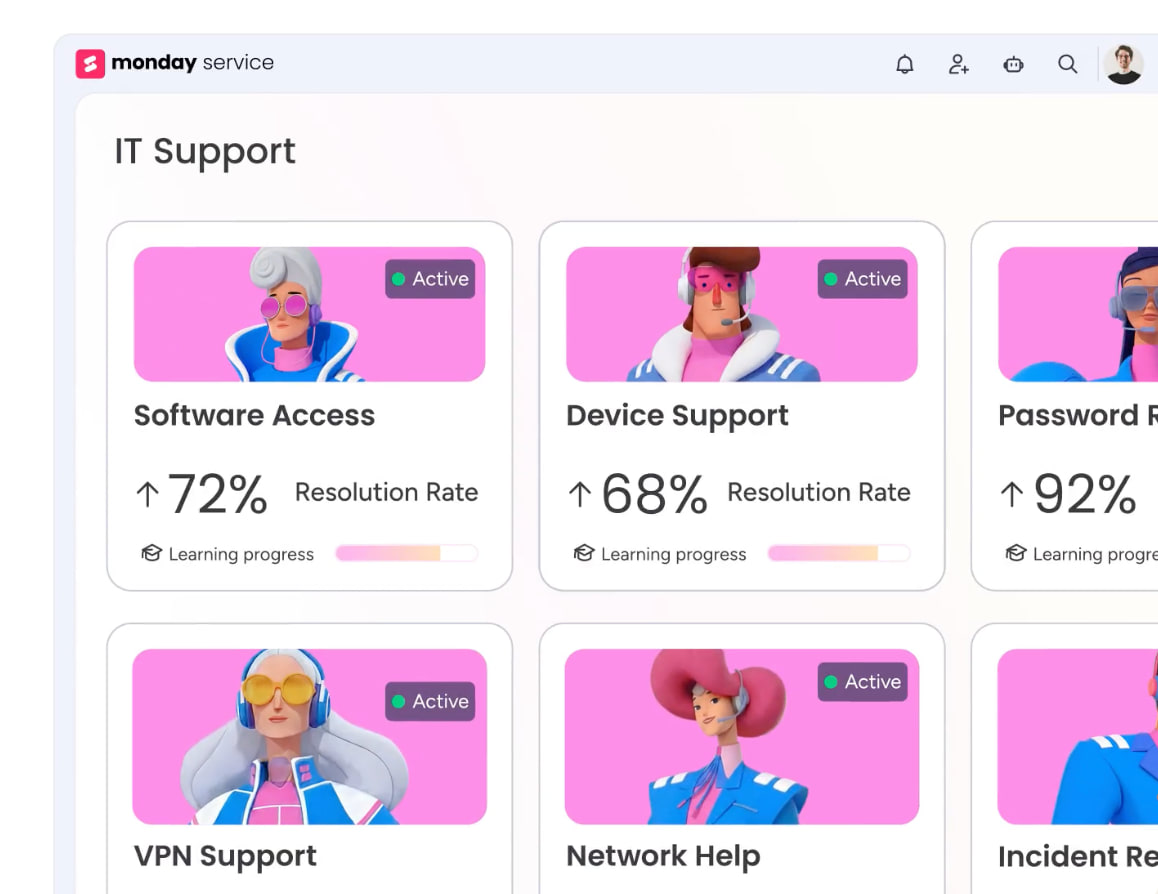
5 steps to implement conversational AI in your CRM
The conversational AI implementations that deliver measurable results start small, prove value quickly, and expand from there. This is a practical, iterative process where teams can see results within weeks and refine based on real-world performance — rather than a months-long IT project.
Step 1: Audit your customer interaction data and knowledge base
The starting point is cataloging existing customer interaction data: where conversations happen, what data is captured, and what knowledge base content exists. Conversational AI reflects the quality of the data and knowledge it can access — an agent grounded in outdated documentation or incomplete CRM records will deliver outdated or incomplete answers.
A thorough audit prevents the most common cause of AI project stall: incomplete or fragmented data. Working through these actions identifies the gaps that would otherwise show up as bad AI responses later. Specific audit actions to complete:
- Map conversation channels: Identify every channel where customer interactions occur, including email, chat, phone, social media, in-app messaging, and support tickets, and note which ones have the highest volume and the most repetitive inquiries.
- Assess data quality: Check whether CRM records are complete, current, and structured. Missing fields, duplicate contacts, and outdated deal stages all reduce the accuracy of AI-driven insights and actions.
- Review knowledge base content: Ensure FAQs, product documentation, and support articles are accurate, comprehensive, and reflect current product capabilities and pricing. Outdated content leads to outdated AI responses.
- Identify data gaps: Note where customer information is missing, outdated, or siloed in systems the AI won’t be able to access.
Step 2: Identify high-impact examples for your team
Select 1–2 examples that combine high volume with measurable outcomes, rather than trying to deploy conversational AI everywhere at once. The best starting points are scenarios where the current process is manual, repetitive, and well-documented, like lead qualification or FAQ handling.
Choosing where to start is the single most important early decision in an AI rollout. The right first workflow builds momentum and internal confidence; the wrong one stalls the program before it gains traction. A simple prioritization framework:
- Volume: How many interactions does this scenario involve per week or month? Higher volume means faster learning and more visible impact.
- Repetitiveness: How similar are these interactions to each other? Highly repetitive interactions are easier for AI to handle accurately from day one.
- Impact: What business outcome does improving this scenario drive, whether revenue, retention, or customer satisfaction? Choose scenarios where improvement is directly measurable.
- Data readiness: Does the necessary data already exist in your CRM and knowledge base? Scenarios that require extensive data cleanup should come after initial wins build momentum.
Step 3: Select a conversational AI solution that fits your workflow
The solution should fit into existing workflows rather than requiring teams to change how they work. Prioritize platforms that offer both pre-built agents for quick wins and custom agent-building for long-term flexibility, starting with a ready-made lead scoring agent this month and building a custom onboarding agent next quarter.
Teams should also evaluate the platform’s AI model flexibility. Platforms that support multiple LLMs, like Claude, GPT, and Gemini, provide more flexibility and reduce vendor lock-in compared to those that tie you to a single model. The evaluation criteria from the “How to choose” section above provide a structured framework for comparing options side by side.
Step 4: Configure your AI agents and set guardrails
Configuration involves defining the agent’s role and scope, connecting it to relevant data sources (CRM records, knowledge base, conversation history), setting triggers for when it should act, and establishing guardrails for what it can and cannot do. This is where the “people set the direction, agents handle the execution” model takes shape.
Guardrails define the operating boundaries that make agents safe to run autonomously. Without them, autonomy becomes risk; with them, it becomes leverage. Key guardrail categories to configure:
- Action permissions: What can the agent create, edit, or delete? A lead qualification agent might need to create new records and update scores, but shouldn’t be able to delete contacts or modify deal values.
- Data access scope: Which workspaces, boards, or records can the agent see? Scope access to the specific data the agent needs — a sales agent doesn’t need access to HR boards.
- Escalation rules: When should the agent hand off to a person? Define triggers: sentiment drops below a threshold, the customer asks for a manager, the inquiry falls outside the agent’s scope, or the deal value exceeds a certain amount.
- Simulation mode: Test the agent’s behavior before activating it in production. Run it against historical data or in a sandbox environment to validate its decisions, catch edge cases, and build team confidence before going live.
Step 5: Test, measure, and refine with your team
Start with a pilot group — a specific sales team, a single support queue, or one product line — and measure specific outcomes: response time, qualification accuracy, customer satisfaction scores, conversion rate, and time saved per rep. Conversational AI improves over time as it processes more interactions and receives feedback, so early performance is a baseline, not a ceiling.
A 30-60-90 day review cadence works well:
- 30 days: Initial performance check to catch any obvious issues.
- 60 days: Optimization adjustments based on patterns in the data.
- 90 days: Expansion planning to identify the next scenarios and teams to onboard.
The team members using the AI daily should be actively involved in refinement throughout. They’ll spot issues, edge cases, and opportunities that metrics alone won’t reveal. Their feedback is what turns a good implementation into a great one.
Privacy, security, and trust in conversational AI
Trust is the single biggest barrier to conversational AI adoption. When AI handles customer conversations, it accesses sensitive data, including names, account details, purchase history, financial information, and the content of private exchanges.
Organizations need confidence that this data is protected, governed, and auditable before they’ll scale AI across customer-facing teams. These concerns are legitimate, and the strongest platforms address them head-on rather than burying security details in footnotes.
How to protect customer data in conversational AI
The key data privacy considerations for conversational AI center on 4 questions:
- Where is conversation data stored?
- Is it used to train third-party models?
- How long is it retained?
- Can customers request deletion?
The strongest platforms guarantee that customer data remains private, encrypted by default, and never used for third-party model training. Data ownership matters: organizations should retain full ownership of both the data they provide and the content generated by AI, including conversation transcripts, summaries, scores, and any documents the AI creates.
Permissions, audit trails, and human-in-the-loop controls
Trustworthy conversational AI governance rests on three pillars:
- Granular permissions: Administrators define exactly which data each agent can access and what actions it can perform. A lead scoring agent might have read access to marketing engagement data and write access to lead records, but no access to financial data or HR boards. Permissions should mirror the same role-based access controls that govern team members.
- Audit trails: Every action the AI takes is logged and visible — what it accessed, what it changed, what it recommended, and why. This isn’t optional transparency; it’s the foundation for accountability. If an agent updates a deal stage or escalates a ticket, the team can see exactly what happened and when.
- Human-in-the-loop controls: Critical actions require real-life approval before execution. Simulation mode lets teams validate agent behavior before going live, running the agent against real scenarios without it taking actual action. Teams can see what the agent would do before letting it do it.
These controls aren’t compliance checkboxes. They’re what allow organizations to scale AI confidently, knowing that every agent operates within boundaries the team defined and approved.
Compliance standards for enterprise conversational AI
Enterprise teams should require specific compliance certifications and standards from any conversational AI platform before entrusting it with customer data:
- SOC 2 Type II: Validates that security controls for data handling have been independently audited and verified over time, not just at a single point.
- ISO/IEC 27001: The international standard for information security management systems, demonstrating a systematic approach to managing sensitive data.
- GDPR compliance: Required for handling EU customer data, covering consent, data portability, right to erasure, and breach notification.
- HIPAA support: Required for healthcare-related customer interactions where protected health information may be discussed.
How to drive results with conversational AI agents
monday agents bring conversational AI capabilities together in a unified workspace where people and AI operate as one team, with cross-department context, trust infrastructure, and ease of adoption. Here are the specific features you can expect from the agents operating in monday.com’s AI Workspace.
Autonomous AI teammates built into your workspace
monday agents are autonomous AI teammates built directly into monday.com’s AI Workspace. They operate on a cross-department data layer spanning sales, marketing, service, operations, and project management — all in one system. An agent qualifying leads can see support ticketsfrom the same prospect. An agent monitoring sentiment can access marketing engagement and project timelines. And it’s this cross-functional visibility that makes monday agents effective, not just fast.
The platform offers both pre-built agents for immediate deployment and a no-code custom agent builder for workflows specific to your business.
Pre-built agents ready to deploy
monday agents include purpose-built agents for common high-impact workflows:
- Lead Scorer: Scores leads using fit, intent, and engagement signals. Routes high-intent leads to reps and schedules follow-ups automatically.
- Sentiment Detector: Detects sentiment shifts across tickets, emails, and conversations in real time. Flags risks before frustrated customers churn.
- Sales Agent: Qualifies leads and books meetings using your custom playbook. Delivers call summaries and updates CRM records automatically.
- Lead Agent: Sources and enriches prospects matching your target profile, keeping your pipeline full without manual research.
- Meeting Summarizer: Creates meeting notes and extracts action items, turning every meeting into documented next steps.
Custom agents without code
The no-code custom agent builder lets teams create agents tailored to their workflows. Building a custom agent takes 3 steps:
- Describe the role and triggers: Define what the agent does, when it acts, and what outcomes it’s responsible for.
- Connect knowledge and integrations: Point the agent to relevant data sources — boards, docs, knowledge bases, and connected applications.
- Test and refine: Run the agent in simulation mode to validate behavior before going live.
Core capabilities that power every monday agent
- Knowledge grounding: Agents reference your actual documents, board data, and workflow history — not generic training data.
- Cross-platform integrations: Agents sync across Slack, Gmail, Google Calendar, Zoom, and other platforms without manual handoffs.
- 24/7 autonomous operation: Agents work continuously across time zones and languages.
- Configurable guardrails: Teams define what agents can access, create, edit, or delete, with full audit trails.
Conversational AI assistant with monday sidekick
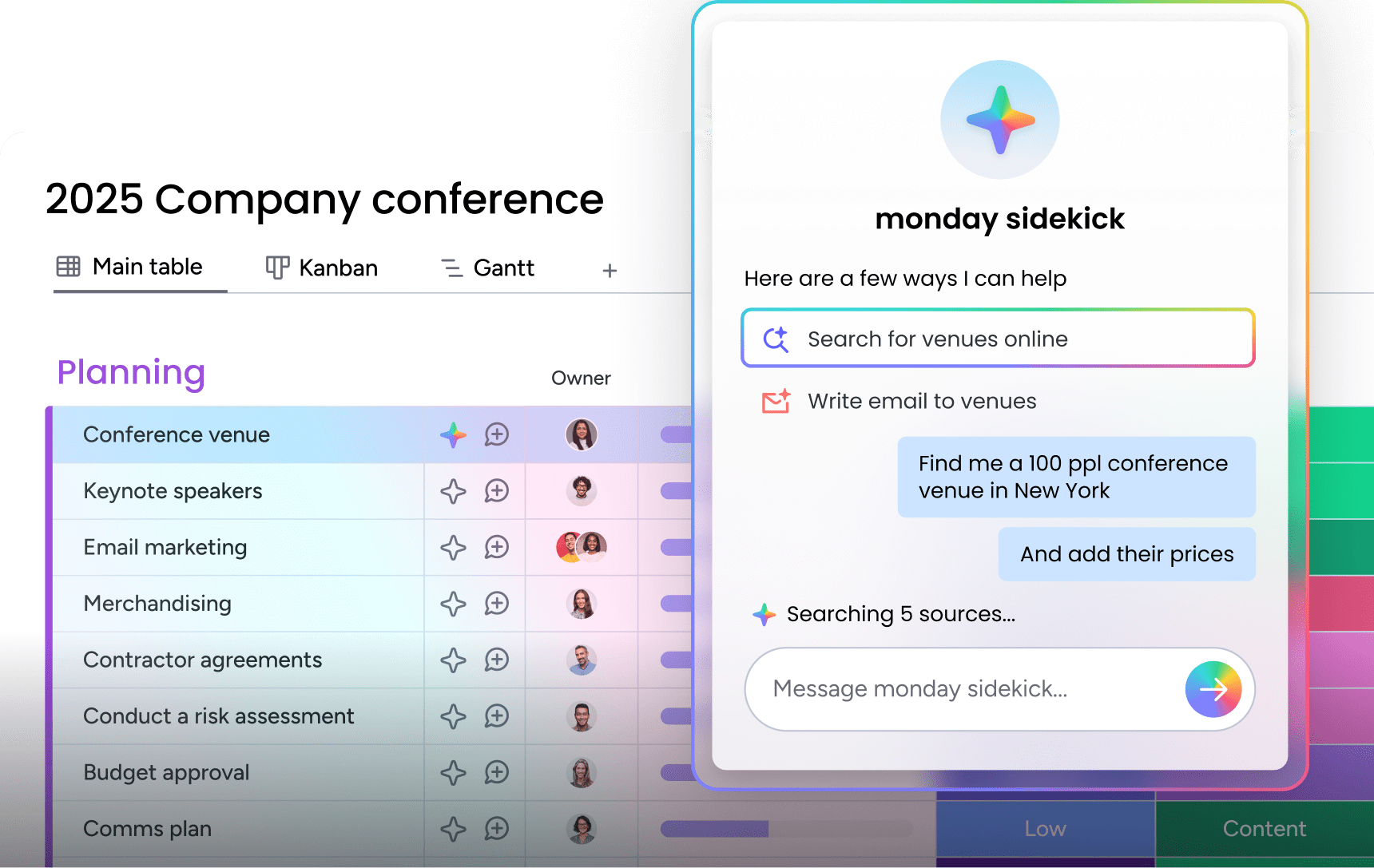
monday sidekick is a personal, context-aware AI assistant built into the platform. It connects to work data and integrated applications to help team members summarize updates, plan projects, analyze pipeline data, update items, and build automations through natural conversation.
External AI assistants connected with monday MCP
monday MCP (Model Context Protocol) allows external AI assistants like Claude, ChatGPT, and Microsoft Copilot to securely read and act on monday.com workspace data. Teams can execute workflows, generate reports, and analyze data using their preferred AI assistant while maintaining connection to organizational data.
Enterprise-grade trust and governance built in
monday agents include role-based permissions, full audit trails, human-in-the-loop controls, simulation mode, data privacy guarantees, and compliance certifications (SOC 2 Type II, ISO 27001, GDPR, HIPAA).
How monday agents compare to other conversational AI approaches
| Capability | monday agents | Standalone chatbot platforms | Single-department AI tools |
|---|---|---|---|
| Cross-department data context | Shared data layer spanning sales, marketing, service, operations, IT, HR, and project management | Limited to chatbot conversation data | Siloed to one department |
| Agent autonomy | Execute multi-step workflows end-to-end with configurable guardrails | Respond to conversations; limited action capability | Deep execution within one domain |
| Ease of adoption | No-code builder; agents live in minutes | Often requires developer setup | Requires consultants; months to deploy |
| AI model flexibility | Supports Claude, GPT, Gemini | Usually locked to one model | Proprietary engine |
| Trust and governance | Permissions, audit trails, simulation mode, enterprise compliance | Basic access controls | Enterprise governance but complex |
How to get started with conversational AI today
Conversational AI has moved well past the proof-of-concept stage. The teams seeing the most impact right now are those that started with one high-volume workflow, proved the value quickly, and expanded from there. The technology is ready, but the question is where your team begins.
The most important first step is choosing a platform where AI is embedded in the work, not bolted on as an afterthought. When agents operate on the same data layer as your CRM, your service tickets, and your marketing campaigns, they deliver context-aware results from day one.
Security, governance, and ease of adoption aren’t secondary considerations — they’re what determine whether AI gets used at scale. Platforms that give non-technical team members the ability to build, configure, and refine their own agents, within clear guardrails and with full audit visibility, are the ones that move from pilot to organization-wide adoption. With monday.com’s AI Workspace, all of this comes together in one place, so your team can start with a pre-built agent this week and build toward a fully connected, AI-powered customer engagement operation over time.
Try monday agentsFAQs about conversational AI
Is ChatGPT a conversational AI?
Yes, ChatGPT is a form of conversational AI. It uses large language models to understand and generate natural language in a dialogue format. However, ChatGPT is a general-purpose conversational AI, whereas business-focused conversational AI platforms are purpose-built for specific workflows like sales qualification, customer service, and CRM management — with direct access to organizational data and the ability to take actions within those systems.
Can conversational AI replace customer service teams?
Conversational AI is designed to augment customer service teams, not replace them. It handles routine inquiries, provides 24/7 availability, and finds insights, while people focus on complex issues, relationship building, and strategic decisions. The most effective implementations position AI agents and people as one team, where agents handle volume and speed while people provide judgment and empathy.
What technical skills do you need to deploy conversational AI?
Many conversational AI platforms, including monday.com's AI Workspace, offer no-code agent builders that allow non-technical team members to create, configure, and manage AI agents without programming knowledge. The key skill required is understanding your business workflows and customer interaction patterns well enough to define agent roles, data sources, and guardrails.
How much does conversational AI cost?
Conversational AI pricing varies widely — from free tiers on platforms like monday.com's AI Workspace(which includes AI capabilities and MCP at no additional cost) to enterprise solutions that require significant implementation investment. The total cost depends on the platform, number of agents, conversation volume, and whether the solution requires external consultants for setup and maintenance.

 Get started