


You ask your AI assistant to “write a project update,” and it delivers three generic paragraphs that could apply to any project at any company. After 20 minutes of back-and-forth, you finally get something usable, but you could have written it yourself in half the time.This happens constantly in companies using AI without really knowing how to talk to it. AI prompting means writing clear instructions that tell an AI model what you need. The teams getting real results aren’t necessarily more technical. They just know how to ask for what they need. When you know how to write effective prompts, AI becomes a genuine productivity multiplier rather than a frustrating experiment.
Here’s everything you need to master AI prompting at work. You’ll learn the building blocks of effective prompts, techniques for complex requests, common mistakes to avoid, and how to scale these practices across your team. You’ll also see how modern work platforms connect prompts to actual work execution, with tools like monday agents that can create projects, analyze data, and automate workflows using the skills you’re building.
Key takeaways
- Master the five prompt building blocks to get useful AI outputs: Define your goal, assign the AI a role, provide relevant context, specify output format, and set specific constraints for consistent results.
- Plan for 2-3 rounds of refinement instead of expecting perfect first attempts: Start broad, adjust one variable at a time, and save winning prompts as templates your team can reuse.
- Build a shared prompt library to scale AI impact across your organization: Create tested prompts with defined usage guidelines so every team member gets consistent, high-quality outputs without starting from scratch.
- Use specific techniques like chain-of-thought and few-shot prompting for complex requests: These approaches help AI show its reasoning, match your preferred format, and produce more thoughtful analysis for strategic decisions.
- Connect prompts to automated execution: Move beyond manual chat interfaces to AI that can monitor your projects, take actions based on your instructions, and execute real work using your actual project data.
What is AI prompting?
AI prompting is the practice of writing specific instructions that tell an AI model what you want it to produce. Prompts range from a single sentence to a detailed brief packed with context, examples, and constraints.
The quality of what you get back depends entirely on how well you explain what you need in your prompt.
Think of prompting like giving a colleague a project brief. A one-line request produces a surface-level response. A detailed brief with context, audience, and format expectations produces something you can actually use. This matters because prompting is becoming as essential as spreadsheet skills were a generation ago.
Prompts take many forms depending on what you need to accomplish:
| Prompt type | Example |
|---|---|
| Simple question | "What are the top risks in this project plan?" |
| Detailed instruction | "Summarize this weekly status update for an executive audience, focusing on budget variance and timeline risks, in 3 bullet points." |
| Multi-step request | "Review these five project briefs, identify overlapping dependencies, and recommend a prioritized sequence." |
Why AI prompting matters for how teams work
AI is now embedded in how teams plan projects, write reports, coordinate across departments, and make decisions. What separates teams getting results from those spinning their wheels? How well they talk to their AI.
Prompting isn’t some technical skill only developers need. It’s a communication skill that affects work quality and speed in every department. In fact, 51% of managers say AI training and upskilling will become a key responsibility within five years, underscoring why teams need to prioritize building this capability.
Good prompting delivers tangible benefits that extend beyond individual productivity. By standardizing how your team interacts with AI, you create consistency, accelerate decision-making, and build a scalable knowledge base for the entire organization. These advantages include:
- Consistency across teams: Well-written prompts produce standardized outputs, so status reports, project briefs, and meeting summaries follow the same structure regardless of who creates them
- Faster decision-making: A precise prompt can pull the exact insight a manager needs from project data in seconds instead of hours of manual review. The time savings are real: 62% of employees say AI has already saved them time, with those in AI-relevant roles saving an average of 1.5 hours per day
- Reduced back-and-forth: Specific prompts reduce the number of iterations needed to get a usable result, saving time across the entire team
- Scalable knowledge: When one team member writes a strong prompt, it can be shared and reused by everyone, multiplying the value across the organization
Learn more: AI for work
How AI models respond to your prompts
Understanding how AI processes your instructions makes you more effective at writing prompts that actually work. When you type a prompt, the AI model doesn’t “understand” your request the way a colleague would. It predicts what should come next based on patterns in its training data and the words, structure, and context you give it.
AI models generate responses word by word, predicting what should come next based on your prompt. Vague prompts let the model wander in too many directions. A specific one narrows the path toward something useful.
Every AI model has a context window, which is the amount of text it can “see” at once, including your prompt and its response. Most AI models can handle hundreds of pages of text at once, so don’t worry about being too thorough.
By default, most AI models treat each conversation as a fresh start. The model doesn’t remember what you told it yesterday or in a previous session. That’s why background information matters in your prompts. This changes when AI connects to work platforms and can access project data, team info, and historical context automatically.
How to write effective AI prompts
Strong prompts share foundational elements that work together to get you useful results. Master these building blocks, and you’ll have a framework that works with any AI model, in any work scenario. These five elements are the foundation of effective prompting.
Step 1: Define your goal before you write
The most important step happens before you type a word: know exactly what you want the AI to produce. A prompt without a defined goal is like assigning a project with no objective.
Before writing your prompt, answer these questions:
- What is the deliverable? A summary, a draft, an analysis, a list of recommendations, make sure to name the specific output you need
- Who is the audience? Your team, your manager, a client, an executive — the audience determines tone, depth, and vocabulary
- What will you do with the output? Paste it into a report, use it as a starting point for discussion, or send it directly
- What does “done” look like? Specific length, format, level of detail
Step 2: Give the AI a role or persona
Assigning the AI a role, such as “You are a senior project manager” or “Act as a data analyst,” changes the vocabulary, tone, and depth of the response. It works because roles trigger different patterns in the model’s training data.
Different roles serve different purposes:
- “You are a project manager with 10 years of experience” for project plans, risk assessments, and stakeholder updates
- “You are a concise executive communicator” for summaries that need to be brief and high-level
- “You are a detail-oriented operations analyst” for process documentation and workflow analysis
Step 3: Add relevant context and background
AI knows nothing about your projects, team structure, deadlines, or goals unless you tell it. Context turns a generic response into something actually useful for your situation.
Consider including these types of context in your prompts:
- Project details: Name, phase, timeline, key milestones
- Team information: Who’s involved, their roles, capacity constraints
- Constraints: Budget limits, approval requirements, compliance needs
- History: What’s already been tried, previous decisions, relevant background
Step 4: Specify the output format you need
The way you ask the AI to structure its response is as important as the topic you ask it to address. Without format instructions, the AI picks whatever structure seems most common.
Common format specifications that produce more usable results:
- “Respond in a numbered list of 5 items”
- “Use a table with columns for project name, status, owner, and next step”
- “Write 3 paragraphs, each under 75 words”
- “Format as bullet points with bold headers”
Step 5: Set constraints and boundaries
Constraints keep the AI from wandering off-track. They instruct the AI on what to avoid, what to exclude, or which limits to respect.
Effective constraints to include:
- Scope: “Only address Q3 deliverables, not the full-year plan”
- Tone: “Use a professional but approachable tone suitable for a cross-departmental audience”
- Length: “Keep the total response under 200 words”
- Exclusions: “Do not include pricing information or competitor names”
7 AI prompting techniques that drive stronger results
Once you’ve got the basics down, specific techniques help you get more precise, thoughtful outputs. Each technique works differently, and which one you choose depends on how complex your request is. Each of these seven techniques handle the most common workplace AI scenarios.
Technique 1: Zero-shot prompting
Give the AI one direct instruction with no examples. This works well for straightforward requests where the AI’s default response is good enough.
When to use it: Simple, well-defined requests like generating a first draft, answering a factual question, or creating a basic list.
Example: “Write a three-sentence summary of this project status update for our weekly team meeting.”
Technique 2: Few-shot prompting with examples
Show the AI 1–3 examples of what you want before making your request. This technique teaches the AI your preferred format, tone, and structure by demonstration rather than description.
When to use it: When you need outputs that match a specific style, follow a particular structure, or maintain consistency with previous work.
Example: “Here are two examples of how we write project risk summaries: [Example 1], [Example 2]. Now write a risk summary for the Q2 website redesign project.”
Technique 3: Chain-of-thought prompting
Ask the AI to show its reasoning step-by-step before delivering a final answer. This technique produces more thoughtful, accurate responses for complex problems that require analysis.
When to use it: Strategic decisions, problem-solving, analysis that requires weighing multiple factors, or any request where you need to understand the reasoning behind the output.
Example: “Walk me through your reasoning step-by-step, then recommend whether we should prioritize Project A or Project B based on resource availability, strategic alignment, and timeline constraints.”
Technique 4: Iterative refinement
Start with a broad prompt, review the output, then refine your request based on what you got back. Most effective prompts emerge through 2–3 rounds of adjustment rather than one perfect attempt.
When to use it: Complex deliverables, exploratory work, or situations where you’re not entirely sure what you need until you see a first draft.
Example: First prompt: “Draft a project brief for our customer portal redesign.” Second prompt: “Expand the timeline section and add more detail about the technical requirements.” Third prompt: “Rewrite the executive summary to focus on business impact rather than technical details.”
Technique 5: Role-based prompting with constraints
Combine a specific role assignment with clear constraints to get outputs tailored to a particular audience or purpose.
When to use it: Communications that need to match a specific perspective, reports for different stakeholder groups, or content that requires domain expertise.
Example: “You are a CFO reviewing this project proposal. Analyze it from a financial risk perspective, focusing only on budget implications and ROI projections. Keep your response under 150 words.”
Technique 6: Template-based prompting
Provide the AI with a template structure and ask it to fill in the content. This ensures consistency across similar documents and reduces the time spent formatting.
When to use it: Recurring reports, standardized documentation, meeting notes, or any output that follows a predictable structure.
Example: “Fill in this project status template with information from the attached meeting notes: [Project Name], [Status: On Track/At Risk/Delayed], [Key Accomplishments This Week], [Blockers], [Next Steps].”
Technique 7: Comparative analysis prompting
Ask the AI to compare multiple options, documents, or approaches and highlight differences, trade-offs, or recommendations.
When to use it: Decision-making scenarios, vendor evaluations, comparing project approaches, or analyzing multiple data sources.
Example: “Compare these three project proposals side-by-side. Create a table showing budget, timeline, resource requirements, and strategic alignment. Then recommend which proposal best fits our Q3 priorities.”
Learn more: Prompt-based app builder
Common AI prompting mistakes and how to avoid them
Even experienced teams make predictable mistakes that undermine their AI results. Recognizing these patterns helps you avoid wasted time and frustration.
Being too vague
The mistake: “Write a report about the project.” The AI has no idea what kind of report, for whom, or what to include.
The fix: “Write a 2-page executive summary of the Q2 website redesign project for our leadership team, focusing on budget status, timeline risks, and key decisions needed this month.”
Overloading a single prompt
The mistake: Asking the AI to analyze data, write a summary, create recommendations, format a presentation, and draft an email all in one prompt.
The fix: Break complex requests into sequential steps. Get the analysis first, review it, then ask for the summary, then the recommendations.
Skipping context
The mistake: Assuming the AI knows your company, your projects, or your team structure.
The fix: Always include relevant background. The AI can handle lengthy context, and the extra detail dramatically improves output quality.
Not specifying format
The mistake: Leaving format up to the AI’s default behavior, then spending time reformatting the output.
The fix: Tell the AI exactly how to structure the response: bullet points, tables, paragraphs, numbered lists, or a specific template.
Expecting perfection on the first try
The mistake: Treating AI like a search engine that should deliver perfect results immediately.
The fix: Plan for iteration. Start broad, review what you get, then refine. Save your best prompts as templates for future use.
Ignoring tone and audience
The mistake: Getting technically accurate content that’s completely wrong for your audience.
The fix: Always specify who will read the output and what tone is appropriate. “Write this for a non-technical executive audience” produces very different results than “Write this for the engineering team.”
How to build a prompt library for your team
Individual prompting skills matter, but the real productivity gains come when your entire team uses proven prompts consistently. A shared prompt library turns one person’s breakthrough into everyone’s standard practice.
Start with high-frequency tasks
Identify the prompts your team uses most often. These typically include status updates, meeting summaries, project briefs, risk assessments, and stakeholder communications. Build your library around these recurring needs first.
Document what works
When someone writes a prompt that produces great results, capture it. Include the prompt itself, the context where it works best, and any customization points where users should add their specific details.
Create prompt templates with placeholders
Turn successful prompts into reusable templates with clear placeholders for variable information.
Example template: “You are a [ROLE]. Write a [DOCUMENT TYPE] for [AUDIENCE] about [TOPIC]. Focus on [KEY POINTS]. Format as [FORMAT]. Keep it under [LENGTH].”
Organize by use case
Structure your library so team members can quickly find the right prompt for their situation. Common categories include:
- Project management (status updates, risk assessments, resource planning)
- Communication (emails, presentations, stakeholder updates)
- Analysis (data summaries, comparative reviews, decision frameworks)
- Documentation (process guides, meeting notes, project briefs)
Include usage guidelines
For each prompt template, document when to use it, what context to provide, and what kind of output to expect. This helps team members choose the right prompt and customize it effectively.
Make it accessible
Store your prompt library where your team actually works. This might be a shared document, a section in your project management platform, or a dedicated knowledge base. The easier it is to access, the more your team will use it.
Keep it current
Prompting best practices evolve as AI models improve and your team learns what works. Review your library quarterly, remove prompts that no longer deliver results, and add new ones based on team feedback.
How AI prompting connects to actual work execution
The prompting techniques you’ve learned work in any AI chat interface, but their real power emerges when they connect to platforms that can actually execute work, not just generate text.
Traditional AI tools require you to copy outputs from a chat window and manually paste them into your work systems. You write a prompt, get a response, then spend time transferring that information into your project management platform, updating tasks, or notifying team members.
Modern work platforms integrate AI directly into work execution. Instead of prompting in isolation, you prompt AI that already has access to your projects, understands your team structure, and can take action based on your instructions.
What AI agents actually do with your prompts
monday agents turn prompts into executed work. You use the same prompting techniques you’ve learned, but instead of just generating text, the AI can:
- Create entire projects with tasks, timelines, and assignments based on a brief description
- Monitor your boards for specific conditions and alert you when action is needed
- Analyze project data across multiple boards and surface insights you’d miss manually
- Update task statuses, reassign work, and adjust timelines based on changing conditions
- Generate reports that pull live data from your actual projects, not hypothetical examples
The prompting principles remain the same: clear goals, relevant context, specific formats, and appropriate constraints. The difference is what happens after you hit enter.
From prompts to automated workflows
When AI connects to your work platform, prompts become the foundation for automated workflows that run continuously without manual intervention.
Instead of prompting “Summarize this week’s project status,” you create an agent that automatically generates status summaries every Friday afternoon, pulling data from your actual project boards, and posts them where your team expects to find them.
How to use monday agents for AI prompting at work
The prompting skills you’ve built matter most when they connect to AI that can actually execute work. monday agents turn your prompts into automated actions that run across your projects, teams, and workflows, all within monday.com, where your actual work already lives.
Start with specialized pre-built agents
monday agents come ready to handle common workplace scenarios right out of the box, designed specifically for how teams use monday.com. Choose from specialized agents built for different functions:
- Project Manager agent: Creates complete project structures with tasks and timelines
- Status Reporter agent: Generates executive summaries from your boards
- Capacity Analyzer agent: Monitors team workload across multiple projects
- Risk Monitor agent: Flags potential issues before they become problems
Activate an agent, customize the prompt to match your workflow, and watch it work with your actual board data, custom fields, and team structure.
Customize agents for your monday workspace
Every monday agent accepts prompts using the same techniques you’ve learned, but with direct access to everything in your workspace. Apply the five building blocks—goal, role, context, format, and constraints—to shape how the agent behaves. The difference? Agents understand your board structure, custom columns, team members, and actual project timelines. Tell an agent to “summarize projects where Status is ‘At Risk’ and Owner is on the Marketing team,” and it pulls exactly that data from your boards.
Build custom agents that monitor and act
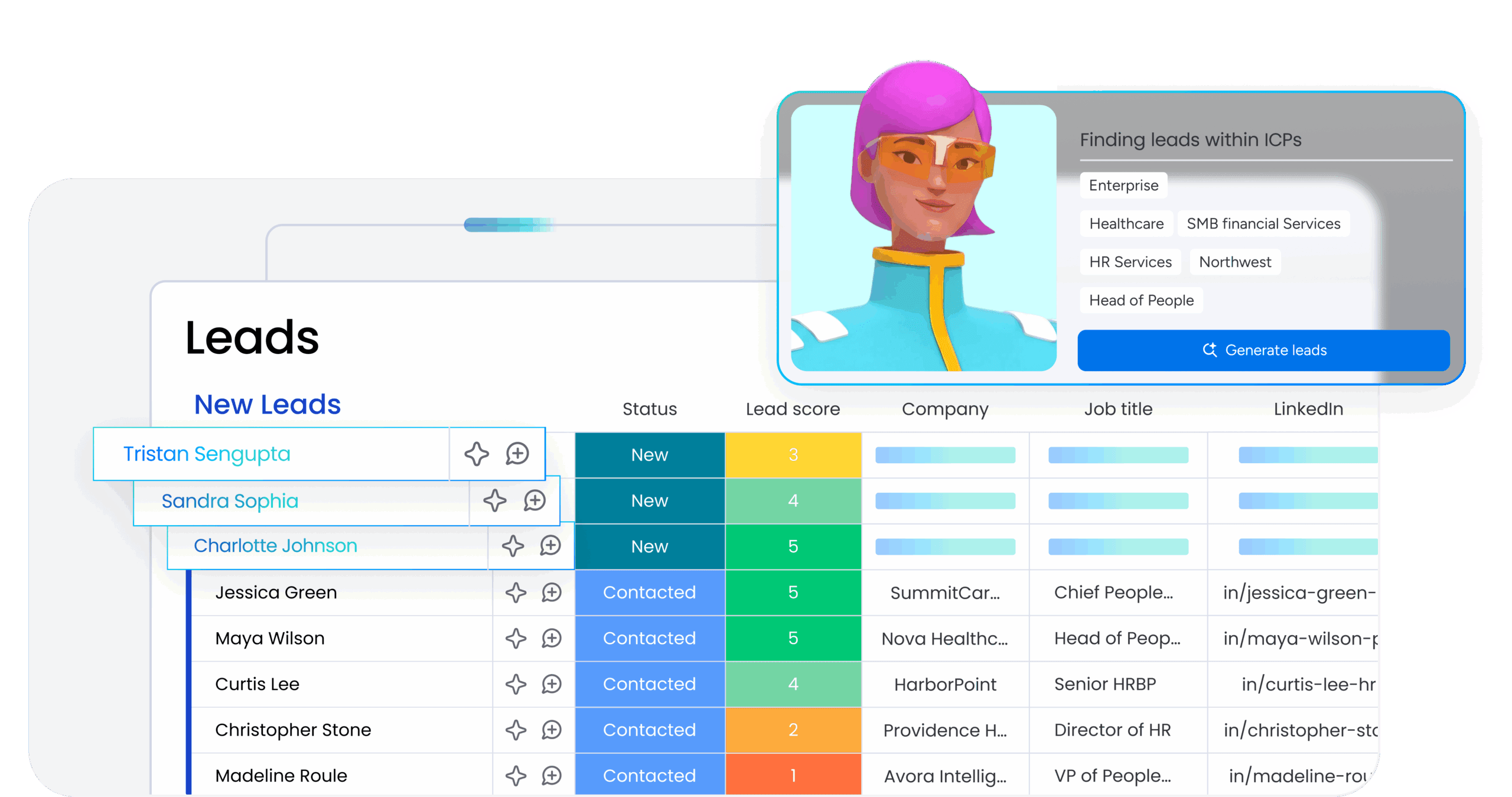
Create custom agents tailored to your specific workflows that watch for conditions you define and take action automatically within monday.com. These agents run continuously across your entire workspace, applying your prompting logic to every relevant board, item, and update. Examples include:
- Monitor project timelines and send notifications when deadlines shift
- Analyze incoming requests and automatically route them to the right team’s workspace
- Track budget columns and flag variances that exceed your thresholds
- Identify dependencies between boards and alert owners when blockers appear
Turn one-time prompts into repeating workflows
When you write a prompt that delivers great results, turn it into a scheduled agent that runs automatically within monday. The agent uses your prompt template, pulls current data from your boards and dashboards, and delivers consistent outputs directly into your workspace every time. Common use cases:
- Weekly status summaries that pull from your project boards
- Monthly performance reports that aggregate data across workspaces
- Quarterly planning briefs that analyze completed work and forecast capacity
Scale prompting across your entire organization
Share your best-performing agents across your monday workspace so everyone benefits from proven prompts without starting from scratch. Build a library of specialized agents for different departments—all working within the same platform:
- Sales agents that track pipeline health
- Marketing agents that monitor campaign performance
- Operations agents that analyze resource allocation
This is how individual prompting skills become organizational productivity gains that scale across every team, board, and workflow.
Turn prompting skills into real productivity gains
AI prompting isn’t a technical skill reserved for specialists. It’s a communication skill that determines whether AI becomes genuinely useful or just another frustrating experiment. The five building blocks (clear goals, assigned roles, relevant context, specific formats, and defined constraints) work across any AI tool and any work scenario. Advanced techniques like chain-of-thought and few-shot prompting handle complex requests. A shared prompt library scales individual breakthroughs across your entire team.
The real transformation happens when prompts connect to platforms that execute work, not just generate text. Master these fundamentals, build your team’s prompt library, and connect your instructions to AI that can monitor projects, analyze data, and automate workflows. That’s how prompting becomes a genuine productivity multiplier. monday agents bring these capabilities together, turning your prompting skills into automated execution that runs across every project, team, and workflow in your organization.
Try monday agentsFAQs
What's the difference between prompting a chatbot and prompting an AI agent?
Chatbots generate text responses that you copy and paste into your work tools. AI agents connect directly to your work platform, access your actual project data, and execute actions based on your prompts—creating tasks, updating statuses, generating reports, and automating workflows without manual intervention.
How long should my prompts be?
There's no perfect length. Simple requests might need one sentence. Complex tasks benefit from detailed prompts with context, examples, and constraints. Most AI models can handle hundreds of pages of context, so err on the side of providing more detail rather than less. The key is including everything the AI needs to produce useful output.
Can I reuse prompts across different AI tools?
Yes. The core prompting techniques—defining goals, assigning roles, providing context, specifying format, and setting constraints—work across different AI models and platforms. You might need minor adjustments for specific tools, but a well-structured prompt translates easily from one AI to another.
How do I know if my prompt is working?
Compare the AI's output to what you actually need. If you're spending more time editing the response than it would take to create it yourself, your prompt needs work. Effective prompts produce outputs you can use with minimal changes. Track how many rounds of refinement you need—if it's consistently more than 2-3 iterations, revisit your prompt structure.
What should I do when AI gives me inaccurate information?
First, check your prompt for vagueness or missing context. Then, try chain-of-thought prompting to see the AI's reasoning. If the AI lacks necessary information, provide it explicitly in your prompt. For factual accuracy, always verify outputs against source data. When using AI agents connected to work platforms, they pull from your actual project data, which reduces accuracy issues common in standalone chatbots.

 Get started