


Your marketing team built a lead scoring model that flags high-intent prospects, but sales wants it to automatically update CRM records and trigger follow-ups. Your operations team created an automation that routes support tickets by keywords, but it misses nuanced requests needing human judgment. Your PMO built dashboards that surface schedule risks, but someone still manually reviews every alert. Here’s what’s actually changing: teams aren’t just automating tasks anymore. They’re using AI models that recognize patterns, make decisions, and act on their own.
In this article, we’ll cover the five main types of AI models, how they work in practice, and what they enable for cross-functional teams. You’ll see real-world applications across marketing, sales, operations, and project management, plus what determines whether AI models actually help or just create new problems. You’ll also see how platforms like monday.com translate these AI capabilities into ready-to-use tools like monday agents that work alongside your existing workflows.
Key takeaways
- Start with data quality before implementing any AI models: Clean, complete, and accessible data determines whether your AI delivers reliable results or creates new problems for your team.
- Focus on AI agents that work within your existing workflows: monday agents embed directly into your workspace, handling processes like lead scoring and ticket routing without forcing teams to switch platforms.
- Choose AI models based on your specific business needs: Supervised learning excels at predictions and classifications, while generative AI creates content. Match the model type to your workflow requirements.
- Implement human oversight and explainable AI from day one: Ensure you can see what AI models do, why they do it, and maintain control over their actions through validation and approval processes.
- Look for cross-departmental AI capabilities over single-function solutions: AI agents become most effective when they can access and connect data across marketing, sales, operations, and other teams in one unified environment.
What is an AI model?
An AI model is a mathematical system trained on data to recognize patterns and produce useful outputs (predictions, classifications, recommendations, or generated content) without being explicitly programmed for each scenario.
Think of it this way: an AI model is like a recipe that a chef follows. The recipe was developed by studying thousands of meals, and now it can produce new dishes based on what it learned. The chef doesn’t memorize every meal. It learns how cooking works and applies that knowledge to new ingredients.
Every AI model is built from four core components that work together to deliver results.
Understanding these components helps you evaluate AI solutions and talk to technical teams without getting lost in jargon:
- Training data: the information the model learns from: text, images, numbers, customer records, or any other dataset your workflow needs
- Architecture: The structure that determines how the model processes information, like neural networks or decision trees
- Parameters: The internal settings the model adjusts during learning. Think of these as the “knobs” that it tunes to produce more accurate results with each pass through the data
- Output: The prediction, classification, recommendation, or generated content the model produces after training and deployment
How AI models differ from algorithms and AI systems
“AI model,” “algorithm,” and “AI system” are often used interchangeably, but they refer to three distinct things. Here’s how these concepts relate to each other:
| Aspect | Algorithm | AI model | AI system |
|---|---|---|---|
| What it is | A set of step-by-step instructions that defines how learning happens | The trained result of applying an algorithm to data | A complete application that uses one or more AI models to deliver functionality |
| Analogy | A recipe | A trained chef who learned from the recipe | The entire restaurant operation |
| Role | Defines the learning process | Stores learned patterns and makes predictions | Delivers end-to-end functionality to team members |
| Example | Gradient descent, random forest | GPT-4, BERT, a trained image classifier | A chatbot, a recommendation engine, an autonomous AI agent |
An algorithm is the method. A model is what you get when you apply that method to data. A system is the full application that puts the model to work.
How do AI models work?
Every AI model goes through the same three phases before it’s ready to use. This process works the same whether the model classifies support tickets, forecasts demand, or generates marketing copy. Here’s what happens in each phase:
Step 1: Training phase
The model is exposed to large amounts of data and adjusts its internal parameters to recognize patterns. It’s like a new employee studying past project reports to learn how the company works.
Step 2: Validation phase
The model is tested against a separate set of data it hasn’t seen before. This step checks whether the model learned real patterns or just memorized the training examples (a problem called overfitting).
Step 3: Inference phase
The trained model is deployed and begins making predictions or generating outputs on new, real-world data. This is where the model does its job: answering questions, classifying inputs, flagging risks, or creating content.
Your training data quality directly determines your model’s output quality. Incomplete, inconsistent, or outdated data leads to unreliable predictions, regardless of how sophisticated the model architecture is — a reality reflected in research showing that data quality and availability is a primary barrier to AI adoption for 65% of organizations.
Understanding generative vs. discriminative models
Before we explore specific AI model types, let’s look at the two fundamental categories all AI models fall into:
| Dimension | Discriminative models | Generative models |
|---|---|---|
| Primary function | Classify or predict | Create new content or data |
| Question answered | "What is this?" | "What could this look like?" |
| Common applications | Fraud detection, image recognition, sentiment analysis | Text generation, image creation, content drafting |
| Everyday example | Email spam filter | AI writing assistant |
Discriminative models learn the boundary between categories. They answer “which category does this belong to?” For example: is this email spam or not spam?
Generative models learn the underlying patterns of data. They answer “what would new data that looks like this look like?” For example: write a marketing email based on past successful campaigns.
Learn more: AI marketing assistant
5 types of AI models and how they are used
You can categorize AI models by how they learn and what they produce. These five types aren’t mutually exclusive. A single AI system might combine multiple model types to handle complex workflows. Understanding each type helps you pick the right approach for your workflows.
1. Supervised learning models
Supervised learning models learn from labeled data. They compare their predictions to known correct answers and adjust until they improve. Think of it like a student studying with an answer key.
Real-world business applications include:
- Sales forecasting: Predicting quarterly revenue based on historical sales data, seasonality patterns, and pipeline activity
- Customer churn prediction: Identifying which customers are likely to cancel based on past behavior patterns such as declining usage or support ticket frequency
- Document classification: Automatically sorting incoming requests into the correct category based on content analysis
- Quality scoring: Evaluating leads, applications, or submissions against historical success criteria
2. Unsupervised learning models
Unsupervised learning models find hidden patterns and groupings in data without anyone telling them what to look for. It’s like organizing a messy closet: you group similar items together without knowing the categories ahead of time.
Real-world business applications include:
- Customer segmentation: Grouping customers by behavior patterns that weren’t previously identified
- Anomaly detection: Flagging unusual transactions, system behaviors, or workflow patterns that deviate from normal activity
- Topic discovery: Identifying recurring themes across thousands of support tickets or feedback entries without pre-defining the categories
3. Reinforcement learning models
Reinforcement learning models learn through trial and error. They get rewards for correct actions and penalties for wrong ones, gradually optimizing their strategy.
Real-world business applications include:
- Dynamic pricing: Adjusting prices in real time based on demand, competition, and inventory levels
- Resource allocation: Optimizing how people, budget, or equipment are distributed across projects
- Campaign optimization: Continuously adjusting ad spend and targeting parameters based on performance feedback
4. Deep learning models
Deep learning is a type of machine learning that uses multi-layered neural networks to process complex, unstructured data like images, audio, and natural language.
Real-world business applications include:
- Natural language processing (NLP): Understanding and generating human language for chatbots, translation, and sentiment analysis
- Computer vision: Analyzing images and video for quality control, security monitoring, and document scanning
- Speech recognition: Converting spoken language to text for meeting transcription and voice assistants
5. Generative AI models
Generative AI models create new content, including text, images, code, audio, or video, by learning patterns from existing data. These are the models behind platforms like ChatGPT, Claude, and similar applications.
Real-world business applications include:
- Content creation: Drafting marketing copy, project reports, emails, and stakeholder communications
- Code generation: Writing, debugging, and explaining code based on natural language prompts
- Data synthesis: Generating realistic test data for software development
What are the benefits of AI models for businesses?
Understanding AI model types is valuable, but what really matters is what these models actually do for your team. The benefits go beyond simple automation. They change how teams make decisions and get work done.
Faster and more informed decision-making
AI models process and analyze data faster and at larger scale than any manual analysis. Leaders and managers can make decisions based on data instead of gut feel, and they can do it in real time.
Key capabilities include:
- Project risk identification: AI models scan across all active projects and flag schedule risks, dependency conflicts, or workload imbalances before they become problems
- Financial forecasting: Models trained on historical data surface revenue trends and budget variances that inform strategic planning
- Market intelligence: Models continuously monitor competitor activity and customer sentiment, surfacing actionable insights
Automated workflows and reduced manual effort
AI models power automation that’s smarter than simple if-then rules. Traditional automation handles repetitive, predictable actions. AI-powered automation can make judgment calls: like analyzing a support ticket, figuring out its priority, and drafting a response.
Practical applications include:
- Intelligent routing: AI models classify incoming requests and route them to the appropriate team based on content and urgency
- Report generation: Models summarize project status, highlight blockers, and generate stakeholder-ready reports
- Data cleanup: Models identify duplicate records and inconsistent entries across systems
How AI models are evolving into AI agents
The next phase of AI development moves beyond individual models to AI agents and orchestrated systems that can take action autonomously. This evolution represents a fundamental shift from AI that responds to prompts to AI that proactively manages workflows, and it is already underway: nearly half of global business leaders (46%) say their companies are already using AI agents to fully automate workflows or processes.
The evolution from assistive to autonomous AI
AI is evolving in three stages: from assistants that help when asked, to teammates that collaborate proactively, to agents that work autonomously within set boundaries:
- Assistive AI (copilots): You prompt the model, it responds. You remain in control of every action.
- Collaborative AI (teammates): The model monitors context, suggests actions, and executes with your approval.
- Autonomous AI (agents): The model operates independently within defined guardrails, executing multi-step workflows around the clock.
This evolution uses the same AI model types we covered earlier, but now they work together within agent frameworks that can act, not just answer questions.
Why cross-department context makes AI agents effective
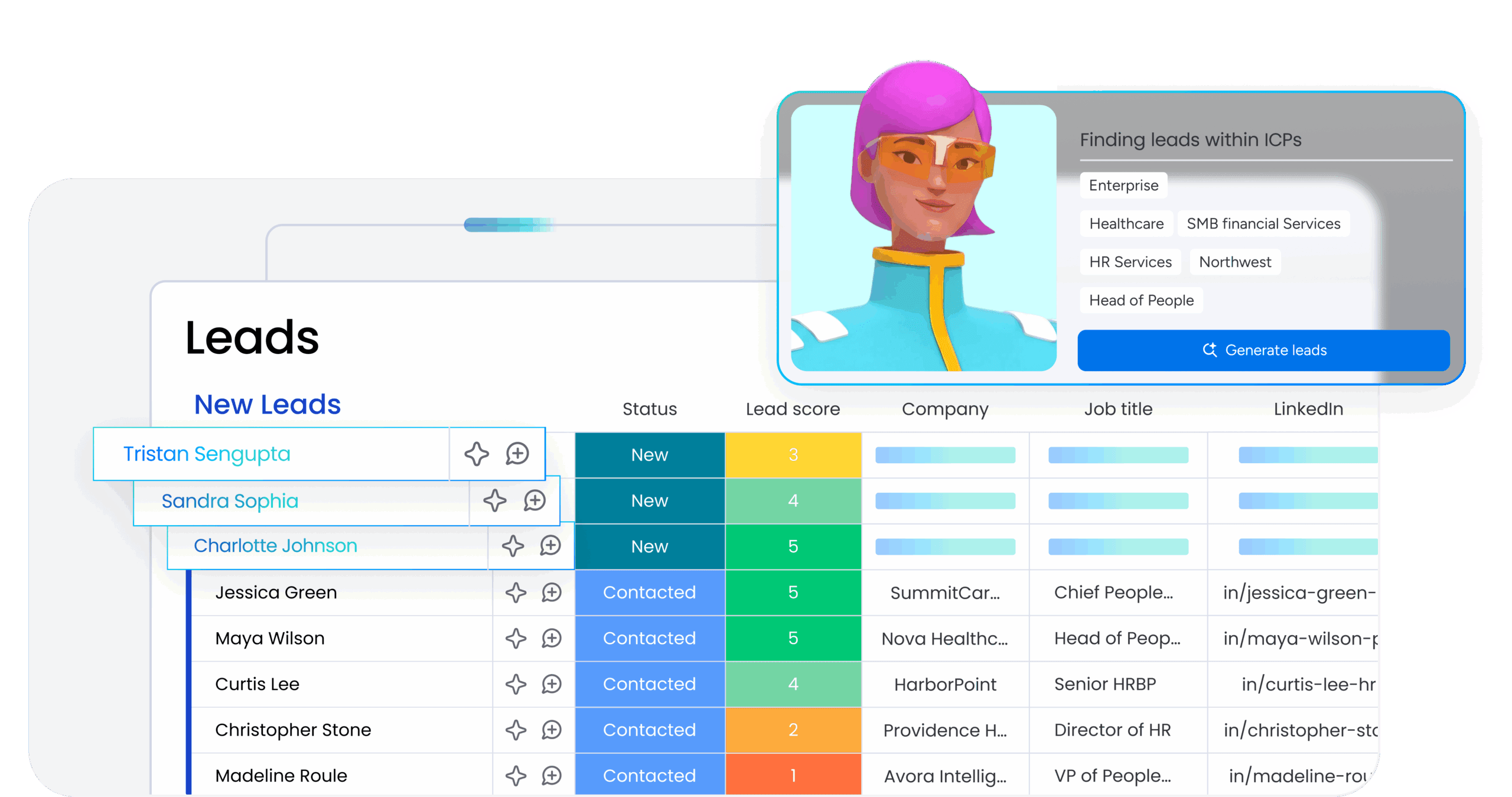
An AI agent’s effectiveness depends entirely on the context it can access. If an agent can only see data from one department, its actions are limited and might conflict with what other teams need.
Consider a marketing agent planning a product launch campaign. If it can only see marketing data, it might schedule the campaign for a date when the product team hasn’t finished development. But if the agent can see marketing, product, sales, and operations data in one place, it can coordinate timing, messaging, and resources across all teams.
This is where monday agents stand out: they work within a unified workspace where all departments already collaborate, giving them access to cross-functional context that makes their actions smarter and more aligned with your organization’s actual needs.
Try monday agentsWhat to consider when implementing AI models
Successful AI implementation requires careful planning around data quality, governance, and whether your organization is ready. These considerations determine whether your AI models actually help or just create new problems.
Data quality and governance requirements
Your AI models are only as good as the data they learn from and act on. If you’re considering AI adoption, data quality is the most important thing to get right first.
Essential data quality factors:
- Completeness: Are there gaps in your data that could lead to biased or inaccurate model outputs?
- Consistency: Is data formatted and categorized uniformly across teams and systems?
- Accessibility: Can the AI model access the data it needs, or is critical information siloed?
- Freshness: Is the data current, or is the model learning from outdated information?
Trust, transparency, and human oversight principles
Many organizations hesitate to adopt AI because they worry about losing control or making unexplainable decisions, and those concerns are well-founded: only one in five companies reports having a mature governance model for autonomous AI agents. Your AI implementation should meet these principles:
Core trust requirements:
- Explainability: You can see what the AI model did, why it did it, and what it will do next
- Permissions and access control: You define exactly which data the AI can access
- Human-in-the-loop: You can validate the AI’s actions before they take effect
- Data privacy: The AI provider ensures your data stays private and is not used to train third-party models
How monday.com puts AI models into action
Now that you understand what AI models are and how they work, here’s the real question: how do you put them to work across your organization? monday.com turns these AI model concepts into capabilities teams can use in their existing workflows.
AI agents that work alongside your team
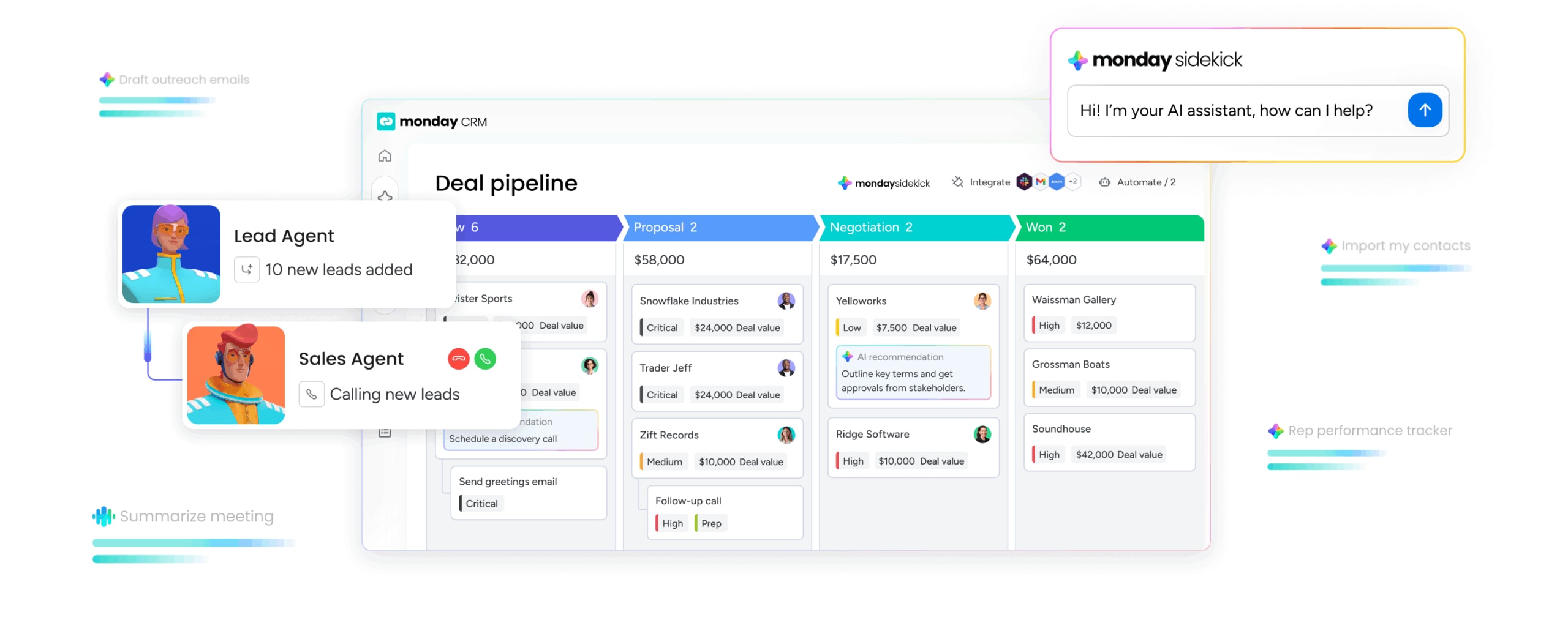
monday.com embeds AI agents directly into the workspace where teams already get work done. These agents use the AI model types we covered in this article. Teams interact with them through natural language, not code.
Ready-made agents handle common business processes out of the box:
- Risk Analyzer flags schedule and dependency risks across projects
- Sentiment Detector monitors tickets and feedback for sentiment shifts in real time
- Lead Scorer evaluates leads using fit, intent, and engagement signals
- Meeting Summarizer creates notes, extracts action items, and assigns owners automatically
- Ticket Assignment classifies intent, urgency, and required expertise, then routes accordingly
Create custom agents for unique workflows
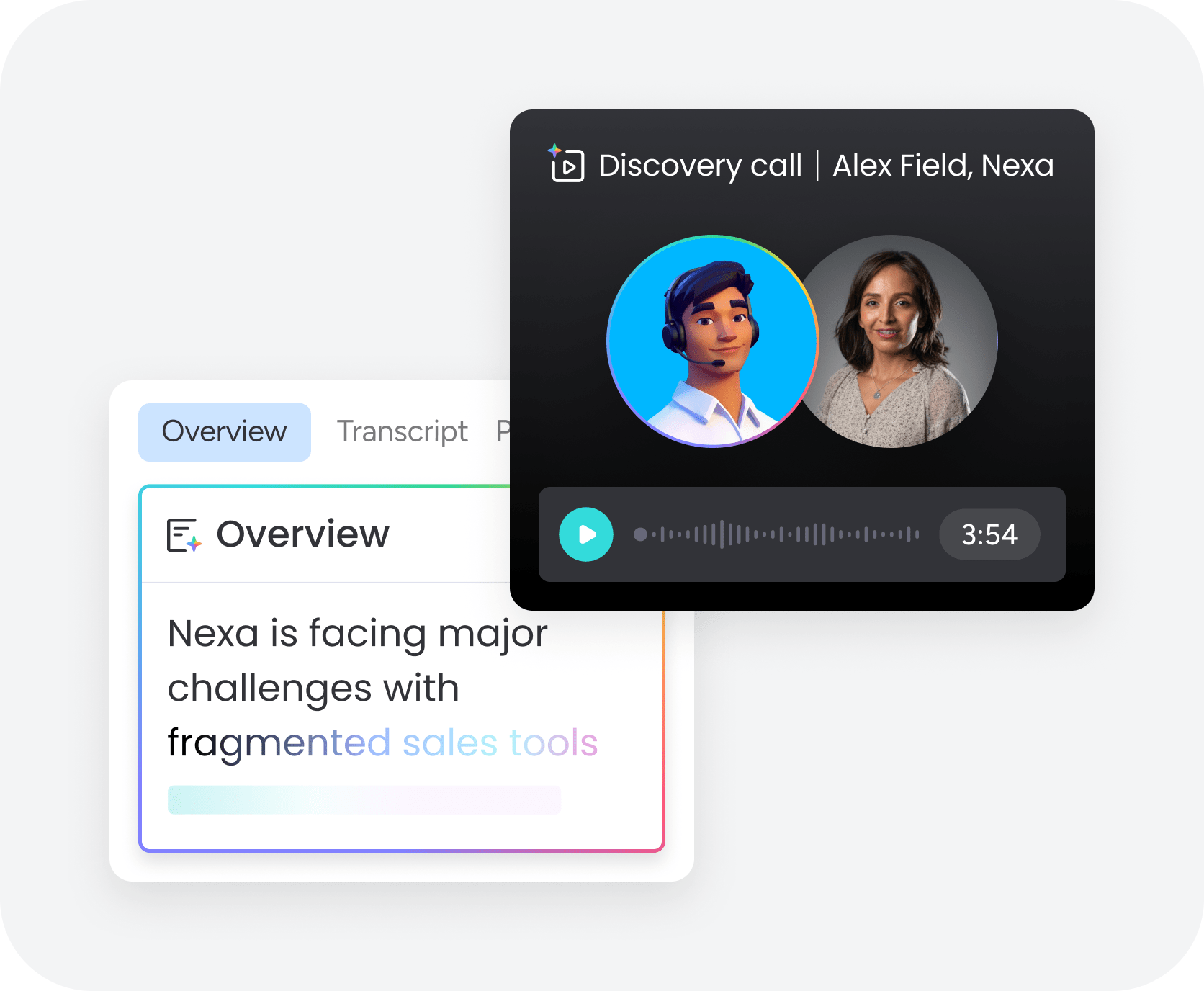
Any team member can build a custom agent in three steps: describe the agent’s role and triggers, connect relevant knowledge sources and integrations, then test and refine. No coding required.
What makes these agents effective is their access to data across departments. Because monday.com is the shared work environment for marketing, sales, operations, IT, HR, and more, agents can connect information across departments.
Built-in governance and enterprise-grade trust
The trust and transparency principles we covered earlier are built into monday.com’s AI infrastructure by default:
Security and control features:
- Control: Explicitly define what each agent can and cannot do, both on monday.com and across connected external applications
- Permissions: Set granular access levels determining which data each agent can read, edit, or create
- Human-in-the-loop validation: Use simulation mode to review and validate agent actions before activating them
- Compliance: HIPAA compliant, with ISO/IEC 27001, SOC 2 Type II, and ISO/IEC 27701 certifications
Getting started with AI models in your organization
AI models can fundamentally change how your teams work, make decisions, and deliver results. Start by evaluating your data quality and identifying workflows where AI can help right away—processes involving pattern recognition, classification, or content generation.
Look for platforms like monday.com that embed AI capabilities directly into your existing workflows. monday agents work where your teams already collaborate, reducing context-switching and giving AI access to cross-departmental data that makes their actions smarter and more aligned with your organization’s needs.
Try monday agentsFAQs
What are the top 5 AI models right now?
As of 2025–2026, five widely recognized AI models are GPT-4o (OpenAI), Claude 3.5 (Anthropic), Gemini (Google), Llama 3 (Meta), and Mistral (Mistral AI). Evaluate models based on your workflow needs, not just rankings.
What is the difference between an AI model and an algorithm?
An algorithm is a set of instructions that defines how a model learns. An AI model is the trained result you get from applying that algorithm to data. The algorithm is the recipe; the model is the trained chef who can now cook new dishes based on what it learned.
Can non-technical teams use AI models effectively?
Yes. Non-technical teams can use AI models effectively when they're built into platforms they already use, with natural language interfaces and no-code setup. monday.com's AI agent builder allows any team member to create custom agents in three steps without writing code.
What is the Model Context Protocol (MCP)?
MCP is an open standard that lets external AI assistants (like Claude, ChatGPT, and Cursor) securely connect to software platforms, read workspace data, and act on a team member's behalf while respecting existing permissions and security controls.

 Get started