


Most teams aren’t short on work. They’re short on capacity to keep up with it. Leads come in faster than reps can score them. Support tickets pile up before anyone has triaged the first batch. Status reports get written manually every Friday, pulling someone away from work that actually needs their attention. Autonomous agents step in where basic automations fall short. They watch what’s happening across your systems, figure out what needs to happen next, and act on their own within whatever boundaries your team sets.
Here’s what we’ll cover: the five-stage cycle agents follow, the core capabilities that make them reliable, the different agent types, and how teams across sales, marketing, IT, HR, and operations are using them right now. You’ll also see how to get started without a heavy implementation project, and how platforms like monday agents bring these capabilities into the workflows your team already uses.
Key takeaways
- Autonomous agents do more than automate: Unlike basic automations, agents reason, plan, and adapt across multi-step workflows without waiting to be told what to do next.
- Start small to build trust fast: Pick one high-volume, repetitive workflow, test the agent in simulation mode, then expand once it’s performing reliably.
- Guardrails are what make agents safe to scale: Define what each agent can access, which actions need human approval, and log everything before you go live.
- People and agents work best as a team: Agents handle the execution layer so your team can focus on decisions that actually require judgment, strategy, and context.
- monday agents puts AI where your work already lives: Pre-built agents for HR, sales, marketing, and IT activate directly inside your existing boards with no separate system and no context-switching required.
What is an autonomous agent?
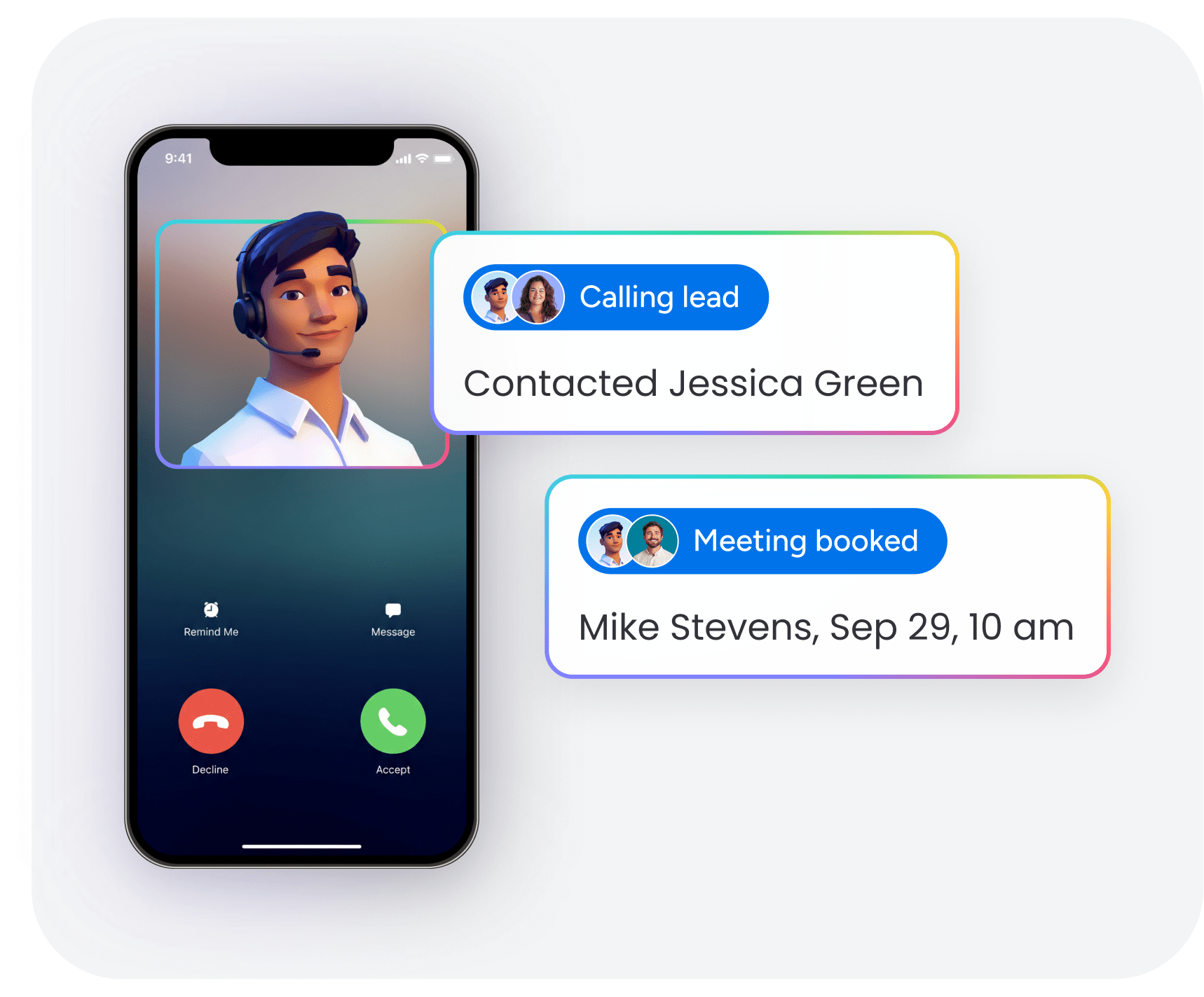
An autonomous agent is software that perceives its environment, makes decisions, and takes actions independently to achieve specific goals without requiring step-by-step human instructions. It gathers information from connected systems, evaluates it against defined objectives, and figures out the best next step on its own.
Think of it like onboarding a new team member who’s been given a defined role and access to company resources. Once they understand the goals and boundaries of the role, they can independently handle task prioritization, make judgment calls on routine decisions, and complete assignments without being told exactly what to do at every step. An autonomous agent works the same way, except it operates across digital systems, processes data at scale, and works around the clock.
Here’s why this matters: AI in the workplace is shifting from assistance to execution.
For the past few years, most teams have used AI to answer questions, generate text, or summarize documents. Autonomous agents are the next step: AI that completes multi-step workflows, makes decisions based on real-time data, and acts across connected systems. That shift is already underway: according to McKinsey’s 2025 Global AI Survey, 23% of organizations are scaling agentic AI somewhere in the enterprise, with another 39% actively experimenting.
How do autonomous agents work?
Autonomous agents follow a continuous five-stage cycle: perception, reasoning, planning, action, and learning. Each stage builds on the last, creating a loop that gets smarter over time. Here’s what each stage looks like in practice.
Stage 1: Perception and data collection
First, an autonomous agent gathers information from its environment. In business, that means reading data from connected systems like:
- CRM records and contact histories
- Project boards and status updates
- Emails, support tickets, and documents
- Calendars and scheduling data
The agent continuously monitors these sources, watching for changes, patterns, and signals tied to its goals. An agent monitoring a sales pipeline might notice that a deal’s been stuck at the same stage for two weeks. An agent scanning support tickets might detect a sudden spike in complaints about a specific feature.
Stage 2: Reasoning and decision-making
Once the agent’s gathered information, it evaluates what it’s found against its defined goals, rules, and context. The agent applies logic by:
- Weighing urgency across competing signals
- Comparing data points to identify patterns
- Determining what action is needed
Reasoning in autonomous agents goes beyond simple if/then logic. These agents combine large language models with structured data to interpret nuance. An agent can understand that a customer’s message is frustrated even if it doesn’t contain the word “complaint,” or recognize that a project is at risk based on a combination of missed milestones and team workload.
Stage 3: Planning and task decomposition
Once it decides something needs to happen, the agent breaks the goal into smaller, sequenced steps. For example, if the goal is “prepare a weekly project status report,” the agent plans the following steps:
- Pull status data from relevant boards.
- Identify items that are overdue or at risk.
- Draft a summary highlighting progress and blockers.
- Send it to the designated recipients.
That planning ability is what separates autonomous agents from simple automations. A basic automation fires a single predefined action when triggered. An autonomous agent can orchestrate a sequence of actions, adjust the plan when circumstances change, and handle multi-step processes across multiple systems.
Learn more: AI agent orchestration
Stage 4: Action and execution
Once it has a plan, the agent carries it out. Actions can include:
- Updating records and project statuses
- Sending notifications and drafting documents
- Creating new items and routing assignments
- Triggering workflows in connected systems
The agent carries out workflow automation across multiple platforms without requiring anyone to switch between applications. What an agent can do depends on the permissions and guardrails your team sets. An agent might have full authority to update a project status but need human approval before reassigning work.
Stage 5: Learning from feedback
Autonomous agents improve over time. When someone reviews an agent’s output and corrects, approves, or rejects it, the agent incorporates that feedback into future decisions.
Here’s a practical example:
- A lead-scoring agent initially ranks a prospect as low priority based on available data.
- A sales rep reviews the score, disagrees, and overrides it.
- Over time, the agent learns to weight similar signals differently, refining its scoring criteria based on what actually leads to conversions.
5 core capabilities of autonomous AI agents
Beyond the operational cycle, autonomous agents have specific capabilities that make them effective in real business environments. Understanding these five capabilities helps teams evaluate what they’re actually getting and what separates a useful agent from a flashy demo.
1. Persistent context and memory
Persistent context means the agent retains information across interactions and over time instead of starting from scratch with each conversation. This includes:
- Remembering past decisions and outcomes
- Understanding the full history of a project
- Knowing the preferences and patterns of the team it works with
An agent that remembers a client’s previous support issues can give more relevant, personalized responses. An agent that knows a project’s full history can flag project risk signals that a new team member might miss entirely.
2. Goal-based reasoning and planning
Autonomous agents work toward defined objectives instead of responding to individual commands. The team sets the goal, such as “keep project timelines on track” or “ensure every new lead is scored within one hour,” and the agent determines how to achieve it.
Here’s how that differs from rule-based automation:
- Automation: Fires when a specific trigger occurs and executes a predefined action.
- Goal-based agent: Adapts its approach when circumstances change, choosing the best path to the outcome.
3. Integration with existing platforms and data
Autonomous agents get their power from connecting to the systems where work already happens. These include:
- CRM platforms and sales pipelines
- Project management boards
- Communication channels and document repositories
- Calendars and scheduling systems
Integration depth matters. Agents that can both read from and write to connected systems deliver far more capability than those with read-only access. Protocols like MCP (Model Context Protocol) allow AI agents to securely connect to workplace platforms using standardized methods.
4. Feedback loops and continuous improvement
The best autonomous agents get smarter over time through structured feedback. Teams that actively review and refine agent outputs create a growing advantage: the agent gets more accurate, more aligned with team preferences, and more trusted with each cycle. For example, monday agents learn from user corrections and approvals, continuously refining their decision-making criteria based on what actually drives results in your specific workflows.
Simulation or test modes let teams preview what an agent would do before letting it act autonomously, reviewing proposed actions and making adjustments in a low-risk environment.
Try monday agents5. Built-in guardrails and governance
For autonomous agents to be trusted in business, they need built-in controls. Guardrails determine what an agent can and can’t do: which data it can access, what actions it can take, and when it needs to pause and ask for human approval. The urgency of getting this right is significant: Deloitte’s State of AI in the Enterprise 2026 report found that only 21% of companies have a mature governance model for autonomous AI agents today.
Key governance elements include:
- Permission controls: Defining which data the agent can read, edit, or create, and restricting access based on the agent’s role and the sensitivity of the information.
- Human-in-the-loop checkpoints: Requiring human approval before high-stakes actions, such as reassigning work or modifying financial data.
- Audit trails: Logging every action the agent takes so teams can review what happened, when it happened, and what the outcome was.
- Compliance alignment: Ensuring the agent operates within regulatory requirements such as GDPR, HIPAA, and internal data governance policies.
Autonomous agents vs. chatbots, copilots, and generative AI
People often confuse autonomous agents with other AI categories. Understanding the differences helps you choose the right approach for your team.
| Feature | Chatbot | Copilot | Generative AI | Autonomous agent |
|---|---|---|---|---|
| Primary function | Answers questions based on scripts | Assists a person in real time | Creates content from prompts | Independently completes multi-step workflows |
| Who initiates action | The user asks a question | The user requests help | The user provides a prompt | The agent acts proactively based on triggers |
| Decision-making | Limited to predefined responses | Suggests options; the person decides | Generates output; the person evaluates | Makes decisions within defined guardrails |
| Memory and context | Typically session-based | Session-based | Session-based unless configured otherwise | Persistent across sessions and workflows |
| Scope of action | Single interaction | Single workflow | Single output | Multi-step, cross-system workflows |
Is ChatGPT an autonomous agent?
ChatGPT in its standard form is a generative AI assistant. It responds to prompts and generates content, while autonomous agents go further by independently monitoring systems, making decisions, and acting across business workflows.
The underlying language models often power autonomous agents, but the model alone isn’t the agent. The agent is the full system: the model plus integrations, persistent memory, permissions, action capabilities, and guardrails.
5 types of autonomous agents
Not all autonomous agents are built alike. Understanding agent types helps business teams evaluate what level of capability they actually need and which type fits the workflows they want to automate.
1. Simple reflex agents
Simple reflex agents respond to current conditions using predefined rules, with no memory of past events.
- How they work: React to a specific trigger with a fixed response.
- Example: An email auto-responder that sends a confirmation message when a form is submitted.
- Best for: High-volume, low-complexity tasks with predictable inputs.
2. Model-based agents
Model-based agents maintain an internal model of how their environment works, allowing them to handle situations they haven’t been explicitly programmed for.
- How they work: Build an understanding of patterns and context, then apply that model to new situations.
- Example: A scheduling agent that understands team members’ typical availability and adjusts meeting proposals when someone’s calendar changes unexpectedly.
- Best for: Workflows where conditions vary but follow recognizable patterns.
3. Goal-based agents
Goal-based agents evaluate multiple possible actions and choose the one most likely to achieve a specified goal.
- How they work: Assess available options against a defined objective before acting.
- Example: A project management agent assigned to keep a product launch on schedule, proactively reassigning work, adjusting timelines, and notifying stakeholders when it detects risks.
- Best for: Complex, outcome-driven workflows that require judgment.
4. Learning agents
Learning agents improve their performance over time by learning from outcomes and feedback.
- How they work: Refine their criteria and decision logic based on what actually works.
- Example: A lead-scoring agent that adjusts its scoring model based on which leads actually convert.
- Best for: High-volume processes where accuracy compounds over time.
5. Multi-agent systems
Multi-agent systems are environments where multiple autonomous agents work together, each handling a different aspect of a larger process.
- How they work: Each agent owns a specific role; together they complete an end-to-end workflow.
- Example: In a hiring workflow, one agent sources candidates, another screens resumes, and a third schedules interviews.
- Best for: Complex, cross-functional processes that span multiple teams or systems.
Why autonomous agents matter for business teams
The practical impact of autonomous agents isn’t just about what AI can do. It’s about what changes in day-to-day operations when agents become part of how a team works. Three shifts matter most.
- Scale without adding headcount: Teams handle more work volume without proportionally increasing team size.
- Faster time from signal to action: Agents shrink the time between a trigger event and a completed action. When a new lead enters a CRM, an agent can score it, enrich the contact record, and route it to the right rep within seconds.
- Consistent execution, around the clock: Agents work continuously without fatigue or time zone constraints. A support triage agent classifies and routes tickets at 3:00 a.m. with the same accuracy as at 10:00 a.m.
- Reduced operational errors: Agents eliminate the manual mistakes that happen when people handle repetitive tasks under time pressure or across multiple systems.
- Better resource allocation: Teams redirect time from routine execution to strategic work that actually requires human judgment, creativity, and relationship-building.
How people and agents work together
Autonomous agents work best when they operate alongside people, not instead of them. The relationship is collaborative. Each side contributes what it does best.
Here’s how the division of responsibility typically works:
- People: Define goals, set priorities, establish guardrails, and make judgment calls on ambiguous situations.
- Agents: Handle execution by carrying out the plan, monitoring progress, flagging exceptions, and completing repetitive steps.
Agents become far more valuable when they can access data across departments. An agent helping a sales team works better if it can also see marketing campaign data, support ticket history, and product roadmap timelines. Cross-functional data access turns a narrow automation into a genuinely useful collaborator.
Real-world examples of autonomous agents in business
Autonomous agents are already being used across business functions. The following examples show specific, practical applications, organized by team.
Sales and CRM agents
- Evaluate incoming leads based on fit and engagement signals
- Route high-priority leads to appropriate reps
- Identify duplicate contacts
- Generate meeting summaries with action items
Marketing agents
- Monitor competitor activity across public sources
- Track campaign management metrics against defined goals
- Manage event RSVPs
- Translate campaign materials into required languages
IT and service agents
- Classify incoming tickets by intent and urgency
- Track service-level agreements across active tickets
- Audit knowledge base articles
- Route incidents to the correct on-call team
HR agents
- Search multiple sources for candidates matching job requirements
- Score applications against role criteria
- Handle interview scheduling by letting candidates self-book against live availability
Operations and PMO agents
- Generate project status updates automatically
- Monitor deadlines and project dependencies across projects
- Research potential suppliers
- Distribute meeting summaries with assigned action items
How to get started with autonomous agents
Moving from understanding autonomous agents to deploying them doesn’t require a massive transformation. The smartest teams start small, prove value with a single workflow, and expand from there. Here are four steps to get started.
Identify your highest-impact workflows
Look for workflow management processes that are repetitive, high-volume, time-sensitive, or prone to human error. These are the strongest candidates because you can measure the impact immediately.
Ask yourself:
- Which recurring processes consume the most team time each week?
- Where do delays or errors most often occur?
- Which workflows have clear, consistent inputs and outputs?
Start with one or two workflows rather than attempting a broad rollout.
Choose between pre-built and custom agents
Most platforms offering autonomous agents provide two paths:
- Pre-built agents: Designed for common workflows, ready to activate with minimal configuration.
- Custom agent builders: Let teams define their own agent roles, triggers, and actions for workflows unique to their organization.
Define permissions and guardrails before going live
Before activating any agent, set the boundaries it’ll operate within:
- What data can the agent access?
- Which actions can it take independently?
- Which actions require human approval before execution?
Deploy with one team, then monitor and expand
Deploy the agent with a single team first. During this phase:
- Monitor its performance closely and review its decisions.
- Gather feedback from team members working alongside it.
- Use audit trails to understand what the agent did and why.
- Adjust guardrails and logic based on what you observe.
How monday agents brings autonomous agents into your workflow
With monday agents, autonomous agent capabilities come directly into the workspace where over 225,000 organizations already manage their daily work. Instead of adopting a separate AI system, teams add agents to the same boards, workflows, and dashboards they already use.
The platform brings autonomous agents into existing workflows across sales, marketing, IT, HR, and operations. Teams can activate pre-built agents for common use cases or build custom agents tailored to their specific processes, all without leaving the platform where their work already lives.
Pre-built agents for common business workflows
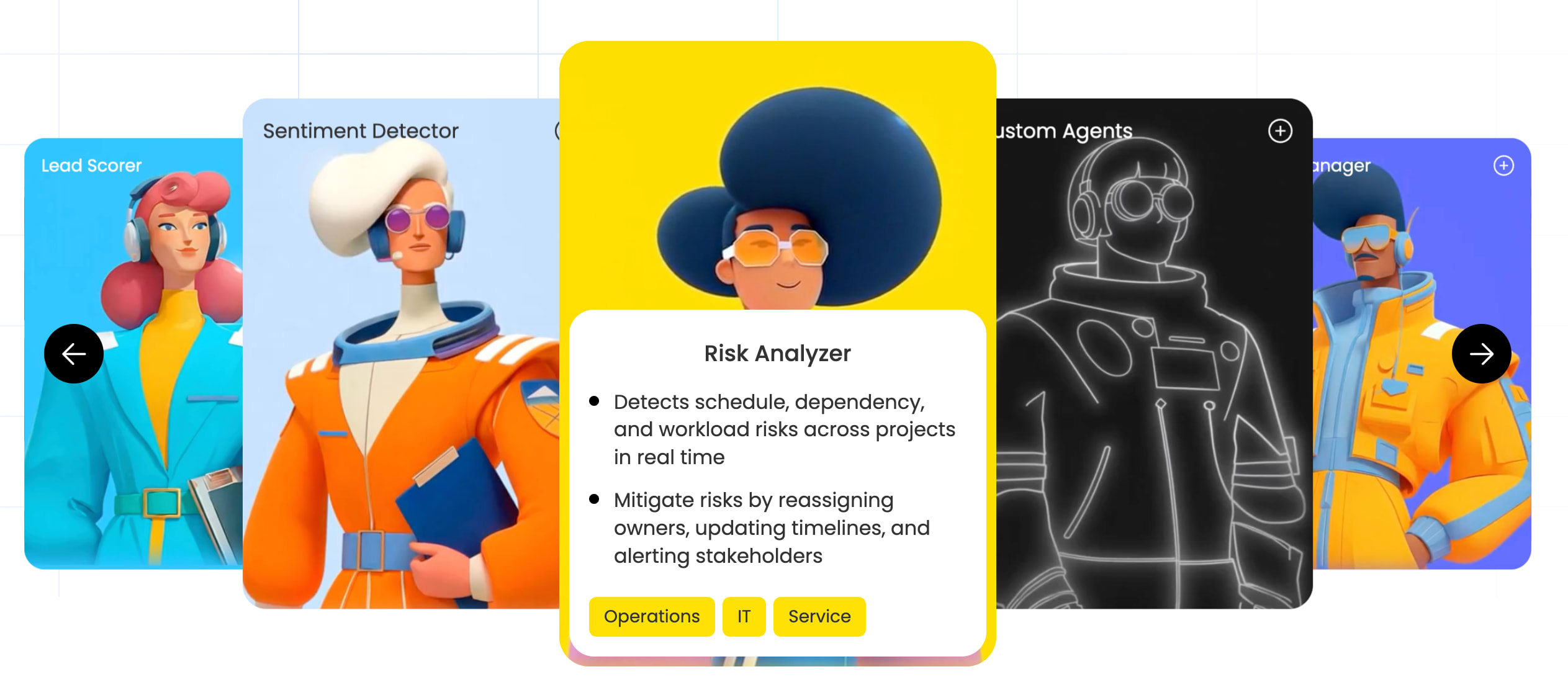
monday agents includes ready-to-deploy agents organized by department and capability. Sales teams can activate Lead Scorer agents that evaluate leads using fit, intent, and engagement signals. Marketing teams can deploy Competitor Research Agents that track competitors and consolidate signals into structured snapshots. IT teams can use Ticket Assignment agents and AI IT agents that detect intent, urgency, and required expertise to classify and route tickets in seconds. And operations and PMO teams can use AI operations agents to make sure everything runs smoothly, from how interviews are scheduled to how contracts are signed.
Custom agent builder for unique workflows

For workflows unique to your organization, the AI agent builder makes it possible to create custom agents using a no-code, visual setup. Describe the agent’s role and triggers, connect the knowledge and integrations it needs, then test and refine in simulation mode before going live. Teams can build agents that match their exact processes without requiring technical expertise or development resources.
Unified data layer across all departments

The platform operates on a shared, structured data layer that spans marketing, sales, operations, IT, HR, product, and every other department. This means agents can access context from across the organization, making decisions based on complete information rather than siloed data. An agent helping sales can see marketing campaign data, support ticket history, and product roadmap timelines, turning narrow automations into genuinely useful collaborators.
Enterprise-grade governance and security controls
Governance capabilities give organizations the control they need to scale AI adoption with confidence. Teams can set explicit permission controls that define what each agent can access and modify. Granular data access settings ensure agents only work with information appropriate to their role. Simulation mode lets teams preview and refine agent behavior before deployment. The platform maintains compliance certifications including SOC 2 Type II, ISO/IEC 27001, and HIPAA support.
Putting autonomous AI agents to work in your organization
Autonomous agents represent a meaningful shift in how work gets done, empowering people by handling the execution layer so teams can focus on decisions that actually require human judgment. The organizations seeing the most impact aren’t the ones with the most sophisticated AI strategies. They’re the ones that started with one workflow, built trust incrementally, and expanded from there.
If you’re ready to move from understanding to action, the most practical next step is identifying one high-volume, repetitive workflow your team handles today and asking: what would change if an agent handled this instead? Platforms like monday agents make it possible to answer that question in simulation mode, before committing to anything.
Try monday agentsFAQs
What distinguishes autonomous agents from workflow automations?
Automations follow fixed if-then paths with no reasoning and single-system scope. Autonomous agents reason toward goals, adapt when conditions change, and handle multi-step decisions across systems. An automation sends a notification when a deal stage changes. An autonomous agent monitors lead intent signals, scores against criteria, routes to available reps based on capacity, updates the CRM, and learns from conversion patterns.
What permissions and guardrails do autonomous agents need to operate safely?
Effective autonomous agents require four core governance controls. Permission controls define data access levels by role and sensitivity. Human-in-the-loop checkpoints require approval before high-stakes actions. Audit trails log every action and decision for review. Compliance alignment ensures the agent operates within regulations like GDPR and HIPAA.
How can a company start using autonomous agents without a heavy implementation project?
Start by identifying one high-volume, repeatable workflow. Use a ready-made agent if available, then define permissions and action boundaries upfront. Test in simulation mode before going live. Monitor with audit trails and gather team feedback, then expand scope once trust is established.
Do autonomous agents replace human decision-making?
No. Autonomous agents handle execution, the repetitive, high-volume steps that consume team time without requiring strategic judgment. People remain responsible for setting goals, defining guardrails, and making calls on ambiguous situations.
What types of workflows are best suited for autonomous agents?
The strongest candidates share a few characteristics. High volume means the workflow happens frequently enough that automation creates measurable time savings. Repetitive structure means inputs and outputs follow a consistent pattern. Time-sensitive workflows mean delays in execution have a real cost. Workflows prone to human error involve manual steps where mistakes are common and costly.

 Get started