


AI agents promise to make work easier by taking over routine tasks like scoring leads and triaging support tickets. A promise only helps if you can put it to use, though, and many teams hit a wall at the start: it’s unclear how agents work and where to begin.
If that sounds familiar, this guide to getting started with AI agents is for you. It walks through seven steps to your first working agent, then shows how ready-made and custom builds compare and how to measure results. You can follow along using a ready-made agent in monday AI Workspace that connects to your existing boards, with no coding needed.
Try monday agentsKey takeaways
- Start with one workflow, not a full rollout: pick a repetitive process you can measure and prove the value before expanding.
- AI agents go further than automations: unlike fixed rules, agents read context, make decisions, and chain multiple actions together without waiting for you.
- Your agent is only as good as its guardrails: set clear permissions, require approvals for high-stakes actions, and test on real data before going live.
- monday agents give your team a head start: ready-made agents for lead scoring, ticket assignment, meeting summaries, and more connect to your existing data in minutes, with no coding required.
- Measure before and after, every time: track hours saved, volume handled, and accuracy rate so you can build a credible case for expanding agent use across your team.

What is an AI agent?
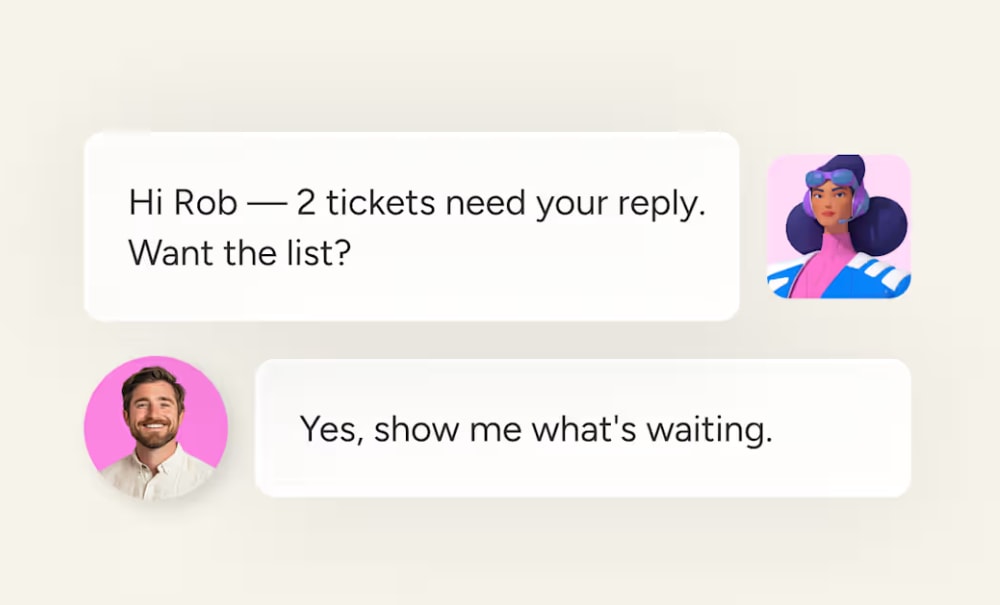
An AI agent is software that works toward a goal you set, using your data and connected apps to handle multi-step work on its own. An AI chatbot answers one question at a time, while an agent decides what to do next and keeps going until the job is done or it needs your approval.
Take a new sales lead that needs scoring and routing to the right rep. Without an agent, you stitch together separate tools to capture and score the lead, and a team member still has to research the company and message the rep. Each handoff is a point where work can stall.
An AI agent handles the whole sequence itself, researching the company and scoring the fit before it assigns a rep and moves on to the next lead. When information is missing, such as a company’s headcount, it can look elsewhere or flag the lead for review, because it chooses each next step based on what it finds.
How AI agents differ from chatbots and traditional automations
AI agents are commonly confused with other AI terms, including chatbots and automation. Here’s how they all compare.
| Capability | Traditional automation | Chatbot | AI agent |
|---|---|---|---|
| How it's triggered | Rule-based trigger (e.g., "when status changes") | User prompt or question | Goal, event, or schedule |
| Decision-making | Follows fixed if/then rules | Responds to one question at a time | Reasons through multi-step decisions |
| Scope of action | Single action per trigger | Single response per prompt | Chains multiple actions across systems |
| Handles exceptions | No, fails or stops | Limited | Yes, adapts its approach |
| Operates autonomously | Only when triggered | Only when asked | Yes, 24/7 within guardrails |
An agent combines an automation’s always-on reliability with a chatbot’s ability to reason, and it can plan and adapt as a task unfolds. This makes agents a better fit for work that involves judgment or varies from case to case, where a fixed rule would break and a single chatbot reply would fall short.
When should you use an AI agent instead of an automation?
Most teams already run automations, and those work well for predictable, rule-based processes. The question is whether your process ever needs a decision.
As a rule of thumb, use an automation when the trigger and action are always the same and no judgment is needed. Use an agent when the next step depends on what it finds, such as reading a message, classifying it, or prioritizing it.
- Automation example: “When a deal moves to ‘Won,’ automatically create an onboarding board.” The trigger is defined and the action never changes.
- Agent example: “When a new support ticket arrives, read the message, classify its urgency, check the knowledge base for a matching resolution, draft a response, and route unresolved tickets to the right team member.” Each step depends on what the agent discovers in the previous one.
If your process fits the first example, stick with automation, since it’s faster to set up and cheaper to run. If it fits the second, an agent spares you from building dozens of brittle rules that break the moment something unexpected happens.
The 3 building blocks every AI agent needs
Every AI agent, on any platform, needs three things to work:
- A job (role, goal, and trigger): The plain-language instruction that tells the agent what outcome to achieve and when to act. For example: “Score every new lead and route high-priority ones to a senior rep.” Without this information, the agent has no direction.
- Context (knowledge and data sources): The documents, databases, CRM records, or connected apps the agent draws from to make informed decisions. Without access to real context, an agent guesses instead of reasons. The richer the data, the sharper the output.
- Permission to act (actions and integrations): The specific things the agent can do, such as update a record, send a Slack message, create a board item, or trigger a workflow, and the external services it connects to in order to execute. Actions are what turn reasoning into results.
Agents also use memory and reasoning to connect decisions across steps, but these three are the building blocks you set up and control.
7 steps to your first working AI agent
The following steps take you from never having used an AI agent to running one on real work. You don’t need to code, and the steps apply whether you start from a ready-made agent template or build a custom agent from scratch.
Step 1: Pick one workflow worth handing off
Start with a single process and leave the department-wide rollout for later. The best first workflow meets two tests.
- Repetitive and measurable: The process eats hours every week and needs judgment at each step, like manual lead scoring or ticket triage. You can also track a before-and-after number, such as hours saved or leads processed per day. Without a number, you can’t prove the agent’s value.
- Low risk if the agent makes a mistake: A person can review the output before it reaches a customer or closes a deal. This gives your team confidence while the agent earns trust.
Strong first examples for sales and CRM teams include:
- Lead scoring and routing
- Meeting transcript summarization with action items
- Pipeline risk alerts for stalling deals
- Daily briefings of overdue items and priorities
- Contact duplicate detection and cleanup
Teams outside sales can apply the same tests to workflows like weekly status reports or support ticket triage. Write down the metric you’ll use to judge success before you build anything, and choose the idea you can measure over the most ambitious one.
Step 2: Write the agent’s job in plain language
Define the role, trigger, goal, and what “done” looks like. Then, describe the job in your own words, in the same the way you’d explain it to a new team member.
A sample instruction might look like this: “When a new lead arrives, score it against our ideal customer criteria and route high-fit leads to a senior rep. Flag leads that need manual review.”
The instruction should answer 4 questions:
- What role does the agent play?
- What triggers it to act?
- What outcome should it achieve?
- How will you know it’s done?
Keep the scope narrow, because an agent that handles one job well will be more of a hit than one that tries to do everything on day one.
Step 3: Connect the knowledge it needs
An agent can only work with what it can see, so the more relevant context you connect, the better its decisions. A lead-scoring agent with access to past deal records, for example, can judge fit against what has closed before.
Start with the systems your team already uses:
- CRM and sales data: Deal records, contact information, pipeline stages
- Communication channels: Slack, Gmail, Outlook, Microsoft Teams
- Calendar and scheduling: Google Calendar, Outlook Calendar
- Documents and knowledge bases: Internal docs, PDFs, SOPs, product documentation
- External data: Web search for company research, competitor monitoring, or market signals
A strong agent platform lets you define which boards and files serve as context, so every action is grounded in your real work and guidelines. When work from every department lives on one connected platform, an agent helping your sales team can see marketing campaign data, and an agent planning a sprint can see support tickets. This shared context keeps agents from working in silos.

Step 4: Set permissions and guardrails
Guardrails are the rules that control what an agent can and can’t do, and they separate an agent your team trusts from one that gets switched off after a week. Before you activate any agent, decide what it can access and change, and what it should never do without approval. Here’s what to configure:
- Permissions: Define which data the agent can access and whether it can change records or only read them. A lead-scoring agent doesn’t need access to HR records.
- Action boundaries: Decide what the agent can do inside your workspace and across external integrations. For example, it can draft an email but can’t send it without approval.
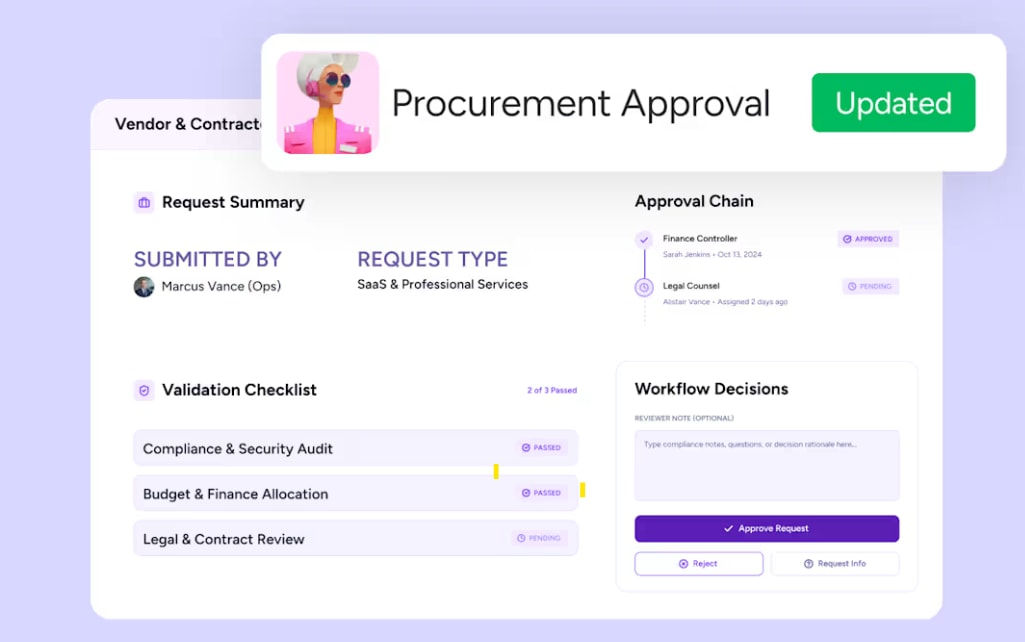
- Human-in-the-loop checkpoints: Configure the agent to pause and request approval before high-impact actions, such as reassigning a deal or sending an outreach email. In the monday AI Workspace, AI Workflows include a human-in-the-loop approval block that sends approval requests and branches the workflow based on the response.
- Simulation mode: Test the agent’s behavior on real data without it executing any changes, so you can validate before you activate.
- Audit trails: Every action the agent takes is logged and traceable, so you can review what happened and why.
Guardrails are what make adoption possible. According to McKinsey’s State of AI Trust in 2026 survey, nearly two-thirds of respondents cite security and risk concerns as the top barrier to fully scaling agentic AI. Clear permissions and approvals give your team a reason to trust the agent and keep using it.
Step 5: Test in simulation before it touches real work
Run the agent in simulation on a small set of real records, because fake data hides the problems you’ll meet in live work. Follow these steps to catch issues early:
- Start with a single board or a small batch of records so you can review every action the agent proposes.
- Compare the agent’s output to what a person would have done, checking for accuracy and completeness.
- Refine the agent’s instructions based on what you observe. If it misclassifies a lead or misses a deadline, adjust the role description or add a knowledge source.
- Expand scope gradually. Once the agent handles 20-30 items accurately, open it up to the full workflow.
Check the agent’s run history or audit log after the first batch. If you see “No result” or unexpected outputs, the cause is almost always a missing data source or an overly broad instruction.
Step 6: Launch on real work with approvals in place
Go live on a limited scope, such as one team or one request type, and keep approvals on for higher-stakes actions until the agent has proven itself. Because every action is visible, you can see what the agent did and why, which is how teams move from pilots to organization-wide use.
For the first week, review the agent’s actions daily and ask:
- Is it handling the expected volume with accurate outputs?
- Are there edge cases it handles poorly?
Use what you learn to refine the instructions or add missing knowledge sources.
Step 7: Measure, review, and expand
Return to the metric you defined in Step 1 and measure the agent’s impact after 1-2 weeks, since strong numbers are your case for expanding agent use across your organization.
- Hours reclaimed: Time saved per week on the process
- Volume handled: Items processed, such as leads scored or tickets triaged
- Accuracy rate: Percentage of agent actions that needed no human correction
- Cycle time: How much faster the process runs compared with the manual baseline
- Adoption rate: How many team members rely on the agent in their daily workflow
Once the first agent proves its value, choose the next workflow using the same criteria from Step 1. A natural progression is from a single-department agent, such as sales lead scoring, to a cross-department one, such as an agent that connects marketing campaign data to sales pipeline insights. The approach stays the same each time: start small, set guardrails, measure the results, and scale.
Ready-made or custom: which way should you build?
There are three ways to build an agent, depending on your needs and technical comfort.
| Build path | Setup time | Best for | Skill required |
|---|---|---|---|
| Ready-made agent | Minutes | Common workflows (lead scoring, daily briefings, ticket triage, status reports) | None |
| No-code custom agent | 15–30 minutes | Unique processes specific to your team | None — describe in plain language |
| Code-based framework or SDK | Hours to days | Maximum control, complex integrations | Developer required |
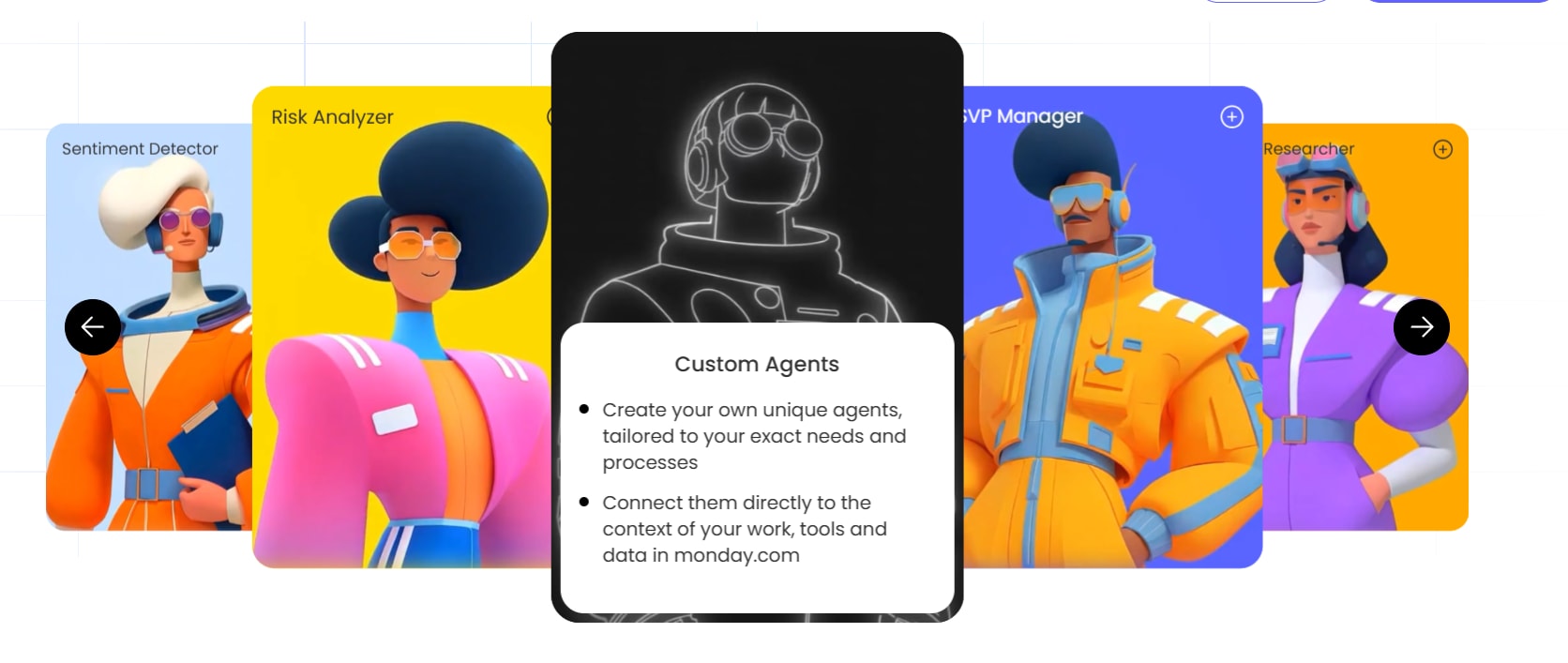
Choose a ready-made agent if your workflow matches a common pattern. These templates are tested, refined, and ready to connect to your data in minutes. In the monday AI Workspace, ready-made agents include Lead Qualifier, Ticket Management Agent, Daily Briefer, Status Reporter, and Pipeline Guardian.
Build a custom agent if your process is unique to your organization, involves proprietary data, or requires a specific sequence of actions that no template covers. The monday agent builder follows a three-step process: describe the role and triggers, connect knowledge and integrations, then test and refine.
Use a code-based approach if you need maximum control, complex integrations, or want to extend agents into broader automations. For teams that want ChatGPT, Claude, Cursor, or Microsoft Copilot to act on monday.com data securely, monday MCP (Model Context Protocol) lets external AI assistants connect to your workspace within existing permissions.
For your first agent, start with a ready-made template on monday AI — teams typically see their first agent handling real work within minutes. Once you’ve seen one work, building a custom one gets a lot easier.
Try monday agents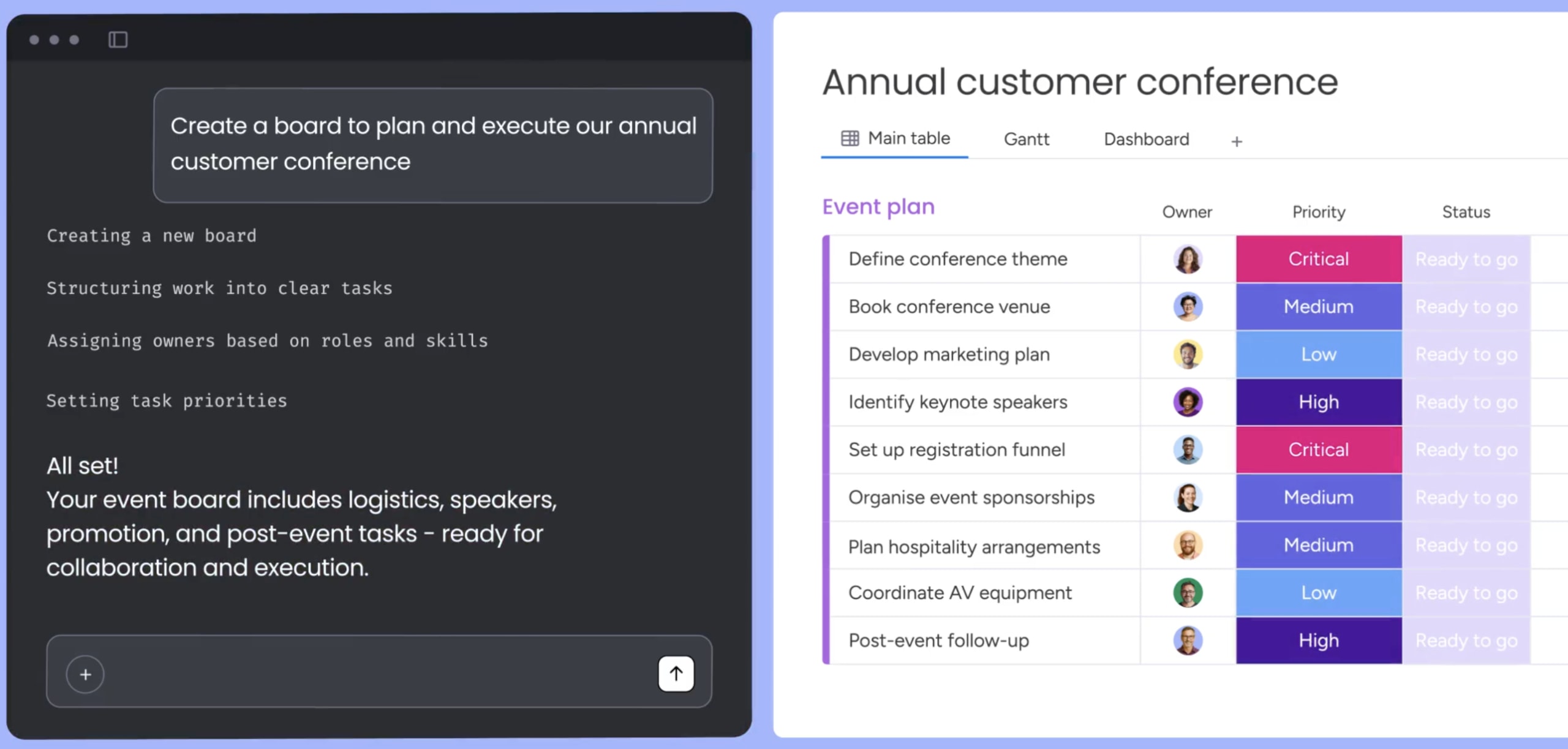
How to know your first agent is working
Measurement is how a pilot becomes a permanent part of your workflow. Without a baseline, you can’t prove the agent’s value to your team or leadership.
Before you launch, measure your chosen process for one week, recording how long each item takes and how many errors or missed items occur. After two weeks of operation, compare the agent’s results against this baseline.
Use this table to track your agent’s impact and make the case for expanding. Treat the targets as starting points and adjust them to your process.
| Metric | How to baseline | What good looks like |
|---|---|---|
| Hours reclaimed per week | Track manual time spent on the process for one week | 50%+ reduction in manual time |
| Volume throughput | Count items processed manually per week | Higher volume at consistent quality |
| Accuracy rate | Note how often manual work requires correction | 90%+ agent outputs need no human correction |
| Cycle time | Measure end-to-end process duration | Significant reduction — for example, 4 hours to 15 minutes |
| Adoption rate | Track how many team members use the agent | Growing weekly usage across the team |
An agent is ready for wider use when it saves time and produces accurate results without manual correction. Review the correction rate weekly, because it should fall as you refine the agent’s instructions.
From first agent to a team of agents
Once an agent is working well, share it with your organization. On monday AI Workspace, agent builders can share an agent with the entire organization in one step. Shared agents appear in the Org Agents Directory, where every account member can find and use them without individual invitations.
Scaling works the same way your first agent did.
- Pick one adjacent workflow in the same department. If your first agent scored leads, the next might summarize sales calls or flag stalling deals.
- Then expand to another department. An agent that works for sales might inspire a similar one for customer success or marketing.
- Reuse what works. Successful agents become templates for new ones. The knowledge sources, guardrails, and instructions you refined can inform the next build.
The teams that succeed with AI agents treat them like a growing roster, adding one at a time and sharing what works across the organization.

How to evaluate any AI agent platform
A demo shows what an agent can do under ideal conditions, so judge any platform on a real workflow from your team. Run each one you shortlist through the same trial using these questions:
- Does the agent work from your business context? Look for a direct connection to your data sources, such as your CRM or project boards, instead of text pasted into a prompt. Test it by asking a question only your own data can answer, like “which deals stalled this month?”
- Can it take action in your systems? The agent should be able to update a record or send a message, with drafting as one option among several. Give it a task that ends in a change, then check that the change appears in the system.
- Can you control what it accesses and does? Look for separate read and write permissions, with approval required for high-impact actions. Set the agent to read-only and try to make it edit a record.
- Can you test it before going live? A simulation mode and an audit trail should show each action and the reasoning behind it. Run a small batch in simulation, then review the log.
- Can a non-developer build and maintain it? Setup and instruction changes should work in plain language without code. Have the person who owns the workflow, not an engineer, edit the agent’s instructions during the trial.
- Can a successful agent be shared and reused? Look for a way to share an agent or copy it as a template for other teams. Ask how a second team would start from your first agent.
- Does the vendor meet your compliance requirements? Look for certifications such as SOC 2 and ISO 27001, plus HIPAA if you handle health data. Request the current certification reports and confirm they cover the product you’ll use, not only the vendor’s company.
Weight the questions by your own risk. A team handling customer data might put permissions and compliance first, while a team with a small data footprint might care more about ease of setup. Score every platform on the same workflow so the comparison stays fair.
Building momentum with your first AI agent
monday agents give you a practical starting point for the steps in this guide. In the monday AI Workspace, you can start with a ready-made agent such as Process Automator or Chief of Staff and connect it to the boards and files your team already uses. Permissions are set per tool: read tools are active immediately, while write tools stay inactive until you turn them on, so the agent can’t change a record until you decide it should.
If your process is unique, describe a custom agent in plain text and refine its instructions and knowledge through the agent chat. For work that needs a person’s sign-off, AI Workflows can pause for approval before the next step.
Once an agent proves its value, share it with your entire organization, and teammates can find it in the agent directory. Choose the workflow you picked in Step 1 and build your first agent with monday agents.
Try monday agentsFrequently asked questions
What are the 5 types of AI agents?
The 5 types of AI agents are simple reflex, model-based reflex, goal-based, utility-based, and learning agents. Most business agents are goal-based: they pursue a defined outcome using available data and actions, then adapt based on what they find.
Can ChatGPT build an AI agent?
ChatGPT can draft instructions and, with the right integrations, act as an agent. For work inside your business systems, an agent needs access to your data and permissions. monday MCP lets ChatGPT, Claude, Cursor, and Copilot act on monday.com data within existing permissions.
What is an example of a simple AI agent in action?
A People Analytics Agent starts when a new intake item arrives. It pulls workforce figures such as headcount and tenure from your connected boards and rates how each one compares with current industry benchmarks. When turnover crosses a threshold you set, it flags regrettable turnover for your team. You can set the agent to wait for your approval before it takes any action.
Do I need to code to build an AI agent?
No. Ready-made agents and no-code custom agents require no coding. You describe what you want the agent to do in plain language, connect your data sources, and test it. Code-based frameworks exist for teams that need maximum control, but they're not required to get started.
How do I keep control of what an agent does?
Set role-based permissions so the agent only accesses authorized data. Enable human-in-the-loop approvals for high-impact actions. Use simulation mode to test before activating. Choose a platform with audit trails and enterprise-grade certifications like SOC 2 Type II, ISO 27001, and HIPAA compliance.

 Get started