


Most organizations have already run the AI pilots and approved the budget. But widespread adoption stalls at the next step: connecting AI to the systems the business runs on.
Enterprise LLMs close the distance when they can operate inside existing workflows and act on company data without a team of engineers holding them together. This guide covers what enterprise LLMs are, where they deliver measurable value, how security and governance work in practice, and what to evaluate before deployment. It also shows how teams use monday agents to bring these capabilities into the workflows they already use.
Try monday agentsKey takeaways
- Enterprise LLMs are built for business, not just browsing: unlike consumer AI, they keep your company data private, enforce access controls, and meet compliance standards like SOC 2 and GDPR.
- AI agents do the work, not just the talking: the real value comes when AI moves beyond answering questions to executing workflows — routing tickets, scoring leads, and flagging risks automatically.
- Your data quality determines your AI results: before picking a vendor, make sure your data is structured, connected across departments, and accurate. AI amplifies what’s already there, good or bad.
- Put AI where your team already works: with ready-made agents for sales, support, HR, and more, teams can automate high-volume workflows without writing a single line of code.
- Start small, measure everything, then scale: pick one workflow with clean data and a clear outcome, prove the value with real numbers, then expand — that’s how pilots turn into lasting business impact.

What is an enterprise LLM?
An enterprise LLM is a large language model configured, deployed, or fine-tuned specifically for use within a business organization. It comes with enterprise-grade security, governance, and data privacy controls that distinguish it from consumer-facing LLMs like ChatGPT or Claude used in personal contexts.
A large language model is a type of AI trained on massive text datasets that can understand, generate, and reason with natural language. The word “enterprise” refers to the deployment context and governance wrapper around the model, not a fundamentally different architecture. Enterprise LLMs can be built on foundation models from providers like OpenAI (GPT), Anthropic (Claude), Google (Gemini), or Meta (LLaMA), then customized for business use.
Enterprise LLM vs consumer LLM: key differences
Understanding what separates an enterprise LLM from a consumer LLM helps you evaluate whether your current AI approach meets production requirements or leaves gaps in security, context, and control.
- Data privacy controls: Enterprise LLMs ensure company data is not used to train external models and remains within organizational boundaries. Your CRM records, internal documents, and customer data stay yours.
- Access governance: Role-based permissions determine who can interact with the LLM and what data it can access, so a sales rep and a finance director see different information through the same system.
- Custom grounding: Enterprise LLMs connect to internal company data, including CRM records, project boards, knowledge bases, and documents, so responses reflect organizational context rather than generic internet knowledge.
- Compliance alignment: Enterprise deployments meet regulatory standards like SOC 2 Type II, ISO 27001, HIPAA, and GDPR, which consumer applications typically don’t guarantee.
- Deployment flexibility: Organizations can choose cloud-based, on-premise, or hybrid deployment depending on their security and performance requirements.
Why enterprise LLMs are important for business teams
Most organizations have experimented with AI through chatbots or content generators. In fact, 44% of organizations report that AI is now scaling across the enterprise, up from 38% the prior year. The harder task is moving from pilot projects to production-level impact, and enterprise LLMs help by tying AI directly to revenue and retention. The impact shows up in the following areas.
Faster decision-making with real-time data synthesis
A sales leader checking pipeline health across regions once had to pull CRM data and dig through email threads before assembling a summary by hand. With an enterprise LLM, the leader asks a question in plain language and gets a synthesized answer in seconds.
This depends on access to structured data through integrations and protocols like the Model Context Protocol (MCP), an open standard that lets AI assistants securely read and act on workspace data. With access across systems, the LLM connects signals a person would need hours to piece together, so teams can act on information while it’s still current.
Personalized customer experiences at scale
Enterprise LLMs let organizations personalize customer interactions without adding headcount. When a long-standing customer submits a frustrated support ticket, the LLM flags the negative sentiment and escalates the ticket with a drafted response that references the customer’s account history. The support team can step in before the relationship sours. Personalization at this level once required a large customer success team.
Revenue growth through sales and marketing intelligence
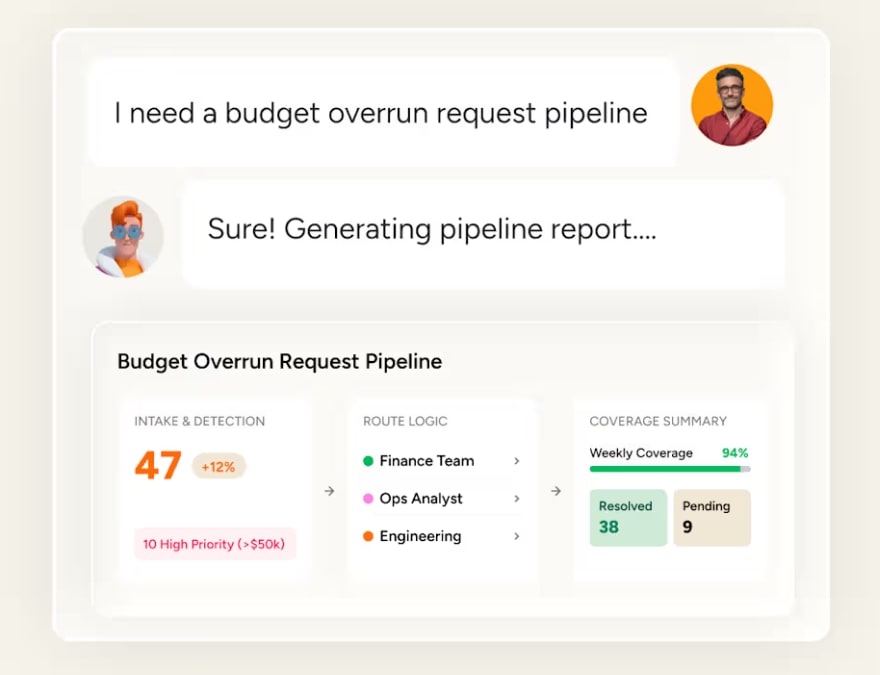
On the sales side, an LLM scores inbound leads using signals like company size and website behavior, then routes high-scoring leads to the right rep with context on why they scored well. For marketing teams, it analyzes past campaign performance to recommend messaging changes and identify which audience segments respond to which content.
Operational efficiency across departments
Enterprise LLMs also cut overhead in internal functions by handling repetitive, high-volume knowledge management:
- HR: Agents screen and rank candidates against job criteria, cutting days from the hiring pipeline.
- Legal: LLMs catch duplicate requests and draft review-ready documents from organizational templates.
- IT: Agents classify and route support tickets in seconds, resolving common requests from the knowledge base.
- PMO: LLMs generate project status updates on progress and blockers without anyone compiling a report by hand.
- Finance: Vendor research agents compare suppliers on pricing and contract terms.
7 high-impact enterprise LLM examples
Enterprise LLMs deliver the most value when you apply them to specific, repeatable business workflows rather than treating them as general-purpose chatbots. These 7 examples show where organizations see measurable returns from LLM deployment, each tied to a concrete business outcome.
1. Sales pipeline analysis and forecasting
An enterprise LLM analyzes deal stages, historical win/loss patterns, and rep activity to generate pipeline forecasts and flag at-risk deals. The LLM synthesizes data across CRM records, email communications, and meeting transcripts to provide a complete view of pipeline health, connecting signals that live in different systems into a single, coherent picture.
Sales leaders get accurate forecasts and can intervene on stalled deals before they slip instead of discovering problems during end-of-quarter reviews.
2. Customer service automation and sentiment detection
Enterprise LLMs handle first-line customer support by classifying ticket intent, urgency, and required expertise, then routing tickets to the right team or resolving common requests directly from the knowledge base. Sentiment detection identifies frustrated customers in real time, triggering escalation workflows before a negative experience turns into churn.
The result? Faster resolution times and proactive intervention. The support team focuses on complex issues while the LLM handles routine requests and early-warning signals.
3. Marketing content generation and campaign optimization
LLMs generate marketing copy, email sequences, ad variations, and campaign briefs grounded in brand guidelines and performance data. Beyond creation, the LLM analyzes past campaign performance to recommend messaging adjustments. It identifies which subject lines drive opens, which CTAs convert, and which audience segments respond to specific content types.
Marketing teams produce more content with consistent quality while optimizing spend based on real recommendations, not guesswork.
4. Enterprise knowledge management and search
Enterprise LLMs transform internal knowledge bases by enabling natural language search across documents, SOPs, wikis, and historical project data. This differs from traditional keyword search in a fundamental way. The LLM understands context and intent, returning synthesized answers instead of a list of links.
Employees find answers in seconds. Answers are directly available in the workflow, sparing employees from searching across multiple systems, asking colleagues, or recreating information that already exists somewhere in the organization.
5. Lead scoring and qualification
LLMs score leads using fit, intent, and engagement signals across the sales funnel. The LLM enriches lead profiles with external research and prioritizes outreach based on likelihood to convert.
Unlike rule-based lead scoring, which relies on static criteria like “downloaded a whitepaper = 10 points,” LLMs weigh nuanced signals like email engagement patterns, website behavior sequences, and timing indicators. Sales teams focus on the highest-value prospects, and reps receive context about why each lead scored the way it did, making outreach more relevant from the first touchpoint.
6. Meeting summarization and follow-up automation
Enterprise LLMs transcribe meetings, generate concise summaries, extract action items, assign owners, and create follow-up reminders automatically. This eliminates the manual work of taking meeting notes and ensures every decision, commitment, and next step gets captured and tracked.
Meetings translate directly into tracked, assigned work automatically, taking you from “we discussed it” to “it’s getting done.”
7. Cross-departmental reporting and insights
Enterprise LLMs generate reports that pull data from multiple departments, combining sales pipeline data with marketing campaign performance and customer support ticket trends into a unified view. This cross-functional visibility only works when the LLM has access to a shared data layer that spans departmental boundaries.
Executives get a complete picture of business health without waiting for manual report compilation from each department. They can ask follow-up questions in natural language to drill into specific areas.

How enterprise LLM security and data privacy work
Security and data privacy top the list of concerns organizations raise when evaluating enterprise LLMs. Company data flowing through an AI system introduces new risks, and nearly two-thirds of organizations cite security and risk concerns as the top barrier to fully scaling agentic AI. Enterprise-grade deployments answer these concerns with several layers of protection.
Access control and role-based permissions
Enterprise LLM deployments use role-based access control (RBAC), which assigns permissions by job role instead of by individual. A sales rep might query their own pipeline through the LLM, while company-wide financial data stays limited to executives. Permissions typically work at four levels:
- Account level: Admins decide whether AI features are enabled and which capabilities are available.
- Workspace level: AI access can be limited to specific workspaces, so an agent working on marketing data can’t reach HR records.
- Action level: These settings control whether the AI can only view data or also change it.
- User level: The AI can only access data the connected user is already authorized to see.
Data encryption and tenant isolation
Enterprise LLM providers typically encrypt data in transit with TLS and stored data with AES-256, the same standards financial institutions use. Tenant isolation keeps each organization’s data walled off from every other customer on shared infrastructure.
At a minimum, company data submitted to the LLM should stay out of the underlying model’s training data. Organizations should also retain ownership of both the content they provide and the content AI generates.
Prompt injection prevention and content filtering
Prompt injection uses malicious inputs to trick an LLM into ignoring its instructions, whether to expose sensitive data or perform unauthorized actions. Enterprise deployments defend against it in two ways:
- Input validation and guardrails: These prevent the model from acting outside its defined scope, explicitly defining what the agent can and cannot do, both within the platform and across connected external applications.
- Content filtering: This screens LLM outputs for harmful, inaccurate, or policy-violating content before it reaches the end user, adding a safety layer between the model’s raw output and what people see.
Data residency and sovereignty requirements
Data residency rules require data to be stored and processed within specific geographic boundaries, often because of regulations like the EU’s GDPR. For multinational organizations, European customer data may need to stay in EU data centers. The concern is widespread: 77% of companies say where AI is developed is a key factor in technology selection.
Enterprise LLM deployments need configurable data residency to meet these rules. Organizations in regulated industries may also need LLM inference, the process of generating responses, to happen within their jurisdiction, which narrows the field of viable providers.

What governance and compliance look like for enterprise LLMs
Security controls who can reach company data, but governance controls what the AI does with it and keeps a record to prove compliance. A mature governance framework makes enterprise LLM adoption sustainable and auditable at scale.
Human-in-the-loop validation frameworks
Human-in-the-loop workflows require a person to review AI-proposed actions before they take effect. The LLM might propose reassigning 12 overdue items to available team members, and a manager approves or modifies the plan before anything changes. This keeps consequential decisions, like sending customer communications or modifying financial data, under manual control. Simulation mode goes a step further by showing exactly what an agent would do in real scenarios before it goes live.
Audit trails and action transparency
An audit trail is a chronological log of every action the AI takes, supporting both regulatory compliance and troubleshooting when outputs look wrong. A complete audit trail records:
- What the AI did and which data it referenced
- The trigger or prompt behind the action
- When it happened and whose permissions it used
- The outcome, including effects on connected workflows
Regulatory compliance across industries
Different industries face different regulatory requirements for AI use. The table below outlines the key compliance considerations that organizations must address when deploying enterprise LLMs.
| Industry | Key regulations | Enterprise LLM compliance requirements |
|---|---|---|
| Healthcare | HIPAA | Patient data must be encrypted; AI cannot store or expose protected health information |
| Financial services | SOX, PCI DSS | AI actions affecting financial records must be auditable; cardholder data must be isolated |
| Government | FedRAMP, FISMA | Data must reside in authorized environments; AI access must follow federal security standards |
| General enterprise | GDPR, SOC 2 Type II, ISO 27001 | Data processing must be transparent; security controls must be independently verified |
Enterprise LLM vendors should hold relevant certifications and demonstrate compliance through independent audits, not self-reported claims.
Managing AI-related risk at scale
Enterprise LLM deployments introduce several categories of risk management that require ongoing attention:
- Hallucination risk: The LLM generates plausible but factually incorrect information. Mitigation involves retrieval-augmented generation (RAG) that grounds responses in real organizational data, combined with human review of high-stakes outputs.
- Scope creep risk: The LLM acts beyond its intended boundaries, modifying data it shouldn’t touch or taking actions outside its defined role. Mitigation requires explicit guardrails that define what the agent can and cannot do.
- Data leakage risk: Sensitive information is inadvertently exposed through LLM responses. Mitigation includes output filtering and permission-scoped access that limits what the AI can surface to each user.
- Bias risk: The LLM produces outputs that reflect biases in its training data, potentially affecting hiring decisions, customer interactions, or resource allocation. Mitigation involves regular output auditing and diverse evaluation criteria.
Enterprise LLM deployment options compared
How you deploy your enterprise LLM affects cost, security, performance, and customization options. There are three primary deployment models; the right choice depends on your regulatory environment, technical resources, and speed-to-value requirements.
| Deployment model | Best for | Data control | Setup complexity | Cost profile | Customization |
|---|---|---|---|---|---|
| Cloud and API-based | Teams wanting fast deployment with minimal infrastructure | Provider-managed with encryption and tenant isolation | Low | Pay-per-use or subscription | Moderate (prompt engineering, RAG) |
| On-premise | Regulated industries requiring full data sovereignty | Organization-managed, data never leaves premises | High | High upfront, lower ongoing | High (full model control) |
| Hybrid | Organizations balancing speed with compliance | Split between cloud and on-premise based on data sensitivity | Medium | Variable | High |
Cloud and API-based deployment
Cloud deployment gives you access to the LLM through a provider’s hosted infrastructure. Setup is fast, and the provider handles infrastructure and model updates, which makes this the practical path for teams without dedicated ML engineers. Costs follow usage, so they stay manageable at moderate volumes but can climb at scale. Because you rely on the provider’s security practices, vet its data privacy guarantees and tenant isolation before committing.
On-premise LLM deployment
Hosting the LLM on your own servers or private cloud keeps all data inside your environment and gives you full control over the model. The price is a significant upfront investment in GPU hardware, plus the ML engineering talent to run and update it. At high usage volumes, those fixed costs can be more predictable than per-token pricing. On-premise deployment is most common in regulated industries such as healthcare and financial services, where data sovereignty requirements can prohibit cloud deployment.
Hybrid deployment strategies
Hybrid deployment routes sensitive data through on-premise infrastructure and sends less sensitive work to the cloud. An organization might generate marketing content with a cloud LLM while keeping customer financial data on-premise. Making this work requires careful data classification, which forces teams to define “sensitive” consistently across departments.
What LLM orchestration means for enterprise teams
LLM orchestration is the control layer between your teams and the models they use. Think of it as a traffic controller that decides which model handles each request based on the task’s complexity and cost.
Enterprise environments rarely rely on one LLM. A simple classification task might go to a smaller, faster model, while complex reasoning routes to a more capable (and more expensive) one. Teams work through one consistent interface, and the orchestration layer handles model selection behind the scenes. Beyond routing, orchestration provides:
- Guardrail enforcement: Policies apply consistently, whichever model handles the request.
- Cost management: Simple tasks go to the cheapest model that can handle them.
- Failover: If one model is unavailable, requests route to a backup.
- Observability: Every request and response is logged, showing how AI is used across the organization.
LLM orchestration vs. LLMOps
Orchestration is the runtime layer that routes requests and enforces policy during live AI interactions. LLMOps is the broader practice of monitoring and evaluating AI across its lifecycle. Most organizations need both: orchestration for real-time control, and LLMOps to keep AI systems accurate and aligned with business goals over time.
Enterprise LLM vs. small language models
A small language model (SLM) is a compact model with fewer parameters, built for specific, narrow tasks. The right choice depends on how complex the work is, and many organizations use both: SLMs for high-volume tasks like ticket classification, and enterprise LLMs for reasoning and generation.
When to choose an enterprise LLM
Enterprise LLMs fit work that calls for judgment and flexible language:
- Multi-step reasoning: Synthesizing information from several sources to make a recommendation, such as where to allocate sales resources across regions.
- Cross-functional context: Connecting data across departments, like linking support ticket trends to product priorities.
- Long-form generation: Drafting customer proposals or campaign briefs in brand voice.
- Conversational interaction: Letting users ask follow-up questions and refine requests in plain language.
When a small language model fits
SLMs are often the better choice for narrow work at high volume:
- Classification: Sorting support tickets or documents into predefined categories.
- Structured extraction: Pulling invoice amounts or contract dates from unstructured text.
- Edge deployment: Running on mobile or IoT devices with limited computing power.
- Latency-sensitive tasks: Handling real-time fraud detection or inline content moderation, where responses need to come back in milliseconds.
How retrieval-augmented generation powers enterprise LLMs
Retrieval-augmented generation (RAG) lets an LLM pull information from an organization’s own data sources before it answers. It’s the most common way to ground enterprise LLM responses in current company data.
How RAG grounds responses in enterprise data
When a user asks a question, the system searches connected sources like CRM records and knowledge bases for relevant information. The LLM then generates an answer built on what it retrieved, with references so the user can check the source. If a sales rep asks for the status of the Acme Corp deal, the LLM pulls the latest CRM record and recent emails to answer. Anchoring responses to real organizational data this way reduces hallucination.
RAG vs. fine-tuning
| Approach | How it works | Best for | Cost | Data freshness | Risk |
|---|---|---|---|---|---|
| RAG | Retrieves relevant data at query time from connected sources | Organizations that need responses grounded in frequently changing data (CRM records, project statuses, support tickets) | Lower (no model retraining) | Real-time | Lower (data is retrieved, not baked into the model) |
| Fine-tuning | Retrains the model on organization-specific data to permanently adjust its behavior | Organizations that need the model to adopt specific terminology, tone, or domain expertise | Higher (requires ML expertise and compute) | Static until retrained | Higher (outdated training data can cause inaccurate responses) |
Most enterprise deployments start with RAG because it connects to existing data and delivers grounded answers without ML engineering resources. Fine-tuning is usually reserved for specialized cases, like proprietary industry terminology or a communication style that prompting alone can’t achieve.
How AI agents extend enterprise LLM capabilities
On its own, an enterprise LLM reasons and generates language. AI agents connect that reasoning to workflows and business applications, so the LLM can carry out multi-step work inside the systems teams already use.
From reactive chatbots to proactive agents
A chatbot waits for questions. Ask whether any deals are at risk this quarter, and it retrieves the answer. An agent monitors the sales pipeline on its own and, when three deals stall, alerts the sales manager with recommended next steps before anyone thinks to ask. Because agents act on triggers within defined guardrails, teams catch problems earlier and spend less time watching dashboards.
Multi-step workflow automation
Agents also handle workflows that once required manual coordination across systems. When a new support ticket arrives, an agent classifies it by urgency and required expertise, then checks the knowledge base. If a solution exists, the agent drafts a response for human review. If not, it assigns the ticket to a specialist and sets the SLA. The sequence takes seconds and runs the same way on the five-hundredth ticket as on the first.
Cross-functional context for smarter agent decisions
Agents make better decisions when they can reach data across departments. A sales agent that sees support ticket history and marketing engagement alongside CRM data gives reps a full picture of the customer relationship before a call. This depends on a shared data layer that connects departmental information in one structured system.

5 key considerations before adopting an enterprise LLM
Many enterprise LLM pilots stall before they reach real business value. Working through these five considerations before deployment sets realistic expectations and avoids the most common pitfalls.
1. Data readiness and integration
An enterprise LLM is only as useful as the data it can reach. Before evaluating vendors, check whether your data is structured and connected across departments, or scattered across siloed systems. Data quality counts too: if your CRM has duplicate contacts or outdated deal stages, the LLM will produce unreliable outputs. The more your stack already connects through APIs or MCP, the fewer custom integrations you’ll need.
2. Adoption readiness
The biggest barrier to enterprise LLM value is often adoption. Many organizations have AI features their teams rarely use. Adoption tends to be strongest when AI lives inside the workspace teams already use, with onboarding that requires no technical expertise. Separate logins and specialized training slow usage down.
3. Build vs. buy vs. customize
For most organizations, customizing a vendor platform gets to value quickly while still fitting how the business works.
| Approach | Description | Best for | Trade-offs |
|---|---|---|---|
| Build | Develop a custom LLM solution from scratch using open-source models | Organizations with large ML engineering teams and unique requirements | Highest cost and time investment; full control |
| Buy | Adopt a vendor's pre-built enterprise LLM platform | Organizations wanting fast deployment with minimal technical overhead | Lower customization; vendor dependency |
| Customize | Use a vendor platform with custom agents, integrations, and workflows tailored to your processes | Organizations that want speed-to-value with the ability to adapt the system to their specific needs | Balanced cost and flexibility; requires some configuration |
4. Cost modeling and ROI
Enterprise LLM costs go beyond licensing. A complete cost model covers model access fees, integration work, onboarding time (including the productivity dip during the learning curve), and ongoing maintenance as usage grows, plus infrastructure costs for on-premise or hybrid deployments. To frame ROI, measure hours saved on manual work and the revenue impact of faster sales cycles.
5. Vendor evaluation criteria
Use the questions below to separate the platforms built for production from those built for demos:
- Are security certifications like SOC 2 Type II and ISO 27001 backed by independent audits?
- Does the vendor contractually exclude your data from model training, and do you own AI-generated content?
- Can the platform connect data across departments in one shared system?
- Can non-technical team members start using it without training?
- Can agents execute multi-step workflows beyond chat?
- Does it support open standards like MCP along with pre-built integrations?
- Is there a full audit trail for every AI action?

How to scale enterprise LLM pilots into production value
Most organizations start with small LLM pilots, like a support chatbot or a content assistant, and then struggle to scale them across the organization. Scaling works best with redesigned workflows and a phased expansion built on measured results.
Why workflow redesign outperforms AI layering
AI layering adds AI on top of an existing process. An AI chatbot answering questions about a disorganized knowledge base inherits the disorganization and gives inconsistent answers. Workflow redesign fixes the process first: the knowledge base gets restructured into a queryable format, and an AI agent keeps it current. The useful question shifts from “how can AI help with what we already do?” to “how should this work get done now that AI is part of the team?”
Tracking the right KPIs for enterprise LLM value
Tie AI usage to business outcomes across four categories:
- Efficiency: Hours saved per workflow and less manual data entry
- Quality: Output accuracy and reduced rework
- Adoption: Active AI users and the number of departments using AI regularly
- Revenue: Changes in sales cycle length and lead conversion rates
Set baselines before deployment so you can quantify the impact.
Scaling from one function to cross-department adoption
A phased scaling approach builds evidence and momentum through demonstrated results. Follow these steps to expand AI from a single team to the full organization:
- Start with one high-impact application in a single department, such as sales pipeline analysis or support ticket triage, where the data is clean and the workflow is well-defined.
- Measure and document results using the KPIs defined above, creating a concrete proof point that demonstrates value.
- Identify adjacent applications in the same department that can leverage the same data connections and agent infrastructure.
- Expand to a second department that shares data with the first, for example, from sales to marketing, since both use customer and lead data.
- Build cross-departmental workflows where agents in one department can access context from another, such as a sales agent that sees marketing campaign engagement data to personalize outreach.

How monday agents brings enterprise LLMs into your workflows
The monday AI Workspace brings people and AI agents together on one platform. monday agents handle the work itself, while the workspace around them provides the connected data and controls enterprise LLMs need to run safely at scale. Here’s how each piece works in practice.
Ready-made agents for everyday workflows
monday agents includes ready-made agents built for specific business workflows. Each one runs inside the workspace where teams already manage projects and deals, using the same login and familiar navigation:
- Lead Qualification Agent: Enriches each new lead with web data like company size and funding, scores it out of 100, and routes hot leads to the right rep with a short rationale.
- Ticket Management Agent: Classifies and routes incoming tickets, then sets SLAs and resolves common issues from your knowledge base.
- Deal Prep Briefing Agent: Combines CRM deal data and past call notes into a pre-call brief, with a qualification scorecard that flags what’s still unknown.
- Support Signal Agent: Watches tickets tied to a product area and escalates critical issues, like churn language on a paying account, the moment they appear. Leadership also gets a daily trend report.
- Dependency and Risk Mapper: Traces dependency chains to find a project’s critical path, then flags at-risk chains with the reason and a suggested next step.
- Candidate Matching Agent: Ranks each new candidate against your open roles and writes the match scores and reasoning to the candidate record.
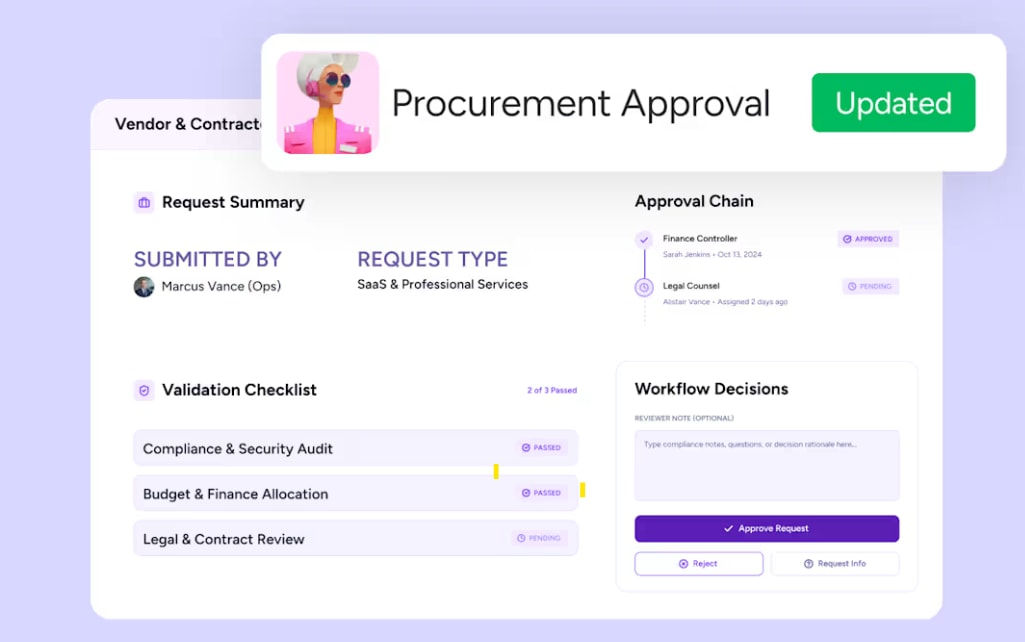
- Procurement Approval Agent: Validates vendor and contractor requests against your records and approves clean ones, so your procurement lead only steps in for final calls.
Each agent can wait for approval before acting or run automatically once your team trusts its behavior.
Cross-department context for smarter agent decisions
Many AI tools stay within a single domain like IT or CRM. monday AI Workspace connects work across departments in one shared system, so agents see CRM records alongside tickets and projects. A sales agent preparing for a customer call can pull in recent support tickets and project delivery status without leaving the workspace, giving the rep a view of the relationship that goes well beyond deal stage.
With over 225,000 organizations running work on the platform, this cross-department data foundation is already in place for most teams, without months of integration work.
Enterprise-grade security with built-in guardrails
Security and governance are built into the platform by default:
- Control: Define what each agent can and cannot do, both within monday AI Workspace and across connected external applications.
- Permissions: Set which data each agent can access and whether it can change information or only view it.
- Human-in-the-loop: Test agent behavior in simulation mode, and require human approval before consequential actions.
- Compliance: The platform holds SOC 2 Type II, ISO/IEC 27001, and ISO/IEC 27701 certifications, and supports HIPAA and GDPR compliance.
- Data ownership: Organizations own both the content they provide and the content AI generates, and third parties cannot train on customer data.
- Audit trail: Every agent action is logged with what was done, why, and on whose behalf.
Connect your preferred AI assistant through MCP
monday AI Workspace supports the Model Context Protocol (MCP), so teams can connect AI assistants like Claude, ChatGPT, Microsoft Copilot, and Cursor directly to their workspace. MCP is currently available on all monday.com plans at no additional cost; an admin installs the monday MCP app to enable it. Connections use OAuth, and admins can limit access to specific workspaces. An assistant can only take actions the connected user is already permitted to take, so the same security boundaries apply in the monday AI Workspace interface and in an external assistant.
How to build a custom agent
Start by describing the agent’s role and the trigger that should set it in motion. Then connect the data sources and integrations it needs and set its permissions. Before going live, run the agent in simulation mode and adjust its behavior until it works the way your team does. No data science expertise is required, and any ready-made agent can serve as a starting template. AI agents are available on paid monday.com plans and run on AI credits included with them.
What makes enterprise LLM adoption successful
Early enterprise LLM discussions focused on which model was smartest. The conversation now centers on whether AI can work safely inside real business operations, and the organizations scaling AI fastest share a few traits:
- Context access: Their AI can see how work connects across departments, like the link between marketing campaigns and sales pipeline.
- Operational controls: Permissions are granular, and teams can audit every agent action.
- Adoption design: AI lives in the workspace teams already use.
- Action capability: Agents execute work, like routing tickets or updating records, beyond generating text.
- Scaling path: A clear plan moves each workflow from pilot to production.
Human-agent collaboration is becoming the default operating model. Organizations that build this foundation now will scale AI faster than those still comparing models.
Put enterprise LLMs to work with monday agents
The organizations getting the most from enterprise LLMs connected AI to structured business data and built it into the workflows their teams already use. The fastest way to start is with one high-impact workflow where the data is clean and the outcome is measurable.
monday agents makes that first workflow straightforward to launch. Start from a ready-made agent or build your own without code, and it runs inside the monday AI Workspace with your team’s data and permissions already in place.
Try monday agentsFrequently asked questions
What is the difference between generative AI and enterprise AI?
Generative AI refers to AI models that create new content (text, images, code) based on patterns learned from training data. Enterprise AI refers to the application of any AI technology, including generative AI, within a business context with enterprise-grade security, governance, and data privacy controls.
What is a custom enterprise LLM?
A custom enterprise LLM is a large language model that has been fine-tuned on an organization's proprietary data or configured with retrieval-augmented generation (RAG) to ground its responses in company-specific information, enabling it to understand industry terminology, internal processes, and organizational context that generic models lack.
How do you choose the right enterprise LLM solution?
Evaluate enterprise LLM solutions based on security certifications, data privacy guarantees, cross-departmental data access, adoption friction for non-technical users, AI agent capabilities for multi-step workflow execution, and integration support through open standards like MCP and APIs.
Do you need a data science team to use enterprise LLMs?
No. Platforms like monday AI Workspace offer ready-made AI agents and no-code agent builders that allow non-technical teams to deploy enterprise LLM capabilities without data science expertise, though organizations pursuing custom model fine-tuning or on-premise deployments will benefit from specialized technical resources.
How does the Model Context Protocol (MCP) connect LLMs to business platforms?
MCP is an open standard that allows AI assistants like Claude, ChatGPT, and Microsoft Copilot to securely connect to business platforms through OAuth-based authentication, enabling the AI to read workspace data, create and update records, and execute workflows while operating within the organization's existing permission model.

 Get started