

Imagine a workplace where your marketing team launches campaigns based on instant insights, not hours of manual data pulling. Picture an IT department that solves complex issues proactively because routine support tickets are handled automatically. This reality is closer than you think, powered by AI designed specifically for the way your teams work. AI for work flips this script by taking over the repetitive, high-volume tasks that eat up your team’s time. Unlike consumer AI that answers general questions, workplace AI works directly with your business data and workflows, so every output is immediately relevant to how you actually operate.
We’ll walk through 15 practical ways teams use AI to get more done, from marketing to IT. We’ll also explore how to choose between AI copilots and autonomous agents and outline a step-by-step approach to implementation. By connecting AI to a central work platform, you can start delivering measurable results from day one with tools like monday agents.
Key takeaways
- Start with high-frequency, time-consuming workflows: Identify daily or weekly tasks that drain team time, like status reports or request routing, then apply AI to reclaim hours for strategic work.
- Use AI agents for autonomous execution and copilots for creative work: Deploy agents to handle repetitive processes independently while using copilots for content creation, analysis, and strategic planning.
- Scale output without adding headcount: AI handles work that previously required dedicated staff (monitoring SLAs, generating reports, scoring leads) so existing teams accomplish significantly more.
- Deploy monday agents across departments for connected automation: Ready-made agents for marketing research, sales lead scoring, IT ticket triage, and operations reporting work with your actual data to deliver contextually relevant results.
- Measure specific outcomes to build momentum: Track time saved per week, reduced missed deadlines, and improved response times to demonstrate value and secure buy-in for broader AI adoption.
What is AI for work?
AI for work means applying artificial intelligence directly to your professional workflows. It includes automation, natural language processing, data analysis, and autonomous agents that help teams accomplish more with less manual effort.
Here’s why that distinction from consumer AI matters. Consumer AI answers general questions in isolation.
AI for work operates within your actual business data, workflows, and team context, making outputs immediately relevant and actionable.
An AI assistant that can see your project boards, understand your team structure, and access your documents produces fundamentally different results than one working from a blank slate. That context turns generic suggestions into specific actions based on how your organization actually works.
AI for work covers different capabilities depending on what your organization needs:
- Simple automation: Auto-sorting incoming requests by priority based on content analysis
- Sophisticated agents: Independently executing multi-step processes across departments without step-by-step human instruction
- Context-aware assistants: Answering questions about your specific work data and generating reports from live information
AI for work has evolved from basic rule-based automation into context-aware assistants and autonomous agents. These agents understand organizational goals, access cross-department data, and take action on behalf of teams. The shift represents a fundamental change in how work gets done, moving from “AI that helps me write” to “AI that handles entire workflows while I focus on strategy.”
Why teams are using AI to get more done
The shift toward AI at work comes from specific, measurable pressures hitting every department. Teams that understand why AI matters are the ones who actually make it work. Here are four reasons organizations are adopting AI for their daily work.
Automate repetitive workflows and free up time
Every organization has workflows that eat up way more team time than they’re worth. Status update collection, report generation, request routing, data entry, and notification management are prime examples.
Unlike traditional automation that follows rigid if/then rules, AI-powered automation actually interprets context. An AI agent processing a support ticket reads the content, understands the intent, assesses urgency, then routes it to the right team based on meaning, not just keywords.
The outcome: Teams gain capacity when they reclaim hours previously spent on admin work an AI productivity agent can handle, and redirect that time toward strategic, high-impact projects.
Make faster, more informed decisions
AI speeds up decision-making by pulling relevant insights from massive data sets that would take a person days or weeks to analyze manually. According to Deloitte’s State of AI in the Enterprise 2026, over half of organizations (53%) say AI is already enhancing insights and decision-making. An AI insights agent can scan project boards, financial data, customer feedback, and operational metrics simultaneously, then present synthesized findings.
This matters most for managers and executives, where decisions affect budgets, timelines, and cross-departmental priorities. A PMO leader overseeing 30 active projects can’t manually track every dependency and risk signal. An AI risk analyzer can, continuously, in real time, across every project simultaneously.
Reduce burnout and keep teams engaged
AI tackles team burnout by removing the low-value, repetitive work that drains motivation. AI can analyze workload distribution across teams and flag imbalances before they become problems, giving managers the visibility to rebalance assignments proactively.
When team members spend their time on meaningful, creative, and strategic work instead of administrative busywork, engagement increases. This is a leadership concern with real business impact. Gallup’s State of the Global Workplace 2026 found that global employee engagement fell to 20% in 2025, with disengagement costing the world economy an estimated $10 trillion in lost productivity. Burnout affects performance, turnover, and organizational reputation.
Scale output without scaling headcount
AI lets organizations increase output without proportionally growing team size. AI agents can handle work that previously required dedicated headcount:
- Monitoring SLAs across hundreds of tickets
- Generating weekly status reports for every active project
- Researching vendor options for procurement
- Scoring and routing every incoming lead
A marketing team of ten people with AI agents handling competitor research, content drafts, and campaign reporting can produce the output of a much larger team without the overhead. This approach focuses on amplifying what existing teams can accomplish by augmenting their capabilities.
15 ways teams use AI for work
These examples cover marketing, operations, IT, HR, sales, PMO, legal, and product teams. Each one shows a workflow where AI is already delivering measurable results across different departments and use cases.
1. Generate and refine written content
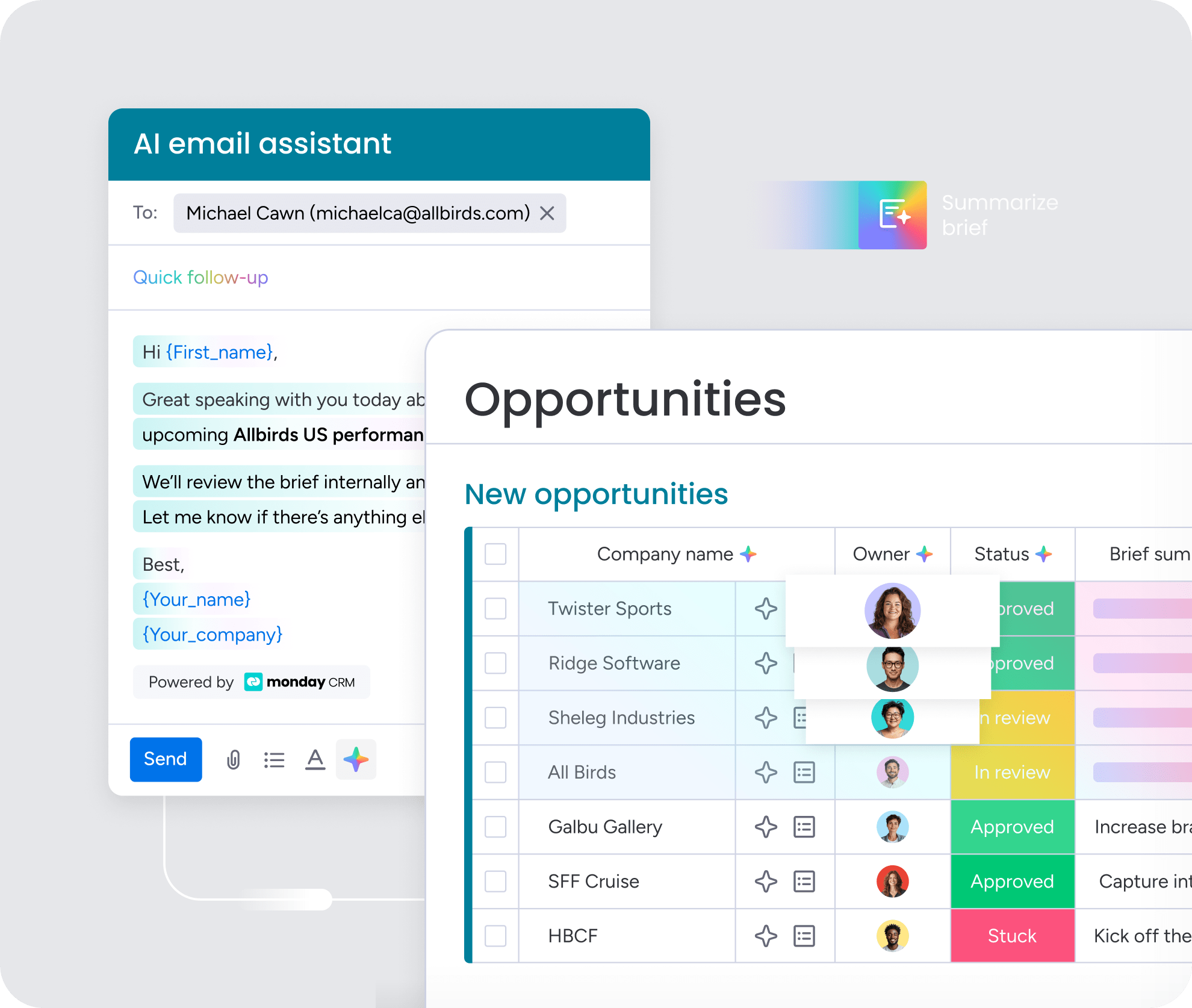
AI generates first drafts of marketing copy, project briefs, internal comms, release notes, SOPs, and documentation in minutes instead of hours. The process is collaborative: a team member provides context, goals, and constraints, then AI produces a draft that the person refines.
Learn more: AI marketing assistant
2. Summarize meetings, documents, and updates
AI turns lengthy meetings, documents, and project updates into concise, actionable summaries. Meeting summarizer agents analyze transcripts, extract key decisions and action items, assign owners, then create follow-up items automatically.
Learn more: Action items template
3. Build project plans and manage timelines
AI generates complete project plans from a brief description, including phases, milestones, dependencies, owners, and estimated timelines. What used to take days now takes minutes.
4. Automate status reports and progress updates
AI reporting agents automatically generate and distribute project status updates by pulling real-time data from project boards. This eliminates the “status update tax” where managers spend hours each week manually collecting information. Wellingtone’s State of Project Management 2026 found that 72% of organizations spend half a day or more each month collating project reports alone. AI agents for operations take this further, monitoring deadlines and dependencies across active projects and flagging risks before they escalate.
5. Research competitors and market trends
AI research agents continuously track competitors, emerging technologies, and market trends, then consolidate findings into structured snapshots. This turns competitive intelligence from a periodic, manual activity into a continuous, automated process.
6. Prioritize and sort incoming requests
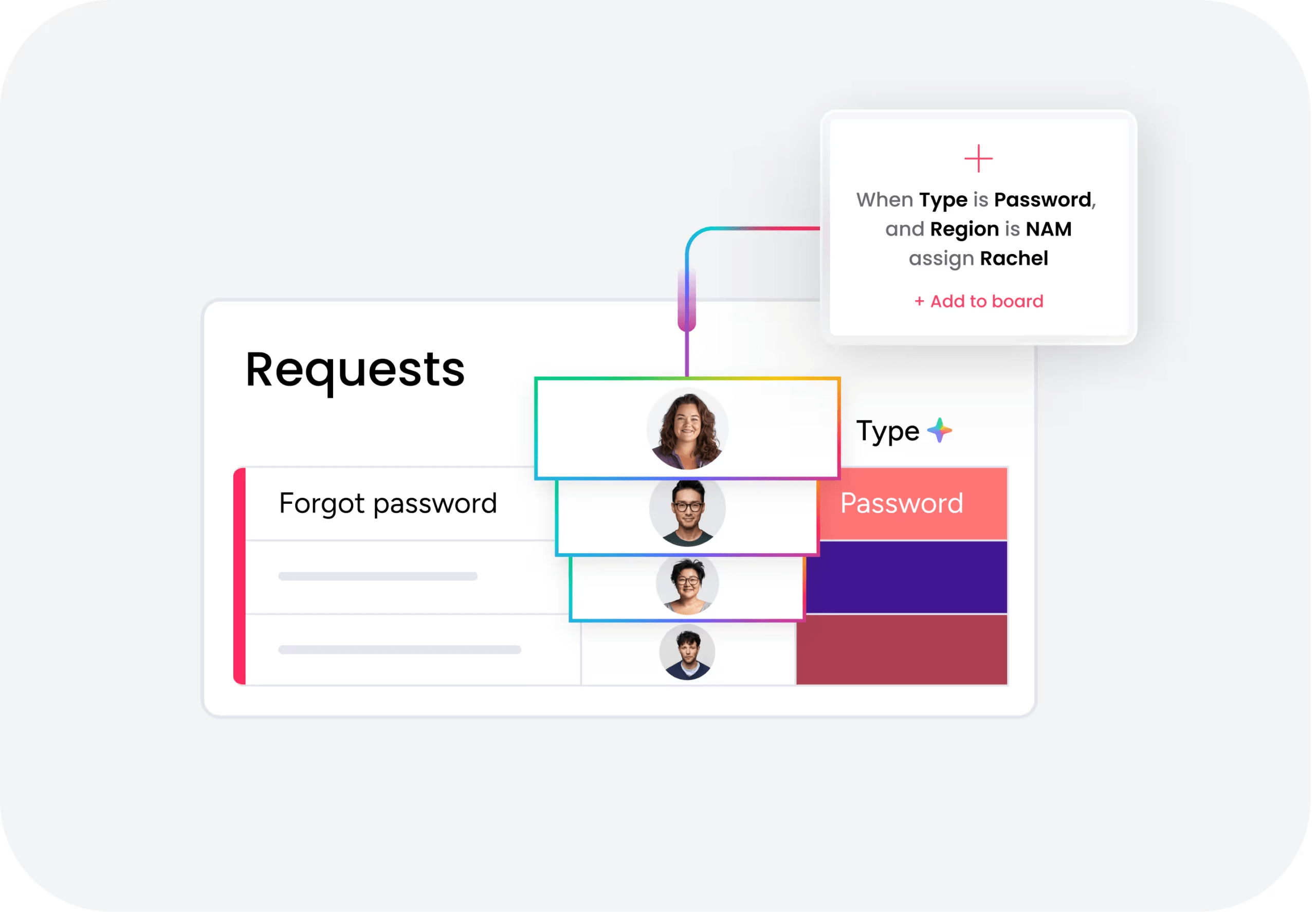
AI triages and prioritizes incoming requests by analyzing content, detecting intent and urgency, then routing to the right team or owner. An intake and triage agent classifies every incoming ticket, sets SLAs, matches knowledge base articles, and resolves common requests directly.
7. Extract insights from data and documents
AI insights agents analyze data across project boards, financial reports, customer feedback, and operational metrics to spot patterns, anomalies, and actionable findings. Risk analyzers flag projects nearing their deadlines before they become problems. Anomaly detectors continuously scan SLAs and flag unusual spikes or drops in real time.
8. Draft and manage email communication
AI drafts emails based on context from your work data:
- Follow-up emails after meetings
- Outreach sequences for candidates or prospects
- Status update emails to clients
- Internal communications
9. Create dashboards and real-time reports
AI builds dashboards and reporting views from plain-language requests. Asking “Show me all overdue items across launch boards” produces a functional dashboard without requiring a data analyst.
10. Translate content for global teams
AI translator agents let teams work across languages and markets. These agents translate content quickly while keeping key details accurate, including technical terminology and brand names.
11. Detect risks and flag potential blockers
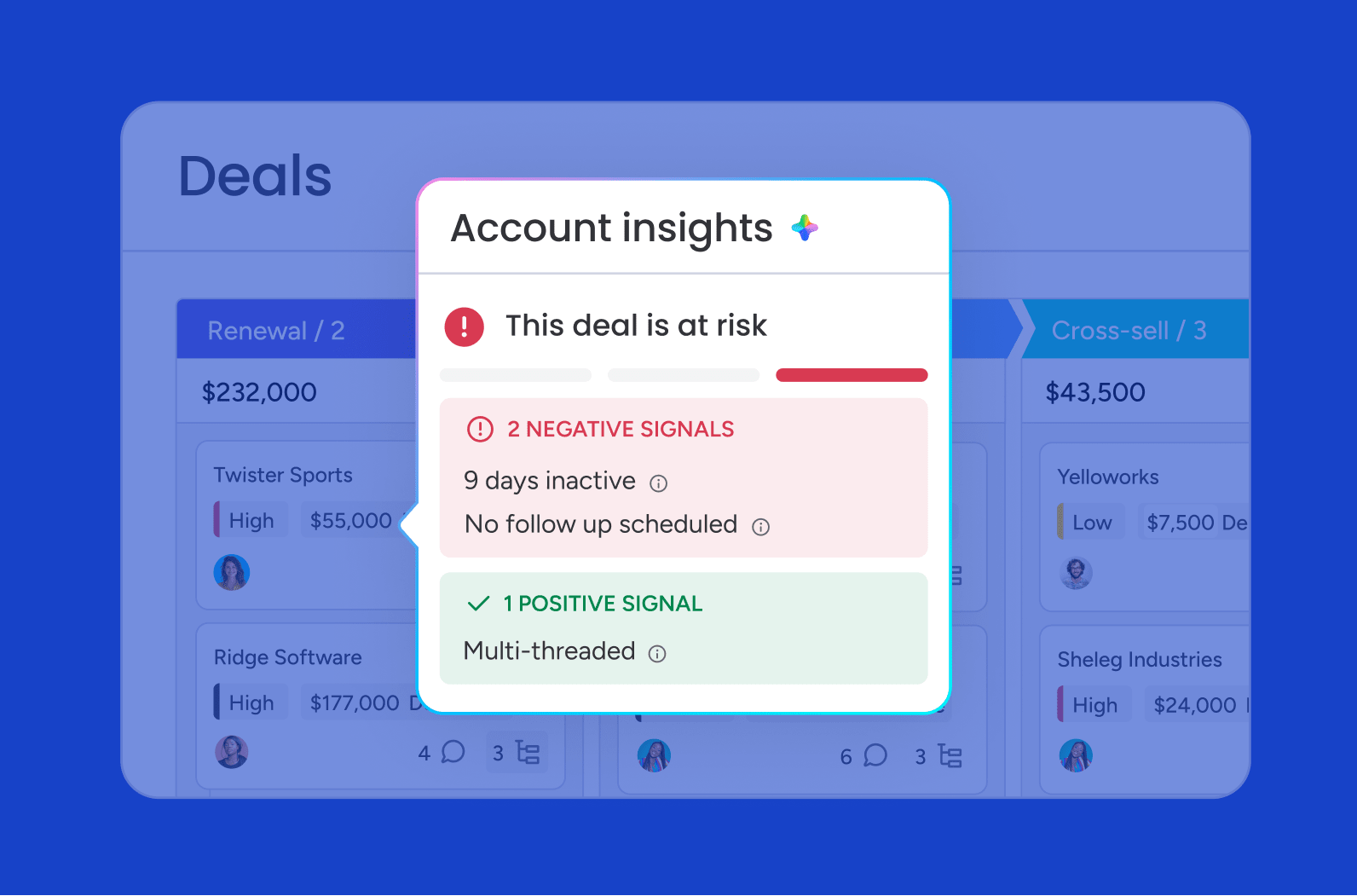
AI risk detection agents continuously monitor projects, workflows, and operational data to spot potential problems before they escalate. This shifts teams from reactive problem-solving to proactive risk management.
12. Schedule meetings and assign action items
AI meeting assistant agents handle the entire meeting lifecycle. Before the meeting, they find times that work across participants’ calendars. After the meeting, they generate summaries with action items assigned to the right people.
13. Streamline onboarding and training workflows
AI streamlines employee onboarding by automating the creation and management of onboarding checklists, training schedules, and documentation. AI generates personalized onboarding plans based on each person’s role, department, and seniority.
14. Score and route leads for sales teams
AI lead scoring agents evaluate leads using fit, intent, and engagement signals throughout the sales funnel. The agent monitors incoming leads continuously and routes high-priority leads to the right rep when intent spikes.
15. Build custom AI agents for any workflow
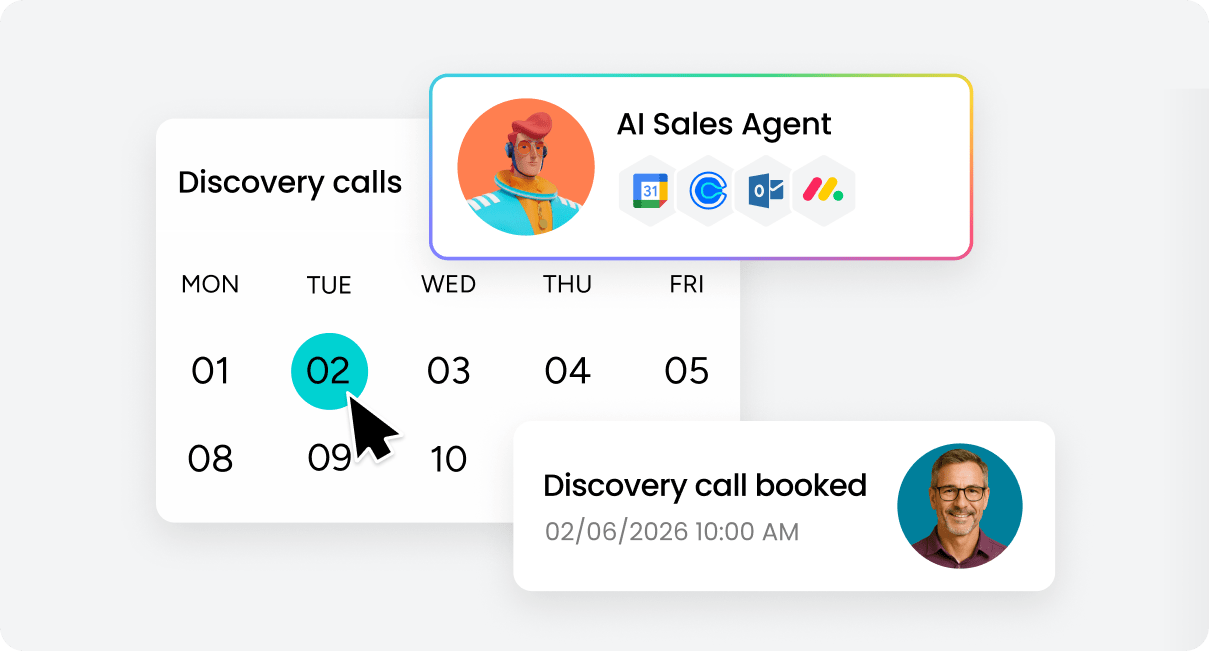
Beyond pre-built agents, teams can build custom AI agents for their specific processes. Here’s how it works in three steps:
- Describe the agent’s role and triggers
- Connect the relevant knowledge and data sources
- Test and refine
Learn more: AI work management software
AI copilots vs. AI agents and how they work together
Understanding the difference between AI copilots and AI agents helps you choose the right approach for each workflow. Both serve distinct purposes and work best when you deploy them strategically across different types of work.
What AI copilots do for individual productivity
AI copilots are interactive, conversational AI that work alongside you in real time. You ask a question, request a draft, or ask for analysis, and the copilot delivers. You stay in control, directing each interaction.
Learn more: AI productivity tools
What AI agents do for team execution
AI agents are autonomous programs that operate independently, executing multi-step processes without needing you to direct each action. Unlike copilots that wait for instructions, agents take initiative. They monitor conditions, detect triggers, then take action on their own within defined guardrails.
monday agents exemplify this autonomous approach by handling complete workflows—from triaging incoming requests to generating status reports to scoring leads—without requiring step-by-step human direction. You set the parameters once, and the agent executes continuously.
| Dimension | AI copilots | AI agents |
|---|---|---|
| How they work | Respond to prompts in real time | Operate autonomously based on triggers and rules |
| Who benefits | Individual team members | Entire teams and departments |
| Best for | Creative work, analysis, ad-hoc questions | Repetitive processes, monitoring, reporting |
| Human involvement | Human directs every interaction | Human sets guardrails; agent executes independently |
When to use copilots vs. agents
Copilots work best for tasks that require human judgment, creativity, or nuance. Agents work best for repetitive, high-volume, or time-sensitive work where consistency and speed matter more than creative interpretation.
Use copilots for:
- Content creation and editing
- Data analysis and interpretation
- Strategic planning sessions
- Ad-hoc research questions
Use agents for:
- Status report generation
- Request routing and triage
- Risk monitoring and alerts
- Recurring administrative workflows
How to get started with AI at work
The biggest barrier to AI adoption is knowing where to begin. This step-by-step approach helps you identify the right starting point and build momentum through measurable wins.
Step 1: Identify the workflows that take the most time
Start by auditing current workflows to find the biggest opportunities. The best candidates have these traits:
- High-frequency: Occur daily or weekly
- Time-consuming: Take hours of manual effort
- Repetitive: Follow predictable patterns
- Cross-departmental: Involve multiple teams or handoffs
Step 2: Match each workflow to the right AI approach
Use copilots for on-the-fly analysis or content creation. Use agents for recurring reports, high-volume request triage, and ongoing monitoring.
Decision framework:
- If the work requires creativity or judgment → Use copilots
- If the work follows predictable patterns → Use agents
- If the work happens on-demand → Use copilots
- If the work happens automatically → Use agents
Step 3: Start with one team and measure results
A focused pilot lets you learn what works, refine processes, and build internal champions before expanding. Measure specific outcomes:
- Time saved per week
- Reduction in missed deadlines
- Improvement in response time
- Team satisfaction scores
Step 4: Expand across departments with shared context
You get the most value when AI operates across departmental boundaries. When a marketing agent can see sales pipeline data, your campaign targeting improves. When a PMO agent can access IT ticket volume alongside project timelines, your resource planning becomes more accurate.
Step 5: Set governance guidelines and human review checkpoints
Set up governance before scaling AI. Define these guidelines:
- Permissions: What data can each agent access?
- Approval workflows: Which actions require human approval?
- Audit trails: How are AI actions logged and reviewable?
- Compliance: How do AI operations meet security standards?
How monday.com helps teams put AI to work
monday.com brings AI into a single, connected workspace where teams already plan, execute, and deliver their work. This integration eliminates the context-switching that reduces AI effectiveness in standalone tools.
AI agents that execute across every department
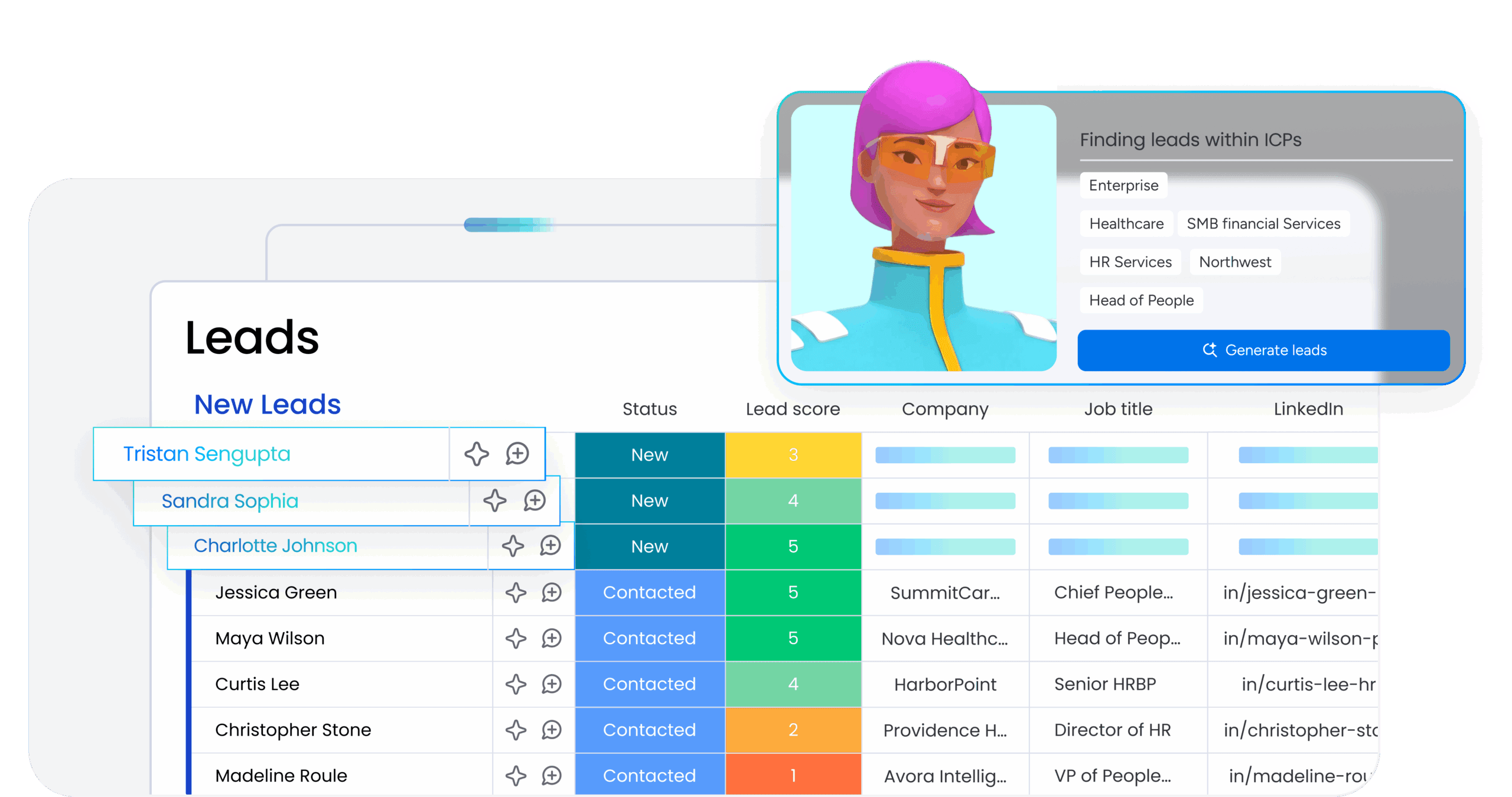
monday AI agents are ready-made and custom autonomous agents that work directly within the workspace. These agents understand your organizational context because they work with your actual data, not generic templates:
Marketing teams use:
- Competitor research agents
- Market trend analyzers
- Campaign performance reporters
Sales teams use:
- Lead scoring agents
- Contact duplicate finders
- Pipeline progression trackers
Operations teams use:
- Status reporters
- Risk analyzers
- Vendor researchers
IT teams use:
- Intake and triage agents that classify and route every ticket in seconds
These agents work with your organization’s actual data, so every action is contextually relevant. Building a custom agent takes three steps: describe the role and triggers, connect knowledge and integrations, then test and refine.
A personal AI assistant built into your workflow
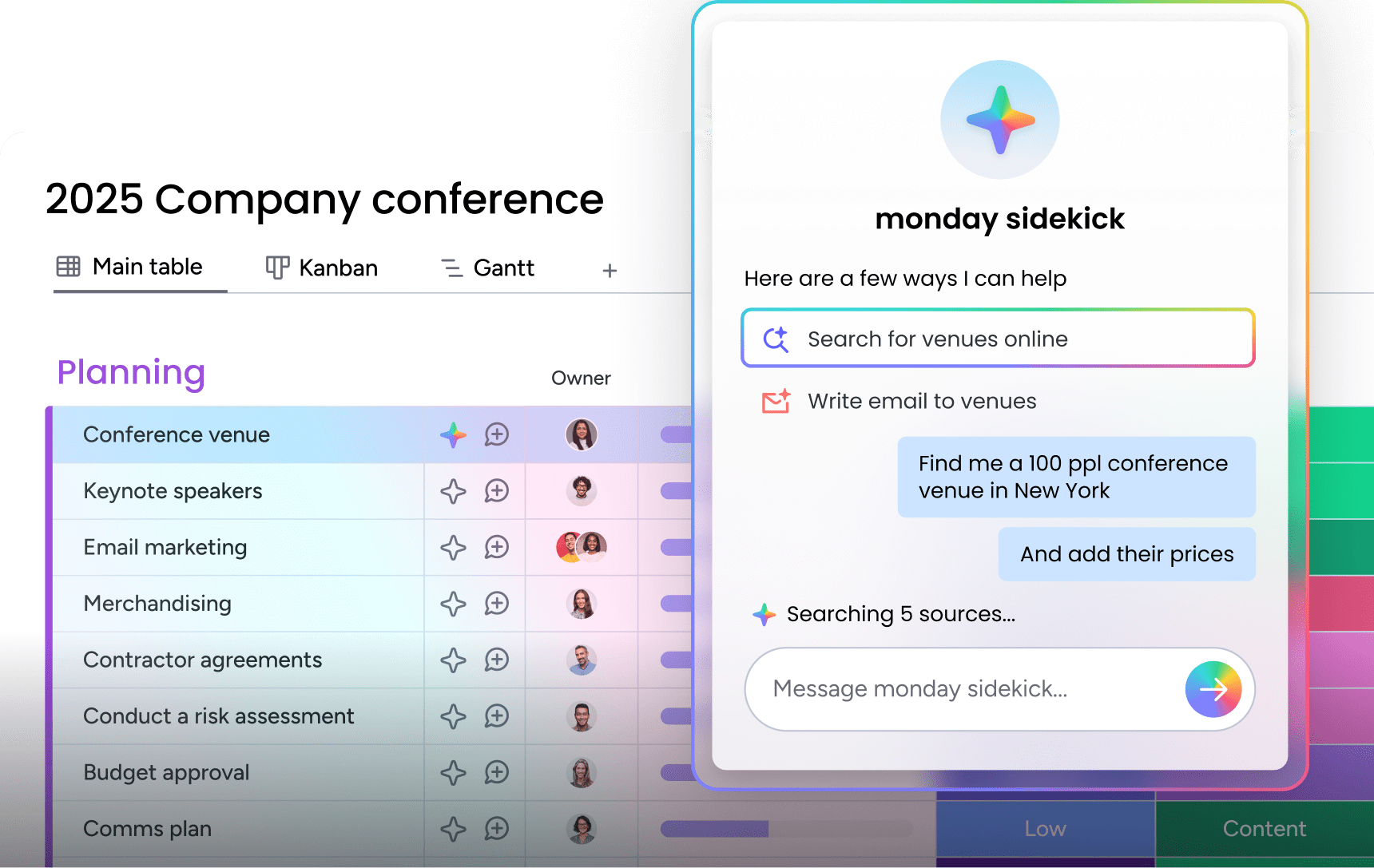
monday sidekick is a context-aware AI assistant built directly into the workspace. It connects to your work data and integrated communication channels to help you think, create, and take action through natural conversation.
Unlike standalone AI assistants that require manual context-setting for every interaction, monday sidekick understands your projects, deadlines, team structure, and current priorities automatically.
Cross-department context in one connected platform
The core differentiator of monday.com is a shared, structured data layer that spans every department. AI agents and copilots do not operate in departmental silos; they connect the dots across the entire organization.
monday MCP extends this connectivity to external AI assistants. Teams can connect Claude, ChatGPT, Cursor, Microsoft Copilot, and other MCP-compatible assistants to their monday.com data, asking their preferred AI assistant to create items, run analyses, and take action on their workspace data.
Enterprise-grade trust and human oversight
monday.com’s governance framework provides the security and control that enterprise teams require:
- Granular permissions: Control what each agent can access and modify
- Simulation mode: Validate actions before activation
- Full audit trails: Track every AI action for compliance and review
- Compliance certifications: HIPAA, ISO/IEC 27001, SOC 2 Type II, and ISO/IEC 27701
Building sustainable AI adoption across your organization
The organizations seeing the greatest results with AI are those that start with specific workflows, measure results, and expand systematically. The most effective approach combines human strategy and creativity with AI’s ability to execute at scale. People set the direction, AI handles the execution. Together, they close the gap between where your business is and where it wants to be.
Success comes from treating AI as a capability that enhances human work rather than a replacement for human judgment. Teams that maintain this balance see sustained productivity gains without sacrificing quality or losing the strategic thinking that drives business results. monday agents make this balance practical by handling complete workflows autonomously while your team focuses on the strategic decisions that actually move the business forward.
Try monday agentsFAQs
Which AI is most effective for professional work?
The most effective AI for work is embedded directly into your work management platform, giving it access to your actual projects, team data, and organizational context for more relevant and actionable outcomes.
Can I use AI for my work without technical skills?
Yes. Platforms like monday.com allow you to build AI agents, create custom apps, and interact with AI assistants using plain language prompts, with no coding or technical expertise required.
How do I keep company data safe when using AI?
Data safety requires choosing AI platforms with enterprise-grade security, including: Granular permissions that control what AI can access, audit trails that log every AI action, human-in-the-loop checkpoints for sensitive operations, and compliance certifications like SOC 2 Type II and ISO 27001
Will AI replace jobs or create new ones?
AI is reshaping roles by handling repetitive execution, which in turn creates demand for new skills like AI direction, process design, and strategic oversight. It handles repetitive, high-volume execution while creating demand for new skills like AI direction, process design, and strategic oversight.

 Get started