


Behind every polished marketing team is a stack of emails quietly piling up: welcome flows, follow-ups, re-engagement campaigns, post-purchase check-ins. The list grows fast. Keeping all of it coordinated manually? That’s where automation earns its keep. Email sequence automation lets you write your emails once, set the rules, and let the system handle delivery based on what your contacts actually do. You get consistent, timely communication running in the background while your team focuses on strategy.
Here’s what email sequence automation is, how it works, the 7 most common sequence types, and a 5-step process for setting one up. You’ll also find best practices for personalization, segmentation, and ongoing optimization so your sequences keep performing long after launch. Platforms like monday campaigns make it easy to connect your sequences directly to CRM data, so your timing is always based on what contacts actually do.
Key takeaways
- Automation does the follow-up work for you: Set your triggers, write your emails once, and the system delivers the right message to every contact, whether that’s 10 people or 10,000.
- Not all email approaches are the same: Sequences respond to contact behavior, drip campaigns follow a fixed schedule, and one-time emails broadcast to everyone. Knowing the difference helps you pick the right one.
- The best sequences are built on real data: Segment your audience using CRM data before you send anything, so every email feels relevant to the person receiving it.
- Connect email sequences directly to CRM data with monday campaigns: Triggers like deal stage changes or trial expirations fire automatically, so your timing is always based on what contacts actually do, not guesswork.
- Launch is just the starting point: Track open rates, clicks, and conversions after every send, then use what you learn to sharpen your sequences over time.
What is email sequence automation?
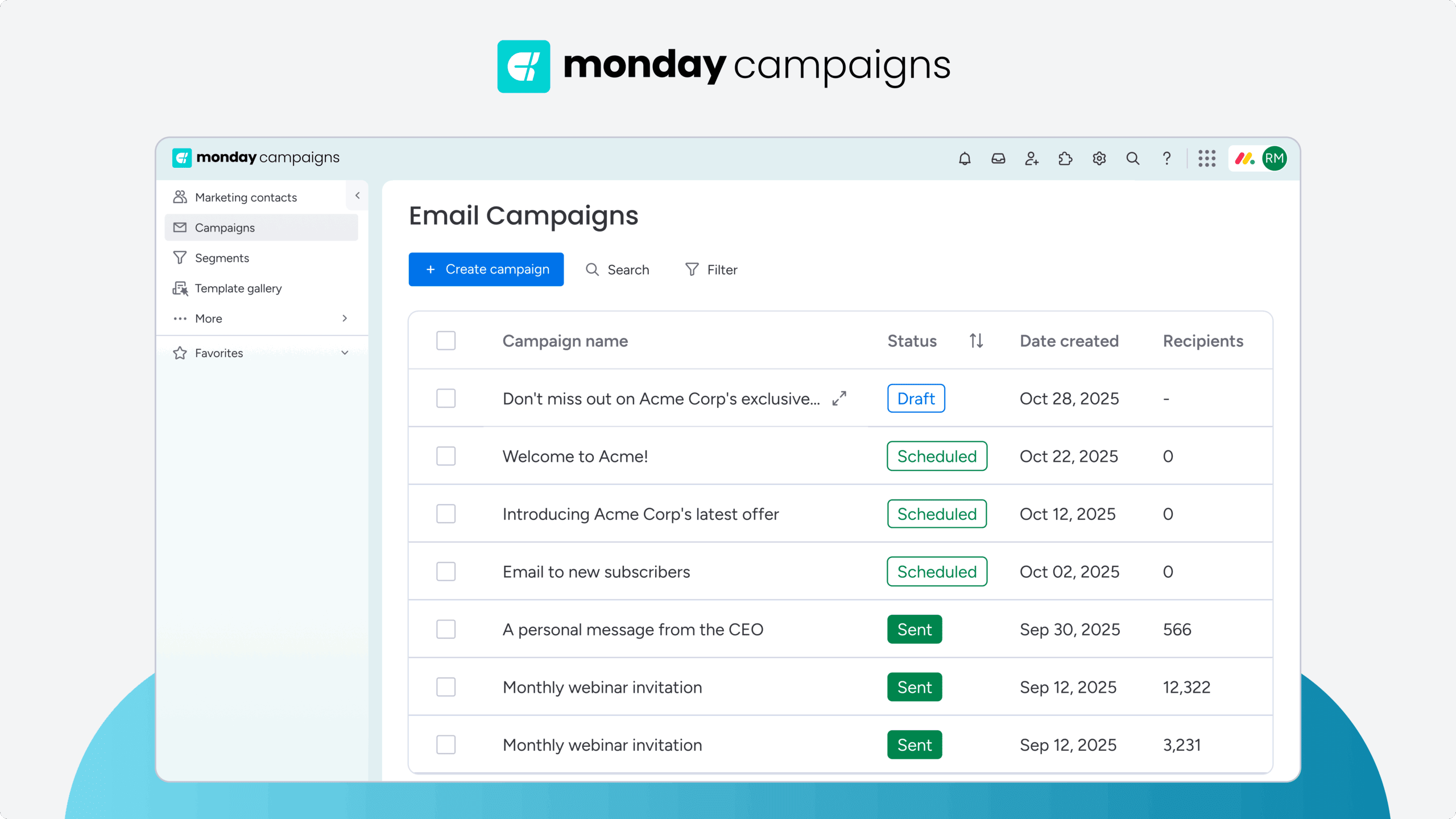
Email sequence automation is a form of marketing automation that sends a series of pre-written emails to contacts automatically based on specific triggers, timelines, or behaviors. Set it up once, and the system handles delivery while you focus on strategy and creative work.
Email sequence automation operates on autopilot, going beyond one-at-a-time manual sending. You write the emails once, define the rules, and the system takes over.
Every contact who meets your criteria receives the same carefully crafted experience, whether that’s 10 people or 10,000.
Three things make this work:
- Triggers: The events that start a sequence, such as a form submission, a purchase, a specific date, or a behavior like abandoning a shopping cart.
- Timing: The schedule that determines when each email sends — immediately, after three days, or at a specific time of day.
- Content: The pre-written emails themselves, designed to guide contacts toward a specific goal.
Here’s how it works:
- Someone subscribes to your newsletter.
- They automatically receive a welcome email within minutes.
- Three days later, an introduction to your product lands in their inbox.
- One week after that, they get an email with a customer success story.
All on autopilot after the initial setup. Once you understand what email sequence automation is, the next step is knowing how it differs from similar approaches and when to use each one.
Email sequences vs. drip campaigns vs. one-time emails
These terms get mixed up all the time, but they’re not the same. Understanding the distinctions helps you choose the right approach for each situation and avoid sending the wrong message at the wrong time.
| Type | Definition | Best for |
|---|---|---|
| Email sequence | A series of emails triggered by a specific action or behavior, adapting based on recipient engagement | Welcome flows, onboarding, lead nurturing |
| Drip campaign | Time-based emails sent on a fixed schedule regardless of recipient behavior | Educational series, product announcements |
| One-time email | A single broadcast sent to a list at one moment | Newsletters, event announcements, promotions |
- Email sequences respond to what contacts actually do.
- Drip campaigns follow a predetermined timeline.
- One-time emails work like a mass email broadcast that delivers a single message to everyone at once.
Learn more: Designing drip email campaigns
How automated email sequences work
Automated email sequences operate on “if this, then that” logic. When a specific condition is met, the system automatically sends pre-scheduled emails according to rules you define. Understanding each piece helps you build sequences that respond to what contacts actually do.
Here are the five pieces that make it work:
- Trigger events: These initiate the sequence. Common triggers include form submissions, purchases, abandoned carts, content downloads, or when a contact reaches a specific lead score.
- Email content: Marketers pre-write and design all emails in advance. Each email serves a specific purpose, such as welcoming, educating, persuading, or re-engaging.
- Timing and delays: The system determines when each email sends based on your configuration. The first email might send immediately, the second after 48 hours, the third after one week.
- Conditional logic: Sequences can branch based on recipient behavior. If someone opens an email and clicks a link, they might receive a different follow-up than someone who ignored it.
- Completion or exit: Sequences end when the contact receives the final email, achieves the goal, unsubscribes, or meets an exit condition you’ve defined.
How do these components work together in practice? Here’s a simple example:
- A new subscriber joins your email list and the trigger starts the sequence.
- Email 1 sends immediately with a welcome message.
- Three days later, Email 2 sends automatically with helpful resources.
- If the subscriber clicks a link in Email 2, they receive Email 3 about your product.
- If they don’t click, they receive a different Email 3 with educational content instead.
Benefits of email sequence automation

Email sequence automation changes how marketing teams communicate with contacts. Instead of manually sending follow-ups, tracking who needs what email, and hoping nothing falls through the cracks, teams can improve email marketing productivity with automation while the system handles the repetitive work and they focus on strategy.
So what actually matters most to marketing leaders when it comes to sequence automation?
- Time savings: A welcome sequence that would take hours to send manually to 500 new subscribers happens automatically. According to Microsoft’s Work Trend Index, most AI users report automation frees up time for more high-value work. Your team reclaims that time for higher-value activities.
- Consistent communication: Every contact receives the same carefully crafted experience. Every send stays consistent, regardless of who’s on the team or when the follow-up happens.
- Timely delivery: Emails reach contacts when they’re most relevant — immediately after signup, three days after a purchase, or right when a trial is about to expire.
- Personalization at scale: A single marketer can send tailored messages to thousands of contacts based on their behavior, preferences, and journey stage.
- Measurable results: Automation platforms track opens, clicks, and conversions automatically. You see exactly which emails perform and which need work.
These benefits add up over time. As sequences run, you gather data to improve them. Better sequences drive stronger results, and stronger results free up more time for optimization.
7 types of automated email sequences
Different business goals and customer journey stages call for different sequence types. Most businesses run multiple sequences at once, each with a specific job: moving contacts toward conversion. Here are the seven most common types and when to use each one.
1. Welcome email sequence
Welcome sequences go out to new subscribers right after they join your list. They make a strong first impression, set expectations, and start building relationships that stick.
A typical welcome sequence includes:
- Length: 2–4 emails
- Duration: First 1–2 weeks
- Content: Thanking the subscriber, delivering promised resources, introducing your brand, and guiding them toward a next step
2. Onboarding email sequence
Onboarding sequences help new customers get value from your product or service. They reduce confusion, boost product usage, and improve retention by walking users through setup and key features.
A typical onboarding sequence includes:
- Length: 3–7 emails
- Duration: First 2–4 weeks after purchase or signup
- Content: Setup instructions, feature tutorials, best practices, and support resources
3. Lead nurturing email sequence
Lead nurturing sequences build relationships with prospects who aren’t ready to buy yet. They educate prospects, show value, and gradually move them toward buying.
A typical lead nurturing sequence includes:
- Length: 5–10 emails
- Duration: Several weeks or months
- Content: Progresses from educational resources to case studies to product information
4. Abandoned cart email sequence
Abandoned cart sequences target shoppers who added items but didn’t check out. They recover lost sales by reminding customers what they left behind and addressing concerns.
A typical abandoned cart sequence includes:
- Length: 2–4 emails
- Duration: 1–7 days after abandonment
- Content: The first email usually sends within a few hours while purchase intent is fresh
5. Re-engagement email sequence
Re-engagement sequences target inactive subscribers who haven’t opened emails or bought anything recently. They rekindle interest or identify truly disengaged contacts who should be removed from your list.
A typical re-engagement sequence includes:
- Length: 2–4 emails
- Duration: 2–4 weeks
- Audience: Contacts who haven’t engaged in 60–180 days
6. Upsell and cross-sell email sequence
Upsell sequences promote premium versions or upgrades, while cross-sell sequences suggest complementary products. Both boost customer lifetime value by helping customers find what else they need.
A typical upsell/cross-sell sequence includes:
- Length: 2–5 emails
- Timing: Days or weeks after an initial purchase, or at strategic moments like subscription renewal
7. Post-purchase and feedback email sequence
Post-purchase sequences follow up after someone buys. They confirm the purchase, offer support, gather feedback, and keep customers engaged.
A typical post-purchase sequence includes:
- Length: 3–6 emails
- Duration: 2–8 weeks after purchase
How to set up email sequence automation in 5 steps

Setting up email sequence or campaign automation follows the same process no matter which platform you use. Each step builds on the last. Following each step in order sets your sequence up to perform at its peak. Here’s how to do it right.
Step 1: Define your goal and map the buyer journey
Successful email sequences start with knowing what you want to achieve and where your audience is in their relationship with your business. Without a specific goal, you can’t measure success or know what to fix.
Make your goals specific and measurable. “Engage users” is too vague. “Convert trial users to paid customers within 14 days” gives you something to optimize toward.
- Identify your primary objective: Choose one goal per sequence, whether that’s welcoming new subscribers, recovering abandoned carts, or nurturing leads toward a demo request.
- Understand your audience’s current state: Assess what contacts know about you, what they need, and what concerns might prevent them from taking action.
- Map content to journey stages: Align each email’s content with where contacts are in their decision-making process. Platforms like monday campaigns let you map sequences to specific CRM stages, so your messaging automatically adapts as contacts move through their journey.
Step 2: Build segments from your CRM data
Segmentation makes sure your sequences reach the right people with relevant messages. Sending the same sequence to everyone kills effectiveness because different contacts have different needs and readiness levels.
| Segment type | Example criteria | Best used for |
|---|---|---|
| Demographic | Industry, company size | Tailoring messaging to specific audiences |
| Behavioral | Downloaded pricing guide in last 30 days | Identifying high-intent leads |
| Lifecycle | Trial status, days remaining | Triggering conversion sequences |
| Engagement | Opened 3+ emails in last month | Identifying warm contacts for offers |
Dynamic segmentation updates automatically as your CRM data changes. When a contact’s status, behavior, or characteristics change, they automatically move into the right segment. With monday campaigns, segments pull directly from your CRM, so your team can focus on strategy while segments update automatically based on real contact behavior.
Step 3: Choose triggers, cadence, and branching logic
This step sets the technical rules: when sequences start, how emails are spaced, and how the sequence adapts based on what recipients do. Get this right, and your sequence feels timely instead of random.
Triggers are the events or conditions that start a sequence:
- Action-based: Form submission, purchase completion, cart abandonment
- Date-based: Subscription anniversary, trial expiration date
- Status-based: Contact moves to a new lifecycle stage, deal stage changes in CRM
Cadence determines when each email sends:
- Abandoned cart sequences might send emails 1–3 days apart.
- Lead nurturing sequences might space emails weekly.
- Mid-morning and early afternoon on weekdays typically see the highest open rates.
Branching logic creates different paths through a sequence based on recipient behavior:
- If a contact opens and clicks, send the next email in the main path.
- If they don’t engage, send a re-engagement variation instead.
Step 4: Write and design on-brand emails
Now you write the actual emails. Well-written, well-designed emails drive sequence performance. This is where the strongest sequences stand out.
- Compelling subject lines: Keep them under 50 characters. Lead with benefit or curiosity. Personalize when possible.
- Scannable body copy: Use short paragraphs. Include bullet points for lists. Lead with the most important information.
- Strong calls-to-action: Use action-oriented language. Make the CTA visually obvious. Include only one primary CTA per email.
AI can speed up content creation by generating subject line variations, drafting email copy, and suggesting improvements while learning your brand voice.
Learn more: AI email automation
Step 5: Launch, track, and optimize with real-time insights
Launching your sequence is only the beginning. Ongoing monitoring and optimization keep sequences performing well so your results improve over time, not just at launch.
| Metric | What it measures | What it indicates |
|---|---|---|
| Open rate | Percentage who open each email | Subject line effectiveness |
| Click-through rate | Percentage who click links | Content relevance, CTA effectiveness |
| Conversion rate | Percentage who complete desired action | Overall sequence effectiveness |
| Unsubscribe rate | Percentage who opt out | Relevance and frequency issues |
Once you have data, use it:
- A/B test subject lines to find what resonates.
- Refine email timing based on when your audience engages most.
- Identify emails with significantly lower engagement than others in the sequence and rewrite them.
Best practices for email sequence automation
Knowing how to set up a sequence is one thing. Knowing how to make it perform is another. Following proven best practices helps you avoid common pitfalls and get the most out of every sequence.
Go deeper than first-name personalization
Personalization goes far beyond inserting a first name. The more your emails reflect what a contact has actually done, the more relevant they feel. And relevant emails get results. According to McKinsey’s Global B2B Pulse, more than 90% of organizations now personalize content across email and other touchpoints, making it an expected baseline rather than a differentiator.
- Reference specific actions the contact took.
- Show different content sections to different segments within the same email.
- Adjust messaging based on where the contact is in their customer journey.
Apply exit and suppression rules
Exit and suppression rules pull contacts out of sequences or stop them from getting certain emails. With them in place, contacts only receive messages that stay relevant and respect their preferences.
- Automatically remove contacts who complete the sequence’s objective.
- Ensure unsubscribed contacts never receive marketing emails.
- Remove contacts who change status in ways that make the sequence irrelevant.
Align sequences with your overall customer journey
Email sequences work best as part of a connected experience. They’re part of a larger customer journey that includes your website, sales team, product, and support, and they need to work in sync with all of it. This coordination matters more than ever: Gartner research finds that 67% of B2B buyers now prefer a rep-free experience, making well-timed, behavior-based email sequences a critical part of supporting autonomous buyer journeys.
- Map sequences to journey stages so messaging always fits the moment.
- Coordinate with sales so marketing sequences don’t send conflicting messages.
- Maintain consistent messaging across all touchpoints.
Build email sequences that respond to real customer behavior with monday campaigns
monday campaigns connects your email sequences directly to your CRM, so every message you send is based on what contacts actually do, not guesswork. When a deal stage changes, a trial period ends, or a contact hits a specific milestone, the right email fires automatically. Your sequences stay relevant because they’re built on live data, not static lists.
Instead of managing triggers, timing, and segmentation across disconnected tools, you build sequences in the same workspace where your customer data lives. That means less manual work, fewer errors, and email automation that adapts as your contacts move through their journey.
AI-powered email content generation
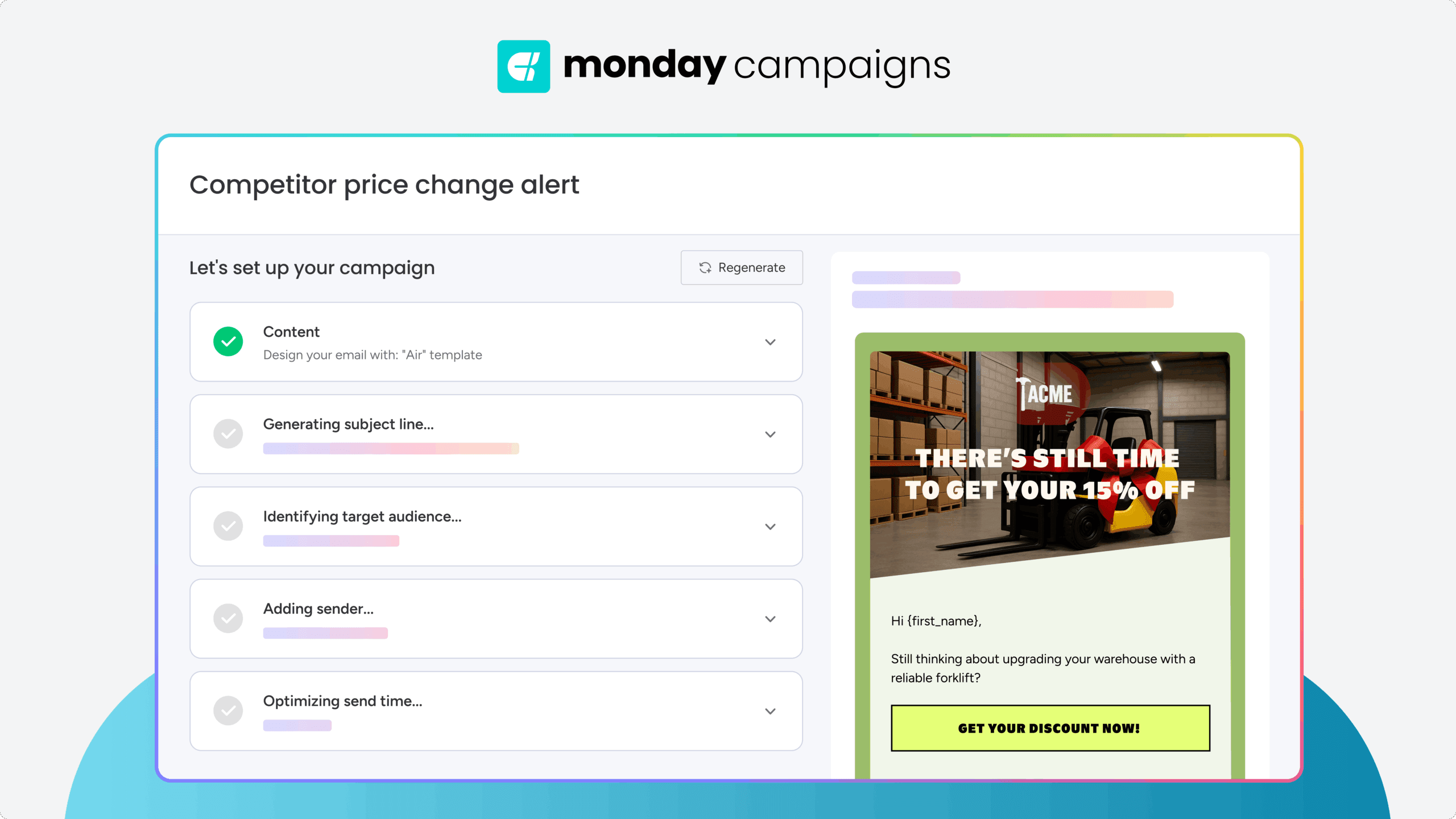
Write email sequences faster with AI that drafts subject lines, body copy, and CTAs based on your goals and audience. The AI learns your brand voice over time, so every email sounds like you wrote it. You focus on strategy while the AI handles the first draft, then refine from there.
CRM-triggered automation
Set sequences to trigger automatically when CRM data changes, like when a contact moves to a new deal stage, a trial is about to expire, or a lead score reaches a threshold. Your timing is always based on what contacts do, not arbitrary schedules. Sequences stay relevant because they respond to real behavior.
Dynamic segmentation from CRM data
Build segments that update automatically as your CRM data changes. When a contact’s status, behavior, or attributes shift, they move into the right segment without manual updates. Your sequences always reach the right people with the right message because segmentation stays current.
Real-time performance analytics
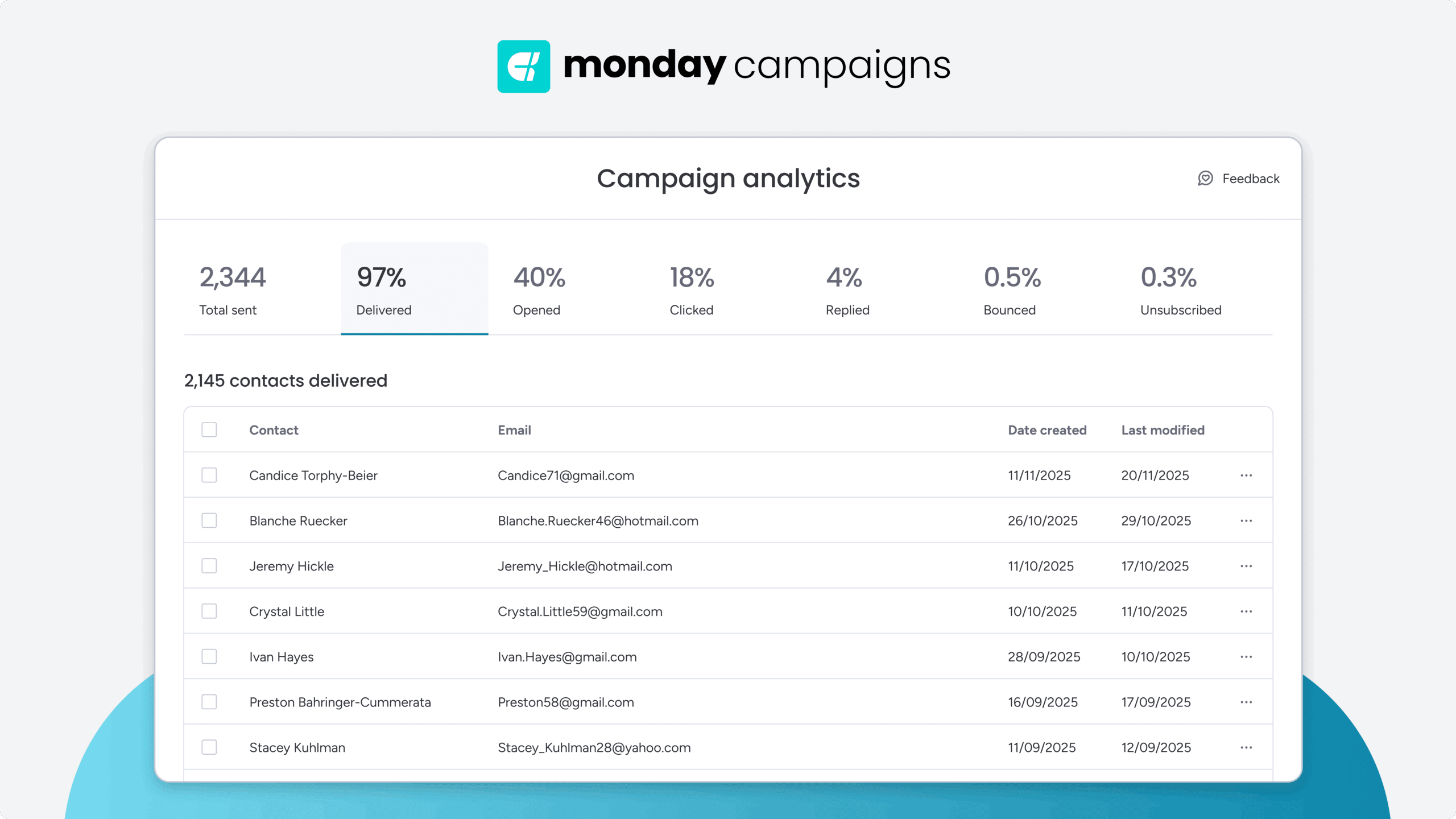
Track open rates, click-through rates, conversions, and revenue impact in real time. See which emails drive results and which need work, then optimize based on actual performance data. Analytics connect email engagement to business outcomes, so you know exactly what’s working.
Send smarter with automated email sequences
Email sequence automation is a revenue lever. When sequences are built on the right triggers, segmented with real CRM data, and optimized with performance insights, they do the heavy lifting of nurturing, converting, and retaining customers at scale.
What separates high-performing sequences from average ones? Strategy. Define your goals before you build. Segment before you send. Optimize after every launch. Each round makes your sequences sharper and your outcomes more predictable.
Whether you’re setting up your first welcome flow or rebuilding a lead nurturing sequence from scratch, the fundamentals stay the same: right message, right person, right time. Platforms built to connect your email campaigns directly to CRM data, like monday campaigns, make that precision possible without the manual effort.
Try monday campaigns
 Get started