

A new lead signs up, receives a welcome email, and then… silence for three weeks. By the time you follow up, they’ve either forgotten your name or already signed with a competitor. This gap between first contact and conversion is where potential revenue disappears, leaving sales teams with few qualified leads and leadership questioning marketing’s impact. Drip email campaigns fix this by sending automated sequences based on what prospects actually do, not guesswork about what they might want. Instead of hoping leads remember you, drip campaigns stay in their inbox, sending the right content as they move closer to a decision.
Here are the 7 steps to design drip email campaigns that convert leads faster. You’ll learn how to map customer journeys, set up behavioral triggers, create compelling content sequences, and measure real revenue impact. Whether you’re launching your first campaign or optimizing an existing one, these strategies help turn more prospects into customers by building a responsive, automated system. Tools like monday campaigns make this process seamless by connecting your email sequences directly to your CRM.
Key takeaways
- Build campaigns that respond to real behavior: Set up trigger-based sequences that send the right email when prospects download content, visit pricing pages, or abandon carts.
- Connect email campaigns directly to revenue results: Track every interaction from first email click to closed deal so you know which campaigns actually drive sales.
- Create dynamic segments that update automatically: Group contacts by behavior and interests that refresh as people take actions, eliminating manual list updates.
- Map email timing to actual decision moments: Send content when prospects naturally evaluate options, like case studies after pricing page visits or demos after webinar attendance.
- Scale personal nurturing with monday campaigns: Run sophisticated drip sequences that connect seamlessly to your CRM, automatically adjusting based on customer behavior.
What are drip email campaigns?
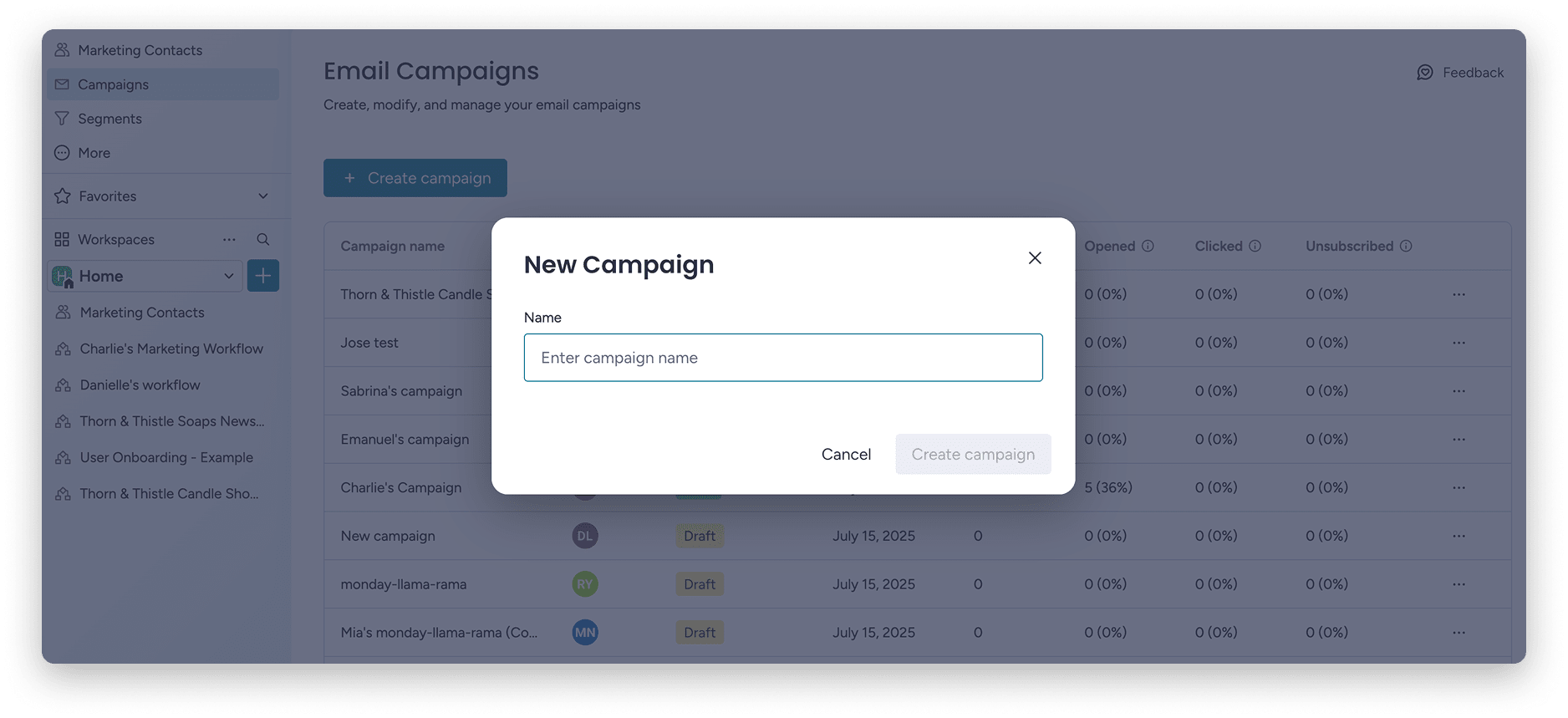
Drip email campaigns are automated sequences that send emails based on what people do, or when enough time has passed. Instead of one-off emails and crossed fingers, drip campaigns send content that matches what leads are doing right now.
The concept works like this: when someone takes an action, downloads an ebook, signs up for a trial, abandons a cart, they automatically enter a sequence of emails designed to move them toward a decision. Each email builds on the last, like a conversation that happens over days or weeks, all on autopilot.
Here’s what this looks like in practice: A prospect downloads your pricing guide. They immediately receive a thank-you email with the resource. Three days later, they get a case study showing how a similar company achieved results. A week after that, they receive an invitation to schedule a demo. Each touchpoint arrives automatically, timed to match how buyers actually make decisions.
How drip campaigns work
The mechanics follow a simple trigger-sequence-delivery pattern that transforms one-time interactions into ongoing conversations. Understanding this process helps you design campaigns that react to what buyers do, not some rigid schedule.
First, something triggers the sequence: a form submission, a purchase, or a specific date. That trigger kicks off a pre-built email sequence. The platform sends each email based on your timing rules, adjusting the path as people respond.
Understanding this process helps you design campaigns that react to what buyers do, not a rigid schedule. The mechanics follow a simple trigger-sequence-delivery pattern that transforms one-time interactions into ongoing conversations. Here are the four stages that make it happen:
| Stage | What happens | Example |
|---|---|---|
| Trigger activation | A specific action or condition starts the sequence | Lead downloads whitepaper |
| Sequence initiation | First email sends immediately or after set delay | Welcome email with resource link |
| Timed delivery | Subsequent emails send at predetermined intervals | Follow-up content at Day 3, Day 7, Day 14 |
| Behavioral branching | Path adjusts based on recipient actions | Clicked pricing link → send case study |
Common trigger types include:
- Form submissions: Typically start nurture sequences
- Content downloads: Begin educational workflows
- Webinar registrations: Trigger event-specific follow-ups
- Trial signups: Activate onboarding sequences
- Purchase completions: Start customer success campaigns
- Cart abandonments: Launch recovery campaigns
Drip campaigns vs. one-time email blasts
Both work, but for different reasons. Knowing when to use each saves time and sets the right expectations.
| Dimension | Drip campaigns | One-time email blasts |
|---|---|---|
| Purpose | Build relationships over time | Communicate a single message |
| Timing | Automated sequence triggered by behavior | Single send to entire list |
| Personalization | Behavior-based, adapts to actions | Segment-based, same message to group |
| Best for | Onboarding, nurturing, re-engagement | Product launches, announcements |
Drip campaigns work best when you’re building a relationship. A new trial user needs help over their first two weeks, not just one welcome email. Drip campaigns work best when you’re building a relationship, like helping a new trial user over their first two weeks. In contrast, one-time blasts are ideal for time-sensitive communications like product launches or flash sales where a single, impactful message is needed.
Why drip email campaigns convert leads faster
Speed matters in sales. The longer a lead sits without engagement, the colder they get. Drip campaigns compress the time between first touch and conversion by maintaining consistent, relevant contact throughout the decision-making process.
Three things make this work: behavioral targeting increases relevance, automation scales your efforts, and consistent touchpoints keep leads warm. Together, they create a system that converts leads 24/7.
Higher engagement through behavioral targeting
Behavioral targeting sends emails based on what people actually do: clicks, downloads, page visits, product usage. This works because you’re matching content to what people have already shown interest in, not guessing what they might want.
Someone who clicked your pricing link wants different info than someone reading a blog post. Behavioral targeting sees the difference and adjusts:
- Pricing page visitor: receives case studies showing ROI and customer success stories, addressing the “is this worth it?” question they’re asking
- Cart abandoner: gets a reminder email with social proof and possibly an incentive, acknowledging they were close to purchasing
- Webinar attendee: Receives related resources and a demo invitation, building on the topic they already showed interest in
- Feature page browser: Gets detailed content about that specific capability, not generic product overviews
A CRM with email marketing enables this by connecting email behavior to customer data. Every click, open, and conversion updates the contact record. Each subsequent email becomes more relevant to the contact’s journey.
Automated lead nurturing at scale
What does “at scale” actually mean? It means following up with hundreds or thousands of leads at once, no manual work required. A sales rep can personally follow up with 20-30 leads per day. An automated drip campaign can follow up with 20,000 leads, each one personalized.
This changes how teams use their time. Sales reps focus on leads who are ready to talk. Automation handles early-stage nurturing, warming leads until they’re ready for human engagement.
Consistent touchpoints throughout the buyer journey
Touchpoints are any meaningful interaction between your brand and a potential customer. Emails, content downloads, webinar attendance, sales conversations — all touchpoints. Consistency across these touchpoints builds trust, keeps you top of mind, and helps people decide. The buyer journey has three stages, each needing different touchpoints:
| Journey stage | Buyer mindset | Touchpoint purpose |
|---|---|---|
| Awareness | "I have a problem" | Educate and establish credibility |
| Consideration | "What are my options?" | Differentiate and demonstrate value |
| Decision | "Which solution is right?" | Reduce risk and enable action |
Drip campaigns make sure no lead gets lost between touchpoints. Without automation, leads go cold while you’re busy with other things.
7 steps to design drip email campaigns that convert leads faster
Building effective drip campaigns means following a clear process that connects your emails to real business outcomes. These seven steps show you how to set goals, map customer journeys, segment your audience, automate workflows, write compelling content, optimize timing, and measure revenue impact. Each step builds on the last, creating a system that turns more prospects into customers.
Step 1: Define campaign goals that drive revenue
Start with goals. Without them, you can’t measure success or improve performance. Every decision flows from your goals: who you target, what you send, when you send it, and how you measure results.
Good drip campaign goals connect to business outcomes, not vanity metrics. Revenue, pipeline, and customer lifetime value matter more than opens and clicks.Use the SMART framework to make goals actionable:
- Specific: Convert trial users to paid customers
- Measurable: Increase trial-to-paid conversion from 12% to 18%
- Achievable: Targets that push without being impossible
- Relevant: Aligned with business objectives
- Time-bound: Set a deadline for evaluation
Step 2: Map your customer journey for maximum impact
Customer journey mapping shows the path from awareness to purchase and where emails actually help. Good drip campaigns match how customers make decisions, not how you want them to. This process shows you when prospects need info, reassurance, or a push forward.
Start by identifying decision moments when customers evaluate options, look for info, or decide whether to keep going. Ask yourself: When do prospects request demos? What info do they need before buying? Where do deals stall in your pipeline? Then turn these moments into email sequences. Most campaigns run 3-7 emails, shorter for simple decisions and longer for complex B2B purchases.
Step 3: Build dynamic segments using CRM data
Sending the same message to everyone kills relevance and engagement. Segmentation groups contacts by what they have in common, so you can send messages that actually matter to each group.
Here’s what a segmented drip sequence looks like in action for webinar attendees:
| Day | Purpose | |
|---|---|---|
| 0 | Thank you + recording link | Deliver value, confirm attendance |
| 3 | Related resource | Extend learning, demonstrate expertise |
| 7 | Case study relevant to topic | Provide social proof, show results |
| 14 | Demo invitation | Convert interest to conversation |
Dynamic segments update automatically as customer data and behavior change. Unlike static lists you have to update manually, dynamic segments stay current as contacts take action or change status. Core behavioral segment types include email engagement level, content interests, product usage, and purchase stage. When your email platform connects to your CRM, segments refresh automatically with no manual list updates.
Step 4: Set up trigger-based automation workflows

Trigger-based automation sends emails automatically when specific things happen. Triggers turn static email sequences into something responsive, emails that adapt to what each person does. The right trigger gets your message in front of prospects when they’re ready to listen.
Master these five trigger types:
- Action-based: Form submission or content download
- Time-based: Specific dates or intervals
- Milestone-based: Trial start or purchase completion
- Data change: Status updates or score increases
- Behavioral: Engagement patterns or inactivity
To prevent conflicts, use suppression lists to exclude contacts already in other campaigns, frequency caps to limit total emails per week, priority rules to define which campaign takes precedence, and exit conditions to remove contacts when they convert.
Try monday campaignsStep 5: Write emails that drive action
Even well-timed, well-targeted emails fail if the content’s weak. With the average worker receiving 117 emails per day, subject lines determine whether emails get opened. Everything else is irrelevant if the email stays unread.
Match your message to where prospects are and what they need next. Early-stage leads need education. Late-stage leads need confidence and a clear next step. Write subject lines that use personalization, create curiosity without clickbait, lead with benefits, and stay under 50 characters for mobile display. CTAs should match where the buyer is. Stick to one CTA per email for a focused response.
Step 6: Optimize send times with AI and testing
Timing matters. The same email can get totally different results depending on when it lands in someone’s inbox. A/B testing and AI help you find the right timing for each recipient.
A/B testing sends two versions of an email to different segments so you can see which performs better. Test subject lines, send times, content, and CTA placement. Test one variable at a time so you know what caused the difference. Predictive analytics uses past data and AI to predict when each person is most likely to engage, identifying optimal times for each individual based on their engagement patterns. monday campaigns combines both approaches, letting you run A/B tests while AI automatically optimizes send times based on each contact’s behavior, so you get better results without choosing between testing and automation.
Try monday campaignsStep 7: Measure success and attribute revenue

Measurement connects what you do to the results you get. It shows whether campaigns hit the goals you set in Step 1 and gives you data to improve.
Without proper measurement, you’re flying blind. You can’t tell what’s working, what’s failing, or how to improve. This matters more than ever given that 64% of CMOs cite proving marketing’s value to the business as their top challenge. Track metrics that connect to actual business outcomes across three categories: engagement metrics (open rate and click-through rate), conversion metrics (demo request rate and trial-to-paid conversion), and revenue metrics (pipeline generated and closed-won revenue).
Revenue attribution connects email campaign activity to closed deals. First-touch attribution credits the first campaign that introduced the lead. Last-touch credits the final campaign before conversion. Multi-touch distributes credit across all touchpoints. When your campaigns are integrated with your CRM, you can track the full journey from the first email click all the way to a closed deal, giving you a complete view of revenue impact.
Run smarter drip campaigns with monday campaigns
Building drip campaigns that actually convert means connecting every email to the broader customer journey. You need a system that doesn’t just send emails on schedule, but responds to what people do, updates contact records automatically, and shows you which campaigns drive real revenue.
monday campaigns gives you that connected system. Your email sequences plug directly into your CRM, so every interaction updates in real time. Campaigns adjust based on actual behavior, segments refresh automatically, and you can trace revenue back to specific emails without jumping between platforms.
AI-powered send time optimization
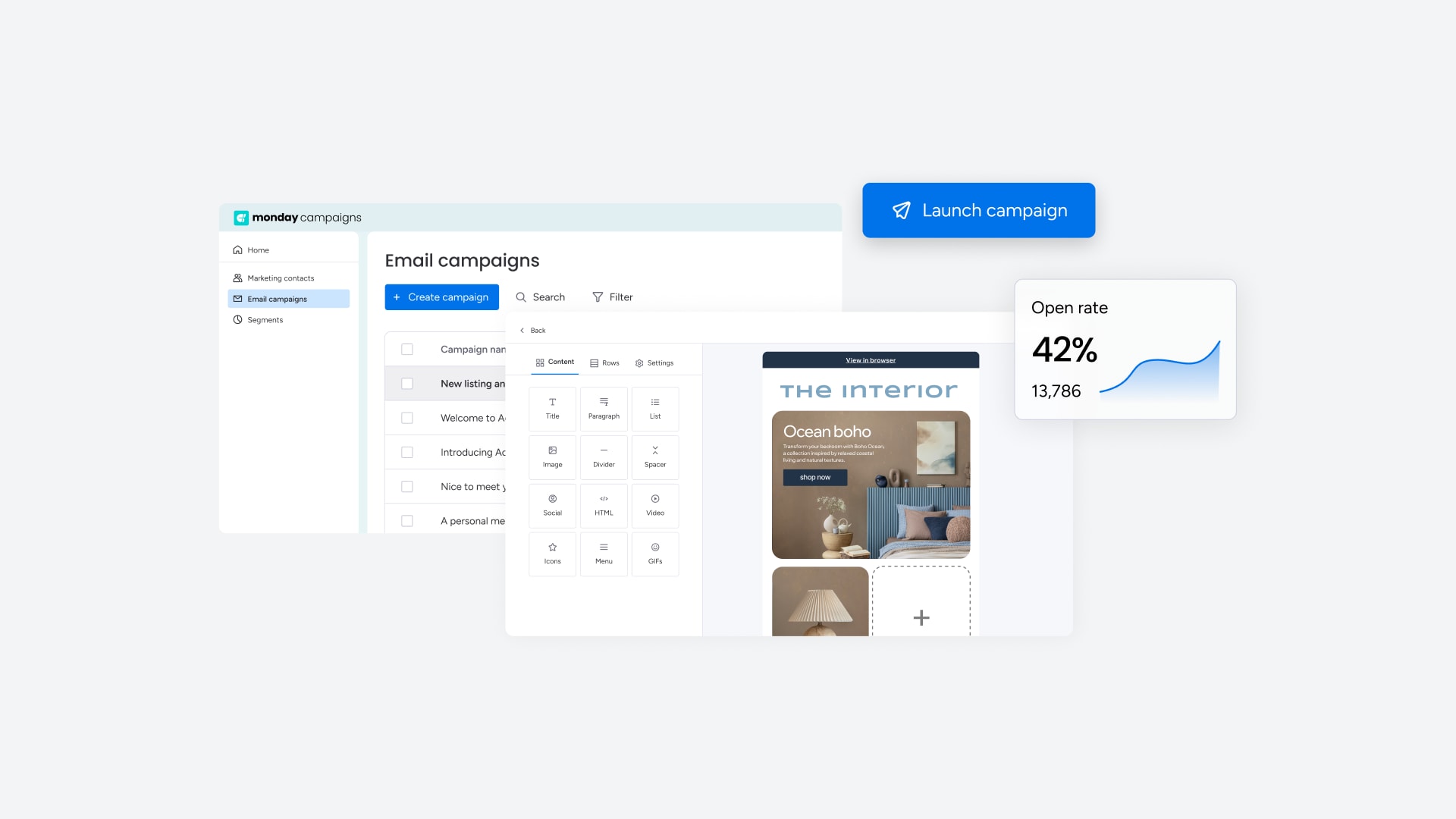
The platform analyzes engagement patterns across your contact base to predict when each person is most likely to open and click. Instead of guessing at send times or running endless A/B tests, AI determines the optimal moment for each recipient automatically. Your emails land when people are actually checking their inbox.
Behavioral triggers that respond instantly
Set up campaigns that launch the moment someone takes action. When a contact downloads content, visits your pricing page, or abandons a cart, the right sequence starts automatically. Triggers connect to your CRM data, so campaigns respond to both email behavior and sales activity without manual updates.
Dynamic segmentation that updates itself
Create segments based on any combination of contact data, behavior, and engagement history. As people take actions or their information changes, they move between segments automatically. You build the rules once, and the system handles the rest, keeping every contact in the right campaign without manual list management.
Revenue attribution from click to close
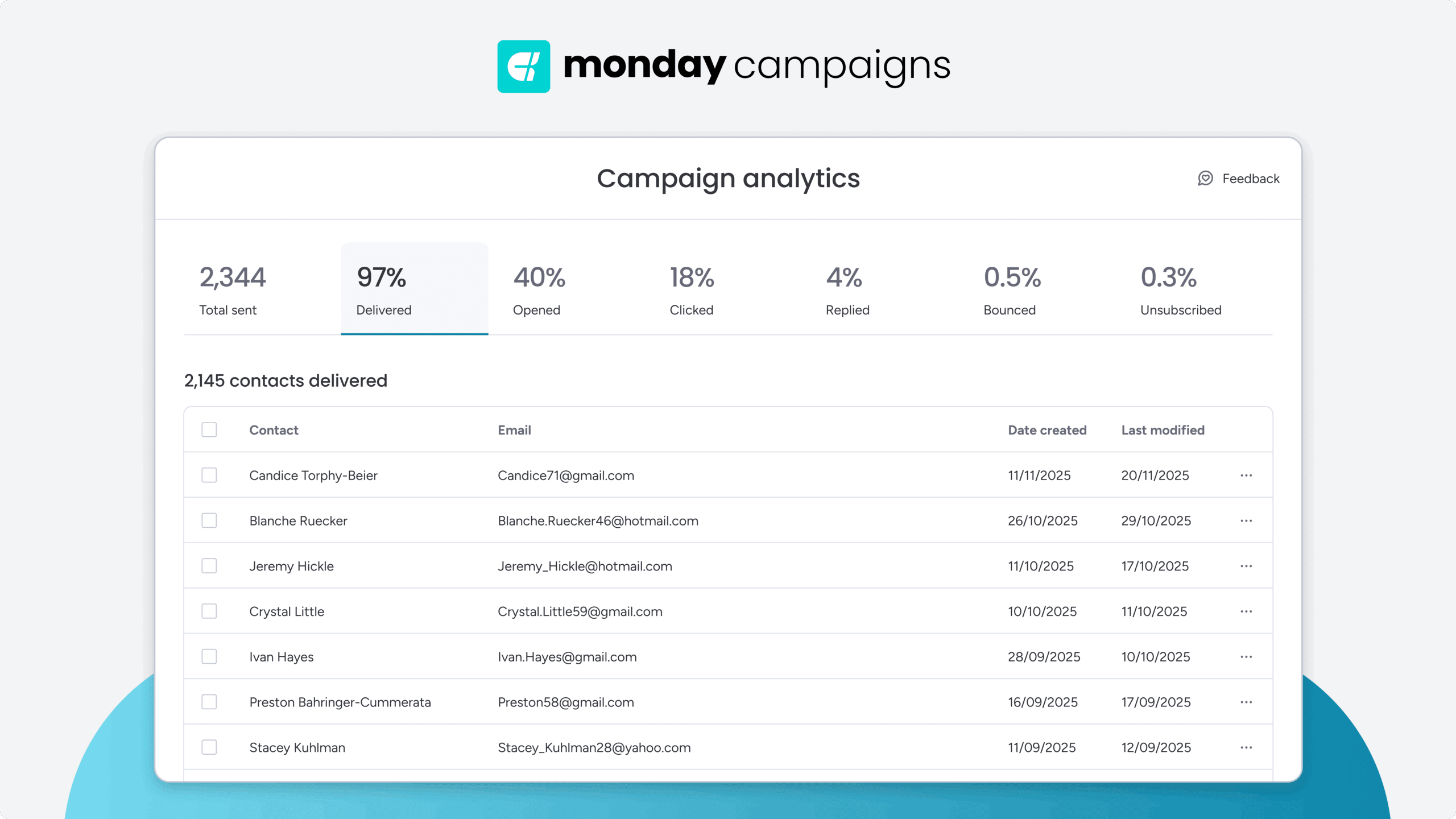
Track the complete path from first email interaction to closed deal. The platform connects campaign activity directly to pipeline and revenue, showing you which sequences actually drive sales. You get clear visibility into ROI without exporting data or building custom reports.
Transform your email campaigns with unified automation
Drip campaigns work best when they’re part of a connected system that tracks every interaction from first touch to closed deal. The seven steps outlined above create a framework for building campaigns that actually drive revenue, not just engagement metrics. The difference between successful and struggling campaigns often comes down to integration. When your email platform connects natively to your CRM, every click updates contact records, segments refresh automatically, and you can measure true ROI from email to revenue.
monday campaigns brings this integration to life, letting marketing teams create sophisticated drip campaigns that connect seamlessly to sales workflows. Your campaigns become smarter with every interaction, automatically adjusting based on real customer behavior rather than static assumptions.
Try monday campaignsFAQs
What is a drip email campaign and how does it work?
A drip email campaign is an automated sequence of emails sent to contacts based on specific triggers or time intervals. The campaign "drips" content over days or weeks, nurturing leads through the customer journey without manual intervention.
How many emails should be in a drip campaign?
Most effective drip campaigns contain 3-7 emails, though the optimal number depends on your sales cycle length and campaign goals. Shorter sequences work for simple decisions, while longer sequences suit complex B2B purchases.
What triggers should I use for drip campaigns?
The five essential trigger types are action-based (form submission), time-based (specific dates), milestone-based (trial start), data change (lead score threshold), and behavioral (visited pricing page multiple times).
How do I measure drip campaign success?
Drip campaign success is measured across engagement metrics (opens, clicks), conversion metrics (demo requests, purchases), and revenue metrics (pipeline generated, deals closed). Start by connecting metrics to your campaign goals.
How do I prevent sending too many emails to the same contact?
Preventing email overload requires frequency caps limiting total emails per contact per week, suppression lists excluding contacts already in other campaigns, and priority rules defining which campaign takes precedence when conflicts occur.
What's the difference between drip campaigns and email blasts?
Drip campaigns are automated sequences triggered by behavior that build relationships over time. Email blasts are single sends to entire lists for time-sensitive communications like announcements or promotions.

 Get started