


In large organizations, IT teams field hundreds, even thousands of service requests a week. Some come in through email. Others via monitoring alerts. Then a VP flags a critical access issue in Slack. Without a centralized approach, resolution times can be hit-and-miss at best, and employees quickly lose trust in IT.
This guide explores how to accomplish enterprise-grade service delivery at scale using a central IT ticketing system. Teams outside IT can apply the same logic — see how broader ticketing software supports service delivery company-wide.
Key takeaways
- IT ticketing systems replace disorganized support channels with a central, trackable workflow that gives teams full visibility into every request.
- Automations handle repetitive tasks like sorting or assigning tickets, freeing up agents to focus on complex, high-impact work.
- Real-time data gives IT teams a sharper view of performance over time, helping them identify weak points and improve service quality.
- Choosing the right platform takes more than a feature checklist; testing it with your team shows whether it works in practice.
- monday service offers a fast, flexible way to build and adapt IT support systems without writing code or waiting on implementation teams.
What is an IT ticketing system?
An IT ticketing system is software that logs and manages requests for support, service, or issue resolution across an organization’s technology environment. Each incoming request becomes a ticket, which the service software tracks from submission to completion. With the right system, IT teams have clear ownership, status, and communication throughout the ticket lifecycle.
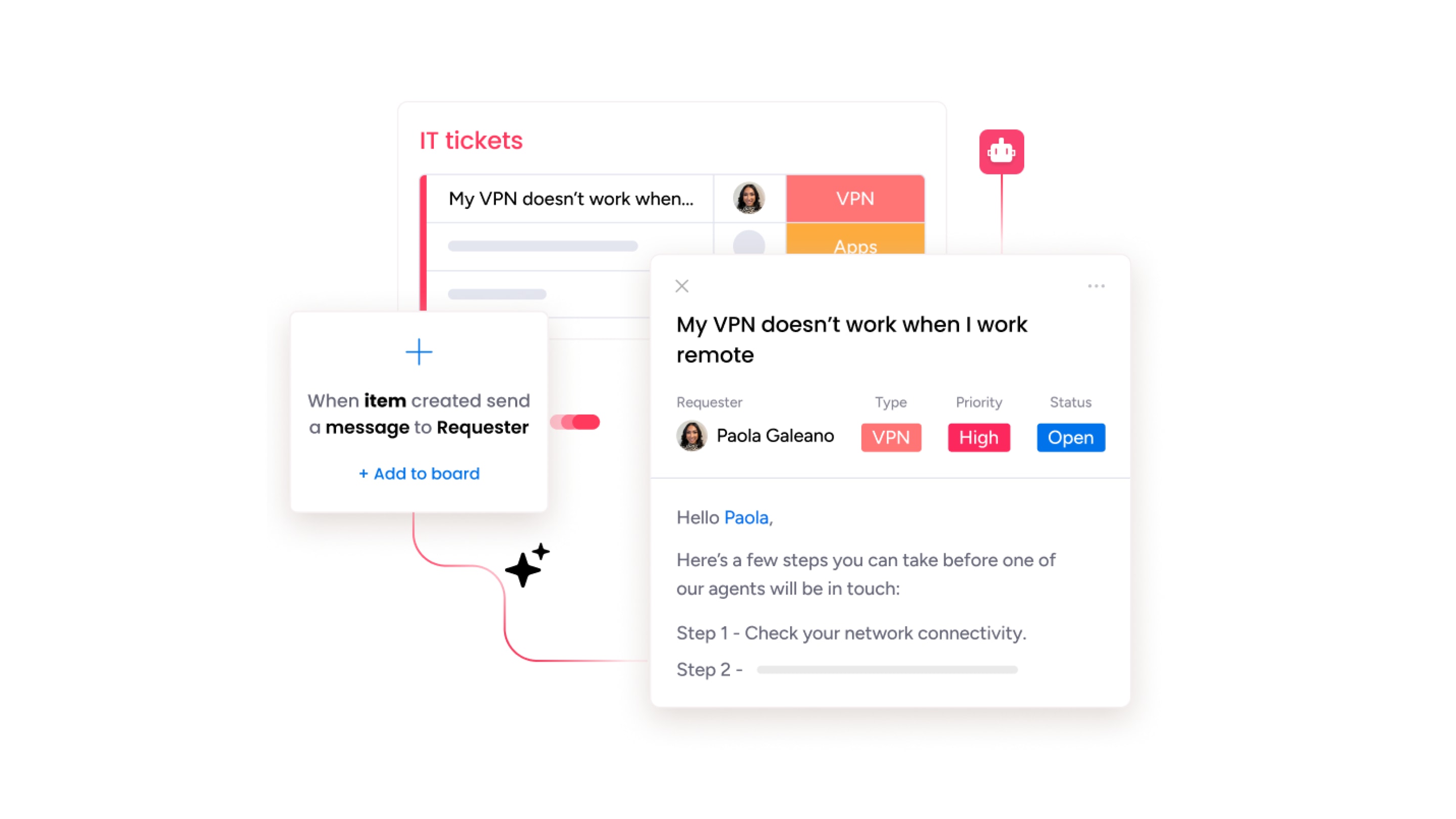
What is an IT ticket?
An IT ticket is a structured digital record that captures the requester’s details, issue description, category, priority level, and any supporting files or screenshots. Unlike an email or a Slack message, a ticket carries ownership, status tracking, and a full history of every action taken, from first response to final resolution.
A typical ticket includes:
- fields for the requester’s name and department
- the issue category (incident, service request, problem, or change)
- priority and urgency levels
- SLA deadlines
- An activity log showing every update, comment, and handoff.
This structure is what transforms a vague “my laptop is broken” message into a trackable, measurable, and auditable record that IT teams can act on consistently.
IT ticketing vs. ITSM: what’s the difference?
A ticketing system is one component of a broader discipline called IT service management (ITSM). Where ticketing focuses on logging, tracking, and resolving individual requests, ITSM encompasses the full framework, including change management, problem management, asset management, and service delivery strategy, often aligned with the ITIL framework.
Most organizations start with ticketing and expand to full ITSM as their IT operations mature. Platforms like monday service and Jira Service Management support both, starting with ticketing and scaling as needs grow.
How does an IT ticketing system work?
At its core, an IT ticketing system turns incoming service requests into structured workflows that IT teams can manage, resolve, and report on. While each organization may configure its processses differently, most systems follow a similar path from intake to resolution. Here’s what a typical ticketing workflow looks like.
- Request intake: Tickets are created automatically or manually by:
- A user submitting a form through a self-service portal
- An automated trigger from an email, chatbot, or monitoring tool
- An agent logging a call or walk-up request at a help desk
- Ticket content: The system captures key details like the requester’s name, issue category, urgency, and any supporting files or notes. These fields can be pre-filled by the intake method or completed by the agent
- Initial response: Many platforms send automated acknowledgments to let users know their request has been received. Some include expected timelines or links to track status.
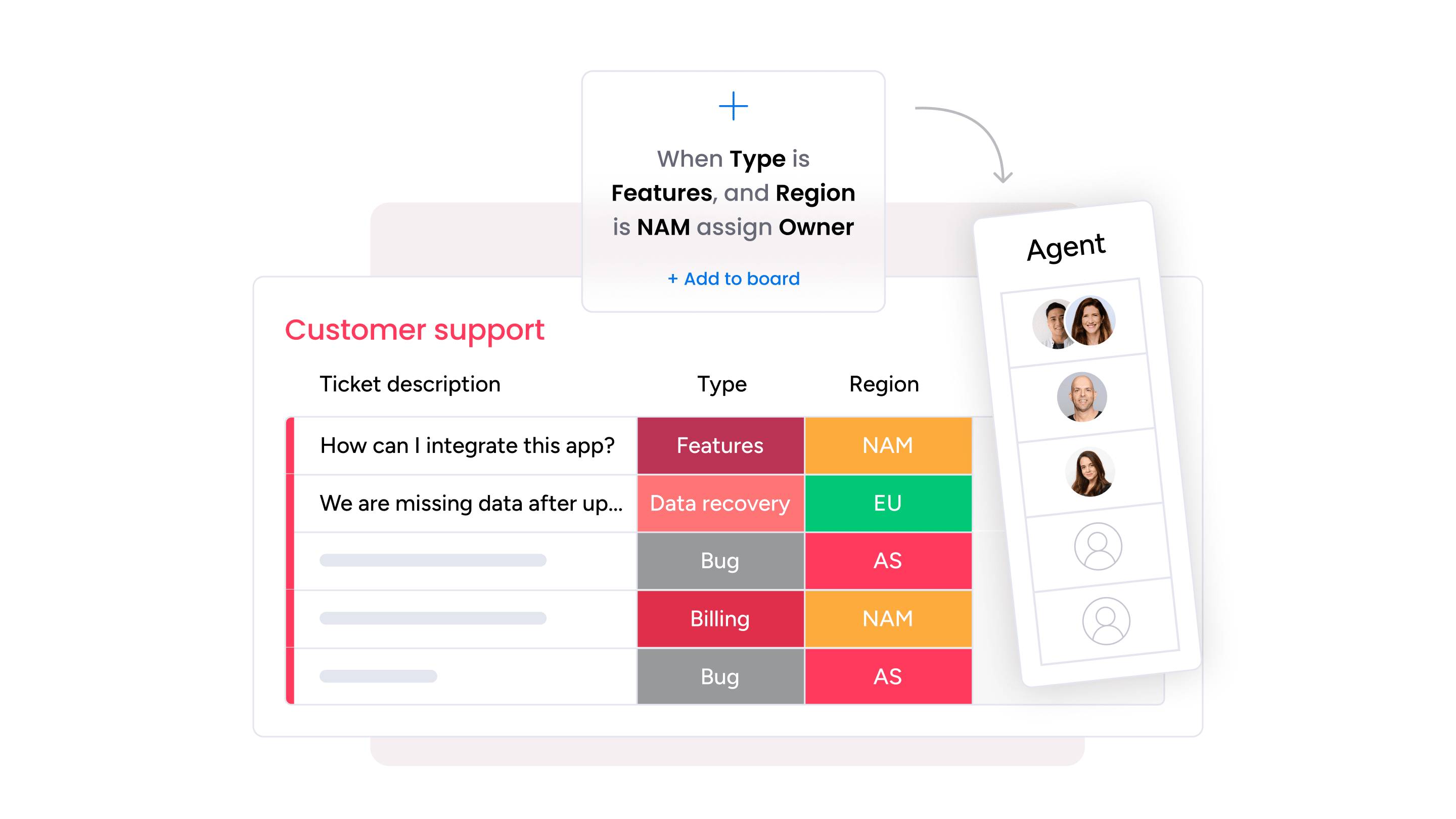
- Categorization and routing: Based on pre-set rules or AI classification, tickets are assigned to the right team or technician. This step often considers:
- The issue type
- Team availability or skill set
- Priority level and SLA terms
- Investigation and resolution: The assigned agent begins working on the issue, often collaborating with other teams if the request spans multiple systems or departments.
- Status updates: Users may receive automatic notifications as the ticket moves through stages (e.g., in progress, waiting for input, resolved).
- Closure: Once resolved, the ticket is marked complete. Some systems prompt the requester to confirm the resolution or rate their experience through a satisfaction survey.
- Review and reporting: Completed tickets feed into analytics dashboards, helping teams identify trends, spot recurring issues, and improve service processes.
7 benefits of IT ticketing for businesses
If you’ve been trying to manage IT support through email chains or spreadsheets, you’ll quickly learn this approach doesn’t scale. In contrast, a dedicated IT ticketing system:
1. Improves the user experience
When an employee logs a ticket with their helpdesk, they want to know its status. Is it a 5-minute fix, or will they be left hanging for a day or more? An IT support ticketing system shows employees exactly what’s happening with their issue, including who’s handling it, the latest update, and when it’s likely to be resolved.
Many platforms are also available 24/7, so users can stay informed even if the regular support team has handed off the work to their IT help desk support colleagues in a different time zone.
2. Increases productivity
Any IT support technician knows that service requests come in thick and fast. A software glitch here, a network failure there, and before long, the requests stack up, and the team is stretched thin. Without a system in place, things spiral quickly, leaving agents overwhelmed and users waiting. IT officer Cwayita Vuyolwethu M. explains:
Some days it’s smooth sailing. Other days, the Wi-Fi is down, tickets are piling up, and nothing seems to work. But we keep showing up, one issue at a time, with a calm spirit, a patient heart, and a can-do attitude.
A help desk ticketing system keeps that calm intact. With features like automated triage and priority tagging, teams stay focused and work through issues systematically, even when volumes spike. Less time is lost to manual admin, and more time is spent on meaningful problem-solving.
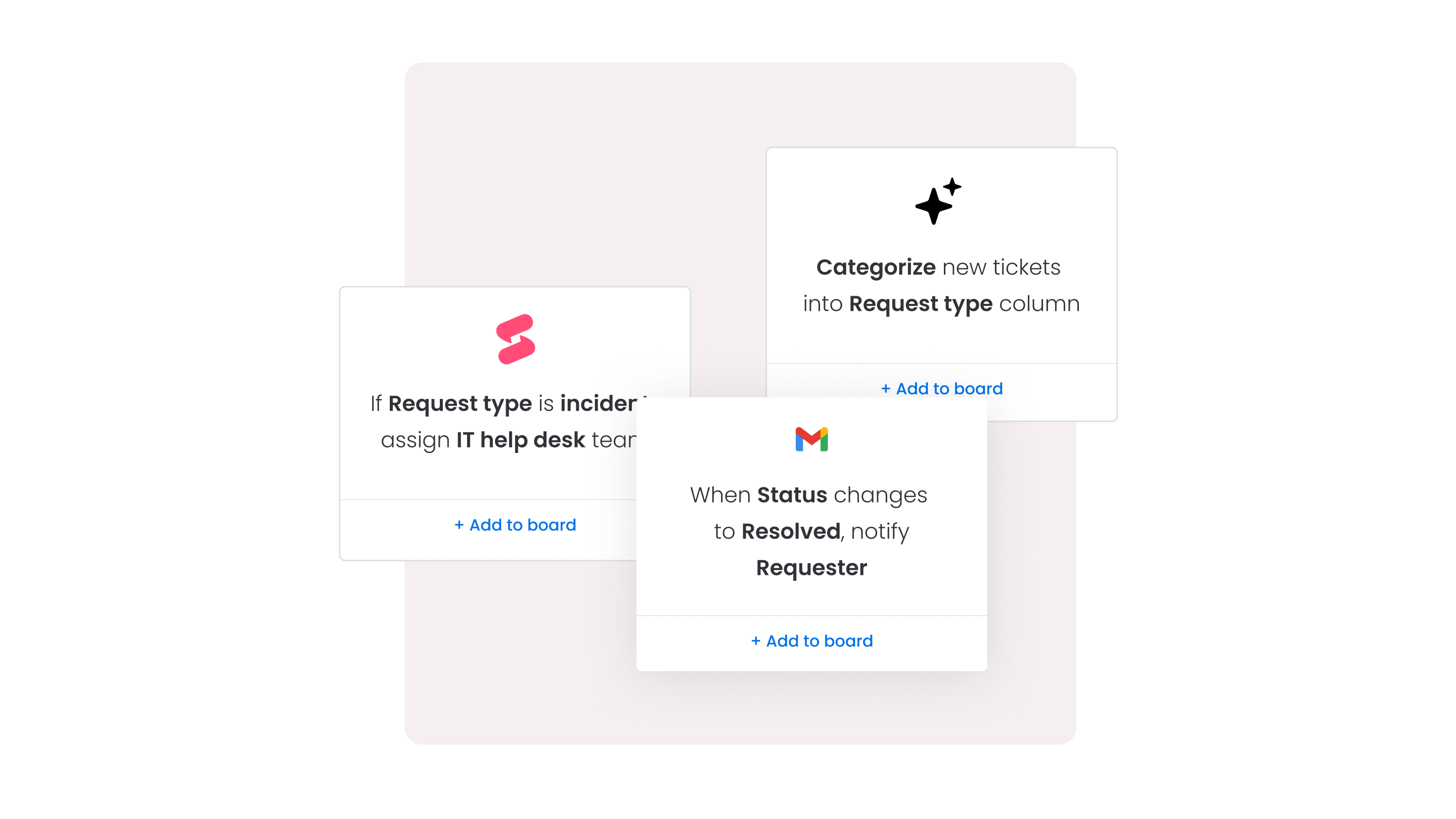
3. Automates repetitive workflows
Beyond triaging and routing, IT teams spend a significant amount of time on process-heavy tasks, such as onboarding new hires, provisioning software, closing out resolved tickets, and collecting satisfaction feedback. These tasks might only take a few minutes each, but when repeated across hundreds of tickets, they add up fast.
It’s unsurprising then that 86% of IT professionals have adopted AI to reduce their workloads, and an IT ticketing system is just one way to automate those crucial, behind-the-scenes activities. For example, you might trigger license provisioning when a request is approved, send reminders when input is missing, or automatically close dormant tickets after a set time. Each of these small but frequent actions win back meaningful hours for your service teams.
4. Powers incident management
When a business-critical system goes down, IT can’t afford to waste time figuring out who’s handling what or where the process stands. Incident management requires a structured approach, including clear workflows, automatic escalation, and seamless handoffs between teams.
With a ticketing system in place, incidents follow a defined resolution path from the moment they’re reported. For example, monday service lets teams log incidents using structured WorkForms, route tickets based on severity, and escalate unresolved issues automatically.
Instead of relying on memory or manual follow-ups, everything is documented and traceable, so incidents are resolved more quickly, and teams stay focused on restoring service rather than managing chaos.
5. Supports asset management
IT teams are responsible for the hardware and software behind every issue. When a request comes in, they need to know what device it’s tied to, when it was last serviced, and whether it’s still under warranty. A ticketing system that tracks IT assets makes that information available.
It also builds a bigger picture over time. If the same laptop fails twice in a quarter, or a recurring glitch traces back to a specific software version, you can spot the trend and act early. You’re no longer relying on memory or spreadsheets to manage hundreds (or thousands) of assets.
The next wave of IT asset management (ITAM) will be AI-driven. And it’s coming fast: 70% of ITAM professionals expect AI to improve quality, while 56% say it’ll boost efficiency. But none of that works without reliable data, and a ticketing system is where that starts.
6. Enables employee self-service
Not every IT request needs hands-on help. Sometimes, people just want to know how to reset a password or check if there’s a known outage.
Instead of waiting for a response, a self-service portal allows employees to find what they need, follow step-by-step instructions, and move on with their day. For the IT team, that means fewer repetitive tickets and more time to focus on complex work.
7. Aligns with service level agreements (SLAs)
SLAs exist to help IT teams manage expectations. If a request needs to be handled in 4 hours, or resolved by the end of the day, that’s agreed upfront rather than negotiated after something goes wrong.
A ticketing system helps teams stick to those targets. You can set rules by request type, track time automatically, and flag anything that’s at risk of slipping. It’s a clear, measurable way to deliver the support you’ve promised.
How to choose the best IT ticketing system
With so many platforms offering similar features, choosing the right IT ticketing system often comes down to how well a platform fits your organization, not just what’s on the feature list. A thoughtful selection process helps you avoid buyer’s remorse and sets your team up for long-term success. Here are the key steps to guide your decision.
1. Define your budget and licensing needs
Before exploring vendors, get clear on how much you’re able to spend and how the pricing is structured. Many platforms charge by seat, which means costs scale quickly as your team grows. Others offer flat rates or volume-based plans. Understand what’s included in the base price and what’s extra.
Remember: Support, onboarding, automation, or integrations may come at a premium.
2. Shortlist platforms based on real requirements
It’s easy to get distracted by flashy feature sets, but focus on the capabilities that matter to your team. At a minimum, look for:
- Multi-channel ticket intake (email, forms, chat, and portal)
- SLA tracking and automated alerting
- A self-service knowledge base or portal
- Automation and workflow builder
- AI-powered routing and classification
- Analytics and reporting dashboards
- Integration with the platforms already in your tech stack
Create a shortlist of 3 to 5 vendors that meet those core needs and align with your environment.
3. Take advantage of free trials
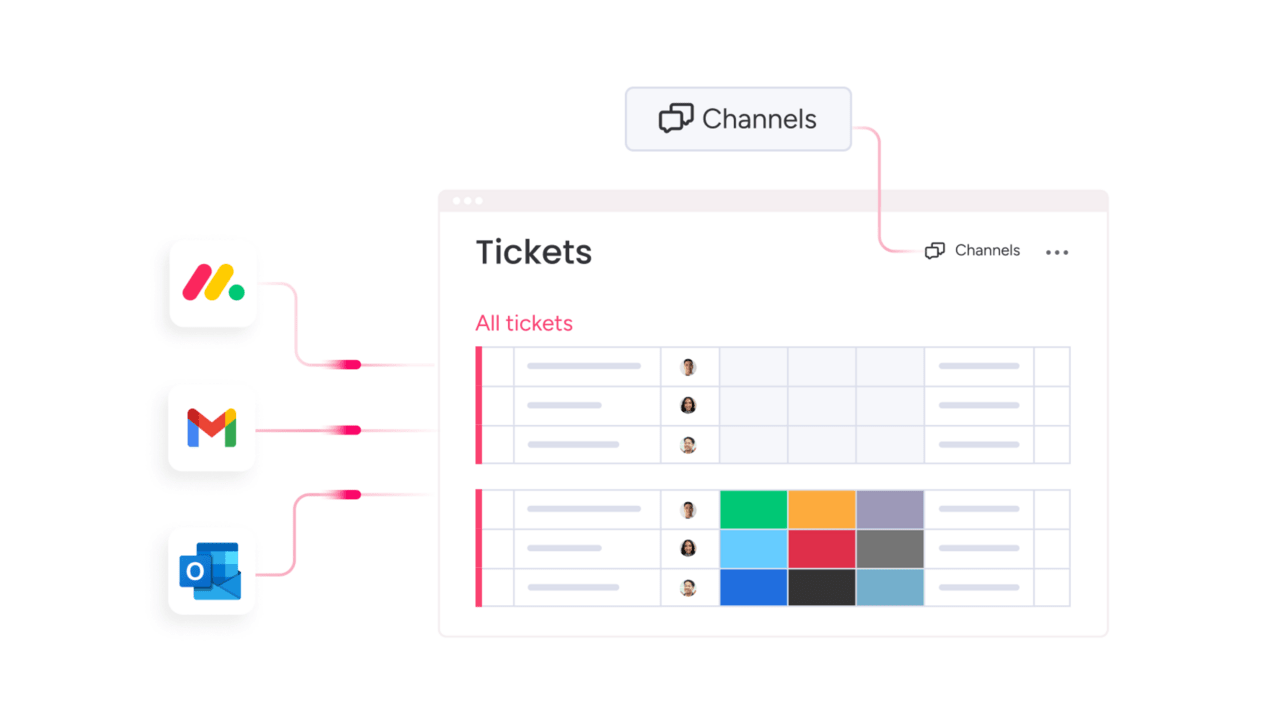
A trial is your opportunity to test the system in real-world conditions. Instead of just clicking around the interface, get hands-on by setting up a few ticket flows and simulating common requests to see how the platform performs. Add a couple of agents and have them receive submitted tickets from different channels, such as email, forms, or chat, to check for consistency.
Pay attention to how quickly your team gets to grips with the software. If it feels clunky or confusing in the first week, that’s a red hot flag.
4. Run a structured pilot with real users
Before making a full commitment, roll out the system to a small group of users for a specified period, such as a week or month. A structured pilot provides feedback from both sides, including IT agents handling the requests and employees submitting them. It’s your chance to learn what works (and what doesn’t) before you try to scale. Track the following:
- Time to resolution
- Ease of use
- Internal satisfaction (quick pulse surveys work well)
- Any blockers or recurring complaints
5. Review case studies and customer feedback
Go beyond the sales page. Case studies give you insight into how similar companies use the platform, and what results they’ve seen. Public reviews on sites like G2 or Capterra also highlight useful information about vendor responsiveness, support quality, and how well the platform holds up over time.
Pay attention to themes. If multiple users mention poor support or a steep learning curve, it’s worth digging deeper.
6. Involve the right stakeholders early
Leaving a single person in charge of such a huge purchasing decision is a recipe for disaster. Instead, involve IT support agents, helpdesk leads, and any department heads who depend on the system. Legal, procurement, and security teams may also need to review the platform’s data handling practices, especially if you’re in a regulated industry.
7. Evaluate AI capabilities and governance
AI features vary enormously between platforms. Some offer basic keyword routing; others provide fully autonomous agentic workflows that handle defined request types end-to-end. When evaluating vendors, ask specifically about how the AI makes routing decisions, whether outputs are auditable, what happens when AI confidence is low, and whether the AI can be trained on internal data.
Ticket management best practices
Choosing the right platform is only half the equation. How your team operates within that platform determines whether it improves service delivery, or just adds another layer of complexity. Before diving into vendor comparisons, here are 5 practices that separate high-performing IT support operations from the rest.
1. Categorize tickets consistently
Use a defined taxonomy for terms like incident, service request, problem, change, so AI classification and reporting work accurately from day one. Inconsistent categorization is the top cause of poor AI routing performance. Agree on definitions across the team, and review category accuracy quarterly.
2. Set SLA tiers by ticket type
Not all tickets are equally urgent. Define response and resolution targets by category and priority so agents know where to focus. A password reset should not carry the same SLA as a company-wide outage.
3. Build a knowledge base before deploying self-service
Self-service portals only deflect tickets when the underlying knowledge base is accurate and up to date. Audit knowledge articles quarterly, retire outdated content, and track which articles actually resolve tickets without agent involvement.
4. Review ticket trends monthly
Use your platform’s analytics to identify recurring issue categories, peak volume periods, and agents who are disproportionately loaded. Monthly trend reviews surface patterns that daily firefighting hides — and they give leadership the data to justify staffing or process changes.
5. Automate status updates, not just routing
End users lose trust when tickets go silent. Configure automatic status notifications at key milestones — received, in progress, resolved — to reduce follow-up tickets and improve satisfaction scores. Transparency is one of the easiest wins in service management.
How much does an IT ticketing system cost? Pricing models range from free tiers for very small teams to per-agent monthly costs (typically $19 to $55 per agent per month for SMB platforms) to custom enterprise contracts. The key variables are number of agents, required AI features, and whether advanced modules like asset management or CMDB are needed.
Best IT ticketing systems compared
Every IT team has different priorities when shopping for ticketing software, whether that’s faster resolution times or integrating with a particular tool that’s already embedded in their workflow. When you’re ready to conduct vendor research, use the comparison below to weigh up your options and find the right platform for your setup.
1. monday service
Best for: companies requiring a flexible, scalable no-code ticketing system with zero learning curve
Built for modern IT teams, monday service turns a constant stream of tickets into structured, trackable workflows. As part of the wider monday.com Work OS, monday service also connects to projects, assets, and approvals across your organization. With no-code customization, built-in SLA tracking, and pre-made templates, IT teams can launch fast, respond with confidence, and scale without chaos. Whether you’re running a small internal helpdesk or a global service center, monday service adapts to fit.
Key features
- Multi-channel ticket intake (email, forms, portal, and AI chat) with automatic acknowledgment and SLA tracking from the first touchpoint
- Service analytics dashboards that surface resolution times, ticket volume by category, SLA compliance rates, and agent workload in real time
- No-code workflow builder and a library of pre-built templates so IT teams can launch in days without professional services or developers
Pricing: Starts at $31/seat/month
Why it stands out
- Built on monday.com’s AI Work Platform, which means tickets connect directly to projects, approvals, and asset records — IT teams get cross-functional visibility without switching platforms
- Trusted by nearly 250,000 customers including over 60% of the Fortune 500 (monday.com, 2026), with enterprise-grade security (SOC 2, ISO 27001, HIPAA)
- Customers report going from zero to fully configured help desk in days, not months — with no-code setup, pre-built templates, and an intuitive UI that requires minimal training
Advanced AI features
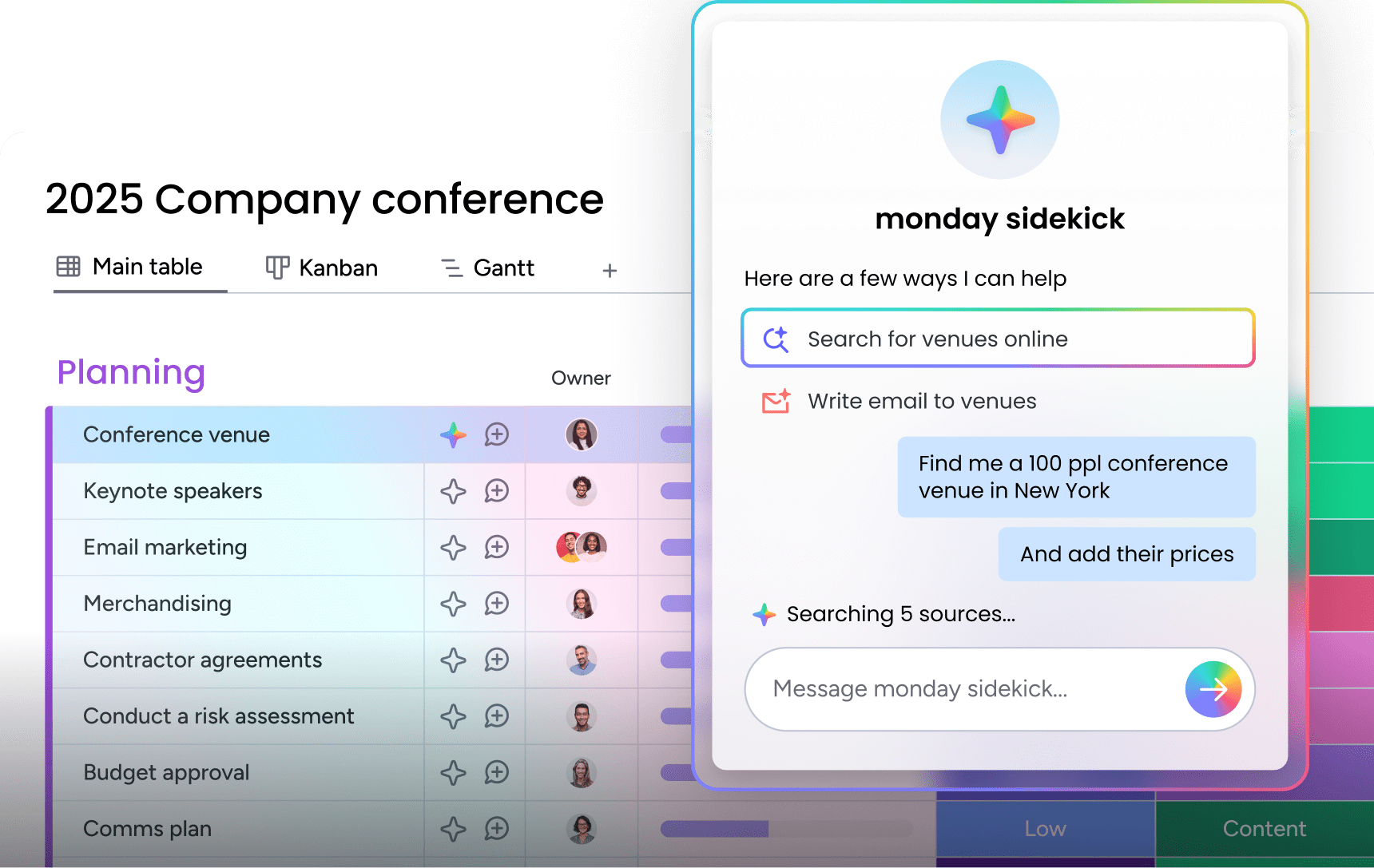
- monday sidekick: AI assistant that drafts reply suggestions, summarizes ticket history for agents picking up new cases, recommends next steps, and surfaces similar past tickets to speed resolution
- AI workforce: A system of specialized AI agents — Ticket Assignment Agent, SLA Monitor Agent, Customer Support Agent — coordinated by a Service AI Supervisor that routes requests between agents based on content and context
- monday MCP: Connects external AI platforms including Claude, ChatGPT, and Microsoft Copilot to the monday.com workspace, allowing organizations already using these systems to route them into IT service workflows
Automations
- 250+ pre-built automation recipes covering status updates, ticket routing, timestamping, and round-robin assignment
- Email Automation app for customizable auto-responses triggered by ticket stage, ticket type, or custom rules — no manual writing required
- Automatic SLA breach warnings and escalation triggers that fire before deadlines are missed, not after
IT ticketing system features
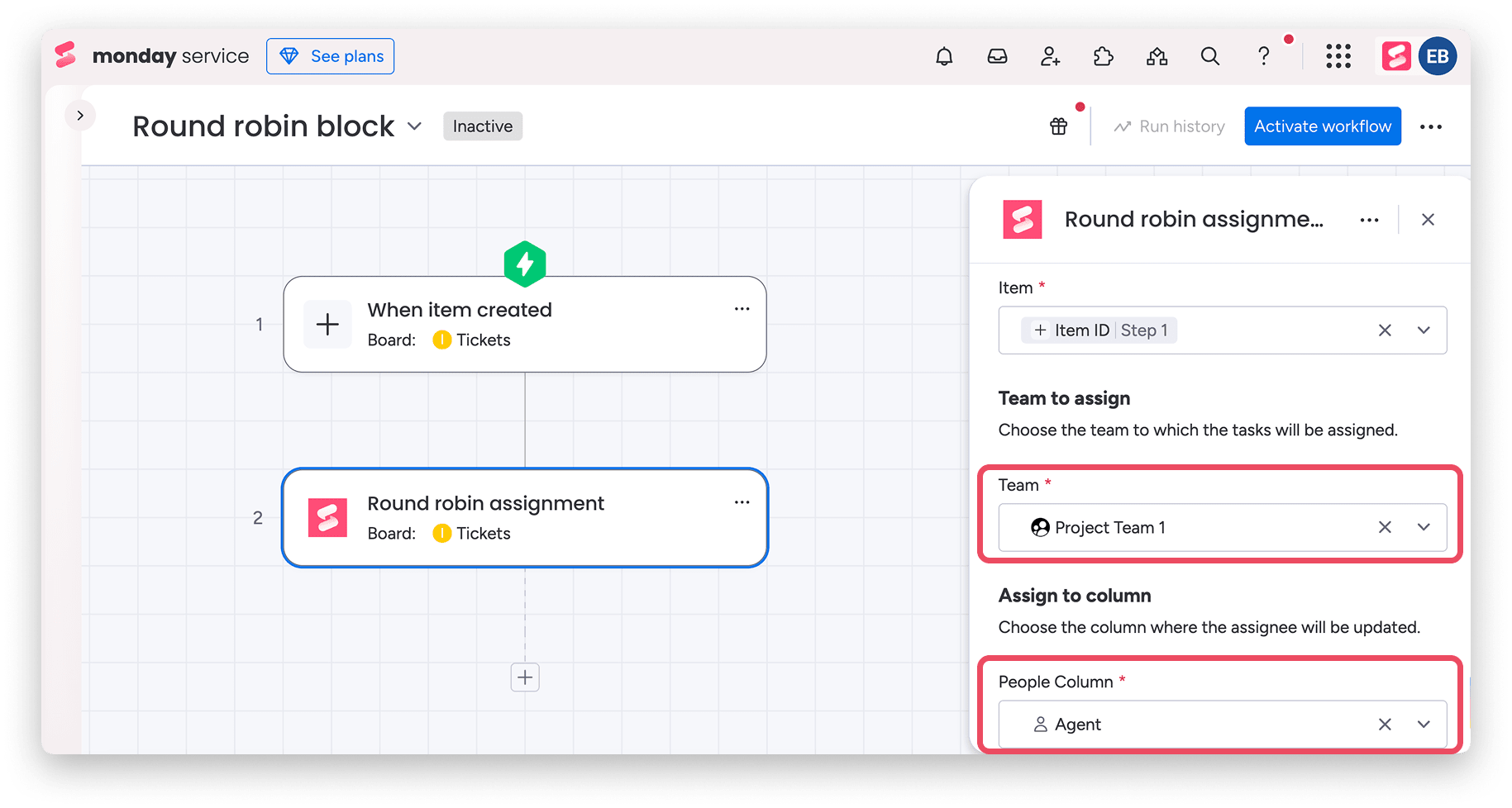
- Round Robin assignment block that cycles new tickets fairly across available agents — configurable in minutes, no code required
- CSAT surveys automatically sent on ticket closure to capture end-user satisfaction data and feed it into service analytics
- Customer Portal and self-service catalog that lets employees submit structured requests without contacting the help desk directly
Integrations
- 200+ integrations including 2-way Gmail and Outlook sync that automatically converts incoming emails into trackable tickets
- Azure DevOps sync for escalating service tickets that surface development bugs, and Slack for immediate visibility on urgent issues
- Open API access for custom integrations with CRM platforms, employee directories, and asset management systems
monday service reviews

"Our team LOVES the monday service platform and we’re already exploring how we could incorporate it for other departments, too. It has streamlined our workflow in a way that both our team and customers appreciate."
Andrew Marshall | VP Operations
״monday service provides clear insights into requests volume and types, response times, and trends - helping us continuously improve operations"
Grant De Waal-Dubla | CIO
"The biggest value for us is speed and flexibility. You can get up and running in days, change anything instantly, and see everything in real time. And you don’t need a dedicated admin to do it."
Clive Camilleri | Head of People Tech & Operations2. Jira Service Management
Best for: engineering and DevOps teams already embedded in the Atlassian ecosystem who need ITSM capabilities alongside Jira Software.
Jira Service Management is designed to help IT teams manage service requests, incidents, and changes. For teams familiar with Atlassian products, it provides a cohesive way to centralize service operations within a shared environment.
Key features
- Request, incident, problem, and change management within a unified Atlassian workspace
- Knowledge base integration via Confluence, with a virtual service agent available on Premium and above
- AIOps capabilities on higher tiers including alert grouping, AI incident creation, and post-incident review generation
Pricing: Starts at $19.04 per agent/month
Considerations
- Steep learning curve for IT teams without prior Atlassian experience; non-technical staff typically need dedicated onboarding time
- Consumption-based pricing on add-ons (assets, virtual agent conversations) makes total cost of ownership difficult to predict, especially for growing teams
3. ServiceNow
Best for: organizations already on the Salesforce platform that want a single system for customer-facing support and CRM.
ServiceNow’s cloud-based ITSM runs on its Now Platform, giving organizations a unified system for service operations, asset management, and IT governance.
Key features
- Full ITIL-aligned service management covering incidents, problems, changes, releases, and configuration management (CMDB)
- Now Assist generative AI for both agents (response drafting, summarization) and end users (self-service chatbot)
- Performance analytics dashboards with predictive intelligence for incident management and service trend forecasting
Pricing: Custom pricing is available on request.
Considerations
- Designed for large enterprises with dedicated IT administrators; implementation typically takes months, not days, and requires ServiceNow-certified specialists
- Cost and implementation complexity make it impractical for small-to-mid-size organizations without a dedicated ITSM team and budget
4. Salesforce Service Cloud
Best for: organizations prioritizing CRM-native support
Salesforce Service Cloud is built on the Salesforce Platform, offering a single interface for support teams to manage cases, knowledge, and communication channels.
Key features
- Case management with omnichannel routing across email, chat, social, and phone from a unified Service Console
- Einstein AI for case classification, article recommendations, automated chatbot interactions, and predictive CSAT scoring
- Deep integration with Salesforce Sales Cloud and Marketing Cloud for unified customer records across the full lifecycle
Pricing: From $25 per user/mo
Considerations
- Designed primarily for external customer service, not internal IT ticketing — organizations evaluating Salesforce for IT helpdesk use should confirm their workflows align with a CRM-native design
- Higher tiers require Salesforce-certified administrators to configure and maintain; many features require paid add-ons beyond the base license cost
5. Freshdesk
Best for: customer support teams or small businesses that need a quick-launch helpdesk with a free entry tier.
Freshdesk is a cloud-based ticketing system built for simplicity. Teams can get started quickly with minimal setup and layer on more advanced features like AI routing or SLA policies as they grow.
Key features
- Shared inbox and ticketing with SLA management, CSAT surveys, and knowledge base
- Freddy AI Copilot for agent assistance (response suggestions, summarization) and Freddy AI Agent for automated email responses (session-based pricing)
- Omnichannel inbox covering email, chat, phone, and social media from a single interface
Pricing: From $15 per agent/mo
Build a smarter IT support operation with monday service
monday service is a flexible, no-code platform built to modernize IT support. It connects ticketing, projects, assets, and teams in one easy-to-use workspace, so you can resolve requests faster, track performance, and customize every part of your service delivery.
With built-in AI and automation, your team spends less time wrangling tickets and more time solving real problems. Here’s how monday service helps you work smarter, not harder.
Distribute tickets evenly among team members
Instead of the same IT support agents being overloaded with tickets, the Round Robin assignment block automates ticket distribution by cycling new requests fairly between team members. You choose the trigger, like when a new item is created, and the system assigns it to the next available agent based on your team setup.
The feature is fast to configure and allocates tickets evenly so your end users experience fewer delays.
Automate ticket classification and routing
Some requests need specialist attention; others just need to reach the right queue. With monday service’s AI ticketing system you can sort tickets based on content, then route them to the right team, tier, or workflow.
Set up logic based on keywords, urgency, category, or channel. A request flagged “access denied” might go to IT Ops, while anything tagged “outage” is escalated immediately. AI Blocks can apply labels, detect sentiment, and prioritize tickets automatically so your team gets to the right work faster.
Keep everyone informed with pre-made templates for tickets and replies
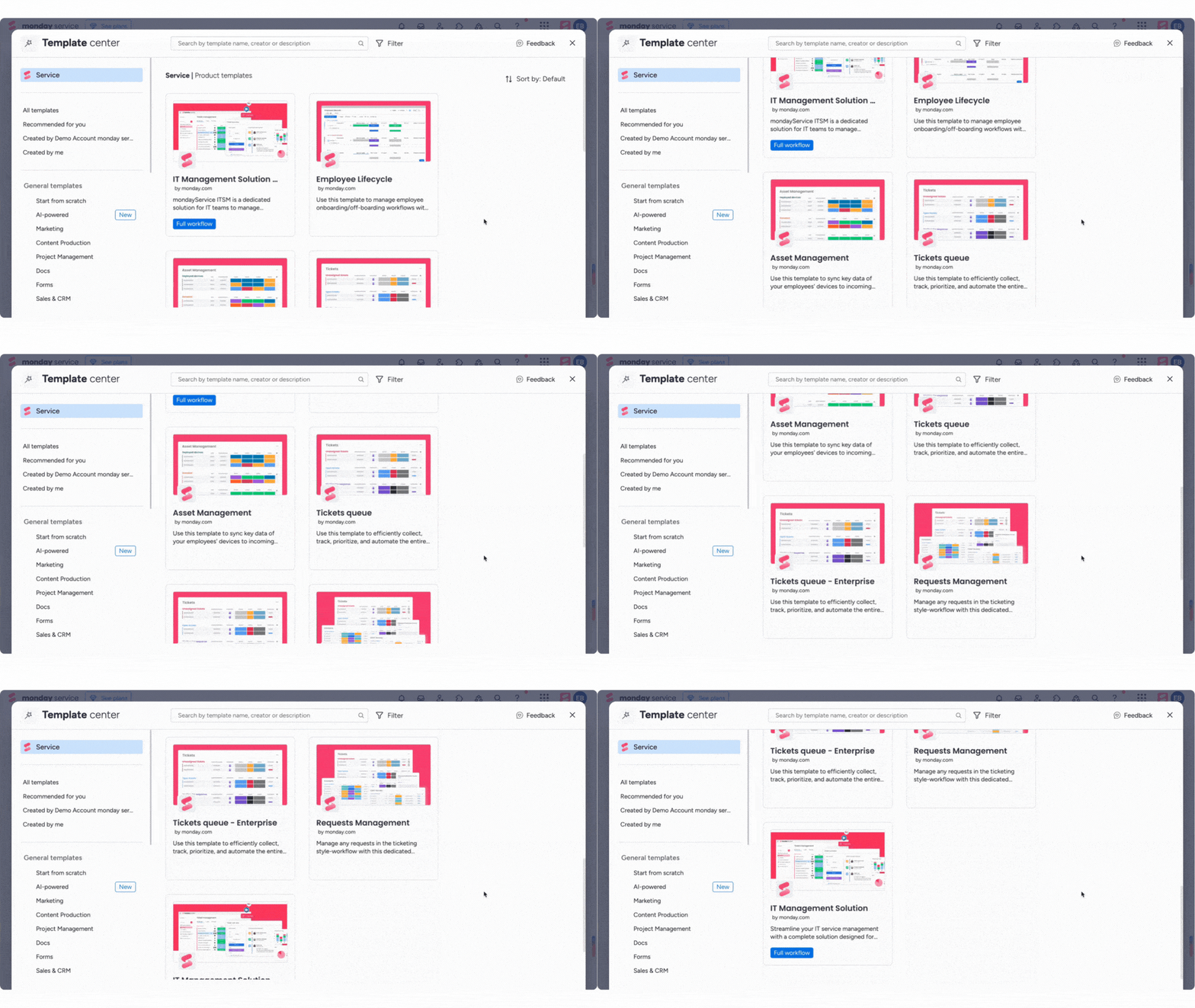
Avoid wasting time rewriting the same replies or building workflows from scratch. Gain a head start using monday service’s pre-built templates for ticket types, workflows, and response messages. Just head to the Template Center, select the “Service” category, and choose a setup that matches your team’s needs.
You can also set up custom auto-replies using the Email Automation app built for monday service. Create your own rules to trigger replies when a ticket is submitted, when its status changes, or at any point in the workflow. Whether it’s a simple “We’ve got your request” or a tailored message for different ticket types, your users stay informed without your team lifting a finger.
Integrate seamlessly with the rest of your tech stack
If you need to connect your ticketing system with other systems, monday service integrates with 72+ other applications you already know and love. This functionality allows you to convert incoming emails from Outlook or Gmail into tickets or push urgent issues directly to Slack so they’re visible immediately. Similarly, you can sync with Azure DevOps to loop in engineers when service requests turn into bugs.
And if your process involves contracts or sign-offs, use DocuSign to track approvals without switching tabs. For teams already using external AI platforms like Claude, ChatGPT, or Microsoft Copilot, the monday MCP connector routes those systems directly into your IT service workflows.
Resolve requests with AI before an agent gets involved
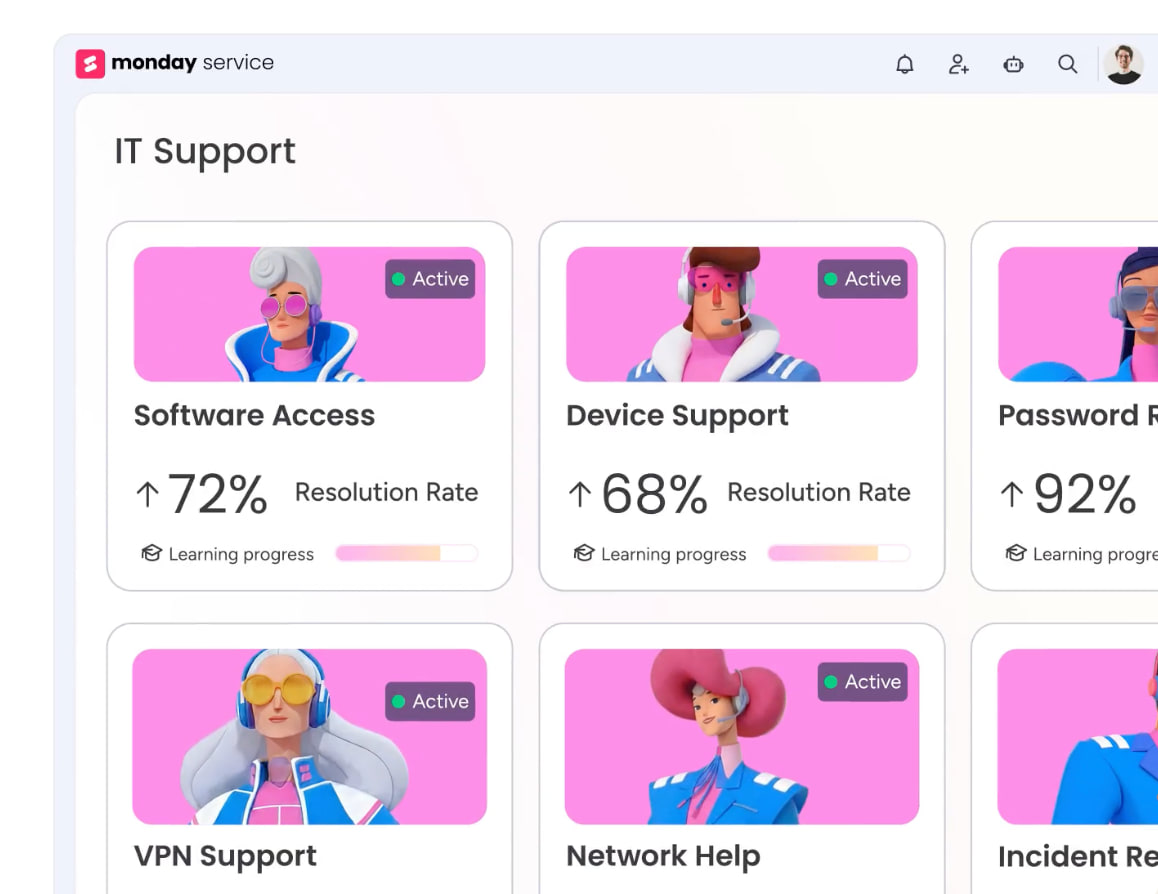
The monday service AI workforce operates as a system of specialized agents, each designed to handle a specific part of the service lifecycle autonomously. The Ticket Assignment Agent handles routing decisions using ticket content and context. The SLA Monitor Agent watches active tickets and fires warnings before deadlines are reached. The Customer Support Agent handles defined request types end-to-end — password resets, access provisioning, and software installation requests — without human intervention.
A Service AI Supervisor coordinates between these agents, routing each ticket to the right one based on content, urgency, and confidence level. For IT teams managing high volumes of routine requests, this layer of autonomous handling deflects a significant proportion of tickets before a human agent is involved.
Track performance and spot trends faster with built-in reporting
Once a ticket’s closed, the work isn’t over. monday service gives you built-in analytics to understand how your team is performing and where things can improve.
You can monitor SLA compliance, average resolution times, ticket volume by category, and more, all from customizable dashboards that update in real time. And by capturing historical data on ticket types and resolution patterns, you can identify service trends and make smarter decisions about staffing, tooling, or process improvements.
The right IT ticketing system makes every request count
The right IT ticketing system is the one your team will use — one that fits how requests come in, how your agents work, and how your organization needs to grow. At the simpler end, a quick-launch platform can be live in hours. At the enterprise end, full ITSM with agentic AI can transform how IT operates at scale.
What matters most is finding a platform that meets you where you are and grows with you from there. If you’re unsure where to start, monday service is built for exactly that: fast enough to launch this week, flexible enough to handle complexity as it arrives, and AI-powered enough to keep getting smarter over time.
FAQs
What is ITSM ticketing?
IT ticketing refers to managing support requests as part of a structured IT service management framework. Unlike basic ticketing systems, ITSM ticketing supports defined workflows for handling incidents, service requests, problems, and changes, often based on ITIL best practices.
The goal is to improve service quality by making processes repeatable, trackable, and aligned with business needs.
What is an open source IT ticketing system?
An open source IT ticketing system is a helpdesk platform whose source code is freely available for anyone to use, modify, or distribute. These systems offer greater flexibility and customization compared to commercial tools, making them popular among developers and budget-conscious organizations. The downside? They typically require more technical expertise to implement and maintain and may lack dedicated customer support since the result is so customized.
What problems do IT ticketing systems solve?
IT ticketing systems address common bottlenecks and breakdowns in IT support. They solve problems such as:
- Lost or overlooked requests: When employees submit tickets through email or chat, it's easy for your team to miss them. A ticketing system keeps every request logged and tracked.
- Lack of ownership: Without a system, it's often unclear who's responsible for resolving an issue. Ticketing tools assign ownership and keep everyone accountable.
- Slow response and resolution times: Manual processes delay responses, but ticketing systems prioritize and route issues efficiently to the right team or technician.
- Inconsistent support experiences: Without standardized workflows, employees may receive different levels of service. A ticketing platform enforces consistency.
- Limited visibility into request status: Employees often don’t know what’s happening with their ticket, a problem easily alleviated with real-time updates and status tracking.
- No data for improvement: Without reporting, IT teams can’t spot trends or measure performance. Ticketing tools provide the metrics needed to identify recurring issues and improve service.
What are the different types of IT tickets?
IT tickets generally fall into four main categories:
- Incidents: Unexpected disruptions, such as system outages or hardware failures
- Service requests: Routine needs like software installs, access requests, or password resets
- Problems: Root cause investigations behind recurring incidents
- Change requests: Planned changes to systems or infrastructure, often requiring approval
Each type follows its own workflow and often carries different priority levels or compliance requirements.
How can IT ticketing systems support small businesses?
For small businesses, IT ticketing systems bring structure and efficiency to support processes. Even with a small team, these platforms help track requests, prioritize urgent issues, and avoid lost emails or miscommunication. Many tools offer affordable or free plans tailored to small teams, along with automation features that reduce the need for hands-on admin work.
What is the most common type of ticket?
The most common type of IT ticket is a service request, typically involving access issues, software installations, or account changes. These requests make up a large portion of daily helpdesk activity and are often handled using pre-defined workflows or automation to speed up resolution.
What are major IT tickets?
Major IT tickets refer to high-impact incidents that significantly disrupt business operations. These could include company-wide outages, data breaches, or critical system failures. Major tickets often trigger escalations, require rapid response from multiple teams, and are managed under strict SLA terms. Many organizations have dedicated protocols for handling and communicating about major incidents.
What is the difference between an IT ticketing system and ITSM?
An IT ticketing system is a specific platform for logging, tracking, and resolving service requests. ITSM (IT service management) is the broader framework that encompasses ticketing plus change management, problem management, asset management, and service delivery strategy. Ticketing is where most organizations start. Full ITSM is the mature state, often aligned with the ITIL framework. Platforms like monday service and Jira Service Management support both — starting with ticketing and expanding as needs grow.
How much does an IT ticketing system cost?
Pricing varies significantly by platform and team size. SMB-focused platforms like Freshdesk start with free plans and scale to $19 to $89 per agent per month. Mid-market platforms like Jira Service Management and monday service typically run $20 to $51 per agent per month depending on tier. Enterprise platforms like ServiceNow use custom pricing and typically start at $100+ per user per month. Most platforms offer annual billing discounts and free trials.
Can AI be used in IT ticketing?
Yes — AI is now core to how modern ticketing platforms operate. Common capabilities include intelligent ticket routing (AI assigns tickets to the right team based on content), auto-response drafting (AI generates initial replies for agent review or sends them automatically), virtual support agents (chatbots that resolve common requests without human involvement), and predictive analytics (flagging SLA risks before they breach).

 Get started