


Enterprise companies don’t run on caffeine alone. They run on tech. Hardware, software, and cloud-based services power everything from individual workflows to massive cross-functional operations.
Each piece of tech belongs to the company, so it makes sense that someone, somewhere in the organization, would be responsible for overseeing these vital assets. Yet, all too often, IT asset management (ITAM) is low on leaders’ priority lists. When ITAM is clearly defined, company technology lasts longer, performs at a higher level, and delivers value at every stage.
This guide explores IT asset management in detail, including its six core processes, best practices, and how to manage your entire IT asset inventory in monday service.
Key takeaways
- Visibility drives value: IT asset management increases the lifespan and performance of your technology by giving teams the visibility and structure they need to manage every stage of the asset lifecycle.
- AI accelerates every stage: AI elevates ITAM by auto-categorizing tickets, predicting failures, and enabling autonomous issue resolution through AI agents, so IT teams stay ahead of problems instead of reacting to them.
- One connected workflow: monday service connects your entire ITAM workflow, from procurement to disposal, into one platform, making it easier to collaborate across departments and optimize your tech investments.
- Compliance confidence: A structured ITAM program supports audit readiness, license compliance, and regulatory alignment across frameworks like ISO 19770, SOX, and GDPR.
- Lifecycle cost control: Tracking assets through six defined stages, from planning to disposal, helps organizations reduce unnecessary purchases, extend asset life, and lower total cost of ownership.
What is IT asset management?
IT asset management is the ongoing process of tracking, managing, and optimizing every tech asset your business owns or uses, from purchase through retirement. Often shortened to ITAM, it gives teams a structured way to oversee the assets they rely on every day.
At its foundation, ITAM starts with asset discovery and tracking: identifying what exists across your environment and keeping that record accurate over time.
When we talk about asset management in IT, we mean any technology-related resource that helps your organization function. That might be a company laptop, a cloud storage subscription, or sensitive customer data that needs to be stored and protected. Typically, these assets fall into four broad categories:
- Hardware asset management is the physical, tangible tech equipment used by the organization. This includes everything from end-user devices such as laptops and phones to infrastructure like servers, routers, and switches.
- Software asset management oversees software applications. SAM deals with license compliance, usage rights, entitlements, installations, and updates.
- Cloud services and infrastructure management addresses cloud-native environments and services, such as Infrastructure-as-a-Service, Platform-as-a-Service, and Software-as-a-Service. It answers questions like: “What are we running or subscribing to in the cloud, and are we optimizing cost and usage?”
- Information and data asset management handles the organization’s data sets, documents, intellectual property, and customer records. It involves classification, storage, access controls, and data lifecycle policies and is critical for compliance-heavy industries.
6 vital processes in the IT asset management lifecycle
Here’s how each of ITAM’s core processes plays a role in helping businesses stay in control of their technology. Each stage builds on the previous one, creating a continuous cycle that maximizes asset value from day one through retirement.
1. Planning
Planning is where teams identify the assets they need. This vital phase allows businesses to anticipate how upcoming changes will impact technology demand, so teams can plan purchases proactively and align spending to real demand.
Example: An enterprise healthcare company is preparing to open a new branch office in another region. During the planning phase, the IT team works with department heads to forecast the number of employees, determine the hardware and software they’ll require, and align those needs with licensing agreements and budget cycles.
2. Procurement
Procurement is where plans start to take shape. It’s the stage where teams go out and actually acquire the IT assets they need, whether placing orders or negotiating with vendors. This stage often involves getting approvals in place and making sure everything arrives on time. Streamlining procurement remains a significant opportunity: 56% of procurement teams still experience delays due to manual workflows and inefficient systems .
Example: A global logistics firm plans to upgrade its network infrastructure across three regional offices. The IT team submits procurement requests for new routers and switches, but because the approvals are tied to a legacy system with multiple handoffs, the final sign-off takes several weeks. By the time the order is placed, pricing has changed, and one supplier is out of stock, causing delays that impact employee productivity.
3. Deployment
IT assets don’t add value to your business unless your people can use and access them. Deployment covers everything from imaging laptops and provisioning user access to installing software and confirming all assets are correctly logged in your ITAM system.
When deployment runs smoothly, new hires get productive quickly and every asset stays in active, tracked use. It also sets the tone for good asset management habits, such as keeping accurate records and assigning clear ownership.
Example: A financial services firm brings on a cohort of 25 new analysts, all starting remotely. The IT team uses a standardized deployment process to ship pre-configured laptops to each hire, with software already installed and accounts provisioned. Each device is registered in the company’s ITAM platform before leaving the warehouse. On day one, new hires power up and log in without a service ticket in sight.
4. Maintenance
Keeping your assets in good working order can lengthen their lifespan and save the company money. Maintenance includes everything from routine software updates and security patches to hardware repairs, license renewals, and performance monitoring. This stage becomes more complex in hybrid and remote environments, where IT teams may not have physical access to the devices they support.
Example: A law firm manages hundreds of laptops across multiple practices and remote staff. Its IT team uses an asset management platform to monitor device health and send automated reminders for scheduled maintenance. But when one legal practice’s machines start showing signs of performance degradation, IT is alerted before users even notice, and replacement drives are dispatched proactively to avoid outages.
5. Retirement
Eventually, every asset reaches the end of its useful life. Retirement is the stage where outdated or underperforming assets are removed from active use, ideally before they start creating more problems than they solve.
This process presents an opportunity to capture insights about the asset’s performance, usage, and lifecycle cost. It’s crucial data that helps IT teams plan for future purchases.
Example: An architecture firm conducts a quarterly review of its workstation fleet and identifies several devices that no longer meet the performance requirements for design software. Rather than waiting for complaints, IT flags them for retirement and arranges replacements. Before decommissioning, the team backs up local data, clears credentials, and updates the ITAM records to reflect the asset’s status change, closing the loop with minimal disruption.
6. Disposal
Disposal is the final step in the IT asset lifecycle and one of the most overlooked. Once an asset has been retired, it needs to be securely decommissioned, wiped of sensitive data, and disposed of in a way that meets both environmental and regulatory standards.
The opportunity for IT teams to lead on responsible disposal is significant. Only 22.3% of e-waste was properly collected and recycled in 2022 and that figure is expected to reach 82 million tonnes by 2030. IT asset management teams can set the standard by building responsible disposal into their workflows so assets are retired sustainably and with full traceability.
Example: An international consultancy retires a large batch of outdated laptops after a company-wide hardware refresh. The IT team uses its asset management system to log each device, ensure secure data wiping, and issue disposal certificates through a certified e-waste recycling partner. The entire process is tracked and audited in line with internal compliance policies, enabling the company to hit its sustainability targets and avoid liability.
What is the purpose of IT asset management?
Why should IT leaders invest time and resources in a formal ITAM program? The answer comes down to three high-impact outcomes: cost savings, compliance readiness, and operational efficiency. Organizations that build sturdy ITAM processes see measurable returns across all three areas, turning what looks like administrative overhead into a strategic advantage.
Some leaders postpone ITAM because it doesn’t provide quick wins. When the focus is on delivering projects or resolving urgent issues, the idea of documenting assets feels like unnecessary admin. Yet companies that invest in building sturdy ITAM processes experience the following benefits:
Combining asset intel with IT service management
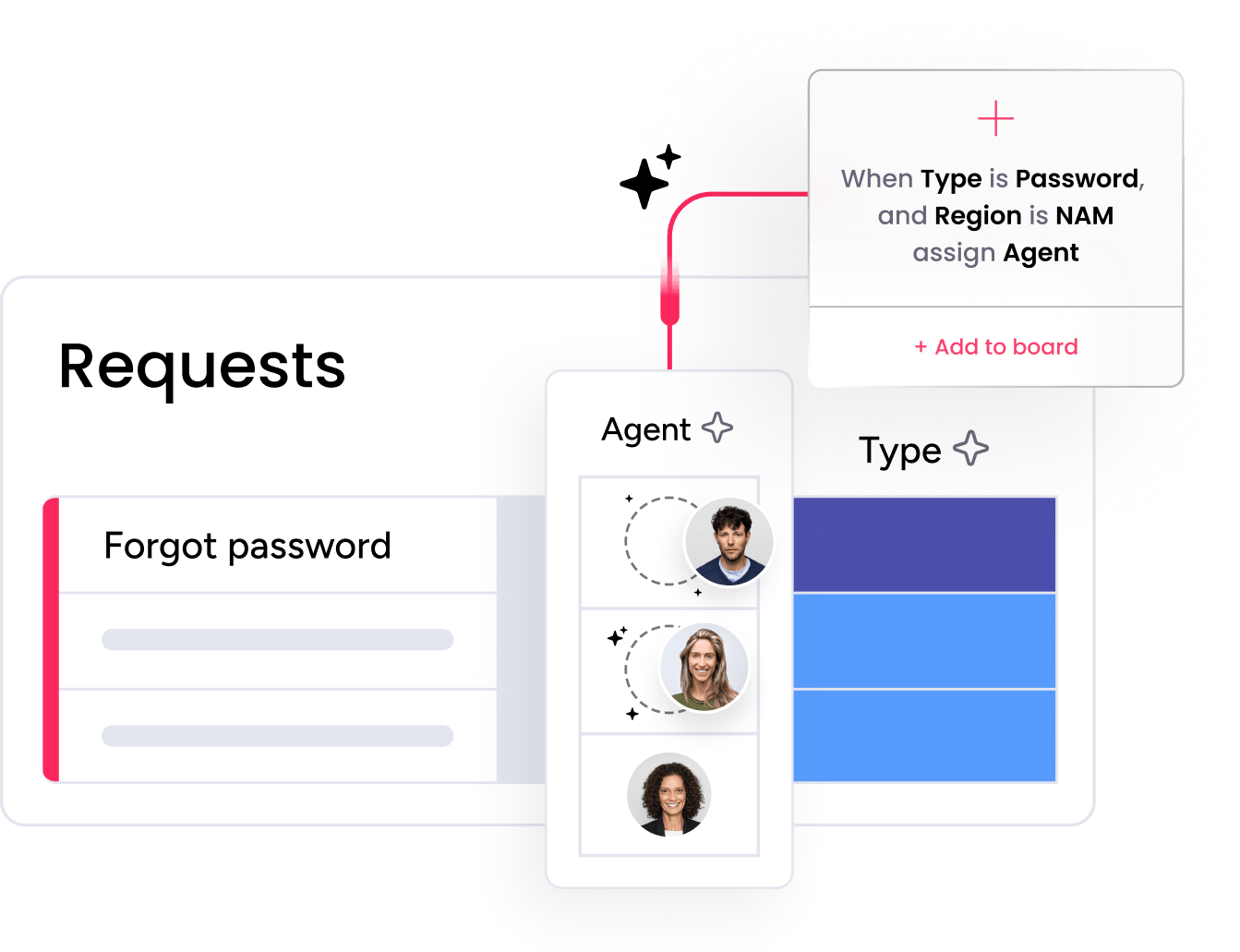
Assets are the foundation of IT service management. Without knowing what you own, and its location and condition, you can’t respond effectively when something breaks or goes missing. Service teams end up wasting time chasing information that should already exist. With ITAM in place, they can focus on solving the problem rather than searching for context.
Providing a single source of asset truth
It’s common for different teams to manage asset data in different places. Procurement might track purchases in one system while IT logs devices in another, and neither source is complete. ITAM brings everything into one view. It replaces guesswork with clarity, so your teams base their decisions about upgrades, support, and spending on facts, not assumptions.
Maximizing the value of your IT assets
Budgets don’t always grow on the same trajectory as business needs. So, squeezing every last drop out of your existing resources is essential. ITAM identifies underused assets and highlights services that are no longer needed, making it easy to justify every new purchase. It also strengthens compliance and risk management by ensuring audit readiness, license compliance, and adherence to regulations like GDPR and SOX.
How ITAM and ITSM work together
How does ITAM relate to the broader service management ecosystem? IT asset management and IT service management (ITSM) are closely connected but serve distinct purposes. ITAM tracks what you own: the hardware, software, and cloud services across your organization. ITSM manages how you support it: the processes for handling service requests, incidents, and changes.
When these two disciplines work together, the results are powerful. A service desk agent resolving an incident can instantly see the affected asset’s history, warranty status, and configuration. An ITAM team planning a hardware refresh can pull service ticket data to identify which devices generate the most issues. The convergence of ITAM and ITSM eliminates blind spots and accelerates resolution times.
You may also encounter the term ITAD (IT asset disposition), which refers specifically to the secure disposal and recycling of retired assets. ITAD is a specialized function within the broader ITAM lifecycle, focused on data destruction, environmental compliance, and certified recycling.
ITAM best practices for growing organizations
What separates organizations with mature ITAM programs from those tracking assets in spreadsheets often comes down to a handful of foundational practices that create consistency, visibility, and accountability across the asset lifecycle.
Whether you are building an ITAM program from scratch or refining an existing one, these six best practices cover the essential areas: centralized inventory, automated workflows, clear ownership, regular audits, compliance alignment, and AI-driven insights.
- Maintain a centralized, always-current asset inventory. Every asset, whether physical or digital, should be recorded in a single system of record. This includes hardware serial numbers, software licenses, cloud subscriptions, and ownership details. An accurate inventory is the foundation everything else depends on.
- Automate lifecycle workflows. Automating procurement approvals, deployment checklists, and retirement triggers keeps teams moving efficiently and ensures consistency across the asset lifecycle, freeing up IT staff to focus on higher-value work.
- Establish clear ownership and accountability for every asset. Every asset should have a designated owner responsible for its care, usage, and eventual return or retirement. Without clear ownership, assets go missing, licenses expire unnoticed, and accountability gaps widen.
- Audit regularly and reconcile against financial records. Scheduled audits help you catch discrepancies between what your inventory says and what actually exists. Reconciling asset data with financial records ensures accurate depreciation, prevents overspending, and supports compliance reporting.
- Align ITAM policy with compliance requirements. Regulations like ISO 19770, SOX, and GDPR all have implications for how organizations manage and report on their IT assets. Designing your ITAM processes with these frameworks in mind reduces risk and simplifies audit preparation.
- Use AI to surface underused assets and predict failures. AI-driven analytics can flag assets with low utilization, identify patterns in service tickets that signal impending failures, and recommend proactive replacements. These insights turn ITAM from a reactive record-keeping exercise into a strategic planning function.
5 steps to build a mature ITAM program
Knowing best practices is one thing. Putting them into action is another. Whether you are launching an ITAM program from scratch or formalizing an existing one, these five steps provide a clear path forward.
Step 1: Audit your current IT estate
Start by documenting every asset across your environment, including hardware, software licenses, cloud subscriptions, and data repositories. Use automated discovery where possible and supplement with manual checks for assets that live outside managed networks. The goal is a complete, accurate baseline you can build on.
Step 2: Define ownership and accountability
Assign a responsible owner to every asset category. Clarify who handles procurement approvals, who monitors license renewals, and who manages end-of-life processes. Clear accountability keeps every asset visible, properly maintained, and on schedule for its next lifecycle stage.
Step 3: Establish lifecycle workflows
Map out the stages each asset type moves through, from request to retirement. Document the triggers, approvals, and handoffs at each stage. Standardized workflows reduce delays, prevent duplication, and make it easier to onboard new team members. Platforms like monday service help you build and automate these workflows in a no-code environment, so your team can implement consistent processes without heavy technical lift.
Step 4: Align with compliance frameworks
Review the regulatory and industry standards that apply to your organization, such as ISO 19770, SOX, or GDPR. Build compliance checkpoints into your ITAM workflows so audit preparation becomes a routine, low-effort part of daily operations.
Step 5: Measure, review, and refine
Track metrics that reflect ITAM health: asset utilization rates, license compliance percentages, average time from request to deployment, and cost per asset lifecycle stage. Review these numbers quarterly and adjust your processes based on what the data reveals.
What is an IT asset management policy?
An IT asset management policy is the strategic blueprint technology leaders use to define how an organization manages its IT assets. This policy acts as a shared framework that brings consistency to how assets are handled and supports compliance with internal controls, licensing terms, and industry regulations.
These elements may vary by organization, but most mature ITAM policies share a common core. Here is what you can expect to find in a well-structured ITAM policy:
- Scope: The categories of assets covered (hardware, software, cloud infrastructure, data).
- Roles and responsibilities: Who handles procurement, maintenance, auditing, and disposal.
- Process standards: The rules for onboarding new assets, logging them, monitoring usage, and managing lifecycle changes.
- Governance and compliance: How the organization handles software licenses, security protocols, and data protection.
- Auditing and reporting: Methods for tracking policy adherence, exceptions, and areas for improvement.
ISO standards align your ITAM policy with proven frameworks
For organizations looking to strengthen their policy framework, the ISO/IEC 19770 standard offers a globally recognized reference point. It’s published by the International Organization for Standardization and breaks ITAM into five key areas:
- 19770-1: Guidance for building and maintaining an ITAM program, including controls, processes, and documentation.
- 19770-2: A standard for software identification tags, which make it easier to recognize and manage software across devices.
- 19770-3: Guidelines for handling software entitlements and measuring consumption to improve compliance and control.
- 19770-4: A reporting standard for resource usage, particularly helpful when managing complex licensing models or cloud-based infrastructure.
- 19770-5: A general overview of the standards, including shared terminology and how the different parts work together.
While full compliance with ISO/IEC 19770 isn’t mandatory, many teams use it to guide policy design and demonstrate a mature, well-documented approach to asset management.
How monday service connects every part of your ITAM process
monday service is the service management platform that connects every part of your ITAM workflow, from procurement requests and provisioning to retirement and disposal, into one flexible environment. With pre-built boards, AI-powered workflows, and real-time visibility across departments, it brings structure and automation to your existing ITAM processes. There’s no heavy implementation or steep learning curve, just a no-code environment that adapts to the way your teams already work.
Here’s the value you’ll experience when you bring the platform into your ITAM workflows.
Centralize your IT asset data

Managing assets across a growing stack of services, departments, and regions is a challenge without a unified view. The platform connects with over 72 enterprise systems, including CRMs, ERPs, and communication platforms, to pull all your asset data into one central workspace.
With customizable dashboards built from your choice of 27+ board views, 36+ columns, and 25+ widgets, you can track assets and monitor their usage in real time. Whether reviewing upcoming license renewals or locating idle equipment, everything you need is at your fingertips.
Eliminate silos with collaborative boards
Asset management requires seamless coordination between IT, procurement, finance, and operations. If you’ve been relying on disconnected conversations and ad hoc updates up until this point, the platform allows you to add approvers, assign roles, leave comments, and tag teammates, all in one place. Cross-department collaboration becomes seamless, enabling you to make rapid, informed decisions about your assets in real time.
Improve efficiency with IT asset management automation
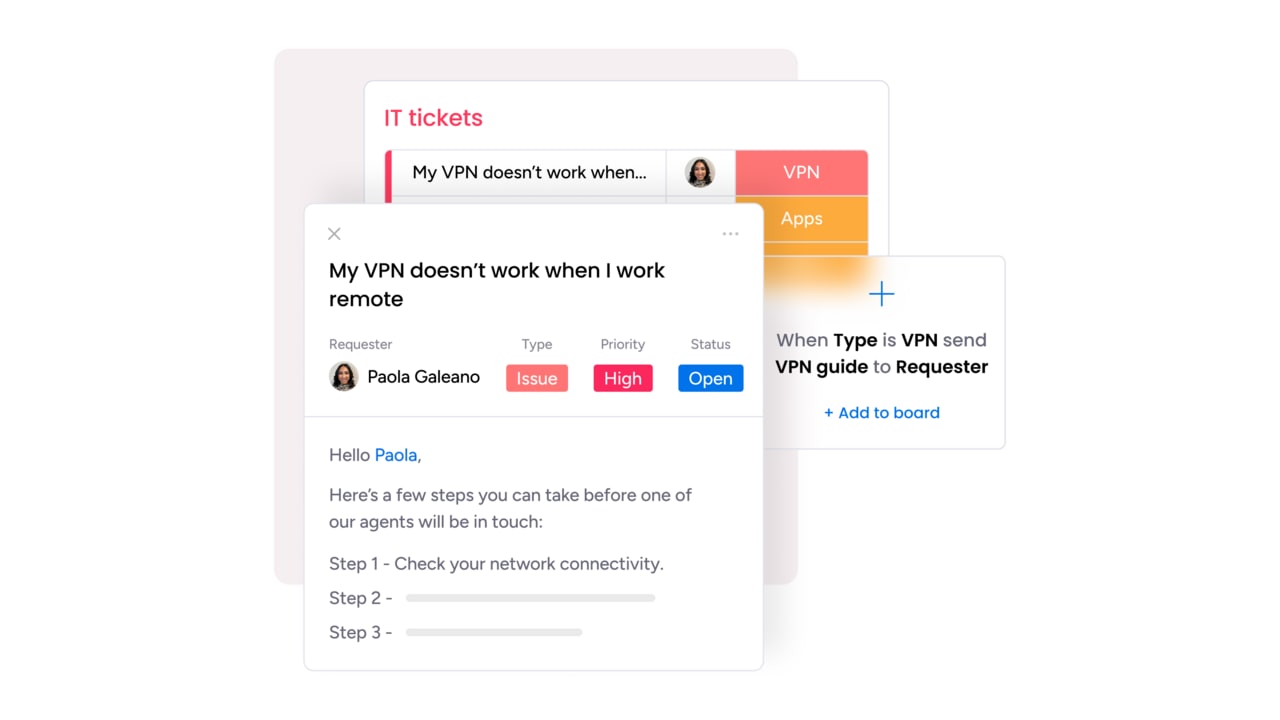
Instead of using stretched IT resources to complete the same repetitive asset processes, the platform offers a workflow builder to automate everything from asset assignment to service escalation. monday agents, including the AI Service Agent and SLA monitor agent, can autonomously triage incoming requests, enforce service-level agreements, and route issues without manual intervention. For example, if you need to manage decommissioning, you can build automated asset retirement workflows and document the chain of custody throughout offboarding or hardware disposal.
Optimize your service management resources
When asset requests and service needs live in separate systems, allocating resources effectively is challenging. monday service unifies ticketing and asset data together, so you have 360-degree visibility into what’s happening on the ground. You’ll use one dashboard to balance and spot capacity issues and make sure your IT service tickets move swiftly from “open” to “resolved.”
Review the latest asset incidents
Along with logging asset incidents, monday service allows you to learn lessons from them. The incidents board gives you a live view of recurring issues, including affected assets and users. This intel ties directly to your ticketing system, making it easy to investigate root causes and identify systemic problems.
You can also use monday sidekick to summarize incident threads, surface relevant context from past tickets, and recommend next steps. Combined with timeline views, asset data, and internal commentary, your team can close the loop and continuously improve.
How does AI in IT asset management work?
According to a 2025 survey by itassetmanagement.net, 70% of ITAM professionals expect AI to enhance the quality of their ITAM processes, and 56% anticipate efficiency gains. AI streamlines processes that once required hours of manual effort and surfaces insights that would otherwise stay buried in data.
Here are some of the core benefits you can expect when you integrate AI into your IT asset management workflows using monday service.
Auto-categorize and prioritize tickets
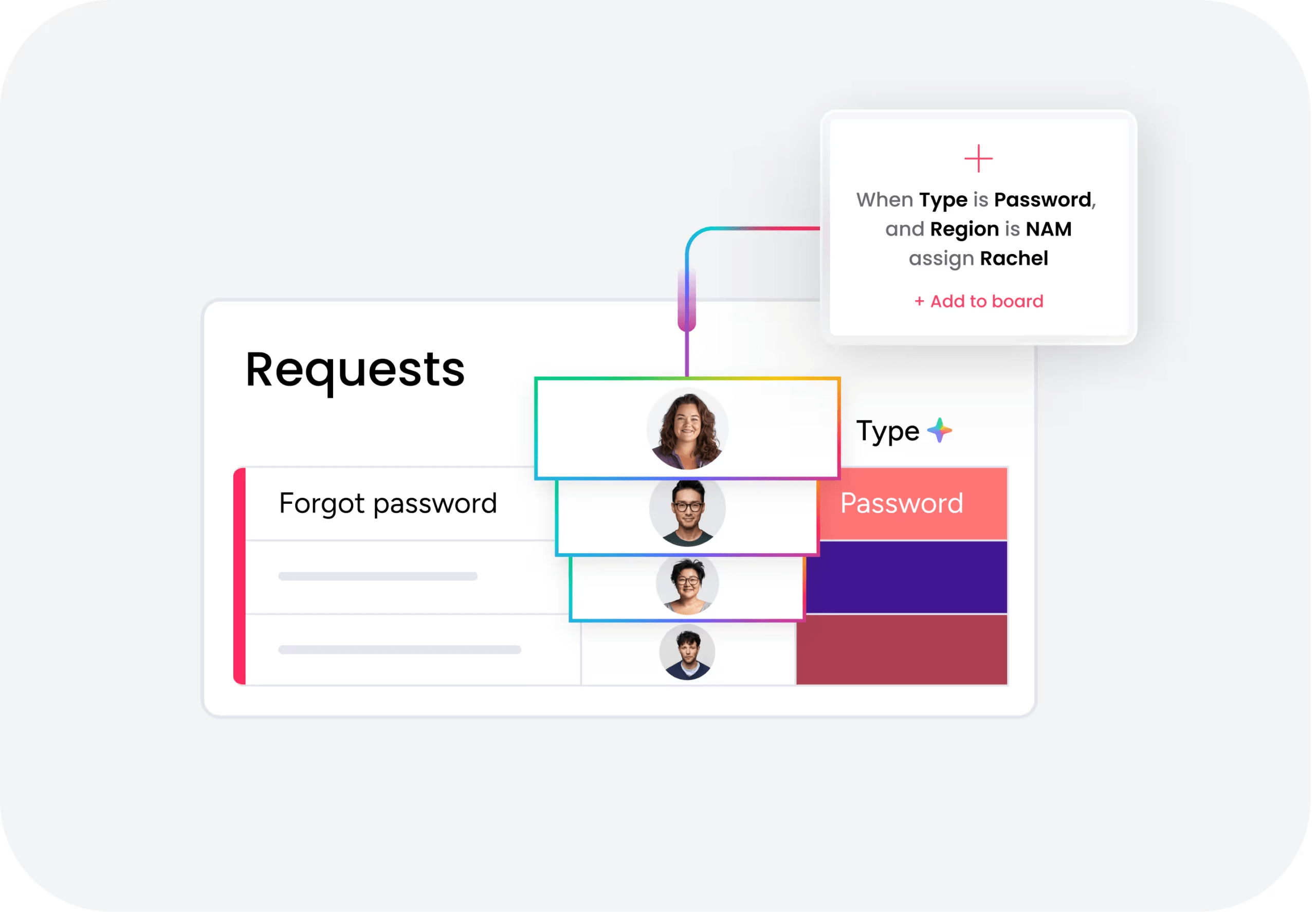
When an asset-related issue comes in via a WorkForm, email, or customer portal, the AI service workforce steps in immediately. It scans the request, classifies the asset type, assigns a priority level, and routes it to the right team or individual. This removes the manual triage that normally slows things down and ensures nothing urgent gets buried in a queue.
Instead of agents sorting through tickets, they get straight to work with the context already in place.
Summarize issues and recommend next steps
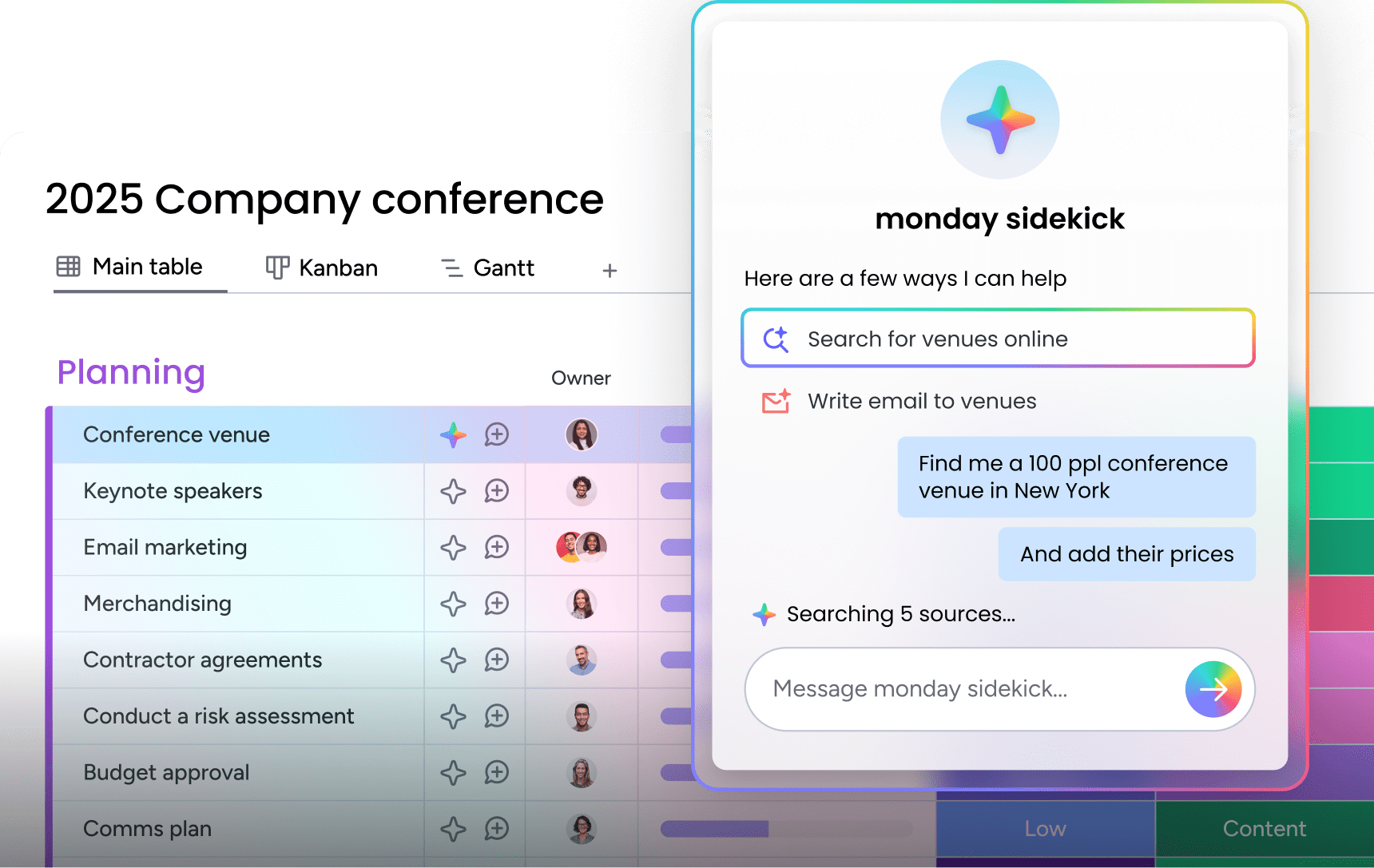
AI excels at understanding patterns. Based on similar tickets and service history, monday sidekick can summarize any asset problem and suggest the most likely resolution. It can also draft response messages for review, giving agents a strong head start without forcing them to write everything from scratch.
The more your system learns, the more accurate it becomes at recommending what to do next, freeing up time and reducing inconsistency in responses.
Predict asset failures or service trends
By analyzing historical data tied to tickets and asset usage, AI can flag signs of wear, repeated incidents, or underperformance before they become major problems. These insights show up directly on your boards, helping teams take action before an issue escalates into downtime or a full replacement.
You can also trigger automated reminders or workflows based on these predictions, so you’re ready whenever it’s time to repair, replace, or review an asset.
Extend the life and value of every IT asset
Effective IT asset management is a continuous cycle that needs support at every stage of an asset’s life. From planning and procurement through maintenance and disposal, the organizations that treat ITAM as a strategic function consistently get more value from their technology investments.
monday service brings structure and clarity to your ITAM program by connecting every asset to its full context in one platform. Take control of your IT assets with a free trial and extend the life and value of every piece of technology in your organization.
FAQs
What is IT asset inventory management?
IT asset inventory management is the practice of keeping an up-to-date record of all the technology an organization owns or uses; for example, laptops, printers, software licenses, and cloud subscriptions. The goal is to know what you have, where it is, who's using it, and whether it's still in use. With that baseline in place, IT leaders can make informed, confident decisions about upgrades, renewals, and replacements.
How do you choose IT asset management software?
Choosing the right IT asset management software starts with understanding what your team needs to manage. If you're dealing with a mix of hardware, software, and cloud services, you'll want a platform that can handle all of it without adding extra complexity. The software should fit into your existing processes, not force you to rebuild them. Look for a platform like monday service that gives you clear visibility, helps you stay ahead of renewals and audits, and integrates with the services you already rely on.
What are the top ITAM software examples?
The top ITAM software examples include platforms that serve enterprise environments across hardware, software, and cloud asset management. monday service is a strong example of a platform that combines ITAM workflows with AI service management and workflow automation. Other options range from dedicated ITAM platforms to broader service management solutions and support-focused platforms. The right fit depends on your company's size, structure, and the systems you already rely on.
What are the 3 main deliverables of IT asset management?
The three main deliverables of IT asset management are: A reliable asset inventory to provide a clear picture of what technology exists in the business, defined processes for managing assets, from procurement to retirement, and accurate asset data to support smarter decisions so IT leaders can plan budgets, avoid overspending, and stay ahead of renewals or compliance issues.
What is hardware asset management?
Hardware asset management (HAM) is the subset of ITAM focused on physical devices such as laptops, desktops, servers, networking equipment, and peripherals. It covers the full lifecycle of these assets, including procurement, deployment, maintenance, and disposal. Effective hardware asset management ensures every device is tracked, properly maintained, and securely retired when it reaches end of life, reducing waste and preventing security risks from unaccounted-for equipment.
What is the difference between ITAM and software asset management?
The difference between ITAM and software asset management (SAM) is one of scope. SAM is a subset of ITAM that focuses specifically on software licenses, compliance, usage rights, and entitlements. ITAM encompasses a broader range of assets, including hardware, software, cloud services, and data. While SAM ensures your organization isn't over- or under-licensed and stays compliant with vendor agreements, ITAM provides the overarching framework that connects all asset categories into a single, cohesive management strategy.

 Get started