


In January 2025, Barclays Bank suffered an IT outage caused by a mainframe failure. It wasn’t one of those “blink and you miss it” outages — this one lasted for three days and left millions of customers unable to access their bank accounts. It had serious implications for the customer relationship and cost the bank more than £7.5 million in compensation payments.
IT outages happen occasionally; that’s a reality faced by anyone who uses technology (all of us). But businesses can drastically reduce the chance of drama with well-run IT operations management (ITOM.) This guide covers everything you need to know about ITOM, including its benefits, challenges, best practices, and why an ITOM platform like monday service will keep your IT ops running smoothly.
Try monday serviceKey takeaways
- IT operations management (ITOM) is the backbone that keeps your business’s IT systems running smoothly, helping you avoid the fallout from unexpected outages or disruptions.
- AIOps is now a baseline expectation: AI-driven analytics, automated remediation, and predictive alerting have moved from emerging capabilities to standard requirements in modern ITOM.
- ITOM, ITSM, ITIL, and ITAM are complementary. Each framework serves a distinct purpose, and understanding how they connect prevents duplication, reduces silos, and strengthens overall service delivery.
- AI and automation are game-changers for ITOM, streamlining everyday tasks and freeing up your team to focus on bigger, more impactful challenges.
- monday service makes ITOM easier by bringing everything into one platform, offering the flexibility to adapt as your business grows while streamlining processes with powerful automation.
What is IT operations management?
IT operations management (ITOM) refers to the administration, monitoring, and support of all the essential technology services that keep your enterprise business running smoothly. It involves overseeing a wide range of IT functions, from managing hardware and software to securing your networks and devices.
The ultimate goal of ITOM is to maintain system stability so everything runs like clockwork behind the scenes, allowing your business to run without a hitch.
What is the difference between ITOM and ITOps?
A common point of confusion is the distinction between ITOM and ITOps. ITOM is the practice and discipline — the frameworks, processes, and strategies that govern how IT infrastructure is managed. IT operations (ITOps) refers to the day-to-day team and activities within that discipline. Think of ITOM as the playbook and ITOps as the team executing it.
IT operations management roles and responsibilities
At its core, ITOM ensures every aspect of your organization’s technology operates seamlessly. These functions span everything from frontline support to backend infrastructure, each playing a distinct role in keeping your organization running smoothly. Here are the key responsibilities that fall under an ITOM function:
- IT help desk: As your first line of defense in troubleshooting technical issues, help desk is where employees or end-users reach out for assistance with hardware, software, or system problems. The team resolves queries or directs more complex issues to specialists as needed.
- Hardware provisioning and management: The process of supplying essential hardware resources, like computers, phones, or other devices. Once procured and configured, ongoing management makes sure employees have the equipment they need to perform their tasks effectively, with minimal downtime.
- Incident management: Unexpected IT disruptions or system failures can spell disaster for business operations, unless you have working incident management processes to minimize downtime and restore systems to normal operation.
- Network infrastructure management: Your company’s network, including routers, switches, firewalls, and internet connections, should be optimized, secure, and always functioning properly. This subsection of ITOM maintains network reliability so seamless communication and data flow is a constant in your business.
- Server management: Physical and virtual servers need regular maintenance, including system monitoring, patching, updates, and backups.
- Software-as-a-Service and Device-as-a-Service management: ITOM also includes managing SaaS and DaaS subscriptions, enabling your users to access the tools they need in lockstep with security and compliance protocols.
- Data security management: ITOM teams implement security protocols, manage encryption, conduct regular vulnerability assessments, and enforce policies to protect critical data assets.
- Access control: Only authorized personnel should be able to access sensitive data and systems in your company’s IT ecosystem. Access control includes enforcing policies and authentication mechanisms, such as multi-factor authentication (MFA) or role-based access control (RBAC).
Core components of an ITOM framework
Understanding the building blocks of ITOM helps IT leaders evaluate their current maturity and identify where to invest next. What are the key components of ITOM? A well-structured ITOM framework typically spans 6 interconnected disciplines, each contributing to the operational health of your IT environment.
Here are the core components that define a comprehensive ITOM framework:
- Network and infrastructure monitoring: Continuous surveillance of routers, switches, servers, and endpoints to detect performance degradation, outages, or capacity bottlenecks before they impact end-users. Effective network monitoring is the foundation of proactive IT operations.
- Event management and alert correlation: Ingesting events from across the IT estate, filtering noise, correlating related alerts, and surfacing only the incidents that require human attention. This component is critical for reducing alert fatigue and accelerating mean time to resolution.
- Incident and problem management: Structured processes for detecting, logging, categorizing, and resolving incidents — along with root cause analysis to prevent recurrence. Incident management restores service quickly, while problem management eliminates the underlying causes.
- Change and release management: Controlled processes for introducing changes to production environments — from minor patches to major infrastructure upgrades — while minimizing risk and maintaining service continuity.
- Configuration management (CMDB): A centralized repository of all IT assets and their relationships, providing the context IT teams need to understand how changes or failures in one component ripple across the environment. Modern CMDBs have evolved into real-time topology maps.
- Cloud and hybrid environment management: Unified visibility and governance across on-premise data centers, public cloud providers, and edge infrastructure. As organizations operate across multiple environments, this component ensures consistent policies, performance monitoring, and cost optimization.
What are the benefits of IT operations management?
The main benefits of ITOM relate to anticipating what obstacles lie ahead and finding solutions to overcome them before they impact your business. Here are the specific benefits you’ll achieve with a robust ITOM function.
Reducing costs
When your IT operations run smoothly, there’s less need for reactive, expensive fixes. Getting ahead of any potential issues means you avoid costly downtime and prevent incidents from escalating.
Regular monitoring and preventive maintenance also extend the life of your hardware and software, reducing replacement and upgrade costs. As IT operations become more efficient, you’ll notice a drop in unnecessary resource usage and lower operational costs.
Achieving compliance
ITOM helps businesses adhere to industry standards and legal requirements, from data protection regulations like GDPR to industry-specific standards such as HIPAA. By incorporating automated checks and controls into IT workflows, ITOM keeps all systems, processes, and data management practices compliant, further minimizing the risk of costly fines.
Tightening security
Hackers are always lurking as they seek ways to take down your systems, either for financial gain, to leak information, or just for fun. IT operations management is one of your great defenses against cyberattacks, and it’s worth every cent of your investment — the global average cost of a data breach is $4.4 million, according to an IBM report.
With 49% of enterprises working with 20+ tools just to manage their hybrid and remote work environments, there’s a greater need than ever to take a military-style approach to locking down your security. Continuous vulnerability scanning and threat detection are all embedded in successful ITOM setups.
Boosting productivity and performance
When your IT systems run seamlessly, your people are free to get on with the jobs you hired them to do. Instead of waiting for servers to come back online or dealing with endless system glitches, employees can focus on delivering results for your customers.
Additionally, ITOM’s ability to keep your systems working at their optimal level boosts overall performance across departments, making workflows more efficient and allowing your business to scale without the need for more resources.
Gaining full stack observability
Modern ITOM provides unified visibility across your entire infrastructure, from servers and networks to applications and cloud services. Full-stack observability combines metrics, logs, and traces into a single view, enabling IT teams to understand not just whether systems are up, but how they are performing and where bottlenecks exist. This level of insight transforms IT from a reactive cost center into a proactive partner in business performance.
What are the challenges of IT operations management?
IT operations management can be complex, especially as your business grows and external threats rise. Here are some common challenges you can expect in ITOM.
Building full stack visibility
Without centralized visibility across your entire IT ecosystem, identifying potential issues before they escalate is like looking for a needle in a haystack. Disjointed systems or limited monitoring tools can leave gaps in critical areas, leading to delays in detection and resolution. A lack of insight into your unique IT setup means problems linger longer, affecting overall system reliability.
Optimizing resource allocation at scale
Efficiently managing IT resources, whether hardware, software, or human capital, is much harder as your business grows. As resources become more distributed and complex, balancing demand with availability without overburdening any area requires careful coordination. Without proper resource management, your team could face higher costs, inefficiencies, and slower response times.
Scaling IT alongside business growth
Scaling IT systems to match business growth is a challenge, especially when there are different tools and systems deployed across the organization. For example, when some systems are on-premise and others are in the cloud, integration issues and data silos can complicate scaling efforts. A 2024 survey by 10x Banking revealed that 53% of IT decision-makers struggled to scale legacy systems due to production bottlenecks and fragmented IT environments.
Identifying the right automation candidates
Not every task in IT operations is suitable for automation. Deciding which activities to automate requires careful evaluation to ensure automation doesn’t compromise service quality, security, or compliance. If the wrong tasks are automated, it could introduce new risks or inefficiencies instead of reducing manual workloads.
Cutting through alert noise and fatigue
IT operations are constantly flooded with alerts and notifications, and distinguishing between critical and non-critical issues can easily overwhelm. With so much noise, there’s a risk that important alerts get lost, slowing down the resolution of critical problems. As highlighted in the monday world of work report, 77% of businesses report changes to their tools or software, further complicating how to manage and respond to this influx of information.
How ITOM relates to ITSM, ITIL, and ITAM
IT management is filled with overlapping acronyms, and understanding how each framework fits together is essential for building a cohesive strategy. Where does ITOM end and ITSM begin? The answer is that they are complementary practices, each addressing a different layer of your IT ecosystem.
ITOM vs ITSM
While IT service management (ITSM) and IT operations management (ITOM) are often used interchangeably, they each serve a unique function. Understanding how they differ helps IT leaders allocate resources and design processes that serve both the infrastructure and the people who rely on it.
- ITSM primarily focuses on delivering IT services to end-users, ensuring service requests, incidents, and problems are handled efficiently and with customer satisfaction in mind. ITSM includes processes like managing help desk tickets, handling service requests, and offering support services.
- ITOM, on the other hand, encompasses the underlying infrastructure, platforms, and processes that keep IT services operating smoothly. This includes the management of networks, hardware, servers, and security protocols — all essential to the smooth delivery of IT services.
In other words, ITOM supports and optimizes the systems that ITSM relies on. ITOM makes sure everything IT-related functions correctly so its services can be delivered without a hitch.
ITOM vs ITIL
ITOM directly supports the “Service Operation” stage of the ITIL framework. ITIL is a framework of best practices that defines how IT services should be planned, delivered, and improved. ITOM is the operational discipline that executes those practices day-to-day.
Think of ITIL as the methodology and ITOM as the execution engine. ITIL’s Service Operation stage prescribes processes for event management, incident management, and request fulfillment — all of which fall squarely within the scope of ITOM. Organizations adopting ITIL can use ITOM practices to operationalize the framework’s recommendations at scale.
ITOM vs ITAM
IT asset management (ITAM) focuses on the lifecycle management of IT assets — tracking hardware and software from procurement through deployment, maintenance, and eventual retirement. ITAM answers the question: “What do we own, where is it, and is it properly licensed?”
ITOM, by contrast, focuses on the operational health and performance of those assets in production. ITAM tracks the laptop; ITOM monitors whether the applications running on that laptop are performing as expected. The 2 disciplines are highly complementary — ITAM data feeds into ITOM’s configuration management database (CMDB), providing the asset context needed for effective operations.
| Framework | Focus | Relationship to ITOM |
|---|---|---|
| ITSM | Service delivery to end-users | ITOM supports the infrastructure that ITSM depends on |
| ITIL | Best practice methodology for IT services | ITOM operationalizes ITIL's Service Operation stage |
| ITAM | Lifecycle management of IT assets | ITAM provides asset data; ITOM manages operational performance |
7 IT operations management best practices
The best approach to ITOM is to shape your processes and systems to the unique needs of your company. But there are some universal best practices you can use to support your strategy.
1. Standardize your processes
Defining clear workflows for everything from ticket management to incident resolution keeps your team on the same page, speeding up response times and reducing the risk of human error. It also makes your ITOM function scalable — as your company grows, standardized processes make it easier to onboard new team members and keep everyone working efficiently.
2. Adopt a proactive monitoring approach
Proactive monitoring is about keeping an eye on your systems in real-time, and identifying potential problems before they snowball into serious issues. Monitoring tools track network performance, server health, and security vulnerabilities, so you can maintain business as usual.
3. Establish clear incident response and recovery plans
When an incident strikes, the last thing you want to do is brainstorm a solution. A solid incident response plan should include predefined roles, timelines, and escalation paths so everyone knows exactly what to do when an issue arises. Don’t forget to test your plan regularly through mock drills to keep everyone sharp.
4. Enable collaboration between teams
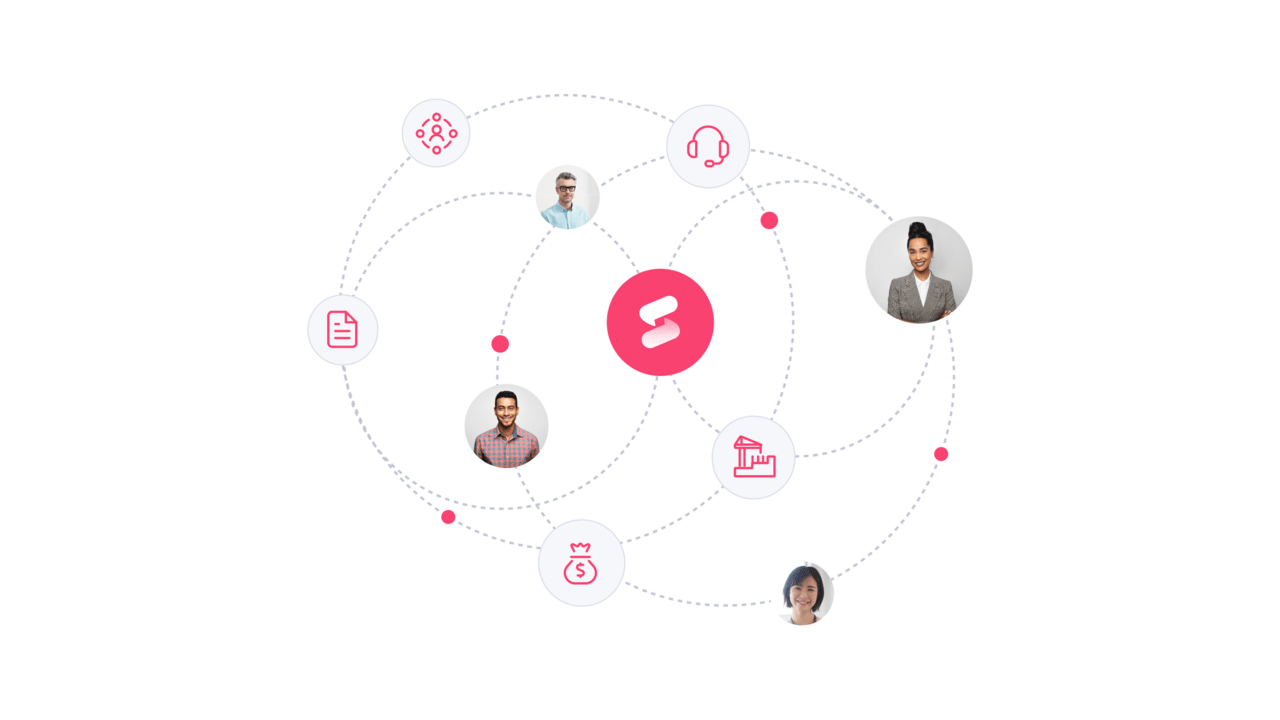
ITOM requires strong collaboration between IT teams and other departments. Whether coordinating with HR to equip new joiners with their devices from day one or working with security to address vulnerabilities, cross-team collaboration is critical to ITOM success. Tools like monday service help here, providing a centralized platform where everyone can communicate in real time, share updates, and escalate issues seamlessly.
5. Invest in training and skill development
IT operations are constantly evolving, and so is the technology that powers them. That’s why investing in training and skill development for your team is one of the smartest moves you can make. Whether introducing new tools, updating your team on the latest security protocols, or equipping them to handle emerging IT challenges, regular training puts your team ahead of the curve.
6. Observe your entire stack
Traditional uptime monitoring is no longer enough. Modern IT operations require full-stack observability — the ability to correlate metrics, logs, and traces across your entire infrastructure to understand not just what went wrong, but why. Observability gives your team the context to resolve issues faster and identify patterns that prevent future incidents.
7. Build an AIOps strategy
AI-driven analytics should be a deliberate part of your operations strategy, not an afterthought. Define which processes benefit most from AI — ticket triage, alert correlation, capacity planning — and build a roadmap for integrating AIOps capabilities incrementally. Start with high-volume, repetitive workflows where AI delivers the fastest return.
How AI and AIOps are transforming IT operations
One of the most recent additions to the ITOM landscape is none other than artificial intelligence. IT professionals are leading the charge with AI adoption — 86% of tech employees already use the technology in their workflows, making it the perfect sector for AI to thrive.
For example, an IBM report finds that organizations save $1.9 million when using AI in IT security, compared to those that don’t. Assaf Elovic, Head of AI at monday.com, attests to the importance of committing to AI adoption.
The risk of falling behind in the AI race is much greater than the security risks that are holding companies back.
A word of warning, though: take care to implement AI governance policies to maximize its value, and choose AI IT management software that builds access controls and audit trails directly into its workflows. 97% of companies that admitted suffering an AI-related security incident didn’t have adequate AI access controls in place.
How AIOps enhances IT operations
AIOps ingests data from across the observability stack — metrics, logs, traces, and events — and applies machine learning to deliver intelligent alerting, root cause analysis, and automated remediation. The result is an IT operations function that spends less time firefighting and more time on strategic improvement. Here are the key capabilities:
- Predictive maintenance: AI-powered systems monitor servers, networks, and hardware for signs of wear or failure. By predicting required maintenance before breakdowns occur, AIOps reduces the risk of unplanned outages and extends infrastructure lifespan.
- Intelligent alert correlation: Rather than flooding teams with thousands of individual alerts, AIOps correlates related events across the stack and surfaces a single, actionable incident. This dramatically reduces alert fatigue and accelerates mean time to resolution.
- Automated system monitoring: AI continuously monitors IT infrastructure for irregularities, automatically identifying and alerting teams to issues before they affect operations. IT teams can take corrective action proactively, minimizing disruptions.
- Resource allocation optimization: AI optimizes resource management by automatically adjusting workloads based on system demands, so your IT resources are used efficiently without manual input.
- Root cause analysis: AIOps traces incidents back to their source by analyzing patterns across interconnected systems, reducing the time spent on manual investigation and preventing recurrence.

How to choose the right ITOM platform
The IT operations management software market continues to expand rapidly, making platform selection a critical decision for IT leaders. Choosing the right ITOM platform is not just a technology decision — it is a strategic one that affects how quickly your team can respond to incidents, how effectively you can scale, and how much value IT delivers to the broader business.
When evaluating ITOM platforms, consider these essential criteria:
- Ease of use and time to value: Can your team adopt the platform without months of implementation and consultant fees? The fastest path to operational improvement comes from platforms your team actually uses from day one.
- AI and automation capabilities: Does it offer AI-driven ticket triage, workflow automation, and predictive analytics? Platforms with native AI capabilities deliver measurable efficiency gains over those that require third-party add-ons.
- Integration breadth: Does it connect with your existing infrastructure monitoring, communication, and ITSM platforms? Look for 200+ pre-built integrations and an open API for custom connections.
- Customization without code: Can non-technical team members adjust workflows, dashboards, and automations? No-code customization accelerates adoption and reduces dependency on IT for every configuration change.
- Scalability: Will the platform grow with your organization from 50 to 5,000+ team members? Evaluate whether pricing, performance, and governance features support enterprise scale.
- Unified platform vs. point solutions: Does it consolidate ITOM, ITSM, and project management, or does it add another silo? Unified platforms reduce context-switching, eliminate data duplication, and provide a single source of truth for service operations.
If you are evaluating alternatives to legacy ITOM platforms, alternatives to help-desk-focused platforms, or alternatives to traditional service desk platforms, prioritize the criteria above to find the right fit for your organization’s needs and growth trajectory.
How monday service supports IT operations management
IT operations management is too complex to rely on manual processes or disconnected tools. To keep everything running smoothly, you need a platform that brings it all together. monday service is that platform. It connects every part of your organization, offering unmatched ease of use, no-code customizability, and powerful AI-driven automation.
From ticketing and projects to cross-department collaboration, monday service empowers IT teams as they stay on top of every task. With clear visibility into service metrics and the ability to customize workflows on the fly, it accelerates your organization’s performance and keeps things running smoothly as your business grows.
Let’s take a closer look at the key features that make monday service the IT operations management solution your business needs.
Streamline ticket management with AI-driven automation
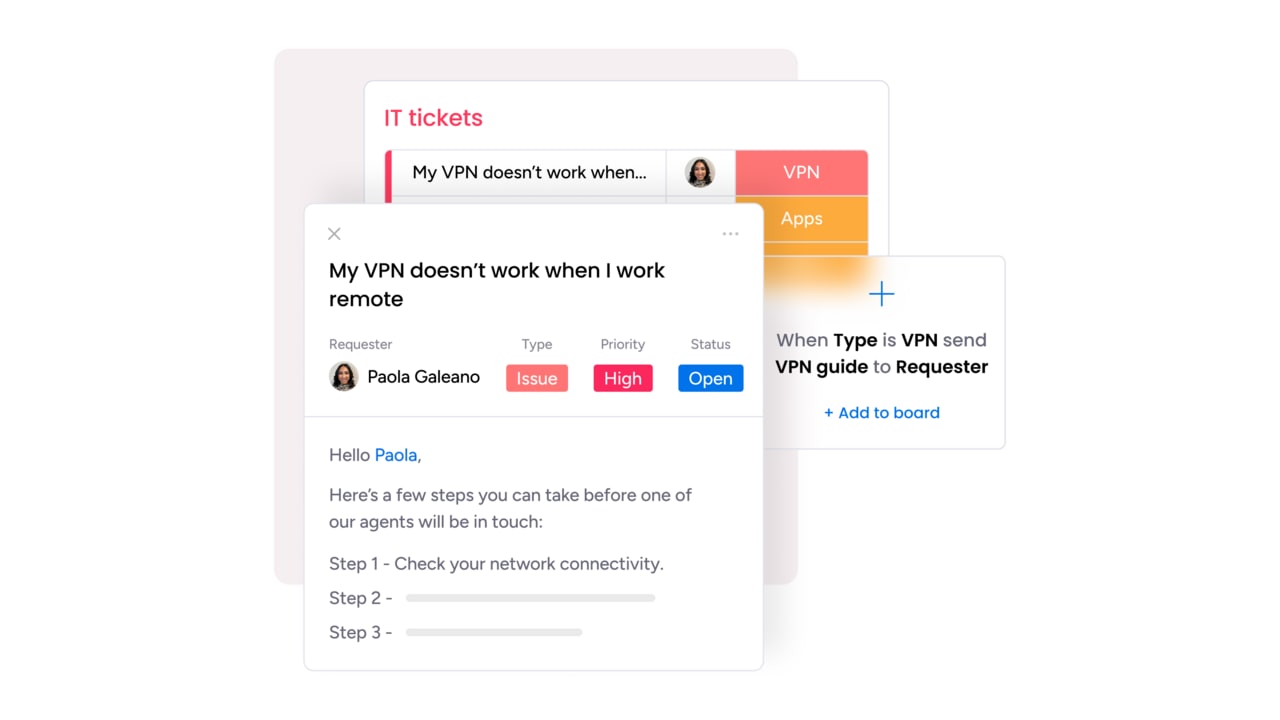
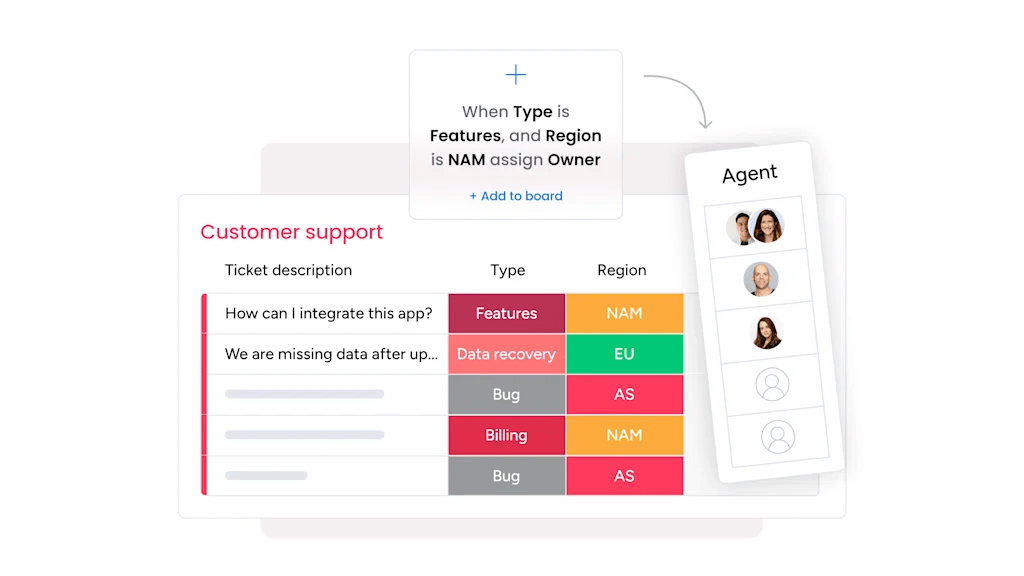
IT ticketing systems require careful organization to resolve every issue according to its importance and urgency. monday service uses AI to automatically classify and route tickets, eliminating manual sorting and sending each request to the right team or person based on priority and expertise. This AI-driven approach reduces response times and addresses high-priority issues first.
Accelerate incident resolution with AI Service Workforce for IT operations
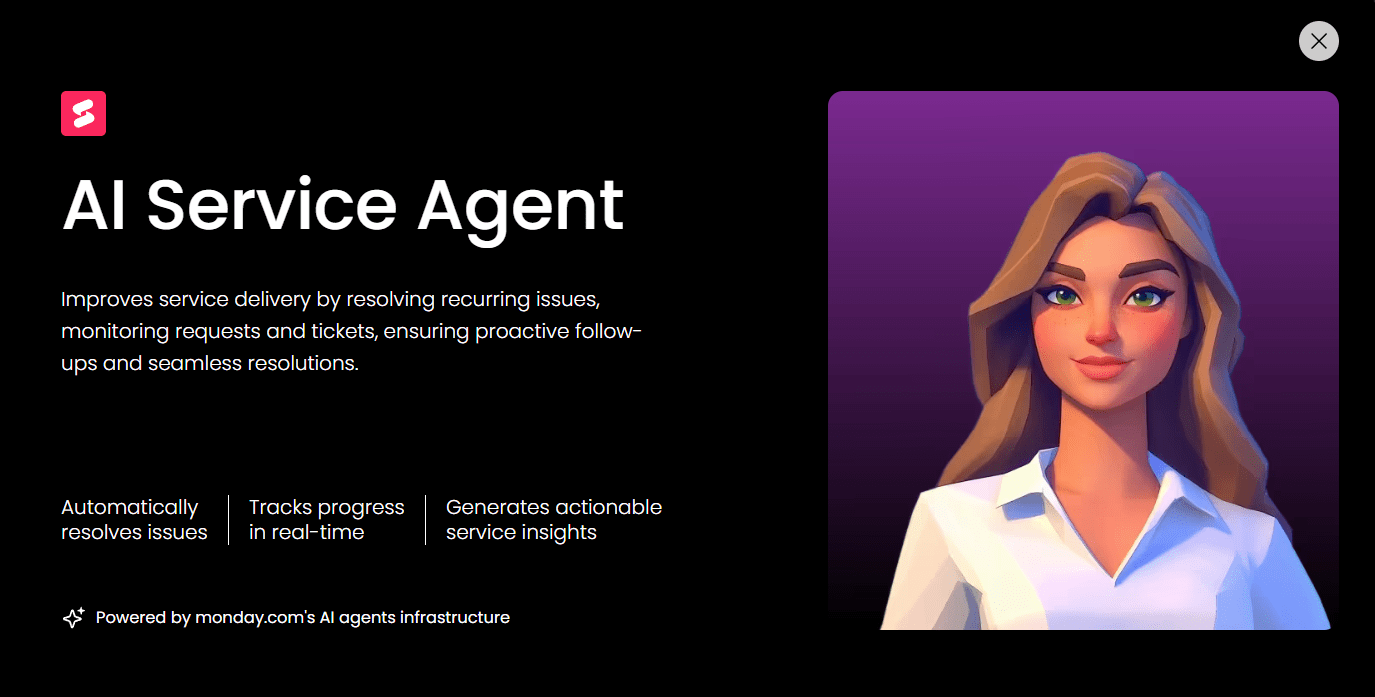
monday service introduces a team of specialized AI agents purpose-built for IT operations — the IT Help Agent handles general support queries, the Device Agent manages hardware requests, and the Access Agent processes permission and access workflows. The Service AI Supervisor intelligently routes each incoming request to the most relevant agent based on scope and context, creating an always-on first line of response that operates 24/7.
Beyond IT, organizations can create AI workforce teams spanning HR, procurement, finance, and customer support — each staffed with specialized agents that handle routine requests autonomously while escalating complex issues to human team members.
Track SLAs accurately with live breach alerts
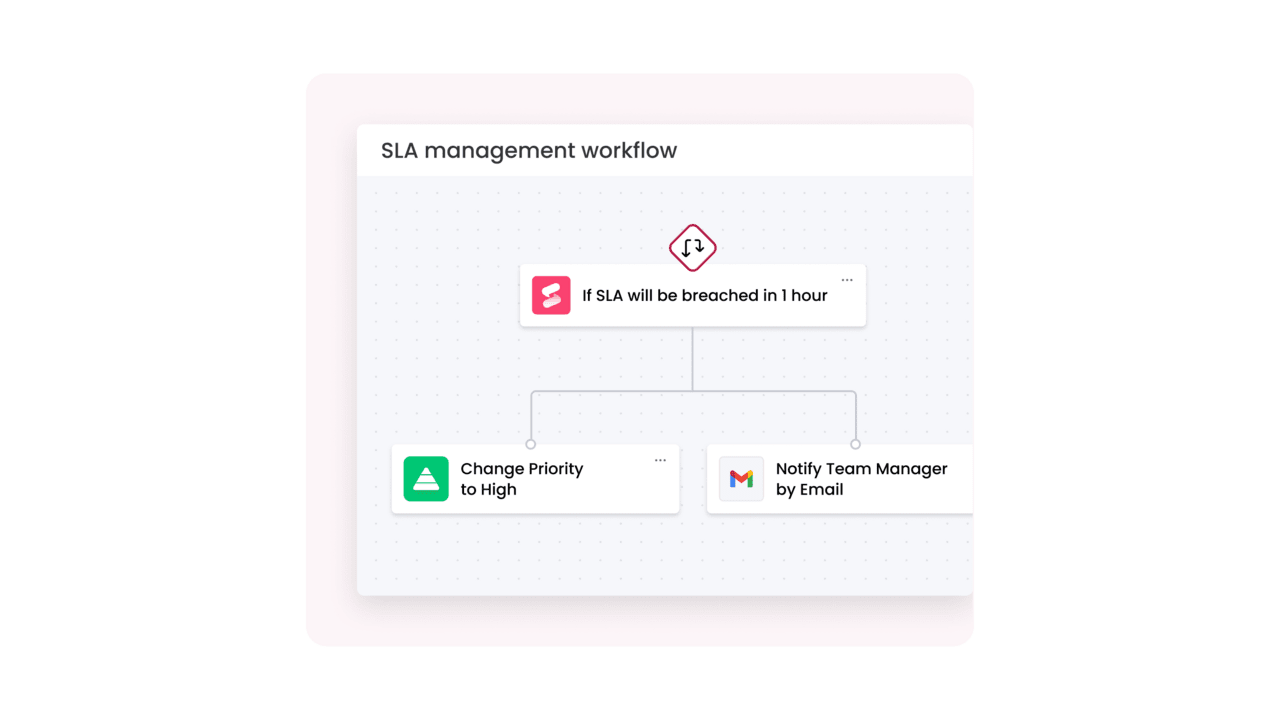
monday service includes a built-in SLA column that measures time to resolution with live timers, working hours awareness, pause states, and automatic breach alerts. Team members and managers can see at a glance which tickets are approaching or exceeding SLA thresholds, enabling proactive intervention before commitments are missed. This connects directly to the ITOM benefit of shifting from reactive firefighting to proactive service delivery.
Optimize incident management with postmortem workflows
A dedicated Incidents board links directly to related tickets, categorizes incidents as new or related, and organizes all relevant information in a single view. After resolution, teams can generate postmortem reports via the Doc Column — capturing root cause, resolution steps, and follow-up actions in a structured format that improves future response. Organizations using this structured approach have seen open IT ticket volumes drop significantly — one retail organization reported a 50% reduction after centralizing incident management.
No-code workflow automation and custom apps
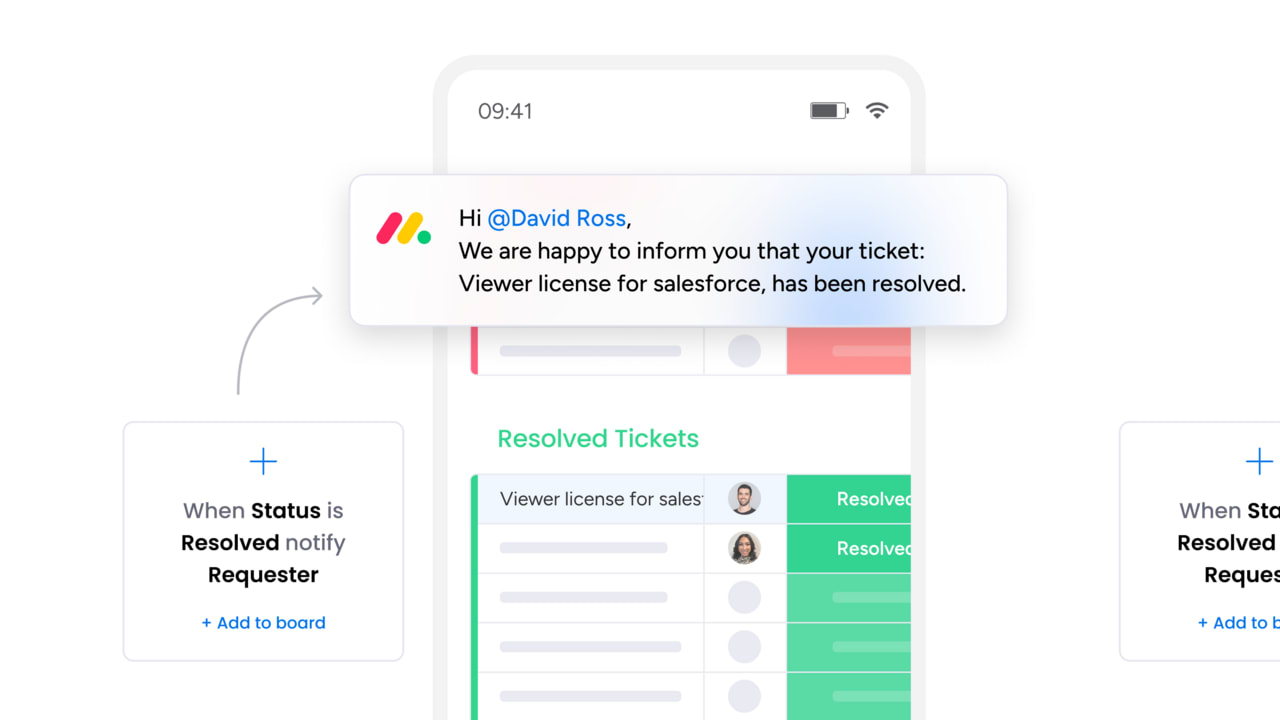
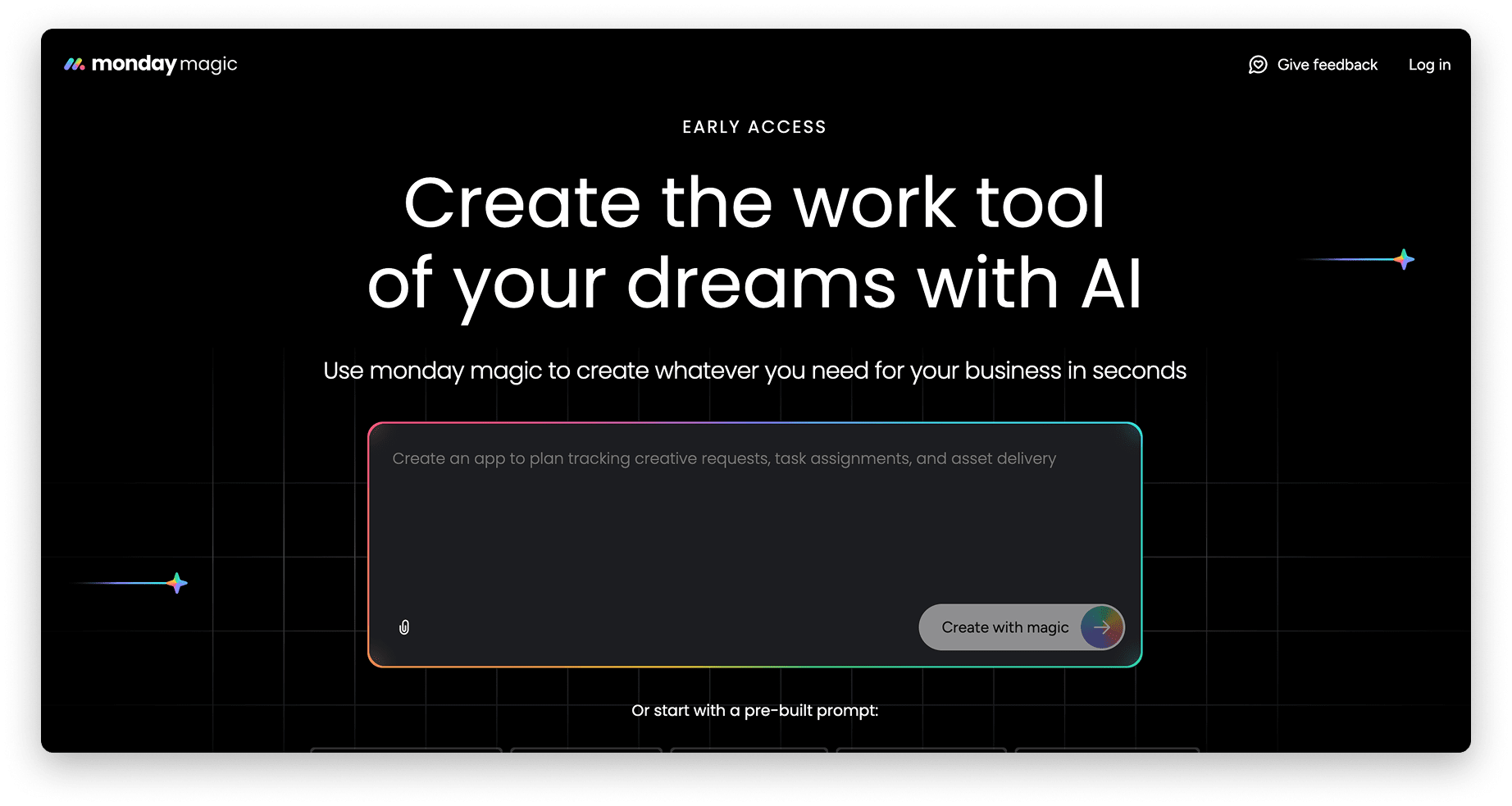
The workflow builder in monday service enables enterprise-grade automation across multiple touchpoints — from status-based ticket routing and email auto-responses to SLA notifications and cross-departmental escalations. With monday magic, teams can create the precise workflow they need by describing it in plain language, moving from prompt to full automation in seconds.
For teams that need custom ITOM applications, monday vibe allows non-technical team members to build tailored IT operations apps with no code. And with monday MCP, organizations can connect AI assistants like Claude, ChatGPT, Copilot, and Cursor directly to their workspace — enabling AI-powered incident creation, cross-board analysis, and operational workflows that extend the platform’s capabilities.
The future of IT operations management
ITOM is evolving rapidly, driven by advances in AI, the continued expansion of cloud and edge infrastructure, and rising expectations from business stakeholders. Organizations that anticipate these shifts and invest early will gain a significant operational advantage.
Here are the trends shaping the next generation of IT operations:
- Autonomous operations: AI agents will handle the full incident lifecycle — from detection through diagnosis to remediation — without human intervention for routine issues. Human operators will shift from executing to supervising, focusing on strategic decisions and edge cases.
- Unified observability platforms: Metrics, logs, and traces will converge into single platforms with AI-powered analysis, replacing the fragmented monitoring stacks that most organizations manage today. This consolidation will simplify operations and reduce costs.
- FinOps integration: ITOM and cloud cost management will merge, giving IT leaders real-time budget visibility alongside operational health dashboards. Teams will be accountable for both performance and spend.
- Edge and IoT management: As computing moves closer to the user, ITOM will extend to manage distributed edge devices and IoT infrastructure at scale — requiring new approaches to monitoring, patching, and security.
- Proactive experience management: ITOM will shift from infrastructure health metrics to end-user experience as the primary KPI. The question will no longer be “is the server up?” but “is the employee or customer having a seamless experience?”
Achieve IT operational excellence with monday service
Running a smooth IT operation is no easy feat, especially as your business grows and environments become more complex. The best IT operations management approach gives you the control and clarity you need, helping you focus on what truly drives your business forward.
With monday service, you get a platform that simplifies the heavy lifting — from AI-powered ticket triage and an always-on AI Service Workforce to no-code workflow automation and real-time SLA tracking. It is built to help you move faster, make smarter decisions, and stay ahead of any issues.
Try monday service today and see how it can help you strengthen your IT operations.
Try monday serviceFAQs about IT operations management
What is the difference between ITOM and ITIL?
The difference between ITOM and ITIL is that ITIL is a framework of best practices that defines how IT services should be planned, delivered, and improved, while ITOM is the operational discipline that executes those practices on a daily basis. ITOM aligns most closely with ITIL's "Service Operation" stage, which covers event management, incident management, and request fulfillment.
What is AIOps and how does it relate to ITOM?
AIOps (artificial intelligence for IT operations) applies machine learning and big data analytics to IT operations data to automate monitoring, detect anomalies, correlate alerts, and predict issues before they impact end-users. AIOps is a capability within modern ITOM — it enhances traditional operations by replacing reactive, threshold-based monitoring with intelligent, pattern-driven analysis and automated remediation.
What are the key components of an ITOM framework?
The key components of an ITOM framework include network and infrastructure monitoring, event management and alert correlation, incident and problem management, change and release management, configuration management (CMDB), and cloud and hybrid environment management. Together, these components provide the visibility, control, and automation that IT teams need to maintain operational health across their entire infrastructure.
How does ITOM support incident management?
ITOM supports incident management by providing the monitoring, alerting, and automation infrastructure that detects incidents in real time, routes them to the right teams based on severity and expertise, and tracks resolution through defined workflows. ITOM also provides the configuration data and topology context that help teams understand the blast radius of an incident and identify root causes faster.
What is the difference between ITOM and IT asset management (ITAM)?
The difference between ITOM and ITAM is that IT asset management tracks the lifecycle of IT assets — from procurement and deployment through maintenance and retirement — while IT operations management focuses on the operational performance and health of those assets while they are in production. ITAM answers "what do we own and where is it?" while ITOM answers "is it performing as expected?"
How do you choose the right ITOM platform?
Choosing the right ITOM platform requires evaluating several factors: AI and automation capabilities, integration breadth with your existing infrastructure, ease of use and time to value, no-code customization for non-technical team members, scalability from small teams to enterprise, and whether the platform unifies ITOM with ITSM and project management or adds another disconnected system to your stack.

 Get started