


ServiceNow is a staple in the world of IT service management (ITSM). The cloud-based platform offers AI and automation tools that allow organizations to improve productivity and work more efficiently. While it works well for plenty of businesses, it’s not necessarily the best solution for every organization.
Some companies are looking for a customer service solution, others an IT service solution, and others want a combination of the two. While ServiceNow shines in ITSM, it might feel less fitting for companies seeking a simple yet customizable customer service platform that still offers IT functionality.
This post will introduce you to 8 ServiceNow alternatives. We’ll look at the pros and cons of ServiceNow as a platform, walk you through what to look for in alternatives to ServiceNow, and talk about reliable options like monday service.
Try monday serviceKey takeaways
- ServiceNow is powerful but comes with high costs, complex setup, and a steep learning curve that can slow teams down
- The best ServiceNow alternatives deliver strong ticketing, SLAs, and AI while cutting implementation time and admin overhead
- Look for platforms with transparent pricing, no-code customization, native integrations, and AI that works across the full ticket lifecycle
- monday service stands out with published pricing, days-to-deploy setup, and an AI Service Workforce that auto-resolves repetitive requests
- Alternatives include HelpDesk for lean support teams, Freshservice for ITIL-aligned ITSM, and Jira Service Management for dev-centric workflows
What is ServiceNow?
ServiceNow is a cloud-based AI-driven platform that helps organizations optimize workflows and work more efficiently. The platform is designed for larger organizations and enterprise service management in a wide range of industries like government, automotive, retail, banking, and others. ServiceNow offers a range of solutions for different needs, such as:
- Customer service management (CSM)
- IT service management
- Security operations
- HR service delivery
- Self-service portals
Combining AI, data, and workflows, the platform helps companies streamline IT operations and enhance service delivery across departments. The solution offers features like AI-powered automation, integration capabilities, and a centralized service portal. With ServiceNow, businesses can improve efficiency, reduce manual business processes, and enhance customer and employee experiences.
Pros and cons of ServiceNow
ServiceNow helps a lot of businesses streamline their various service workflows, but that doesn’t mean it’s the ideal solution for every company. Let’s take a closer look at the benefits and drawbacks of the platform.
Pros
- A robust set of advanced capabilities for multiple service tasks
- A single unified system for managing different operations in one place
- State-of-the-art AI and automation tools for streamlining workflows
Cons
- Can be very complex to use and navigate
- Steep learning curve and setup time
- Costly solution that may not fit every organization’s budget
- Certain functionalities aren’t very customizable
- Some users report issues with integrations and APIs
- No free trial available
Overall, ServiceNow is a highly functional platform that many users love for its ability to increase efficiency in service departments. However, companies that prioritize ease of use, getting started quickly, and straightforward onboarding can benefit from considering ServiceNow alternatives.
7 things to look for in a ServiceNow alternative
Whether you already use the software and you’re looking for a ServiceNow alternative or you’re in the market for a service platform for the first time, there are some important factors to keep in mind. Not all solutions are built equally, and they won’t all fit every business. Before jumping feet first into new software, consider these 7 things worth checking.
- Ease of use: The platform you use should have an intuitive interface so that your team can get up and running quickly without extensive training
- Scalability: Ensure the software can grow with your business by supporting more users and tickets and that you have access to more advanced features
- Seamless integration options: Look for a comprehensive solution that seamlessly connects with your existing tools and other essential platforms, such as a CRM or email marketing solution
- AI features: To speed up service processes and make workflows more efficient, you need service software with built-in AI to power ticket categorization, chatbots, predictive analytics, and even AI agents
- Multi-channel support: Make sure the software can handle customer inquiries from any channel in one place, such as email, chat, calls, or social media
- Workflow automation: The system you use should automate repetitive tasks so that you can cut out manual work, such as ticket assignment and workflow approvals
- Analytics: Choose a platform with robust real-time reporting and analytics to track performance, identify trends, analyze customer behavior, and optimize support processes
8 of the best alternatives to ServiceNow
We’ve gathered some of the top ServiceNow alternatives worth considering for your organization. Some of these platforms work well for small to medium-sized companies, while others fit a range of company sizes, from startups to enterprises. To help you scan the options quickly, here’s how they compare on who they suit best, where pricing starts, and whether you can try them for free.
| Platform | Best for | Starting price | Free trial |
|---|---|---|---|
| monday service | Teams that want no-code ITSM connected to projects and CRM | $26/seat/month | 14-day trial |
| HelpDesk | Lean customer support teams without ITSM needs | $29/agent/month | 14-day trial |
| Freshservice | ITIL-aligned ITSM without heavy implementation | $19/agent/month | 14-day trial |
| Jira Service Management | Dev-centric teams already in the Atlassian ecosystem | $20/agent/month | 7-day trial |
| BMC Helix | Large enterprises with complex multi-cloud IT | Quote only | Varies |
| Zendesk | Customer experience-led teams that also handle internal service | $19/agent/month | Free trial |
| Zoho Desk | Budget-conscious teams inside the Zoho suite | $7/user/month | 15-day trial |
| SolarWinds Service Desk | Mid-sized IT teams wanting affordable ITSM | $39/technician/month | 30-day trial |
1. monday service
Use case
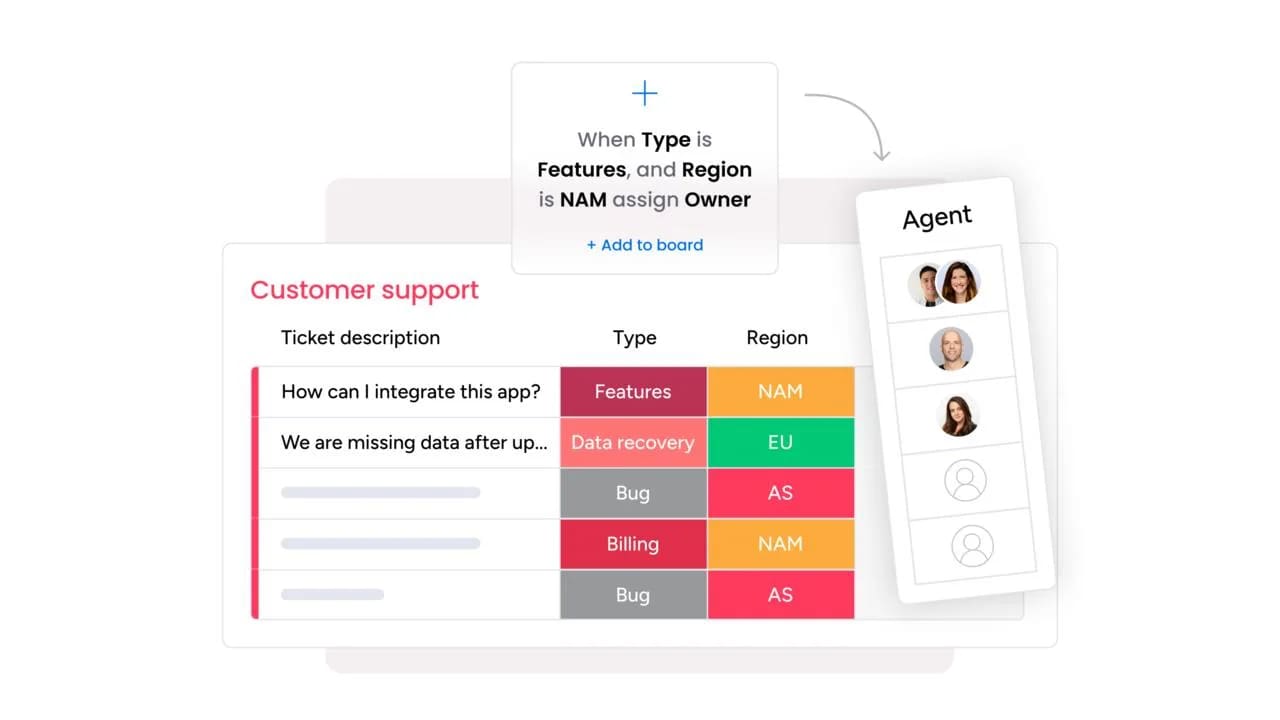
monday service suits IT, HR, operations, and customer support teams that want enterprise-grade service management without enterprise-grade complexity. It’s a strong fit when you need to connect service tickets to the wider business, from projects to customer records.
Key features
The platform combines AI, automation, and no-code customization so any team member can build and adapt workflows. Here are three features that stand out.
- AI suggestions: agents get AI suggestions based on a customer’s inquiry to make it quicker and easier to solve issues
- Customizable workflows: build no-code service workflows with a simple drag-and-drop interface to automate notifications, approvals, and follow-ups
- AI service agents: use AI to manage incoming tickets by ranking and categorizing them for quicker resolutions
Pricing
monday service publishes its pricing openly, so you can budget without waiting on a sales quote. Annual billing saves 18%, and plans start at 3 users.
- From $26/seat/month (annual pricing)
- Pro: $45/seat/month
- Enterprise: quote-only
- 14-day free trial, no credit card needed
Why it stands out
monday service shines thanks to its flexibility and user-friendly interface, making it a fit for businesses of any size that need customization without complex setup. Here’s what sets it apart.
- Fast time-to-value: most teams go live in days with ready-made workflows and guided, no-code setup
- Recognized quality: it “stands out for its customization capabilities and intuitive approach,” according to what users say on sites like G2
- Proven outcomes: one financial services customer auto-triages 98% of tickets with AI, and a retail & CPG customer cut open IT tickets by 50%
Advanced AI features
AI runs through the whole ticket lifecycle, not just a single step. These capabilities help teams resolve more requests with less manual effort.
- AI columns summarize tickets, detect sentiment, classify request types, and auto-assign to the best-fit agent
- monday sidekick drafts replies, recommends next steps, and surfaces similar resolved tickets
- The AI Service Workforce deploys specialized AI agents that resolve repetitive requests autonomously within guardrails and escalate to humans with full context
Automations
You can automate routine service work without writing code, freeing agents to focus on complex requests. The platform ships with recipes you can adapt in minutes.
- Pre-built automation recipes for ticket assignment, escalation, and notifications
- Email automation that captures, categorizes, and routes inbound requests
- A no-code workflow builder for approvals, follow-ups, and multi-step processes
ServiceNow alternative features
monday service covers the ITSM essentials while staying flexible enough for non-IT teams. That balance is exactly what many teams leaving ServiceNow are after.
- No-code build so your team can create and change workflows without a dedicated admin
- SLA tracking, an incidents board, a self-service customer portal, and CSAT surveys
- Connects service to projects, CRM, and dev on one platform for full context
Integrations
Service rarely lives in isolation, so monday service connects to the platforms your team already relies on. It also opens the door to external AI agents.
- 200+ integrations to sync data and workflows across your stack
- An open API for custom connections
- monday MCP to connect external agents like Claude, ChatGPT, Copilot, and Gemini
Read our in-depth piece on how monday.com and ServiceNow compare
Try monday service
"Our team LOVES the monday service platform and we’re already exploring how we could incorporate it for other departments, too. It has streamlined our workflow in a way that both our team and customers appreciate."
Andrew Marshall | VP Operations
״monday service provides clear insights into requests volume and types, response times, and trends - helping us continuously improve operations"
Grant De Waal-Dubla | CIO
"The biggest value for us is speed and flexibility. You can get up and running in days, change anything instantly, and see everything in real time. And you don’t need a dedicated admin to do it."
Clive Camilleri | Head of People Tech & Operations2. HelpDesk
HelpDesk is a simple and efficient ticketing and customer service platform that helps teams streamline customer communication, automate workflows and repetitive tasks, and centralize support requests. The interface is easy to use and can be customized to fit specific workflows.
Use case
HelpDesk fits customer service teams that want straightforward email-and-form support and minimal training. It’s a poor match for IT-heavy organizations that need formal incident, problem, and change management.
Key features
HelpDesk keeps things lightweight while adding AI where it saves the most time. These three features do most of the heavy lifting.
- AI ticket summary: get insights into any ticket in one click as AI summarizes the main issue and suggests next steps
- Automated workflows: create custom automations or use templates to categorize, assign, and escalate tickets automatically
- AI writing and language detection: use AI to instantly detect language in a ticket, route it to the right agent, and tailor a message’s tone to your brand
Pricing
HelpDesk keeps pricing simple, with most plans billed annually. Here’s where each tier lands.
- Team: $29/agent/month (billed annually)
- Business: higher tier (billed annually)
- 14-day free trial
Considerations
HelpDesk trades depth for simplicity, which is worth weighing against your needs. Keep these limits in mind.
- No real ITSM, so there’s no CMDB, change and problem management, or asset management
- Narrower integration and reporting depth than enterprise platforms
3. Freshservice
Freshservice by Freshworks is a service solution designed for enterprise-grade IT service management (ITSM). The platform offers an AI-powered service desk, smart automation features, and collaboration tools to streamline IT service delivery.
Use case
Freshservice works well for IT and multi-department service desks that want structured ITSM without a months-long rollout. It’s the go-to choice for teams that need incident, problem, change, and asset management in one place.
Key features
Freshservice pairs an AI-powered service desk with strong asset tracking and knowledge management. These three features anchor the platform.
- Freddy AI: a built-in AI assistant that helps customers with self-service and gives agents suggestions and insights
- IT asset management: track and manage IT assets across multiple systems and offices over their entire lifecycle
- Knowledge bases: create a custom knowledge base for your team to reference essential documents, policies, and updated information
Pricing
Freshservice scales pricing across four tiers, so you pay for the depth you need. Here’s how the plans break down.
- Starter: $19/agent/month (billed annually)
- Growth: $49/agent/month
- Pro: $99/agent/month
- Enterprise: quote-only
- Free trial: 14-day free trial
Considerations
Freshservice covers the essentials well, though the more advanced needs come with trade-offs. Factor these in before you buy.
- Complex enterprise workflows and advanced ITIL practices may need workarounds or add-ons
- The strongest AI features and asset packs sit on higher tiers, and reporting is lighter on lower plans
4. Jira Service Management
Jira Service Management is an ITSM solution from Atlassian designed to help IT and development teams collaborate seamlessly. It offers powerful AI features that help teams with incident management, change tracking, and automation tools to improve service delivery.
Use case
Jira Service Management is the strongest fit for dev-centric and DevOps teams that need service management wired to engineering. It’s less suited to standalone customer service or non-technical business teams.
Key features
Jira Service Management connects service work to development while adding AI across the request lifecycle. These three features stand out.
- AI predictions and suggestions: use Atlassian Intelligence to predict issues and get suggested actions based on ticket content
- Knowledge management: create self-service resources through a knowledge base to help customers solve issues on their own
- Incident and change management: help dev and IT teams respond to and track incidents while maintaining compliance and accessing contextual information
Pricing
Jira Service Management offers a free tier for small teams and scales up from there. Here’s the full lineup.
- Free: free forever for up to 3 agents
- from $20/agent/month
- Premium: from ~$51/agent/month (adds asset management and advanced AI)
- Enterprise: quote-only
- 7-day trial for Standard and Premium
Considerations
Jira Service Management rewards technical teams but asks more of everyone else. Weigh these points.
- Steep learning curve for non-technical users, and complexity compounds without governance
- Advanced AI and asset management are gated to Premium and Enterprise plans
5. BMC Helix
BMC Helix is a powerful solution that leverages AI and machine learning (ML) to power IT service management (ITSM), IT operations management (ITOM), and workflow orchestration solutions for enterprises. It offers predictive service management, automation, and multi-cloud capabilities to help organizations streamline IT workflows and improve service delivery.
Use case
BMC Helix suits large enterprises with complex, multi-cloud IT environments that need deep ITSM and ITOM in one platform. It’s typically overkill for small and mid-market teams.
Key features
BMC Helix focuses on predictive, AI-driven operations at enterprise scale. These three features define it.
- AI service management: AI and machine learning power intelligent ticket automation and predictive analytics for faster resolutions
- Real-time insights: use AI to identify patterns, monitor performance across IT operations, and minimize downtime
- Workflow orchestration: build workflows for business-critical services across on-premises, hybrid, or multi-cloud infrastructures
Pricing
BMC Helix keeps pricing behind a sales conversation, so budgeting takes an extra step. Here’s what’s published.
- All plans: custom quote-only, based on business needs
Considerations
BMC Helix matches ServiceNow on depth, and on some of its friction too. Keep these in mind.
- Implementation timelines and cost typically mirror ServiceNow’s complexity, so it’s not for lean teams
- Quote-only pricing makes budgeting hard, and the platform carries a steep learning curve
6. Zendesk
Zendesk is a popular customer service solution with an interface that’s easy to use. The platform leverages AI to offer advanced features for ticketing, self-service, and analytics, making it ideal for businesses looking to prioritize customer support and build a strong customer experience.
Use case
Zendesk is ideal for customer-experience-led teams that also need some internal IT and HR service management. It’s strongest on CX and lighter on formal ITIL.
Key features
Zendesk unifies conversations across channels and layers AI on top. These three features carry the platform.
- Omnichannel support: handle service requests and messages in one unified platform, whether they come from email, chat, calls, or social media
- AI-powered automation: build intelligent automations with AI to suggest responses, route tickets, and help agents resolve issues faster
- Self-service portal: create custom knowledge bases and help centers to give customers self-service options
Pricing
Zendesk splits pricing between a support-only plan and its fuller Suite tiers. Here’s how it lays out.
- Support Team: $19/agent/month (billed annually)
- Suite Team: $55/agent/month
- Suite Professional: higher tier
- Suite Enterprise: quote-only
- Free trial: free trial available
Considerations
Zendesk excels at customer service, with a couple of caveats for ITSM buyers. Weigh these points.
- ITSM depth doesn’t match dedicated platforms, with lighter change management and CMDB
- It can get expensive at scale, and full AI and omnichannel require higher Suite tiers
7. Zoho Desk
Zoho Desk is a cloud-based customer service and IT help desk solution that’s part of the Zoho suite of products. The platform offers AI-powered ticket management and automation tools for for businesses of all sizes.
Use case
Zoho Desk works best for budget-conscious SMBs that prioritize affordability and Zoho-suite alignment. It’s less suited to IT-heavy organizations that need deep ITSM.
Key features
Zoho Desk brings AI-assisted support and broad channel coverage at a low entry price. These three features stand out.
- Zia AI: Zoho’s AI assistant suggests responses, automates workflows, and analyzes sentiment
- Omnichannel support: centralize interactions from a wide range of channels including email, chat, phone, social media, and forms
- Insights and analytics: access real-time insights and predictive intelligence for sharper decision-making
Pricing
Zoho Desk offers one of the lowest entry points on this list, with four tiers to grow into. Here’s the breakdown.
- Express: ~$7/user/month (billed annually)
- Standard: ~$14/user/month
- Professional: ~$23/user/month
- Enterprise: ~$40/user/month
- Free trial: 15-day free trial
Considerations
Zoho Desk delivers real value for the price, with a couple of trade-offs. Factor these in.
- Limited native ITSM, with no strong CMDB or change management, so it’s not ideal for IT-heavy teams
- The best value depends on staying within the Zoho ecosystem
8. SolarWinds Service Desk
SolarWinds Service Desk is a cloud-based TSM solution that simplifies IT support and asset management. Offering plenty of AI-driven functionalities like automation, incident tracking, and compliance management, SolarWinds Service Desk makes it easier for organizations to streamline IT operations.
Use case
SolarWinds Service Desk suits mid-sized IT teams that want solid ITSM fundamentals at a mid-market price. It’s strongest for organizations already invested in SolarWinds monitoring.
Key features
SolarWinds Service Desk covers the core ITSM workflows with AI assistance built in. These three features anchor it.
- Automated ticketing system: AI helps categorize, prioritize, and route tickets efficiently
- IT asset management: track hardware, software, and licenses to optimize IT resources
- Incident management: get faster incident resolution with AI-powered management for stronger processes
Pricing
SolarWinds Service Desk offers three tiers, and some regions quote pricing directly. Here’s what’s listed.
- Essentials: from ~$39/technician/month
- Advanced: higher tier
- Premier: higher tier
- Free trial: 30-day free trial
Considerations
SolarWinds Service Desk is a cost-effective ITSM choice, within some scaling limits. Keep these in mind.
- Enterprise scalability has limits for very large, complex deployments
- It’s less customizable than no-code work platforms, and the ecosystem is strongest for existing SolarWinds users
How monday service solves ServiceNow alternative challenges
Most teams leaving ServiceNow want the same thing: ITSM depth without the months-long rollout and the admin tax. monday service answers that job with a no-code build that any team member can shape, so you can go live in days rather than quarters. As part of monday.com’s AI Work Platform, service tickets connect directly to projects, customer records in AI customer service workflows, and dev sprints, giving agents full context in one place.
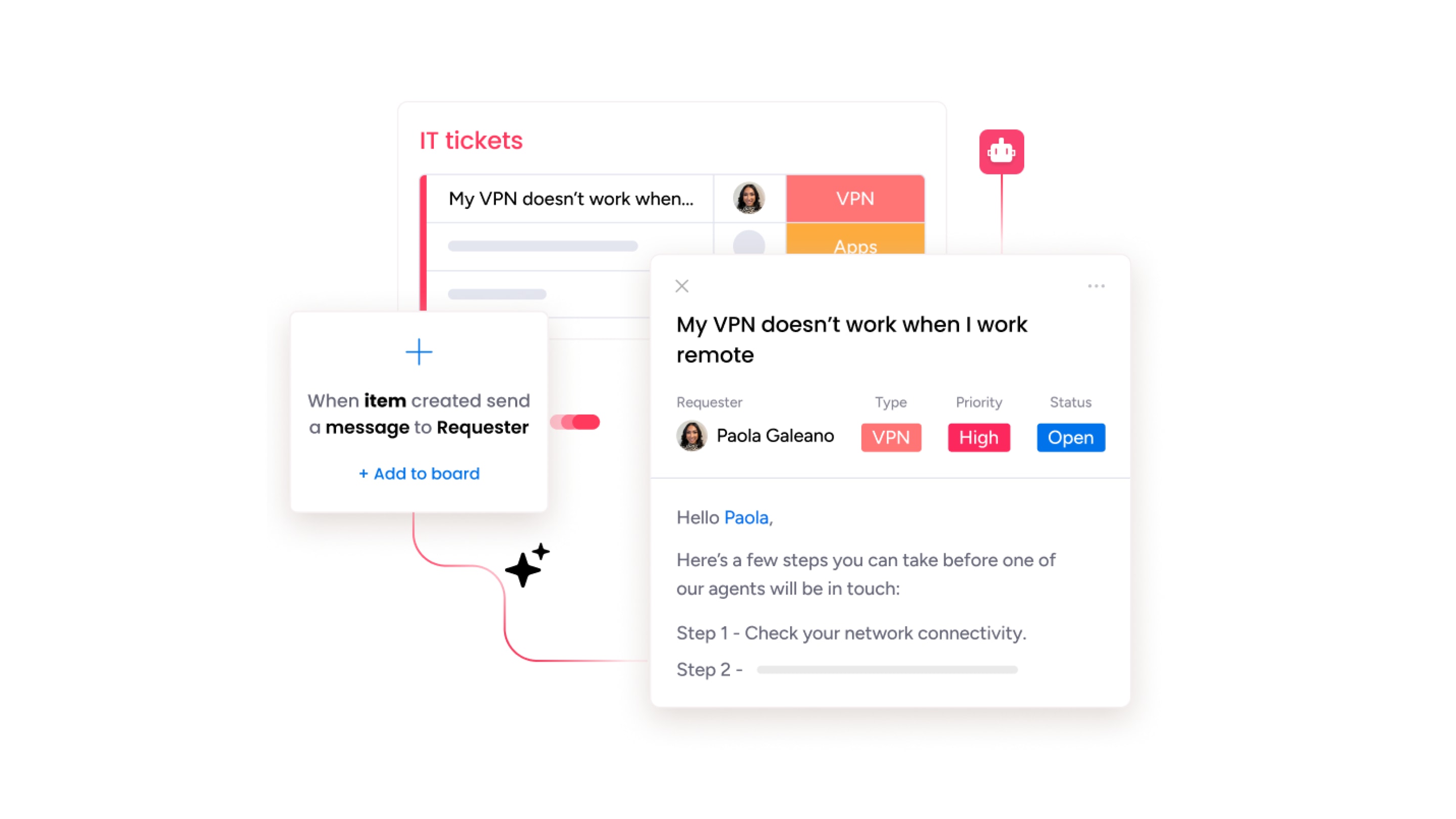
AI runs across the whole ticket lifecycle. AI columns summarize requests, categorize them, detect sentiment, and auto-assign them to the right agent, while monday sidekick drafts replies and surfaces similar resolved tickets. The AI Service Workforce goes a step further, deploying autonomous AI agents that resolve repetitive requests within guardrails and escalate to a human with full context when needed. Teams can extend these capabilities with monday vibe for no-code custom surfaces and monday MCP for connected AI agents.
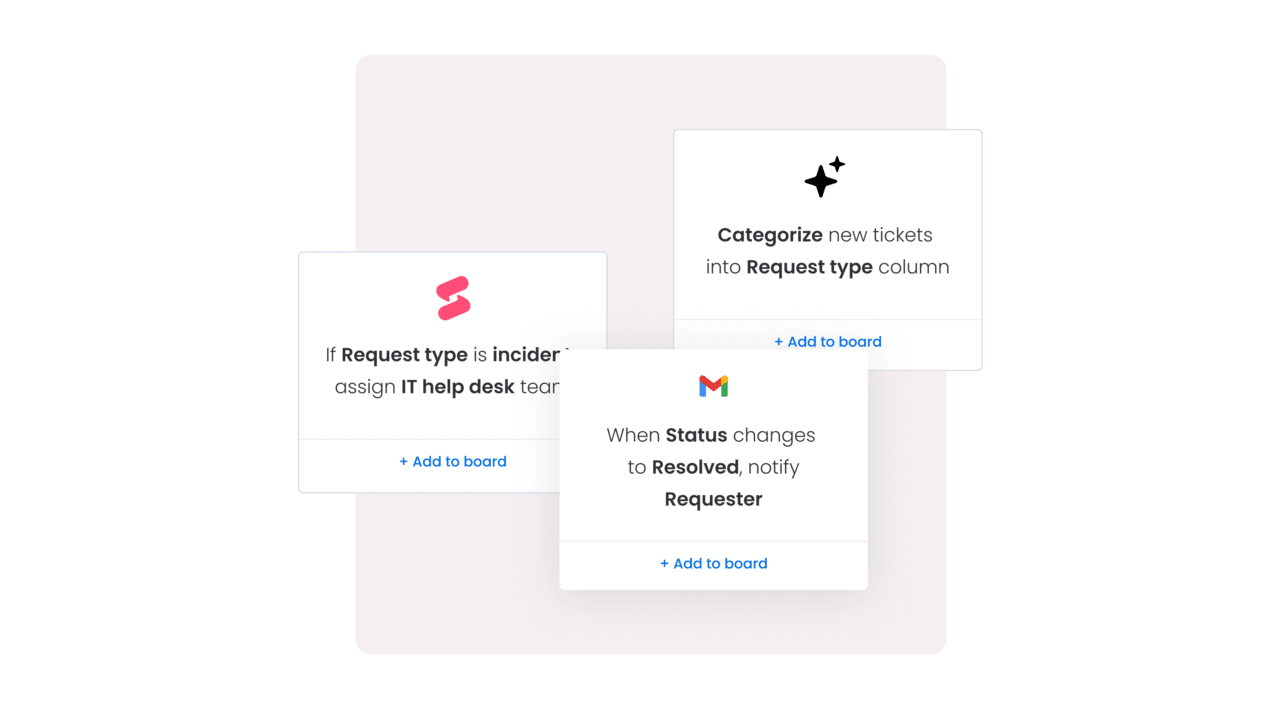
The integration ecosystem keeps service connected to the rest of your stack. monday service offers 200+ integrations and an open API, plus monday MCP to link external agents like Claude, ChatGPT, Copilot, and Gemini. It also routes internal requests from teams like marketing, finance, and HR, so every department stays organized on one platform.
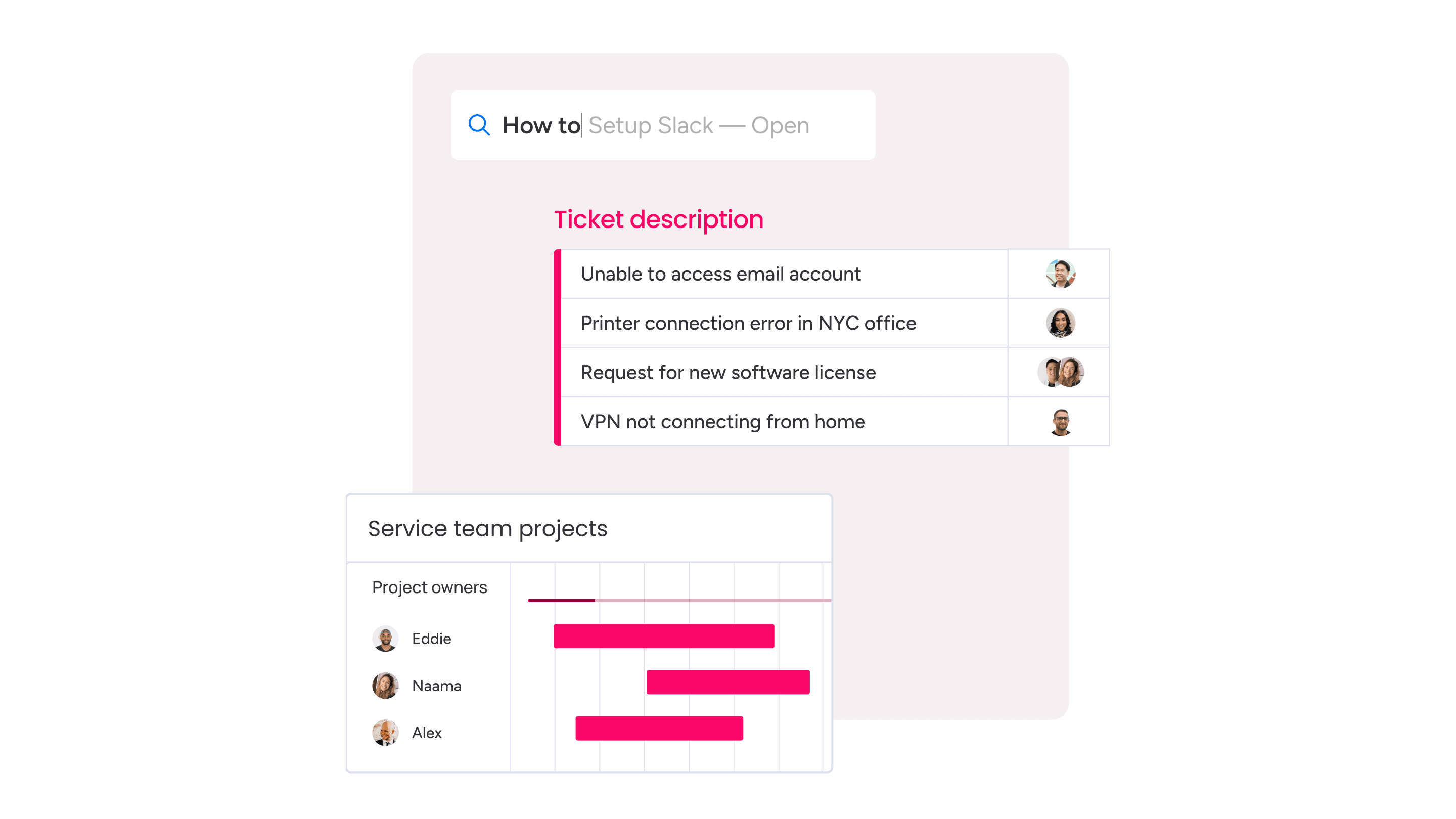
Here’s how monday service, ServiceNow, and dedicated ITSM suites compare across key factors.
| Factor | monday service | ServiceNow | Dedicated ITSM suites |
|---|---|---|---|
| Ease of setup | No-code, live in days | Admin-heavy, months to deploy | Complex, months to deploy |
| Pricing transparency | Published pricing | Quote only | Often quote only |
| AI approach | AI columns, Sidekick, and AI Service Workforce across tiers | Strongest AI gated to top tiers | Varies, often higher tiers |
| Customization | No-code, any team member | Developer- and admin-led | Developer- and admin-led |
| Best-fit team | IT, HR, ops, and support teams that want flexibility | Large enterprises with dedicated admins | Large enterprise IT |
How to make the transition from ServiceNow to monday service
If you’re currently using ServiceNow but are considering shifting to a new platform, it doesn’t need to be a cumbersome experience. Migrating from ServiceNow, or any other CSM platform, to monday service is easier than you think.
monday service allows you to import data and content from documents, Excel sheets, and other platforms. Additionally, monday service offers an integration with ServiceNow, called ServiceNow Connector, that allows you to sync service management processes, data, and routine tasks to make it easier to start moving everything over the monday service.
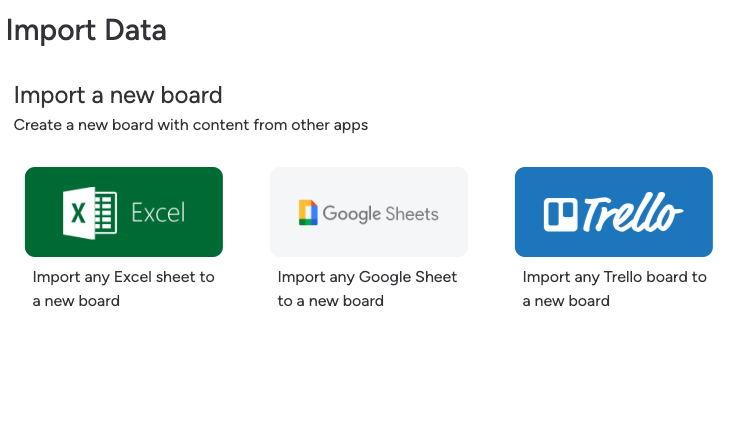
Finally, if you have a lot of data and content to move, our customer support team is available to help you transition from your current platform to monday service. With 24/7 support, our monday.com experts can help answer any questions you have about migrating to monday service.
Whether you’re migrating from another platform or starting from scratch with customer service software, monday service makes it quick and easy to get started. With easy onboarding and little-to-no learning curve, your team won’t miss a beat when it comes to managing customer inquiries.
Move from overwhelmed to in control with monday service
Outgrowing a rigid, expensive platform doesn’t have to mean trading depth for simplicity. The teams that make the switch well tend to pick a platform they can shape themselves, one that connects service to the rest of the business and puts AI to work from day one. That’s how you move from firefighting tickets to running a service operation you actually control.
monday service is built for exactly that shift. It brings ITSM essentials like SLA tracking, an incidents board, and a self-service portal together with no-code customization, published pricing, and an AI Service Workforce that resolves repetitive requests on its own.
As you weigh ServiceNow alternatives, start by identifying the requests that eat the most agent time, then map how a connected, AI-powered platform would handle them.
Try monday serviceFAQs
What is the best alternative to ServiceNow?
The best alternative to ServiceNow depends on your priorities, since there's no one-size-fits-all solution for service software. For most teams, it's worth looking for a unified platform that's flexible, easy to use, and scalable, like monday service.
Why shouldn’t you use ServiceNow?
You might not want to use ServiceNow if you need a simple, fast-to-deploy platform, because it can be expensive, complex to set up, and users report an extensive learning curve. That makes it less ideal for smaller businesses or teams seeking a lighter solution.
Why is ServiceNow so difficult?
ServiceNow can feel difficult because its powerful advanced features come with a steep learning curve, requiring technical expertise for setup, customization, and maintenance. That complexity can make adoption challenging for non-enterprise users.
Are there free ServiceNow alternatives?
Yes, there are free ServiceNow alternatives to get you started. Jira Service Management offers a free-forever plan for up to 3 agents, while Freshservice and monday service both provide 14-day free trials so you can test the platform before committing.
Who are ServiceNow's biggest competitors?
ServiceNow's biggest competitors include BMC Helix, Jira Service Management, Freshservice, and Zendesk. Each targets a different fit, from enterprise ITSM and ITOM to dev-centric service management and customer-experience-led support.
How does monday service compare to ServiceNow?
monday service compares to ServiceNow as a more flexible, faster-to-deploy option with no-code customization and published pricing. It also brings an AI Service Workforce that resolves repetitive requests autonomously, without the admin overhead ServiceNow often requires.

 Get started