


By 9:00 a.m., your team has likely already used AI to draft an email, summarize a meeting, research a vendor, and retrieve answers from a knowledge base. The responses appear polished within seconds. But here’s where the real challenge begins: someone still needs to transfer that work into the appropriate system and ensure the next step gets completed.
This gap is why selecting an AI chatbot has become a decision that impacts your entire operation.
Some platforms excel at writing, research, and providing quick answers. Others help teams maintain momentum across sales, service, operations, and project workflows; which is critical when you need to increase output without adding handoffs.
This guide examines 12 strong options for work teams in 2026, ranging from general-purpose chatbots to agents designed for execution. We’ll outline what each platform does well, where it fits best, and what to consider regarding pricing, governance, and adoption. If your team already manages work on a centralized platform, you’ll also discover where AI agents add value when AI needs to do more than discuss the work.
Try monday agentsKey takeaways
- AI chatbots and AI agents solve different problems. Chatbots are best for answering questions, drafting content, summarizing information, and supporting research. AI agents go further by monitoring workflows, taking action, and moving work forward across systems
- The best AI chatbot for a work team depends on the job it needs to do.
- Context is one of the biggest differences between basic AI tools and AI built for work. The more connected the AI is to your projects, files, boards, customers, and team processes, the more useful its outputs become.
- Enterprise teams should evaluate governance before scaling AI. Permissions, approval flows, audit trails, data ownership, and admin controls determine whether AI can be used safely across departments.
- For teams that need AI to do more than generate responses, monday agents is built to execute work inside monday.com workflows with context, control, and visibility.
What are AI chatbots and how do they work?
If you’ve ever asked a website a question and gotten an instant reply, you have already interacted with a chatbot. These systems are designed to understand what you mean, locate a useful response, and deliver it almost immediately. Understanding that process makes it easier to spot where chatbots are most helpful and where their usefulness ends.
Most AI chatbots do three things:
- Interpret intent
- Retrieve relevant information
- Respond in conversational language
A capable AI chatbot goes well beyond a fixed script. It can recognize varied phrasing, track earlier parts of the conversation, and draw on connected tools such as a CRM or project board. In some cases, it also improves as users provide feedback over time.
Those strengths make chatbots effective for answering questions, but they do have limits. A chatbot can explain the status of a project, for example, while an AI agent can independently push the work ahead. That line is what separates a chatbot from an AI agent built to execute.
Learn more: Types of AI agents
Common AI chatbot and agent use cases by department
AI adoption usually starts with small tasks, but the real value appears when teams apply AI to repeatable workflows. Different departments tend to need different types of support.
Marketing teams often use AI chatbots for campaign research, content drafts, social post variations, competitive analysis, and performance summaries. AI agents can take that further by tracking campaign tasks, flagging delayed approvals, or preparing weekly launch updates.
Sales teams use AI to draft outreach, summarize calls, research accounts, and prepare follow-ups. When connected to workflows, AI agents can score leads, route opportunities, assign follow-up tasks, and notify reps when account signals change.
Customer support teams use chatbots to answer common customer questions, deflect repetitive tickets, summarize conversations, and recommend replies. AI agents can triage tickets, identify urgency, route requests, and escalate SLA risks.
HR teams can use AI to summarize candidate feedback, draft job descriptions, organize onboarding content, and answer policy questions. Agents can help coordinate reference checks, schedule interviews, and track onboarding progress.
Operations and PMO teams often need AI for project summaries, vendor research, risk analysis, status reporting, and resource visibility. Agents can monitor boards for schedule risk, ownership gaps, workload issues, or missed dependencies.
This is why the “best” AI chatbot depends less on overall popularity and more on workflow fit. A writing assistant, customer support bot, and operational agent may all use AI, but they create value in very different ways.
12 best AI chatbots and AI-powered agents for teams
A common challenge emerges when teams request AI assistance with workflows: the system delivers a comprehensive action plan, yet execution remains manual. Team members must transfer outputs across systems, navigate multiple interfaces, and complete each step individually. This gap between AI-generated recommendations and operational execution represents a critical friction point that can impede organizational productivity.
AI platforms generally fall into two categories. Conversational assistants excel at ideation, content creation, and research tasks. Operational agents, by contrast, integrate directly with existing systems to automate end-to-end processes. Recognizing this distinction enables organizations to select solutions that streamline operations rather than introduce additional complexity.
The detailed guide below evaluates 12 leading AI solutions for enterprise teams, ranging from general-purpose chatbots to autonomous agents. We examine each platform’s core capabilities to help you align the right technology with your needs and turn AI-generated insights into measurable results on platforms like monday.com.
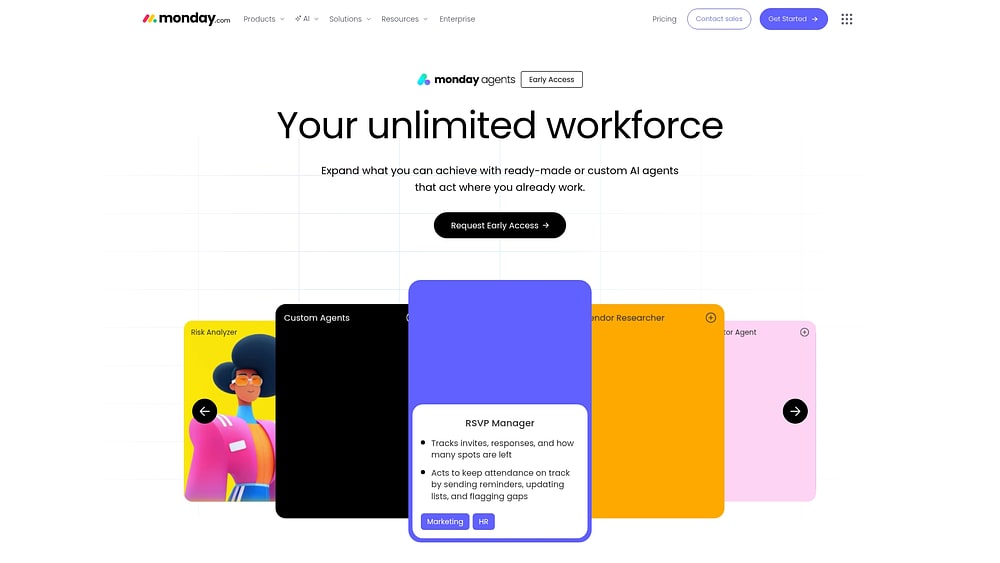
monday agents
Rather than forcing people to jump between tabs and manually feed information into AI, monday agents work directly within the workflows your teams already use. They operate within monday.com, so work can move forward without the usual handoff back to humans for execution.
- Best for: Teams that want AI that completes work end-to-end, not just generates content to act on later
- Example: Autonomous workflow execution across marketing, sales, operations, IT, HR, PMO, and product teams, from lead scoring and ticket triage to sprint planning and vendor research
- Key features:
- Ready-made agents for common functions like Risk Analysis, Meeting Summaries, Ticket Assignment, and Vendor Research
- Department-specific agents built for marketing, product, legal, IT, HR, sales, and executive teams
- Custom agent builder: describe a role, connect knowledge sources, and deploy your own agent
- Understands how work connects across all your boards, docs, and files, giving it deep operational context
- Test agents in a simulation mode before they go live, so you’re always in control
- Integrations with external platforms so agents can act across your full workflow stack
- Pricing: Included with monday.com plans (early access)
- Considerations: Best for organizations already running work on monday.com. New teams should build out their core workflows first to give agents the context they need to perform well
monday agents pairs direct action with cross-department visibility; that’s what sets it apart. A marketing agent can also understand what is happening in the sales pipeline. That shared context is what separates basic automation from real execution.
ChatGPT
ChatGPT is one of the most recognized AI platforms, and that familiarity stems from its flexibility. For teams that need one tool to handle a broad mix of requests, it covers writing, research, and ideation with minimal setup.
- Best for: Teams who need a versatile AI assistant for writing, research, brainstorming, and building custom GPTs for specialized workflows
- Example: Content drafting, summarization, code generation, customer communication templates, and internal knowledge Q&A
- Key features:
- Custom GPTs that can be configured for specific roles or workflows
- File uploads, web browsing, and image generation on paid plans
- API access for teams building AI into their own products
- Pricing: Free plan available; $20/month (Plus); Team and Enterprise plans available
- Considerations: ChatGPT generates outputs, but it doesn’t take action inside your existing workflows. Teams still need to move those outputs into their systems manually, which adds friction
Google Gemini
Teams already using Google Workspace will find Gemini built right into the apps they use every day. It drafts inside Docs, works through emails in Gmail, and helps with analysis in Sheets, all without requiring a separate interface.

- Best for: Google Workspace teams who want AI embedded directly into Gmail, Docs, Sheets, and Meet
- Example: Email drafting and summarization, document generation, meeting notes, and data analysis inside Sheets
- Key features:
- Native embedding across Gmail, Google Docs, Sheets, Slides, and Meet
- Gemini Advanced for more complex reasoning and longer context
- Integration with Google Search for real-time information
- Pricing: Free plan available; $19.99/month (Advanced); included in Google Workspace Business plans
- Considerations: Gemini’s strength is tied to the Google ecosystem. Teams using a mix of platforms may find its cross-tool reach more limited
Claude
For work centered on long reports, contracts, or dense research, Claude is a strong fit. Its biggest advantage is a massive context window that stays coherent across large bodies of text.
- Best for: Teams handling long-form analysis, nuanced writing, or document review where depth of reasoning is a priority
- Example: Contract review, research synthesis, detailed report writing, and complex Q&A over large documents
- Key features:
- Extended context window for processing very long documents in a single session
- Strong performance on analytical and reasoning-heavy tasks
- Projects feature for organizing conversations and files by topic
- Pricing: Free plan available; $20/month (Pro); Team plan available
- Considerations: Claude excels at generating high-quality outputs but does not take autonomous action. It works best as a thinking and writing partner, not an execution engine
Microsoft Copilot
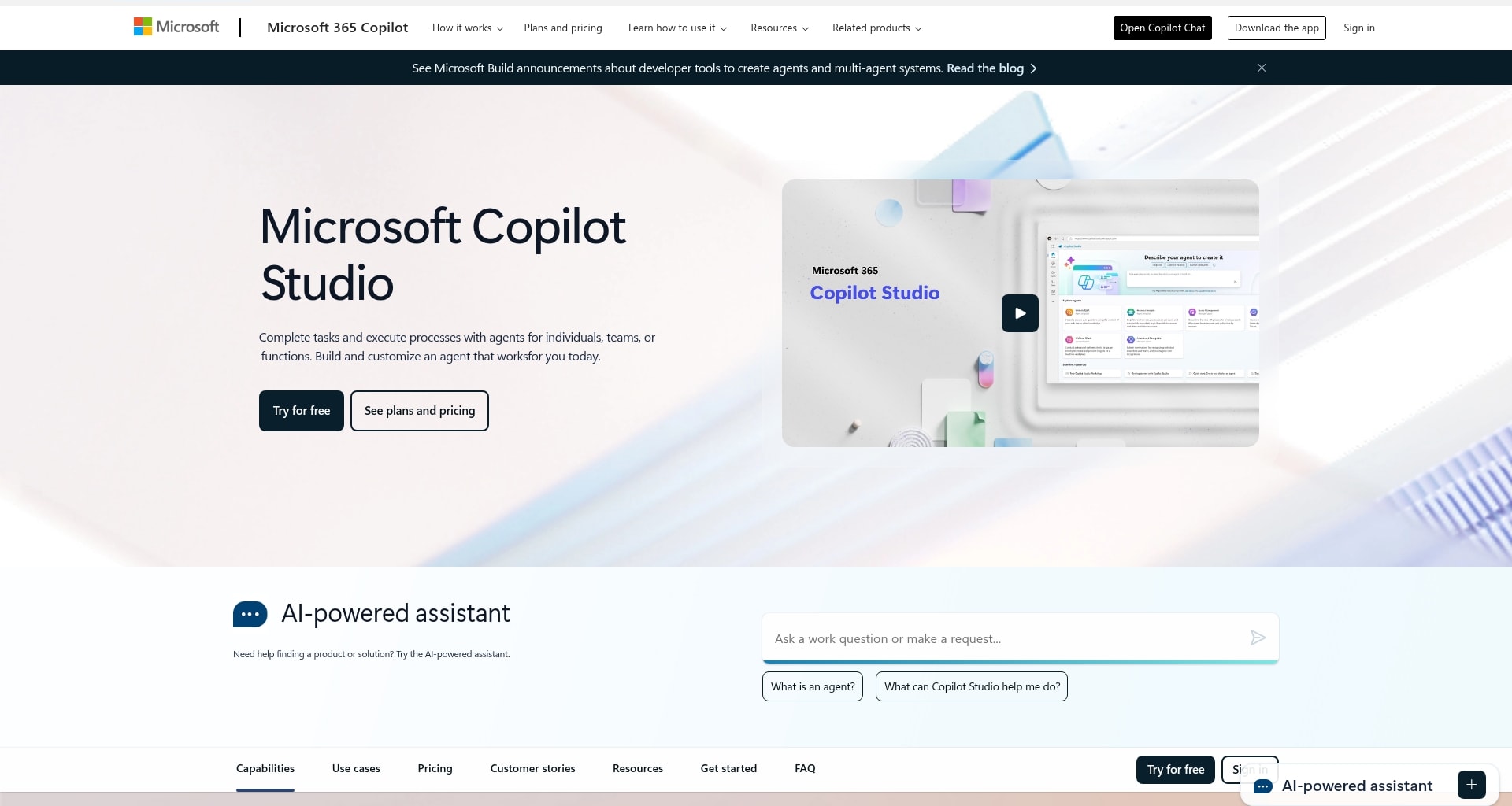
Copilot is built for Microsoft 365 and stays inside the apps enterprise teams already use all day. That includes Word, Excel, PowerPoint, Teams, and Outlook, where it can help with drafting, summarizing, and analyzing without disrupting existing habits.
- Best for: Enterprise teams running on Microsoft 365 who want AI assistance embedded across Office applications
- Example: Document drafting in Word, data analysis in Excel, presentation creation in PowerPoint, meeting summaries in Teams, and email management in Outlook
- Key features:
- Deep integration across the full Microsoft 365 suite
- Meeting recap and action item generation in Teams
- Copilot Studio for building custom agents within the Microsoft ecosystem
- Pricing: $20/user/month (requires Microsoft 365 subscription); no free plan
- Considerations: Copilot’s value scales with how deeply a team uses Microsoft 365. Organizations running work outside that ecosystem will find the integration benefits less pronounced
Perplexity
Perplexity treats AI chat as a research tool first. Because it searches the web in real time and cites sources alongside its answers, it stands out for teams that need information that is both current and verifiable.

- Best for: Teams that need fast, sourced research on market trends, competitors, or any topic where accuracy and recency matter
- Example: Competitive research, industry monitoring, fact-checking, and building research briefs with traceable sources
- Key features:
- Real-time web search with inline citations for every answer
- Spaces for organizing research projects and sharing findings with teammates
- Pro Search for deeper, multi-step research queries
- Pricing: Free plan available; $20/month (Pro)
- Considerations: Perplexity is a research assistant, not a workflow executor. It surfaces information well, but does not take action inside your existing systems
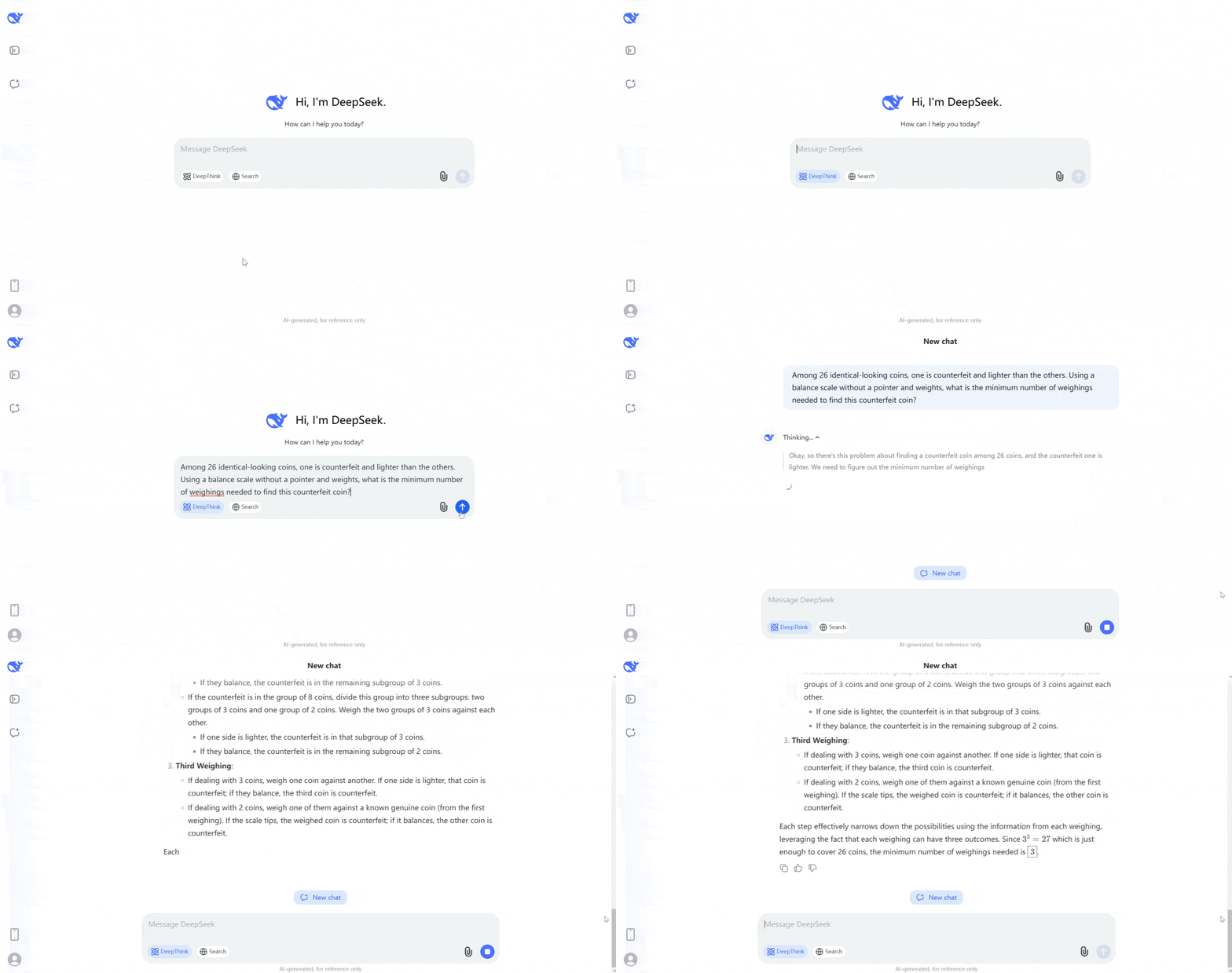
DeepSeek
For technical teams focused on coding or cost efficiency, DeepSeek delivers capable AI at a much lower price. Its open-source availability also gives developer-heavy organizations room to customize and build on top of it.
- Best for: Technical teams and developers who want a capable, cost-effective model for coding, data analysis, and building custom AI applications
- Example: Code generation, debugging, technical documentation, and building AI-powered features into internal platforms
- Key features:
- Open-source model weights available for self-hosting
- Strong performance on coding and mathematical reasoning benchmarks
- API access for integration into custom workflows
- Pricing: API-based pricing; free to use via web interface
- Considerations: DeepSeek requires more technical setup than most platforms on this list. Teams without developer resources may find it harder to deploy effectively
Grok
Grok pulls live information from X, giving teams tracking public conversation a real advantage as it unfolds. If real-time trends or sentiment matter to your workflow, that connection can be useful.

- Best for: Teams who need real-time awareness of public sentiment, trending topics, or breaking news as part of their workflow
- Example: Social listening, trend monitoring, communications research, and staying current on fast-moving topics
- Key features:
- Live integration with X (formerly Twitter) for real-time data access
- Strong performance on current events and recent information
- Image understanding and generation capabilities
- Pricing: Included with X Premium subscription; standalone Grok plans available
- Considerations: Grok’s differentiation is tied to X platform data. Teams whose work does not involve social media monitoring may find less value in its real-time focus
Meta AI
Meta AI is built into WhatsApp, Messenger, and Instagram, so teams already using those channels can access it instantly. That makes it a convenient option for social and community-facing interactions.

- Best for: Teams engaging customers or communities through WhatsApp, Messenger, or Instagram who want AI assistance within those channels
- Example: Customer communication, social media engagement, quick research, and content ideation within Meta platforms
- Key features:
- Native integration across WhatsApp, Messenger, Instagram, and Facebook
- Image generation via Imagine
- Available on web at meta.ai
- Pricing: Free
- Considerations: Meta AI is built for consumer and social contexts. It does not integrate with project management, CRM, or operational workflows
Le Chat Mistral
Organizations with multilingual teams or European compliance requirements will find Le Chat especially relevant. Its regional origins and data handling approach make it a natural candidate for teams navigating EU regulations.

- Best for: Multilingual teams and organizations with European data residency or compliance requirements
- Example: Multilingual content creation, document analysis, coding assistance, and workflows requiring EU-compliant data handling
- Key features:
- Strong multilingual performance across European languages
- European data handling aligned with GDPR requirements
- Mistral’s open-source models are available for self-hosting
- Pricing: Free plan available; API-based pricing for enterprise use
- Considerations: Le Chat is a capable assistant, but does not offer the deep workflow integrations or autonomous execution that purpose-built agent platforms provide
Intercom
Intercom focuses its AI on one high-value area: customer support resolution. Its Fin AI Agent is built to manage real support conversations from beginning to end, not simply suggest replies.

- Best for: Customer support teams who want AI to resolve a meaningful percentage of inbound requests autonomously
- Example: Automated customer support resolution, ticket deflection, and AI-assisted agent workflows
- Key features:
- Fin AI Agent for end-to-end customer query resolution
- Integration with help center content to ground responses
- Handoff to human agents when queries exceed AI capability
- Pricing: ~$39/month (Starter); Fin AI Agent pricing based on resolutions
- Considerations: Intercom’s AI is purpose-built for customer support. Teams looking for AI that spans multiple departments will need to pair it with other platforms
Tidio
Tidio is aimed at smaller businesses that want AI chat on the front lines of customer interaction without a heavy implementation effort. Its visual builder keeps setup approachable, even for teams without technical staff.

- Best for: Small and mid-sized businesses that want to add AI chat to their website or e-commerce store with minimal setup
- Example: Website visitor engagement, lead capture, customer support automation, and e-commerce assistance
- Key features:
- Visual chatbot builder with no coding required
- Lyro AI for automated customer conversation handling
- Integration with e-commerce platforms like Shopify and WooCommerce
- Pricing: Free plan available; $29/month (paid plans)
- Considerations: Tidio is optimized for customer-facing chat and is not designed for internal team workflows or project execution
The choice comes down to one practical question: do you want an AI that discusses the work, or one that helps complete it? Conversational assistants are valuable for ideas and drafting. Agents are designed for execution, helping teams increase output without increasing headcount.
What's the difference between chatbots and AI agents?
Choosing the right platform starts with understanding the difference between a chatbot and an AI agent. One is built to answer. The other is built to help with work progress. That distinction affects adoption, governance, and the kind of business value you can realistically expect.
Here is a quick way to frame the difference before you evaluate any platform:
Chatbots respond when prompted
An AI chatbot is like a highly efficient librarian for your business. Ask for a policy, a summary, or a draft email, and it can retrieve or generate the content in seconds.
Chatbots are especially useful when your team needs fast assistance with tasks like these:
- Answering internal knowledge questions
- Drafting messages or reports
- Summarizing documents or meetings
- Retrieving information from connected systems
They are helpful for quick answers, but the next move still belongs to your team. The chatbot gives you the what; people still have to handle the doing.
AI agents take action across workflows
AI agents operate more like proactive teammates. Instead of waiting for someone to ask, they can monitor signals, follow rules, and take action inside your workflows.
That makes them a strong fit for operational work such as:
- Scoring leads when intent changes
- Assigning tickets based on urgency or expertise
- Summarizing meetings and creating follow-ups
- Flagging risks across projects and updating owners
Their role goes beyond answering questions. They help push work through systems, across teams, and through approvals with less manual coordination.
Why teams often need both
This is rarely an either-or choice. Chatbots and AI agents solve different problems, and many organizations get the best results by using both in the same digital workspace.
A practical split often looks like this:
- Use chatbots for: quick answers, drafting, research, and on-demand support
- Use agents for: repetitive execution, routing, monitoring, and follow-through
- Use both together for: faster decisions, fewer handoffs, and more consistent execution
Once that division is clear, choosing the right mix for your organization becomes far easier.
Try monday agentsHow to choose the right artificial intelligence chatbot for your team
Selecting AI for work feels less like purchasing software and more like adding a new teammate. The goal is not to pick the flashiest assistant. It is to choose one that fits how your organization operates and helps people keep work moving.
When the fit is wrong, the symptoms show up quickly. Usage drops, manual steps remain, and leaders do not see the outcomes they expected. A strong fit feels different. It starts delivering value almost immediately.
Step 1: Map your team’s real work
Start by looking at where your team actually spends time before comparing feature lists. An AI that only provides information still leaves humans responsible for acting on it. An AI agent that can follow through changes the value equation.
Ask these questions to ground your evaluation:
- What repetitive processes, such as lead scoring, ticket triage, or reporting, are holding your team back?
- Where do handoffs between people or teams create delays?
- Can the AI handle work proactively, or does it always need to be asked first?
- Which processes require human review, and which ones are ready for more autonomy?
A single high-volume workflow with well-defined rules is usually the best place to begin. It gives your team a manageable way to test value without making rollout more complicated than it needs to be.
Step 2: Check whether the AI sees the full business context
An AI assistant with access to only one team’s data is like a teammate wearing noise-canceling headphones in the middle of a busy meeting. It misses the signals that shape real decisions across the business.
As you evaluate platforms, pay attention to how each one connects to your work. Can it access the systems your teams already use every day? Can it link marketing activity to sales outcomes, or connect support patterns to product planning?
That broader view matters because isolated outputs rarely stand up in cross-functional work. Context is what turns an impressive response into a useful action.
Step 3: Require transparency and control
Bringing AI into active workflows is as much a trust decision as a technical one. Leaders need clarity on what the AI can access, what it can change, and how teams can review its behavior.
Look for governance controls that support day-to-day confidence:
- defined permissions by team, project, or item
- approval flows for sensitive actions
- audit trails for reviews and investigations
- visible logic for how actions were triggered
If those controls are difficult to find or understand, adoption usually slows. Teams move faster when the rules, boundaries, and fallback options are clear.
Step 4: Choose AI that fits into your team’s flow
The most valuable AI is the one your team will actually use. If adoption requires people to switch platforms, change established habits, or learn a separate process, interest tends to fade.
A strong fit usually shares a few traits:
- it works where your people already manage work
- it is easy to set up without heavy technical support
- it starts with practical examples instead of blank prompts
- it supports both automation and oversight
The right platform should fit your operating model, not force your operating model to fit the platform. When AI lines up with real processes, shared context, and governance, adoption usually follows.
AI chatbot evaluation checklist
Before choosing an AI chatbot or agent platform, compare each option against the way your team actually works. The strongest tool is not always the most powerful one. It is the one your team can adopt, trust, and use consistently.
Use this checklist during evaluation:
This checklist helps separate helpful AI from impressive demos. A platform may look strong in a test prompt, but the real question is whether it can support daily work without creating more manual steps.
How to pilot an AI chatbot before rolling it out across the company
The safest way to introduce AI is to start with one workflow that is frequent, measurable, and easy to review. A pilot gives your team a controlled way to test value without turning AI adoption into a large transformation project.
Start with a workflow that has clear inputs and outputs. Good candidates include meeting summaries, ticket triage, lead scoring, vendor research, weekly status reports, or internal knowledge Q&A. Avoid starting with the most sensitive or ambiguous process in the organization.
A strong pilot should define the workflow the AI will support, the team responsible for testing it, what data or tools the AI can access, which actions require human review, what success looks like, how feedback will be collected, and who owns the workflow after the pilot.
For example, a support team might test an AI agent for ticket classification before allowing it to respond to customers. A PMO might test risk detection on one project portfolio before expanding to all active initiatives.
The goal is not to prove that AI can do everything. It is to prove that it can reliably improve one workflow, with the right guardrails in place.
How AI chatbots integrate with work management platforms
An AI chatbot connected to your work is like a new hire who arrives with a full understanding of your projects. It may be useful in conversation, but it cannot do much to help with execution. The real difference comes down to how deeply the AI connects to your work management platform.
There are usually two ways that connection happens. One is native integration inside the system where work already lives. The other depends on connectors, handoffs, and additional setup across separate tools.
Here’s a practical way to compare those approaches:
That distinction becomes important the moment you move from asking questions to executing workflows. Native integration gives the AI richer access to active projects, ownership, history, and process rules.
That is why monday agents operate directly on your monday.com Work OS. An agent can understand the context behind campaigns, pipelines, service requests, or product work, then act on your behalf without sending people into another tool.
The point is not simply faster access to information. It is giving teams support that can score leads, triage tickets, summarize meetings, and keep work aligned with the way the business actually runs.
Why enterprise AI governance matters
Once AI starts touching workflows and sensitive company data, trust becomes non-negotiable. Governance is what turns that trust from an assumption into a workable operating model. Without it, even high-potential AI initiatives tend to stall.
The basics are clear enough. Your organization should retain ownership of its data, define which agents can access it, and decide when people remain involved in the process.
A strong governance model usually includes these safeguards:
- Data ownership: your content stays yours
- Granular permissions: access can be limited by team, project, or item
- Approval options: sensitive actions can stay subject to human review
- Auditability: every action can be reviewed after the fact
With those controls in place, operationalizing AI becomes far more realistic. Trust is not built on promises alone. It comes from visible rules and consistent behavior.
Risks and limitations of AI chatbots at work
AI chatbots can be extremely useful, but they are not magic. Teams should understand the limits before relying on them for important work.
One common risk is inaccurate output. AI can produce confident answers that still need verification, especially when the task involves legal, financial, technical, or customer-sensitive information.
Another risk is weak context. If the AI cannot access the right data, it may generate an answer that sounds useful but misses the reality of the workflow. This is one reason AI connected to work systems can be more valuable than a standalone chatbot.
There is also a governance risk. If employees use unsanctioned tools for sensitive company data, organizations may lose visibility into where information is going, how it is used, and whether outputs are appropriate.
Finally, automation should not remove human judgment from sensitive decisions. AI can summarize, route, recommend, and execute defined steps, but teams still need review points for high-risk actions.
The best AI rollouts do not ignore these limitations. They design around them with clear permissions, approval flows, audit trails, and training.
Why AI adoption struggles and how work teams succeed
Many organizations have no shortage of enthusiasm about AI. What they often lack is traction, and the problem is rarely of interest itself. The friction appears when AI sits outside the place where work actually happens.
When AI becomes just another app to open, it feels like one more tool to manage. People end up copying information between systems, losing context, and skipping the AI entirely when deadlines get tight.
A few patterns show up again and again in stalled rollouts:
- Separate windows that interrupt focus
- Weak connection to live workflows
- Outputs that still require manual follow-through
- Limited trust in governance or permissions
The teams that build momentum treat AI as part of the workflow rather than as a destination in its own right. They activate it inside the platform people already depend on, so adoption feels less like a transformation project and more like a practical improvement.
That is when AI starts contributing to daily output instead of watching from the sidelines.
Try monday agentsHow to measure ROI from AI chatbots and agents
The value of AI at work should be measured by more than how often people use it. Usage matters, but the better question is whether AI reduces manual effort, improves response time, or helps teams complete work faster.
For chatbots, ROI often comes from time saved on writing, summarizing, researching, and knowledge retrieval. For AI agents, ROI is usually tied to workflow execution: fewer manual handoffs, faster routing, better prioritization, and more consistent follow-through.
Useful metrics include:
- Hours saved on repetitive work
- Reduction in manual status updates
- faster ticket routing or resolution time
- Improved lead response time
- Fewer missed follow-ups
- Shorter time to produce reports
- Lower meeting load from automated summaries
- Reduced backlog for operational requests
- Higher adoption of standardized workflows
The most useful measurement usually compares the old process with the AI-supported process. If a sales manager previously spent three hours preparing pipeline summaries each week and an AI agent reduces that to 30 minutes, the value is easy to quantify. If a support team routes tickets faster and misses fewer SLA risks, the value shows up in service quality.
AI ROI becomes clearest when the platform is tied to real workflows instead of isolated prompts.
Scale AI with confidence on a secure, enterprise-grade foundation
Letting AI participate in workflows requires a great deal of trust, especially when customer data, internal processes, and decisions that affect multiple teams are involved. That is why monday agents is built with transparency and control as part of the core experience rather than added later.
With monday agents, you decide what each agent can access, which actions it can take, and when people should remain involved. Teams can validate behavior in simulation mode before activation, review audit trails after actions are taken, and keep every agent operating within the permissions already defined on monday.com.
For organizations with governance requirements, that foundation matters just as much as the AI itself. monday.com supports enterprise-grade security with SOC 2 Type II, ISO/IEC 27001, ISO/IEC 27701, and HIPAA support, along with data privacy protections and granular access control.
A few trust features stand out when you compare AI chatbots with AI agents:
- Control: explicitly decide what the agent can and cannot do, both on monday.com and across connected external tools
- Permissions: define exactly which data an agent can access, and whether it can read, create, or edit information
- Human in the loop: validate agent actions in simulation mode before activation
- Audit trails: review what an agent did, why it did it, and what it will do next
- Access control: admin settings and granular permissions define who can use AI across the account and by role
- Data privacy and ownership: your data stays private, is encrypted by default, and you retain ownership of the content you provide and the content generated by AI
Those guardrails matter because autonomy works best when it is visible, accountable, and aligned with your policies.
How monday agents execute work across departments
Most AI platforms stop after giving your team an answer, leaving people to connect the dots and complete the work themselves. That handoff is where momentum often disappears. monday agents close that gap by operating directly on your monday.com boards, docs, and workflows, so progress continues after the recommendation is made.
This is where the AI Work Platform idea becomes concrete. People set goals, approvals, and direction. Agents handle repetitive execution across departments, around the clock, with the context they need and the safeguards you expect.
1. Launch ready-made agents for every team
Every department has recurring processes, and that is where generic AI chatbots often start to feel thin. monday agents give teams ready-made agents tied to specific business outcomes, so they can begin with examples that already resemble day-to-day work.
Here are a few examples of how they help:
- Marketing: RSVP Manager Agent tracks invites, responses, and remaining spots, then sends reminders and flags attendance gaps. Market landscape analyzer and Competitor Research Agent help teams monitor competitors, emerging technologies, and broader market shifts without restarting research each time
- Sales: Lead Scorer scores leads using fit, intent, and engagement signals, then routes leads, schedules follow-ups, and alerts reps when intent spikes. Meeting Summarizer turns sales conversations into concise summaries, follow-ups, and assigned next steps
- IT and service: Ticket Assignment detects ticket intent, urgency, and required expertise, then assigns owners, sets priority, and reroutes requests to reduce time to resolve. Teams can also use SLA monitor agent, Customer Support Agent, and Incident agent to track SLA risk, consult the knowledge base, classify incidents, and keep resolution work moving
- HR: Reference Collector schedules reference calls, captures feedback, summarizes the conversation, and centralizes candidate scoring. HR teams can also use sourcing, screening, and scheduling agents to rank applicants, surface strong candidates faster, and coordinate interview calendars
- Operations and PMO: Risk Analyzer detects schedule, dependency, and workload risks across projects in real time, then can reassign owners, update timelines, and alert stakeholders. Vendor Researcher gathers pricing, security, reviews, and contract terms to build structured vendor summaries and request missing details
- Product and engineering: Bug Prioritization Agent analyzes bugs, sets severity and urgency, and helps determine resolution timing. Release Notes Agent and Coding Agent help teams move from shipped work to communication and code changes with less manual coordination
Beginning with ready-made agents shortens the path to value. It also gives teams a practical model for how AI should behave before they start designing custom workflows.
2. Build custom agents in three steps
Ready-made agents cover many common use cases, but most organizations also have workflows shaped by internal rules, approvals, and terminology. monday agents supports that with an AI agent builder that follows a simple 3-step flow, allowing teams to tailor agents around the way they already operate.
It is a practical setup process built around a business context:
- Tell it what to do: define the agent’s role, the tasks at hand, and when it should execute
- Give it the right context: connect the boards, docs, PDFs, and tools the agent should use as its working knowledge
- Test and refine before going live: try the agent, make adjustments, and validate behavior before activating it in live workflows
That structure is especially useful for teams that need AI to follow internal playbooks rather than generic prompts. You can shape agents around a legal intake flow, a ticket-escalation rule, a vendor-evaluation process, or an executive reporting cadence without creating a separate system for people to adopt.
3. Connect context across your organization
What makes AI genuinely useful is not just the quality of answers. It is the amount of business context the system can work with. Because monday.com connects work across departments in one shared environment, agents can use structured context from across the organization instead of operating in a silo.
That cross-departmental visibility helps agents produce outcomes that reflect the broader business rather than a single team’s narrow view. A few examples show what that looks like in practice:
Shared context enables an agent to support the business rather than a single function. That is a meaningful distinction when teams need AI to operate across approvals, priorities, and dependencies.
4. Apply enterprise guardrails for control and compliance
Giving AI more authority can feel like a big step, especially when an agent can act across processes rather than only answer questions. monday agents is built so that autonomy comes with oversight, which is essential for teams that need consistency, accountability, and governance.
You have full authority over how your agents operate:
- Control: explicitly define what each agent can and cannot do on monday.com and across connected apps
- Permissions: decide exactly which data an agent can access and whether it can read, create, or edit information
- Human in the loop: use simulation mode to validate actions before you activate an agent
- Audit trails: review agent actions with full transparency into what happened and why
- Compliance: rely on monday.com’s enterprise-grade security foundation, including HIPAA support, SOC 2 Type II, ISO/IEC 27001, and ISO/IEC 27701
- Content ownership and data rights: keep ownership of the content you provide and the content generated by AI
This is what makes monday agents useful at scale. Shared context, practical autonomy, and visible guardrails let teams expand AI adoption without sacrificing accountability.
Selecting the right AI chatbot for lasting team impact
The difference between a simple AI chatbot and an AI agent is the difference between advice and follow-through. A chatbot reacts to prompts. An agent can monitor signals, work from context, and move a process ahead inside the systems your teams already use.
If you are evaluating long-term fit, focus on three signals that tend to shape outcomes:
- Execution matters: if the platform only generates output, your team still carries the follow-through.
- Context matters: if the AI sees only one slice of the business, the output misses real dependencies.
- Governance matters: if permissions and oversight are weak, rollout slows when stakes rise.
For teams already running work on monday.com, monday agents is designed to address those adoption gaps with a practical path forward. You can start with ready-made agents like Lead Scorer, Meeting Summarizer, Risk Analyzer, or Ticket Assignment, then build custom agents around your own workflows as needs evolve.
Because agents operate with cross-department context, visible permissions, simulation mode, and audit trails, they can support real execution without feeling like a black box. That makes monday agents a strong fit for organizations that want AI chatbots to grow into something more useful, a dependable AI workforce that helps people execute at scale.
AI agents for work teams that need real execution
The core takeaway from this comparison is straightforward. If your team only needs quick answers, a chatbot may be enough. If work needs to move across departments, approvals, and live workflows, you need an agent that can act with context.
That is where monday agents stands out for organizations already running work on monday.com. It helps teams turn signals into action on the same platform where campaigns, pipelines, service requests, projects, and product work already live.
A practical next move is to start with one repetitive workflow, define the guardrails, and test the agent in simulation mode. From there, you can expand across teams using the same governance model, shared context, and operational consistency.
Try monday agentsThe content in this article is provided for informational purposes only and, to the best of monday.com’s knowledge, the information provided in this article is accurate and up-to-date at the time of publication. That said, monday.com encourages readers to verify all information directly.
FAQs about AI chatbots
Which AI chatbot is completely free to use?
Meta AI is free across Facebook, Instagram, and WhatsApp. Other popular chatbots like ChatGPT and Claude offer free tiers with limited features, while full capabilities require a paid subscription.
Can AI chatbots replace people on my team?
AI agents are designed to augment your team by handling repetitive work. This frees up your people to focus on strategic work, complex problem-solving, and relationship-building.
How do I ensure my team actually adopts an AI chatbot?
Adoption works best when AI lives inside the platforms your team already uses. That reduces context-switching and helps people experience value without having to change their entire workflow.
What happens to the data I share with a chatbot?
Data policies vary by provider, so always check the terms. Look for enterprise-grade platforms that encrypt your data, ensure you retain ownership, and do not use your information for third-party model training.
Do AI chatbots work offline without internet access?
Most AI chatbots require an internet connection to access their cloud-based models. If offline access is critical for your team, confirm that capability with any provider before committing.
 Get started