


Imagine walking into the world’s largest library — millions of books, documents, and archives stacked to the ceiling. Now, imagine the catalog is gone, forcing you to wander the aisles for hours, maybe even requiring repeat visits to find what you’re looking for.
That’s what work can feel like without proper knowledge management. The average employee spends hours each week hunting for information they know exists somewhere. AI changes the game by acting like the ultimate librarian, instantly pulling the right information off the shelf and placing it in your hands. This guide is a full exploration of AI in knowledge management, describing how monday service puts that power to work in your organization.
Try monday serviceKey takeaways
- AI in knowledge management improves how organizations capture, find, and share information, cutting down the time wasted searching for answers.
- Key AI capabilities, such as natural language processing and generative AI, make it possible to deliver more accurate, context-aware knowledge.
- Ethical AI practices like transparency, bias checks, and strong data security are essential to building trust and avoiding costly mistakes.
- Successful AI adoption depends on clean, well-structured knowledge bases, the right platform choice, and integrating AI into daily workflows.
- monday service brings these capabilities together in one platform, combining intuitive workflows with built-in AI to keep your knowledge accurate, connected, and easy to act on.
What is AI in knowledge management?
AI in knowledge management refers to using artificial intelligence tools to capture, organize, store, and share information so people can find answers faster and work more efficiently.
Like many AI use cases, this application has grown rapidly; 75% of global knowledge workers now use AI in their day-to-day work, and it’s easy to see why. In knowledge management, AI can:
- Make searching a breeze by instantly finding the exact document, answer, or past service ticket you need.
- Power self-service so employees or customers can help themselves instead of waiting in a queue.
- Speed up responses by suggesting accurate answers the moment a question lands.
- Write technical documentation like FAQs or guides, so you don’t have to start from scratch each time.
And by doing all this, AI takes the grunt work out of finding and sharing knowledge, leaving you free to focus on solving problems and getting work done.
Here are a few key terms to know before going deeper:
- Knowledge base: A collection of articles, policies, and troubleshooting guides that teams use to answer recurring questions.
- Conversational AI: AI that understands spoken language, including phrasing and intent, rather than matching exact keywords.
- Generative AI: AI that creates new content, such as summaries and suggested replies, based on existing source material.
- Semantic search: Search that understands meaning behind a query, not just the words used.
Why traditional knowledge management breaks down in service teams
Traditional knowledge management was built for a slower world. It assumes people have time to search, content stays current on its own, and one central library works for everyone. None of that holds up in modern service operations.
As ticket volume grows and more departments share services, the cracks show fast. Knowledge needs to stay connected, search needs to feel intuitive, and teams need workflows that prevent duplicate effort. Here is where it usually breaks down:
- Disconnected silos: IT keeps runbooks in one place, HR uses another, and customer support runs a separate system. Cross-department requests require agents to assemble answers from multiple sources manually.
- Outdated or irrelevant search results: Keyword search matches words, not meaning. A search for “reset access after update” might pull an old policy that uses the right terms but the wrong answer.
- Repetitive manual work: Without smart surfacing, agents search for the same answer several times a day. The problem that a workflow starts every ticket with manual discovery.
- Self-service portals that fall flat: Static FAQs and rigid menus rarely match how real people phrase questions. When the answer is hard to find, people open a ticket instead.
How AI changes the way service teams use knowledge
AI knowledge management works through a mix of technologies, not a single feature. Together, they make knowledge easier to find, more accurate to deliver, and more useful inside the workflows your teams already use.
The result is simple. Instead of handing agents a pile of documents, the system reads the request, pulls from the right sources, and returns a clear answer or next step.
Large language models and generative AI
Large language models, or LLMs, are AI systems trained on huge amounts of text. They understand questions, summarize information, and write human-readable responses. In knowledge management, generative AI turns policies, runbooks, and ticket history into clear answers instead of long lists of links.
This changes the agent experience right away. Ask, “What is our refund policy for enterprise customers who cancel mid-cycle?” and you get one synthesized answer, not five documents to read under pressure.
Retrieval augmented generation and semantic search
Retrieval augmented generation, or RAG, grounds AI answers in your own knowledge before generating a response. The system pulls relevant articles or ticket records first, then writes the answer from those approved sources. That keeps responses tied to current internal policy, not generic internet content.
Semantic search makes the retrieval side smarter. “I can’t log in” and “access denied error” point to the same article because the system recognizes they describe the same issue, even when the words differ.
AI agents and automated workflows
AI agents are programs that take action, not just generate text. In service environments, an AI agent can spot a known issue, surface the fix, route the ticket, and trigger a follow-up workflow without waiting for a human to coordinate every step.
When a ticket matches a recurring VPN error, the system can classify it, suggest the fix, flag the article as outdated, draft a revision, and notify the owner for approval. Faster handoffs and streamlined triage.
5 benefits of AI powered knowledge management
With traditional knowledge management, you often spend more time hunting for information than actually using it. AI flips that around. It can understand what you mean (even if you don’t phrase it perfectly) and pull answers from across your systems in seconds. Instead of digging through endless folders or outdated docs, you get what you need, when you need it. Here’s why that’s worth its weight in gold.
AI boosts customer support
82% of service professionals say customers now expect their requests to be resolved within 3 hours. That’s pretty demanding and a tough ask if your team is stuck digging through documents or past tickets for answers.
AI achieves customer success by pulling the right information instantly, suggesting accurate responses in real time, and powering self-service portals so customers can help themselves. As a result, they can resolve their problems quicker, while freeing service teams to focus on complex issues instead of repetitive questions.
AI enhances team collaboration
When knowledge lives in silos, collaboration slows to a crawl. AI-powered knowledge management smashes through those barriers by connecting information across teams, tools, and projects.
Need a past proposal from marketing? Or a troubleshooting guide from IT? How about a client note from sales? AI can find them all in seconds, complete with context.
AI delivers operational efficiencies
AI is a gamechanger for your internal workflows. According to PwC, organizations that integrate AI into their core business strategy see 20-30% improvements in productivity, speed-to-market, and even revenue.
In knowledge management, those gains come from cutting out repetitive, low-value tasks, like manual data entry or doc updates, and letting AI handle them automatically. The result is a leaner, faster operation where teams spend more time acting on insights instead of chasing their tails.
AI improves problem-solving
The faster you get to the root of an issue, the faster you can fix it. AI speeds up that process by instantly analyzing patterns in past tickets, documents, and project data to suggest likely causes and potential solutions.
Your team can jump straight into testing fixes that have worked before, or adapt them to new situations. Overall, it means fewer dead ends, and a faster time to case closed.
AI achieves scalability
As your business grows, so does the volume of questions, documents, and data you need to manage. Traditionally, scaling knowledge management meant hiring more people or adding more manual processes, both costly and time-consuming.
AI changes that by handling a higher workload without extra headcount. It can process thousands of queries at once and hunt down the right answers in a split second, no matter how big your knowledge base gets.
6 ways AI transforms knowledge management across departments
AI for enterprise service management is not just for IT. Any team that handles recurring requests, policies, or approvals benefits when knowledge becomes easier to deliver and govern.
The examples vary by team, but the pattern stays the same. AI reduces repeat work, improves answer quality, and connects knowledge to the workflows people already use.
IT service management
IT teams use AI for IT service desk tasks like password resets, software access, and VPN errors through guided self-service. During incidents, agents get fast access to runbooks and prior incident notes inside the ticket view, when every minute counts.
HR and people operations
HR teams answer endless repeat questions about leave, benefits, onboarding, and approvals. AI handles those instantly so HR specialists can focus on sensitive employee issues that require human judgment.
Customer support and experience
Customer-facing teams rely on consistency. AI helps a new hire and a senior rep give the same accurate answer because both draw from the same approved knowledge. That steadies quality across regions, channels, and experience levels.
Finance and procurement
Finance and procurement deal with policy-heavy processes that spark endless “quick questions” about expense categories, approval limits, and vendor onboarding. AI surfaces the right policy or form right away, cutting back-and-forth.
Legal and compliance
Legal teams need employees using current, approved language sourced from the latest documents. AI enforces version control by surfacing the latest approved document while respecting access permissions, which matters in regulated environments.
Facilities and operations
Facilities teams handle requests tied to assets, maintenance, and site-specific procedures. AI connects requests to asset history, work instructions, and approved vendors, so facilities knowledge becomes accessible to the entire team.
AI-powered tools for knowledge management
AI in knowledge management is a toolkit of smart applications that power your knowledge management. Here are some you’ll want in your stack.
AI copilot and agent assist
AI takes the legwork out of common support tasks like finding relevant articles and composing replies. It can even execute next steps inside the ticket workflow to support your team with their work.
AI-powered knowledge search engines
Beyond basic keyword matching, semantic search and context-aware queries understands what you mean, so you get the most relevant answers faster.
Intelligent chatbots and virtual assistants
AI helpers deliver answers, walk users through troubleshooting steps, or point them to the right resources, 24/7. They’re an integral part of self-service support that allows employees and customers to get help without waiting in a queue.
Automated document classification and tagging tools
AI can read through new content, figure out what it’s about, and tag it with the right categories and keywords, making it instantly searchable without anyone manually filing it away.
Content summarization and generation systems
These tools can condense long documents into quick summaries or guides. You get the essentials without wading through pages of detail.
Recommendation engines for knowledge sharing
Just like Netflix suggests your next show, AI recommends relevant articles, resources, or training materials based on what you’re working on or have searched for before.

5 steps to implement an AI knowledge management system
AI can transform how your organization captures, organizes, and shares information, but only if it’s rolled out with purpose. Here’s a simple 5-step plan to get you there.
1. Define your knowledge management goals
Before you start shopping for tools, get clear on why you want AI in the first place. Use the SMART framework (Specific, Measurable, Achievable, Relevant, Time-bound) to set goals like “Reduce average ticket resolution time by 20% in six months” or “Increase self-service portal usage by 30% in a year.” Goals like these keep your AI adoption focused and measurable.
2. Prepare your knowledge base for AI
Before AI can work its magic, it needs something solid to work with. Internal communication and intranet consultant, Sara Richmond, describes:
AI works like a reasoning engine built on top of a knowledge base. If the facts are wrong, it collapses. When AI has verified, detailed content to draw from, it’s less likely to guess or “fill in the gaps” incorrectly. It will predictably return accurate, useful answers. Predictability builds credibility, trust, and user confidence.
In practice, this means:
- Auditing your content regularly to remove outdated, duplicate, or inaccurate information.
- Standardizing your formatting and naming conventions so AI can recognize and organize resources more effectively.
- Adding missing context to articles, guides, and FAQs so answers are complete without requiring extra follow-up.
- Tagging and categorizing consistently to make relationships between pieces of content easier for AI to detect.
3. Choose the right AI-enabled knowledge management platform
Not all AI tools are created equal. Look for a platform that integrates with your existing systems, supports your chosen content formats, and offers the AI capabilities that match your goals — whether that’s semantic search, automated tagging, predictive insights, or content generation. Don’t just take a feature list at face value; run a pilot with real data and real users to make sure the AI delivers in your environment.
4. Integrate AI into your everyday workflows
AI won’t create value if it’s hidden away in a separate system nobody uses. Embed it directly into the tools and processes your teams rely on — your service desk, your intranet, your collaboration apps.
For example, enable AI search in your help center so agents and customers can find answers without switching tabs, or use AI auto-tagging right in your content management process so articles are categorized before they’re published.
5. Track AI’s impact on your knowledge management
Once AI is in place, measure its effect against the goals you set in step one. Keep an eye on KPIs like average time to find an answer, service ticket resolution time, self-service adoption, and user satisfaction scores. Use analytics to identify what’s working, where gaps remain, and how the AI can be fine-tuned. Regularly share these results with stakeholders to keep support for your AI initiatives strong and informed.
Ethical AI: 4 best practices for knowledge management
AI can certainly supercharge your knowledge management, but without the right guardrails, it can also cause some problems. If you’re going to use AI to create, organize, and deliver knowledge, you need practices that keep it transparent, accurate, and trustworthy. Here are 4 ways to do that.
1. Maintain transparency in your AI processes
AI systems can feel opaque, often called “black boxes,” meaning users may not understand why the technology makes certain decisions or why it suggests certain documents.
Best practice: Make AI behavior visible. Include cues like “suggested because of similar requests” or “generated from internal documentation.” These small explanations go a long way in helping users trust, and use, your AI effectively.
2. Minimize algorithmic biases
AI learns from historical data, which can unintentionally bake in existing stereotypes, cultural blind spots, or skewed perspectives. In a knowledge management context, that might mean under-surfacing certain viewpoints or over-prioritizing outdated material.
Best practice: Audit your AI models and training data regularly. Rotate in diverse, up-to-date datasets, and test outputs for fairness. When you spot any biases, retrain your model to avoid repeating them.
3. Protect data privacy and security
When AI can automatically scan support tickets, internal documents, or customer service interactions, the risk of exposing sensitive information rises, especially if control and oversight are lacking. That’s a real concern: 71% of people say they worry about data privacy and security when it comes to AI, and 81% believe AI might use their personal information in ways they wouldn’t be comfortable with.
Best practice: Treat AI-powered knowledge tools as security-first platforms. Encrypt data at transit and rest, set strict access controls, limit what information you feed into generative tools, and get clear consent before using any user-generated content to train models. This keeps your knowledge work fast and safe.
4. Maintain compliance with regulations and industry standards
If you’re using AI in your business, compliance should be top of mind. Yet, according to McKinsey, only 27% of organizations review all AI-generated content before using it, and in many cases, 20% or less is checked at all. Even fewer have formal oversight, with just 13% hiring AI compliance specialists and 6% hiring AI ethics specialists. With regulations and industry standards around AI evolving rapidly, this gap leaves many organizations exposed to legal, ethical, and reputational risk.
Best practice: Assign ownership for AI governance, stay informed on upcoming regulations, and document exactly how you use AI tools in your knowledge management processes. Build regular compliance reviews into your workflow so you can adapt quickly when laws change.
Unlock the power of AI in knowledge management with monday service
Great knowledge management depends on keeping your information connected, accessible, and easy to act on. monday service brings every moving part of your service operations into one place, so teams don’t waste time hunting through scattered tools or outdated files.
Built for speed and adaptability, it combines intuitive workflows with embedded AI that routes, organizes, and surfaces knowledge exactly when it’s needed. The result? Answers are easier to find, resolutions happen faster, and collaboration feels effortless.
Here’s how monday service puts AI in knowledge management into action.
1. Resolve requests faster with AI-powered knowledge workflows
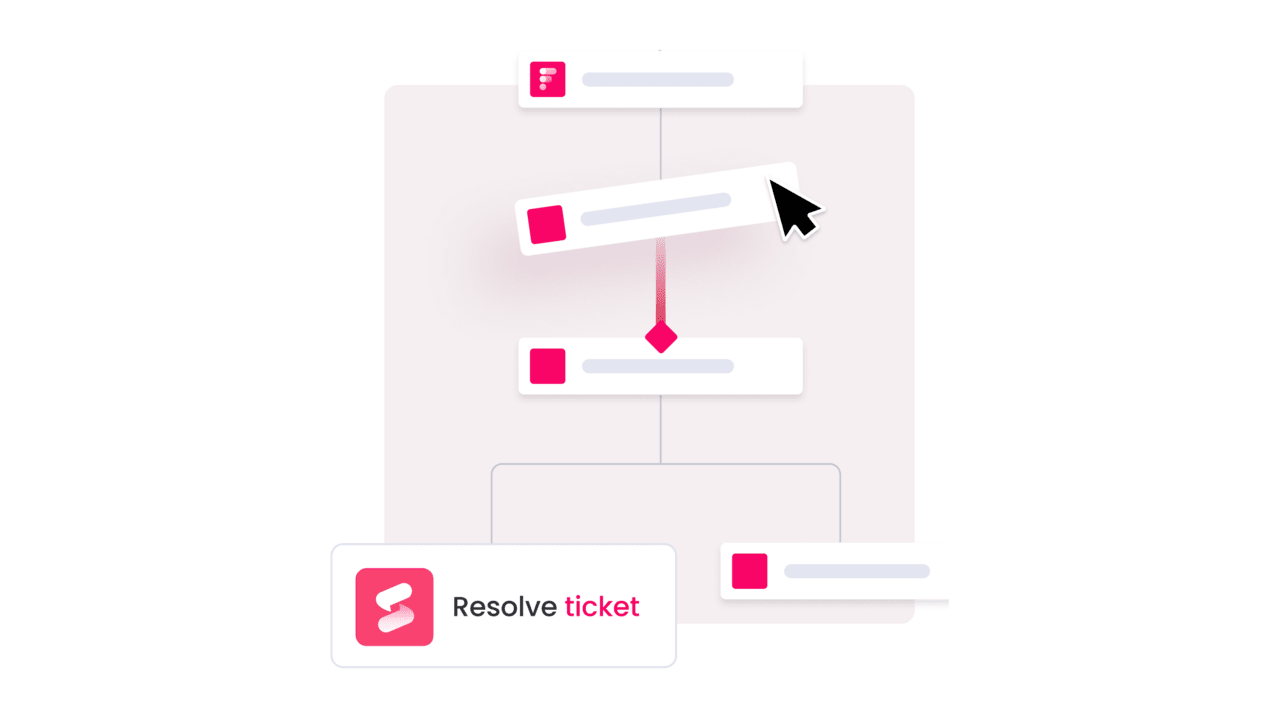
AI automatically classifies, tags, and routes incoming knowledge requests to the right people or resources. monday service reduces the time spent searching for answers and makes sure that every request is handled in the right context.
2. Keep knowledge bases accurate with AI digital workers
Knowledge bases have a bad habit of going stale. One outdated process doc here, an old pricing table there, and before you know it, nobody’s sure what’s correct anymore.
That’s where monday.com’s Digital Workforce steps in. These always-on virtual team members monitor your content around the clock and flag anything that needs attention. If something’s out of date, they’ll nudge the right person or even suggest the fix, so your knowledge stays trustworthy without turning into another maintenance chore.
3. Deliver the right answers instantly with personalized AI search
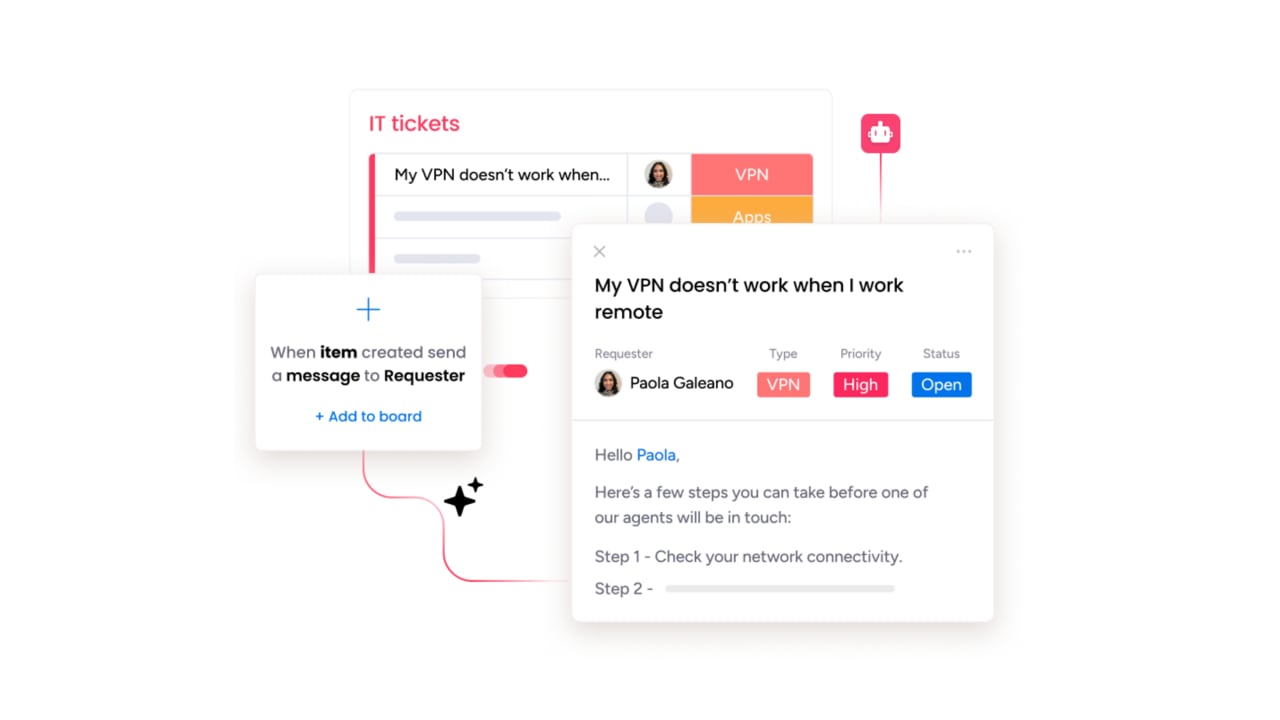
Nothing kills momentum faster than wading through a sea of “sort of” relevant search results. You know the answer’s in there somewhere, but finding it feels like digging through a messy attic. monday service uses AI to pinpoint the most relevant results from across your service tickets, documentation, and connected tools. Users see the content that best fits their query, complete with the context they need to take action right away.
4. Identify and fill knowledge gaps with AI insights
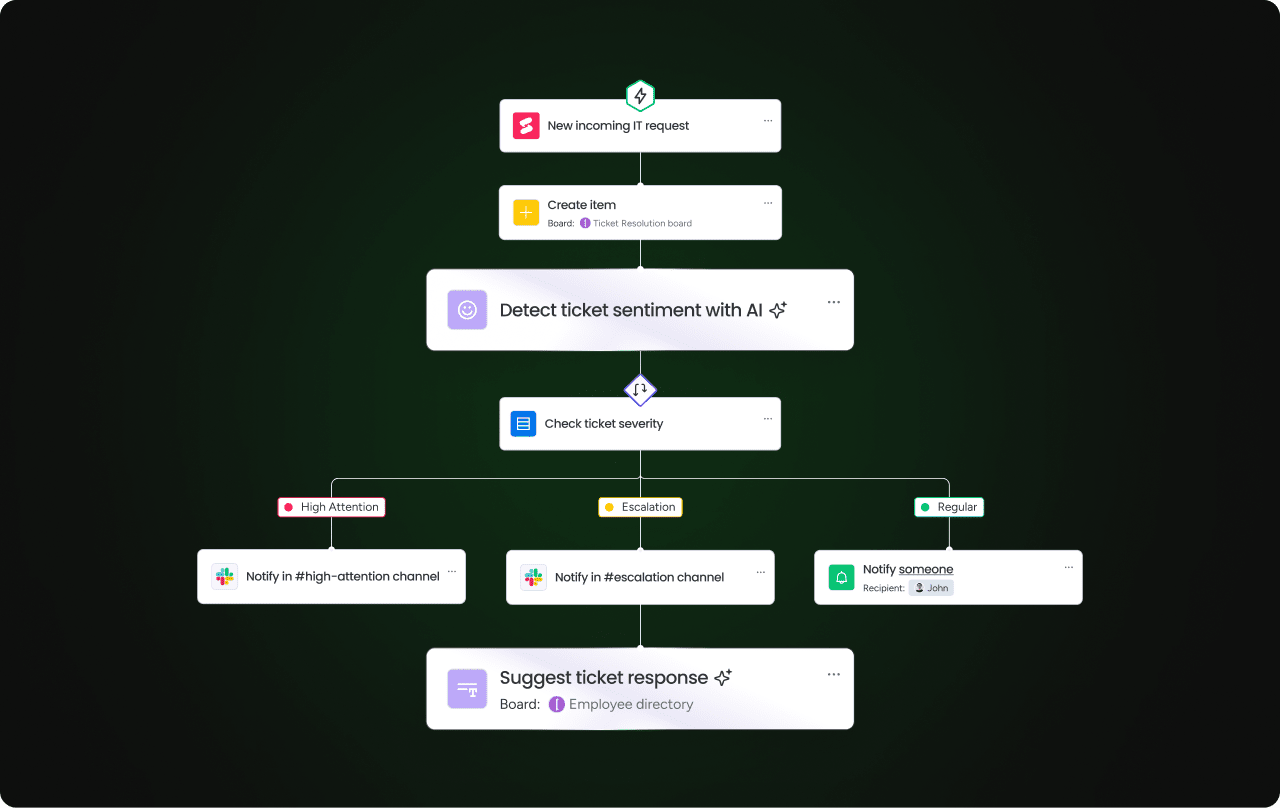
It’s hard to improve a knowledge base if you don’t know what’s missing. monday service’s real-time analytics show you which searches return no results, which topics people keep asking about, and where documentation falls short. With that intel, and no guesswork required, you can focus updates on the areas that will have the biggest impact.
5. Proactively create resources with predictive knowledge planning
When you see the same type of service ops request pop up over and over, that’s a sign you need better documentation. monday service helps you spot trends like repeat issues and common questions. From there, you can use built-in AI tools to draft how-to guides, FAQs, or troubleshooting steps, so the next time the issue appears, your team already has the answer ready
Try monday servicemonday service: The next chapter of AI in knowledge management
Knowledge doesn’t stand still, and neither should the tools you use to manage it. As AI reshapes how you handle the information lifecycle, from capture to distribution, monday service gives you a single place to keep it all working together, from the first search to the final resolution. It’s a platform built to adapt as your needs change, so your knowledge stays accurate, accessible, and ready to power whatever comes next.
Stop wasting hours hunting for answers. Try monday service for free and put AI-powered knowledge at your team’s fingertips.
Try monday serviceFAQs about AI in knowledge management
How long does it take to implement an AI knowledge management system?
Implementing an AI knowledge management system usually takes 4–12 weeks for a single-department rollout, depending on knowledge quality, integrations, and workflow complexity. A focused pilot reaches measurable results faster than a broad launch across every team.
What is the difference between AI-powered knowledge management and a traditional knowledge base?
The difference between AI-powered knowledge management and a traditional knowledge base is that a traditional knowledge base stores documents for manual lookup, while AI-powered knowledge management actively locates answers, drafts new content from resolved tickets, and improves over time.
Can AI-powered knowledge management work for non-IT teams like HR and finance?
AI-powered knowledge management works for HR, finance, legal, and facilities because those teams also manage recurring requests, policies, and approvals. The platform just needs role-based access controls and support for cross-department knowledge sources.
How does generative AI improve self-service for employees and customers?
Generative AI improves self-service by combining answers from multiple approved sources and presenting them in plain language instead of returning a list of documents to search. People are much more likely to solve the issue on their own without opening a ticket.
What data does an AI knowledge management system need to deliver accurate answers?
An AI knowledge management system needs current organizational content such as policy documents, FAQs, troubleshooting articles, ticket histories, and approved procedures. Cleaner source content produces more accurate answers.
Is an AI knowledge management platform secure enough for sensitive HR and legal content?
An AI knowledge management platform is secure for sensitive HR and legal content when it includes role-based permissions, source-bound generation, PII protection, audit logs, and configurable guardrails. Security depends on the platform's controls and governance model, not on AI alone.
How can AI improve knowledge management in B2B customer support?
AI in knowledge management makes it easier for B2B customer support agents to find the right information the first time, pulling directly from past tickets, product manuals, and internal guides. It can even suggest responses in real time or power self-service portals, so customers solve problems without waiting in a queue.
How does AI fundamentally change how organizations manage information?
AI changes how organizations manage information by actively connecting people to the right content at the right moment. It learns from how people use information, spots gaps, and keeps resources current so they remain high-value over time.
What specific advantages can businesses gain from implementing AI in their knowledge processes?
When businesses implement AI in their knowledge processes, they see faster resolutions, fewer repeated questions, and more consistent answers. It frees teams from digging through folders or outdated docs, and scales easily as the volume of information grows.
What are some leading AI technologies integrated into modern knowledge management systems?
You’ll often see natural language processing used to understand human questions, machine learning to improve results over time, and generative AI to create or update content. Many systems also use knowledge graphs to link related topics and AI analytics to track how content is being used.
What should one look for when selecting an AI solution for enterprise-wide knowledge search?
To select the best enterprise AI knowledge management system, test how well it understands natural, everyday questions, rather than just regular keywords. Check that it integrates with your current tools, keeps data secure, and can explain why it shows certain results. Piloting the system with real queries from your team will tell you if it’s accurate enough for daily use.

 Get started