


Most people leave meetings without a reliable record of what was decided or who’s responsible for what. That’s a problem, especially now that hybrid and remote work have made written documentation the primary way teams stay on track. When so many distributed teams operate async-first, the ability to take meeting notes you can refer back to later is a crucial part of how work gets done.
This article walks through a step-by-step process for taking meeting notes, some proven note-taking methods, and how AI has transformed the way teams document meetings. If you’re also looking to improve the meetings themselves, check out our guide on how to manage meetings more effectively.
Get startedKey takeaways
- Meeting notes should focus on decisions, action items, and owners, not verbatim transcription
- Use a consistent structure (agenda, discussion points, action items, deadlines) for every meeting
- Proven methods like Cornell and Outline give your notes a repeatable framework
- AI note-takers can handle transcription so you can focus on the conversation
- monday AI Workspace turns meeting notes into trackable workflows with owners and deadlines
What are meeting notes and how do they support your work?
Meeting notes are informal written records that capture key discussion points, decisions, and action items from a meeting. Unlike formal minutes, they’re meant to be useful and actionable, not official documentation. They take you from “we talked about it” to “we’re doing something about it.”
Meeting notes are beneficial for the following reasons:
- They document decisions so the team has a single source of truth: Written notes create a shared reference point everyone can return to. Without them, decisions live in people’s memories, which can be patchy and unreliable.
- They enable async participation: Not everyone can attend every meeting, and that’s okay. Good notes let absent team members catch up and contribute their input later, so they can stay aligned without scheduling another call.
- They improve recall and retention: Research on the Ebbinghaus Forgetting Curve shows people forget roughly 70% of new information within 24 hours without reinforcement. Meeting notes act as that reinforcement.
Meeting notes vs meeting minutes
People often use “notes” and “minutes” interchangeably, but they serve different purposes. Here’s how they compare:
| Feature | Meeting notes | Meeting minutes |
|---|---|---|
| Formality | Informal | Formal |
| Format | Flexible (bullets, outlines, freeform) | Structured, follows a set template |
| Purpose | Action-oriented reference | Official record of proceedings |
| Audience | Team members and collaborators | Stakeholders, board, compliance |
| Timing | Captured in real time | Often prepared post-meeting |
| Detail level | Key points and decisions | Comprehensive documenta |
What to include in your meeting notes
The content of your meeting notes largely depends on your meeting type, but the following elements cover most scenarios. Think of this as a checklist you can adapt:
- Date, time, and meeting type: Sounds basic, but you’ll thank yourself when you’re searching through 3 months of notes trying to find a specific conversation.
- Attendees and absentees: Who was in the room (or on the call) matters for accountability and follow-up.
- Agenda items covered: List the topics discussed so readers can scan quickly.
- Key discussion points and context: Capture the substance, not every word, but enough that someone who wasn’t there understands the reasoning.
- Decisions made (with rationale): Document what was decided and why. The “why” prevents the same debate from resurfacing next week.
- Action items with owners and deadlines: Every action item needs a name and a date. Without both, it’s a suggestion, not a commitment.
- Open questions or parking lot items: Capture unresolved questions so they don’t disappear.
- Next meeting date or follow-up timeline: Close the loop by setting expectations for what happens next.

How to take meeting notes in 5 steps
Follow these steps in order to create good notes for any meeting type.
Step 1: Prepare before the meeting
Review the meeting agenda before you walk in. Set up your notes document with pre-filled sections: date, attendees, and agenda items as headers. This gives you a framework to fill in rather than staring at a blank page when the meeting starts. If key decisions are expected, note them in advance so you know what to listen for.
Step 2: Capture key points during the meeting
Focus on decisions, action items, and disagreements rather than verbatim transcription. Use shorthand and abbreviations to keep up with the conversation. If you’re running an AI note-taker alongside, let it handle the transcript while you annotate with personal observations and reactions that software can’t capture.
Step 3: Organize and format after the meeting
Within 30 minutes of the meeting ending, clean up your notes. Group content by agenda item, highlight action items, and add any missing context while your memory is fresh. This is also when you convert shorthand into full sentences and tag action items with owners and deadlines.
Step 4: Share with stakeholders
Distribute your notes within 24 hours using a shared workspace instead of email attachments so notes are findable later. You can tag relevant people on their action items so there’s no ambiguity about who owns what. The benefit of working in a shared platform means teammates can add context or corrections directly.
Step 5: Follow up on action items
Notes are useless if action items aren’t tracked. Transfer them to a task management system with owners, deadlines, and status tracking — an action items template can standardize this process. Review progress at the next meeting and update the original notes if anything changes. This closes the loop and turns meeting notes from a passive document into an active driver of work.
7 tips for taking effective meeting notes
Structure and process matter, but so does technique. Whether you’re new to note-taking or looking to sharpen your approach, these tips help you capture what matters without missing the conversation.
1. Start with the agenda, not a blank page
Pre-populate your notes document with the meeting agenda as section headers. This gives you a ready-made framework to fill in as each topic comes up. You’ll spend less time figuring out where to write and more time listening. It also ensures you don’t accidentally skip an agenda item in your notes.
Get it now: Meeting agenda template
2. Focus on decisions and action items, not transcription
The most common mistake in meeting notes is trying to write down everything. Effective notes capture what was decided, who’s responsible, and what happens next. Everything else is context. If you find yourself falling behind, that’s a sign you’re recording too much detail. Ask yourself: “Would someone need this sentence to understand the decision?” If not, leave it out.
3. Use consistent symbols
You don’t need to learn formal shorthand to speed up your note-taking, but a simple symbol system works for most people:
- → for action items: Makes deliverables scannable at a glance
- ? for open questions: Flags items that need follow-up
- ! for decisions: Highlights what was resolved
- ★ for high-priority items: Draws attention to your most important points
Abbreviate common words whenever possible: “min” for minimum, “qty” for quantity, “w/” for with. Consistency is crucial, so pick a system and stick with it to keep your notes readable days or weeks later.
4. Assign a dedicated note reviewer
Have one person be in charge of reviewing the notes after each meeting, and rotate this role. This solves the “I can’t contribute and take notes at the same time” problem and also distributes the workload so it doesn’t fall in the same person very time.
5. Take notes without being obvious
How do you take notes in a meeting without seeming disengaged? Sometimes visible note-taking feels awkward, especially if you’re having a sensitive discussion. One option is to use an AI note-taker running silently in the background captures everything without anyone needing to write at all
6. Use a template for consistency
A repeatable template means you never start from scratch. Your notes have a consistent format that teammates can scan quickly, and you spend less time on structure and more time on substance. We’ll cover a ready-to-use template later in this article, or you can jump straight to the meeting notes template on the monday AI Workspace.
7. Let AI handle the transcript
Modern AI meeting assistants can join your call, transcribe in real time, and generate a structured summary with action items. This frees you to participate in the conversation instead of frantically typing. The transcript becomes a reference you can search later, automatically actioning points on your behalf. When you want to connect meetings back to your schedule, this comparison of AI calendar tools covers platforms with built-in meeting intelligence.
4 proven note-taking methods for meetings
Here are 4 proven frameworks, each suited to a different type of meeting.
Cornell method
The Cornell method requres you to divide the page into 3 sections: a notes column on the right for capturing discussion points, a cue column on the left for keywords and questions, and a summary strip at the bottom for a brief recap. After the meeting, review your notes and fill in the cue column and summary. This method, developed by Cornell University’s Learning Strategies Center, is particularly effective for meetings where you need to review and retain the content afterward.
Outline method
The Outline method uses hierarchical bullet points organized by topic. Main points sit as top-level bullets, with supporting details indented underneath. This is the most intuitive method for structured meetings that follow an agenda — each agenda item becomes a top-level bullet, and discussion points nest below it. Simple, scannable, and works in any notes app.
Quadrant method
The Quadrant method divides the page into 4 quadrants: Notes, Action Items, Questions, and Key Decisions. As the meeting progresses, drop each piece of information into the appropriate quadrant. This method shines in action-heavy meetings where tracking deliverables is the priority. At the end of the meeting, your action items and decisions are already separated and ready to distribute.
Charting method
The Charting method works well for meetings covering multiple agenda items that benefit from side-by-side comparison, like project status reviews or sprint planning sessions.
You set up columns for different categories, such as Topic, Discussion, Decision, Owner, and Deadline. Complete the chart by filling in each row as the meeting progresses.
No single method works for every meeting. Experiment with each and pick the one that matches your meeting type and personal workflow.
How AI is changing the way teams take meeting notes
Instead of taking a manual approach to note-taking, AI makes the process much easier. AI meeting assistants can join your video calls, transcribe conversations in real time, and generate structured summaries with action items automatically. The technology has become standard infrastructure for distributed teams. For sales teams, an AI meeting assistant built for sales calls goes a step further, flagging buying signals and syncing insights straight to your CRM.
| Factor | Manual notes | AI note-taking |
|---|---|---|
| Attention | Split between listening and writing | Full attention on the conversation |
| Completeness | Key points only | Full transcript + summary |
| Speed | Available after cleanup (30+ min) | Available immediately after the meeting |
| Comprehension | Higher for the note-taker (handwriting research) | Equal for all attendees who read the summary |
| Personalization | Captures your interpretation | Captures what was said, not what you thought |
| Best for | Small meetings, personal learning | Team meetings, async updates, compliance |
Of course, you don’t always need to use one over the other. The combination method lets AI handle the transcript and summary while you jot personal annotations: observations, reactions, and connections that software can’t capture. After the meeting, you can merge the two for the most complete record of what happened and what it means for your work.
Meeting notes template
A template gives your meeting notes a consistent structure so you never start from scratch. Here’s a simple, copy-ready format that works for most team meetings:

A static template works for occasional meetings. But teams that meet regularly benefit from a connected template inside a project management platform — where action items automatically become tracked tasks with owners, deadlines, and status updates.
How monday AI Workspace helps teams manage meeting notes and action items
Taking meeting notes is only half the job. The other half is making sure action items get done. monday AI Workspace connects meeting documentation directly to task management, to keep the momentum going.
AI Notetaker
monday’s AI Notetaker joins your meetings on Zoom, Google Meet, and Microsoft Teams automatically. It captures the full conversation, transcribes it in real time, and generates action items directly on monday AI Workspace, with no copy-pasting from a separate app. Each hour of meeting transcription uses 120 credits, and the entire process runs in the background while your team focuses on the discussion.
Meeting Summarizer agent
The Meeting Summarizer is a ready-made AI agent that analyzes completed meetings, generates concise summaries, and extracts action items. It’s part of the monday agents portfolio, available across Operations, Sales, and Engineering categories. Once a meeting wraps, the agent processes the transcript and delivers a structured summary your team can act on immediately.
monday workdocs
monday workdocs are collaborative documents with real-time co-editing, connected to live board data. Use workdocs for meeting notes that pull in project context automatically. Task statuses, timelines, and owner assignments update in real time. AI-assisted writing capabilities help you outline, draft, and summarize, so you spend less time formatting and more time contributing.
monday sidekick
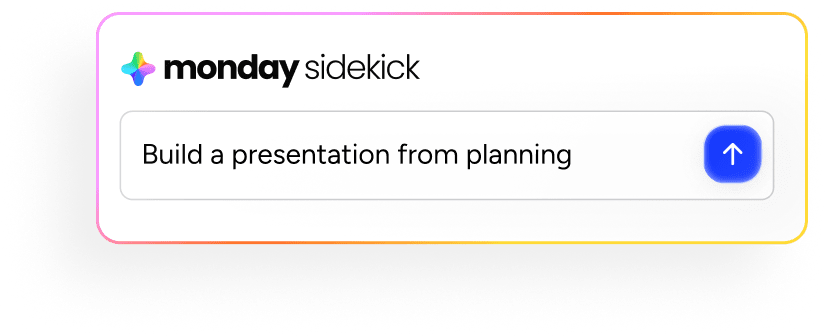
monday sidekick is the built-in AI assistant that summarizes updates, generates content, and supports voice mode for natural speech interaction. Use sidekick to query past meeting notes, get a quick recap of what you missed, or draft follow-up messages based on meeting outcomes. It understands your work context, so responses are relevant to your projects and responsibilities.
monday MCP
monday MCP lets you query meeting transcripts in natural language. Ask questions like “What were the action items from last Tuesday’s standup?” and get instant answers across all your meetings. It connects to Claude, ChatGPT, Microsoft Copilot, and Cursor, giving your team a searchable archive of every meeting conversation.
How does this compare to standalone AI note-takers? Here’s a breakdown:
| Capability | Standalone AI note-taker | monday.com's AI Work Platform |
|---|---|---|
| Meeting transcription | Yes | Yes (AI Notetaker) |
| Summary generation | Yes | Yes (Meeting Summarizer agent) |
| Action item extraction | Yes (as text) | Yes (as tracked tasks with owners/deadlines) |
| Task management | No (requires a separate platform) | Built-in boards, timelines, automations |
| Project context | None | Notes connected to live project data |
| Cross-meeting search | Limited | Natural language queries via MCP |
| Workflow automation | No | Automations triggered by meeting outcomes |
Turn every meeting into measurable progress
Effective meeting notes don’t need to capture every word; instead, the focus should be on documenting decisions and driving accountability. Whether you use the Cornell method, a simple template, or AI transcription, the goal is just to make sure every meeting produces outcomes people can act on.
monday AI Workspace takes you from meeting documentation to execution. Notes become tasks, tasks become projects, and projects become results, all on one connected platform. Get started
Ready to turn your meeting notes into action? Try monday AI Workspace.
Get startedFAQs
What is the difference between meeting notes and meeting minutes?
The difference between meeting notes and meeting minutes boils down to formality and purpose. Meeting notes are informal records of key discussion points, decisions, and action items. Meeting minutes are formal, structured documents typically required for board meetings or legal and compliance purposes. Most day-to-day team meetings call for notes, not minutes.
How do I take notes in a meeting without being obvious?
To take notes in a meeting without being obvious, use a shared digital document that blends in with your screen, rely on shorthand to minimize writing time, or let an AI note-taker run silently in the background. You can also rotate the note-taking role so it's an expected part of the meeting rather than something one person does quietly.
What is the best format for meeting notes?
The best format for meeting notes depends on the meeting type. The Cornell method works well for learning-focused meetings, the outline method suits agenda-driven discussions, and the quadrant method is ideal for action-heavy sessions. Consistency matters more than format, so pick a method and use it every time.
Can AI take meeting notes for you?
Yes, AI can take meeting notes for you. AI meeting assistants join video calls, transcribe conversations in real time, and generate summaries with action items. monday AI Notetaker works with Zoom, Google Meet, and Microsoft Teams to automate transcription and push action items directly into your project management workflows on monday.com.
What should meeting notes include?
Meeting notes should include the date, attendees, agenda items covered, key discussion points, decisions made with rationale, action items with owners and deadlines, open questions for follow-up, and the next meeting date or follow-up timeline.
How does monday AI Workspace handle meeting notes?
monday AI Workspace handles meeting notes through several connected features. AI Notetaker provides automatic transcription, Meeting Summarizer agent generates summaries and action items, and workdocs offer collaborative note-taking connected to live project data. Action items from meetings become tracked tasks on monday.com automatically, with owners, deadlines, and status tracking built in.

 Get started