


AI agents are transforming the world of work. While pre-built agents are great jumping off points for teams that want AI to take on common responsibilities, custom AI agents are where it gets interesting. Instead of forcing your workflows into a template, the strongest platforms let you define the role, connect your systems, and set boundaries that match your processes.
This guide covers what custom AI agents are, which platforms stand out, the capabilities worth prioritizing, and how to build one without code.
Try monday agentsKey takeaways
- Custom AI agents evaluate a situation and carry out multi-step work on their own, instead of waiting for a prompt like a chatbot or copilot does.
- The strongest platforms ground agents in your actual business data — boards, docs, and live systems — rather than generic training data.
- Governance features like permissions, audit trails, and simulation mode determine whether AI adoption can scale safely across an organization.
- Start with one focused workflow — a clear trigger, defined owner, and measurable outcome. This approach builds trust faster than trying to automate everything at once.
- monday agents stands out for embedding agents directly inside monday AI Workspace, giving teams cross-department context without a separate system to manage.
What are custom AI agents?
Custom AI agents are autonomous software programs that evaluate situations, make decisions, and execute multi-step workflows without waiting for manual prompts. Unlike chatbots that respond when asked or copilots that assist while you work, custom AI agents operate independently within boundaries you define. They monitor triggers, process information, and take action 24/7 based on your specific business rules and data.
These agents aren’t generic tools; they’re configured around your unique workflows, systems, and processes. While traditional automation follows fixed “if-this-then-that” rules, custom AI agents read context, adapt to changing conditions, and decide their next steps dynamically — freeing your team to focus on strategy instead of repetitive execution.
12 best custom AI agent platforms
We evaluated the custom AI agent platforms below on launch speed, integration depth, and whether they scale beyond one use case.
| Platform | Best for | No-code option? | Key differentiator | Starting price |
|---|---|---|---|---|
| monday agents | Teams wanting agents embedded in existing work | Yes | Cross-department context in a unified workspace | $12/seat/month |
| n8n | Technical teams needing self-hosting | Partial | Open-source with full infrastructure control | Free (self-hosted) |
| OpenAI | Developers building custom AI applications | Partial | Foundation models powering most agent platforms | Usage-based |
| MindStudio | Business users creating standalone agents | Yes | Drag-and-drop builder with multi-model support | Free tier available |
| Zapier | Teams already using Zapier automation | Yes | 7,000+ app integrations | $19.99/month |
| CrewAI | Dev teams building multi-agent systems | No | Multi-agent orchestration framework | Open-source |
| Anthropic | Organizations prioritizing AI safety | No | Constitutional AI approach | Usage-based |
| Enterprises on Google Cloud | Partial | Vertex AI integration with Gemini models | Usage-based | |
| LangChain | Developers needing maximum flexibility | No | Modular open-source framework | Open-source |
| Make | Teams preferring visual workflow building | Yes | Visual scenario builder with AI modules | $9/month |
| Botpress | Teams building conversational agents | Yes | Multi-channel conversation deployment | $79/month |
| Intellectyx | Enterprises seeking custom development | No | Dedicated implementation services | Custom pricing |
1. monday agents
For teams already managing work on monday AI Workspace, monday agents offers business context most alternatives can’t match. monday agents operates where over 225,000 organizations already manage their work, so agents start with live business context instead of a blank slate.
In terms of cross-functional collaboration, a marketing agent can factor in pipeline movement from sales, and an AI product management agent can account for open support issues before planning a sprint. People still set the priorities. but agents keep repetitive execution running around the clock.

Use case: Teams across marketing, sales, IT, HR, operations, product, engineering, and PMO that want custom AI agents working inside their existing AI Workspace workflows, with enough context to take action instead of only summarizing work.
Key features:
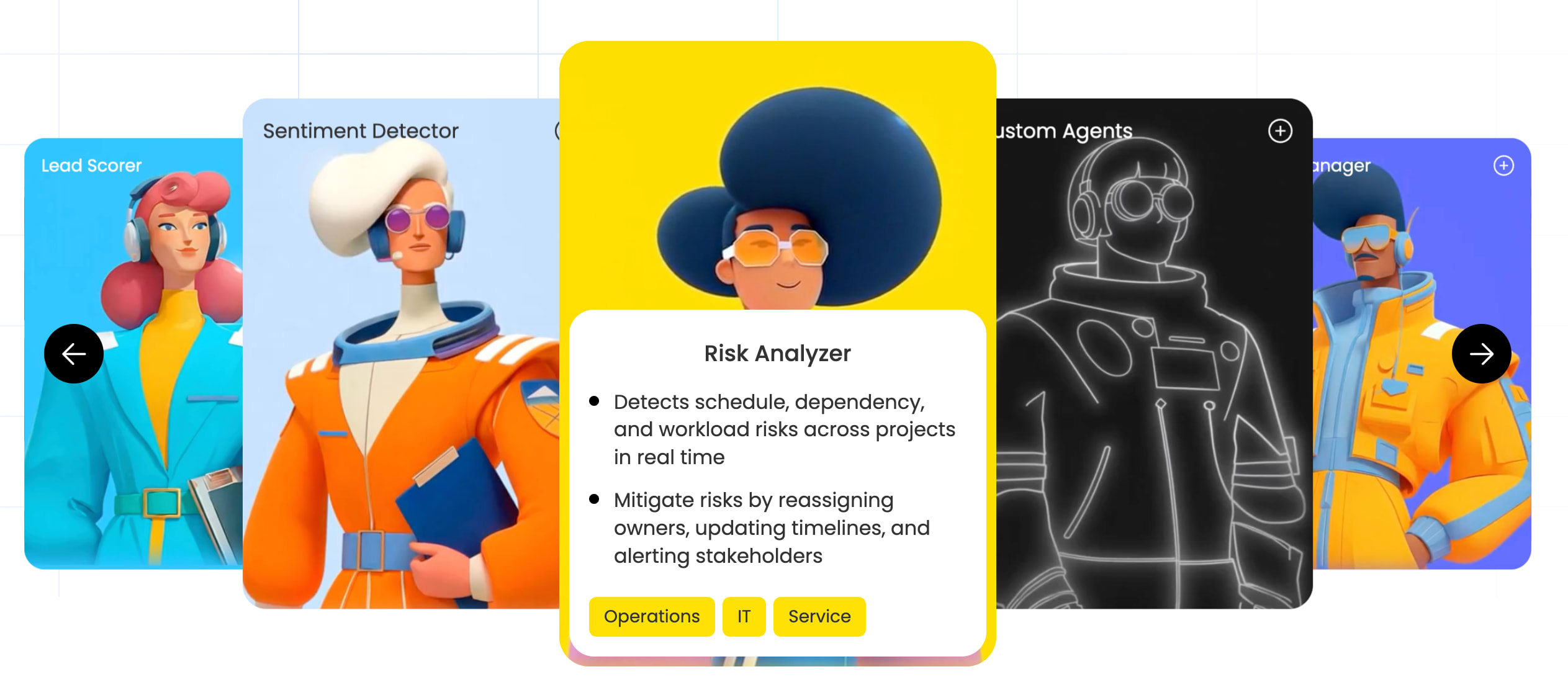
- Ready-made expert agents: pre-built agents handle specific, high-volume work right away — Lead Qualification Agent scores leads on fit and intent; Dependency and Risk Mapper flags schedule and workload risk; Meeting Summarizer creates notes, follow-ups, and owners.
- Three-step agent builder: define the role and when to act, connect the knowledge and tools needed, then test and refine before activation — built for business teams, not only developers.
- Knowledge grounded in your real work: agents use the docs, PDFs, and boards you define as context, so outputs follow your processes and terminology instead of generic advice.
- Built-in guardrails: control exactly what each agent can access and whether it can read, create, or edit information, with simulation mode for review before launch and an audit trail on every action.
Pricing:
- Standard: $12/seat/month, billed annually — AI agents are available starting on this plan
- Pro: $19/seat/month, billed annually
- Enterprise: custom pricing (contact sales)
- Annual billing saves 18% versus monthly pricing
Why it stands out: Agents act directly on monday AI Workspace, so teams don’t need a separate AI system or a major process reset. They work across a shared data layer instead of a single function, so a sales signal can trigger the right marketing follow-up. Teams stay in control with explicit permissions and full visibility into what an agent did and why.
Considerations: Best suited to teams already on monday AI Workspace
Try monday agents2. n8n
n8n combines a visual workflow builder with full infrastructure control, giving technical teams one canvas for both automation and AI agents.

Use case: Developer-led teams and organizations with specific data residency requirements that need full control over their automation infrastructure, including how AI agents are built, deployed, and governed.
Key features:
- Visual workflow builder with AI agent nodes: configure agents inside the same editor used for other automations by attaching a chat model, memory, and tools to an Agent node.
- Model-agnostic design with 500+ integrations: connect to OpenAI, Anthropic, Gemini, and other providers, and give agents real actions like updating CRMs or calling external APIs.
- Deterministic guardrails and observability: apply human-in-the-loop approvals, conditional logic, and rate-limiting, with inline logs and per-execution visibility.
Pricing:
- Free (self-hosted): Community Edition at no cost
- Starter (cloud): €20/month billed annually, 2,500 executions, unlimited team members
- Pro (cloud): €50/month billed annually, 10,000 executions, 3 shared projects
- Business (self-hosted): from €667/month billed annually for 40,000 executions, with enterprise governance features
- Enterprise: contact sales for hosted or self-hosted options with 200+ concurrent executions, audit logging, log streaming, and SLAs
- Pricing is based on full workflow executions rather than individual steps, with unlimited team members and workflows across all plans
- A Startup Plan offers 50% off the Business plan for eligible companies with fewer than 20 employees and under €5M in funding
Considerations: n8n needs technical resources for setup, maintenance, and troubleshooting, so business team members building independently face a steeper learning curve than on purpose-built no-code platforms. Some AI features are still rolling out in stages or sit behind higher-tier plans.
3. OpenAI
OpenAI gives teams direct access to the frontier models behind much of today’s AI development, and supports two ways to build custom agents: no-code GPTs inside ChatGPT for solo builders, and production-grade agents through the Responses API and Agents SDK for engineering teams.

Use case: Organizations building custom AI applications, or developer teams creating specialized agents, who want direct access to OpenAI’s models without a third-party orchestration layer.
Key features:
- No-code GPT builder: configure purpose-built versions of ChatGPT using instructions and uploaded knowledge files, shareable privately, across a workspace, or via the GPT Store.
- Responses API and Agents SDK: build single- or multi-agent workflows with built-in tools including Web Search, File Search, and Computer Use for GUI-level automation, all within one unified API.
- Enterprise data controls: Business and Enterprise plans default to no-training on organizational data, with SCIM, Encrypted Key Management, and HIPAA-eligible endpoints available for specific contexts.
Pricing:
- ChatGPT Business: $20/user/month billed annually ($25/month billed monthly)
- ChatGPT Enterprise: custom pricing, quote-based
- API (usage-based): GPT-5.6 Sol at $5 input / $30 output per million tokens; Terra at $2.50 / $15; Luna at $1 / $6
- File Search: $2.50 per 1,000 queries plus $0.10/GB/day for vector store storage
- Batch API: 50% discount available for asynchronous processing with a 24-hour turnaround
Considerations: Agents built via the API sit outside existing work platforms by default, so teams without dedicated engineering resources need custom integrations to connect them to live business data.
4. MindStudio
MindStudio is built for business users who want to launch custom AI agents quickly without code, moving from concept to deployed agent without waiting on engineering bandwidth.

Use case: Business users and small teams who want to build and deploy custom AI agents quickly, without relying on developer support.
Key features:
- Visual agent builder: a drag-and-drop interface lets non-technical team members design multi-step agent workflows and connect data sources, with no coding required.
- Multi-model access via Service Router: connect to 200+ AI models within a single agent, billed at cost with no provider markup.
- End-to-end agent lifecycle management: design, test, deploy, and monitor agents from one platform, with QA tools, version history, and human-in-the-loop checkpoints for higher-stakes workflows.
Pricing:
- Free: 1 agent, 1,000 runs/month, access to 200+ models via Service Router
- Individual: $20/month ($16/month billed annually), unlimited agents and runs, plus community access and weekly live workshops
- Business: custom pricing, includes team workspace, unlimited collaborators, enterprise security controls, and flexible deployment including self-hosting
- Annual billing saves 20% on the Individual plan
- Model usage is billed separately at provider rates with no markup; additional runs can be purchased if limits are reached
Considerations: MindStudio is built for standalone agent applications and lacks deep integration into existing work management systems, which can create blind spots when agents operate separately from daily work. Self-hosting, SSO, and SCIM sit behind the Business and Enterprise tiers.
5. Zapier
Zapier turns its automation ecosystem into a base for custom AI agents, letting teams deploy AI “teammates” across thousands of connected apps without code — a natural path for businesses already running Zapier workflows.

Use case: Teams already embedded in the Zapier ecosystem who want to extend existing automations with AI agents that can reason, retrieve live data, and execute actions across connected apps.
Key features:
- Natural language agent building: configure agents using plain-English instructions, attach live knowledge sources such as Google Docs or Airtable, and deploy agents that retrieve real-time records.
- Agent orchestration across workflows: trigger agents directly from Zap workflows, enable agent-to-agent calling for complex processes, and monitor activity from a single console.
- Governed access across 9,000+ apps: agents operate within a unified auth and audit framework, giving IT and compliance one policy set to manage.
Pricing:
- Agents Free: $0/month, including 400 activities per month
- Agents Pro: $33.33/month billed annually, including 1,500 activities per month
- Agents Enterprise: contact sales for custom activity pools and advanced governance
- Platform plans (task-based) start separately at $0/month for Free and $19.99/month for Professional
- Annual billing saves 33% on paid plans; nonprofits receive a 15% discount on paid tiers
Considerations: Agents are metered by “activities,” so heavier workloads can consume credits quickly, pushing teams toward Enterprise pricing sooner than expected. Sharing and permissions require a Team or Enterprise account.
6. CrewAI
CrewAI is built for development teams where multiple specialized agents work together on demanding workflows. Instead of centering everything on one agent, it supports coordinated “crews” with distinct roles and shared goals, built visually in Studio or through a Python-based CLI.

Use case: Development teams building sophisticated AI applications that need multiple specialized agents to collaborate on high-volume, complex processes.
Key features:
- Multi-agent orchestration: coordinate teams of AI agents through “Crews” and “Flows,” assigning each agent a role, goal, and toolset for deterministic steps, handoffs, or parallel execution.
- Cognitive Memory: CrewAI’s memory system encodes and recalls information across runs, helping agents compound knowledge and produce more consistent outputs.
- Enterprise Control Plane: full run-level tracing, role-based access controls, and human-in-the-loop approval gates give teams governance over every agent execution.
Pricing:
- Basic (free): visual editor with AI copilot, GitHub integration, and 50 workflow executions per month
- Enterprise: custom pricing, including SSO, RBAC, enterprise connectors, private agent repositories, and dedicated infrastructure options (including VPC and FedRAMP High)
- Enterprise execution volume is sized to workflow needs, with flexible overage
Considerations: CrewAI is fundamentally an open-source, Python-oriented framework, so teams need technical development expertise to build and maintain it. The free plan caps executions at 50 per month, and full enterprise governance features require an Enterprise contract with no public unit pricing.
7. Anthropic
Anthropic positions Claude as a foundation for technical teams building custom AI agents, with safety and reliability as first principles — a fit for organizations that need strong reasoning but can’t compromise on governance.

Use case: Organizations that prioritize AI safety and reliable reasoning when building custom agents across knowledge-intensive workflows.
Key features:
- Claude API with advanced reasoning: build agent applications that handle complex analysis and multi-step decision-making, grounded in Claude’s extended context capabilities.
- Constitutional AI governance: Anthropic’s safety framework steers agent outputs toward helpful, accurate, responsible behavior.
- Tool use and Model Context Protocol (MCP): agents can call external functions and connect to business systems through MCP, an open standard Anthropic donated to the Linux Foundation.
Pricing:
- Pro: $20/month for individual use
- Max: $100/month or $200/month, offering 5× or 20× Pro usage capacity
- Team: $25/seat/month billed annually, or $30/seat/month billed monthly; minimum 5 seats required
- API: usage-based pricing per million tokens, varying by model (Claude Sonnet at $3 input / $15 output per million tokens); batch discounts available
- Enterprise: custom pricing via sales
Considerations: Building production-ready agents requires meaningful integration work to connect Claude to existing business systems. Autonomous agents remain an early-stage technology and stay susceptible to risks like prompt-injection vulnerabilities, even with Anthropic’s safety focus. The Team plan requires a minimum of 5 seats and a business email domain.
8. Google
Google’s Gemini Enterprise Agent Platform gives enterprises a single environment for building, deploying, and governing custom AI agents. It’s designed for organizations already invested in Google Cloud and spans the full lifecycle, from low-code prototyping to production-grade multi-agent systems, under one security and observability model.

Use case: Enterprise organizations with existing Google Cloud infrastructure that need to build, scale, and govern custom AI agents within a unified, security-first environment.
Key features:
- End-to-end agent development: multiple on-ramps — including a no-code Agent Designer, low-code Agent Studio, and a code-first Agent Development Kit — let technical and non-technical teams build agents suited to their workflows without forcing a single approach.
- Enterprise-grade governance: Agent Identity, Agent Gateway, and Model Armor work together to enforce least-privilege access and screen for prompt injection. Semantic Governance applies natural-language policy checks, giving compliance and security teams control over what agents can do.
- 200+ model choices with built-in grounding: access Google’s full Model Garden alongside RAG Engine and Google Search grounding, so agents draw on accurate, up-to-date information rather than relying solely on static training data.
Pricing:
- Google Cloud: pay-as-you-go with a $300 free credit for new accounts and 20+ always-free products
- Gemini Enterprise Agent Platform: usage-based billing across Agent Compute (vCPU-h), Agent Memory (GiB-h), and Agent Storage (GiB-month), with monthly free tiers per component
- Additional components: Memory Bank and Sessions are billed separately on their own schedules; Agent Gateway is billed under Agent Compute, and model inference is billed per model SKU
- Committed-use discounts: available for eligible services, with savings up to 57% for longer-term commitments
- Google Workspace with Gemini: tiered plans (Starter, Standard, Plus, Enterprise) billed per user per month
Considerations: Pricing spans multiple metering dimensions — compute, memory, storage, model tokens, and RAG components — which makes cost forecasting complex without dedicated cloud finance support. Full value typically requires dedicated cloud engineering resources to configure and maintain.
9. LangChain
LangChain gives developer teams a modular, open-source way to build production-ready custom AI agents from the ground up, operating across layers of abstraction from lightweight agent frameworks to stateful graph runtimes.

Use case: Developer teams building custom AI agents who need full control over model selection, orchestration logic, and deployment infrastructure.
Key features:
- Graph-based agent orchestration: LangGraph models agents as stateful graphs with nodes, edges, and shared state, supporting durable execution, checkpointing, and human-in-the-loop workflows for long-running processes.
- End-to-end agent engineering lifecycle: LangSmith connects observability, evaluation, deployment, and automated failure analysis in one platform, so teams can identify where agents break down and act on it quickly.
- Flexible deployment options: teams can deploy via one-click cloud, standalone server, or enterprise self-hosting on Kubernetes, with SSO, RBAC, and SCIM for governance at scale.
Pricing:
- Developer: free for one seat, including 5,000 base traces per month
- Plus: $39/seat/month, including 10,000 base traces, one free small serverless deployment, and access to LangChain Compute Units for Deployment, Engine, and Fleet
- Enterprise: custom pricing with self-hosting, hybrid deployment, SSO/SAML, and SLA support
- Additional usage is metered via LangChain Compute Units ($1.50 each) and LangSmith Storage Units ($1.00 each)
- Startup discounts and credits are available for eligible VC-backed companies
Considerations: LangChain requires significant development expertise; teams without dedicated engineers will face a steep learning curve before seeing results. Usage-based metering through Compute Units and Storage Units can make costs variable and harder to forecast as agent workloads scale.
10. Make
Make extends its visual automation platform with AI features, giving teams one canvas to design, connect, and observe workflows.

Use case: Teams that prefer visual workflow building and want to connect AI capabilities across multiple applications without writing code.
Key features:
- Canvas-native AI builder: design logic, assign tools, configure memory, and test behavior directly on the same canvas where automations live, for a single, observable environment across both deterministic and AI-driven workflows.
- 1,500+ app integrations with MCP support: equip workflows with module tools, full multi-step scenarios, or Model Context Protocol connections, which lets Make call external platforms and exposes Make scenarios as structured tools for models like Claude or ChatGPT.
- Built-in execution transparency: a step-by-step reasoning view, token usage summaries, and inline chat testing give teams visibility into every AI decision, making it straightforward to diagnose performance and refine behavior over time.
Pricing:
- Free: $0/month, up to 1,000 credits/month
- Core: from $9/month, 10,000 credits/month
- Pro: from ~$21/month, 10,000 credits/month
- Teams: from ~$38/month, 10,000 credits/month
- Enterprise: custom pricing
- Annual prepayment discounts are available across paid plans; AI usage consumes credits based on token volume, which can make costs less predictable without active monitoring
Considerations: The Make AI Agent feature remains in open beta, so functionality and pricing may continue to change. Custom AI provider keys (OpenAI, Anthropic, Gemini) require a paid plan — free plan team members are limited to Make’s own AI provider.
11. Botpress
Botpress focuses on conversational AI agents for support, sales, and engagement workflows, serving both developers and operations teams through visual tooling and a code-first Agent Development Kit.

Use case: Teams building custom AI agents for customer-facing conversations who need a governed, multi-channel deployment platform with both no-code and code-first build options.
Key features:
- Autonomous Node for agentic execution: an LLM-driven runtime that decides when to call tools, query knowledge bases, or transition flows, giving agents genuine decision-making capability rather than rigid scripted paths.
- Modular agent library: teams can stack and sequence specialized agents for personality, policy enforcement, translation, knowledge retrieval, vision, and analytics to match specific conversation requirements.
- Brand Safety Framework: built-in policy guardrails, RAG transparency controls, and an LLM Inspector let teams inspect reasoning traces and enforce content boundaries before agents reach end customers.
Pricing:
- Pay-as-you-go: $0/month, plus AI spend at provider cost
- Plus: $89/month, plus AI spend
- Team: $495/month, plus AI spend
- Enterprise: custom pricing
- Annual billing saves up to 33% versus monthly rates; AI spend is billed at third-party provider cost with no markup, and monthly spend caps apply per plan
- Add-ons for additional messages, bots, collaborators, storage, and reserved compute are available at published unit prices
Considerations: Botpress is purpose-built for conversational, customer-facing agents — teams looking to automate internal workflows across project management, CRM, or operations will find its scope narrow. Spend caps on lower-tier plans can constrain high-volume deployments before teams are ready to upgrade.
12. Intellectyx
Intellectyx delivers fully custom AI agents for enterprises that need a tailored alternative to packaged platforms. It suits organizations across manufacturing, financial services, healthcare, and retail that need agents designed around specific processes and compliance obligations.

Use case: Large enterprises seeking fully custom AI agent development with dedicated implementation support, particularly in regulated industries where compliance, explainability, and governance are non-negotiable.
Key features:
- End-to-end custom agent development: Intellectyx designs agents around specific business logic, supporting multimodal inputs, multi-agent orchestration, and autonomous decision-making rather than adapting a generic template to your workflows.
- Enterprise system integration: agents connect to existing ERP, CRM, and helpdesk environments across cloud, on-premises, and hybrid deployments, reducing the risk of siloed automation that doesn’t reflect how teams work day to day.
- AgentOps for production reliability: an ongoing observability and governance program covers drift detection, KPI tracking, audit trails, role-based access, and retraining pipelines, so agents keep performing accurately after go-live.
Pricing:
- Custom enterprise pricing: quote-based, scoped to project complexity, integration requirements, and ongoing AgentOps needs
- Offshore team engagements: starting at $5,000 per resource per month, as referenced on Intellectyx’s startup and enterprise pages
- LLM developer hourly rates: $30–$90 per hour, depending on engagement model
- Engagement models available: dedicated, project-based, and monthly packages
Considerations: Intellectyx operates as a services partner rather than a self-service platform, so deployment timelines depend on scoping, data readiness, and integration complexity. Total cost of ownership can be difficult to forecast upfront, since integration count and model usage both shape the final investment.
How to build a custom AI agent without being a coding pro
You don’t need a developer or degree in coding to build an agent yourself. So long as you have a sharp definition of the work you want it to take on, you’re all set.
Step 1: Define the outcome, role, and trigger conditions
“Help with marketing” is too vague to guide useful action. “Monitor competitor pricing pages and alert the team” is a real job with a clear output. Triggers matter just as much: they’re the signals that tell the agent when to act, like a new form submission or a lead score crossing a threshold. Defining both reduces the risk of the agent acting too broadly or sitting idle. Keep project scope tight by answering these questions before building:
- What specific outcome should the agent produce?
- What data does the agent need access to?
- What actions is the agent authorized to take?
- When should the agent escalate to a person?
Step 2: Connect the knowledge sources and integrations
Connecting the right sources — boards, documents, external platforms — gives the agent what it needs to act intelligently, and the deeper those integrations go, the fewer manual handoffs remain. The goal is end-to-end execution: the agent reads the situation, decides what to do, and updates the record on its own. With monday agents, a sprint planning agent can pull directly from support ticket data to prioritize bug fixes, so decisions draw on more than one team’s view.
Step 3: Test, refine, and deploy with oversight
Simulation mode shows what an agent would do before it does anything live, which makes it easier to catch problems in logic before they reach real work. With monday agents, every action carries an audit trail showing what the agent did, why it acted, and what it plans to do next — this visibility makes it easier to hand off work with confidence.
Key capabilities to look for in AI agent software
Evaluating AI agent software takes a different lens than evaluating a standard work platform — the stakes are higher, and the important differences aren’t always obvious at first glance. Look past model quality alone: the real question is whether the platform understands your work, executes on it, and stays inside the guardrails you set.
Knowledge and context grounding
An agent becomes valuable only when it understands the specifics of your business. If it isn’t grounded in your actual boards, policies, and workflows, the output tends to feel generic.
- Data connectivity: agents should connect directly to your living business data, not generic training models.
- Cross-department visibility: an agent managing IT tickets should see project timelines, just as a marketing agent should understand sales pipeline status.
- Structured data access: the strongest platforms query structured data layers reliably, well beyond basic document search.
Actions, integrations, and autonomous operation
There’s a real difference between an agent that recommends the next step and one that completes the work — and between one that operates in isolation and one that pulls context from the tools your team already relies on.
- Action breadth: agents should create, update, and manage work items, not just analyze them, and push changes back into connected systems without manual cleanup.
- Multi-step workflows: triaging a ticket might involve classification, priority setting, and assignment as a single sequence.
- 24/7 operation: agents should respond to triggers and process volume reliably around the clock, regardless of time zone.
Guardrails and oversight controls
Delegating work to AI can feel risky, so governance is essential to adoption. The teams that scale most confidently have precise control over what agents can see and do.
- Permissions: define exactly which data agents access and what actions they’re authorized to take.
- Audit trails: see what agents accomplished, why they made specific decisions, and what they’ll do next.
- People-in-the-loop: validate agent actions before they execute, particularly for high-stakes or irreversible workflows.
How to choose the right AI agent platform
Your choice of platform influences how quickly your team adopts AI and how much value it gets from it. The best choice fits into existing work patterns rather than forcing everyone into a separate interface.
| Platform approach | Best when | Tradeoff to plan for |
|---|---|---|
| Embedded no-code platform | You want agents working where your team already manages work | Strongest when you're already using that workspace |
| Visual automation platform | You need broad app connections and accessible workflow design | Context can spread across separate systems |
| Developer framework | You need maximum control over architecture and deployment | Requires engineering time and ongoing maintenance |
| Services-led partner | You need a fully custom rollout with implementation support | Longer timelines and higher upfront investment |
Match platform capabilities to your team structure. A developer-heavy platform may offer unlimited customization, but that advantage fades if business users have to wait on engineering every time a workflow changes. No-code builders tend to fit marketing, sales, and operations teams that need more autonomy, and shared context across departments matters — a pipeline shift in sales should be able to influence the next move in marketing.
Evaluate integration depth. A large app catalog can look impressive, but one-way connections often leave the manual work in place. The real question is whether the platform can read, write, and trigger actions across the systems your team uses, and whether it lives inside your existing workspace or sits outside it and pulls data in.
Assess security and compliance. In regulated environments, certifications such as SOC 2 Type II, ISO/IEC 27001, and HIPAA compliance are baseline considerations. Ownership of your data deserves equal scrutiny — some vendors use customer inputs to train models, others commit not to.
Compare time to value. Short implementations and gentle learning curves keep momentum going, no matter how strong the feature list looks on paper. monday agents addresses this by working inside existing monday AI Workspace, so teams can plug it into current processes from day one.
Why enterprise teams trust monday agents' built-in governance
At enterprise scale, AI adoption comes down to trust. With monday agents, you define exactly what data an agent can access and whether it can read, create, or edit information, and every action carries an audit trail showing what the agent did, why it acted, and what it plans to do next.
- Permissions: agent activity follows the same account and workspace boundaries teams already rely on, so access stays scoped to the role — sales, IT, HR, or operations.
- Transparency: managers can inspect why an agent took a step and monitor behavior over time to confirm it stays aligned with internal guidelines.
- Simulation mode: preview how an agent would behave before it runs live, so teams can start with one test workflow and expand as confidence grows.
Underneath all of it sits monday.com’s enterprise-grade AI infrastructure, with data privacy, governance, and compliance support built in.
How monday agents helps teams execute across every department
monday agents takes on repetitive execution directly inside monday AI Workspace, where work is already planned, tracked, and updated. People still choose the direction and handle project prioritization; agents handle the follow-through across departments, day and night.
No one has to start from zero. Ready-made agents cover common functions across departments:
- Marketing: the Competitive Intel Research agent tracks competitors and compiles a decision-ready brief from verified web sources, and the Creative Brief Agent turns raw notes and stakeholder feedback into a structured brief the creative team can act on.
- Sales: the Lead Qualification Agent scores and prioritizes leads against your criteria, and the Outbound Sequencing Agent sends personalized outreach and follows up automatically until a lead replies.
- Service and product: the Voice of Customer Agent analyzes support conversations and customer feedback each week and flags the higheFst-priority product opportunities.
- Operations and PMO: the Goal Manager sets OKRs, tracks progress, and generates status updates across teams, and the Dependency and Risk Mapper traces a project’s critical path and flags blocked chains before they derail a timeline.
- HR: the Employee Onboarding Agent notifies the right colleague when a new hire joins and prompts a warm, informed welcome.
Get more done with AI agents that already know your work
Custom AI agents create the most value when they understand the work already moving through your organization. The strongest deployments connect agents to live workflows instead of treating AI as a separate destination.
The real power of AI agents emerges when they collaborate. A sales agent that scores leads can pass qualified prospects to a marketing agent for personalized outreach. An operations agent that flags project risks can trigger a Finance agent to reassess budget allocations. Building these connections between agents creates a digital workforce that handles end-to-end processes, rather than individual steps.
Start with one repetitive workflow that has a clear trigger, a defined owner, and measurable outcomes. This kind of focused rollout builds trust fast and gives teams a direct path to scaling custom AI agents with confidence across the monday AI Workspace.
Try monday agentsFAQs About custom AI agents
What is the difference between an AI agent and a chatbot?
A chatbot responds reactively, waiting for a prompt before returning information. An AI agent works more autonomously — it can execute multi-step workflows, make context-based decisions, and complete processes without constant human intervention.
Can I create a custom AI agent without any coding skills?
Yes. Platforms like monday agents offer intuitive, no-code environments that let everyday teams build automated workflows without engineering help. You describe the role, connect the relevant data, and test the results before deploying the agent across the organization.
How much do custom AI agent platforms typically cost?
Costs vary widely based on platform capabilities, integration depth, and deployment scale. Open-source frameworks may be free to access but still require substantial technical setup, while enterprise platforms often use seat-based or usage-based pricing to support stronger governance.
What security features should I prioritize when evaluating AI agent software?
Focus on platforms that provide role-based permissions, detailed audit trails, and firm commitments that vendors won't use your proprietary data to train third-party models. Mid-market and enterprise teams should also confirm certifications such as SOC 2 Type II and ISO 27001 to support secure, scalable adoption.

 Get started