


Your AI assistant is capable of a lot, but to truly help your business, it needs live access to your open deals, project status, and what your team shipped last week. Without that context, most AI conversations end with generic answers that miss what’s actually happening across your organization. That’s why so many AI conversations end with generic answers that miss what’s actually happening across your organization. Model Context Protocol (MCP) closes that gap. It gives AI assistants a direct, governed connection to your business data, so they answer based on what’s actually true right now.
Released by Anthropic in late 2024, MCP is an open standard that works across AI assistants and business platforms alike. Consider recasting the opening with a more vivid analogy or metaphor per the “vivid analogy” rule. Instead of building a separate integration every time you want an AI assistant to talk to a new application, MCP creates one shared language both sides understand. One standard, many connections, and no proprietary lock-in.
Here’s what we’ll cover: what MCP is and how it works; how it stacks up against APIs and other AI approaches; what it means for security and governance; and how real teams are using it across sales, operations, and project management. Remove this sentence from the intro and reserve monday vibe mentions for the dedicated solution section later in the article. By the end of this guide, you’ll know how to evaluate whether MCP fits your workflows.
Get started with monday.comKey takeaways
- One standard replaces dozens of custom connections: MCP lets any AI assistant plug into any business application through a single, universal protocol, no custom development required
- Your AI gets live data, not stale snapshots: MCP connects AI assistants to real-time information across your CRM, project boards, and operations, so answers stay current
- AI can act, not just answer: With MCP, your AI assistant can create records, update statuses, and trigger notifications, all within the permissions you’ve already set
- Enterprise security is built in: MCP inherits your existing user permissions and supports audit logging. It requires human approval for write actions, so your data stays protected
- monday vibe puts this to work without code: Teams use monday vibe to build custom apps (forecasting dashboards, OKR trackers, and more) powered by live data across every board and department
What is Model Context Protocol (MCP)?
Model Context Protocol (MCP) is an open standard that enables AI assistants to connect to external data sources, business applications, and services through a single universal interface. Think of it like a USB-C port for AI. Instead of building a custom integration for every combination of AI assistant and data source, MCP provides a single standardized way to communicate.
Any compatible AI assistant can access any compatible data source via the same protocol, regardless of who built it.
MCP stands for Model Context Protocol. Here’s what each word means:
- Model: The AI models (like large language models or LLMs) that power assistants like Claude and ChatGPT
- Context: The external data and information these models need to deliver relevant, accurate answers instead of generic responses
- Protocol: A standardized set of rules for communication, the same way HTTP defines how web browsers talk to websites
Anthropic, the company behind Claude, created and released MCP in late 2024. The protocol is fully open source; any company or developer can adopt, implement, or build on it without licensing fees or proprietary restrictions.
Why AI needs context protocols
Before MCP, connecting an AI assistant to your CRM data, project boards, or documents meant building a separate, custom integration for each pairing. A team using three AI assistants and five business applications faced the challenge of building and maintaining up to fifteen individual connections. The problem only gets worse as organizations grow.
This is the “M×N problem.” If an organization used five AI assistants and 10 business applications, developers would need to build and maintain up to 50 separate integrations. Each one was custom-coded and fragile. Every interface update to the AI assistant or application required costly maintenance work to keep integrations functional.
MCP addresses four specific pain points that made this situation unsustainable, and the scale of the problem is measurable: the global integration platform market is estimated at $15.9B in 2026, reflecting just how much organizations spend managing the complexity of connecting systems.
- Data silos in AI conversations: Accessing live business data required manually copying and pasting information into the chat window
- Integration sprawl: Every new AI-to-application connection required its own custom development effort
- Inconsistent capabilities: The same AI assistant might connect with one data source while remaining disconnected from another equally important system
- Security fragmentation: Each custom integration handled authentication and permissions differently, creating governance gaps
MCP solves the M×N problem by creating a single standard that AI assistants and data sources can adopt independently. An application that publishes an MCP server instantly becomes accessible to every MCP-compatible AI assistant, cutting the work from 50 custom integrations to 15 standardized ones.
How the MCP architecture works
MCP uses a client-server architecture with four main components. Understanding how they fit together helps you see where MCP fits into your existing workflows.
Component 1: MCP hosts and clients explained
An MCP host is the interface where you type questions and give instructions. It’s where you get responses. The host initiates connections to MCP servers and manages the overall interaction experience.
An MCP client is the component within the host that maintains a direct, one-to-one connection to a specific MCP server. A single host can run multiple clients simultaneously, each connected to a different server.
Component 2: How MCP servers translate data
An MCP server makes specific data sources or application capabilities available to AI assistants. Each server is built for a particular application and translates between the MCP protocol and the application’s own data structures.
Servers are lightweight programs that work like this:
- They pass data through without storing it locally
- They translate requests from the MCP protocol into the application’s native format
- They retrieve or modify the requested information
- They send results back in a standardized structure
How MCP connects AI to your data: step by step
When you ask your AI assistant to pull data from a connected application, the process is fast and structured. You won’t even see it happen. Here’s what happens behind the scenes:
- You submit a request: You type a natural language request into your AI assistant, for example, “Show me all new deals added this week”
- The client identifies the right server: The host’s MCP client identifies which connected MCP server can fulfill the request
- A structured request is sent: The client sends it to the appropriate MCP server
- The server authenticates and queries: The MCP server authenticates the request and queries the application’s database
- Data is returned in a standard format: The server returns the relevant data to the client in a standardized format
- The AI model processes the data: The AI model processes the returned data and generates a response
- You receive a grounded answer: You see a natural language answer grounded in live, real-time data
This entire process happens in seconds.
Three core capabilities MCP gives AI
MCP defines three capability types that determine what AI assistants can do with connected applications. Knowing the difference between them helps you understand what’s possible (and what to expect) when you connect AI to your business data.
Capability 1: Tools for AI-driven actions
MCP “capabilities” (referred to as “tools” in the MCP specification) are executable functions that enable AI assistants to take actions within connected applications. This is the difference between an AI that tells you what’s in your CRM and one that can update records for you.
What these tools can do:
- Creating a new record: An AI assistant can add a new contact or deal directly into a CRM based on information from a conversation
- Updating a status: Changing a project’s status from “in progress” to “completed” without navigating to the application
- Sending a notification: Triggering an alert to a team member about an overdue item
These actions are governed by the same permissions the user already has in the connected application.
Capability 2: Resources for real-time context
Resources are data objects that MCP servers make available for AI assistants to read. Unlike capabilities, resources are passive. They provide context without changing anything.
Resources come in two forms:
- Static resources: Reference documents, knowledge base articles, or fixed configuration files
- Dynamic resources: Live data objects like a sales dashboard that updates in real time
Capability 3: Prompts for reusable workflows
MCP prompts are pre-built, reusable templates that set up a specific workflow that an AI assistant can run. Instead of typing a complex, multi-part request every time you need a particular analysis, you trigger a prompt that bundles the right instructions, data sources, and output format together.
How MCP compares to APIs and RAG
MCP doesn’t replace APIs or retrieval-augmented generation (RAG). It serves a different purpose. Understanding where each fits helps you decide what belongs in your AI infrastructure.
MCP often uses APIs behind the scenes. The MCP server translates between the standardized MCP protocol and the application’s existing API.
MCP vs. retrieval-augmented generation (RAG)
RAG is a technique where an AI model retrieves relevant documents from a knowledge base before generating a response. MCP and RAG are built for different data types and use cases. Here’s how they compare:
MCP and RAG are complementary. An organization might use RAG for internal documents while using MCP to connect AI to live CRM data and project boards.
MCP security and enterprise governance

Security is often the first question teams ask when evaluating AI integrations, and for good reason: only one in five companies has a mature governance model for autonomous AI, according to Deloitte’s 2026 State of AI in the Enterprise survey. MCP is built with enterprise-grade controls that match how most organizations already manage access and permissions.
Here’s how MCP handles security at each layer:
- Authentication: MCP uses OAuth 2.1, the same standard used by major enterprise applications. AI assistants must authenticate with proper credentials before accessing any data
- Permission inheritance: The AI assistant inherits the user’s existing permissions. The AI assistant can only access data the user is already authorized to view
- Scoped access: Administrators can scope access to specific workspaces or datasets, limiting what any given AI assistant can access
- Audit logging: Administrators can monitor all AI-driven activity through audit logs, maintaining full visibility
- Human approval for write operations: Organizations can require human approval before the AI executes any write action
Every action follows a traceable chain. The user requested it, the AI proposed it, the user approved it, and the system logged it.
Get started with monday.comReal-world MCP examples for business teams
So how does MCP actually apply to everyday business workflows? The examples below show how teams across sales, operations, and project management are putting MCP to work today. The examples below show how teams across sales, operations, and project management are putting MCP to work today.
Sales and CRM workflows
- Pipeline review preparation: An AI assistant pulls all deals closing this month and drafts a summary for the sales manager
- Lead qualification: The AI scores new leads by cross-referencing CRM data with qualification criteria
- Deal risk detection: The AI identifies deals where the last customer contact was more than 14 days ago
Project and operations management
- Status report generation: An AI assistant compiles progress across multiple project boards and generates a weekly status report
- Resource conflict detection: The AI identifies team members with overlapping deadlines across projects
How AI agents use MCP to execute work autonomously
There’s a meaningful distinction between a chatbot and an AI agent. A chatbot answers questions when asked; it’s reactive. An AI agent independently monitors conditions and takes actions based on triggers and rules you define.
Yet despite growing interest, fewer than 10% of companies have scaled agentic AI to deliver tangible value, with 80% citing data access limitations as the primary roadblock, precisely the barrier MCP is designed to remove.
MCP is what makes the agent model possible for business applications. With MCP, an AI agent can:
- Monitor a sales pipeline for stalled deals
- Draft a personalized follow-up message
- Update the deal record automatically
- Notify the account owner; all without a human initiating each step
Because an MCP host can connect to multiple MCP servers simultaneously, AI agents can coordinate workflows across departments and systems.
How monday.com uses MCP to connect AI across your workflows

monday.com’s MCP implementation connects external AI assistants like Claude, ChatGPT, and Microsoft Copilot directly to workspace data. Because the platform already houses CRM, project management, and operations data on a shared data layer, the MCP connection gives AI assistants cross-functional context that siloed applications can’t match.
For teams managing sales, projects, and operations on a unified workspace, this means the AI assistant gains context across all of these functions through a single connection.
Sales teams using monday CRM can connect their preferred AI assistant to their sales workspace through MCP, turning conversational requests into real CRM actions and insights. Teams can:
- Create and update deals directly from the conversation
- Analyze pipeline data without switching between applications
- Convert unstructured data into structured CRM records
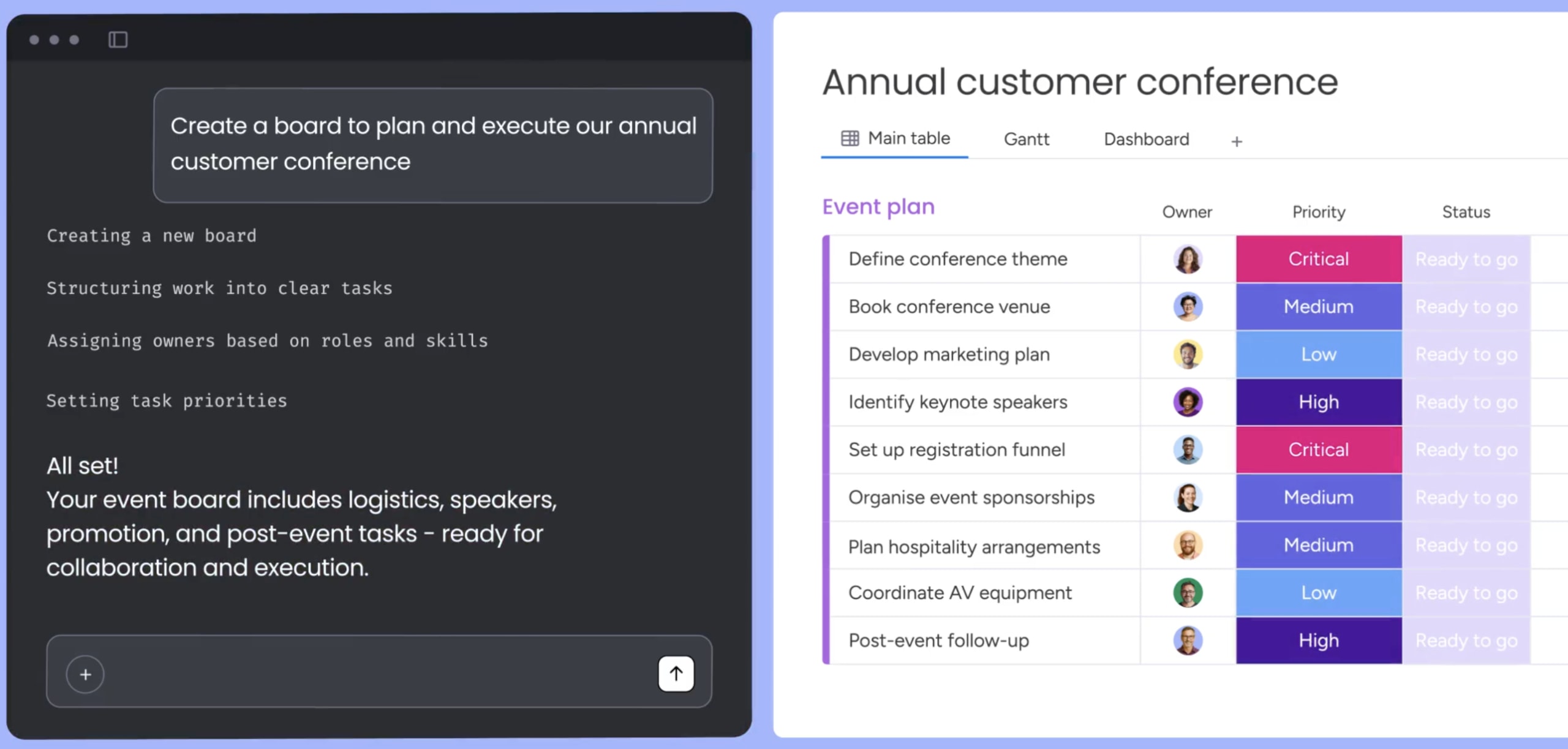
With monday vibe, anyone can create custom business applications by describing what they need in plain language. MCP ensures these apps have access to real-time information across boards and departments. Teams have built everything from sales forecasting apps and OKR monitoring dashboards to event portals and supply chain trackers, all without writing code.
Evaluating MCP solutions: what to look for
Model Context Protocol is a standardized way for AI to access business data, workflows, and applications. The distinction between AI that produces generic responses and AI that actively supports your business decisions comes down to context. MCP provides the connection layer. What you build on top of that connection determines the value.
When evaluating MCP solutions, use these criteria as your checklist:
- Connectivity scope: Does the AI connect to isolated applications or a unified work platform?
- Permission model: Are permissions inherited from your existing system, or do you need to manage a separate access layer?
- Auditability: Can you monitor what AI accesses, what actions it takes, and what it publishes?
- Write controls: Can you require human approval before the AI executes write operations?
- Vendor flexibility: Does the implementation lock you into a single AI assistant, or does it support multiple providers?
Getting started with MCP for your business
Model Context Protocol marks a genuine shift in how AI integrates with business operations. The M×N integration problem that once required armies of developers to manage is now solvable with a single open standard.
The practical starting point is identifying where your team loses the most time to context switching: manually pulling data, updating records after conversations, or generating reports from scattered sources. Those are exactly the workflows MCP is built to address.
From there, the question isn’t whether to adopt MCP: it’s which platform gives your AI assistants the richest, most connected context to work from. Teams that connect AI to a unified workspace, rather than to isolated applications, consistently achieve more actionable results with the same AI tools.
Get started with monday.comFrequently asked questions
What's the difference between MCP and an LLM?
An LLM (large language model) is the AI brain that processes language and generates responses. MCP is the protocol that connects the brain to external data sources and applications so it can access real-time information and take actions beyond text generation.
Does MCP work with ChatGPT and other AI assistants?
Yes. MCP is an open standard that works with multiple AI assistants, including ChatGPT, Claude, Microsoft Copilot, and Google Gemini. Organizations are not locked into a single AI vendor when adopting MCP.
How much does it cost to use MCP?
MCP itself is a free, open-source protocol with no licensing fees. Costs depend on the specific platforms and AI assistants you connect. Teams on monday.com gain MCP support across all plans, so they can connect AI assistants to their workspace data at no additional charge.
Can MCP securely access sensitive business data?
MCP uses OAuth 2.1 authentication and inherits the user's existing application permissions. The AI assistant can only access data the user is already authorized to see. Administrators can scope access to specific workspaces and monitor all AI-driven activity through audit logs.
 Get started