


Imagine a service desk where password resets handle themselves at midnight and incidents route to the right on-call engineer in seconds, not hours. That’s what IT teams are building today with autonomous AI agents that make context-backed decisions and execute multi-step workflows on their own.
This guide walks through how IT teams use monday agents, which ITSM workflows they handle best and the ready-made agents available today in monday AI Workspace.
Try monday agentsKey takeaways
- Reasoning separates an agent from an automation. A fixed automation follows the same trigger every time, while an IT agent reads the situation and decides what to do within guardrails a person sets.
- Governance runs by default. Every proposed action stays visible in simulation mode before it touches a live ticket, and permissions scope down to a specific board or service area.
- Context determines how well an agent performs. An agent connected to runbooks and policy documentation makes stronger triage and routing decisions than one limited to ticket text alone.
- IT tickets carry more signal when they connect to other teams’ data. An outage ticket means something different depending on whether it’s blocking three sales calls or a single internal test account, and that context only appears when IT sits on the same data layer as the rest of the business.
- A phased rollout builds trust before it builds scale. Starting monday agents on a single high-volume, low-risk workflow and expanding once results hold up works better than activating every capability inside monday AI Workspace at once.
What are monday agents?
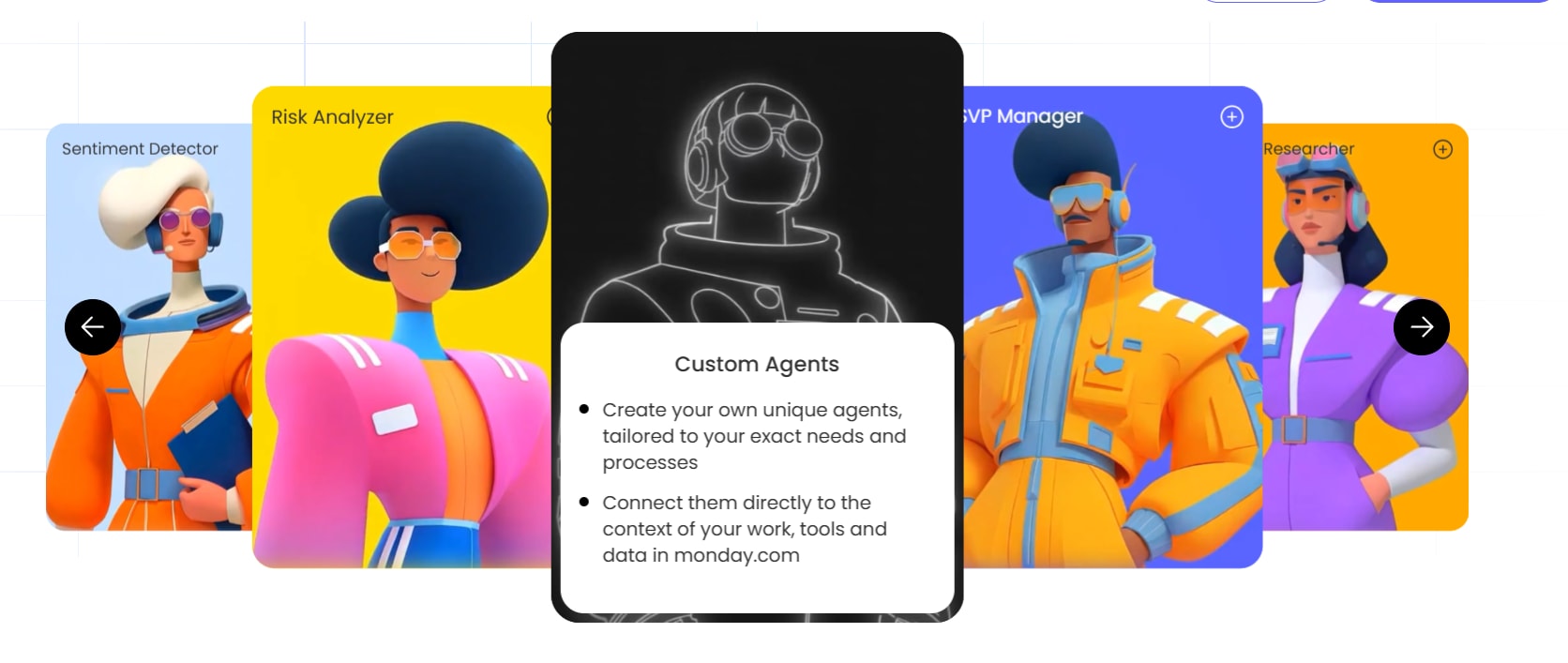
monday agents are autonomous and context-aware AI agents, embedded directly into monday AI Workspace. They go beyond answering questions or suggesting next steps and actually execute work on behalf of your team. Available 24/7, they use the data, documents, and workflows already available in your workspace.
“Autonomous” in this context means agents act on triggers you define, within guardrails you set, without requiring a person to initiate every action. This is hugely valuable to IT teams whose workflows are typically high-volume, repetitive, and time-sensitive.
In action: A single delayed ticket assignment becomes an SLA breach resulting in a frustrated end user. And the subsequent escalation pulls a senior engineer away from strategic work. With monday agents as part of the team, agents handle the execution layer so IT staff can focus on complex problem-solving and initiatives that move the organization forward. This is about people and agents working hand in hand: agents amplify what your team can do, and your team gives agents the judgment and direction they need.
How agents operate inside monday AI Workspace
Agents live inside the same boards, items, and dashboards where IT teams already manage tickets, incidents, and requests. Instead of being sidelined in a separate application or portal, they read from/write to your existing workspace data, meaning they understand the full context of a ticket: its history, related items, and connected workflows across departments.
Here’s how agents interact with your IT environment:
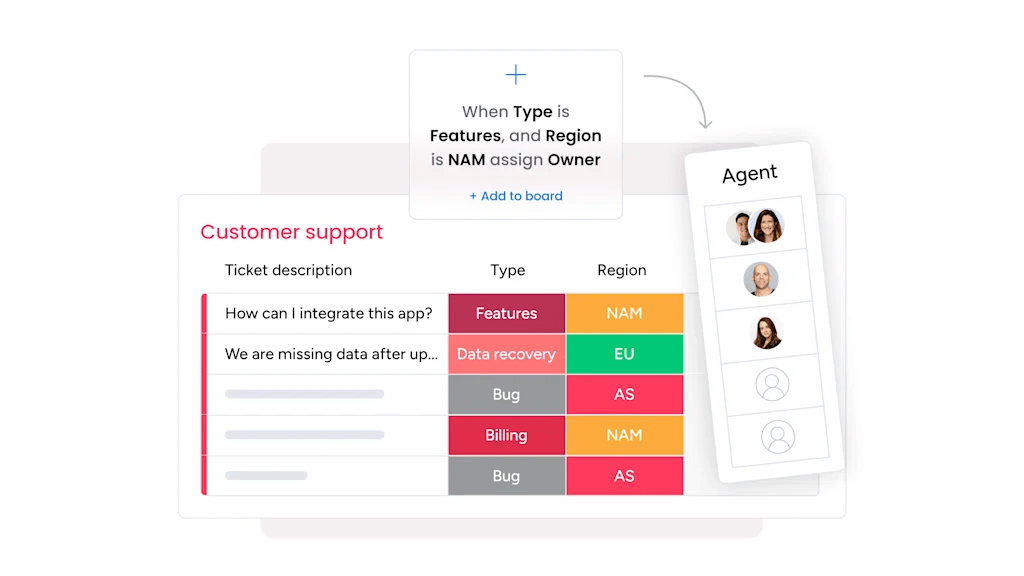
- Board-level access: Agents can create items, update statuses, set priorities, assign owners, and add tags directly on your IT service boards.
- Cross-board visibility: Agents see connections between tickets, projects, and team workloads across your entire workspace.
- External integrations: Agents connect to platforms like Slack, Jira, Gmail, and PagerDuty to pull context and take actions across your IT stack without manual handoffs.
5 core capabilities that power every monday agent
Every agent built on monday AI Workspace shares 5 core capabilities that make autonomous execution possible. These capabilities show you where agents add the most value:
- Knowledge: Agents use the docs, PDFs, and boards you define as context, grounding every action in your real work and guidelines.
- Actions: Agents execute across every aspect of work, from reading ticket data to updating statuses, assigning owners, and creating follow-up items.
- Integrations: Agents keep work in sync across your IT stack, pulling context and taking actions in connected platforms without manual handoffs.
- 24/7 autonomy: Agents act without time, volume, or language constraints, following up, generating content, and routing work around the clock.
- Guardrails: You maintain full transparency into every action, with the ability to set permissions, scope, and human-in-the-loop controls.
How IT teams use monday agents to handle ITSM workflows
monday agents offers ready-made agents for common ITSM workflows; alternatively, teams can build custom agents for their own environment without writing code. The agents below are live in the AI Template Center today.
1. Internal Helpdesk Agent
The Internal Helpdesk Agent monitors the channels employees already use for questions, logs each one with context, and drafts a reply from the internal knowledge base for a helpdesk teammate to review and send.
Key actions:
- Monitors a designated Slack channel, labeled Gmail messages, and form submissions for new employee questions
- Classifies each request as a how-to question, an issue report, a feature request, or unclear
- Logs the requester, category, source, date, and a short summary to a shared board
- Drafts a ready-to-review reply from the internal knowledge base
- Updates the item’s status automatically as the conversation moves
Best for: IT teams fielding a high volume of repetitive employee questions who want a documented starting point for every response.

2. SLA Monitor
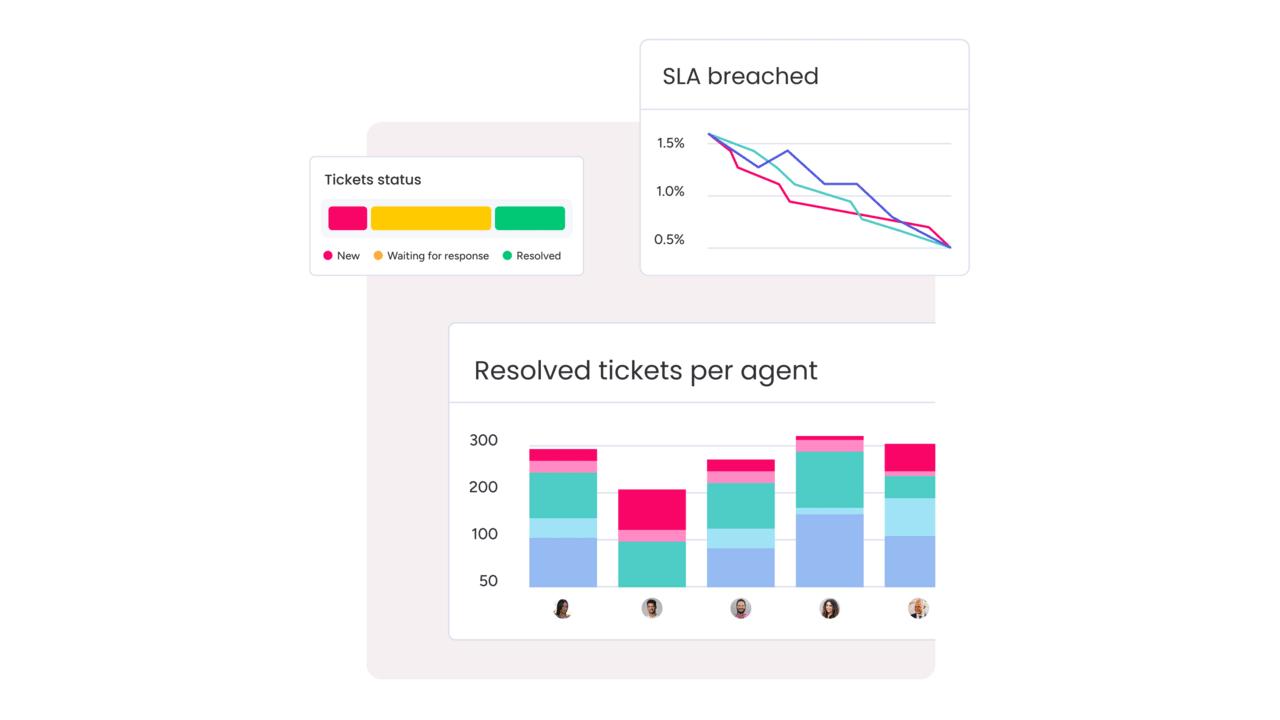
The SLA Monitor tracks each request’s timestamps and status against your SLA thresholds and alerts the right manager before a breach occurs.
Key actions:
- Watches each request’s timestamps and status to measure response and resolution time
- Compares elapsed time against defined SLA thresholds
- Flags items approaching the limit and those that have already breached
- Notifies the responsible manager early, before a breach happens
- Sends a periodic breach summary and trend view on a set cadence
Best for: IT managers who need visibility into SLA health without checking dashboards manually throughout the day.

3. Approvals Agent
The Approvals Agent detects items on a board that need sign-off, routes them to the correct approver, and chases overdue decisions until each one closes out.
Key actions:
- Detects items on the board that need approval
- Routes each item to the right approver, in the defined order
- Notifies approvers and tracks their decision
- Chases overdue sign-offs with reminders
- Updates the item’s status once it’s approved or rejected
Best for: IT teams managing software provisioning, access requests, or purchase approvals where a stuck sign-off holds up the rest of the workflow.

4. Ticket Follow-Up Agent
The Ticket Follow-Up Agent tracks every ticket open across connected support and ticketing boards and flags the ones still waiting on a reply.
Key actions:
- Tracks every open ticket across connected support and ticketing boards
- Checks each ticket for whether a reply or update has already been posted
- Notifies the owner as soon as a ticket is sitting on their side of the conversation
- Maintains one consolidated, scannable list of open tickets and action items
Best for: Service desks where ticket volume makes it easy for individual requests to go unanswered.

5. Security Setup Agent
The Security Setup Agent audits what it can verify automatically, asks about the rest, and turns each finding into a tracked remediation item.
Key actions:
- Reviews activity and permission data to check controls programmatically, flagging inactive users and admin account sprawl
- Asks directly about controls it can’t detect automatically, such as single sign-on or IP restrictions
- Prioritizes the three to five highest-risk items first, starting with authentication and access controls
- Creates a workflow item per finding with step-by-step implementation guidance
- Updates the account’s security score as each item is resolved
Best for: IT teams establishing a security baseline or preparing for a compliance review.

6. Dependency and Risk Mapper
The Dependency and Risk Mapper reads a board’s items, dependencies, owners, and dates, then traces the critical path to find where a delay would cascade into downstream work.
That same dependency-mapping capability is one of the most commonly deployed project management AI agents, since a blocked IT rollout and a blocked project timeline create the identical coordination problem.
Key actions:
- Reads items, dependencies, owners, dates, and status from the board
- Traces dependency chains to identify the critical path
- Finds where a delay in one item would cascade into downstream work
- States why each at-risk or blocked chain is risky and suggests a mitigation
- Re-maps on a set cadence and flags newly blocked chains as they emerge
Best for: IT and project teams managing complex rollouts where one delayed step holds up several others downstream.

7. Process Automator
The Process Automator reviews how items move on a board, finds repetitive rule-based patterns, and proposes a specific automation for each one.
Key actions:
- Reviews status changes, assignments, and recurring updates to find repetitive patterns
- Defines a specific trigger-and-action automation for each pattern found
- Estimates the manual effort each proposed automation removes
- Configures the automation using monday’s native automations and workflows on approval
- Monitors for new patterns and proposes the next automation once one ships
Best for: IT teams looking to cut manual, repeatable steps out of a workflow without building a custom agent from scratch.

8. @Mentions Digest
The @Mentions Digest finds every item and update where a team member is @mentioned and still owes a response, then compiles them into a single digest.
Key actions:
- Finds items and updates where the user is @mentioned and hasn’t yet replied
- Summarizes what each mention is asking and suggests a next step
- Compiles open mentions into a single digest for review in one pass
- Delivers the digest on a set schedule or on demand
Best for: IT teams working across multiple boards and queues who want one place to catch open @mentions instead of checking each board separately.
Try monday agentsHow to build and deploy a custom IT agent on monday in 3 steps
Ready-made agents cover common IT workflows, but every IT environment has unique processes such as change management procedures, specific escalation hierarchies, compliance checks, or vendor management workflows that don’t fit a standard template. monday’s AI agent builder lets IT teams create custom agents tailored to these specific needs, with no coding expertise required.
Here’s how to build and deploy a custom agent in 3 steps.
Step 1: Define the agent role, triggers, and scope
Start by describing what the agent should do, when it should act, and what boundaries it should operate within — in natural language, not code.
For example, you might define an agent that:
- Monitors your Change Management board
- Triggers whenever a change request moves to “Pending Approval”
- Checks the request against your change advisory board criteria (risk level, affected systems, rollback plan completeness)
- Auto-approves low-risk changes or escalates high-risk ones to the Change Advisory Board (CAB) with a structured summary
The description should include what the agent is responsible for, what events trigger it, and what it should never do, such as auto-approving changes that affect production databases. Defining boundaries at this stage makes the agent more reliable and easier to trust.
Step 2: Connect knowledge sources, integrations, and context
Next, connect the agent to the knowledge and data it needs to make good decisions. This includes monday AI Workspace boards, uploaded documents (PDFs, runbooks, policy docs, SLA definitions), and external integrations.
For IT teams, this might mean connecting the agent to:
- Your Configuration Management Database (CMDB) data stored in monday AI Workspace
- Runbook documentation uploaded as PDFs
- Slack channels where alerts are posted
- Jira for cross-platform ticket visibility
The agent’s effectiveness depends directly on the quality and breadth of context you provide. An agent connected to your full runbook library and CMDB will make stronger routing and classification decisions than one operating with only the ticket text. Think of this step as giving the agent the same onboarding materials you’d give a new team member.
Step 3: Test in simulation mode and activate
Before activating an agent in production, simulation mode lets you validate its actions without affecting live data. The agent processes real triggers and proposes actions, but nothing is executed until you review and approve.
This is the human-in-the-loop control that lets IT teams verify the agent behaves as expected. Here’s how to use it effectively:
- Review the agent’s proposed actions across a range of ticket types and scenarios.
- If the agent misclassifies a ticket category or routes to the wrong queue, adjust its instructions or knowledge sources.
- Run the simulation again until the behavior is consistent and accurate.
- Activate the agent when you’re confident in its behavior.
Even after activation, you can adjust guardrails and permissions at any time — tightening scope if the agent handles an edge case poorly, or expanding its authority as trust builds.
Integrations that connect monday agents to your IT stack
AI agents are most effective when they can access and act across the full IT environment, not within a single platform. monday agents connect to the platforms IT teams already use through 200+ integrations and the MCP (Model Context Protocol).
The table below shows how common IT integrations work with monday agents:
| Integration | How IT agents use it |
|---|---|
| Jira | Sync ticket data, pull cross-platform context for incidents, and update statuses bidirectionally |
| Slack | Receive ticket submissions, send alerts and escalation notifications, and post resolution updates to channels |
| Microsoft Teams | Route notifications, share SLA reports, and enable conversational ticket creation |
| Active Directory / SSO | Validate user identity for access requests and permission changes |
| PagerDuty | Trigger on-call alerts for severity-classified incidents and track acknowledgment |
| GitHub / GitLab | Link code changes to incident tickets, pull deployment data for root cause analysis |
| Gmail / Outlook | Process email-submitted tickets, send resolution confirmations, and handle approval notifications |
With monday MCP, IT teams can connect external AI assistants, including Claude, ChatGPT, Cursor, and Microsoft Copilot, to their monday AI Workspace, enabling those assistants to read and act on IT service data securely. MCP operates within monday’s existing permission model, so admins control exactly what data external AI assistants can access and what actions they can perform. Your team can use their preferred AI assistants while keeping IT service data governed and auditable.
How cross-department context helps IT agents prioritize tickets
In most ITSM setups, IT agents see only the ticket data in front of them. But they need visibility into whether the affected user is a key account manager closing a major deal, whether the system experiencing issues supports a product launch happening this week, or whether the same issue is affecting multiple departments simultaneously. This missing context leads to flat prioritization where every ticket of the same category gets the same treatment, regardless of business impact.
monday agents operate on a platform where marketing, sales, operations, HR, and IT all work in the same structured data layer, which means agents can access cross-department context to make smarter prioritization decisions.
For example, an IT agent processing a CRM system outage ticket can see that the sales team has three deals in final negotiation stages that depend on CRM access. The agent automatically elevates the ticket’s priority and alerts both the IT manager and the sales lead, without anyone manually connecting those dots.
This kind of cross-functional awareness is missing on platforms where IT service management is siloed from other business functions. When your ITSM platform can’t see your CRM data, and your CRM can’t see your IT tickets, the connection between a system outage and its business impact only emerges once a customer or executive escalates.
Governance, permissions, and security for IT AI agents
IT teams are often the gatekeepers of security and compliance for their organizations. monday agents are built on monday AI Workspace’s enterprise-grade infrastructure, with controls designed specifically for organizations that take governance seriously. Here’s what IT leaders get:
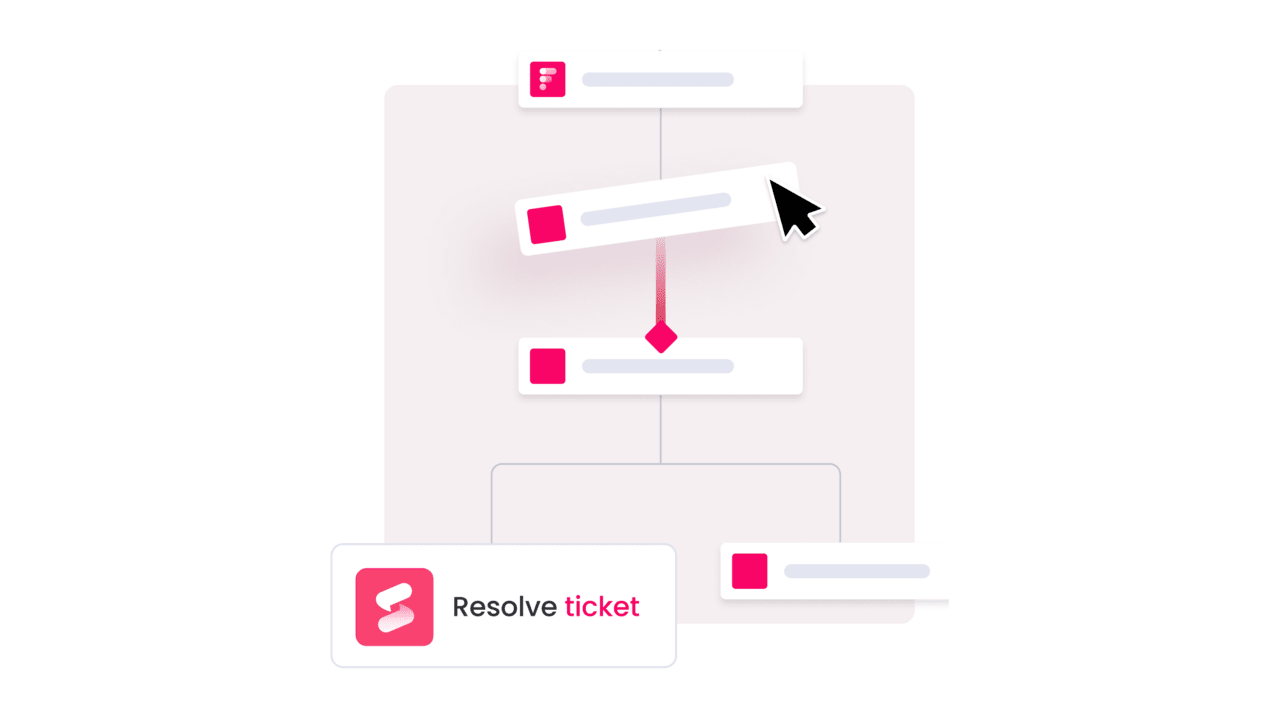
- Granular permissions and least-privilege agent access: IT admins explicitly define what each agent can and cannot do, both inside monday AI Workspace and across external integrations. Agents follow the same permission model as your users, with scope control, data access permissions, and workspace-level scoping that limits agents to specific boards or service areas.
- Human-in-the-loop controls and simulation mode: Before any agent goes live, IT teams validate its actions in simulation mode where every proposed action is visible and reviewable without affecting live data. Even after activation, critical actions can require approval before execution — important given that only 1 in 5 companies has a mature governance model for autonomous AI agents, according to Deloitte’s 2026 State of AI in the Enterprise report.
- Activity logging, audit trails, and compliance: Every action taken by an AI agent is logged with a full audit trail showing what the agent did, why it did it, and what it plans to do next. monday AI Workspace holds SOC 2 Type II, ISO/IEC 27001, ISO/IEC 27701, HIPAA, and GDPR compliance certifications, and does not use customer data to train AI models — your ticket data, incident records, and knowledge base content stay yours.
How to plan a phased IT agent rollout
The most successful IT teams use a phased approach to deployment, which reduces risk, builds internal confidence, and generates measurable results you can use to justify expansion.
Phase 1: Start with high-volume, low-risk workflows
Start with workflows where the volume is high but the risk of an incorrect agent action is low. Good candidates include:
- Auto-categorizing incoming tickets by type and priority
- Sending SLA warning notifications before breaches occur
- Matching tickets to knowledge base articles for suggested resolutions
Phase 2: Validate results and expand agent scope
After the initial phase produces measurable results, expand agent scope to workflows that involve more judgment. This includes:
- Ticket assignment based on expertise matching
- Incident severity classification
- Access request approval routing
Phase 3: Scale to multi-agent coordination across IT workflows
The mature state looks like this: multiple agents working together across the IT service lifecycle.
- One agent triages incoming tickets
- Another monitors SLAs
- Another manages incidents
- Another maintains the knowledge base
What IT leaders should evaluate when adopting AI agents
When evaluating AI agents for IT operations, consider the following criteria:
- Execution capability: Can the agent take action (create tickets, assign owners, set priorities, route incidents), or does it only suggest next steps?
- Knowledge grounding: Can the agent access boards, docs, PDFs, and external knowledge sources to understand your specific IT processes?
- Cross-department context: Can it see CRM, projects, and sales data to prioritize based on business impact?
- Governance controls: Can you scope permissions by agent, board, and action type, with audit trails for every action?
- Integration depth: Does it work with Jira, Slack, PagerDuty, Active Directory, and other IT systems?
- Adoption path: Can you start with ready-made agents and expand gradually based on validation?
Start building your autonomous IT service desk today
The case for AI agents in IT isn’t theoretical — it’s operational. Start with one high-volume, low-risk workflow like ticket categorization or SLA alerts, validate the results in simulation mode, and expand as your confidence grows.
Multiple agents working in coordination across triage, incident management, and approvals create a service desk that operates around the clock and gets smarter with every ticket. That’s not a future state; it’s what IT teams are building on monday AI Workspace today.
Try monday agentsFrequently asked questions
Do monday agents replace IT staff?
No. monday agents handle repetitive execution work like ticket triage, SLA monitoring, and routine approvals, freeing IT professionals to focus on complex problem-solving, architecture decisions, and strategic initiatives that require human judgment.
How long does it take to deploy an IT agent on monday AI Workspace?
IT teams can build and deploy a custom agent in minutes using monday AI Workspace's three-step agent builder: describe the role and triggers, connect knowledge sources and integrations, then test in simulation mode before activating.
Can IT teams test an agent before it goes live in production?
Yes. A simulation mode on monday AI Workspace lets IT teams validate every action an agent will take in a sandboxed environment before activating it, checking the agent behaves as expected without affecting live tickets or workflows.
Do monday agents work with Jira, Slack, and Active Directory?
Yes. monday agents connect to 200+ integrations including Jira, Slack, Microsoft Teams, Active Directory, PagerDuty, GitHub, GitLab, Gmail, and Outlook, allowing agents to pull context and take actions across your full IT stack.
How do monday agents handle sensitive IT data and compliance requirements?
monday agents operate within monday AI Workspace's enterprise-grade security infrastructure, which includes SOC 2 Type II, ISO/IEC 27001, HIPAA compliance, full audit trails for every agent action, and granular permissions that let admins control exactly what data each agent can access and modify.

 Get started