


Engineering teams spend less time on complex problem-solving than they’d like. All too often, their days fill up with boilerplate rewrites, recurring bug patterns, and documentation updates that follow predictable structures. AI coding agents handle repetitive work autonomously, freeing developers to focus on architecture, design, and the problems that require their judgment.
This guide reviews 15 AI coding agents, compares their capabilities, pricing, and governance features, and lays out how to evaluate platforms against your team’s size and security needs — including where monday agents fits.
Try monday agentsKey takeaways
- AI coding agents execute, rather than suggest. They work across relevant files and return finished, tested work for review, instead of offering line-by-line completions.
- Autonomy varies widely by platform. Options range from assisted coding with full manual control to end-to-end delivery, so the right fit depends on your codebase complexity and review norms.
- Governance separates enterprise-ready tools from developer toys. Compliance certifications, audit trails, and granular permissions matter as much as raw coding ability once a team scales past a handful of developers.
- Pricing model shapes cost predictability more than sticker price. Per-seat subscriptions scale linearly with headcount, while usage-based pricing is harder to forecast as usage grows.
- monday agents offers built-in cross-functional context. It connects coding work to the sprints, tickets, and roadmaps already tracked on monday AI Workspace, rather than operating in isolation from the rest of the business.
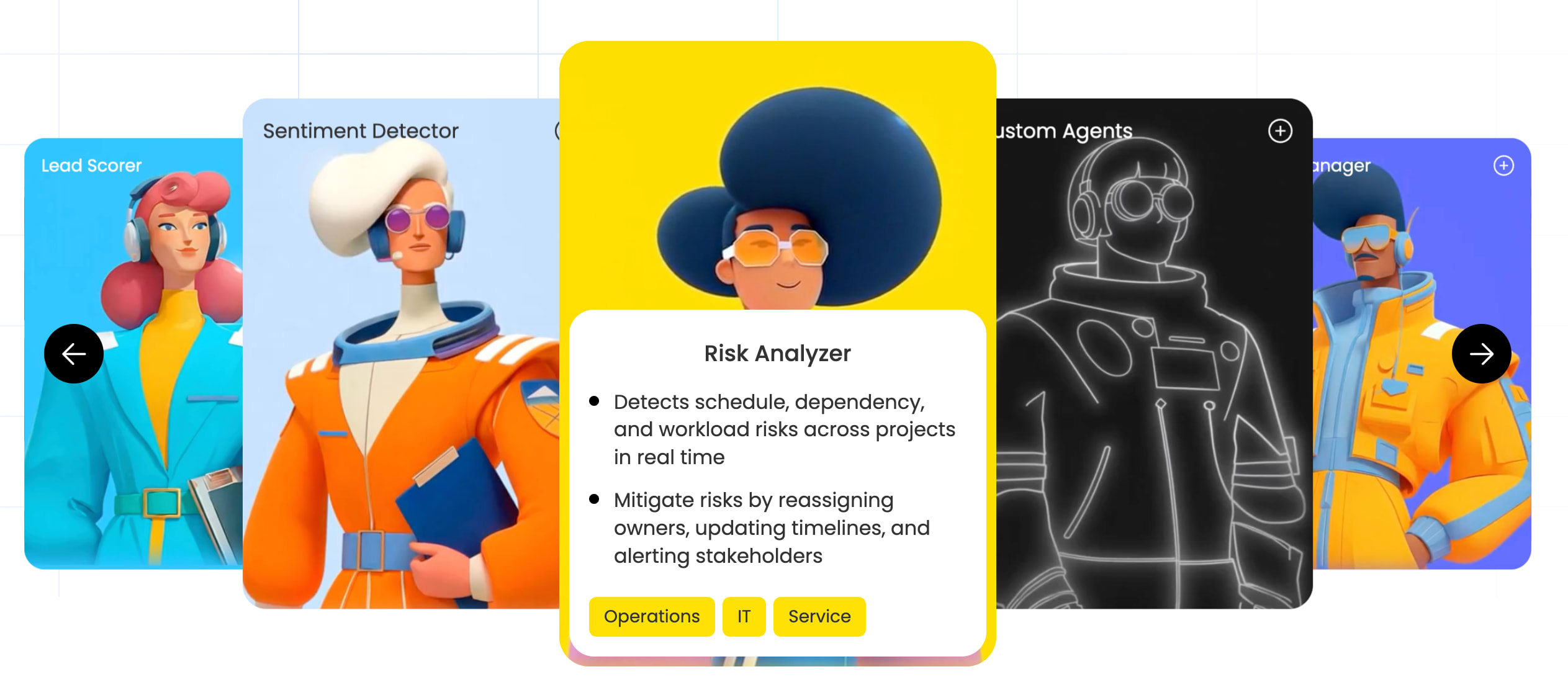
What is an AI coding agent?
An AI coding agent is a software system that autonomously executes multi-step development tasks across an entire codebase — planning, writing, testing, and iterating on code with minimal intervention. Unlike code completion assistants that suggest the next line or function as you type, AI coding agents work independently: you describe a task in plain language, and the agent handles the full workflow from start to finish, then returns completed work for review.
Core capabilities of agentic coding platforms
Not every platform calling itself an AI agent delivers true autonomy. Look at what they can do, how much context they retain, and what guardrails control their behavior:
- Repository comprehension: Agents analyze entire codebases first, understanding architecture and dependencies before making changes, so updates respect your guidelines and preserve existing structures.
- Multi-file editing: One feature often touches controllers, models, and tests all at once. The agent coordinates those changes and keeps everything consistent.
- Terminal command execution: AI agents run builds, tests, and deployments, then iterate based on what happens — when a test fails, the system analyzes the error and adjusts the code automatically.
- Self-correction: Rather than a one-shot response, these platforms debug and retry when errors appear, continuing until the work is complete.
- Natural language interface: Developers describe what they want in plain language, and the agent handles execution across the relevant files.
- Context persistence: The platform remembers prior conversations and project decisions across sessions, building shared knowledge over time and cutting down on repeated explanations.
15 AI coding agents for engineering teams reviewed
Adding AI to engineering workflows raises real concerns, especially around code quality and data privacy. Caution makes sense when you’re automating critical systems. The best agents keep developers firmly in control by handling repetitive work like bug triage, so people can tackle harder problems.
| Agent | Ideal for | Autonomy level | Repository understanding | Enterprise governance | Pricing model | Cross-functional context |
| monday agents | Cross-functional teams | High | Full + business context | Strong (SOC 2, ISO, HIPAA) | Credit-based | Yes — sprints, tickets, roadmaps |
| Cursor | Individual developers | Medium-High | Full codebase | Limited | Per-seat subscription | No |
| Claude Code | Terminal-focused developers | High | Full codebase | Limited | Usage-based (API) | No |
| GitHub Copilot | GitHub-centric teams | Medium-High | Full codebase | Strong (Enterprise tier) | Per-seat subscription | No |
| Windsurf | Complex feature development | Medium-High | Full codebase | Moderate | Per-seat subscription | No |
| Augment Code | Enterprise organizations | Medium | Full codebase | Strong | Enterprise pricing | No |
| Aider | Open-source advocates | Medium-High | Full codebase | None | API costs only | No |
| Amazon Q Developer | AWS-focused teams | Medium | AWS-native | Strong (AWS Organizations) | Per-seat subscription | No |
| JetBrains Junie | JetBrains IDE users | Medium | Full codebase | Moderate | Subscription (bundled) | No |
| Devin | Maximum automation | Very High | Full codebase | Moderate | Enterprise pricing | No |
| Replit Agent | Rapid prototyping | High | Project-level | Limited | Per-seat subscription | No |
| Codex | Custom integrations | Low-Medium | Limited | Varies by implementation | Usage-based | No |
| Cline | VS Code users | Medium-High | Full codebase | None | API costs only | No |
| OpenHands | Custom agent builders | Customizable | Customizable | Customizable | Infrastructure costs | No |
| Tabnine | Privacy-focused enterprises | Low-Medium | Full codebase | Strong | Per-seat subscription | No |
1. monday agents
monday agents brings an AI coding agent into the AI Workspace, grounding execution in the sprints, tickets, and roadmaps your team already tracks there. It suits teams that want engineering work tied to the rest of the business rather than running in isolation.

Use case:
Engineering teams that need an AI coding agent integrated into their existing work management workflows, with visibility into sprint backlogs, support tickets, product roadmaps, and cross-department priorities.
Key features:
- Coding Agent: Writes, tests, and opens pull requests automatically, grounded in the boards and docs your team defines.
- Bug Prioritization Agent: Analyzes bugs, sets severity and urgency, and recommends a resolution deadline based on delivery impact.
- Sprint Planner: Plans sprints from backlog readiness and team capacity, keeping commitments aligned with the rest of the business.
- Bug Reporter: Monitors code, flags issues, and files actionable bug reports automatically.
- Release Notes Agent: Drafts user-facing release notes that explain what changed and why it matters.
- Custom Agents: Build one in three steps — define the role and triggers, connect the knowledge it needs, then test and refine.
Pricing:
- Basic: $9 per seat/month, billed annually
- Pro: $19 per seat/month, billed annually
- Enterprise: Contact sales for pricing
- AI features run on a transparent credit-based model, with credits included per plan tier
Why it stands out:
- Cross-functional context, built in: monday agents draws on structured data across product, engineering, service, and operations, so an agent can factor in backlog readiness and delivery timelines without manual handoffs.
- Guardrails designed for trust: Admins control what each agent can access and do, with audit trails, permissions, and simulation mode before activation.
- Enterprise-ready foundation: SOC 2 Type II, ISO/IEC 27001, ISO/IEC 27701, and HIPAA support back the platform.
Considerations:
As an early-access capability with feature coverage still expanding, and results that depend on how well-organized your boards and docs are, confirm coverage against your workflow before a full rollout.
Try monday agents2. Cursor
Cursor is an AI-first coding platform that pairs code generation with codebase-aware context, understanding architecture instead of just isolated files.

Use case:
Developers and teams seeking an AI-first IDE with autonomous code generation, natural language editing, and agents that work across desktop, web, mobile, Slack, and CLI.
Key features:
- Codebase-aware agents: Background cloud agents run in isolated environments, clone repositories, create branches, open pull requests, and install dependencies — accessible from desktop, web, mobile, Slack, and CLI.
- Natural language code editing: Modify code across multiple files using plain language, with completions that understand project architecture rather than isolated snippets.
- Bugbot for agentic code review: Automatically reviews pull requests, flags issues, and enables “Fix in Cursor” flows with configurable effort levels.
Pricing:
- Hobby: Free, with limited agent requests and tab completions
- Pro (Individual): From $16/month, with extended agent limits, frontier model access, and MCP support
- Teams: $32/user/month, adding admin controls, Bugbot, and SSO
- Enterprise: Custom pricing, with pooled usage, SCIM, and audit logs
Considerations:
Background agents require GitHub read/write access; teams on GitLab or Bitbucket can’t use this feature. Adopting Cursor also means switching IDEs rather than layering AI onto current workflows, which takes a deliberate change-management effort for larger teams.
3. Claude Code
Claude Code reads repositories and edits files directly, then runs commands and iterates until a task is complete. Anthropic built it for teams that need an agent capable of reasoning through large codebases and executing end-to-end workflows.
Use case:
Developers who prefer terminal-based workflows and need an agent capable of sophisticated reasoning across complex, multi-file codebases.
Key features:
- Agentic task execution across CLI, desktop, and IDE: Completes entire workflows from start to finish rather than just suggesting the next line.
- Multi-agent orchestration at scale: Coordinates tens to hundreds of parallel subagents with pre-commit verification for large refactors and repo-wide changes.
- Deterministic safety controls: Permissions, hooks, and managed settings give teams enforceable, organization-wide guardrails that reduce prompt-injection risk.
Pricing:
- Pro: $17/seat/month, billed annually
- Max: From $100/seat/month
- Team (standard): $20/seat/month; Team (premium): $100/seat/month, billed annually
- Enterprise: $20/seat/month, plus usage billed at API rates
Considerations:
Pricing shifts to API-rate billing once heavy usage exceeds included limits. Team and Enterprise plans unlock full collaboration features, including Code Review, which carries GitHub-specific constraints.
4. GitHub Copilot
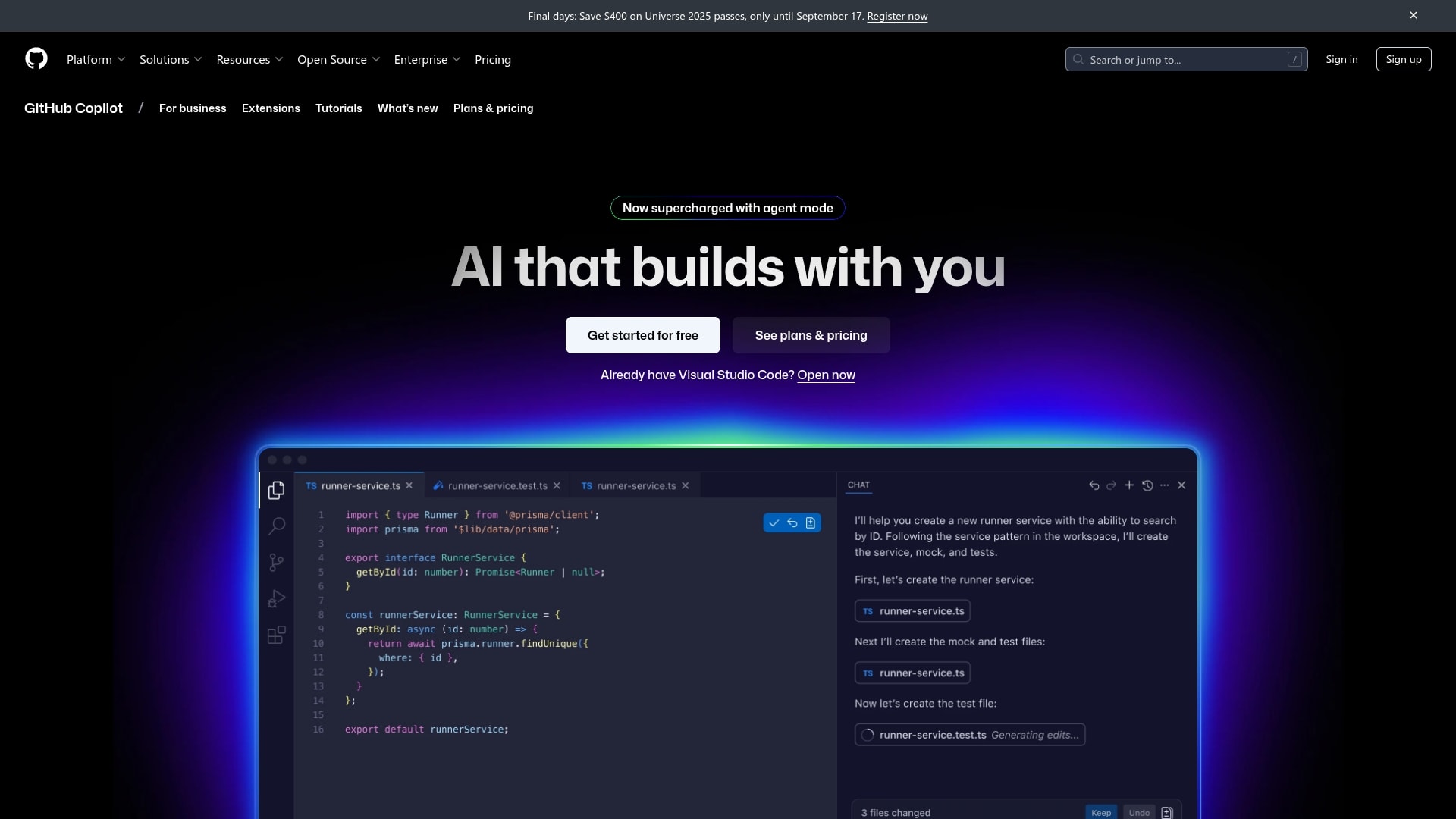
GitHub Copilot places AI directly inside the software delivery workflow. For organizations already committed to GitHub, it ties AI assistance to the full lifecycle, from issues to pull requests and review.
Use case:
Teams already invested in the GitHub ecosystem that want AI assistance woven into their existing repositories and workflows.
Key features:
- Dual agent modes: Local agent mode handles iterative, multi-file edits in the IDE, while the cloud agent works asynchronously and opens a pull request when done.
- Built-in security validation: Generated code passes through CodeQL scanning, secret scanning, and dependency checks before you finalize a pull request.
- Open model and tooling ecosystem: A multi-model catalog spanning OpenAI, Anthropic, and Google, plus MCP support, frees teams from a single AI approach.
Pricing:
- Individual: Free, or $10–$100/month depending on tier
- Business: $19/user/month, includes 1,900 AI credits
- Enterprise: $39/user/month, includes 3,900 AI credits and advanced governance
Considerations:
Some features, like third-party agent integrations, remain in public preview. Heavier agent workloads draw on both AI credits and GitHub Actions minutes, so cost predictability depends on how actively admins manage budgets.
5. Windsurf
Windsurf brands itself as the first agentic IDE, built for developers who need an agent that stays synchronized across long, complex projects.
Use case:
Developers on complex, long-running features who need an agent that maintains full project context across sessions.
Key features:
- Cascade agentic coding: Handles multi-step, multi-file workflows with up to 20 tool calls per prompt, terminal execution, and linter-aware edits.
- Fast Context and SWE-grep: A retrieval subagent finds relevant code up to 20x faster than standard search, giving the agent accurate, project-wide awareness before it acts.
- Agent Command Center: A Kanban-style control plane for monitoring local and cloud agents, with one-click handoff to Devin Cloud.
Pricing:
- Free: Limited agent quota, unlimited inline edits and Tab completions
- Pro: $20/month — full model access and cloud agents
- Teams/Enterprise: Quote-based, with RBAC, SSO, and higher credit bundles
Considerations:
The full agentic feature set requires the native Windsurf Editor; the VS Code plugin is in maintenance mode. Heavy multi-model and cloud-agent usage can make costs harder to forecast.
6. Augment Code
Augment Code serves enterprise engineering teams that need their AI agent to understand far more than the open file. Its Context Engine and multi-agent orchestration layer, Cosmos, emphasize broader codebase comprehension and shared organizational context.

Use case:
Enterprise engineering organizations that need strong security controls, deep codebase comprehension, and consistent behavior across the team.
Key features:
- Deep codebase understanding: Real-time semantic retrieval across repositories, services, and commit history
- Multi-agent orchestration with Cosmos: Coordinates specialist agents, like PR Author and Deep Code Review, with shared memory and human-in-the-loop review policies.
- Enterprise-grade security: SOC 2 Type II and ISO/IEC 42001 certifications, CMEK/BYOK, SSO/OIDC/SCIM, and on-premises or VPC deployment.
Pricing:
- Business: $100/month flat, pooled usage for up to 50 seats
- Enterprise: Custom pricing
- LLM usage billed at provider rates plus a 40% service fee; Cosmos compute billed separately
Considerations:
Token-based billing plus separate compute charges can make total cost harder to forecast without close monitoring. The Intent desktop app, which enables spec-driven multi-agent orchestration, is currently in public beta for macOS Apple Silicon only, which may limit org-wide rollout on mixed operating systems.
7. Aider
Aider brings an AI coding agent into the terminal and edits your local Git repository through a conversational interface that treats every change as a commit. It suits developers who want maximum control over their AI stack, with support for virtually any LLM.

Use case:
Developers who want a Git-native, LLM-agnostic agent they can run locally with their own API keys and full visibility into every change.
Key features:
- Repository-map context: Builds a token-budgeted map of your codebase automatically, without requiring you to specify every relevant file.
- Git-first safety net: Aider commits every change with a descriptive message, so you can review diffs and roll back with a single command.
- Architect/editor chat mode: A reasoning model proposes changes while a separate model applies them, improving reliability on complex refactors.
Pricing:
- Aider itself: Free and open-source (Apache 2.0)
- LLM costs: Paid directly to your chosen provider, or routed through OpenRouter
- Local models: Supported via Ollama, eliminating per-token costs
Considerations:
Requires manual API key setup, and lacks built-in team collaboration or governance controls, making it a stronger fit for individual contributors than compliance-focused organizations.
8. Amazon Q Developer
Amazon Q Developer extends multi-step agentic coding into the AWS ecosystem, running builds and validating tests before returning a diff for review.

Use case:
Engineering teams building on AWS that need an agent built for cloud-native development, security scanning, and large-scale code modernization.
Key features:
- End-to-end agentic development: Breaks natural-language prompts into a plan, edits files, runs commands, validates builds and tests, then returns a diff for review.
- Code transformation and modernization: Dedicated agents accelerate Java and .NET upgrades with pooled lines-of-code allowances.
- Security and quality scanning: The Amazon Q Detector Library covers hundreds of rules mapped to OWASP Top 10 and CWE Top 25.
Pricing:
- Free tier: 50 agentic requests/month and 1,000 lines of code/month for upgrades
- Pro tier: $19/user/month, with higher limits and admin controls
- Transformation overages: $0.003 per line of code beyond pooled entitlements
Considerations:
Feature availability varies by IDE — transformations aren’t supported in Eclipse, and inline chat isn’t available in Visual Studio, so teams should verify coverage for their environment before committing. Transformation support currently focuses on Java and .NET, which may not meet the needs of teams working in a broader range of languages.
9. JetBrains Junie
For teams already embedded in JetBrains tools, Junie adds autonomous agent capabilities directly into the IDE they use every day, without forcing developers into a separate environment.

Use case:
Teams already working in JetBrains IDEs who want an agent that operates natively, using the same build, test, and debug workflows their developers use daily.
Key features:
- IDE-native execution: Plans, codes, runs tests, and debugs using the IDE’s own tools — semantic indexing, build configs, and the live debugger.
- Repository intelligence: JetBrains Context gives the agent repo-level understanding, improving output on large, multi-file changes.
- Flexible model and deployment options: Use JetBrains AI or bring your own API key for OpenAI, Anthropic, or Google, with local runtime support for privacy-sensitive environments.
Pricing:
- AI Free: 3 AI Credits per 30 days
- AI Pro / AI Ultimate: Published credit quotas with top-up options
- AI Enterprise: Maximum credits with enterprise security controls
- Credits run about $1 each; annual billing saves the equivalent of two months
Considerations:
Requires recent IDE versions, with specific version floors per product, so teams on older JetBrains releases may lack access to some agent capabilities. Heavy agentic workflows can consume AI Credits at a faster rate, which makes usage monitoring important for teams running frequent, complex tasks.
10. Devin
Cognition built Devin as an AI software engineer capable of handling development work from specification to merge-ready pull request. Its model-agnostic approach routes across frontier models from Anthropic, OpenAI, and Google.

Use case:
Organizations exploring maximum automation, where an agent handles complete development workflows with oversight at key checkpoints.
Key features:
- End-to-end autonomous execution: Runs in a secure, isolated virtual machine with its own browser, terminal, and editor, completing workflows without ongoing human input.
- Multi-agent orchestration: Spin up parallel Devin agents for multi-repo or multi-week projects, triggered from Slack, GitHub, Linear, or webhooks.
- Org-level context and control: Knowledge, Skills, and Playbooks encode your processes directly into the agent.
Pricing:
- Free: Limited quota; Pro: $20/month; Max: $200/month
- Teams: $80/month per team, plus $40/month per seat
- Enterprise: Custom pricing
Considerations:
Code review and branch protections remain essential when Devin handles production-grade work. The Windows VM capability is in beta.
11. Replit Agent
Replit Agent takes a plain-language idea and turns it into a deployed application, managing the process from planning through testing and publishing in one cloud environment. It serves solo developers and enterprise teams alike.

Use case:
Teams and individuals who want to move from idea to deployed application quickly, with the agent handling implementation details.
Key features:
- Natural language to deployment: Describe what you want, and Replit Agent plans, codes, self-tests, and publishes the app.
- Parallel task execution: Run up to 10 agent processes simultaneously on the Pro plan, tracked on a Kanban-style Task Board.
- Built-in connectors: First-party integrations with Google Workspace, GitHub, Stripe, Slack, and Databricks.
Pricing:
- Starter: Free, with daily Agent credits
- Core: $20/month (annual), up to 2 agents in parallel
- Pro: $95/month (annual), up to 10 agents in parallel and Turbo mode
- Enterprise: Custom pricing
Considerations:
Operates exclusively within Replit’s cloud environment, a less natural fit for teams with established local workflows. Effort-based billing benefits from active credit monitoring.
12. Codex
OpenAI Codex is a foundational AI model that converts natural language into working code, offered through the OpenAI API and inside ChatGPT. It functions as the underlying intelligence teams embed in custom tools, rather than a standalone agentic product.

Use case:
Developers and teams looking for a foundational model to power custom coding tools via API, or individuals using ChatGPT for general coding assistance.
Key features:
- Natural language to code: Translates plain English into functional code, making it easy to generate boilerplate or build out new functions quickly.
- Broad language support: Proficient across dozens of programming languages, including Python, JavaScript, TypeScript, and Go.
- Flexible API access: Integrate Codex directly into your own applications, IDE plugins, or internal tools.
Pricing:
- API usage: Pay-as-you-go by token consumption
- ChatGPT Plus: $20/month; ChatGPT Team: $25–$30/user/month
- ChatGPT Enterprise: Custom pricing
Considerations:
As a foundational model rather than a standalone agentic platform, Codex requires active prompting and guidance rather than autonomous multi-step delegation.
13. Cline
Cline is an open-source AI coding agent for VS Code that offers genuine autonomy without forcing developers out of their editor. Its model-agnostic design and community-led development stand out, giving developers strong control over how the system behaves.

Use case:
VS Code developers and enterprise teams who want agentic coding with full model flexibility and strong data privacy controls.
Key features:
- Plan and Act workflow: Separates planning from execution, letting developers approve a structured approach before the agent acts.
- Checkpoints and rollback: A shadow Git history lets developers diff or restore any point in the agent’s work.
- Model-agnostic, bring-your-own-key access: Supports Claude, GPT, Gemini, and local models via Ollama/LM Studio.
Pricing:
- Free (open-source): No seat fees, just model inference costs
- ClinePass: $9.99/month, with rate headroom for agentic workloads
- Enterprise: Quote-based, with SSO, RBAC, and air-gapped deployment
Considerations:
Intensive workloads perform best on higher-tier models or with added credits to keep momentum steady during heavy sessions.
14. OpenHands
OpenHands is an open-source platform for building, running, and governing AI coding agents across the development lifecycle. Agents plan, edit, and test changes, then open pull requests on their own.

Use case:
Organizations with engineering resources that want to build custom AI coding agents on an open, model-agnostic foundation.
Key features:
- End-to-end agent execution: Handles the complete workflow, from planning and editing to testing and pull request creation.
- Model-agnostic, extensible SDK: A Python/REST SDK for defining agents, connecting external services via MCP, and orchestrating parallel sub-agents.
- Enterprise control plane: RBAC, budget tracking, LLM routing, prompt-injection detection, and Kubernetes-native isolation.
Pricing:
- Local open source: Free (MIT-licensed)
- SaaS individual: Free; bring your own key or use the OpenHands LLM provider at cost
- Enterprise: Custom pricing, with SSO, RBAC, and private VPC deployment
Considerations:
The open-source variant suits single-user environments; multi-tenant governance requires the Cloud or Enterprise tier. Some execution modes are still experimental.
15. Tabnine
Tabnine approaches AI coding assistance from a privacy-first angle, combining agentic workflows with strict privacy protections and flexible deployment, including on-premises and air-gapped options.

Use case:
Enterprise teams that need governed, private-by-design AI coding agents across secure SaaS, VPC, on-premises, and air-gapped environments.
Key features:
- Enterprise Context Engine: Generates structured context from repositories and connected systems so agents reason about real architectures.
- Multi-form-factor agents: Works inside the IDE, as a terminal-native CLI agent, and as headless agents for CI/CD pipelines.
- Governance and IP protection: MCP allow-lists, provenance guardrails, and zero data retention policies.
Pricing:
- Code Assistant Platform: $39/user/month; Agentic Platform: $59/user/month (annual)
- Headless Agents: $1,200–$5,000/month depending on tier
- BYOAI endpoints supported for teams managing model costs directly
Considerations:
Not available for Eclipse, and the CLI requires Node.js 22+, which may require environment updates before deployment.

How to evaluate an AI coding agent
Choosing an AI coding agent resembles hiring a new team member more than buying ordinary software. The most productive evaluation process stays grounded in measurable outcomes rather than polished demos.
Define the autonomy you need
Autonomy spans a range: assisted coding (autocomplete with full manual control), task execution (agents handle bounded tickets like routine bug fixes), and end-to-end delivery (the platform plans, writes, tests, and deploys entire features with minimal oversight). Match this to your codebase complexity, review norms, and comfort with delegated execution — getting it right up front prevents both overbuying and underusing the platform.
Set a productivity baseline
Before piloting, track cycle time, review time, bug rates, and deployment frequency so you can compare agent-generated work against real engineering output. Use actual sprint work rather than sandbox examples, and measure how often agent code passes review with light edits instead of major rework. Expect a short adjustment period — the real question is whether the platform repeatedly helps your team ship good work with confidence.
Check repository and context handling
A strong agent reasons across multiple files and services, follows your existing architectural patterns instead of introducing conflicting approaches, and retains project-specific rules across sessions instead of requiring re-explanation every time. Platforms that manage context well tend to become more valuable as they go, since they reduce repeated explanation from sprint to sprint.
Decide what context agents can access
Determine whether agents should see codebase only, internal documentation such as wikis and API specs, or full business operations such as sprint priorities, CRM data, and support signals. The wider the context, the more the agent can support real delivery decisions rather than isolated code changes.
Compare pricing models
Per-seat subscriptions are predictable and scale linearly with headcount; usage-based and hybrid models are harder to forecast as usage spikes; credit-based pricing tends to give the clearest visibility into consumption as usage grows. Confirm exactly what’s included in the base price and what triggers overages before you commit.
Confirm workflow and governance fit
Verify support for your Git providers and branching practices, check whether the agent responds to build and test signals from your CI pipeline, and look at work-management release planning integrations. On governance, confirm compliance certifications (SOC 2 Type II, ISO 27001, HIPAA), explicit data privacy guarantees against model training, and granular access controls before you shortlist vendors — it’s far easier to rule out a platform here than to discover a missing compliance requirement after time and trust are already invested.
Enterprise governance and security
Giving software agents access to infrastructure is a serious decision. Governance determines what agents can access, what they’re allowed to do, and where people remain in control — for enterprise buyers, this deserves as much scrutiny as any feature set.
- Compliance certifications: SOC 2 Type II, ISO 27001, and ISO 27701 show that independent auditors review a vendor’s controls on an ongoing basis; HIPAA and FedRAMP matter for healthcare, government, and other regulated environments.
- Data policies: Confirm data residency options, explicit opt-out terms from third-party model training, and defined retention windows that support your internal security posture.
- People-in-the-loop controls: Look for required approval workflows on high-impact actions, a simulation mode that previews planned actions before they run, time-stamped audit logs for compliance reporting, and rollback capability for fast recovery.
- Granular permissions: Admin settings should define exactly what agents can read, create, or edit, at a level of detail that matches how your organization already manages sensitive work.
- Deployment model: Cloud (SaaS) suits most organizations; private cloud, on-premises, and air-gapped options exist for organizations with stricter security postures, such as regulated industries or government.
A polished demo can still hide a missing policy requirement, so it’s worth checking these items before a pilot rather than after. With monday agents, teams get SOC 2 Type II and HIPAA-compliant automation, simulation modes, audit trails, and permissions that support responsible rollout on monday AI Workspace.
Which AI coding agent fits your team size?
The best AI coding agent depends on how your team operates. A solo developer experimenting over the weekend has very different needs than an engineering director coordinating multiple teams across products and regions.
- Individual developers: Fast setup, IDE compatibility, and flexible pricing (free tier, API-based, or subscription) matter most. If getting started takes more than an hour, adoption stalls.
- Small teams (5–20 people): Consistency beats speed. Look for shared memory across sessions, team coding conventions, and awareness of business priorities like launch deadlines.
- Enterprise organizations (50+ developers): Governance comes first. Verify compliance certifications (SOC 2 Type II, ISO 27001, HIPAA), granular admin controls, guarantees against training on your code, and deployment options that fit your security requirements. monday agents connects engineering work to cross-department context. Start with one pilot team to prove value before scaling.
How monday agents connects engineering to cross-department work context
One of the biggest concerns teams have about AI coding agents is speed without enough business awareness. A small-looking code fix can have outsized consequences when it intersects with a launch date, a spike in support tickets, or a roadmap commitment already shared with leadership.
monday agents works inside monday AI Workspace, where engineering activity lives alongside product plans, service issues, meeting notes, and documentation, so agents execute with a stronger understanding of how the organization operates. Your team defines the rules, permissions, and direction; the agents take care of repeatable execution across workflows, around the clock.
Take a typical release week: support requests climb around a feature, a bug gets marked urgent, sprint capacity has to shift, and stakeholders need an update. With everything connected in one workspace, engineering teams act on complete context instead of stitching it together across separate platforms.
With over 225,000 organizations already running work on monday AI Workspace, teams can introduce agents into familiar workflows and keep people and agents operating as a coordinated system.
Try monday agentsChoosing an AI coding agent that scales with your team
The best AI coding agent fits your team’s autonomy needs, understands the right context, and aligns with the security model your organization already depends on.
For teams that need engineering work connected to the rest of the business, monday agents combines coding and bug support, sprint planning, and release communication in one workspace, so execution stays tied to real priorities instead of isolated prompts. A sensible next step: run a pilot with one team, define what context agents can use, and start tracking outcome-based metrics right away.
Try monday agentsFAQs about AI coding agents
Can AI coding agents write production-ready code?
Yes, when guided by strong instructions and grounded in repository context. Engineering teams still own final review, testing, and merging, which keeps quality standards intact.
What's the difference between an AI IDE and an AI coding agent?
An AI IDE is a development environment with built-in AI features. An AI coding agent executes multi-step workflows across files, systems, or environments with less manual input.
Which AI coding agent has the best free tier?
GitHub Copilot, Aider, and Cline offer accessible free tiers, though usually with volume or governance limits. Aider and Cline remove seat fees, but you still cover underlying API costs.
How do these agents handle proprietary code security?
Enterprise-grade platforms protect proprietary code through SOC 2 Type II compliance, clear data ownership terms, permissions, and policies against third-party model training. Protections vary by vendor, so review retention terms as part of every evaluation.
How does monday agents differ from IDE-based coding agents?
It connects engineering work to the broader monday AI Workspace, rather than isolating it inside a single development environment — so your team can prioritize technical work using live context from support tickets, roadmaps, and docs.

 Get started