


You’ve run the pilot. A small team tested AI agents on lead scoring or ticket routing, and the results were compelling enough to get executive attention. Now comes the harder question: how do you scale those agents across marketing, sales, IT, HR, and operations without losing control, fragmenting governance, or creating dozens of disconnected automation islands?
That’s the challenge enterprise AI agent platforms are built to solve. They coordinate work across departments, maintain audit trails at scale, enforce permissions across thousands of users, and keep context intact as workflows cross system boundaries. This piece reviews 15 enterprise AI agent platforms, the most important evaluation criteria, and the governance requirements that separate polished pilots from production use.
Try monday agentsKey takeaways
- Agents differ from chatbots and RPA in three ways: contextual reasoning, autonomous execution, and cross-system orchestration set true enterprise AI agents apart from rule-based tools.
- Cross-department context is the biggest differentiator: platforms that connect marketing, sales, IT, HR, and operations data give agents the full picture — siloed tools can only ever act on partial information.
- Governance determines whether a pilot reaches production: audit trails, granular permissions, and simulation mode matter as much as raw capability once agents touch live work.
- Most pilots stall on infrastructure, not AI quality: governance shortfalls, weak integrations, single-department scope, adoption resistance, and context poverty are the five most common blockers.
- monday agents stands out for cross-functional teams: because it’s embedded on monday AI Workspace, it combines native cross-department context with enterprise-grade governance in the same workspace teams already use.
What is an enterprise AI agent?
An enterprise AI agent is an autonomous software system that reasons across business context, executes multi-step workflows independently, and coordinates actions across multiple applications — all while operating within governed permissions and audit controls. Unlike basic automation tools, enterprise AI agents adapt to changing conditions, learn from outcomes, and handle complex work that spans departments and systems.
Think of an enterprise AI agent as a digital team member with a specific role: it understands context from multiple sources, makes decisions based on that context, takes action across your tech stack, and improves over time. A lead scoring agent, for example, weighs engagement signals and intent data together, then routes qualified leads to the right rep and updates your CRM automatically.
What makes enterprise AI agents different from chatbots and RPA?
A basic chatbot, a fixed RPA script, and a true enterprise AI agent are built for different jobs, so choosing the wrong automation layer means hitting limits fast.
Three capabilities set enterprise AI agents apart:
- Contextual reasoning: Enterprise AI agents weigh signals from multiple sources at once, interpreting intent and adjusting as conditions change. A lead scoring agent, for example, weighs fit signals, engagement patterns, and intent spikes at once to route high-priority leads to the right rep. Chatbots respond only to direct questions, and RPA executes rigid scripts — agents reason across shifting inputs without human intervention.
- Autonomous execution: Agents complete end-to-end workflows independently, from initial research to system updates. An IT ticket assignment agent detects urgency, identifies required expertise, and assigns an owner instantly, while configurable checkpoints let people step in when escalation is needed.
- Cross-system orchestration: Enterprise agents connect to multiple business applications — CRM data, project boards, HR systems, communication platforms — to deliver outcomes across the organization. A risk analyzer agent evaluates project timelines, team workloads, and dependency chains together, not as isolated data points.
Only enterprise AI agents offer native cross-department context, which is what lets them support operational work rather than isolated, single-system tasks. Choose the wrong automation layer for the job and you’ll hit those limits fast — usually right around the point where a workflow needs to span more than one team or system.
15 enterprise AI agent platforms for cross-department teams
Evaluating AI platforms feels overwhelming when the market includes everything from developer frameworks to narrow departmental tools. Some products are built almost entirely for technical teams, while others keep data locked inside one function. The core question: can the platform connect work across the organization so marketing, sales, IT, and operations move with shared context?
Our list focuses on platforms that bridge departments cleanly, helping teams scale output faster.
| Platform | Strengths | Production timeline | Department coverage | Governance depth |
|---|---|---|---|---|
| monday agents | Cross-department teams needing embedded AI | Days to weeks | Marketing, Sales, IT, HR, Operations, PMO | Full visibility, permissions, people-in-the-loop |
| Google Cloud Gemini | Technical teams with GCP infrastructure | Weeks to months | IT, Engineering | Enterprise-grade, complex setup |
| IBM watsonx Orchestrate | Enterprises with existing IBM investments | Months | IT, HR, Finance | Comprehensive, requires expertise |
| Microsoft Copilot Studio | Microsoft 365-centric organizations | Weeks | Broad but shallow | Integrated with M365 governance |
| Salesforce Agentforce | CRM-focused sales and service teams | Weeks to months | Sales, Service | Strong within Salesforce ecosystem |
| StackAI | Technical teams building custom agents | Days to weeks | Engineering, IT | Configurable |
| UiPath | Organizations with RPA foundations | Weeks to months | Operations, IT, Finance | Enterprise-grade |
| LangChain | Developer teams building from scratch | Months | Engineering | Requires custom implementation |
| Glean | Knowledge-heavy organizations | Weeks | All (search-focused) | Enterprise search governance |
| Workday Sana | HR and finance-focused enterprises | Months | HR, Finance | Workday ecosystem only |
| Dataiku | Data science and analytics teams | Weeks to months | Analytics, IT | ML governance focus |
| Gumloop | SMBs needing quick automation | Days | Operations, Marketing | Basic |
| Workato | Integration-heavy workflows | Weeks | IT, Operations | Integration-focused |
| CrewAI | Developer teams building multi-agent systems | Months | Engineering | Requires custom setup |
| Sema4.ai | Technical teams needing Python-based agents | Weeks to months | Engineering, IT | Developer-controlled |
1. monday agents
monday agents embeds an autonomous workforce directly inside monday AI Workspace, where 225,000+ organizations already run their work. In early access, it brings ready-made and custom AI agents into the same workspace teams already use to plan, coordinate, and deliver — with people staying in control while agents handle repetitive execution across departments.

Use case
Best for organizations already on monday AI Workspace that want to increase output across departments without adding headcount, using agents that score leads, route tickets, manage project risk, summarize meetings, or research vendors inside a governed workspace.
Key features
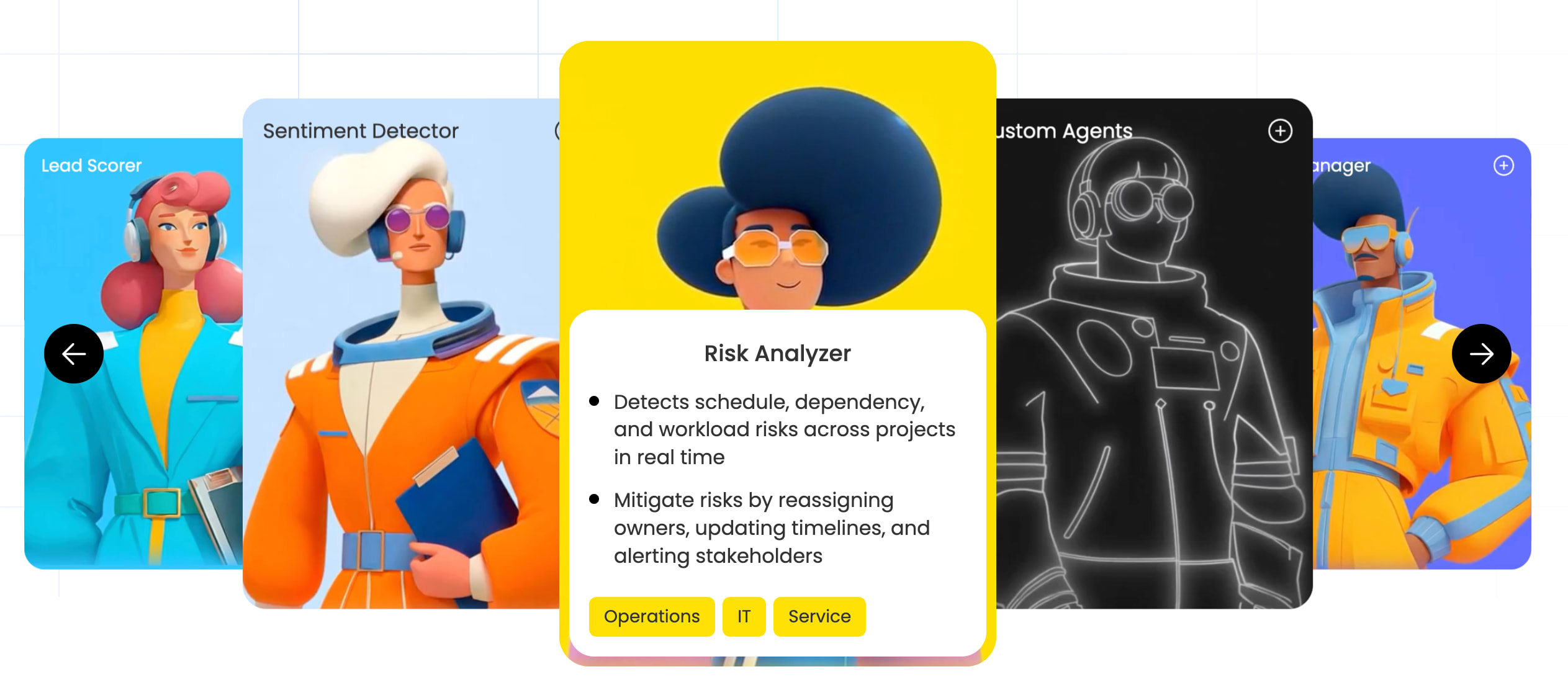
- Ready-made expert agents: Pre-built agents handle common, high-volume work immediately — Lead Scorer, Ticket Assignment, Risk Analyzer, and Meeting Summarizer among them.
- Specialized team agents: Marketing, operations, and product teams can each start with agents shaped around how they already work, including Competitor Research Agent, SLA monitor agent, Bug Prioritization Agent, and Product Management Agent.
- No-code agent builder: Describe the role and tasks, connect the knowledge and tools it needs, then test and refine before it acts on live work.
- Knowledge grounded in your real work: Agents draw on the docs, PDFs, and boards you define, so output reflects your actual processes and records.
- Actions, integrations, and 24/7 autonomy: Agents take actions across workflows, stay in sync across connected systems, and run around the clock.
- Cross-department context: Agents work from structured data spanning marketing, sales, IT, HR, and operations in one system, so an AI marketing agent can factor in pipeline signals and a planning agent can account for support issues.
Pricing
- Free: $0 for up to 2 seats; Basic $9, Standard $12, Pro $19 per seat/month billed annually; Enterprise custom pricing via sales
- Annual billing saves 18% compared to monthly pricing
- New AI work platform customers purchase AI credits as a minimum monthly credit bucket alongside seats
- Agent runs consume credits based on task complexity; a unified AI governance dashboard tracks usage and spend across the full AI portfolio
Why it stands out
- Governed by design: Every action is visible, with audit trails, controllable permissions, and simulation mode before activation.
- Built on the AI Work Platform: Agents operate where teams already manage work, connecting requests, projects, and operational signals rather than sitting in a separate destination.
- Open and connected: 200+ integrations, open APIs, and MCP let AI assistants like Claude, ChatGPT, and Copilot Studio securely access and act on work.
- Enterprise-ready trust: SOC 2 Type II, ISO/IEC 27001, ISO/IEC 27701, and GDPR support; customer content stays owned by the organization and isn’t used to train third-party models.
- Easy to adopt at scale: monday agents fit into established processes instead of asking teams to start from scratch.
2. Google Cloud Gemini Enterprise Agent Platform
For technical teams already invested in Google Cloud, Gemini Enterprise Agent Platform offers a full-stack environment for building, deploying, and governing AI agents at scale, combining foundation models with enterprise-grade security controls.

Use case
Technical teams with established Google Cloud infrastructure who need agents grounded in enterprise data, with governance and observability built in from the start.
Key features
- Vertex AI Agent Builder and Agent Development Kit: No-code (Agent Studio) and code-first (ADK, LangChain, LangGraph) paths, so teams aren’t locked into one approach.
- Enterprise governance by design: Agent Identity, Registry, and Gateway provide fleet-level access control, while Model Armor adds inline security inspection including prompt injection detection.
- Long-running workflows and persistent memory: Agent Runtime supports processes running up to seven days, and Memory Bank retains context across sessions.
Pricing
- Gemini Enterprise app Standard/Plus: from $30/seat/month
- Agent Platform: usage-based across Agent Compute, Memory, and Storage SKUs, with free monthly tiers
- Support plans billed as a percentage of monthly cloud charges
Considerations
This platform serves IT and engineering teams primarily; rolling it out to marketing, operations, or HR usually requires custom development work, which adds time before non-technical teams see value. Several capabilities — Agent Garden, Computer Use, some sandbox features — remain in Preview or pre-GA, with documented constraints such as latency at higher volumes and a 300-second code execution timeout.
3. IBM watsonx Orchestrate
IBM watsonx Orchestrate gives large enterprises a governed, centralized layer for coordinating AI agents across IT, HR, finance, and other functions. Its open architecture lets teams import agents built in LangGraph or Langflow and route work across providers like OpenAI, Anthropic, and IBM Granite from one control plane.

Use case
Large enterprises with existing IBM infrastructure that need a governed, multi-agent orchestration layer across IT, HR, and finance workflows.
Key features
- Skills-based multi-agent orchestration: Pre-built skills and domain agents for IT service, DevOps, Salesforce, and ServiceNow combine into multi-step workflows.
- Natural language automation: Team members request actions conversationally, with routing to the right agent or model in real time.
- Enterprise governance and audit controls: A centralized control plane enforces policy, identity, and cost controls, with continuous evaluation against accuracy and safety metrics.
Pricing
- 30-day free trial available (no technical support included)
- Standard plan: instance-based monthly fee plus usage-based pricing per monthly active user, per the IBM Cloud Catalog
- Enterprise subscriptions available on a custom, quote basis; volume discounts via IBM Cloud’s Enterprise Savings Plan
Considerations
Total cost of ownership runs higher than many alternatives, and the platform requires dedicated expertise for setup and maintenance, so it fits best where an IBM relationship and enterprise IT capacity already exist. The 30-day trial doesn’t include entitlement to technical support either, which limits how deeply teams can evaluate before committing.
4. Microsoft Copilot Studio
For organizations standardized on Microsoft 365, Azure, and Power Platform, Copilot Studio turns that environment into an agent-powered workspace, extending Copilot with custom agents that draw on organizational data and existing tools.

Use case
Organizations deeply invested in Microsoft 365 that want to build and deploy custom AI agents across Teams, SharePoint, and Outlook.
Key features
- Low-code agent builder: A visual interface lets business makers and IT admins configure agents and publish to Microsoft 365 channels without deep development expertise.
- Enterprise data grounding via Work IQ: Agents draw on context through Microsoft Graph, with permission-trimmed access limiting what people can see.
- Multi-agent orchestration: An LLM-driven planner coordinates child agents, reusable tools, and Power Automate flows for complex workflows.
Pricing
- Included with Microsoft 365 Copilot: $30/user/month (annual)
- Standalone: packs of 25,000 Copilot Credits at $200/pack/month, or pay-as-you-go via Azure
- Advanced capabilities consume Copilot Credits at documented rates
Considerations
Copilot Studio works best inside the Microsoft ecosystem; organizations running many non-Microsoft applications will need additional integration work, which constrains cross-platform coverage. Several authoring experiences also remain in preview, and enterprise pricing can climb quickly when advanced features, external channels, or high credit volumes are involved.
5. Salesforce Agentforce
Salesforce Agentforce places autonomous AI agents directly inside the CRM environment sales and service teams already know, combining its Atlas Reasoning Engine with Data Cloud integration so agents work from unified Salesforce data while still reaching external sources when needed.

Use case
Sales and service teams deeply invested in Salesforce that want AI agents on customer-facing workflows, from lead qualification to case resolution.
Key features
- Atlas Reasoning Engine: Blends deterministic logic with LLM capabilities for predictable, auditable reasoning paths.
- AgentExchange marketplace: Pre-built agents and reusable components for common sales and service scenarios.
- Einstein Trust Layer: Zero-data-retention policies, toxicity detection, and secure retrieval for enterprise compliance.
Pricing
- Salesforce Foundations: $0 add-on for Enterprise Edition and higher, with starter Flex Credits
- Flex Credits: $500 per 100,000; Service Agent $2/conversation; Agentforce add-ons from $125/user/month
- Agentforce 1 Editions from $550/user/month; enterprise packages finalized through an account executive
Considerations
Agentforce is centered on CRM workflows, so extending agents to non-Salesforce work data — project management or broader cross-functional operations — leaves meaningful visibility blind spots. Implementation often requires Salesforce expertise and, in many cases, professional services support, which raises total cost and lengthens time to value.
6. StackAI
StackAI targets technical teams that want substantial control over how AI agents are built, governed, and deployed. Created by MIT PhD researchers with FAIR and NASA JPL backgrounds, it’s especially relevant in regulated sectors like finance, healthcare, government, and defense, with LLM-agnostic orchestration and SaaS, VPC, or on-premises deployment.

Use case
Engineering and IT teams in regulated industries that need custom AI agents with full control over model selection, workflow design, and deployment environment.
Key features
- Visual, no-code workflow builder: Node-based canvas with Auto Agents to generate complete workflows from natural-language descriptions.
- LLM-agnostic model routing: Connects to OpenAI, Anthropic, and open-source models, routing the right model to each step.
- Governance by design: Version control, environment management, granular RBAC, and Human-in-the-Loop checkpoints via Slack, Teams, or email.
Pricing
StackAI offers a free plan at $0/month with 500 runs, 1 seat, and 2 projects. Enterprise pricing is custom and includes unlimited projects, dedicated infrastructure, SSO, SOC 2 Type II, HIPAA, and GDPR compliance, plus VPC or on-premises deployment.
Considerations
Advanced compliance capabilities are Enterprise-only, so most compliance-heavy organizations go through a sales-led process rather than self-serve. Limited pre-built department-specific agents also mean a significant upfront build for teams without dedicated developers.
7. UiPath
UiPath extends established RPA foundations into AI-powered automation for operations, IT, and finance teams, coordinating AI agents, software robots, and people through governed orchestration.

Use case
Operations, IT, and finance teams with established RPA foundations that want to layer AI reasoning onto existing automation.
Key features
- Agentic orchestration with Maestro: Coordinates agents, robots, and people through executable BPMN/DMN models.
- AI Trust Layer: Centralizes LLM governance with policy enforcement, PII masking, and audit logging.
- Dual build paths: A low-code drag-and-drop canvas or Python SDK, with flexibility to move between both.
Pricing
Basic starts at $25/month for individuals and small teams, with Standard and Enterprise tiers available through sales. Usage is consumption-based through Platform Units or Agent Units, with LLM calls metered per 64k-token increment.
Considerations
UiPath is strongest in structured, repetitive processes; applying it to knowledge-work automation generally introduces more configuration complexity than purpose-built AI agent platforms. Certain features, including conversational agents, out-of-the-box guardrails, and the Autopilot panel, are also unavailable in the Automation Cloud Dedicated deployment, which may affect organizations with strict data residency requirements.
8. LangChain
LangChain gives engineering teams open-source building blocks for custom AI agents. The core framework takes real engineering effort to reach production, but the ecosystem — LangGraph, LangSmith, Fleet — adds a fuller lifecycle layer around deployment and governance.

Use case
Developer and engineering teams that want complete architectural control over custom AI agent applications.
Key features
- Custom agent development: Core LangChain provides code-level building blocks, while LangGraph handles stateful orchestration and checkpointing.
- Production operations via LangSmith: Adds observability, evaluation, and an LLM Gateway to centralize policy enforcement and access controls.
- No-code deployment via Fleet: Brings admin-controlled, no-code agents into Slack, Teams, and Gmail for business teams.
Pricing
- Developer: $0/seat/month, 5,000 base traces; Plus $39/seat/month, 10,000 traces
- Enterprise: custom, with self-hosted/hybrid options, SSO/SCIM/RBAC, and SLAs
- Usage-based metering via Compute Units ($1.50/LCU) and Storage Units ($1.00/LSU)
Considerations
The core framework is a developer tool rather than a ready-to-deploy platform, so reaching production with governance requires substantial engineering work. Cost predictability also depends on active oversight, since consumption scales with agent complexity and volume.
9. Glean
Glean turns enterprise knowledge into a searchable, actionable base for AI agents by connecting applications, letting teams find and act on information without jumping between systems. It suits large organizations in regulated industries where permission-aware retrieval matters.

Use case
Knowledge-heavy organizations that need agents to find and present accurate information across applications, with permission controls built in.
Key features
- Enterprise search foundation: Indexes 275+ applications using a shared context layer, so agents retrieve real company knowledge.
- Permission-aware retrieval: Respects existing access controls on every request.
- No-code agent builder with governance controls: Subject-matter experts build agents without engineering support, with moderator roles and access controls keeping scope intact.
Pricing
Glean’s pricing is quote-based; it doesn’t publish a public price list, so pricing and a demo are available through a sales conversation.
Considerations
Glean is strongest for retrieval and synthesis; teams that need agents to take actions across systems, not just find and summarize, may pair it with an execution-focused platform. Some advanced modalities, including independent agents, were also still in beta as of June 2026.
10. Workday Sana
Workday Sana brings AI agents into the HR and finance environment, grounding actions in Workday’s system-of-record data for people and financials. It targets medium and large enterprises that rely on Workday for core processes.

Use case
HR and finance teams running Workday who want agents for employee self-service, benefits, expense management, and financial reporting.
Key features
- 300+ pre-built HR and finance skills: The Sana Self-Service Agent handles everyday requests inside Microsoft 365 Copilot, Slack, Gemini Enterprise, and Teams.
- Role-specific recruiting agents: Powered by HiredScore, per Workday reporting these deliver measurable gains in recruiter capacity and hiring-manager review time.
- Centralized agent governance via ASOR: The Agent System of Record registers and tracks ROI across every agent, with Agent Passport verifying agents against OWASP LLM Top 10 and NIST AI RMF standards.
Pricing
The core platform and midsize (Workday GO) packages are quote-based through sales. AI agents run on usage-based Flex Credits, with complimentary credits available for testing, though an annual bulk subscription is required for production use.
Considerations
Workday Sana is built natively for HR and finance, though Sana Enterprise can connect agents to Salesforce, ServiceNow, Jira, Box, and Confluence for broader reach. That broader automation still requires multiple platform connections and governance setup in ASOR.
11. Dataiku
Dataiku helps enterprises turn data science into governed, production-ready AI agents, combining ML operationalization, agent orchestration, and compliance controls.

Use case
Data science and analytics teams in regulated industries that need to operationalize ML models and expert knowledge as governed, auditable agents.
Key features
- Structured Visual Agents: A block-based design approach with routing, parallelization, and memory for predictable, traceable behavior.
- Expert-to-Agent (E2A): Encodes subject-matter expertise into governed decision agents for high-stakes, expert-driven decisions.
- LLM Mesh: A model-agnostic gateway centralizing access, routing, cost controls, and guardrails across LLM providers.
Pricing
A free plan covers up to 3 users on an on-premises installation, and a 14-day cloud trial covers up to 2 users. Paid editions are quote-based and available as self-managed or hosted deployments.
Considerations
Dataiku is rooted in analytics and ML workflows, so teams outside data science — such as marketing or HR — may find fewer pre-built agent options without significant configuration. Some capabilities, including Agent Chat and the Evaluate Agent recipe, also require specific version minimums and license flags, which can lengthen deployment depending on an organization’s current Dataiku maturity.
12. Gumloop
Gumloop combines AI agents and automated workflows in a simpler platform with native embedding in Slack and Microsoft Teams and governance that stays light but present.

Use case
Teams that need straightforward AI automation deployed inside Slack or Microsoft Teams.
Key features
- Unified agents and workflows: Agents trigger workflows and workflows can run agents, so multi-step processes run without stitching platforms together.
- Straightforward governance: Basic access controls and model management give growing teams oversight without enterprise-level complexity.
- Human-in-the-loop approvals: Configurable approval gates require sign-off before sensitive actions like CRM updates or record deletion.
Pricing
- Free: 5,000 credits/month; Pro from $37/month (annual), 20,000+ credits, unlimited seats
- Enterprise: custom, with RBAC, SSO, audit logs, and spend insights
- BYOK cuts AI model credit costs by 50%
Considerations
Agent costs are variable and token-based, so spend forecasting takes more active management than fixed-price automation. Gumloop’s simplicity may not suit enterprise organizations needing deep, custom infrastructure.
13. Workato
Workato approaches AI agents from an integration-first angle, turning enterprise connectivity into an orchestration engine for IT and operations teams.

Use case
IT and operations teams that need AI-enhanced integration across enterprise applications, with deterministic, auditable agent actions.
Key features
- Governed AI agent execution: Workato’s “Genies” run pre-approved, deterministic skills with per-user identity inheritance and end-to-end audit trails.
- Enterprise MCP and broad connectivity: A governed access layer lets native and external agents safely call enterprise skills across 10,000+ apps and data sources.
- Workato GO: A single interface combining search, chat, forms, approvals, and context-aware routing.
Pricing
- Free: $0 with a one-time 50,000-credit allocation
- Pro: monthly credit tiers; Enterprise and Workato ONE: quote-based, usage-driven
- View full pricing details
Considerations
Workato is fundamentally an integration platform with agent features layered on top, so it fits best where connectivity matters more than fully autonomous execution. Some observability features are also limited to specific pricing plans, which may force upgrades as governance needs grow.
14. CrewAI
CrewAI gives engineering teams a framework for building sophisticated multi-agent systems at enterprise scale, combining an open-source developer foundation with an enterprise control plane.

Use case
Developer teams building sophisticated multi-agent systems that need coordinated agent behaviors and full-stack observability.
Key features
- Multi-agent orchestration with role-based design: Agents get specific roles and goals, coordinated across sequential, hierarchical, or collaborative processes.
- Enterprise governance and compliance controls: RBAC, SSO, human-in-the-loop checkpoints, PII redaction, and audit trails via the Agent Management Platform.
- Full-stack observability: Built-in tracing, OpenTelemetry export, and hallucination guardrails for production reliability.
Pricing
The free Basic tier includes 50 workflow executions per month, a visual editor, and GitHub integration. Enterprise pricing is custom and includes unlimited executions, SSO, RBAC, and a 45-day onboarding program.
Considerations
CrewAI is a developer framework rather than a ready-to-use platform, so it requires a real build-and-maintain effort. The free tier also excludes SSO, RBAC, and enterprise connectors, so serious evaluation usually means moving to Enterprise.
15. Sema4.ai
Sema4.ai is built for technical teams creating Python-based agents, compressing tasks that once took hours into minutes. Its philosophy — your LLMs, your cloud, your data — gives organizations tight control over where agents run and how they behave.

Use case
Technical teams that want to build, debug, and deploy custom Python-native AI agents for document-heavy, multi-step workflows.
Key features
- Python-native development: Build and troubleshoot agents in familiar IDEs, with full control over code and logic.
- Action server architecture: Securely connect agents to enterprise data using open-source components and a flexible framework.
- End-to-end lifecycle management: Build in Agent Studio, govern in Control Room, and let business teams interact directly in Work Room.
Pricing
Starter, Departmental, and Enterprise tiers are all quote-based through sales. Consumption and outcome-based pricing is available by arrangement, and RPA automation is listed separately at $0.10 per run-minute on the Consumption plan.
Considerations
Pricing is quote-only with no public rates, which makes early budget planning harder. Enterprise deployment may also need specific cloud and network configurations depending on your environment — AWS, Azure, GCP, or Snowflake — which can extend onboarding.
How to evaluate an enterprise AI agent platform
Evaluating a platform is less about feature volume and more about operational fit: can it support the way you already work, and can you trust it at scale?
Step 1: Cross-department context and structured data access
Agents operating in silos rarely produce the full picture. Look for:
- Data structure: Structured data over scanned, unstructured text.
- Department coverage: Access across teams, not just within one function.
- Relationship visibility: Visibility into dependencies, ownership, and downstream impact.
- Real-time access: Current data so agents can flag active blockers as work moves.
Fragmented context leads to fragmented output.
Step 2: Governance controls and people-in-the-loop oversight
The moment AI touches workflows, security questions appear — that’s healthy scrutiny. Check for:
- Action visibility: What agents did, why, and what they plan to do next.
- Permission granularity: Exactly which data agents can read, create, or edit.
- People checkpoints: Approval steps for high-impact actions.
- Simulation mode: The ability to validate behavior before go-live.
- Compliance certifications: SOC 2 Type II, ISO/IEC 27001, HIPAA, and ISO/IEC 27701 at baseline.
Vague governance means a slower rollout.
Step 3: Integration depth and connector ecosystem
A long connector list matters less than what agents can do once connected. Confirm connectors support both read and write actions, that custom APIs can extend coverage where native connections don’t reach, that the platform supports protocols like MCP, and that data stays synced bi-directionally. Execution, not observation, is where the value comes from.
Step 4: Production readiness and deployment timeline
Many initiatives lose momentum between a promising pilot and production. Look for configurable standard workflows, pre-built templates that shorten rollout, a learning curve non-technical teams can handle, and a pilot-to-production path measured in weeks rather than quarters. On monday AI Workspace, agents integrate directly into existing processes instead of demanding a separate system.
Step 5: Multi-agent orchestration capabilities
One agent can manage a focused workflow well; enterprise impact grows when multiple agents coordinate across a broader process. Confirm agents can collaborate with shared context, that handoffs transfer context smoothly, that agents can trigger off events or schedules, and that administrators can see how agents interact. When these five areas align, adoption tends to last — one reason monday agents works well for cross-functional teams.
Why most enterprise AI agent pilots never reach production
Gartner forecasts 40% of enterprises will embed AI agents by the end of 2026, yet the stretch between an exciting pilot and live deployment is where progress often stalls. The demo lands well, stakeholders show interest, and then the harder operational questions arrive.
Most pilots don’t fail because the AI itself is unimpressive. They fail because the surrounding systems, permissions, and workflows aren’t ready to support it. Knowing the common points of friction before you invest time and budget makes the path forward much clearer. Here are the five obstacles that most often keep teams in testing mode:
- Governance shortfalls: Pilots that operate like a black box rarely clear security review, which needs audit trails, permissions, and visible review controls.
- Integration limitations: An agent that can’t connect to existing systems creates manual follow-up work and slows adoption.
- Single-department scope: Platforms built for one domain struggle to create organization-wide value, which is usually what justifies enterprise investment.
- Adoption resistance: Separate logins and complex setup create friction, and a heavy experience slows adoption.
- Context poverty: Agents without connected, structured work data act on partial information and often miss the broader picture.
Governance and security requirements for enterprise AI agent platforms
The moment AI enters live workflows, questions about risk, access, and accountability follow — the practical reality of automating work across business systems. The strongest teams evaluate governance alongside product capability rather than as a checklist for later. Four areas provide a solid framework for evaluating production readiness.
Data privacy and protection
Every agent interaction touches company information, so protection needs to be built in from day one:
- Encryption: At rest and in transit throughout the agent lifecycle.
- Residency controls: Data residency options that support regional compliance requirements.
- Retention policies: Documented retention and deletion policies for sensitive information.
- Model training boundaries: A firm commitment that customer data never trains third-party models.
Access control and permissions
Agents should only be able to do what they’re explicitly authorized to do:
- Role-based access control: Limits who can create, modify, or disable agents.
- Data-level permissions: Read, create, or edit rights within precise boundaries.
- Permission inheritance: Agents respect existing workspace and board settings.
- Admin controls: Administrators can enable or disable AI features across the organization.
Audit and compliance
Once an agent acts inside live workflows, teams need a dependable record of what happened:
- Activity logs: Comprehensive records of automated actions and data retrieval.
- Security certifications: SOC 2 Type II and ISO/IEC 27001 to validate internal security practices.
- Regulated-data support: HIPAA compliance for organizations handling sensitive health information.
- Privacy certifications: ISO/IEC 27701 for privacy management practices.
Team oversight
Even strong agents need checkpoints for high-impact work — the ability to test in simulation mode, pause execution when necessary, and route exceptions to the right people without losing context. That’s a strength of monday agents, which combines permission controls, audit trails, and transparent execution to help organizations scale AI while keeping ownership of their content.
Enterprise AI agent examples by department on monday AI Workspace
Department-specific agents matter because each team works from different signals, approval paths, and timing constraints. On monday AI Workspace, agents live inside the same workspace where projects, requests, and customer work already exist, so one team’s output can shape the next action elsewhere in the business.
Marketing
Marketing teams balance campaign planning, competitive research, performance reviews, and event coordination at once. monday agents helps remove repetitive execution while keeping the work tied to broader business signals, so teams can adjust faster when demand changes. Examples include:
- Competitive Intel Research tracks rivals and consolidates signals into a structured snapshot.
- Product Marketing Insights Agent flags positioning shifts and trends so teams can respond faster.
- Event Planning Agent tracks logistics and flags issues before an event slips off course.
- Translator translates campaign content automatically to support more markets.
- Lifecycle Campaign Testing Agent tracks campaign performance against targets and generates recaps.
Sales
Lead research, prospecting, deal prep, and pipeline hygiene all chip away at time spent selling. monday agents helps teams respond while interest is still high and keep pipeline data cleaner and more dependable. Examples include:
- Lead Qualifier evaluates fit and intent signals and routes leads accordingly.
- Outbound Prospector finds and engages new prospects on your behalf.
- Deal Prep Briefing Agent prepares reps with a structured briefing ahead of calls.
- Pipeline Guardian flags stalled or at-risk deals to keep forecasting dependable.
Operations and PMO
monday agents gives operations and PMO teams always-on support for reporting, risk detection, and coordination. Examples include:
- Status Reporter automatically generates and sends project updates with progress, risks, and blockers.
- Dependency and Risk Mapper detects schedule and dependency risks in real time.
- Calendar Agent finds suitable times and manages invites without the back-and-forth.
- Vendor Renewal Agent tracks contract terms and flags renewals before they’re missed.
IT
IT teams manage continuous intake and clear service expectations. monday agents supports service and operations workflows directly, helping teams classify requests, route work quickly, and manage escalations using shared business context. Examples include:
- Ticket Management Agent detects intent and urgency to resolve requests faster.
- SLA Monitor tracks active tickets, flags at-risk cases, and alerts managers proactively.
- Ticket Follow-Up Agent checks in on open tickets and keeps resolution moving.
- Support Signal Agent flags recurring issues so teams can address root causes.
HR
monday agents reduces administrative overhead while keeping each hiring step aligned with the broader workflow. Examples include:
- Candidate Matching Agent finds and ranks candidates against role requirements.
- Candidate Companion Agent keeps candidates informed throughout the process.
- Employee Onboarding Agent manages new-hire tasks and check-ins from day one.
- Team Scheduler lets candidates and interviewers agree on times without the usual scheduling emails.
How monday agents powers cross-department workflows with enterprise-grade trust
Because it’s embedded on monday AI Workspace, monday agents operates inside the same system teams already use across marketing, sales, operations, IT, HR, and product — drawing on shared business context rather than working in isolation. Rather than starting from a blank canvas, teams can begin with the ready-made agents outlined above and expand from there as they see what sticks.
Build custom agents without code in Agent Factory
Every organization has workflows that need tailored automation. monday agents’ AI agent builder lets teams create agents in three steps: describe the role, tasks, and trigger conditions; connect the knowledge and tools it needs; then test and refine before relying on it for live execution. That structure supports workflows like contract intake, bug prioritization, onboarding approvals, or executive reporting without a one-size-fits-all setup.
Set enterprise guardrails with full visibility and permission controls
Enterprise AI agents earn trust when people can see what happened, control what’s allowed, and review important actions before they affect live work. monday agents provides:
- Control: You decide what each agent can and cannot do, on monday AI Workspace and across connected external systems.
- Permissions: Define exactly which data an agent can access, and whether it can read, create, or edit.
- Human in the loop: Simulation mode lets teams validate behavior before activation.
- Action visibility: Audit trails show what agents did, why, and what’s next.
- Compliance and privacy: SOC 2 Type II, ISO/IEC 27001, ISO/IEC 27701, and GDPR support.
- Content ownership: Your organization retains ownership of provided and AI-generated content; customer data isn’t used to train third-party models.
Selecting the right enterprise AI agent platform for your organization
Selecting a platform is ultimately a decision about fit. It should match how your teams operate and the controls your organization requires, while still letting you move at the pace you need — not simply offer the longest feature list. An AI system working inside a single silo might score a lead, but one with visibility across the workspace can explain why a major opportunity stalled and who needs to act next.
Use these four scenarios to pressure-test your platform choice:
- Cross-department alignment: Platforms built on structured data spanning multiple departments give your people the context to drive organization-wide outcomes. With monday agents, your team can connect marketing campaigns to sales pipelines and IT tickets to project timelines inside one secure workspace.
- Deep single-domain focus: Niche platforms provide deep functionality for specific departments, though they operate with a narrower view of the business — a reasonable tradeoff if cross-department visibility isn’t an immediate priority.
- Custom technical solutions: Developer frameworks offer maximum flexibility for teams with strong engineering resources, at the cost of longer implementation timelines and ongoing maintenance demands.
- Rapid production deployment: Platforms with pre-built capabilities and low-code customization offer the fastest path to value, helping teams deploy dependable workflows in days rather than months.
The right platform is the one your teams can adopt, your IT group can trust, and your leaders can measure. When those three conditions line up, a production rollout becomes far more achievable.
What successful enterprise AI agent adoption looks like
Successful adoption doesn’t begin by handing over work all at once. It begins with selecting a platform that can reason across connected business context, act inside real workflows, and operate within the governance model your organization already relies on.
That’s why monday agents stands out for cross-functional teams: ready-made and custom agents live in the same workspace where people already manage work, making it easier to move from pilot to production with less operational friction.
A practical next step is to evaluate one or two high-volume workflows — lead qualification, ticket routing, status reporting, or meeting documentation. If those workflows can launch with the right permissions, checkpoints, and cross-department context in place, you’ll have a much stronger foundation for scaling AI confidently.
Try monday agentsFAQs about enterprise AI agents
What is the difference between an enterprise AI agent and a chatbot?
A chatbot responds to single queries without managing broader workflows or taking independent action. An enterprise AI agent can execute multi-step workflows, make context-based decisions, and update records across business systems to support real operational outcomes.
How much do enterprise AI agent platforms typically cost?
Pricing varies by deployment model, governance depth, and whether the platform uses seats, usage credits, or both. Embedded work platforms often range from $12–25 per person each month, while dedicated enterprise solutions can exceed $100, especially once custom infrastructure or professional services get involved.
Can I build custom AI agents without a development team?
Yes. Many AI work platforms now support no-code builders that connect to your existing documents, rules, and workflows. With monday agents, teams can design, test, and deploy tailored agents in days rather than waiting on dedicated development resources.
How long does it take to deploy an enterprise AI agent in production?
Deployment timelines depend heavily on the platform and your existing systems. Custom technical implementations can take months, while embedded solutions can often go live in days or weeks because they operate where your teams already manage work.

 Get started