














Calendar Agent
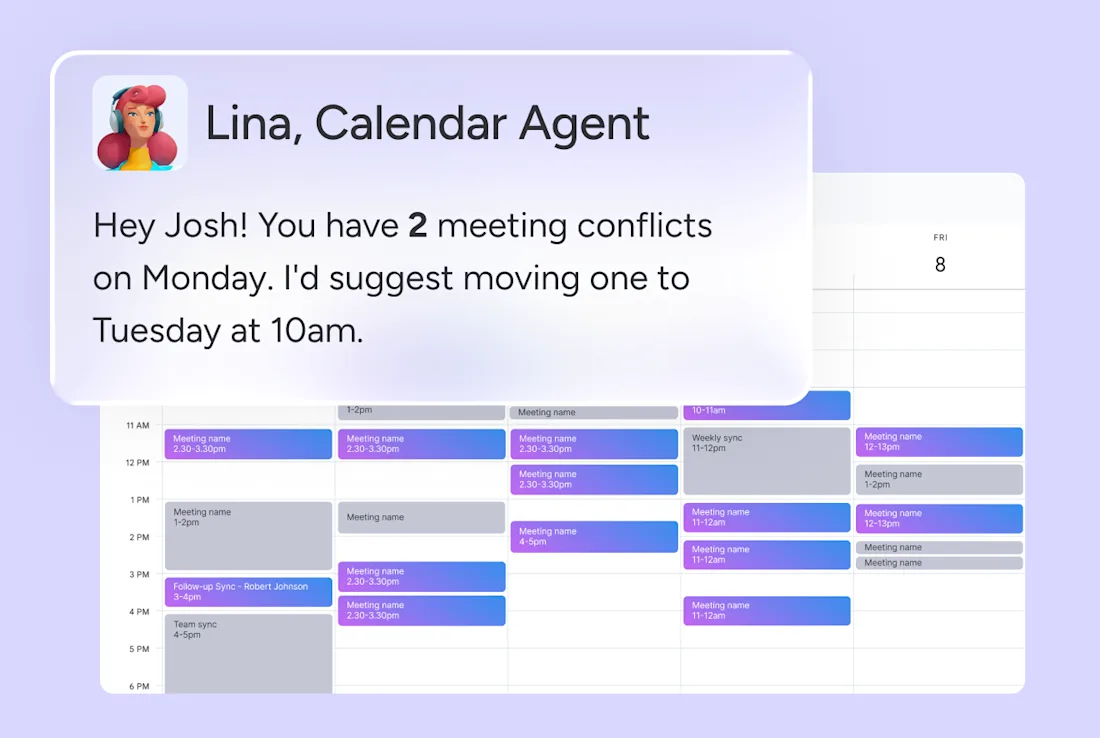
I will audit your calendar every morning, flag conflicts and overloaded days, and surface ready-to-book alternatives for your approval.
About this agent
Double-booked meetings and overloaded days usually surface only after someone is already stuck in a conflict. This AI agent audits your calendar every morning, ranks what should move, and proposes ready-to-book alternatives for your approval.
What you get
Daily conflict and overload summary, delivered every weekday morning or when you mention the agent.
Ready-to-book alternative meeting times, delivered every weekday morning or when you mention the agent.
Focus time protection recommendations, delivered every weekday morning or when you mention the agent.
How this agent works
- Opens with a full calendar audit
Every weekday morning, the agent pulls the next 24 hours of events from Google Calendar or Outlook Calendar, plus recent history for context on who you've been meeting with.
- Separates real conflicts from quiet time
It maps every overlap and tells genuine multi-person conflicts apart from personal focus blocks, so your solo work time never gets mistaken for something that needs to move.
- Ranks conflicts by what actually matters
Using a clear priority order, external meetings outrank internal syncs, recent contacts get weighted lower, and project sessions beat routine check-ins, so the right meeting stays put.
- Lines up real alternative times
For every meeting it recommends moving, it checks all attendees' availability and proposes two or three windows that actually work for everyone.
- Delivers a brief, never touches your calendar
It sends a scannable summary to Slack covering conflicts, overload warnings, and focus time recommendations, then waits for your approval before anything changes.
Related agents
FAQs
The Calendar Agent is an AI agent on monday.com that audits your calendar every morning, flags conflicts and overloaded days, and surfaces ready-to-book alternatives for your approval.
Yes — to get started, you'll connect this AI agent to your monday.com board, authorize the tools and integrations it needs, and customize its triggers and actions to match how your team works.
You control exactly how the Calendar Agent behaves. You can configure it to wait for your approval before taking any action, or set it to execute automatically once you're confident in its behavior.
AI agents are available on paid monday.com plans. Each AI agent run consumes AI credits, which are included with paid plans and can be topped up as needed.
Automations follow fixed if/then rules. AI agents on monday.com can read context, make judgments, draft content, and handle multi-step work that doesn't follow a predictable pattern.
Yes. monday.com lets you create AI agents from scratch using the no-code agent builder — just describe what you want the agent to do, connect it to your boards and tools, and set its permissions.
monday.com AI agents work directly inside the platform where your team already operates — with full context across your boards, projects, and workflows.
- Always secure
- 24/7 active
- Full org context
Connectors