


If you’re interested in incorporating AI into your workflows, (most likely to achieve all those efficiency gains you’ve heard of), you’ve probably come across two terms: agentic AI and AI agents. You’d be forgiven for thinking they refer to the same aspect of AI technology, but there are actually notable differences between them.
This article explores agentic AI vs AI agents in more detail, walks through the types of agents available, and shows you how to choose the right approach for your work. You’ll see real examples across sales, marketing, IT, HR, and ops, plus how to start small with a single monday agent and scale into coordinated workflows without rebuilding everything from scratch.
Try monday agentsKey takeaways
- AI agents and agentic AI aren’t the same thing: a single AI agent handles one job, while agentic AI connects multiple agents to run an entire process from start to finish.
- The right choice depends on your workflow’s complexity: start with a single agent for repetitive, contained work; move to an agentic system when tasks cross teams or require multiple steps.
- Context is what makes agents useful: an agent that can only see one team’s data makes narrow decisions, while shared data across departments drives accurate, reliable outcomes.
- Governance isn’t optional: every agent needs defined permissions, an audit trail, and a team review checkpoint before it handles high-stakes decisions.
- monday agents helps teams start small and scale fast: ready-made agents work out of the box for common workflows, and a no-code builder lets teams create custom agents with enterprise-grade governance built in.
What is an AI agent?
An AI agent is software that watches its environment, makes decisions, and acts on its own to hit a specific goal. Traditional automation follows a script, but an AI agent goes further by evaluating data, applying reasoning, and deciding what to do next.
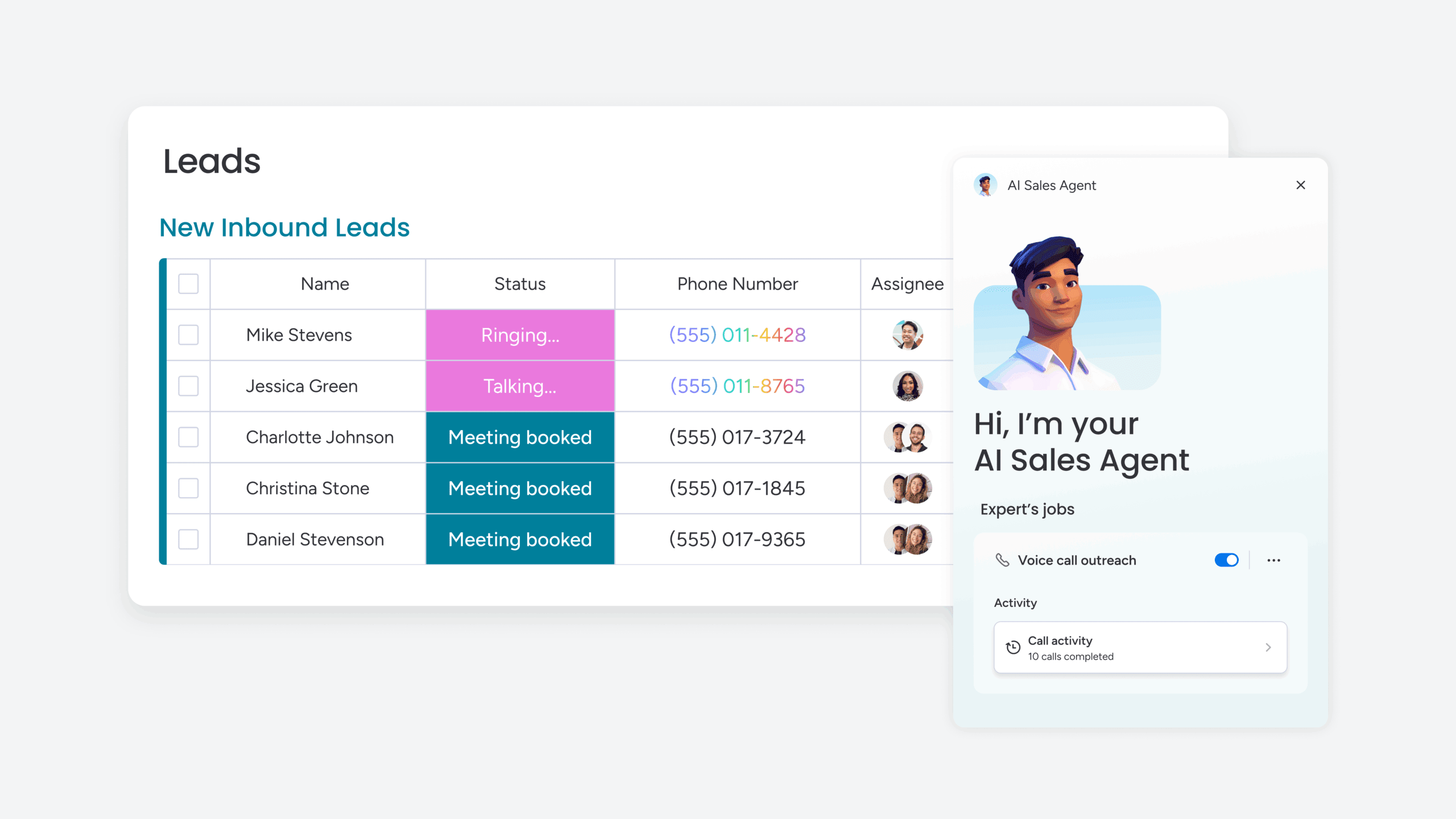
In action, the agent gets an input, such as a data change, a trigger, or a request, then processes it against its rules, and takes action. A lead scoring agent, for example, monitors incoming leads in a CRM, evaluates each one against fit and intent signals like company size, engagement history, and website behavior, then routes high-priority leads to a sales rep automatically. The rep can focus on selling while the agent handles the evaluation and routing.
Wondering what traits makes an AI agent different from basic automation?
- Autonomy: An AI agent operates independently once triggered, without requiring manual input for each step. Once the agent is set up with its criteria, it runs on its own.
- Perception: The agent takes in data from its environment, whether that’s a CRM board, an email inbox, a support ticket queue, or a project management workspace, and uses that data to inform its decisions.
- Action: An AI agent executes a specific outcome, such as assigning an owner, updating a status, sending a notification, or creating a new record.
- Goal-driven: Agents work toward a defined objective, such as reducing response time, qualifying leads faster, or keeping a database accurate.
What are the main types of AI agents?
The right AI agent depends on your workflow’s complexity — how much context it needs, whether it should learn, and how nuanced the decisions are. Know these categories and you’ll pick the right agent for your challenge. Here’s a quick comparison before we get into the details:
| Agent type | Memory | Learning ability | Best for |
|---|---|---|---|
| Reactive | None | None | Simple, rule-based workflows |
| Model-based | Internal model of environment | None | Partially observable situations |
| Utility-based | Internal model + value function | None | Multi-variable decision-making |
| Learning | Full history | Improves over time | Workflows that benefit from continuous refinement |
Reactive agents: fast, rule-based, and predictable
Reactive agents are the simplest type. They respond to current inputs with predefined rules and have no memory of past interactions. A chatbot that answers FAQs based on keyword matching is a reactive agent: it sees the input, matches it to a rule, and delivers the response.
Reactive agents work well for repetitive, predictable workflows where the same input always warrants the same output. They work best when the workflow doesn’t require context from past interactions or decisions that go beyond simple pattern matching.
Model-based agents: smarter decisions in complex environments
Model-based agents maintain an internal model of their environment, allowing them to handle situations where not all information is immediately visible. A ticket triage agent that considers both the current ticket content and the known state of the support queue before assigning priority is a model-based agent.
Its internal model of queue capacity and ticket patterns gives it an edge in situations where the agent can’t see everything but still needs to make smart decisions based on broader context.
Utility-based agents: optimizing across competing priorities
Utility-based agents evaluate multiple possible actions and choose the one that maximizes a defined “utility” or value metric. A resource allocation agent that weighs team member availability, skill match, and deadline urgency to assign the optimal person to a project is a utility-based agent.
Use these agents when you’re balancing competing priorities. When no single factor gives you the answer and the agent needs to weigh multiple variables, utility-based agents find the best path.
Learning agents: improving with every cycle
Learning agents improve their performance over time by analyzing the outcomes of their past actions. A lead scoring agent that refines its scoring criteria based on which leads actually converted, getting more accurate with each cycle, is a learning agent.
Learning agents are the most sophisticated single-agent type and are foundational to many agentic AI systems. They adapt without manual tuning, which makes them perfect building blocks for complex workflows.
What is agentic AI?
Agentic AI is when multiple agents, models, and workflows coordinate to tackle complex, multi-step goals with minimal help. It’s not a single agent — it’s the orchestration layer connecting agents, data, and decisions across your entire process.
Where an AI agent handles one job — such as scoring a lead or triaging a ticket — agentic AI handles an end-to-end process. This might mean managing the entire sales pipeline from lead capture through deal closure, coordinating multiple agents along the way. Agentic AI plans, breaks complex goals into sub-tasks, sequences them, remembers context across interactions, and adapts when things change.
If a high-priority lead suddenly goes cold, an agentic system keeps moving. It adjusts the approach, perhaps triggering a re-engagement sequence or reassigning the opportunity to a different rep with a stronger relationship.
Here’s what makes agentic AI different from standalone agents working alone:
- Multi-agent coordination: orchestrates several agents working toward a shared outcome, managing handoffs and dependencies between them.
- End-to-end workflow execution: manages entire processes, not isolated actions. A single workflow might span lead qualification, meeting scheduling, proposal generation, and deal tracking.
- Persistent memory: retains context across interactions, sessions, and departments. What happened in a support conversation last month informs how the system handles a renewal conversation today.
- Adaptive planning: adjusts its approach when new information or obstacles emerge. If a deliverable is delayed, the system recalculates downstream dependencies and reallocates resources.
- Cross-system integration: pulls data and triggers actions across multiple platforms and departments, connecting CRM records to project boards to support tickets to communication platforms.
Agentic AI represents the shift from “AI that assists” to “AI that executes,” but always involving oversight and governance. You set the strategy and goals. The agentic system executes, with checkpoints and guardrails built in.
Learn more: AI agent orchestration
How AI agents and agentic AI work together
AI agents are the building blocks. Agentic AI is the architecture that connects them. How they work together determines whether you get incremental gains or transform how work gets done.
AI agents are like specialists on a team — think your researcher, analyst, or scheduler. Agentic AI is the project manager assigning work, managing handoffs, and keeping everyone aligned. Both depend on each other to deliver results. Specialists need coordination to deliver coherent results. The project manager needs skilled people to execute.
Here is how this plays out in practice:
- A sales team deploys a lead scoring agent, a meeting scheduling agent, and a transcript summarizer agent.
- The lead scorer identifies a high-intent prospect and triggers the scheduler to book a call.
- After the call, the summarizer extracts action items and updates the CRM record.
- The deal stage advances, and the next set of actions begins automatically.
End-to-end orchestration, where each agent’s output feeds the next, makes the system agentic. The agents share context, understand their role in the larger workflow, and hand off automatically at each step.
The practical question for most teams is: “how many agents do I need, and do I need them orchestrated?” A team with one repetitive workflow to automate can start with a single agent. A team managing a multi-step process that spans departments needs those agents working together as a system.
Agentic AI vs AI agents at a glance
Agentic AI and AI agents differ in scope, coordination, and autonomy. Know these differences and you’ll make more informed decisions about where to start and how to scale.
| Dimension | AI agents | Agentic AI |
|---|---|---|
| Definition | A single autonomous software entity that performs a specific function | A system architecture that coordinates multiple agents and workflows |
| Scope | One workflow or one decision | End-to-end processes spanning multiple steps and teams |
| Autonomy level | Operates independently within a narrow, defined boundary | Orchestrates autonomous actions across broad, interconnected workflows |
| Memory | Limited to the current session or interaction | Persistent across interactions, sessions, and departments |
| Planning | Executes predefined logic or learned patterns | Dynamically plans, sequences, and adapts multi-step workflows |
| Coordination | Works alone or in parallel with other agents without awareness of each other | Manages handoffs, dependencies, and sequencing between agents |
| Team oversight | Teams sets the goal and reviews the output | Teams sets the strategy; the system manages execution with checkpoints |
| Example | A sentiment detection agent that flags negative customer feedback | A customer success system that detects sentiment, escalates issues, schedules follow-ups, and updates the account record |
5 key differences between agentic AI and AI agents
Understanding the main differences between agentic AI and AI agents helps you choose the right approach for your workflow’s complexity, decision-making needs, and cross-team coordination requirements.
1. Autonomy and decision-making scope
An AI agent makes decisions within a single, bounded scope. It answers questions like “should this ticket be high or medium priority?” based on the data in front of it. Agentic AI makes decisions about the overall workflow: “given that 3 high-priority tickets just came in and the on-call engineer is at capacity, should I reassign, escalate, or queue?”
The agentic system weighs factors across the entire process, not just the individual item. It sees resource constraints, timing, dependencies, and priorities that single agents miss.
Here is what this means for deployment planning:
- Single agent deployments: define decision boundaries tightly — what data does the agent see, what actions can it take, and when should it defer to a person?
- Agentic system deployments: define governance and escalation rules at the workflow level — who approves changes to the overall plan, and what triggers a review?
2. Goal orientation and scope
An AI agent focuses on one metric. A lead response time agent focuses on getting leads contacted faster. An agentic AI system focuses on business outcomes — like pipeline velocity from first touch to closed deal.
Consider a marketing example. A content generation agent writes copy for a campaign. That’s a narrow, well-defined goal. An agentic marketing system handles competitor research, content creation, approvals, scheduling, and performance tracking — all aimed at campaign ROI.
The individual agent focuses on its single task, while the agentic system keeps the entire campaign performance in view. This difference in scope determines whether AI gives you small wins or transforms how you work.
3. Planning and workflow execution
AI agents execute defined actions. Agentic AI handles the planning. They follow a simple pattern — when X happens, do Y. Agentic AI plans. It breaks complex goals into sub-tasks, sequences them, and adjusts when things change.
Here is the contrast in action:
- Single agent response to a delayed deliverable: flags the delay and stops.
- Agentic system response to the same delay: recalculates downstream dependencies, identifies which items are now at risk, reassigns resources to the critical path, and notifies stakeholders with an updated timeline.
A single agent flags the delay and stops. The agentic system responds with coordinated actions to keep the project moving.
4. Memory and context handling
Most AI agents rely on short-term memory or process each input independently. They process the current input and move on. A ticket triage agent evaluates the ticket in front of it without remembering the last hundred tickets it processed.
Agentic AI maintains persistent, cross-session memory. It remembers what happened in previous interactions, across departments, and over time. That’s how it connects a January support ticket to a March renewal conversation — recognizing that past frustration should shape how the account team approaches the deal.
Cross-department context turns disconnected agents into a truly agentic system. Shared memory connects agents so they can coordinate across related workflows.
5. Coordination across systems
A single AI agent usually works within one system or data source. It reads from a CRM board, monitors a support queue, or scans a project timeline. Agentic AI coordinates across systems — pulling CRM data, checking project boards, referencing support tickets, and triggering actions in communication platforms.
This cross-system coordination is what enables end-to-end workflow automation. A customer onboarding workflow, for example, might require all of the following:
- Creating a project in the work management platform
- Updating the deal record in the CRM
- Sending a welcome email through the communication platform
- Assigning onboarding items to the right team members
These steps require multiple agents working together. An agentic system orchestrates agents across those systems to deliver the complete workflow. That’s why the underlying data layer is as important as the agents.
How generative AI compares to AI agents and agentic AI
Distinguishing between generative AI and agentic AI and AI agents, which are all related but not the same, helps you set aligned expectations about what each can do. Know where each fits and you’ll build AI strategies that combine all three effectively.
Generative AI (like large language models) creates content — text, images, code, summaries. It’s a capability, not an architecture. AI agents and agentic AI use generative AI as one of their underlying capabilities, but they add perception, decision-making, and action on top of it.
Think of it this way: generative AI is the engine, an AI agent is the car, and agentic AI is the transportation network. The engine is essential, but it doesn’t drive itself or coordinate routes.
Here is how the same generative capability plays out at each level:
- Generative AI: drafts a sales email when prompted, then stops.
- AI agent: uses that same generative capability, but also decides which prospect to email, personalizes the message based on CRM data, and sends it at the optimal time.
- Agentic AI: treats the email as one step in a coordinated sequence that includes lead scoring, outreach, follow-up scheduling, and pipeline updates
Real-world examples for AI agents and agentic AI
Looking beyond theory, teams evaluating AI need to see where these concepts apply to their everyday work. The examples below span sales, marketing, operations, IT, and HR, where AI agents and agentic systems deliver measurable results today.
AI agent examples across teams
Individual AI agents work best for high-frequency, well-defined workflows with consistent decision logic and contained scope. Here’s how single agents deliver value:
- Sales, contact deduplication: An agent scans the CRM for duplicate contacts by comparing names, email addresses, and company associations, then suggests merges or removals. The database stays accurate without manual audits, so reps sell instead of cleaning data.
- Marketing, sentiment detection: An agent monitors campaign feedback channels, including social media mentions, survey responses, and support tickets, and flags negative sentiment shifts in real time. Marketing can respond before a small issue becomes a brand problem instead of finding out in a weekly report.
- IT, SLA monitoring: An agent tracks service-level agreements across active tickets and alerts managers when cases are at risk of breaching their response or resolution targets. IT leaders get a proactive view of service health instead of scrambling after SLAs are missed.
- HR, candidate screening: An agent scores every application against predefined criteria such as skills, experience, and certifications, filters non-fits, and surfaces strong candidates immediately. Recruiters focus on the best candidates instead of reviewing every resume.
- Operations, vendor research: An agent gathers pricing, security certifications, customer reviews, and contract terms for potential vendors and compiles a structured comparison. Procurement gets a ready-to-review shortlist instead of days of manual research.
Agentic AI examples across teams
Agentic AI works best when workflows cross multiple steps, teams, or systems. Here’s how orchestrated agents deliver end-to-end outcomes that individual agents can’t:
- Sales pipeline management: An agentic system coordinates lead scoring, meeting scheduling, call summarization, and deal stage updates across the entire pipeline. When a lead scorer spots a high-intent prospect, the system books a call, summarizes it, extracts action items, and advances the deal. Each step triggers the next without manual handoffs.
- Marketing campaign execution: An agentic system handles competitor research, content generation, approval routing, scheduling across channels, and performance tracking as one connected workflow. The campaign moves from research to execution to optimization without manual pushing at each stage.
- IT incident response: An agentic system classifies incidents by severity, routes them to the right on-call team, triggers real-time alerts, tracks time to resolution, and ensures post-mortems are completed. The entire incident lifecycle runs as one coordinated process instead of disconnected tickets.
- HR recruiting workflow: An agentic system sources candidates from multiple channels, screens applications against job criteria, schedules interviews against live calendar availability, and sends personalized outreach — all without manual handoffs between recruiting, hiring managers, and coordinators.
- Cross-department project reporting: An agentic system like monday AI Workspace pulls status data from project boards, CRM records, and support tickets to generate a unified executive digest. The report shows risks, blockers, and progress across the organization — one view instead of separate updates from each department.
How to choose between AI agents and agentic AI
Choosing between AI agents and agentic AI depends on the complexity of the workflow, the number of systems involved, and how much oversight your team wants to maintain. Most organizations don’t need to choose one or the other — they start with agents and expand to agentic systems as they mature.
When a single AI agent is enough
Single agents deliver the fastest time to value when the workflow is contained and the decision logic is well-defined. Teams should consider starting with individual agents in these situations:
- The workflow is contained within one system and one team. A lead scoring agent that operates entirely within the CRM, for example, doesn’t need to coordinate with other departments.
- The decision logic is well-defined and does not require cross-referencing data from other departments. If the agent can make a good decision with the data it already has, it does not need orchestration.
- The volume of work is manageable but repetitive. Triaging tickets, scoring leads, translating content, or deduplicating records are high-frequency, low-complexity workflows where a single agent delivers immediate value.
- The team wants to start small, prove value, and build confidence before scaling. A single agent is the fastest way to demonstrate ROI and build organizational trust in AI.
When you need an agentic AI system
Agentic systems become necessary when workflows cross boundaries and require coordination that individual agents cannot provide. Teams should consider agentic approaches in these situations:
- The workflow spans multiple steps, teams, or systems. Lead-to-close, incident-to-resolution, and hire-to-onboard are all multi-step processes that benefit from orchestration.
- Decisions in one step depend on context from another department. A marketing campaign that needs sales pipeline data to prioritize messaging, or a project plan that needs HR capacity data to allocate resources, requires cross-department visibility.
- The organization needs 24/7 execution across time zones and languages without proportional headcount growth. Agentic systems operate continuously, handling follow-ups, content generation, and routing around the clock.
- The team has already deployed individual agents and needs them to work together toward shared outcomes. This is the natural evolution: connecting standalone agents into a coordinated system.
Questions to ask before you deploy
Before committing to either approach, teams should evaluate their specific situation against these criteria. The answers will point toward the right starting point.
- How many handoffs does this workflow require? If more than two, an agentic system will reduce dropped balls between steps.
- Does this workflow cross departmental boundaries? Cross-department workflows benefit from a shared data layer that individual agents cannot provide alone.
- What happens when conditions change mid-workflow? If the process needs to adapt, reprioritize when a deadline shifts, or reroute when a team member is unavailable, agentic AI’s planning capability is essential.
- What level of oversight does the team require? Single agents are easier to monitor; agentic systems need built-in guardrails and audit trails.
- What data does the agent need access to? If the answer includes data from multiple systems or teams, the underlying platform’s context layer becomes the deciding factor.
Why cross-department context makes AI agents more effective
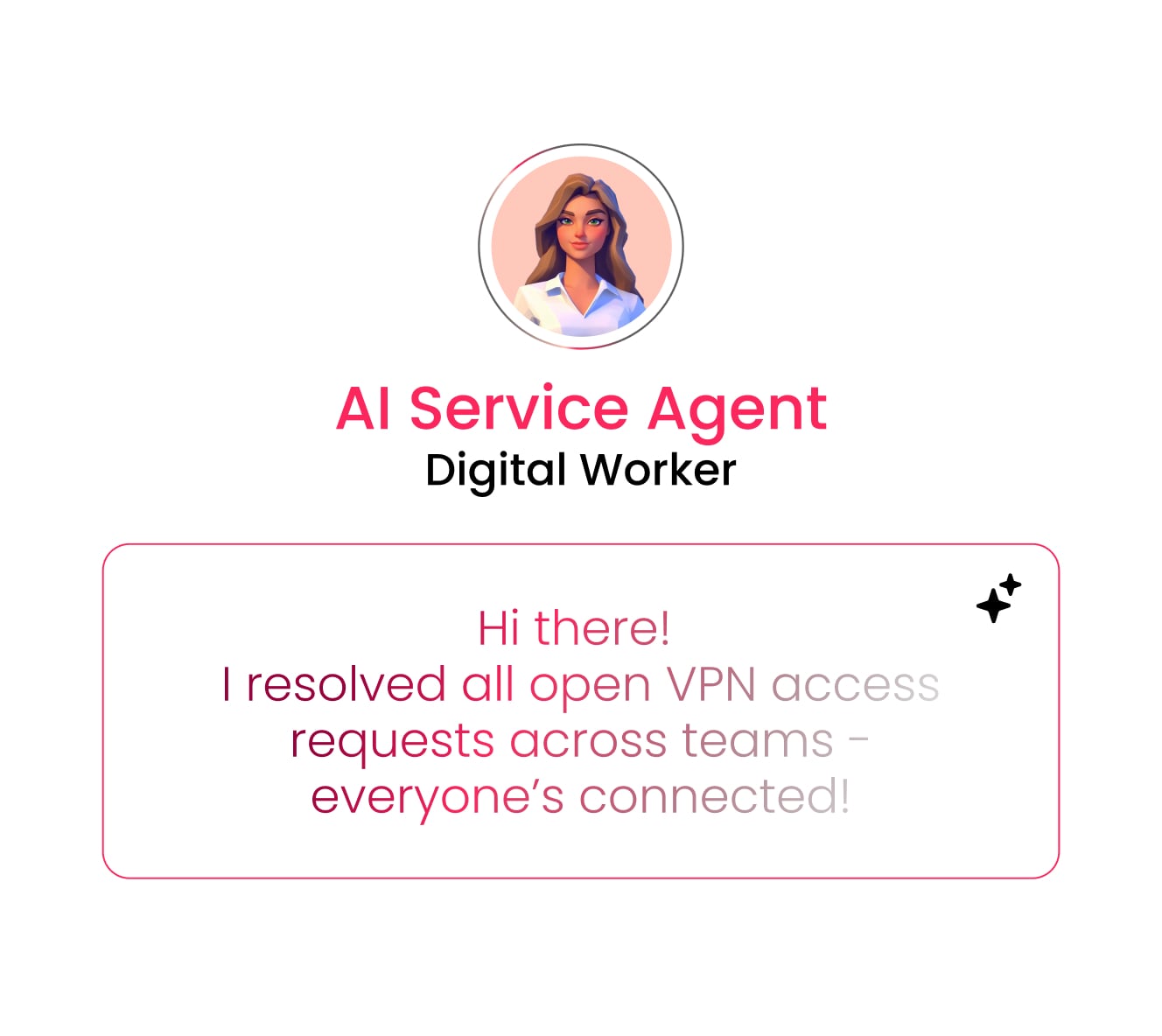
The effectiveness of any AI agent — whether standalone or part of an agentic system — is directly proportional to the breadth and quality of context it can access. This is why the underlying data architecture matters as much as the agent itself. An agent with cross-department context produces decisions that account for the full picture, while an agent limited to one data source can only reflect what it sees.
Here is what cross-department context enables in practice. These examples illustrate how shared data transforms agent decision-making from single actions to connected outcomes:
- Sales agents that factor in marketing engagement data and support history when scoring leads. A lead who attended three webinars and has zero open support tickets is a different priority than one who clicked one email and has two unresolved complaints.
- Project management agents that reference HR capacity data and finance budget approvals before recommending resource allocation. The agent does not just find the best-skilled person; it finds the best-skilled person who is actually available and whose time is budgeted.
- IT agents that connect ticket patterns to product release schedules to identify root causes faster. A spike in “login timeout” tickets the day after a deployment is not a coincidence; an agent with cross-system visibility catches that pattern immediately.
Platforms built on a shared, structured data layer across departments give agents the full picture they need to drive outcomes, not complete isolated actions.
How to deploy AI agents with built-in governance
Deploying AI agents without governance is like hiring employees without defining their roles or tracking their work. That kind of governance is really an operational expression of AI ethics — translating principles into enforceable rules agents must follow. Yet, only 21% of organizations report having a mature governance model for agentic AI, according to Deloitte’s 2026 State of AI in the Enterprise survey. The rest lack defined agent decision boundaries, real-time monitoring, and end-to-end audit trails. These three steps provide a practical framework for deploying agents responsibly, from the first workflow through to organization-wide orchestration.
Start with bounded, high-value workflows
Begin with a single, well-defined workflow where the agent’s scope is narrow and the value is measurable. Strong starting points include:
- Lead scoring in the CRM
- Ticket triage in IT support
- Automated status reporting for project management
These workflows have consistent inputs, predictable outputs, and enough volume to demonstrate ROI quickly. Starting small builds organizational trust and generates data that informs the next stage of deployment. Platforms that offer simulation modes — where teams can validate agent behavior before activating it in production — reduce risk further by letting the team see what the agent would do before it does it.
Treat every agent as a governed identity
Each agent should have three things defined from day one:
- Defined permissions: what data it can access and whether it can read, create, or edit.
- An audit trail: logging every action it took and why.
- A review checkpoint: for high-stakes decisions that warrant review before execution.
Think of it the same way organizations treat new team members: onboard them with defined access, monitor their work, and expand their responsibilities as trust is earned. An agent that starts with read-only access to one board can graduate to creating and editing records across multiple boards once the team has validated its judgment over weeks or months.
Scale autonomy in stages
The maturity model for AI agent deployment follows a clear progression:
- Recommend: agents suggest actions for approval before anything executes.
- Execute with exceptions: agents handle routine actions autonomously and flag edge cases for review.
- Orchestrate: agentic systems coordinate multi-step workflows with periodic review at defined checkpoints.
This staged approach reduces risk and builds organizational confidence incrementally. Enterprise-grade platforms provide the compliance infrastructure — including SOC 2 Type II, ISO 27001, and HIPAA certifications — that makes this scaling possible without introducing security or regulatory exposure.
How monday agents puts AI agents and agentic AI to work
monday AI Workspace brings people and monday agents together as one team with shared context across every department. Instead of juggling separate systems, consultants, or months of setup, teams get agents, data, and governance in one place — ready to deploy responsibly from day one.
Ready-made agents for sales, marketing, and operations
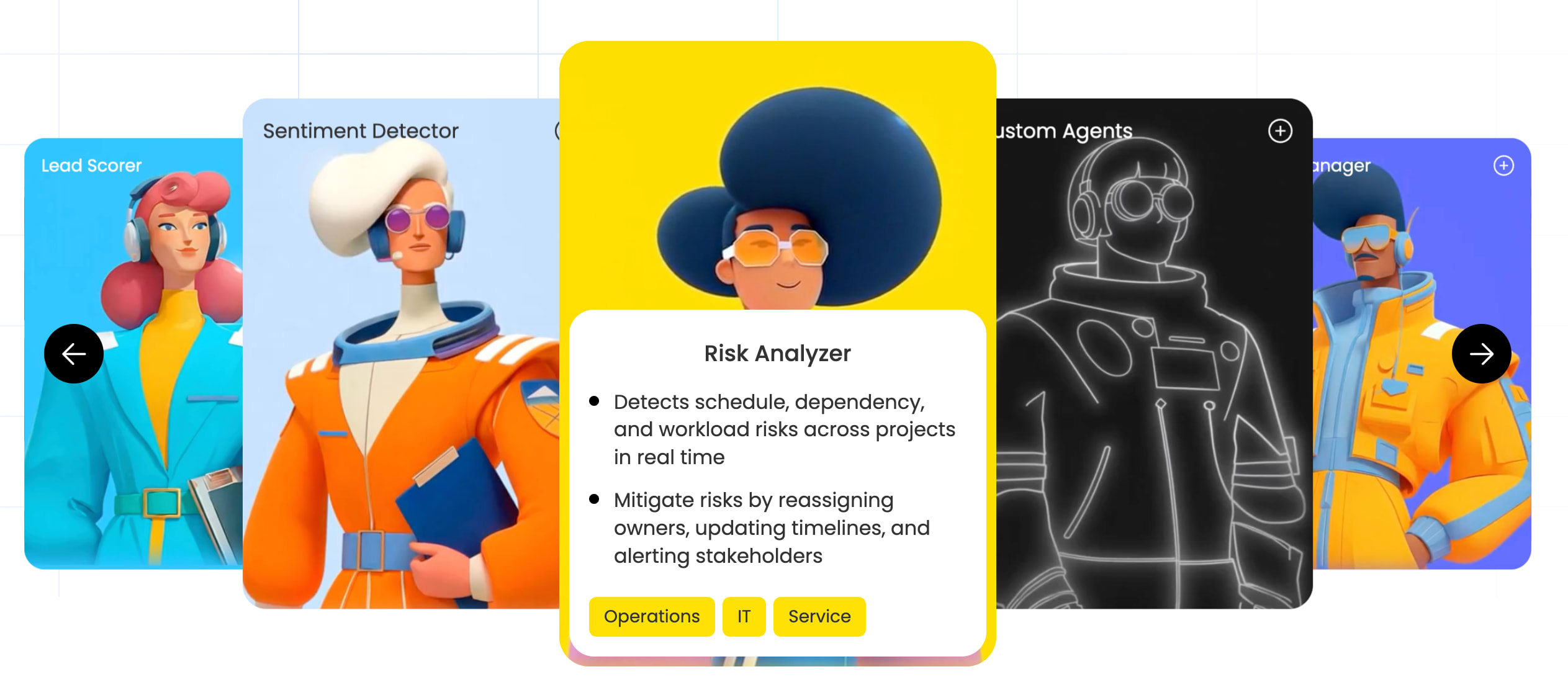
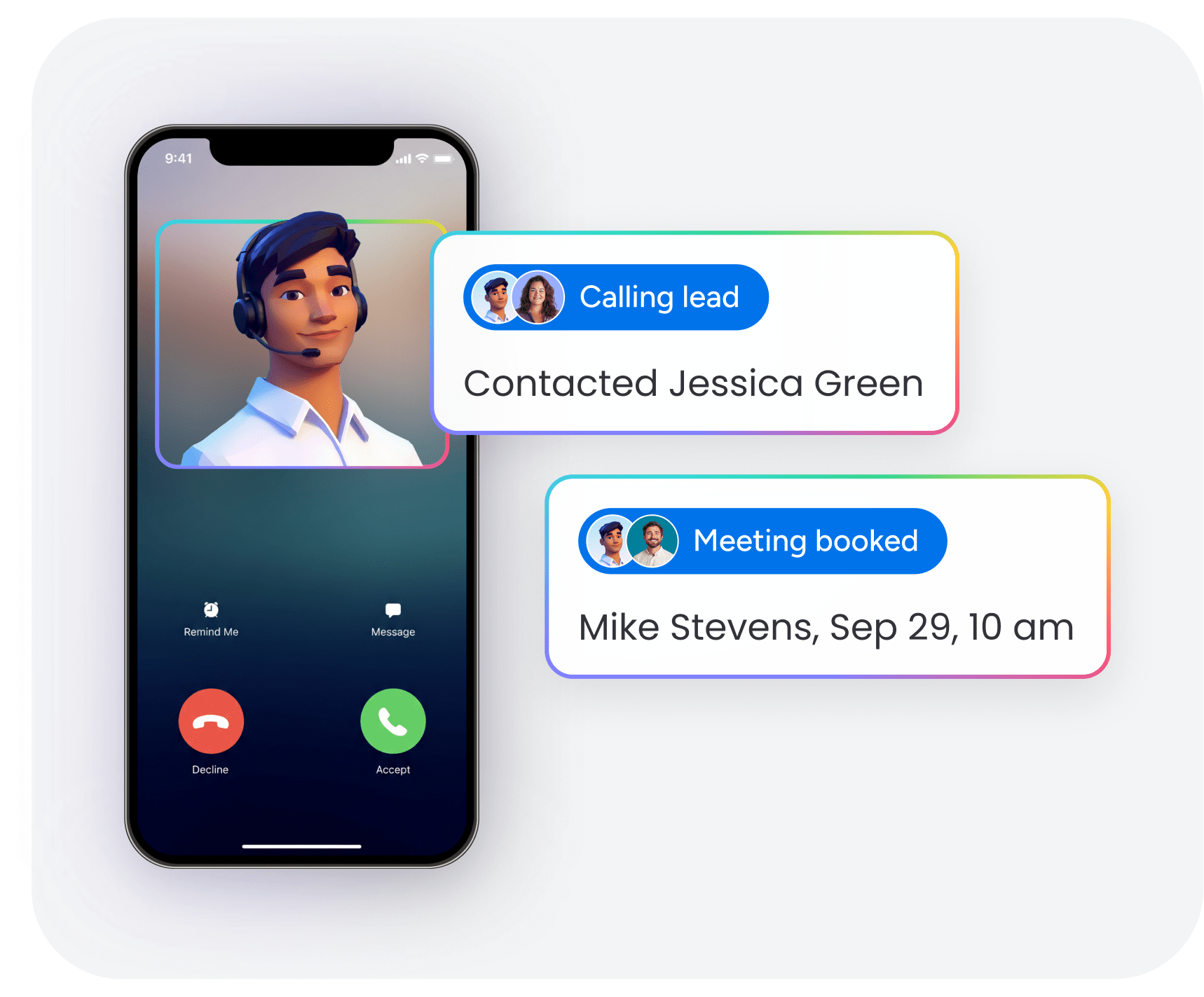
monday agents is an early-access capability that provides both ready-made expert agents and the ability to build custom agents. These agents operate directly within the workspace where work already happens. The following agents address common workflows across departments, each designed to handle specific high-volume processes that would otherwise require manual effort:
- Lead Scorer: scores leads using fit, intent, and engagement signals across the funnel, then routes high-intent leads, schedules follow-ups, and alerts reps automatically.
- Sentiment Detector: monitors tickets, emails, and feedback in real time, flags sentiment shifts, and notifies the right owner before issues escalate.
- Risk Analyzer: detects schedule, dependency, and workload risks across projects and mitigates them by reassigning owners, updating timelines, and alerting stakeholders.
- Meeting Summarizer: creates meeting notes and transcripts, extracts action items, assigns owners, and creates updates on the relevant board.
- Contact Duplicates Finder: identifies duplicate contacts in the CRM and suggests merging or removing them to keep the database accurate.
- Vendor Researcher: gathers vendor details like pricing, security certifications, and contract terms, then builds a structured summary.
Teams can also create custom agents using the AI agent builder, simply by describing the role and triggers, connecting the knowledge and integrations the agent needs, then testing and refining as needed.
Cross-department context on one platform
As monday agents sit within the broader monday AI Workspace, agents operate with full cross-department context.
This cross-department visibility is possible because all work lives on one structured data layer, not in disconnected systems that require custom integrations to share information. Teams can connect the AI Workspace with 200+ integrations and use the Model Context Protocol (MCP) to bring external AI assistants like Claude, ChatGPT, and Microsoft Copilot into their workflows — giving people the flexibility to work with the AI tools they already trust while keeping data governance centralized. Teams can extend their AI capabilities beyond the platform while keeping governance centralized. MCP is available on all monday.com plans at no additional cost.
Enterprise-grade trust and guardrails
monday agents addresses the governance concerns that matter most to teams deploying AI agents. The platform provides the controls, transparency, and compliance infrastructure that enterprise organizations require:
- Control: teams explicitly decide what each agent can and cannot do, both inside monday AI Workspace and across external integrations.
- Permissions: admins define exactly which data each agent can access and whether it can read, create, or edit information.
- People involvement: simulation mode lets teams validate agent actions before activating them in production.
- Compliance: monday AI Workspace holds SOC 2 Type II, ISO/IEC 27001, ISO/IEC 27701, and HIPAA certifications.
- Data ownership: organizations retain ownership of the content they provide and the content generated by AI; organizations keep exclusive rights over their data, protecting it from third-party training.
monday agents is designed for teams that want to start with a single agent today and scale to agentic workflows across the organization on one connected platform.
The practical path from AI agents to agentic workflows
The distinction between AI agents and agentic AI is practical — it determines how teams plan, deploy, and scale AI across their organization. AI agents solve specific problems. Agentic AI connects those solutions into systems that drive business outcomes. Here’s a practical path forward for teams ready to move from understanding to action:
- Identify one high-value, repetitive workflow where a single AI agent can deliver measurable results within weeks, not months. Lead scoring, ticket triage, and contact deduplication are proven starting points.
- Evaluate the data layer underneath the workflow. If the agent needs context from other teams or systems to make good decisions, the platform’s cross-department visibility becomes the deciding factor.
- Plan for orchestration from the start. Even if the first deployment is a single agent, choose a platform that supports multi-agent coordination, governance, and scaling so the team does not hit a ceiling when it is time to connect workflows.
Platforms like monday AI Workspace make this progression accessible without requiring separate systems or developer resources. Whether the starting point is using a single monday agent like Lead Scorer or a fully orchestrated sales pipeline, the foundation is the same: agents, data, and governance working together in one place.
Try monday agentsFrequently asked questions
Is ChatGPT an example of agentic AI?
ChatGPT is a generative AI model that responds to prompts and creates content, but it does not independently perceive its environment, plan multi-step workflows, or coordinate actions across systems. When ChatGPT is connected to external platforms through protocols like MCP and given the ability to take actions on a user's behalf, it can function as a component within an agentic AI system.
What is the difference between agentic AI and AGI?
Agentic AI refers to systems that coordinate multiple AI agents to execute complex workflows autonomously within defined boundaries and with oversight. AGI, or artificial general intelligence, refers to a theoretical AI that can understand, learn, and apply knowledge across any domain at or above team-level capability. Agentic AI is already deployed in enterprises today, while AGI remains a research concept still in development.
Can AI agents work without an agentic AI system?
Yes, individual AI agents can operate independently to handle specific, bounded workflows like scoring leads, triaging tickets, or detecting sentiment without being part of a larger agentic system. Most organizations start with standalone agents and later connect them into agentic workflows as their needs and confidence grow.
What are the biggest risks of deploying AI agents without proper governance?
Deploying AI agents with strong governance controls protects against unauthorized data access, ensures every decision is auditable, keeps actions consistent across teams, and maintains compliance — especially when agents operate across departments or interact with sensitive customer data. Effective deployment requires defined permissions, audit trails, review checkpoints, and enterprise-grade compliance infrastructure from the start.
How does monday agents support sales and operations teams?
monday agents provides ready-made AI agents — such as the Lead Scorer, Sentiment Detector, and Contact Duplicates Finder — that operate directly within the CRM workspace and access cross-department context from the broader monday AI Workspace to make informed, governed decisions. Teams can also build custom agents using a no-code builder that connects to their existing data, workflows, and integrations, empowering business users to launch agents on their own.

 Get started