


Automation promised to lighten workloads but often added new ones instead. Teams now juggle tools, dashboards, and endless settings — all in the name of efficiency. The best AI agents for business — including AI employee management software — lighten the load, acting like a team of digital specialists ready to handle the repetitive work that slows everything else down.
This guide digs deeper into what these AI agents do, how to evaluate the platforms that power them, and which options stand out for building a reliable digital workforce.
Try monday agentsKey takeaways
- AI agents operate autonomously across your entire organization. Unlike traditional automation that follows rigid rules, AI agents for business use reasoning and context to plan, decide, and execute multi-step workflows across departments, handling everything from ticket triage to campaign optimization without constant human oversight.
- Context is everything for agent effectiveness. The strongest platforms embed agents directly into your existing work environment, giving them immediate access to your projects, timelines, team goals, and cross-departmental data so they can make informed decisions from day one.
- Start small, then scale strategically. Successful agent adoption begins with high-volume, repetitive workflows that deliver quick wins and build internal confidence. Once your team sees the impact, you can expand to more complex, cross-functional processes that require deeper reasoning and coordination.
- Security and transparency aren’t optional. Enterprise-grade security, granular permissions, guardrails, and complete audit trails are non-negotiable when giving AI agents access to business data and decision-making authority. Every action should be logged, traceable, and aligned with your compliance requirements.
- monday AI Workspace delivers agents with full organizational context. By embedding ready-made and custom agents directly into the workspace where teams already manage projects, sales, and operations, monday AI Workspace gives your digital workforce the cross-department visibility and integration depth that standalone agent platforms can’t match.
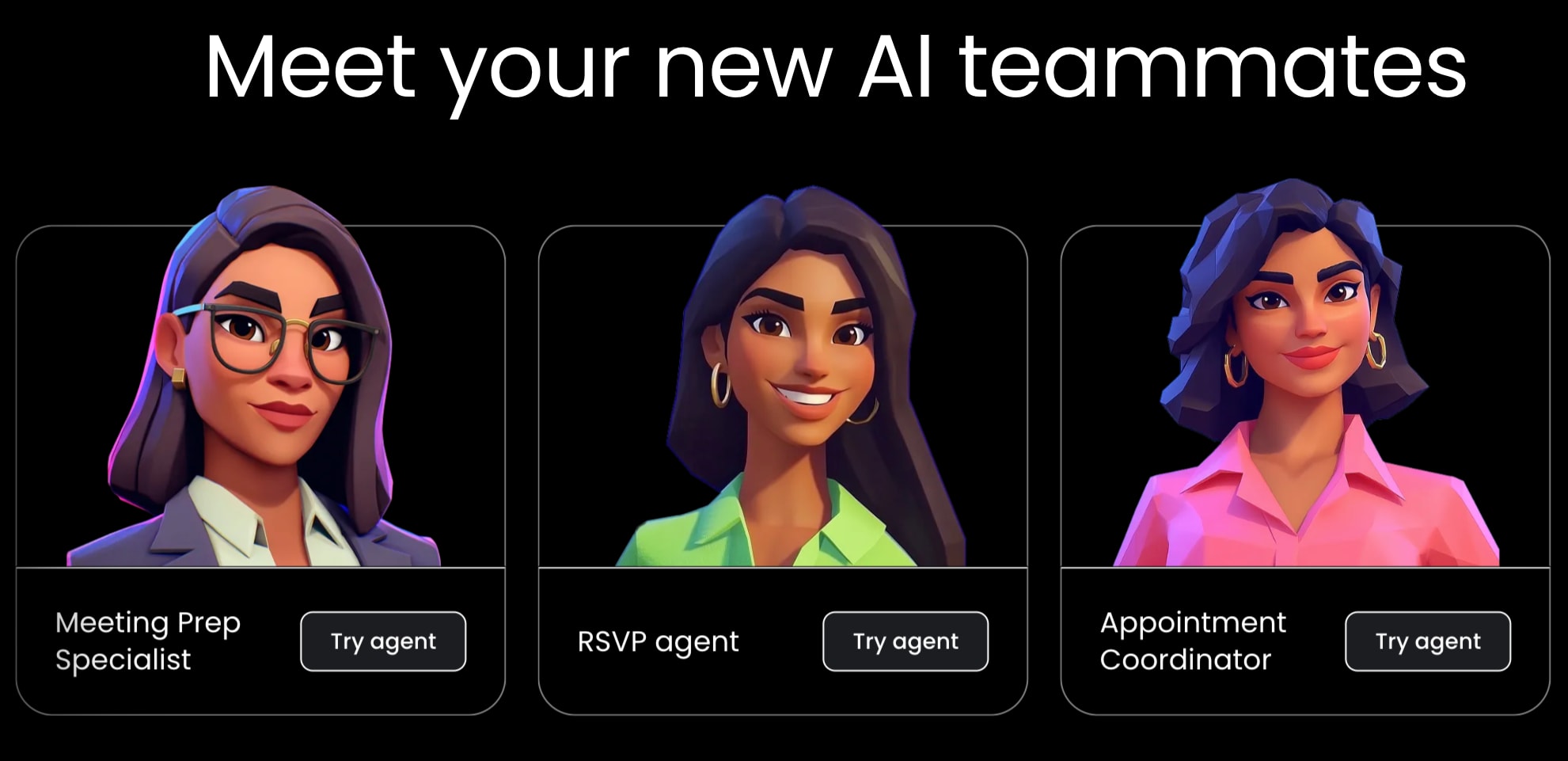
What are AI agents for business?
AI agents for business are autonomous software programs that can perceive their environment, make decisions, and take action to accomplish specific goals — all without step-by-step instructions from a person. Unlike traditional automation that follows rigid “if this, then that” rules, AI agents use large language models (LLMs) and reasoning capabilities to interpret context, plan multi-step actions, and adapt when conditions change.
Think of a workplace agent as a digital team member with a specific role. A customer support agent can read incoming tickets, pull relevant account history, draft a response, and escalate complex issues — all in real time. A marketing agent can analyze campaign performance, suggest budget reallocations, and generate new ad copy based on what’s working. These agents go beyond just responding to prompts and proactively identify what needs to happen and do it.
How do AI agents differ from chatbots?
The difference between AI agents and chatbots comes down to autonomy and scope. A chatbot waits for a question and gives a scripted or generated response within a single conversation. An AI agent operates continuously, handles multi-step processes, connects to multiple data sources and applications, and takes real action inside your business systems.
| Capability | Chatbots | RPA (robotic process automation) | AI agents |
|---|---|---|---|
| Interaction | Conversational, reactive | Rule-based, scripted | Autonomous, proactive |
| Decision-making | Limited to predefined paths | None — follows exact rules | Contextual reasoning and planning |
| Scope | Single conversation | Single repetitive process | Multi-step, cross-system workflows |
| Adaptability | Low — needs retraining for new scenarios | None — breaks when processes change | High — adjusts to new data and context |
| Learning | Limited pattern matching | No learning capability | Improves from feedback and outcomes |
| Integration depth | Surface-level API connections | Screen-level automation | Deep system and data integration |
Key benefits of AI agents for modern businesses
AI agents fundamentally change how teams operate — not by replacing what people do, but by removing the friction that slows them down. They deliver measurable value by allowing you to:
Get your focus back
Knowledge workers consistently spend the majority of their time on “work about work” — status updates, data entry, meeting prep, and information gathering. The best AI agents for business take over these repetitive, time-consuming activities so your team can focus on strategy, creative problem-solving, and high-impact decisions. Instead of spending Monday morning sorting through emails and updating project boards, an agent handles the triage while you dive into value-adding work.
Grow smarter, not just bigger
Hiring takes time, onboarding takes longer, and every new team member adds coordination overhead. AI agents let you increase output without increasing headcount. A marketing team of 5 can execute campaigns at the pace of a team of 15 when agents handle research, first drafts, scheduling, and performance tracking. That’s not about replacing people — it’s about giving your existing team superpowers.
Scale on your terms
Seasonal spikes, product launches, and rapid growth used to mean struggling for resources. AI agents scale instantly. If you need to process 10x more support tickets during a product launch, your agent workforce handles the surge without burnout, overtime, or temporary hires. And when volume drops back down, you’re not managing layoffs — the agents simply process less.
Deliver a flawless customer experience
Customers don’t care about your internal processes — they care about speed, accuracy, and consistency. AI agents respond to inquiries in seconds, pull the right information every time, and maintain the same quality at 3:00 a.m. as they do at 3:00 p.m. They can personalize interactions based on purchase history, flag at-risk accounts before they churn, and ensure every customer touchpoint meets your brand standards.
Types of AI agents for your digital workforce
Different business functions need different agents built for specific workflows, data sources, and outcomes. For example, AI Finance agents automate invoice processing, expense categorization, vendor evaluation, and compliance monitoring. They can reconcile data across systems, flag anomalies in spending patterns, and generate reports that would take a person hours to compile manually.
Here are the main types of AI agent to consider when building your digital workforce.
Customer support agents
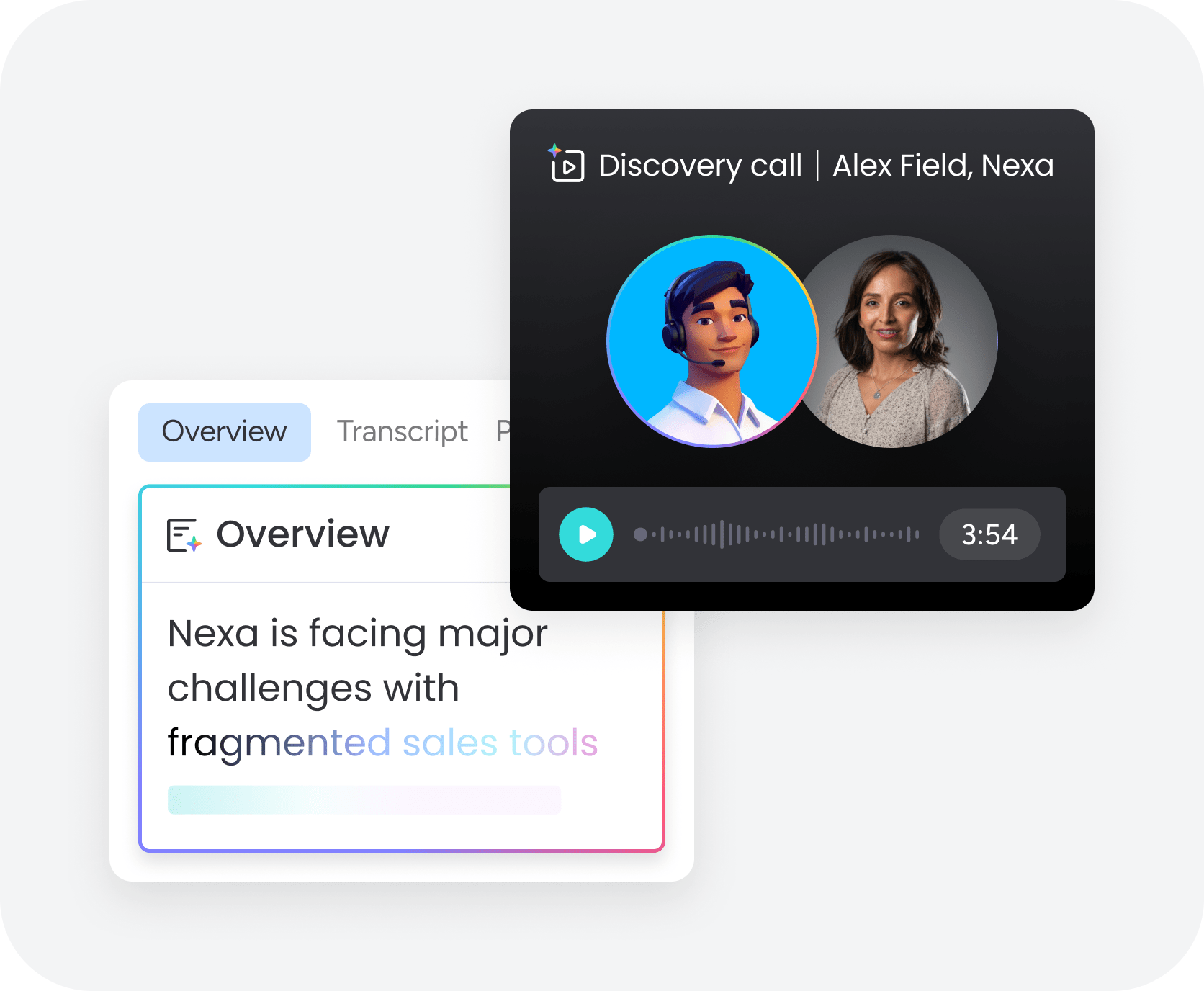
Support agents handle ticket triage, response drafting, and issue resolution across channels. They pull from knowledge bases, past interactions, and account data to resolve common questions instantly — and escalate complex issues to the right person with full context attached. Organizations deploying support agents consistently report significant reductions in resolution times.
Sales and marketing agents
These agents manage lead scoring, prospect research, campaign optimization, and content creation. A sales agent can prepare discovery call briefs by analyzing a prospect’s company data, recent news, and competitive landscape. A marketing agent can monitor campaign performance across channels and reallocate budgets based on what’s driving conversions.
Operations agents
AI agents for operations handle process automation, resource allocation, and workflow optimization across departments. They monitor project timelines, flag risks before they become problems, and coordinate handoffs between teams. For PMO and operations leaders, these agents turn reactive firefighting into proactive management.
Finance and procurement agents
Finance agents automate invoice processing, expense categorization, vendor evaluation, and compliance monitoring. They can reconcile data across systems, flag anomalies in spending patterns, and generate reports that would take a person hours to compile manually.
HR and recruiting agents
HR AI agents handle candidate sourcing, resume screening, interview scheduling, and onboarding coordination. They can scan hundreds of applications against job requirements, schedule interviews across time zones, and give new hires everything they need before day one, all while keeping hiring managers updated automatically.
How to build your own AI agent team in 5 steps
Building a digital workforce doesn’t happen overnight, but it doesn’t have to be complicated either. Create your own example of an AI agent using the steps below.
- Step 1: Identify high-impact workflows. Start by mapping the processes that consume the most time with the least strategic value. Look for workflows with defined inputs and outputs, high volume, and well-documented steps. Ticket triage, lead qualification, and report generation are common starting points.
- Step 2: Define your agent roles. For each workflow, describe what a successful agent would do — its inputs, decisions, actions, and outputs. Be specific. “Handle support tickets” is too broad. “Categorize incoming tickets by priority, pull relevant knowledge base articles, and draft a response for agent review” gives your AI agent a defined scope.
- Step 3: Choose your platform. Select a platform that matches your technical capabilities and integration needs. Some platforms offer pre-built agents you can deploy immediately. Others provide builder frameworks for custom agents. The right choice depends on your team’s technical depth and the complexity of your workflows.
- Step 4: Start small and test. Deploy your first agent on a single workflow with a small team. Monitor its decisions, accuracy, and impact for two to four weeks before expanding. This pilot phase is where you refine the agent’s behavior, adjust its guardrails, and build internal confidence.
- Step 5: Scale and iterate. Once your pilot proves successful, expand to additional workflows and departments. Each new agent benefits from the data and context your platform has already collected. Track performance metrics, gather team feedback, and continuously refine your agents’ capabilities.
How to put AI agents to work
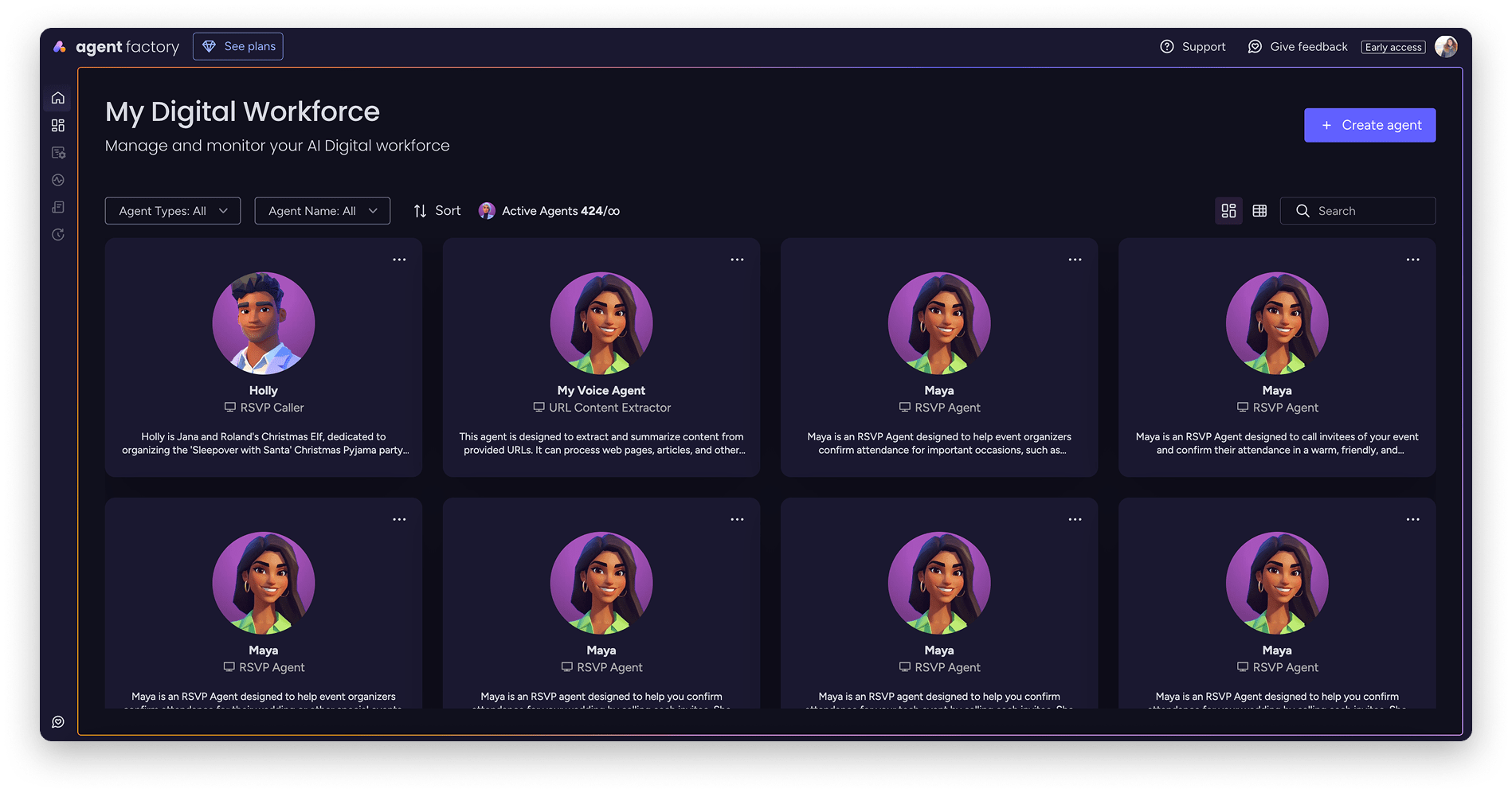
Deploying AI agents in your business is an important first step. Getting real value requires thoughtful integration into your team’s daily operations. Here’s how to make the transition smooth and effective.
Connect your agents to existing workflows
AI agents deliver the most value when they’re connected to the systems your team already uses. That means integrating with your CRM, project management platform, communication channels, and data sources. Within the monday AI Workspace, for example, agents plug directly into boards, dashboards, and automations, so they’re acting on real project data from day one, not operating in a silo.
Introduce your team to AI teammates
Change management is a crucial part of establishing a culture of psychological safety among your team. Start by showing your people what agents can do on a small, visible workflow — like automating weekly status reports or triaging incoming requests. When people see agents handling tedious tasks accurately, adoption accelerates naturally. Share early wins, document the time saved, and create a feedback loop so the team can flag issues and suggest improvements.
Set well-defined rules
Every AI agent needs boundaries. Define what each agent is allowed to do, what decisions require a person’s approval, and what data it can access. Guardrails protect your business while giving agents enough latitude to be useful. With monday AI Workspace, agents come with built-in permission controls, audit trails, and transparency into every action, so you always know what your agents are doing and why.
How to manage your AI agent workforce
Once your agents are running, the focus shifts to optimization. Managing a digital workforce requires the same discipline as managing a team of people, but with a few important differences.
See what’s working
Track agent performance with the same rigor you’d apply to any team member. Monitor completion rates, accuracy, response times, and the impact on downstream workflows. With monday AI Workspace, dashboards give you visibility into agent activity, credit usage, and outcomes across departments, so you can identify top performers and address underperformers quickly.
Let your agents team up
The real power of AI agents emerges when they collaborate. A sales agent that scores leads can pass qualified prospects to a marketing agent for personalized outreach. An operations agent that flags project risks can trigger a finance agent to reassess budget allocations. Building these connections between agents creates a digital workforce that handles end-to-end processes, rather than individual steps.
Help your agents grow with you
Your business evolves, and your agents should evolve with it. Regularly review agent performance, update their knowledge bases, and expand their capabilities as your team’s needs change. Add new data sources, refine decision-making criteria, and introduce agents to new workflows as you identify opportunities. The goal is a digital workforce that gets more capable over time, not one that stagnates after initial deployment.
6 best AI agents for business
Not every platform approaches AI agents the same way. Some embed agents directly into your existing workflows, while others provide standalone environments for building and deploying them. Here’s how the best AI agents for business compare across capabilities, pricing, and practical fit.
1. monday AI Workspace
monday AI Workspace brings AI agents directly into the workspace where teams already manage projects, processes, and workflows. The platform combines ready-made and custom AI agents with no-code automation, 200+ integrations, and enterprise-grade security.
What sets monday AI Workspace apart is the depth of context. Because agents operate inside the same environment where your team tracks projects, manages pipelines, and runs operations, they understand the full picture — deadlines, dependencies, team workloads, and business goals. Shared context means agents can make informed decisions rather than working in isolation.
Use case
Teams that want AI agents embedded in their existing work management system, especially cross-functional organizations that need agents operating across marketing, sales, operations, HR, IT, and product.
Key features
- monday agents: ready-made agents for specific roles (risk analyzer, ticket assignment, lead scorer, and more) plus a no-code agent builder for custom agents
- monday sidekick: a context-aware AI assistant that thinks, recommends, and runs work for you at scale
- monday vibe: a no-code app builder that lets anyone create custom business software in minutes using natural language
Pricing
- Free: $0 (up to 2 seats)
- Basic: $12/seat/month
- Standard: $17/seat/month
- Pro: $27/seat/month
- Enterprise: custom pricing
Why it stands out
monday AI Workspace is one of the few platforms where AI agents share cross-department context. Agent don’t just see one team’s data — they can access project timelines, sales pipelines, support tickets, and operational dashboards across the organization. Combined with a no-code agent builder, enterprise-grade security, and granular permissions, it’s built for teams that want to scale AI agents with confidence.
Advanced AI features
- monday sidekick: summarizes updates, generates content, analyzes data, creates workflows, and builds dashboards from natural-language prompts
- monday vibe: turns descriptions into fully functional, responsive apps with built-in permissions and compliance
- AI Blocks: generally available AI-powered actions that plug into any workflow with ready-made AI capabilities
Automations
monday AI Workspace includes no-code automation recipes that trigger actions based on status changes, dates, dependencies, and more. Pro plans include 25,000+ automation actions per month. Custom workflows connect agents, automations, and integrations into end-to-end processes that run without manual intervention.
Integrations
The platform connects with 200+ applications out of the box, including Slack, Google Workspace, Microsoft 365, Salesforce, HubSpot, Jira, and more. The model context protocol (MCP) and open API let teams connect AI agents to virtually any system in their tech stack.
AI agents for business features
- Department-specific agents: pre-built agents for marketing, sales, operations, HR, IT, product, and executive functions
- Agent builder: describe what you need, connect knowledge sources and data, and deploy custom agents without writing code
- Guardrails and permissions: every agent action is logged, permissions are granular, and decision-making stays transparent
2. Relevance AI
Relevance AI is a dedicated AI workforce platform that lets teams build, manage, and deploy multi-agent systems. The platform focuses on creating collaborative agent teams that work together on complex processes.

Relevance AI is LLM-agnostic, meaning you can connect different language models depending on the task requirements. The platform supports enterprise integrations and offers a visual interface for designing multi-step agent workflows.
Use case
Technical teams that want to build sophisticated multi-agent workflows with fine-grained control over model selection and agent collaboration patterns.
Key features
- Multi-agent orchestration: design workflows where multiple agents collaborate, hand off tasks, and share context
- LLM-agnostic architecture: connect GPT-4, Claude, Gemini, or other models based on task requirements
- Enterprise integrations: connect to CRMs, databases, and internal systems for grounded agent actions
Pricing
- Free: $0 (100 credits/day)
- Pro: $19/month
- Team: $199/month
- Business: $599/month
- Enterprise: custom pricing
Considerations
The platform has a steeper learning curve compared to no-code alternatives, and pricing scales quickly as agent usage increases. Teams without technical resources may find the setup process more demanding.
3. Microsoft Copilot
Microsoft Copilot brings AI assistance deep into the Microsoft 365 ecosystem, with Copilot Studio enabling organizations to build custom agents that work across Word, Excel, PowerPoint, Teams, and other Microsoft applications.

The strength of Microsoft Copilot is its native integration with the productivity applications millions of workers already use daily. Agents can pull data from SharePoint, automate tasks in Outlook, and generate reports in Excel within the Microsoft environment.
Use case
Organizations heavily invested in the Microsoft 365 ecosystem that want AI agents integrated into their existing productivity workflows.
Key features
- Deep M365 integration: agents operate natively across Word, Excel, PowerPoint, Teams, Outlook, and SharePoint
- Copilot Studio: a visual builder for creating custom agents with enterprise security and compliance
- Pre-built agents: ready-made agents for common business tasks like meeting summarization, document analysis, and data visualization
Pricing
- Copilot Chat: free (with Microsoft 365 subscription)
- Copilot Business: $25.20/user/month (monthly billing)
Considerations
The per-user cost adds up quickly for larger organizations. Agent effectiveness depends heavily on the quality and organization of your Microsoft 365 data. Teams that use a mix of tools beyond the Microsoft ecosystem may find the integration scope limiting.
4. Agent.ai
Agent.ai is a marketplace and builder platform for AI agents, offering both pre-built agents from a community of creators and a no-code builder for custom agent development.

The platform takes a marketplace-first approach, letting businesses browse, test, and deploy agents created by other users and developers. For teams that want a quick start without building from scratch, the marketplace offers a wide range of pre-configured agents for sales, marketing, operations, and more.
Use case
Teams that want to quickly deploy pre-built AI agents from a marketplace without investing in custom development.
Key features
- Agent marketplace: browse and deploy agents created by the community for specific business tasks
- No-code builder: create custom agents using a visual interface without programming knowledge
- Pay-per-task pricing: pay only for the agent actions you actually use
Pricing
- Free tier: limited access
- Credit-based: pay-per-task pricing
- Enterprise: custom pricing
Considerations
Agent quality varies across community-created options. Businesses that need consistent, enterprise-grade reliability may need to invest time in testing and validating marketplace agents before deploying them on critical workflows.
5. Zapier Central
Zapier Central extends Zapier’s automation platform with AI-powered agents that can interact with over 8,000 app integrations. The platform bridges traditional workflow automation with AI agent capabilities.

If your team already relies on Zapier for workflow automation, Central adds an AI layer on top. Agents can monitor triggers across connected apps, make decisions about how to route information, and execute multi-step workflows that previously required manual oversight.
Use case
Teams that already use Zapier and want to add AI decision-making on top of their existing workflow automations.
Key features
- 8,000+ app integrations: connect agents to virtually any SaaS application in your tech stack
- AI-powered automation: add intelligent decision-making to existing Zapier workflows
- Behavior-based agents: define how agents should respond to specific triggers and conditions
Pricing
- Free: 100 tasks/month
- Professional: from $19.99/month
- Team: $69/month
- Enterprise: custom pricing
Considerations
Task-based pricing can get expensive as agent usage grows. The platform focuses primarily on workflow execution and app integration rather than deeply autonomous agent behavior. Teams needing agents that reason through complex, multi-step processes may find the capabilities more limited compared to purpose-built agent platforms.
6. Claude by Anthropic
Claude is Anthropic’s AI assistant known for advanced reasoning, safety-first design, and strong performance across analysis, writing, and coding tasks. While not a dedicated agent platform, Claude’s capabilities make it a powerful foundation for building AI-driven workflows.

Claude excels at tasks that require deep analysis, nuanced writing, and multi-step reasoning. Its “Constitutional AI” approach to safety makes it a strong choice for businesses that prioritize responsible AI use and need reliable, well-reasoned outputs.
Use case
Teams that need a powerful AI reasoning engine for research, analysis, content creation, and code generation — particularly those who prioritize safety and accuracy.
Key features
- Advanced reasoning: handles complex analysis, multi-step problem solving, and nuanced content generation
- Safety-focused design: built with Constitutional AI principles for more reliable, less harmful outputs
- Coding capabilities: generates, reviews, and debugs code across multiple programming languages
Pricing
- Free: limited access
- Pro: $20/month
- Max: from $100/month
- Team: $25/seat/month
- Enterprise: custom pricing
Considerations
Usage limits apply even on paid plans, which can be restrictive for high-volume business workflows. Claude doesn’t generate images, which may limit some creative use cases. As a conversational AI rather than a purpose-built agent platform, you’ll need additional infrastructure to deploy Claude as an autonomous agent.
Elevate your business with AI agents on monday AI Workspace
The way teams work is shifting from manual coordination to intelligent orchestration. What used to require constant follow-ups, status meetings, and spreadsheet wrangling now happens automatically — with AI agents handling the execution while people focus on the decisions that drive growth. That’s not a future scenario. It’s what organizations are building right now.
monday AI Workspace is purpose-built for this shift. Trusted by over 60% of the Fortune 500 and backed by a 346% ROI according to Forrester, the platform gives you ready-made agents for every department, a no-code builder for custom agents, and the enterprise-grade security your organization demands. With 200+ integrations, the MCP protocol, and a shared data layer that spans your entire operation, your agents have the context they need to deliver real results from day one.
Start with one workflow, prove the value, and scale from there. Whether you’re automating ticket triage, accelerating sales outreach, or building a full digital workforce, monday AI Workspace gives you the foundation to do it confidently.
Frequently asked questions
What exactly are AI agents, and how are they different from chatbots?
AI agents are autonomous programs that plan, decide, and execute multi-step workflows across business systems, while chatbots respond to individual questions within a single conversation. AI agents proactively take action — chatbots wait for prompts.
Are AI agents safe to use with sensitive business data?
Enterprise-grade platforms like monday AI Workspace include built-in security, granular permissions, audit trails, and compliance certifications (SOC 2, ISO, GDPR, HIPAA support) to protect sensitive data.
How much do AI agents for business typically cost?
Pricing varies widely — from free tiers with limited usage to enterprise plans with custom pricing. monday AI Workspace starts with a free plan and scales from $12/seat/month, with AI credits available at $0.01 per credit.
Can AI agents replace my team?
AI agents are designed to augment your team, not replace it. They handle repetitive, high-volume tasks so your people can focus on strategic decisions, creative problem-solving, and relationship building.
How long does it take to deploy an AI agent?
On platforms with pre-built agents and no-code builders, you can deploy your first agent in minutes. Custom agents with complex workflows may take a few days to configure and test.
How does monday AI Workspace handle AI agents for business?
monday AI Workspace provides ready-made department-specific agents, a no-code agent builder, and a shared data layer that gives agents full context across your organization — all with enterprise-grade security and granular permissions.
Do I need technical skills to build AI agents?
Not on every platform. monday AI Workspace's agent builder lets you create custom agents by describing what you need in natural language — no coding required.
What's the best way to start with AI agents?
Identify one high-volume, repetitive workflow, deploy an agent to handle it, measure the results over two to four weeks, then expand to additional workflows based on what you learn.

 Get started