


Video production involves dozens of tasks like caption polishing and format resizing that need to happen like clockwork between the first cut and final approval. Previously, each of these tasks happened manually. But now, AI video editing can help you trim interviews, create captions, repurpose long recordings, and prepare channel-ready clips. This and so much more.
This guide covers 15 AI video editing platforms, the features that matter most, and how to choose the right fit for your workflow. It also looks at the coordination layer around production, where systems like monday agents keep reviews, approvals, and publish dates moving together.
Try monday agentsWhat is AI video editing?
AI video editing automates repetitive production tasks, like transcription, captioning, audio syncing, and clip assembly. so teams can focus on creative decisions instead of technical execution. The technology doesn’t replace editorial judgment. It handles the time-consuming groundwork: syncing audio, preparing rough cuts, generating captions, and reformatting clips for different channels. Your team stays in control of narrative, direction, and final approval.
AI video editing helps teams do more without forcing every deliverable through a fully manual workflow, which is especially important when video is part of broader launches, campaigns, and deadlines where the edit is just one piece of the puzzle.
15 AI video tools for ambitious content teams
This guide covers 15 AI video editing platforms evaluated for their ability to support collaborative production, high output, and integration with existing team workflows. The comparison table below provides a quick overview of each platform’s primary use case, pricing, and standout AI features.
| Platform | Primary use case | Free plan | Notable AI feature | Starting price |
|---|---|---|---|---|
| monday agents | Orchestrating video workflows from script to publish | Yes | Cross-platform project orchestration | $9/seat/month |
| Invideo AI | Text-to-video generation | Yes | Script-to-video conversion | $25/month |
| Adobe Firefly | AI-enhanced Premiere Pro editing | Trial | Generative video extension | $22.99/month |
| OpusClip | Long-form to short-form repurposing | Yes | Virality scoring | $19/month |
| Wondershare Filmora | Desktop editing with AI features | Trial | AI copywriting | $49.99/year |
| Descript | Text-based video editing | Yes | Overdub voice cloning | $12/month |
| VEED | Browser-based quick editing | Yes | AI avatars | $18/month |
| Canva | Design-integrated video creation | Yes | Magic Studio tools | $12.99/month |
| Google Vids | Workspace-integrated video creation | Workspace required | AI storyboarding | Included in Workspace |
| Runway | Generative AI video creation | Yes | Gen-2 text-to-video | $12/month |
| CapCut | Social media content production | Yes | Auto-captions with effects | Free (Pro: $7.99/month) |
| Vizard AI | Long-form content repurposing | Yes | Speaker detection and framing | $16/month |
| Capsule | Enterprise communications | No | Brand-locked templates | Contact sales |
| Eddie AI | Automated editing assistance | Yes | Automated rough cuts | $29/month |
| Pictory | Written content to video conversion | Yes | Blog-to-video conversion | $19/month |
1. monday agents
monday agents handle work on behalf of your team. Built into monday.com’s AI Work Platform, they give content teams ready-made or custom AI agents embedded directly into existing workspaces. This adds tremendous value for video production teams because the edit is only part of the job. Review notes, launch coordination, localization requests, status reporting, and deadline monitoring still need to move on time. Teams can simply add agents to their existing video production processes instead of rebuilding their workflows from scratch.

Best for:
Content teams that need to coordinate production workflows and maintain visibility across marketing, product, operations, and regional stakeholders, especially when AI video editing is part of a larger campaign or launchwhere everything needs to move together.
Key features:
- Ready-made agents for common production work: monday agents includes expert agents such as Meeting Summarizer, Risk Analyzer, Translator Agent, and Vendor Researcher. Within a video production workflow, they can capture notes and action items from review calls, flag schedule or capacity risks before launch dates slip, translate campaign text for regional rollout, and collect vendor details when you need outside production support.
- Custom agents built around your process: Teams can create an agent in three steps. First, describe the role and triggers. Then connect the knowledge and tools it needs. Finally, test and refine. Agents can use your docs, PDFs, and boards as context, so they’re grounded in brand guidelines, campaign briefs, shot lists, review checklists, and launch plans already on monday.com’s AI Work Platform.
- Take proactive actions: These agents don’t stop at summaries. They also update workflows, assign owners, create follow-ups, and keep work progressing around the clock. That’s particularly useful after review meetings, during revision cycles, or when launches require follow-up across teams and time zones.
- Guardrails for teams that need oversight: Every agent works with permissions you control, and provides transparency into agent actions. Teams can validate actions before activation using simulation mode, which is useful when approvals, external communications, or sensitive campaign assets are involved.
- Cross-department context in a central workspace: Because monday.com’s AI Work Platform connects work across departments, agents can pull context from boards, docs, dashboards, and workflows throughout the organization. For video teams, campaign production stays tied to sales timelines, event dates, product launches, or service readiness instead of drifting into isolated files and chat threads.
Pricing:
- Free: $0 for up to 2 seats
- Basic: $9 per seat per month, billed annually
- Standard: $12 per seat per month, billed annually
- Pro: $19 per seat per month, billed annually
- Enterprise: Contact sales for pricing
Why it stands out:
- monday agents focuses on the operational work around AI video editing, not the edit itself. It’s especially useful when the biggest sources of delay are approvals, handoffs, follow-ups, and launch coordination.
- The platform pairs ready-made agents with an AI agent builder, so teams can get started quickly and then adapt automation to their own review, revision, or publishing process.
- Agents use the context you choose, including docs, PDFs, and boards, and can operate 24/7 across workflows with integrations, helping teams maintain progress when work spans departments or regions.
- Trust is built into the experience. You control permissions, maintain an audit trail of actions, and run agents on top of monday.com’s enterprise-grade AI infrastructure, security, and compliance framework.
2. Invideo AI
Invideo AI is designed for speed, turning a written prompt into a finished video within minutes. That makes it appealing to marketers, content creators, and small businesses that need a high volume of polished output without dedicated editing specialists. With access to 70+ video generation models and a text-based editing interface, it narrows the gap between a rough idea and something ready to publish.

Use case:
A strong fit for marketing teams and content creators that need to turn scripts, blog posts, or simple prompts into polished videos quickly, without deep editing expertise.
Key features:
- Text-to-video generation: Scripts, blog posts, or short prompts convert into complete videos with AI-selected stock footage, music, and transitions — a 500-word blog post becomes a roughly 2-minute video in under 10 minutes.
- AI voice generation: Professional voiceovers in multiple languages can be created without recording, with styles ranging from conversational delivery to formal narration.
- Multi-model access: Teams can choose from 70+ video generation models, including Google Veo 3.1 and Sora 2, with transparent per-model credit pricing that makes generation costs easier to track.
Pricing:
- Free plan: limited weekly video minutes and 4 watermarked exports per week
- Plus: ~$25/month for 60 AI-generated videos monthly
- Max: ~$60/month for 180 AI-generated videos monthly
- Generative: $100/month for larger generative media allocations
- Team: $899/month with higher quotas and collaboration tools
- Enterprise plans offer advanced controls like SSO, SOC2 compliance, and RBAC
- iStock assets draw from a monthly allotment and can trigger additional charges when exceeded
- Unused credits and video minutes do not roll over between billing cycles
Considerations:
- The platform’s automatically selected footage can occasionally miss the intended context, so teams with precise visual standards may need to swap in replacements manually.
- At scale, the credit system can be harder to forecast — iStock overages and heavy use of generative models may push costs above the base subscription.
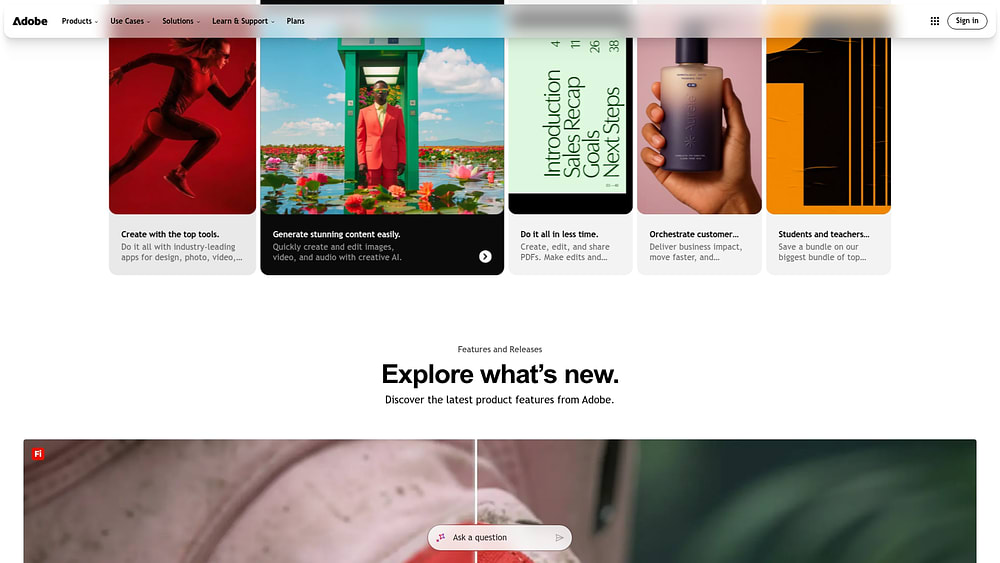
3. Adobe Firefly
For teams already working inside Premiere Pro, Adobe Firefly adds AI video features directly into an established creative environment. Rather than asking editors to adopt an entirely new platform, it layers generative assistance onto workflows they already know.
Use case:
Best suited to creative teams already invested in Adobe Creative Cloud that want AI-assisted editing features woven into their existing Premiere Pro workflows.
Key features:
- Generative Extend on the timeline: Firefly’s Video Model adds realistic frames to extend clips directly within Premiere Pro, including 4K support, allowing editors to fix timing gaps without leaving the timeline.
- On-device Media Intelligence: AI-powered visual and audio search analyzes footage locally, meaning your media is never sent to the cloud to train models, giving teams a privacy-respecting way to locate the right shot quickly.
- Brand-safe content generation: Firefly is trained on licensed content, including Adobe Stock, reducing the intellectual property risk that can come with other generative AI platforms.
Pricing:
- Premiere Pro (individual): $22.99/month, billed annually
- Creative Cloud Pro (all apps): $69.99/month, billed annually
- Premiere Pro for teams: $37.99/seat/month, billed annually
- Creative Cloud Pro for teams: $99.99/seat/month, billed annually
- Firefly Free: limited generative credits included
- Firefly Standard: $9.99/month, 2,000 credits
- Firefly Pro: $19.99/month, 4,000 credits, plus Photoshop on web and mobile
- Firefly Premium: $199.99/month, 50,000 credits with unlimited access to the Firefly Video Model in Firefly apps
- Enterprise: quote-based pricing with governance controls, admin permissions, and optional IP indemnity
- Generative AI features consume monthly credits; heavy video use at higher resolutions and frame rates will draw down credits faster
Considerations:
- Teams outside the Adobe ecosystem may find the total cost high, since the full benefit of Firefly’s video features depends on an existing Creative Cloud investment.
- Some advanced capabilities are still rolling out. Object addition and removal have been previewed for Premiere Pro but are not yet widely available, while Object Masking remains in beta. Teams with near-term production demands should confirm current availability before committing.
4. OpusClip
OpusClip specializes in turning long-form recordings into a stream of short, social-ready clips. What would normally require hours of manual trimming and reframing can happen in minutes. The platform is built for social teams and content marketers, and its multimodal AI looks beyond transcripts by analyzing visuals, audio, and sentiment as well. A built-in Virality Score helps teams decide which clips are most worth publishing first.

Use case:
Ideal for social media teams and content marketers that need to pull multiple short clips from webinars, podcasts, interviews, or other long-form recordings and publish across platforms without a dedicated editing workflow.
Key features:
- Multimodal AI clip extraction: OpusClip’s ClipAnything model analyzes each frame using visual, audio, and sentiment cues — not just speech — to identify the most engaging moments across a wide range of video types, including content beyond talking-head formats.
- Virality scoring: On paid plans, every extracted clip receives a score from 0–99 predicting social engagement potential, helping teams rank what to publish first.
- Auto-captioning and multi-platform formatting: Animated captions are generated automatically with customizable styles, and clips are resized for TikTok, Instagram Reels, YouTube Shorts, and LinkedIn, with AI-adjusted framing that keeps speakers centered.
Pricing:
- Free: 60 credits/month, watermarked exports, clips non-exportable after 3 days
- Starter: $19/month — 200 credits/month, AI clipping with Virality Score, animated captions, 1 brand template
- Pro: $29/month (billed monthly). An annual plan is also available for $174/year, which includes 3,600 credits, a team workspace with 2 seats, AI B-roll, a scheduler, and NLE export.
- Business: Custom pricing — API access, priority support, and enterprise security
Considerations:
- Output quality rises and falls with the source material; low-resolution footage weakens results, and highly visual or B-roll-heavy content is usually less effective than dialogue-driven formats.
- High-volume teams will need to watch monthly credit usage carefully, and posting to X (Twitter) consumes 1 additional credit per post.
5. Wondershare Filmora
Wondershare Filmora packages a wide AI editing toolkit into desktop software that stays approachable for non-experts. It sits in the middle ground between consumer simplicity and production-ready output, making it attractive to beginners, solo creators, and small businesses.

Use case:
A practical option for small to mid-sized content teams that want desktop editing software with a broad AI feature set, but without the learning curve typical of professional tools.
Key features:
- AI Mate editing assistant: A conversational, context-aware assistant embedded directly in the timeline lets team members use natural-language prompts to execute edits, navigate features, or generate content — cutting down menu hunting and speeding up early-stage production.
- AI audio suite: Automatic audio ducking, noise removal, voice enhancement, a music generator, and a vocal remover cover the full audio workflow without manual engineering, helping teams deliver polished sound from footage recorded in almost any environment.
- AI Smart Cutout and motion tracking: Subject isolation, background removal, and automatic reframing across aspect ratios give content teams polished compositions from basic footage, with no green screen required.
Pricing:
- Free trial: full feature access with watermarked exports
- Annual plan: $49.99/year
- Perpetual license: $79.99 one-time payment
- Filmora Pro: $149.99/year for advanced features
- Monthly plan: $19.99/month
- Team and Business: volume-based pricing, available via sales quote for larger deployments
Considerations:
- Because Filmora is centered on desktop editing, it is less suited to remote teams that need simultaneous, real-time collaboration.
- Generative features can consume bundled AI Credits quickly, so high-output teams may end up purchasing extra credit packs on top of the base plan.
Learn more: Remote video production
6. Descript
Descript reframes video editing as document editing. Instead of starting with a traditional timeline, teams work from the transcript, which makes the platform especially approachable for podcast producers, course creators, and marketers. Its AI co-editor, Underlord, extends that model further by handling multi-step edits, scene design, and clip creation from a single prompt.

Use case:
Well suited to teams and creators who want to edit video through text rather than a conventional timeline, while letting AI take care of audio cleanup, voice fixes, and content repurposing.
Key features:
- Text-based editing: Delete words from the transcript and they disappear from the video, making editing accessible to anyone comfortable revising a document — no timeline expertise required.
- Underlord AI co-editor: An agentic assistant that can carry out multi-step edits from one prompt, including clip creation, B-roll insertion, scene design, and script drafting.
- Studio Sound and filler word removal: AI audio enhancement improves recordings made outside a studio, while automatic filler word detection removes “ums” and “ahs” with a single click.
Pricing:
- Free: $0/month — 1 media hour/month, 100 AI credits/month, 720p export
- Hobbyist: $16/month (billed annually) — 10 media hours/month, 400 AI credits, 1080p exports, custom voice clones
- Creator: $24/month (billed annually) — 30 media hours, 800 AI credits, 4K exports, full Underlord access, 20+ AI features
- Business: $50/month (billed annually) — 40 media hours, 1,500 AI credits, team Brand Studio, translate and dub with lip-sync, custom avatars
- Enterprise: Custom pricing — SSO/SCIM, advanced brand controls, custom AI credits and media minutes
Considerations:
- Underlord remains in beta and can occasionally make the wrong assumption, so outputs should still be reviewed before publishing.
- Video Regenerate is currently English-only, limited to single speakers, and capped at 250 characters per selection, which may constrain teams handling multilingual content or longer corrections.
7. VEED
VEED brings the editing suite into the browser, which is a major advantage for teams that want to move quickly without installing software. Marketing and social teams can go from raw footage to published content in one web-based environment. The mix of AI editing automation and generative video tools makes it especially useful for high-volume short-form production, and its text-command editing is accessible to non-specialists.

Use case:
A good match for social media managers and marketing teams that need to create and publish video quickly, entirely in the browser, without relying on desktop tools or on-camera talent.
Key features:
- AI Agent and text-command editing: Users can type instructions like “resize for Instagram” or “remove filler words,” and the platform applies those edits automatically, reducing manual timeline work for non-editors.
- Auto-subtitles with translation: Captions are generated and translated into multiple languages automatically, widening reach without adding a separate translation workflow.
- AI avatars and one-click background removal: Virtual presenters and instant background removal make polished video production possible from almost any recording setup, with no green screen or on-camera talent required.
Pricing:
- Free: Available with watermarked exports and limited features.
- Lite & Pro: Paid tiers that remove watermarks and add features like higher-resolution exports and brand kits.
- Enterprise: Custom plans for larger organizations requiring advanced collaboration and security.
Considerations:
- Because it runs in the browser, performance depends heavily on connection quality, and some teams report lag or freezing on longer or more complex projects.
- Costs can climb as more collaborators are added, since per-seat billing applies to each editor.
8. Canva
For many marketing teams, Canva is already where presentations, social assets, and brand materials get built. Its AI video features extend that same environment into video creation, which reduces the need to bounce between multiple tools.

Use case:
Best for marketing teams and non-video specialists who need to create branded video quickly, without juggling multiple platforms or navigating a complicated production setup.
Key features:
- Text-to-video generation with Google Veo 3: Generate short cinematic video clips with synchronized audio, including dialogue and sound effects, directly from a text prompt. Clips open straight into Canva’s video editor for refinement with brand assets and templates.
- Brand kit integration with AI editing assists: Pre-loaded brand colors, fonts, and logos apply automatically to video content, while one-click features like Beat Sync, Auto Captions, Background Remover, and Enhance Voice take care of labor-intensive edits.
- AI dubbing and translation: Video can be localized into 30+ languages using integrated AI dubbing apps, making cross-region production more practical.
Pricing:
- Free: core design and video features with limits on premium content and AI usage
- Pro: $15/month (individual plan with 25+ AI features, Brand Kit, and 1 TB storage
- Business: $20/person/month (team collaboration, Grow Insights, and higher AI allowances)
- Enterprise: custom pricing (advanced brand governance, SSO/SCIM, admin controls, and AI indemnity via Canva Shield)
- Annual billing discounts available; free plans for eligible education and nonprofit organizations
Considerations:
- AI-generated clips are currently capped at 8 seconds per prompt, so longer videos may require repeated prompting or manual assembly.
- Some AI audio and video tools in the app marketplace require separate accounts or credit pools, which can create fragmented allowances and extra cost.
9. Google Vids
Google Vids brings AI-assisted video creation into Google Workspace, which makes it especially attractive for organizations already operating there. Instead of introducing a separate production system, it lets teams create internal communications, training videos, and presentation content alongside Docs, Drive, and Slides. Existing assets can be turned into video more easily, and governance stays within familiar Workspace controls.

Use case:
Designed for organizations on Google Workspace Business Standard or higher that need to produce internal communications, training videos, or presentation content without dedicated video expertise.
Key features:
- Workspace-native creation: Existing Slides decks can be turned into video directly, with optional AI-generated scripts and voiceovers, so teams spend less time rebuilding material from scratch.
- AI-assisted storyboarding: Gemini generates scene-by-scene outlines and scripts from a prompt and a Drive file, helping teams move from concept to a structured video quickly.
- Collaborative editing: Up to 100 people can view, comment, or edit simultaneously, using the same sharing and permissions model as Docs and Slides.
Pricing:
- Business Standard: $14/user/month (annual billing) — includes Google Vids and expanded Gemini features across Workspace apps
- Business Plus: $22/user/month (annual billing) — adds enhanced security and eDiscovery
- Enterprise: contact sales for pricing
- Advanced AI features, including access to Veo 3.1 and AI avatar generation, are available through separate AI Expanded Access or AI Ultra Access add-ons.
Considerations:
- Several AI features, including script generation, voiceover, and templates, are currently English-only, which limits usability for multilingual teams.
- Editing and creation are desktop-only, mobile supports viewing only, and each Vids project is capped at 10 minutes.
10. Runway
Runway is aimed at teams that want AI to do more than speed up routine edits. It can transform existing footage, generate entirely new video, and apply effects that would otherwise demand larger production resources. Creative agencies, studios, and brand teams use it to experiment visually without reshooting scenes or rebuilding them from the ground up. Its Aleph model handles in-context editing directly on uploaded footage.

Use case:
A strong option for creative agencies and production teams that need to transform existing footage, generate video from text, and apply visual effects without traditional compositing workflows.
Key features:
- In-context video editing with Aleph: Edit existing footage by removing or replacing objects, changing lighting, and generating alternate scene angles, shortening post-production cycles without extra shoots.
- Text-to-video generation: Generate video clips from text descriptions using Gen-4.5, enabling concept visualization and pre-viz work before filming begins.
- Integrated production apps: Access a library of one-click apps for common production processes — background removal, scene relighting, time-of-day changes, and 4K upscaling — all within one platform.
Pricing:
- Free: $0/month (125 one-time credits, watermarked output)
- Standard: $12/user/month, billed annually (625 credits/month, watermark removed, access to Aleph and Gen-4.5)
- Pro: $28/user/month, billed annually (2,250 credits/month)
- Unlimited: $76/user/month, billed annually (2,250 credits/month plus Explore Mode for unlimited relaxed-rate generations)
- Enterprise: custom pricing with SSO, advanced security, and priority support
Considerations:
- Aleph supports a maximum of 5 seconds per generation run, which means longer edits require multiple passes and careful credit planning.
- Credits do not roll over between billing cycles, and high-fidelity processes such as 4K upscaling and third-party model access consume credits at much higher rates, so teams need to budget accordingly.
11. CapCut
CapCut packages scripting, editing, captioning, and publishing into one accessible workflow. That simplicity has made it especially popular with social media teams and individual creators producing short-form content at scale. Available across web, desktop, and mobile, it combines hands-on editing with AI automation and generative tools. With 490 million users worldwide as of 2023, it is one of the most widely adopted video editing platforms in the market.

Use case:
Well suited to social media teams and individual creators who need to produce, caption, and publish high volumes of short-form content for TikTok, Instagram, and YouTube Shorts without switching platforms.
Key features:
- Auto-captions with effects: Stylized, animated captions generate automatically from speech, matching the visual language of social platforms and cutting post-production time on every clip.
- AI-powered background removal and motion tracking: AI segmentation removes or replaces backgrounds without manual masking, while motion tracking applies effects that stay attached to subjects throughout the video.
- Long video to shorts: AI analyzes long-form content, detects highlights, and generates short clips with auto-captions already applied — ready for Reels, Shorts, or TikTok.
Pricing:
- Free plan: Core editing features across all platforms with no watermarks on standard exports
- CapCut Pro: $7.99/month for watermark-free exports on Pro assets, 4K/60fps export, premium templates, and 100 GB cloud storage
- Teams plan: Custom pricing for shared storage (1,000 GB), brand kits, and team management features
Considerations:
- CapCut is owned by ByteDance, TikTok’s parent company, which may raise data handling concerns for enterprise organizations with strict compliance requirements.
- Certain AI features, including 4K export and auto reframe, require Pro, and cloud-dependent tools like auto-captioning can be affected by network stability.
12. Vizard AI
Vizard AI focuses on one job: converting long-form recordings into a steady output of short-form clips for vertical platforms. The platform identifies shareable moments automatically, then reformats them for channels like Reels, Shorts, and TikTok. It serves content marketers, podcasters, and producers who want both speed and some prompt-based control over what gets surfaced.

Use case:
Useful for content marketers and video producers that need to generate multiple short-form assets from long-form recordings without spending hours on manual editing.
Key features:
- AI-powered clip detection and prompt mode: Vizard’s Spark 1.0 model identifies highlight moments automatically based on speech patterns and engagement signals, and it also accepts natural language prompts so teams can search for specific moments — like a key quote or product demo — within a video.
- Speaker detection and auto-reframing: The platform tracks speakers in real time and adjusts framing for vertical formats, keeping faces centered across Reels, Shorts, and TikToks without manual keyframing.
- Integrated social scheduling and publishing: Clips can be published directly to social platforms from within the interface, with auto-generated titles, descriptions, and hashtags included — reducing the steps between edit and distribution.
Pricing:
- Free: 60 credits/month with watermarked 720p exports and 3-day storage
- Creator: Starts at $16/month (billed annually) for a yearly credit bundle; no watermark, 4K export, and up to 6 social accounts
- Business: Custom per-seat pricing with shared workspaces, brand kits, and up to 20 social accounts; an additional $5/seat/month applies on annual plans
- Annual plans are marketed at 50% off monthly pricing
- Credits equal minutes of uploaded content and roll over for up to 13 months on annual plans
Considerations:
- Vizard performs best with talking-head or interview-style material; highly visual or B-roll-heavy videos may not repurpose as accurately.
- Teams with heavy output should plan around processing time limits, and available export quality depends on plan tier.
13. Capsule
Capsule approaches video production as a brand system rather than a one-off editing task. It helps enterprise teams turn motion assets into reusable, governed video components that non-specialists can use safely. That makes it particularly relevant for marketing, customer education, and internal communications teams producing high volumes of on-brand content.

Use case:
Designed for enterprise communications and marketing teams that need to create consistent, brand-approved video at scale — from internal announcements and training content to paid media and customer education.
Key features:
- Brand motion systems: Capsule converts existing After Effects, MOGRT, and Figma assets into reusable, governed components via CapsuleScript, allowing any team member to produce on-brand video without constant creative oversight.
- CoProducer AI assistant: Automatic transcription across 57 languages, filler-word removal via Auto Jump Cut, and VoiceMagic audio enhancement reduce post-production time without specialist editing skills.
- AI Productions: Teams can generate AI actors, locations, and directed takes directly from a script, with unlimited retakes — all within the same brand-governed workflow.
Pricing:
- Business Free: coming soon
- Business: pricing not publicly listed; contact Capsule for details
- Enterprise: custom pricing, including motion design services, collaboration features, and dedicated support
Considerations:
- Getting started at the enterprise level requires Capsule’s team to convert brand motion files into CapsuleScript, which brings professional services and change management into the process.
- Because most pricing is not publicly listed, budget planning can be more difficult before a team engages sales.
14. Eddie AI
Eddie AI is less of an all-purpose editor and more of an assistant editor built for post-production. Its focus is on doing the groundwork that often slows professionals down: rough cuts, dialogue analysis, multicam switching, and B-roll organization. It is aimed at teams cutting interviews, documentaries, and multicam podcasts, and it connects deeply with NLEs like Premiere Pro, DaVinci Resolve, and Final Cut Pro. That makes it easier to accelerate early editing without leaving the finishing tools editors already know.

Use case:
Best for video editors and post-production teams that need to move faster from ingest to a polished rough cut on interview-driven, documentary, or podcast content — without leaving their existing NLE workflows behind.
Key features:
- LLM-guided rough cut assembly: AI analyzes interview and dialogue content, proposes a story framework, and assembles soundbites into a coherent first cut that editors can refine instead of building from zero.
- Speaker-aware multicam switching: Automatically syncs and switches between up to six camera angles based on who is speaking, then exports a relinked multicam timeline back to the NLE for finishing.
- AI-driven B-roll logging and placement: Computer vision and speech recognition tag, subclip, and organize B-roll into searchable bins, then place relevant footage onto the A-roll assembly automatically.
Pricing:
- Free/Flex: $0/month with pay-as-you-go exports at $15 per credit
- Pro: $167/month billed annually, including 120 exports/year and multicam support
- Pro+: $333/month billed annually, including 300 exports/year and premium AI models
- Ultra: $1,250/month billed annually, including 1,200 exports/year and 5 seats
- Enterprise: custom pricing with SAML/SSO, centralized admin, and on-cloud deployment
Considerations:
- Eddie complements a primary NLE rather than replacing it, so teams still need separate editing software to finish and polish their projects.
- Rough-cut performance is strongest on structured, dialogue-heavy material like interviews and podcasts; unscripted or visually complex footage may produce less predictable results.
15. Pictory
Pictory is built around content repurposing, especially the conversion of written material into finished video. That makes it attractive to content marketers and educators who want to turn blogs, articles, and scripts into branded assets at scale. It also meets a higher governance bar, with SOC 2 and ISO 27001 compliance for enterprise and L&D teams.

Use case:
A solid fit for content marketers and educators who need to convert written content, including blog posts, articles, and scripts, into branded video assets without starting from zero.
Key features:
- Blog-to-video and script-to-video conversion: Articles and written scripts generate videos with AI-selected visuals, turning existing content investments into new video formats without additional production effort.
- Text-based video editing: Upload a video, receive an AI-generated transcript, then edit the footage by modifying the text — removing filler words, cutting sentences, or condensing long recordings into highlight reels.
- Auto-captions and brand customization: Automatically generated captions export as SRT, VTT, or TXT files, while brand colors, logos, fonts, intros, and outros apply consistently across every video produced.
Pricing:
- Starter: $25/month (billed annually) — 200 video minutes, 5 GB storage, 1 brand kit
- Professional: $35/month (billed annually) — 600 video minutes, 20 GB storage, 5 brand kits
- Team: $119/month (billed annually) — 1,800 video minutes, 100 GB storage, 10 brand kits, team workspace
- Enterprise: Custom pricing — includes SSO, dedicated success manager, and Pictory Central interactive hosting with SCORM export
- A 14-day free trial is available for all new accounts
Considerations:
- AI-selected stock footage can sometimes feel generic, and automated visual selection for text-to-video workflows currently supports English only, adding manual work for non-English content teams.
- Exportable video-minute caps and storage limits may feel restrictive for high-volume producers, and there is no mobile editing app — the platform is desktop and browser-based only.
Key features to look for in AI video editing software
Choosing the right AI video editor is less about flashy automation and more about finding a system that helps your team create at full capacity. The following features will be available in the strongest platforms.
Text-based video editing
One of the biggest workflow shifts in AI editing is the ability to edit video by editing text. The platform transcribes your footage, and changes to the transcript — deleting a sentence, moving a paragraph, tightening phrasing — instantly carry through to the video itself.
As a result, more people can participate without needing traditional editing skills. Stakeholders can review directly in the transcript rather than wrestling with timestamps, which speeds feedback cycles considerably. For teams, it’s a more intuitive route from idea to finished video.
Automated captioning and transcription
Captions are no longer optional. They improve accessibility, make video more searchable, and help content perform when viewers watch with the sound off.
The best tools combine strong transcription accuracy with meaningful control over styling and delivery. Look for options that support custom caption formats, translation, and export flexibility. This feature improves both reach and usability in one move.
AI color correction and enhancement
Getting footage from different cameras and lighting conditions to look consistent used to take specialist effort and significant time. AI color correction reduces that burden, allowing more teams to produce polished video without a dedicated color workflow.
The most useful platforms can match looks across scenes, apply brand-specific visual treatments in a click, and process footage in batches. That means a more consistent visual identity across all your content, with far less manual adjustment.
Audio cleanup and voice tools
Viewers will tolerate imperfect visuals before they tolerate poor audio. Noise, echo, and uneven levels can make even strong content feel unprofessional. AI audio tools help solve that problem fast.
With the right platform, teams can reduce background noise, sharpen vocal clarity, and balance volume across speakers and clips automatically. Even videos recorded in less-than-ideal environments can sound polished, which removes a major barrier to creating content people will stick with.
Multi-platform export and formatting
Your team may need to edit versions for YouTube, Instagram, LinkedIn, and more, each with different aspect ratios and publishing standards. Handling every version manually is tedious and slow.
AI formatting tools take that workload off the team by reframing for vertical, square, or horizontal viewing while keeping subjects centered. Paired with channel-specific presets and batch exports, they let you create once and publish widely without multiplying the effort.
Real-time collaboration
Feedback scattered across email threads and mismatched file versions can stall even a simple project. Strong collaboration tools bring review into the editing environment itself, using time-stamped comments, structured approvals, and clear visibility into what happens next.
That collaboration layer matters beyond the edit. Managing the full production pipeline — from brief to distribution — works best when everything connects back to a central system of record. Linking video production to an AI Work Platform like monday.com gives teams visibility into every project, making handoffs cleaner and operations more reliable.
Taken together, these capabilities are what separate a tool that saves a little time from one that meaningfully expands your team’s output. The best choice supports both the creative work and the coordination that surrounds it.
How to choose the right AI video editor for your team
The right AI video editor depends on your team’s content type, production volume, and workflow requirements. These 4 steps will help you evaluate platforms and find the best fit.
Step 1: Match the platform to your primary production need
Start with the job your team most often needs to do. Are you repurposing webinars into short clips for social, or building explainer videos from written scripts? Different platforms are optimized for different workflows, and choosing one that aligns with your core use case eliminates friction early.
If you choose a text-to-video tool when what you really need is detailed editing control, frustration is almost guaranteed. Defining the primary production need first narrows your evaluation to platforms that solve the right problem.
Step 2: Evaluate pricing against your production volume
AI video tools use very different cost structures — per-seat plans, credit systems, output-based pricing — and those differences can have a major impact once production scales.
Before committing, model your likely monthly volume. Estimate how many videos your team will create, then compare how that usage would map to a few pricing approaches.
- Per-seat subscription: Offers predictable monthly costs that are great for budget planning, but can get expensive for larger teams.
- Credit-based: Can be cost-effective for low-volume needs, but credits can disappear quickly when production ramps up.
- Per-export or per-minute: Ties your costs directly to output, making it manageable for sporadic projects, but pricey for high-volume teams.
- Tiered feature access: May place the features you actually need behind a more expensive plan, so it’s worth checking what’s included in the entry-level tier.
A plan that looks straightforward at first can become costly once revisions, exports, and collaboration enter the picture. Aligning the pricing model with production volume gives you a much clearer budget forecast.
Step 3: Check integration with your existing workflow
An AI platform should reduce manual effort, not create more of it. If it doesn’t connect well with your storage, project management software, and approval systems, your team will spend too much time moving files and chasing updates.
Use questions like these to judge fit within your current stack:
- Asset storage: Can it connect to Google Drive, Dropbox, or your team’s digital asset manager to avoid manual uploads and downloads?
- Project management: How will you track video projects alongside everything else? A connected process helps you meet deadlines and provides complete visibility into project progress.
- Distribution: Does it publish directly to your target channels, or will you have to export and re-upload every time?
- Approval workflows: How do stakeholders manage the approval workflow? A clunky process can stall a project for days.
This is where an AI Work Platform becomes your command center. It connects all your creative platforms so that briefs, feedback, approvals, and deadlines stay visible and connected in one place.
Step 4: Assess learning curve and team adoption
Even the most capable platform won’t help if people avoid using it. The real value comes from software that feels intuitive enough to adopt quickly, not from features that only power users can unlock after weeks of training. Look for evidence that the platform is designed for broad usability, not just advanced editors.
- Intuitive interface: Can someone without a video editing background jump in and feel comfortable?
- Gradual learning: Does it allow your team to start with basic features and explore more advanced capabilities over time?
- Helpful support: Is there responsive support and good documentation to help team members when they get stuck?
Before rolling anything out widely, run a small pilot to gain real feedback on usability and spot any adoption issues early. You’ll also confirm whether the tool fits the team’s day-to-day reality. The right platform is one people are happy to use repeatedly.
Scaling AI video production with monday agents
AI video editing tools speed up production, but the real slowdown often happens between tasks. Handoffs, approvals, follow-ups, and status updates eat up time and slow your pipeline. To scale video production, teams need smarter workflows, not just faster editing.
That’s where monday agents help. They automate repetitive work so your team can focus on creative decisions, like planning, messaging, and storytelling. Here’s how agents give your team more time to focus on what matters:
- Automate status updates: Receive daily or weekly progress reports automatically, so you can spot bottlenecks without chasing down updates.
- Capture every action item: Turn production meetings into assigned next steps. Agents can schedule meetings, pull project data, and distribute action items so nothing gets missed.
- Proactively flag risks: See potential delays before they happen. Agents alert you to at-risk deadlines, workload imbalances, or recurring workflow issues.
- Build agents for any task: Create custom agents that match your team’s unique process—from specialized approval routing to automated asset organization.
- Trust enterprise-grade governance: monday agents operate within monday.com’s security framework, backed by HIPAA, SOC 2 Type II, and ISO certifications, giving teams control over access, complete auditability, and a platform trusted by nearly 250,000 organizations worldwide.
As production volume grows, coordination becomes the deciding factor. monday agents helps teams with reviews, approvals, updates, and risk tracking, all in one central platform, so creative work stays connected to campaign timelines, regional launches, and stakeholder priorities.
If you’re evaluating your next setup, begin with one production flow that includes several handoffs, such as webinar repurposing or launch video approvals. Map the points where work slows down, then test how automation, shared visibility, and monday agents can turn that flow into a repeatable system your team can rely on.
Try monday agentsFAQs about AI video editing tools
What processes can AI reliably handle in video editing?
AI performs well on repetitive tasks like generating transcriptions, removing background noise, and reframing clips for different social media formats. Creative decisions around pacing, emotional tone, and brand expression are still best led by your team.
Are there free AI video editing platforms?
Yes, many platforms offer free plans, though those usually include watermarks or export restrictions. Teams producing video at scale generally move to paid tiers to get the quality and features required for professional output.
How do AI video editors connect with my work platform?
Some platforms include direct integrations, while others depend on third-party connectors or custom setup. AI agents, like those on monday.com, can connect editing tools to your core workflows, automating handoffs and centralizing approvals without heavy configuration.
What are the main limitations of AI video editing?
AI can miss the nuance required for strong storytelling and often doesn’t match the polish of a skilled professional edit. The best use of AI is speeding up repetitive work so your team can invest more attention in the creative vision.
 Get started