


Every department has work that follows the same steps each time it comes up, like qualifying a new lead in sales or reconciling an invoice in finance. AI agents can do this kind of work from start to finish without anyone kicking off each step. And better still, they can also step in when things don’t according to plan and take action. Teams across the business can hand off their routine tasks and keep their time for decisions that need a person.
This guide covers AI agent use cases for sales, marketing, support, IT, HR, finance and product teams. Each example explains what the agent does and where a human stays in control. For many of these use cases, monday agents offers a ready-made agent that runs inside the monday AI Workspace, alongside the boards and workflows your team already uses. Jump to your department to find a first agent to try.
Try monday agentsKey takeaways
- Start with one high-volume, low-risk process: Lead scoring and ticket triage make good first agents because they run often and a person can check the output quickly. Add more agents once the first one shows results.
- AI agents act across your systems: An agent updates records and routes requests on its own, so nobody has to manage each step.
- Agents are more useful when they can see data from more than one team: If an agent can see support tickets and renewal dates together, it can flag an at-risk account that a sales-only agent would miss.
- Build governance in before launch: Set permissions and require human sign-off for high-stakes actions before the agent goes live.
- monday agents gives teams a ready-made starting point: The monday AI Workspace includes pre-built agents for most departments, plus a no-code builder for creating your own.
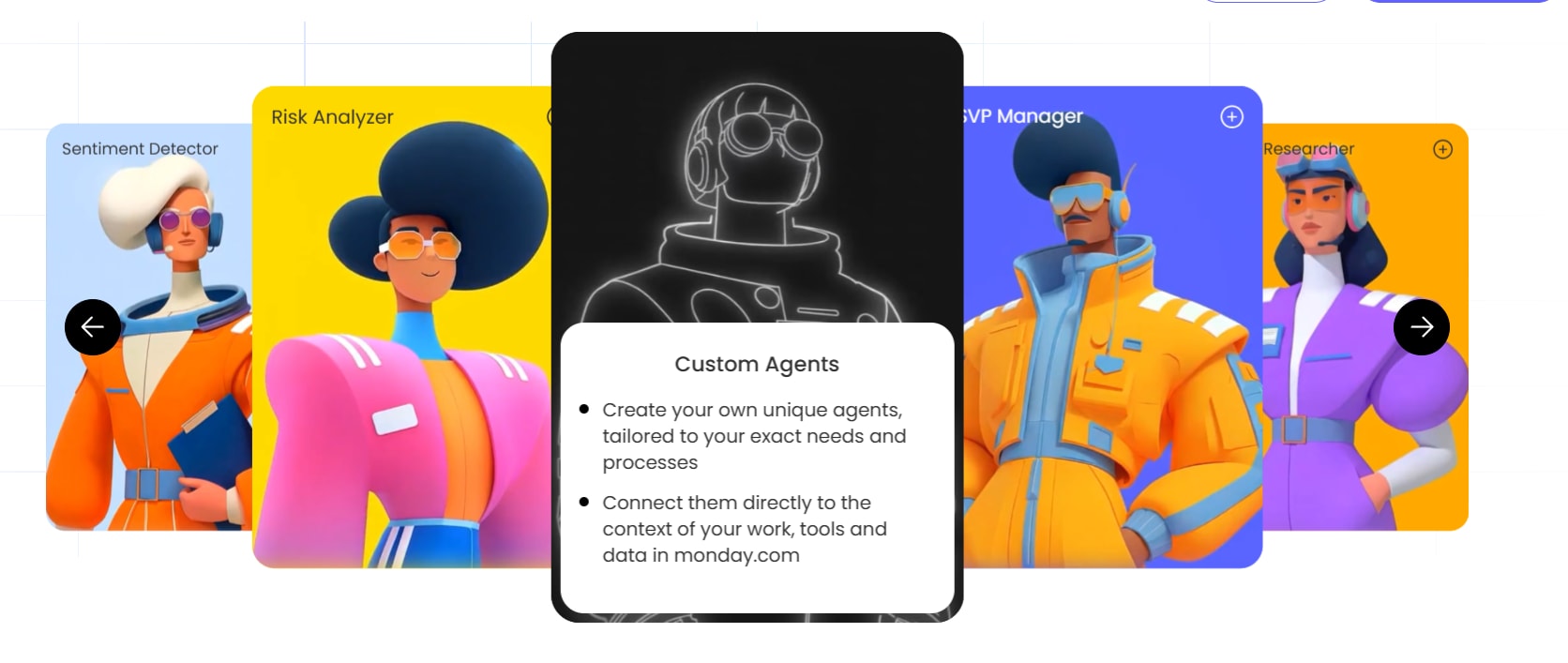
What are AI agents and how do they work?
An AI agent is software that works toward a goal on its own, deciding what to do next and taking action across your tools. You give it a trigger or a schedule, and it works through a multi-step process using your business data and outside sources. For example, when a new lead arrives, an agent can score it using web research and route it to the right rep with a drafted follow-up.
Adoption is moving quickly. In Gartner’s 2026 CIO and Technology Executive Survey, only 17% of organizations had deployed AI agents. But more than 60% expected to do so within two years, the most aggressive adoption curve of any emerging technology in the survey.
What makes an AI agent different from a chatbot?
Chatbots and agents suit different kinds of work, so it helps to know which one a process needs before you automate it. The main differences come down to four areas:
- Scope of action: A chatbot’s work stays inside the conversation window. An AI agent can update CRM records and send emails across connected systems, so nobody has to copy data between platforms.
- Decision-making: Chatbots return the scripted or retrieved answer closest to your question. An agent weighs the context before choosing its next step, and it can handle exceptions when the standard path doesn’t fit.
- Autonomy: A chatbot does nothing until someone types a prompt, while an agent can run on a schedule or start itself when data changes, such as when a deal goes quiet.
- Memory and context: Each chatbot conversation usually starts from scratch. An agent draws on your workflows and historical data, so its decisions reflect what has already happened in your workspace.
Key components of an AI agent
Every AI agent relies on five components. You can use them as a checklist to judge whether a platform can support the workflows you want to automate.
- Knowledge: The documents and data the agent uses to make decisions, such as internal docs and board data.
- Reasoning: The agent’s ability to read a situation and choose the right next step, even when the task is ambiguous. Reasoning is what separates an agent from a fixed-rule automation.
- Actions: The operations the agent carries out to move work forward, like creating records or drafting emails.
- Integrations: Connections to external tools like Slack and your CRM, which let the agent work across your tech stack instead of in a silo.
- Guardrails: The permissions and approval checkpoints that keep the agent within the limits you set, with a person signing off on anything high-stakes.

How to pick the right AI agent use case for your team
The best first agent takes on a process your team runs often, where a mistake would be easy to catch. Before you commit, ask two questions about the process you have in mind:
- Does it follow the same steps every time? Scoring leads against consistent criteria is a good fit. A one-off strategic decision is not.
- What happens if the agent gets it wrong? An error in a draft status report is easy to fix before anyone sees it. Approving a $500K contract is a different story, so keep high-stakes decisions with a person.
Once you have a shortlist, give extra weight to processes where the agent can draw on data from more than one team. For example, a sales agent that can see an account’s open support tickets can warn the rep about a critical bug before the call. The department sections below show what each agent does in practice.
AI agent use cases for sales
Every deal comes with prospect research and CRM updates that pull reps away from selling. AI sales agents take on this repeatable work so reps can spend more of their week with buyers.
Lead scoring and qualification
A lead scoring agent picks up each new lead as it lands on your CRM board and looks up company details like size and funding. It scores the lead out of 100 against your criteria and writes a short rationale back to the record. Reps then work from a ranked list instead of researching every lead themselves.
Governance note: The agent routes high-scoring leads to a rep but never contacts a lead itself. A person decides when and how to reach out.
Pipeline monitoring and deal prep
A pipeline agent checks your deals board every day for deals that have stalled in a stage or passed their expected close date. It ranks them by risk and deal value, then drafts a follow-up for each one with a suggested next step, such as looping in a stakeholder. Reps start each morning with a prioritized list before deals go cold.
Governance note: Nothing goes to a customer until the rep reviews and approves the draft.
Outreach sequencing and follow-up
An outreach agent researches each lead’s role and recent company news before writing a short, personalized first email. It follows up in the same thread on a set schedule and stops as soon as the lead replies, so reps no longer have to track who’s due for the next touch.
Governance note: The agent works within a daily sending limit, and reps can edit any draft before it goes out.
Contact deduplication and CRM hygiene
A CRM hygiene agent compares contact records by name and email domain to find likely duplicates. For each set, it recommends which record to keep based on which one has the most complete data. It also lists records missing required fields like an owner or email address, which gives your team pipeline reports it can trust.
Governance note: The agent proposes merges and deletions but doesn’t make them. Each change waits for human confirmation and is logged.

AI agent use cases for marketing
Marketing teams run campaigns across several channels while keeping tabs on what competitors are doing. AI marketing agents handle much of the research and drafting behind this work, so your team has more time for strategy and creative.
Competitor research and market analysis
A competitor research agent searches the web each week for recent activity from the competitors on your list, like product launches or pricing changes. It keeps only findings with a dated, verifiable source. It then compiles them into a competitive intelligence brief with themes across competitors and a few concrete recommendations.
Governance note: The agent sends the brief to a doc or Slack channel for your team and never shares findings outside the workspace.
Content creation and campaign operations
A content agent reads your campaign brief for the audience and key messages, then writes drafts ready for each channel, like blog posts or emails. It also suggests alternate headlines and angles, and it can pair ad copy with matching visuals for testing. Your team starts from a working draft instead of a blank page.
Governance note: Every draft waits for team approval before it’s published or sent.
SEO monitoring and performance tracking
An SEO monitoring agent checks your pages for technical issues like broken canonical tags or missing structured data, and it tests Core Web Vitals. It records each issue on a board with evidence and a specific fix, skipping anything already logged, then alerts the team in Slack. The result is a running SEO audit with fixes ready to assign.
Governance note: The agent recommends fixes but never changes the website. A person implements every change.
Event planning and RSVP management
An event planning agent researches venues and vendors that fit your location and budget, then tracks invitations on an event board. It follows up with anyone who hasn’t responded and posts a daily digest of pending decisions and open risks, so your team has one place to manage event logistics.
Governance note: The agent escalates straight away if RSVPs fall below target or a vendor cancels. Budget decisions above a set threshold need human approval.
Try monday agents
AI agent use cases for customer support and service
Support teams deal with a steady flow of tickets, and it isn’t always clear which ones need attention first. AI service agents take over triage and monitoring so your team can focus on solving customer problems.
Ticket triage and intelligent routing
A ticket triage agent reads each new ticket and classifies it by urgency and the expertise needed to resolve it. It routes the ticket to the right person with an SLA timer attached. For common questions, it drafts a reply from your knowledge base, so routine requests can be handled before anyone opens the queue.
Governance note: Ambiguous or high-severity tickets go straight to a person. Your team reviews the agent’s first drafted replies before letting it send common responses on its own.
Sentiment detection and escalation
A sentiment agent watches incoming tickets and feedback for signs of customer frustration. When it spots negative sentiment, it checks the account’s value and renewal date, then alerts the account owner with a summary and the ticket ID. Your team can step in on high-value accounts before a bad experience puts the renewal at risk.
Governance note: The agent alerts the owner but never replies to the customer. The owner decides how to respond.
Account health monitoring
An account health agent reads your account boards each week and checks renewal dates and health scores alongside login activity. It flags any account with a renewal in the next 90 days or engagement that’s trending down, and it links each flag to the board item behind it. Customer success managers get a weekly risk brief built on evidence, with any account missing data called out instead of guessed at.
Governance note: The brief goes to the customer success manager, and the agent never contacts customers.
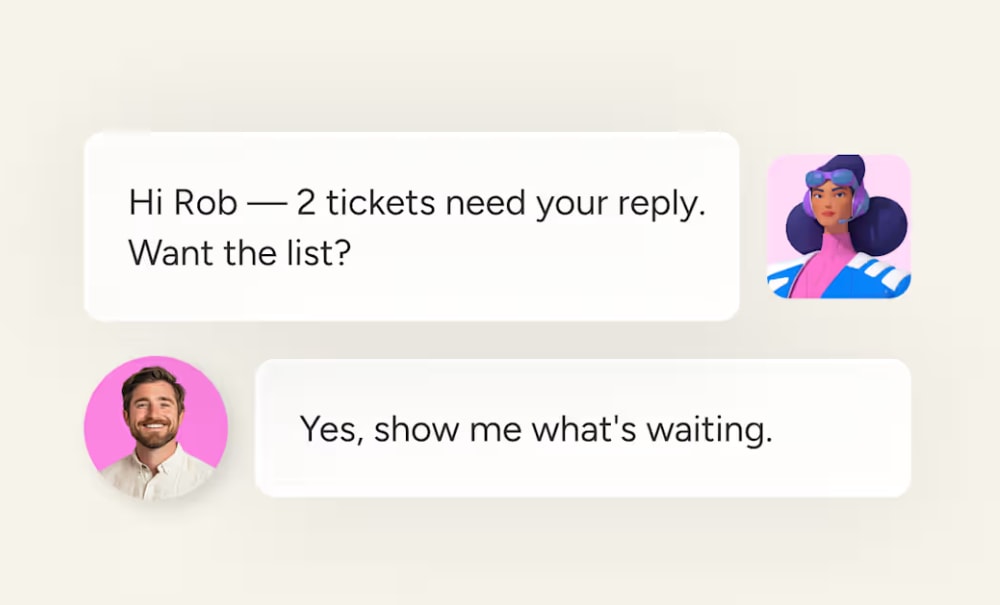
AI agent use cases for IT and operations
IT and operations teams field a steady stream of rule-based requests, such as helpdesk questions and procurement approvals. AI IT agents and AI operations agents handle the routine requests and pass the exceptions to a person.
Internal helpdesk and knowledge base management
A helpdesk agent picks up employee questions from designated Slack channels and email, then logs each one to a shared board with a drafted reply from your internal knowledge base. A companion agent tracks which questions keep coming up and flags articles that are missing or out of date, so the knowledge base improves as tickets get resolved.
Governance note: The helpdesk team reviews every drafted reply before it’s sent, and article updates need approval before they go live.
Procurement approvals and vendor research
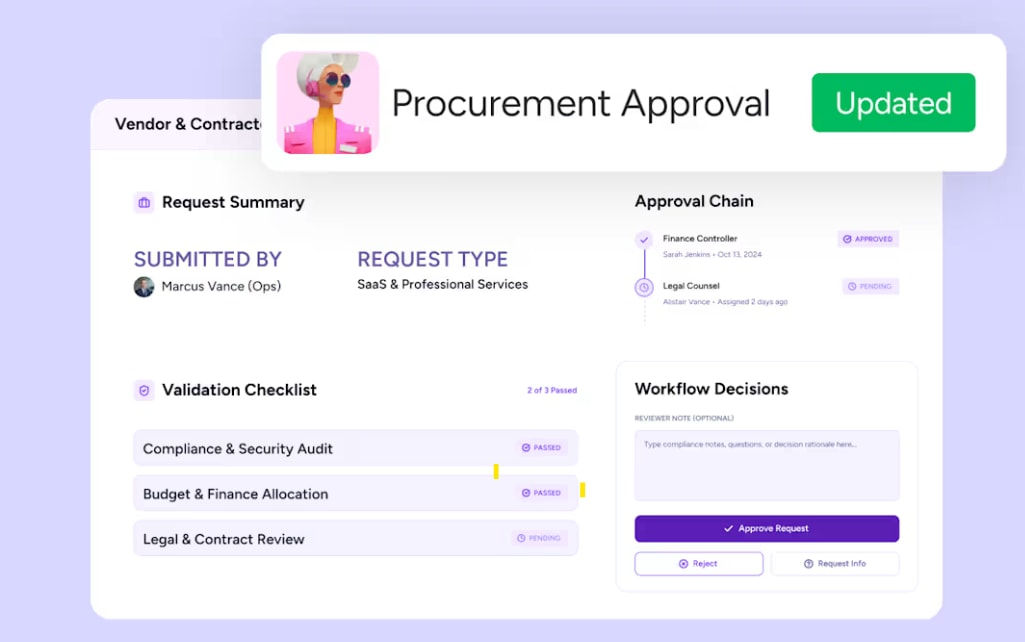
A procurement agent checks each vendor or contractor request against your procurement records, including purchase order format and required fields. It approves and logs requests that meet policy automatically. For any request that doesn’t, it collects every issue into a single comment for the requester. A vendor research agent can also compare suppliers on pricing and contract terms, then build a summary for your team.
Governance note: Elevated access requests go through security review, and the research agent never selects or commits to a vendor.
Process automation and workflow optimization
A process automation agent studies how items move on a board, looking for status changes and assignments that follow the same sequence every time. For each sequence, it proposes an automation with a trigger and an action, plus an estimate of the manual effort it would remove. Your team gets a prioritized list of automations to review.
Governance note: The agent can help configure automations, but none go live without explicit human approval.
AI agent use cases for HR and recruiting
HR teams handle detailed, people-sensitive work, such as screening applicants and running engagement surveys. AI HR agents take on the repeatable steps so your team can spend more time with candidates and employees.
Candidate screening and matching
A candidate matching agent reads each new CV as it lands on your intake board and pulls out the candidate’s skills and experience. It narrows open roles to the ones the candidate can take based on location, and it only counts a remote role when the posting names the candidate’s country. It then scores the top three matches against a consistent rubric and writes its reasoning to the candidate record for the recruiter to review.
Governance note: The agent never contacts candidates or makes hiring decisions. All outreach stays with the recruiting team.
Employee onboarding
An onboarding agent watches your onboarding board for new hires and pulls their role and start date. It sends the assigned colleague a personalized Slack introduction and posts on the board inviting them to share how they’ll work together, so every new hire gets a warm welcome on day one. It can also guide new hires through onboarding steps and answer common questions along the way.
Governance note: The agent marks missing details as pending instead of filling them in, and it doesn’t decide onboarding assignments.
Pulse surveys and engagement tracking
A pulse survey agent sends an anonymous survey to a defined group of employees, after first checking that the group is large enough to protect anonymity. It tracks how many people have responded without revealing who. Once responses are in, it calculates scores across engagement factors and builds charts that highlight top strengths and concerns, so nobody has to compile or anonymize responses by hand.
Governance note: Individual responses are never exposed, and the agent flags when identifying data is due for deletion under your retention policy..

AI agent use cases for finance and legal
Finance and legal teams depend on accurate records and deadlines that hold. AI finance agents take on the checking and tracking work behind both, so small errors get caught before they become costly.
Invoice reconciliation and payment matching
An invoice reconciliation agent pulls every invoice created the previous day and matches it against the latest accounting reconciliation report by invoice reference. It flags anything missing or outside your tolerance threshold, then totals the value of unresolved invoices so the team knows how much revenue is exposed. The report lands in Slack before the workday starts, grouped by failure reason and sorted by amount.
Governance note: When the evidence is inconclusive, the agent marks the invoice for manual review instead of guessing.
Budget tracking and overrun alerts
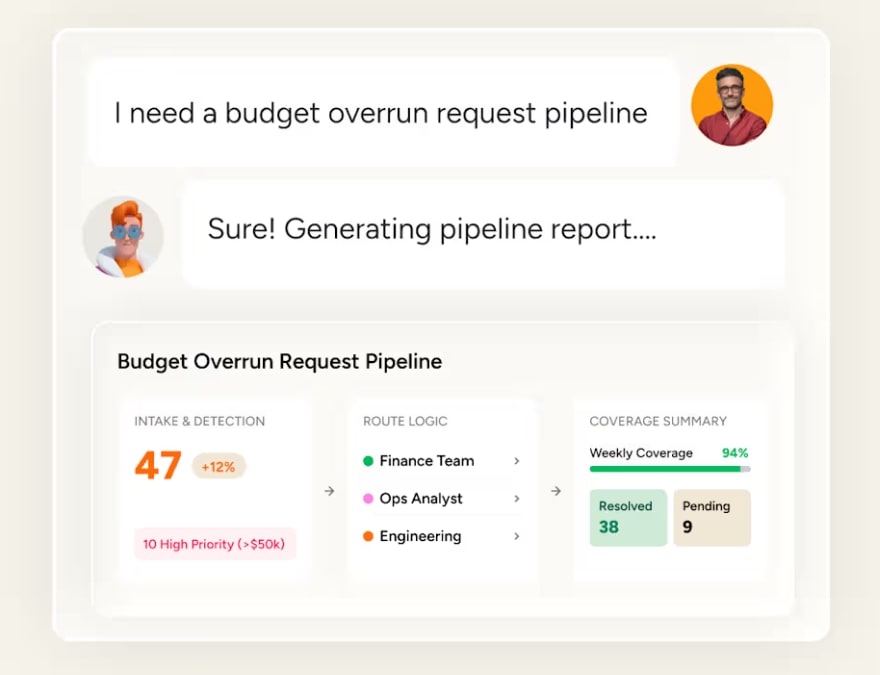
A budget tracking agent totals open overrun requests by department and quarter. It splits multi-quarter requests evenly so each quarter carries its share. Each request goes to the right analyst, and a weekly Slack summary shows how much of the overrun is still uncovered, with a nudge for anyone whose submission is missing. Finance leaders see the full picture without compiling it by hand.
Governance note: The agent calculates and routes requests, but only the designated finance owner can approve budget changes.
Contract review and renewal management
A contract review agent compares a signed vendor contract with its renewal proposal, pulling pricing and legal terms from both. It produces a one-page negotiation brief showing what changed and what to ask for. A companion agent watches renewal dates on your accounts board, creates renewal items with owners and escalates any renewal that’s approaching with no progress.
Governance note: The brief waits for explicit approval before it’s shared, and the agent flags anything it can’t extract. Neither agent approves or executes contract changes.
AI agent use cases for product and engineering
Product and engineering teams take in a constant flow of feedback and feature requests, and turning it into clear priorities takes time. AI agents for product management sort and classify this input so your PMs and engineers can get back to building.
Feature request triage and prioritization
A feature request agent reads each incoming request or ticket, along with context like the requester’s goal and current workaround. It searches your product documentation and roadmap board to check whether an existing capability already solves it. It then labels the item “solvable” or “not solvable” and adds an explanation. Your product team can spend its review time on requests that point to something new.
Governance note: The agent only marks a request as solvable when documentation explicitly supports it, and it never searches the open web or invents a feature.
Sprint planning and backlog management
A sprint planning agent reads the goals and constraints in your project brief, then breaks the work into items with owners and due dates. It flags missing owners and overlapping commitments while there’s still time to adjust. Your team gets a structured sprint plan and starts the sprint already knowing the risks, instead of finding them halfway through.
Governance note: The agent posts a plan summary for review and doesn’t create any items until a person approves it.
Bug prioritization and release notes
A bug prioritization agent assigns severity to each bug report based on its impact and how many users it affects, then sets a resolution deadline that fits team capacity. It also drafts user-facing release notes that explain each fix in plain language, telling customers what changed and why it helps them.
Governance note: Release notes stay in draft until someone approves them for publishing.
Try monday agents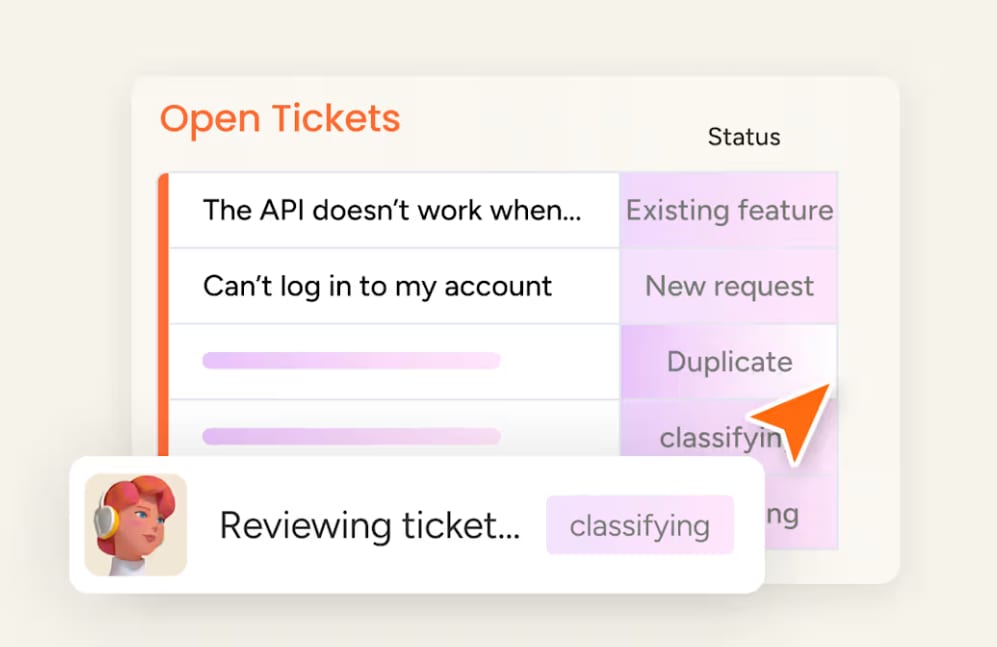
How to set up your first AI agent
Many teams are deploying agents faster than they’re putting controls around them. In Deloitte’s 2026 State of AI in the Enterprise report, only 21% of companies said they had a mature governance model for autonomous agents. The steps below build guardrails into setup, so your first agent is safe to run from the day it goes live.
Step 1: Choose a ready-made agent or build your own
A ready-made agent gets you running faster, since the instructions and setup for a common use case are already in place. Building your own with a no-code builder takes longer, but it lets you shape the agent around your team’s process. Either way, start with the use case you shortlisted earlier.
Step 2: Define what success looks like
Set a concrete target before launch so you can tell whether the pilot worked. For example, you might aim to cut weekly status reporting from three hours to 30 minutes, or to score and route every new lead within 10 minutes of arrival.
Step 3: Set permissions and approval checkpoints
Give the agent access only to the boards and integrations it needs, and decide whether it can edit information or only read it. For high-stakes actions, require a person to approve before the agent acts. Check that every action is logged with the trigger and reasoning behind it, so you can trace what happened if something goes wrong. If you’re comparing platforms, look for independent certifications like SOC 2 Type II and ISO 27001, which show that an outside auditor has checked the platform’s data protection.
Step 4: Test the agent before it goes live
Run the agent in simulation mode or on a test board first. You’ll see what it would do without making any real changes, which gives you a chance to review its reasoning and refine its instructions.
Step 5: Expand once the first agent delivers
Add a second agent only after the first one hits its target. Building on agents you’ve already proven works better than launching several at once and hoping they all succeed.
Use AI agent templates on monday AI Workspace
To run the examples above, you need agents that work where your team already works, with shared context across departments and controls built in. With monday agents, your team can run AI inside the same boards, pipelines, and workflows they already use on monday AI Workspace, with full visibility into every action and the reasoning behind it.
Ready-made agents for sales, marketing, ops, and IT
Teams get ready-made AI agents that live inside monday AI Workspace, right next to projects, customer data, and workflows. They operate as a native part of your workspace. Each department section above links to ready-made agents for that team. Sales teams can start with Lead Qualifier, which scores new leads and routes the strongest ones to reps. Finance teams can use Invoice Reconciliation Agent to match payments against accounting records each morning. For support teams, Ticket Management Agent classifies and routes incoming tickets, while Candidate Matching Agent helps HR teams pair new CVs with open roles.
No-code agent builder for custom AI agents
If no ready-made agent fits your process, you can build your own custom AI agent without a developer. Describe the agent’s role and when it should run, then connect the knowledge sources and integrations it needs, such as your boards and Slack. Test it in simulation mode before you switch it on. Once an agent works well, you can share it with your other teams to use too.
Cross-department context and enterprise guardrails
Here’s how monday agents handles the three things teams ask about most: context, control, and compliance.
- One structured data layer across departments: monday AI Workspace connects work data across marketing, sales, operations, IT, HR, and more in one shared system. Agents don’t see CRM data only, or tickets only, or projects only; they see how everything connects. This is the cross-department context that most AI platforms lack.
- Control: Explicitly decide what each agent can and cannot do, both inside monday.com and across external integrations. You define the boundaries, and the agent operates within them.
- Permissions: Define exactly which data the agent can access and whether it has permission to edit, create, or only read information. Detailed permissions mean every agent operates with the minimum access it needs.
- Human-in-the-loop: Validate agent actions before activating with simulation mode. A human-in-the-loop approval block sends approval requests and branches the workflow based on the response so high-stakes actions always require a human sign-off.
- Compliance: The platform is HIPAA compliant and holds ISO/IEC 27001, SOC 2 Type II, and ISO/IEC 27701 certifications. Content ownership stays with your team, and data is not used to train AI models.
- Adoption at scale: With 225,000+ organizations already running work on AI Workspace, agents integrate into existing processes across every department and skill level with no separate system, no consultants, and no steep learning curve.
Put AI agents to work across your entire organization
Once teams are comfortable with their first agents, the bigger opportunity is connecting them, so what a support agent learns about an account can shape the next message a sales agent drafts. Over time, agents will take on more of the coordination between teams, while people focus on the strategy and relationships that move the business forward.
The teams that benefit most will be the ones that start now with one well-governed agent and build from there. With monday agents, your first agent runs inside the monday AI Workspace, ready to work alongside every agent your teams add next.
Try monday agentsFAQs
What is an example of an AI agent in business?
A lead scoring agent reads new leads from a CRM, enriches them with web research on company size and funding, scores each lead against defined criteria, and routes high-scoring leads to a sales rep automatically, all without a human initiating each step.
How do AI agents differ from chatbots?
A chatbot answers questions within a conversation, while an AI agent reasons through multi-step processes, connects to business systems, and takes actions like updating records, sending emails, or routing requests autonomously.
What industries use AI agents most effectively?
Teams across tech, financial services, retail, healthcare, and professional services use AI agents. They work best wherever the work is high-volume and repeatable, like sales outreach, support, IT helpdesk, and recruiting.
How do companies get started with AI agents?
Most companies start by identifying one high-volume, repeatable process with low risk tolerance, running a bounded pilot with defined success metrics, and expanding to additional examples after the first one delivers measurable results. Platforms like monday.com offer ready-made agent templates that let teams start without building from scratch.
What are the biggest risks of using AI agents?
The main risks are agents working from incomplete or biased data, acting without enough oversight, and operating outside their permissions. Choose a platform with built-in guardrails, audit trails, approval steps where a person signs off, and the compliance certifications your security team expects.

 Get started