


Project managers spend hours each week compiling status reports, chasing updates, and triaging requests. While each of these tasks is essential to smooth project delivery, this relentless coordination work consumes time better spent on strategic decisions.
Now, there’s an alternative. AI agents for project management can handle project execution work autonomously: generating reports, flagging risks, turning meeting notes into tracked action items, and routing requests to the right people. This guide covers how project management teams use monday agents, which work best for PMO workflows and how to activate them. Crucially, we’ll also discuss what governance looks like at scale.
Try monday agentsKey takeaways
- AI agents do the admin work so your team doesn’t have to: agents handle status reports, risk monitoring, and meeting follow-ups automatically, freeing project managers to focus on strategic project decisions.
- Catching risks early is the difference between a delay and a disaster: monday agents scan your projects around the clock, flagging deadline risks and dependency issues before they become problems for your team.
- One platform, full picture: because monday AI Workspace connects project, CRM, and service data in one place, agents have full access to the latest insights. They’ll see every resource conflict tied to a high-value deal; that’s information that siloed platforms simply can’t see.
- You stay in control, always: every agent action is logged, permission-controlled, and testable in simulation mode before it goes live, so your team scales automation without losing oversight.
- Start small, then grow: pick one high-volume workflow, like service request triage or weekly reporting, then activate an agent, measure the impact, and expand from there.
What are monday AI agents?
With monday agents, work happens autonomously inside the monday AI Workspace. Agents work inside the boards, dashboards, and workflows your team already uses, handling repetitive tasks so your project managers can focus on strategy and stakeholder alignment instead.
While automations follow predictable rule-based triggers, AI agents monitor conditions and context, then take actions based on a defined role and knowledge base. In simple terms:
- Automations react to triggers.
- Agents evaluate what’s happening and decide what to do next
Different types of monday agents
monday AI Workspace lets you choose between 2 types of agents depending on what you need.
- Ready-made agents come pre-built for common functions and are ready to activate without configuration from scratch. These agents come with predefined triggers, knowledge connections, and actions built in. Examples relevant to project management include:
- Dependency and Risk Mapper: Maps a project’s dependencies and surfaces the risks and blocked chains before they derail your timeline.
- Chief of Staff: Monitors your priorities, surfaces blockers, and keeps strategic initiatives on track.
- Project Manager: Captures your goals and scope so every project starts clear and finishes strong.
- Custom agents are built by your project team members through a no-code agent builder. You describe the agent’s role using regular language, connect it to relevant knowledge sources, and test it. PMO teams can build agents for their exact governance, reporting, or intake needs.
What are the capabilities of monday agents for project management?
Every ready-made or custom AI agent has 5 core capabilities:
- Knowledge: Agents use the docs, PDFs, and boards you define as context, grounding every action in your real work data and organizational guidelines. Project decisions are based on your project charters, SOPs, and historical data.
- Actions: Agents execute across every aspect of work, from flagging insights to updating items, reassigning owners, and sending notifications. Agents move work forward, not just summarize it.
- Integrations: Agents keep work in sync across connected platforms, pulling context and taking actions across Slack, Gmail, and Google Calendar. Seamless handoffs between project management and communication platforms.
- 24/7 autonomy: Agents act without time, volume, or language constraints, following up, generating content, and operating around the clock. Risks get flagged at 2 a.m. instead of waiting for the next business day.
- Guardrails: Every action an agent takes is fully transparent, with permissions, simulation mode, and human-in-the-loop approval. PMO leaders maintain control while scaling autonomous execution.
How AI agents differ from automations and monday sidekick
Agents, automations, and monday sidekick are all part of the monday AI Workspace. Each solves different problems, so it’s worth knowing when to use each depending on your project scenario.
| Automations | monday sidekick | monday agents | |
|---|---|---|---|
| How it works | Use if-then rules triggered by specific conditions | Conversational AI assistant you interact with via chat | Autonomous agents that monitor, decide, and act independently |
| Initiation | Triggered by a predefined event (e.g., status change) | User-initiated; you ask it to do something | Self-initiated based on defined role, triggers, and context |
| Scope | Single board or cross-board with connected boards | Account-wide; can reference boards, docs, and connected apps | Cross-board and cross-department with deep context |
| Typical use | Move an item when status changes; send a notification | Summarize updates, generate a project plan, analyze data | Monitor a portfolio for risks 24/7, generate and send status reports, triage incoming requests |
| Personal involvement | Set up once and run independently | Requires a prompt each time | Operate autonomously with guardrails and in-person approval |
In reality, most project teams use all three:
- Automations handle simple triggers, like moving an item when a status changes.
- Sidekick helps with ad-hoc requests, like summarizing a board or drafting a document.
- AI agents handle ongoing, complex workflows that require judgment and context, like continuously monitoring a portfolio for emerging risks.
Example: an automation might move an item to “At Risk” when the deadline is two days away. Sidekick might answer “which projects are at risk?” when you ask. An AI agent proactively flags risks based on deadline proximity, dependency delays, and workload patterns, then escalates to stakeholders without waiting for anyone to ask.
How project teams use monday AI agents to deliver faster
With monday agents, project work happens autonomously, freeing PMs to focus on decisions that progress projects toward the next milestone. The following examples show which monday agent does the work and what changes for your team.
Automate status reports and stakeholder updates
72% of respondents spend half a day or more each month collating reports, according to Wellingtone’s State of Project Management Report 2026. To alleviate this administrative burden, the Status Reporter agent scans project boards, pulls key changes since the last report, and produces structured updates. Then it distributes them on whatever schedule you set. PMs spend their reclaimed time on stakeholder conversations instead of data gathering.
The Status Reporter produces three types of updates stakeholders need:
- Progress summaries across active workstreams, showing what moved forward and what’s stalled.
- Risk and blocker highlights requiring stakeholder attention or escalation.
- Timeline changes since the last report, including shifted project milestones and updated dependencies.
Detect risks and dependencies before deadlines slip
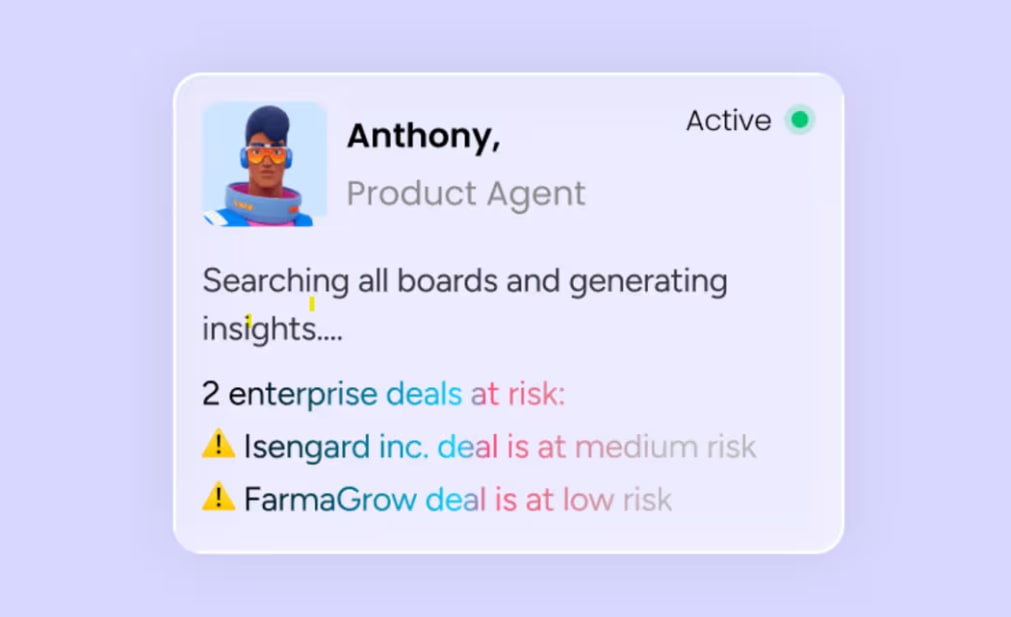
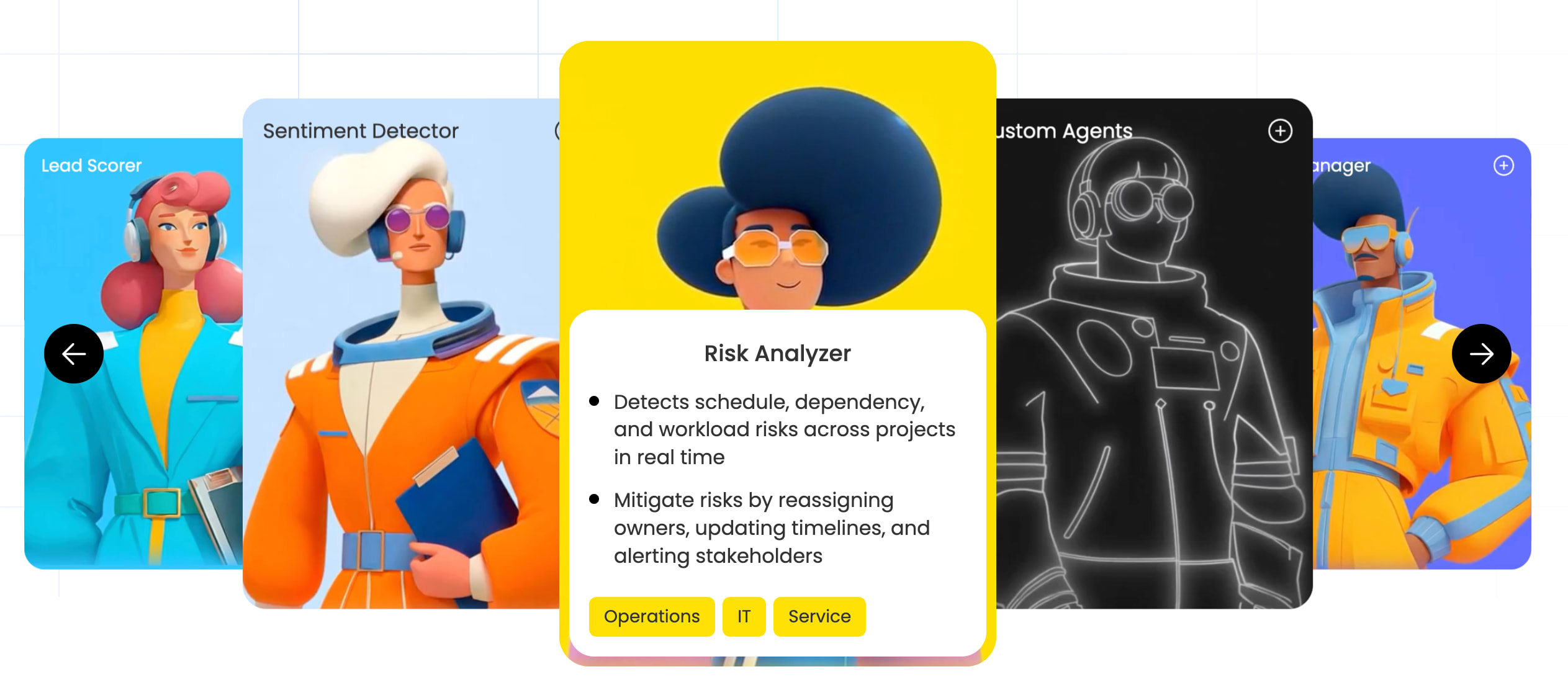
The Dependency and Risk Mapper agent detects schedule, dependency, and workload risks across projects in real time. It proactively flags items nearing their deadline and sends timely notifications before a project manager would typically notice the issue during a weekly review.
When the agent identifies a risk, it takes specific actions to mitigate it:
- Reassigning owners
- Updating timelines
- Alerting stakeholders
You get alerts the moment risks emerge, rather than waiting to hear about them in status meetings. The Dependency and Risk Mapper doesn’t just raise issues — it creates follow-up items, assigns owners, updates statuses to “At Risk,” and notifies stakeholders in one autonomous action.

Turn meetings into tracked action items and owners
The Chief of Staff agent monitors your priorities and spots blockers as they emerge, keeping strategic initiatives on track. It replaces the manual workflow where someone tracks status by chasing people down, checking boards individually, and piecing together what’s happening across a portfolio.
The real value is accountability — every decision and commitment gets tracked with an owner and a deadline. Every verbal commitment becomes tracked work automatically, because the agent captures and structures everything in real time.
Generate project plans from a brief
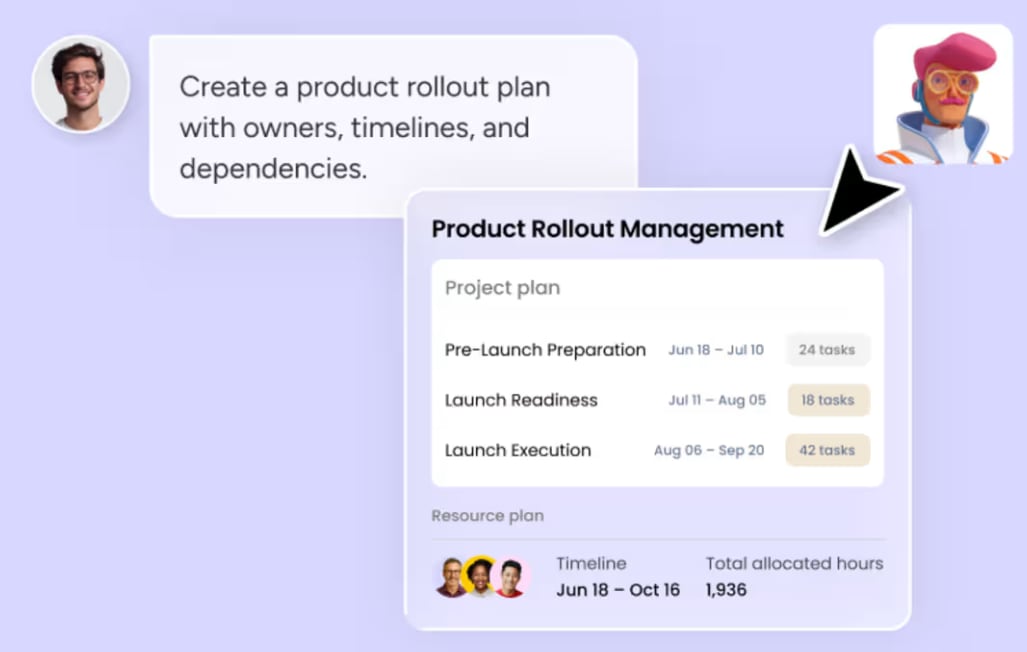
Project teams use agents to turn a project brief or scope document into a structured project plan with phases, milestones, owners, and timelines. monday sidekick, the platform’s built-in AI assistant, can also generate project plans with owners and deadlines from a simple prompt.
Here’s how it works: A project manager provides a brief describing objectives, constraints, and team members. The agent produces a draft plan which the PM reviews, adjusts, and activates.
Balance workloads and reassign resources with AI
Team Scheduler and Team Capacity Agent check availability, expertise, and current workload before recommending assignments. Team Scheduler rebalances workloads and reassigns tasks whenever someone on your team is over capacity. Team Capacity Agent tracks your team’s active projects and flags who has room to take on urgent work.
When a team member approaches capacity, the agents either recommend redistribution or flag the imbalance to a manager. This protects team wellbeing and keeps projects moving forward by balancing workloads across available capacity.

Route and triage incoming project requests
Agents handle the intake of new project requests, classifying them by type, urgency, and required expertise, then routing them to the appropriate team or owner. The Project Intake agent streamlines the intake process by collecting and organizing project requests, then routing them for assignment.

For PMO teams managing a high volume of incoming requests from internal stakeholders, clients, or cross-functional teams, this resolves the manual triage bottleneck. Requests arrive, get categorized, and land with the right person automatically — freeing project coordinators from manual review.
Requests get routed faster. The agent handles the classification and assignment work so project coordinators can focus on the requests that require real judgment.
Try monday agentsBenefits of AI agents for project management teams
When agents handle execution, PMs, PMO leaders, and executives experience measurable gains.
Less admin work and more time for strategic delivery
Agents take over the administrative coordination that consumes project managers’ days. Compiling reports, chasing updates, and triaging requests happen automatically — PMs redirect that time toward stakeholder alignment, risk mitigation strategy, and cross-functional decision-making.
Of course, project admin doesn’t disappear — agents just handle it faster and more consistently. And this moves the PM role from coordinator to strategist.
Proactive portfolio visibility at scale
Agents monitor project boards continuously, highlighting risks, blockers, and status changes as they happen — not when someone remembers to check. If you’re managing dozens or hundreds of projects, you get portfolio-level awareness without reviewing each one manually.
Consistent, reliable project processes
Agents enforce standardized processes across your organization:
- Every request gets triaged the same way.
- Every status report follows the same structure.
- Every priority update gets logged against an owner and a deadline.
Processes stay consistent regardless of which PM is running them. For PMO directors and executives, it’s a governance win with workflows remaining auditable no matter who’s running the project and agents enforcing standardization automatically.
Scalable delivery without adding headcount
PMO teams can take on more projects without adding headcount. When agents handle reporting, risk monitoring, and request routing, the same team can manage a larger portfolio. But don’t be fooled into thinking agents can replace people. Instead, people set direct and make judgment calls, while agents handle the volume.
Always-on execution across time zones
Agents operate 24/7 without time, volume, or language constraints. For distributed teams, risks get flagged, reports get generated, and requests get routed in any time zone.
A risk emerging at 2 a.m. in one time zone is flagged immediately, giving the next available team the context they need to act at the start of their day. Global organizations with stakeholders across regions get the most value from this always-on capability.
How to set up a monday agent in 3 steps
Whether you’re using a ready-made agent or building a custom one, it’s easy to set up a monday agent and have it supporting your project team in minutes.
Describe the agent’s role and triggers
First, define what the agent does and when it acts. The agent uses these as its knowledge base, so every action is based on your data, rather than generic assumptions.
For a custom agent, you describe the role in regular language. For example: “Monitor all projects in the Q3 portfolio and flag any item where the due date is within 3 days and the status is not ‘Done.'”
Triggers work in 3 ways:
- Time-based: The agent runs on a schedule, such as every morning at 9 a.m. or every Friday afternoon.
- Event-based: The agent activates when a specific change occurs, such as a status update or a new item creation.
- Continuous: The agent monitors data constantly and acts whenever conditions are met.
Connect knowledge sources and integrations
Next, connect the agent to the data it needs: boards, docs, PDFs, and external integrations. The agent uses these as its knowledge base, so every action is based on concrete data every time, and never generic assumptions.
For example, a Status Reporter agent might be connected to 3 project boards, a project charter document, and a Slack integration so it can post weekly summaries to a stakeholder channel. More context means more accurate outputs.
Integrations extend agent capabilities beyond monday.com. Agents can pull context and take actions across connected platforms like Slack, Gmail, and Google Calendar, without requiring you to handle the handoffs yourself.
Test in simulation mode and refine
Simulation mode keeps your team in the loop. Before activating an agent, you run it in simulation to see what actions it would take without executing them. You can validate the agent’s behavior before it goes live to check it’s flagging the right risks, generating accurate reports, and routing requests correctly.
You can refine the agent’s instructions, adjust its triggers, or modify its knowledge sources based on what you observe in simulation. Once you’re satisfied the agent is producing the right outputs, you activate it.
Testing before deployment prevents mistakes and builds confidence. If you have strict change management processes, simulation mode gives you the validation you need before going live.

How to roll out AI agents across your PMO
Once you’ve decided which AI agents will add the most value to your project team, you can start to roll them out in phases. As a best practice, start small and measure the results before you scale.
Start with one high-volume workflow
Pick one repetitive, high-volume workflow for your first agent. Status reporting and incoming request triage are strong candidates because they produce the most visible impact quickly.
As a rule of thumb, high-volume workflows will prove the fastest value. When stakeholders see status reports arriving automatically every Monday morning, the value becomes obvious.
Begin where the manual effort is obvious and measurable, and save complex, judgment-heavy workflows for later phases. Expand to more nuanced processes once your team trusts how agents work.
Pilot with measurable KPIs and iterate
Set specific metrics before you launch. Strong examples include:
- Hours saved on reporting per week
- Average time to triage a request
- Number of risks flagged before they became blockers
Before-and-after metrics give PMO leaders the evidence they need to expand agent usage. Baseline metrics turn anecdotal impact into concrete evidence.
Track efficiency metrics like time saved and outcome metrics like risks caught earlier or requests routed faster. Together, they tell the full story.
Scale across teams using templates and shared agents
Once an agent is proven in one workflow, it can be templated and deployed across other teams or projects. A Status Reporter agent configured for one program can be replicated for others with minimal adjustment: same report structure, same distribution cadence, different project boards.
This template-based scaling is how PMO teams move from a single pilot to organization-wide adoption without rebuilding agents from scratch each time. Shared agents also deliver consistency across teams, reinforcing standardized processes.
Connect external AI assistants through monday MCP
With monday MCP (Model Context Protocol), teams can connect external AI assistants like Claude, ChatGPT, Cursor, and Microsoft Copilot Studio to their monday.com workspace. Teams already using other AI assistants can extend those capabilities into their project data.
For example, you could ask Claude to generate a sprint summary from board data, or use Copilot to analyze cross-board project health. MCP enables prompts like “What’s blocking the launch?” across product, marketing, and RevOps boards.
Key details about MCP:
- Available on all monday AI Workspace plans at no additional cost
- Uses OAuth for secure authentication
- Respects existing account permissions — each team member individually authorizes MCP, and the AI assistant accesses exactly the data that the team member is already permitted to see
Why cross-department context makes project agents more effective
Most project management platforms confine AI to the data within a single project or department. The structured data layer on monday AI Workspace spans marketing, sales, operations, IT, HR, and more, meaning agents can connect dots across departmental boundaries.
This cross-department context is the platform’s core differentiator for AI agents. It’s what makes the difference between an agent that flags a deadline risk and one that flags a deadline risk alongside its revenue impact.
Multi-agent orchestration across project workflows
Multiple agents can operate across a single project workflow, each handling a specific function. Together, they create an end-to-end automated workflow:
- A Chief of Staff agent flags a stalled initiative during a project review.
- A Dependency and Risk Mapper monitors related items for deadline risks as the week progresses.
- A Status Reporter compiles everything into a weekly update for stakeholders.
There’s no need to build integrations between agents — they all read from and write to the same boards. The Chief of Staff creates the initial flag that the Dependency and Risk Mapper monitors, and the Status Reporter pulls from both sources to produce a comprehensive update.
Governance, security, and trust for AI agents in project work
PMO leaders and IT teams need confidence that AI agents operate within organizational boundaries. Governance is built into the agent infrastructure on monday AI Workspace from the start — not as an afterthought or a separate compliance layer.
Permissions and granular access controls
Admins define exactly which data each agent can access and whether it has permission to edit, create, or only read information. Agents respect the same permission model as your team members — if a board is restricted, the agent can’t access it either.
You can also explicitly decide what the agent can and cannot do, both inside monday AI Workspace and across external integrations. This prevents agents from exceeding their intended scope.
Simulation mode and approval workflows
Simulation mode serves as both a setup safeguard and a governance mechanism. Every action the agent would take is shown for review before the agent goes live.
This approach means no agent acts without oversight until the team is confident in its behavior. For organizations with strict change management processes, this validation layer is essential before any autonomous execution begins.
Audit trails and real-time agent activity logs
Every action an agent takes is logged with full transparency:
- What it did and why it did it
- What it will do next, visible before it acts
- Full activity history, reviewable by PMO leaders and compliance teams at any time
This audit trail is essential for regulated industries and organizations with strict governance requirements where every decision needs to be traceable.
AI cost center for budget and usage tracking
Teams can track AI usage and spend per team through the AI Cost Center on monday AI Workspace, with the ability to set limits and alerts. PMO leaders and finance teams gain visibility into how much AI capacity is being consumed and by whom.
This prevents unexpected costs and enables informed budgeting decisions, which is particularly relevant for organizations scaling agent usage across multiple teams and projects.
Start with one workflow, scale from there
monday agents shift project management from coordination to orchestration — PMs set direction while agents handle reporting, risk detection, and request routing autonomously. Teams already on monday AI Workspace can activate their first agent within their existing workspace, starting with a single high-volume workflow and expanding as results prove out.
Try monday agents
 Get started