


An organization’s data holds the answers to questions teams ask every day: Which campaigns are working? Where are projects at risk? What’s causing the slowdown in conversions? But when that raw data sits in dashboards and spreadsheets, it’s challenging for someone to find the time to dig into it, get the gist, and decide what to do next. So guess what? They don’t and the data is overlooked.
An alternative approach gaining traction is to use AI. When you choose a data analysis platform with built-in AI, it’s suddenly easy to summarize a dataset so you can spot changes early or connect patterns across departments. This article covers 15 platforms using AI for data analysis, where each one fits, and what to look for before you commit. We’ll also explore how AI agents differ from copilots and BI assistants, why cross-functional context matters, and how teams on monday.com’s AI Work Platform can use monday agents to connect insight with follow-through.
Try monday agentsWhat AI for data analysis means for your team
AI for data analysis transforms how teams turn information into action. Instead of spending hours pulling reports and reviewing dashboards only to lose momentum before decisions get made, AI delivers immediate answers to questions like “Are we at risk of going over budget?” and recommends next steps grounded in your organization’s processes.
The real value comes from AI that connects work across departments. Marketing data alone won’t reveal problems caused by a sales slowdown or an IT bottleneck. That’s why the strongest AI platforms analyze patterns across the entire business, spot changes early — like a drop in lead quality before it becomes a bigger issue — and provide the cross-functional collaboration context your team needs to respond with confidence.
15 best AI platforms for data analysis
The strongest AI platforms for data analysis explain what’s happening (that’s a given) but they also help teams respond. The 15 options below include everything from advanced visualization platforms to autonomous agents that can carry work forward based on what the data shows.
| Platform | Primary use case | Free plan? | Notable AI feature | Starting price |
|---|---|---|---|---|
| monday agents | Cross-department insight-to-action workflows | No (part of monday.com plans) | Autonomous agents that execute workflows based on insights | Standard plan at $9/seat/month + AI credits |
| Tableau | Enterprise data visualization | Limited (Tableau Public) | Ask Data natural language querying | $15/user/month (Viewer) |
| Microsoft Power BI | Microsoft ecosystem analytics | Yes (Power BI Desktop) | Copilot natural language report generation | $10/user/month (Pro) |
| Julius AI | Conversational dataset exploration | Yes (limited) | Natural language data analysis | Usage-based pricing |
| Domo | Self-service business analytics | No | Domo.AI automated insights | Custom enterprise pricing |
| ThoughtSpot | Search-driven analytics | Yes (limited) | SpotIQ automated insights | Team tier available |
| OpenAI (ChatGPT) | Ad-hoc conversational analysis | Yes (limited) | Advanced Data Analysis (Code Interpreter) | $20/month (Plus) |
| Polymer | Spreadsheet visualization | Yes | AI-generated insights from spreadsheets | Freemium model |
| Zerve | Collaborative data science | Yes (limited) | AI code generation for Python/R/SQL | Tiered pricing |
| Databricks | Enterprise data lakehouse | No | Databricks Assistant AI coding | Consumption-based |
| DataRobot | Automated machine learning | No | AutoML model building | Enterprise pricing |
| Formula Bot | Spreadsheet formula assistance | Yes (limited) | Natural language to formula conversion | Freemium model |
| Qlik | Enterprise associative analytics | No | Qlik Sense AI-powered insights | Enterprise pricing |
| IBM Cognos Analytics | Enterprise reporting | No | AI Assistant natural language querying | Enterprise licensing |
| Sisense | Embedded analytics | No | AI-powered recommendations | Custom pricing |
1. monday agents
Best for: Teams that need to move from data insight to coordinated action across departments, without switching platforms.

monday agents are autonomous AI teammates that work inside monday.com’s AI Work Platform. They work 24/7 to analyze data across your boards, pipelines, and projects, then take action based on what they find. A Risk Analyzer agent can flag overdue work and notify the right people. A Status Reporter can gather project updates and send them automatically. An Anomaly Detector can scan SLA data and alert managers before issues grow.
Because monday.com links work across marketing, sales, operations, IT, HR, and other teams, agents can understand how information moves between departments instead of staying trapped inside one function. A PMO-focused agent can account for sales pipeline activity. A sprint planning agent can factor in open support tickets. The context flows across departments, and agents use that connected view to make smarter decisions and execute the right next steps.
- Key features:
- Ready-made agents for insights, reporting, research, and process optimization
- Autonomous 24/7 operation with full audit trails and human-in-the-loop controls
- Deep knowledge grounding across monday boards, docs, and PDFs
- Custom agent builder: describe the role, connect knowledge sources, test, and deploy
- Integrations with external platforms to execute actions beyond monday.com
- Pricing: Available as an add-on to monday.com paid plans starting at $9/seat/month. Agents operate using AI credits, which are purchased separately based on usage.
- Considerations: Best suited for teams already working on monday.com. The value grows exponentially when multiple departments are on the AI Work Platform.
2. Tableau
Best for: Enterprise teams that need sophisticated, highly customizable data visualization at scale.

For enterprise visualization, Tableau remains a top choice. Its newer AI capabilities make it easier for non-technical users to get answers. Ask Data lets people query datasets in plain language, while Tableau Pulse pushes proactive, AI-generated metric summaries directly to stakeholders.
- Key features:
- Ask Data natural language querying
- Tableau Pulse for proactive metric monitoring
- Extensive connector library for data sources
- Robust sharing and governance controls
- Pricing: From $15/user/month (Viewer); Creator licenses from $75/user/month
- Considerations: Powerful for visualization, but you’ll still need manual handoffs to act on insights in other systems
3. Microsoft Power BI
Best for: Organizations already invested in the Microsoft 365 ecosystem.

For teams already using Microsoft 365, Power BI fits naturally into the tools they know. Copilot helps users create reports, summarize data, and build visuals through natural language — cutting hours off work that used to require analyst support for every request. Its integration with Excel, Teams, and Azure makes it a natural fit for Microsoft-first organizations.
- Key features:
- Copilot natural language report generation
- Native integration with Microsoft 365 and Azure
- Power BI Desktop available free
- Dataflows for reusable data preparation
- Pricing: Free (Desktop); $10/user/month (Pro); $20/user/month (Premium Per User)
- Considerations: Copilot features require Premium licensing, and the platform is less flexible outside the Microsoft ecosystem
4. Julius AI
Best for: Analysts and researchers who want to explore datasets through conversation rather than code.

Julius AI is built for people who’d rather ask questions than write queries. Upload a spreadsheet or connect a dataset, then explore it conversationally in plain language. It works well for ad-hoc analysis when speed matters more than formal reporting workflows.
- Key features:
- Natural language data analysis and visualization
- Supports CSV, Excel, and database connections
- Generates charts and summaries from prompts
- Iterative questioning for deeper exploration
- Pricing: Free tier available; usage-based pricing for higher volumes
- Considerations: Suited for exploration and one-off analysis, but less structured for ongoing reporting workflows
5. Domo
Best for: Business leaders who want self-service analytics with automated insight delivery.

Domo adds automated insight generation to its existing BI capabilities, helping leaders spot anomalies and trends without manual investigation every time. Its app-based design makes the platform easier for non-technical stakeholders across the business to use.
- Key features:
- Domo.AI automated insights and anomaly detection
- 1,000+ data connectors
- Mobile-first dashboards
- Embedded analytics for external sharing
- Pricing: Custom enterprise pricing; no public free tier
- Considerations: Pricing can be a barrier for smaller teams, but the value improves at enterprise scale
6. ThoughtSpot
Best for: Teams that want Google-style search applied to their business data.
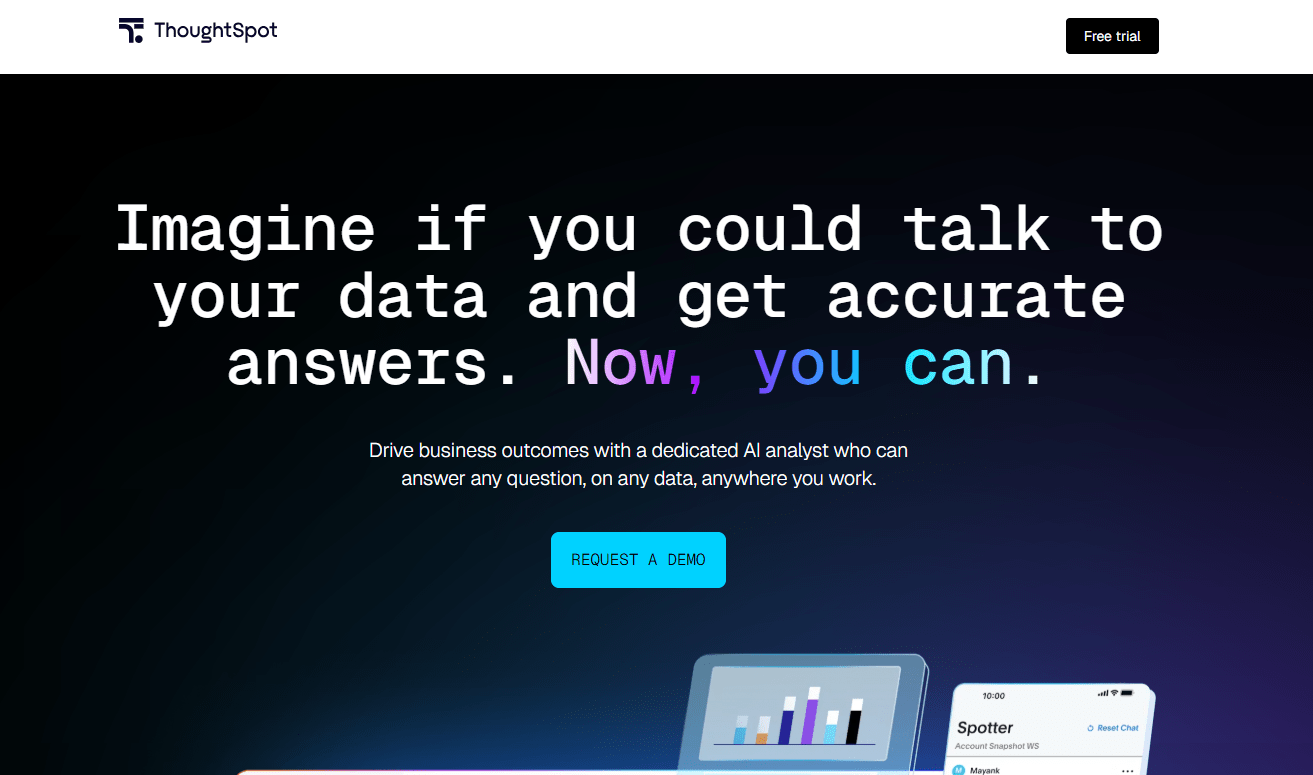
ThoughtSpot treats analytics like search. Instead of building queries, users ask questions like they’re searching the web. Its SpotIQ engine goes a step further by automatically surfacing insights, anomalies, and correlations that might otherwise stay hidden in large datasets.
- Key features:
- SpotIQ automated insight generation
- Natural language search across connected data sources
- Liveboards for real-time collaborative analytics
- Embedded analytics capabilities
- Pricing: Team tier available; enterprise pricing for larger deployments
- Considerations: Strongest when connected to a well-structured data warehouse; setup requires data engineering investment
7. OpenAI (ChatGPT)
Best for: Ad-hoc analysis, data exploration, and teams comfortable working with AI conversationally.

ChatGPT’s Advanced Data Analysis feature, formerly called Code Interpreter, makes it possible to upload files, ask questions, generate charts, run statistical analyses, and write code inside a single conversation. It is especially useful for quick exploratory work that doesn’t need to live inside a formal BI environment.
- Key features:
- Advanced Data Analysis with file uploads
- Python code execution for statistical analysis
- Chart and visualization generation
- Iterative, conversational refinement
- Pricing: Free (limited); $20/month (Plus); Team and Enterprise plans available
- Considerations: Not designed for ongoing, structured reporting; outputs require human review before acting on them
8. Polymer
Best for: Teams that want to turn spreadsheets into interactive dashboards without a data team.

If your reporting still lives in spreadsheets, Polymer offers a lighter path into dashboards. It connects to spreadsheet data and automatically generates insights, visualizations, and summaries. For smaller teams that need something better than a static file but aren’t ready for full BI infrastructure, it can be a practical fit.
- Key features:
- AI-generated insights from uploaded spreadsheets
- Automatic chart and dashboard creation
- Supports Google Sheets, Excel, and CSV
- Shareable, interactive views
- Pricing: Freemium model; paid plans for advanced features
- Considerations: Best for spreadsheet-based workflows; limited for complex, multi-source data environments
9. Zerve
Best for: Data science teams that want collaborative notebooks with AI-assisted coding.

Zerve combines AI-assisted code generation with collaborative notebooks, giving data science teams a shared place to work across Python, R, and SQL. It positions itself as a more collaborative alternative to Jupyter for technical workflows.
- Key features:
- AI code generation for Python, R, and SQL
- Real-time collaborative notebooks
- Version control and reproducibility features
- Cloud execution environment
- Pricing: Free tier available; tiered pricing for teams
- Considerations: Requires data science expertise to get full value; not suited for non-technical business users
10. Databricks
Best for: Enterprise data and engineering teams managing large-scale data lakehouses.

For organizations operating at lakehouse scale, Databricks is built to unify processing, analysis, and governance in one environment. Databricks Assistant adds AI-powered coding support so engineers and data scientists can write and debug code more efficiently.
- Key features:
- Databricks Assistant for AI-assisted coding
- Unity Catalog for data governance
- MLflow for machine learning lifecycle management
- Delta Lake for reliable data storage
- Pricing: Consumption-based; costs scale with compute usage
- Considerations: Significant infrastructure and expertise requirements; built for data engineering teams, not business analysts
11. DataRobot
Best for: Organizations that want to build and deploy machine learning models without deep data science expertise.
DataRobot focuses on automating the work of building, evaluating, and deploying predictive models. The platform is meant to broaden access to machine learning while still giving experienced data scientists the controls they expect.
- Key features:
- AutoML model building and evaluation
- Automated feature engineering
- Model monitoring and drift detection
- Explainability tools for model transparency
- Pricing: Enterprise pricing; no public free tier
- Considerations: Focused on predictive modeling rather than descriptive analytics or reporting
12. Formula Bot
Best for: Spreadsheet-heavy teams that want to write formulas and automate repetitive spreadsheet work faster.

Formula Bot is aimed at teams that live in spreadsheets and want faster ways to build formulas, clean data, and automate repetitive tasks. It turns plain-language requests into Excel or Google Sheets formulas, and it also supports SQL generation and light data-cleaning workflows.
- Key features:
- Natural language to Excel/Google Sheets formula conversion
- SQL query generation
- Data cleaning suggestions
- Script generation for spreadsheet automation
- Pricing: Freemium model; paid plans for higher usage
- Considerations: Narrow focus on spreadsheet assistance; not a full analytics or BI platform
13. Qlik
Best for: Enterprise teams that need associative analytics to explore data relationships across large datasets.

Qlik stands apart through its associative engine, which allows users to move through data relationships in multiple directions instead of staying within predefined query paths. Its AI layer adds natural language interaction and automated anomaly detection on top of that exploration model.
- Key features:
- Associative analytics engine
- Qlik Sense AI-powered insights and anomaly detection
- Natural language interaction
- Active Intelligence for real-time data pipelines
- Pricing: Enterprise pricing; no public free tier
- Considerations: Powerful for complex data exploration; implementation typically requires dedicated BI resources
14. IBM Cognos Analytics
Best for: Large enterprises with established reporting requirements and governance needs.

IBM Cognos Analytics blends traditional enterprise reporting with AI-assisted analysis. Its AI Assistant lets users ask questions in plain language and receive guided answers, which makes it well suited to organizations where governance, security, and auditability are essential.
- Key features:
- AI Assistant for natural language querying
- Automated pattern detection and forecasting
- Enterprise-grade governance and security
- Self-service reporting alongside governed BI
- Pricing: Enterprise licensing; contact IBM for pricing
- Considerations: Implementation complexity and cost reflect its enterprise positioning; less agile for fast-moving teams
15. Sisense
Best for: Product and engineering teams that want to embed analytics directly into their applications.

Sisense is designed for embedded analytics. Organizations can build AI-powered data experiences directly into their own products and customer-facing tools, while AI-powered recommendations help end users interpret what they see without needing analyst-level skills.
- Key features:
- AI-powered recommendations and anomaly detection
- Embedded analytics SDK and APIs
- Fusion architecture for flexible data connectivity
- White-label customization options
- Pricing: Custom pricing; contact Sisense for details
- Considerations: Strongest for product teams building analytics into applications; less suited for internal BI use cases
How AI agents differ from copilots and BI assistants
Many AI tools are helpful when the goal is visibility. Copilots and BI assistants can find patterns, build reports, and suggest where to dig deeper. But that’s where the value stops. For teams that need to make sense of these insights, AI agents are a step up.
A simple way to frame it:
- Copilots help a person work faster in the moment.
- BI assistants help teams notice patterns sooner.
- AI agents help work keep moving based on those patterns.
That is where monday agents stands apart. Rather than only identifying a risk or suggesting a next step, agents can proactively handle it according to your guidelines, directly inside monday.com’s AI Work Platform, making the leap from insight support to operational follow-through.
Why cross-department context matters for AI analytics
AI analytics becomes more powerful when it can see the full picture across the business. What looks like a marketing problem may originate in sales, service, or product delivery. The best analysis comes from connecting signals that sit in separate workflows. Once those links become visible, teams stop reacting to isolated numbers and start recognizing the broader pattern shaping performance. For example:
- Marketing context: A drop in lead quality may connect to campaign mix, budget pacing, or changing audience behavior.
- Sales context: The same drop may also tie back to stalled pipeline movement, delayed follow-up, or territory coverage gaps.
- Service context: A spike in support volume can influence renewals, expansion timing, or executive attention.
- Product and delivery context: Release delays, open bugs, or blocked dependencies can explain shifts that dashboards in one department miss.
How to choose the right AI data analysis platform
Evaluating AI platforms gets crowded quickly. Plenty of tools promise faster dashboards, smarter reporting, or more automation. The better question is simpler: which one fits how your team works? The right choice is the one people will adopt, trust, and keep using as your use cases expand. That means going beyond a feature checklist and looking closely at workflow fit, data access, and governance.
Match the platform to where work already happens
Analysis becomes more useful when it lives near the work your team already manages. If people have to bounce between several systems just to act on an insight, adoption tends to slow down. When you evaluate fit, focus on these signals:
- Workflow proximity: Does the analysis happen beside your projects, pipelines, service queues, and docs?
- Ease of use: Can team members ask questions in plain language without analyst support for every request?
- Action path: After an insight appears, can the next step happen in the same digital workspace?
Check how much business context the AI can access
AI only becomes as useful as the context behind it. A platform limited to one dataset can answer narrow questions. A platform that connects work across systems can find patterns that matter at the leadership level. Look for these capabilities:
- Connected data sources: CRM records, project boards, service workflows, docs, PDFs, and historical work.
- Cross-functional visibility: Signals from more than one department, not one isolated report.
- Context grounding: The ability to use your terminology, processes, and internal knowledge instead of generic assumptions.
Review governance before you scale automation
Trust has to come first. Governance is not something to bolt on later; it is what allows teams to move from experimentation to depending on AI in live operations. Before you commit, check for:
- Permission controls: What the AI can see, change, and trigger.
- Audit trails: A record of what happened, when it happened, and why.
- Approval options: In-person review, simulation modes, or staged activation for higher-stakes workflows.
- Compliance support: Security and privacy standards that match your organization’s requirements.
Ultimately, the strongest platform gives your team useful answers and a controlled way to act on them. That is why monday AI is built with enterprise-grade security at its core, allowing your team to automate work and gain insights while ensuring you always remain in the driver’s seat.
Try monday agentsGet AI data insights you can act on with monday agents
The best AI data analysis platform isn’t always the one with the prettiest dashboards. More often, it’s the one that helps your team move from signal to response with the least friction. And that spells out the real difference between insight-only analytics and insight-to-action workflows.
monday agents is particularly strong when your team wants analysis to live beside execution rather than apart from it. Because agents can work across boards, docs, PDFs, and connected workflows on monday.com’s AI Work Platform, they can identify what matters, route follow-through, and support cross-department coordination within the guardrails your organization already expects.
A practical place to start is with one recurring workflow that already depends on timely analysis. Lead qualification, SLA monitoring, project risk reporting, and meeting follow-through are all good candidates for monday agents. Once your team sees measurable improvement in response times, consistency, and handoffs, expanding AI into more workflows becomes far easier.
Try monday agentsFAQs about AI for data analysis
Can non-technical team members use AI data analysis platforms?
Yes, non-technical team members can use AI data analysis platforms. The strongest platforms let people ask questions in plain language, review visual answers, and stay inside familiar workflows without needing SQL, Python, or constant analyst support.
What is the difference between agentic AI and traditional BI?
Traditional BI reports what happened and helps teams explore metrics and dashboards. Agentic AI interprets signals and carries out follow-through inside workflows—routing leads, assigning owners, updating statuses, or escalating risks based on rules your team defines.
How do I prevent AI hallucinations when using AI to analyze data?
To prevent AI hallucinations when analyzing data, ground the AI in your business context, use trusted data sources with shared definitions, keep human review in place for high-stakes actions, and monitor outputs against real outcomes over time.
Are there free AI analytics platforms for small teams?
Yes, there are free AI analytics platforms for small teams. Several platforms offer free tiers for testing core analysis capabilities, though they often include usage limits and fewer integrations. Platforms connected to full work systems like monday.com's AI Work Platform typically provide stronger long-term value.
How long does it take to implement an AI data analyzer?
Implementation of an AI data analyzer can take anywhere from minutes to months, depending on scope. Conversational tools are quick to test, while governed cross-department automation requires more setup. With monday agents, teams can activate ready-made agents quickly and expand from there.
 Get started