


AI agents for customer support resolve routine requests on their own, working inside your ticketing and business systems within the permissions your team sets. Unlike earlier chatbots, they can update records and route tickets, which frees specialists for complex customer conversations.
Choosing the right one depends on how reliably each platform completes work across your systems and how much control it gives your team. This guide compares 15 options, including monday agents, and covers evaluation criteria, rollout, governance, and measurement.
Try monday agentsKey takeaways
- An AI agent for customer support completes tasks in your systems, where a chatbot only answers questions.
- The strongest agent platforms combine reliable knowledge grounding, action execution, cross-department context, and governance controls.
- Start with high-volume, low-risk requests such as password resets and order status checks, then expand in phases.
- Verified resolution rate gives a truer picture of performance than containment rate.
- monday agents such as the Ticket Management Agent and SLA Monitor work inside the monday AI Workspace, so support tickets connect to account and product work.
What is an AI agent for customer support?
An AI agent for customer support is software that interprets a customer request and then completes the steps needed to resolve it inside your support and business systems. It works within permissions your team sets and hands the case to a person when a situation calls for human judgment.
Most support requests involve several handoffs. Someone reads the ticket, finds the account, updates the records, and passes the issue to whoever can fix it. An agent handles those steps in one pass. For a billing issue, it can check the account details and apply the correction in the connected finance board within seconds, so the customer gets a resolution instead of a handoff.
The aim is to give your team more capacity. Routine tickets stop piling up, and specialists get more time for complex cases and the conversations that build loyalty.
How AI agents differ from chatbots and virtual assistants
Older chatbots rely on fixed scripts, and virtual assistants mostly point people toward help content. Both leave the follow-on work to your team. An AI agent interprets intent, connects to operational systems, and carries out actions across your workflows. The table below compares the three approaches on everyday support capabilities.
| Capability | Traditional chatbot | Virtual assistant | AI agent |
|---|---|---|---|
| Understands natural language | Limited | Yes | Yes |
| Handles ambiguous requests | No | Partially | Yes |
| Accesses operational systems | Rarely | Sometimes | Yes |
| Executes multi-step workflows | No | No | Yes |
| Learns from outcomes | No | Limited | Yes |
| Operates with guardrails | Rigid scripts only | Rule-based | Autonomous with permissions |
What AI agents can do beyond answering questions
Answering a question is only part of support work. With permissions in place, an agent can complete the follow-on tasks across connected systems at any hour. Four capabilities stand out:
- Direct resolution: Agents process account changes, update order details, and issue verified credits within your business policies.
- Cross-system coordination: Agents connect service workflows with customer data and internal communication, so everyone works from the same status without switching tabs.
- Proactive follow-up: Agents confirm an issue stays resolved and schedule a check-in or trigger an internal review if account activity suggests more attention is needed.
- Intelligent escalation: When a case needs human judgment, the agent passes along the full history and customer sentiment, so the customer never has to repeat anything.
With routine data handling out of the queue, your team has more room for the conversations that need empathy.
15 AI agents for customer support
The platforms below handle automation in different ways. Some are standalone AI agents, while others sit inside a CRM or a wider work platform. We compared 15 of them on knowledge grounding, action execution, governance, and cross-department connectivity. A platform that fits your existing workflows usually leads to a smoother rollout.
| Platform | Primary focus | Notable capability | Starting price |
|---|---|---|---|
| monday agents | Cross-department support context | Ticket Management Agent + Support Signal Agent | Credit-based on paid plans |
| Zendesk | Ecosystem-native automation | AI-powered bots with knowledge base integration | Suite Team and above |
| Salesforce Agentforce | Enterprise CRM integration | Atlas Reasoning Engine with audit trails | $2/conversation |
| Ada | Dedicated AI agent platform | Multilingual support with action execution | Custom pricing |
| Intercom Fin | Messaging-first support | Knowledge-grounded responses with proactive messaging | Per-outcome pricing |
| Freshdesk Freddy AI | SMB-friendly automation | Freddy Self Service + Copilot assistance | Pro/Enterprise plans |
| Kore.ai | Enterprise customization | Multi-channel deployment with XO Platform | Custom enterprise |
| IBM watsonx Assistant | Regulated industry compliance | SOC 2 support, HIPAA-ready tiers | Trial/Essentials/Standard/Premium |
| Botpress | Developer-controlled agents | Open architecture with LLM flexibility | Free tier available |
| Gumloop | Workflow automation | Visual workflow builder with AI routing | Usage-based |
| Decagon | Enterprise autonomous resolution | Deep enterprise integrations | Custom enterprise |
| Help Scout | Human-centered AI assistance | AI Drafts + Summarize for agent support | Plus/Pro plans |
| Kustomer | Unified customer timeline | CRM-focused AI with complete interaction history | Custom pricing |
| Forethought | High automation rates | Solve autonomous agent + Triage routing | Custom pricing |
| Microsoft Copilot | Dynamics 365 ecosystem | Case summarization + workflow automation | Enterprise licensing |
1. monday agents
monday agents work inside the monday AI Workspace, where support teams already manage work alongside the rest of the business. The agents draw on the boards and docs your team already uses and act on that work directly, which means less manual triage and fewer handoffs.

Use case: Support teams that want agents to see the whole customer relationship, including account and project context alongside ticket history.
Key features:
- Ticket Management Agent: Categorizes and ranks incoming tickets, routes them to the right team through Slack or another channel, sets SLA targets, and resolves common issues using your knowledge base.
- Support Signal Agent: Monitors tickets for a product area you choose and sends an immediate Slack alert for issues such as churn language or billing errors, plus a daily trend report that cites real ticket IDs.
- SLA Monitor: Measures response and resolve times against your SLA thresholds and alerts the right manager before a breach where possible.
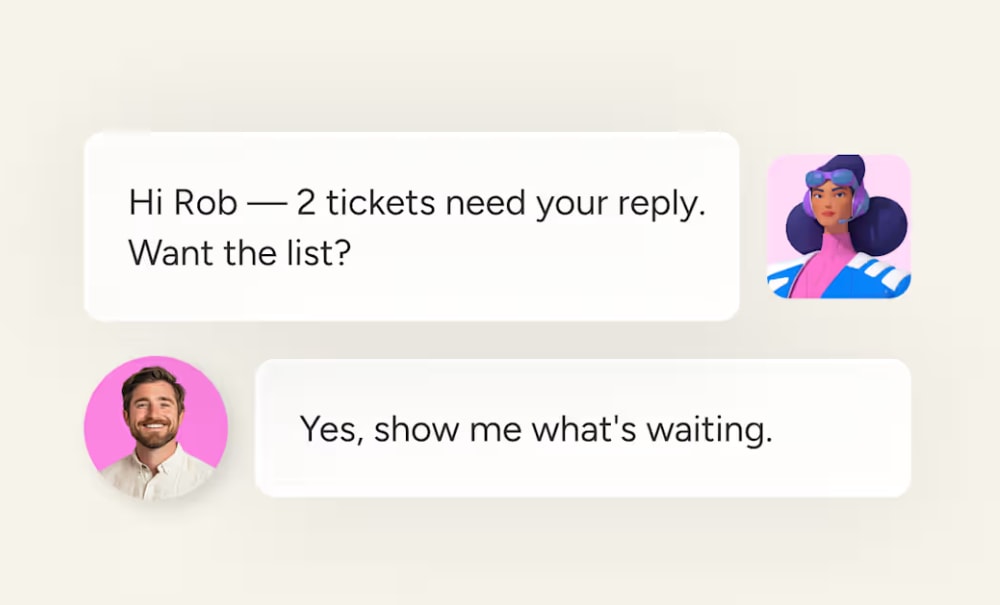
- Ticket Follow-Up Agent: Watches open tickets across your connected support boards and notifies you when a ticket is waiting on your reply.
- Approval settings: Each agent can wait for your approval before acting or run automatically, depending on how much autonomy you want to give it.
Pricing:
- Available on paid monday plans, with each agent run using AI credits
- Annual billing offers an 18% saving compared to monthly pricing
- Teams with more than 40 users can contact sales for a custom quote
Why it stands out:
- Cross-department context: Agents draw on service boards alongside account and delivery work in the same workspace, so escalations, renewals, and product follow-ups stay connected.
- Built-in oversight: Permissions you control, audit trails, simulation mode, and human-in-the-loop options sit on an enterprise foundation that includes SOC 2 Type II, ISO certifications, GDPR compliance, and HIPAA support.
Browse the full set of monday agents for customer service to see which fit your queue.
2. Zendesk
Zendesk combines ticketing and AI-powered automation inside a platform built for customer service teams. It serves both fast-growing startups and enterprises handling millions of interactions, and its AI is trained on billions of real support exchanges.

Use case: Support teams already invested in the Zendesk ecosystem that want to add AI automation without migrating to a new platform.
Key features:
- AI-powered bots: Resolve common requests such as password resets and order status checks on their own, using knowledge base content and conversation flows.
- Agent Copilot: Suggests replies and summarizes ticket history so human agents can handle complex issues faster.
- Intelligent triage: Routes incoming tickets by intent and sentiment so each request reaches the right person without manual sorting.
Pricing:
- Suite Team: $55 per agent/month (billed annually), includes AI agents, knowledge base, messaging, and omnichannel routing
- Suite Professional: $115 per agent/month (billed annually), adds advanced automation and analytics with expanded routing controls
- Enterprise: custom pricing, available via sales
- Automated resolutions: each plan includes a baseline allowance; additional resolutions cost $1.50 (committed) or $2.00 (pay-as-you-go) per resolution
- Add-ons: workforce quality assurance, workforce management, data residency, and telephony usage are sold separately
Considerations:
- AI capabilities perform most reliably within the Zendesk ecosystem; connecting external data sources requires additional integration work.
- AI usage is billed per automated resolution, so high-volume teams should monitor consumption closely to avoid overages.
3. Salesforce Agentforce
Salesforce Agentforce places autonomous AI agents inside the Salesforce CRM, so organizations can resolve support cases using data they already maintain. It is designed for complex enterprise environments where customer history and account status shape every interaction, and its built-in compliance controls suit organizations where auditability is non-negotiable.

Use case: Large enterprises with existing Salesforce Service Cloud investments that need AI agents to resolve cases autonomously using customer history and configured business rules.
Key features:
- Autonomous case resolution: The Service Agent draws on customer records and previous cases, then applies configured business rules to resolve cases without human intervention.
- Transparent decision-making with audit trails: The Atlas Reasoning Engine maps out why the agent took each action, giving compliance teams clear visibility.
- Unified customer data: Data Cloud integration brings marketing and sales touchpoints together with service history, so agents respond with channel-wide context.
Pricing:
- Agentforce (customer-facing): $2 per conversation; requires an existing Salesforce Service Cloud subscription
- Flex Credits: $500 per 100,000 credits, with actions metered at 20 credits per action and 30 credits for voice actions
- Agentforce Contact Center: $125/user/month
- Agentforce Contact Center Plus: $250/user/month
- Agentforce Contact Center Voice: $75/user/month
- Telephony usage, including minutes and phone numbers, is billed separately
- Pre-purchase pricing offers the greatest savings; monthly and pay-as-you-go models are also available
Considerations:
- Implementation is complex, so organizations without dedicated Salesforce administrators and a substantial budget may struggle to justify the investment against their support volume.
- Budgeting means tracking several cost dimensions at once, including per-conversation fees, user licenses, Data 360 credits used by Data Library grounding, and separate telephony charges.
4. Ada
Ada automates customer service across chat, email, voice, and social channels. Built for mid-market and enterprise support teams, it pairs a unified Reasoning Engine with deep backend integrations, so its AI can act on requests as well as answer them.
Use case: Mid-market and enterprise support teams that want a dedicated AI agent platform to automate high-volume interactions across multiple channels and languages.
Key features:
- Reasoning Engine: Interprets complex, multi-intent requests and picks the right resolution path, so customers who ask several questions at once get one coherent response.
- Action execution: Connects to backend systems to process refunds and update subscriptions or account settings.
- Multilingual support: Handles conversations in 60 languages and keeps context when a customer switches language mid-conversation.
Pricing:
- Custom, quote-based pricing structured around conversation volume and feature requirements
- Conversation-based and resolution-based pricing models are both available
- Additional costs may apply for channels such as Twilio SMS or WhatsApp if third-party accounts are required
Considerations:
- Playbook authoring is English-only, and voice support covers a subset of the 60 languages, which may need extra planning for multilingual voice deployments.
- Pricing is not publicly listed, so teams need to engage sales to model total cost before committing.
5. Intercom Fin
Fin resolves support conversations end to end across chat, email, voice, and social channels, staying grounded in your knowledge base and policies and handing off to human agents when needed.

Use case: Teams using Intercom, or another helpdesk, that want an AI agent to resolve issues autonomously across channels without a platform migration.
Key features:
- Knowledge-grounded responses: Pulls answers from help center content and other connected sources, citing articles inline so customers can see where information comes from.
- Conversation handoff with full context: When escalation is needed, the receiving agent sees the complete conversation history and Fin’s assessment of the issue.
- Proactive outreach based on behavior: Starts conversations when customers appear stuck, reaching out before a support request is submitted.
Pricing:
- Fin with your current helpdesk: $49/month base plan including 50 outcomes, then $0.99 per additional outcome
- Fin with the Intercom Helpdesk: from $0.99 per outcome + $29 per helpdesk seat/month
- Pro add-on: $0.20 per conversation with a 500-conversation monthly minimum (approximately $100/month)
- Copilot add-on: $35 per user/month
- Fin Voice: custom pricing, currently limited availability
Considerations:
- Fin performs best within the Intercom ecosystem; teams on other platforms may face integration work when connecting external knowledge sources.
- Outcome-based pricing creates variable spend, and unused outcomes in the base plan don’t roll over, so finance teams need to forecast carefully.
6. Freshdesk Freddy AI
Freshdesk Freddy AI suits teams that want customer support automation without enterprise-level complexity. It fits small and mid-market teams that need to move quickly, and it combines customer-facing automation with agent assistance in one workspace.

Use case: Small and mid-market support teams that want to automate routine, high-volume requests without overhauling their existing support setup.
Key features:
- Freddy Self Service: Resolves common requests through conversational AI connected to your knowledge base and learns from successful resolutions over time.
- Freddy Copilot: Suggests responses and next steps for complex tickets, cutting the research time before agents reply.
- Ticket field prediction: Categorizes and prioritizes incoming requests based on content and historical data, so tickets reach the right people without manual sorting.
Pricing:
- Growth: $19/agent/month, billed annually
- Pro: $55/agent/month, billed annually
- Enterprise: $89/agent/month, billed annually
- Freddy AI Copilot is an add-on at $29/agent/month billed annually (or $35/month on monthly billing) and requires a Pro or Enterprise plan
- The first 500 AI Agent sessions are included once per account; additional sessions cost $49 per 100 sessions
- A 14-day free trial is available; current plans have no permanent free tier
Considerations:
- Freddy AI Copilot is limited to Pro and Enterprise plans, and full omnichannel AI automation, including the Chat AI Agent, requires the Freshdesk Omni SKU, which raises total cost.
- AI Agent sessions are metered, so teams with unpredictable or high ticket loads should model usage before committing.
7. Kore.ai
Kore.ai is built for enterprise-scale conversational AI in complex, high-volume support environments. It targets global organizations in regulated industries such as banking, healthcare, telecom, and retail, where every customer touchpoint needs governed, auditable AI behavior.

Use case: Large enterprises with complex support workflows that need highly customized agent behavior, omnichannel deployment, and deep integration with existing contact center infrastructure.
Key features:
- AI-native contact center fabric: Combines voice and digital self-service agents, real-time agent assistance, automated quality management, and conversation analytics in one governed platform that works alongside existing CCaaS and CRM stacks.
- Governance-by-design: Policies are enforced outside the LLM, with full decision traceability and continuous tuning through Autoloop.
- Omnichannel deployment across 40+ channels: Deploys consistent agent behavior across voice, chat, email, and messaging from a single configuration, with multilingual support and sub-second response targets.
Pricing:
- Custom enterprise pricing, quote-based and set through a sales and demo process
- A 14-day free trial is available for the XO Platform
- Kore.ai recommends evaluating cost per resolved outcome, factoring in LLM usage, telephony, orchestration steps, analytics retention, and implementation
Considerations:
- Requires dedicated technical resources or implementation partners, so it suits teams with conversational AI expertise on staff.
- Upfront pricing transparency is limited, and total cost has several variable components, which makes budget forecasting more involved.
8. IBM watsonx Assistant
IBM watsonx Assistant offers enterprise-grade conversational AI for regulated industries, with compliance built in as a baseline. It pairs natural language understanding with strong governance controls for sectors like healthcare and financial services. If your team needs responses it can verify and audit at scale, the platform is built around strict operational standards.
Use case: Enterprises in regulated industries that need AI agents with strong security and audit capabilities built into every customer interaction.
Key features:
- Conversational AI with intent recognition: Handles domain-specific terminology and complex requests, interpreting what customers mean as well as what they type.
- Actions framework for multi-step workflows: Lets teams configure resolution paths across multiple systems and decision points without extensive coding.
- Enterprise-grade security and compliance: Built-in SOC 2 support and governance controls, with higher tiers offering HIPAA-ready environments and dedicated data isolation.
Pricing:
IBM watsonx Assistant capabilities are packaged within watsonx Orchestrate tiers:
- Trial: free for 30 days
- Essentials: starting at $530/month
- Standard: starting at $6,360/month
- Premium: contact IBM for pricing (includes HIPAA-ready configurations and dedicated data isolation)
- Generative AI features draw on watsonx.ai model usage, billed separately on a token basis
- Advanced search via Watson Discovery is a separate add-on, starting at approximately $500/month
Considerations:
- Many advanced features, including phone integration and enterprise search, require higher tiers or add-ons, which increases total investment.
- Contact center integrations come as reference starter kits, so teams should plan for extra testing and customization before going live.
9. Botpress
Botpress suits teams that want AI to handle refunds, account lookups, and other multi-step actions without leaving the conversation. It’s aimed at support and operations leaders already using tools like Zendesk or Intercom who want faster deployment than a lengthy enterprise implementation. With SOC 2 Type 2 certification and a reported rollout measured in days, it emphasizes speed and flexibility.

Use case: Technical and operations teams that want AI agents to resolve L1–L3 tickets and run back-office actions, either alongside an existing helpdesk or through Botpress’s own AI-native desk.
Key features:
- Action-capable AI agents: Execute back-office actions, including refunds and CRM updates, within a single conversation thread.
- Botpress Desk: An AI-native helpdesk that unifies inbox management, routing, knowledge base, and analytics, with AI enrichment so agents open every ticket with full context.
- Helpdesk integration: OAuth-based connections to Zendesk and Intercom let teams place Botpress agents in front of existing channels without replacing their setup.
Pricing:
- Free: $0/month, includes 100 conversations, 3 seats, and 3 AI agents
- Plus: $150/month (billed annually), includes 250 conversations, unlimited AI agents, and live chat support
- Team: $750/month (billed annually), includes 1,500 conversations, unlimited seats, RBAC, and team analytics
- Enterprise: custom pricing, adds dedicated support, uptime SLA, and custom storage
- Annual billing saves 20% compared to monthly pricing
- Storage add-on available at $40/month; conversation overages are billed automatically in 100-conversation increments
Considerations:
- Botpress Desk is available on request for Team, Managed, and Enterprise customers, so teams on lower tiers may need a staged rollout.
- Auto-recharge for overages and AI spend credits activates at 95% of quota and can’t be disabled, so usage needs close monitoring.
10. Gumloop
Gumloop runs support through agents that work across the tools your team already uses. Designed for cross-functional support and CX teams, it links agents to Zendesk, Jira, Linear, Slack, and 100+ other systems, so triage and escalation happen without manual handoffs. Its Model Router picks the best AI model for each task, which Gumloop reports this cut its own internal support agent costs.

Use case: Teams that want to automate support operations end to end, including ticket intake and routing, across their existing helpdesk and collaboration platforms.
Key features:
- Agent-native triage and routing: Agents watch inbound channels, apply custom severity rubrics, deduplicate reports, and assign tickets based on ownership rules, then report back in Slack or email like a teammate would.
- Model Router: Sends each support interaction to the most suitable AI model and reasoning level, balancing response quality with cost.
- Secure browser for last-mile support: An auditable built-in browser lets agents complete workflows on websites without APIs, with session recording and human-in-the-loop handoffs for sensitive actions.
Pricing:
- Pro: starting at $37/month (includes 20,000 credits/month, unlimited seats, and access to 35+ AI models)
- Enterprise: custom pricing (adds SSO/SCIM, RBAC, audit logs, Zero Data Retention, VPC deployment, and custom model support)
- New accounts receive a 14-day Pro trial
- Bringing your own LLM API key reduces AI model usage charges by 50%
- An 8% orchestration fee applies on Pro; enterprise discounts are available
Considerations:
- Gumloop is an automation and agent layer, so teams still need a system of record such as Zendesk or Jira to manage tickets.
- Its breadth may exceed what teams need if they want a single, narrow-purpose support add-on.
11. Decagon
Decagon is built for enterprise support teams that need autonomous resolution across voice and digital channels. It handles complex multi-step interactions and hands off to a person only when a situation calls for human judgment. Integrations with CRM and billing systems give its agents full context before they reply.
Use case: Enterprise support teams that need purpose-built AI agents with deep system integrations and configurable human escalation paths.
Key features:
- Autonomous resolution across channels: Agents handle complex, multi-step requests end to end, coordinating across systems without human intervention at every step.
- Enterprise integrations: Prebuilt connectors to CRMs, helpdesks, billing platforms, and operational systems give agents full customer context, reducing repeat contacts.
- Human-in-the-loop escalation: Configurable escalation paths transfer full conversation context to live agents, so teams decide exactly when human review is required.
Pricing:
- Custom enterprise pricing, quote-based and structured around per-conversation or per-resolution models
- Procurement is available through AWS Marketplace, so organizations can apply existing AWS spend commitments
- No public pricing tiers; details are discussed with the Decagon sales team
Considerations:
- A typical minimum deal size of around $200K may not suit smaller support teams looking for entry-level options.
- Limited pricing transparency means value justification relies on building a business case during the sales process.
12. Help Scout
Help Scout combines AI assistance with autonomous resolution while keeping customer relationships at the center. Used by more than 12,000 brands in SMB and mid-market segments, it pairs human-in-the-loop workflows with Scout, its AI agent for routine inquiries across Beacon chat and email. Self-service and automation absorb repetitive demand, while generative tools help teams reply faster in a personal tone.

Use case: Support teams that want autonomous resolution for common questions alongside AI-assisted drafting for high-touch support.
Key features:
- Scout (AI Answers): Delivers answers in Beacon widgets and email using verified knowledge base content, escalating to a person when needed.
- AI Drafts: Generates response suggestions from conversation history and help docs, giving agents a starting point they can personalize in a click.
- AI Summarize: Condenses long ticket threads into short summaries so teammates can join a conversation quickly.
- AI Assist: Edits replies and adjusts tone in real time to keep brand communication consistent.
Pricing:
AI features are available only on Plus and Pro plans.
- Free: $0/month (up to 5 users, 1 inbox, 100 contacts/month; no AI features)
- Standard: $25/user/month, billed monthly (core ticketing and help center; no AI features)
- Plus: $45/user/month, billed monthly (includes AI Drafts, AI Summarize, AI Assist, and access to Scout)
- Pro: $75/user/month, billed monthly (minimum 10 users; includes full AI toolset, advanced security, and dedicated onboarding)
- Annual billing saves approximately 16% across paid plans
- Scout resolutions cost $0.75 per successful resolution on Plus and Pro plans (new accounts include 3 months of unlimited resolutions)
Considerations:
- Scout handles knowledge-base questions well, but teams that need multi-system transactional actions will find deeper automation in dedicated AI-first platforms.
- Autonomous resolutions and Beacon self-service are limited to email and web chat, with no support yet for channels such as WhatsApp or SMS.
13. Kustomer
Kustomer gives AI agents the full customer picture through a unified timeline that pulls every order and conversation into one view. It’s built for omnichannel B2C and B2B support teams and helps automate chat conversations.

Use case: Support teams that need AI agents grounded in rich CRM data to personalize resolutions across every channel.
Key features:
- AI-powered automation with customer context: Kustomer’s Concierge agent automates responses and actions using order history and conversation data, tailoring each resolution to the individual customer.
- Unified customer timeline: AI agents access a complete interaction history across email, chat, voice, SMS, WhatsApp, and social channels.
- Intelligent routing: Classifies and assigns conversations based on request type and priority, including routing VIP customers directly to specialist teams.
Pricing:
- Enterprise and Ultimate tiers: quote-only pricing via a guided ROI calculator; no public list prices
- AI add-on (indicative guidance from Kustomer’s blog): approximately $0.60 per engaged customer conversation and approximately $40 per agent per month for internal AI assistance
- Voice and WhatsApp: pay-as-you-go, with country-specific rates
- HIPAA-enabled subscription: available as a paid add-on
- Premier Support: enhanced support tier with dedicated resources, at additional cost
Considerations:
- Quote-only pricing with no free tier, plus possible paid implementation, makes total cost of ownership harder to estimate without a sales conversation.
- Kustomer is now independent after a period under Meta ownership, so check the current product roadmap against your long-term support strategy.
14. Forethought
Forethought uses multiple AI agents working together to resolve tickets end to end. It serves support teams in ecommerce, SaaS, fintech, and healthcare that want autonomous resolution and routing alongside real-time agent assistance in one system.

Use case: Support teams that want to automate high volumes of routine tickets while keeping human agents focused on complex, high-value interactions.
Key features:
- Solve: An autonomous agent that resolves tickets across chat, email, voice, SMS, Slack, and mobile, using policy-driven Autoflows to take action.
- Triage: Prioritizes and routes incoming tickets using sentiment analysis and urgency detection.
- Assist: A real-time copilot that suggests resolution steps and drafts replies inside the helpdesk.
Pricing:
- Team: quote-based; covers AI for chat and mobile channels
- Professional: quote-based; adds email, voice, Slack, multi-brand support, and custom handoffs
- Enterprise: quote-based; includes the Solve API, detection of missing knowledge-base content, AI article creation, an analytics API, and enterprise security and governance controls
- Forethought offers a Proof of Value engagement in place of a traditional free trial
- Pricing blends platform access fees with outcome-based components tied to ticket volume and automation scope
Considerations:
- Quote-only pricing and the Proof of Value model can extend procurement timelines.
- Browser Agents, which handle UI-level actions in systems without APIs, are slower than direct API calls and may need updates when a target interface changes.
15. Microsoft Copilot for Dynamics 365 Customer Service
Copilot embeds AI assistance inside the Dynamics 365 agent desktop, so service teams can resolve cases without switching systems. It suits enterprises already on the Microsoft stack and pulls context from Dynamics 365 and Microsoft 365.

Use case: Enterprise contact center teams running Dynamics 365 that want AI-assisted case resolution and response drafting inside their existing Microsoft environment.
Key features:
- Case and conversation summarization: Generates inline summaries of customer issues and interaction histories, so agents get up to speed on complex cases quickly.
- Knowledge-grounded response drafting: Offers context-aware reply suggestions for chat and email, drawn from internal knowledge articles and case data, with translation support.
- Proactive prompts and workflow automation: Offers prompts based on live case data and triggers follow-up actions or record updates automatically.
Pricing:
- Dynamics 365 Customer Service Professional: $50/user/month, billed annually
- Dynamics 365 Customer Service Enterprise: $105/user/month, billed annually
- Dynamics 365 Customer Service Premium: $195/user/month, billed annually (includes integrated contact center)
- Microsoft 365 Copilot for Service: $50/user/month, billed annually (extends Copilot into Outlook and Teams)
- Telephony usage via Azure Communication Services is billed separately
- Digital messaging and agent capacity may require additional Copilot Studio credits
Considerations:
- Copilot is purpose-built for the Microsoft ecosystem, so organizations not on Dynamics 365 face significant infrastructure investment before seeing value.
- Some features, including conversation summarization, work only in the Copilot Service workspace and aren’t supported on mobile or on-premises deployments.
What to look for when evaluating AI support agents
Vendor demos show clean scenarios with clean answers. Real support is messier: questions carry nuance, and documentation keeps changing. Judge each platform on how it handles messy daily work while your team stays in control. These four areas separate AI that only replies from AI that completes work.
| Evaluation area | What to verify | Why it's important |
|---|---|---|
| Knowledge grounding | Citations and edge-case retrieval | Keeps responses aligned with live policies |
| Action execution | Multi-step actions and audit logs | Turns answers into completed work |
| Cross-department context | Account and product visibility | Reduces fragmented handoffs |
| Governance | Permissions, approvals, simulation, logs | Keeps leadership in control |
An AI agent is only as useful as the information it can retrieve. Before trusting it with customer-facing work, check how it references your knowledge base and historical records.
- Source connectivity: The platform should connect directly to your existing documentation without manual content migration.
- Retrieval accuracy: Test edge cases and nuanced questions, since real customer inquiries rarely match script templates.
- Information freshness: Knowledge base updates should appear in agent responses straight away, so customers never get outdated guidance.
- Transparent citations: Every response should reference its source document, so your team can verify answers quickly.
Action execution and system integrations
Answers alone rarely close a ticket. The bigger wins come when agents finish work such as processing returns or updating records. Check for these capabilities:
- Native integrations: Direct connections to your existing software without custom code.
- Multi-step actions: The agent should complete connected sequences across several systems, beyond single isolated updates.
- Fallback routines: When a process stalls or errors, the platform should notify the right person with full incident details.
- Activity audit trails: Complete event logs give operations and compliance leaders visibility into every automated action.
Cross-department visibility and context
Support issues rarely stay inside the support queue. One ticket might tie to a renewal or a recent product release, so check that the agent and your team can see that context before acting.
- Unified context: The agent should bring up relevant account milestones and historical notes, so responses fit the customer’s situation.
- Trend detection: Linking support trends to engineering or operations work flags recurring issues before they affect more customers.
- Coordinated handoffs: Cross-functional visibility lets agents loop in colleagues from finance or product with background notes ready to review.
Governance controls and team oversight
Confidence in AI comes from control. When your data and brand are on the line, guardrails should be in place from day one. Confirm these protections before rollout:
- Granular permissions: Set access boundaries so agents interact only with authorized documents and fields.
- Human approvals: Define thresholds where an agent must get confirmation from a team member before sensitive actions such as issuing credits.
- Simulation testing: Run agents through controlled test scenarios before they reach live customers.
- Decision logs: Keep chronological records of agent steps to support compliance and help managers refine workflows.
5 questions to ask vendors before you buy
Feature lists tell you what a platform might do. These questions show how it behaves in real work and whether the vendor can meet your security and workflow needs.
- What percentage of inquiries does your AI agent resolve end to end, and how do you track it? Ask for precise definitions backed by real customer metrics, with automated containment separated from customer satisfaction.
- How does the platform hand an inquiry to a team member? Reliable handoffs carry the full conversation history and suggested next steps, so customers never repeat themselves.
- How does the platform detect and correct an automated error? Ask about notification loops and how quickly your team can step in to adjust settings.
- What does onboarding require from our internal teams? Realistic timelines and setup requirements help you avoid hidden resource drains during deployment.
- Can our managers inspect the decision path behind every automated step? Ask to see live activity logs from operational environments to confirm the platform meets your governance and reporting standards.
How to implement AI agents in customer support
The biggest factor in an AI rollout is usually people. Specialists worry about changing roles and whether support will feel less personal, so a steady pace and clear communication help. These three steps protect customers while giving your team room to adjust.
Step 1: Start with high-volume, low-risk workflows
Automating everything at once leads to confusion and inconsistent answers. Start with routine requests that already follow clear rules, so you can review results and build confidence before you expand.
- Password resets and account access: Routine requests resolve in seconds without pulling specialists away from complex investigations.
- Order status inquiries: Agents pull real-time shipping details from your fulfillment platform and answer customers at any hour.
- Return and refund processing: Clear eligibility rules give agents a reliable framework for consistent decisions.
- Frequent policy questions: Agents answer recurring questions from your verified knowledge base without queue delays.
- Appointment scheduling: Agents confirm open slots and send invites without email back-and-forth.
Structured, repeatable work shows results quickly, which helps your team trust the process.
Step 2: Roll out in phases
Handing all your support volume to automation overnight is risky. A phased rollout over twelve weeks gives you time to catch weak spots, fix documentation, and show your team how AI takes repetitive work off their plate.
- Pilot (weeks 1–4): Route 10% to 20% of inbound conversations for a single workflow. Review resolution rates and customer sentiment daily, and treat every escalation as a chance to refine your knowledge source.
- Expansion (weeks 5–8): Increase volume to 50% across eligible workflows as response quality stabilizes. Train specialists to handle escalations using automated conversation summaries.
- Scale (weeks 9–12): Move validated workflows to full deployment once quality holds steady, and set up monthly reviews to plan your next set of automated processes.
You grow based on what real interactions show you, and a polished demo plays no part in the decision.
Step 3: Avoid common rollout mistakes
Most automation problems come from everyday habits. Watch for these mistakes during implementation:
- Launching with outdated documentation: AI agents mirror the quality of your internal articles, so audit your documentation first.
- Automating too quickly: Confirm consistency on routine questions before handing over complex support processes.
- Neglecting the handoff experience: Route escalations to specialists with complete interaction histories, so they can step in smoothly.
- Treating go-live as the final step: Agents need ongoing refinement as policies change, so schedule regular audits to catch edge cases.
- Measuring deflection instead of resolution: A fast closure means little if the customer comes back. Track verified resolution and customer satisfaction to see your real impact.
A measured rollout protects customer trust and gives your team time to settle policies and ownership.
The biggest factor in an AI rollout is usually people, not technology. It’s the worry about customer trust, changing roles, and whether support will feel less personal. A steady pace helps. So does a rollout that protects customers and gives specialists room for the conversations that matter.

Security and compliance for AI support agents
Once agents can review records or update tickets, governance stops being theoretical. A clear permissions model protects customer data and frees frontline staff to focus on accounts that need a personal touch. Define these control areas before rollout:
| Control area | What to define | Why it's important |
|---|---|---|
| Data access | Records and fields the agent can reach | Protects sensitive customer information |
| Action scope | Which updates, tags, closures, or credits are allowed | Aligns automation with policy |
| Oversight | Approval thresholds and review triggers | Keeps people involved where judgment is needed |
| Auditability | Decision, action, error, and configuration logs | Supports compliance and troubleshooting |
Permissions and access controls
Limiting access keeps an agent focused on its job and cuts privacy risk. Set these guardrails before activating any customer-facing workflow:
- Data access boundaries: Specify which records, fields, and systems an agent can read, and keep sensitive financial or personal data restricted.
- Action permissions: Decide whether an agent can only review details or can also update, tag, and close tickets.
- Scope limits: Route high-value accounts or sensitive tickets directly to team members.
- Credential management: Protect system connections with auditable authentication and rotate credentials on a set schedule.
In the monday AI Workspace, each monday agent can wait for your approval before acting or run automatically, so managers decide how much autonomy each agent gets.
EU AI Act transparency requirements
If you operate in European markets, plan for transparency requirements from the start. Tackling them early keeps you compliant and shows customers you take their privacy seriously. Build these standards into rollout planning:
- Direct disclosure: Tell customers when an AI agent is handling their conversation.
- Human oversight: Keep team members in the loop to review sensitive resolutions before automated actions take effect.
- Operational documentation: Keep organized records of agent guidelines, operational limits, and risk assessments for easy audits.
- Decision visibility: Provide accessible records showing why an automated workflow chose a specific action or response.
Consult legal counsel about your specific obligations based on your deployment scope and customer locations.
Audit trails and accountability
Autonomous workflows need detailed records, so leaders never have to guess how a resolution happened. Good logging speeds up troubleshooting and simplifies compliance work. Capture these four activity streams:
- Decision logs: The context and documentation an agent referenced before choosing a resolution.
- Action logs: Timestamps, updated fields, and sent messages for every automated interaction.
- Error logs: System exceptions, captured as they happen, so administrators can refine workflow rules and source materials.
- Configuration logs: Every change to agent settings, preserving an unbroken record of administrative updates.
How to measure AI support agent success
Most support metrics were built for a time when a person handled every interaction. Handle time shows how efficiently people work, but it says little about whether an automated agent solved the problem. The table below compares common metrics and what each one can hide.
| Metric | What it measures | What it can hide |
|---|---|---|
| Containment rate | Whether the customer stayed inside the automated flow | Abandoned or unresolved conversations |
| Verified resolution rate | Whether the issue reached a complete finish | Less flashy volume figures, but a more honest service picture |
| Customer satisfaction | How people felt about the experience | Where the handoff between AI and the team broke down |
| Cost per verified resolution | Total spend relative to completed outcomes | Whether automation is improving service economics |
Verified resolution rate vs. containment rate
Containment and resolution often get treated as the same metric, but they can tell opposite stories. If a customer abandons a frustrating automated exchange, many systems still mark it as “contained” because no escalation occurred.
- Containment rate: Measures whether a person stayed inside the automated flow without escalating, regardless of how they felt.
- Verified resolution rate: Confirms the request reached a complete finish, verified by customer feedback, zero repeat contacts within 48 hours, or completed account actions.
An agent with 80% containment and 40% verified resolution may look efficient on paper while building a backlog of unhappy customers who return with harder issues. Tracking verified resolution protects the queue and gives leadership an honest view of service health.
Customer satisfaction across AI and team journeys
A single survey after escalation blends two different experiences, which makes it hard to see where things went wrong. Measure each stage of the journey separately:
- Unified survey scales: Ask identical satisfaction questions after automated and human interactions to spot real differences in sentiment.
- Handoff quality: Track how well customer details transfer to team members, so customers never need to repeat themselves.
- Category comparison: Identify which service categories do well under automated resolution and which ones need a person’s direct empathy.
Cost per verified resolution
The real cost of an AI agent goes beyond subscription fees. To understand true return, account for setup effort and ongoing maintenance alongside the number of issues that reach verified resolution.
- Total platform investment: Combine platform subscriptions, internal setup time, and ongoing knowledge base maintenance.
- Verified resolution volume: Count only inquiries resolved without escalation or follow-up outreach.
- Resolution cost comparison: Divide total investment by verified resolutions, then compare the result with your baseline cost for team-handled inquiries.
Track this figure monthly to see when automation starts paying for itself and which inquiry types to automate next.
How monday agents connect support to the rest of the business
Support tickets rarely arrive with the full story. A customer’s urgent request might say nothing about an active renewal or an open product bug on the same account. In the monday AI Workspace, monday agents work on the same boards as your sales and product teams, so a specialist can see straight away whether an issue connects to an implementation or an account that needs extra care.
Connecting support tickets to sales and operations data
Context is often the difference between a generic answer and a real resolution. Connected work data helps support teams in four ways:
- Sales context: Related account activity shows when a ticket affects an active opportunity or renewal.
- Operations context: Fulfillment and implementation updates help service teams answer status questions and route ownership without hunting across systems.
- Product context: Bugs and feature requests link back to the original support thread, so team members can give customers updates tied to real engineering progress.
- Knowledge context: Responses draw on the docs and boards you choose, so support actions follow your existing policies and playbooks.
Ready-made monday agents for customer support
You don’t need a long setup to get started. monday agents for customer service come ready to use, so you can begin with a proven template and adjust it to your workflows. Alongside the ticket-focused agents covered above, these agents help with account and feedback work:
- Account Health Agent: Monitors your accounts for renewal risks and sends your team a weekly brief backed by direct citations.
- Voice of customer agent: Finds recurring themes in customer feedback and ranks pain points by business impact, so product teams know what to fix first.
- Feedback Digest Agent: Turns raw customer feedback into a themed summary your team can review quickly.
Building custom support agents
Every support team has its own routing logic and escalation rules. When a ready-made agent doesn’t fit, you can build your own in three steps:
- Describe the workflow: Define the agent’s role, the work it should handle, and the triggers that tell it when to act.
- Connect relevant resources: Link the boards, docs, and integrations the agent should use, then set whether it can read, create, or edit information.
- Test in simulation mode: Review how the agent would respond before activation, and refine the logic until it meets your support standards.

Choosing an AI agent for customer support that scales with your business
The best AI support agents complete real work. They draw on approved knowledge and act across your systems within the permissions you set, while keeping context intact as cases move between teams.
monday agents bring this to the monday AI Workspace, where support work already sits alongside sales and operations data. Start by picking one or two high-volume, low-risk workflows and setting approval boundaries for them. Track verified resolution and handoff quality, then expand based on what you see. Explore monday agents for customer service to find your starting point.
Try monday agentsFAQs about AI agents for customer support
Can I use ChatGPT for customer service?
A general-purpose chatbot like ChatGPT can draft replies, but it isn't built to run live support inside your ticketing systems with enterprise governance. Dedicated AI agents plug into your service platform and knowledge base to resolve tickets and update records on their own.
How long does it take to implement an AI support agent?
Targeted deployments, such as automated ticket triage or routine status inquiries, typically launch within two to four weeks. Larger implementations that connect multiple databases and custom business logic generally take two to three months.
Will AI agents replace my support team?
No. AI agents take on high-volume routine questions so your people can focus on complex investigations and high-touch accounts. Teams use them to add capacity and reduce burnout.
What happens when the AI agent makes a mistake?
Good platforms detect when the agent is uncertain and pass the conversation to a person on your team with full context. Audit trails record every automated decision, so managers can adjust instructions and rules right away.
Do AI agents support multilingual customer service?
Yes. Many AI agents understand and reply in dozens of languages, so you don't need a separate team for each region. You can keep one central knowledge base and deliver accurate support worldwide.

 Get started