



Understanding the difference between customer support and customer service transforms how you route requests, structure teams, and deliver experiences that keep customers coming back. While both functions serve customers, support resolves immediate technical issues reactively, and service builds proactive relationships that drive long-term success.
This guide breaks down what each team does, when to engage them, and how they work together to protect and grow revenue. You’ll discover practical routing strategies, key metrics for each function, and how unified platforms create seamless handoffs that elevate customer experiences.
Key takeaways
- Support handles technical problems and how-to questions, while service manages relationships and growth conversations — routing wrong creates delays and frustration.
- Fast issue resolution prevents churn while proactive relationship management drives renewals and expansion opportunities.
- When support and service can’t see each other’s work, customers repeat their stories and opportunities fall through the cracks.
- Track response times and resolution rates for support, retention rates and expansion revenue for service — different goals need different metrics.
- Centralized communication tracking in monday CRM lets both teams see the complete customer story, eliminating lost context and enabling smooth handoffs.
What is customer service?
Customer service or customer success is about building relationships across the entire customer journey — not just fixing what breaks. Service teams reach out first — from onboarding through renewal — building relationships before problems show up.
Service teams own the full customer experience and long-term relationship, not just individual transactions. They check in regularly, help customers achieve their business goals, and identify opportunities for growth. A service manager might call a new customer to walk them through pipeline configuration or schedule quarterly reviews to discuss expansion plans.
Build proactive customer relationships
Customer service teams don’t wait for customers to reach out. They are customer obsessed and initiate contact at strategic moments throughout the customer lifecycle, creating touchpoints that strengthen relationships and surface opportunities early.
Service teams typically engage customers through several proactive approaches:
- Onboarding outreach: Contact new customers within the first week to schedule training, answer questions, and ensure successful setup
- Regular check-ins: Schedule monthly or quarterly touchpoints to assess satisfaction and identify emerging needs
- Success planning: Work with customers to define goals and create roadmaps for achieving them
This proactive approach stops firefighting and starts building real relationships. Service teams catch problems early by staying connected and tracking what customers actually need.
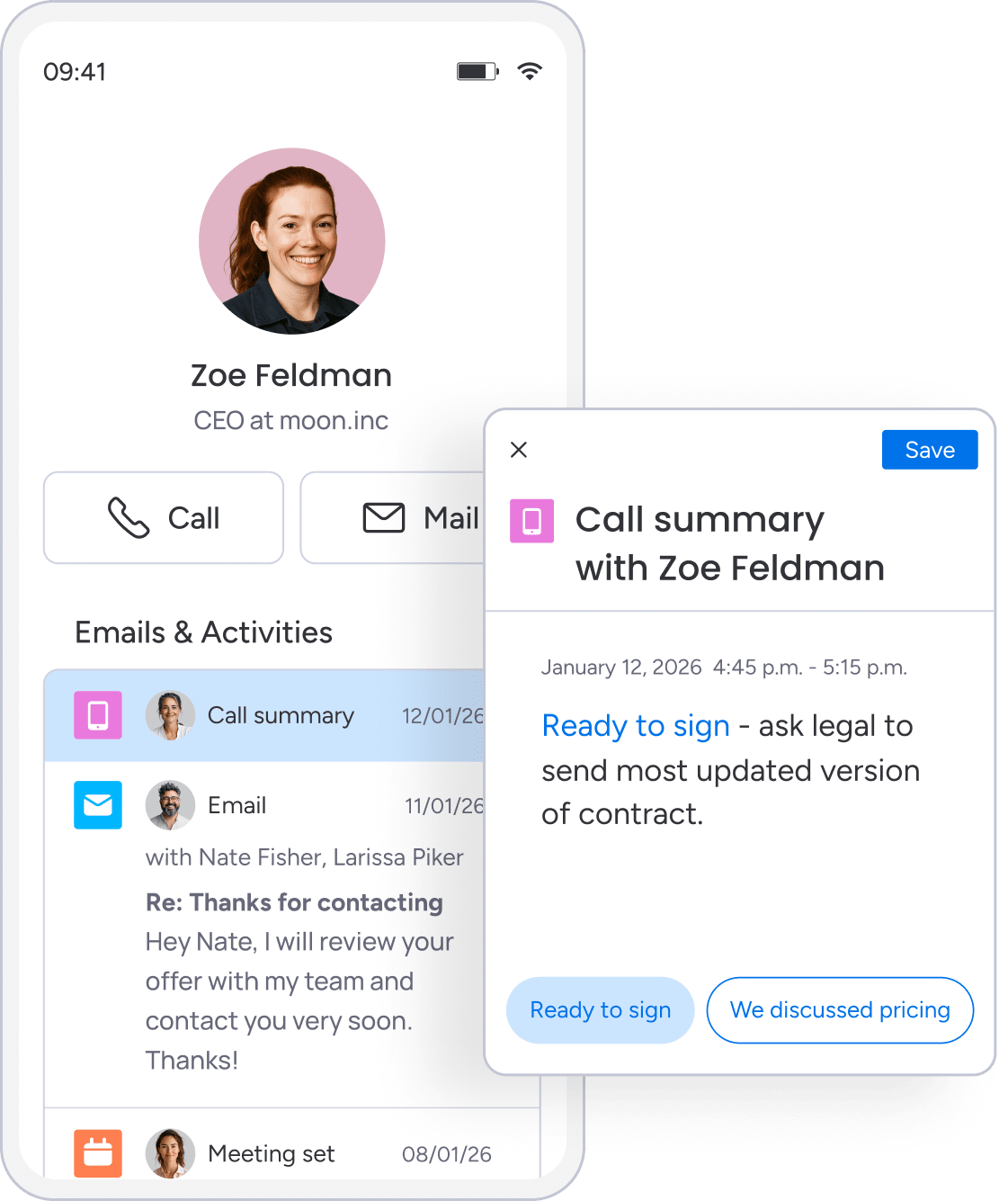
Own the complete customer journey
Service teams stay with customers through every stage — no handoffs, no gaps. From pre-sale through renewal, service teams make sure customers never feel dropped or forgotten.
Service teams own:
- Assist during the buying process: Answer implementation questions and address concerns
- Guide initial setup: Oversee data migration and configuration
- Maintain long-term relationships: Serve as trusted advisors over months or years
- Identify growth opportunities: Spot when customers need additional features or capabilities
The same service manager who helps with initial setup might later recommend new features based on the customer’s growth or spot renewal risks based on usage patterns.
Measure success through customer outcomes
Service teams measure success differently than support. Service teams don’t track response times — they track whether customers hit their business goals.
Service teams invest time understanding what customers want to accomplish, whether that’s:
- Closing more deals: Improving sales velocity and conversion rates
- Improving forecast accuracy: Getting better visibility into pipeline health
- Reducing manual data entry: Streamlining workflows and automating repetitive tasks
They help customers extract maximum value by recommending features and workflows tailored to specific use cases. As customers grow, service managers advise on optimization opportunities and industry benchmarks.

What is customer support?
Customer support jumps in when customers hit technical problems or need quick answers. Support teams respond to customer-initiated requests, providing expert assistance to get customers back on track quickly.
Here’s the core difference: who reaches out first, and why. Support waits for customers to report problems, then fixes them fast with technical know-how. When a customer can’t log in, encounters an error message, or needs help configuring a feature, support provides the solution.
Respond to problems as they arise
Support teams respond fast when problems hit. Customers control when interactions happen by submitting tickets, calling help lines, or starting chat sessions when they need assistance.
Because support is reactive, teams work in specific patterns:
- Incident response: Address problems as they’re reported, diagnosing issues and implementing fixes.
- Question answering: Field specific how-to questions about product functionality.
- Troubleshooting: Follow diagnostic processes to identify root causes and solutions.
Reactive doesn’t mean slow. Many support teams respond within minutes and resolve issues on first contact. The difference: customers reach out first when they need help now.
Apply technical expertise and product knowledge
Support teams know the product inside out and solve technical problems fast. They understand how features work, why errors occur, and which solutions apply to specific situations.
Support agents can:
- Identify root causes: Distinguish between product defects and user error.
- Configure features correctly: Guide customers through complex setup processes.
- Resolve integration issues: Troubleshoot problems with connected systems.
A support agent might help troubleshoot email integration issues by walking through authentication settings, sync rules, and connection logs to identify the exact problem.
Operate through systematic ticket management
Support runs on ticketing systems that track, prioritize, and route issues. Every request gets a ticket number so nothing gets lost and teams can measure performance.
Ticketing systems provide several operational benefits:
- Request tracking: Nothing gets lost, and customers can check their request status.
- Priority assignment: Urgent issues receive faster response times.
- Resolution documentation: Solutions get recorded and added to knowledge bases.
This system lets support handle high volumes without sacrificing quality.
Key differences between customer support and service
Understand the difference, and you’ll structure teams more effectively and set precise expectations. These functions differ in 5 ways that shape hiring, tech choices, and daily work:
| Dimension | Customer support | Customer service |
|---|---|---|
| Scope | Narrow focus on fixing specific problems | Broad focus on entire customer relationship |
| Timing | Reactive; customer initiates contact | Proactive; company initiates contact |
| Skills | Technical troubleshooting and product expertise | Relationship building and business consultation |
| Technology | Ticketing systems and knowledge bases | CRM platforms and customer success software |
| Metrics | Response time and resolution rate | Retention rate and expansion revenue |
Scope and daily responsibilities
Scope determines daily work. Support agents might resolve fifteen different technical issues in a day, each requiring focused troubleshooting. Service managers might spend that same day on 3 customer calls, each requiring understanding of business context and strategic priorities.
- Support teams specialize deeply: They become experts in specific product features and common issues because their focus is narrow.
- Service teams need broader business acumen: They engage with customers on topics like goal-setting, process optimization, and growth planning.
Timing and resource planning
Timing differences affect how teams structure their work. Support teams need coverage for unpredictable volume spikes, often requiring shift coverage and on-call rotations. Service teams can schedule their outreach in advance, planning quarterly reviews and check-in calls during regular business hours.
This affects:
- Staffing models: Support requires flexible coverage while service allows planned scheduling.
- Training approaches: Support focuses on technical skills while service emphasizes relationship building.
- Compensation structures: Support measures volume and speed while service focuses on relationship depth and revenue impact.
Required skills and career paths
Both need strong communication and empathy, but they use these skills differently. Support hiring prioritizes technical aptitude, systematic problem-solving, and the ability to stay calm under pressure. Service hiring prioritizes relationship building, strategic thinking, and the ability to navigate complex organizational dynamics.
Many professionals move from support to service as they develop relationship skills, using their product knowledge as a foundation for strategic customer conversations. This path creates employees who get both the technical details and the big-picture strategy.
How to route customers to customer support vs. customer service

Different problems need different teams. Route customers right, and you’ll cut delays and boost satisfaction. Here are some examples:
| Customer situation | Appropriate team | Why this routing makes sense |
|---|---|---|
| Can’t access account | Support | Technical issue requiring immediate troubleshooting |
| Needs onboarding help | Service | Relationship-building opportunity with success planning |
| Questions about features | Support | Product question with specific answer |
| Quarterly review time | Service | Strategic conversation about goals and growth |
| Reports unexpected behavior | Support | Technical diagnosis and potential escalation needed |
| Contract renewal approaching | Service | Relationship conversation about value and expansion |
| Integration not working | Support | Technical troubleshooting requiring product expertise |
| Expanding sales team | Service | Growth opportunity requiring strategic discussion |
Some situations require coordination between teams. Support might resolve a technical issue and notice the customer uses workarounds suggesting they need additional features. That insight should flow to service for follow-up. Service might hear about recurring technical frustrations during a business review. That feedback should flow to support for investigation.
How support and service impact revenue

Both support and service drive revenue — just in different ways. See these connections, and you’ll know where to invest resources.
Protecting revenue through issue resolution
Support protects existing revenue by preventing frustration-based churn. When customers encounter issues and receive quick, competent help, they stay. When they wait days for responses to critical problems, they evaluate alternatives.
Support’s revenue impact shows up in:
- Churn prevention: Fast resolution keeps customers from leaving.
- Satisfaction scores: Happy customers renew and expand.
- Usage patterns: Resolved issues lead to continued product adoption.
Support also surfaces expansion opportunities naturally. Agents spot usage patterns suggesting customers need additional features or capacity. Share these signals with service teams, and they turn into revenue growth.
Growing revenue through relationships
Service drives revenue growth through proactive relationship management. Regular touchpoints surface dissatisfaction before it becomes churn risk. Strategic conversations identify expansion opportunities before competitors can position alternatives.
Service teams drive revenue in multiple ways:
- Renewal management: Proactive engagement increases renewal rates.
- Expansion identification: Regular reviews surface growth opportunities.
- Competitive defense: Strong relationships prevent customer poaching.
Together, support and service protect existing revenue and grow new revenue. Support keeps customers operational and satisfied day-to-day, while service builds relationships that drive long-term value.
Common handoff challenges between teams
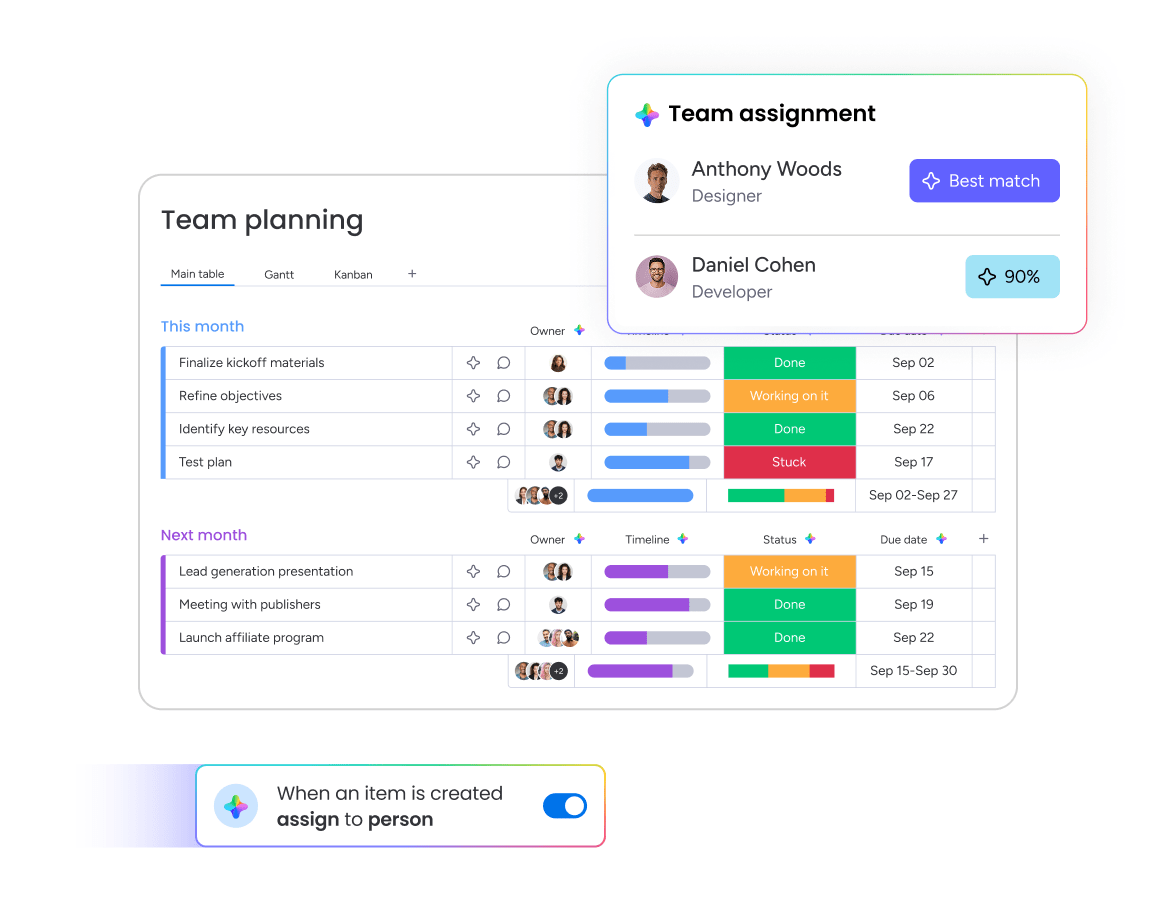
Even the best support and service teams struggle when they can’t see each other’s work. These visibility gaps create friction that frustrates customers and buries revenue opportunities.
Challenge: Lost context forces customers to repeat themselves
When teams don’t share customer history, customers tell their story over and over. A customer explains their problem to support, then explains it again to their service manager, then again during their quarterly review. This repetition frustrates customers and wastes time.
The context problem goes deeper:
- Support lacks strategic context: They might not know a customer is considering expansion, so they don’t prioritize tickets appropriately
- Service lacks technical context: They might not know a customer has 3 critical issues open, so they schedule a growth conversation at the worst possible time
Solution: Centralize customer communication in a shared platform where both teams access the complete interaction history. When support and service see the same timeline, customers never repeat themselves and teams make informed decisions based on full context.
Challenge: Visibility gaps create missed opportunities
When teams can’t see each other’s activities, they miss critical signals. Support resolves a technical blocker, but service doesn’t know to follow up on the now-unblocked expansion opportunity. Service identifies a training need, but support doesn’t know to provide extra guidance on related tickets.
These blind spots cause:
- Duplicate effort: Both teams reach out about the same issue
- Conflicting messages: Teams provide different guidance or timelines
- Missed handoffs: Opportunities fall through the cracks
Solution: Implement automated handoff workflows that trigger notifications and create tasks when specific events occur. When support closes a ticket, service automatically receives context and next steps. When service identifies technical needs, support gets flagged to prioritize assistance.
Challenge: Disconnected teams deliver inconsistent experiences
When support and service work differently, customers notice. They experience one company when contacting support and a different company when talking to service. Response times vary, communication styles differ, and service levels feel disconnected.
This inconsistency kills trust and confuses customers about who to call. Customers might avoid reaching out altogether, letting problems fester until they become churn risks.
Solution: Create unified workflows and shared metrics that align both teams around customer success. When support and service track complementary KPIs in the same dashboard, they coordinate naturally and deliver consistent experiences that build trust.
Building better collaboration with monday CRM
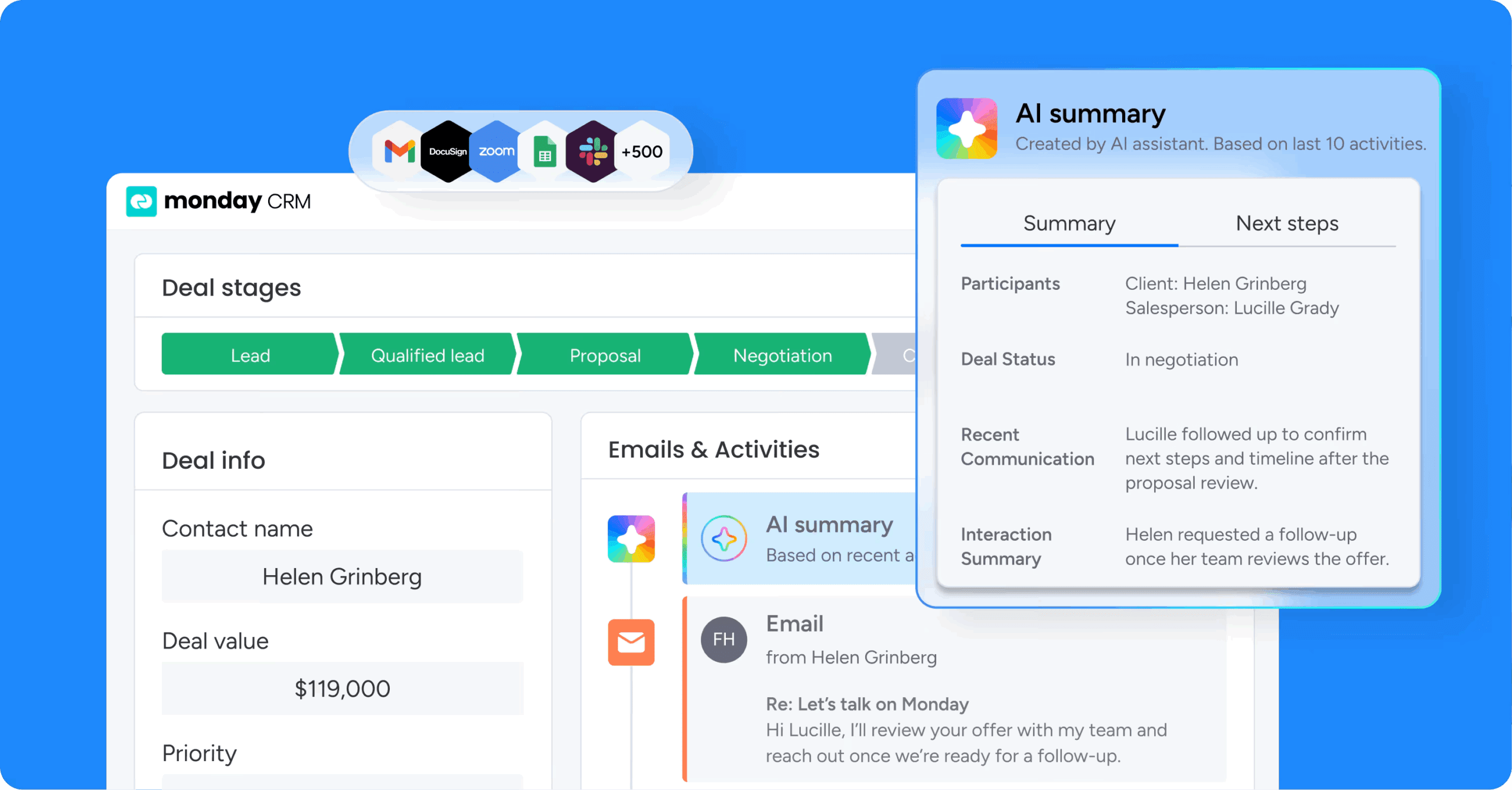
Fix handoffs by giving both teams full visibility into customer interactions. monday CRM closes these gaps with centralized communication tracking and automated workflows.
Unified customer timeline
The Emails & Activities feature in monday CRM creates a single timeline showing all customer interactions. Support tickets, service touchpoints, emails, calls, and meetings appear in chronological order, accessible to both teams without switching systems.
This view solves the lost context problem:
- Support sees the full picture: When support closes a ticket, service sees the entire conversation and can follow up appropriately
- Service stays informed: When service schedules a business review, support knows to prioritize any open issues before that meeting
Automated handoff workflows
monday CRM’s automation capabilities handle transitions between teams without manual work. Teams can create workflows triggered by specific events, such as ticket resolution, customer segment changes, or approaching renewal dates.
Automations keep handoffs smooth by:
- Creating tasks: Automatically assign follow-up work to the right team
- Sending notifications: Alert teams when handoffs occur
- Updating records: Keep customer information current across both functions
AI-powered efficiency
AI features in monday CRM help both support and service teams work more efficiently. The AI Timeline Summary condenses long customer histories into quick reads, helping teams get context fast. Detect sentiment flags frustrated customers before they churn. Assign person routes work to the right teammate based on skills and availability.
AI cuts the manual work that bogs down handoffs:
- Instant context: Instead of reading through months of emails to understand context, teams get instant summaries
- Smart routing: Instead of manually routing requests, AI assigns them based on predefined rules
Cross-functional visibility
monday CRM’s customizable dashboards show metrics for both support and service in one view. Leaders can track response times alongside retention rates, see how support activity affects renewal probability, and identify which handoffs need improvement.
This visibility shows teams how they drive revenue together. Support sees how their resolution speed affects customer health scores and which technical issues predict churn risk. Both teams align around shared customer success metrics.
Build stronger customer relationships
Support and service drive revenue differently — support protects it through fast issue resolution while service grows it through proactive relationship management. The key is giving both teams shared visibility, automated handoffs, and unified metrics that eliminate friction and create seamless customer experiences.
monday CRM brings support and service together with centralized communication tracking, AI-powered workflows, and cross-functional dashboards that show the complete customer story. Try monday CRM to turn disconnected teams into coordinated revenue drivers.
Try monday CRM
“With monday CRM, we’re finally able to adapt the platform to our needs — not the other way around. It gives us the flexibility to work smarter, cut costs, save time, and scale with confidence.”
Samuel Lobao | Contract Administrator & Special Projects, Strategix
“Now we have a lot less data, but it’s quality data. That change allows us to use AI confidently, without second-guessing the outputs.”
Elizabeth Gerbel | CEO
“Without monday CRM, we’d be chasing updates and fixing errors. Now we’re focused on growing the program — not just keeping up with it."
Quentin Williams | Head of Dropship, Freedom Furniture
“There’s probably about a 70% increase in efficiency in regards to the admin tasks that were removed and automated, which is a huge win for us.“
Kyle Dorman | Department Manager - Operations, Ray White
"monday CRM helps us make sure the right people have immediate visibility into the information they need so we're not wasting time."
Luca Pope | Global Client Solutions Manager at Black Mountain
“In a couple of weeks, all of the team members were using monday CRM fully. The automations and the many integrations, make monday CRM the best CRM in the market right now.”
Nuno Godinho | CIO at Velv
“monday.com provides developmental flexibility, operational efficiency, and data transparency — all in one place. We became a company that moved from chasing data to leading with it.”
Hyunghan Lee | Team Lead, Sandbox Network
"monday.com brought every part of our business into one connected space. The harmony between work management and CRM has become our operating system — giving us the clarity and confidence to scale.”
Jennifer Chinburg | Executive Vice President of Corporate Development & Brand, Chinburg Properties
“We just weren’t getting value from our old CRM. With monday.com, it's a thousand times better. Our sales teams are more informed, more consistent, and far more connected."
James Arnold | Chief Operating Officer, CenversaFAQs
What is the main difference between customer support and customer service?
The main difference between customer support and customer service is that support reactively solves specific technical problems when customers request help, while service proactively manages relationships across the entire customer journey.
Can one person handle both customer support and service roles?
Small organizations often have team members handle both functions effectively, but as companies scale, specialization improves outcomes since each requires different skills and workflows.
Which team handles billing and payment issues?
Billing and payment issues typically go to customer support teams because they're transactional problems requiring specific resolution steps.
How do customer support and service teams measure success differently?
Support teams track metrics like response time and resolution rate, while service teams measure retention rate, expansion revenue, and customer lifetime value.
What technology do support and service teams need?
Support teams use ticketing systems and knowledge bases for issue tracking, while service teams use CRM platforms and customer success software for relationship management.
How does AI help support and service teams work together?
AI helps by summarizing customer histories, detecting sentiment in communications, automatically routing requests, and creating handoff tasks between teams.
