


Businesses have no shortage of ideas for using AI. The harder part is identifying where it can make a meaningful difference, then putting it to work within existing processes.
This guide explores practical AI business use cases across key business functions. You’ll see where different types of AI fit, with examples of how monday agents can take on real work within your workflows.
Try monday agentsKey takeaways
- Start with a use case tied to a real business goal: Every AI initiative should connect to a metric you already track (revenue, resolution time, or cost). If it doesn’t, it’s not ready to pursue.
- Match the right AI type to each workflow: Predictive AI forecasts and scores; generative AI drafts and summarizes; agentic AI executes. Using the wrong type of AI produces poor results, regardless of the use case.
- Sequence your rollout to build momentum: Start with quick wins that show results within 90 days, then use that confidence to tackle more complex, cross-team initiatives in later phases.
- Governance makes scaling possible: Set clear permissions, audit trails, and human-approval steps from day one so leadership can confidently expand AI beyond the pilot stage.
- Turn AI plans into live workflows on a unified work platform: With ready-made agents for lead scoring, ticket triage, status reporting, and more, teams can automate real work inside the platform they already use, empowering any team to automate real work with a no-code approach.

What are AI business use cases?
AI business use cases are specific ways organizations apply artificial intelligence to solve business problems or improve existing workflows. Examples include scoring sales leads, routing support tickets, forecasting demand, and generating project reports.
AI agents are expanding what these use cases can achieve because they can take action rather than simply generate or analyze information. Gartner forecasts that 40% of enterprises will feature task-specific AI agents by the end of 2026.
Strong AI business use cases typically have a clear purpose and a defined workflow. Before investing, consider:
- Business value: Connect the use case to a priority outcome or metric.
- Available data: Check that AI can access the information it needs to perform reliably.
- Team adoption: Make sure the technology fits into existing ways of working.
- Governance: Set appropriate permissions and oversight for AI actions.
Want to learn more about what happens “under the hood” of an AI? Here’s our guide on how AI works, in simple terms.
Top AI use cases for marketing and sales
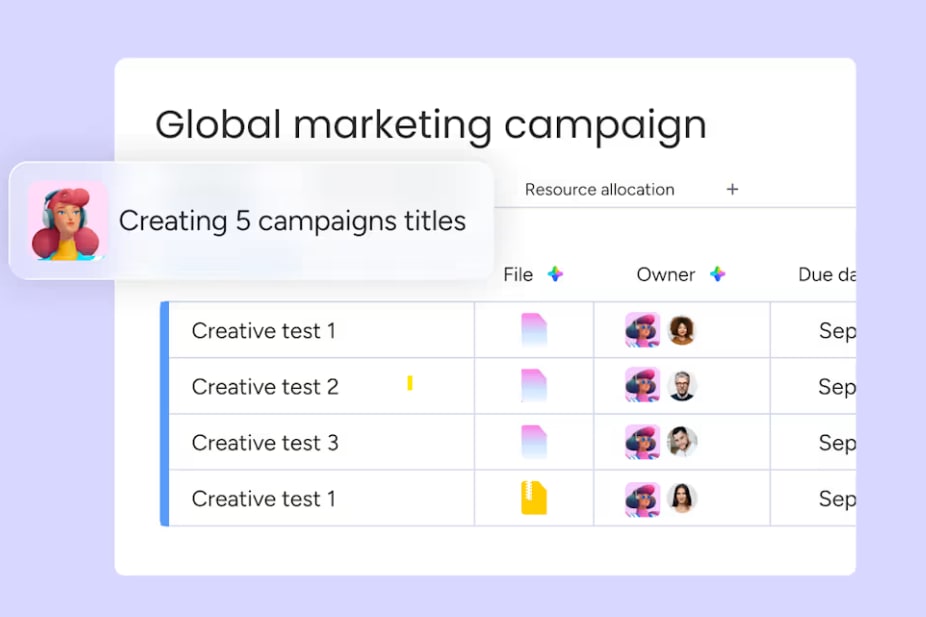
AI can help marketing and sales teams create campaigns, prioritize prospects, and keep deals moving. AI marketing agents and AI sales agents can take these use cases further by acting on signals as work progresses.
Content creation and campaign optimization
AI can speed up content production while helping marketers improve campaign performance. Generative AI creates first drafts and variants, while predictive AI uses performance data to inform what happens next.
Common use cases include:
- Content generation: Create first drafts of emails, ads, landing pages, and social content.
- Campaign optimization: Analyze performance and identify opportunities to adjust targeting or creative.
- Audience segmentation: Group audiences using behavioral and engagement data.
Lead scoring and pipeline management
Lead scoring uses prospect data to identify the opportunities most likely to convert. AI can update these scores as new signals appear, helping sales teams prioritize leads and keep pipelines moving.
AI can:
- Score leads: Evaluate fit, intent, and engagement signals.
- Monitor pipelines: Flag stalled deals or missed milestones.
- Recommend actions: Suggest the next step based on deal activity and buyer behavior.
Sales forecasting and deal support
AI can improve sales forecasting by analyzing historical performance and current pipeline data as deals change.
Teams can use AI to:
- Update forecasts: Recalculate revenue projections as deals progress.
- Capture meeting insights: Summarize calls and identify follow-up actions.
- Maintain CRM data: Update deal stages and other fields from conversation data.
Personalized outreach at scale
AI can tailor sales and marketing outreach using information about each prospect and their behavior. Instead of relying on fixed sequences, teams can adapt messages and follow-ups as prospects engage.
AI can personalize message content, optimize send times, and adjust follow-up sequences based on recipient behavior.
AI use cases for customer service and operations
AI can help customer service and operations teams respond faster, manage demand, and identify risks earlier. AI service agents and AI operations agents can automate parts of these workflows as new information arrives.
Customer service automation and ticket triage
AI can analyze incoming requests and determine what each customer needs before routing the ticket. This reduces manual triage and helps urgent issues reach the right person sooner.
Common use cases include:
- Intent detection: Identify the reason for each customer request.
- Priority assignment: Set urgency based on customer and SLA data.
- Ticket routing: Assign requests based on expertise and workload.
- Self-service resolution: Resolve routine issues using approved knowledge.
Sentiment detection and escalation
AI can analyze customer communications to identify sentiment and detect changes during an interaction. Customer service teams can use these signals to spot potential problems and intervene earlier.
AI can:
- Score sentiment: Classify customer interactions as they happen.
- Detect changes: Identify when customer sentiment deteriorates.
- Escalate issues: Alert the right person when intervention is needed.
- Analyze trends: Identify recurring sources of negative feedback.
Supply chain forecasting and inventory management
AI can improve demand forecasting by combining historical data with current signals. Operations teams can use these forecasts to make more informed inventory and supplier decisions.
Common applications include:
- Predict demand: Forecast requirements across products and locations.
- Optimize inventory: Recommend reorder timing and quantities.
- Detect anomalies: Flag unexpected changes in demand.
- Monitor suppliers: Identify emerging performance or reliability risks.
Project status reporting and risk analysis
AI can pull live project data into project status reports and identify potential risks without requiring managers to compile updates manually. AI agents for project management can extend this into workflows that monitor projects and act when conditions change.
AI can:
- Generate reports: Summarize progress and outstanding blockers.
- Flag risks: Identify delays and at-risk dependencies.
- Alert stakeholders: Notify the right people when intervention is needed.
- Track trends: Use project data to identify emerging delivery risks.

AI use cases for IT and software engineering
AI can help IT and engineering teams develop software and manage service delivery more efficiently. AI IT agents can extend these use cases by monitoring work and taking action within IT workflows.
Code assistance and developer productivity
AI can support developers throughout the software development lifecycle, reducing time spent on routine coding and documentation tasks.
Common use cases include:
- Code generation: Create code from natural language instructions.
- Code suggestions: Recommend code based on project context.
- Test generation: Create unit tests and identify potential edge cases.
- Bug detection: Flag errors, vulnerabilities, and performance issues.
- Documentation: Generate comments and release notes from code changes.
IT service desk automation
IT service desks can use AI to reduce the manual work involved in handling routine requests while directing more complex issues to the right people.
AI can:
- Classify tickets: Categorize requests by type and urgency.
- Resolve routine issues: Trigger predefined workflows for common requests.
- Improve knowledge: Identify gaps based on recurring ticket patterns.
- Balance workloads: Route tickets based on expertise and capacity.
SLA monitoring and incident response
AI can continuously monitor service-level agreement (SLA) performance and identify tickets at risk of breaching their targets.
Common applications include:
- Track SLAs: Monitor response and resolution times.
- Predict breaches: Flag tickets that may miss SLA targets.
- Classify incidents: Assess severity and route incidents appropriately.
- Track MTTR: Monitor mean time to resolution across incident types.
- Automate follow-up: Trigger post-incident reviews and documentation.

AI use cases for HR, finance, and legal teams
AI can reduce manual work across document-heavy HR, finance, and legal processes. AI HR agents and AI finance agents can automate routine steps while keeping people involved in decisions that require judgment.
Candidate sourcing, screening, and scheduling
AI can support recruiters throughout the hiring process, helping teams manage candidate information and repetitive administrative work.
Common use cases include:
- Sourcing: Identify candidates who match defined role requirements.
- Screening: Compare applications against job criteria.
- Scheduling: Coordinate interview availability and reminders.
- Outreach: Personalize candidate communications.
Invoice processing and expense reconciliation
AI can automate repetitive accounts payable and expense processes while flagging exceptions for review.
AI can:
- Extract data: Capture key information from invoices and receipts.
- Match records: Compare invoices with purchase orders and receiving records.
- Check policies: Flag expenses that don’t meet company rules.
- Route approvals: Send requests to the appropriate approver.
Contract review and legal research
AI can help legal teams review documents and manage incoming requests more efficiently.
Common applications include:
- Identify clauses: Highlight important contract terms for review.
- Compare templates: Flag deviations from approved language.
- Search precedents: Find relevant contracts or legal decisions.
- Automate intake: Collect information and route requests to the right person.

AI use cases by industry
AI use cases vary by industry based on operational needs, available data, and regulatory requirements. Here are some of the most common applications across five sectors.
Retail and e-commerce
Retailers use AI to personalize customer experiences and improve decisions around pricing and inventory.
- Product recommendations: Analyze browsing and purchase behavior to recommend relevant products.
- Dynamic pricing: Adjust prices based on demand, competitor pricing, inventory, and margin targets.
- Visual search: Match customer-uploaded images with similar products in a retailer’s catalog.
- Demand forecasting: Predict product demand by location and SKU to improve inventory allocation.
- Customer service automation: Handle routine requests such as order tracking and returns.
Banking and financial services
Financial institutions use AI to detect risk and automate processes that require large amounts of data analysis.
- Fraud detection: Analyze transaction patterns and flag unusual activity in real time.
- Credit risk assessment: Evaluate financial and behavioral data to assess lending risk.
- Compliance monitoring: Scan transactions and communications for potential regulatory violations.
- Product recommendations: Match customers with financial products based on their needs and behavior.
- KYC verification: Automate document verification, identity matching, and risk screening during onboarding.
Healthcare and life sciences
Healthcare and life sciences organizations use AI across clinical and administrative workflows, with strict controls around sensitive patient data.
- Clinical decision support: Give clinicians access to relevant research, treatment protocols, and drug interaction information.
- Medical imaging: Analyze X-rays, MRIs, and CT scans to help identify potential abnormalities for clinician review.
- Patient scheduling: Predict no-shows and optimize appointments around provider availability.
- Claims processing: Extract claims data, validate information, and flag discrepancies for review.
- Drug discovery: Analyze molecular structures and clinical trial data to identify potential drug candidates.
Healthcare AI requires appropriate privacy, security, and governance controls, including compliance with regulations such as HIPAA where applicable.
Manufacturing and supply chain
Manufacturers use AI to monitor equipment and improve decisions across production and supply chains.
- Predictive maintenance: Analyze equipment sensor data to identify signs of potential failure before a breakdown.
- Quality control: Use computer vision to detect product defects during production.
- Production scheduling: Balance capacity, labor, materials, and order priorities when planning production.
- Supplier risk monitoring: Track supplier performance and other risk signals to identify potential disruptions.
Technology and telecommunications
Technology and telecommunications companies use AI to manage infrastructure and understand changing customer behavior.
- Network optimization: Analyze traffic and adjust network resources as demand changes.
- Churn prediction: Identify customers at risk of leaving based on usage and engagement patterns.
- Customer onboarding: Guide customers through setup and activation workflows.
- Pricing optimization: Analyze usage patterns to inform pricing tiers and plan structures.
- Infrastructure monitoring: Detect performance problems and trigger alerts or remediation workflows.
Where artificial intelligence use cases deliver the most business value
AI use cases can support different business objectives, but the value often comes from increasing revenue, reducing operating costs, or improving productivity. Connecting each use case to a measurable outcome can help teams decide where to invest first.
Revenue growth
Sales and marketing teams can use AI to identify promising opportunities and move prospects through the pipeline more efficiently.
AI can support revenue growth by:
- Prioritizing leads: Identify high-intent prospects and route them quickly.
- Improving conversion: Personalize outreach using prospect context and behavior.
- Accelerating deals: Automate follow-ups and reduce sales administration.
Cost reduction
AI can lower operating costs by reducing the manual effort involved in repetitive, high-volume processes.
Common opportunities include:
- Automating workflows: Handle tasks such as ticket triage, invoice processing, and data entry.
- Reducing errors: Identify discrepancies before they create additional work or cost.
- Allocating resources: Match capacity with changing workloads and demand.
Productivity gains
AI can reduce the administrative work surrounding knowledge work, giving teams more time for higher-value activities.
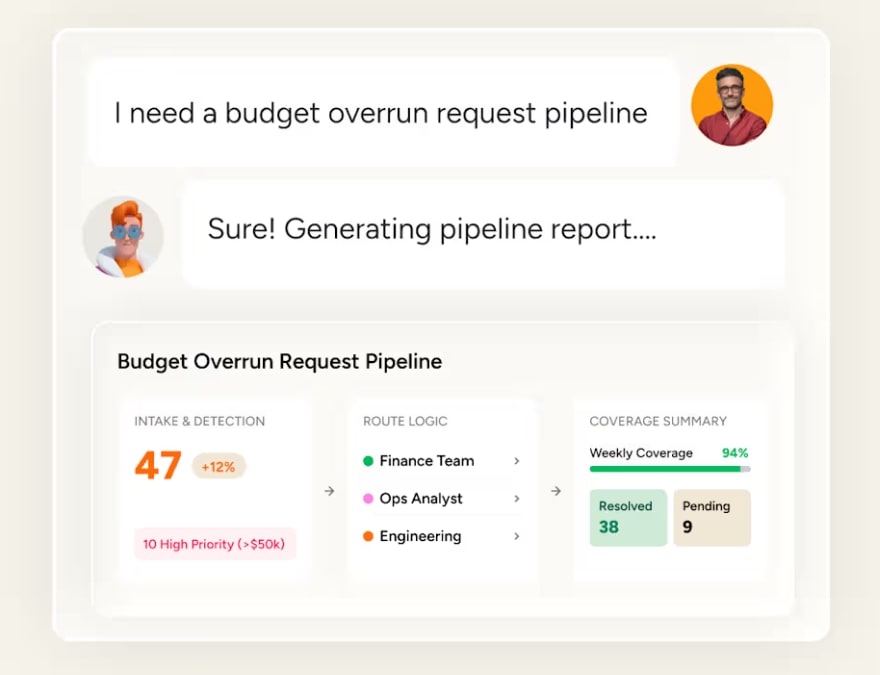
For example, AI can generate reports from live project data, update records automatically, and help teams build workflows without relying on developers for every process change.
Generative AI vs. traditional AI vs. agentic AI
Traditional AI predicts or classifies outcomes, generative AI creates new content, and agentic AI executes workflows. The right approach depends on what you need AI to do.
What is traditional AI?
Traditional AI and machine learning use historical data to identify patterns and make predictions or classifications. It’s best suited to well-defined problems with sufficient historical data.
Common use cases include:
- Fraud detection: Flag unusual transaction patterns.
- Demand forecasting: Predict future demand using historical and current signals.
- Lead scoring: Predict which prospects are most likely to convert.
- Predictive maintenance: Identify signs of potential equipment failure.
- Churn prediction: Identify customers at risk of leaving.
What is generative AI?
Generative AI creates new content, such as text, images, code, and audio. It’s particularly useful for tasks involving creation, summarization, or translation.
Common use cases include:
- Content creation: Generate marketing and sales content.
- Code generation: Create code from natural language instructions.
- Document drafting: Produce first drafts of reports or other documents.
- Summarization: Condense meetings, documents, and conversations.
- Conversational AI: Respond to natural language questions.
Generative AI outputs may require human review for accuracy and factual correctness.
What is agentic AI?
Agentic AI can plan and execute multi-step workflows within defined permissions. Unlike AI that produces an output for someone else to act on, AI agents can take actions within connected business systems.
For example, agentic AI can:
- Triage and route support tickets.
- Monitor and update sales pipelines.
- Generate project reports and flag risks.
- Execute and adjust marketing workflows.
- Manage parts of HR intake and scheduling.
How to choose the right AI type for each use case
Choose an AI approach based on the task you want it to perform. Traditional AI works well for prediction and classification, generative AI for creating content, and agentic AI for workflows requiring AI to take action.
| Dimension | Traditional AI/ML | Generative AI | Agentic AI |
|---|---|---|---|
| Primary strength | Prediction and classification | Content creation and summarization | Autonomous multi-step execution |
| Best for | Fraud detection, forecasting, scoring | Drafting, coding, image generation | Workflow automation, ticket triage, campaign execution |
| Data requirements | Structured, historical data | Large training datasets (pre-trained models available) | Structured work data + workflow context |
| Human involvement | People act on predictions | People review and edit outputs | People set guardrails; AI executes within them |
| Maturity | Mature, widely deployed | Rapidly maturing | Emerging, early enterprise adoption |
Organizations may use different AI types within the same workflow. For example, sales teams could use traditional AI to score leads, generative AI to draft outreach, and agentic AI to execute follow-up workflows.
How to prioritize AI use cases in 4 steps
Organizations often identify more AI opportunities than they can pursue at once. Prioritizing use cases based on business value and feasibility helps teams decide where to start and what to tackle later.
Step 1: Map each use case to a business objective
Connect each AI use case to a measurable business objective. If you can’t identify the outcome it should improve, reconsider whether it’s worth pursuing.
| Use case | Business objective |
|---|---|
| AI lead scoring | Increase sales conversion rate |
| Automated ticket triage | Reduce average resolution time |
| AI-generated status reports | Free manager time for strategic work |
| Demand forecasting | Reduce inventory carrying costs |
| Contract clause review | Accelerate deal cycle time |
Step 2: Score on projected value and implementation feasibility
Rate each use case by its projected business value and implementation feasibility. Consider factors such as available data, technical complexity, team readiness, and integration requirements.
| Use case | Projected value | Feasibility | Priority |
|---|---|---|---|
| AI lead scoring | High | High | Start here |
| Demand forecasting | High | Medium | Phase 2 |
| Cross-department risk analysis | High | Low | Phase 3 |
Prioritize high-value, high-feasibility opportunities first. More complex use cases can follow as your AI capabilities mature.
Step 3: Identify quick wins that deliver results within 90 days
Look for use cases that can deliver measurable results within 90 days without major infrastructure changes.
Strong candidates typically have:
- Low complexity: Use existing platforms and data.
- Visible results: Demonstrate a clear business benefit.
- Defined metrics: Use measures the team already tracks.
- Manageable risk: Limit disruption if results fall short.
Examples include automated status reporting and ticket triage using existing work data.
Step 4: Build a phased roadmap from quick wins to transformational bets
Sequence your remaining use cases based on their complexity and dependencies:
- Phase 1 (0–90 days): Prove value with quick wins.
- Phase 2 (90–180 days): Tackle workflows requiring more preparation or coordination.
- Phase 3 (6–12 months): Address complex use cases involving significant process change.
Reassess value and feasibility after each phase as your data, technology, and team readiness evolve.

5 steps to move AI use cases from pilot to execution
Moving an AI use case from pilot to production requires more than proving the technology works. Teams need to redesign the workflow, connect the right data, set appropriate controls, and measure results.
Step 1: Redesign workflows around AI
Instead of adding AI to an unchanged process, consider how the workflow could operate differently with AI involved.
| Workflow step | AI as add-on | AI-native workflow |
|---|---|---|
| Ticket triage | A dispatcher reads ticket, then uses AI as a second opinion | Ticket goes to AI first; AI classifies, routes, and resolves routine cases; people handle exceptions |
| Status reporting | Manager compiles report manually, then uses AI to polish the language | AI generates the report from live project data; manager reviews and adds commentary |
| Lead follow-up | Rep decides when to follow up, then uses AI to draft the email | AI monitors engagement signals, triggers follow-up at the optimal time, and drafts contextual outreach; rep reviews before sending |
Step 2: Start with modular, task-specific agents
Start with AI agents designed for clearly defined workflows, such as scoring leads or triaging tickets. A narrow scope makes agents easier to test, measure, and control before expanding their responsibilities.
Step 3: Connect AI to existing data and workflows
AI agents need access to relevant data and context. Connect them to the systems where teams already manage work, such as project boards, CRM pipelines, and service desks.
Access to connected data can also improve cross-functional workflows. For example, a lead scoring agent could use marketing engagement data alongside sales pipeline signals.
Step 4: Set governance and human-in-the-loop controls
Define what AI can access and which actions it can take autonomously. Higher-risk actions may require human approval before execution.
Key controls include permissions, action boundaries, audit trails, and testing before deployment. We’ll explore AI governance in more detail below.
Step 5: Measure results and scale what works
Set baseline metrics before deployment, then compare them with results after the AI workflow goes live. Relevant measures might include resolution time, conversion rates, reporting hours, or processing costs.
Scale use cases that deliver measurable value. Where results fall short, review the data, workflow, or adoption approach before expanding.

AI governance and trust practices that enable scaling
AI governance defines how AI can access data, take actions, and remain accountable. Clear controls help organizations expand AI use while managing security, privacy, and operational risks.
Permissions and access controls
AI agents should only access the data and actions required for their role. Key controls include:
- Data access: Limit agents to relevant workspaces, boards, or datasets.
- Action permissions: Define whether agents can read, create, edit, or delete data.
- Role-based controls: Align access with organizational roles and responsibilities.
Human oversight and audit trails
Organizations should define where AI can act independently and where people remain involved.
- Human oversight: Require review before AI completes sensitive or high-impact actions.
- Audit trails: Record agent actions and outcomes to support accountability, troubleshooting, and compliance.
Data privacy and compliance
Organizations should understand how AI providers handle business and personal data before deployment.
Review:
- Data residency: Determine where AI-processed data is stored.
- Model training: Establish whether organizational data is used to train third-party models.
- Content ownership: Clarify ownership of inputs and AI-generated outputs.
- Compliance: Check relevant privacy, security, and regulatory requirements.
How monday AI Workspace turns AI business use cases into live workflows
Part of the monday AI Workspace , monday agents lets people and AI agents operate as one team, with shared cross-department context and controls built for adoption at scale. Every AI example discussed in this article, from lead scoring to ticket triage to status reporting, can be executed as a live workflow on the platform.
Use ready-made or custom monday agents
Ready-made monday agents handle defined business workflows across departments. For example:
| Department | Live monday agent | Example use case |
|---|---|---|
| Marketing | Lifecycle Campaign Testing Agent | Test and improve campaign workflows |
| Sales | Pipeline Guardian | Monitor pipeline activity |
| HR | Candidate Matching Agent | Match candidates with role requirements |
| Finance | Invoice Reconciliation Agent | Support invoice reconciliation |
| Project management | Dependency and Risk Mapper | Identify project dependencies and risks |
| IT and service | SLA Monitor | Monitor SLA performance |
Teams can also build custom agents around their own processes, knowledge, and connected tools without coding.
Give agents the context to act
monday agents work with the context available in monday AI Workspace rather than operating as standalone AI tools. They can use relevant work data and connected knowledge to understand the workflow before taking action.
Agents can also connect with external tools and integrations, allowing them to use context from the systems teams already rely on.
This becomes particularly useful across departments. An agent with access to relevant marketing and sales context, for example, can act on signals that would be unavailable inside an isolated CRM or marketing tool.
Move from AI output to action
monday agents can take actions within workflows rather than stopping at a recommendation or generated response.
Depending on their role and permissions, agents can update work, create items, route requests, generate reports, or trigger follow-up actions.
For example, the Status Reporter can support project reporting workflows, while the Ticket Management Agent applies agentic AI to service workflows.
Keep agents within defined controls
monday agents operate within defined permissions and guardrails. Organizations can control the information agents access and the actions they’re allowed to perform.
Governance capabilities include permissions, human oversight, auditability, and controls for testing agents before wider deployment. This gives teams a way to expand agentic workflows while retaining visibility over how AI interacts with business data and processes.
Try monday agents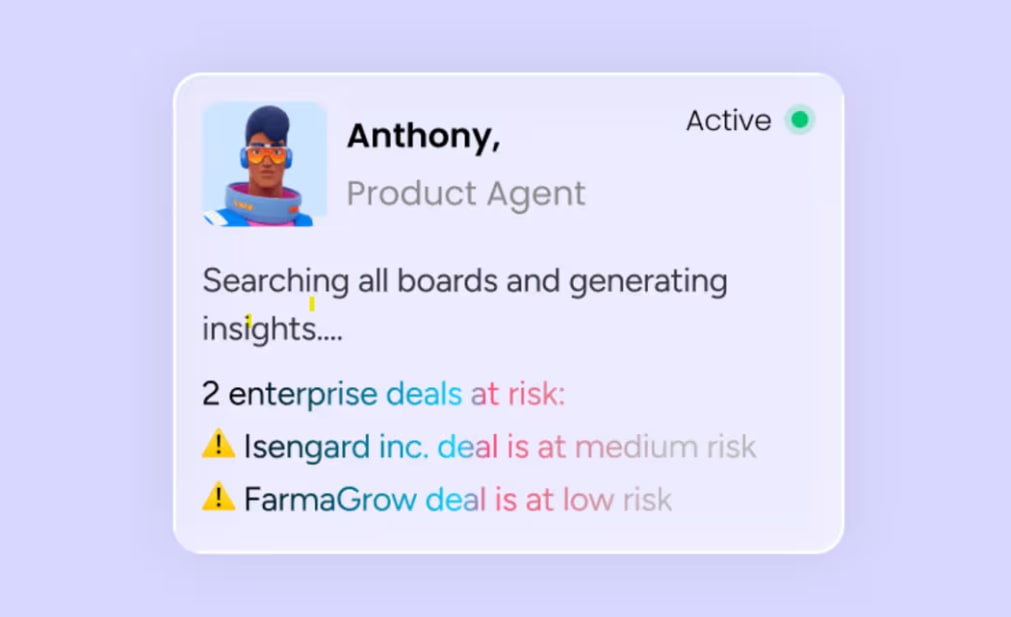
How to turn AI business use cases into your lasting competitive advantage
The strongest AI business use cases solve a defined problem and connect to a measurable outcome. Start with opportunities that are feasible to implement, measure the results, and scale the workflows that deliver value.
monday AI Workspace helps teams put these use cases into practice within the same environment where work already happens. With monday agents, teams can move from AI-generated insights to governed workflows that take action across sales, marketing, operations, and more.
Try monday agentsFrequently asked questions about AI business use cases
What are the most common AI use cases in business?
The most common AI use cases span marketing, sales, operations, and IT: lead scoring and sales forecasting, customer service ticket triage, content generation, demand forecasting, and automated reporting. These use cases share a pattern; they replace high-volume, repetitive workflows with AI that operates faster, more consistently, and around the clock.
How do I choose the right AI use case for my company?
Map each candidate use case to a measurable business objective, score it on projected value and implementation feasibility, and start with quick wins that can deliver results within 90 days. The strongest first use cases are those that use data you already have, solve a problem your team already feels, and produce results visible to leadership.
What is the difference between generative AI and agentic AI?
Generative AI creates content such as text, images, and code from prompts and requires human review before the output is used. Agentic AI autonomously plans and executes multi-step workflows within defined guardrails, taking actions like updating CRM records, routing tickets, or generating and distributing reports without step-by-step human direction.
Can small businesses use AI without a data science team?
Platforms like monday.com offer no-code AI agent builders and ready-made agents that teams can deploy without technical expertise. A marketing manager can set up a Competitor Research Agent, or a sales lead can deploy a Lead Scorer agent, without writing code or hiring a data scientist.
How do I measure ROI from AI use cases?
Define baseline metrics before deploying AI, including average ticket resolution time, lead conversion rate, hours spent on weekly reporting, and cost per invoice processed, then measure the same metrics after deployment and calculate the difference. This delta quantifies the time saved, costs reduced, or revenue influenced by each AI use case.

 Get started