


A competitor cuts pricing the same week your campaign goes live, and nobody on the team sees it until the numbers are already public. That’s the kind of miss monday agents catch. AI agents sit inside the boards your marketing team already works from, watching for the moment something changes and acting on it before a person would think to check.
This guide explores how marketing teams use monday agents to scale in 2026, including specific agents you can activate today in monday AI Workspace.
Try monday agentsKey takeaways
- Reserve agents for work that runs on its own: Most marketing tasks fit a simple automation or a one-off prompt to an assistant. An agent earns its place when the work needs to run continuously across boards and departments without someone asking first.
- Governance needs to be set before an agent goes live: responsible AIAs a best practice, decide who can approve high-stakes actions and who reviews the audit trail as part of setup.
- Agent output is only as good as the boards feeding it: Structured campaign boards and documented brand guidelines determine whether an agent produces something usable or generic.
- Adoption and impact are two different questions: Weekly numbers like accuracy and time reclaimed show whether an agent is working. Quarterly numbers like pipeline conversion and cost per campaign show whether it’s worth keeping.
- The advantage comes from what a monday agent can see: Deal stages and support ticket trends sit on the same data layer as the campaign itself, so an agent catches what a standalone AI tool misses.
What are monday agents for marketing teams?
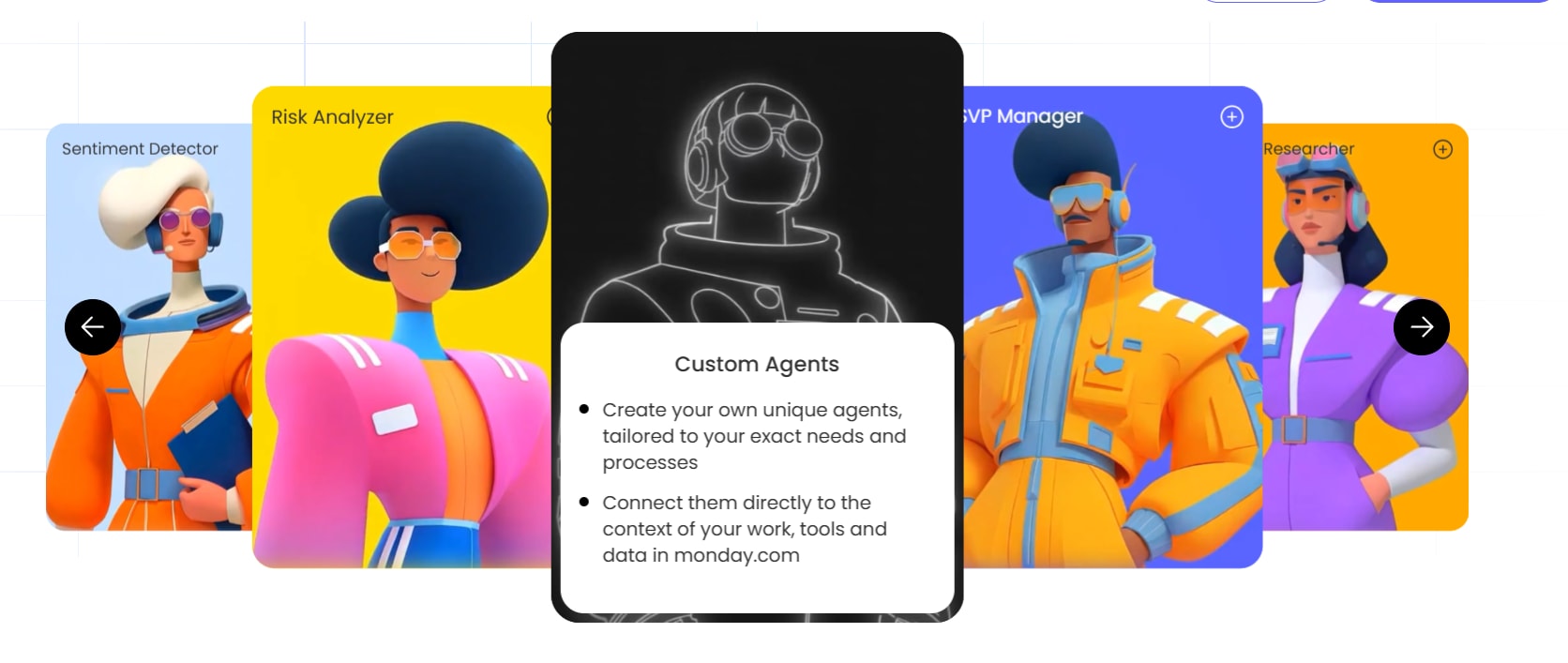
monday agents are autonomous AI agents built into the monday AI Workspace that carry out marketing work without a person prompting each step. Where a chatbot waits for a prompt, an AI marketing agent reads what’s happening on your boards and decides what to do about it on its own. It keeps running in the background instead of waiting for the next request. For a marketing team, that could mean tracking a competitor’s pricing page every morning, or scoring a lead the second it comes in.
Each agent draws on your actual campaign docs and board data, so output reflects real context instead of generic AI text. Ready-made agents cover common marketing functions, like competitor tracking or lead scoring. Custom agents let you build a workflow specific to your team through a no-code builder.
That setup gives marketing teams four concrete advantages:
- Knowledge grounding: Agents check your campaign briefs and board data before acting, so output stays aligned with your brand voice and current strategy.
- Autonomous execution: Agents work around the clock on the triggers and schedules you define, without waiting for someone to prompt them.
- Cross-department visibility: Agents can see sales pipeline data and support activity on the same platform, so a marketing agent can pull deal stages from monday CRM when scoring a lead.
- Built-in guardrails: monday AI Workspace logs every agent action and keeps it reversible. You control what each agent can access, and see what it did and why.
How AI agents differ from automations and monday sidekick
Many marketing teams are already using automations and AI assistants on monday AI Workspace. Here’s how AI agents differ and when to use each depending on how complex, frequent, and autonomous your workflow needs to be.
| Capability | Automations | AI assistant | AI agents |
|---|---|---|---|
| How it works | If-then rules you configure | Conversational AI assistant you prompt | Autonomous agents that act on triggers you define |
| Trigger type | Status changes, dates, column updates | You ask a question or request | Scheduled, event-based, or continuous |
| Scope of action | Single board, single workflow | Account-wide context, one action at a time | Cross-board, cross-department, multi-step |
| Team involvement | Set up once, runs automatically | You prompt each interaction | Runs independently; team reviews via guardrails |
| Best for | Repetitive, predictable processes | Ad hoc research, content drafting, data analysis | Ongoing monitoring, research, reporting, execution at scale |
When to use automations
On monday AI Workspace, automations work best for predictable, repeatable triggers. These are rule-based workflows that follow a “when X happens, do Y” pattern. Examples:
- Moving an item when a status changes
- Sending a notification when a deadline approaches
- Assigning a team member when a form is submitted
AI automation blocks make these rule-based flows smarter. Blocks like categorize, summarize, translate, detect sentiment, and extract info let you embed AI actions into existing automations. An automation can detect the sentiment of incoming customer feedback and categorize it into a status column, without requiring an additional manual review.
Automations work best when the process is consistent, the trigger is straightforward, and the output doesn’t need judgment or multi-step reasoning.
When to use an AI assistant like monday sidekick
monday sidekick is a personal AI assistant built into the workspace and responds to conversational language prompts. It can analyze board data, draft content, generate images, schedule meetings, notify teammates, and create workflows. But it only acts when you ask, rather than operating autonomously.
Sidekick is best for on-demand thinking, brainstorming, and one-off actions when you need a quick answer or content fast. Essentially, Sidekick operates on a “you prompt, it responds” model, uniting your work data, connected integrations like Slack and Gmail, and leading AI models in one conversational interface.
When to deploy an AI agent
AI agents work best when marketing teams need continuous, autonomous execution. Agents deliver the most value when:
- Monitoring competitors daily without manual check-ins
- Scoring every inbound lead the moment it arrives
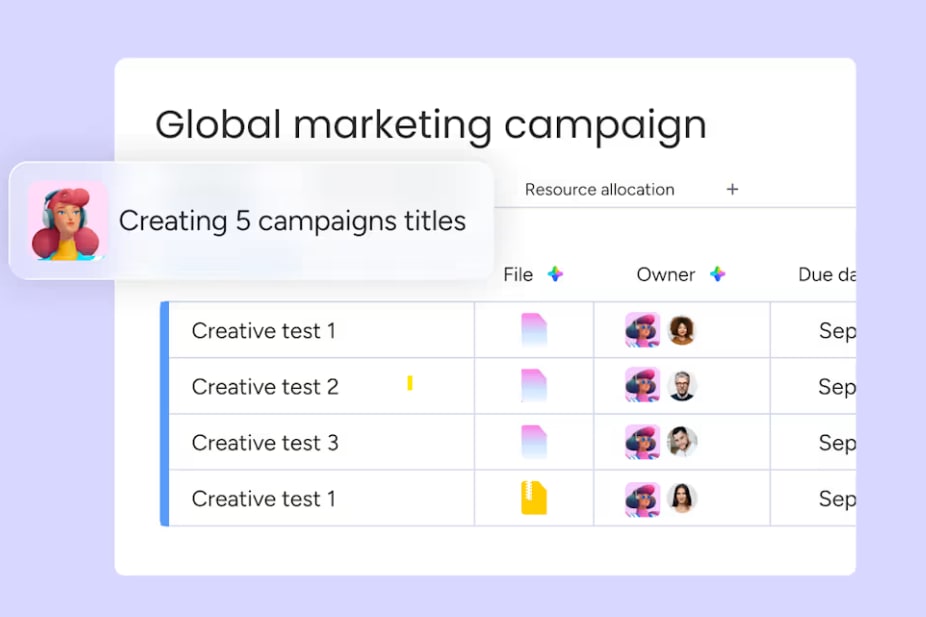
- Translating campaign assets into multiple languages overnight
- Generating end-of-day performance recaps without anyone asking
Agents operate 24/7, follow the role and triggers you define, and use guardrails to keep you in control. Unlike automations, agents tackle multi-step processes that span boards and departments. Unlike Sidekick, agents don’t wait for a prompt. They act on schedules, events, or continuous monitoring loops.
7 marketing workflows where monday agents deliver the most value
The following marketing workflows are the highest-impact starting points for teams deploying agents for the first time. Each addresses a common bottleneck: high manual effort, repeatable process, and output that directly affects campaign performance or pipeline velocity.
1. Competitor research and market monitoring
Marketing teams spend hours scanning competitor websites, press releases, social channels, and industry publications manually. But the insights are often outdated by the time they make it into a deck. As an alternative, bring the Competitive Intel Research agent on board to track key competitors and pull signals into a structured snapshot directly on a monday AI Workspace. What it monitors and delivers:
- Online search and monitoring: Scans for new product announcements, pricing changes, and press mentions on the schedule you define—daily, weekly, or triggered by a specific event.
- Trend identification: The same agent flags new competitors, emerging technologies, and macro trends that aren’t on your radar yet, alongside its day-to-day tracking.
- Living intelligence board: The result is a continuously updated competitive intelligence board that informs positioning, messaging, and campaign strategy without manual research sprints.

2. Content creation and creative production at scale
Content bottlenecks slow down campaign launches. When a single designer or copywriter becomes the gatekeeper for every asset, the entire campaign timeline falls back. Two agents keep content production moving:
- Ad Creative Generator: Produces visuals aligned with messaging and creative constraints, referencing brand guidelines uploaded as knowledge sources—PDFs, docs, or board data.
- Content Writer Agent: Drafts copy based on briefs in monday docs, generating on-brand messaging variations and campaign-ready content in minutes—no manual style checks.
A marketing team can feed the agent a campaign brief and receive draft copy, social media variants, and visual concepts, all aligned with the brand’s voice and visual identity. The agent handles the first draft and the team focuses on refinement and strategic creative decisions.
3. Campaign performance tracking and reporting
When a marketing ops manager spends hours each morning pulling data from boards, formatting it into a summary, and distributing it to stakeholders, that’s time not spent improving the campaigns themselves.
Two agents handle this:
- Goal Manager: Tracks metrics like performance, leads, and signups against goals defined on your boards.
- Status Reporter: Writes progress summaries and flags blockers for stakeholders automatically, so reports go out without a manual data pull.
Both agents pull directly from campaign boards, so the data is always current and tied to real work. Leadership receives automated, structured performance updates with no manual data pulling. The marketing team reclaims hours each week that used to go toward report assembly.
4. Event workflow automation with the Event Planning Agent
Event logistics involve dozens of manual follow-ups and spreadsheet tracking that can consume significant team hours. Managing invitations, tracking responses, sourcing vendors, and staying on budget across multiple channels creates a coordination burden—one that scales with every event.
The Event Planning Agent handles the operational work continuously:
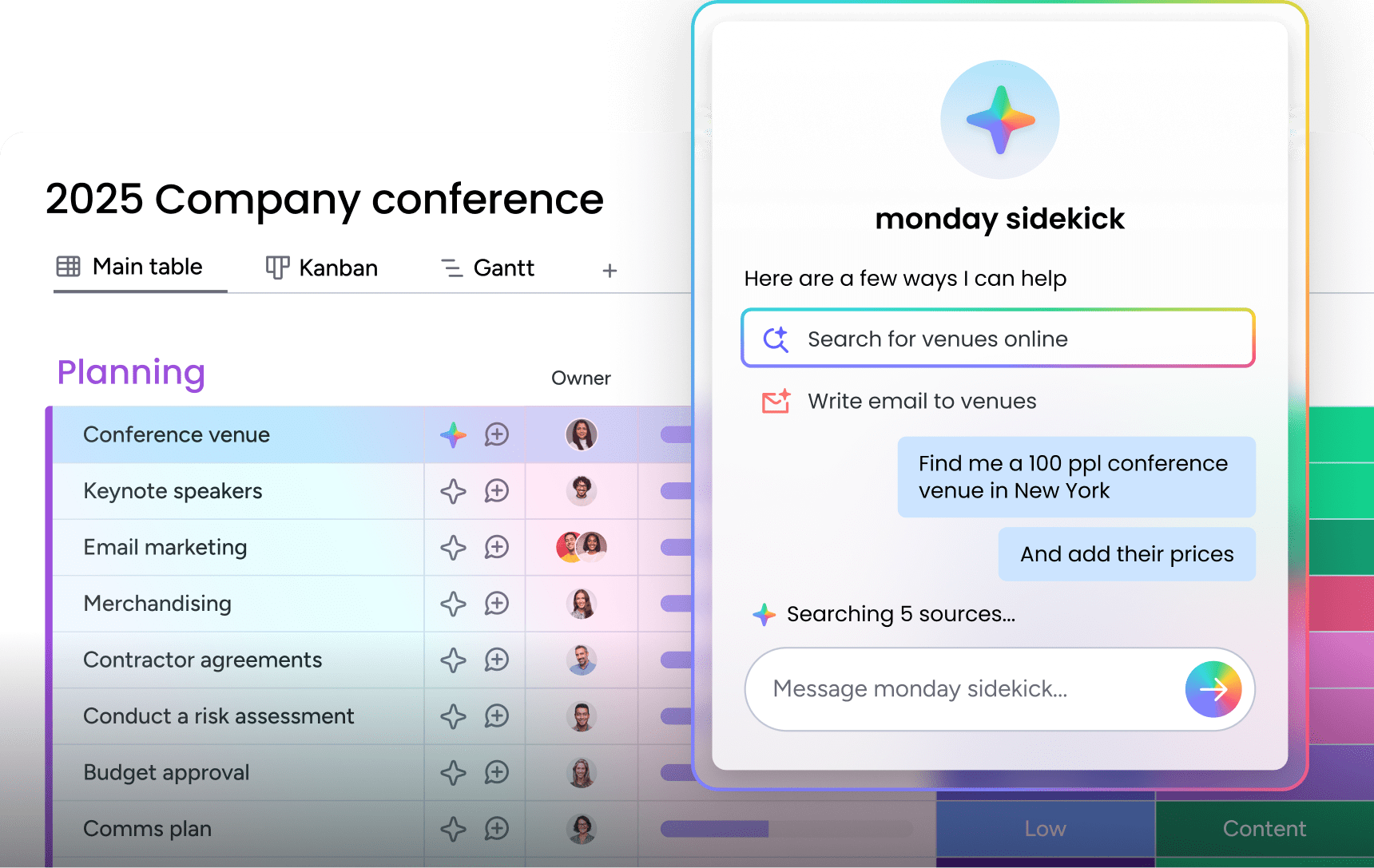
- Builds an event management board covering tasks, vendors, RSVPs, and purchase orders in one place
- Sources venues and vendors that match your criteria and budget, then requests quotes and follows up on negotiation within your approval thresholds
- Chases RSVPs and follow-ups until the guest list reaches your confirmation target, and tracks purchase orders against budget
- Sends a daily digest of that day’s priorities and open risks, and raises an immediate alert if a vendor cancels, RSVPs drop below target, or the budget overruns
The agent runs continuously, so event managers and client experience teams don’t need to check a spreadsheet every morning. The agent handles the coordination while the team focuses on event content and experience.

5. Technical SEO audits
SEO audits are time-consuming and often deprioritized in favor of more visible campaign work. When technical checks happen quarterly (or less), issues compound. Broken canonicals, missing schema, and blocked pages erode organic performance without anyone noticing, until traffic drops.
The SEO Health Agent validates the technical fundamentals search engines care about and turns audits into a continuous process:
- Checks robots.txt, sitemaps, hreflang tags, canonical tags, and structured data across the pages you specify
- Reviews Core Web Vitals through your connected performance tool
- Documents each finding with a specific fix on your board, checking for duplicates first so nothing gets logged twice
- Sends a Slack summary of what it found and what to do next after every audit run

6. Campaign localization and translation
Global campaigns require campaign localization across multiple languages, which creates bottlenecks and inconsistencies. When translation happens manually or through external vendors, new assets sit in a queue while other markets wait to launch.
The Translator agent handles localization as part of the content production workflow, not as a separate step:
- Translates texts while keeping key details accurate, including brand names, product terminology, and campaign-specific language
- Processes new assets as they’re added to the board, across languages and markets
- Updates corresponding board items automatically when new copy is created, without a separate request
Campaigns launch simultaneously across markets with consistent messaging, and the translation bottleneck disappears.

7. Lead scoring and pipeline acceleration
Marketing-qualified leads gain the most value when they are scored and routed immediately, keeping the pipeline moving. When a high-intent lead fills out a form on Monday morning and doesn’t reach a sales rep until Wednesday, the window of opportunity narrows.
The Lead Qualifier agent closes that gap by acting on intent signals the moment they appear:
- Scores leads using fit, intent, and engagement signals across the funnel
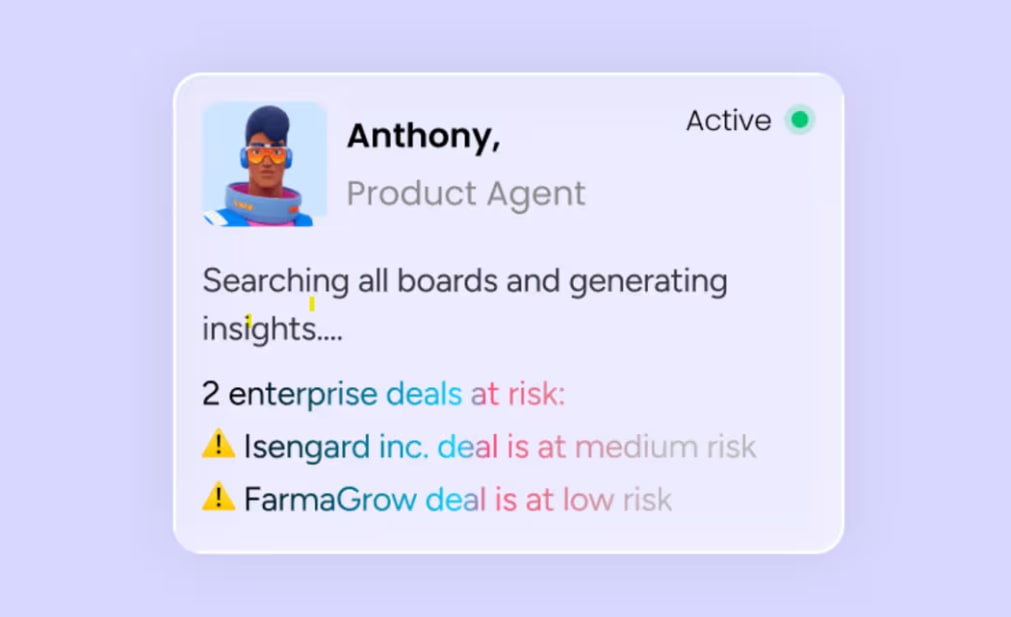
- Routes the lead, schedules follow-ups, and alerts reps when intent spikes (for example, a prospect downloading a case study, visiting the pricing page, and opening three emails in a week)
- Operates on data from both marketing boards and monday CRM within the same platform, bridging marketing activity and sales action
How to decide when a custom agent fits your workflow
The custom agent builder follows three steps: describe the agent’s role and triggers, connect knowledge sources and integrations, then test and refine. The entire process uses plain language descriptions, making it accessible to non-technical team members.
But how do you know when to use a ready-made or custom agent?
- Choose a ready-made agent when: The example matches a common marketing function, such as competitor tracking, translation, event management, or lead scoring. These agents are pre-configured for the most frequent patterns and can be activated quickly.
- Build a custom agent when: Your workflow involves proprietary data, unique triggers, or multi-step processes that no pre-built agent covers. For example, a custom agent that monitors a specific set of industry publications, cross-references findings with your product roadmap board, and generates a weekly briefing for the CMO.
As a happy medium, start ready-made, then customize: Many teams begin with a pre-built agent and refine its behavior over time using the agent builder. This approach delivers immediate value while allowing the team to learn what works before investing in custom configuration.
How to set up a marketing agent in 3 steps
Setting up a marketing agent on monday AI Workspace is straightforward and accessible to any marketing manager, with minimal implementation time. The steps below walk through exactly what to define, connect, and validate before your agent goes live.
Step 1: Define the agent’s role, triggers, and timing
The first step is to describe what the agent should do, what events or schedules should trigger it, and how often it should run. This description is written in natural language, not code.
A concrete marketing example: “Monitor our top five competitors every Monday morning and update the ‘Competitive Intel’ board with any new product announcements, pricing changes, or press mentions from the past week.” The agent builder interprets this description and configures the agent’s behavior accordingly.
Precision matters here. The more specific your instructions, the more accurate the agent’s output:
- Too vague: “Keep an eye on the market” — produces generic, unfocused results.
- Specific and actionable: “Track pricing changes from Competitor A, Competitor B, and Competitor C and log them in the ‘Pricing Intel’ group” — produces structured, usable output.
Define which competitors, which data sources, which board, and which columns the agent should update before moving to the next step.
Step 2: Connect knowledge sources and integrations
The agent needs context to act accurately. This step involves connecting the knowledge sources and integrations that ground the agent’s actions in real data:
- Campaign briefs stored in monday docs
- Brand guidelines uploaded as PDFs
- Existing boards with campaign performance data
- Any other documents the agent should reference before acting
Integrations to configure:
- Slack (for notifications)
- Gmail (for email-based triggers or outputs)
- Google Calendar (for scheduling)
- CRM boards (for lead and deal data)
Step 3: Test in simulation mode before going live
On monday AI Workspace, agents include a simulation mode that lets teams validate the agent’s actions before activating in production. Simulation mode shows what the agent would do, why it would do it, and what data it would change, without making changes. This is a required in-process checkpoint.
Run simulation mode for at least a few cycles and review the outputs against these questions:
- Are the competitor summaries accurate?
- Is the lead scoring criteria producing the right distribution?
- Are the translations preserving brand terminology?
If something is off, adjust the agent’s instructions and run simulation again. Once the outputs consistently match expectations, activate the agent. The audit trail continues to log every action after activation, so the team maintains full visibility even after the agent is running autonomously.
Why cross-department context makes marketing agents more effective
A key advantage of running AI agents on monday AI Workspace is access to data that lives outside the marketing department. Shared context changes what agents can see, decide, and flag, which is vital for campaign performance and pipeline outcomes.
How marketing agents access sales pipeline data
As marketing boards and operational workflows live on the same platform and data layer, a marketing agent can reference sales pipeline stages, deal values, and close rates when making decisions.
Consider a lead scoring agent that factors in whether a prospect’s company already has an open deal in the CRM pipeline:
- A contact from an account with a $50K deal in the “negotiation” stage fills out a webinar registration form.
- The agent adjusts the lead score upward and routes it to the account’s assigned rep, not the general inbound queue.
- This routing decision is based on live CRM data, not a manual lookup or a weekly sync.
This is something agents on standalone marketing platforms cannot do because they lack visibility into sales data. The agent doesn’t need an API call to a different system; the data is already there.
How shared context improves campaign targeting and attribution
When marketing agents can see support ticket sentiment, product usage data, and sales conversation summaries alongside campaign performance metrics, they notice insights that single-department agents miss.
For example, a reporting agent might flag that a campaign driving high lead volume is also generating leads with high support ticket rates post-sale. This suggests a messaging-to-product fit issue: the campaign is attracting the wrong audience or setting incorrect expectations.
The contrast is significant:
- A marketing-only agent reports the campaign as a success based on lead volume.
- A cross-department agent locates the downstream problem before it worsens.
How to protect your brand with AI agent guardrails
Deploying AI agents at scale requires a governance model that defines what agents can access and how to catch and correct errors. Here’s how monday AI Workspace’s built-in guardrails address each requirement:
- Permissions and access controls for marketing workflows: Admins explicitly decide what each agent can access and modify, both inside monday AI Workspace and across external integrations. For example, a content agent might have read access to brand guidelines and write access to the content calendar, but no access to the finance workspace.
- In-person approval for launches, spend, and outbound sends: For high-stakes actions like publishing content or adjusting ad spend, teams can require team approval before the agent executes. An agent can draft a weekly performance email and hold it for approval, or flag a recommended campaign change and wait for a marketing manager’s sign-off.
- Audit trails and one-click reversibility: Every agent action is logged with full transparency: what it did, why it did it, and what it will do next. If an agent makes a mistake, the team can see the action in the audit trail and reverse it.
How to measure ROI from marketing agents
Measuring the marketing ROI of AI agents requires tracking distinct layers of metrics: operational indicators that show whether agents are functioning as intended, and business outcomes that connect agent activity to revenue. Both matter, and both should be reviewed on a regular cadence.
Operational metrics to track weekly
These leading indicators show whether agents are working as intended and where adjustments are needed:
- Agent actions completed per week: The total number of research summaries, translations, reports, or lead scores the agent produced. This establishes a baseline for agent output and helps identify if an agent is underperforming or if its triggers need adjustment.
- Time reclaimed per team member: Hours previously spent on manual research, reporting, or translation that are now handled by agents. Track this by comparing pre-agent and post-agent time logs for specific processes. Teams that deployed competitor research agents, for example, can measure the hours previously spent on manual competitive analysis.
- Agent accuracy rate: The percentage of agent outputs that required no correction, tracked via audit trail reviews. A high accuracy rate (above 90%) indicates the agent’s knowledge sources and instructions are well-calibrated. A lower rate signals that the agent needs refined instructions or additional knowledge sources.
- Turnaround time reduction: Compare how long a process took before agents versus after. If a competitor report took four hours manually and the agent delivers it in 15 minutes, that’s a measurable improvement that compounds across every reporting cycle.
Business outcome metrics that prove pipeline impact
These lagging indicators connect agent activity to revenue and business growth:
- Campaigns launched per quarter: Are agents enabling the team to ship more campaigns with the same headcount? If the team launched 8 campaigns per quarter before agents and 14 after, the increase is directly attributable to reduced production bottlenecks.
- Lead-to-opportunity conversion rate: Has lead scoring and routing improved the quality of leads reaching sales? Track conversion rates before and after deploying the Lead Qualifier agent to measure whether faster, more accurate scoring translates to improved pipeline quality.
- Campaign-to-revenue attribution: Can you trace revenue back to campaigns that agents helped research, optimize, or report on? Because monday CRM and marketing boards share the same data layer, this attribution happens natively without third-party platforms.
- Cost per campaign: Has the cost of producing and launching a campaign decreased as agents handle more of the production and reporting work? Factor in reduced agency spend, fewer contractor hours, and lower platform costs when calculating the per-campaign cost reduction.
Start scaling your marketing output with monday agents
Marketing teams that deploy agents on monday AI Workspace can launch more campaigns, respond to market shifts faster, and connect every marketing action to revenue. The move from manual execution to agent-assisted execution doesn’t replace the team’s judgment; it amplifies the team’s capacity.
Marketing teams already running their work on monday AI Workspace can activate their first monday agent and see results within the week. Teams that master people and agent collaboration set themselves up to move faster and deliver more.
Try monday agentsFAQs about monday agents for marketing teams
How long does it take to set up a marketing agent on monday AI Workspace?
Most marketing teams can configure and test a ready-made agent in under 30 minutes using the three-step agent builder: describe the role, connect knowledge sources, and run simulation mode. Custom agents with unique triggers or multi-step workflows may take a few hours to refine through iterative testing.
Can monday agents publish content without human approval?
By default, teams can configure agents to require human-in-the-loop approval before any high-stakes action like publishing content, sending outbound emails, or adjusting campaign spend. Content only goes live after a team member's sign-off, unless you explicitly configure the agent to act autonomously.
What happens if a monday agent makes a mistake?
Every agent action is logged in a full audit trail that shows what the agent did, why it did it, and what data it changed. Any action can be reversed. Teams can also use simulation mode before activation to catch errors before they affect live workflows.
Does monday AI Workspace use my marketing data to train AI models?
No. Your customer data and content are never used to train monday AI Workspace models, and third parties are not permitted to do so either. You retain full ownership of the content you provide and the content generated by AI on the platform.
Do marketing teams need engineering support to deploy monday agents?
No. The agent builder uses natural language descriptions, not code. Marketing managers can describe the agent's role, connect knowledge sources, and test in simulation mode without technical resources. Engineering support may be helpful for complex custom agents that integrate with multiple external systems, but it's not required for most marketing workflows.

 Get started