


The request seems straightforward: turn one product update into social clips, sales follow-up videos, training content, and region-specific edits by the end of the week. Then the real work starts, with script changes, brand review, file handoffs, and status checks spread across teams. That is why ai for video creation is getting so much attention. It helps teams produce more content without sending every request through the same slow production queue. But here’s the thing: creating a polished clip is only part of the job. Once volume picks up, the bigger challenge is keeping approvals, ownership, timing, and distribution connected.
This guide compares 15 AI video creation platforms and breaks down what actually matters when you’re scaling production, not just generating one-off clips. It looks at the workflow layer around production, including governance, collaboration, and why the surrounding process becomes critical once volume increases. From there, it becomes much easier to see which option matches the way your team works, especially when you need a platform like monday agents to keep the entire production process connected.
Try monday agentsWhat is an AI video creation platform?
Demand for video usually outpaces a team’s ability to produce it. Social teams need fresh clips every week, sales wants tailored outreach, and support teams need training content that does not go stale.
AI video creation platforms help narrow that gap by turning ideas into finished videos without piling more work onto an already slow production queue.
These platforms use AI to generate or edit video from text, images, or existing footage. That means you can turn a script into a product demo, build a training video with a digital presenter, or add captions and channel-specific formats with far less manual effort than traditional workflows require.
But speed alone doesn’t tell the whole story. Teams can now create fresh video on demand, freeing creative specialists to focus on direction, narrative, and campaign planning.
15 best AI video creation platforms for content teams
Picking an AI video platform isn’t about chasing the flashiest demo. The more important question is: does the platform fit your team’s pace and production habits, whether you’re generating cinematic visuals from a prompt or cranking out fast social content? The real advantage comes from a platform that works with your existing project workflow rather than forcing everyone to work around it.
We organized this list around what matters most when content volume grows: output quality, workflow compatibility, collaboration, and security. Use the table below for a quick scan of how each platform aligns with different team needs.
| Platform | Primary use case | Free plan? | Notable feature | Starting price |
|---|---|---|---|---|
| monday agents | Automating video creation workflows | Early access | Connects AI tools to automate the entire video production process | Contact sales |
| Google Veo | High-fidelity cinematic video generation | No | 4K output with advanced physics simulation | Usage-based |
| Runway | Creative professionals needing fine control | Limited | Gen-3 Alpha with motion brush controls | $12/user/month |
| Adobe Firefly | Teams already in Adobe ecosystem | Yes | Native Creative Cloud integration | $4.99/month |
| OpenAI Sora | Realistic scene generation from text | Waitlist | Extended duration clips with consistent characters | TBD |
| Luma Dream Machine | Fast iteration on creative concepts | Yes | Rapid generation with camera motion controls | Free tier available |
| Kling AI | High-quality generation at accessible pricing | Yes | 1080p output with lip-sync capabilities | Free tier available |
| invideo AI | Marketing teams creating social content | Yes | Script-to-video with stock footage integration | $25/month |
| Canva | Non-designers creating branded content | Yes | Template-based video with brand kit integration | $12.99/month |
| Synthesia | Corporate training and communications | No | 230+ AI avatars with 140+ language support | $22/month |
| HeyGen | Personalized video at scale | Yes | Avatar cloning with voice replication | $24/month |
| VEED | Quick social media video production | Yes | Auto-subtitles with one-click resizing | $18/month |
| Leonardo AI | Image-to-video and visual effects | Yes | Motion generation from static images | $12/month |
| Descript | Podcast and video editing with AI | Yes | Text-based video editing with filler word removal | $12/month |
| MiniMax Hailuo | Experimental creative video generation | Yes | Distinctive visual style with rapid iteration | Free tier available |
1. monday agents
Most AI video platforms stop at the generation step. They turn a script into a video, hand over the file, and leave everything else to the team: briefs, brand review, localization, stakeholder feedback, and launch coordination. monday agents handles that operational layer by embedding autonomous agents directly on your monday.com workspace. The work around AI video creation stays connected to the campaigns, timelines, and cross-functional teams already driving execution.
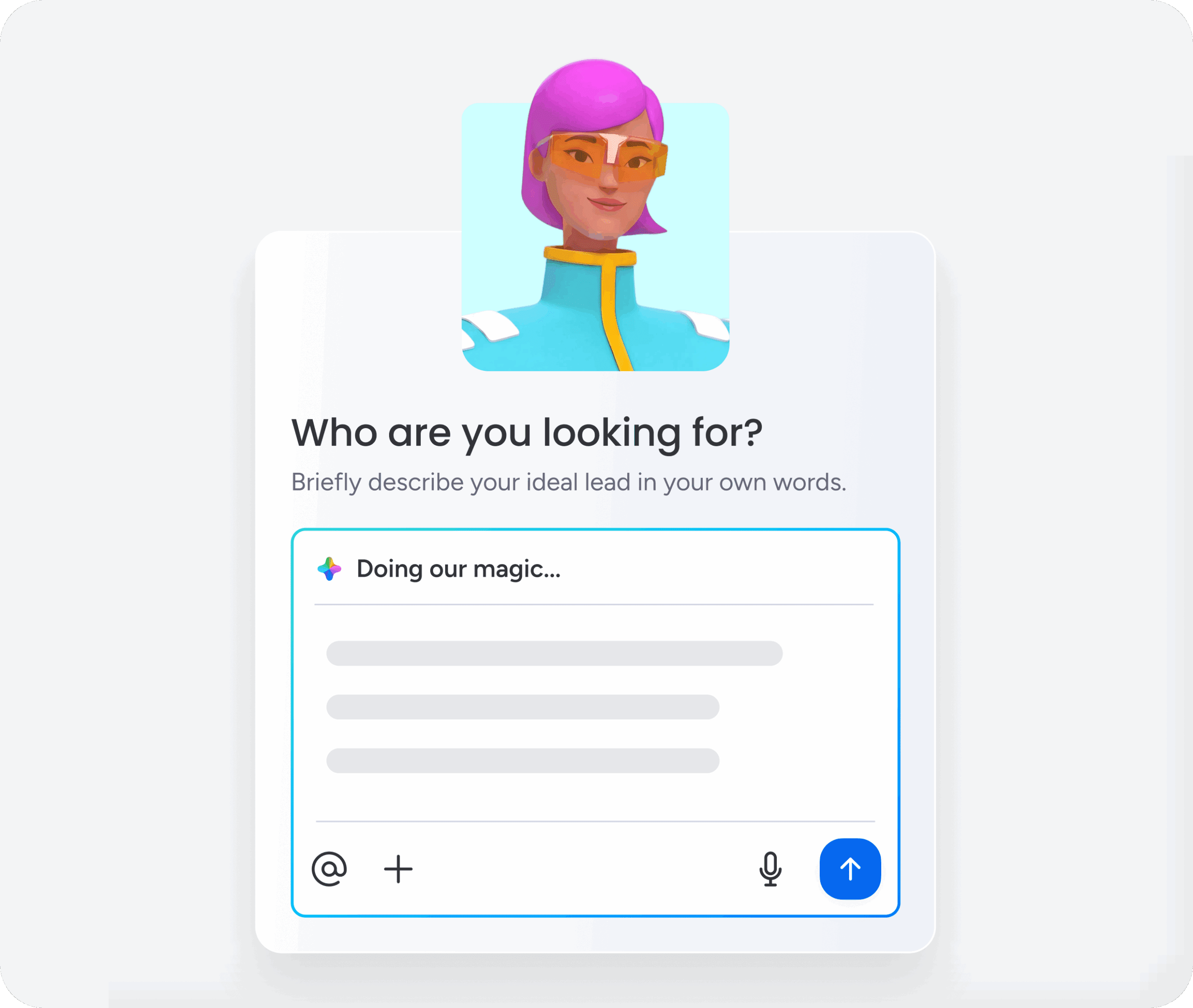
For content teams managing high video volume across departments, this orchestration layer is where you’ll see real value. Instead of chasing updates across disconnected tools, everyone works from the same workspace. Agents pull context from boards, docs, and PDFs, then handle repetitive coordination in the background.
Example:
Best for content and marketing teams coordinating AI video production across multiple systems while keeping reviews and handoffs moving—with live visibility into production status across departments.
Key features:
- Pre-built automation for video production workflows:Ready-made automation creates meeting notes, transcripts, summaries, and follow-up actions after review sessions while detecting schedule, dependency, and workload risks in real time.
- Custom workflow builder for video content operations: Teams can create custom automation in three steps: define the role, specify what work it should handle and when, connect the knowledge and tools it needs, then test and refine before going live.
- Continuous monitoring and execution: Automation uses docs, PDFs, and boards as context, connecting to brand guidelines, campaign briefs, production calendars, and previous review notes, then keeps monitoring and acting 24/7.
- Integrations and secure AI connectivity: Core capabilities keep work synchronized across other tools and allow automation to move work from insight to execution, while monday MCP gives external AI assistants secure access to your workspace.
- AI-powered workspace actions:External AI assistants can turn review notes into structured items, update owners and due dates, create project specs in monday docs, or answer questions like “what is blocking this launch?” while staying within your existing permission model.
Why it stands out:
- Governance built in from the start: You define what each agent can access and whether it can read, create, or edit. Human-in-the-loop controls let teams validate actions before going live, and every action has an audit trail.
- Cross-department context that supports real execution: Video creation depends on product timelines, regional plans, and sales priorities. monday agents works with shared context already on monday.com, connecting signals for cross-functional collaboration.
- Execution, not just suggestions: Agents research, generate reports, flag risks, create updates, and assign follow-ups. Your team stays focused on creative judgment while agents handle repetitive execution work.
2. Google Veo
Google Veo gives creative and production teams a direct path from concept to polished, cinematic video using text and image inputs. Built on Google DeepMind’s research infrastructure, it serves everyone from solo creators to enterprise studios—with options ranging from free monthly generations to managed cloud deployment. Native audio generation, fine-grained editing controls, and high visual quality set it apart from platforms that still split video and sound into separate workflows.

Use case:
Teams that need photorealistic, cinematic video generation with built-in audio, advanced editing controls, and flexible access across consumer, developer, and enterprise environments.
Key features:
- Native audio and video generation: Veo 3.1 models video and audio jointly, producing synchronized sound and visuals in a single generation rather than requiring separate audio production workflows.
- Granular editing controls: Features including Ingredients to Video, First and Last Frame interpolation, Object Insertion and Removal, and Outpainting give teams precise control over scene construction and post-generation adjustments.
- Flexible access across environments: Teams can generate video through Google Vids, the Flow creative platform, the Gemini API, or Vertex AI, scaling from free prototyping to enterprise deployment without switching providers.
Pricing:
- Google Vids (free): 10 Veo 3.1 generations per month for any Google account
- Flow (free tier): One-time 100 credits plus 50 daily credits for non-subscribers
- AI Pro: $19.99/month, includes 1,000 monthly AI credits and access to Flow
- AI Ultra: $249.99/month, includes 25,000 monthly AI credits
- Gemini API (developer): Paid tier only; per-second pricing by resolution — $0.40/second at 720p/1080p, $0.60/second at 4K
- Vertex AI (enterprise): Per-second pricing under Google Cloud billing with enterprise governance; volume options available
Considerations:
- Standard generations run 4–8 seconds. Longer clips require iterative API extensions in 7-second increments, which adds workflow steps and raises per-second costs as production scales.
- Age restrictions (18+) and region-specific limitations — particularly around person generation in the EU, UK, Switzerland, and MENA — may affect certain production workflows.
3. Runway
For teams that want more than a prompt box, Runway offers a deeper creative toolset: cinematic camera moves, performance capture, video-to-video transformation, and in-context editing. Agencies, studios, and brand teams use it as a full production stack rather than a single-purpose generator, since the workspace spans generation, editing, and transformation in one place. With tens of millions of users, it has become one of the most widely adopted options for high-fidelity AI video work.
Use case:
Creative professionals and agencies that need detailed control over AI-generated video, from first-pass generation to in-context editing and performance capture.
Key features:
- Multiple generation modes: Gen-4.5 supports text-to-video, image-to-video, and video-to-video creation with complex camera choreography, while Aleph handles in-context video editing — letting teams add, remove, or transform elements directly within existing footage.
- Cinematic camera direction: A built-in camera terms library covers pan, tilt, dolly, steadicam, and more, giving directors precise control over motion during generation and reducing the need for complex post-production work.
- Performance capture with Act-Two: Transfer motion and facial expressions from a driving video onto a character image or video clip, producing up to 30 seconds of performance-driven output.
Pricing:
- Free: One-time 125 credits with watermarked outputs
- Standard: $12/user/month, billed annually (625 monthly credits, watermark removal, access to Gen-4.5, Aleph, Act-Two, and third-party models)
- Pro: $28/user/month, billed annually (2,250 monthly credits, custom voices for TTS and lip-sync, 500GB storage)
- Unlimited: $76/user/month, billed annually (2,250 credits plus unlimited Explore Mode generations at a relaxed rate)
- Enterprise: Custom pricing with SSO, advanced security, analytics, and dedicated onboarding
- Annual billing saves 20% compared to monthly plans
- Web app credits and API credits are separate and non-interchangeable
Considerations:
- Credits do not roll over month to month, so high-volume teams may see costs pile up faster than expected, especially when premium third-party models like Veo 3.1 are part of the mix.
- Because the platform is feature-rich, it comes with a learning curve. Teams used to template-driven workflows will need time to get comfortable with generation parameters and camera controls.
4. Adobe Firefly
Adobe Firefly brings AI video generation into the Creative Cloud environment, which gives design and production teams a way to move from prompt to polished asset without leaving the tools they already know. It combines Adobe’s commercially safe models with a curated set of partner video generators, all accessible from one interface, making it especially appealing where brand safety and licensing compliance are mandatory. For teams already working in Premiere Pro or After Effects, it reduces the friction of bouncing between generation and editing.

Use case:
Creative teams already working in Adobe Creative Cloud that need AI video generation integrated directly into established production workflows, with commercial licensing confidence included.
Key features:
- Text-to-video and image-to-video generation: Firefly converts written prompts or reference images into video content at up to 1080p, with controls for camera motion, shot size, aspect ratio, and motion presets.
- Partner model access in one interface: Beyond Adobe’s own Firefly Video Model, teams can select from partner models including Runway, Luma, and Pika directly within the Firefly app and video editor, with consistent governance and credit accounting across all options.
- Creative Cloud round-tripping: Generated content flows directly into Premiere Pro and After Effects, preserving project file compatibility and enabling refinement without export or import friction.
Pricing:
- Firefly Standard: $9.99/month
- Firefly Pro: $19.99/month
- Higher tiers (Pro Plus and Premium) offer increased credit allotments, scaling up to unlimited access to the Firefly Video Model
- Creative Cloud Pro (All Apps): $69.99/month (annual, billed monthly), includes 4,000 premium feature credits/month
- Creative Cloud Pro for teams: $99.99 per license/month (annual, billed monthly)
- Generative credit add-ons are available separately, starting at $9.99/month for 2,000 credits
- Enterprise licensing is quote-based and includes additional governance features and IP indemnification options
Considerations:
- Native video generation currently tops out at 1080p. Teams needing 4K delivery must rely on integrated third-party upscaling rather than native model output, which may be a drawback for strict production-quality requirements.
- Because premium video features and partner models use a credit-based system, forecasting costs for high-volume production can be difficult.
5. OpenAI Sora
OpenAI Sora focuses on text-to-video generation with an emphasis on physical realism, synchronized audio, and consistency across multiple shots. It is aimed at creators and developers who need scenes to hold together over time rather than fall apart from clip to clip. OpenAI’s language-model foundation carries through here, and the platform’s consent-based “characters” system plus built-in provenance controls give it a different profile from more open-ended generators.
Use case:
Teams looking for realistic scene generation with consistent characters, synchronized audio, and longer-duration clips — especially those accessing video programmatically by API.
Key features:
- Physics-grounded scene generation: Sora 2 produces videos with accurate motion, lighting, and environmental detail, including complex interactions like rebounds and buoyancy, reducing the need for manual post-production corrections.
- Synchronized audio by default: Dialogue, sound effects, and ambient audio generate alongside the video in a single pass, removing the extra step of sourcing or layering audio separately.
- Consent-based “characters” system: Creators can capture their own likeness and voice, control who can use it, and revoke access at any time — giving teams a traceable, permission-based approach to on-screen talent.
Pricing:
- Sora 2 via API (720p): $0.10 per second
- Sora 2 Pro via API (720p): $0.30 per second
- Sora 2 Pro via API (1024p): $0.50 per second
- Sora 2 Pro via API (1080p): $0.70 per second
- Credits are available as a pay-as-you-go add-on for ChatGPT Free, Go, Plus, and Pro plans once included usage is exceeded
Considerations:
- OpenAI has announced the Sora web and mobile app will be discontinued on April 26th, 2026, with the API following on September 24th, 2026. Teams building workflows around Sora should account for that timeline in their planning.
- Higher-resolution, per-second API pricing can add up quickly in iteration-heavy or long-form workflows, so cost modeling matters before expanding production.
6. Luma Dream Machine
Luma Dream Machine is built for speed. It turns text and images into cinematic clips quickly, which makes it useful for creative teams that need to explore concepts without getting bogged down in technical setup. Powered by Luma’s Ray-series models, it has gained traction with filmmakers, advertisers, and marketing teams alike, and its user base of more than 30 million reflects that broad appeal.
Use case:
Creative teams that need to prototype video concepts quickly and iterate on camera motion without lengthy production cycles or specialized post-production skills.
Key features:
- Camera motion controls: Built-in camera movement concepts — including cinematic angles and motion paths — let teams produce polished-looking shots without post-production work or advanced technical knowledge.
- Draft Mode for rapid iteration: A dedicated Draft Mode generates clips faster and at a lower credit cost, making it practical to explore multiple creative directions before committing to a final render.
- Modify Video workflow: Ray3 Modify enables hybrid editing where teams can preserve an actor’s performance while changing the set, wardrobe, or visual style — reducing reshoots and accelerating production timelines.
Pricing:
- Free tier: limited generation credits included, personal use only, watermarked output
- Plus: $30/month with annual billing option
- Pro: $90/month with annual billing option
- Ultra: $300/month with annual billing option
- Save up to 20% with yearly billing across paid plans
- Top-Up Credits available from $4 for 1,200 credits, valid for 12 months
- Monthly plan credits do not roll over; API credits are billed separately from web subscriptions
- Enterprise pricing available on request
Considerations:
- It does not currently support native audio generation, so teams need to add audio after the video is created.
- Commercial rights and watermark removal are tied to paid tiers. Free and Lite plans are restricted to personal use, which limits their usefulness for production teams.
7. Kling AI
Kling AI combines high-quality video generation and editing in a single engine, making it appealing for teams that want polished output without stitching together multiple tools. Built by Kuaishou Technology, the platform reached $100 million ARR within 10 months of launch, a sign of just how quickly adoption accelerated among both individual creators and enterprise users. Native audio-visual generation and multi-shot storyboarding are part of what set it apart.
Use case:
Teams that want high-quality AI video generation with lip-sync and native audio at competitive pricing, without the overhead of a multi-platform production setup.
Key features:
- Unified generation and editing: Kling’s O1 model handles text, image, and video inputs in a single pipeline, covering everything from initial generation to in-video edits, shot transitions, and first/last frame control — reducing the need to switch between platforms mid-project.
- Native audio-visual generation: The 2.6 model produces visuals and audio together in one pass, including speech, sound effects, and ambience, which cuts post-production time compared to silent-then-dubbed workflows.
- Multi-shot storyboarding: Kling 3.0 lets teams pre-specify shot duration, camera angles, narrative content, and movement per shot before generation begins, giving directors and content leads more precise control over the final output.
Pricing:
- Free tier: available with initial generation access
- Standard, Pro, and Premier plans: available via the membership portal; exact pricing requires login and may vary by region
- Credit packs: consumable credits available as add-ons for expanded generation capacity
- Enterprise/API pricing: available via commercial engagement; Kuaishou reports serving over 10,000 enterprise and API clients.
Considerations:
- Some models have per-generation duration limits. For example, O1 supports 3–10 second clips, so longer narratives require multi-shot assembly or extension workflows rather than one-pass generation.
- Pricing is not publicly listed without logging into the membership portal, and some users report that credit renewal cadences have shifted over time. Teams should verify current terms directly before choosing a plan.
8. invideo AI
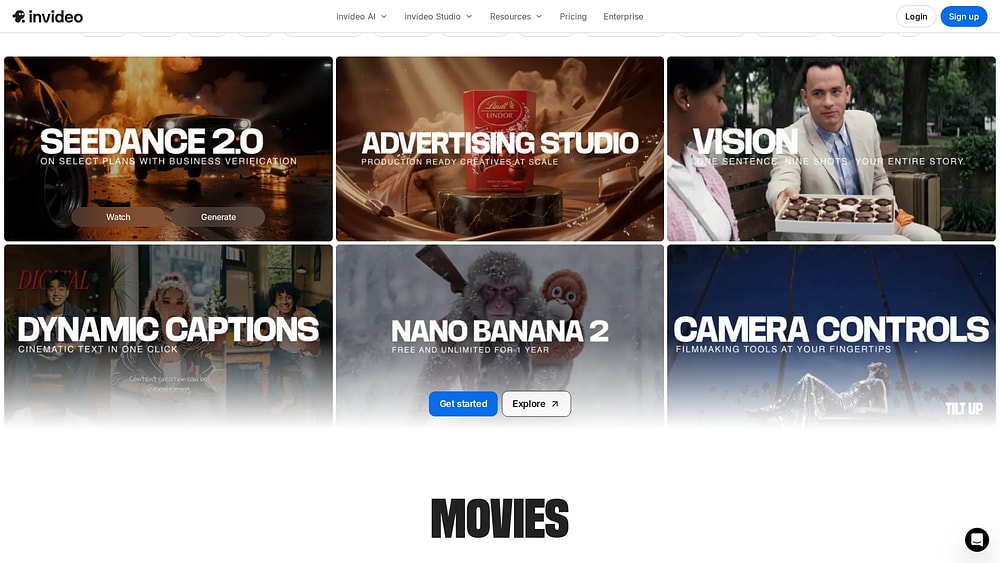
invideo AI is designed for speed and volume. Give it a script, and it assembles a publish-ready video inside one workflow — compressing what used to take a full production day into a much shorter process. Marketing teams and creators use it for social and campaign content because it removes the need to source footage, record voiceovers, or juggle multiple tools. With access to 200+ AI models and a built-in stock library, it handles much of the work from prompt to export.
Use case:
Marketing teams creating social media and campaign videos that need a script-to-video workflow with stock footage and voiceover built into the same platform.
Key features:
- Script-to-video generation: Input a written script or plain-language prompt and the platform assembles a complete multi-scene video, including visuals, transitions, voiceover, and captions, reducing manual production work significantly.
- Stock footage library integration: Built-in access to licensed stock libraries (including iStock and Storyblocks) means teams can source and use footage without separate licensing agreements or rights management.
- Social media format optimization: Output presets for major platforms handle aspect ratios and duration requirements automatically, so content is ready to publish without manual reformatting.
Pricing:
- Free plan: limited model access with watermarked exports; resets weekly
- Plus: $28/month
- Max: $50/month
- Generative: $100/month
- Team: $899/month (per seat baseline), with plans that scale with team size
- Annual billing offers up to 20% savings compared to monthly pricing
- Credits are consumed based on generation quality (Basic, Pro, or Ultra), with Pro and Ultra modes drawing on higher-end models at a faster rate
Considerations:
- Credit usage can be hard to predict because costs vary by generation quality, actors, and added features like hooks or regenerations. Teams on lower tiers may burn through generative minutes faster than expected.
- The template-led workflow is efficient for high-volume, standardized content, but teams looking for highly distinctive or premium brand creative may find the range of outputs more limited.
9. Canva
Canva lowers the barrier to video creation. Non-designers can work from templates, use AI production features, and produce branded content quickly without needing a traditional creative toolset. That makes it a natural option for small marketing teams and broader business users. With Google’s Veo 3 model embedded directly in the editor, Canva moves from text prompt to publish-ready video inside a single workspace.

Use case:
Non-designers and small marketing teams producing consistent, on-brand video content without specialized skills or a fragmented set of production tools.
Key features:
- Veo 3-powered text-to-video: Generate 8-second cinematic clips with synchronized dialogue, sound effects, and music directly from a text prompt, with output opening straight into Canva’s editor for brand refinement.
- Brand kit integration: Logos, colors, and fonts are stored in a brand kit and applied automatically across templates, keeping every video consistent without manual formatting.
- End-to-end AI video pipeline: Auto-captions, AI dubbing in 30+ languages, beat sync, audio enhancement, and video upscaling are all available within one browser-based editor, reducing the need to stitch together separate platforms.
Pricing:
- Free: basic editor access with limited AI usage; Pro stock assets require one-off licensing fees
- Pro: $12.99/month with access to advanced AI features, Brand Kit, and Magic Resize
- Business: $20/person/month, adding higher AI limits, collaboration features, and Leonardo.Ai and Flourish Presenter plan inclusions
- Enterprise: custom pricing with SSO/SCIM, AI governance, enterprise-grade controls, and dedicated support; Canva Shield adds AI safety and indemnification features for eligible customers
- Paid plans include a monthly quota of generative video generations; some marketplace apps (such as HeyGen for talking-head video and AI dubbing features) operate on separate credit systems
Considerations:
- Video generation is capped at 8 seconds per prompt, with an initial limit of 5 generations per month on paid plans. That works for social content and B-roll, but it is a poor fit for long-form production.
- Some advanced video workflows depend on third-party marketplace apps with separate credit limits and pricing, which can make total spend harder to forecast for high-volume teams.
10. Synthesia
Synthesia is built for presenter-led video at scale. Instead of booking a studio, filming a speaker, and recording voiceovers, teams can turn a written script into a finished video in the browser. That model has made it a common choice for training, onboarding, compliance, and internal communications, especially in large organizations. With 240+ AI presenters, 1,000+ voices, and support for 160+ languages, global teams can localize a content library without rebuilding production from scratch.

Use case:
Corporate learning and development, HR, and internal communications teams producing consistent, scalable presenter-led video content without filming equipment or recording sessions.
Key features:
- Script-to-video workflow: Teams input a script, select an AI presenter, and generate a complete video, removing the need for cameras, studios, or voice talent entirely.
- AI Dubbing and multilingual support: The platform preserves the original speaker’s voice timbre while lip-syncing translated audio across 160+ languages, enabling global content distribution from a single source video.
- Enterprise distribution and analytics: SCORM export, SSO-protected video pages, live collaboration, and built-in analytics connect directly with LMS platforms, giving L&D leaders visibility into content performance and learner engagement.
Pricing:
- Free: up to 10 minutes of video per month
- Starter: $29/month (or approximately $22/month billed annually)
- Creator: $89/month (or approximately $67/month billed annually)
- Enterprise: custom pricing with unlimited videos, SAML/SSO, governance, and dedicated support
- Annual billing offers approximately 25% savings compared to monthly pricing
- Unused minutes do not roll over on self-serve plans
Considerations:
- AI presenters can feel less natural in emotionally driven or external-facing content, so the platform is typically a stronger fit for informational and training videos than brand storytelling.
- Full analytics, brand kits, and live collaboration are reserved for Enterprise plans, which may limit smaller teams using self-serve tiers.
11. HeyGen
If your goal is personalized video at scale, HeyGen is one of the better-known options. It lets teams create digital avatars based on real people, cutting down on repeated filming, reshoots, and production overhead. Sales, marketing, customer success, and L&D teams often use it for localized or individualized outreach, and its adoption numbers — over 100,000 businesses and 120 million videos generated — show how established that use case has become.
Use case:
Sales, customer success, and marketing teams creating personalized video messages at scale with custom AI avatars, without repeated filming or production overhead.
Key features:
- Avatar cloning and voice replication: Teams can create custom avatars based on real team members, complete with cloned voices, so every video feels personal and on-brand without requiring anyone to sit in front of a camera again.
- Personalization variables: Dynamic content insertion lets teams address recipients by name, reference specific details, and tailor messaging at scale — turning one video template into thousands of individualized messages.
- API access and integrations: Programmatic access supports automation and connects HeyGen directly to CRM and marketing automation platforms, enabling video generation to run as part of existing workflows.
Pricing:
- Free: 3 videos/month, up to 1 minute, 720p exports
- Creator: $29/month (or $24/month billed annually) — unlimited avatar videos, 1080p exports, voice cloning, 200 Premium Credits/month
- Pro: $99/month (or $79/month billed annually) — 4K exports, faster processing, 2,000 Premium Credits/month
- Business: $149/month for the first seat ($20/month per additional seat) — up to 60-minute videos, collaboration features, SCORM/LMS integrations
- Enterprise: contact sales for custom pricing, enterprise security (SAML/SSO, SCIM), and priority support
- Premium Credit Packs are available as add-ons at $15 for 300 credits/month; features like Avatar IV and lip-sync video dubbing consume credits separately from base plan inclusions
Considerations:
- Heavy users may find the credit model difficult to forecast, since features like lip-sync video dubbing (5–10 credits/minute) and Avatar IV generation draw from a separate Premium Credits pool rather than the base plan.
- Avatar and voice cloning require close attention to consent requirements and enterprise data governance, especially in organizations with stricter compliance expectations.
12. VEED
VEED starts from a different place than many generation-first tools: it helps teams turn existing footage into polished, platform-ready content quickly. For social and marketing teams, that matters. Automated captions, one-click resizing, and a browser-based editor make repurposing far easier, while its multi-model AI suite adds generation options inside the same workspace.

Use case:
Social media and marketing teams producing platform-optimized video at scale, with subtitles, fast format adaptation, and AI-assisted editing in one browser-based workflow.
Key features:
- Auto-subtitles and localization: Automatic caption generation with up to 99.9% accuracy and translation support across 120+ languages, addressing both accessibility requirements and silent-viewing optimization across platforms.
- One-click resizing: Format presets for every major social platform handle aspect ratio conversion without manual cropping or repositioning, so teams can repurpose a single video across channels in seconds.
- AI Playground with multi-model generation: Access to multiple leading text-to-video models — including Google Veo 3.1, Sora 2, Kling, Luma, and Runway — directly inside the editor, with outputs immediately available for trimming, captioning, and publishing.
Pricing:
- Free: Basic access with exports up to 720p and limited AI feature trials
- Lite: $9/month, billed annually ($19/month billed monthly); includes watermark-free exports, 1080p, and monthly AI credits
- Pro: $24/month, billed annually ($55/month billed monthly); adds higher storage, longer videos, and increased AI credits
- Business/Enterprise: Quote-based pricing with SSO, priority support, and enterprise security controls
- Annual billing discounts apply to Lite and Pro plans
- AI features consume credits that vary by model and output duration; some premium models carry higher credit costs
Considerations:
- VEED is strongest as an editing and enhancement layer rather than a pure generation platform. Teams creating most video from scratch may still need a dedicated generation workflow alongside it.
- Credit usage can be tricky to predict because consumption changes by model and duration, and some premium models cost materially more per generation.
13. Leonardo AI
Leonardo AI is especially useful when image creation and motion need to happen together. It takes static visuals — whether AI-generated artwork or uploaded images — and turns them into video inside the same workspace. Backed by Canva and used by 29 million registered users, it serves creative, advertising, design, and entertainment teams that want both image and video output under one subscription. Its multimodel setup, including first-party Motion models and integrated third-party options like Google’s Veo 3.1, gives teams more control over quality, cost, and style.
Use case:
Creative teams generating video from static images or adding motion to AI-generated artwork inside a unified image-and-video workspace.
Key features:
- Image-to-video generation: Convert AI-generated artwork or uploaded images into video clips with controlled motion direction, intensity, and style — keeping the visual identity of the source image intact across both formats.
- Start/end frame controls: Define the opening and closing shots of a generated video to improve scene continuity, currently supported across Veo 3.1 and Kling 2.1 Pro models.
- Native audio via Veo 3.1: Generate video with synchronized audio, including dialogue, directly from a prompt — reducing the post-production steps needed before a clip is ready to share.
Pricing:
- Free: 150 fast tokens per day; public creations only
- Essential: $12/month (annual billing); 8,500 fast tokens per month; private mode; included with Canva Business
- Premium: $30/month (annual billing); 25,000 tokens; unlimited relaxed image generation on selected models
- Ultimate: $60/month (annual billing); 60,000 tokens; unlimited relaxed video on selected first-party models
- Teams Starter: $24/seat per month (annual billing, minimum 3 seats); shared tokens and admin features
- Teams Growth: $48/seat per month (annual billing); higher token allocation and team management features
- Annual billing saves up to 20% across plans
- Token top-ups available for paid subscribers; unlimited relaxed generation applies to selected first-party models only
Considerations:
- On the Essential tier, Veo 3.1 costs a fixed 2,500 tokens per generation, which works out to roughly three to four clips per month before tokens are exhausted. Teams with higher video volume will likely need Premium or Ultimate.
- Audio generated through Veo models cannot currently be turned off, so clips that require a clean audio track will need downstream editing.
14. Descript
Descript approaches video editing from the transcript instead of the timeline. Delete a word, and the corresponding section of footage disappears. That editing model has made it popular with podcasters, content teams, and video editors who want to move quickly without losing quality. Alongside its text-based workflow, it also includes AI tools for voice cloning, filler word removal, dubbing, avatars, and generative video features.
Use case:
Podcast producers and video editors who want document-style editing, along with AI-powered enhancements and generative tools that speed up production without relying on a traditional timeline-based workflow.
Key features:
- Text-based editing: Edit video by modifying the transcript directly — delete a word to cut the footage, rearrange sentences to restructure a segment, or type a correction to fix a mistake without re-recording.
- Filler word removal: Automatically detects and removes “um,” “uh,” and other filler words from spoken content, saving hours of manual scrubbing across long recordings.
- Overdub voice cloning: Generate a custom voice clone that can speak new lines, enabling corrections and additions to existing recordings without scheduling another session.
Pricing:
- Free: basic access to get started
- Hobbyist: $16/person per month, billed annually (or $24/month billed monthly)
- Creator: $24/person per month, billed annually (or $35/month billed monthly)
- Business: $50/person per month, billed annually (or $65/month billed monthly)
- Enterprise: custom pricing with SSO, SCIM, and advanced admin controls
- Annual billing saves up to 35%, and annual Creator and Business subscribers receive one-time bonus AI credits and media hours
- Heavy use of AI features such as avatars, lip-sync, and video regeneration consumes credits quickly; top-ups are available for Creator and Business plans
Considerations:
- Descript is fundamentally an editing-first platform, though it also offers generative AI features like avatars, text-to-video, and dubbing. Its real strength is the way those capabilities fit into one seamless editing workflow, which sets it apart from prompt-only generators.
- Some AI features, including filler word detection and portions of the editing workflow, are currently English-only, and automatic transcription supports 26 languages using Latin scripts only. That may limit teams working across more varied multilingual content.
15. MiniMax Hailuo
MiniMax Hailuo is geared toward experimentation. Its video output carries a more distinctive visual character than many standardized platforms, which makes it attractive for creative teams exploring emerging AI generation styles. Native 1080p output, micro-expression detail, stylized aesthetics, and physics-realistic motion all contribute to that appeal. Add in an agent-driven workflow and transparent per-clip pricing, and it becomes a relatively accessible option for teams testing AI for video creation without a major upfront commitment.
Use case:
Creative teams exploring experimental AI video generation that want distinctive visual aesthetics, fast iteration, and transparent pricing without enterprise-level complexity.
Key features:
- Multiple creation modes: Supports text-to-video, image-to-video, first-and-last-frame video, and subject-reference video with facial consistency, giving teams flexible starting points depending on their creative workflow.
- Physics-realistic motion and stylization: Hailuo 2.3 delivers complex body motion, micro-expressions, and a broad style range, including anime, ink-wash, and game-CG, at native 1080p resolution.
- Agent-driven workflow: The Hailuo Video Agent layers an LLM-powered pipeline over the core model, surfacing visible reasoning and prebuilt templates so teams can produce polished short-form video with minimal editing experience.
Pricing:
- Pay-as-you-go: $0.33 per 1080p/6s clip (Hailuo 2.3 Fast); $0.49 per 1080p/6s clip (Hailuo 2.3 or Hailuo 02)
- Standard package: $1,000/month (3,760 units, 20 RPM, save 5%)
- Pro package: $2,500/month (9,920 units, 30 RPM, save 10%)
- Scale package: $4,500/month (18,900 units, 40 RPM, save 15%)
- Business package: $6,000/month (26,780 units, 50 RPM, save 20%)
- Custom enterprise: unlimited RPM/TPM with priority access and security SLAs, available on request
- Unused units expire at month-end with no carryover; failed generations or outputs flagged in security review do not deduct units
Considerations:
- There is no native audio generation, so voiceover and soundtrack work must happen through separate workflows or external tools.
- Clip lengths are geared toward short-form use, primarily 6 or 10 seconds, which means longer narratives require stitching multiple clips together.
What makes a strong AI video maker for high-volume production?
The first AI-generated video can feel almost magical. Then volume enters the picture. If your team suddenly needs 500 more by next week, the evaluation changes fast. At that stage, you need a platform that can support repeatable production across people, departments, and deadlines.
The table below highlights the evaluation areas that matter most when teams move from experimentation to scaled production.
| Evaluation area | What to check | Why it matters at scale |
|---|---|---|
| Output quality | consistency, brand fit, multi-format support | reduces rework across campaigns and channels |
| Workflow fit | approvals, handoffs, collaboration, integrations | keeps production connected to campaign execution |
| Ease of use | intuitive setup, low training time, reusable templates | increases adoption across teams |
| Pricing model | credits, per-second costs, usage predictability | supports budgeting as output grows |
| Governance | security controls, permissions, audit trails, data policies | supports enterprise rollout and internal trust |
Why generating AI video is only half the production equation
A polished AI-generated clip is easy to celebrate. What is harder is everything that happens before that clip becomes a published asset attached to a campaign, training rollout, or sales initiative. That is where many teams run into the real bottleneck.
The gap usually appears in the work surrounding creation rather than in the generation step itself. Common friction points include:
- brand reviews buried in email threads
- versions scattered across shared drives
- sign-offs delayed because context is missing
- launch coordination disconnected from campaign timelines
- status updates that rely on manual follow-up
That is why high-volume production demands more than strong generation quality. The journey from draft to delivery also includes approvals, ownership, localization, deadlines, and distribution.
In the end, producing more videos matters only if those videos reach the right audience and drive results. Connecting production to business outcomes is what turns higher output into measurable impact.
Learn more: Remote video production
How agentic AI automates video production workflows
Video production often slows down because coordination expands faster than creative capacity. Review requests, status checks, revision cycles all pull at team attention, and together they create drag. Agentic AI helps by converting repeatable coordination work into workflow automation.
Rather than prompting a model for every isolated action, you define the conditions under which work should move. That shift frees your team to spend more time on judgment, strategy, and creative direction.
Trigger work when campaign conditions are met
The first advantage is immediacy. As soon as a new campaign or video request appears on a board, an agent can respond instead of waiting for someone to notice it. That creates a more dependable starting point, so work begins with structure instead of manual chasing. An agent can generate a video brief automatically when a new campaign item is added to your board.
Route reviews, updates, and follow-ups automatically
Once production is underway, momentum depends on handoffs. Agentic AI can keep those handoffs moving without asking people to manually advance every step. That steady motion keeps the workflow alive, even when several stakeholders are involved. For example, content can be sent for brand review automatically when a draft reaches a defined status.
Keep people in control at decision points
Automation works best when people remain involved wherever judgment matters. Brand calls, legal review, and final approvals still need human oversight, especially when the stakes are high. The result is a model that keeps execution moving while leaving nuance, accountability, and brand judgment with people.
Agentic AI is most valuable when it removes coordination drag without removing oversight. That balance is what helps teams move faster and stay confident in what gets published.
Enterprise requirements for AI video creation at scale
Running AI video for one campaign is straightforward enough. Rolling it out across an organization is different. Governance, brand control, data handling, and portfolio-level visibility all become central questions, and leaders need confidence that output can grow without creating blind spots.
At that stage, evaluation shifts away from isolated generation quality and toward operating discipline. If a platform cannot support governance and cross-functional coordination, scaling it becomes much harder to sustain.
Before committing to a platform, get direct answers to key questions:
- Data governance: Will your content be used for model training? Where is data stored, and under what controls? How are deletion requests handled?
- Brand consistency: Does the platform support project approval processes that route content to the right reviewers? Can you enforce templates, prompts, and required sign-offs?
- Cross-department visibility: Can leadership see which videos are on track, where reviews are stalling, and whether resources align with priorities? Does the platform support project portfolio management across teams?
With monday.com, you get control over these requirements. You can build automated approval workflows that send AI-generated content for brand review, capture feedback, and require final sign-off before anything goes live. AI-powered agents can even flag risks before they escalate, turning scattered projects into a managed, visible production pipeline.
Try monday agentsHow to select the right AI video platform for your team
Choosing the right AI video platform is not about finding the tool with the longest feature list. The better goal is fit: how well the platform matches the way your team plans, creates, reviews, and publishes content. That fit influences adoption, output quality, and the amount of coordination the work requires.
Before diving into deep trials, it helps to apply a quick filter. Use the matrix below to align team needs with the platform strengths most likely to matter.
| Team type | Top priorities | Platform strengths to prioritize |
|---|---|---|
| Marketing, sales, and campaign teams | speed, brand consistency, multi-channel output | script-to-video, brand controls, workflow integration |
| Training and internal communications | consistency, localization, easy updates | AI presenters, multilingual support, structured distribution |
| E-commerce brands | volume, catalog coverage, repeatable formats | API access, template logic, automated production triggers |
| Creative agencies | flexibility, approvals, client separation | editing depth, collaboration, account governance |
The strongest fit usually balances creative range with operational control. That combination helps agencies move quickly without losing track of client-specific requirements.
A useful shortlist should reflect both the content you want to create and the workflow required to support it. That is what keeps selection grounded in real operating needs rather than feature overload.
Orchestrating AI video production with monday agents
A strong generated clip is only one piece of the job. The harder part is often everything around it: briefs, reviews, follow-ups, deadlines, and launch coordination. monday agents fills that gap by operating directly inside monday.com, where the broader production plan already lives.

That matters for teams managing campaign velocity across departments. It keeps the work around AI video creation tied to the same boards, docs, people, and timelines already driving execution.
Automated brief generation and context gathering
Agents can pull market context and competitive intelligence before kickoff, surfacing emerging trends that shape the brief. When a new campaign or video request appears on a board, agents respond immediately by generating structured briefs grounded in your existing docs, PDFs, and campaign history. That creates a more dependable starting point, so work begins with structure instead of manual chasing.
AI-powered review coordination and meeting intelligence
Review sessions turn into transcripts, notes, action items, and updates automatically. Agents capture feedback, route content to the right stakeholders based on status or ownership, and keep handoffs moving without asking people to manually advance every step. That steady motion keeps the workflow alive, even when several stakeholders are involved.
Real-time risk detection and dependency monitoring
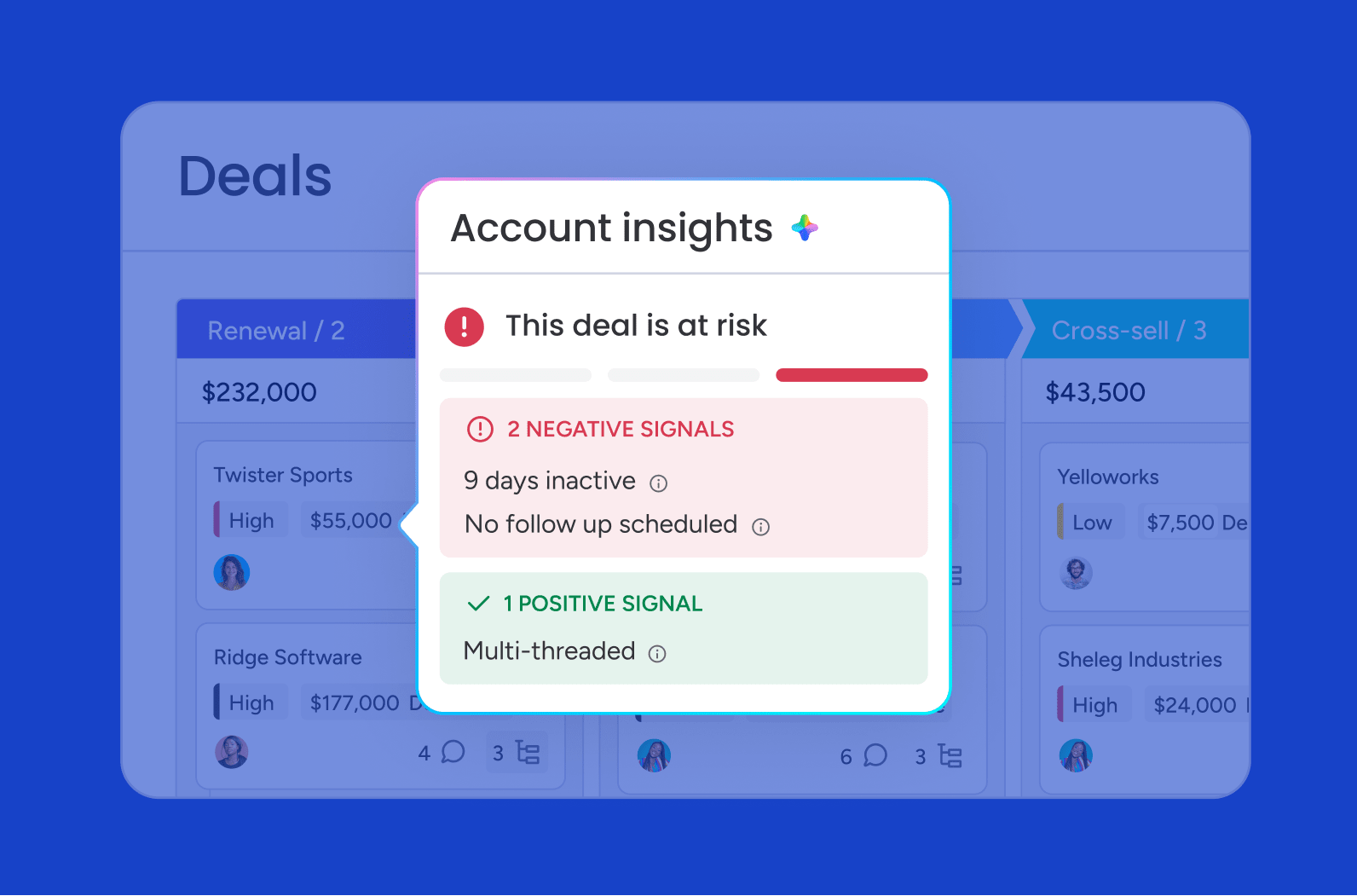
Agents identify dependency or workload issues before a launch slips by continuously monitoring boards, timelines, and resource allocation. They flag risks in real time, surfacing schedule conflicts, bottlenecks, and capacity constraints so teams can adjust before problems escalate. That visibility helps leadership stay ahead of delays rather than reacting to them.
Multilingual content preparation and localization support
When campaigns span regions, agents help prepare content for different markets by handling translation workflows and routing localized assets through the appropriate review channels. They connect to your brand guidelines and regional requirements, ensuring consistency across languages while reducing manual coordination overhead.
Choosing an AI video platform that supports real production scale
The best AI video platform is not always the one with the flashiest output. More often, it is the one that aligns with your content goals, fits your approval process, and gives your team a dependable way to move from concept to launch without adding coordination overhead. When the biggest delays happen after a video has been generated, workflow orchestration becomes the deciding factor.
A practical next step is to map your current production process before choosing a platform. Identify where handoffs stall, where approvals slow momentum, and which repetitive actions could be handled by automation, then evaluate platforms against those operational needs instead of the quality of a single demo clip. monday agents helps teams keep reviews moving, surface risks early, and connect AI-assisted creation to the campaigns, owners, and timelines that determine whether content actually ships.
Try monday agentsFAQs
What is the best free AI video generator?
There is no single best free option for every team. The right choice depends on the type of content you need to create. Compare clip length limits, watermark policies, editing depth, and whether the free tier supports commercial use or only product testing. A trial is most useful when it lets your team test output quality, speed, and collaboration under realistic conditions.
Can AI-generated videos be used for commercial purposes?
Yes, many platforms support commercial use, especially on paid plans. The key step is verifying licensing terms, model training policies, and any restrictions tied to stock assets, voice cloning, or avatar use. For enterprise teams, it is also worth reviewing indemnification options and internal approval requirements before publishing externally.
How do teams maintain brand consistency with AI video?
Brand consistency usually comes from combining controlled inputs with structured review. Brand kits, approved templates, prompt guidance, and required sign-off workflows all help keep output aligned across teams. When that process lives on monday.com, teams can route AI-generated content for review, capture feedback, and document final approval before anything is published.
What integrations matter most for AI video workflows?
The most valuable integrations are the ones that connect video production to the rest of your operating system. In practice, that often means project management software, digital asset management, CRM, CMS, and collaboration platforms. Those connections keep production aligned with campaign calendars, ownership, and launch deadlines rather than leaving content stuck in a separate workflow.
How do approval workflows function for AI-generated content?
A typical approval workflow moves content through a defined set of review stages. That usually includes draft creation, brand or legal review, feedback capture, revision, and final sign-off before publishing. The more scalable version is automated. Instead of relying on manual follow-up, the workflow routes content to the right stakeholders based on status, ownership, or campaign rules, so progress stays visible and consistent.
 Get started