


Every Monday morning tells the same story. Marketing teams are waiting on approvals, sales needs to follow up on qualified leads, and IT’s support queue has grown overnight. The challenge is the volume of repetitive work, manual handoffs, and status updates that create bottlenecks across your organization.
That’s where AI agents make a measurable difference. The most effective AI agents go beyond answering questions or generating content. They actively move work forward by scoring leads, routing support tickets, researching vendors, summarizing meetings, and identifying project risks, giving your teams more capacity for strategic planning, decision-making, and customer engagement.
This guide examines 15 real-world AI agent examples across marketing, sales, operations, IT, HR, product, and finance. You’ll discover how each agent type supports specific workflows, where it delivers the strongest impact, and what to evaluate when integrating AI agents into your existing processes. Let’s begin by defining what an AI agent actually is.
Try monday agentsKey takeaways
- AI agents create value by completing work, not just generating content
- Different agent types solve different problems: matching the right agent to the workflow matters more than choosing the most advanced model
- The fastest ROI comes from repetitive, high-volume workflows with clear rules
- Successful deployments combine autonomy with governance, visibility, and human oversight
- The best AI agents fit into existing workflows instead of forcing teams to adopt entirely new ways of working
What is an AI agent?
Picture an additional team member who never clocks out and quietly handles recurring workflows before they bog down your team. That’s the role of an AI agent: a smart assistant built to understand your goals and take autonomous action across your work platform to move them forward.
Simple automation follows rigid rules, but AI agents adapt to new inputs, interpret context, and make decisions as conditions change. It adjusts to new inputs, interprets context, and makes decisions as conditions change. That means it can score incoming leads using live intent signals or triage support tickets by detecting customer sentiment, all without requiring someone to manually pass work from one team to another.
The goal here is to give people back time for the work that truly depends on experience and judgment. You define the objectives and boundaries, and the agent carries them out consistently, so processes run the way you intended.
15 AI agent examples from leading companies
Most teams have work they’d rather not do; the repetitive stuff that eats up time without moving the needle. AI agents take that on. They’re not here to replace anyone. They’re here to handle high-volume tasks like qualifying leads or routing tickets so your team can focus on work that actually requires strategy and judgment.
What stands out in the examples below? How naturally these agents fit into existing operations. You don’t need a sweeping transformation. Whether the challenge is keeping tabs on competitors or managing a flood of support issues, agents prove useful by absorbing the work that keeps teams occupied without creating much value for the humans doing it.
Here are 15 examples of how leading organizations use AI agents to scale execution and help their people focus on what they do best.
Marketing agents that do the digging for you
- Competitor research agent: Think of this agent as your marketing team’s always-on monitor. It checks competitor websites, social channels, and news sources for product launches or pricing changes, then sends reports your team can act on; no more hunting for updates
- Market opportunity analyzer: Spots emerging competitors and new technologies before they go mainstream. It scans reports and databases to uncover opportunities your product team can use to get ahead
- Goal tracker: Watches your KPIs like lead conversion and pipeline velocity, then alerts you the moment a metric slips. It tracks KPIs like lead conversion and pipeline velocity, alerting you when numbers drop so you can respond fast
Operations agents that keep work flowing
- Status reporter: Gathers information from project boards, compiles status reports, and flags blockers or risks automatically so you know where attention is needed most
- Risk analyzer: Scans timelines and resource plans to catch delays before they become real problems. This agent highlights tasks nearing deadlines, spots resource conflicts, and suggests time adjustments to protect your launch
- Vendor research agent: Researches suppliers, compares pricing against your requirements, and delivers a prioritized shortlist so procurement teams can decide faster
IT agents that get to a resolution instantly
- SLA monitor agent: Tracks every ticket against SLA commitments and flags cases at risk before you breach. This agent tracks SLA commitments, flags at-risk cases, and notifies managers so teams can step in before a breach occurs
- Anomaly detector: Instead of waiting for users to report issues, this agent reviews system performance for unusual behavior like latency spikes or rising error rates, giving IT a head start on fixes
- Executive attention digest: Leaders don’t need every detail; they need the right details. This agent pulls together summaries of major incidents and delayed projects so leaders can make faster, smarter decisions
Sales agents that build momentum
- Contact duplicates finder: Keeping your CRM clean is tedious work, but it matters. This agent finds duplicate contacts and accounts and then recommends merges, so your team can keep data clean without manual work
- Transcript summarizer: Turns long sales calls into something useful by capturing key points automatically. This agent analyzes recordings, creates concise summaries, surfaces commitments, and lists follow-up actions so important details don’t slip through the cracks
Learn more: Agentic AI in sales
Product agents that help you ship with confidence
- Sprint planner: Instead of assembling sprints by hand, this agent reviews backlog items, team capacity, and dependencies to recommend a balanced plan that supports strong delivery
- Priorities evaluator: Weighs customer feedback, business objectives, and market movement together to help product managers focus on what matters most. This one helps product managers stay focused on the features that matter most
HR agents that make hiring smoother
- Pulse survey manager: Employee feedback is more useful when it’s collected and analyzed consistently. This agent runs engagement surveys, monitors participation, and identifies patterns in responses so teams know where attention is needed
- Candidate sourcing agent: This agent finds and ranks candidates across multiple platforms, then learns from your feedback to surface stronger matches for each role
15 AI agent platforms and real-world implementations
Understanding agent types helps clarify what’s possible. Seeing how leading organizations actually deploy them makes it practical. The examples below span both platforms you can adopt and companies using AI agents to solve real operational challenges at scale.
Some are tools you can integrate into your workflows today. Others are internal implementations that demonstrate what agentic systems can accomplish when applied to high-stakes, high-volume environments. Together, they show the range of what AI agents can handle across industries, from customer support and logistics to compliance and personalization.
1. monday agents
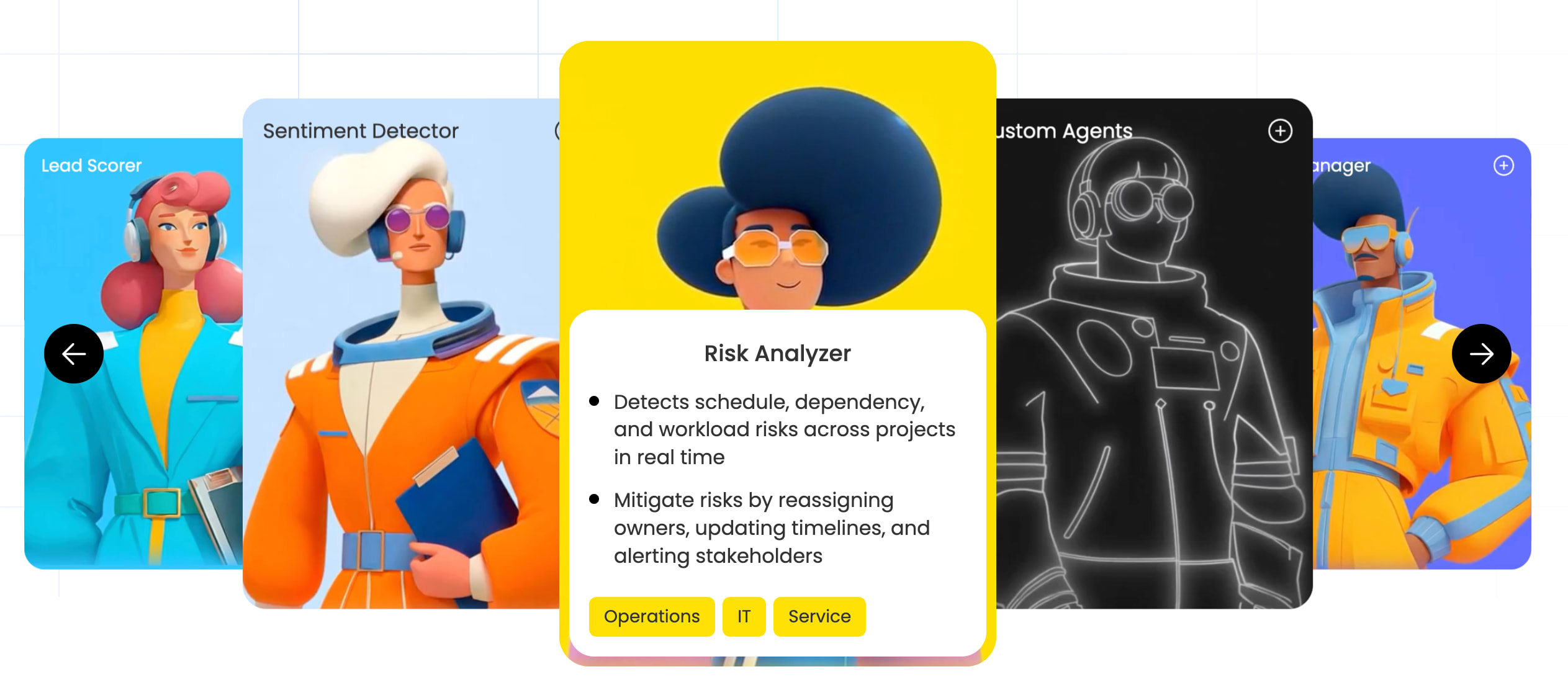
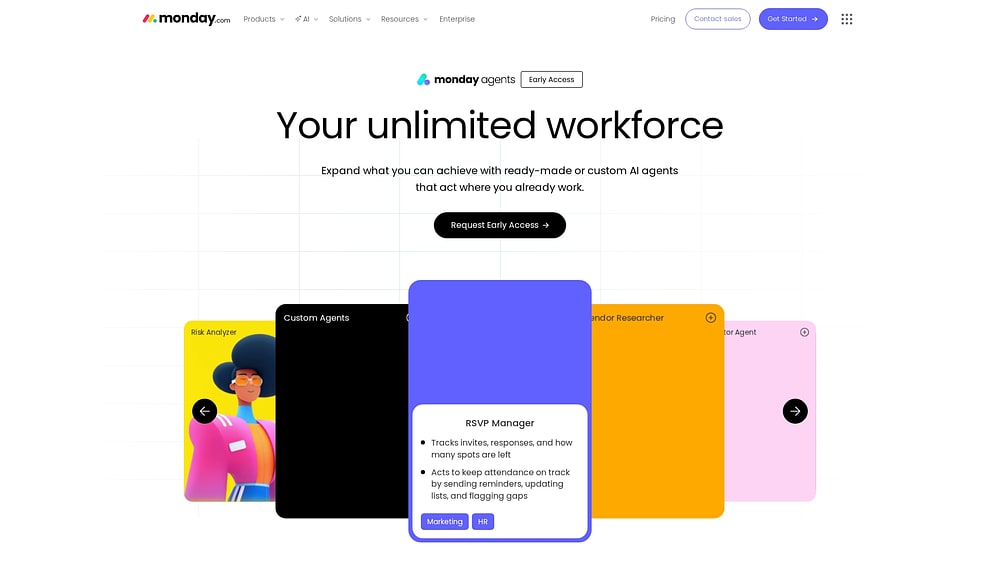
monday agents is an early-access capability on monday.com that adds an “unlimited workforce” of autonomous AI agents directly to the workspace where your teams already run work. Start with ready-made agents like Lead Scorer, Risk Analyzer, or Meeting Summarizer, then use the custom builder to shape agents around your own processes as needs grow. Because agents operate on top of monday.com’s structured work data, they can connect context across marketing, sales, operations, IT, HR, and product, rather than working from a single isolated system.
Example:
Best for organizations already on monday.com who want to scale output without adding headcount, automating work across teams while keeping security and governance tight. Common examples include scoring leads when intent spikes, assigning and rerouting support tickets, monitoring project risk, researching vendors, managing event RSVPs, and turning meetings into summaries with owners and follow-ups already captured.
Key features:
- Ready-made agents across departments: Teams can start with agents built for real business workflows, including Lead Scorer, Sentiment Detector, Risk Analyzer, RSVP Manager, Vendor Researcher, Translator Agent, Meeting Summarizer, Ticket Assignment, and Reference Collector. monday agents also includes specialized agents such as Market Landscape Analyzer, Competitor Research Agent, Customer Support Agent, Process Automator, Bug Prioritization Agent, and Coding Agent
- Custom AI agent builder in three steps: You define the agent’s role, the work it should handle, and when it should act, then connect the knowledge and tools it needs, and finally test and refine it before rollout. This approach makes it practical to build agents around your own approvals, terminology, and team processes rather than forcing a generic workflow to fit
- Knowledge grounded in your real work: Agents use the docs, PDFs, and boards you define as context, so responses and actions are based on your actual guidelines, project history, and operational data. That matters when you want AI agent examples that go beyond writing text and can operate with the same business context your team uses every day
- Execution, not just suggestions: Agents can take action across workflows, keep work in sync through integrations, and operate 24/7. In practice, that can mean routing a lead when intent spikes, assigning an owner to a high-priority ticket, sending RSVP reminders, updating participant status, or creating meeting notes and follow-up updates automatically
- Enterprise-grade governance: Admins can define what each agent can and cannot do, control which data it can access, and keep a human in the loop with simulation mode before activation. monday.com also supports audit trails, granular permissions, data privacy protections, and compliance standards, including HIPAA, ISO/IEC 27001, SOC 2 Type II, and ISO/IEC 27701
Pricing:
monday.com offers several pricing tiers for its Work OS platform. monday agents are currently in a gradual release, with specific monetization plans to be announced in the future.
- Free: $0 for up to two seats
- Basic: $9 per seat per month, billed annually
- Standard: $12 per seat per month, billed annually
- Pro: $19 per seat per month, billed annually
- Enterprise: Contact sales for pricing
Why it stands out:
- Cross-department context in one workspace: monday agents works on top of structured work data that already spans departments on monday.com. That gives agents the context to connect campaign activity, pipeline updates, project status, support signals, and operational workflows when needed
- People stay in control while agents execute: monday agents is built around people and agents working together as one team. Your team sets direction, permissions, and goals, while agents handle repetitive execution such as scoring, routing, summarizing, researching, and updating work around the clock
- Practical AI adoption for teams already on monday.com: With 225,000+ organizations already running work on monday.com, agents fit into existing boards, docs, and workflows instead of sending team members to a separate destination. That lowers the adoption hurdle and makes it easier to move from a few AI agent examples to repeatable execution across the business
2. Google Cloud
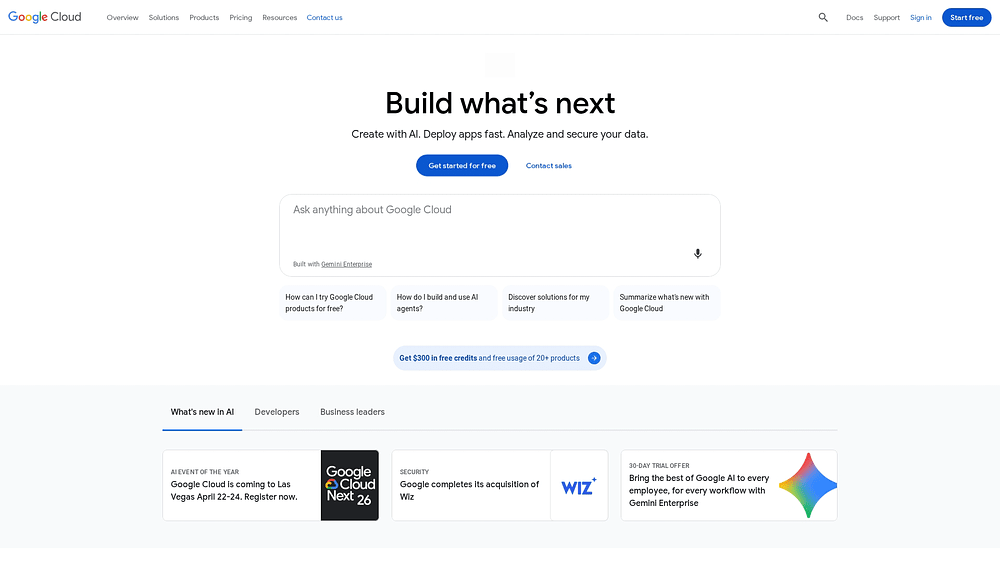
For enterprises that need serious technical depth, Google Cloud offers AI agent capabilities through Vertex AI Agent Builder, pairing sophisticated infrastructure with open, interoperable frameworks. It is best suited to organizations with dedicated technical teams that need broad development flexibility alongside strong governance and security. For companies building production-scale agent deployments, Google Cloud positions itself as foundational infrastructure rather than a lightweight entry point.
Use case:
Organizations with technical AI/ML teams that need a comprehensive platform for building, deploying, and governing sophisticated AI agents at enterprise scale with strong security and compliance requirements.
Key features:
- Open agent ecosystem with interoperability: Agent Development Kit (ADK) supports Model Context Protocol (MCP) and Agent-to-Agent (A2A) protocols, enabling seamless integration with popular frameworks like LangGraph and CrewAI while connecting heterogeneous agents across vendors
- Real-time multimodal capabilities: Gemini Live API enables low-latency voice and video agents with session memory, function calling, and “Search as a tool” functionality, supporting bidirectional streaming for natural conversational experiences
- Enterprise-grade governance and security: Built-in agent identity through IAM, VPC Service Controls, Customer-Managed Encryption Keys (CMEK), and comprehensive observability through Cloud Trace and Monitoring ensure production-ready deployments with audit trails
Pricing:
- Vertex AI Agent Engine: Runtime charges by vCPU-hour and GiB-hour with monthly free tier
- Sessions and Memory Bank: Billed per events and memory usage (billing began January 28, 2026)
- Code Execution: Charged per second of execution time
- Conversational Agents (Dialogflow): Per chat request or voice-seconds pricing
- Vertex AI Search: Pay-as-you-go and subscription models with per-query plus storage costs
Considerations:
- Pricing complexity spans multiple meters including runtime, model tokens, retrieval costs, and external API usage, requiring careful cost forecasting and monitoring across interconnected services
- Regional availability and feature maturity vary, with some Agent Engine capabilities in Preview status and processing potentially occurring in multi-region locations despite data residency commitments
3. Salesforce
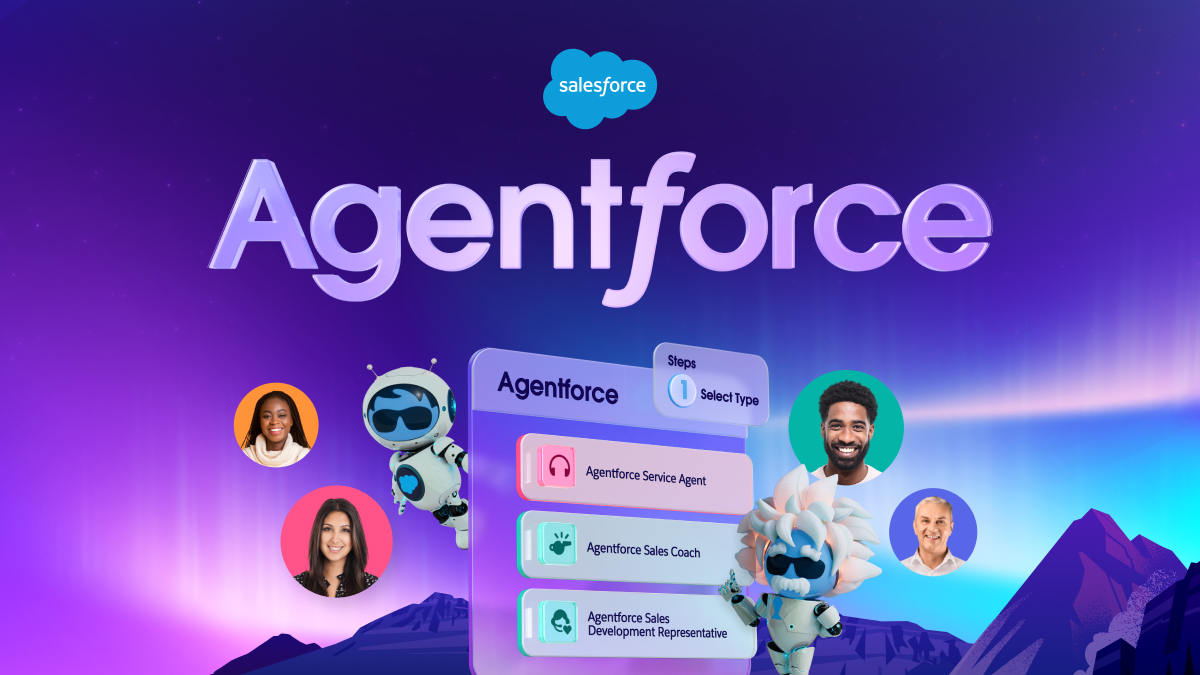
Salesforce approaches AI agents through its Agentforce platform, extending autonomous sales and service capabilities directly inside its established CRM ecosystem. With deep CRM integration and strong governance, it’s a natural fit for large organizations running complex sales motions with technical and administrative support in place. For enterprises that need heavy customization and strict compliance controls, Salesforce offers a mature path into agentic workflows across Customer 360.
Use case:
Large enterprises with dedicated Salesforce administrators and budgets for extensive customization that require advanced AI agent capabilities with deep CRM integration.
Key features:
- Sales Development Representative Agent: Qualifies inbound leads by analyzing company data, engagement history, and fit criteria, then automatically books meetings with qualified prospects without human intervention
- Service Agent: Resolves customer inquiries by understanding questions, searching knowledge bases, and taking actions like updating account information or processing routine requests
- Commerce Agent: Assists shoppers through product discovery, answers questions about inventory and specifications, and guides purchasing decisions
Pricing:
- Starter Suite: $25 per user per month, providing access to basic CRM functionality
- Pro Suite: $100 per user per month with annual billing, expanding core sales and automation features
- Enterprise: $175 per user per month, with AI capabilities available as additional purchases
- Unlimited: $350 per user per month, offering expanded capacity and support
- Agentforce 1 Sales: $550 per user per month, bundling advanced AI functionality with usage credits
- Agentforce pricing: $500 per 100k Flex Credits or $2 per conversation for AI agent interactions
Considerations:
- Requires significant setup time and dedicated administrators to manage configuration, governance, and ongoing customization
- Higher-tier plans and add-ons are often required for full AI value, with costs increasing quickly for mid-market teams seeking faster time to value
4. Intercom
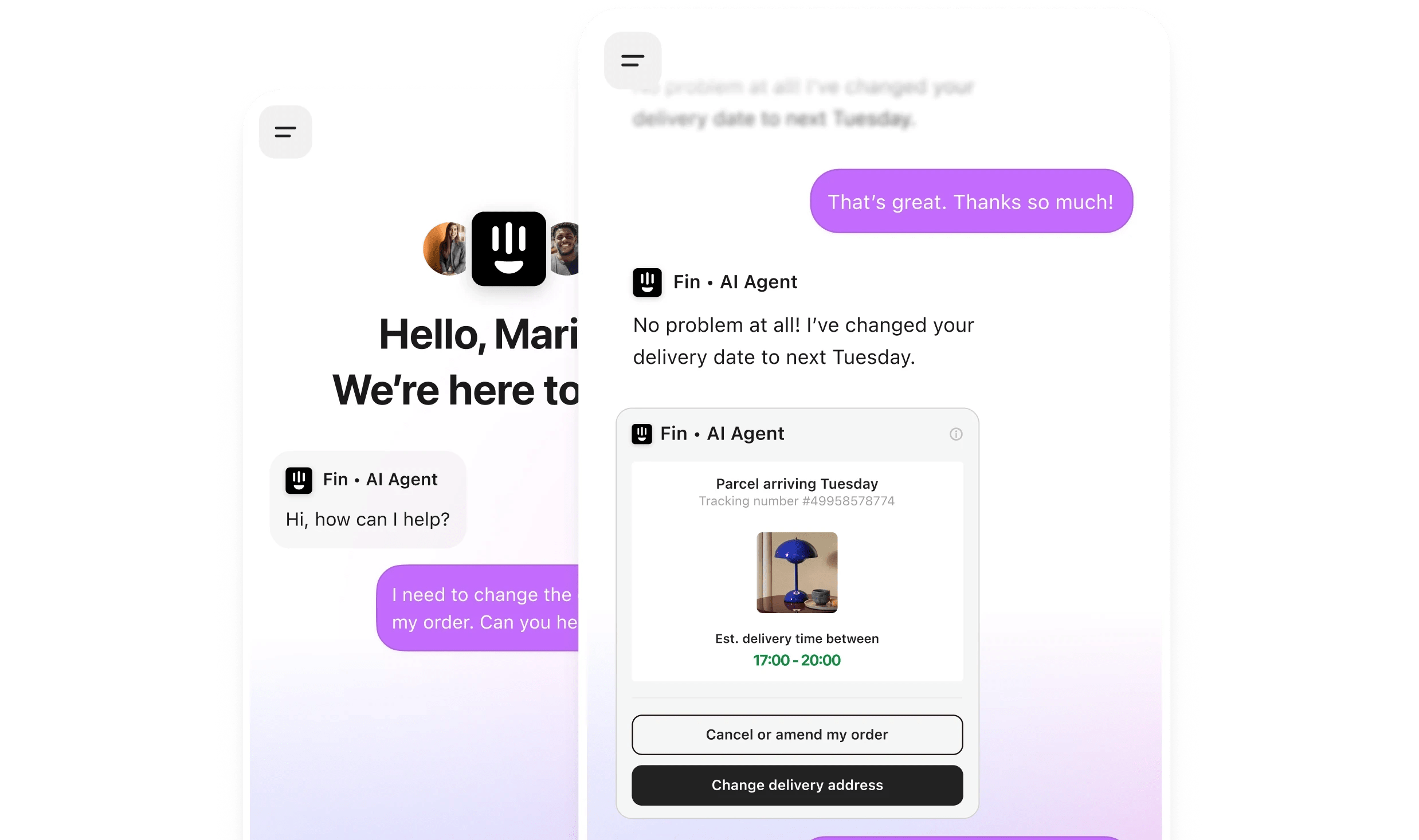
Intercom’s Fin AI agent is built for customer support, where speed and tone both matter. Its strengths are multilingual service and brand-aligned communication, which makes it well suited to support teams handling large volumes of inquiries across multiple markets. The focus here is narrower than a broad workflow platform, but within customer service, it is highly specialized.
Use case:
Teams running high-volume customer support operations that need AI agents to resolve inquiries instantly while maintaining brand voice and escalating complex issues to human agents when necessary.
Key features:
- Multilingual support: Responds to customers in their preferred language without separate configuration, supporting 45+ languages with natural conversation flow
- Tone matching: Adapts communication style to match brand voice and customer expectations, ensuring consistent experience across all interactions
- Action execution: Updates account information, processes simple requests, and completes transactions within defined parameters while maintaining security protocols
Pricing:
- Essential: $29 per seat per month, billed annually
- Advanced: $85 per seat per month, billed annually (includes 20 free Lite seats)
- Expert: $132 per seat per month, billed annually (includes 50 free Lite seats)
- Fin outcomes: $0.99 per resolved outcome across all plans
- Fin on other helpdesks: $0.99 per outcome with 50 outcomes per month minimum
- Early-stage program: 90% discount available for qualifying startups
Considerations:
- The specialized focus on customer support means Intercom agents don’t extend into other departmental workflows like sales, marketing, or operations automation
- Outcome-based pricing can become unpredictable for teams with fluctuating inquiry volumes or seasonal spikes in customer support requests
5. Waymo
Waymo is one of the most compelling real-world examples of AI agents making high-stakes decisions in changing conditions. As the first commercial autonomous vehicle service at scale, it combines perception, prediction, and adaptive response in real time. For operations leaders, it offers a useful case study in what agentic systems can do when reliability and safety are non-negotiable.

Use case:
Organizations seeking to understand how AI agents can manage complex, real-time decision-making with incomplete information while maintaining safety and reliability standards.
Key features:
- Multi-sensor perception and prediction: Combines 29 cameras, imaging radar, and multiple lidars with AI models like Occupancy Flow and MultiPath++ to perceive environments and predict agent behavior in real time
- Foundation Model integration: Blends autonomous vehicle-specific machine learning with large language model reasoning to enhance scene interpretation and trajectory generation
- Generative simulation capabilities: Uses the Waymo World Model to create high-fidelity, language-controllable simulations for training on rare safety-critical scenarios
Pricing:
- Consumer rides: Pay-per-ride with upfront fare estimates (minimum + distance + time with demand-based adjustments)
- Waymo for Business: Quote-based pricing for corporate travel, commuter programs, and event vouchers
- Additional fees: Cancellations, destination changes, additional stops, and applicable tolls may apply
- Promotional credits: Periodic ride credits and public transit connection programs available in select markets
Considerations:
- Service coverage remains limited to specific metropolitan areas with gradual expansion timelines
- Some accessibility features like wheelchair-accessible vehicles currently require human drivers rather than autonomous operation
6. Anthropic
Anthropic’s Claude provides agent capabilities via a foundation model that can interact with software interfaces and complete multi-step workflows using natural-language instructions. That makes it especially relevant for organizations trying to automate work that spans multiple tools without building custom integrations for each one. The result is a more flexible path to workflow automation across disconnected systems.

Use case:
Organizations seeking to automate complex workflows that require navigating multiple software applications without building custom integrations.
Key features:
- Computer use capability: Navigate software interfaces, fill forms, and execute workflows across applications through natural language commands, eliminating the need for custom API integrations
- Model Context Protocol (MCP) integration: Connect Claude to existing work platforms like monday.com, enabling natural language interaction with workspace data and automated task execution
- Multi-step task automation: Chain together complex processes that previously required human oversight, from data extraction to application input across different systems
Pricing:
- Free: Basic Claude app access on web, iOS, Android, and desktop with core features
- Pro: $20/month (monthly billing) or $17/month (annual billing), includes Claude Code and Claude Cowork with increased usage limits
- Max: Starting at $100/month with higher usage caps and priority access
- Team Standard: $25/seat/month (monthly) or $20/seat/month (annual) for 5-150 seats
- Team Premium: $125/seat/month (monthly) or $100/seat/month (annual) with advanced features
- Enterprise: $20/seat plus API usage rates with SCIM, audit logs, and compliance features
Considerations:
- Computer use remains in beta with acknowledged security vulnerabilities including potential jailbreaks and prompt injection risks, even in sandboxed environments
- Token costs can escalate quickly for complex agent workflows involving web search, computer use, and multiple processing steps
7. Uber
Uber applies AI agents to one of the hardest operational challenges at scale: matching, routing, and demand prediction in real time across a massive logistics network. With more than 40 million trips happening daily, its systems are constantly learning from live conditions and historical behavior. That makes Uber both a consumer platform and a useful model for enterprises exploring agentic optimization.
Use case:
Operations teams managing logistics, dispatch, or resource allocation can learn from Uber’s approach to real-time optimization using AI agents that consider multiple variables simultaneously.
Key features:
- Real-time matching and optimization: AI agents analyze rider location, driver availability, traffic conditions, and historical patterns to make optimal matching decisions that minimize wait times and maximize efficiency
- Predictive demand management: The platform anticipates demand spikes and pre-positions resources by predicting which drivers will become available and their likely locations
- Enterprise agentic AI solutions: Uber AI Solutions provides multi-agent orchestration, human-in-the-loop governance, and continuous evaluation for businesses seeking to automate complex workflows
Pricing:
- Consumer rides: Dynamic, per-use pricing with no subscription fees
- Uber One membership: $9.99/month with $0 delivery fees on eligible orders and member discounts
- Uber for Business: Self-serve onboarding with no sign-up fee, enterprise pricing for organizations with 250+ employees
- Uber AI Solutions: Quote-based pricing requiring sales consultation
Considerations:
- Enterprise AI offerings lack transparent public pricing, making cost comparisons difficult for potential buyers
- Consumer AI features like Cart Assistant remain in beta, indicating evolving performance and limited availability across all markets
8. Airtable
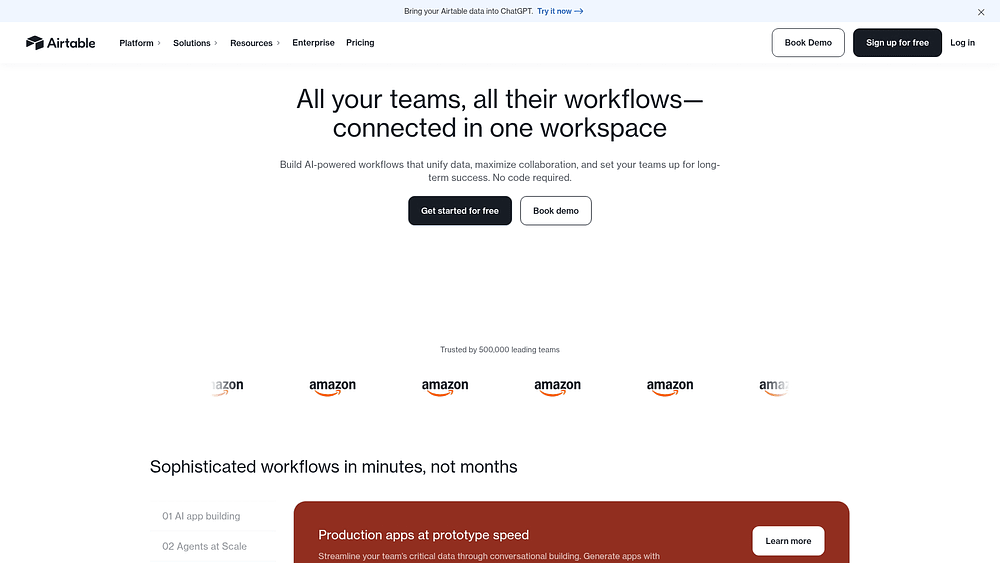
Airtable turns structured databases into intelligent workflow engines by embedding AI directly within records. That setup is especially useful for teams dealing with large volumes of content, intake, and categorization work. Instead of treating AI as a separate layer, Airtable makes it part of how records are analyzed, enriched, and routed.
Use case:
Teams managing content workflows, intake processes, and database operations that need AI agents to automatically categorize, analyze, and route information based on complex criteria.
Key features:
- Field Agents embedded in records: AI-powered fields that analyze documents, research the web, and generate content while scaling the same behavior across thousands of records automatically
- Conversational app building with Omni: Create and configure agents using natural language, with zero-credit building that encourages experimentation and rapid iteration
- Enterprise-grade AI governance: Admin-controlled model selection across multiple providers (OpenAI, Google Gemini, Anthropic) with strict data policies ensuring no customer data is used for model training
Pricing:
- Free: No charge with foundational features and 500 AI credits per user with Editor+ permissions
- Team: $20 per user per month (billed annually) with 15,000 AI credits per billable collaborator
- Business: $45 per user per month (billed annually) with 20,000 AI credits per paid user
- Enterprise Scale: Quote-only pricing via sales with 25,000 AI credits per paid user
- AI credit packs: Additional credits available from $40/month for 20,000 credits up to $400/month for 200,000 credits
Considerations:
- Field Agents cannot run inside public forms and execute only post-submission within the base, creating potential delays in real-time processing workflows
- Credit consumption can spike significantly on long documents or high-frequency re-runs, with complex document analysis consuming up to 200 credits per 10-page contract
9. Dropbox
Dropbox Dash addresses a common workplace problem: knowledge scattered across too many tools. By layering natural language search and AI-powered analysis over connected applications, it helps teams find and synthesize information without manually digging through each system. Permission-aware search and enterprise controls make it especially relevant for organizations that need broad access without sacrificing governance.
Use case:
Organizations struggling with information silos across multiple platforms need AI-powered search and summarization capabilities that respect existing permissions while delivering contextual answers from their entire digital workspace.
Key features:
- Universal search across connected apps: Search through Dropbox, Google Drive, Slack, Notion, and dozens of other workplace applications using natural language queries that understand context and relationships between documents
- AI-powered document analysis and summarization: Generate executive summaries, extract key insights, and answer specific questions about stored content with cited sources and links to original materials
- Cross-cloud governance and security controls: Monitor link sharing across all connected platforms with daily alerts, bulk permission remediation, and comprehensive audit logs to maintain data security
Pricing:
- Dash for Teams: $15 per user per month billed annually, or $19 per month with monthly billing
- Dash for Business: $35 per user per month billed annually
- Annual billing discount: Save 20% compared to monthly pricing
- Core Dropbox plans: Range from free (2GB) to Enterprise (contact sales), with Dash available as an add-on
Considerations:
- Regional and language limitations with early rollout prioritizing English-speaking U.S. customers on specific plan tiers, potentially limiting global team adoption
- HIPAA compliance is not supported for Dash features, which may restrict usage in healthcare and other regulated industries
10. Moveworks
Moveworks focuses on employee support, particularly IT service management, where fast resolution and system integration matter most. Its AI assistants are built to handle common internal requests automatically, reducing ticket load while preserving enterprise security and compliance requirements. Now part of the ServiceNow AI Platform, it combines conversational AI with proven enterprise automation.

Use case:
Large enterprises need autonomous IT support with minimal human intervention, while maintaining enterprise-grade security and compliance standards.
Key features:
- Autonomous IT service resolution: AI agents reset passwords, provision software access, answer policy questions, and troubleshoot common issues without human involvement, resolving 40-60% of IT tickets automatically
- Agent Studio with low-code builder: Create and deploy custom agents using a governed IDE with a curated marketplace of 100+ ready-to-install plugins for IT, HR, Finance, and other departments
- Ambient agents for proactive automation: Event-driven automation triggers on system events like schedulers to handle workflows before issues escalate. Some advanced triggers, such as webhooks, are in limited preview
Pricing:
- Enterprise quote-only model: Custom pricing based on scope, integrations, and security requirements
- Professional services available: Additional implementation and agent development programs to accelerate deployment
- Azure Marketplace eligible: Available through Microsoft’s marketplace with MACC eligibility for existing Microsoft customers
- ROI potential demonstrated by Forrester study: A Forrester TEI study of a composite enterprise reported a 256% three-year ROI and $11.5M in savings. Buyers can request a custom ROI assessment
Considerations:
- Quote-only pricing model can slow budgeting and forecasting processes for teams needing transparent cost planning
- Following the ServiceNow acquisition, support processes are transitioning to Now Support, which may create operational changes during renewals or expansions
11. Netflix
Netflix offers an example of AI agents working behind the scenes at enormous scale. Its recommendation and personalization systems analyze behavior across 325+ million memberships to shape what users see, search, and engage with. Although these capabilities are not packaged as a standalone enterprise product, they remain a strong model for anyone interested in personalization at scale.

Use case:
Teams seeking to understand how AI agents can deliver personalized experiences at scale while maintaining consistent quality across millions of interactions.
Key features:
- Foundation model for personalized recommendations: Centralizes member preference data using LLM-inspired techniques to power home page rows, search results, and content merchandising across all touchpoints
- AI-powered artwork and interface personalization: Automatically selects which thumbnail images and interface layouts are shown to different user segments based on viewing history and engagement patterns
- Natural language search capabilities: Limited beta feature on iOS/iPad that allows members to search using their own words and refine recommendations
Pricing:
- Standard with ads: $6.99/month with a limited catalog and device compatibility
- Standard: $15.49/month with full catalog access and HD streaming
- Premium: $22.99/month including 4K HDR, spatial audio, and premium features
- Extra member add-ons: $7.99/month per person for out-of-household sharing, available on Standard and Premium plans
- All AI personalization features are included across all subscription tiers
Considerations:
- AI capabilities are embedded behind the scenes rather than offered as standalone conversational agents that users can directly interact with
- Natural language search remains in limited beta testing, restricting access to more advanced discovery features for most users
12. Spotify
Spotify shows how AI agents can shape a highly personalized experience without losing a sense of personality. Its DJ feature blends automated curation with voice commentary, while its recommendation systems continuously learn from listening behavior. For teams building consumer experiences, it’s a useful example of AI enhancing engagement while still feeling human.

Use case:
Teams building personalization features that learn from implicit user behavior rather than requiring explicit ratings or feedback.
Key features:
- AI DJ with voice commentary: Delivers personalized music selections with contextual explanations from AI voices (available in English and Spanish) and allows for real-time session steering via prompts
- Behavioral learning algorithms: Analyze skip patterns, repeat listens, and playlist additions to refine recommendations without requiring explicit user input or ratings
- AI Playlist generation: Creates custom playlists based on user text prompts, currently in beta and available in English
Pricing:
- Free: Ad-supported listening with basic features
- Premium Individual: $12.99/month with access to Premium-only AI features like the DJ
- Premium Student: $6.99/month including Hulu (With Ads) for eligible students
- Premium Duo: $18.99/month for two accounts
- Premium Family: $21.99/month for up to six accounts
- Audiobooks Access: 15 hours/month of audiobooks plus music on Free tier
Considerations:
- AI feature availability: Features like the DJ and AI Playlist are available only on Premium plans, and access can be further limited by market, device, and beta rollout status
- Language support: AI language capabilities are specific to each feature; the DJ is available in English and Spanish, while AI Playlist is currently English-only
13. Microsoft
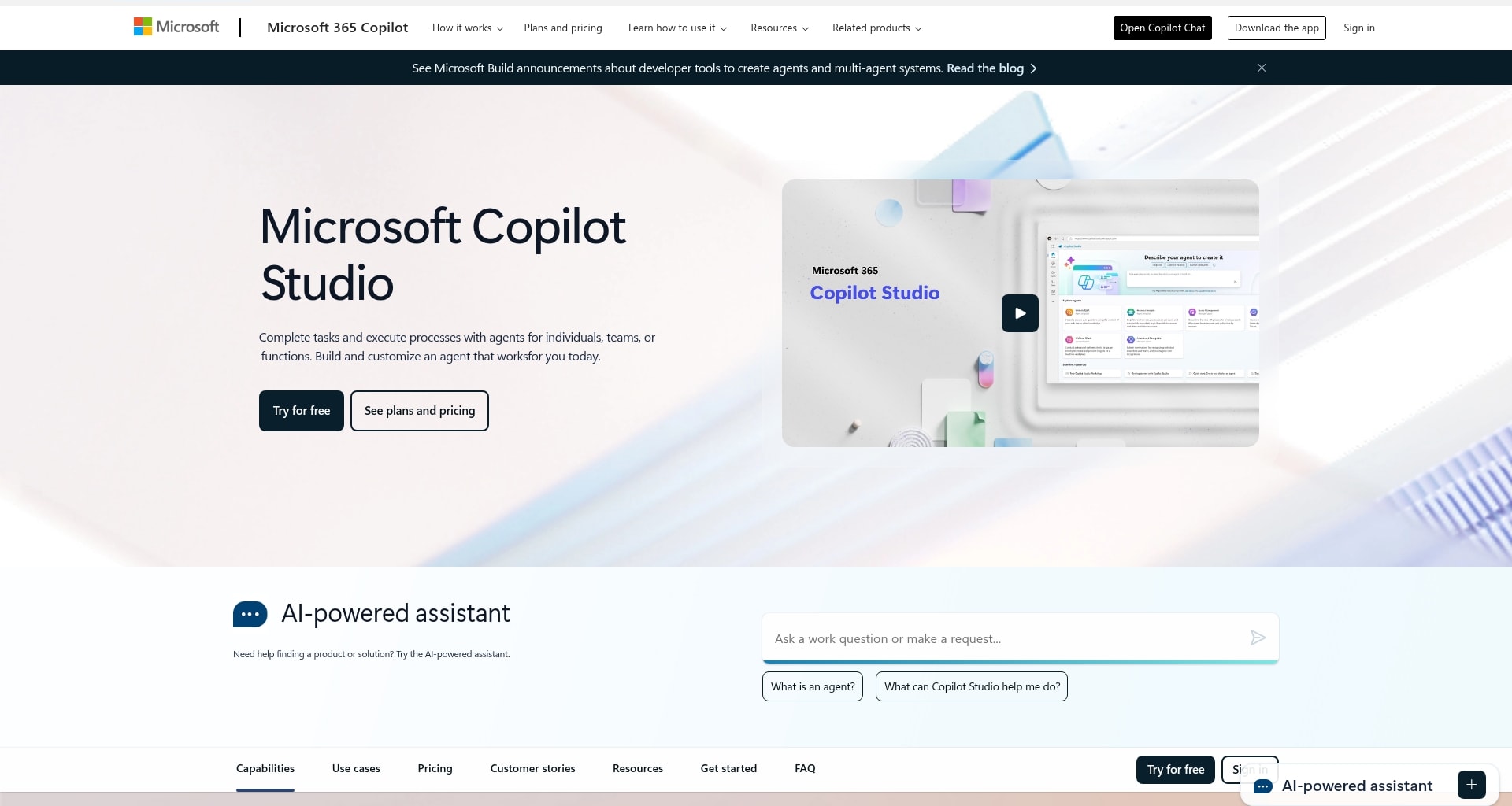
Microsoft’s AI agent strategy spans both productivity software and cloud infrastructure, making it one of the broadest enterprise offerings in the market. The company’s strength lies in embedding intelligent automation directly into Microsoft 365, where many organizations already work every day. With options for both low-code builders and professional developers, Microsoft gives enterprises multiple paths to adoption without abandoning governance.
Use case:
Large enterprises with existing Microsoft 365 deployments that need AI agents embedded across productivity applications with enterprise-grade security and governance.
Key features:
- Copilot Studio for low-code agent development: Build custom agents using visual workflows and 1,400+ connectors, then publish directly to Teams, SharePoint, or external channels, simplifying development for users with varying technical skills
- Foundry Agent Service for enterprise-scale deployment: Deploy multi-agent systems with enterprise identity management and private networking. It provides OpenTelemetry tracing for observability, though some advanced multi-agent features are currently in preview
- Native Microsoft 365 integration: Access agents directly within Outlook, Excel, Teams, and other productivity applications where employees already spend their time, eliminating context switching
Pricing:
- Microsoft 365 Copilot: Per-user subscription for business and enterprise plans, includes Copilot Studio access for internal agents
- Copilot Studio standalone: $200 per 25,000 credits monthly or pay-as-you-go consumption model
- Foundry Agent Service: No additional charge for agent creation, consumption charges apply for models and connected services
- Enterprise Agreement: Volume discounts available through Microsoft licensing programs
Considerations:
- Requires significant setup time and dedicated administrators to manage configuration, governance, and ongoing customization across the enterprise environment
- Higher-tier plans and add-ons are often required for full AI capabilities, with costs increasing quickly for organizations seeking comprehensive automation beyond basic productivity features
14. JPMorgan Chase
JPMorgan Chase demonstrates what AI agent deployment looks like inside a heavily regulated institution. Its systems support fraud detection, document analysis, and research workflows under strict requirements for auditability, oversight, and security. With a $19.8 billion technology budget and more than 60,000 technology professionals, the company offers a striking example of internal AI execution at scale.

Use case:
Demonstrates how large financial institutions can deploy AI agents internally to enhance operations within strict regulatory frameworks, complete with audit trails and human oversight.
Key features:
- Internal fraud detection agents: Monitor transactions in real time to identify suspicious patterns and flag potentially fraudulent activity for immediate review, maintaining compliance with financial regulations
- Document processing agents: Analyze contracts, legal documents, and regulatory filings to extract key terms, identify compliance risks, and generate summaries for legal and compliance teams
- Internal research agents: Synthesize market information from multiple sources to generate investment reports and analysis, informing strategic decision-making across trading and investment divisions
Pricing:
JPMorgan Chase does not offer a standalone AI agent product with public pricing. The fees below apply to general banking and merchant services.
- Consumer banking services: Standard retail banking fees apply for personal accounts and services
- Merchant processing: 2.6% + $0.10 for card-present transactions, 3.5% + $0.10 for keyed transactions, 2.9% + $0.25 for e-commerce transactions
- Enterprise services: Custom pricing based on transaction volume and service requirements
- Gateway services: Monthly fees starting from $9.95 for Authorize.net integration
- Volume discounts: Available through consultation for high-volume processing clients
Considerations:
- AI agent capabilities are integrated into JPMorgan Chase’s internal operations and consumer-facing products, not offered as a standalone commercial platform for other organizations
15. Klarna
Klarna’s internal AI assistant shows what high-volume customer service automation can look like in practice. It handles the equivalent workload of 700 full-time representatives, operates around the clock in more than 35 languages, and resolves common issues such as refunds, payment questions, and product inquiries directly inside the Klarna app. The outcome is faster support at scale while preserving customer satisfaction.

Use case:
Automating high-volume customer support for routine shopping and payment inquiries to free up human agents for more complex issues.
Key features:
- Autonomous refund processing: Evaluates refund requests against policy criteria and processes approved refunds automatically without human intervention
- In-app customer support: Manages inquiries through its integrated customer service chat, providing consistent and contextual support
- Intelligent escalation handling: Identifies complex cases requiring human judgment and routes them to a live agent with the complete conversation history
Pricing:
- AI assistant: The AI assistant is an integrated feature of the Klarna app and is available to all users at no additional charge
- Merchant fees: Klarna’s payment processing services for merchants involve separate, custom contract-based pricing
Considerations:
- Public reports indicate Klarna reintroduced human agents for complex cases like identity theft, highlighting the AI’s limitations in edge scenarios
- Performance metrics are primarily self-reported internal measures, without independent industry benchmarks for comparison
Types of AI agents with examples
It helps to think of AI agents as different kinds of digital teammates. Some are built for instant reactions. Others plan, learn, or coordinate with peers. Knowing how each type works makes it much easier to assign the right agent to the right workflow.
That distinction matters because workflows vary. Some demand speed. Others require memory, planning, or collaboration. Once you understand what kind of reasoning the task calls for, selecting the right agent becomes much more straightforward.
Reflex agents
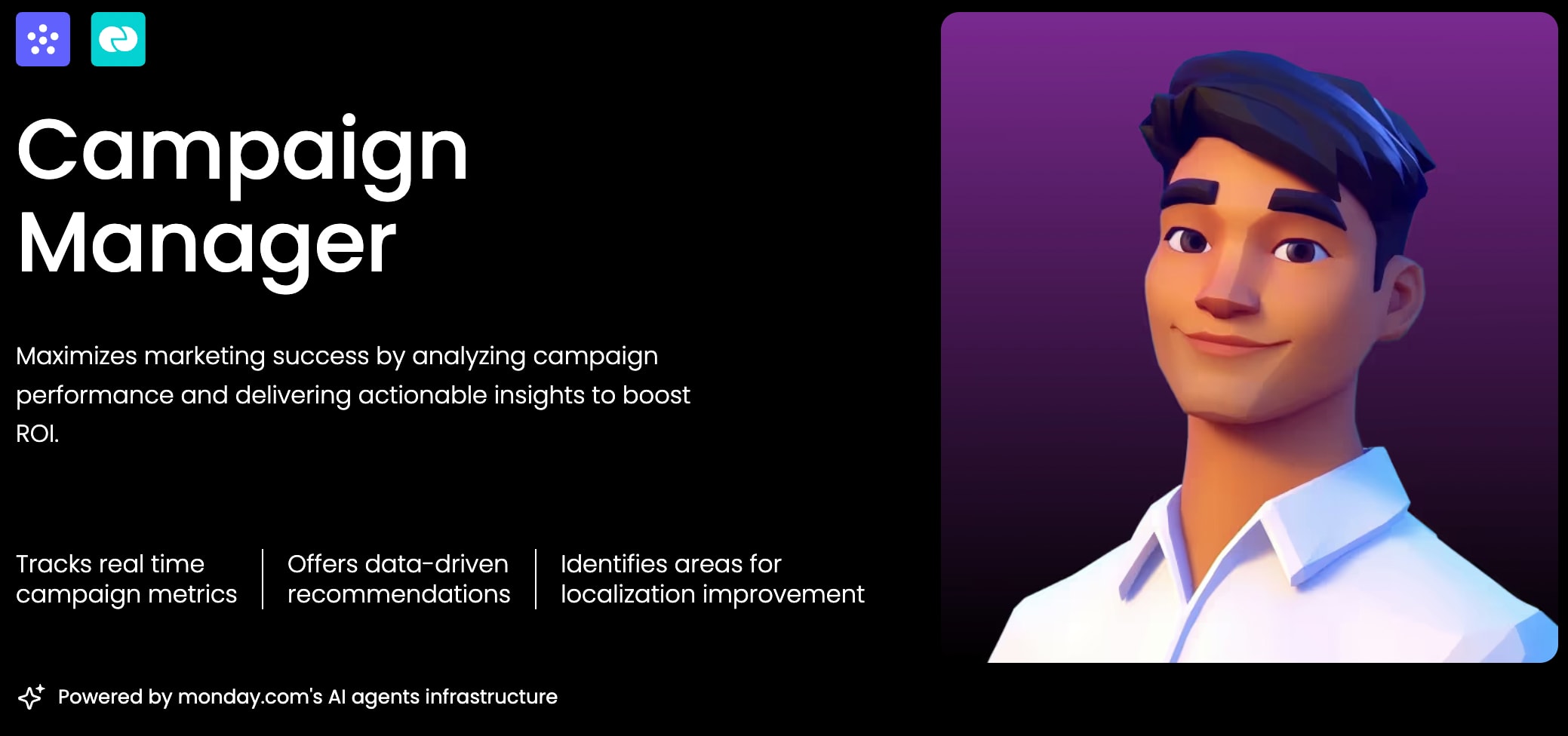
These are your rapid-response operators. Reflex agents act on straightforward “if this, then that” logic, handling immediate tasks without relying on memory of what happened before. They’re best suited to repetitive, high-volume workflows where speed and consistency matter most.
A simple reflex agent might function like a spam filter, moving suspicious emails to junk instantly. A model-based reflex agent adds a layer of context, such as a support agent that routes tickets according to keywords it has learned to associate with specific departments.
Use reflex agents for:
- Instantly sorting and routing new sales leads
- Assigning support tickets based on priority or topic
- Sending alerts when a project budget hits a certain threshold
- Handling simple, predefined approval workflows
Goal-based agents
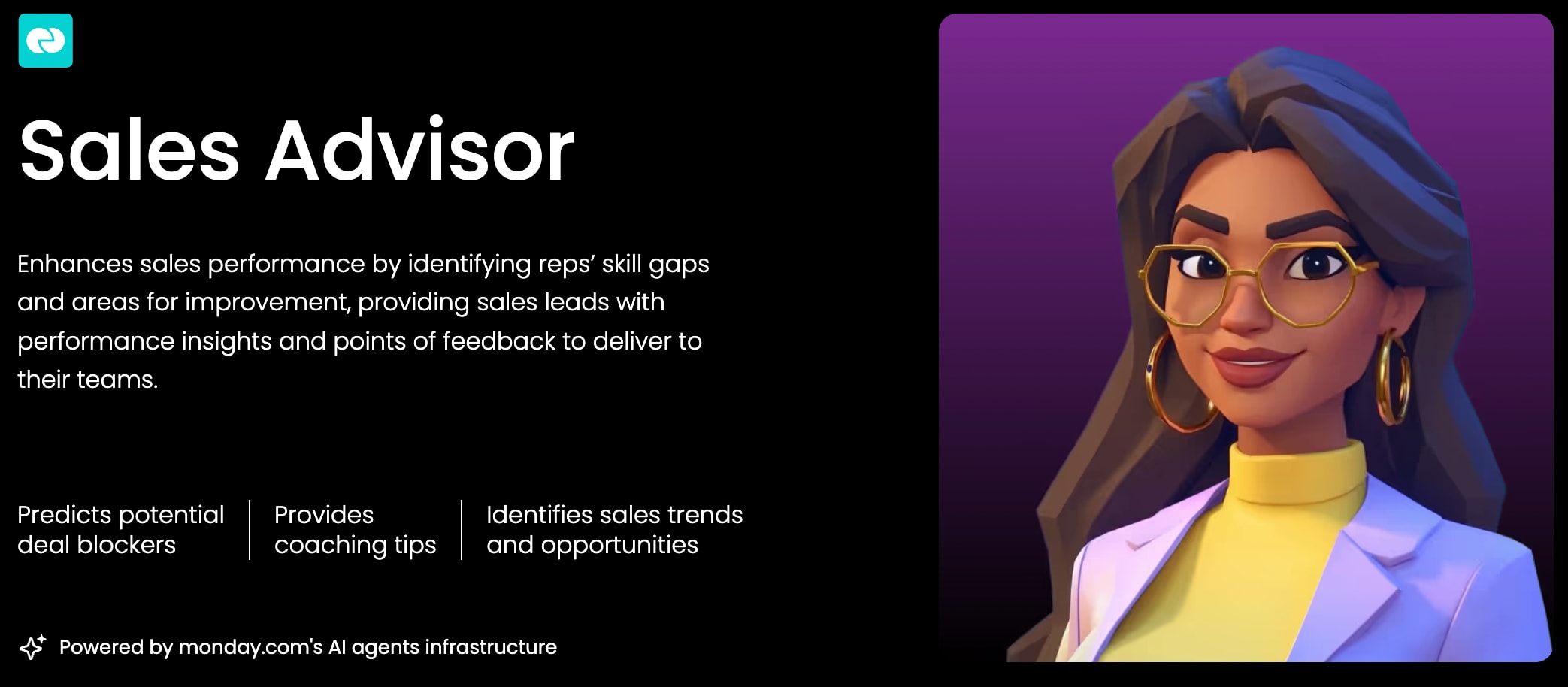
Unlike reflex agents, goal-based agents work backward from an outcome. These are the planners: systems that evaluate possible paths, compare tradeoffs, and choose the approach most likely to achieve a target such as hitting a deadline or reaching a revenue number.
Consider a project scheduling agent managing hundreds of dependent tasks ahead of a launch. It weighs resource availability, timing constraints, and potential risks, then builds a plan designed to reach the end goal. If conditions change, it recalculates and adjusts the path forward.
Business examples:
- Resource allocation: Assigning team members to projects to maximize output while preventing burnout
- Budget optimization: Distributing funds across campaigns to achieve the highest return on investment
- Campaign planning: Sequencing marketing activities to hit a lead generation target
Learning agents
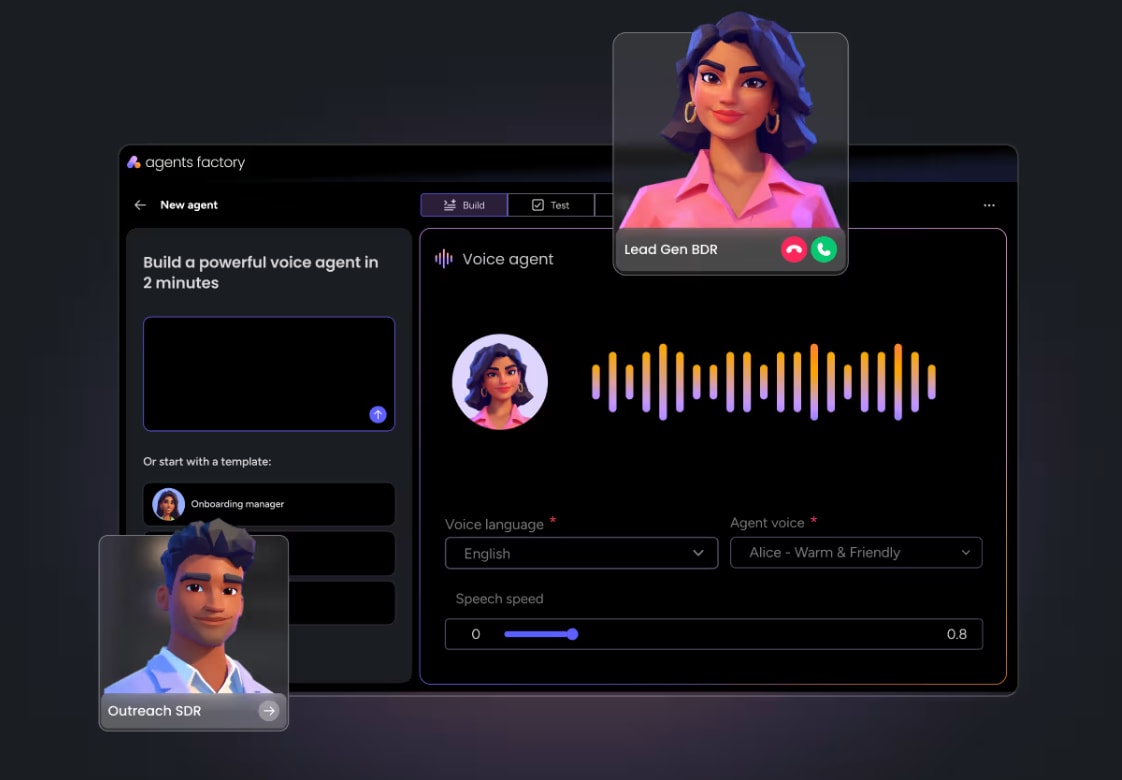
Some agents improve with experience. Learning agents evaluate the outcomes of their actions and use that feedback to refine their performance over time. They don’t just execute instructions; they refine how they work based on what happens next.
That cycle is ongoing. The agent acts, measures the result, and updates its approach. A sales outreach agent, for instance, can identify which subject lines drive stronger open rates with different prospect segments, then adapt future outreach based on those patterns.
Examples:
- Lead scoring: Refining which lead attributes most often predict a closed deal
- Content recommendations: Learning which articles or topics drive the most engagement
- Sentiment analysis: Getting better at identifying at-risk customers based on their language
Multi-agent systems
Some workflows are too broad for one agent alone. Multi-agent systems coordinate several specialized agents so each handles its own part of a larger cross-functional process. The agents communicate, align, and work toward a shared outcome.
Take a new customer signup. One agent routes the request, another creates the CRM record, a billing agent provisions the subscription, and a welcome agent sends a personalized onboarding message. Each one does a different job, but from the user’s perspective, the experience feels seamless.
Coordination is what makes this work. Multi-agent systems are designed to keep specialized agents aligned, reduce conflicts, and ensure actions support the larger business objective. That’s how organizations automate full end-to-end workflows spanning multiple teams.
In short, the right agent type depends on how much judgment, memory, and coordination the workflow needs. That’s what turns AI from an interesting feature into a dependable part of execution.
Try monday agentsHow AI agents differ from chatbots and copilots
“Chatbot,” “copilot,” and “AI agent” often get used as if they mean the same thing. They don’t. Picking the right category matters if your goal is scaling output rather than showing off a clever demo. The simplest way to separate them is this: chatbots answer, copilots assist, and agents act.
They can appear similar on the surface, but their roles diverge quickly. The biggest distinction comes down to autonomy and whether the system can carry a workflow through to completion on its own.
Here’s a practical way to think about it: a chatbot can tell you the status of a lead, and a copilot can help draft the follow-up email. An AI agent can notice the lead’s intent spike, score it according to your rules, assign it to the correct rep, and schedule the first meeting without waiting for someone to step in.
That distinction matters because it changes where value shows up. If you’re after outcomes instead of answers, agents are the category worth paying attention to.
Benefits of intelligent AI agents
The real promise of intelligent AI agents is straightforward: more output without more headcount. When used well, they improve both speed and consistency in ways that directly affect business performance.
This is not a story about replacing employees. It’s about extending what they can do. As agents absorb recurring tasks and learn the rhythms of your workflows, your team gets more time for the work people are best at: creative thinking, complex decisions, and problem-solving that needs context.
Productivity gains without adding headcount
Most teams are expected to deliver bigger results without getting more resources. AI agents help by absorbing the repetitive, high-volume work that tends to consume entire days and slow overall progress.
Tasks agents can handle at scale:
- Processing and routing incoming requests
- Researching prospects, vendors, or competitors
- Generating status reports and updates
- Following up on outstanding items
- Maintaining data quality and identifying duplicates
Klarna offers a strong example: its AI agent now handles work equivalent to 700 full-time agents. The point isn’t to replace people with software. It’s to let agents manage routine execution while human teams concentrate on strategic choices and creative problem-solving that actually drives growth.
Continuous operation and faster response times
Business doesn’t pause after hours, and customer expectations don’t either. AI agents keep working around the clock, which means opportunities and issues can be addressed immediately, whether they appear at 2:00 a.m. or over a holiday weekend.
Always-on capabilities include:
- Volume handling: Agents process the 100th ticket with the same quality as the first, without fatigue
- Language flexibility: They can communicate with customers in their preferred language instantly
- Time zone coverage: Agents support global teams and customers without requiring overnight shifts
That speed can have a measurable effect. Sales leads contacted within five minutes are 21 times more likely to convert. Faster responses lead to better customer experiences, fewer escalations, and more breathing room for your team to focus on the issues that truly require human attention
Consistent execution across workflows
Process inconsistency introduces errors, delays, and missed opportunities. AI agents help eliminate that variability by executing workflows the same way every time, according to the rules and standards you set.
Consistency creates powerful benefits:
- Every ticket follows the same triage logic, no matter the volume
- Every report uses the same data sources and format for true apples-to-apples comparisons
- Every follow-up happens on schedule without manual reminders
That consistency creates a dependable operational baseline. Data becomes easier to trust, forecasting improves, and teams can stop chasing preventable breakdowns and start solving higher-value problems.
Try monday agentsWhat makes AI agent deployments succeed
Successful AI agent deployments aren’t built on flashy demos. They’re built on fit. The best implementations give agents the context, guardrails, and day-to-day placement they need to operate responsibly and usefully.
When those pieces are in place, trust tends to follow. Teams adopt faster, experimentation turns into routine execution, and agents become part of how work gets done rather than a side project that never scales.
- Shared business context: Agents perform best when they can see how work connects across teams. If an agent understands campaign activity, sales signals, support issues, and project status together, it can coordinate outcomes instead of completing isolated actions
- Governance people trust: Teams need permissions, audit trails, approval controls, and visibility into agent behavior. When people can test logic and review actions, they are much more comfortable letting agents take on real work
- Adoption inside existing workflows: Agents gain traction when they operate where people already plan, track, and manage work. That keeps context intact and removes the extra friction of switching between disconnected systems
The takeaway is simple: context, governance, and daily usability matter as much as raw AI capability. If you get those three right, AI agents become practical teammates instead of side experiments.
How to evaluate AI agents for your organization
Choosing an AI agent is not just a technology decision. It’s a decision about how your teams will scale without taking on more operational complexity. The right platform should make repetitive work easier to automate while still feeling secure, manageable, and aligned with how your organization already works.
A solid evaluation process keeps attention on outcomes rather than novelty. What matters is whether the platform matches your workflows, satisfies your security requirements, and helps teams move quickly from idea to execution.
Step 1: Choose between ready-made agents and a custom builder
The first choice is your starting model: adopt ready-made agents, build custom ones, or use both. Many organizations begin with proven workflows to generate early wins, then introduce custom agents as their needs become more specific.
Here’s a simple way to compare the two approaches:
Ready-made agents help you:
- Get results fast with agents already trained for common workflows
- Deploy and manage agents with minimal technical overhead
- Reduce risk with tested and predictable solutions
Custom agent builders let you:
- Tailor automation to your organization’s unique processes
- Encode your proprietary logic to create a competitive advantage
- Build agents that speak your team’s language and understand your data
Step 2: Evaluate the platform requirements that matter most
Once you know where you want to start, the next step is assessing the platform itself. The strongest options make it easier for teams to work across functions while still supporting the governance standards your organization needs.
Use these criteria to keep the evaluation grounded in business needs:
- Connectivity: Does the platform connect natively with the systems your teams use every day? Native integrations save time and reduce the maintenance burden on your IT department
- Cross-team visibility: Can agents see and act on information from different departments, like sales and project management? True cross-functional automation requires agents that can access context from multiple sources
- Governance and security: Does the platform offer the audit trails, permissions, and compliance certifications, like SOC 2 and ISO 27001, your organization needs? This is non-negotiable for protecting your data
- Ease of use: Can your team leaders and managers configure agents without needing a developer? An accessible platform means faster iteration and wider adoption
- Pricing model: Is the pricing predictable and based on seats, or does it scale with usage? Straightforward pricing avoids budget surprises as your teams start to rely on their new agents
Step 3: Start with the highest-impact workflows
Early momentum usually comes from practical wins, not ambitious moonshots. Start with high-volume, repetitive workflows where the rules are clear and performance can be measured. That helps teams develop trust while producing visible value quickly.
A practical shortlist usually includes the following:
Great starting points include:
- Sales: Instantly score and qualify new leads so your sales team can focus on the hottest prospects
- Service & IT: Triage and route support tickets to the right person, improving response times
- Project management: Generate weekly status reports by pulling data from multiple projects automatically
- General operations: Summarize meetings and create action items to ensure nothing falls through the cracks
It’s best to wait on:
- High-stakes decisions that require deep, nuanced judgment
- Processes with inconsistent rules that haven’t been documented
- Workflows where you can’t easily validate the agent’s performance
Start small, measure results, and expand from there. That approach gives your teams proof, not promises.
How monday agents puts AI to work for every team
Most teams already know what deserves attention. The real slowdown comes from the research, handoffs, updates, and follow-through that pile up between decisions. That’s when strong AI agent examples become genuinely valuable—not because they produce something clever once, but because they can reliably act in the same workspace where work is already happening.
That’s the model behind monday agents. These aren’t side tools tucked away in another tab. They work directly inside monday.com, using the boards, docs, PDFs, and workflow context you choose, so they can move from insight to action without losing continuity.
With 225,000 organizations already running work on monday.com, the experience feels familiar from the beginning. People remain responsible for direction and approvals, while agents handle repetitive, high-volume execution across marketing, sales, operations, IT, HR, PMO, and product.
Step 1: Start fast with ready-made agents
For teams looking for immediately useful AI agent examples, ready-made agents offer the shortest path to value. They’re designed around common business workflows, which means you can test them inside real work instead of inventing use cases from scratch.
Here’s how that can look across teams on monday.com:
- For marketing: A Competitor Research Agent tracks key competitors and consolidates signals into a structured snapshot, while a Market landscape analyzer identifies new competitors, emerging technologies, and macro trends. An RSVP Manager Agent can send invitations, track responses, and update participant status, and a Translator Agent can translate campaigns into the required language
- For sales: A Lead Scorer evaluates leads using fit, intent, and engagement signals across your funnel, then acts when intent spikes by routing leads, scheduling follow-ups, and alerting reps. A Meeting Summarizer turns sales conversations into concise notes, action items, and assigned next steps, while Contact Duplicates Finder helps keep pipeline data reliable
- For operations and PMO: A Vendor Researcher gathers pricing, security, reviews, and contract details to build a structured vendor summary. A Status reporter can generate project updates, a Risk analyzer can flag work nearing deadlines, and a Meeting scheduler can coordinate calendars and confirmations
- For IT and service: Ticket Assignment detects ticket intent, urgency, and required expertise, then assigns owners, sets priority, and reroutes work to support faster resolution. An SLA monitor agent flags at-risk cases; a Customer Support Agent reviews tickets and drafts relevant responses; and an Incident agent classifies incidents by severity and routes them to the appropriate on-call team
- For HR: A Reference collector schedules calls with candidates’ references, captures their feedback, summarizes the call, and centralizes candidate scoring. Teams can also apply agents to sourcing, screening, scheduling, and recurring engagement workflows such as pulse surveys
- For product and engineering: A Bug Prioritization Agent analyzes bugs, defines severity and urgency, and sets the right resolution timeline. Teams can also use a Feedback to Backlog Agent to synthesize signals and suggest what to solve next, a Spec Agent to turn decisions into execution-ready specs, and a Coding Agent to write, test, and open pull requests automatically
Step 2: Build your own agents without writing code
Ready-made agents solve a wide range of problems, but every company has workflows that are uniquely its own. monday agents supports that reality with an AI agent builder that follows a simple 3-step flow, allowing teams to shape agents around their existing processes instead of reshaping processes to fit the technology.
- Describe its job: Define the role, the work it should handle, and when it should execute. This could be a legal intake agent, an executive digest agent, or a custom process agent for finance approvals
- Give it the right context: Connect the boards, docs, PDFs, and tools the agent should use. That grounding helps the agent work from your actual policies, historical data, and operating language
- Test and refine: Try the agent, review how it behaves, make adjustments, and validate actions before wider rollout. This is especially useful when the workflow touches approvals, customer-facing communication, or cross-functional handoffs
That builder matters because the most effective AI agent examples are rarely one-size-fits-all. A marketing team may want an agent that watches campaign performance and sends an end-of-day recap. An operations team may need one that monitors procurement requests, researches vendors, and flags missing security details before review begins.
Step 3: Work with AI, backed by enterprise-grade trust
Scaling AI use across a business only works when it feels safe enough to trust. That means keeping agents visible, governed, and grounded in the same controls teams already depend on. monday agents is designed with that balance in mind, so organizations can expand adoption without giving up oversight.
This becomes especially important when agents work across departments and touch sensitive information. On monday.com, the principle is simple: agents should move work forward, while people remain firmly in control.
- You define the boundaries: Decide exactly what an agent can and cannot do, both on monday.com and across connected tools
- You control access: Granular permissions determine which data an agent can see and whether it can read, edit, or create information
- You stay involved: Human-in-the-loop validation and simulation mode let you review actions before activation, which is especially helpful for sensitive workflows
- You can trace every action: monday agents is designed for transparency, with visibility into what agents did, why they did it, and what they’ll do next
- Your data stays protected: monday.com provides enterprise-grade AI infrastructure with data privacy, governance, permissions, and compliance support, including HIPAA, SOC 2 Type II, ISO/IEC 27001, and ISO/IEC 27701
- Your content remains yours: You retain ownership of the content you provide and the content generated by AI, and third parties are not allowed to train on your data
That trust layer is a major reason monday agents fits well for mid-market and enterprise teams. When agents can operate 24/7 across departments, under strong guardrails and with access to real workflow context, AI starts to feel less experimental and much more like a dependable part of execution.
Where to start with AI agents that deliver results
Adopting AI agents marks a shift from asking systems for assistance to having them carry work forward on your behalf. The strongest outcomes usually come from pairing the right type of agent with the right workflow, then introducing it where your teams already operate.
In practice, that often means beginning with repetitive, rules-based tasks such as lead scoring, ticket triage, vendor research, meeting documentation, or status reporting. Once those workflows become faster and more consistent, people gain more time for planning, judgment, and cross-functional leadership.
monday agents brings that operating model directly into monday.com, giving teams shared context, strong governance, and fewer reasons to bounce between disconnected tools. A practical next step is to select one high-volume workflow, define the guardrails, test the agent’s behavior, and expand only after you see measurable results.
Try monday agentsThe content in this article is provided for informational purposes only and, to the best of monday.com’s knowledge, the information provided in this article is accurate and up-to-date at the time of publication. That said, monday.com encourages readers to verify all information directly.
FAQs about AI agent examples
What is an example of an AI agent?
A familiar everyday example is a GPS that reroutes you based on live traffic. In a business setting, an AI agent might automatically score incoming leads based on behavior and assign the strongest opportunities directly to your sales team.
How do AI agents differ from chatbots?
Chatbots provide answers; AI agents take action. A chatbot can tell you a project is delayed, while an AI agent can notify the team, reschedule dependent workflows, and update the project timeline for you.
What are the 5 main types of AI agents?
The main types are simple reflex, model-based, goal-based, utility-based, and learning agents. Each one processes information and makes decisions with a different level of sophistication, ranging from basic reactions to learning from experience.
Can AI agents work across different departments?
Yes, and that’s often where they create the most value. When built on a unified platform, agents can access information across marketing, sales, and operations, allowing them to coordinate multi-step workflows that connect the organization.
Do I need technical skills to build an AI agent?
No. With a no-code builder like the one for monday agents, you can create a custom agent by describing what you want it to do in plain language, without writing code.
 Get started