


Think of organizational knowledge like a library where every book has been scattered across a dozen rooms — the policy is somewhere, the meeting notes are somewhere else, and the vendor details are in a room no one remembers entering. Teams don’t lack information; they lack a way to bring it together when it matters most.
AI knowledge management tools are the solution that help teams find useful context and support real work across departments. This article covers 15 platforms that take different approaches to knowledge management, from search-first systems to platforms that connect knowledge to execution. We’ll also explore how monday agents keeps your answers moving.
Try monday agentsKey takeaways
- AI knowledge management platforms help teams find, trust, and apply knowledge. The strongest systems combine semantic search, natural language processing, and knowledge graphs to identify relevant context at the exact moment someone needs it.
- Search-first platforms retrieve answers, but execution-first platforms complete workflows. While many tools stop at finding the right document, platforms built for execution can route tickets, research vendors, generate summaries, and assign next steps automatically.
- Cross-department visibility strengthens AI decision-making and prevents costly misalignment. When agents can reference data across marketing, sales, operations, IT, HR, and product teams, they pinpoint dependencies, identify risks, and recommend actions grounded in how the organization operates.
- Strong governance controls—permissions, audit trails, and human validation—make AI adoption safer and more trustworthy. Enterprise-ready platforms offer role-based access, simulation mode for testing agent behavior, transparent action logging, and compliance certifications like SOC 2 Type II, ISO 27001, HIPAA, and GDPR to protect security and privacy.
- monday agents connects knowledge to execution where work already happens, with governance built in from day one. Instead of adding another disconnected repository, monday agents operates directly within the workspace teams already use, drawing on shared context across departments while maintaining strict permissions, audit trails, and human approval workflows that keep people in control.

What is AI knowledge management software?
AI knowledge management software is a platform that discovers, organizes, and connects relevant information across your organization’s digital workplace. Instead of forcing teams to hunt through an array of files, meeting notes, and shared drives, it uses artificial intelligence to deliver the right insight at the exact moment someone needs it — turning fragmented knowledge into something teams can find and use.
To support meaningful business results, a platform needs to offer far more than folders and file storage. The capabilities below make it easier to judge whether a system will support real workflows and execution, or simply add one more disconnected repository.
- Semantic search: Traditional search requires exact keyword matches, meaning a search for “vacation policy” only locates documents with those exact words, leaving a document titled “PTO Guidelines” out of reach. Semantic search understands intent, recognizing that “how do I request time off” and “PTO submission process” refer to the same concept.
- Natural language processing (NLP): This capability interprets language the way people speak and write. Your team can ask conversational questions like “What is our policy on remote work?” without needing to memorize specific terminology or complex search queries.
- Knowledge graphs: This creates a connected map of information showing how concepts, people, and content relate to one another. Searching for a specific project instantly discovers related team members, linked documents, past decisions, and dependent workflows.
15 best AI knowledge management platforms for teams
The right AI knowledge management platform transforms how teams work by connecting information and accelerating execution. Here are 15 platforms that range from straightforward documentation workspaces to intelligent systems built to support daily operations. Each brings a different mix of strengths for connecting information across teams and advancing specific business goals.
1. monday agents
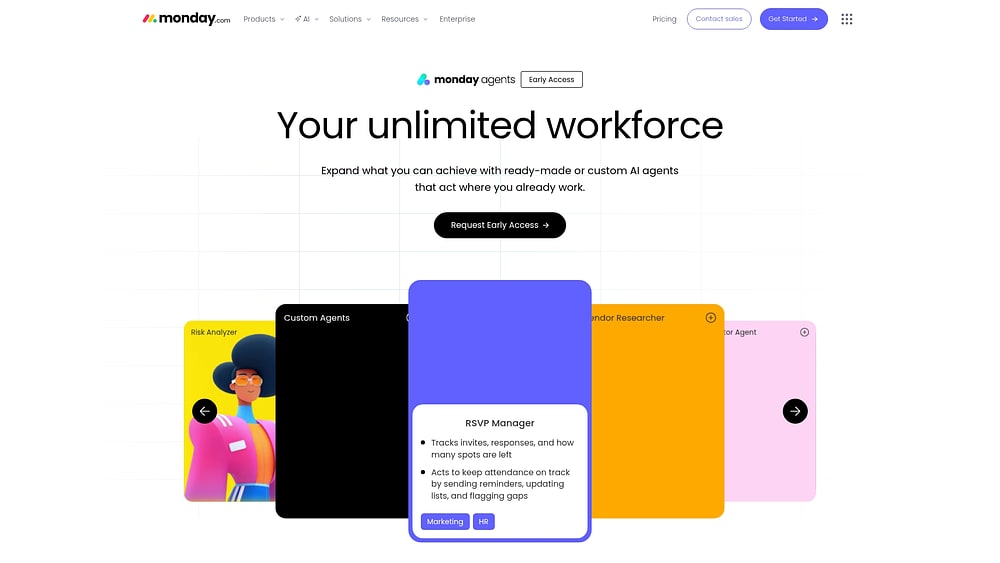
monday agents are AI-powered assistants that work directly inside the monday AI Workspace, where teams already manage their projects, tasks, and workflows. Unlike tools that simply find information and stop there, these agents take action — they complete tasks, route work, and keep processes moving without constant manual intervention.
Use case: Organizations already on monday AI Workspace that want agents to execute knowledge workflows — ticket triage, vendor research, meeting documentation, article maintenance — across marketing, sales, IT, HR, operations, and product teams.
Key features:
- Ready-made agents: The Knowledge Agent audits article health and detects content gaps from ticket patterns. The Vendor Researcher gathers pricing, security, reviews, and contract terms into a structured summary. The Meeting Summarizer creates notes and transcripts, then extracts follow-ups, assigns owners, and creates updates automatically. Ticket Assignment detects intent and urgency to route requests, and the Translator Agent handles cross-language knowledge sharing.
- Custom agent builder: A three-step setup — describe the agent’s role and triggers, connect the knowledge and tools it needs, then test and refine before activating it.
- Cross-department context with 24/7 autonomy: Agents can reference marketing, sales, operations, IT, and product data on monday.com, so a product-planning agent can factor in support signals while a marketing agent can factor in live sales context.
Governance: Full permissions control over what each agent can read, create, edit, or review; simulation mode for testing agent behavior before activation; audit trails on every action; and enterprise-grade compliance standards.
Pricing: Free for up to 2 seats. Basic is $9/seat/month; Standard is $12/seat/month; Pro is $19/seat/month (all billed annually); Enterprise is custom. Annual billing saves 18% versus monthly.
Why it stands out: Each agent is designed to handle specific knowledge workflows across your organization. A risk analyzer monitors project boards to flag overdue items and alert the right people automatically. A vendor research agent gathers requirements, evaluates suppliers, and delivers structured comparisons. A meeting summarizer generates notes, extracts action items, and assigns them to team members. Because they operate within the unified monday AI Workspace and can access data across departments, these agents eliminate repetitive handoffs and deliver more consistent results.
Try monday agents2. Glean
Rather than asking employees to search app by app, Glean creates one permission-aware search layer across the enterprise. With 275+ connectors and a knowledge graph that learns from how your organization works, Glean turns fragmented information into something teams can trust. But its strength lies in retrieval rather than execution.

Use case: Large enterprises that need to unify search and knowledge retrieval across dozens of SaaS applications, internal systems, and departments — without compromising on security or data governance.
Key features:
- Enterprise search unification: Connects to 100+ applications to create a single search interface across email, documents, chat, and specialized platforms, so teams find what they need without switching between systems.
- Permission-aware generative answers: Delivers synthesized, cited responses drawn from multiple internal sources, respecting each team member’s access rights at query time.
- Knowledge graph and personalized results: Maps relationships between people, content, and concepts across the organization, then learns from individual behavior to find the most relevant information by role and department.
Pricing: Enterprise pricing is custom, quote-based; no public self-serve tiers. Usage-based components, including Deep Research and MCP servers, are priced through a FlexCredit consumption model.
Considerations: Glean is primarily focused on search and knowledge retrieval rather than workflow execution, so teams looking to act on information — not just find it — may need additional platforms. Self-hosted and cloud-prem deployment options require meaningful administrative configuration.
3. Document360
Document360 uses AI to support creation, discovery, and governance across the full content lifecycle. The platform is designed for structured, searchable knowledge bases, whether you are publishing a customer help center, running an internal wiki, or managing regulated content in sectors like healthcare and financial services.

Use case: Teams building customer-facing knowledge bases or internal documentation portals who need AI-assisted content creation, natural-language search, and governance across regulated or high-volume environments.
Key features:
- AI-powered search and content creation: Ask Eddy AI delivers natural-language answers with source citations directly on the knowledge base site, while the Eddy AI writing agent drafts full articles from prompts, videos, or transcripts.
- Governance and content quality controls: Duplicate content detection, glossary generation, and version control help teams maintain accuracy at scale, with full article history and revert capabilities.
- Analytics that spot content gaps: The analytics dashboard tracks unanswered search queries and article performance.
Pricing: Plans are quote-based, focused on Professional, Business, and Enterprise tiers, starting around $149/month when billed annually. A 14-day free trial is available. AI add-ons (including Ask Eddy AI credits and the chatbot module) are priced separately.
Considerations: Document360 is purpose-built for documentation workflows, so teams looking for cross-functional knowledge execution may find its scope limited to content creation and discovery.
4. Atlassian Confluence
Confluence brings AI-powered page summaries and seamless search across connected tools like Jira through its Rovo AI suite. The integration helps technical teams stay in flow instead of bouncing between disconnected systems.

Use case: Development and IT teams already using Atlassian products who need AI-powered search and collaborative documentation without leaving their existing workflow.
Key features:
- Rovo AI integration: Rovo Search, Chat, and Agents are embedded directly into Confluence, letting teams find answers, generate drafts, and trigger follow-up actions across Jira and connected apps, grounded in permission-aware context from the Teamwork Graph.
- Teamwork Graph: Maps relationships between people, projects, and content across 100+ connected apps.
- Enterprise glossary: Highlights acronyms and jargon inline, generating definitions sourced directly from your own Confluence spaces.
Pricing: Free for up to 10 users. Standard is $5.42/user/month; Premium is $10.44/user/month (unlimited storage, 99.9% uptime SLA); Enterprise is custom-priced. Annual billing saves up to 17%.
Considerations: AI capabilities are optimized for the Jira and Confluence ecosystem, so teams working across broader cross-functional workflows may find the context more limited outside dev/IT use cases. Full Rovo experiences require Confluence Cloud.
5. Tettra
Tettra turns everyday Slack conversations into a searchable, self-updating knowledge base, so repeated questions don’t drain time. Its AI assistant, Kai, reveals verified answers where people are already working.

Use case: Small to mid-sized teams — particularly in customer support, HR, and operations — that want AI-powered answers delivered inside Slack without complex setup.
Key features:
- Slack-native AI answers: Kai detects questions in selected Slack channels, suggests verified answers privately, and posts them to the thread with one click.
- Automatic knowledge capture: Kai scans existing Slack conversations to find previously answered questions and converts them into reusable knowledge base entries.
- Content health management: A centralized dashboard surfaces stale, unowned, and unverified pages.
Pricing: Scaling is $8/user/month (billed annually, 10-user minimum); Enterprise is custom (SSO, SCIM, custom onboarding). A free 30-day trial is available.
Considerations: Teams not standardized on Slack will see limited value, since Kai’s core capabilities depend on Slack as the primary channel. The platform is not HIPAA or PCI DSS compliant.
6. Trainual
Trainual serves as an interactive playbook, capturing how work gets done and turning those processes into structured learning paths. AI-assisted content generation speeds up documentation, helping shift organizations from “ask someone who knows” to “find the answer yourself.”

Use case: Growing organizations that need to document processes, train new hires, and maintain operational consistency across teams and locations.
Key features:
- AI-powered documentation and search: Delivers permission-aware, source-linked answers drawn from your company’s SOPs, policies, and role documentation, accessible across web, mobile, and Slack.
- Training tracking with accountability: Quizzes and assessments confirm comprehension, not just completion.
- Role-based content access: Documentation is assigned by job function and department.
Pricing: Pricing varies by team size and features (starting around $299/month for up to 25 team members); Trainual recommends requesting a demo for a tailored quote. A one-time implementation service costs $1,000.
Considerations: Trainual is focused on structured training and process documentation rather than real-time knowledge retrieval. The platform is not HIPAA compliant, though it remains a strong fit for general SOPs and training in healthcare settings.
7. Slite
Asynchronous communication carries a lot of weight for distributed teams working across time zones. Slite provides a collaborative space where an AI assistant checks document accuracy and answers natural language questions, combined with an agentic maintenance layer that identifies stale content and proposes updates for review.

Use case: Remote and distributed teams that need a collaborative, AI-assisted knowledge base with built-in content health monitoring.
Key features:
- Self-maintaining knowledge base: The Slite Agent monitors connected sources like Slack, Linear, and GitHub to detect content drift, drafting proposed updates through a human approval workflow.
- AI search with cited, permission-aware answers: Premium users can expand search to 20+ connected sources.
- Knowledge health tooling: Doc Verification statuses and verified-first ranking in AI results.
Pricing: Free tier available. Standard is $8/member/month; Premium is $12.50/member/month (adds the Slite Agent and cross-tool search). A 14-day free trial is available for paid tiers.
Considerations: The Standard plan limits AI search to Slite docs only, capped at 30 questions per seat per month. Full Agent access requires Premium, and AI credit limits may need monitoring at higher usage.
8. ClickUp
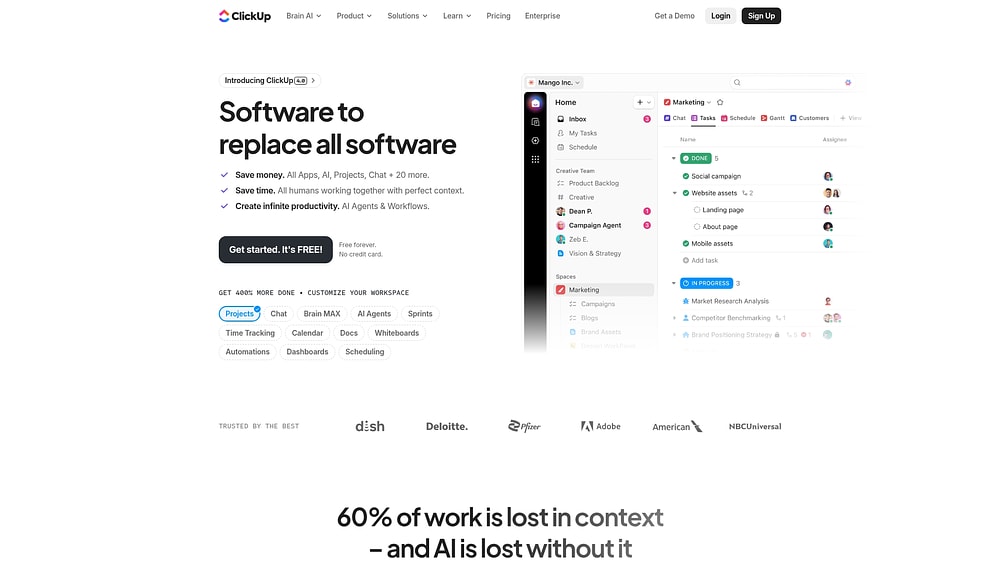
ClickUp combines docs and project management, then adds AI writing support and workflow summarization on top. With 3 million teams using the platform, it appeals to a wide range of functions and industries.
Use case: Teams seeking an all-in-one project management platform with built-in documentation and AI-assisted knowledge retrieval across tasks, docs, and connected apps.
Key features:
- ClickUp Brain: Answers questions with cited responses drawn from docs, tasks, comments, and chats, then converts answers into tasks, docs, or messages.
- Connected Search: Pulls results from native workspace content and connected external apps like Slack, Google Drive, and Gmail.
- Centralized Docs: Real-time collaboration, version history, and governance controls.
Pricing: Free plan available. Unlimited is $7/member/month; Business is $12/member/month; Enterprise is custom. Brain AI add-on is $9/member/month.
Considerations: Not all external sources are supported by Connected Search — Notion and Salesforce are currently unsupported. Advanced AI capabilities require paid add-ons on top of the base plan.
9. Guru
Guru embeds verified information directly into everyday tools, pairing AI-powered search with a structured verification model that keeps content accurate over time — a governance-first approach appealing to organizations that need dependable, compliant answers.

Use case: Customer-facing sales and support teams that need verified, up-to-date knowledge right inside their existing workflows, with zero context switching.
Key features:
- Knowledge verification: Assigns subject matter experts to review and confirm content accuracy on a set schedule.
- Browser extension: Locates relevant knowledge cards directly inside the apps your team already uses.
- AI-powered search with analytics: Tracks unanswered queries to highlight knowledge gaps over time.
Pricing: Public pricing is quote-based, scoped as a custom “platform and expertise” solution. A nonprofit discount program (“Guru for Good”) is available.
Considerations: The verification workflow requires ongoing input from subject matter experts, adding maintenance time as your knowledge base grows. The card-centric content model can feel limiting for complex, long-form documentation.
10. Bloomfire
Not every organization runs on documents alone. Bloomfire is built to index rich media such as long PDFs, recorded presentations, and research videos, making those assets searchable down to specific insights. It combines AI-powered retrieval with governance-focused features like self-healing content controls and hallucination detection.

Use case: Organizations that need to capture, govern, and activate institutional knowledge across teams — particularly where expertise is spread across formats, departments, and experienced individuals.
Key features:
- Conversational AI with cited answers: Bloomfire’s Synapse AI answers natural-language questions with direct, source-linked responses.
- Self-healing knowledge base: Automatically flags duplicate, conflicting, and outdated content.
- Cross-platform activation: Connectors unify 25+ content sources, including SharePoint, Confluence, Salesforce, and Gong.
Pricing: Scope-based pricing structured around team, department, and enterprise rollouts rather than per-seat counts; contact sales for a custom quote.
Considerations: The platform’s value depends heavily on sustained content governance and team participation. Pricing is quote-based with scope-driven billing, which can slow evaluation for smaller teams.
11. Knowmax
Customer service teams handling high volumes of complex cases need more than a searchable archive — they need guided workflows. Knowmax delivers guided decision trees that walk agents through detailed scenarios one step at a time. Organizations such as Walmart, Vodafone, and Concentrix use it to reduce handle time and improve first-contact resolution.

Use case: Customer service and contact center teams that need structured, AI-assisted knowledge delivery to guide agents through complex troubleshooting in real time.
Key features:
- Decision trees: A no-code, drag-and-drop builder creates step-by-step guided flows that adapt based on customer responses.
- AI-powered search and Ask AI: Locates precise answers from verified content and shows the exact source.
- Visual how-to guides: Picture-based, step-by-step instructions reduce onboarding time.
Pricing: Custom pricing based on organization size, modules deployed, and integration scope; contact sales for a quote.
Considerations: Knowmax is purpose-built for contact centers, so teams with broader internal knowledge needs may find horizontal platforms a stronger fit. Realizing full value requires upfront investment in content governance.
12. Stonly
Stonly introduces guided, interactive experiences that adapt as users go. The platform is designed for customer service and support teams, especially in regulated industries such as banking, insurance, and retail. Its Knowledge Agents monitor content health, identify gaps, and draft updates.

Use case: Teams building self-service support experiences that need interactive, process-driven guides and AI-powered answers embedded right where they work.
Key features:
- AI Answers with guided fallback: Generates instant responses from structured guide content, falling back to ML-powered search when confidence is low.
- AI Agent Assist: Lives inside Zendesk, Salesforce, ServiceNow, and Freshdesk to summarize tickets and recommend relevant guides.
- Knowledge Agents: Continuously scan tickets and search logs to spot outdated or missing content.
Pricing: Free plan available (up to 400 guide views/month). Small Business starts at $249/month for companies under 100 employees. AI add-ons are available exclusively at the Enterprise tier and are quote-only.
Considerations: AI Answers and Agent Assist are gated as Enterprise add-ons. Exceeding guide view limits for two consecutive months triggers an automatic plan upgrade.
13. Amazon Q Business
Amazon Q Business gives enterprise teams a permission-aware way to query organizational knowledge across the systems they already use, pulling cited answers from 40+ managed connectors while honoring user access permissions. As of July 31, 2026, however, the platform is closed to new customers, and AWS now points new deployments toward Amazon Quick Suite.

Use case: Enterprises already invested in AWS infrastructure that need a permission-aware AI assistant to find cited answers and trigger actions across connected business applications.
Key features:
- Enterprise data connectors: Indexes content across 40+ managed sources, including S3, Salesforce, and Microsoft 365.
- Conversational Q&A with citations: Delivers natural language responses with inline source references.
- Task automation via plugins: Executes actions across Jira, ServiceNow, Zendesk, and other platforms.
Pricing: Lite is $3/user/month; Pro is $20/user/month. Index capacity is billed separately and continuously while provisioned. A 60-day free trial is available for up to 50 users.
Considerations: Index capacity costs accrue continuously regardless of usage. The platform is closed to new customers as of July 31, 2026, limiting its viability as a long-term option.
14. Notion
Notion offers a broad canvas, bringing docs, wikis, databases, and AI search into one connected environment. With over 100 million users and the #1 ranking on G2 for knowledge base platforms three years running, it’s popular among organizations that want flexibility without stitching together multiple tools.

Use case: Teams seeking a flexible, customizable workspace that unifies documentation, wikis, and AI-powered search, with governance features that keep knowledge accurate at scale.
Key features:
- AI-powered Q&A and Enterprise Search: Cited, permission-aware answers drawn from your workspace and connected apps.
- Verified pages and content governance: Page owners can mark content as verified, with expiry prompts to keep knowledge current.
- Connected app search: Pulls in content from Slack, Google Drive, GitHub, SharePoint, Salesforce, and more.
Pricing: Free for individual use. Plus is $10/user/month; Business is $20/user/month (includes Notion AI and Enterprise Search); Enterprise is custom. Custom Agents require Notion credits at $10 per 1,000 monthly credits.
Considerations: Q&A does not yet search databases, and answer quality is strongest in English. Full AI access requires a Business or Enterprise plan.
15. Zoho Learn
Zoho Learn combines process documentation and employee development in one place, connecting with the rest of the Zoho ecosystem. AI content assistance helps teams build courses and quizzes more quickly, making it useful for organizations already using Zoho CRM, Desk, and related tools.

Use case: Teams already using Zoho products that want integrated knowledge management and training without adding another platform to their stack.
Key features:
- AI-powered authoring with Zia: Generate SOPs, summarize articles, and auto-draft course outlines right inside the editor.
- Unified knowledge and learning: Manage internal knowledge bases alongside full LMS capabilities like courses, quizzes, and certificates.
- Governance and quality controls: Article approvals, verification reminders, and version history.
Pricing: Free tier available. Express is $1/user/month; Professional is $3/user/month. Custom Portals for external audiences are a paid add-on.
Considerations: Built-in AI chat over the knowledge base isn’t available out of the box — external AI agents need to be connected via Zoho’s MCP setup. Advanced reporting and unlimited version history are reserved for the Professional plan.
How to choose the right AI knowledge management platform
The best fit depends on where your knowledge lives now and what should happen after someone finds it. Start with the outcome you want, and the market becomes much easier to navigate.
| If you need | Best-fit platform type | What the platform usually does |
|---|---|---|
| Faster search across many systems | Search-first platform | Retrieves answers and locates relevant content |
| Governed articles and internal documentation | Documentation-first platform | Supports authoring, version control, and content maintenance |
| Knowledge that drives action inside workflows | Execution-first platform | Routes work, creates updates, assigns owners, and keeps context connected |
This lens makes it easier to compare platforms by the work they enable, not the feature language they market. Search and documentation tools depend on people to look for answers and then finish the work manually. An execution-focused platform such as monday agents changes that dynamic by automatically routing tickets, researching vendors, and maintaining knowledge base health where the work already lives.
AI knowledge management platforms comparison
Evaluating new software can feel like sorting through a stack of big promises. AI often gets marketed as transformational, yet many products offer capabilities close to a smarter search bar. What teams actually need are systems that reduce operational load instead of adding one more tool to manage. The table below maps all 15 platforms across the dimensions that matter most in day-to-day operations.
| Platform | Primary example | AI execution capability | Cross-department context | Free plan | Starting price | Ideal for |
|---|---|---|---|---|---|---|
| monday agents | Workflow execution across departments | Full execution | Yes | Yes | Credit-based | Teams wanting AI that acts, not just searches |
| Glean | Enterprise search unification | Search only | Limited | No | Custom | Large enterprises with many SaaS platforms |
| Document360 | Documentation and help centers | Limited automation | No | Yes | $149/project/mo | Documentation-focused teams |
| Atlassian Confluence | Dev/IT collaboration | Limited automation | Limited | Yes | $5.16/user/mo | Atlassian ecosystem users |
| Tettra | Simple internal wiki | Search only | No | Yes | $8.33/user/mo | Small teams needing quick setup |
| Trainual | Process documentation and training | Limited automation | No | No | $249/mo | Growing companies standardizing operations |
| Slite | Remote team documentation | Search only | No | Yes | $8/member/mo | Distributed teams |
| ClickUp | All-in-one project workflows | Limited automation | Limited | Yes | $7/member/mo | Teams wanting project workflows and docs combined |
| Guru | Verified knowledge delivery | Search only | No | Yes | $10/user/mo | Sales and support teams |
| Bloomfire | Knowledge sharing and engagement | Search only | No | No | Custom | Organizations capturing institutional knowledge |
| Knowmax | Customer service knowledge | Limited automation | No | No | Custom | Contact centers and support teams |
| Stonly | Interactive self-service guides | Limited automation | No | Yes | $249/mo | Customer-facing help experiences |
| Amazon Q Business | Enterprise AI assistant | Limited automation | Limited | No | $3/user/mo | AWS-invested organizations |
| Notion | Flexible workspace and docs | Limited automation | No | Yes | $10/user/mo | Teams wanting customizable workspaces |
| Zoho Learn | Knowledge and training | Search only | No | No | $1/user/mo | Zoho ecosystem users |
Key features to look for in AI-powered knowledge management platforms
The move to AI can feel noisy, especially when every product claims intelligence. A chatbot or a search overlay alone does not transform how teams work. The real differentiators are the capabilities that help people find information, trust it, and apply it inside the workflows that produce results.
Semantic search and natural language processing
Keyword search depends on exact matches. Look for a vacation policy, and you may never uncover the document called “PTO Guidelines” even though it answers the same question. Semantic search closes that gap by understanding meaning and intent, not just literal wording — which matters especially where each department uses its own language.
Knowledge discovery and contextual recommendations
Some knowledge bases sit quietly until someone types a query. More advanced AI systems relevant information based on the work already in motion, even when no one searches. That turns knowledge management from a passive reference tool into an active part of execution:
- Sales: A rep preparing for a call receives relevant case studies and past account interactions automatically.
- IT: A technician triaging a ticket sees similar past incidents and their resolutions.
- Marketing: A manager planning a campaign gets surfaced brand guidelines and relevant templates.
- Product: An engineer reviewing a feature request sees related customer feedback and technical constraints.
Automated content organization and maintenance
Knowledge bases age fast. A procedure that was correct 6 months ago can quietly become a source of misaligned decisions. A strong maintenance model usually includes:
- Auto-tagging: Categorizes content by topic, department, and relevance without manual assignment.
- Duplicate detection: Identifies redundant or conflicting information across the workspace.
- Staleness alerts: Flags content that has not been reviewed based on configurable thresholds.
- Usage analytics: Shows exactly which content gets referenced and which gets ignored.
Security certifications and permission controls
Granting AI access to company data naturally raises concerns, especially when 55% of organizations cite security and privacy as blockers to AI adoption. A strong foundation usually comes down to:
- Compliance certifications: SOC 2 Type II, ISO/IEC 27001, HIPAA, and GDPR compliance.
- Role-based access controls: Team members only see information they are authorized to access.
- Audit trails: Track who accessed what and when.
- Data ownership: Your organization retains full ownership, and your data is never used to train third-party models.
How to evaluate AI knowledge management systems
Choosing a platform from a feature list alone rarely leads to strong adoption. Real evaluation happens when you test a workspace against live workflows, real security requirements, and the way people work.
Step 1: Assess cross-department knowledge needs
Map where information lives today and who needs it across teams — current locations, departmental sharing needs, information types, and update frequency. Organizations with cross-department needs gain the most from platforms built on shared, structured data.
Step 2: Match AI capabilities to workflow requirements
- Search versus execution: Search-only pinpoints relevant documents, while full execution completes workflows and routes requests without requiring people to intervene.
- Personalization depth: Basic setups return the same results for everyone, while context-aware platforms shape results based on current work and organizational relationships.
- Learning capability: Static models require manual tuning, while adaptive systems learn from usage patterns and feedback.
Step 3: Verify security compliance and data governance
Confirm certifications (SOC 2 Type II, ISO 27001, HIPAA, GDPR), understand exactly where data is stored and whether it trains AI models, verify permissions can be set at the document, folder, and workspace levels, and let administrators track AI actions and access.
Step 4: Consider adoption complexity and team experience
Review how quickly people can become productive without extensive onboarding. Favor tools that feel familiar and fit into existing routines instead of requiring brand-new behavior — a platform that fits the flow of work usually produces faster value and stronger long-term results.
Benefits of AI-powered knowledge management
The average knowledge worker spends nearly 20% of their workweek searching for information or tracking down colleagues. Across a growing organization, that lost time adds up quickly.
Reduced search time and faster information access
AI-powered search answers natural language questions with synthesized responses, saving people from combing through endless documents. Relevant context can also appear automatically based on active work — a marketing manager can pull competitive intelligence from sales pipeline data, an IT technician can see business impact details operations already documented, and leadership gets one access point instead of piecing together updates from multiple systems.
Enhanced collaboration and knowledge retention
Institutional knowledge fades quickly when senior employees leave or meetings end without detailed records. AI knowledge management helps preserve that expertise by automatically capturing discussions, decisions, and outcomes — for example, a Meeting Summarizer that generates notes, extracts action items, and assigns owners, keeping decisions attached to real work rather than disappearing into inboxes.
Operational efficiency and customer experience gains
When new hires can find answers on their own, onboarding speeds up. When customer-facing teams work from accurate, shared information, their responses stay more consistent. Execution-layer platforms extend that value further — for instance, an intake and triage agent that classifies tickets, sets SLAs, matches knowledge base articles, and resolves common requests directly, freeing teams to focus on higher-value work.
What strong AI governance looks like
Security and privacy concerns remain one of the top blockers to AI adoption, and that hesitation is justified given the risks of exposing sensitive internal or client data. Trust comes from concrete controls that define exactly what agents can access, what actions they can take, and where people remain involved.
Permission controls and role-based access
- Data access boundaries: Define exactly which information agents can read, create, or modify — a customer support agent has no reason to access confidential HR records.
- Role-based restrictions: Match agent capabilities to team membership and department needs.
- Tool-level controls: Specify the exact actions agents can take on the platform and across connected integrations.
With monday agents, you explicitly decide what each agent can and cannot do — whether it can read, create, or edit information — both on monday.com and across connected systems.
Audit trails and people-in-the-loop validation
- Action logging: Every agent action is timestamped and recorded.
- Decision transparency: Agents understand the reasoning behind their choices.
- Approval workflows: High-stakes decisions require review by people before execution.
- Simulation mode: Teams can test agent behavior before going live, without triggering real consequences.
On monday.com, validation happens before activation, and every action produces a clear audit trail once an agent is live.
Compliance standards for enterprise deployment
Enterprise-grade platforms meet strict regulatory and security standards that protect sensitive data and support auditable AI operations. Look for certifications that align with your industry and compliance requirements:
- SOC 2 Type II: Security controls audited by independent assessors
- ISO/IEC 27001: Information security management standards
- ISO/IEC 27701: Privacy information management
- HIPAA: Health information protection for healthcare organizations
- GDPR: European data protection requirements
monday.com holds all of these certifications, encrypts data by default, and maintains a clear ownership stance: you keep full ownership of both the content you provide and the outputs agents generate, and customer data is never used for third-party training.
How monday agents turns knowledge into execution
Ready-made agents give teams a fast starting point for common, repeatable knowledge tasks — research, documentation, routing, summarizing, and article upkeep — without building everything from scratch. Where a process is shaped by industry requirements, approval structures, or internal playbooks, the custom agent builder lets teams define an agent’s role and triggers, connect the knowledge and tools it needs, then test and refine it before rolling it into day-to-day execution.
A practical next step is to choose one or two high-volume workflows where knowledge and action are already tightly linked — vendor research, ticket triage, or meeting documentation are common starting points. Pilot those flows, validate permissions and simulation settings, and expand from there.
Try monday agentsFAQs about AI knowledge management tools
What is the difference between AI search and AI agents in knowledge management?
AI search retrieves existing information based on a specific query. AI agents take this a step further by autonomously executing workflows — like routing tickets or updating records — based on that retrieved knowledge without requiring people to sign off on every step.
How do AI knowledge management platforms prevent hallucinations?
Reliable platforms ground their responses in verified organizational content instead of relying on general training data. They also include strict audit trails and manual validation, so people can review outputs and confirm accuracy before results reach daily operations.
Can AI knowledge management work across multiple departments?
Yes, provided the platform has cross-department data access to connect information across different teams. When an agent can reference open support tickets while helping with sales pipeline data, it drives stronger, more unified outcomes across your entire organization.
How long does it typically take to implement AI knowledge management?
Implementation timelines range from a few days for lightweight platforms to several months for extensive enterprise deployments requiring custom integrations. Platforms that embed directly into your existing workflows deliver value much faster, as teams avoid rebuilding their daily processes.
What happens to existing content when switching to an AI-powered knowledge system?
Most platforms support seamless content migration and integrate deeply with your current systems to preserve vital institutional knowledge. This transition typically involves mapping content structures and configuring access permissions, meaning you never have to start from scratch.
How do monday agents approach AI knowledge management differently?
monday agents move beyond simple search to active execution, allowing you to build custom agents that handle any repetitive knowledge workflow your team relies on. Every agent operates within a secure, cross-department context with strict permissions and manual validation, ensuring people always remain in complete control of the work.

 Get started