


Every growing team eventually runs into the same problem: the business changes faster than the software can keep up. Sales needs a commission calculator that reflects live pipeline changes. HR wants a better onboarding portal. Operations needs a vendor tracker that does not live in a spreadsheet. Marketing wants a campaign dashboard that pulls together assets, approvals, budgets, and performance in one place.
None of these requests is unusual. They are the everyday tools teams need to run work well. The problem is that they often fall into an awkward gap: too specific for off-the-shelf software, but not large enough to justify a full development cycle.
That is exactly where a business app builder becomes useful.
A business app builder helps teams create custom apps, dashboards, portals, trackers, approvals, and workflows without relying on traditional software development. Some platforms use drag-and-drop builders. Others use low-code logic. A newer generation uses AI prompts to turn plain-language descriptions into working apps.
This guide explains what a business app builder is, how the category has changed, which platforms are worth comparing in 2026, and how to choose the right one for your team. It also includes a practical framework for evaluating tools based on speed, governance, technical skill, workflow fit, and long-term maintainability. Source article referenced:
Try monday vibeKey takeaways
- A business app builder helps teams create custom apps for internal workflows without traditional development. These are especially useful for dashboards, portals, trackers, approval flows, and operational apps that need to move faster than the IT backlog
- The best platform depends on what you’re building. Internal workflow apps need permissions, live data, and governance. Customer-facing apps need hosting control, code ownership, and design flexibility
- AI-powered business app builders are changing the category by letting teams describe an app in plain language, generate a working version, and refine it through conversation.
- For enterprise teams, governance matters as much as speed. Look for admin controls, permission-aware sharing, AI controls, and clear app ownership before scaling app creation across departments.
- monday vibe is strongest for teams that want to build internal business apps directly where work already happens, using existing monday.com boards, workflows, and permissions.
What is a business app builder?
A business app builder is a platform that allows teams to create custom applications for operational work without writing traditional code.
These apps are usually not consumer products or app-store experiences. They are practical internal tools that help teams manage work: dashboards, approval flows, request portals, trackers, calculators, directories, reporting hubs, and workflow apps.
A sales team might build a commission calculator. An HR team might build an employee onboarding portal. An operations team might create an inventory tracker. A PMO might create a portfolio dashboard. A customer success team might build an account health view.
The best business app builder does more than produce a screen with buttons and data. It helps teams turn a messy process into something structured, visible, and easier to improve.
This is why the category has become more important. Low-code and no-code tools have moved from niche productivity helpers into a larger enterprise development strategy. Gartner defines enterprise low-code application platforms as tools that accelerate application development through model-driven development, generative AI, and prebuilt component catalogs across the app stack.
Business app builders vs. traditional software development
Traditional development is still essential for many products. If you are building a customer-facing SaaS platform, a complex backend system, or a highly specialized product, you may still need engineers, architecture planning, QA cycles, and ongoing development resources.
But many internal business apps do not need that level of custom engineering. They need to collect information, organize data, route approvals, show status, trigger notifications, and give teams a better way to act on work that already exists.
That is where a business app builder is often the better fit.
Instead of sending every workflow request to IT, teams can build useful internal apps themselves while IT maintains governance, permissions, and platform standards. Forrester notes that low-code platforms can help development teams move faster and expand software production by empowering citizen developers, while also warning buyers to avoid hype and evaluate carefully.
A strong app strategy does not treat one method as the answer to everything. It matches the build approach to the app’s complexity, risk, lifespan, and audience.
Learn more: Prompt-based app builders
Three ways teams build business apps without traditional coding
Most business app builder platforms fall into one of three categories: no-code, low-code, or AI-powered. The lines are increasingly blurry, but the distinction still helps when choosing a platform.
- No-code tools are usually easiest for business users to adopt
- Low-code platforms offer more control but often require users to understand data relationships, APIs, permissions, or logic
- AI-powered builders reduce the setup work even further by starting with the team’s intent: describe what you need, then refine the generated app
That shift matters. The more the platform can translate business language into software, the more useful it becomes for the people closest to the workflow.
Examples of business apps teams can build without code
The most successful business apps usually solve specific, recurring problems. They do not try to replace an entire enterprise system on day one. They make one workflow clearer, faster, or easier to manage.
Operations
Operations teams can use a business app builder to create inventory trackers, vendor management tools, facility request portals, process approval flows, meeting room booking apps, logistics dashboards, equipment check-in systems, and compliance trackers.
For example, a multi-location operations team might build an inventory app that shows current stock, reorder thresholds, vendor details, and fulfillment status in one place.
Sales and RevOps
Sales and revenue teams often need apps that combine performance, pipeline, targets, and compensation. A business app builder can help create commission calculators, pipeline dashboards, account health trackers, quota progress views, territory planning tools, and deal review apps.
A RevOps team might build a dashboard that shows deal stage, close probability, account owner, forecast category, and expected commission payout so managers can run pipeline reviews without switching between tools.
Marketing
Marketing teams can create campaign performance dashboards, content calendars, asset approval workflows, event registration portals, social media planners, customer segmentation tools, and campaign budget trackers.
A product marketing team could build a launch command center that tracks messaging, creative assets, channel readiness, campaign milestones, and post-launch reporting.
HR and people operations
HR teams can build onboarding portals, employee resource hubs, recruiting pipelines, org charts, training trackers, benefits request forms, and performance review workflows.
Instead of sending new hires across email threads, PDFs, and shared drives, an onboarding app can guide them through tasks, resources, contacts, and required forms in a single experience.
Leadership and PMO
Leadership teams and PMOs often need visibility across work without digging into every detail. A business app builder can help create executive dashboards, OKR trackers, portfolio health views, resource planning summaries, risk registers, and quarterly business review hubs.
These apps help leaders answer questions faster: What is blocked? Which initiatives are slipping? Where are resources overloaded? What changed since the last review?
Business app builder use case matrix
Not every business app builder is built for the same kind of work. Before comparing platforms, it helps to identify the type of app you’re building and what that app needs to do well.
Choosing the wrong category can create unnecessary friction. A platform built for native mobile apps may be too heavy for a simple internal dashboard. A form builder may be great for intake, but too limited for a cross-functional workflow. A developer-focused tool may offer flexibility, but leave business users dependent on technical teams again.
When does a team need a business app builder?
A team usually needs a business app builder when the current workflow still works, but only because people are manually holding it together.
That might mean:
- A spreadsheet has become the team’s unofficial operating system.
- Approvals happen across email, chat, and meetings.
- Managers rely on manual status updates to understand progress.
- Teams enter the same information in multiple systems.
- Reports take longer to prepare than to discuss.
- IT is backed up with requests for small internal tools.
- Different teams have created separate workarounds for the same process.
- Processes change faster than the current software can adapt.
The value of a business app builder lies not just in helping teams “make apps.” It helps teams formalize repeatable work without waiting for a full development cycle.
For example, a manual commission spreadsheet may be fine for a five-person sales team. But once the team grows, that spreadsheet becomes harder to audit, update, secure, and trust. A business app builder can turn the same logic into a permission-aware calculator connected to live deal data.
Internal business apps vs. customer-facing apps
Before comparing tools, separate internal business apps from customer-facing products. They require different strengths.
Internal apps are built for employees and teams. They prioritize data access, workflow context, permissions, automation, reporting, and adoption.
Customer-facing apps are built for external users. They often require more control over product experience, hosting, branding, performance, app store publishing, and code ownership.
A platform can be excellent in one category and weak in another. A developer-focused tool may be ideal for a SaaS MVP but too technical for HR. A workflow-native tool may be excellent for internal operations but not the right fit for a public consumer app.
15 business app builder platforms to consider in 2026
Below are 15 business app builder platforms for teams that want to create custom apps without traditional development. Pricing and plan details can change, so always confirm directly with the vendor before purchasing.
1. monday vibe
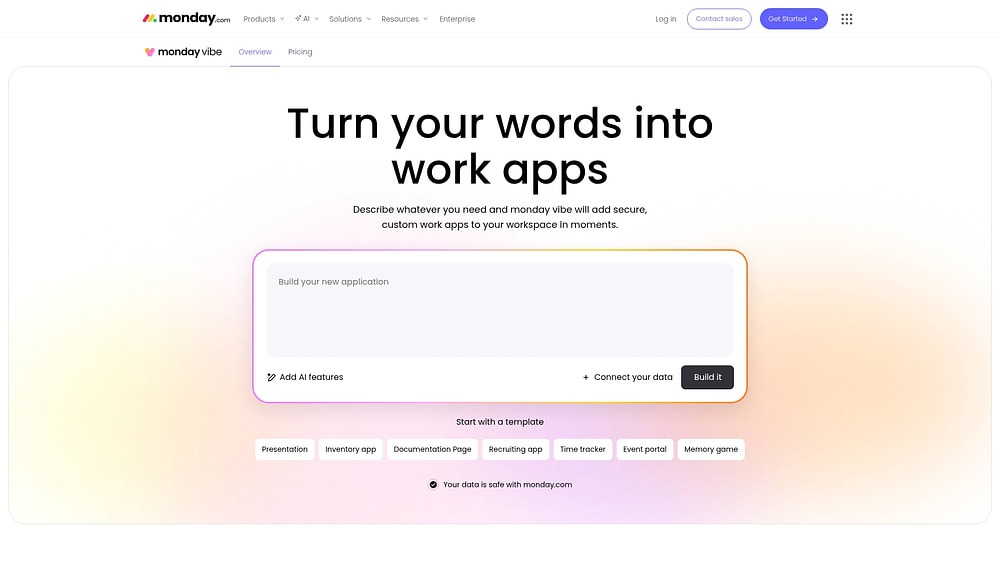
monday vibe is an AI-powered business app builder that turns prompts into secure custom apps on monday.com. Instead of generating standalone apps that later need integrations and access rules, monday vibe builds inside the monday.com platform, where work, data, permissions, and workflows already live. monday vibe is an AI-powered no-code builder that turns prompts into fully functional, secure custom apps that run on monday.com.
Use case
monday vibe is best for internal business apps connected to real work. It fits teams in operations, sales, marketing, HR, IT, service, product, and leadership that need apps like campaign trackers, sales calculators, onboarding hubs, resource planners, account health views, ticketing dashboards, event portals, and executive summaries.
Key features
monday vibe supports prompt-based app creation, conversational refinement, Discuss mode for planning, speech-to-text prompting, multi-board apps, item-level apps, AI-generated insights, web search, chatbots, board item updates, email workflows, uploaded visual context, full-screen sharing, PDF export, and responsive layouts.
The biggest difference is context. Apps can be built on top of existing monday.com boards, and multi-board apps can connect data across up to five boards in the first prompt. That makes it useful for workflows that span multiple teams.
Pricing
monday vibe is available for paid monday.com accounts. Teams can build and draft apps for free, while published apps incur a monthly add-on fee. Example pricing in the source article is 10 published apps for $100/month; AI-powered features use credits. monday.com’s official help documentation describes monday vibe as an app builder that creates secure business apps from simple prompts on monday.com.
Considerations
monday vibe is built for internal business apps on monday.com. If you need a standalone customer-facing product with code export and custom hosting, a developer-oriented platform may be a better fit.
Why it stands out
monday vibe stands out as a business app builder because it does not separate app creation from work execution. Teams can build where the data already exists, while admins retain governance through monday.com permissions and account controls.
2. Bubble
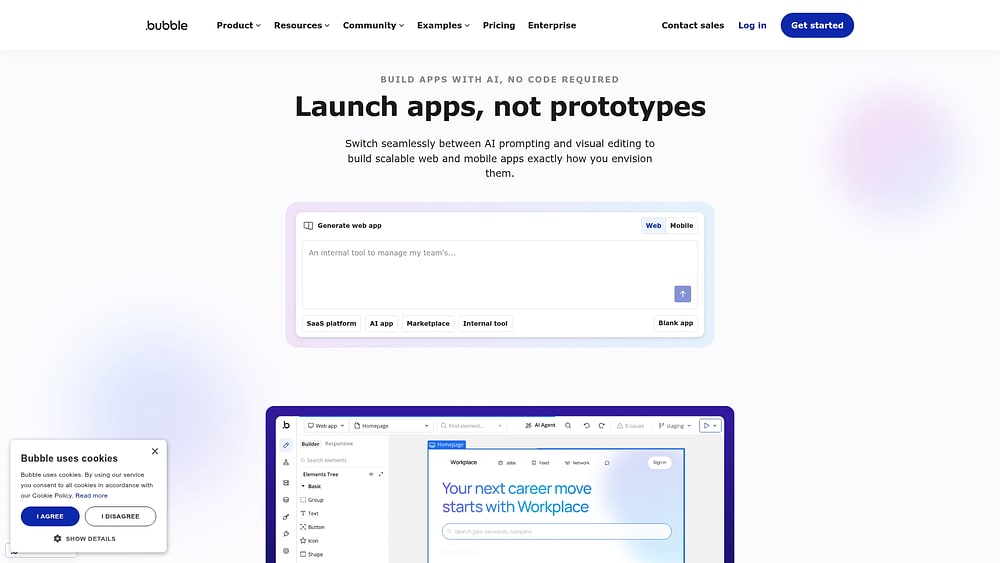
Bubble is a mature no-code platform for building web apps with visual programming. It gives builders more control than many template-based tools, including custom workflows, user authentication, database logic, and plugin-based extensions.
Use case
Bubble is a strong fit for teams building complex web apps, SaaS MVPs, marketplaces, portals, internal tools, and customer-facing applications without hiring a full engineering team.
Key features
Bubble includes a visual editor, responsive design tools, database management, workflow logic, authentication, API connectivity, plugins, and workload-based scaling. Bubble’s pricing page explains its workload unit model, which aggregates server resources needed to host, run, and scale Bubble apps.
Pricing
Bubble offers a free development plan and paid tiers for live applications. The platform uses workload units, so teams should evaluate how app complexity and traffic may affect cost.
Considerations
Bubble is powerful, but it is not instant. Teams should expect a learning curve around visual programming, data design, and performance optimization. Apps are hosted on Bubble, so teams that require full code export should evaluate that constraint carefully.
3. Softr
Softr is a no-code builder for portals, directories, lightweight internal tools, and data-driven apps. It is especially useful for teams that already organize information in Airtable or Google Sheets.

Use case
Softr works well for client portals, member directories, internal resource hubs, lightweight CRMs, partner portals, and simple operational apps built on structured data.
Key features
Softr connects to data sources like Airtable and Google Sheets, then lets teams create app interfaces using blocks, templates, lists, tables, forms, Kanban views, charts, and user permissions. Its pricing page explains roles such as app builders and app users, which is important for teams modeling costs and access.
Pricing
Softr offers a free plan and paid plans that scale based on app users, records, and premium features. Teams should confirm limits around users, records, custom domains, and permissions before choosing a plan.
Considerations
Softr is strong for structured, data-backed apps, but it may be less suitable for complex business logic or advanced workflow automation. Mobile delivery is generally through responsive web app/PWA experiences rather than native app store publishing.
4. Glide
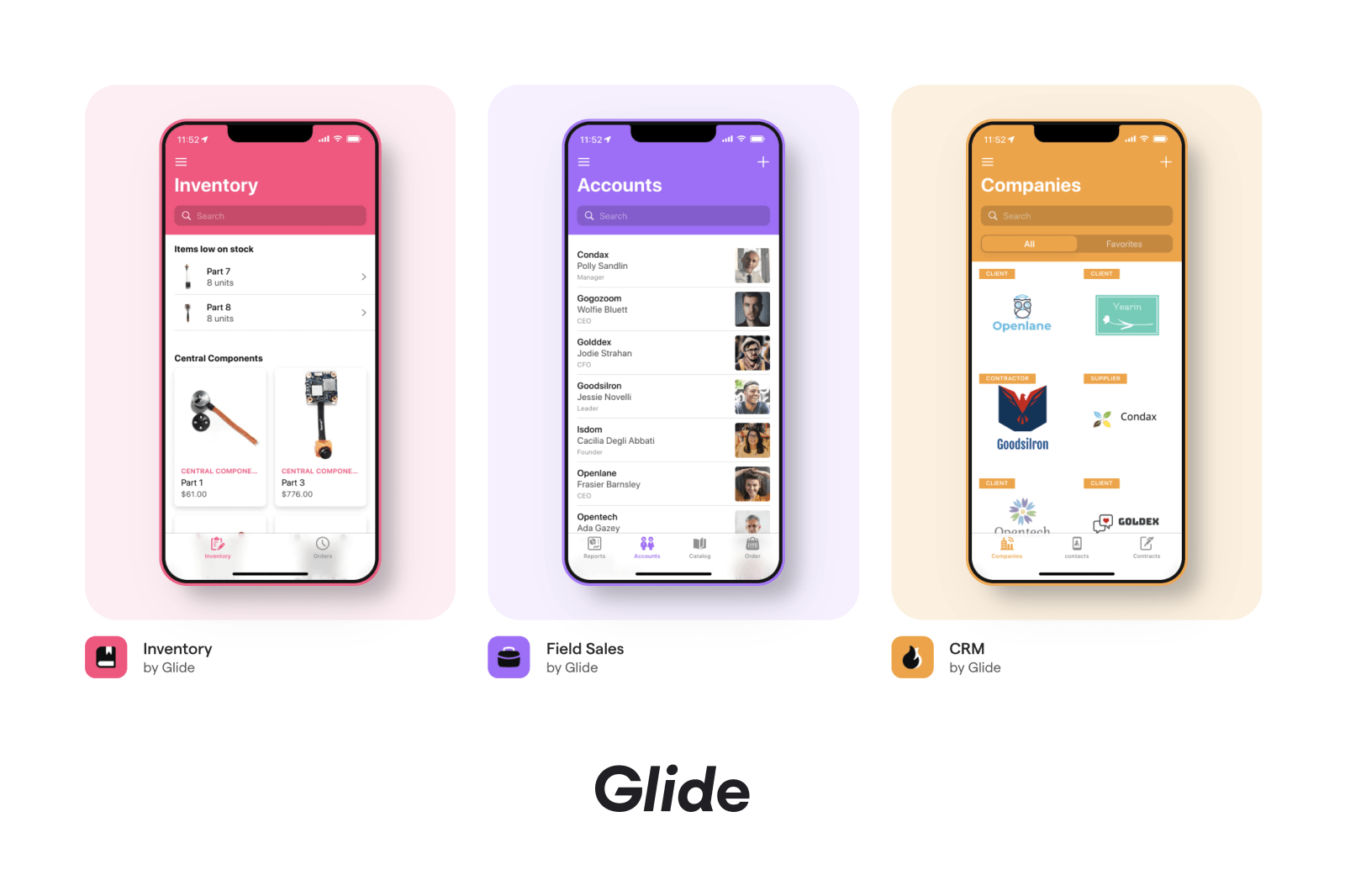
Glide turns spreadsheets and connected data sources into polished business apps, with a strong focus on mobile-friendly internal tools.
Use case
Glide is useful for field operations, inventory tracking, inspection forms, employee directories, lightweight CRMs, client portals, and frontline workflows where users need fast access from mobile devices.
Key features
Glide supports AI-assisted app creation, visual app editing, workflow automation, data connections to sources like Google Sheets, Excel, Airtable, PostgreSQL, and BigQuery, and security controls for business apps. Glide positions its pricing for teams and businesses building AI-powered apps without coding.
Pricing
Glide offers a free plan and paid business plans. Its pricing depends on plan limits, users, updates, and data needs, so teams should model automation-heavy workflows carefully.
Considerations
Glide is strong for mobile-first internal apps, but teams that require native app store distribution or highly custom backend architecture may need another platform.
5. FlutterFlow
FlutterFlow is a visual builder for mobile and web apps using Flutter. It is useful for teams that want a faster visual development experience while keeping the option to export code.

Use case
FlutterFlow works best for teams building native iOS and Android apps, especially when they have some technical support and want long-term code flexibility.
Key features
FlutterFlow includes a drag-and-drop builder, templates, Firebase and Supabase integrations, API endpoints, code extensibility, visual logic, GitHub integration on higher tiers, code download, APK download, and one-click app store deployment on paid plans. Its official pricing page lists free and paid tiers and highlights code download and store deployment among paid capabilities.
Pricing
FlutterFlow has a free plan and paid plans, including Basic, Growth, Business, and Enterprise options. Annual billing provides lower monthly pricing than monthly billing.
Considerations
FlutterFlow is easier than traditional mobile development, but it still requires users to understand concepts such as state management, navigation, data structures, and deployment.
6. Adalo
Adalo is a no-code app builder for web and native mobile apps. It is popular with small businesses, founders, and entrepreneurs who want to publish simple app experiences without traditional development.

Use case
Adalo is best for booking apps, directories, communities, simple marketplaces, customer engagement apps, and lightweight business apps that need web and app store publishing.
Key features
Adalo includes a visual canvas, built-in relational database, components, app store publishing, and AI-assisted generation/refinement. Adalo’s official pricing page states that its Starter plan includes web and native app store publishing, a built-in relational database, and no usage-based charges.
Pricing
Adalo offers a free plan and paid tiers starting with Starter, followed by higher plans for more published apps, editors, and capabilities. Teams should confirm plan limits directly before purchasing.
Considerations
Adalo is approachable, but it is typically better suited to simpler mobile and web apps than to large enterprise workflows or data-heavy internal systems.
7. Microsoft Power Apps
Microsoft Power Apps is a low-code application platform for organizations already working inside Microsoft 365, Dynamics, Azure, SharePoint, and Teams.


Use case
WeWeb is best for teams that already have a backend and need a flexible frontend without hiring additional frontend developers.
Key features
WeWeb supports visual frontend development, responsive design, API connections, authentication, backend-agnostic architecture, and code export on paid plans.
Pricing
WeWeb offers a free plan and paid plans, with self-hosting and code export available on paid tiers. Teams should confirm the current Euro pricing and feature limits directly with WeWeb.
Considerations
WeWeb is not a simple no-code tool for every business user. Teams need to understand APIs, authentication, endpoints, data structures, and backend design.
9. Zapier
Zapier is primarily an automation platform, but Zapier Forms and Tables can support simple business apps around intake, data capture, and workflow automation.

Use case
Zapier is best for teams that need forms, simple internal apps, and lightweight databases connected to automated workflows across many software tools.
Key features
Zapier connects with more than 8,000 apps and helps teams move data between tools to automate repetitive tasks. Its pricing page emphasizes secure, reliable automation at scale and explains that “apps” are web services such as Google Docs, Slack, or Salesforce.
Pricing
Zapier offers a free plan and paid plans, including Professional, Team, and Enterprise. Pricing is closely tied to automation usage and task volume, so teams should model expected activity before scaling.
Considerations
Zapier is excellent for automation and simple data workflows, but it is not a full app builder for complex interfaces, advanced permissions, or sophisticated business logic.
10. Jotform
Jotform is a form-first platform that has expanded into lightweight apps, approval workflows, payment forms, and mobile-ready experiences.

Use case
Jotform is best for teams that need forms, surveys, applications, approvals, order forms, customer intake, file collection, and form-based business workflows.
Key features
Jotform includes conditional logic, calculations, payments, file uploads, approvals, PDF generation, QR sharing, and Progressive Web App-style delivery.
Pricing
Jotform offers a free plan and paid plans, including Bronze, Silver, Gold, and Enterprise. Teams should confirm current limits for submissions, storage, forms, payments, branding, and compliance features directly with Jotform.
Considerations
Jotform is strongest when the workflow begins with a form. It is less suited to complex operational apps that need advanced dashboards, deep data relationships, or broad internal workflow systems.
11. Bravo Studio
Bravo Studio turns Figma designs into native mobile apps, making it attractive for design-led teams that want to preserve visual fidelity.

Use case
Bravo Studio is best for teams that already design in Figma and want to publish native iOS and Android apps without a full developer handoff.
Key features
Bravo Studio supports Figma imports, app functionality through Bravo tags, REST API connections, Airtable, Google Sheets, Firebase, and app store publishing.
Pricing
Bravo Studio offers a free starter option and paid tiers for publishing and collaboration. Advanced business app features and monetization capabilities may require add-ons.
Considerations
Bravo Studio requires Figma skills and familiarity with its tagging model. It is a strong design-to-app workflow, but it may not be ideal for teams that do not already work in Figma.
12. Retool
Retool is a developer-oriented business app builder for internal tools, admin panels, dashboards, and operational apps on live data.

Use case
Retool is best for technical teams with SQL and API knowledge that need to build internal tools quickly.
Key features
Retool includes prebuilt UI components, direct database and API connections, SQL querying, JavaScript customization, role-based access controls, audit logging, and governance capabilities. Retool’s pricing page outlines the Free, Team, Business, and Enterprise options and notes that the Business and Enterprise plans include more advanced permission controls.
Pricing
Retool pricing includes per-builder and per-user considerations depending on plan and user type. Teams should check Retool’s official pricing page for current plan details.
Considerations
Retool is powerful, but it’s not designed for non-technical business builders. It is best when developers or technical operators create and maintain the apps.
13. Airtable
Airtable combines spreadsheet familiarity with database structure and app-like interfaces. It is useful for teams that want to organize structured data and create custom views on top of it.

Use case
Airtable works well for content calendars, project trackers, CRM-like workflows, product roadmaps, resource planning, lightweight inventory systems, and shared operational databases.
Key features
Airtable includes bases, views, automations, interfaces, permissions, data sync, and AI features. Airtable’s official pricing page outlines plans from free to enterprise, and its support documentation explains plan structure and sales-led Business/Enterprise Scale options.
Pricing
Airtable offers a free plan plus Team, Business, and Enterprise Scale plans. Pricing depends on users, records, features, and governance needs.
Considerations
Airtable is flexible, but teams with advanced app UI requirements may run into limits compared with dedicated app builders. Advanced sync, scale, and governance features often require higher-tier plans.
14. GoodBarber
GoodBarber is a business app builder for customer-facing mobile apps, especially content, commerce, community, and booking experiences.

Use case
GoodBarber is best for businesses that want polished native and web app experiences for customers, audiences, or communities.
Key features
GoodBarber supports iOS and Android apps, Progressive Web Apps, content apps, e-commerce, loyalty programs, booking, geofencing, push notifications, and extensions.
Pricing
GoodBarber offers content and e-commerce pricing plans with annual billing options and a free trial. Teams should review add-on costs for memberships, authentication, chat, monetization, and other advanced features.
Considerations
GoodBarber is better for customer-facing mobile apps than internal business workflow tools. Teams needing highly custom backend logic or operational data models may need another platform.
15. Budibase
Budibase is an open-source low-code platform for building internal tools, automations, and business apps, with self-hosting options for teams that need infrastructure control.

Use case
Budibase is best for technical teams that want open-source flexibility, self-hosting, SQL/API connections, and enterprise controls.
Key features
Budibase connects to SQL databases, REST APIs, and spreadsheets; supports app interfaces, forms, automations, role-based access, SSO, and self-hosting. Budibase’s pricing page highlights options for AI agents, automations, internal apps, and enterprise operations, and notes that self-hosting is ideal for organizations that require infrastructure and deployment control.
Pricing
Budibase offers open-source self-hosting and paid cloud or enterprise plans. Pricing varies by creators, end users, automation actions, logs, and enterprise features.
Considerations
Budibase is flexible, but self-hosting requires technical resources for deployment, maintenance, security updates, and infrastructure management.
How to build a shortlist from 15 options
A long list is useful for research, but it can slow down decisions. The easiest way to narrow your options is to identify the kind of app you need first.
If you are building internal apps, prioritize workflow context, permissions, data access, and adoption. If you are building customer-facing products, prioritize hosting, code ownership, design control, and long-term technical flexibility. If you are building mobile apps, decide whether responsive web delivery is enough or whether native app store publishing is required.
A good shortlist usually includes three options: the fastest, the most flexible, and the strongest for governance. Then test them on the same real workflow.
What to look for in a no-code business app builder
A good business app builder should make it easier to solve real problems, not just produce attractive demos.
1. Speed to a usable first version
Ask how quickly your team can move from idea to usable app. Some AI-native builders can generate a working first version in minutes. Others require setup across data sources, components, layouts, and permissions.
The first version does not need to be perfect. It needs to be real enough for users to react to.
2. Fit with the builder’s skill level
“No-code” can mean very different things. Some tools are truly approachable for non-technical teams. Others still require database modeling, formulas, API setup, or logic design.
The more the app is maintained by business teams, the more approachable the builder needs to be.
3. Connection to existing work
Most internal apps depend on live work data. If every app requires a new database, a new access model, and a new integration layer, the team may end up with more work than before.
For internal apps, context-aware builders have a major advantage because they integrate closely with existing workflows.
4. Governance from the start
Governance matters as soon as business teams can build and share apps. NIST’s AI Risk Management Framework emphasizes incorporating trustworthiness considerations into AI system design, development, deployment, and use; that same mindset applies when AI-powered app builders become part of business operations.
Look for permission-aware access, admin publishing controls, app ownership, secure sharing, audit visibility, AI controls, and integration controls.
5. AI that meaningfully reduces work
AI should do more than generate a title or suggest a color scheme. The real value comes when AI reduces setup time, accelerates iteration, summarizes data, helps troubleshoot, creates content, or turns business language into a functional app.
OWASP’s Top 10 for LLM Applications highlights risks such as prompt injection and insecure output handling, which is why AI-powered app builders should still include review, governance, and permission controls rather than treating AI output as automatically safe.
6. Avoiding new silos
A business app builder should reduce operational fragmentation. If it creates a separate app with separate data, users, permissions, and maintenance, it may solve one problem while creating another.
For internal business apps, proximity to work often determines long-term adoption.
AI-powered app builders vs. traditional no-code platforms
Traditional no-code platforms rely on visual configuration. AI-powered business app builders begin with a prompt.
Both can be valuable. The difference is how teams get from idea to first version.
A strong prompt explains the app’s purpose, audience, key data, required actions, and desired user experience.
Example:
Build an onboarding portal for new hires. Include a checklist, training resources, HR contacts, manager tasks, progress status, and a welcome page. Make it mobile-friendly and easy for HR to update.
Then the team can refine:
Add a department filter.Show overdue onboarding tasks first. Add a progress chart for each new hire. Simplify the employee homepage.
This is why AI-powered builders are gaining traction: they let teams start with the outcome instead of the mechanics.
How business app builders reduce IT backlog and development costs
Custom internal tools often take longer than expected because even “simple” apps involve requirements, design, data setup, permissions, testing, deployment, and maintenance.
Business app builders reduce that burden by letting teams solve more workflow problems themselves while IT sets the guardrails.
The exact numbers vary by project, but the pattern is consistent: faster app creation reduces the cost of experimentation.
This does not remove IT from the process. It changes IT’s role. Instead of building every app, IT can focus on governance, architecture, security, and platform standards.
How to measure ROI from a business app builder
The value of a business app builder is not always measured solely by development costs. The bigger impact often comes from time saved, fewer manual errors, faster handoffs, and better visibility.
To measure ROI, start with the workflow the app replaces. Then compare the old process with the new one.
Useful metrics include:
- Hours saved per week on manual updates
- Reduction in status meetings or follow-up messages
- Faster approval turnaround time
- Fewer duplicate entries or data errors
- Shorter time from request to completion
- Lower dependency on IT for small internal tools
- Better adoption compared with spreadsheets or disconnected software
For example, if a resource request app saves managers five hours per week and reduces approval delays by 30%, the value is not just the app itself. It is the operational speed the team gains back.
This also helps teams decide which app to build first. Start with workflows where the pain is visible, the process is repeatable, and the improvement can be measured.
Security questions to ask before rollout
Before rolling out a business app builder broadly, IT and security teams should ask:
- Can app permissions follow existing access rules?
- Can admins control who publishes apps?
- Can apps be private by default?
- Can AI features be controlled at the account level?
- Is usage visible?
- Are integrations governed?
- Can apps be audited?
- Who owns each app after launch?
- What happens if an app becomes business-critical?
These questions matter even more for AI-powered builders because generated outputs can influence workflows, records, communications, and decisions.
Business app builder implementation checklist
Once you choose a business app builder, rollout matters just as much as platform selection. A strong implementation plan helps teams move quickly without creating confusion, duplicate apps, or governance issues later.
Before launching your first app, confirm:
- The workflow has a clear owner.
- The app has a specific purpose and audience.
- The data sources are accurate and up to date.
- Permissions are clear before sharing.
- The app has a testing period before wider rollout.
- Stakeholders know where to give feedback.
- There is a plan for updates and maintenance.
- IT understands how the app is governed.
- Success metrics are defined before launch.
A simple rollout plan can prevent common issues. For example, if a team builds an onboarding portal, HR should own the content, IT should confirm access rules, managers should test the experience, and new hires should provide feedback after using it. That creates a feedback loop instead of a one-time launch.
The best business app builder does not just help teams create apps quickly. It helps them keep those apps useful over time.
How to choose the right business app builder by team type
For operations leaders
Operations teams need tools that reduce fragmentation. Look for platforms that connect workflows, bring data together, support governance, and help teams adapt processes quickly.
The right platform should be able to pull work from multiple teams while reducing tool sprawl. It should allow teams to change processes without waiting weeks and include built-in permissions that align with existing access controls.
For product managers
Product managers often need to test internal tools, workflow improvements, and prototypes without pulling engineers away from roadmap work.
The ideal platform lets product managers build a functional version quickly so users can test it early. It should support refinement based on feedback and connect seamlessly to the tools the team already uses.
For founders and small teams
Small teams need speed, affordability, and simplicity.
The platform should solve a real problem today while keeping the true cost reasonable, including learning time. It should remain viable as the team grows and, ideally, replace existing tools rather than add another to the stack.
Build custom work apps with monday vibe
monday vibe brings AI-powered app creation directly into monday.com, making it useful for teams that need internal business apps connected to real workflows.
Step 1: Describe the app
Start with a plain-language prompt that explains what the app should do, who will use it, what data it should show, and what actions it should support.
Example:
Create a sales dashboard for reps and managers. Show deals by stage, owner, region, and expected close date. Include filters, pipeline health indicators, and a summary of deals that need attention this week.
Teams can also use templates, Discuss mode, voice prompts, screenshots, PDFs, and uploaded files to guide the build.
Step 2: Connect work data
monday vibe can connect up to five boards in the first prompt. That makes it useful for apps that span departments, such as onboarding hubs, campaign dashboards, ticketing workflows, resource planners, and executive summaries.
Step 3: Add AI-powered insights
monday vibe apps can use AI or web search to summarize updates, generate content, create insights, answer questions, update board items, and support chatbot-like experiences.
Step 4: Keep governance in place
Because monday vibe apps are built on monday.com, they inherit the platform’s work context and permission model. Apps start as private drafts, and admins can control publishing. That gives teams a faster way to build without creating unmanaged software sprawl.
Why teams are adopting AI business app builders
Business teams no longer have to wait months for every internal app. They can describe a workflow, generate a first version, test it with users, and improve it quickly.
For teams that need speed with governance, monday vibe stands out because it builds on monday.com, where work data, permissions, and workflows already exist. That makes it especially useful for internal business apps that need to become part of daily operations rather than another disconnected tool.
Try monday vibeThe content in this article is provided for informational purposes only and, to the best of monday.com’s knowledge, the information provided in this article is accurate and up-to-date at the time of publication. That said, monday.com encourages readers to verify all information directly.
FAQs about business app builders
What is a business app builder?
A business app builder is a platform that helps teams create internal or operational apps without traditional software development. These apps can include dashboards, portals, trackers, approvals, calculators, request forms, and workflow tools.
Can business app builders create mobile apps?
Some business app builders create native mobile apps for app stores. Others create responsive web apps or Progressive Web Apps. The right choice depends on whether your users need app store distribution, device-specific features, or simply mobile access.
How long does it take to build a business app without coding?
It depends on the platform and complexity. Traditional no-code tools may take hours or days. Low-code platforms may take longer if technical setup is required. AI-powered builders can often produce a first working version in minutes, with refinement happening afterward.
Do business app builders require IT approval?
That depends on your organization’s policies. In larger organizations, IT usually wants to review security, permissions, data handling, integrations, and AI controls before broad rollout.
Can no-code apps support complex business logic?
Some can, especially advanced no-code and low-code platforms. However, complexity often increases the need for technical oversight. Teams should evaluate not only whether the platform can build the logic, but also who will maintain it.
What is the best business app builder for internal work?
The best business app builder for internal work is usually the one that fits your existing workflows, permissions, and data. For teams already using monday.com, monday vibe is a strong option because it creates apps inside the same environment where work is already managed.
 Get started