


The difference between AI that suggests work and AI that actually does the work comes down to a single architectural question: Was the platform built with AI at its core, or was AI added after the fact? That distinction shapes everything from how data flows to what your team can accomplish in a given day.
This guide breaks down what AI native actually means, how it differs from AI-enabled and AI-first approaches, the 5 architectural characteristics that define it, and how to evaluate whether a platform is genuinely built this way. You’ll also find real-world examples across sales, service, and project management, plus a practical 5-step implementation path to get started.
Key takeaways
- AI-native platforms are built with AI as part of their core architecture, allowing AI to execute work instead of simply making recommendations.
- AI native, AI enabled, AI first, and embedded AI describe different approaches to AI, but only AI-native platforms make AI the operating layer across the entire system.
- Shared data, autonomous AI agents, and built-in governance are the architectural characteristics that distinguish AI-native platforms from traditional software.
- When AI can access connected data across departments, it can automate more complex workflows and make better-informed decisions than AI operating in isolated systems.
- Organizations can adopt AI-native ways of working gradually by starting with one high-impact workflow, deploying an AI agent, and expanding over time.
What does AI native mean?
AI native means software, platforms, or organizations designed with artificial intelligence as the foundational operating layer from day one. In an AI-native system, AI isn’t a toggle or an add-on. It’s the architectural core that shapes how data flows, how decisions get made, and how work gets executed.
Picture the difference between a building designed with electricity from the blueprint stage and an old building that had wiring retrofitted into its walls. The first one has outlets, lighting, and climate control integrated into every room by design. The second one works, but the wiring is constrained by walls that were never designed to carry it.
In practical terms, AI-native platforms differ from traditional software in the following structural ways:
- Data is structured for AI consumption from day one: The platform organizes information so that AI can read, interpret, and act on it across every department and workflow without requiring manual data preparation or custom integrations. There’s no need to export data into a separate platform or reformat it for AI to understand.
- AI participates in execution, not assistance: Instead of offering suggestions that a team member must then manually implement, AI-native systems allow AI to take actions directly within the workflow. This includes creating items, updating statuses, routing requests, generating reports, and triggering follow-ups without waiting for someone to click a button.
- Governance is built around AI activity: Permissions, audit trails, and human oversight account for AI agents acting within the system from the start, not bolted on as an afterthought. The platform assumes from the start that AI will be taking actions, and the governance model reflects that reality.
AI native vs. AI enabled vs. AI first vs. embedded AI
As AI becomes standard in business software, vendors throw around terms like AI enabled, AI first, embedded AI, and AI native. These terms aren’t interchangeable. Understanding the differences helps you evaluate whether a platform genuinely operates with AI at its core or simply markets AI as a feature.
| Term | What it means | How AI relates to the platform | Example behavior |
|---|---|---|---|
| AI enabled | AI features are added to an existing product | AI is a supplementary feature; the platform works without it | A CRM that adds a chatbot for answering pipeline questions |
| AI first | AI is prioritized in the product roadmap and user experience | AI is a primary design consideration but may not be the architectural foundation | A project management platform that leads with AI-powered suggestions but still relies on manual execution |
| Embedded AI | AI is integrated into specific workflows within the product | AI operates within defined boundaries of the existing architecture | A support platform that uses AI to auto-categorize tickets but requires human routing |
| AI native | AI is the foundational architecture the entire platform is built on | AI is the core operating layer; the platform cannot function as designed without it | A work platform where AI agents execute workflows, learn from cross-department data, and operate autonomously within governed permissions |
AI native vs. AI enabled: Optional feature vs. foundational layer
AI-enabled platforms add AI capabilities to software that was originally designed to work without AI. The AI features are useful but optional. Remove them, and the platform still functions the same way.
An AI-native platform, by contrast, is architected so that AI is inseparable from how the platform functions. The distinction is structural, not functional. AI enabled means AI was invited in. AI native means AI was there from the foundation.
For example, an AI-enabled spreadsheet application might offer formula suggestions, while an AI-native platform would automatically generate reports, flag anomalies, and notify stakeholders without anyone opening a spreadsheet.
AI native vs. AI first: Philosophy vs. architecture
AI-first platforms prioritize AI in their product strategy and user experience, but the underlying architecture may still be built on traditional software patterns. AI first is a philosophy about prioritization. AI native is an architectural reality.
A platform can be AI first in its roadmap but not AI native in its data model, meaning AI features may still operate in silos rather than across the entire system with full context. For example, an AI-first project management platform might use AI to recommend assignments, but if its data model keeps marketing, sales, and operations data in separate silos, the AI cannot connect insights across departments the way an AI-native architecture can.
AI native vs. embedded AI: AI in a box vs. AI as the box
Embedded AI refers to AI that is integrated into specific features or workflows within a product. The AI operates within defined boundaries — it does its job well, but only within the box it was placed in.
AI native goes further: instead of embedding AI into individual features, the entire platform is built so AI operates across all features, all data, and all departments simultaneously. Embedded AI is AI in a box. AI native is AI as the box.
For example, embedded AI in a service platform might auto-categorize incoming tickets, but an AI-native service platform would categorize, prioritize, route, draft responses, track SLA compliance, and escalate at-risk cases — all autonomously and all informed by data from across the organization.
5 characteristics that define AI-native architecture
The term “AI native” is used broadly, but there are specific architectural characteristics that distinguish genuinely AI-native platforms from those that simply market AI features. Understanding these characteristics helps you evaluate platforms based on substance rather than branding.
1. AI as the core operating layer
In an AI-native platform, AI isn’t a feature you toggle on or off. It’s the operating layer through which all work flows. Every action a team member takes, every workflow that runs, and every decision that gets surfaced is informed by or executed through AI, the same way an operating system assumes internet connectivity.
What this looks like in practice:
- Workflow execution: AI agents carry out multi-step processes like lead scoring, ticket triage, or campaign reporting without requiring manual triggers for each step. A lead comes in, gets scored, gets routed to the right rep, and triggers a follow-up sequence — all without someone initiating each action individually.
- Decision support: The platform surfaces insights, risks, and recommendations proactively rather than waiting for someone to run a query. If a project is trending behind schedule or a deal is at risk of stalling, the system flags it before anyone has to ask.
- Continuous operation: AI operates around the clock, handling follow-ups, content generation, and data analysis across any time zone, volume, or language. Work doesn’t pause when people log off; agents keep executing within their defined boundaries.
2. A shared data foundation across departments
AI is only as effective as the data it can access. In traditional software, data lives in silos — sales in the CRM, projects in the project management platform, support in the ticketing system. AI layered on top of these silos sees only a fraction of the organization’s context.
An AI-native platform is built on a shared data layer that spans departments. An agent working on a marketing campaign can access sales pipeline data. An agent planning a sprint can see support ticket trends. An agent preparing an executive report can pull from every department simultaneously.
Here’s why that matters:
- Siloed data (traditional): A sales AI sees only CRM records — it can’t factor in marketing performance or support sentiment when scoring a lead.
- Shared data (AI native): A sales AI sees CRM records, marketing engagement, support history, and project timelines — giving it full context to score leads accurately and recommend next actions.
This cross-department context separates platforms that automate isolated workflows from platforms that drive outcomes across the entire business.
Gartner forecasts that 40% of enterprises will embed AI agents by the end of 2026, and the organizations that understand this distinction now will be the ones deploying agents that execute real work, not ones still waiting for AI to live up to its potential.
3. Continuous learning and adaptation
AI-native platforms are designed to improve over time. Unlike static software that behaves the same way regardless of how much it’s used, AI-native systems learn from the data flowing through them. As teams complete workflows, close deals, resolve tickets, and deliver projects, the AI refines its understanding of what works, what does not, and what to prioritize.
- Pattern recognition: The AI identifies recurring bottlenecks — like a specific approval step that consistently delays projects — and surfaces recommendations to address them before they cause the next delay.
- Behavioral adaptation: As a team’s priorities shift, the AI adjusts its scoring models, routing logic, and recommendations without requiring manual reconfiguration. The system evolves with the organization rather than requiring someone to rebuild it.
- Feedback integration: When a person overrides an AI recommendation, the system incorporates that feedback to improve future suggestions. Every correction makes the AI more accurate for the next decision.
4. Agentic execution and workflow automation
“Agentic” refers to AI that acts independently within defined boundaries — not just responding to prompts. An AI agent perceives its environment, makes decisions, and takes actions autonomously.
AI-native platforms are built to support agentic execution natively. The platform’s architecture, from its data model to its permissions system, is designed to accommodate AI agents as active participants in workflows alongside people.
What agentic execution looks like:
- Research agents: Autonomously search for and consolidate information on competitors, vendors, or market trends. Instead of a team member spending hours gathering data from multiple sources, the agent compiles a structured summary and delivers it on a schedule or when triggered by a specific event.
- Reporting agents: Generate and distribute status reports, performance summaries, and risk assessments on a scheduled or triggered basis. The report highlights what changed, what’s at risk, and what needs attention.
- Process optimization agents: Identify redundant or outdated data and processes, then suggest or implement improvements. These agents continuously scan workflows for inefficiencies and act on them instead of waiting for a quarterly review.
5. Built-in governance and transparency
As AI takes on more responsibility, governance becomes a structural requirement, not an optional add-on. AI-native platforms build governance into their architecture from the start, ensuring that every AI action is visible, controllable, and auditable. This urgency is backed by data:
According to Deloitte’s State of AI in the Enterprise, 74% of companies plan to deploy agentic AI within 2 years, yet only 21% report a mature governance model for autonomous agents — validating why permissions, auditability, and human-in-the-loop controls must be designed in from the start, not bolted on.
The governance components of AI-native architecture include:
- Permissions: Administrators define exactly which data each AI agent can access and whether it can read, create, or edit information. An agent working on HR workflows cannot access sales pipeline data unless explicitly authorized.
- Audit trails: Every action an AI agent takes is logged, so teams can see what happened, why it happened, and what the agent will do next. Every decision has a traceable path from data input to final action.
- Human-in-the-loop validation: Before an AI agent executes high-impact actions, the platform requires human review and approval. This is a design principle that ensures AI operates within acceptable boundaries.
- Compliance alignment: The platform meets enterprise security standards such as SOC 2 Type II, ISO 27001, GDPR, and HIPAA. These certifications are baseline requirements for any platform handling business-critical data and AI-driven operations.
The role of AI agents in AI-native platforms
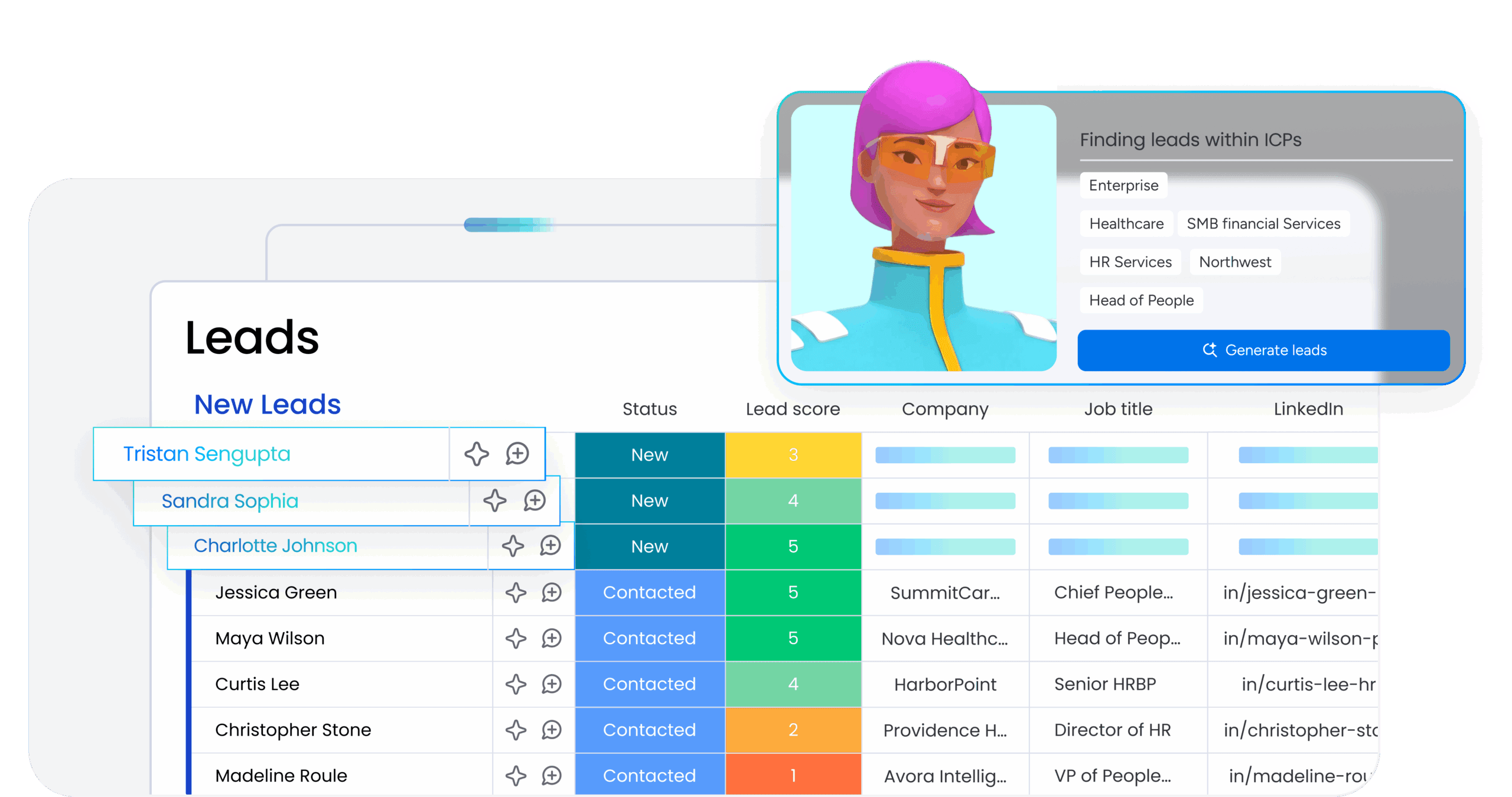
AI agents are how AI-native platforms deliver value. While the architecture provides the foundation — shared data, governance, continuous learning — agents are the entities that actually execute work. Understanding how agents function within AI-native platforms is essential for evaluating whether a platform is genuinely AI native or simply using “agent” as a marketing term.
From copilots to agents that execute work
The shift from AI copilots to AI agents changes what AI does within a platform. A copilot is an AI assistant that helps a person do their work. It suggests, summarizes, drafts, and recommends, but the person still makes every decision and takes every action. An agent is an AI entity that can independently execute work within defined boundaries. It reads data, makes decisions based on rules and context, takes actions, and reports on what it did.
| Scenario | Copilot behavior | Agent behavior |
|---|---|---|
| Weekly reporting | Here's a draft of your weekly report based on your project data. Would you like to edit it? | I generated your weekly report, sent it to stakeholders, flagged two at-risk projects, reassigned overdue items, and notified the affected team members. |
| Lead management | This lead looks like a good fit based on their profile. You might want to follow up. | I scored this lead at 92, routed them to the rep covering their region, scheduled a follow-up call, and added the engagement history to the deal record. |
| Ticket handling | This ticket appears to be about a billing issue. Here's a suggested response. | I categorized this ticket as billing, matched it to three knowledge base articles, drafted a response, set the SLA timer, and escalated it because the customer's sentiment score dropped. |
AI-native platforms support agent-level execution, not copilot-level assistance. The architecture supports agents that can operate autonomously, 24/7, across departments, with full context and governed permissions.
According to a McKinsey Global Survey, 62% of organizations are already experimenting with or scaling AI agents, while 88% report regular AI use in at least one business function.
Organizations that define an agentic strategy now position themselves to keep pace as competitors deploy agents that execute work faster, more consistently, and at greater scale.
Ready-made agents for sales, marketing, and operations
AI-native platforms offer pre-built agents for common business functions. These ready-made agents handle specific workflows immediately, reducing the time and effort required to get value from AI.
Common ready-made agents include:
- Lead scoring agents: Score leads using fit, intent, and engagement signals across the funnel, then route high-priority leads to the right rep. When intent spikes — a prospect visits the pricing page, opens 3 emails in a day, or requests a demo — the agent acts immediately by scheduling follow-ups and alerting the assigned rep.
- Sentiment detection agents: Monitor tickets, emails, and feedback for sentiment shifts and flag risks in real time. If a long-standing customer’s tone shifts from positive to frustrated across multiple interactions, the agent notifies the account owner before the relationship deteriorates.
- Risk analysis agents: Detect schedule, dependency, and workload risks across projects and recommend mitigation actions. These agents flag risks as they emerge and suggest specific actions like reassigning owners or adjusting timelines — without waiting for a status meeting.
- Meeting summarizer agents: Generate concise summaries and action items from meeting transcripts, assign owners, and create follow-up items directly in the workflow. Notes and next steps are captured and assigned automatically.
- Vendor research agents: Gather vendor details like pricing, security posture, reviews, and contract terms, then compile structured summaries. Instead of a team member spending a day researching options, the agent delivers a comparison-ready brief.
Custom agents built for your specific workflows
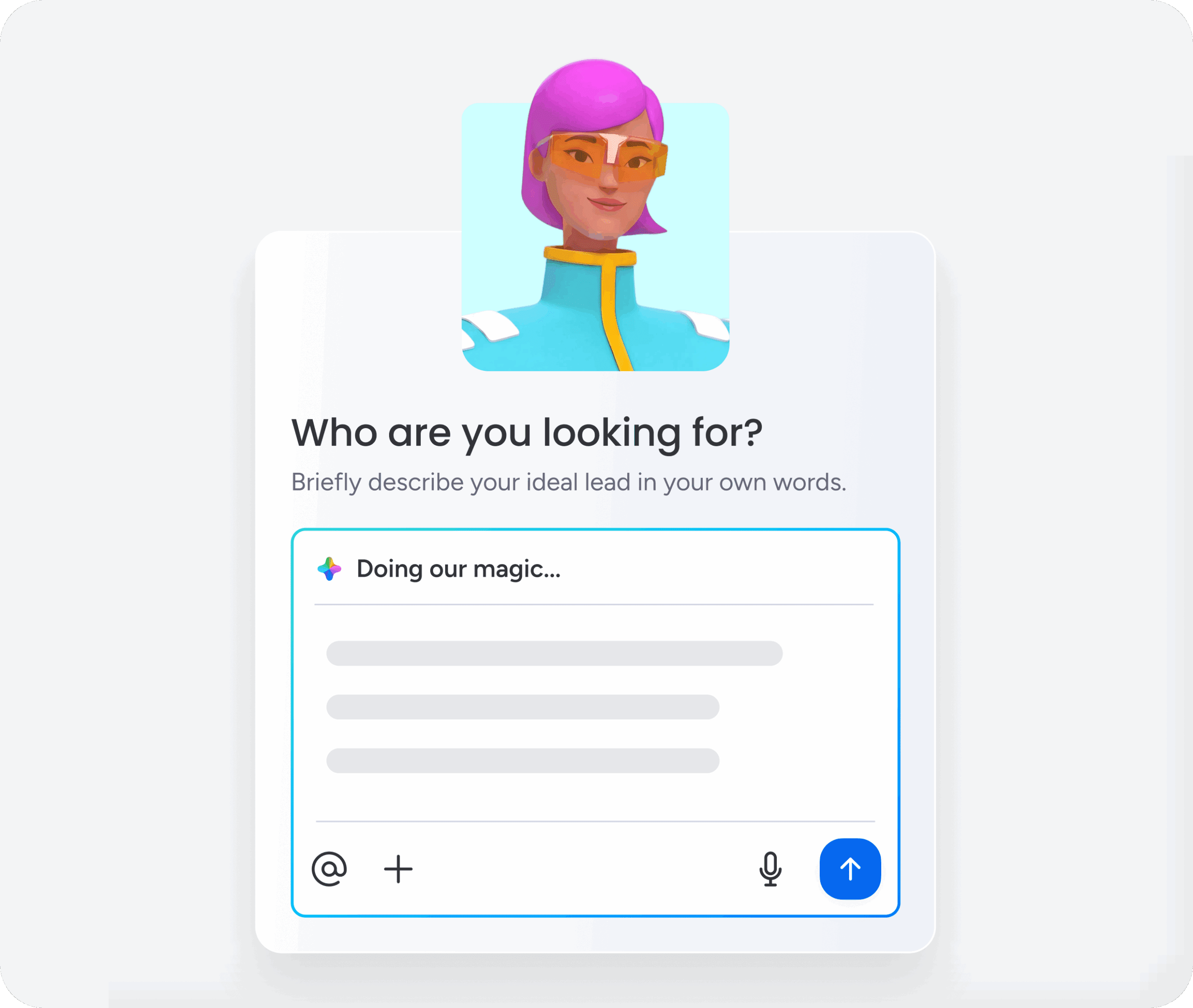
Beyond ready-made agents, AI-native platforms allow organizations to build custom agents tailored to their unique processes. This matters because every organization has workflows specific to their industry, team structure, or business model, and no set of pre-built agents can cover every scenario.
Building a custom agent follows 3 steps:
- Describe the role and triggers: Define what the agent should do and when it should activate. For example: “When a new support ticket comes in with the word ‘urgent’ in the subject line, classify it, assign it to the on-call engineer, and set the SLA to 2 hours.”
- Connect knowledge and integrations: Link the agent to the documents, data sources, and external platforms it needs to do its work. This might include product documentation, pricing sheets, CRM records, or communication platforms like Slack and Gmail.
- Test and refine: Run the agent in a simulation or test environment, review its actions, and adjust its behavior before deploying it into production workflows. This ensures the agent behaves as expected before it starts taking real actions.
This approach to custom agent creation — often requiring no code — is a hallmark of AI-native platforms because it reflects the principle that AI should be accessible to every team, not technical teams alone. The people closest to the work are the ones who understand the workflows best, and they should be able to build the agents that support those workflows.
Examples of AI-native products and applications
AI-native architecture applies across multiple business domains. The following examples illustrate what AI native looks like in practice and help you recognize AI-native characteristics when evaluating platforms.
| Domain | Traditional approach | AI-native approach |
|---|---|---|
| CRM and revenue operations | Sales reps manually update deal stages, log activities, and generate forecasts based on CRM data alone. | Agents score and route leads automatically using cross-department signals, summarize calls and extract action items, update pipeline stages based on activity, and generate forecasts informed by marketing, support, and operations data. |
| Project and work management | Managers manually assign work, track progress, and generate status reports. | Agents generate project plans from natural language, detect schedule and dependency risks in real time, automatically distribute status reports, rebalance workloads based on capacity, and connect project decisions to sales, marketing, and operations context. |
| Service and support | Support agents manually categorize, prioritize, and route tickets in a reactive process. | Agents classify ticket intent and urgency automatically, match requests to knowledge base articles and resolve common issues directly, track SLA compliance and flag at-risk cases, detect content gaps and generate new articles, and escalate incidents by severity with real-time alerts. |
How to evaluate an AI-native platform: 5 questions to ask
As more vendors adopt “AI native” language in their marketing, you need a practical framework for evaluating whether a platform is genuinely AI native or simply rebranding existing AI features. These 5 questions cut through the branding to assess what the platform actually does.
1. Is AI foundational or bolted on?
Was the platform built with AI as its architectural foundation, or was AI added to an existing product?
Look for: AI that executes work instead of assisting. If AI can be turned off and the platform still works essentially the same way, it’s AI enabled, not AI native. AI-native platforms structure data so AI can read and act on it — no exports, reformatting, or manual preparation required.
2. Does the platform provide cross-department context?
Can AI see sales, marketing, support, and operations data together, or does it operate within departmental silos?
Look for: Cross-functional context on a shared data layer. If an AI agent working on a sales workflow can’t access marketing engagement or support history, it’s operating with partial information. AI-native platforms generate insights that span multiple departments without requiring manual data exports or custom integrations.
3. Can agents execute work or only assist?
Does AI take actions independently, or does it require human intervention at every step?
Look for: Agents that act autonomously. An agent that drafts a report but can’t send it, or scores a lead but can’t route it, is a copilot, not an agent. AI-native agents work 24/7, complete multi-step workflows, and take actions across departments without waiting for someone to click a button.
4. Does governance scale with AI capability?
As AI takes on more responsibility, can you control what it accesses and track what it does?
Look for: Granular permissions and audit trails. Administrators should be able to define exactly what data each agent can access and what actions it can take. Every action an agent takes should be logged and reviewable. Human-in-the-loop mechanisms for high-impact actions and enterprise compliance standards (SOC 2 Type II, ISO 27001, GDPR, HIPAA) are baseline requirements.
5. How quickly can teams adopt and see value?
Can your team start using AI immediately, or does adoption require a transformation project?
Look for: A no-code builder that any team member can use. If building an agent requires engineering resources, months of configuration, or external consultants, the platform has an adoption problem. AI-native platforms make AI adoption natural — fitting into how teams already work rather than requiring them to change how they work.
How to adopt AI-native work
You don’t need to replace every system overnight. Start with one workflow, deploy one agent, and expand from there. Here’s how:
- Start with one workflow: Pick a high-volume, repetitive process like lead scoring, ticket triage, or report generation — something that follows clear rules and eats up your team’s time.
- Choose an AI-native platform: Look for platforms where AI is foundational, not bolted on. The platform should connect work across departments in one shared system so agents see the full picture — not CRM data alone, or tickets alone, or projects alone.
- Deploy one agent: Start with a ready-made agent for a well-defined workflow. Use simulation mode to test it first, then deploy it alongside your team in one department. The goal is to augment what people can accomplish, not replace them.
- Establish governance: Define what each agent can access and what actions it can take. Start with narrow permissions and expand as your team builds confidence. Schedule regular reviews of agent activity and create a process for flagging when an agent’s action needs correction.
- Expand gradually: Once agents are delivering value in one department, scale to others. Each new department added to the shared data layer makes every agent across the platform more effective — that’s the compounding advantage of AI-native architecture.
Put AI-native capabilities to work with monday.com
Built as a monday AI Workspace, monday.com brings people and agents together as one team, with shared cross-department context, enterprise-grade trust, and an interface designed for adoption at scale.
Key AI-native capabilities include:
- Ready-made agents that execute work autonomously: With agents that include Lead Scorer, Sentiment Detector, Risk Analyzer, Meeting Summarizer, Vendor Researcher, and Contact Duplicates Finder, work happens faster and more easily than ever before.
- Custom agent builder: Any team can build agents tailored to their workflows in 3 steps — describe the role, connect knowledge sources, and test — without writing code.
- Cross-department data layer: Agents access sales, marketing, operations, IT, and HR data simultaneously, producing more accurate lead scores, reliable forecasts, and comprehensive health assessments than siloed systems can deliver.
- AI-native development tools: monday vibe turns natural language prompts into custom apps. monday MCP connects external AI assistants like Claude and ChatGPT directly to your workspace data.
- Enterprise-grade governance: Granular permissions control what each agent can access and edit. Human-in-the-loop validation lets you test agents in simulation mode before deployment. The platform is HIPAA compliant and holds ISO/IEC 27001, SOC 2 Type II, and ISO/IEC 27701 certifications.
With monday.com, organizations retain full ownership of their data and AI-generated content. Here’s how monday.com’s AI-native architecture compares to traditional platforms and standalone AI agents:
| Capability | monday.com (AI native) | Traditional platform with AI features | Standalone AI agents |
|---|---|---|---|
| AI architecture | AI is the foundational operating layer; agents execute work across the platform. | AI features are added to an existing platform and operate within feature boundaries. | AI operates independently and requires manual integration with platform data. |
| Cross-department context | Shared data layer spanning sales, marketing, operations, IT, HR, and more. | Limited to single-domain data; requires integrations to access other departments. | No native organizational context; relies on API connections. |
| Agent execution | Agents score leads, route prospects, summarize calls, and update pipelines autonomously. | AI suggests actions; people must execute each step manually. | Agents can execute work but lack organizational context and governance. |
| Governance | Built-in permissions, audit trails, human-in-the-loop validation, and enterprise compliance. | Governance varies and often requires additional configuration or third-party solutions. | Limited governance; organizations must build their own oversight mechanisms. |
| Adoption | No-code agent builder; free plan available; no consultants required. | Often requires consultants and extensive training for AI features. | Requires technical expertise to configure and maintain. |
| Custom development | monday vibe enables custom app creation through natural language prompts. | Custom development requires coding or third-party developers. | Custom development requires engineering resources. |
Bring AI-native work to your organization
The shift to AI-native work is already underway — and the organizations moving now are building compounding advantages that will be difficult to close later. The good news is that you can start small and scale from there. Start with one high-impact workflow, deploy an agent alongside your team, and let the results build the case for scaling.
Built for exactly this moment, monday.com brings people and agents together as one team, with shared context across every department, enterprise-grade governance, and an agent builder that any team member can use without writing a single line of code.
Whether you’re starting with lead scoring, ticket triage, or project risk analysis, the path from first agent to organization-wide AI-native operations is shorter than you might think.
Try monday agentsFAQs
Who is an AI native?
An AI native can refer to either a person who has grown up or built their career with AI as a default part of their workflow — similar to how "digital native" describes people who grew up with the internet — or an organization that has adopted AI-native architecture as its foundational operating model.
What is the difference between AI native and AI?
AI (artificial intelligence) is the broad field of technology that enables machines to perform cognitive functions like learning, reasoning, and decision-making. AI native specifically describes software or organizations that are built with AI as their foundational architecture from the ground up.
Can an existing organization become AI native?
Yes. An existing organization can become AI native by adopting platforms that are built with AI-native architecture and progressively migrating their workflows onto those platforms, starting with high-impact examples and scaling across departments over time.
How do AI-native platforms handle data privacy?
AI-native platforms handle data privacy through encrypted data storage, granular permission controls that define what each AI agent can access, compliance with enterprise standards like SOC 2 Type II, ISO 27001, and HIPAA, and content ownership policies that ensure organizations retain ownership of their data.
How does monday.com approach AI-native architecture?
The platform approaches AI-native architecture by building AI into the core as the operating layer where people and agents work together, with a shared data layer spanning all departments, ready-made and custom AI agents that execute work autonomously, and enterprise-grade governance.

 Get started