


Imagine your team uncovers a game-changing insight about a competitor. The data is solid, the implications are significant, but the finding gets lost in a chat thread. By the time it resurfaces, the opportunity is gone. Teams still spend nearly 20% of their week hunting for internal information; time they could use to act on what they already know.
You see this gap everywhere. A product team spots a competitor move but cannot connect it to roadmap planning fast enough. Marketing collects useful feedback that never shapes the next campaign. Procurement gathers vendor details, then loses time in handoffs and follow-up. When insight and execution drift apart, momentum dies.
This guide covers the best AI tools for research, both academic and business needs. We’ll compare 15 platforms, where each one fits, and what to look for in source quality, workflow fit, and governance. We’ll also explore how the right platform can help teams keep research tied to their work, making it easier to understand what these platforms should actually accomplish.
Key takeaways
- The best AI research tool depends on what you need to research, whether that’s academic literature, market trends, competitors, vendors, or general business questions
- Academic research tools like Consensus, Elicit, Semantic Scholar, and Scite are best for peer-reviewed sources, citation checks, and evidence synthesis
- General AI tools like ChatGPT, Claude, Gemini, and Perplexity can speed up research and summarization, but important findings and citations still need to be verified
- For business teams, research is most valuable when it connects directly to execution, not when it gets stuck in a chat, document, or disconnected report
- monday agents helps teams turn research into action by connecting competitor tracking, market monitoring, and vendor analysis directly to monday.com workflows
What are AI research tools?
Picture this: your team needs a competitive analysis, and they need it quickly. Instead of burning days across browser tabs and spreadsheets, AI research platforms handle the manual work, turning what used to take hours into minutes. They find, analyze, and summarize information so your team can focus on strategy, not search.
Unlike a standard search engine, these platforms read across sources, spot connections, and assemble a usable answer. Rather than handing you a list of links, they deliver a synthesized brief backed by sources your team can verify. It’s the difference between being dropped into a library and being shown the exact passage that matters.
The most capable AI research platforms do more than just find information; they help teams process it and connect it to their work. This integration is what separates a simple search from a strategic advantage, helping your team to:
- Find relevant information faster: Surface useful sources without endless tab-switching
- Synthesize what matters: Pull key findings, themes, and patterns into one view
- Connect insight to work: Move from research to vendor reviews, planning, or approvals without extra handoffs
Across functions, from marketing to operations, the goal stays the same: turn insight into action. The most effective research points directly to the next move, whether that means shortlisting vendors or project planning for a new initiative. That’s what closes the gap between knowing and doing.
Try monday agents15 top AI research platforms compared
Finding the right information is only half the job. What matters just as much: can your team actually use that research without copy-pasting, switching platforms, and chasing follow-ups? A well-chosen AI research platform fits the way your team already works.
We assessed these platforms against what matters most for busy teams. That included source quality, workflow integration, and whether non-specialists can actually use it, not just expert researchers.
1. monday agents
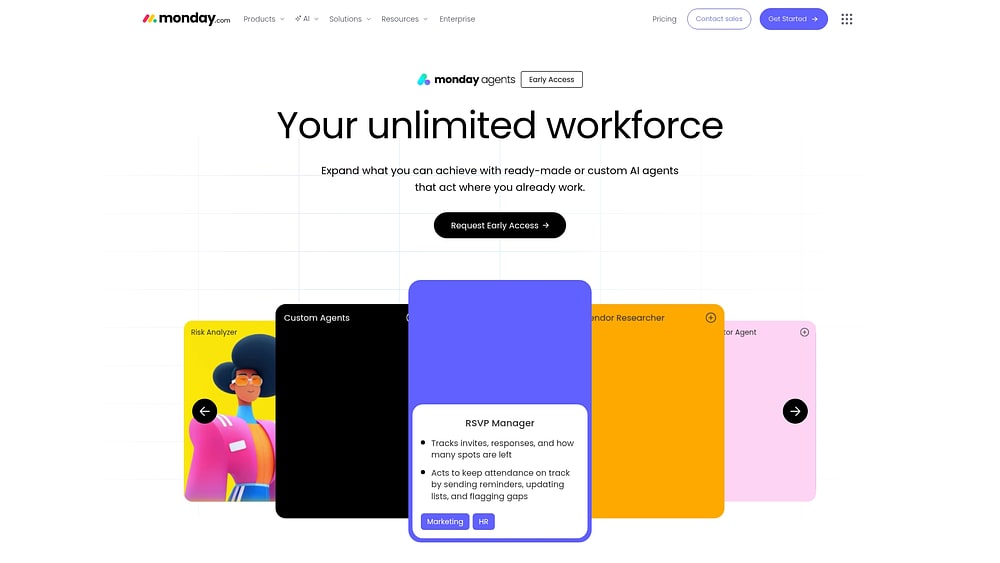
monday agents turns research from a one-off manual task into an ongoing workflow tied to the work your team already manages. Available as an early-access capability on monday.com, it brings ready-made or custom AI agents into your workspace. Research moves from collection to follow-through without adding another tool to maintain.
For teams running market intelligence, competitive tracking, or vendor analysis at scale, that’s a game-changer. Instead of dropping findings into a separate chat or document, you anchor research in your boards, docs, and PDFs. Keep it attached to the right workflows. Leave the decisions where they belong: with your people.
Example:
Business teams that need market research, competitive intelligence, or vendor analysis connected directly to procurement, product, or strategic planning workflows, with research findings and next steps staying on the same monday.com workspace.
Key features:
- Competitor Research Agent: Tracks key competitors and consolidates signals into a structured snapshot. Marketing and product teams get a shared research view they can review alongside launches, planning, and customer feedback already on monday.com
- Vendor Researcher: Analyzes procurement requirements, researches and prioritizes supplier lists, gathers vendor details like pricing, security, reviews, and contract terms, then builds a vendor summary and requests the missing details you still need
- Market landscape analyzer: Identifies new competitors, emerging technologies, and macro trends. Teams keep strategic planning grounded in current market movement, not one-off searches
- Custom research agents via AI agent builder: Create a research agent in 3 steps: describe the role and triggers, connect the right knowledge and tools, then test and refine before rollout
- Knowledge grounded in your work: Agents use the docs, PDFs, and boards you define as context, so research reflects your internal guidelines, historical decisions, and live business data
- Actions, integrations, and 24/7 autonomy: Agents can act across workflows and connected tools, which helps research keep moving after hours, across regions, or through high-volume requests
- Guardrails built in: You control permissions, can validate actions before activation with simulation mode, and keep a record of what the agent did, why it did it, and what comes next
Pricing:
- AI features: Available on monday.com Standard, Pro, and Enterprise plans
- monday agents pricing: Contact sales for a quote
- AI credits are available as an add-on and can be purchased as needed
- For full details on monday.com plans, visit the monday.com pricing page
Why it stands out:
- Research connected to execution: Research does not end in a chat thread. Findings can stay on the same boards and docs your team uses for planning, procurement, and follow-through, which makes next steps easier to assign, review, and act on
- Cross-department context: monday.com is built on structured work data across departments, so a research agent helping marketing can incorporate sales context, and a product team reviewing market shifts can factor in support signals at the same time
- Built for adoption at scale: Because agents are embedded directly into the workspace teams already know, organizations can start with ready-made agents, add custom ones as needs grow, and bring AI into everyday work without a separate rollout motion
- Governance for enterprise teams: monday agents runs on monday.com’s enterprise-grade AI foundation with transparency, permissions, audit trails, and compliance coverage, including SOC 2 Type II, ISO/IEC 27001, and ISO/IEC 27701, which supports research workflows that need stronger oversight
2. Perplexity
Instead of returning a page full of links, Perplexity delivers synthesized answers with citations in real time. That makes it particularly useful for researchers, analysts, and knowledge workers who need fast, source-backed responses to time-sensitive questions. Its focus modes also help narrow the search to academic papers, Reddit, YouTube, or specific domains, which keeps results more relevant from the outset.

Use case:
Researchers, analysts, and knowledge workers who need quick, source-verified answers to factual questions, particularly about current events, market trends, or general knowledge.
Key features:
- Real-time web search: Queries the live web rather than relying on training data alone, so answers reflect current information rather than outdated snapshots
- Inline citations: Every response links directly to its source, allowing teams to verify accuracy and explore topics in greater depth without additional searching
- Focus modes: Switch between web search, academic papers, YouTube, Reddit, or specific domains to narrow results to the most relevant sources for any given project
Pricing:
- Free: Limited queries with basic access
- Pro: $20/month with unlimited queries, file uploads, and access to advanced models
- Max: $200/month (or $2,000/year) with access to Computer, higher usage limits, and early feature access
- Enterprise Pro: $34–$40/seat/month (billed annually)
- Enterprise Max: $271–$325/seat/month (billed annually)
- Annual billing discounts available across all tiers; education and nonprofit pricing available for eligible organizations
Considerations:
- Perplexity performs well for broad exploration and initial research, but citation quality varies; some sources carry more authority than others, which requires additional verification for high-stakes work
- While Perplexity offers integrations with tools like Slack, Notion, and Salesforce, its core search experience is not deeply integrated into downstream workflows, often requiring manual transfer of research into project management systems
3. Consensus
Consensus is built for one job: helping people navigate scientific literature faster without sacrificing the quality of evidence. It searches across 220+ million peer-reviewed papers and serves graduate students, faculty, clinicians, and research professionals who need credible answers quickly. Its multi-agent Scholar Agent mirrors real research workflows, which makes it more than a retrieval tool; it produces structured, citation-backed analysis.

Use case:
Graduate students, faculty, and research professionals who need to locate and synthesize peer-reviewed evidence on specific research questions without spending weeks on manual literature reviews.
Key features:
- Scientific paper search: Access to 220+ million peer-reviewed papers with AI-powered relevance ranking, plus a curated Medical Mode subset of approximately eight million papers and 50,000 clinical guidelines from top journals for clinician-grade precision
- Consensus Meter: Displays the balance of evidence on a given topic, giving researchers an at-a-glance orientation on where the scientific record stands before diving deeper
- Deep Search: A research agent that conducts full literature reviews in minutes, screening 1,000+ papers and synthesizing findings from the top ~50 into a structured report with visuals, key claims, and identified research gaps
Pricing:
- Free: $0/month, including 3 Deep Searches, 15 Pro Analyses, and 10 Study Snapshots per month
- Pro: $15/month (or $10/month billed annually), with unlimited Pro Analyses, unlimited Study Snapshots, and 15 Deep Searches per month
- Deep: $65/month (or $45/month billed annually), with everything in Pro plus 200 Deep Searches per month
- Teams: Custom pricing for up to 200 seats, with 50 Deep Searches per month per user
- Enterprise: Quote-based for 200+ users, including library integrations, volume discounts, and early feature access
- Students and faculty receive 40% off; clinicians receive 25% off with verification
Considerations:
- Consensus is scoped to academic and scientific sources, making it unsuitable for market research, competitive analysis, or business intelligence workflows
- The Consensus Meter draws conclusions from a limited set of returned papers (five to 20), which can oversimplify nuanced scientific debates where broader context matters
4. Elicit
Elicit is designed to turn the slowest parts of academic and scientific research into structured, auditable workflows. It is particularly well suited to systematic literature reviews and evidence synthesis, which is why it has found traction in pharma, life sciences, and academia. With over five million researchers reached and a corpus of 138M+ academic papers, it has established itself in demanding, research-heavy environments.

Use case:
Researchers conducting systematic reviews, meta-analyses, or evidence synthesis projects who need structured data extraction and traceable findings across large volumes of academic literature.
Key features:
- Automated paper discovery and extraction: Finds relevant papers based on research intent rather than keywords alone, then automatically extracts key details: sample size, methodology, findings, etc, into structured tables ready for cross-study comparison
- Research Agent with multi-step planning: Converts a research question into a stepwise investigation, drawing on 138M+ academic papers, 545k+ clinical trials, ClinicalTrials.gov, and regulatory documents, with sentence-level citations on every output
- Systematic review workflow: Guides teams through screening, extraction, and synthesis stages with validated accuracy; screening recall up to 96.4% and extraction accuracy commonly between 94–99%
Pricing:
- Basic (free): limited Research Agent access, two automated reports per month, unlimited search and summaries
- Plus: $7/user/month billed annually, expanded agent access, four automated reports per month, exports in RIS, CSV, BIB, PDF, and DOCX
- Pro: $29/user/month billed annually ($49/month billed monthly), systematic review workflow, screen up to 5,000 papers, 144 reports per year, API access included
- Scale: $49/user/month billed annually ($169/month billed monthly), collaboration features, figure extraction, up to 200 data sources, 240 reports per year
- Enterprise: custom pricing, SSO/SAML/2FA, no training on your data by default, screen up to 40,000 papers, unlimited API access
For full details, visit Elicit’s pricing page.
Considerations:
- Systematic-review-grade features, including screening at scale, figure extraction, and collaboration, require Pro or Scale plans, which may be a significant investment for individual researchers
- Coverage of grey literature and paywalled full-text content can be limited without institutional subscriptions, which may affect the depth of analysis for some research projects
5. ChatGPT
For many knowledge workers, ChatGPT is the default starting point because it can handle a wide range of tasks in a single interface: brainstorming, summarizing, drafting, and general research on almost any topic. With over 800 million weekly active users and adoption across more than 1 million companies, it has become the most familiar general-purpose AI assistant in the market. Features like Deep Research and Agent mode push it further into structured, multi-step research workflows.

Use case:
Knowledge workers who need a flexible AI assistant for brainstorming, drafting, summarizing, and general research across diverse topics.
Key features:
- Broad knowledge base with web browsing: ChatGPT’s training spans a wide range of domains, and the Plus plan adds real-time web browsing so research stays current rather than limited to a fixed knowledge cutoff
- Deep Research with citation-backed reports: A source-first research mode where team members pre-approve URLs, files, and connected apps, then receive structured reports they can download as PDF or DOCX, with citations included
- File analysis and Custom GPTs: Upload documents for summarization or question-answering, and build specialized research assistants tailored to specific domains or internal workflows using Custom GPTs with Actions
Pricing:
- Free: $0/month
- Go: $8/month
- Plus: $20/month
- Pro: $200/month
- Business: $25/user/month (monthly billing) or $20/user/month (annual billing)
- Enterprise: contact sales for custom pricing and volume discounts
Considerations:
- Citation reliability: ChatGPT can generate plausible-sounding but incorrect references, making independent verification essential for any research that informs decisions or published work
- Workflow gap: Research findings stay inside the chat interface, requiring manual transfer into project boards, CRMs, or other systems where work actually gets done
6. Claude
Claude, developed by Anthropic, is especially strong when the task involves dense material and long context. Its safety-focused design and large context window make it well suited to processing lengthy reports, legal documents, and multi-source literature reviews in a single session. For researchers and analysts dealing with high-volume material, that can make a real difference.

Use case:
Researchers and analysts who need to process, synthesize, and extract meaning from long documents or multiple sources at once, without losing context mid-conversation.
Key features:
- Large context window: Process entire books, lengthy reports, or multiple research papers in one conversation, maintaining full context throughout the session
- Nuanced analysis: Handles complex reasoning and technical interpretation well, making it reliable for ambiguous or highly specialized content
- Artifact creation: Generate structured outputs, like tables, summaries, and formatted documents, directly within the conversation, reducing post-processing work.
Pricing:
- Free: Basic access with Claude 3 Sonnet
- Pro: $17/month (billed annually) or $20/month (billed monthly), including more usage, Research mode, and early app integrations
- Max: From $100/month, with higher output limits and priority access
- Team: $20/seat/month (billed annually) or $25/seat/month (billed monthly)
- Enterprise: $20/seat plus usage billed at API rates, with advanced governance controls
Considerations:
Like most large language models, Claude can generate inaccurate citations, which means any references require independent verification before use.
7. Gemini
Gemini brings together Google’s search infrastructure and multimodal AI in a single assistant. That combination makes it a compelling option for teams already operating inside Google Workspace. Because it can work across text, images, video, and the web, it supports a broader range of research inputs than text-only platforms. And for organizations already deep in Google’s ecosystem, it reduces the friction between researching and getting work done.

Use case:
Researchers who work within Google Workspace and need AI assistance that connects directly with Gmail, Docs, and Google Search, without leaving their existing environment.
Key features:
- Multimodal research across media types: Analyze images, charts, videos, and text together, so research isn’t limited to written sources alone
- Live Google Search integration: Access current information directly through Google’s search index to supplement research with timely data
- NotebookLM for source synthesis: Upload documents and let the platform generate comprehensive summaries, helping teams move from raw sources to structured insights faster
Pricing:
- Free: $0/month with access to core Gemini features
- Google AI Plus: $4.99/month (promotional pricing available in select regions)
- Google AI Pro: $19.99/month with expanded access to Gemini 3.1 Pro, higher usage limits, and increased NotebookLM capacity
- Google AI Ultra: $249.99/month with the highest usage limits, Deep Think, and access to Gemini Agent (US and English only)
- Gemini Enterprise (Business edition): Starting at $21/seat/month with ready-to-use agents, connectors, and a no-code agent builder
Considerations:
- Gemini Agent is currently experimental, available only in the US, in English, for personal accounts on the Ultra tier, which limits accessibility for broader teams or international organizations
- The platform delivers the most value for teams already using Google Workspace; organizations outside that ecosystem may find the research capabilities less integrated into their day-to-day workflows
8. Semantic Scholar
Academic literature is massive, and Semantic Scholar is built to make it manageable. Developed by the Allen Institute for AI, the platform gives scholars free, AI-powered search and discovery across more than 200 million indexed papers. Rather than relying only on keyword matching, it helps surface relevant connections, summarize papers, and improve discovery over time.

Use case:
Academic researchers who need a free tool to discover relevant papers, map citation networks, and stay current with new publications in their field.
Key features:
- AI-powered search and summarization: Semantic understanding of queries surfaces more relevant results than keyword matching alone, with TLDR one-sentence summaries that help researchers triage papers at a glance
- Personalized research feeds: Recommendations adapt based on reading history and explicit relevance feedback, so the platform gets more useful the more you engage with it
- Citation analysis with context: See not just how papers cite each other, but the sentiment and context behind each citation; a meaningful distinction when evaluating the weight of evidence
Pricing:
- All features: Free for all researchers
- API access is available at no cost, with rate limits applied to authenticated and unauthenticated requests
Considerations:
- TLDR summary coverage is concentrated in computer science, biology, and medicine, with uneven availability across other disciplines. The “Ask This Paper” feature is available on a limited subset of papers.
- Semantic Scholar is a discovery and triage platform, not a synthesis platform; researchers still need to read, analyze, and connect findings themselves.
9. Scite
A citation count can tell you that a paper was referenced. Scite goes much further by showing how it was referenced, whether later work supports, contrasts, or merely mentions the claim. That extra layer of context makes it especially valuable for researchers evaluating the strength of evidence. With coverage of 280M+ articles and 1.6B+ classified citation statements, plus rights-managed access through 30+ publishers, including Wiley and SAGE, it has become a notable tool in academic, corporate R&D, and government settings.

Use case:
Researchers who need to assess the reliability of findings by understanding how subsequent studies have treated key claims, not just how many times a paper was cited.
Key features:
- Smart Citations: Classifies each in-text citation as supporting, contrasting, or mentioning a claim, with sentence-level context and section location displayed alongside editorial notices such as retractions
- Reference verification: Cross-checks whether citations in a paper genuinely support the claims made, surfacing potential misrepresentations before they influence research conclusions
- AI Assistant with verifiable sourcing: Answers research questions by drawing on full-text articles — including paywalled sources — and grounds every response in real papers rather than generated text
Pricing:
- Free trial: seven-day free trial for individual plans; ongoing access requires a subscription
- Individual: $20/month with full platform access
- Annual billing: save 40% compared to monthly pricing
- Enterprise/institutional: quote-based pricing, including SSO/SAML, expanded search and analysis, shared dashboards, advanced exports, and a dedicated customer success manager
- MCP access: requires an active Scite subscription; ChatGPT integration also requires a paid OpenAI plan (Plus, Pro, or Team)
Considerations:
- Scite focuses on citation analysis rather than paper discovery, so it works best alongside a dedicated discovery platform such as Semantic Scholar
- Classification accuracy can vary; external evaluations have noted lower accuracy in distinguishing supporting or contrasting citations from simple mentions
10. Research Rabbit
Research Rabbit approaches literature discovery visually. Instead of treating papers as an endless list, it maps connections across them, making it easier to see how ideas cluster and evolve. That makes the platform particularly appealing to researchers and students who think spatially or want a more collaborative way to build literature reviews. With over 1,000,000 researchers worldwide using it, Research Rabbit has carved out a clear role in academic discovery.

Use case:
Researchers building literature reviews who want to discover related papers through visual citation networks and collaborate with colleagues on shared maps.
Key features:
- Visual citation networks: See how papers connect through citations and shared references in an intuitive graph format, making it straightforward to spot gaps and clusters in existing research
- Paper recommendations: Add seed papers and let the platform surface related work automatically through network analysis
- Collections and collaboration: Organize papers into shareable collections and work alongside colleagues on group literature maps, keeping everyone aligned on the same sources
Pricing:
- Free: $0 forever, including unlimited searches, collections, and up to 50 seed articles
- ResearchRabbit+: $10/month (billed annually) or $12.50/month (billed monthly), including up to 300 seed articles, advanced search filters, and multiple projects
- Institution: custom pricing, including volume management, usage analytics, and LibKey integration
- Country-parity discounts are available automatically for eligible regions
Considerations:
- Research Rabbit is a discovery and visualization platform; it does not synthesize, summarize, or generate insights from papers, so teams still need separate workflows for analysis
- The platform requires seed papers to get started, which makes it less suited for exploring entirely unfamiliar topics from scratch
11. Connected Papers
Connected Papers is another visualization-first platform, but its strength lies in helping researchers scope a field quickly from a single starting paper. Built on the Semantic Scholar corpus, it generates an interactive map that highlights foundational works, related clusters, and newer follow-on research. With more than one million users reported by Nature and an official arXivLabs integration, it has earned significant trust across the scholarly world.

Use case:
Researchers and academics who need to quickly map a field, identify seminal papers, and surface related work they might otherwise miss.
Key features:
- Visual citation graphs: Papers appear as nodes connected by co-citation similarity, revealing research clusters and bridging works at a glance
- Prior and derivative works views: Toggle between foundational papers and follow-on research to trace how ideas have evolved over time
- Multi-origin graphs: Combine multiple seed papers to refine and expand a research map across related topics
Pricing:
- Free: Five graphs/month
- Academic: $6/month
- Business: $20/month
Considerations:
- Connected Papers is a visualization and discovery platform only; it does not synthesize, summarize, or execute research workflows autonomously
- Coverage depends on the Semantic Scholar corpus, which may miss niche or older works indexed elsewhere
12. Litmaps
Litmaps is built for researchers whose literature reviews need to stay alive over time rather than freeze the moment the search ends. It uses citation-network analysis to surface overlooked papers, track new publications, and keep an evolving map of the field. With more than 350,000 researchers across 150 countries using it, Litmaps has become a focused choice for long-running review work.

Use case:
Researchers and academics conducting ongoing literature reviews who need to discover relevant papers, visualize citation networks, and receive alerts when new research appears in their field.
Key features:
- Seed-based discovery: Start with a handful of key papers and let citation-network analysis automatically expand your map, surfacing connected research you might otherwise miss
- Automated monitoring: The Monitor feature re-runs your search on a configurable schedule and emails you when new relevant papers are published, so your review stays current without manual effort
- Zotero and LibKey integration: Sync directly with Zotero for reference management and connect to institutional PDF access via LibKey, shortening the path from discovery to reading
Pricing:
- Free: basic search with up to two Litmaps and 100 articles per map, plus monthly summary alerts
- Pro (Education): $10/month with an academic email, including unlimited maps, advanced search, and daily configurable alerts
- Pro (Commercial): pricing available on request
- Team/Enterprise: advanced collaboration features, pricing via direct inquiry
- Education discount of 75% applies with a valid academic email
- Annual billing discounts and automatic country-based reductions available for 100+ lower-income countries
Considerations:
- Coverage is limited to academic sources, and very recently published papers may lag due to third-party indexing delays
- Semantic similarity search operates on titles and abstracts rather than full text, which may reduce precision for highly nuanced research queries
13. SciSpace
SciSpace focuses on a different pain point: actually understanding papers once you’ve found them. Designed as an AI copilot for reading and synthesizing academic literature, it helps researchers, graduate students, and R&D professionals turn dense papers into structured insights more quickly. With over 300,000 Chrome extension users and SOC 2 Type II compliance, it also brings clear institutional credibility.

Use case:
Researchers and R&D teams who need to extract key findings, compare results across studies, and accelerate systematic literature reviews without sacrificing accuracy.
Key features:
- AI copilot for paper comprehension: Ask questions about any academic paper and receive plain-language explanations, including breakdowns of methodology, findings, and conclusions, with every answer linked to its source
- Deep Review workflow: Run structured comparisons across multiple papers simultaneously, surfacing research gaps and synthesizing evidence into organized outputs suited for systematic reviews and reports
- Paper-level agents: Trigger targeted actions directly from a paper page, such as finding similar studies on PubMed or arXiv, writing a critical review, or mapping citation gaps, without leaving the reading experience
Pricing:
- Free: limited features
- Premium: $12/month (annual billing)
- Advanced: $70/month (annual billing)
- Teams: from $8/user/month
- Annual contracts via AWS Marketplace available at $120/year (Premium) and $600/year (Advanced)
- Multi-year commitments offer savings of up to 31%
- Credit-based model applies across plans; heavier agent workflows consume credits faster
Considerations:
- Credit consumption can deplete quickly during intensive or parallel research runs, which may require moving to a higher tier sooner than expected
- Access to some publisher full texts may require manual upload when institutional licensing is not in place
14. Undermind
Undermind is aimed at teams that need depth above all else. Built by MIT quantum physics PhDs and backed by Y Combinator, it translates complex scientific questions into evidence-backed literature reviews without requiring weeks of manual effort. Its use by more than 1,000 GSK scientists as the research evidence layer in internal AI workflows says a lot about its enterprise credibility.

Use case:
Researchers and R&D organizations that need exhaustive, verifiable literature reviews on complex, multi-faceted scientific questions.
Key features:
- Adaptive multi-step search: The platform breaks complex research questions into sub-questions, recursively follows citation trails, and reads thousands of papers to build a comprehensive, traceable report, mimicking how a skilled human researcher actually works
- Exhaustiveness modeling: Undermind estimates how complete a search is using exponential discovery curves, so researchers know when they’ve genuinely covered the literature rather than guessing
- Evidence-grounded outputs: Every finding links back to specific papers and passages, giving teams verifiable proof points they can act on with confidence
Pricing:
- Free: $0/month (five searches/month, abstracts-only analysis, limited results)
- Pro: $16/month, billed annually (full access, full-text analysis where available, export references, unlimited report chats)
- Team: $15/person/month, billed annually (adds team management, priority support, centralized billing)
- Enterprise: Contact sales (includes SSO, admin dashboard, API access, custom SLA, and dedicated support)
- Annual billing saves 20% on Pro plans
- Enterprise pricing includes a custom AI research platform layer for integrating internal and external sources
Considerations:
- Full-text analysis depends on open-access availability; paywalled content may limit depth without institutional access
- Deep searches typically take three to 10 minutes to complete, which adds latency compared to instant-answer platforms, though this is a deliberate trade-off for thoroughness
15. Keenious
Keenious starts from a different angle: your own draft. Rather than asking you to begin with search terms, it analyzes what you’ve already written and recommends relevant academic papers. That makes it particularly useful for researchers, students, and librarians trying to identify missing literature or strengthen citations before submission. With more than 164,000 installs of its Google Docs add-on and institutions like Caltech and CMU featured on its website, it has built a solid presence in academic workflows.

Use case:
Researchers and students writing papers who want to confirm they haven’t missed relevant literature and need to strengthen their citations before submission.
Key features:
- Upload-based discovery: Paste your text and receive paper recommendations drawn from analysis of 250M+ research works via OpenAlex, with retracted items automatically excluded
- Gap identification: Surfaces papers you should have cited but didn’t, giving you a more complete literature review without additional manual searching
- Native integrations: Works directly within Microsoft Word and Google Docs, so discovery happens inside the writing workflow rather than alongside it
Pricing:
- Free: Top 10 results, five AI responses per conversation, 10 conversations per day, 3MB upload limit
- Plus for individuals: Starting at $10/month (billed annually); all results, removes daily limits on conversations and responses, 20MB upload limit
- Plus for teams: Starting at $20/user/month (billed annually); adds admin console, centralized billing, and two-factor authentication
- Institutions: Quote-based; includes campus-wide access, SSO/SAML/IP-based access, link-resolver integration, and onboarding support
- Students receive a 30% annual discount via email verification
Considerations:
- Keenious requires existing writing to generate recommendations, making it less suited for early-stage exploration before a draft exists
- The free tier’s response and conversation limits may feel restrictive for researchers conducting sustained or systematic literature reviews
Best AI tools for academic literature review
A literature review requires two things at once: breadth and precision. You need to connect ideas across a large body of work while staying rigorous about evidence and sourcing. General AI assistants can help with early exploration, but academic review usually calls for more specialized tools.
The strongest platforms support different stages of the process rather than trying to do everything equally well. Some are best for finding relevant papers, others for checking citations, and others for comparing results across studies.
Pick the platform based on the stage, and the whole review becomes easier to manage. Less time goes to sorting and triaging. More time goes to interpreting what the evidence actually says.
Find relevant papers faster
Searching by keyword alone can be crude. It often catches exact phrasing while overlooking studies that use different terminology to describe the same concept.
A few platforms are especially useful for widening that search intelligently:
- Consensus: Pulls evidence-based answers from scientific papers, which makes it useful for fast topic orientation and quick study screening
- Research Rabbit: Maps how papers connect through citations, which helps you discover related studies and collaborate with your team
- Semantic Scholar: Offers a broad, free search experience with personalized feeds that improve as you engage with the platform
The main advantage is stronger coverage. Before you spend hours reading deeply, you get a better sense of the field as a whole.
Verify citations with stronger evidence
Even a well-written review can lose credibility if the citations are weak or inaccurate. Discovery is only one part of the job; validation matters just as much.
Academic platforms built for citation analysis treat references as evidence to inspect, not just numbers to count. They help reveal whether later studies supported a claim, challenged it, or only referenced it in passing.
For citation checks, focus on platforms that make evidence easier to verify:
- Scite: Shows whether citations support, contrast, or mention a claim, with sentence-level context
- Consensus: Grounds results in peer-reviewed literature, which helps reduce noise during early validation
- Semantic Scholar: Adds citation context and research relationships that can help you judge the weight of a source
If you use a general AI assistant at any point, verify its references with a dedicated academic platform before adding them to your work. That extra step helps protect the credibility of the final review.
Synthesize findings across hundreds of studies
The real bottleneck often starts after discovery. Reading and comparing dozens of papers by hand can stretch into weeks. This is the stage where AI is most useful, because it can organize findings into a format that is much easier to review.
Platforms focused on evidence synthesis pull details such as methodology, sample size, and outcomes into structured comparisons. That removes a lot of manual entry and gives you more time to focus on patterns, gaps, and implications.
A practical workflow often looks like this:
- Use Semantic Scholar or Consensus to discover relevant papers
- Use Scite to check citation quality and claim support
- Use Elicit or SciSpace to compare findings and synthesize your final paper set
Combined thoughtfully, these tools turn literature review from a manual sorting exercise into a more systematic process. You still do the interpretation. You just spend far less time on the mechanical parts.
Try monday agentsWhy market research needs continuous tracking
Markets do not wait for quarterly reviews. A competitor tweaks pricing, shifts positioning, or launches quietly, and by the time your team notices, you are reacting instead of leading.
Many AI platforms are good at answering a question once. The harder problem begins afterward: how the research gets tracked, organized, and routed into the right workflow over time.
Continuous market research matters because it helps your team:
- Spot changes sooner: See pricing shifts, new entrants, and positioning updates while they are still actionable
- Reduce manual monitoring: Spend less time checking sources repeatedly
- Keep teams aligned: Make sure product, sales, and marketing are working from the same signals
monday agents approaches this differently by tying research directly to action. Rather than stopping at a report, agents work autonomously on your monday.com boards to track competitors and market changes, automatically update projects, and notify the right people.
So the intelligence shows up where your team already works. That makes it easier to trust, easier to share, and much easier to act on.
Best AI tools for continuous research monitoring
A major research project can be excellent and still go stale quickly. Markets shift, vendors change, and customer signals keep coming, so even strong reports have a short shelf life.
That is why repeatable monitoring matters. Instead of rebuilding the same analysis every quarter, teams can establish a process that watches for meaningful changes and sends them to the people who need to respond.
A strong monitoring setup usually covers:
- Competitor activity: Pricing changes, messaging updates, new launches
- Market shifts: Emerging trends, new technologies, macro signals
- Customer signals: Sentiment changes, recurring requests, support patterns
This is the kind of workflow monday AI agents are built for on the Work OS platform. You can configure an agent to monitor specific topics, then route structured insights straight into your project boards, sales CRM, or product roadmap.
The result is a shorter path from awareness to action. A competitor’s pricing change can trigger a sales alert. A growing customer request can become a tracked item on the development board.
How to choose the right AI tool for research
Choosing an AI research platform is not just about who returns the fastest answer. What matters more is whether the platform helps your team use that answer in a way that fits existing workflows.
Fortunately, the evaluation process is fairly practical. If you look closely at research type, accuracy, workflow alignment, and governance, the shortlist gets much smaller, much faster.
Step 1: Match the platform to your research type
Not all research problems look the same, so the tools should not be expected to either. A platform built for academic review will struggle with vendor analysis, while a general AI assistant is rarely enough for structured monitoring.
Use this table to match your needs to the right kind of platform:
Many teams ultimately use more than one platform. The trick is assigning each one a clear role instead of expecting a single tool to do everything equally well.
Step 2: Evaluate accuracy and the risk of incorrect information
Research is only as useful as it is trustworthy. Different categories of AI tools come with different failure modes, so accuracy should be judged in context rather than as a simple yes-or-no question.
A practical way to think about the tradeoff is this:
- High risk: General AI assistants, such as ChatGPT and Claude, can produce plausible but incorrect information, so every source needs verification.
- Medium risk: Web-search platforms, such as Perplexity, surface real sources, but you still need to judge the authority of each site.
- Lower risk: Academic-specific platforms, such as Consensus and scite, search curated databases of peer-reviewed content.
- Structured and transparent: Agentic platforms like monday agents operate on parameters you define, with audit trails and team oversight.
For autonomous workflows, monday agents also includes a review process that lets you validate actions before they run. That adds governance without turning everything back into manual work.
Step 3: Check how the platform fits your workflows
Research that never leaves the document it lives in rarely changes outcomes. The more important question is not only what a platform can find, but how your team will use those findings afterward.
Ideally, the platform should connect to the systems where work already happens. Because monday agents runs on monday.com, competitor updates can feed tracking boards, vendor research can populate procurement workflows, and market signals can flow into product planning.
That native connection solves the last-mile problem. Instead of asking teams to move insights by hand between tools, the research lands directly inside the workflow that needs it.
Step 4: Review enterprise security and compliance needs
For teams working with sensitive information, governance is not a later concern — it is part of the evaluation from day one. The right platform needs to support your security and compliance requirements directly.
As you evaluate options, ask:
- Data privacy: How is your data stored, and is it used to train third-party models?
- Access controls: Can you define who can view or act on research findings?
- Compliance: Does the platform support requirements such as SOC 2, HIPAA, or GDPR?
- Auditability: Can your team see what the AI accessed, changed, or recommended?
monday agents is built on monday.com’s enterprise-grade security foundation. That gives you explicit control over what agents can do, granular permissions for data access, and compliance coverage while keeping ownership of your data with your organization.
Try monday agentsWhy AI research matters when connected to action
Information is rarely the problem. Most teams already have plenty of it. What they lack is a dependable way to convert that information into decisions, assignments, and follow-through.
That is why the gap between research and execution matters so much. Once findings sit in a separate document or chat, momentum slows and ownership becomes ambiguous.
Here is the difference in practice:
The real opportunity is not only to speed up research. It is to make research capable of triggering the next step, notifying the right people, and staying attached to the workflow where decisions happen.
Once research lives in the same place as execution, its value compounds. It becomes easier to review, easier to assign, and far more likely to drive action.
Best AI tools for market and competitive research
Market and competitive research rarely fails because there is nothing to find. More often, it fails because the signals are scattered. A competitor changes positioning, a new vendor appears, or a trend starts to build, and your team is left piecing together notes from multiple tools.
Plenty of AI platforms can answer a question in the moment. Fewer help you organize that research, share it with the right people, connect it to a live process, and turn it into the next concrete move.
That is where monday agents is notably different. Research agents like Competitor Research Agent, Market landscape analyzer, and Vendor Researcher work directly on monday.com, using the boards, docs, and PDFs you define as context.
The benefit is continuity. Your team can monitor the market continuously, keep findings attached to real projects and processes, and let agents support execution 24/7 within the permissions and guardrails you set. Research stays tied to work — which is exactly where it starts producing value.
How monday agents turns research into execution
Many AI tools stop after they provide an answer. The sorting, sharing, and follow-through still fall back on the team. monday agents is built for that second half of the job as well, turning research into work that advances inside the same monday.com workspace where decisions, approvals, and execution already happen.
Because the agents are embedded in existing workspaces, they can draw from the context on your boards, docs, and PDFs, then act across workflows and connected tools. People still direct the strategy. Agents keep the cycle moving.
Use Competitor Research Agent for market intelligence
Competitive research becomes much more useful when it appears alongside roadmap and go-to-market decisions. The Competitor Research Agent tracks key competitors and compiles those signals into a structured snapshot, while the Market Landscape Analyzer surfaces new competitors, emerging technologies, and macro trends.
That gives teams a more unified operating picture:
- Keep market tracking on the same workspace as planning, launches, and reporting
- Give product and marketing teams a shared research view instead of scattered notes
- Pair external research with cross-department context already on monday.com, such as sales pipeline signals or support trends, when teams need a fuller picture
The payoff goes beyond awareness. Teams can coordinate faster around the changes that actually matter.
Use Vendor Researcher for procurement decisions
Vendor evaluation usually involves comparing pricing, security information, reviews, and contract terms across a long list of options. Vendor Researcher cuts down that manual work by analyzing procurement requirements, researching and prioritizing suppliers, and assembling a vendor summary your team can review in one place.
That helps procurement research stay manageable, even at scale:
- Gather vendor details like pricing, security, reviews, and contract terms
- Request the missing information your team still needs before a decision
- Keep procurement research tied to the approval workflows and stakeholders already working on monday.com
Keeping vendor research attached to the approval path means less time spent chasing context and more time spent making decisions.
Build custom research agents with Agent Builder
Not every research process fits a template. For cases like regulatory monitoring, account research, or internal knowledge collection, the AI agent builder gives teams a guided way to create something more specific.
You can set up a custom research agent with this simple sequence:
- Define the role and trigger: Describe the agent’s role, the work it should handle, and when it should run
- Connect the right knowledge and tools: Add relevant docs, PDFs, boards, and other connected systems
- Test and refine before rollout: Validate the agent, adjust the setup, and confirm it behaves as expected
After setup, custom agents can keep working 24/7. That is particularly helpful for ongoing monitoring and high-volume research requests.
Govern research responsibly with built-in controls
The more valuable research becomes, the more important it is to trust how it was gathered and what the AI did with it. monday agents brings transparency and control directly into the workflow so the system provides a fully auditable record of its actions.
These controls support responsible rollout across teams:
- Set explicit controls for what each agent can and cannot do
- Define permissions for which data an agent can access, and whether it can read, create, or edit
- Validate agent behavior before activation with simulation mode and human review
- Maintain an audit trail of what the agent did, why it did it, and what it plans to do next
- Rely on monday.com’s enterprise-grade AI foundation, with compliance coverage that includes SOC 2 Type II, ISO/IEC 27001, and ISO/IEC 27701
That governance model gives organizations room to scale with confidence. Teams can expand research automation while still maintaining oversight and accountability.
AI research platforms that help teams move from insight to action
The best AI research platform depends on both the kind of research you do and what needs to happen once the answer is found. Academic teams may care most about citation quality and evidence synthesis. Business teams often need something different: research that can trigger reviews, update workflows, and keep decision-makers aligned.
That is where monday agents separates itself. It connects competitor tracking, vendor analysis, and market monitoring directly to the work already happening on monday.com, so findings do not stall in a document or chat.
A practical way to start is with one recurring research workflow that already consumes too much team time. Map the inputs, decide where human review belongs, and then use monday agents to keep that process moving with more consistency, visibility, and follow-through.
Try monday agents“The content in this article is provided for informational purposes only and, to the best of monday.com’s knowledge, the information provided in this article is accurate and up-to-date at the time of publication. That said, monday.com encourages readers to verify all information directly.”
FAQs about AI for research
What are the top AI platforms for different research needs?
There is no single best option for every type of research. For academic work, platforms like Consensus are strong for citation accuracy and peer-reviewed evidence. For business research that needs to drive action, monday agents operate within your existing workflows to turn findings into tracked next steps.
Is ChatGPT reliable for academic research?
ChatGPT is useful for brainstorming, summarizing, and early-stage exploration. It should not be your only academic source. Its citations should always be checked with a dedicated academic platform, because it can produce references that sound convincing but do not hold up under review.
What is the best free AI for research?
For academic discovery, Semantic Scholar is a strong free option because it provides access to verified papers and citation networks. If you need broader web research, Perplexity’s free tier offers fast answers with inline citations. The best free tool depends on whether your priority is peer-reviewed literature or general web coverage.
Can AI research platforms work autonomously without prompting?
Most AI platforms need a new prompt each time. Agentic platforms work differently because they can monitor, analyze, and act based on triggers you define. For example, monday agents can continuously monitor topics and automatically trigger workflows based on new findings, which makes them a strong fit for recurring research.
Which AI has the most accurate citations?
Academic-focused platforms such as Consensus and Semantic Scholar generally provide the most reliable citations because they search verified research databases. scite adds another useful layer by showing whether later papers support or contrast a claim. General AI assistants can invent references, so every citation should still be verified independently before you use it.
 Get started