


Every customer service team hits the same wall. Skilled agents spend their days resetting passwords, tracking shipments, and processing routine refunds instead of doing what they were hired for: being expert problem solvers. The talent is there, but repetitive volume buries it.
That’s starting to change. The most effective AI agents for customer service are not single, do-everything bots. They are specialized teammates, each trained to handle one task well, from returns to order tracking to inbox triage. With the industry moving toward 80% of inquiries resolved without a human agent, the question is no longer whether to use AI agents but which ones to deploy.
This guide covers the best AI agent platforms for customer service, the key criteria for choosing between them, and a step-by-step plan to launch your first digital teammate.
Get started with monday.comKey takeaways
- Specialization beats automation overload: the best AI agents for customer service are trained for one clear task each, reducing friction and improving resolution speed
- Humans stay in the loop: AI agents handle volume and repetition, so support teams can focus on empathy, judgment, and complex problem-solving that builds long-term trust
- Context is everything: top-performing agents integrate directly with CRMs, order systems, and helpdesks to deliver accurate, personalized responses without customers repeating themselves
- Security is non-negotiable: enterprise-ready customer service AI must include permissions, encryption, and audit trails to protect sensitive customer data
- Selection criteria matter more than feature lists: 75% of CX leaders see AI as a force for amplifying human intelligence, but only platforms that match your volume, channels, and tech stack deliver on that promise
- A unified work platform like monday AI Workspace connects support, sales, and operations so every agent, human or AI, works from the same customer context
What are AI agents for customer service?
AI customer service agents function as autonomous customer service specialists: always available, consistently accurate, and possessing a perfect memory of every interaction. They are specialized team members, built to handle customer questions and solve problems on their own, which frees up your human crew for more significant challenges. The objective is not to replace people but to provide them with super-powered backup, ensuring the small stuff is simply handled.
This technology moves beyond the limitations of rigid, script-following chatbots that falter at the first complex question. A true AI agent operates like a seasoned professional, comprehending what customers mean rather than just the keywords they type, and its intelligence evolves with every interaction. By connecting to your other business platforms, it also has all the necessary context to deliver a helpful answer, not just a canned response.
When a customer initiates contact, the agent identifies their goal and begins work, gathering the necessary information to resolve the issue. Crucially, these agents understand their own limitations. If a problem becomes too complex, they intelligently loop in the appropriate human teammate, including the full conversation history, ensuring nothing is lost in translation. According to Zendesk’s CX Trends 2026 report, the industry is moving toward 100% of customer interactions involving AI in some form, with 80% of inquiries eventually resolved without a human agent.
Benefits of implementing AI customer service agents
Even the most brilliant customer service teams become bottlenecked by the flood of repetitive inquiries, such as “Where’s my order?” or “How do I reset my password?” This constant repetition drains focus, extends response times, and sidelines your best people from the work that truly matters.
Building a dedicated support crew of AI agents completely changes that dynamic. These specialized teammates handle the predictable, routine tasks automatically, creating space for your human team to operate where they add the most value.
- Instant coverage: AI agents work around the clock, managing multiple conversations at once and keeping customers happy with consistent, fast responses
- Reduced workload: Repetitive tickets are resolved automatically, giving your human experts time to focus on solving complex problems that require empathy and expertise. According to Gartner (October 2025), 75% of customer service leaders report their AI budgets have increased, reflecting the measurable cost and efficiency gains already being realized
- Consistent experience: Customers get the same reliable service every time, no matter when or how they reach out. Gartner research also found that 95% of organizations that deployed AI in customer service plan to maintain or grow their human workforce, underscoring that AI drives value through human-AI collaboration rather than replacement
- Smarter scaling: As your volume grows, AI agents handle the surge effortlessly without additional hiring or training costs
11 best AI agents for customer service
Not all AI agents are built for customer service. Some are general-purpose language models, some are enterprise-only platforms, and some are purpose-built CS specialists. The list below covers the full spectrum: enterprise-grade platforms for complex deployments, mid-market tools for growing teams, and accessible options for smaller organizations. Each entry includes key features, pricing, and practical considerations to help you turn frustrated customers into satisfied ones.
Before diving into each AI agent platform, here is a side-by-side comparison:
| Tool | Best for | Auto-resolution rate | Pricing model | Key integration |
|---|---|---|---|---|
| Zendesk AI | Mid-market and enterprise omnichannel | Up to 80%+ | Per automated resolution + seat | Zendesk Suite |
| Intercom Fin | High-volume chat-first teams | 66% avg | $0.99/resolution + seat | Intercom, Zendesk, Salesforce |
| Ada | Enterprise autonomous support | Up to 83% | Custom (contact sales) | 50+ channels |
| Kore.ai | Fortune 2000 / complex enterprise | Custom | Custom | Multi-agent orchestration |
| Sendbird | Omnichannel enterprise | Custom | Consumption-based | WhatsApp, SMS, email |
| Salesforce Agentforce | Salesforce-native orgs | Custom | Flex Credits | Salesforce CRM |
| monday AI Work Platform | Unified work + CRM teams | N/A | From $12/seat/mo | monday.com ecosystem |
| Chatbase | Security-sensitive businesses | Custom | From $40/mo | WhatsApp, Slack, Messenger |
| Forethought AI | Predictive triage / Zendesk users | Custom | Custom | Zendesk, Salesforce |
| Sierra AI | Brand-differentiated conversations | Custom | Custom | Enterprise systems |
| Tidio / Lyro | SMB / ecommerce live chat | Up to 70% | From free | Shopify, WordPress |
1. Zendesk AI
Zendesk AI is the customer service industry’s dominant platform, now with autonomous AI agents included in every Suite plan. Pre-trained on billions of CX interactions, Zendesk AI agents resolve inquiries across email, chat, social, and voice without custom model training. The platform’s Action Builder lets agents take real actions, like processing refunds or updating orders, directly within the Zendesk ecosystem.

Use case
Zendesk AI is ideal for mid-market and enterprise teams that need omnichannel AI support tightly integrated with their existing ticketing, knowledge base, and messaging infrastructure. It is especially strong for organizations already using Zendesk Suite that want AI without a separate vendor.
Key features
- AI agents are included at every Suite tier, pre-trained on CX data for immediate deployment without model training
- Action Builder enables agents to take actions like processing returns, checking order status, and updating records, not just answering questions
- Automated resolutions billing: pay per successful resolution rather than per conversation, aligning cost with outcomes
- Native integration with Zendesk’s ticketing, knowledge base, messaging, and voice channels
Pricing
- Suite Team: $55/agent/month
- Suite Professional: $115/agent/month
- Suite Enterprise + Copilot: contact sales
- AI agents: included in all Suite plans; automated resolutions billed per resolution
Considerations
- Enterprise plans and advanced Copilot features require sales engagement
- Costs can scale quickly with the volume of resolutions, especially for high-traffic support operations
2. Intercom Fin
Intercom Fin is an AI powerhouse for customer service, automatically resolving an impressive 66% of support queries. It pairs a patented AI engine with deep integrations with major help desks. While it connects with platforms like Zendesk and Salesforce, Fin is natively built for the Intercom ecosystem, where it truly shines. It is the go-to for businesses needing enterprise-grade AI to tackle complex questions across any channel.

Use case
Fin excels at automating complex customer service queries while seamlessly handing off to human agents when needed, making it perfect for scaling support operations without sacrificing quality.
Key features
- Omnichannel deployment: works across live chat, email, SMS, social media, and voice support, with availability in over 45 languages
- Task automation: performs actions like processing refunds, checking order statuses, and updating customer details without human intervention
- External helpdesk integration: connects with Zendesk, Salesforce, HubSpot, and other platforms beyond Intercom’s own suite
Pricing
- Essential plan: $29/seat/month (billed annually) + $0.99 per Fin resolution
- Advanced plan: $85/seat/month (billed annually) + $0.99 per Fin resolution (includes 20 free Lite seats)
- Expert plan: $132/seat/month (billed annually) + $0.99 per Fin resolution (includes 50 free Lite seats)
- Standalone option: $0.99 per resolution with a 50-resolution minimum monthly (no seat charges)
Considerations
- Resolution-based pricing can become unpredictable and expensive for high-volume support teams
- The most powerful features are unlocked when used natively within the Intercom platform
3. Ada
Ada transforms customer service with AI agents that autonomously resolve up to 83% of customer inquiries without human intervention. The platform specializes in enterprise-grade automation across multiple channels, making it ideal for businesses handling high volumes of customer interactions. With its proprietary Reasoning Engine, Ada goes beyond simple chatbots to deliver intelligent, context-aware customer support.

Use case
Ada empowers enterprises to scale customer service operations while reducing costs through AI agents that handle complex inquiries across 50+ languages and multiple channels.
Key features
- Reasoning Engine: proprietary AI technology that understands context, retrieves information, and creates action plans to resolve customer issues autonomously
- Omnichannel deployment: seamless integration across web, mobile, social media, SMS, email, and voice channels with a consistent experience
- No-code platform: drag-and-drop interface allows non-technical teams to build and manage sophisticated AI customer service agents
Pricing
- Pricing is not publicly available. Contact Ada’s sales team for custom quotes
Considerations
- Implementation complexity can be challenging for businesses with intricate customer service workflows and multiple system integrations
- Requires ongoing training and management resources to maintain optimal AI agent performance
4. Kore.ai
Kore.ai delivers enterprise-grade AI agents that transform customer service operations through advanced multi-agent orchestration and no-code development tools. The platform specializes in complex enterprise deployments, making it ideal for Fortune 2000 companies that need sophisticated AI customer service agents with robust security and governance features.

Kore.ai is built for large enterprises that need to orchestrate multiple AI agents across departments, with deep compliance requirements and complex workflow integrations.
Key features
- Multi-agent orchestration: coordinate specialized AI agents across customer service, IT, HR, and other departments from a single platform
- No-code development: build and deploy AI agents using visual tools without engineering resources.
- Enterprise security: advanced governance, audit trails, and compliance features built for regulated industries
Pricing
- Custom pricing only. Contact Kore.ai’s sales team for enterprise quotes
Considerations
- Steep learning curve for teams new to multi-agent orchestration and enterprise AI deployments
- Primarily designed for large organizations, it may be over-engineered for SMB use cases
5. Sendbird
Sendbird transforms customer service with its omnichannel AI agent platform that maintains context across every touchpoint. The platform specializes in enterprise-grade AI agents that learn and adapt to specific business needs, making it ideal for companies handling millions of customer interactions. With its unique Trust OS framework, Sendbird ensures AI reliability while powering conversations for major brands like DoorDash and PayPal.

Sendbird delivers enterprise-grade AI customer service agents that maintain continuous conversations across all channels while providing full transparency and control over AI performance.
Key features
- Omnichannel continuity: AI agents remember context when customers switch between app, website, SMS, WhatsApp, and email
- Trust OS governance: advanced observability tools that trace every AI decision and provide human oversight capabilities.
- Proactive engagement: AI agents anticipate customer needs and initiate conversations based on behavioral patterns, such as cart abandonment.
Pricing
- Flexible consumption-based pricing: custom quotes based on business size and conversation volume
- No per-agent fees: pay only for usage, not team size
- Free ticketing system: Sendbird Desk is included with every AI agent deployment
- Contact sales for specific pricing details
Considerations
- Advanced features may be more than needed for businesses with simple customer service needs
- Significant customization and enterprise integrations still require substantial technical expertise
6. Salesforce Agentforce
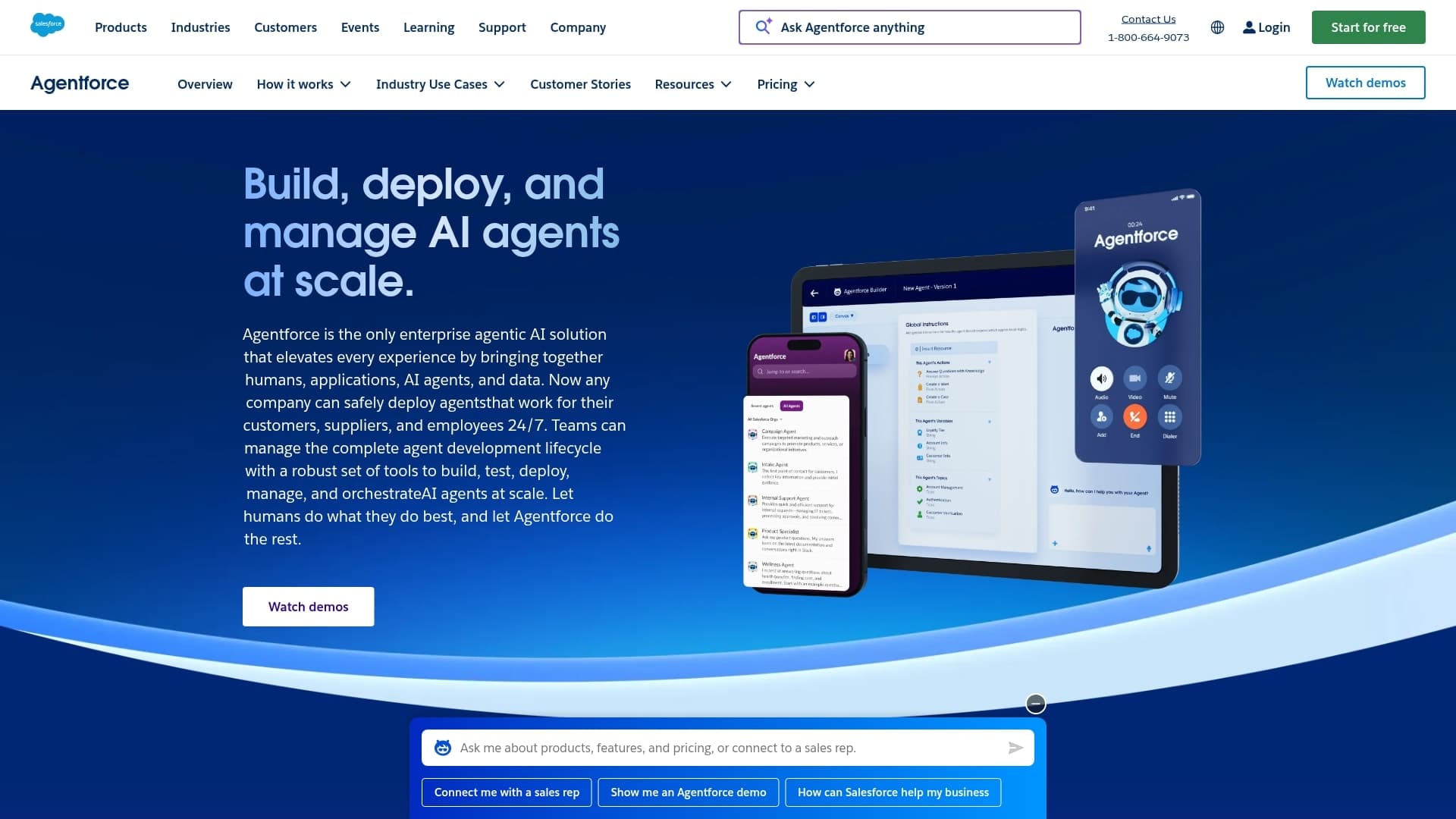
Salesforce Agentforce transforms customer service by embedding autonomous AI agents directly into your existing CRM ecosystem. The platform uses your organization’s unified customer data to deliver personalized, context-aware support that goes far beyond basic chatbot responses. Built on Salesforce’s trusted infrastructure, Agentforce agents can handle complex, multi-step customer inquiries while maintaining enterprise-grade security and reliability.
Use case
Agentforce excels at creating AI customer service agents that tap into your complete customer history, transaction data, and business context to resolve inquiries with the same knowledge your best human agents would have.
Key features
- Atlas Reasoning Engine: powers autonomous decision-making that can plan, execute, and refine multi-step customer service workflows without human intervention
- Native CRM integration: gives agents instant access to customer purchase history, support tickets, and relationship data for highly personalized responses
- Low-code Agent Builder: lets customer service teams create and customize AI support agents using natural language descriptions rather than complex programming
Pricing
- Flex Credits model: pay-per-use pricing based on agent interactions and complexity
- Enterprise Edition requirement: must have Salesforce Enterprise Edition or higher to access Agentforce
- Data Cloud subscription: additional cost required for full functionality and data integration
- Professional services: implementation and customization support available at an additional cost
Considerations
- Heavy dependence on data quality means organizations with poorly structured or incomplete CRM data will see limited effectiveness
- A complex pricing structure with multiple required add-ons can make the total cost of ownership difficult to predict
7. monday AI Workspace
monday AI Workspace connects customer-facing teams, from support and sales to operations, on a single workspace with shared data and embedded AI agents. Instead of managing customer interactions in one tool and everything else in another, the platform gives every agent, human or AI, a full-picture view of each customer across departments. This cross-team visibility is what separates monday AI Workspace from point solutions that only see one slice of the customer relationship.

Use case
monday AI Workspace is built for organizations that need their support workflows connected to sales pipelines, operations boards, and team communications, so AI agents can resolve issues with complete customer context instead of partial data.
Key features
- Unified customer view: AI agents pull from complete customer profiles, including sales history, support tickets, and team communications across departments
- AI agents embedded in workflows: purpose-built agents such as Ticket Assignment Agent, Sentiment Detector, and SLA Monitor Agent work directly within visual workflows on monday.com
- Cross-team collaboration: support, sales, and success teams share the same customer context, so nothing falls through the cracks during handoffs
- No-code agent setup: build and configure AI agents using natural language prompts and visual logic on monday.com, without engineering resources
Why it stands out
Most customer service tools operate in isolation. monday AI Workspace sits at the center of the entire workflow: a support ticket can trigger an engineering escalation, a sales follow-up, or a billing adjustment, all from the same board. Because the platform’s AI is grounded in live organizational data across departments, agents deliver responses based on the full customer story, not just the latest ticket.
Advanced AI features
- monday sidekick: a context-aware AI assistant that summarizes ticket histories, drafts customer responses, and recommends next steps, all grounded in live workspace data
- AI automation blocks: categorize, summarize, translate, detect sentiment, and extract information from customer messages, all configurable as triggers or actions within workflows (Pro and Enterprise plans).
- monday MCP: connects external AI models like Claude, ChatGPT, and Microsoft Copilot securely to monday.com data, creating a bidirectional intelligence layer
Automations
- Visual AI Workflow Builder for multi-step automated processes (Pro and above)
- 25,000 automations and integrations per month on Pro; up to 250,000 on Enterprise
- Cross-board automations trigger actions in other departments based on ticket status changes
Integrations
- 200+ native integrations including Slack, Microsoft Teams, Salesforce, Zendesk, Gmail, Outlook, and Jira
- monday MCP for standards-based connections with external AI tools
Customer service features
- Ticket Assignment Agent: routes incoming requests based on skills, workload, and priority
- Sentiment Detector: flags negative or urgent customer communications in real time
- SLA Monitor Agent: tracks deadlines and escalates at-risk tickets before breaches occur
- Translator Agent: handles multilingual support without specialized staffing
- Connected boards link support to engineering, sales, and product for full cross-functional context
Pricing
- Standard: $12/seat/month (billed annually) with timeline views, automations, and integrations
- Pro: $19/seat/month (billed annually) with AI automation blocks, advanced reporting, and 25,000 automations/month
- Enterprise: custom pricing with advanced security, governance, and up to 250,000 automations/month
- Free plan available for up to two seats
Considerations
- AI automation blocks and the full agent toolkit are most powerful on Pro and Enterprise plans
- Initial setup time is needed to connect all customer data sources and build effective workflows
8. Chatbase
Chatbase transforms customer service with AI agents that don’t just chat but take action. The platform specializes in security-first enterprise features and data protection, making it ideal for businesses handling sensitive customer information. With over 9,000 businesses trusting its platform across 140+ countries, Chatbase has proven its ability to scale securely.

Use case
Chatbase enables businesses to create AI customer service agents that can perform real actions, such as updating subscriptions, scheduling appointments, and processing refunds, while maintaining enterprise-grade security standards.
Key features
- AI Actions capability: agents can execute tasks within connected systems, not just provide information
- Enterprise security: SOC 2 Type II and GDPR compliance with end-to-end encryption
- Multi-channel deployment: works across websites, WhatsApp, Slack, Messenger, and other platforms
Pricing
- Free: $0/month with 100 message credits and basic features
- Hobby: $40/month with 2,000 message credits and advanced models
- Standard: $150/month with 12,000 message credits and two AI agents
- Pro: $500/month with 40,000 message credits and advanced analytics
- Enterprise: custom pricing with higher limits and priority support
Considerations
- Message credit system can lead to unexpected costs, with advanced AI models consuming more credits per response
- Customer support responsiveness has been inconsistent according to user reviews, particularly around billing issues
9. Forethought AI
Forethought AI, now part of Zendesk (operating as Forethought AI by Zendesk), delivers customer service agents that predict what customers need before they ask. The platform specializes in deflecting tickets before they reach your human team, making it perfect for high-volume support operations. With its generative AI engine trained specifically on customer service data, Forethought turns your knowledge base into an intelligent support system that gets smarter with every interaction.

Use case
Forethought AI excels at automatically resolving common customer questions across email, chat, and voice channels while intelligently routing complex issues to the right specialist with full context.
Key features
- Predictive ticket deflection: AI analyzes incoming requests and resolves them instantly using your knowledge base, preventing tickets from ever reaching your queue
- Intelligent triage and routing: automatically categorizes and assigns complex tickets to the right team member based on expertise, workload, and customer priority.
- Agent assist capabilities: provides real-time suggestions and knowledge base articles to human agents during live conversations, reducing handle time
Pricing
- Forethought AI by Zendesk pricing is now managed through Zendesk plans. Contact sales for custom quotes based on your support volume and integration requirements
Considerations
- It requires a substantial knowledge base to perform effectively, making the initial setup more intensive
- Best suited for mid-to-large support teams with high ticket volumes where ROI justifies the investment
10. Sierra AI
Sierra AI transforms customer service through conversational AI agents that feel remarkably human, handling complex inquiries with empathy and precision. Founded by industry veterans from Salesforce and Google, the platform specializes in creating AI agents that understand context, remember past interactions, and deliver personalized experiences at scale. Sierra’s agents don’t just answer questions: they build relationships.

Use case
Sierra AI is built for brands that view customer service as a competitive differentiator, not a cost center, and want every AI interaction to reflect their unique voice and values.
Key features
- Conversational intelligence: AI agents that understand nuance, tone, and intent to deliver responses that feel genuinely helpful rather than scripted
- Memory and personalization: agents remember past interactions and customer preferences to build continuity across conversations
- Brand voice customization: deep control over how the AI communicates, ensuring every interaction aligns with your brand identity
Pricing
- Custom pricing only. Contact Sierra AI’s sales team for enterprise quotes
Considerations
- Premium pricing positions Sierra for organizations with significant customer service budgets
- Best suited for companies that prioritize brand-differentiated customer experiences over cost optimization
11. Tidio / Lyro
Tidio is the SMB and ecommerce-friendly option that balances live chat with AI automation. Lyro, Tidio’s AI agent layer, resolves up to 70% of customer questions automatically using existing content. The platform’s accessible entry pricing and strong integrations with Shopify, WordPress, and WooCommerce make it the go-to for smaller teams that need AI support without enterprise pricing.

Use case
Tidio is ideal for ecommerce businesses and small- to mid-size teams that want to combine live chat with AI-powered auto-resolution, especially those running on Shopify or WordPress.
Key features
- Lyro AI agent: auto-resolves customer questions from existing FAQs and knowledge base content without manual scripting
- Live chat fallback: seamless handoff to human agents when Lyro cannot resolve an issue, with full conversation context preserved
- E-commerce integrations: native connections with Shopify, WordPress, WooCommerce, and other e-commerce platforms
- Conversation flows: visual builder for creating guided customer journeys alongside AI-powered responses
Pricing
- Free plan available with basic live chat and limited Lyro conversations
- Lyro AI add-on priced per conversation (approximately $0.50-$1.00 per conversation depending on volume)
- Starter, Growth, and Plus plans available with increasing conversation limits and features
Considerations
- Lyro performs best when the knowledge base is well-maintained and comprehensive. Sparse FAQ content limits resolution quality
- Less suited to complex multi-department enterprise workflows. Scales well for teams of under 50 agents
How to choose the right AI agent for customer service
The comparison table narrows the field, but the right choice depends on your team’s specific situation. These five questions cut through the feature lists and get to what actually matters for your support operation.
1. Where does your support volume live?
If your customers reach out across email, chat, social, and phone, you need an omnichannel platform like Zendesk AI, Intercom Fin, or Sendbird. If most of your volume comes through one channel, like website chat for ecommerce, a focused tool like Tidio / Lyro delivers more value at a lower cost.
2. Does it connect to the tools your team already uses?
An AI agent that can’t access your CRM, helpdesk, or order system is just a smarter FAQ page. Look for native integrations with your existing stack. Platforms like Salesforce Agentforce shine when you’re already in the Salesforce ecosystem. Tools like monday AI Workspace connect support to sales, operations, and engineering in a single workspace. The agent should be able to create tickets in your helpdesk, update records, and pull the customer’s full history without manual steps.
3. Can it understand intent, not just keywords?
Test this directly. Give the agent a question phrased in three different ways and see if it returns the same quality answer each time. True natural language understanding is what separates a helpful agent from a frustrating keyword matcher.
4. Who controls what the agent can see and do?
Permissions, audit trails, and data encryption are not optional for customer-facing AI. Verify SOC 2 Type II and GDPR compliance as minimum benchmarks. Ask specifically about role-based access controls: who decides what data the agent can access, and how are those decisions logged?
5. What does the data tell you?
Your AI agent should surface performance metrics that help you improve, not just operate. Look for resolution rates, average handle time, escalation patterns, and customer satisfaction scores. If the platform can’t show you where the agent struggles, you can’t make it better.
A note on team size: Enterprise platforms like Kore.ai, Salesforce Agentforce, and Sendbird are built for large organizations with complex compliance needs. Mid-market tools like Zendesk AI, Intercom Fin, and Ada suit growing teams that need scale without enterprise overhead. SMB-friendly tools like Tidio and Chatbase work well for smaller teams that want results without a six-figure commitment.
Get started with monday.comHow to build your first AI customer service agent
Building your first AI agent is about strategy, not scale. The goal is to design a focused digital teammate that handles one specific task flawlessly, the kind of dependable specialist every great team relies on. This process starts with identifying the repetitive work that slows your people down, defining a clear role for your agent, and testing its performance before expanding your lineup.
Below are the steps to create your first AI customer service agent, one that lightens the load, boosts consistency, and lets your human experts focus on complex problems.
Spot the repetitive tasks
Examine your team’s workload to find the one job that appears constantly and causes collective frustration, which is often simple work like password resets, status updates, or answering the same few questions repeatedly. That is your starting point. Those high-volume, low-complexity processes are ideal candidates for an agent. By automating this noise, you free up your human experts to concentrate on work that genuinely requires their cognitive abilities.
Give your agent a job description
An agent is your digital teammate built to master one specific task so your human team can focus on the bigger picture. Think of it as assigning a clear role to a new hire: define the job, set the expectations, and let them deliver consistent results every time.
- Start small: build an agent to handle one recurring task, like answering “What are your hours?” emails or providing instant order updates. Most no-code platforms and purpose-built agent builders, including monday AI Workspace, let beginners build AI agents using natural language prompts
- Add context: for more complex inquiries, design your agent to collect the necessary details, then seamlessly hand off the conversation to a human agent with everything they need
- Stay in control: your team remains the expert. The agent simply clears the noise so they can focus on solving complex problems and strengthening customer relationships
- Run a low-stakes tryout: the real payoff is not the individual ticket resolved. It is the compound effect of regaining your team’s attention. When your best people stop answering “Where’s my package?” for the hundredth time, they start doing the work that actually moves the business forward: retaining at-risk accounts, improving processes, and turning one-time buyers into repeat customers
Five steps to implement AI customer support successfully
Embarking on an AI customer support initiative does not require a monumental, all-or-nothing commitment. Many teams falter when they attempt to create a flawless, all-knowing AI from day one. The secret is to start small, use the right platform, and focus on providing customers with swift, dependable answers to their most frequent questions.
The approach is akin to building a specialized support squad rather than replacing star players. You assemble a team of focused AI agents to manage repetitive tasks, freeing your human experts for more complex challenges where their skills truly shine.
Step 1: Scout for the easy wins
Every great AI team starts with a clear game plan. Before building anything, take a closer look at your support tickets to uncover recurring patterns and the questions that keep coming.
- Spot the repeats: identify the three to five inquiries that appear in your queue every day, like order updates, refund requests, or account resets. These are prime candidates for task automation software
- Find the friction: look for the tasks that slow your team down but don’t require creative problem-solving
- Prioritize impact: start with one high-volume, low-complexity process, the kind of busywork your team will be thrilled to delegate
Step 2: Create a clear playbook
An AI is only as intelligent as the information it is given. Providing it with a disorganized, outdated knowledge base is a recipe for confusion. Your responsibility is to create a clean, simple playbook for your agent to follow.
Review your help documents, FAQs, and internal guides. Write them in plain language, as if you were explaining the concepts to a new hire. If a document is confusing to you, it will be confusing to your AI and your customers.
Step 3: Build and customize your first agent
Now it is time to assemble your first AI agent. Remember, you determine its personality: should it be formal, or more light and conversational? Most no-code platforms let you set the tone and scope, so your agent reflects your brand from day one.
Set a simple goal for your first agent, like “resolve 50% of password reset requests without human intervention.” A clear target gives you something concrete to measure against.
Step 4: Test with real scenarios
Before going live, run your agent through real customer scenarios, not hypothetical ones. Use actual support tickets from the past month as test cases. Does it handle the common variations? Does it know when to escalate? Does the handoff to a human agent feel smooth, or does context get lost? This testing phase is where you catch the gaps that no amount of planning can anticipate.
Step 5: Monitor, learn, and expand
Monitor its performance weekly for the first month. Track resolution rates, customer satisfaction scores, and escalation frequency. Use those metrics to improve your agent’s knowledge base and expand its capabilities. The goal is AI efficiency that compounds over time: each week, your agent handles more, your team focuses on higher-value work, and your customers get faster answers. Pairing your agent with the right AI productivity tools accelerates that compounding effect.
Get started with monday.comBuild your customer service team with monday AI Workspace
Great customer support is not about one all-purpose bot. It is about building a team of focused agents that each handle a specific part of the customer journey, consistently and reliably, while your human team concentrates on the work that requires judgment, empathy, and creative problem-solving.
monday AI Workspace lets you create that team on monday.com without code. You design individual agents for jobs like ticket triage, order tracking, refund requests, and account questions, and let them run alongside your human team. Because the platform shares data management across sales, support, and operations, every agent, human or AI, works from the same customer context.
With monday AI Workspace, you can:
- Create role-based agents for specific support tasks on monday.com, so each one does one job well
- Give AI agents instant access to customer history, deal status, and team communications, all from the same workspace
- Build and adjust workflows visually, without code, using the AI Workflow Builder to set up escalation paths, enforce SLAs, and handle cross-departmental handoffs.
- Scale from one team to the entire organization without rebuilding your stack, supported by 200+ integrations and up to 250,000 automations per month
- Keep people in control with clear escalation rules, role-based permissions, and full audit trails across every interaction
Whether you’re supporting a startup inbox or scaling a multi-channel operation, monday AI Workspace gives you the flexibility to build a customer service team that grows with demand, without hidden costs or technical overhead.
Get started with monday.comYour next step toward an AI-powered support team
The real win with AI agents is not replacing your support team. It is giving them back the time to do meaningful work. When skilled people stop spending their days on password resets and shipping updates, they start retaining at-risk accounts, improving processes, and building the kind of customer relationships that drive long-term revenue.
The path forward is practical, not theoretical. Start with one high-volume, low-complexity task. Pick the platform that fits your stack and your team’s technical comfort. Validate the result, then scale. The tools covered in this guide, from enterprise-grade platforms like Zendesk AI and Salesforce Agentforce to accessible options like Tidio, span the entire spectrum. For teams that need their support, sales, and operations connected in one workspace, monday AI Workspace brings AI agents, shared data, and visual workflows together so every part of the customer journey stays coordinated.
The ROI is proven, the tools exist, and the first step is the smallest one. Try monday AI Workspace today.
The content in this article is provided for informational purposes only and, to the best of monday.com’s knowledge, the information provided in this article is accurate and up-to-date at the time of publication. That said, monday.com encourages readers to verify all information directly.
Frequently asked questions
How long does it take to implement an AI customer service agent?
You can launch a basic agent in days, but a fully customized one that knows your business typically takes two to four weeks to build and integrate.
What happens when an AI agent cannot resolve a customer issue?
The agent automatically escalates the issue to a human teammate, providing the full conversation history so your customer gets help without having to repeat themselves.
How much training data is required to launch an AI agent effectively?
An agent can start effectively with 50-100 common customer questions and responses. It then learns and improves from every new interaction.
Can AI agents process refunds and handle financial transactions?
Yes, agents can securely process refunds and other transactions when connected to your payment systems, provided proper authorization protocols are in place.
How do customers respond to AI agents versus human support?
Customers respond well to agents that provide fast, accurate answers and offer a clear path to a human for complex problems.
Can monday AI Workspace be used as a customer service AI platform?
Yes. monday AI Workspace allows teams to build AI agents that connect customer data across sales, support, and operations, making it a strong option for teams that need cross-functional visibility alongside their CS workflows.
What is the difference between an AI chatbot and an AI agent for customer service?
A chatbot follows a fixed script. An AI agent reasons about context, takes actions across connected systems, and decides when to escalate. Agents handle multi-step tasks; chatbots handle single-turn exchanges.
How do AI agents handle sensitive customer data?
Enterprise-grade platforms use data encryption, role-based access controls, and audit trails. Look for SOC 2 Type II and GDPR compliance as minimum benchmarks.

 Get started