


In 2026, AI agents have moved from experimental to operational. Teams are no longer asking whether to use AI, they’re deciding which platform gives them the most control, the deepest integrations, and the clearest path from setup to results. The best AI agent platform isn’t the one with the longest feature list; it’s the one that fits into how your team already works and reliably gets things done.
This guide covers the key features to evaluate in any AI agent platform, reviews the top 10 options available today, and walks through real use cases across marketing, customer service, and operations. Whether you’re a solo operator automating admin tasks or a team lead building a coordinated set of AI agents across your entire workflow, there’s a platform on this list for you, including monday.com’s AI Work Platform, where agents operate directly inside the system where your work already lives.
Key takeaways
- AI agent platforms replace reactive work with proactive execution: Instead of managing tools, you build agents that operate inside your systems and keep work moving automatically.
- Specialized agents outperform general-purpose assistants: The most effective setups use focused agents, each responsible for a specific task, rather than one overloaded AI trying to do everything.
- The best AI agents act as a coordinated system: Strong platforms make it easy to build multiple agents that pass context between one another and work as a team.
- Integration and memory are non-negotiable: Real value comes from agents that connect to your everyday tools, remember preferences, and improve over time without constant supervision.
- monday.com’s AI Work Platform combines agent capabilities with a full work OS: Build and manage business AI agents that operate inside the project management, CRM, and workflow layer where your team’s work already lives.
What are AI agent platforms?
An AI agent platform is a system for building, managing, and coordinating a team of digital helpers. Instead of juggling disconnected tools or relying on a single overloaded AI assistant, these platforms let you create multiple task-focused agents, each designed to handle a specific process on your behalf.
You stay in control. You define what each agent is responsible for, set boundaries, and decide how it connects to your existing tools. Once deployed, agents work autonomously, carrying out tasks like scheduling, reporting, follow-ups, and data organization without constant supervision.
The real power of an AI agent platform lies in coordination. Rather than operating in isolation, AI agents can pass context between one another and work as a system. A scheduling agent can trigger a follow-up agent, which then updates a project board or notifies the right teammate. Work flows forward without manual handoffs. Teams can scale output without adding headcount, and individuals can collaborate more effectively because the routine coordination is already handled.
This goes far beyond traditional chatbots or basic automation.
AI agents understand context, adapt to patterns, and improve over time based on how you work. The right platform turns AI into something operational and measurable.
Key features of the best AI agent platforms
Beyond the hype, the true measure of an AI agent platform lies in its ability to deliver capable, functional agents that fit naturally into how you already work. The most effective platforms are defined by how easily they turn scattered tasks into smooth, coordinated execution.
The best tools focus on flexibility, seamless connectivity, and the ability to adapt over time. This is what separates a useful platform from just another project management tool competing for attention.
AI agent builder capabilities
Creating an AI agent should feel more like onboarding a new teammate than configuring software. Leading platforms make it easy to get started with ready-to-use templates for common tasks like scheduling, reporting, and summarizing updates, while still allowing you to customize behavior as your needs evolve.
Instead of writing code, you define what the agent should do, what it should avoid, and which tools it can access. The best builders also support multi-agent orchestration, allowing multiple agents to work together on a single workflow without requiring manual coordination at each step.
Integration with your existing digital environment
AI agents are only as useful as the systems they can work within. The strongest platforms are designed to operate inside your existing digital environment, connecting seamlessly to the tools your team already relies on every day.
This means agents can move work forward across your workflow, including:
- Business tools like CRMs, project boards, and email
- Communication platforms such as Slack or Microsoft Teams
- Data sources like spreadsheets, databases, and cloud storage
- Automation triggers tied to events like form submissions or calendar updates
For enterprise teams, look for platforms that offer role-based access controls and governance features, not just connectivity.
Memory and continuous learning
Good agents follow instructions. Great ones improve over time. The best AI agent platforms support memory and learning, allowing agents to remember preferences, recognize patterns, and adjust how they work based on long-term context.
This ability to learn and adapt is what turns AI from a one-time helper into an ongoing source of momentum, helping teams stay focused while routine work quietly takes care of itself.
Benefits of AI agent platforms for teams and individuals
The biggest benefit of AI agent platforms is not speed or scale but relief. By handing off repetitive work to digital helpers, teams reclaim focus, reduce friction, and keep momentum without constantly checking dashboards or chasing updates.
Instead of adding another system to manage, AI agents operate quietly in the background, handling routine execution so people can stay focused on meaningful work.
For teams, AI agent platforms help:
- Reduce operational drag: agents take care of follow-ups, updates, and routine coordination that slow projects down.
- Improve consistency: tasks are handled the same way every time, without missed steps or dropped handoffs.
- Create shared visibility: agents can surface updates and summaries automatically, keeping everyone aligned.
- Scale without burnout: as workloads grow, agents absorb more execution without adding pressure on people.
For individuals, the benefits are just as tangible:
- Fewer context switches: agents manage small interruptions so you can stay in flow.
- Less mental load: reminders, tracking, and updates are handled automatically instead of living in your head.
- More time for high-impact work: creative thinking, problem-solving, and decision-making get the attention they deserve.
Top 10 best AI agent platforms in 2026
Selecting the right AI agent platform requires matching the tool to your specific workflow. Platforms that integrate directly into your existing tools tend to deliver results faster because agents can act on real data from day one. For more on how teams are adopting AI in their workflows, explore our AI adoption report. For a broader look at options across categories, see our roundup of the top AI platforms available today.
The 10 platforms below represent the leading options across no-code builders, developer-friendly frameworks, foundation model providers, and enterprise-grade systems.
| Platform | Best for | Use case | Pricing |
|---|---|---|---|
| monday.com's AI Work Platform | Teams needing agents inside their workflow system | Marketing campaigns, project delivery, customer workflows | Free to Enterprise. AI features on Pro+ |
| Gumloop | Marketers and ops teams without engineering support | Data extraction, content generation, multi-step logic | Free tier. Pro at $37/month |
| ChatGPT Agent (OpenAI) | Teams needing AI for research, writing, analysis | Intelligent assistance vs. workflow automation | Plus $20/month, Team $25/user |
| n8n | Technical teams wanting full infrastructure control | Self-hosting and deep customization | Free self-hosted. Cloud from $20/month |
| Zapier | Teams needing broad app integrations with AI | Connecting 9,000+ apps with AI decision-making | Free (100 tasks). Pro $19.99/month |
| Relay.app | Teams building automations via conversational AI | Process-based automations through natural language | Free tier. Usage-based paid plans |
| Lindy AI | Solo operators and small teams | Pre-built agents for email, scheduling, CRM | From $49.99/month (5 agents) |
| Claude (Anthropic) | Knowledge workers needing complex reasoning | Analysis, long documents, coding | Free tier. Pro $20/month |
| Kore.ai | Large orgs in regulated industries | Banking, healthcare, insurance deployments | From $60/month. Custom enterprise |
| Stack AI | Enterprise teams with compliance needs | Finance, healthcare, government workflows | Free (500 runs). Starter $199/month |
1. monday.com’s AI Work Platform
Best for: Teams that need AI agents embedded directly inside their workflow system.
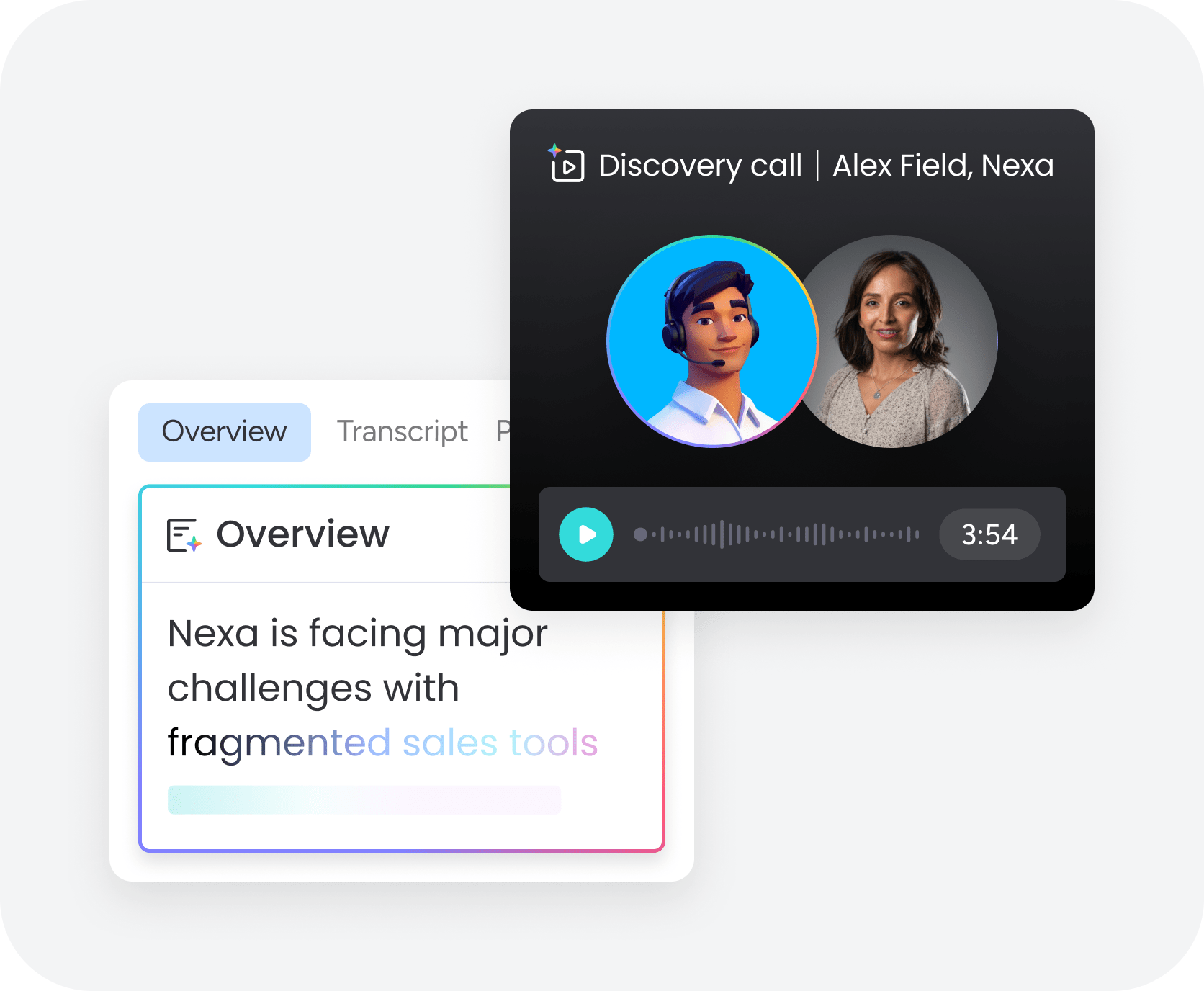
Use case
monday.com’s AI Work Platform is the right choice for teams managing real business processes: marketing campaigns, project delivery, customer workflows, and cross-team operations. The platform is especially strong for non-technical teams who need production-ready agents without developer support.
Key features
- No-code AI agent builder: Create, configure, and deploy agents using natural language instructions (currently in Early Access). You can find detailed guidance in our guide on how to build AI agents for your team.
- Multi-agent coordination: Build agents that work together across workflows, passing context between one another.
- AI-powered automation and smart notifications: Surface relevant workflows based on how your team works, with intelligent routing and alerts that flag what needs attention before it becomes a blocker.
- 200+ native integrations: Connect to Slack, Microsoft Teams, Salesforce, Jira, GitHub, Google Workspace, Zoom, and more. Browse agent templates to see common integration patterns.
- Enterprise-grade security and governance: Role-based access controls, audit logs, SOC 2 Type II, and ISO 27001 compliance.
Pricing
monday.com’s AI Work Platform is available across Free, Basic, Standard, Pro, and Enterprise tiers. AI agent features and advanced automations are available on Pro and above.
Why it stands out
monday.com’s AI Work Platform is the only platform on this list that combines an AI agent layer with a full work OS, meaning agents don’t just complete isolated tasks, they operate inside the system where your work actually lives. This closes the gap between AI action and business outcome. Rather than switching between an agent tool and a project management system, teams get both in one place, with full visibility into what every agent is doing and why.
Try monday agents2. Gumloop
Best for: Marketers, operations teams, and solo operators who need to automate AI-powered workflows without engineering support.
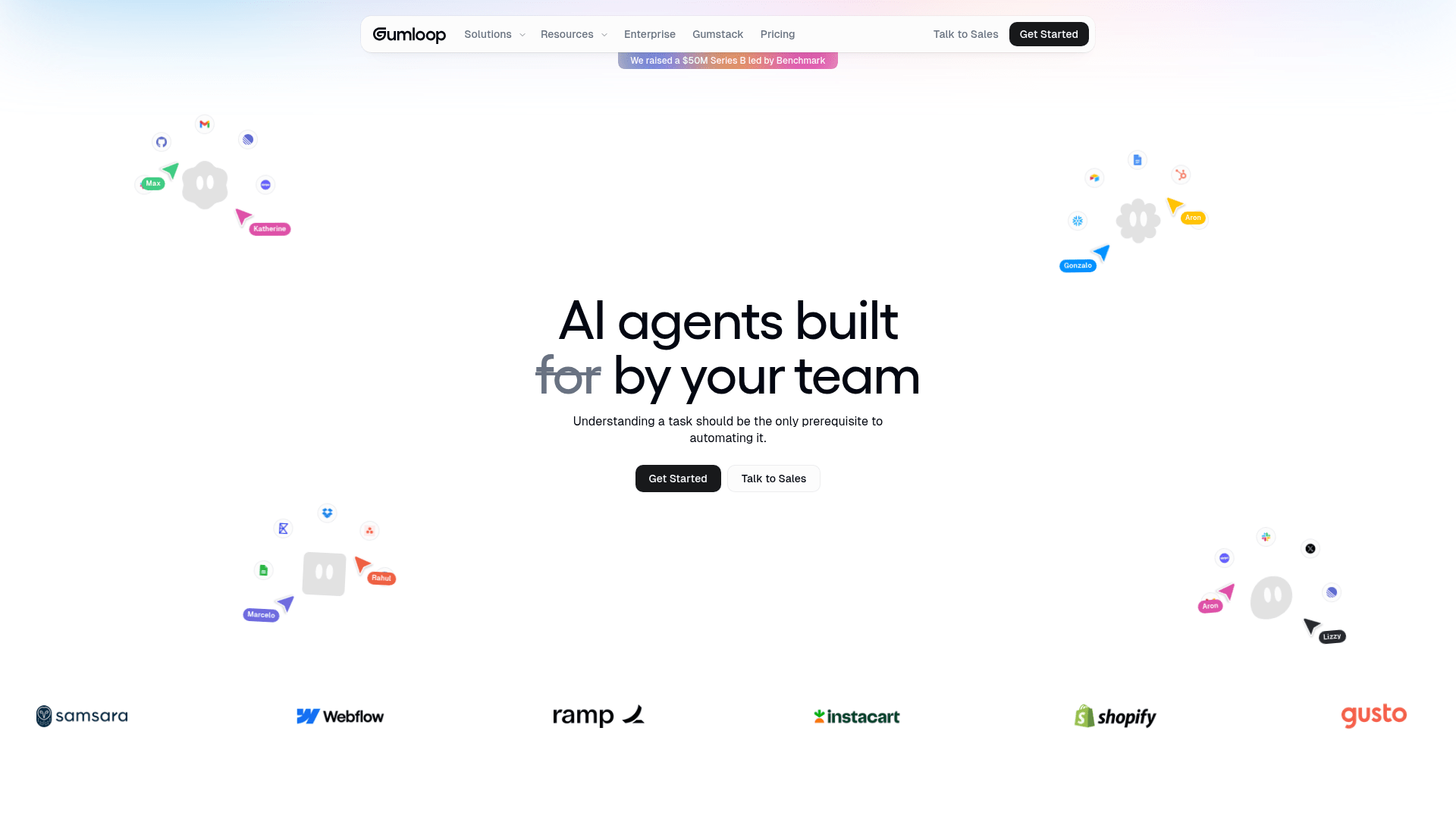
Use case
Gumloop is a no-code AI agent and workflow builder particularly well-suited to tasks that combine data extraction, content generation, and multi-step logic, without requiring a developer to set it up.
Key features
- Visual drag-and-drop canvas: Build workflows by connecting nodes for AI models, apps, and logic without code.
- Built-in LLM access: Call language models without managing separate API keys for standard use cases.
- Gummie AI assistant: Helps debug workflows and suggests improvements in real time.
- Pre-built templates: Growing library covers common automation scenarios for marketers and ops teams.
Pricing
Free tier available for testing and small-scale use. Pro plan starts at $37/month, with custom enterprise pricing for VPC deployment and AI model access controls.
Considerations
- Fast-moving platform with evolving UI and features — great for early adopters, but can mean instability for teams needing predictability.
- Smaller community ecosystem compared to established tools like Zapier or n8n.
- Higher-end governance controls are enterprise-only, limiting suitability for larger organizations on lower tiers.
3. ChatGPT Agent (OpenAI)
Best for: Individuals and teams that need a capable, cloud-based AI assistant for research, writing, data analysis, and web-based task execution.

Use case
ChatGPT Agent is OpenAI’s general-purpose AI agent offering. It’s the right choice when the goal is intelligent assistance rather than structured workflow automation. One study found that 30% of workers in the EU now actively use AI in their day-to-day work, a figure that reflects in part the widespread adoption of tools like ChatGPT at the individual and team level.
Key features
- Deep research and computer use (Operator): Agents can browse the web, write and run code, and manage files autonomously.
- Assistants API integration: Connect agents to external tools and services for extended functionality.
- Long-horizon task execution: Agents work on multi-step assignments without requiring constant user input.
- GPT-4o and o3 model access: Teams get access to OpenAI’s most capable reasoning models.
- Integrated memory: Agents remember context and preferences across conversations.
Pricing
ChatGPT Plus starts at $20/month, Team at $25/user/month, and Enterprise pricing is custom. Agent features are available on Team and Enterprise tiers.
Considerations
- Less suited to building structured multi-step business workflows than dedicated agent platforms.
- Integration depth outside the enterprise tier is limited.
- Usage-based API pricing can become significant at scale.
- Best thought of as an intelligent assistant layer rather than a full workflow automation system.
4. n8n
Best for: Technical teams that want full control over their automation infrastructure with self-hosting and custom code capabilities.

Use case
n8n is an open-source workflow automation tool with strong AI agent capabilities. It’s the right choice for technical teams that want full control over their automation infrastructure, including self-hosting, custom code nodes, and deep customization. n8n has strong brand equity in developer communities and is a common choice for teams that have outgrown Zapier and want more flexibility without vendor lock-in.
Key features
- AI agent nodes: Add LLM-powered decision-making to any workflow with native AI capabilities.
- Self-hosting option: Deploy on your own infrastructure for complete data control, or run in the cloud.
- Custom code nodes: JavaScript and Python support lets technical users extend any workflow with custom logic.
- Hundreds of native integrations: cConnect to popular tools and services without additional middleware.
- Active open-source community: Access contributed plugins, templates, and documentation.
Pricing
Self-hosted version is free (open-source). Cloud Starter starts at approximately $20/month, Cloud Pro at approximately $50–60/month, and Enterprise pricing is custom. Pricing is execution-based (workflows per month), not seat-based.
Considerations
- Steeper learning curve than no-code tools like Gumloop or Relay.app.
- Self-hosted version requires technical setup and ongoing maintenance.
- Visual editor is functional but less polished than newer no-code builders.
- Best value for teams that have developer resources and want long-term control over their automation infrastructure.
5. Zapier
Best for: Business teams that need reliable, tested integrations across a massive app ecosystem with AI decision-making layered on top of existing workflows.

Use case
Zapier is the market-leading automation platform for connecting apps, and it has expanded into AI agents with Zapier Agents. It’s the right choice for business teams that need reliable integrations across 9,000+ apps, with AI decision-making layered on top of existing workflows.
Key features
- AI-powered agents: Zapier Agents monitor inboxes, respond to triggers, and take multi-step action across the entire app ecosystem.
- Natural language Zap builder: Non-technical users create automations by describing them in plain English.
- Tables and Interfaces: Lightweight data management and front-end tools reduce reliance on external databases or forms.
- 9,000+ app integrations: The largest integration library on this list.
Pricing
Free tier available with 100 tasks/month. Professional starts at $19.99/month (billed annually), Team at $69/month (billed annually), and Enterprise pricing is custom. Zapier Agents pricing is included in paid plans.
Considerations
- Pricing scales quickly with task volume, which can lead to unexpected cost increases for high-frequency automations.
- AI agent capabilities are newer additions and less mature than the core automation product.
- Less suited for complex multi-agent coordination than purpose-built agent platforms.
- Best for teams that need breadth of integrations over depth of agent logic.
6. Relay.app
Best for: Business teams who want to build automations through conversational AI without learning visual workflow tools.

Use case
Relay.app is an AI-first automation platform with a chat-based builder that lets users create workflows through natural language instructions rather than visual node configuration. It’s a strong fit for business teams who are comfortable with conversational interfaces and want to get automations running quickly without learning a new visual tool.
Key features
- AI-powered workflow builder: Describe what you want an automation to do in plain language, and the platform constructs the workflow for you.
- Human-in-the-loop steps: Add approval gates before consequential actions to maintain control over critical decisions.
- Built-in AI steps: Data extraction, summarization, and content creation capabilities are integrated directly into the workflow canvas.
- 200+ native app integrations: Connect to the tools your team already uses without additional middleware.
Pricing
Free tier available for basic use and testing. Paid plans are available for production use, with some tiers using usage-based pricing. Check relay.app/pricing for current rates.
Considerations
- Smaller integration library than Zapier or n8n.
- Chat-first interface may feel limiting for users who prefer explicit visual control over automation logic.
- Less suited for highly technical or custom-code workflows.
- Better for teams building clean, process-based automations than complex multi-agent orchestration.
7. Lindy AI
Best for: Solo operators, founders, and small teams who want ready-to-deploy AI agents with minimal configuration.

Use case
Lindy AI positions itself as an “AI employee” platform with pre-built, task-specific agents for email management, scheduling, CRM updates, and customer support. It’s designed for users who want agents that work immediately, not a blank-canvas builder that requires extensive setup.
Key features
- Chat-based agent configuration: Describe what you need the agent to handle through a conversational interface, no technical setup required.
- Memory-enabled agents: Lindies learn preferences and context over time, becoming more personalized with continued use.
- Society of Mind collaboration: Multiple Lindy agents can work together on complex tasks by passing information between specialized agents.
- Pre-built templates: Common business tasks are covered out of the box, from email triage to calendar management.
- Native integrations: Connects with Gmail, Google Calendar, HubSpot, Slack, and other essential business tools.
Pricing
Lindy offers a 7-day free trial. Paid plans start at $49.99/month (Plus, 5 agents), $99.99/month (Pro, 15 agents), and $199.99/month (Max, unlimited agents).
Considerations
- Less flexible than platform-style builders for creating custom multi-step workflows.
- Pricing adds up quickly for teams with multiple concurrent agent needs.
- Lacks enterprise features like SSO, audit logging, and compliance controls that larger organizations typically require.
- Best suited for individual and small team use cases rather than enterprise deployments.
8. Claude (Anthropic)
Best for: Knowledge workers, researchers, and teams that need a highly capable AI for complex reasoning, long-document processing, and coding tasks.

Use case
Claude is Anthropic’s AI assistant and model platform, best suited to knowledge workers, researchers, and teams that need a highly capable AI for complex, nuanced tasks like analysis, long-document processing, coding, and reasoning at depth. Claude excels as the intelligence layer inside a larger agent system rather than as a standalone workflow builder.
Key features
- Model family with capability tradeoffs: Haiku, Sonnet, and Opus models offer a range of performance and cost options for different use cases.
- Projects with persistent memory: Shared context across conversations makes it useful for ongoing team workflows.
- Extended context window: Up to 200K tokens handles large documents, codebases, and lengthy analyses.
- Computer use capability (beta): Enables browser and desktop automation for agentic workflows.
- Model Context Protocol (MCP): Open-sourced by Anthropic, enables Claude to connect to any MCP-compatible tool or data source.
Pricing
Free tier available with basic Claude.ai access. Pro starts at $20/month, Team at $25/user/month, Max from $100/month, and Enterprise pricing is custom. API pricing is token-based and varies by model.
Considerations
- Claude is primarily an AI assistant and API, not a purpose-built agent platform with a visual workflow builder.
- Teams that want structured multi-step workflows will need to combine Claude with a workflow tool or use the API with custom development.
- Most powerful when used as the reasoning engine inside a larger agent system rather than as the orchestration layer itself.
9. Kore.ai
Best for: Large organizations in regulated industries that need governed, auditable AI agents deployed at enterprise scale.

Use case
Kore.ai is an enterprise-grade conversational AI and agent platform built for large organizations in banking, healthcare, insurance, and retail that need governed, auditable AI agents deployed at scale. It’s the right choice when compliance, oversight, and multi-channel deployment matter more than speed of setup.
Key features
- XO Platform infrastructure: Advanced natural language processing, intent recognition, and dialog management for building, testing, and deploying AI agents.
- Pre-built industry templates: Reduce time to deployment for common enterprise use cases in regulated sectors.
- Model-agnostic architecture: Support for multiple LLMs gives teams flexibility in choosing the right AI model for each use case.
- Omnichannel deployment: Voice and digital channels across web, mobile, and social platforms from a single agent build.
- Agentic AI platform: Centralized “Agents System of Record” for governing agent fleets at enterprise scale (launched 2025).
Pricing
Essential starts at approximately $60/month, Advanced at approximately $150/month, and Enterprise pricing is custom with full governance suite and SLA support.
Considerations
- Not suitable for small teams or quick deployments.
- Implementation typically requires significant professional services engagement and dedicated resources.
- Platform depth creates real complexity for teams without established IT and AI governance infrastructure.
10. Stack AI
Best for: Enterprise teams in regulated industries that need AI agents with strong compliance controls and document-heavy workflow capabilities.
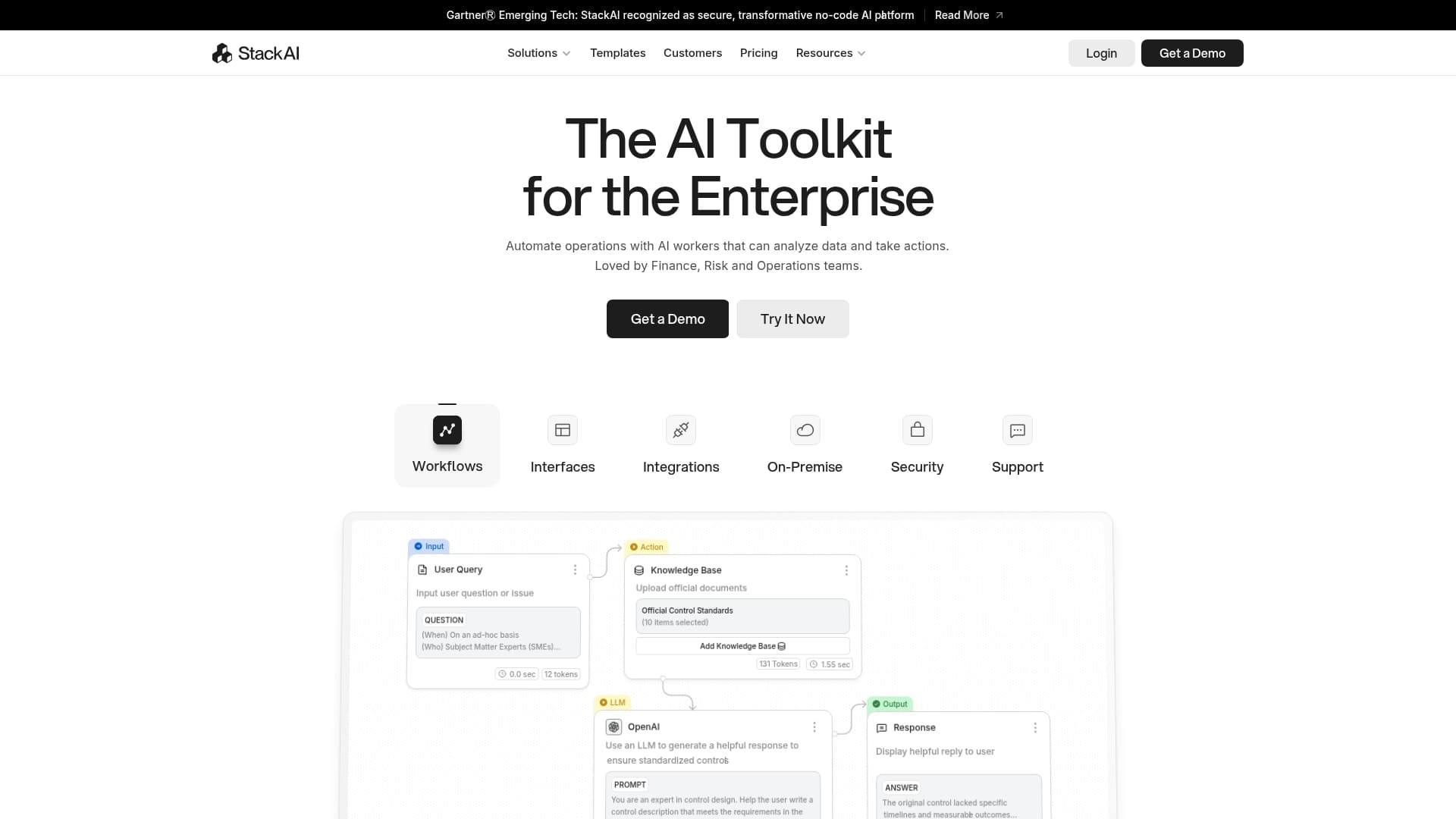
Use case
Stack AI is a no-code enterprise AI workflow platform that lets teams build, deploy, and manage AI agents using a visual interface. Following its acquisition by Asana, it’s positioned for enterprise teams that need to connect AI capabilities to internal documents, databases, and business systems with strong compliance controls built in. It’s especially well-suited to finance, healthcare, and government teams handling sensitive data.
Key features
- Visual AI workflow builder: Drag-and-drop interface connects input nodes, LLM processing nodes, and output nodes without code.
- Retrieval-Augmented Generation (RAG): Build knowledge base assistants that answer questions from internal documents.
- Human-in-the-loop steps: Pause workflows before consequential actions to maintain control over critical decisions.
- Enterprise compliance: SOC 2 Type II certified and HIPAA compliant, with on-premises deployment options available.
Pricing
Free tier offers 500 workflow runs/month. Starter starts at $199/month, and Enterprise pricing is custom with unlimited runs, full security suite, and Asana integration.
Considerations
- Steep pricing jump from free to paid tier ($199/month) compared to other platforms on this list.
- Asana’s acquisition creates some short-term uncertainty about product roadmap and pricing direction.
- Best suited to organizations with specific compliance requirements and document-heavy workflows.
- Less competitive for general-purpose automation or lightweight agent use cases.
How to structure AI agents for real work
The most effective AI project management setups don’t succeed because they use the most capable model. They succeed because they apply agents to the right jobs in the right order.
Instead of thinking in terms of one all-purpose assistant, high-performing teams break work into clear responsibilities and assign each one to a dedicated agent. This approach keeps automation simple, predictable, and easy to scale.
A practical structure usually starts with three types of agents:
- Execution agents: handle routine tasks like follow-ups, scheduling, updates, and data entry so work keeps moving without manual nudges.
- Coordination agents: pass information between tools and teammates, making sure nothing falls through the cracks during handoffs.
- Insight agents: summarize activity, surface trends, and flag issues so decisions are based on context, not guesswork.
The best platforms let you start with a single agent focused on one task, then layer in additional agents as workflows grow more complex. Each agent stays focused, while the platform handles coordination behind the scenes.
How to choose the right AI agent platform for your goals
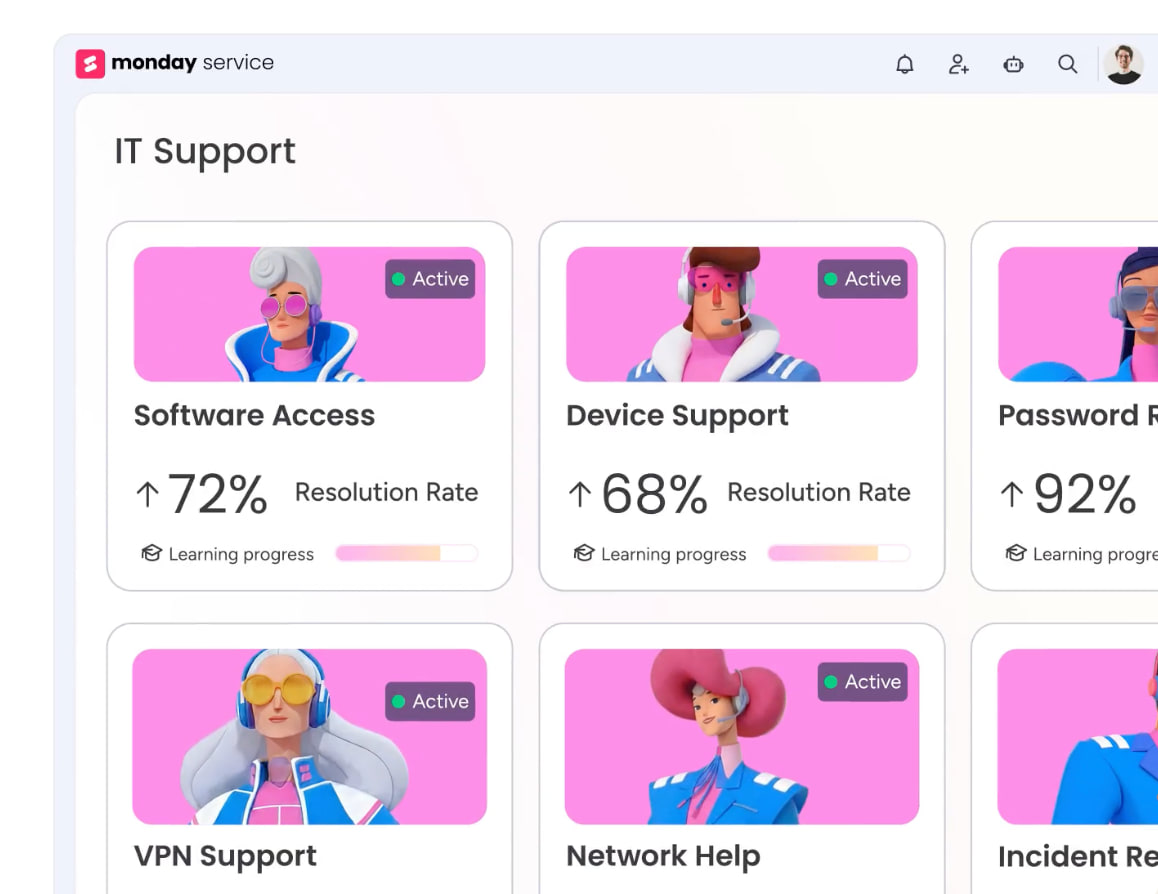
Choosing the right AI agent platform starts with the work you want off your plate — not the features on a comparison chart. The best platforms remove friction from everyday tasks, not add another system to manage.
When evaluating your options, focus on these six criteria:
- Integration depth: does the platform connect cleanly to the tools you already use? Agents that operate inside real workflows deliver more value than agents that require new processes to function.
- No-code vs. developer-friendly setup: if your team doesn’t have engineering resources, prioritize platforms with visual builders and pre-built templates. If you have developers, consider whether self-hosting or code-level control matters for your use case.
- Pricing model predictability: credit-based and task-volume pricing can scale unexpectedly. Understand the cost model before you scale your agent usage.
- Governance and access controls: for enterprise teams, role-based permissions, audit logs, and data governance features are non-negotiable. Check that the platform offers these before shortlisting it.
- Memory and context persistence: agents that can remember preferences and maintain context across sessions are significantly more useful than those that start fresh each time.
- Scalability: can the platform grow from one agent to dozens without requiring a platform migration? Start small, but choose a platform with room to expand.
Before committing to a platform, consider reviewing AI risk management considerations for your organization, particularly around data handling, access controls, and compliance. Once you’re ready to move forward, our guide on how to build your first AI agent is a practical starting point. For a deeper comparison of builder tools specifically, see our roundup of the best AI agent builders available today.
AI agent platform use cases that drive results
AI agent platforms deliver the most value when applied to real, repeatable work. The goal isn’t automation for its own sake, but creating relief for your team by removing the small tasks that interrupt focus and slow progress.
Marketing and growth teams
Marketing teams spend an outsized amount of time on coordination rather than creativity. AI agents can monitor campaigns, compile performance updates, route new leads, and flag issues early, without waiting for manual intervention.
By automating reporting and follow-ups, teams stay informed without constantly checking dashboards. This frees marketers to focus on planning, experimentation, and messaging instead of administration.
Customer service and support
AI agents are well-suited to handling high-volume, repeatable customer requests. They can respond to common questions, triage tickets, and route complex issues to the right person automatically. An AI agent for customer service creates faster response times for customers and meaningful relief for your team, allowing human agents to spend more time on nuanced problems where empathy and judgment matter most.
Operations and internal workflows
Internal work often suffers from bottlenecks caused by handoffs, reminders, and status checks. AI agents can track progress, nudge owners when action is needed, and keep systems up to date across tools. When these background tasks are automated through process automation, teams gain visibility without extra meetings or manual updates — keeping work moving smoothly.
Personal productivity
AI agent platforms are just as powerful at the individual level. Agents can manage calendars, summarize updates, track recurring tasks, and keep small obligations from being forgotten. When personal admin is handled automatically, workdays feel calmer and more intentional. This is where AI agents stop feeling like software and start feeling like support.
Why monday.com's AI Work Platform stands out for AI agent building
Most AI agent platforms are built as standalone tools; you build agents in one place, and then connect them to your work in another. monday.com’s AI Work Platform takes a different approach: agents are built and run inside the same system where your work already lives.
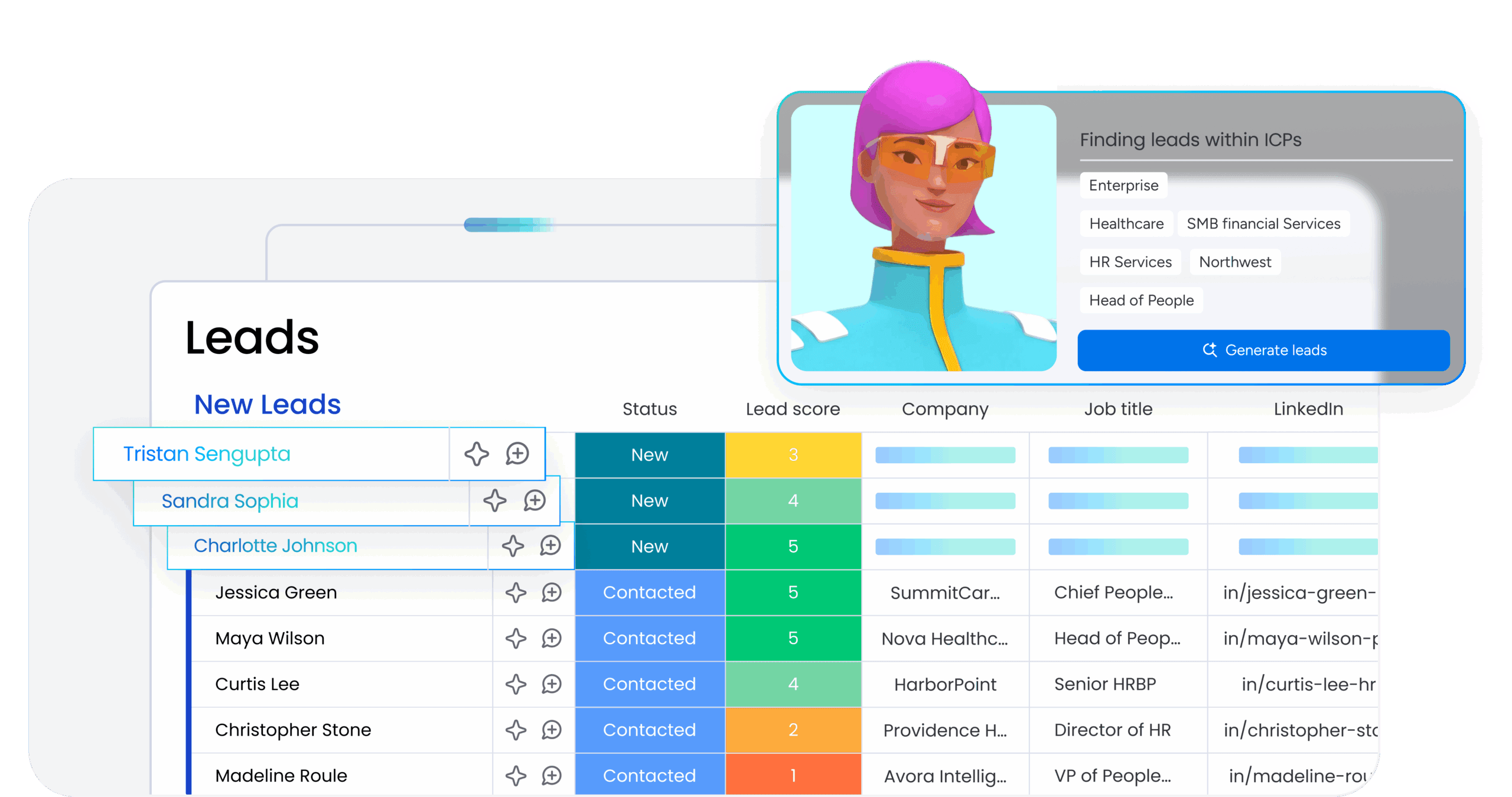
That distinction matters. When an AI agent updates a task status, creates a project item, sends a notification, or triggers a cross-team workflow, it’s doing so directly inside the platform your team uses every day instea of through a third-party bridge. Every agent action is visible, trackable, and auditable alongside the work it’s operating on. This is what closing the gap between AI action and business outcome actually looks like in practice.
Here’s what that means in concrete terms for three common team scenarios:
- Marketing campaign management: An AI agent monitors campaign boards, pulls performance data from connected sources, drafts weekly summaries, and surfaces items that are off-track — all within the monday dashboard your team checks daily.
- Client project delivery: AI agents for project management handle onboarding checklists, status update reminders, and resource allocation flags automatically, so project managers spend time on client relationships instead of admin
- Operations and process automation: Agents route incoming requests, update approval workflows, and escalate items that need human judgment, turning reactive process management into proactive work coordination.
monday.com’s AI Work Platform agent builder is no-code, which means any team member can create, test, and deploy agents without engineering support. AI agents for business teams work best when they’re owned and iterated by the people closest to the work, and monday’s design makes that accessible.
For teams already using the AI Work Platform for AI project management, the path to AI agent adoption is shorter than on any other platform on this list. Existing boards, automations, and integrations become the foundation that agents operate on.
Elevate your workflows with the right agent platform
The AI agent landscape in 2026 is mature enough to deliver real business results, but only when the platform fits how your team actually works. The tools that pay off fastest are the ones that connect deeply to existing systems, give non-technical users control over their own agents, and make every agent action visible alongside the work it’s supporting.
monday.com’s AI Work Platform delivers all three. Whether you’re starting with a single automation or building a coordinated set of agents across your organization, the platform scales with your ambition without requiring a separate tool stack to manage it.
Try monday agentsFAQs
What is the best AI agent platform for small teams?
For small teams, monday.com's AI Work Platform, Lindy AI, and Gumloop offer the best combination of ease of use, pre-built templates, and practical integrations without requiring a dedicated technical team to set up and maintain. monday.com's AI Work Platform is particularly strong if your team is already using a project management system, since agents operate directly inside your existing workflows rather than alongside them.
How do AI agents differ from traditional automation tools?
Traditional automation tools follow fixed, rule-based sequences: if this happens, do that. AI agents can reason, make decisions, handle unexpected inputs, and adapt based on context. They can complete multi-step tasks autonomously rather than following a predetermined script. The key difference is judgment: an automation executes a rule, while an agent evaluates a situation and determines the right action.
What should I look for when choosing an AI agent platform?
Focus on five things: integration depth with tools you already use, whether setup requires engineering support, pricing model predictability, memory and context persistence across tasks, and governance controls if you're deploying at scale. A platform that scores well on all five will deliver consistent value as your agent usage grows. One that falls short on any of them will create friction at the worst possible moment.
How much does an AI agent platform cost?
Pricing ranges from free tiers (Gumloop, n8n, Relay.app, monday.com's AI Work Platform) to enterprise contracts that run into thousands per month. Most platforms use task-volume or workflow-execution pricing at scale, which means costs can grow quickly. Always test on a free or trial tier before committing to a paid plan, and model out what your usage looks like at 2x and 5x your current volume before signing anything annual.
Can I build AI agents without coding?
Yes. Most platforms on this list (including monday.com's AI Work Platform, Gumloop, Relay.app, Lindy AI, and Zapier) are designed for non-technical users. You describe what you want the agent to do, and the platform handles the configuration. Platforms like n8n are better suited for technical teams that want code-level control and are comfortable with developer tools and self-hosting.
How are AI agents different from chatbots?
Chatbots are typically designed to respond to questions from a pre-programmed script or knowledge base. They react to what a user says. AI agents are autonomous: they take initiative, complete multi-step tasks across systems, make decisions, and operate without constant user input. An AI agent doesn't wait to be asked. It monitors for conditions, acts when triggered, and reports back when done.

 Get started