


The best sales managers know the secret: It’s not about working harder, it’s about working smarter. When you build the right systems, your team spends less time on admin work and more time closing deals that actually move the needle.
This guide reveals 13 proven strategies to transform your sales operations in 2026. You’ll discover how to automate repetitive tasks, use real-time data for proactive coaching, leverage AI to enhance human judgment, and create team structures that scale seamlessly as you grow.
Key takeaways
- Map where your team’s hours actually go, then automate repetitive tasks like lead assignment and follow-up creation to free up more selling time so reps focus on revenue activities.
- Track leading indicators like activity volume and deal velocity to spot problems early and create personalized development plans that actually improve performance instead of relying on annual reviews.
- Define specific role boundaries, explicit account ownership rules, and documented escalation criteria so your hybrid team collaborates instead of competing for the same prospects.
- Create role-specific metrics that answer “what should we do next?” rather than just showing what happened last week through live dashboards that drive daily decisions.
- Use features like timeline summaries and automated information extraction in monday CRM to prepare for meetings in minutes instead of hours, giving reps more time for actual selling conversations.
1. Audit how your team actually spends time
Before you can fix efficiency problems, you need to see where time actually goes. A time audit shows where productivity disappears — and the results usually surprise you.
How to conduct a sales team time audit:
- Track activities in 30-minute blocks: Have each rep log their activities for one full week, noting what they did and whether it directly contributed to revenue.
- Categorize every activity: Sort activities into 3 buckets: revenue-generating (prospecting calls, demos, negotiations), administrative (data entry, scheduling, internal meetings), and strategic (pipeline reviews, account planning, skill development).
- Calculate time allocation: Add up hours spent in each category to see the real breakdown.
The right platform allows managers to visualize where time is actually spent across the team through activity tracking and workflow analytics. That visibility turns “we’re not efficient enough” into problems you can actually fix.
2. Automate repetitive sales tasks
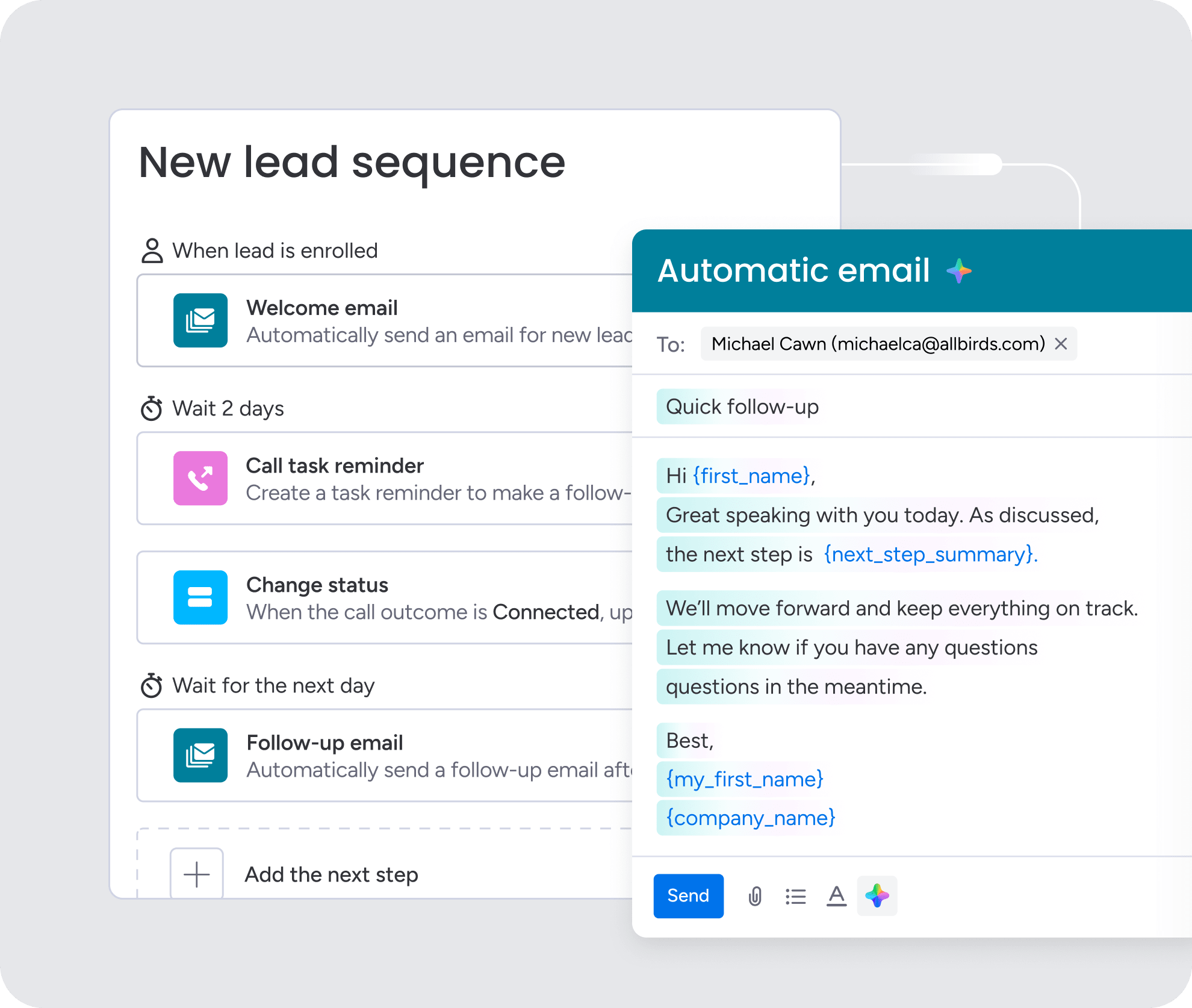
For sales managers, administrative burden creates a predictability problem. No-code workflows let you build automations without writing code. Sales managers can build these automations themselves — no IT team or coding skills needed. Start with workflows that solve real daily problems — don’t automate just to automate.
Here’s where automation has the biggest impact:
| Activity | Average time per week | Automation potential |
|---|---|---|
| CRM data entry | 4–6 hours | High: auto-capture from emails and calls |
| Meeting scheduling | 2–3 hours | High: calendar automation |
| Report generation | 2–4 hours | High: automated dashboards |
| Lead assignment | 1–2 hours | High: rule-based routing |
| Follow-up reminders | 1–2 hours | High: triggered task creation |
| Internal status updates | 2–3 hours | Medium: automated notifications |
High-impact workflows worth building first:
- Automatic lead assignment based on territory: When a new lead enters the system, it’s automatically routed to the appropriate rep based on geography, company size, or industry.
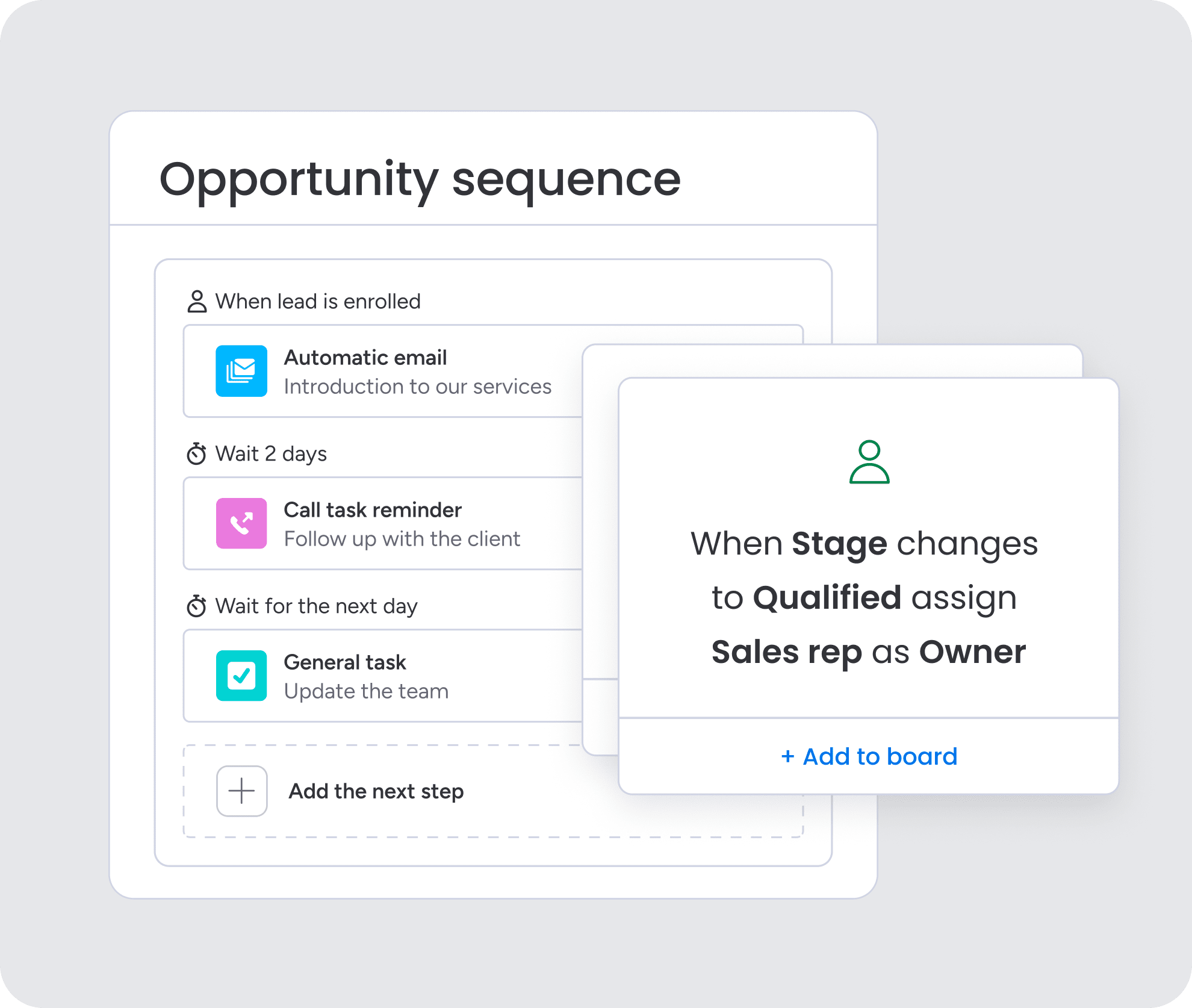
- Follow-up task creation after demos: The moment a demo is marked complete, the system creates a follow-up task for the rep with a deadline and suggested next steps.
- Deal stage progression notifications: When a deal moves to a new stage, the manager receives an automatic update.
- Stalled deal alerts: If a deal hasn’t progressed in 14 days, the system flags it for manager review and creates a coaching conversation item.
Learn more:
3. Track leading indicators — not just results
Leading indicators predict what’s coming; they don’t just report what already happened. Lagging indicators show what already happened (revenue, closed deals). Leading indicators show what’s coming next. Track these predictive metrics and you’ll coach ahead of problems, not after.
Metrics that consistently predict quota attainment:
- Activity volume (calls and emails per day): Reps who maintain consistent activity levels tend to hit quota more reliably.
- Response time to new leads: Teams that respond within 5 minutes convert at significantly higher rates than those who wait an hour.
- Meeting-to-opportunity conversion rate: This measures how effectively reps turn initial conversations into qualified pipeline.
- Pipeline velocity: How quickly deals move through stages indicates both rep effectiveness and deal quality.
- Follow-up completion rate: Reps who consistently complete follow-up tasks close more deals.
CRM dashboards can surface these indicators automatically, updating in real time without requiring managers to build manual reports.
Learn more: AI deal prep briefing agent
4. Use AI to identify coaching opportunities
AI spots patterns in team performance that would take managers hours to find manually. The goal isn’t replacing human judgment — it’s focusing your limited coaching time where it matters most. Instead of hunting for problems, managers act on what AI surfaces.
Coaching triggers that warrant immediate manager attention:
- Declining activity levels: A rep whose call volume drops 30% over 2 weeks may be struggling with motivation, personal issues, or territory challenges.
- Longer-than-average deal cycles: When a rep’s deals consistently take 40% longer to close than the team average, it signals potential issues with qualification or negotiation skills.
- Missed follow-up patterns: Reps who consistently miss follow-up deadlines need coaching on time management or workload balancing.
The AI Timeline Summary feature in monday CRM simplifies the research process that many sales managers have to take to gain a complete understanding of their team’s history with a client. It creates a short summary of all communication events, such as emails, calls, meetings, and notes. This helps managers save valuable time when preparing for coaching conversations.
Tracking performance only matters if it leads to action.The best sales teams don’t just monitor metrics — they use them to trigger decisions, coaching, and next steps in real time.
5. Build role-specific metrics and turn them into daily actions
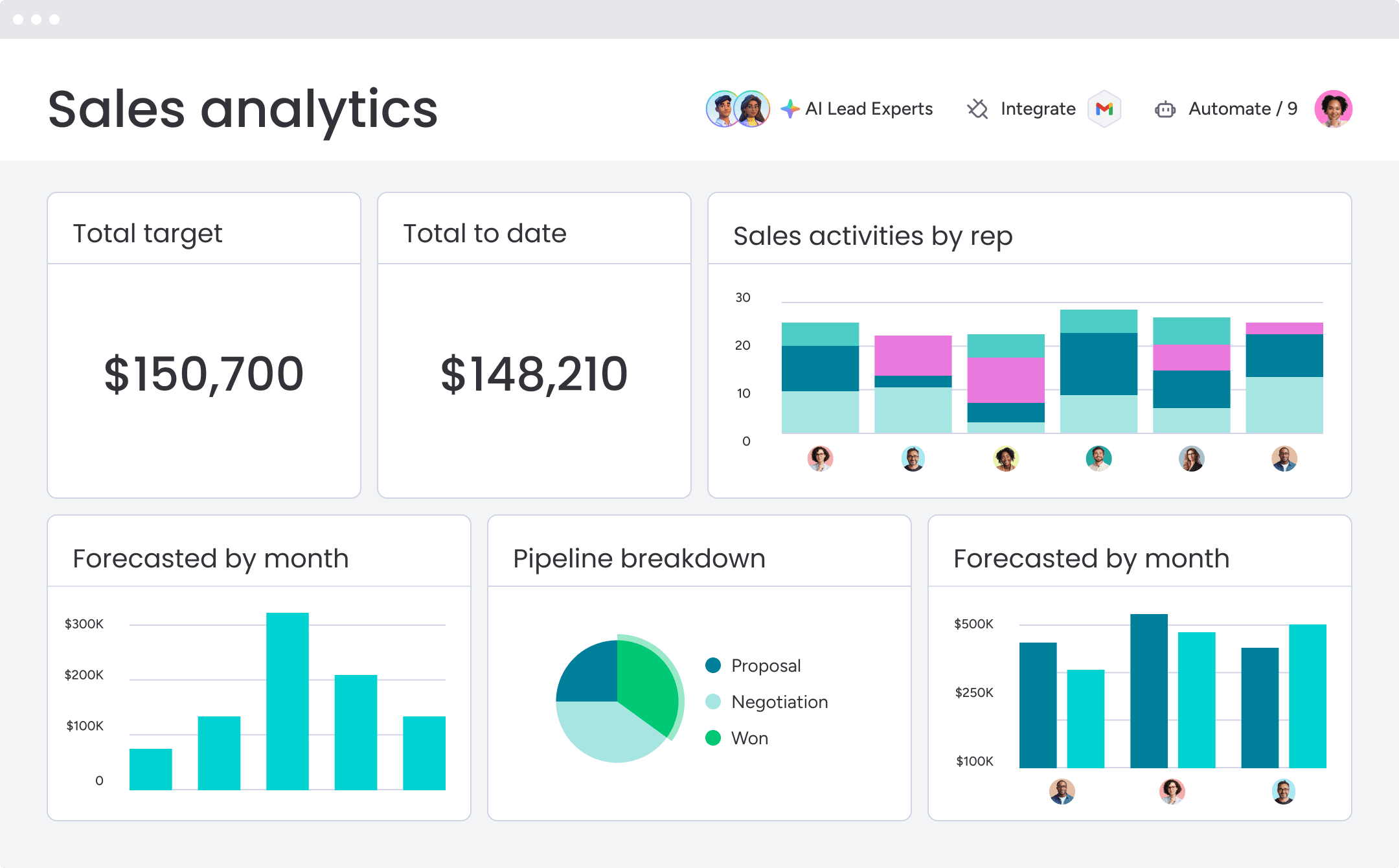
Tracking performance only matters if it leads to action. The most effective sales teams define clear, role-specific metrics — then use those metrics to drive daily decisions and coaching. Focus each role on 2–3 primary metrics. Anything more creates noise and slows decision-making.
Here’s how metrics differ by role:
| Role | Primary metrics | Secondary metrics |
|---|---|---|
| SDR/BDR | Meetings booked, connect rate | Activity volume, response time |
| Account executive | Pipeline value, win rate, deal velocity | Deal size, forecast accuracy |
| Sales manager | Team quota attainment, forecast accuracy | Rep development, pipeline coverage |
| Customer success | Renewal rate, expansion revenue | Engagement, NPS |
Turn metrics into action triggers
Use performance data to drive consistent, predictable actions:
- Pipeline below target: Increase prospecting and review pipeline gaps within 24 hours.
- Activity below benchmark: Trigger a manager check-in if it continues for 2–3 days.
- Deals stalled: Flag for coaching and define next steps immediately.
- Declining win rates: Review recent losses and run targeted skill training.
When metrics directly trigger actions, your team spends less time analyzing data and more time improving results.
Try monday CRM6. Define clear sales ownership rules
Most sales teams now run a mix of inside sales, field reps, and channel partners. Clear roles mean everyone knows who handles which accounts, at what deal size, and through which sales stage. Ambiguity creates territory fights, duplicate outreach, and confused buyers getting mixed messages.
| Role | Account type | Deal size | Primary responsibilities | Handoff points |
|---|---|---|---|---|
| SDR/BDR | All inbound and outbound prospects | Any | Prospecting, initial qualification, meeting booking | Qualified meeting to AE |
| Inside sales AE | SMB and mid-market accounts | Under $50K ARR | Full sales cycle, virtual selling | Closed deal to CSM |
| Field sales AE | Enterprise accounts | Over $50K ARR | Complex sales cycles, in-person meetings | Closed deal to enterprise CSM |
| Account manager | Existing customers | Expansion opportunities | Relationship management, upsell and cross-sell | New product interest to AE |
Document these roles and you’ll prevent the usual problems: 2 reps contacting the same prospect, confusion about when to bring in field sales, and deals stalling because no one owns the next step. Your CRM should enforce these roles through access permissions and workflows.
7. Align coverage models with buyer behavior
A coverage model shows how to assign sales resources based on how buyers want to buy. The right model depends on product complexity, deal size, and what buyers expect. Match your coverage model to buyer preferences and you’ll convert more deals and keep customers happier.
Common coverage model approaches:
- Geographic territories: Reps own specific regions, building local relationships and market knowledge.
- Vertical or industry-based: Reps specialize in specific industries, developing deep expertise in sector-specific challenges.
- Account size-based: Different teams handle SMB, mid-market, and enterprise accounts with tailored processes.
- Product-based: Reps specialize in specific products or solutions, becoming experts who can handle technical depth.
Most teams need a hybrid approach, not a single model. A company might use geographic territories for field sales, industry specialization for enterprise accounts, and account size segmentation for inside sales, all operating together.
8. Prevent territory conflicts with clear rules
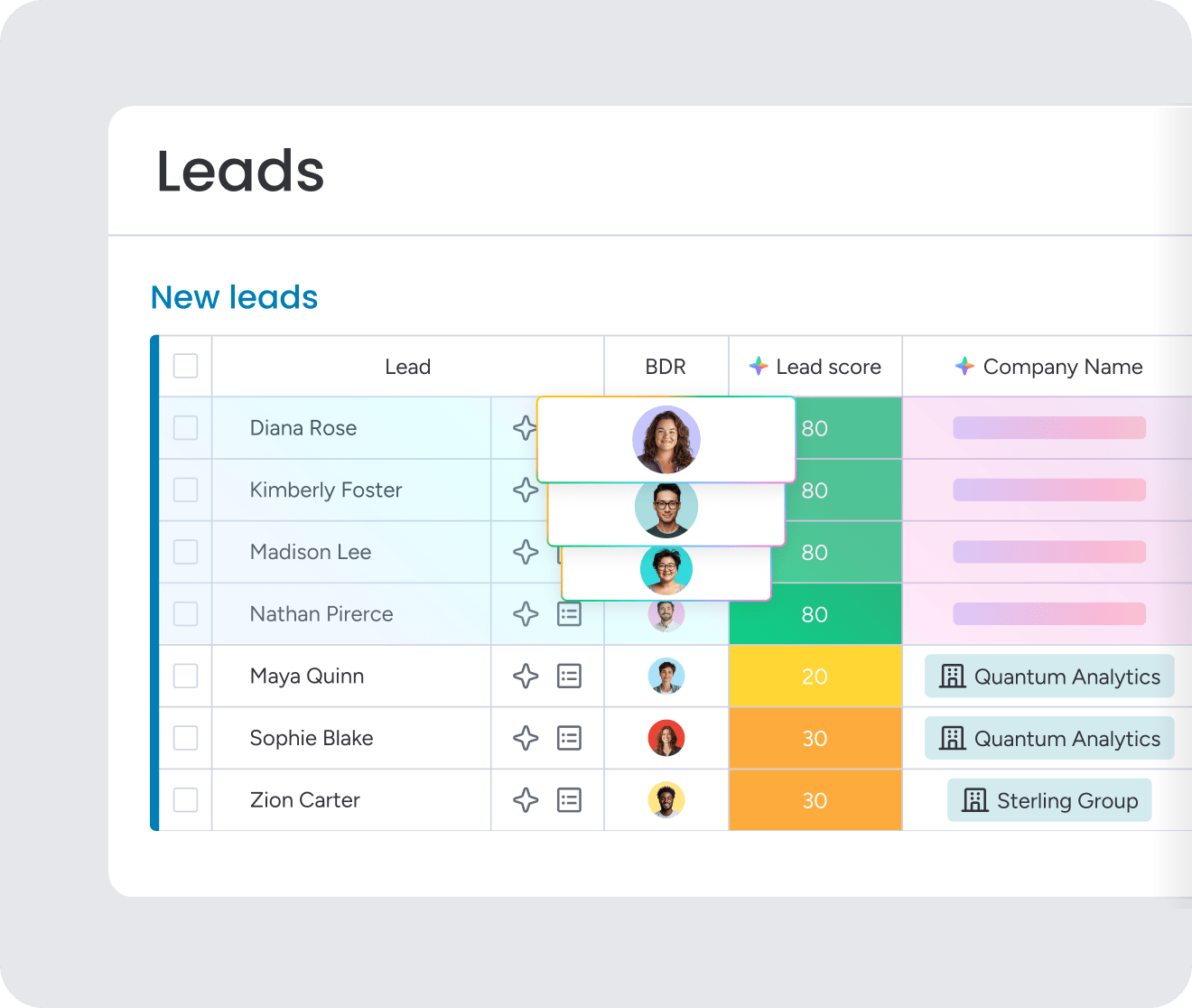
Territory conflicts waste time, kill morale, and confuse buyers. Prevent conflicts with clear rules instead of fixing them after they happen. Stop conflicts before they start and your team stays focused on selling, not fighting.
Rules that minimize conflicts and maintain selling focus:
- Account ownership rules: Define who owns existing customers versus new prospects at the same company.
- Deal registration process: Create a process for field reps to claim opportunities, with time limits and approval workflows.
- Escalation criteria: Document exactly when inside sales should involve field sales, typically based on deal size or complexity.
- Split credit guidelines: When multiple reps contribute to a deal, define how credit is divided.
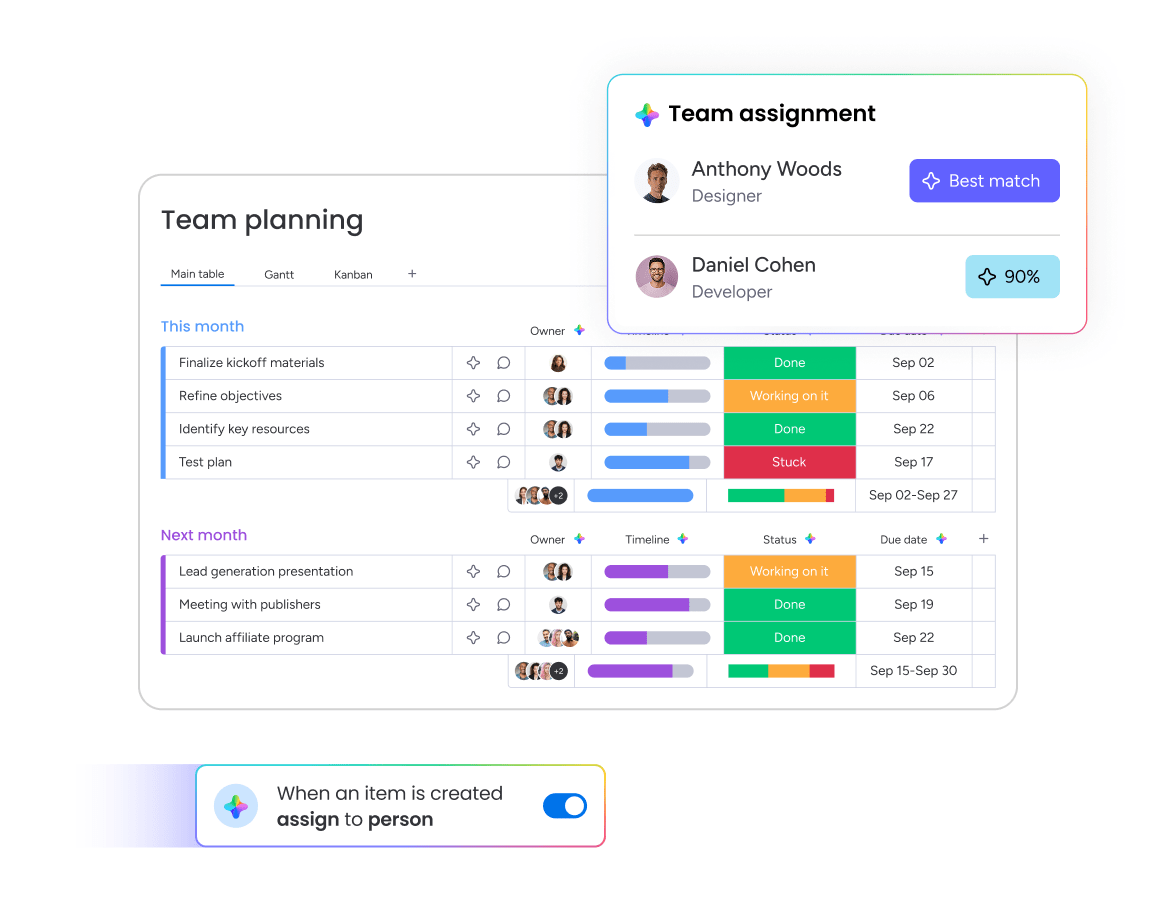
CRM systems can enforce territory rules automatically through assignment logic and visibility controls. The Assign person AI action in monday CRM can route leads to the right teammate based on defined roles and skills, reducing manual assignment work and preventing conflicts before they happen.
9. Build dashboards that drive action — not just visibility
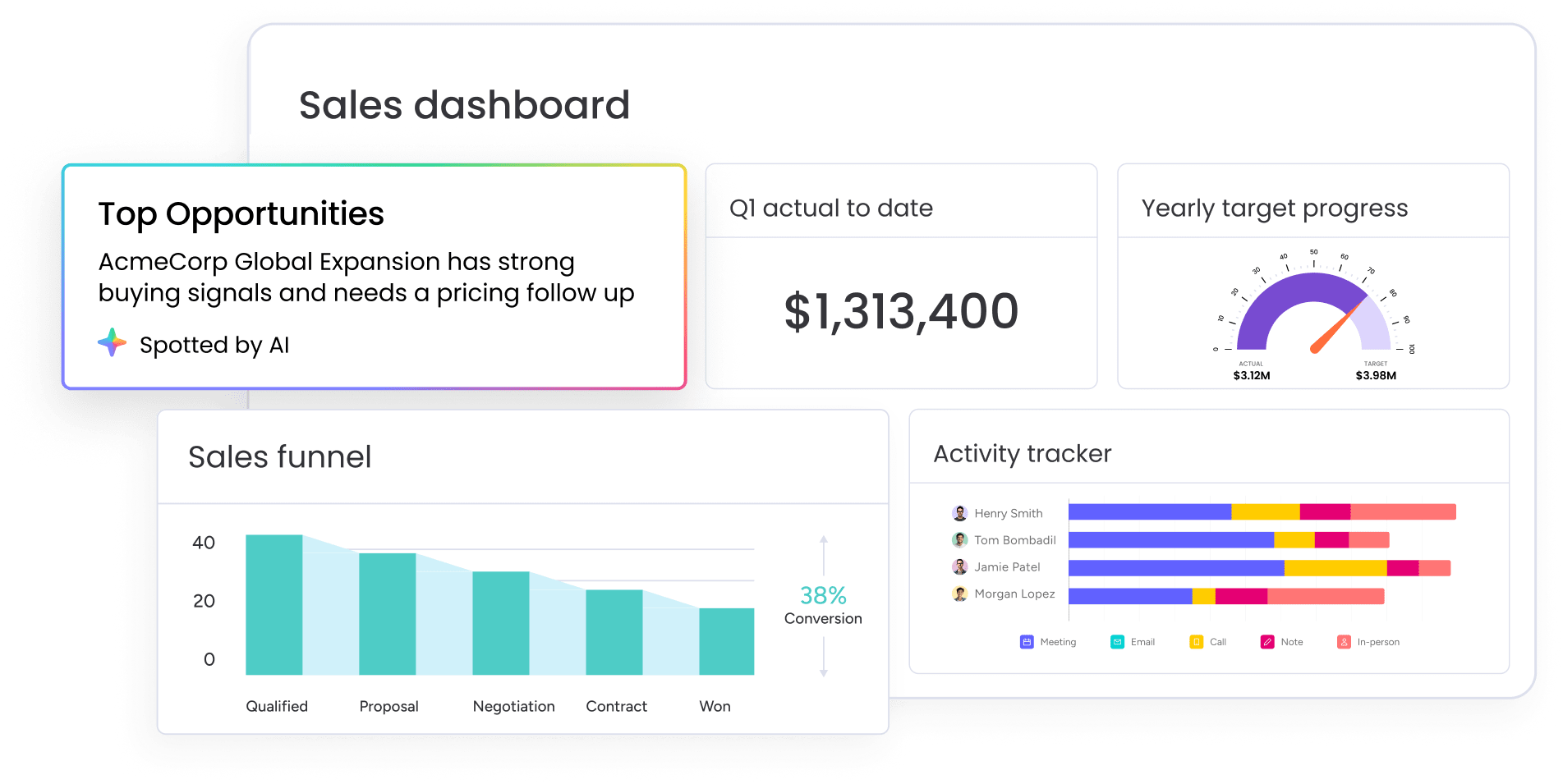
Dashboards shouldn’t just show what’s happening — they should make it obvious what to do next. The best dashboards help your team spot issues quickly and act on them immediately. Here are some tips:
- Focus on 5–7 key metrics that directly impact performance.
- Prioritize clarity over completeness — more data isn’t better.
- Use visual elements like charts and funnels to highlight trends.
- Ensure dashboards are accessible in real time, not static reports.
Connect dashboards to daily workflows. Dashboards become powerful when they’re tied to action:
- Use thresholds (e.g., pipeline below 3x quota) to trigger next steps.
- Start team meetings with dashboard reviews to reinforce priorities.
- Use dashboards in one-on-ones to guide coaching conversations.
- Highlight trends early so managers can intervene before deals are lost.
When dashboards are built around decisions instead of reporting, they become a daily tool — not something your team checks once a week.
10. Use AI for account research and prep
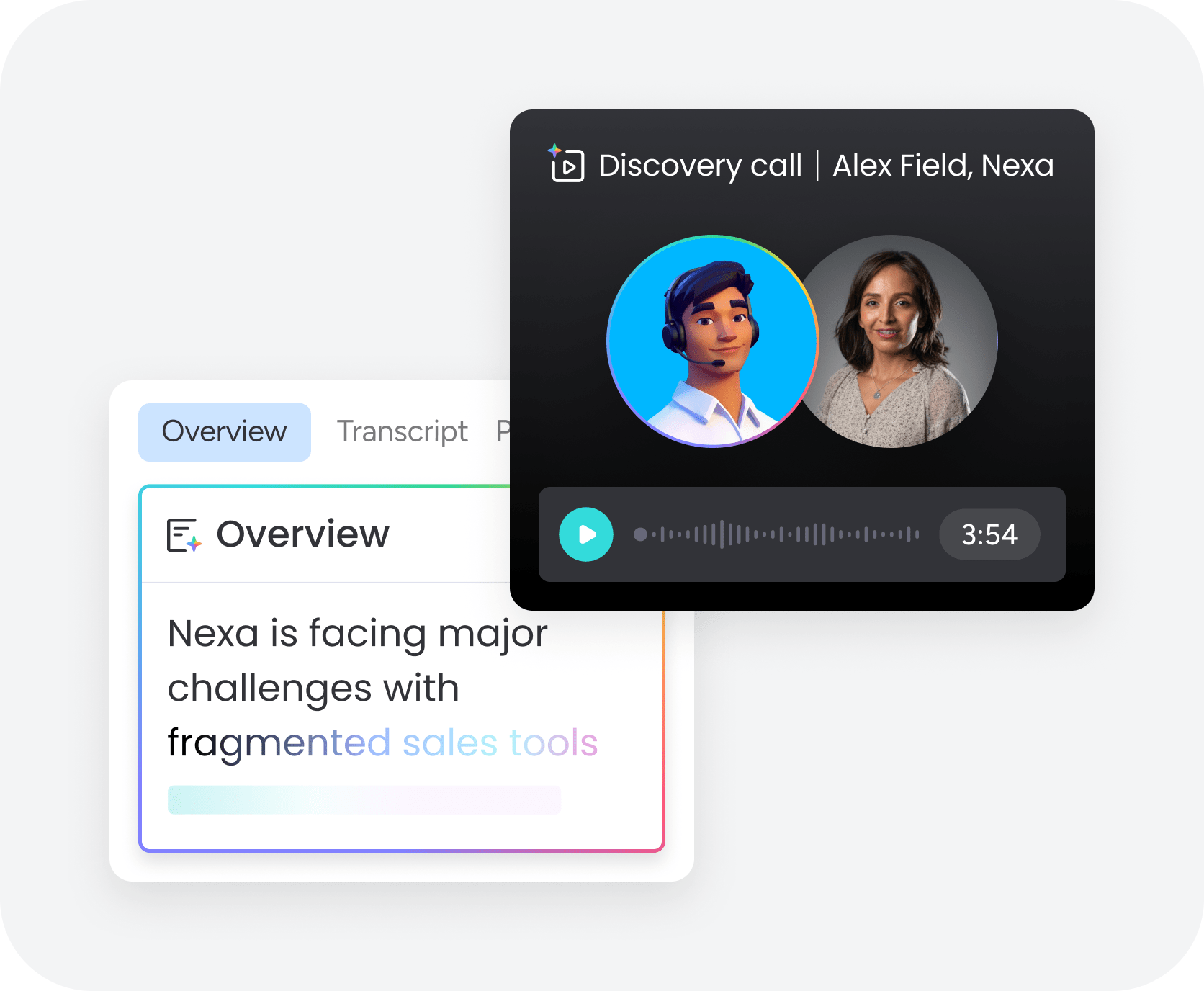
Account research and meeting prep eat hours of rep time each week. AI automates most of this work — better prep in a fraction of the time. Reps get more time for actual selling and relationship building.
AI applications that deliver the most value for research and prep:
- Company intelligence gathering: AI pulls recent news, funding announcements, leadership changes, and strategic initiatives for target accounts.
- Contact insights: AI identifies decision-makers, their priorities based on public statements, and potential connection points.
- Meeting briefings: AI summarizes account history from CRM data, previous interactions, and deal context into a one-page prep document.
The Extract information AI action in monday CRM automatically extracts and organizes key information from files like invoices, resumes, or contracts. The AI Timeline Summary creates a short summary of all communication events, helping sales teams save valuable time when preparing for meetings.
11. Train managers to lead AI adoption
AI adoption depends on manager buy-in. Reps take their cues from managers on new tools. Managers who dismiss AI as a gimmick kill adoption. Managers who show value speed up adoption.
Specific actions managers should take to champion AI adoption:
- Share their own AI use cases in team meetings: When managers demonstrate how they use AI for research, coaching prep, or reporting, reps see it as legitimate and valuable.
- Recognize reps who use AI effectively: Celebrating AI-driven wins reinforces adoption and encourages experimentation.
- Incorporate AI metrics into performance discussions: Asking about AI usage in one-on-ones signals that it’s an expected part of the job.
- Troubleshoot AI challenges with reps: When reps struggle with AI features, managers who can help solve problems accelerate adoption.
AI doesn’t replace human judgment. It enhances coaching instead of replacing it, and helps reps instead of monitoring them. Managers who embrace AI free up time for the strategic work that only humans can do.
12. Audit and consolidate your tech stack
Many sales teams have too many platforms — redundant systems and integration headaches that create more problems than they solve. A technology audit reveals the gap between what you’re paying for and what you’re actually using. Most teams discover they’re paying for capabilities no one uses and missing capabilities they actually need.
How to conduct a comprehensive technology audit:
- Inventory all sales platforms: List everything the team uses, including free options and browser extensions.
- Assess actual usage rates: Use analytics to see who’s actually using each platform and how often.
- Identify redundant capabilities: Find where multiple platforms overlap in functionality.
- Calculate total cost: Include subscription fees, implementation costs, training time, and maintenance.
The goal is to have the right platforms, well-integrated and fully utilized by the team. A consolidated platform like monday CRM that handles multiple functions (pipeline management, automation, communication tracking, reporting) often delivers stronger results than a collection of point solutions that don’t talk to each other.
Try monday CRM13. Measure and prove sales efficiency gains
Automation only matters if you can measure the results. Tracking impact proves ROI and shows which workflows work best. Without measurement, you can’t prove ROI or improve what you’ve built.
Key metrics to measure before and after implementation:
| Metric | What to track | Why it matters |
|---|---|---|
| Hours on data entry | Time spent updating CRM records per rep per week | Direct measure of administrative burden |
| Lead response time | Minutes from lead assignment to first contact | Speed impacts conversion rates |
| CRM data completeness | Percentage of deals with all required fields populated | Data quality affects forecasting accuracy |
| Manager reporting time | Hours spent building reports and status updates | Frees time for coaching and strategy |
| Deal stage accuracy | Percentage of deals in correct stage vs. actual status | Improves pipeline visibility |
Here’s how to calculate ROI:
- Establish baseline measurements: Track each metric for 2-4 weeks before implementing changes.
- Roll out with training: Implement improvements with proper documentation and team training.
- Measure post-implementation performance: Track the same metrics for 4-8 weeks after adoption stabilizes.
- Calculate dollar value: Translate time saved into dollar value by multiplying hours saved by average hourly cost.
Most sales teams don’t have a strategy problem — they have an execution problem.
Put these strategies into action with monday CRM
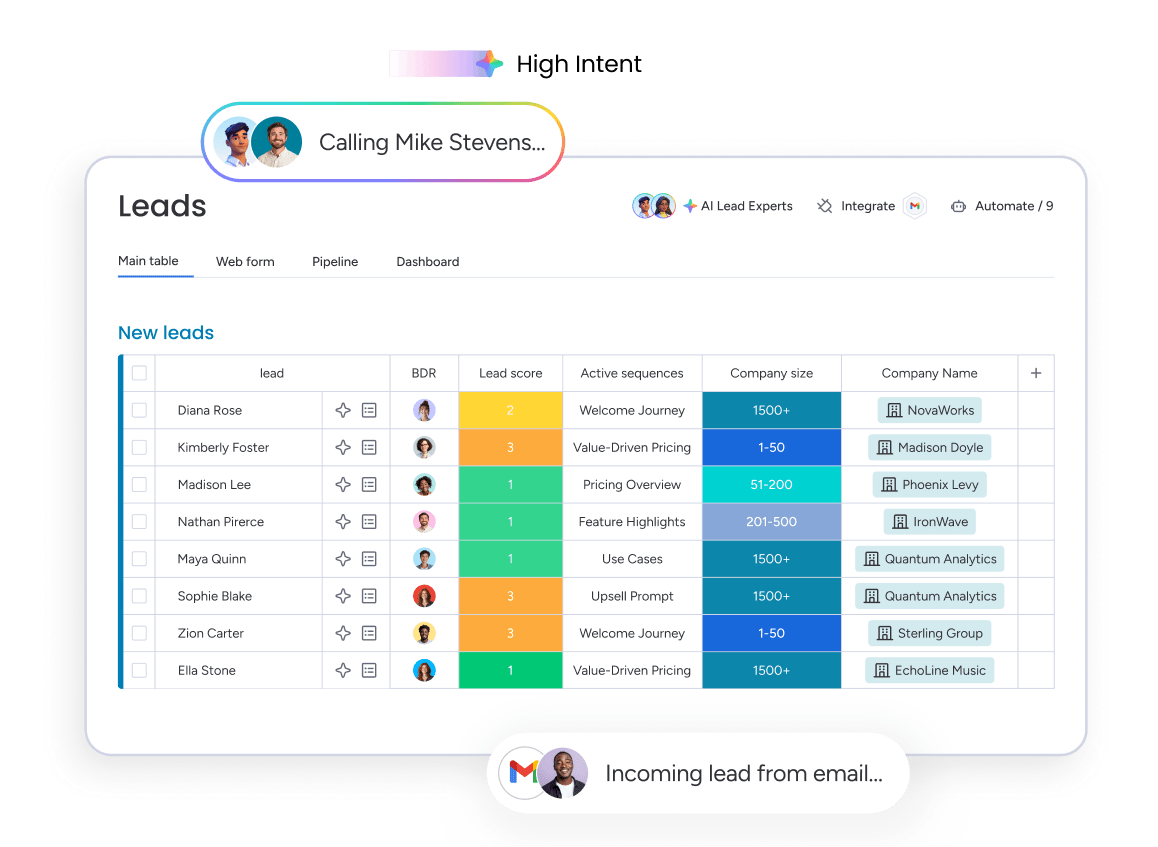
Improving sales team efficiency isn’t just about knowing what to do — it’s about having the right system to support it. Without the right tools, even the best processes break down under manual work, inconsistent data, and lack of visibility.
monday CRM helps sales teams operationalize these strategies in one connected platform:
- Automate repetitive work: Build no-code workflows for lead assignment, follow-ups, and deal tracking so reps spend more time selling.
- Get real-time visibility: Use customizable dashboards to track pipeline health, performance metrics, and forecasting accuracy.
- Leverage AI where it matters: Generate meeting summaries, extract key information, and surface insights that support faster decision-making.
- Align teams around shared data: Keep sales, marketing, and customer success working from the same source of truth.
Instead of stitching together multiple tools, teams can manage their entire sales process in one place — making it easier to scale without adding complexity.

“With monday CRM, we’re finally able to adapt the platform to our needs — not the other way around. It gives us the flexibility to work smarter, cut costs, save time, and scale with confidence.”
Samuel Lobao | Contract Administrator & Special Projects, Strategix
“Now we have a lot less data, but it’s quality data. That change allows us to use AI confidently, without second-guessing the outputs.”
Elizabeth Gerbel | CEO
“Without monday CRM, we’d be chasing updates and fixing errors. Now we’re focused on growing the program — not just keeping up with it."
Quentin Williams | Head of Dropship, Freedom Furniture
“There’s probably about a 70% increase in efficiency in regards to the admin tasks that were removed and automated, which is a huge win for us.“
Kyle Dorman | Department Manager - Operations, Ray White
"monday CRM helps us make sure the right people have immediate visibility into the information they need so we're not wasting time."
Luca Pope | Global Client Solutions Manager at Black Mountain
“In a couple of weeks, all of the team members were using monday CRM fully. The automations and the many integrations, make monday CRM the best CRM in the market right now.”
Nuno Godinho | CIO at Velv
“monday.com provides developmental flexibility, operational efficiency, and data transparency — all in one place. We became a company that moved from chasing data to leading with it.”
Hyunghan Lee | Team Lead, Sandbox Network
"monday.com brought every part of our business into one connected space. The harmony between work management and CRM has become our operating system — giving us the clarity and confidence to scale.”
Jennifer Chinburg | Executive Vice President of Corporate Development & Brand, Chinburg Properties
“We just weren’t getting value from our old CRM. With monday.com, it's a thousand times better. Our sales teams are more informed, more consistent, and far more connected."
James Arnold | Chief Operating Officer, CenversaScale your sales operations with confidence
Sales operations success comes down to 3 fundamentals: automation that frees up selling time, data that drives better decisions, and systems that work together instead of against each other. When you get these right, your team spends more time on revenue activities and less time fighting their tools.
The strategies in this guide work because they focus on practical improvements that deliver measurable results. Start with time audits to understand where hours actually go, then automate the biggest time drains. Use real-time data to coach proactively instead of reactively. Build hybrid team structures that prevent conflicts before they start.
Teams that implement these approaches typically see a jump in time and focus for actual selling, better forecast accuracy, and higher quota attainment.
Try monday CRMFAQs
What are some tips for using AI to enhance sales targeting?
Start with AI-powered account research that pulls company intelligence, recent news, and decision-maker insights in seconds instead of hours. Use AI to analyze your best customers and identify lookalike prospects with similar characteristics. Implement AI lead scoring that prioritizes prospects based on engagement signals and fit criteria. The Extract information AI action in monday CRM can automatically organize key details from prospect data, while timeline summaries help you quickly understand account context before outreach. Set guardrails so AI suggestions align with your ideal customer profile and territory rules.
How can I manage a sales team so reps stay accountable and focused on the right deals?
To manage a sales team for accountability and focus, you should implement visible activity and deal tracking, consistent processes, and transparent metrics that everyone can see. Build dashboards that show leading indicators like activity volume and pipeline velocity, set thresholds that trigger action, and conduct regular pipeline reviews where reps explain their deal strategies.
What are the most effective ways to improve sales team performance and quota attainment?
The most effective approaches combine coaching based on real performance data, automation that removes administrative burden, and incentive structures that reward both individual results and team collaboration. Focus on leading indicators that predict success rather than only measuring lagging outcomes.
How do I coach sales reps using real pipeline and activity data instead of gut feel?
Use CRM dashboards to track leading indicators like activity volume, meeting-to-opportunity conversion, and deal velocity. Compare each rep's metrics to top performer benchmarks. AI features like timeline summaries can help you quickly review account history before coaching conversations.
How can I reduce admin work for my sales team while keeping customer communication and follow-ups organized?
Map where time actually goes through a time audit, then build no-code automations for repetitive activities like lead assignment, follow-up task creation, and deal stage notifications. Follow CRM best practices by centralizing all customer communication in one timeline so reps don't have to switch between platforms.
What metrics should a sales manager track to forecast revenue and spot risks early?
Track pipeline coverage (3x quota minimum), sales velocity, activity completion rates, lead response time, and forecast accuracy. Set thresholds that trigger action, like flagging deals stalled for 14 days or activity that drops below 80% of benchmark.
How do I prevent territory conflicts in a hybrid sales team?
Establish account ownership rules, create a deal registration process with time limits, document escalation criteria for when inside sales should involve field sales, and define split credit guidelines. Use CRM assignment logic to enforce territory rules automatically rather than relying on manual oversight.
