


A lead comes in at 9 p.m. and waits until morning for a reply, and a support ticket sits unread over the weekend. Both tasks follow a known process, yet someone still has to handle them by hand. AI agents workflow automation hands this kind of repeatable, judgment-heavy work to agents.
This guide covers how AI agents differ from rule-based automation and walks through a six-step process for building and testing your first workflow, with examples across sales, IT, marketing, and operations plus guidance on governance and measurement. Along the way, you’ll see where monday agents fit and how teams use them to move from idea to live workflow without waiting on engineering support.
Try monday agentsKey takeaways
- Start with a contained workflow: the best first AI agent workflow is high-volume, low-risk, multi-source, and produces a usable output. Lead scoring or ticket triage are good candidates; legal documents are not.
- Pair agents with rules: use rule-based automation for predictable steps and AI agents for the decisions that used to slow your team down.
- Plan control from day one: permissions, approval gates, and audit trails keep agents trustworthy. Decide up front what runs automatically and what needs a human sign-off.
- Six steps take you from idea to production: define the outcome, map the process, connect your data, write clear instructions, set permissions, then test and refine before expanding.
- Build without engineering support: ready-made agents let teams go from prompt to live workflow in minutes.
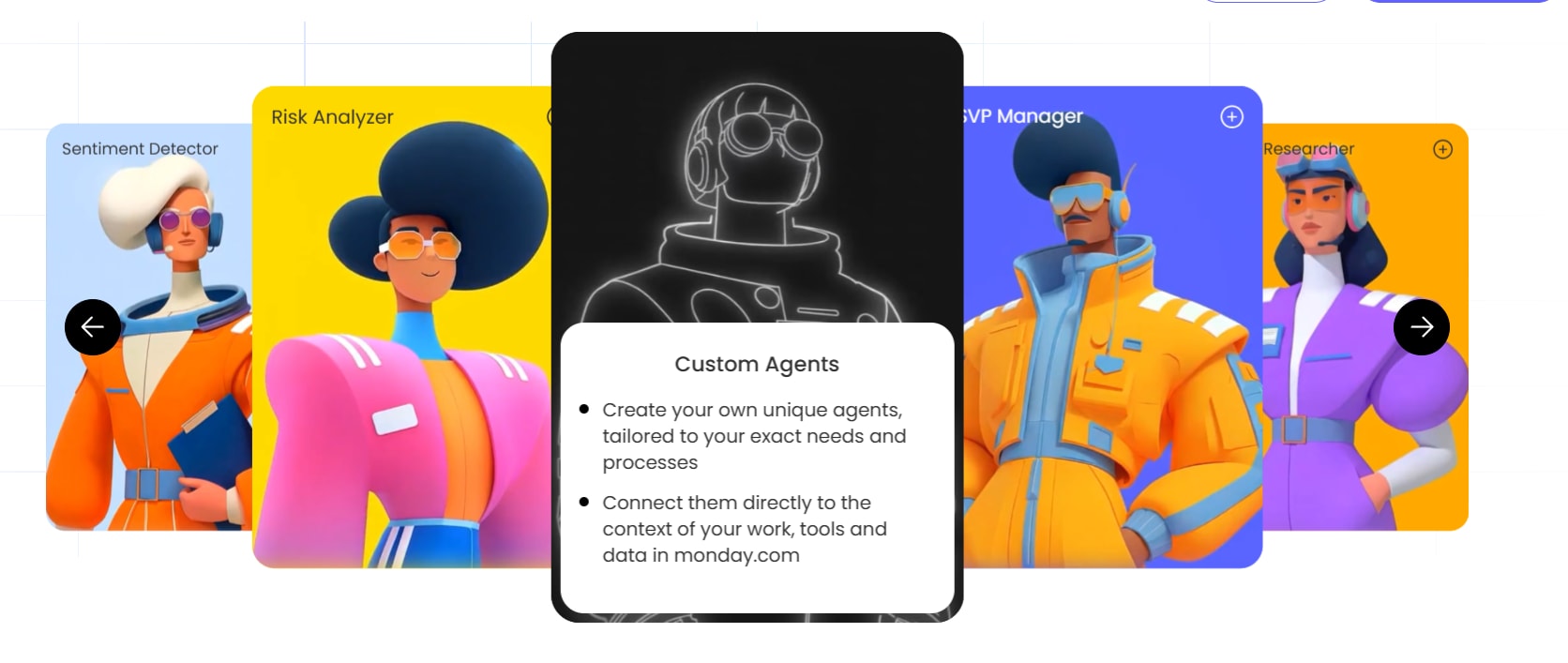
What is AI agents workflow automation?
AI agents workflow automation is the practice of using AI agents to run multi-step business processes with minimal involvement. An AI agent gathers context from several sources and decides on the next action, while you stay in control of the goals and approval rules.
This approach differs from traditional automation in one important way. Rule-based automation follows fixed if-this-then-that logic and stops when it encounters something unexpected, whereas AI agents interpret context and adapt when conditions change.
The shift is significant because AI has moved from “assist me” to “do it for me.” According to McKinsey, 40% of respondents at large organizations say they’re scaling AI agents, up from 27% the prior year.
Consider a ticket management workflow as an example:
- A ticket arrives describing a login issue.
- The agent reads the ticket text, pulls the customer’s account history, checks the knowledge base for relevant articles, and reviews prior conversations.
- Based on this context, it classifies the ticket as a password-reset issue, assigns medium priority, routes it to the identity team, and drafts a response for human approval.
- Every action gets logged with a timestamp so someone can review what happened and why.
The term “agentic” describes software that acts toward a goal rather than waiting for each instruction. This goal-directed behavior is what separates AI agent workflows from the automations you already use.
AI agent workflows vs. traditional automation
The table below compares traditional automation and AI agent workflows across five dimensions, so you can choose the right approach for each step.
| Dimension | Traditional automation | AI agent workflow |
|---|---|---|
| Logic type | Pre-defined if/then rules with no deviation | Interprets context, weighs multiple inputs, decides the best action |
| Handles unstructured input | Limited; requires structured data fields | Reads emails, tickets, documents, and free-form text |
| Handles exceptions | Stops or errors on unexpected input | Reasons through the situation and chooses an appropriate path |
| Multi-system context | Operates on a single trigger and fixed fields | Pulls data from CRM, email, web research, and documents simultaneously |
| Best for | Predictable, repeatable sequences | Judgment-heavy, variable processes |
The two approaches work best together. Rule-based automation remains the right choice for simple, predictable sequences: when a deal moves to “Won,” creating an invoice and notifying finance is a perfect fit, since it’s fast to set up and easy to audit. Agentic AI can even help you build those rules: Process Automator reviews how items move on a board to find repetitive, rule-based work, then proposes automations and helps set them up once you approve.
AI agents add the most value when a workflow involves ambiguous inputs or decisions that would otherwise require a person to stop and think:
- Ticket triage: Tickets arriving in different languages and formats require an agent that reads context, which keyword matching can’t do.
- Lead scoring: Combining CRM data, email history, and web research to determine fit and intent goes beyond what rules alone can handle.
Keep your existing automations in place and add agents where they free people for higher-value work.
What makes up an AI agent workflow?
Every AI agent workflow, regardless of platform, is built from four foundational components. Understanding these helps you evaluate any platform and design your first workflow with confidence.
Component 1: instructions that define the agent’s role
Instructions tell the agent what role it plays, what data it can access, what actions it can take, and what it should never do. Clear instructions do more for agent quality than anything else, so think of them as the agent’s job description.
Example instructions for a lead qualifying agent might specify:
“Score every new lead on the leads board using company size, industry, and engagement signals. Route high-priority leads to the assigned rep. Never modify deal values or delete records.”
Component 2: context from your work data
Context is the information the agent uses to make decisions. This includes boards, docs, PDFs, CRM records, email threads, and any other data sources you connect. Remove the duplicate so the bullet appears only once.
For example, a sprint planning agent that can see both the product backlog and recent support tickets makes smarter prioritization decisions than one that only sees the backlog.
Component 3: integrations and actions
Integrations are the agent’s hands, letting it read from other systems and act inside them. APIs and protocols like MCP (Model Context Protocol) make these connections possible.
Integrations enable actions like:
- Pulling deal data from a CRM so the agent can score a lead or prepare a deal brief
- Sending a Slack notification to alert a team member when an item needs attention
- Searching the web for company news, funding rounds, or competitor activity
- Reading and sending email through Gmail or Outlook to follow up with prospects
Component 4: triggers and orchestration
Triggers define what starts the workflow, such as a new ticket arriving, a deal stage changing, a meeting ending, or a deadline approaching. Orchestration is the logic that sets the order agents run in and how they hand off work to each other or to people.
- Single-agent workflow: One agent handles the entire sequence end to end.
- Multi-agent workflow: Multiple specialized agents collaborate, with a supervisor or routing logic coordinating them.
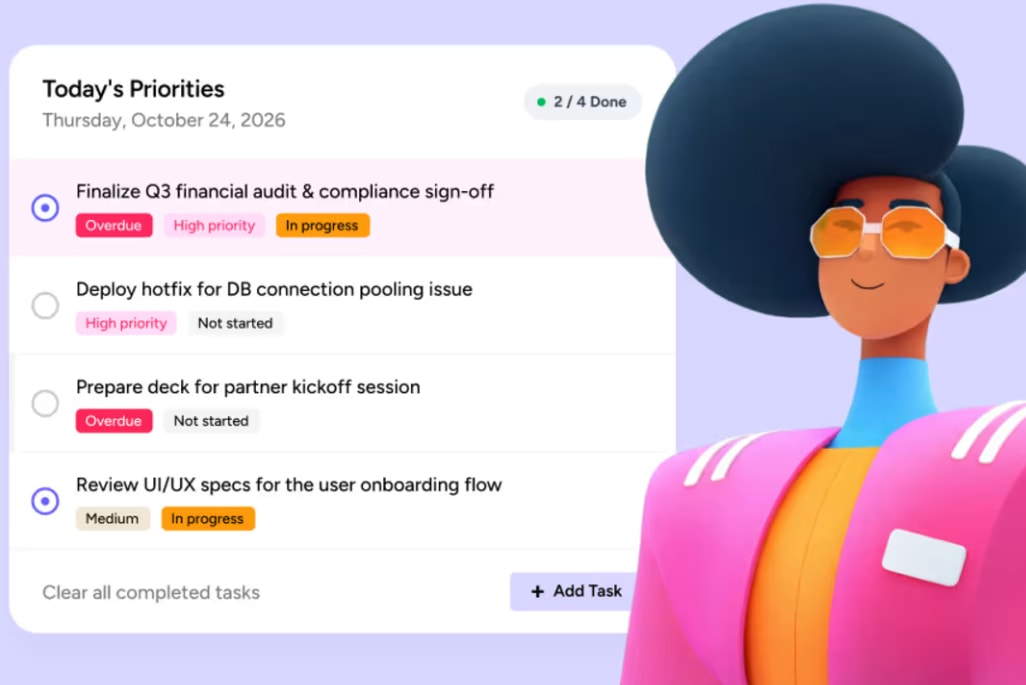
How to choose your first AI agent workflow
Most teams understand the promise of AI. The hard part is turning it into a first workflow with a clear trigger and an outcome you can measure.
Use this checklist to evaluate candidates:
- Recurring and high-volume: The process happens daily or weekly, not once a quarter.
- Pulls context from more than one source: The agent needs CRM data plus email history, or ticket data plus knowledge base articles.
- Low-risk and reversible: If the agent makes a mistake, you can fix it without major consequences.
- Has a usable output: The workflow produces something concrete, like a scored lead, a routed ticket, or a meeting summary.
- Fits an existing team habit: The workflow connects to how people already work, not a new process nobody owns.
Watch out for the overbuilding trap
Every AI rabbit hole starts the same way: “What if I build a custom solution for this?” Resist the urge to engineer a complex multi-agent system for your first workflow. Start with a single agent on one focused process and expand once it proves its value.
How to build your first AI agent workflow in 6 steps
Any team member can build an AI agent workflow, no technical background or engineering support required. Follow this repeatable process, from defining the outcome to testing and expanding.
Step 1: Define the outcome and the trigger
Start by writing down the specific business outcome you want. Instead of a broad goal like “automate lead management,” aim for something measurable, such as “reduce average lead response time from four hours to under 15 minutes.” Then identify the event that starts the workflow:
- A new lead appears on a board
- A ticket is submitted
- A meeting ends
- A deadline approaches
Set measurable success criteria before you build:
- Response time: Average time from lead submission to first outreach drops below 15 minutes.
- Completion rate: 95% of workflow runs complete without human intervention.
- Accuracy: Agent decisions match what a human reviewer would have done 90% of the time.
Step 2: Map the current process and mark where judgment is needed
Document every step with process mapping so you can see how a person currently completes the process. Include the decisions they make, the data they check, and the handoffs between people. A simple numbered list works: step, person responsible, average time.
Then mark the steps that require:
- Judgment or pattern recognition
- Pulling context from multiple sources
- Decisions that slow the process down
These are your strongest candidates for agent automation.
Step 3: Connect context and integrations
Identify every data source the agent needs to do its job well. This might include:
- Boards and items where the work lives
- Documents, PDFs, or knowledge base articles with guidelines
- CRM records with customer history
- Email threads with prior conversations
- Web search for company news or competitor activity
Connect the integrations that let the agent take action: update fields, send notifications, create items, or draft messages.
Step 4: Write instructions
Instructions are the agent’s job description. Be specific about the role, the goal, the inputs, the steps, the output format, and the escalation rules. Here is a template you can adapt:
Role: You are a lead scoring agent for the sales team.
Goal: Score every new lead and route high-priority leads to the assigned rep within 15 minutes.
Inputs: Lead board data, company size from web research, engagement signals from email history.
Steps:
- When a new lead appears, gather company size, industry, and recent engagement data.
- Score the lead from 1 – 100 based on fit and intent signals.
- Assign High, Medium, or Low priority.
- For High priority leads, assign to the rep and send a Slack notification.
- For Medium and Low priority leads, update the board and add a note with the scoring rationale.
Output format: Score (1 – 100), Priority (High/Medium/Low), Rationale (2 – 3 sentences).
Escalation: If company size or industry data is missing, flag for manual review instead of scoring.
Step 5: Set permissions and approval points
Decide what the agent can access and which actions need a person’s approval before they run.
Actions the agent can take on its own
- Read and summarize: pulling CRM data to generate a deal brief
- Send internal notifications: messaging the assigned rep in Slack
- Update a field (logged): changing a lead’s priority from Medium to High
- Create an item (logged): adding a follow-up item to the board
Actions that need approval
- Send external email: drafting an outreach email to a prospect, which a rep approves before it goes out
- Modify financial data: proposing an update to a deal value or contract terms
Limit permissions to specific workspaces or boards. An agent working on sales data shouldn’t have access to HR or finance boards unless it needs them.
Step 6: Test, review, refine, then expand
Run the agent on a small batch of real data. Review every action it takes and check outputs against your success criteria from Step 1.
Look for edge cases:
- What happens when a lead has missing data?
- What does the agent do when two rules conflict?
- How does it handle unusual inputs or formats?
Adjust instructions, tighten guardrails, and re-test until the agent consistently produces accurate results. Most agents need 2 to 3 rounds of refinement before they’re production-ready. That’s normal.
Once the first workflow proves its value, use the same six-step process to expand agents into adjacent workflows across the team.

Common AI agent workflow patterns
Most AI agent workflows follow one of four designs. Knowing them helps you match the complexity of a workflow to your team’s experience with agents.
Design 1: Single agent with connected integrations
One agent handles the entire workflow end to end, pulling data from and pushing actions to connected systems.
- Example: Invoice Reconciliation Agent checks each day’s automated invoice runs against your accounting system and sends a morning report of mismatches and the revenue at risk.
- Best for: Focused, single-purpose workflows where one agent can handle the full sequence.
Design 2: Agent with approval gate
The agent completes its work, then pauses at a defined checkpoint while a person reviews, approves, or redirects it before the action executes.
- Example: Outbound Sequencing Agent researches each prospect and writes a tailored opening email. You can configure it to wait for rep approval before anything goes out, or let it send and follow up on a set schedule once you trust its output.
- Best for: High-stakes actions like external communications or financial transactions.
Design 3: Agent plus rule-based automation
The agent handles the judgment-heavy steps, then hands off to traditional automation for the predictable follow-on actions.
- Example: Project intake agent gathers details on each incoming project request and logs it with a Green, Amber, or Red viability recommendation. A rule-based automation then notifies the PMO lead and moves Green requests to the planning board.
- Best for: Workflows where some steps require reasoning and others are purely mechanical.
Design 4: Coordinated agents
Multiple specialized agents collaborate, with a supervisor or routing logic coordinating them.
- Example: A supervisor agent receives a request to prepare for a discovery call. It assigns company research to one agent and CRM history to another, then combines both outputs into a final brief with talking points.
- Best for: Complex, multi-step processes where specialization improves quality.
Start with Design 1 or 2 for your first workflow, and move to Design 3 or 4 once you’re confident in how agents behave.

How to keep your workflow under control
Trust is one of the biggest adoption blockers for AI agent workflows, and every decision-maker eventually asks how they’ll stay in control. The answer comes down to 5 mechanisms: permissions, simulation, approval gates, audit trails, and regular review.
Permissions and access control
Every agent should operate under the same permission model as a human team member. It can only access the data and take the actions its role allows.
Examples of permission configurations:
- Workspace-level scope: The agent only operates within the sales workspace and cannot access HR or finance data.
- Read vs. write permissions: The agent can read deal records to generate a report but cannot modify deal values.
- Integration-level control: The agent can search Gmail for relevant emails but cannot send emails without approval.
- Board-level restrictions: The agent accesses the leads board but not the executive strategy board.
Simulation and testing
Before activating an agent in production, run it in simulation mode on real data. Review every action it proposes without executing those actions. This lets you catch problems before they affect live work.
Simulation mode answers questions like:
- Does the agent classify tickets correctly?
- Does it route to the right people?
- Does it handle edge cases gracefully?
Approval gates
An approval workflow creates checkpoints where the agent pauses and presents its proposed action to a person before executing. Use them for any action that is irreversible, externally visible, or financially significant.
When to require approval:
- Before sending any external email or customer-facing communication
- Before creating or modifying financial records, invoices, or contracts
- Before escalating an issue to a customer or executive stakeholder
Audit trails
Every action an AI agent takes should be logged with a timestamp, the data it accessed, the decision it made, and the outcome. This matters for regulatory compliance (GDPR, SOC 2, HIPAA), internal accountability, and continuous improvement.
Audit trails also help you debug agent behavior. When something goes wrong, you can trace exactly what happened and why.
What to do when something goes wrong
If an approval step does not fire or a workflow behaves unexpectedly, follow these steps:
- Check the action log to see what the agent did and what data it accessed.
- Review the instructions for ambiguity or conflicting rules.
- Re-run the workflow in simulation mode with the same inputs.
- Adjust instructions and guardrails based on what you find.
Weekly review checklist
For the first month after launch, spend 15 minutes each week reviewing:
- Completion rate: What percentage of runs finished successfully?
- Accuracy: Did the agent make the right decisions?
- Escalations: How many runs required intervention?
- Edge cases: Did any unusual inputs cause problems?
After the first month, move to monthly reviews unless you see issues.
Try monday agentsAI agent workflow examples by team
Seeing how other teams apply these designs helps you spot where agents can help most in your own organization. Each example follows the same format: Trigger → Context → Agent action → Human checkpoint.
Sales: pipeline monitoring
- Trigger: Daily scan of open deals in the pipeline.
- Context: Deal stages, last activity dates, close dates, CRM notes.
- Agent action: Flags deals that are stalling or at risk and recommends the next best action for each one before it slips.
- Human checkpoint: Rep or sales manager decides which recommended actions to take.
- Ready-made agent: Pipeline Guardian
Customer success: renewal risk
- Trigger: An account comes within 90 days of renewal or shows declining engagement.
- Context: Account records, renewal dates, engagement history, owner assignments.
- Agent action: Sends a weekly brief of at-risk accounts with the evidence behind each flag, and creates renewal tasks with owners ahead of each date.
- Human checkpoint: Account manager reviews the brief and decides how to approach each renewal.
- Ready-made agents: Account Health Agent, Contract Renewal Agent
PMO/Operations: risk and capacity
- Trigger: Daily scan of active project boards.
- Context: Item due dates, dependencies, owner workload, status history.
- Agent action: Maps dependencies, traces the critical path, and flags blocked chains with a suggested next step. A second agent tracks active projects across boards and identifies who has room to take on urgent work.
- Human checkpoint: Project manager reviews flagged items and decides on mitigation steps or reassignments.
- Ready-made agents: Dependency and Risk Mapper, Team Capacity Agent
HR: new hire onboarding
- Trigger: A new hire’s start date arrives.
- Context: New hire details, team assignments, onboarding board.
- Agent action: Notifies the right colleague when the new hire joins and shares context about them so the team can offer a warm welcome.
- Human checkpoint: Hiring manager confirms the onboarding plan and introductions.
- Ready-made agent: Employee Onboarding Agent
IT: internal helpdesk requests
- Trigger: An employee posts a question in a support channel or on the helpdesk board.
- Context: Internal knowledge base, IT policies, previously answered questions.
- Agent action: Logs the question, researches an answer from the internal knowledge base, and drafts a reply.
- Human checkpoint: A helpdesk teammate reviews the draft before it goes to the employee.
- Ready-made agent: Internal Helpdesk Agent
Product: feedback to backlog
- Trigger: New feedback arrives from support tickets, user interviews, or survey responses.
- Context: Feedback text, existing backlog items, product roadmap, customer segment data.
- Agent action: Groups feedback into recurring themes, ranks pain points by business impact, and recommends what to build next with supporting evidence.
- Human checkpoint: Product manager reviews recommendations before adding them to the backlog.
- Ready-made agent: Voice of customer agent
Marketing: competitor research
- Trigger: Weekly scheduled scan or manual request.
- Context: Competitor websites, news sources, social media, industry reports.
- Agent action: Gathers dated, sourced updates on competitor launches, pricing changes, and messaging shifts, then packages them into a concise brief on a doc or board.
- Human checkpoint: Marketing lead reviews the brief and decides on response actions.
- Ready-made agent: Competitive Intel Research
Procurement: vendor requests and renewals
- Trigger: A vendor or contractor request is submitted, or a vendor sends a renewal proposal.
- Context: Procurement records, the signed vendor contract, the renewal offer.
- Agent action: Validates new requests against your records, approves clean ones, and escalates the rest. For renewals, a second agent compares the current contract with the proposal and prepares a one-page negotiation brief on changes in pricing and terms.
- Human checkpoint: Procurement lead makes the final call on escalated requests and leads the renewal negotiation.
- Ready-made agents: Procurement Approval Agent, Vendor Renewal Agent

How to measure success
Measurement is what turns an agent experiment into something that scales. Before you expand, get numbers that tell a clear story to your team and to leadership. The business case is already taking shape: according to Microsoft’s 2026 Work Trend Index, 66% of employees who use AI at work say it lets them spend more time on high-value tasks — a finding that maps directly to the hours-reclaimed metric below. Track these metrics and use them to decide whether to expand, refine, or pause.
| Metric | What it tells you | What to do with it |
|---|---|---|
| Completion rate | Percentage of workflow runs that finish successfully without human intervention | Below 90%: Review instructions and edge cases. Above 95%: Consider expanding to adjacent workflows. |
| Accuracy rate | Percentage of agent decisions that match what a human reviewer would have done | Below 85%: Tighten instructions and add guardrails. Above 90%: Agent is ready for higher-stakes workflows. |
| Cycle time | Elapsed time from trigger to completed action | Compare to previous human cycle time to quantify speed gains. |
| Cost per run | Total cost of AI credits, integrations, and human review time divided by number of runs | Track to ensure the workflow remains cost-effective as volume scales. |
| Hours reclaimed | Time saved by team members who no longer perform the manual steps | Use to calculate ROI and justify expansion to leadership. |
| Escalation rate | Percentage of runs that require human intervention | High escalation rate suggests instructions need refinement or the workflow is too complex for a single agent. |
Run a 30-day baseline comparison
Before launching an agent workflow, document the current state:
- How long does the process take end to end?
- How many people touch it?
- What is the error rate?
- How much time does each person spend on it weekly?
After 30 days with the agent, compare the same metrics. Present the difference in terms the business cares about: hours reclaimed per week, deals closed faster, or tickets resolved without escalation.
Build your AI agent workflows on monday AI Workspace
You can run every step in this guide, from defining outcomes to monitoring performance, inside the monday AI Workspace without a separate system or outside consultants. The monday AI Workspace brings people and agents together with shared context across departments, so an agent working a deal can also see the related support tickets and project timelines.
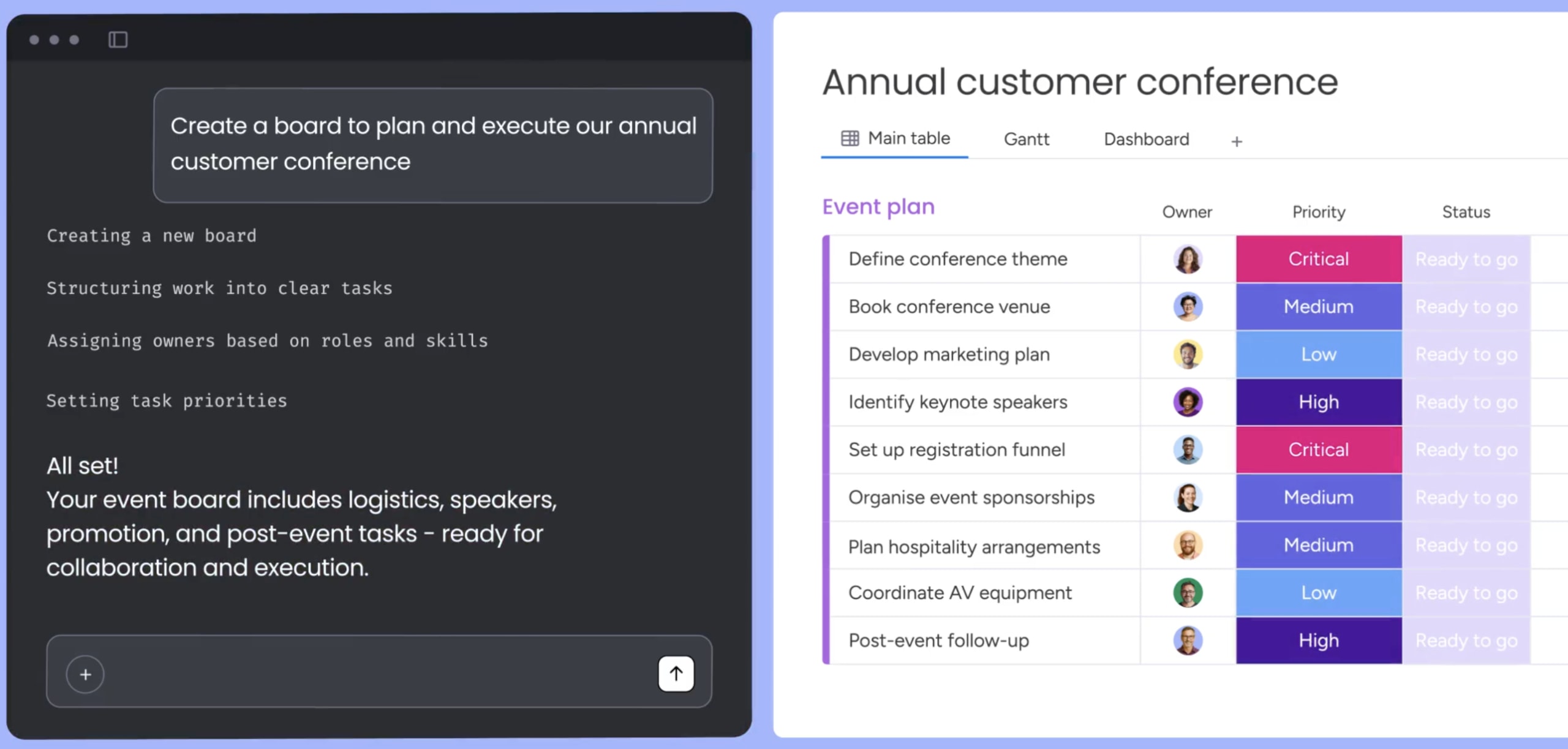
Create an agent from a prompt
With the no-code agent builder in the monday AI Workspace, anyone on your team can create an agent from a prompt in minutes:
- Describe what you need: Define the agent’s role, the work it handles, and when it should run.
- Connect knowledge and integrations: Link the agent to relevant boards, docs, PDFs, and external integrations (Gmail, Slack, web search) so it works from real data.
- Test and refine: Run the agent in simulation mode, review its actions, adjust instructions, and activate it when you’re confident.
Ready-made agents for common workflows
The monday AI Workspace offers dozens of ready-made monday agents you can deploy immediately or customize to fit your process. Here’s a sample across teams:
- SLA Monitor: Watches response and resolution times and alerts you when an SLA is at risk. Best for IT and service teams.
- Daily Briefer: Scans your boards each morning and delivers a ranked summary of the day’s work, with overdue items at the top. Best for any team.
- Report Builder Agent: Turns live board data into weekly progress reports covering wins, blockers, and upcoming milestones. Best for PMO and project teams.
- Feature Request Agent: Reviews incoming feature requests and checks your documentation and roadmap to see whether an existing capability already solves each one. Best for product teams.
- Candidate Matching Agent: Matches each incoming CV to your open roles and ranks the best fits with scores and reasoning. Best for recruiting and talent acquisition.
- Pulse Survey Agent: Sends anonymous employee pulse surveys and turns the responses into a sentiment analysis with an engagement index. Best for HR and people teams.
- Budget Overrun Agent: Totals budget overrun requests by department and quarter, routes each one to an analyst, and posts a weekly coverage summary in Slack. Best for finance.
- Payment Match Agent: Checks that each incoming payment matches the right invoice and customer, and sends unresolved payments to manual review. Best for finance and accounts receivable.
- SEO Health Agent: Audits your site’s technical SEO, logs each issue with a suggested fix, and sends a summary to your team in Slack. Best for marketing.
- Translator: Detects the source language and translates item text and comments on your board, with the original kept visible. Best for global and multilingual teams.
Governance built into every workflow
Each agent runs with these controls:
- Permissions: Decide exactly which data each agent can access and whether it can read, create, or edit information, both inside the monday AI Workspace and across external integrations.
- Human in the loop: Validate agent actions in simulation mode before activation, and use the human-in-the-loop approval block to require sign-off at critical steps.
- Audit trails: Every agent action is logged and traceable, so teams always know what happened and why.
- Compliance: The platform holds SOC 2 Type II, ISO/IEC 27001, and ISO/IEC 27701 certifications, plus HIPAA compliance and GDPR support.
- Data ownership: Teams retain ownership of all content provided to and generated by AI, and their data is not used to train AI models.
Extend workflows beyond the monday AI Workspace
For teams that want to connect external AI assistants, monday MCP provides secure, permission-aware access, so assistants such as Claude or Cursor can read and act on workspace data while respecting existing permissions.
The “Run Platform Agent” module in Make sends a prompt to a monday agent to carry out multi-step actions on the account, so teams get results without building custom HTTP modules or standing up a separate server.
Make AI agent workflows work for your team
The best AI agent workflows start small and stay under your direction. Treat agents like part of the team, with clear goals and regular check-ins, and use the six steps in this guide to move from a first workflow to wider adoption across your organization.
When you’re ready to evaluate platforms, ask two questions: can business teams build agents without engineering support, and do the governance features match your compliance requirements? A platform like monday AI Workspace clears both and lets you move from pilot to production with confidence.
Try monday agentsFAQs about AI agents workflow automation
What is the difference between AI agent workflow automation and RPA?
RPA (robotic process automation) mimics what people do on a screen, like clicking buttons and copying fields between apps. AI agent workflow automation reasons through context, makes decisions, and handles variable processes that RPA can't adapt to. RPA works well for predictable, structured sequences. AI agents handle the judgment-heavy, variable work.
How do I know if a process is a good fit for an AI agent workflow?
Look for processes that are recurring and high-volume, pull context from more than one source, have a usable output, and fit an existing team habit. Avoid starting with brand-critical external communications, irreversible actions, or workflows nobody currently owns. The best first workflows are low-risk and reversible.
Can a non-technical team build an AI workflow agent without code?
Yes. With monday.com's no-code agent builder, you describe what you need in plain language, connect your data sources, and launch an agent in minutes. The three-step process involves describing the role and triggers, connecting knowledge and integrations, then testing and refining.
How do I make sure an AI agent workflow is accurate and under control?
Start with simulation mode to test the agent on real data without executing actions. Set granular permissions so the agent can only access and modify what its role allows. Use approval gates for high-stakes actions like external communications or financial changes. Review audit trails to see what the agent did and why. Run weekly reviews for the first month to catch issues early.
What business results should I expect from AI agents workflow automation?
Track completion rate, accuracy, cycle time, cost per run, and hours reclaimed, then compare them to your pre-agent baseline. Share the wins in terms leadership cares about: hours saved per week, faster response times, deals closed sooner, tickets resolved without escalation. Use these numbers to justify expanding agent workflows to additional teams.

 Get started