


Picking a project management platform is one of the highest-impact decisions a team lead or operations manager can make. The platform you choose shapes how your team plans, executes, and communicates every day, and switching later costs time, money, and momentum.
The Wrike vs. Asana comparison is especially tricky because both platforms are mature, well-established, and have recently added AI capabilities. Is Wrike better than Asana? The honest answer is that it depends on your priorities: Wrike offers more depth and configurability, while Asana prioritizes simplicity and speed of adoption. Neither is universally better.
This guide breaks down pricing, features, AI, reporting, ease of use, and more so you can make a confident, informed decision based on what your team actually needs.
Get started with monday.comKey takeaways
- Wrike and Asana both help teams manage projects, but they take different approaches: Wrike is built for deeper customization and reporting, while Asana focuses on ease of use and faster team adoption
- Wrike is usually a stronger fit for complex workflows, layered approvals, and teams that need more control over how work is structured and reported
- Asana is often better for teams that want a clean, intuitive project management tool that non-technical users can pick up quickly
- Both platforms now offer AI features, but teams should look closely at which capabilities are included, which require higher-tier plans or add-ons, and how well they fit into everyday workflows
- monday.com’s AI Work Platform gives teams a flexible alternative with visual project tracking, dashboards, automations, integrations, and AI-powered capabilities in one connected workspace
Wrike vs. Asana at a Glance
Before diving into the details, here is a side-by-side snapshot of how Wrike and Asana stack up across the categories that matter most to project management teams. This quick-reference table covers pricing, AI capabilities, integrations, and the types of teams each platform serves best.
Use this as a starting point, then read the deeper breakdowns that follow for context on where each platform truly excels and where it falls short.
| Category | Wrike | Asana |
|---|---|---|
| Free plan | Yes (up to five users) | Yes (up to 10 users) |
| Starting price | ~$10/user/month (Team plan) | $10.99/user/month (Starter plan) |
| AI features | Work Intelligence, AI Agents, AI risk prediction | AI Teammates, AI Studio ($135/month add-on), Claude integration |
| Integrations | 400+ native integrations | 200+ native integrations |
| Best for | Enterprise teams needing deep customization and reporting | Small to mid-size teams prioritizing simplicity and fast adoption |
| Ease of use | Powerful but steeper learning curve | Intuitive interface, quick onboarding |
| Reporting | Advanced dashboards, BI integrations, performance analytics | Dashboards, portfolio views, status updates |
Want to know how Wrike compares with monday.com? Explore our in-depth Wrike vs. monday.com comparison.
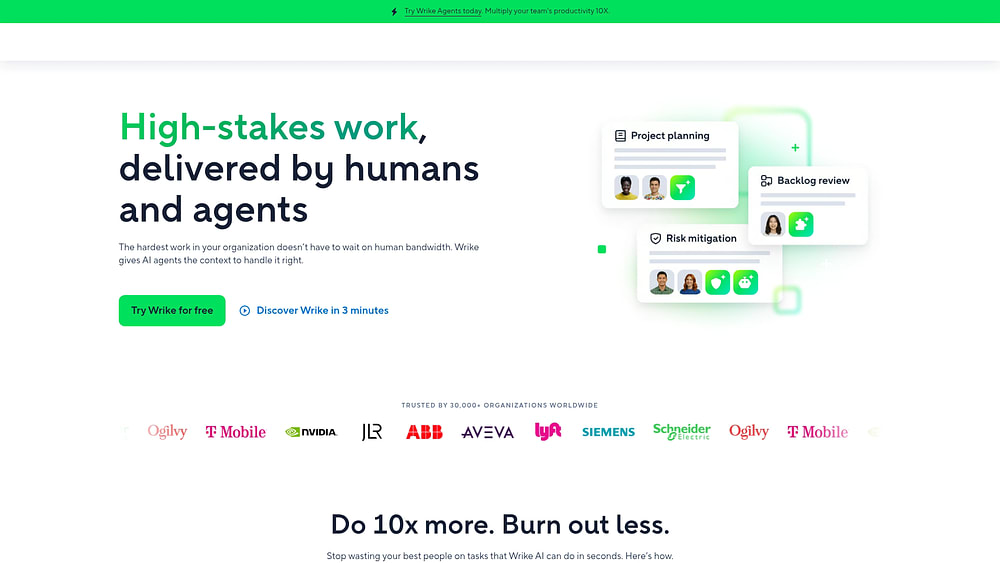
How Wrike and Asana compare on pricing
Pricing is often the first filter when evaluating project management platforms. Both Wrike and Asana follow a freemium model with tiered plans that scale by features and team size. The core difference shows up when you look at what each tier includes, especially around AI capabilities, which both platforms now charge extra for at higher levels.
Wrike pricing plans
Wrike structures its pricing across six tiers. The Free plan supports up to five users with basic task management and limited views. The Team plan starts at approximately $10 per user per month and adds Gantt charts, dashboards, and integrations.
The Business plan at $24.80 per user per month unlocks custom workflows, request forms, time tracking, and branded workspaces. Enterprise and Pinnacle plans add advanced security, resource management, and dedicated support. Wrike also introduced its Apex tier, which includes AI Agents and expanded automation. Pricing for this tier requires a custom quote. For a full breakdown, see the Wrike pricing breakdown.
Asana pricing plans
Asana offers five tiers. The Personal plan is free for up to 10 users and covers basic task and project management. The Starter plan at $10.99 per user per month adds timeline views, workflow builder, and forms.
The Advanced plan at $24.99 per user per month unlocks portfolios, goals, custom rules, and approvals. Enterprise and Enterprise+ plans add SAML, data loss prevention, and admin controls. Asana’s AI Studio, which powers its AI Teammates feature, costs an additional $135 per month, a notable add-on cost for teams that want AI capabilities built into their workflows. For details, read the Asana pricing breakdown.
Which offers better value?
At the mid-tier level, Wrike and Asana are nearly identical in cost. A team of 20 on the Business or Advanced plan would pay roughly the same amount per month with either platform. The divergence happens when AI enters the picture. Asana’s AI Studio add-on at $135 per month applies to the entire workspace, while Wrike bundles AI into its higher-tier plans but at a higher per-user rate.
So, which is cheaper, Wrike or Asana? For teams of 10 or fewer who just need core project management, Asana’s more generous free plan (10 users versus five) gives it a slight edge. For larger teams investing in AI-powered workflows, the total cost depends heavily on which AI features you actually need and how many users require access.
How Wrike and Asana compare on features
Features are where the day-to-day experience of using a project management platform takes shape. Both Wrike and Asana cover the fundamentals, including task management, project views, and automations, but they approach each area differently. The sections below break down the specific capabilities that set them apart.
Task and workflow management
Wrike organizes work through a hierarchy of spaces, folders, projects, and tasks. You can create custom item types, set up multi-step approval workflows, and use request forms to standardize how work enters the system. This layered structure gives enterprise teams fine-grained control over how projects are scoped, tracked, and delivered.
Asana takes a flatter approach. Projects contain tasks, which can include subitems, custom fields, and dependencies. The workflow builder lets you automate status changes and hand-offs using conditional rules. It is less granular than Wrike’s approval chains, but the trade-off is faster setup and less configuration overhead. For a deeper look, see the Asana work management review.
Views and visualization
Both platforms offer multiple ways to visualize project data, though they differ in which views are available on which plans. Here is a comparison of the key view types each platform supports.
| View Type | Wrike | Asana |
|---|---|---|
| List | Yes | Yes |
| Board (Kanban) | Yes | Yes |
| Gantt / Timeline | Yes (all paid plans) | Yes (Starter and above) |
| Calendar | Yes | Yes |
| Table / Spreadsheet | Yes | Yes (Spreadsheet view) |
| Workload | Yes (Business and above) | Yes (Advanced and above) |
Wrike’s advantage here is availability: Gantt charts and workload views are accessible earlier in its pricing tiers. Asana gates some of its most useful visualization options behind higher-cost plans.
Automations
Wrike provides automation through custom workflows and Wrike Integrate, its built-in integration engine. You can trigger actions based on status changes, due dates, and form submissions, and chain multiple actions into sequences.
Asana’s automation engine uses a rule-based system in which you define triggers and corresponding actions. It is more approachable for non-technical users. Setting up a rule takes a few clicks rather than a workflow design session. However, complex multi-step automations with conditional logic are easier to build in Wrike, especially for teams managing cross-functional processes.
Get started with monday.comHow Wrike and Asana compare on AI features
AI has become a decisive factor in the project management space, with both Wrike and Asana making significant investments over the past year. However, neither platform was originally architected around AI, and both are layering intelligent features onto existing systems. Understanding how each platform approaches AI will help you evaluate whether its current capabilities match your team’s needs.
Wrike AI capabilities
Wrike’s AI offering centers on Work Intelligence, a suite of features that includes AI-powered risk prediction, project health scoring, and smart recommendations. The platform can flag at-risk projects based on historical patterns and suggest corrective actions before deadlines slip.
In February 2026, Wrike launched AI Agents through its Apex plan. These agents can handle routine tasks such as updating task statuses, generating project summaries, and creating reports from natural language prompts. The functionality is promising, though it requires the highest-tier subscription to access.
Asana AI capabilities
Asana introduced AI Teammates in September 2025, positioning them as virtual collaborators that can draft status updates, suggest task assignments, and summarize project progress. In January 2026, Asana added a Claude integration to bring conversational AI directly into the platform.
The AI Studio add-on ($135 per month) unlocks the full range of AI capabilities, including custom AI workflows and advanced automation triggers. For teams that want AI but are cost-conscious, this add-on creates a meaningful budget consideration.
| AI Capability | Wrike | Asana |
|---|---|---|
| AI assistant | Work Intelligence | AI Teammates |
| Risk prediction | Yes (built-in) | Limited |
| AI agents | Yes (Apex plan, Feb 2026) | Via AI Studio ($135/month) |
| Third-party AI integration | Limited | Claude integration (Jan 2026) |
| AI-native architecture | No (retrofitted) | No (retrofitted) |
The takeaway: both platforms have invested heavily in AI, but neither offers a truly AI-native experience. The AI features feel like add-ons to existing workflows rather than woven into the core architecture.
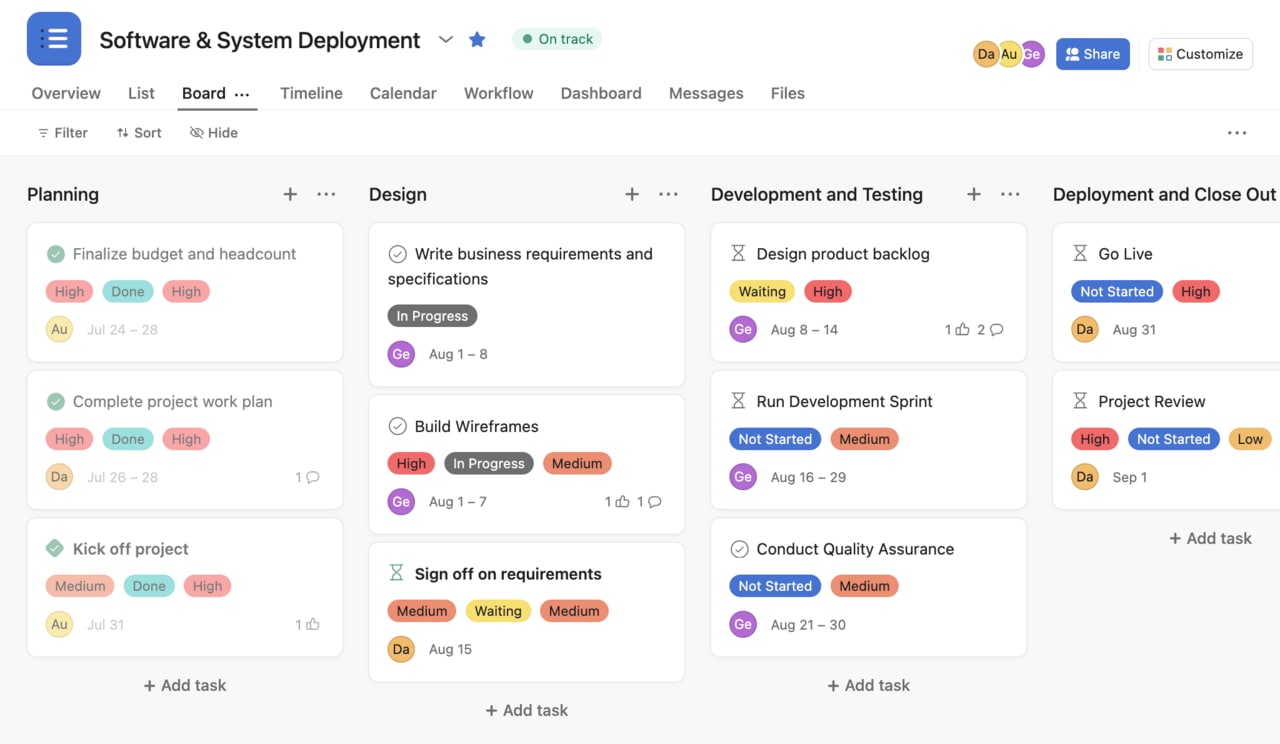
How Wrike and Asana compare on reporting and analytics
Reporting is an area in which Wrike consistently outperforms Asana. If your team relies on data-driven decision-making (tracking project performance, resource utilization, and team productivity across portfolios), Wrike offers considerably more depth.
Wrike provides advanced dashboards with customizable widgets, real-time performance metrics, and native integrations with business intelligence platforms like Tableau and Power BI. You can build cross-project reports, track time-based performance trends, and create executive-level summaries without leaving the platform.
Asana offers dashboards, portfolio views, and status updates that give a high-level snapshot of project health. These are useful for team leads who need visibility into progress, but they lack the analytical depth that operations managers and PMOs typically require. Custom reporting in Asana is more limited, and there are no native BI integrations.
How Wrike and Asana compare on ease of use
Ease of use is one of the sharpest dividing lines between Wrike and Asana. Your team’s technical comfort level and how quickly you need everyone productive should weigh heavily in this decision.
Wrike’s learning curve
Wrike’s depth of customization comes with a trade-off: it takes longer to learn. New users often describe the interface as feature-rich but initially overwhelming. The nested hierarchy of spaces, folders, and projects requires deliberate setup, and getting the most from custom workflows, request forms, and dashboards typically involves a dedicated onboarding period.
Users on Wrike reviews on TrustRadius frequently note that once the learning curve is behind them, the platform becomes a powerful command center. But teams without a designated admin or project management lead may struggle to reach that point efficiently.
Asana’s onboarding experience
Asana consistently earns praise for its clean interface and intuitive design. New users can typically create projects, assign tasks, and set up basic workflows within their first session. The drag-and-drop interface, clear navigation, and well-structured onboarding guides reduce the time from sign-up to productive use.
Reviews of Asana on TrustRadius highlight that even non-technical team members adopt the platform quickly, which makes it especially attractive for cross-functional teams where not everyone has project management experience.
Is Asana or Wrike easier to use? Asana has a noticeably gentler learning curve. If fast adoption across a diverse team is a priority, Asana requires less upfront investment in training and configuration.
How Wrike and Asana compare on collaboration
Collaboration features determine how smoothly teams communicate and coordinate within their project management platform. Both Wrike and Asana cover the essentials, but they emphasize different aspects of teamwork.
Wrike leans into structured collaboration with built-in proofing and approval workflows. Creative teams can mark up documents, images, and videos directly within tasks, then route them through multi-step approval chains. Real-time document editing, @mentions, and threaded comments keep conversations tied to specific work items rather than scattered across email threads.
Asana focuses on transparency and alignment. Status updates give stakeholders a regular pulse on project health without requiring meetings. Team conversations, intake request forms, and portfolio views provide visibility across projects. Guest access in both platforms lets you bring external collaborators (clients, contractors, or agency partners) into specific projects without giving them full workspace access.
The distinction: Wrike’s collaboration features favor teams that produce and review deliverables (creative, marketing, product teams), while Asana’s approach works well for teams that need to stay aligned on priorities and progress.
How Wrike and Asana compare on customization
Customization is where Wrike pulls clearly ahead. If your workflows are complex, non-standard, or involve multiple teams with different processes, Wrike gives you more control over how the platform adapts to your operations.
Wrike supports custom item types, custom fields with formulas, multi-level folder hierarchies, custom workflows with granular status transitions, configurable dashboards, and request forms that standardize how work enters the system. This level of flexibility means you can model nearly any business process inside the platform without relying on workarounds or third-party integrations.
Asana offers custom fields, rules-based automation, project templates, and custom sections within projects. These are effective for straightforward workflows, but teams with enterprise-level complexity, such as managing approval chains across departments or tracking custom KPIs per project type, often find Asana’s customization options too shallow.
The trade-off is predictable: Wrike’s depth of customization makes the setup process steeper, while Asana’s simpler customization keeps configuration fast but limits how far you can bend the platform to match unusual workflows.
How Wrike and Asana compare on customer support
Customer support is not a major differentiator between Wrike and Asana. Both platforms offer tiered support structures that improve with higher-priced plans.
Wrike provides email and in-app support for all users, with priority support and dedicated account managers available on Enterprise and Pinnacle plans. The Wrike Community forum and knowledge base offer self-service resources for common questions. Asana follows a similar model: all users get access to the help center and community forum, while phone and priority support are reserved for Enterprise customers.
Both platforms also maintain active user communities and offer professional services for onboarding and training at additional cost. If responsive support is critical to your decision, the determining factor is likely your plan tier, not the platform itself.
What real users say about Wrike and Asana
User reviews offer a grounded perspective that goes beyond feature lists and pricing pages. Here is what teams actually report about their experience with each platform.
Wrike user reviews
On G2, Wrike holds a 4.2 out of 5 rating based on over 3,700 reviews. Users consistently praise its customization capabilities, robust task management, and advanced reporting. The most common criticisms focus on the steep learning curve, a cluttered user interface, and the complexity of the initial setup for large teams.
Teams that invest the time to configure Wrike properly tend to report high satisfaction. Those looking for a quick-start experience often feel frustrated by the setup overhead.
Asana user reviews
Asana earns a 4.4 out of 5 on G2, with over 10,000 reviews. Users highlight its ease of use, clean design, and effective collaboration features. The most frequent complaints involve limitations when managing complex, multi-layered projects and the lack of built-in time tracking, which forces teams to rely on third-party integrations.
The review pattern is clear: Asana wins on approachability and day-to-day usability, while Wrike wins on depth and configurability.
How monday.com’s AI Work Platform compares to Wrike and Asana
When evaluating Wrike vs. Asana, one of the clearest tensions is the trade-off between power and simplicity. Wrike offers deep customization but requires more setup time. Asana gets teams productive quickly, but it can feel limiting as workflows grow more complex. monday.com’s AI Work Platform helps resolve this tension by giving teams flexible workflows, visual project tracking, dashboards, automations, integrations, and an intuitive user experience in one connected workspace.
What sets monday.com’s AI Work Platform apart is how AI-powered capabilities are built into everyday workflows, helping teams summarize updates, create workflows, surface risks, and reduce manual work without switching tools.
- monday sidekick is a built-in AI assistant that helps with formulas, summarizes project updates, extracts action items from meeting notes, and drafts content, all within the context of your boards and workflows
- monday vibe helps teams describe the workflow or app they need in plain language, then move from idea to a structured workspace faster with boards, automations, and dashboards
- monday agents can support repetitive workflows by helping teams update information, summarize progress, categorize requests, surface risks, and keep work moving with the right context and guardrails
- AI columns and the AI workflow builder can help teams add AI-powered steps to their workflows, such as categorizing information, generating summaries, extracting details, or drafting text
These capabilities span monday.com’s broader platform, including CRM, dev, and service workflows, so teams can bring more context to project execution.
On the customization front, monday.com’s AI Work Platform supports custom workflows, automations, dashboards, native integrations, and an open API, giving teams flexibility as their processes grow. The interface is visual and approachable, giving teams a middle ground between Wrike’s depth and Asana’s simplicity.
For more details, see monday.com reviews on G2, the Asana alternatives page, and the Wrike alternatives page.
Get started with monday.com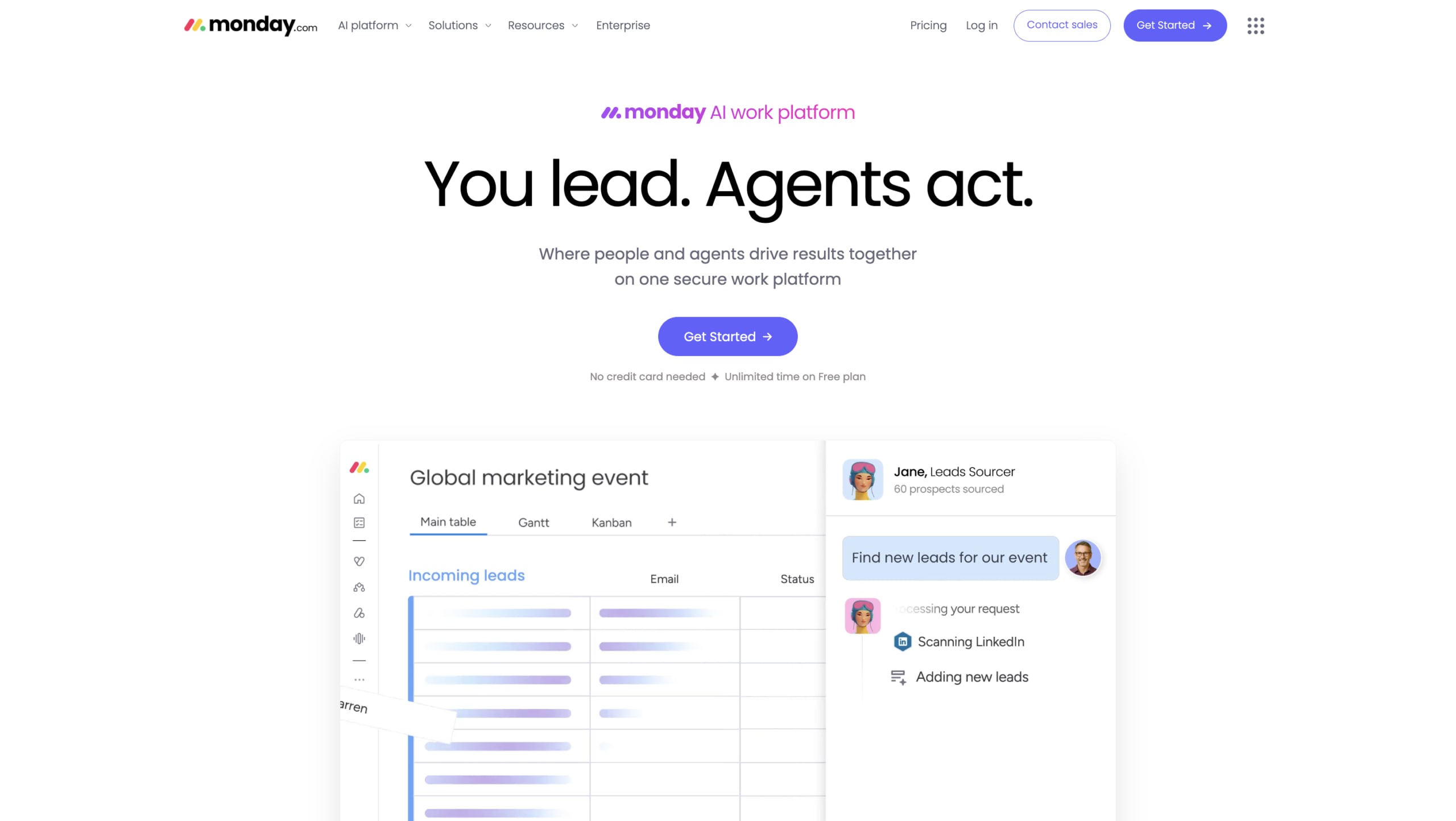
Choosing the right project management platform for your team
The Wrike vs. Asana decision ultimately comes down to what your team needs most right now and what you will need six months from now as AI reshapes how project management platforms operate.
If your priority is deep customization, advanced reporting, and enterprise-grade control, Wrike is the stronger choice. If you need fast adoption, a clean user experience, and solid collaboration features for a growing team, Asana delivers on those fronts. And if you want the depth of Wrike combined with the approachability of Asana, plus AI capabilities built into the platform’s core rather than bolted on as add-ons, monday.com bridges that gap.
The next generation of project management platforms will not just track work. They will actively drive it forward. As you evaluate your options, consider not just the features available today but how each platform is positioned to grow with your team’s ambitions. For a broader view, explore the full project management platform comparison or the detailed Wrike vs. Asana vs. monday.com comparison.
The content in this article is provided for informational purposes only and, to the best of monday.com’s knowledge, the information provided in this article is accurate and up-to-date at the time of publication. That said, monday.com encourages readers to verify all information directly.
FAQs
Is Wrike better than Asana?
Whether Wrike is better than Asana depends on your priorities. Wrike is stronger for customization and enterprise reporting, while Asana excels at ease of use and quick team adoption.
What is the main difference between Wrike and Asana?
The main difference between Wrike and Asana is their approach to complexity. Wrike offers deeper customization and is built for enterprise workflows, while Asana prioritizes a simpler, more intuitive experience.
Which has better AI features, Wrike or Asana?
Both Wrike and Asana added AI features recently, including AI agents and assistants. Neither platform is AI-native. Both retrofitted AI onto existing architectures, which limits how deeply those features integrate with day-to-day workflows.
Can Wrike replace Asana?
Wrike can replace Asana for most use cases, though the migration involves reconfiguring projects, custom fields, and automations. The transition is smoother for teams already comfortable with more complex project management setups.
Are there free versions of Wrike and Asana?
Both Wrike and Asana offer free plans. Wrike's free plan supports up to five users, while Asana's Personal plan supports up to 10 users and includes basic task and project management features.
How does monday.com’s AI Work Platform compare to Wrike and Asana?
monday.com’s AI Work Platform combines flexible customization, visual project tracking, dashboards, automations, integrations, and AI-powered capabilities in one connected workspace. It can be a strong fit for teams that want more flexibility than Asana offers without taking on the setup complexity that comes with highly configurable tools like Wrike.
Which project management platform has the best integrations?
Wrike, Asana, and monday.com all offer integration ecosystems, but the best choice depends on which tools your team already uses and how deeply you need those systems to connect. monday.com’s AI Work Platform offers native integrations and an open API, giving teams flexibility to connect project work with the rest of their stack.

 Get started