


Operations keeps the rest of the company running. Whether they’re chasing vendor contracts or unblocking projects that other teams are waiting on, they’re lumbered with constant coordination work, and a volume that won’t stop growing.
To handle the grunt work, monday agents help to take on the load. This guide explores how operations teams use monday agents, with 10 examples to get you started.
Try monday agentsKey takeaways
- Operations work grows faster than teams can handle: Vendor coordination and incoming requests never stop, causing an expensive problem for companies.
- Agents work without being asked, unlike automations or assistants: Automations only fire on a set trigger, and assistants wait for a prompt — agents monitor conditions and act on their own, continuously.
- Seeing data across departments makes every decision sharper: An agent that can check finance data alongside its own board catches things a single-board tool would miss, like a budget constraint on a vendor renewal or a live deal that should speed up an SLA response.
- Agents can hand work off to each other instead of working in isolation: Routing a request to one agent can trigger another automatically, and several can run in parallel across the same portfolio, turning single-purpose tools into one connected system.
- monday agents cover most of this work already, as ready-made templates: Start with one, like the Status Reporter or the Vendor Renewal Agent, and expand into a connected setup as confidence grows.

What are monday agents for operations teams?
Built as autonomous teammates, monday agents embed directly into your workspace and execute operational work. For operations teams, agents handle high-volume, repeatable processes, like status reporting, capacity tracking, vendor renewals, SLA monitoring, and request routing. And they do this around the clock.
Agents are built on your organization’s work data. They reference the boards, docs, and PDFs already in your workspace, take actions across workflows, integrate with external platforms, and operate within permission-based guardrails, all without requiring technical expertise to deploy. That combination of ready-made and custom agents is what separates true AI operations management software from simple task automation tools that only follow fixed rules. Teams can start with ready-made agents for common workflows or build custom ones through the agent builder.
How operational agents work
Agents are particularly relevant to operations teams, where context and continuous execution are integral to success.
- Knowledge grounding: Agents reference your docs, PDFs, and boards, so every action reflects your processes. An operations agent evaluating a procurement request checks it against your uploaded policy documents instead of generic rules.
- Autonomous execution: Agents work around the clock with no time, volume, or language constraints. They follow up, generate reports, route requests, and flag risks continuously, even when your team is offline or focused on higher-priority work.
- Cross-department context: Agents operate on monday AI Workspace’s shared data layer, so an operations agent can see sales pipeline data, marketing campaign statuses, or IT ticket queues when making decisions. A risk analysis isn’t limited to what’s visible on one board; it reflects the full picture across your organization.
- Built-in guardrails: Every agent action is transparent, permission-controlled, and auditable. You always see what an agent did, why, and what it plans to do next.
10 ways operations teams use monday agents
Below are the most common ways operations teams deploy monday agents today. Each maps to a ready-made agent available in the template library. Teams can start with any single example and expand over time.
1. Automate project status reports with the Status Reporter agent
Compiling status updates across multiple projects can consume hours each week, and by the time updates reach stakeholders, the information is often out of date. Instead, the Status Reporter agent generates and sends project status updates that highlight progress, risks, and blockers, freeing your team to spend that time on higher-value work.
The workflow breaks down into three parts:
- Trigger: The agent runs on a schedule — daily or weekly — or when specific status changes occur across project boards. You set the schedule to match how often stakeholders need updates.
- Action: It scans connected boards, identifies items by status, and compiles a structured update. Because the agent pulls context from multiple boards at once, the report reflects portfolio-wide health rather than one project in isolation.
- Output: The agent delivers a formatted report to stakeholders through monday AI Workspace updates, email, or connected channels like Slack, so the format stays consistent and stakeholders know exactly where to look..
2. Keep strategic priorities on track with the Chief of Staff agent
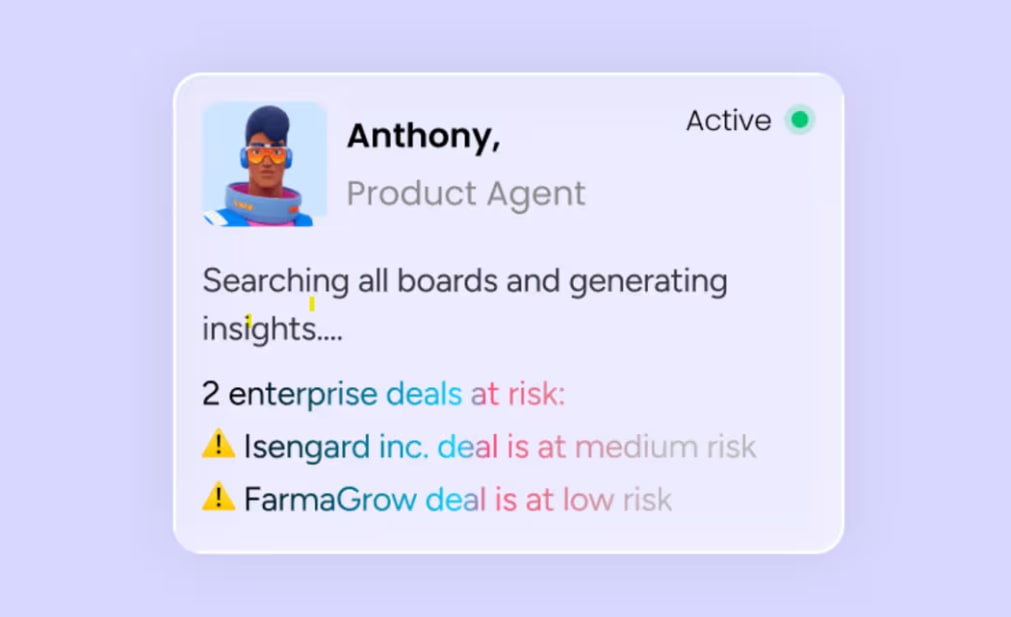
Operations leaders track dozens of initiatives at once, and blockers often come to light only after they’ve already slowed something down. The Chief of Staff agent monitors your priorities and keeps strategic initiatives visibly on track, giving leaders a live view instead of a retroactive one.
The agent works across 3 areas:
- Monitoring: It tracks priority initiatives across connected boards and watches for stalled items, missed deadlines, or ownership gaps.
- Flagging: When something stalls, the agent reports it with context — what’s blocked, who owns it, and how long it’s been stuck — so leaders can act on specifics instead of a vague warning.
- Reporting: The agent keeps a running view of initiative health that leaders can check at any time, rather than reconstructing it manually before each leadership meeting.

3. Manage vendor contract renewals with the Vendor Renewal Agent
Vendor contracts renew on their own timelines, and operations teams must catch a renewal in time to negotiate a new deal. The Vendor Renewal Agent compares your current contract against a renewal proposal and reports backbefore the deadline arrives.
The agent handles the comparison workflow:
- Input: It reads your current contract terms and the new renewal proposal from connected boards or documents.
- Comparison: It flags what changed — pricing, terms, service levels — and highlights where the new proposal costs more or offers less than what you currently have.
- Output: The agent produces a one-page brief your procurement lead can bring straight into a renewal conversation, with the key negotiating points already identified.

4. Route and prioritize incoming tickets with the Ticket Management Agent
Operations teams receive a high volume of internal requests, including facility requests and procurement asks. Manually sorting them creates bottlenecks that slow resolution across the board. The Ticket Management Agent classifies, prioritizes, and routes tickets automatically and resolves common issues using your knowledge base.
The agent streamlines intake through 3 core functions:
- Classification and routing: It classifies and prioritizes every incoming ticket, then routes each one to the right team through Slack or your configured channel.
- SLA and resolution: The agent sets service level agreements and resolves common, well-documented issues directly from your knowledge base, without a team member touching the ticket.
- Ongoing visibility: Between requests, it monitors the boards and timelines you rely on and flags when something stalls, then closes the day with a summary of what’s open, what changed, and where to focus next.
5. Monitor SLA compliance across active tickets with the SLA Monitor agent
Protecting vendor relationships, customer trust, and internal credibility depends on staying ahead of SLA timers — something that’s difficult when no one is actively watching the clock. The SLA Monitor agent tracks SLA performance across active tickets, flags at-risk cases, and proactively alerts managers before breaches occur.
The agent provides continuous SLA oversight:
- Tracking: It continuously monitors SLA timers across all active tickets on connected boards, watching every ticket in real time against your defined thresholds.
- Flagging: The agent identifies cases approaching their SLA window and categorizes them by risk severity, so a ticket at 80% of its window gets different treatment than one at 95%.
- Alerting: It sends proactive notifications to the responsible manager with context on the at-risk ticket and a recommended next step.

6. Identify process bottlenecks with the Process Automator agent
Operations workflows often contain redundant steps or outdated approval chains that teams rarely have time to audit. These inefficiencies build up until they become real drags on throughput. The Process Automator agent identifies repetitive patterns across workflows and suggests automations to eliminate them.
The agent analyzes and improves your workflows:
- Scanning: It analyzes workflow patterns across boards to detect repetitive manual steps and duplicate data entry, looking at how work moves through your system rather than how it was designed to move.
- Recommendations: The agent suggests specific automations or workflow changes to remove redundancies, including the estimated time savings for each one, so you can prioritize what to implement first.
- Action: With approval, it can implement approved changes directly, such as creating new automation rules or consolidating duplicate items.

7. Track team capacity and flag who has room with the Team Capacity Agent
Operations leaders are often the last to know when a team member is overloaded, because capacity data lives across individual boards instead of in one place. The Team Capacity Agent tracks your team’s active projects and flags who has room to take on urgent work, so reassignment decisions are based on real data instead of a guess.
The agent provides ongoing capacity visibility:
- Tracking: It monitors active project load across connected boards for each team member, updating continuously as assignments change.
- Flagging: When urgent work needs an owner, the agent identifies who has genuine capacity, rather than defaulting to whoever answered last.
- Context: Each recommendation includes what the person is currently carrying, so the decision to reassign work is an informed one.

8. Calculate the true cost of meetings with the Meeting Cost Agent
Meetings consume a significant share of the operations management calendar, but few teams ever calculate what that time costs. The Meeting Cost Agent calculates the true cost of your team’s meetings and sends a weekly breakdown with ways to cut it down.
The agent handles the calculation and reporting:
- Calculation: It factors attendee count, meeting length, and role-based cost estimates to produce a real cost figure for each meeting rather than a rough guess.
- Reporting: The agent sends a weekly breakdown showing which recurring meetings cost the most, so leaders can see the pattern rather than one meeting in isolation.
- Recommendations: It suggests specific meetings to shorten, consolidate, or cancel, based on cost relative to attendance.

9. Translate operational content for global teams with the Translator agent
Global operations teams need SOPs, process documentation, and communications available in multiple languages, but manual translation creates delays and inconsistencies that slow down execution across regions. The Translator agent translates board content, documents, and communications while preserving the accuracy of key details.
The agent supports multilingual operations:
- Translation: It converts board content, documents, and communications into the target language, at the item level, the document level, or across multiple boards.
- Accuracy: The agent maintains the precision of technical terms, proper nouns, and operational terminology, so a procurement SOP translated into German keeps the exact meaning of its compliance terms and process steps.
- Scale: It handles translation across multiple items and boards simultaneously without manual intervention.

10. Build a custom agent for any operations workflow
The nine agents above are ready-made starting points, but operations teams can also build custom agents tailored to their exact processes using the agent builder. The no-code builder follows a three-step process: describe the role, connect knowledge sources, and test in simulation mode.
Some examples of custom operations agents teams might build:
- Compliance checker: Scans procurement requests against internal policy documents and flags non-compliant submissions. The agent references your uploaded compliance PDFs and approval matrices to evaluate each request against your actual rules rather than generic standards.
- Onboarding coordinator: Tracks new vendor or employee onboarding checklists and sends reminders when milestones run late, so multi-step onboarding processes spanning weeks stay visible.
- Budget variance monitor: Compares actual spend against budgeted amounts on project boards and alerts finance stakeholders when variances exceed defined limits, catching budget surprises early rather than at quarterly review.
How multiple operations agents work together
Unlike standalone automations, agents can mirror how real operations teams coordinate complex processes across functions and timelines. The orchestration patterns below show how this plays out in practice.
Sequential orchestration: multi-stage procurement approvals
In a procurement approval workflow, agents execute in sequence, where each completes its work before triggering the next. This mirrors how approval chains work in practice, where each stage depends on the output of the one before it.
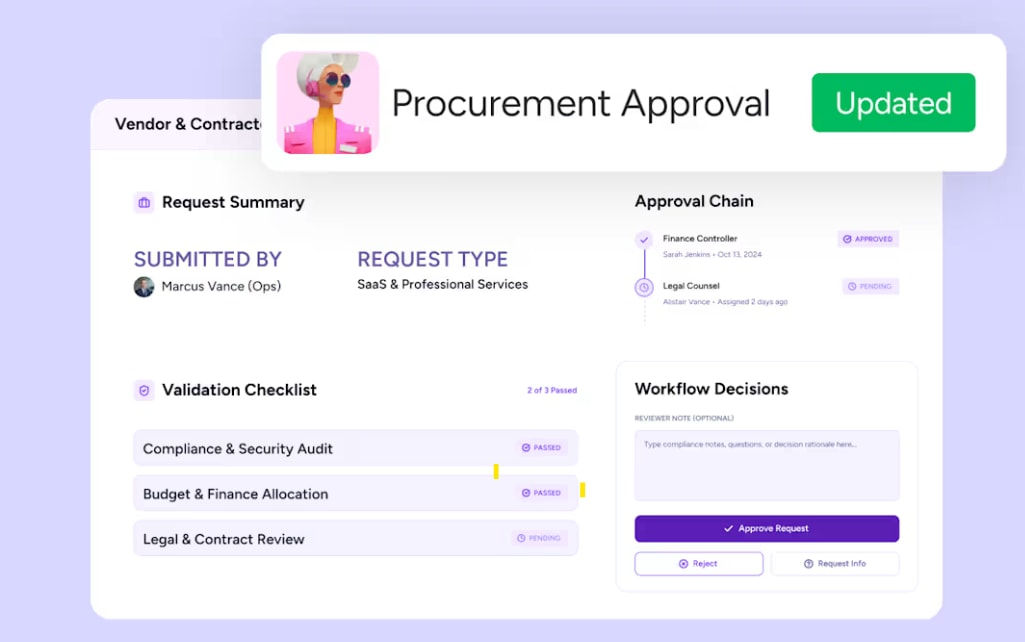
The Procurement Approval Agent validates the request against policy and routes it for sign-off. Once approved, the Vendor Renewal Agent picks up the vendor relationship going forward, tracking the contract toward its next renewal date. The Chief of Staff agent keeps the initiative visible on the leadership view until it closes out.
Concurrent orchestration: parallel reporting and capacity tracking
The Status Reporter agent generates weekly project updates while the Team Capacity Agent simultaneously tracks workload across the same portfolio. Both agents operate on the same data but produce different outputs: one for stakeholder communication, the other for reassignment decisions.
The operations leader receives both outputs together, without waiting for one process to finish before the next starts. This parallel execution is particularly valuable during high-stakes periods like product launches or quarterly closes, when visibility and capacity awareness both need to happen at once.
Handoff orchestration: intake and resolution
The Ticket Management Agent receives an incoming request, classifies it, and assigns it to the right owner. It then hands off to the SLA Monitor agent, which starts tracking the ticket’s response clock from that point forward.
If the request needs specialized follow-up, the receiving team picks it up with full context already attached — no one has to re-explain what the ticket is about. Each agent contributes its specialized capability to a unified workflow, and the operations team sees the full picture without manually connecting the dots.
Why cross-department context makes operations agents smarter
Most AI agent platforms operate within a single domain: CRM data only, IT tickets only, or project boards only. monday agents access a unified data layer connecting marketing campaigns, sales pipelines, HR onboarding, IT tickets, and operations workflows in one system. This gives operations agents context they’d otherwise miss, including budget constraints, deal timelines, and cross-team dependencies.
How to build a custom operations agent in 3 steps
While ready-made agents cover common operations workflows, the agent builder lets teams create agents tailored to their exact processes without writing code. The steps below walk through exactly how it works.
Step 1: Describe the agent role and triggers
The first step is defining what the agent does and when it should act. The team describes the agent’s role in natural language — for example, “monitor all procurement boards and flag any request over $10,000 that hasn’t been approved within 48 hours” — and specifies the triggers that activate it.
Triggers can be schedule-based, running daily or weekly on a set cadence; event-based, firing when a new item is created on a connected board; or condition-based, activating when a status changes to a specific value.
A well-defined role produces more accurate results than a broad, vague description. “Flag overdue procurement requests over $10,000” outperforms “help with procurement.”
Step 2: Connect knowledge sources and integrations
The agent needs context to act intelligently. Teams connect the relevant knowledge sources — monday AI Workspace boards, uploaded PDFs like procurement policies or SOP documents, and docs — so the agent’s decisions are grounded in real organizational data. They also connect integrations with the external platforms the agent needs to interact with.
Boards give the agent the structured data it monitors and acts on: project boards, procurement boards, vendor management boards. Documents like SOPs, compliance policies, and approval matrices give it the reference material to evaluate decisions against. Integrations with tools like Slack, email, and calendar give it the channels to communicate and take action outside monday AI Workspace.
Step 3: Test in simulation mode and refine
Before activating the agent, teams can run it in simulation mode — a validation step where the agent shows what it would do without executing it. This lets the team review the agent’s decisions, adjust its instructions, and build confidence before going live.
Simulation mode is a key trust mechanism. Operations leaders can verify the agent handles edge cases correctly, confirm it respects permission boundaries, and review expected outputs before the agent operates autonomously.
If the agent flags the wrong items or misinterprets a policy, the team refines the instructions and runs the simulation again, with no risk to live data.
How monday agents keep operations data safe
Operations teams handle sensitive data, including procurement contracts, vendor agreements, financial information, and employee records. Trust is a prerequisite for deploying agents on this data.
The following safeguards are built into how monday agents operate.
- Granular permissions and access controls: Admins define exactly which data each agent can access and whether it has permission to read, create, or edit information. Agents respect the same permission model that governs people on your team, so deploying an agent doesn’t require building a new security framework.
- Team approval gates: Teams can configure agents to require in-person approval before executing high-impact actions. For example, an agent might flag a budget variance and draft a notification, but wait for a manager’s approval before sending it to finance stakeholders.
- Audit trails and simulation mode: Every action an agent takes is logged with full transparency: what it did, why it did it, and what it plans to do next. The audit trail supports compliance requirements and internal governance reviews.
- Enterprise compliance and data ownership: The platform holds SOC 2 Type II, ISO/IEC 27001, and ISO/IEC 27701 certifications, is HIPAA compliant, and is GDPR compliant. You retain ownership of all content you provide and all content generated by AI, and the platform does not use customer data to train AI models.
How to measure agent impact on operations workflows
Operations leaders need to quantify the value agents deliver to justify continued investment and expansion. The following metrics provide a practical measurement framework.
| Metric | What it measures | How to track on monday AI Workspace |
|---|---|---|
| Time saved per workflow | Hours reclaimed from manual processes the agent now handles | Compare pre-agent and post-agent time logs on project boards |
| Response time reduction | Speed improvement in request routing, SLA response, or stakeholder updates | Track timestamp differences on Ticket Management or SLA Monitor agent actions |
| Renewal lead time | How far in advance the Vendor Renewal Agent flags an upcoming renewal | Measure the time between agent alert timestamp and the contract's expiry date |
| Report generation frequency | Increase in reporting cadence without additional manual effort | Count Status Reporter agent outputs per week against the previous manual cadence |
| Error reduction | Decrease in misrouted tickets, missed SLA breaches, or capacity misreads | Track "rerouted" or "corrected" items flagged by agents |
Establish baseline measurements before deploying agents so you can demonstrate concrete before-and-after improvements. A workflow that took 4 hours per week manually and now runs autonomously is a defensible proof point that builds internal support for expansion.
Start automating operations work with monday agents
Operations teams that deploy monday agents move from manual coordination and reactive problem-solving to proactive, autonomous execution. Agents handle status reports, capacity tracking, vendor renewals, request routing, SLA monitoring, and more, around the clock, without the bottlenecks that come from relying on manual processes alone.
Teams can start with a single workflow, prove value in days, and scale to multi-agent orchestration across departments as confidence grows. A single workflow on monday AI Workspace is enough to find out what that space could hold.
Try monday agentsFAQs about monday agents for operations
Does monday AI Workspace have AI agents?
Yes. The platform offers monday agents that operate as autonomous teammates within your workspace. It provides both ready-made agents for common workflows like status reporting, vendor renewals, and ticket triage, and a no-code agent builder for creating custom agents tailored to your specific processes.
How do operations teams use monday agents?
Operations teams use monday agents to automate high-volume, repeatable workflows such as generating project status reports, tracking team capacity, managing vendor contract renewals, routing and prioritizing incoming requests, monitoring SLA compliance, and translating operational content for global teams. All of these run autonomously within monday AI Workspace.
Do monday agents integrate with Slack and Microsoft Teams?
Yes, monday agents can connect to Slack, Microsoft Teams, Gmail, and other platforms through monday AI Workspace's 200+ integrations. This allows agents to send notifications, pull context from external channels, and take actions across your connected ecosystem.
Is operations data used to train AI models on monday AI Workspace?
No. The platform does not use your customer data or content to train its AI models and does not allow third parties to do so. You retain full ownership of all content you provide and all content generated by AI on the platform.
How do AI credits work for monday agents?
The platform provides AI credits that are consumed when agents perform AI-powered actions. Every account receives a monthly credit allocation to explore AI capabilities, with additional credits available for purchase based on your team's usage needs.

 Get started