


Most AI features your team uses stand on the sidelines of real work. A summarize button here, a chatbot in the sidebar there. Individually, they’re useful, but they can’t see how a delayed design asset in one team creates a deadline risk in another. And they can’t act on that connection either — they just wait to be asked.
An AI workspace brings every aspect of your work together, delivering a shared environment where people and agents work together on the same connected data, across every department, in real time. This guide explores AI workspaces in more detail and introduces monday AI Workspace as a home for your people and agents ensemble.
Get startedKey takeaways
- An AI workspace is a shared operating environment. People and agents work together on connected, cross-department data to move work from strategy to execution.
- Native beats bolted-on. A real AI workspace builds intelligence into the data layer, so agents see the full picture instead of one isolated silo.
- People stay in control. You set direction, priorities, and judgment calls. Agents handle execution, monitoring, and coordination within the boundaries you define.
- Cross-department context makes AI accurate. AI becomes useful at scale only when it sees how marketing, sales, IT, HR, and operations connect.
- Governance is the trust condition. Role-based access, audit trails, and simulation mode let you deploy agents securely and predictably.
- Adoption depends on where AI lives. When AI sits inside the workflows people already use, teams adopt it on day one.
What is an AI workspace?
An AI workspace is a shared platform where people and agents work together on connected data, turning strategy into execution. AI operates alongside your team, accessing the same real-time information you do, rather than sitting in a separate chat window waiting to be prompted.
Beware: An AI workspace is not a productivity suite with a chatbot added to the sidebar. Traditional platforms tend to treat AI as an isolated feature that needs constant manual updates just to understand your goals. In an AI workspace, intelligence is native to the work surface. It inherits context automatically from the projects, conversations, and data already in the system.
On a traditional platform:
- A campaign manager manually extracts data
- They write a brief, assign tasks, and chase approvals
- Every step requires a person to initiate the next one
Inside an AI workspace:
- The person sets the strategic direction
- An agent drafts the brief from past performance data
- The agent assigns creative deliverables based on team capacity
- The agent flags a late design asset before it stalls the launch
The person directs. The agent executes.
The shift from bolted-on AI to native AI workspaces
Bolted-on AI refers to features added to an existing platform as a separate layer, like a summarize button or a standalone chatbot. These features operate on isolated data and can’t see the full context of work happening across your organization.
| Access | AI operates on isolated data fragments | AI sees connected, cross-department data |
|---|---|---|
| Platform design | Added after the platform was built | Designed into the platform architecture |
| Context | Requires manual context-setting | Context is inherited from the work surface |
| Scope | Accelerates individual tasks | Manages end-to-end workflows |
Native AI lives inside the data layer of the platform. Every agent, assistant, and automation accesses the same connected information people use every day. AI handles status updates, manual handoffs, and alignment meetings that normally eat up hours your teams could spend on higher-value work. Here’s how it compares to non-integrated AI.

How do people and agents work together inside an AI workspace?
An AI agent is purpose-built AI that takes actions, not just generates text. It’s scoped to a specific domain, has access to relevant data, and runs multi-step tasks on its own, within limits you set.
Here’s how the collaboration model works in practice, what makes it different from basic automation, and why keeping people in control is the foundation of effective AI deployment.
The roles people and agents each play
In an AI workspace, people set direction and make judgment calls. Agents handle execution, monitoring, and coordination. This model differs from two familiar alternatives.
- Basic automation: Follows fixed rules but can’t adapt to context
- General AI assistant: Responds to prompts but cannot take action independently
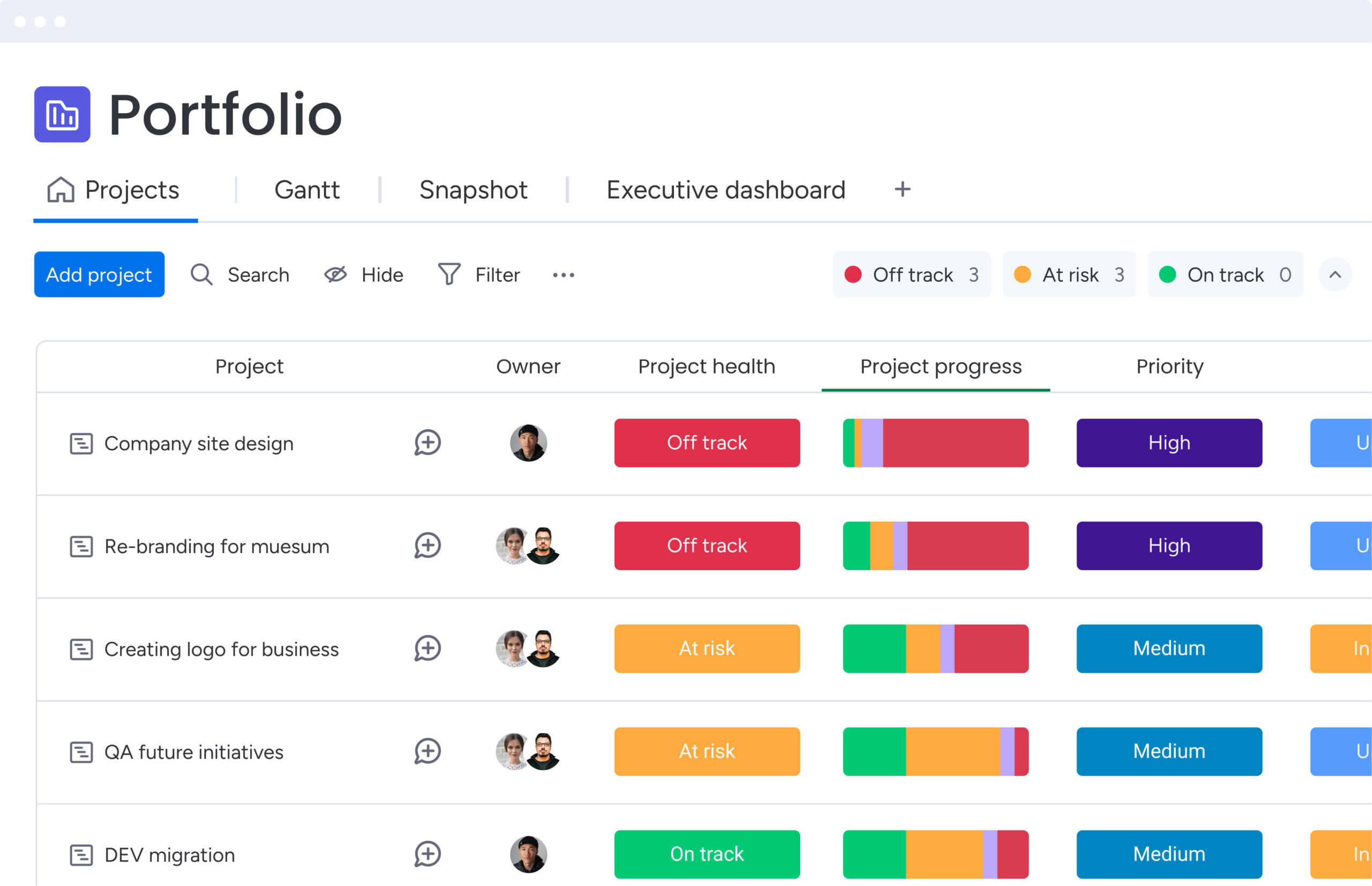
Consider a PMO director who sets one goal: flag any project at risk of slipping its deadline by more than 5 days. The AI operations agent monitors every active project, flags the at-risk ones in a dashboard, and notifies each owner. The director keeps full oversight without checking projects one by one.
4 collaboration patterns that define how people and agents work
Collaboration takes a few distinct shapes depending on the work. These patterns help you spot where agents add the most value across your teams.
- Direction-setting: You define the goal, scope, and constraints. The agent executes within them. A sales leader configures an agent to follow up on stalled deals, and it handles the follow-ups.
- Review and approval: The agent completes a task and tags it for your review. It drafts a campaign brief from performance data. You approve before it goes live.
- Escalation: The agent resolves routine cases and escalates exceptions. A service agent handles password resets automatically but routes complex access issues to an engineer.
- Continuous monitoring: The agent watches for conditions you defined and alerts you. It flags dependencies at risk of creating delays across a portfolio.
Why does keeping the person in control matter so much? While agents operate on data, people carry relationship context, political awareness, and strategic nuance that no dataset captures. Every action needs an owner, and the person who configured the agent stays accountable. Teams adopt AI faster when they see exactly what it does and why.
What work can an AI workspace handle across your departments?
An AI workspace gets more valuable when multiple departments use it. Agents in one area act on data generated by another, creating one connected workspace.
Here’s how that plays out across the functions you manage every day, and what each agent does inside a live workflow.
Department-by-department: where agents deliver the most value
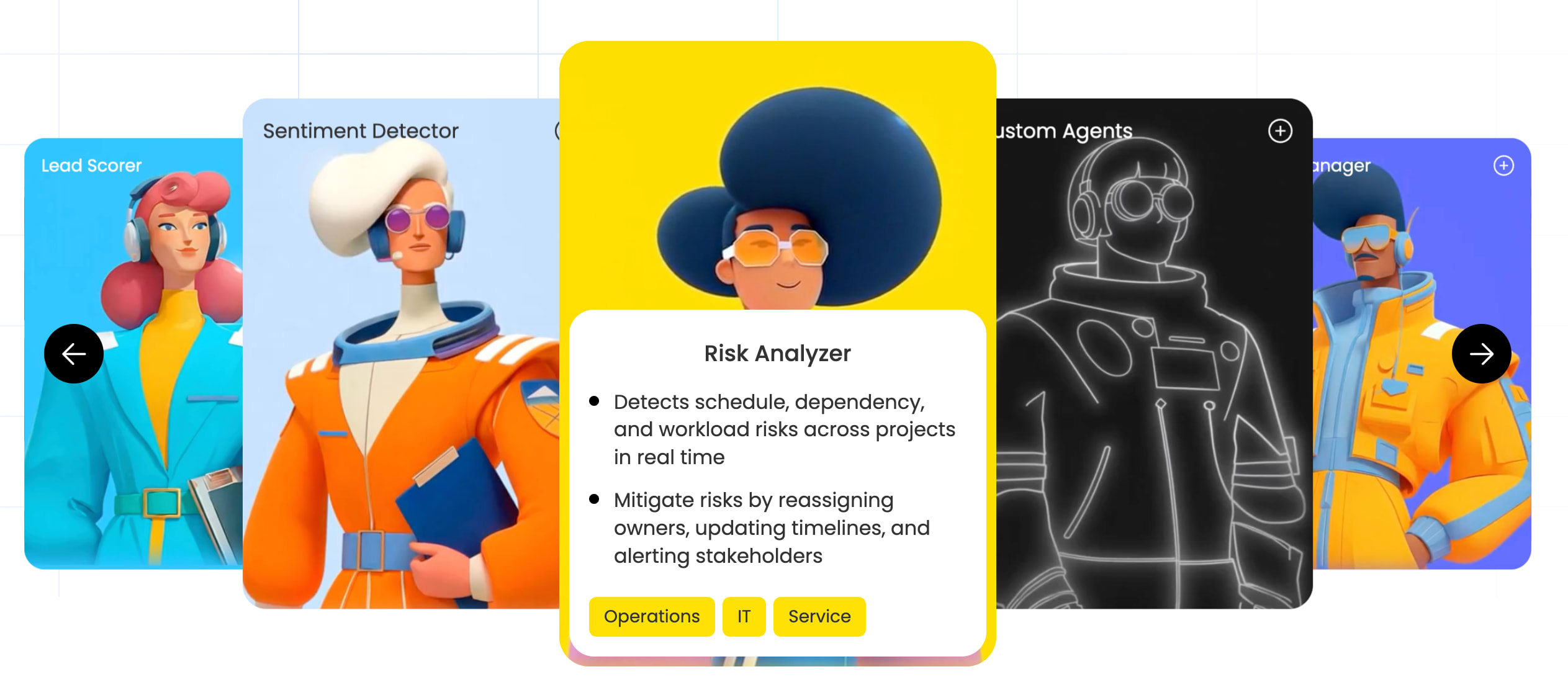
- Marketing and campaigns: A Campaign Manager agent tracks live performance across channels and makes budget recommendations. When new creative requests arrive, AI categorizes them by urgency and asset type, then routes them to designers based on workload management.
- Sales and revenue: A Deal Facilitator agent keeps deals moving by tracking stages, anticipating delays, and prompting reps with the right collateral. A Sales Advisor agent identifies skill gaps and makes coaching recommendations for leaders.
- IT and service: An AI Service Agent intercepts incoming requests, checks the knowledge base, and resolves recurring issues like provisioning. For complex tickets, it categorizes by severity and routes them to the right engineering tier.
- HR and onboarding: An Onboarding Helper agent guides new employees through their first weeks, tracks milestone completion, and answers common policy questions instantly.
- PMO and portfolio: A Project Analyzer agent — one of several AI agents for project management available out of the box — monitors hundreds of projects at once, pinpoints project dependencies across boards, and flags bottlenecks a person might miss before they cause delays.
The 7 core capabilities every AI workspace needs
Not every platform marketed as an AI workspace delivers the same depth. To judge whether a platform can truly support cross-functional work at enterprise scale, look for these specific capabilities. Each addresses a real gap that isolated AI features leave open.
Capability 1: A connected data layer
One underlying infrastructure that connects information from every department. Without it, every AI capability stays trapped in its silo and can’t act on cross-functional context.
Capability 2: Context-aware assistants
AI that understands the current state of your work, not just the prompt you typed. A context-aware assistant can tell you a launch is at risk because a design asset is 3 days late, without you having to ask.
Capability 3: Task-specific agents
AI that’s scoped to a domain and trained to act within it. A Project Analyzer knows what a project risk looks like and how to flag it. A Deal Facilitator knows what a stalled deal looks like and how to move it forward.
Capability 4: Agentic workflows
Multi-step processes that an agent runs end to end, adapting to context and handling exceptions instead of waiting for the next manual trigger. This is what separates an AI workspace from a smarter automation rule.
Capability 5: No-code agent creation
Non-technical people can create their own agents and apps through a visual interface. If only developers can create them, the platform never reaches organization-wide scale, and adoption stalls at the IT team.
Capability 6: Open model infrastructure
The ability to connect to multiple AI providers and choose the right model for each task. This avoids vendor lock-in and lets you match model capability to the complexity of each workflow.
Capability 7: Embedded adoption
AI capabilities appear inside the workflows people already use, so no one has to switch to a separate interface. When AI lives where work happens, adoption follows naturally.

Governance and security in an enterprise AI workspace
Governance isn’t a constraint on AI. It’s the condition that makes AI trustworthy enough to deploy at scale. Before agents touch proprietary data, your CIO and compliance teams need specific controls, not vague reassurances.
The 4 controls below are the minimum standard for enterprise-grade AI deployment. Each addresses a distinct risk that arises when agents operate on real business data.
- Role-based access: Every agent and person operates within a defined permission boundary. Agents inherit the exact permissions of the person who configured them. If you cannot see finance data, neither can your agent.
- Audit trails: A complete, timestamped log of every agent action records what it did, what data it used, and who configured it. You can trace any action back to its source instantly.
- Simulation mode: You test exactly what an agent will do before it acts on real work. This builds trust during new deployments by letting you verify logic before it touches live data.
- Compliance and data residency: Enterprise organizations need control over where data is stored and processed to meet regulations like GDPR in Europe.

How monday AI Workspace brings people and agents together
The challenge is clear: AI without cross-department context can’t act on strategy accurately. The solution is one shared environment where people and agents share the same data, workflows, and workspace. And that’s exactly what monday AI Workspace was built to deliver. Here’s how each capability shows up as a business outcome.
- Move work forward with monday sidekick: A context-aware assistant that understands the current state of your boards. It summarizes project status, highlights hidden risks, and answers questions about live data.
- Expand capacity with monday agents: Task-specific agents like Project Analyzer, Deal Facilitator, and AI Service Agent handle real work inside your permission and governance framework.
- Automate end to end with monday workflows: Agentic workflows run across departments. Add AI Blocks to categorize, extract, summarize, or translate without writing code.
- Create any app with monday vibe: Describe the agent you need in plain language, and it builds natively connected to your data. Any department head can create one without an IT request.
The platform holds SOC 2 Type II, ISO 27001, HIPAA, and GDPR compliance, and your data is never used to train AI models. That’s why 225,000+ organizations, including more than 60% of the Fortune 500, run work here. It’s also recognized as a Leader in the Gartner Magic Quadrant for collaborative work management.
Get started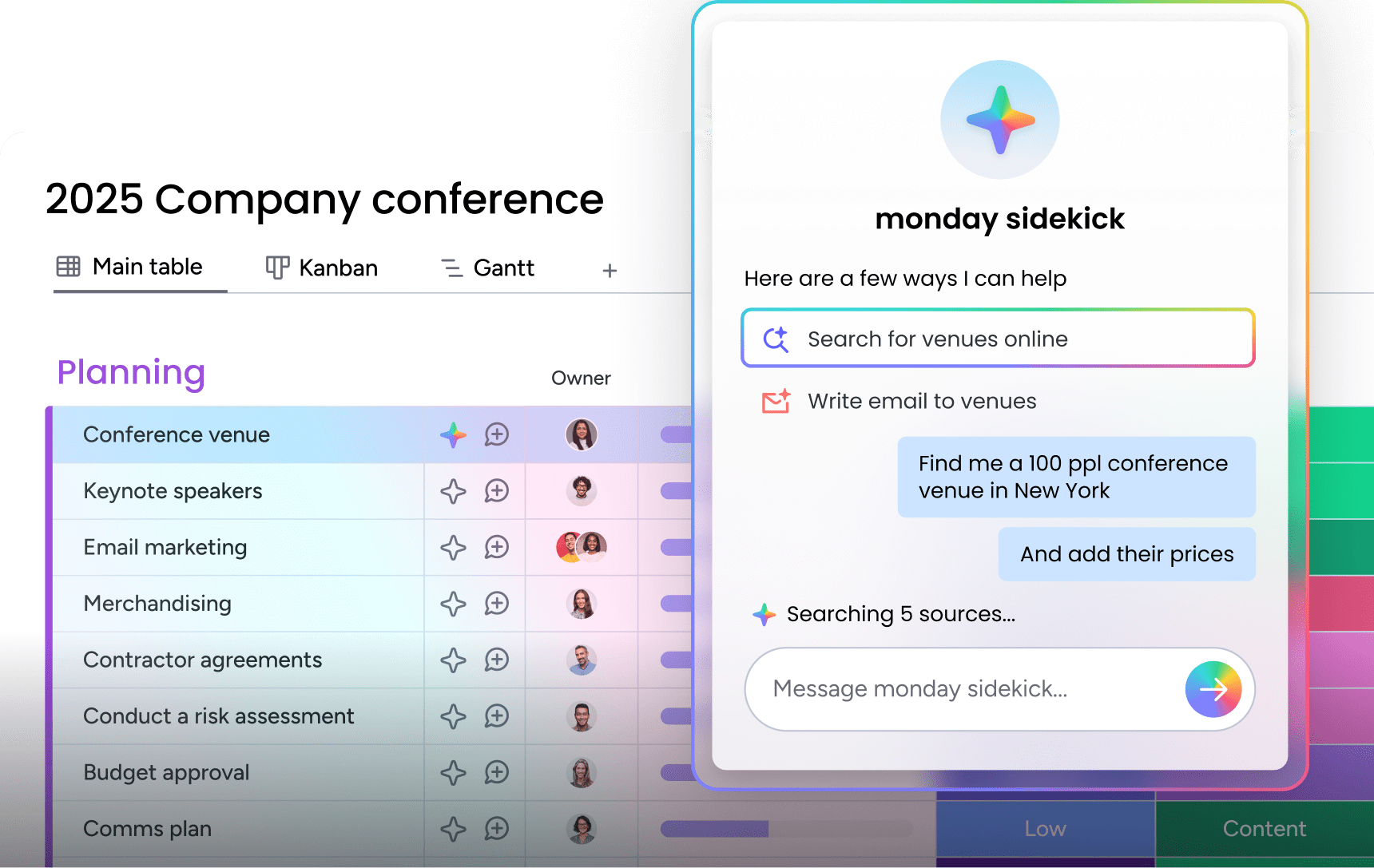
Choose a connected AI workspace
The downfall that happens between strategy and execution is usually a coordination and capacity problem rather than a planning issue. And the platform you choose is integral to overcoming it.
Before committing to any AI workspace, ask whether:
- agents and people share the same data layer
- governance controls are built in from the start
- your whole workforce will commit to using it.
The organizations that gain the most from AI aren’t the ones deploying the most agents. They deploy agents within a governed, transparent framework their whole workforce trusts.
When every department works from the same connected workspace, the nature of work changes. Agents handle execution, monitoring, and coordination. Your people drive the direction, strategy, and relationships that move the business forward. That’s the combination worth building toward.
Get startedFrequently asked questions
What is an AI workspace, and how is it different from a chatbot?
An AI workspace is a shared platform where people and agents work together on connected, cross-department data to execute work, while a chatbot only answers prompts and cannot act on your organization's full context.
How do people and agents work together inside an AI workspace?
People define strategy, set goals, and make judgment calls, while agents handle execution, coordination, and monitoring within the boundaries the people who configured them have set.
Why is cross-department data important for AI agents?
Cross-department data matters because agents act accurately only when they see the full picture, letting them coordinate handoffs between teams and locates risks that span multiple functions.
How secure is an enterprise AI workspace?
An enterprise AI workspace uses role-based access so agents only reach permitted data, complete audit trails of every action, and simulation mode to test agent behavior before it touches live work.
How does an AI workspace connect to my existing platforms?
An AI workspace connects through integrations with apps like Slack, Microsoft Teams, Salesforce, and Jira, so agents act on full business context without forcing you to replace the systems you already use.

 Get started