


Customer support is an inherently personable job. When something goes wrong, customers want to believe the person on the other end understands the problem and genuinely cares about fixing it. Yet, support teams rarely get the space to deliver that experience consistently. Ticket volume climbs faster than headcount, and reps spend real hours on manual tracking instead of the conversation in front of them. Response times slip, and the rep who could have caught a frustrated customer early is still working through yesterday’s queue.
AI agents don’t have people skills, and they’re not meant to replace the person a customer is talking to. What they do well is the manual tracking, which gives the team its time back for the conversations that need a person’s judgment and empathy.
monday agents build for exactly that role. This guide walks through how customer support teams use monday agents to handle ticket follow-up, SLA monitoring, sentiment escalation, and account risk. We offer practical rollout plans, governance considerations, and metrics that reflect real impact.
Try monday agentsKey takeaways
- AI agents watch and flag work continuously. SLA Monitor catches deadlines before they’re missed, and Support Signal Agent escalates sentiment risk the moment it crosses a threshold.
- Account risk shows up before the renewal conversation does. Account Health Agent and Contract Renewal Agent turn declining engagement and stalled renewals into a brief a CS manager can act on early.
- A support ticket can double as a revenue signal. Seat Expansion Agent and Voice of customer agent connect feedback and usage data to expansion and product opportunities most teams never see from the queue alone.
- Every agent action stays reviewable. Simulation mode lets a team test what an agent would do before it touches a live customer, and permissions and audit trails keep every action visible after that.
- One agent, deployed well, beats five deployed at once. Start with the highest-cost queue and prove it in simulation mode before adding the next.

What are monday agents for customer support?
monday agents are autonomous teammates that live inside your monday AI Workspace. These agents work 24/7 inside your boards without requiring separate platforms or consultants. They track open tickets, watch SLA timing, flag account risk, and escalate the moment a pattern crosses a threshold.
They work where customer support happens, with access to the structured data layer that connects support tickets to CRM records, account boards, and operational workflows. With cross-department context, agents catch risk and opportunity that a tool looking at ticket history alone would miss.
8 monday agents that support teams rely on
Support teams rely on specific agent types to handle different aspects of their daily operations. Together, they cover the full lifecycle: first contact through renewal and expansion. Here’s how they work.
Ticket Follow-Up Agent: consolidated queue visibility
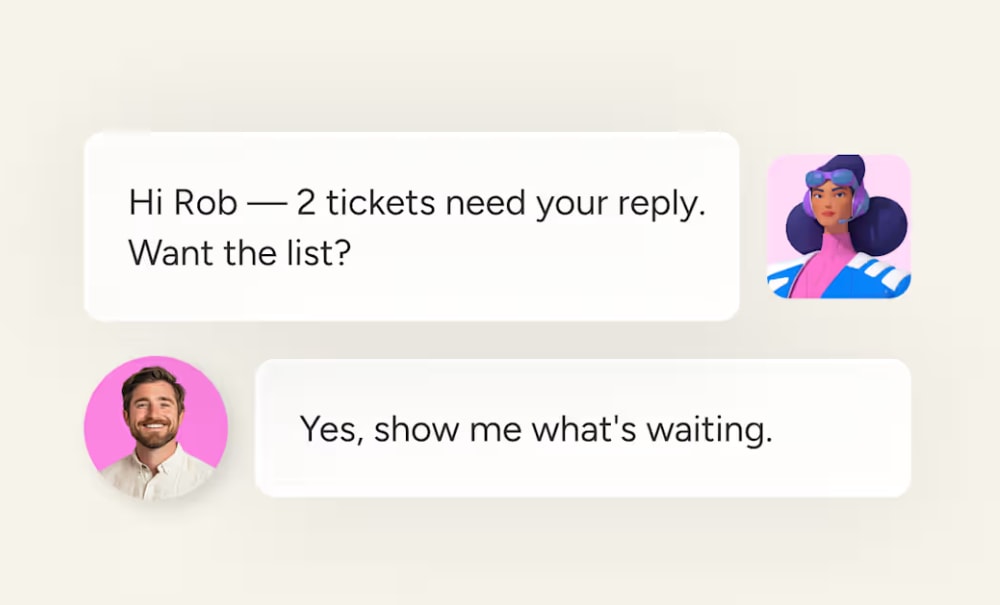
The Ticket Follow-Up Agent tracks every ticket you have open across connected support and ticketing boards, so nothing sits unseen. Replies land across multiple boards and queues, which makes it hard to remember what’s still waiting on you.
The workflow looks like this:
- It watches every queue you’re connected to at once.
- For each ticket, it checks whether you’ve already posted a reply or update.
- It notifies you as soon as it finds a ticket sitting on your side of the conversation.
- It maintains one consolidated, easy-to-scan list of open tickets and outstanding action items.
SLA Monitor: proactive deadline protection
The SLA Monitor watches response and resolve times against your SLA thresholds in real time. It flags items approaching the limit and those that have already breached, and notifies the right manager before a breach where possible.
This goes beyond simple date-based automations that fire a notification only after a due date hits. The SLA Monitor evaluates the trajectory of each ticket, sends a periodic breach summary on your cadence, and offers trend views over time so leaders see problems while there’s still time to fix them.

Support Signal Agent: severity-based escalation and trend reporting
The Support Signal Agent triages tickets tied to a defined product area throughout the day. Slow-building product problems hide in hundreds of tickets until they’ve already affected many customers — this agent catches them earlier.
Here’s how it works:
- The agent applies severity rules based on sentiment and account value, so negative sentiment on a paying account, escalation status, and account value all raise a ticket’s severity automatically.
- Anything crossing your critical threshold, like churn language or a billing error, triggers an immediate Slack alert instead of waiting for the scheduled report.
- It publishes a daily trend report citing real ticket IDs, with customer sentiment quoted directly rather than paraphrased.
- The week’s findings roll into a weekly digest, including knowledge base gaps the tickets point to, giving leadership a fast read on where the trend is heading.

Feedback Digest Agent: themed feedback summaries
The Feedback Digest Agent clusters new feedback into ranked themes and publishes a sentiment read with standout outliers each review cycle. Feedback piles up faster than anyone can read, and the real patterns get buried by the time anyone sits down to review it.
The workflow:
- It picks up from the last summary’s creation date, so nothing gets counted twice.
- It reads every piece of feedback created since then, including text, ratings, and replies.
- It groups similar feedback into themes even when customers phrase things differently, and counts mentions per theme.
- It calls out overall sentiment and any one-off feedback worth a second look.

Voice of customer agent: prioritized product opportunities
The Voice of customer agent analyzes customer feedback for recurring themes and prioritizes the pain points by business impact. Product teams miss opportunities when feedback piles up without clear themes or priorities attached.
It recommends the top opportunities for the team to build, and summarizes what’s open and what’s changed since the last check, so the team works from a ranked list instead of a raw inbox.

Account Health Agent: cited renewal risk
The Account Health Agent flags accounts with a renewal inside 90 days or declining engagement, then cites the exact evidence in a weekly brief. Renewal risk often gets caught too late because signals like declining logins and falling health scores sit across boards and only get reviewed occasionally.
Here’s the workflow:
- It pulls ARR, renewal dates, login signals, and health scores from designated account boards.
- It flags any account with a renewal inside the next 90 days.
- It compares current login signals and health scores against prior periods to catch engagement trending down.
- It attaches the specific board item behind each risk flag, and calls out any account missing required data instead of guessing.
- It compiles every flagged account, the reason for the flag, and its citation into one brief that customer success managers can act on.

Contract Renewal Agent: renewal tracking end to end
The Contract Renewal Agent watches the accounts board for renewal dates and surfaces what’s coming up. Renewals slip when key dates and follow-up actions aren’t tracked in one place.
Ahead of each date, it creates renewal tasks with owners and a timeline, notifies owners, and tracks each renewal’s status through to closed. It escalates early when a renewal is approaching with no progress, so a stalled renewal reaches a manager before the date arrives rather than after.

Seat Expansion Agent: expansion signals from usage data
The Seat Expansion Agent tracks seat usage against licenses across every account each week and flags accounts that have outgrown their contract. Customers often outgrow their license long before an account team notices, and the expansion window closes before anyone acts.
It scores each flagged account as low, mid, or high expansion potential based on your adoption metric, cross-checks renewal timing against adoption to recommend either a risk mitigation plan or an expansion conversation, and rolls every flagged account into one organized weekly email with color-coded tables.
Try monday agentsBenefits of AI agents for customer support teams
AI agents offer obvious advantages to customer support teams, keeping their valuable work on track, no matter how large the volume.
Faster follow-up and fewer missed replies
AI agents remove the manual step of scanning multiple boards to figure out what’s still waiting on a reply. Reps work from one consolidated list instead of reconstructing it themselves every morning. Time savings accelerate across every ticket in the queue. Minutes of per-ticket overhead become seconds.
24/7 SLA coverage without added headcount
AI agents watch deadlines around the clock, so nights, weekends, and holidays stay covered within existing team capacity. Tickets arriving outside business hours get flagged against SLA thresholds before the first rep opens their morning dashboard.
Earlier warning on account and product risk
Agents flag risk while there’s still time to act on it, rather than after a customer has already churned. Moving from reactive to proactive is the difference between catching a problem in a weekly review and catching it the day it started.
Smarter escalation with full context
When an agent escalates a ticket, it passes along the ticket ID, sentiment signal, and account value that triggered the alert. The receiving rep or manager doesn’t start from scratch — they have what they need to act right away.
How support agents access cross-department customer context
Data access separates high-performing support AI from the rest. Agents that see beyond ticket history to the broader customer picture consistently deliver more accurate flags and briefs.
Why siloed service data limits AI accuracy
Most support platforms limit AI to ticket history. Without visibility into CRM records or account health data, agents work with incomplete information. The result is generic responses that don’t account for customer context, missed escalation signals from high-value accounts, and disconnected experiences across departments.
How monday connects support tickets to CRM and account data
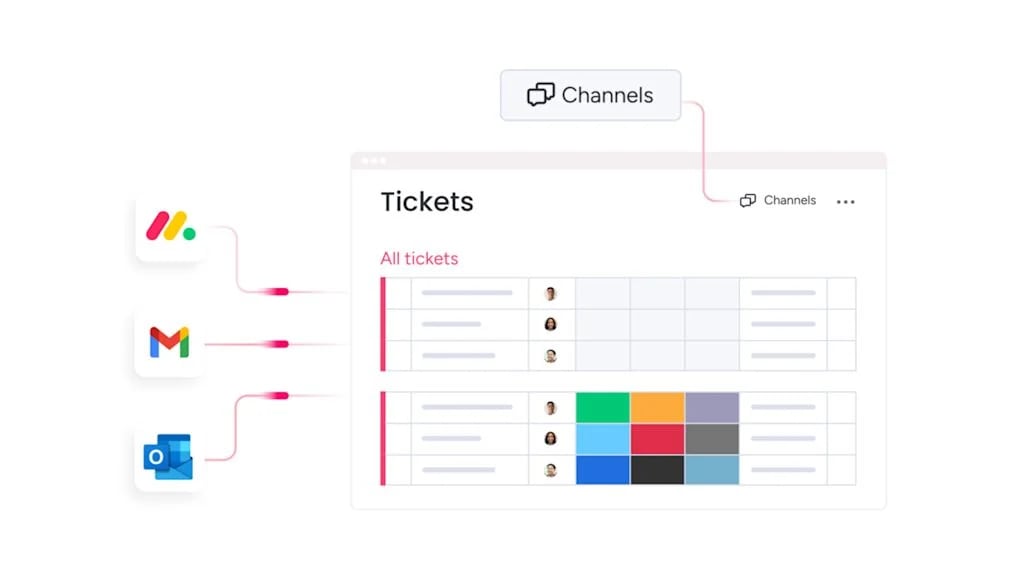
The structured data layer on monday AI Workspace connects support boards to CRM boards and account data. The right set of agents on your team will read the deal history, contract value, and recent interactions across departments, all in one place.
How a support signal becomes a revenue signal
Sentiment detection and account tracking turn insights that would otherwise stay buried in the support queue into revenue-relevant signals:
- Churn risk: Account Health Agent flags a cluster of declining engagement signals on a high-value account, giving the team a window to intervene before frustration becomes a churn decision.
- Expansion signal: Seat Expansion Agent flags an account that has outgrown its license, routing a warm expansion conversation to the account owner instead of leaving it undetected.
- Renewal follow-through: Contract Renewal Agent keeps every upcoming renewal moving toward close, escalating the ones with no progress before the date arrives.
How to build a customer support agent on monday AI Workspace
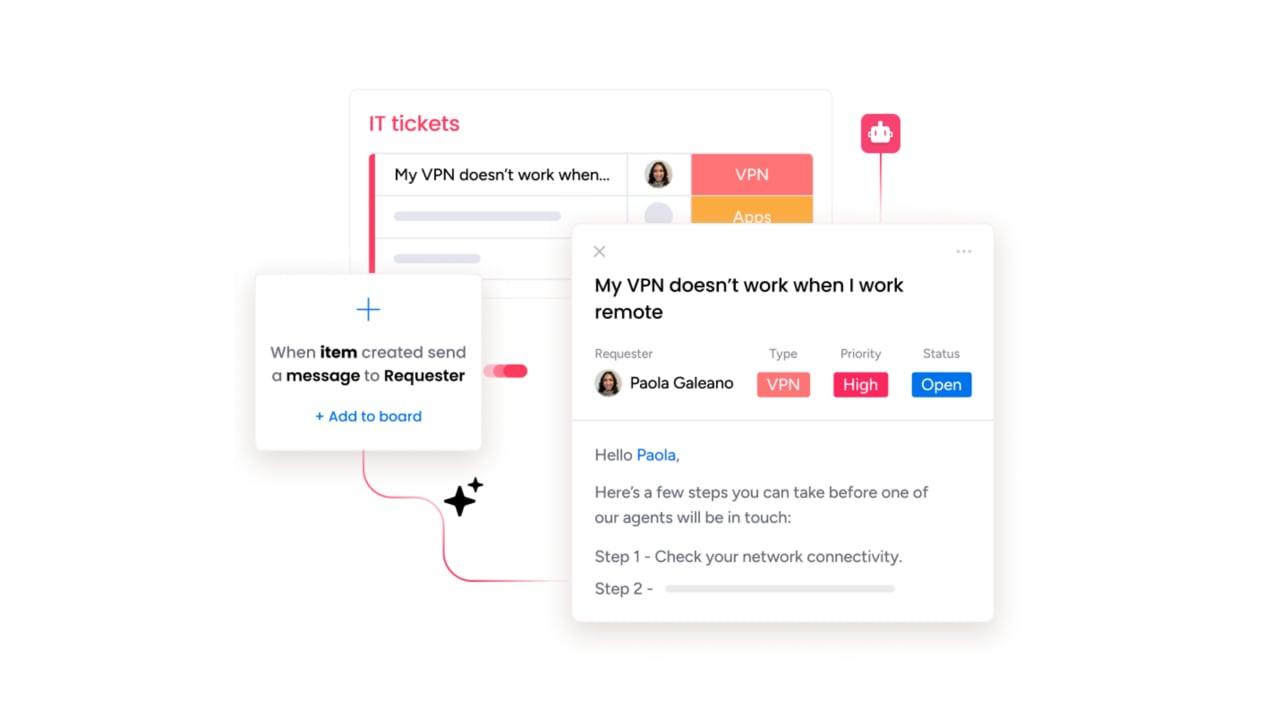
The agent builder on monday AI Workspace uses a 3-step process, built for no-code setup. Support managers and operations leads can create custom agents tailored to their specific processes right inside the platform.
Step 1: Define the agent role and triggers
Describe what the agent should do and when it should act. For example: “Flag tickets without a reply after 4 hours and add them to a follow-up list.” Use plain language, like you’re explaining a task to a new teammate.
Step 2: Connect your boards and tools
Connect the boards and integrations the agent needs — support boards, account boards, SLA trackers, and Slack. The agent’s accuracy depends on what it can access.
Step 3: Test in simulation mode
Run the agent in simulation mode first. You’ll see what it would flag before it touches live tickets. Review the results, adjust the settings, and activate when ready.
5 steps to roll out monday agents for customer support
Start with one agent, validate performance, then expand. Here’s how.
- Pick your biggest time drain: Find where your team loses the most hours to manual work. Check your ticket board for where response times lag or SLAs slip most often.
- Clean your data: Make sure your boards have current, accurate information. Check that renewal dates, health scores, SLA thresholds, and ticket categories are populated and up to date.
- Deploy one agent: Start with a ready-made agent like Ticket Follow-Up Agent or SLA Monitor. Run it in simulation mode for a week, review the outputs, then activate.
- Track performance weekly: Monitor first response time, SLA compliance, escalation accuracy, and CSAT. Use a dashboard to spot what’s working and what needs adjustment.
- Add agents one at a time: Once the first agent performs well, add the next. Layer additional customer service agents to build a coordinated system where each agent handles a specific job.
How to keep control with guardrails, permissions, and compliance
Deploying AI agents keeps full control in your team’s hands. monday AI Workspace’s framework gives teams precise authority over what agents can access, what actions they can take, and how every decision is recorded. Here’s how that works in practice.
Step 1: Set agent boundaries and data access rules
- Decide what each agent can and cannot do inside monday AI Workspace and across external integrations.
- Define exactly which data the agent can access: read-only, edit, or create permissions.
- Example: a follow-up agent gets read access to CRM data and write access only to the Support Tickets board.
Step 2: Use in-person approval for sensitive actions
- Run simulation mode to validate agent actions before activation.
- Configure agents to require approval before sensitive actions like sending VIP outreach or modifying account records.
- The agent does the analysis and drafts the action — a person reviews and approves before anything goes live.
Step 3: Track every agent action with audit trails
- Every action is logged with full transparency.
- See what the agent flagged, why it flagged it, and what it did next.
- Supports internal quality reviews, manager oversight, and regulatory compliance.
Step 4: Meet compliance standards for customer data
- SOC 2 Type II and ISO/IEC 27001 certified, HIPAA compliant, GDPR compliant, ISO/IEC 27701 certified.
- Customer data is not used to train AI models, and monday AI Workspace does not allow third parties to do so.
- Data encrypted at rest using AES-256 and in transit with TLS 1.3.
How to measure AI agent performance for customer support
Deploying agents is only half the work — knowing whether they’re performing is what drives continuous improvement. These metrics give support leaders a structured way to evaluate agent impact across speed, quality, and risk detection.
Metric 1: First response time and SLA compliance
Average first response time: the duration from ticket creation to first reply, measured before and after agent deployment. A meaningful decrease indicates the follow-up and SLA agents are working.
SLA compliance rate: the percentage of tickets resolved within the agreed service-level timeframe. Improvement here reflects the SLA Monitor’s proactive deadline protection.
Metric 2: Escalation accuracy and risk detection
Escalation precision: how often an agent-flagged critical issue turns out to warrant the escalation, tracked over time. A rising precision rate means the agent’s thresholds are well-tuned.
Renewal risk accuracy: how often accounts flagged by the Account Health Agent or Contract Renewal Agent match actual renewal or churn outcomes.
Metric 3: CSAT and expansion conversion
CSAT (Customer Satisfaction Score): post-resolution satisfaction ratings, tracked to ensure agent-assisted tickets maintain the same quality standards as fully human-handled interactions.
Expansion conversion rate: the percentage of Seat Expansion Agent flags that convert into an actual expansion conversation or deal, showing whether the signal is translating into revenue action.
What the best support teams will look like in 2026
The support teams scaling fastest in 2026 will be those that deployed AI agents to handle the repetitive work while their people focus on the conversations that need their expertise. These teams use specialized agents for specific jobs. Each agent does one thing well, and together they cover the full lifecycle from first contact through renewal.
If your team is spending hours each day reconstructing follow-up lists, chasing SLA deadlines, or manually flagging at-risk accounts, monday agents give you a faster path forward. Start with one monday agent, validate the output, then add the next. Every agent you deploy in the AI Workspace frees your team to do higher-value work — and every ticket, renewal, and escalation gets handled with the context it deserves.
Try monday agentsFrequently asked questions about monday agents for customer support
How long does it take to set up a monday agent for customer support?
Teams can deploy a ready-made support agent within minutes using the three-step agent builder: describe the role, connect data sources, and test with simulation mode. No coding or IT involvement is required.
What happens when a monday agent flags an issue it can't resolve on its own?
Agents like Support Signal Agent escalate to a support team member with the ticket ID, sentiment signal, and account context that triggered the alert attached. The rep or manager can act without asking the customer to repeat information.
Can monday agents use our existing support and account data?
Yes. Agents use the boards you define as context, so every flag is grounded in your real work and data. You connect your account boards, SLA fields, and ticket data during setup, and the agent references this information when it flags or reports.
Does monday AI Workspace use customer data to train AI models?
The platform does not use customer data or content to train its AI models and does not allow third parties to do so. Customers retain ownership of all content they provide and all content generated by AI, with data encrypted at rest using AES-256 and in transit with TLS 1.3.
How much control do support teams have over what AI agents can access and do?
Teams have granular control over agent permissions. You decide what each agent can and cannot do, both inside monday AI Workspace and across external integrations, and whether it has permission to edit, create, or only read information. Every action is logged with full audit trails.

 Get started